Emerging Technologies and Library Wikis Your Guide to Building a Wiki for Reference Services Carissa Tomlinson, MLIS March 28, 2008
What Does “Emerging Technologies” Really Mean? Specific to library and information science, emerging technologies refers to any new technology that can help support user services, instruction, library management, and technical services.  Currently often used interchangeably with Web 2.0, but is a much broader term. Important that we think outside of the Web 2.0 concepts and keep our eyes open for the next things on the horizon. Web 3.0 already in “beta”
Key Emerging Technologies As Identified by the Horizon Report Grassroots videos Utilizing video sharing such as YouTube Collaboration webs Such as wikis integrated with other social technologies Mobile broadband Content aimed at mobile access to Internet Data mashups Hybridization of multiple technologies Collective intelligence Social bookmarking, wikipedia, etc. Social operating systems Systems set up to interpret and predict what information users will need/ want based on relationships.  Yahoo Life! Example (web 2.5 concept)
Additional Emerging Technologies Blogs Instant Messaging Social Networking Tools Wikis Web-based collaborative software Microsoft Office-like Software Web Conferencing Software Bibliographic Management Software Folksonomy (tags) RSS technology/Podcasts/Vidcast Screen Capture Technology Camtasia Captivate Freeware
Web 3.0 Semantic Web - computer can understand meaning behind words in order to predict what users will do with the information or need next An email with a date in it will automatically load onto an online calendar
Trends in Current Emerging Technologies Collaboration Communication Creativity Predictability Accessibility But…always something new around the corner which could be better or worse  to support the library, so…
New Emerging Technologies We must be constantly evaluating our services Everything is always in “Beta” We must encourage constant and purposeful change We must be always be on the look out for new technology that can improve our services
Wikis for Academic Libraries A particularly useful emerging technology is the wiki Collaboratively  develop a website with other librarians or faculty Easy  interaction  between developers and users Hawaiian for quick Also  easy ! Usually no need to know HTML or FTP programs Great tool for many different library applications
Wiki Basics Wikis start off as a single blank page Pages are created and connected by hyperlinks like webpages Determine who can edit the wiki easily Discussion areas generally included on each page Depending on wiki- WYSIWYG or wiki editing (easy, but different than HTML)
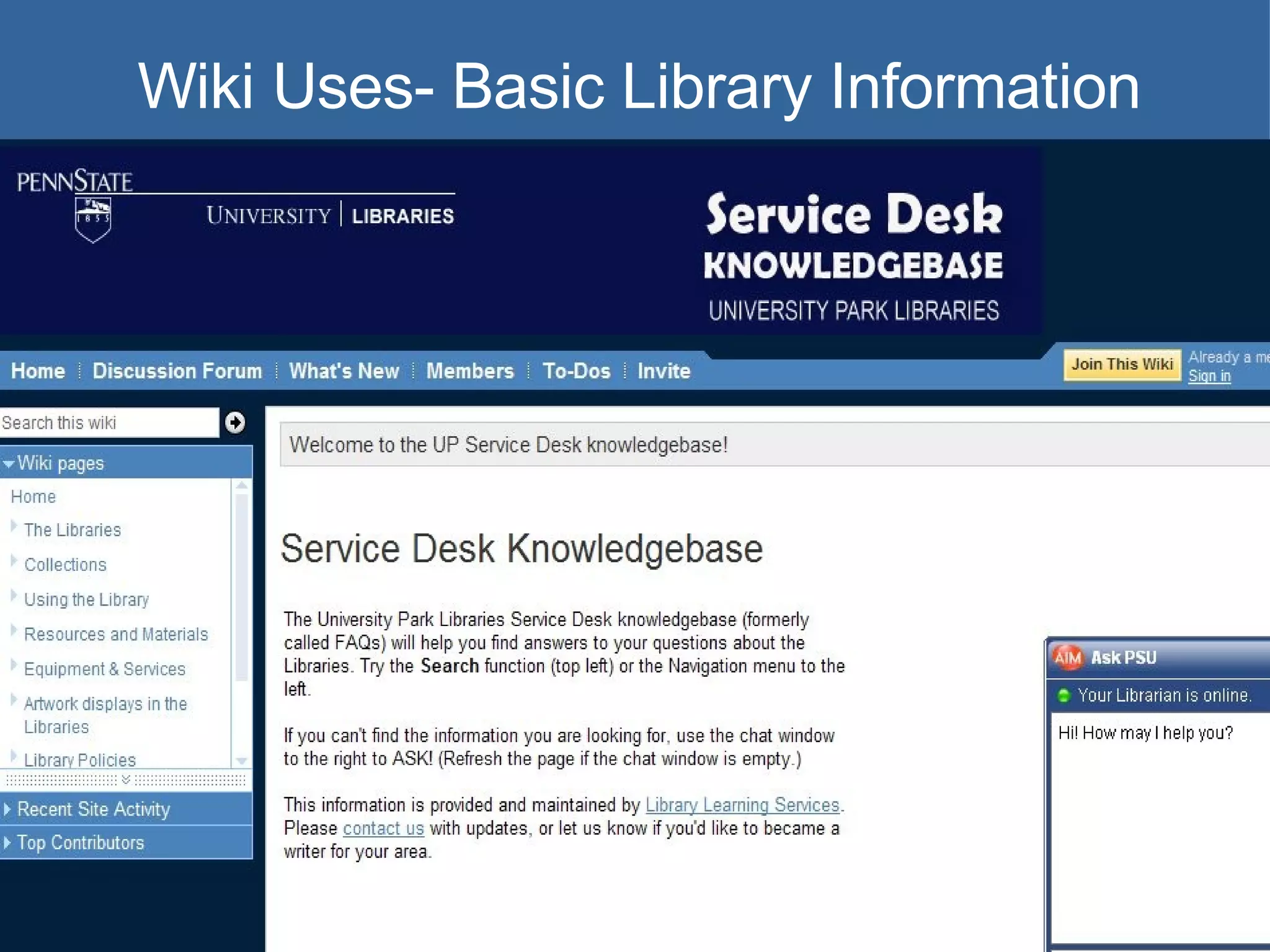
Wiki Uses- Basic Library Information
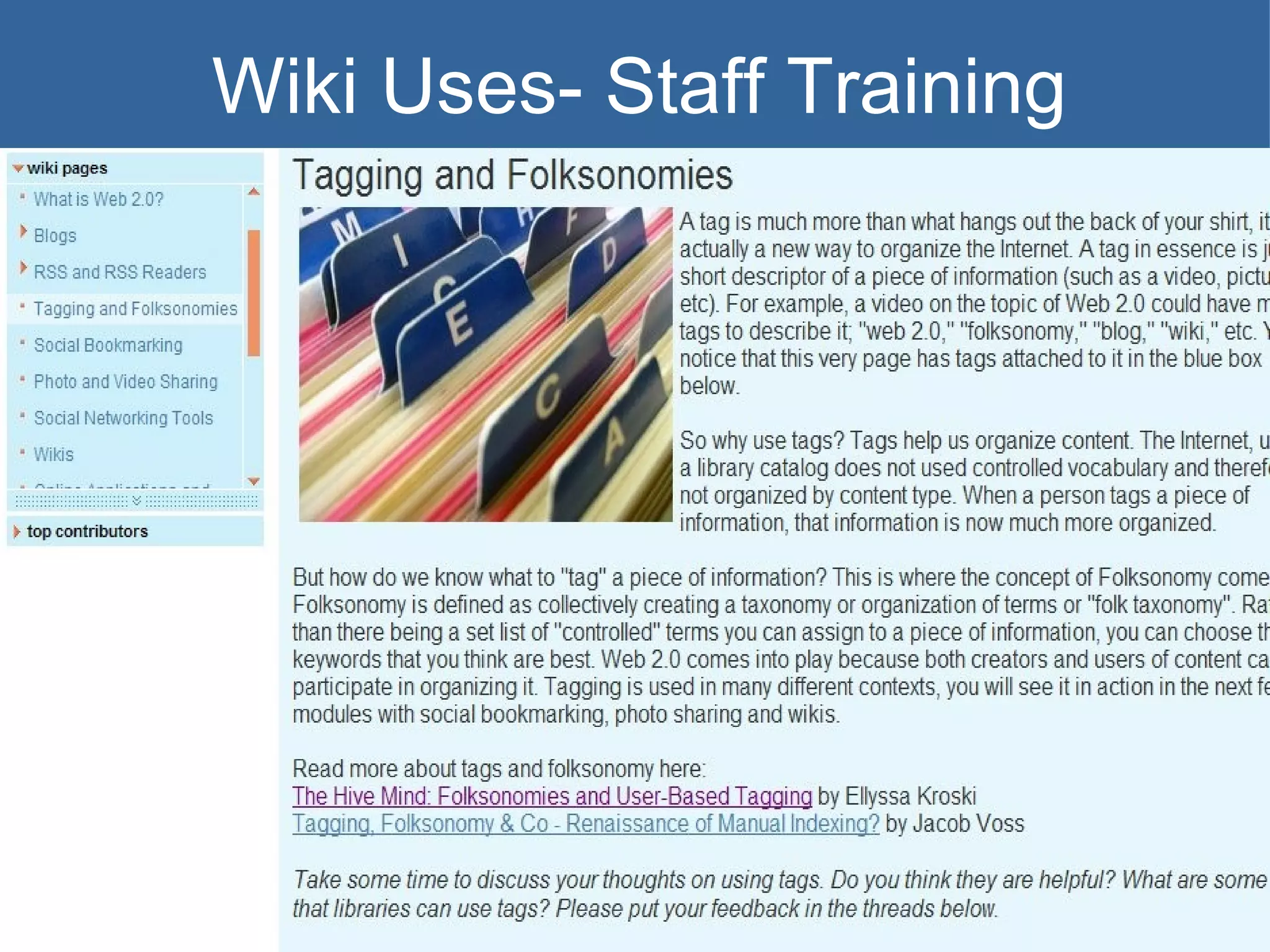
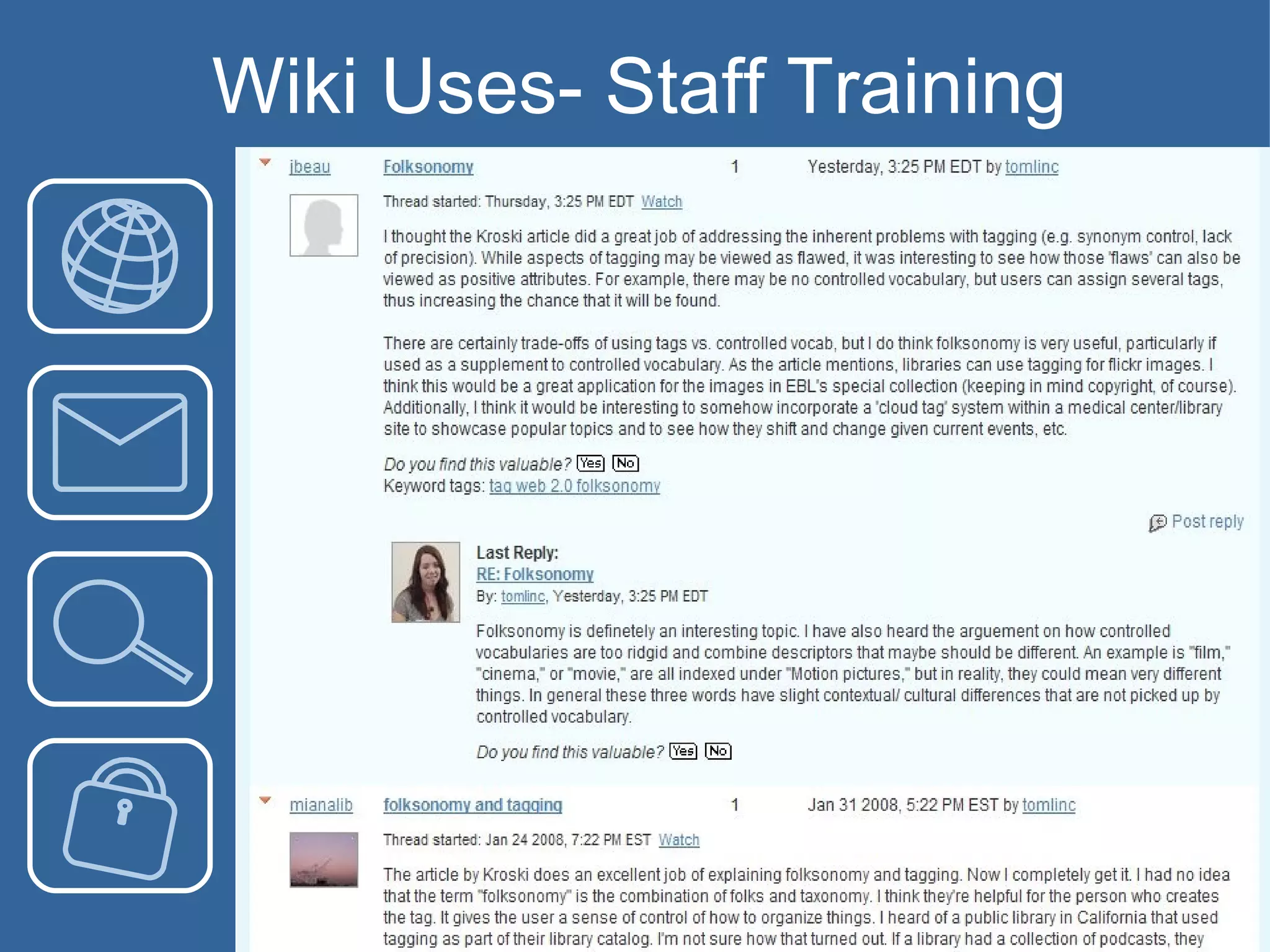
Wiki Uses- Staff Training
Wiki Uses- Collaborative Document Editing Instead of emailing documents back and forth creating many duplicates, use a wiki and collaboratively edit one document located in a centralized place Could be used externally with student or faculty collaboration or could be used for internal project/ paper collaboration
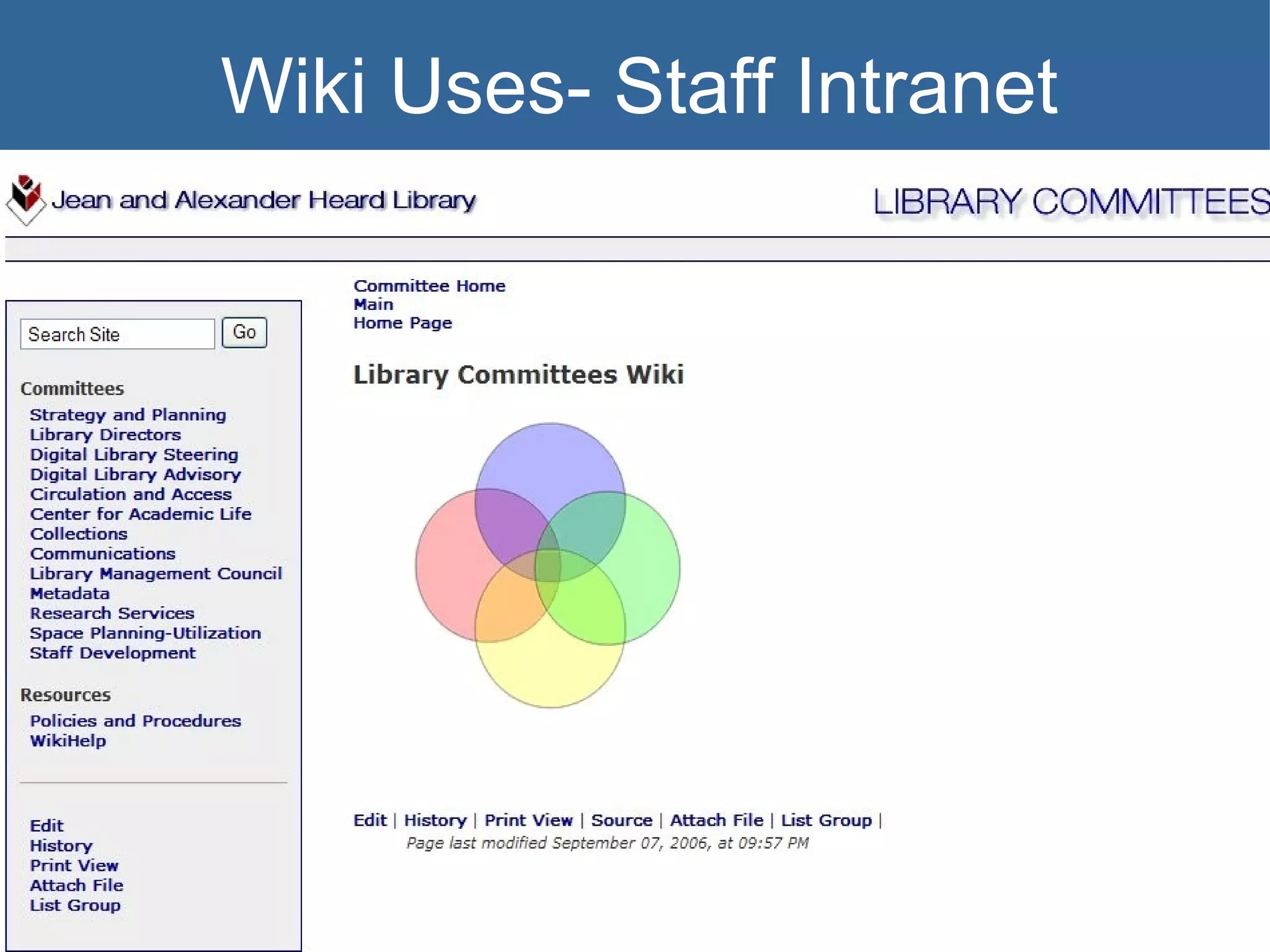
Wiki Uses- Staff Intranet
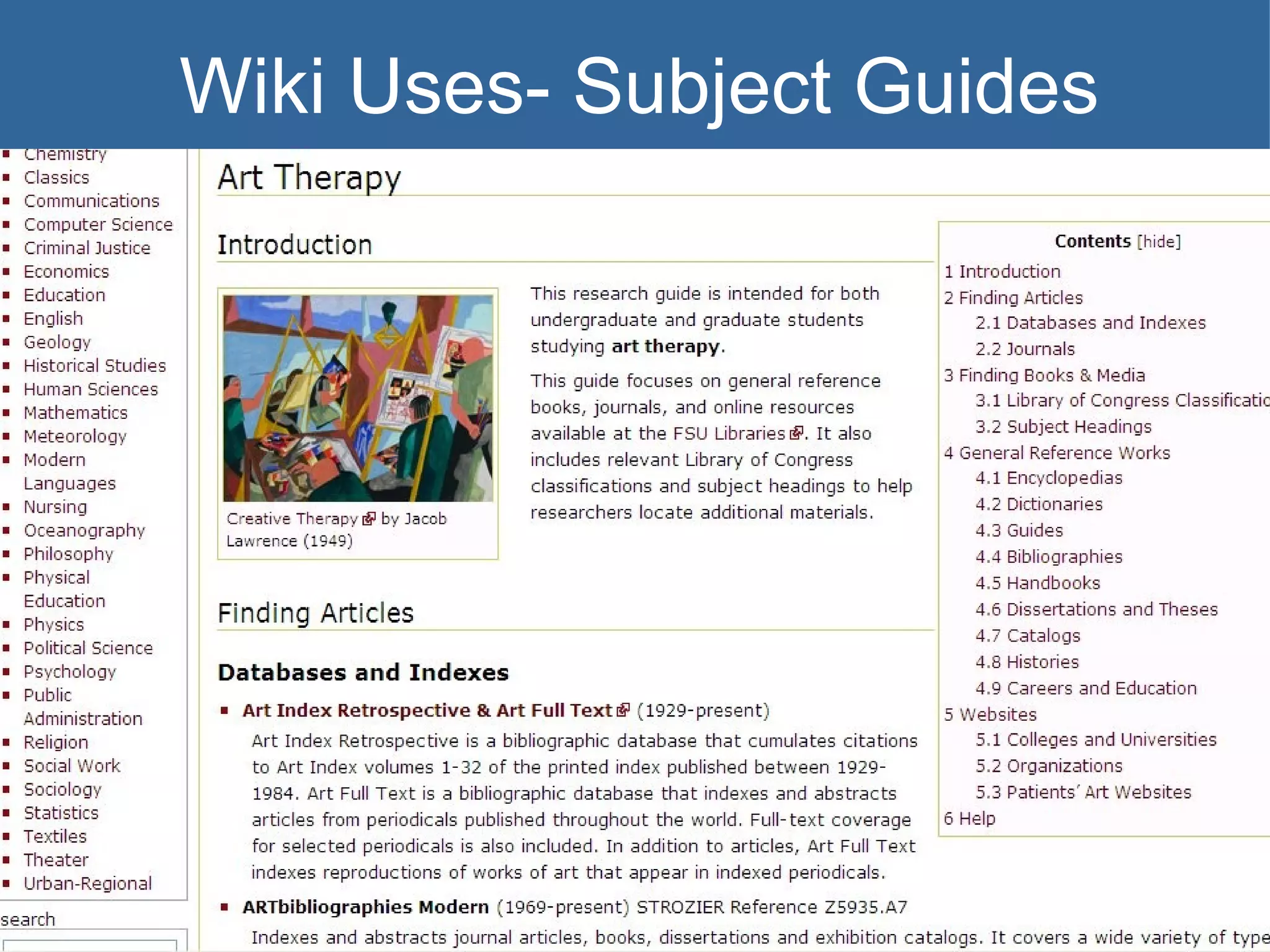
Wiki Uses- Subject Guides
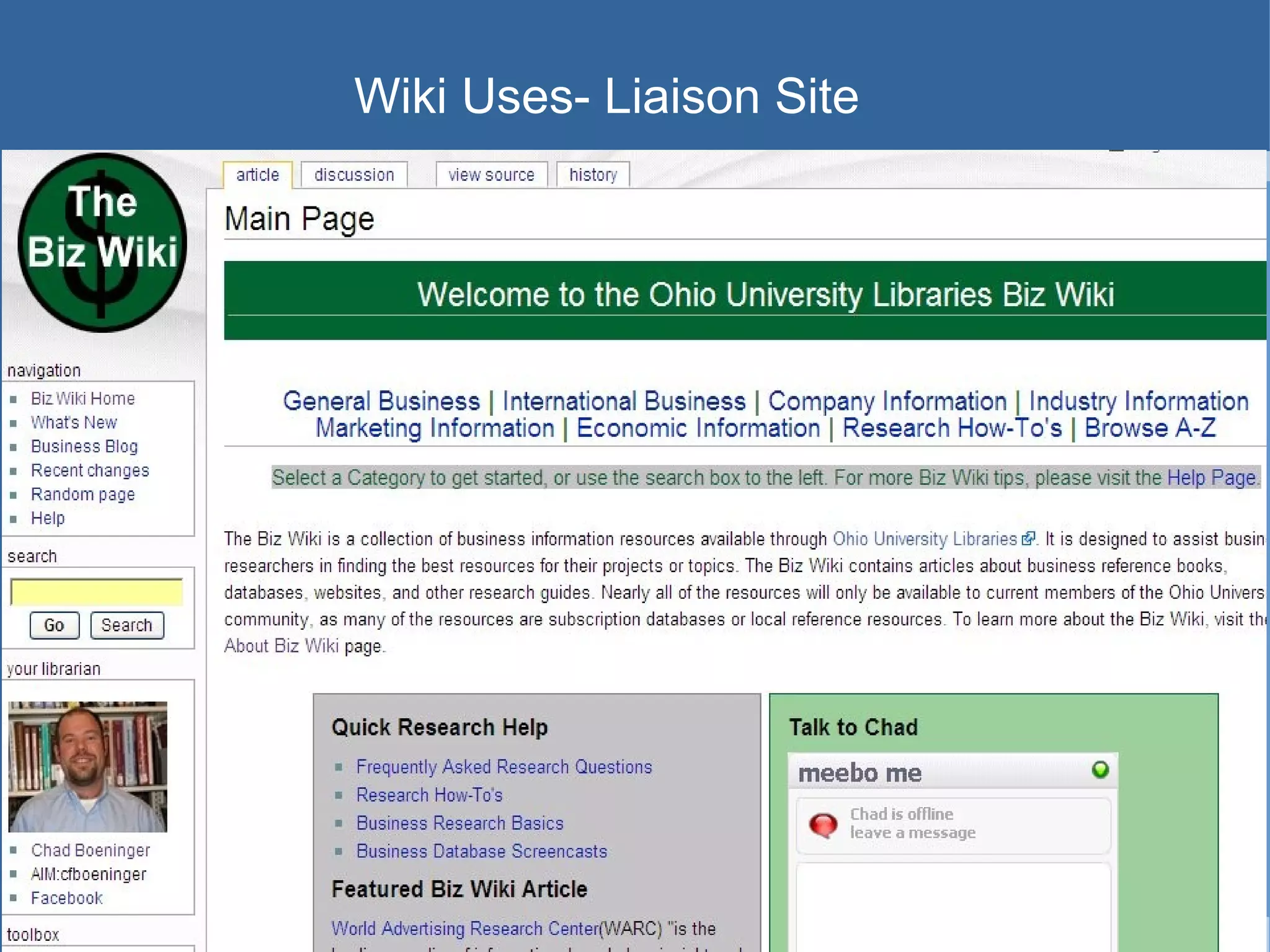
Wiki Uses- Liaison Site
Wikis- Things to Consider Wikis can be either hosted on the library or university server or can be hosted by “wiki farms” online.
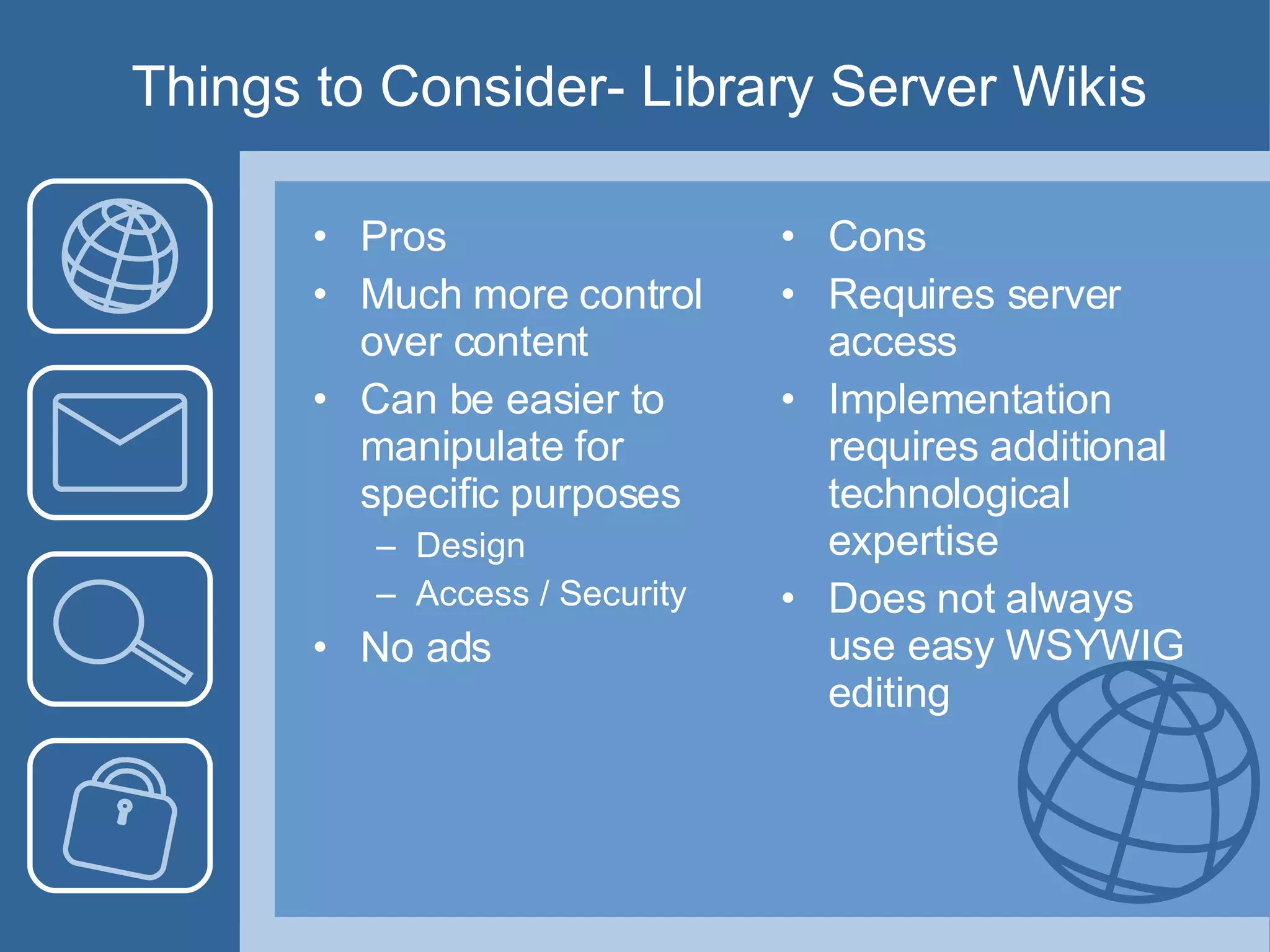
Things to Consider- Library Server Wikis Pros Much more control over content Can be easier to manipulate for specific purposes Design Access / Security No ads Cons Requires server access Implementation requires additional technological expertise Does not always use easy WSYWIG editing
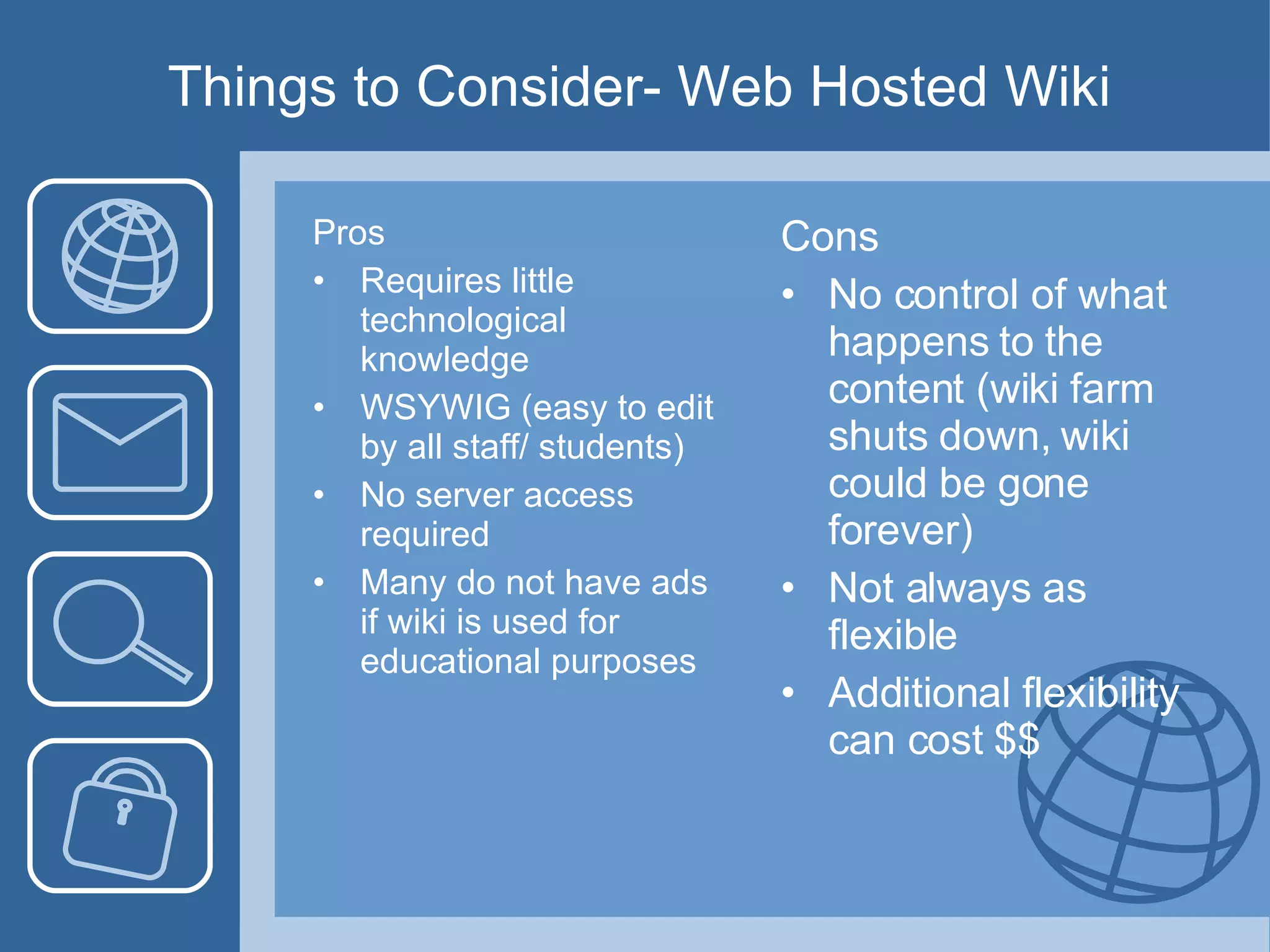
Things to Consider- Web Hosted Wiki Pros Requires little technological knowledge WSYWIG (easy to edit by all staff/ students)  No server access required Many do not have ads if wiki is used for educational purposes Cons No control of what happens to the content (wiki farm shuts down, wiki could be gone forever) Not always as flexible Additional flexibility can cost $$
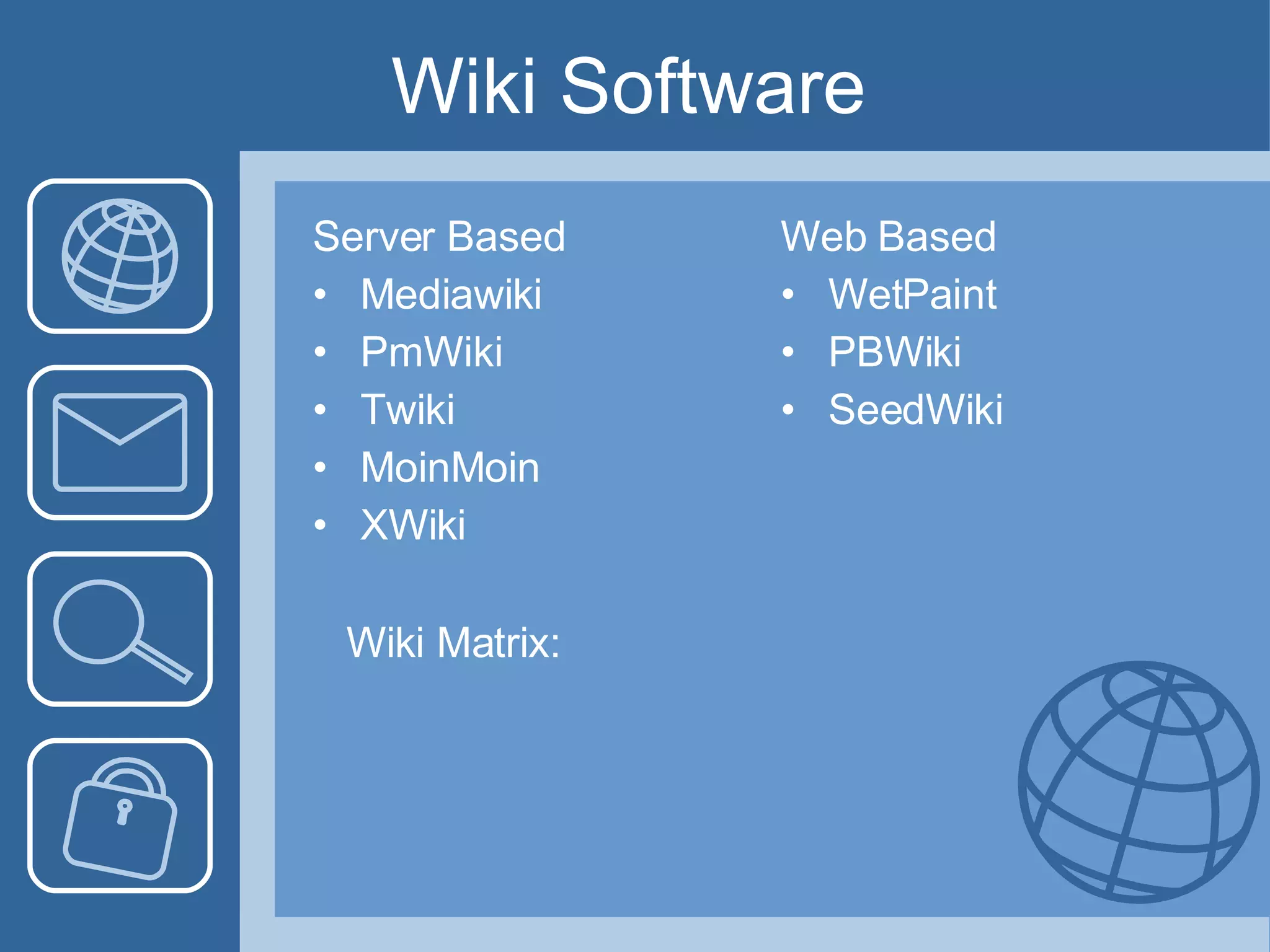
Wiki Software  Server Based Mediawiki PmWiki Twiki MoinMoin XWiki Web Based WetPaint PBWiki SeedWiki Wiki Matrix:
Let’s Make a Wiki! We will be using WetPaint to make a Wiki as a resource for Nursing students and faculty.  We will use the BizWiki as a guide for ideas, but the layout will be different. http://www.library.ohiou.edu/subjects/bizwiki/index.php/Main_Page
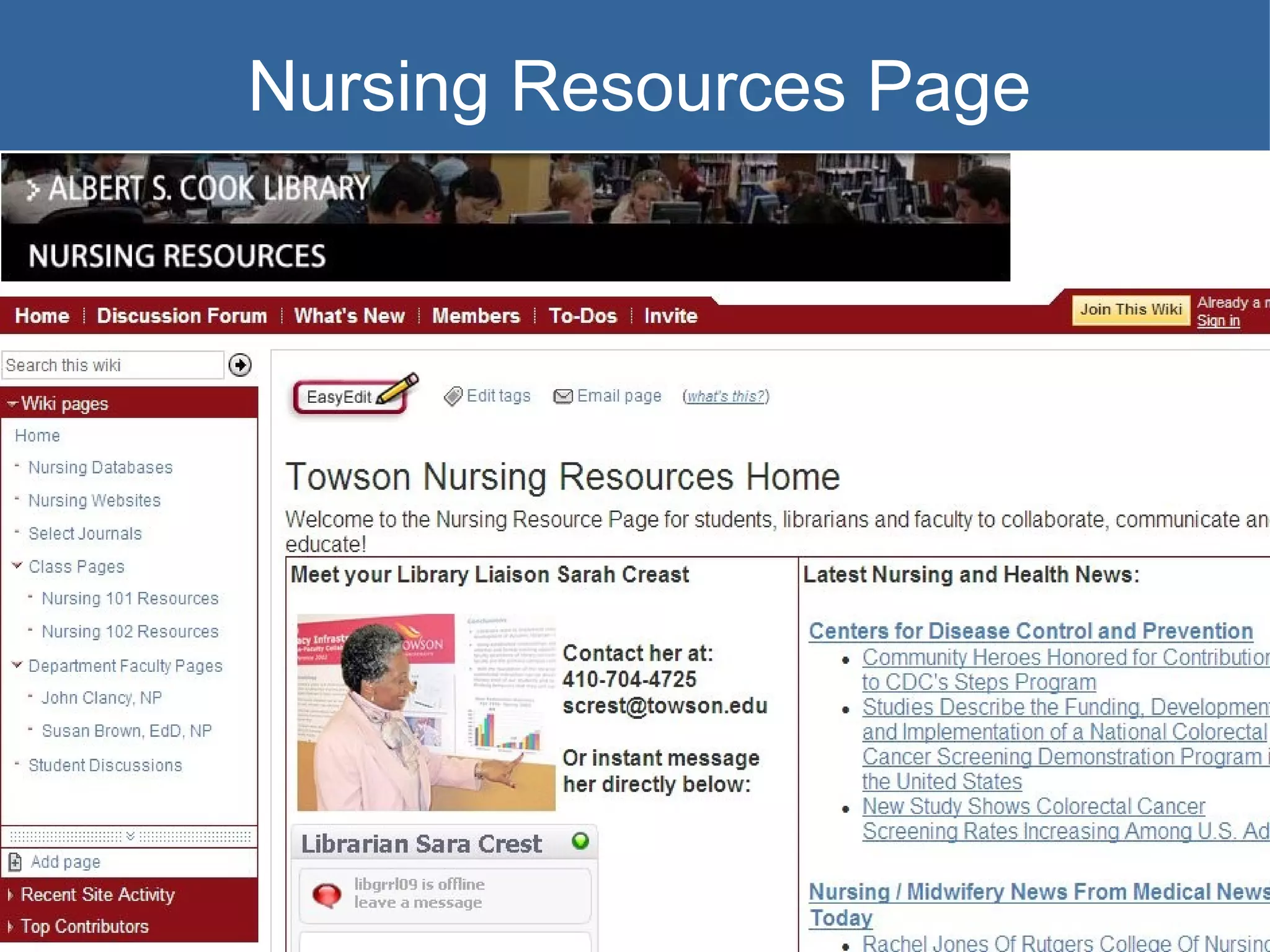
Nursing Resources Page
Consider a WetPaint Wiki Web based wiki Easy to create and update pages Use your own logo Use your own domain Variety of permissions settings- possible to assign roles to each user/ creator Ability to back up wiki by exporting content to html document Easy to navigate design Ads will be removed when wikis are used for educational purposes
Let’s Make a Wiki! I’ll show you how to get the wiki started and then together we’ll collaborate and create the Towson Nursing Resources Wiki. http://towsonnursingresources.wetpaint.com/

Emerging Technologies and Wikis for Libraries

  • 1.
    Emerging Technologies andLibrary Wikis Your Guide to Building a Wiki for Reference Services Carissa Tomlinson, MLIS March 28, 2008
  • 2.
    What Does “EmergingTechnologies” Really Mean? Specific to library and information science, emerging technologies refers to any new technology that can help support user services, instruction, library management, and technical services. Currently often used interchangeably with Web 2.0, but is a much broader term. Important that we think outside of the Web 2.0 concepts and keep our eyes open for the next things on the horizon. Web 3.0 already in “beta”
  • 3.
    Key Emerging TechnologiesAs Identified by the Horizon Report Grassroots videos Utilizing video sharing such as YouTube Collaboration webs Such as wikis integrated with other social technologies Mobile broadband Content aimed at mobile access to Internet Data mashups Hybridization of multiple technologies Collective intelligence Social bookmarking, wikipedia, etc. Social operating systems Systems set up to interpret and predict what information users will need/ want based on relationships. Yahoo Life! Example (web 2.5 concept)
  • 4.
    Additional Emerging TechnologiesBlogs Instant Messaging Social Networking Tools Wikis Web-based collaborative software Microsoft Office-like Software Web Conferencing Software Bibliographic Management Software Folksonomy (tags) RSS technology/Podcasts/Vidcast Screen Capture Technology Camtasia Captivate Freeware
  • 5.
    Web 3.0 SemanticWeb - computer can understand meaning behind words in order to predict what users will do with the information or need next An email with a date in it will automatically load onto an online calendar
  • 6.
    Trends in CurrentEmerging Technologies Collaboration Communication Creativity Predictability Accessibility But…always something new around the corner which could be better or worse to support the library, so…
  • 7.
    New Emerging TechnologiesWe must be constantly evaluating our services Everything is always in “Beta” We must encourage constant and purposeful change We must be always be on the look out for new technology that can improve our services
  • 8.
    Wikis for AcademicLibraries A particularly useful emerging technology is the wiki Collaboratively develop a website with other librarians or faculty Easy interaction between developers and users Hawaiian for quick Also easy ! Usually no need to know HTML or FTP programs Great tool for many different library applications
  • 9.
    Wiki Basics Wikisstart off as a single blank page Pages are created and connected by hyperlinks like webpages Determine who can edit the wiki easily Discussion areas generally included on each page Depending on wiki- WYSIWYG or wiki editing (easy, but different than HTML)
  • 10.
    Wiki Uses- BasicLibrary Information
  • 11.
  • 12.
  • 13.
    Wiki Uses- CollaborativeDocument Editing Instead of emailing documents back and forth creating many duplicates, use a wiki and collaboratively edit one document located in a centralized place Could be used externally with student or faculty collaboration or could be used for internal project/ paper collaboration
  • 14.
  • 15.
  • 16.
  • 17.
    Wikis- Things toConsider Wikis can be either hosted on the library or university server or can be hosted by “wiki farms” online.
  • 18.
    Things to Consider-Library Server Wikis Pros Much more control over content Can be easier to manipulate for specific purposes Design Access / Security No ads Cons Requires server access Implementation requires additional technological expertise Does not always use easy WSYWIG editing
  • 19.
    Things to Consider-Web Hosted Wiki Pros Requires little technological knowledge WSYWIG (easy to edit by all staff/ students) No server access required Many do not have ads if wiki is used for educational purposes Cons No control of what happens to the content (wiki farm shuts down, wiki could be gone forever) Not always as flexible Additional flexibility can cost $$
  • 20.
    Wiki Software Server Based Mediawiki PmWiki Twiki MoinMoin XWiki Web Based WetPaint PBWiki SeedWiki Wiki Matrix:
  • 21.
    Let’s Make aWiki! We will be using WetPaint to make a Wiki as a resource for Nursing students and faculty. We will use the BizWiki as a guide for ideas, but the layout will be different. http://www.library.ohiou.edu/subjects/bizwiki/index.php/Main_Page
  • 22.
  • 23.
    Consider a WetPaintWiki Web based wiki Easy to create and update pages Use your own logo Use your own domain Variety of permissions settings- possible to assign roles to each user/ creator Ability to back up wiki by exporting content to html document Easy to navigate design Ads will be removed when wikis are used for educational purposes
  • 24.
    Let’s Make aWiki! I’ll show you how to get the wiki started and then together we’ll collaborate and create the Towson Nursing Resources Wiki. http://towsonnursingresources.wetpaint.com/