David Vallejo :: @thyng
Cross-platform tracking met
Google Analytics 4 en Firebase
NL - AMS - 18TH APR 2024
Who I
am
David Vallejo
Analytics Debugger :: ES/PV
@thyng
www.analytics-debugger.com
What
I do
● Technical Analytics Implementations
● Consultancy
● I build tools used by hundred of
thousands analyst across the world :)
www.analytics-debugger.com
Analytics Debugger Extension
https://chromewebstore.google.com/detail/analytics-
debugger/ilnpmccnfdjdjjikgkefkcegefikecdc
Analytics Debugger for Apps
https://www.analytics-debugger.com/tools/ios-android-debugger/
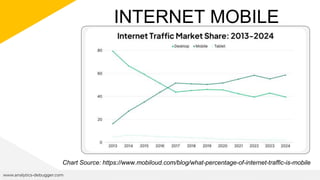
INTERNET MOBILE
TRAFFIC
www.analytics-debugger.com
Chart Source: https://www.mobiloud.com/blog/what-percentage-of-internet-traffic-is-mobile
…APPS
TRACKING IS
BECOMING A
PRIORITY FOR
MANY
BUSINESSES…
www.analytics-debugger.com
● Increased visibility / Brand
Awareness
● Deliver better user
experience
● Increase customer
engagement
● Offline access
MOST USUAL SCENARIOS
www.analytics-debugger.com
USUAL SCENARIOS
www.analytics-debugger.com
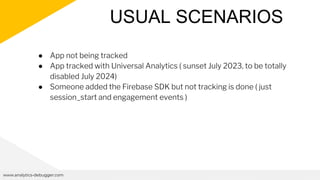
● App not being tracked
USUAL SCENARIOS
www.analytics-debugger.com
● App not being tracked
● App tracked with Universal Analytics ( sunset July 2023, to be totally
disabled July 2024)
USUAL SCENARIOS
www.analytics-debugger.com
● App not being tracked
● App tracked with Universal Analytics ( sunset July 2023, to be totally
disabled July 2024)
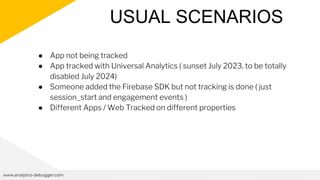
● Someone added the Firebase SDK but not tracking is done ( just
session_start and engagement events )
USUAL SCENARIOS
www.analytics-debugger.com
● App not being tracked
● App tracked with Universal Analytics ( sunset July 2023, to be totally
disabled July 2024)
● Someone added the Firebase SDK but not tracking is done ( just
session_start and engagement events )
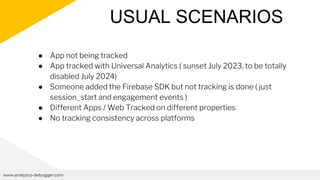
● Different Apps / Web Tracked on different properties
USUAL SCENARIOS
www.analytics-debugger.com
● App not being tracked
● App tracked with Universal Analytics ( sunset July 2023, to be totally
disabled July 2024)
● Someone added the Firebase SDK but not tracking is done ( just
session_start and engagement events )
● Different Apps / Web Tracked on different properties
● No tracking consistency across platforms
WHAT CHALLENGES ARE
CLIENTS FACING ?
www.analytics-debugger.com
MAIN CHALLENGES
www.analytics-debugger.com
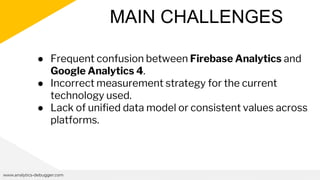
● Frequent confusion between Firebase Analytics and
Google Analytics 4.
● Incorrect measurement strategy for the current
technology used.
● Lack of unified data model or consistent values across
platforms.
GA4 vs
FB
www.analytics-debugger.com
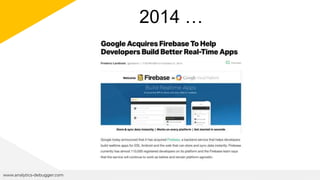
2014 …
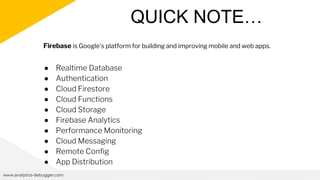
QUICK NOTE…
www.analytics-debugger.com
● Realtime Database
● Authentication
● Cloud Firestore
● Cloud Functions
● Cloud Storage
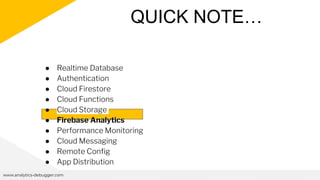
● Firebase Analytics
● Performance Monitoring
● Cloud Messaging
● Remote Config
● App Distribution
Firebase is Google's platform for building and improving mobile and web apps.
www.analytics-debugger.com
● Realtime Database
● Authentication
● Cloud Firestore
● Cloud Functions
● Cloud Storage
● Firebase Analytics
● Performance Monitoring
● Cloud Messaging
● Remote Config
● App Distribution
QUICK NOTE…
www.analytics-debugger.com
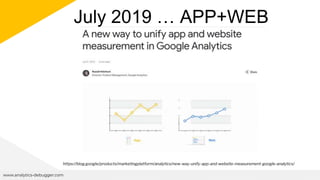
July 2019 … APP+WEB
https://blog.google/products/marketingplatform/analytics/new-way-unify-app-and-website-measurement-google-analytics/
WHAT PROBLEMS DOES IT AIM
TO SOLVE?
www.analytics-debugger.com
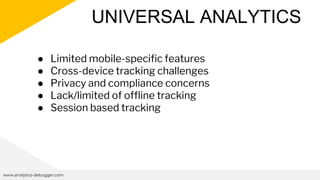
UNIVERSAL ANALYTICS
www.analytics-debugger.com
● Limited mobile-specific features
● Cross-device tracking challenges
● Privacy and compliance concerns
● Lack/limited of offline tracking
● Session based tracking
FIRST CHALLENGE:
CLIENTS ARE CONFUSED
ABOUT GA4/FIREBASE
www.analytics-debugger.com
THE NAMING “CHAOS”
APP+WEB
THE NAMING “CHAOS”
APP+WEB
FIREBASE FOR
GOOGLE
ANALYTICS
THE NAMING “CHAOS”
APP+WEB
FIREBASE
ANALYTICS
FIREBASE FOR
GOOGLE
ANALYTICS
THE NAMING “CHAOS”
APP+WEB
FIREBASE
ANALYTICS
FIREBASE FOR
GOOGLE
ANALYTICS
GOOGLE
ANALYTICS 4
WHO CAME
FIRST?
www.analytics-debugger.com
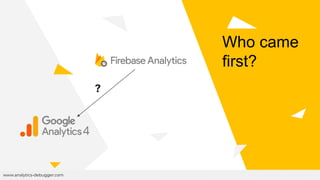
Who came
first?
www.analytics-debugger.com
Who came
first?
?
THEN… WHAT ARE THE
DIFFERENCES
www.analytics-debugger.com
LET’S TAKE A LOOK
www.analytics-debugger.com
● They both are based on events
● They both use Event Parameters , User Properties and Items
● They have auto-generated events
● They share recommended event names and parameters *
● You can see Firebase Analytics on Google Analytics ...
WHAT CHANGES?
www.analytics-debugger.com
● Firebase Analytics and Google Analytics 4 may have specific
platform related data attached to the the payloads.
● The integrations.
…NOT A BIG DIFFERENCE …
www.analytics-debugger.com
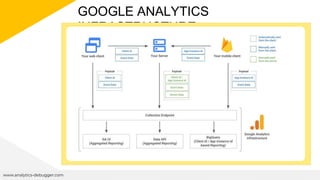
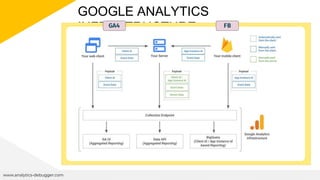
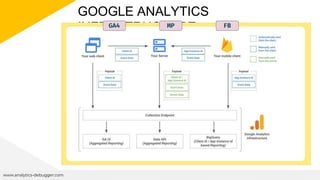
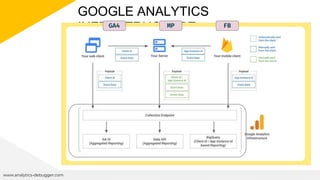
GOOGLE ANALYTICS
INFRASTRUCTURE
www.analytics-debugger.com
GOOGLE ANALYTICS
INFRASTRUCTURE
www.analytics-debugger.com
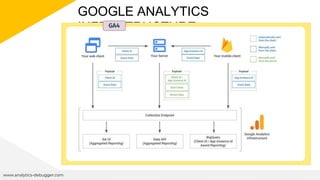
GA4
GOOGLE ANALYTICS
INFRASTRUCTURE
www.analytics-debugger.com
GA4 FB
GOOGLE ANALYTICS
INFRASTRUCTURE
www.analytics-debugger.com
GA4 FB
MP
GOOGLE ANALYTICS
INFRASTRUCTURE
www.analytics-debugger.com
GA4 FB
MP
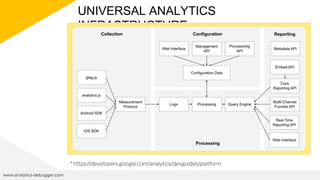
UNIVERSAL ANALYTICS
INFRASTRUCTURE
www.analytics-debugger.com
* https://developers.google.com/analytics/devguides/platform
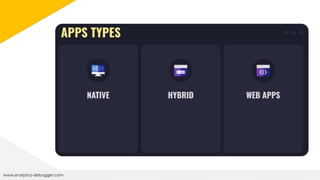
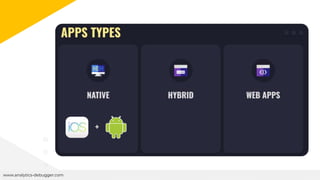
APPS (&& non-web)
TRACKING
www.analytics-debugger.com
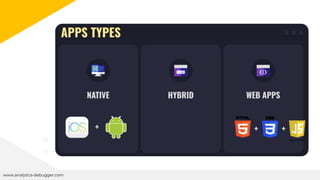
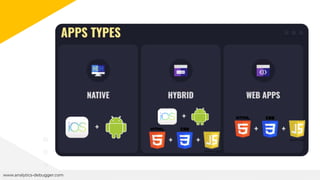
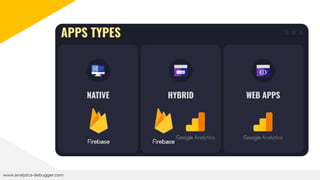
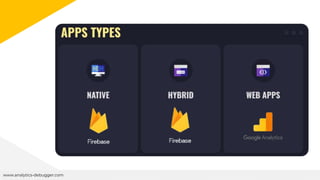
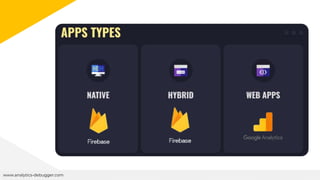
DESPITE YOU COULD USE GA4
TO TRACK CERTAIN APPS.
THE WAY TO DO IT IS USING
FIREBASE ANALYTICS
www.analytics-debugger.com
+
www.analytics-debugger.com
+ +
+
www.analytics-debugger.com
+
+ +
+
+
+
TRACKING
METHODS
www.analytics-debugger.com
MOST COMMON PITFALL
Using GA4/GTAG to track the
Hybrid Apps
www.analytics-debugger.com
MOST COMMON PITFALL
www.analytics-debugger.com
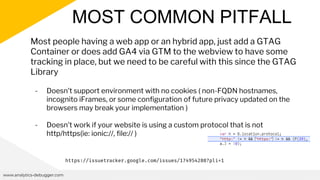
Most people having a web app or an hybrid app, just add a GTAG
Container or does add GA4 via GTM to the webview to have some
tracking in place, but we need to be careful with this since the GTAG
Library
- Doesn’t support environment with no cookies ( non-FQDN hostnames,
incognito iFrames, or some configuration of future privacy updated on the
browsers may break your implementation )
- Doesn’t work if your website is using a custom protocol that is not
http/https(ie: ionic://, file:// )
https://issuetracker.google.com/issues/174954288?pli=1
What we lose
www.analytics-debugger.com
● Integration with other Firebase Tools . *
● Implementation more prone to data history issues ( cookies cleaning
,etc) . ie: The app will be able to keep your clientId for more time.
● All App related data ( app versions, apps installation, apps uninstall,
proper engagement time, offline/delayed tracking )
● We may not be even be able to have it working depending on some
app/framework configurations.
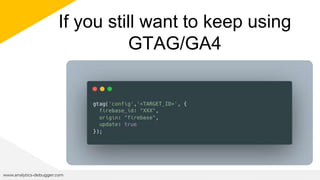
If you still want to keep using
GTAG/GA4
www.analytics-debugger.com
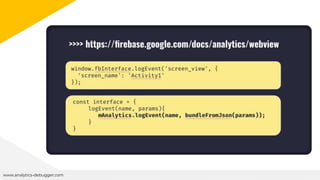
The Right Way:
Implementing an Interface
www.analytics-debugger.com
INTERFACE
www.analytics-debugger.com
DATA
CONSOLIDATION
ACROSS
PLATFORMS
www.analytics-debugger.com
HOW DOES GA4
CONSOLIDATE THE
DATA ACROSS WEB
AND APPS
www.analytics-debugger.com
Data Consolidation
www.analytics-debugger.com
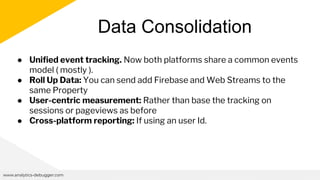
● Unified event tracking. Now both platforms share a common events
model ( mostly ).
● Roll Up Data: You can send add Firebase and Web Streams to the
same Property
● User-centric measurement: Rather than base the tracking on
sessions or pageviews as before
● Cross-platform reporting: If using an user Id.
www.analytics-debugger.com
GA4/FIREBASE
ANALYTICS
MEASURING STRATEGY
TIPS
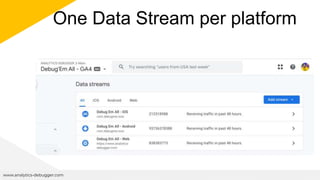
#1. One property
www.analytics-debugger.com
One Data Stream per platform
www.analytics-debugger.com
● We’ll be able to segment the data using the stream_id
or stream_name in the future
● If we pass an user_id we’ll have cross-device reports
● We will be able to see the user journey across the
different devices
● [360] - We could create subproperties if needed
#2. Screens/Pages Tracking
www.analytics-debugger.com
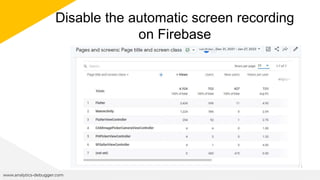
Disable the automatic screen recording
on Firebase
www.analytics-debugger.com
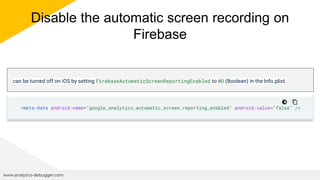
Disable the automatic screen recording on
Firebase
www.analytics-debugger.com
can be turned off on iOS by setting FirebaseAutomaticScreenReportingEnabled to NO (Boolean) in the Info.plist.
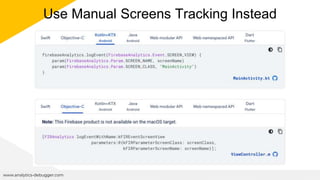
Use Manual Screens Tracking Instead
www.analytics-debugger.com
1. Match your App screens with the equivalent
content on the website ( If there’s not
equivalent content, set a virtual pathname )
2. On the manual tracking, send the website
page_path as the screen_class and the
page_title as the screen_name
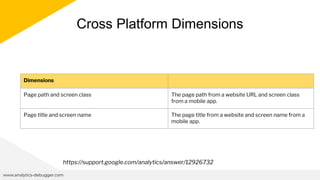
Cross Platform Dimensions
www.analytics-debugger.com
Dimensions
Page path and screen class The page path from a website URL and screen class
from a mobile app.
Page title and screen name The page title from a website and screen name from a
mobile app.
https://support.google.com/analytics/answer/12926732
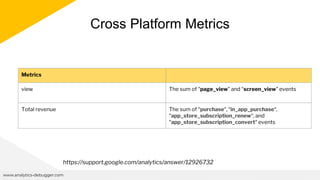
Cross Platform Metrics
www.analytics-debugger.com
Metrics
view The sum of “page_view” and “screen_view” events
Total revenue The sum of “purchase“, “in_app_purchase“,
“app_store_subscription_renew“, and
“app_store_subscription_convert“ events
https://support.google.com/analytics/answer/12926732
#3. Use a site_id dimension
www.analytics-debugger.com
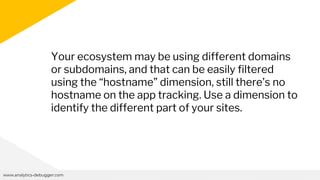
Your ecosystem may be using different domains
or subdomains, and that can be easily filtered
using the “hostname” dimension, still there’s no
hostname on the app tracking. Use a dimension to
identify the different part of your sites.
#4. Use a environment dimension
www.analytics-debugger.com
Having a website pushing data to a different
Measurement ID is not a big deal, just adding an if
statement in our code or using a simple lookup
table on GTM.
For firebase the things gets a bit worse since you
can only have a project linked to an app.
www.analytics-debugger.com
You could even use the proposed site_id to save a
dimension slot, and for example do
“NLSHOP:PRE”, “NLSHOP.UAT”, “NLSHOP.PRE”
#5. Other SDKs
www.analytics-debugger.com
All Official SDKs
www.analytics-debugger.com
● Web (GTAG)
● Web (Firebase JS)
● iOS
● Android
● Flutter
● C++
● Unity
https://firebase.google.com/docs/analytics
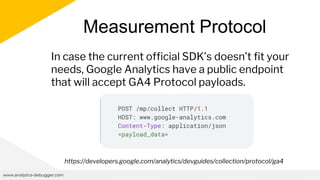
Measurement Protocol
www.analytics-debugger.com
In case the current official SDK’s doesn’t fit your
needs, Google Analytics have a public endpoint
that will accept GA4 Protocol payloads.
https://developers.google.com/analytics/devguides/collection/protocol/ga4
Client Side Protocol
www.analytics-debugger.com
Measurement Protocol Cheatsheet
https://www.thyngster.com/ga4-measurement-protocol-
cheatsheet/
GA4DEV
https://ga4mp.dev/#/ ( 4kb Lightweight GA4 Client Side
Implementation )
FINAL THOUGHTS
www.analytics-debugger.com
● It requires a significant amount of time to
ensure consistency across all platforms
regarding event tracking, and even more effort
is needed for thorough verification, including
checking the values being transmitted.
● There's a higher cost associated with having to
rewrite data during the ETL process due to
inadequate quality assurance.
● If something wasn't tracked, it's permanently
lost.
#6. Debugging
www.analytics-debugger.com
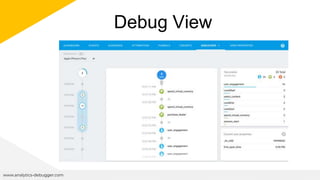
Debug View
www.analytics-debugger.com
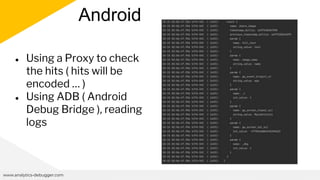
Android
www.analytics-debugger.com
● Using a Proxy to check
the hits ( hits will be
encoded … )
● Using ADB ( Android
Debug Bridge ), reading
logs
iOS
www.analytics-debugger.com
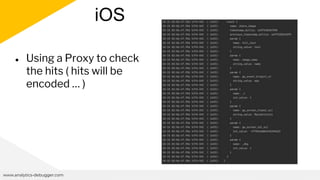
● Using a Proxy to check
the hits ( hits will be
encoded … )
www.analytics-debugger.com
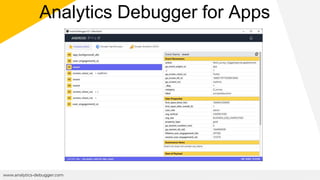
Analytics Debugger for Apps
#7. More Tips
www.analytics-debugger.com
● Define a clear name convention from the start
● Use a sanitization routine ( cross-language )
● Define a language to be used for the values , if
it doesn’t use diacritics way better to prevent
cardinality.
CREDITS: This presentation template was
created by Slidesgo, including icons by
Flaticon, infographics & images by Freepik and
illustrations by Stories
david@analytics-debugger.com
@thyng
www.analytics-debugger.com
www.thyngster.com
Thanks

EMERCE - 2024 - AMSTERDAM - CROSS-PLATFORM TRACKING WITH GOOGLE ANALYTICS.pptx

Editor's Notes

  • #12 LAST ONE
  • #21 What does GA4 comes to fix
  • #31 Each of them have their own auto-events first_visit (app, web)
  • #32 WEB. hostname, url, title APP, app_version, device details, etc Integrations with other Firebase Tools
  • #46 This is were the first confusion comes, since most of client doesn’t know the difference they end doing the tracking in the wrong.
  • #55 An Interface exposed an public api/variable to the webview that acts as a wrapper to the firebase sdk.
  • #56 LAST ISSUE GROUP
  • #58 Unified event tracking: GA4 uses a unified event model, where events are collected and reported consistently across both apps and websites. This means that events, such as page views, clicks, conversions, and custom interactions, can be tracked in a similar manner across different platforms. User-centric measurement: GA4 focuses on measuring user interactions rather than just sessions or pageviews. It uses an enhanced user ID to track users across multiple devices and platforms, allowing for a holistic view of user behavior regardless of whether they interact with the app or website. Cross-platform reporting: GA4 provides cross-platform reporting capabilities, allowing businesses to analyze user behavior and conversion paths across both apps and websites within the same reporting interface. This enables a more comprehensive understanding of the customer journey and user engagement across different touchpoints.
  • #59 Clients ends having different they apps and webs data spread across different properties and accounts
  • #67 Unified event tracking: GA4 uses a unified event model, where events are collected and reported consistently across both apps and websites. This means that events, such as page views, clicks, conversions, and custom interactions, can be tracked in a similar manner across different platforms. User-centric measurement: GA4 focuses on measuring user interactions rather than just sessions or pageviews. It uses an enhanced user ID to track users across multiple devices and platforms, allowing for a holistic view of user behavior regardless of whether they interact with the app or website. Cross-platform reporting: GA4 provides cross-platform reporting capabilities, allowing businesses to analyze user behavior and conversion paths across both apps and websites within the same reporting interface. This enables a more comprehensive understanding of the customer journey and user engagement across different touchpoints.
  • #68  GA has some specific dimensions that merge the data coming from the screenviews and pageviews Example /contact
  • #71 Unified event tracking: GA4 uses a unified event model, where events are collected and reported consistently across both apps and websites. This means that events, such as page views, clicks, conversions, and custom interactions, can be tracked in a similar manner across different platforms. User-centric measurement: GA4 focuses on measuring user interactions rather than just sessions or pageviews. It uses an enhanced user ID to track users across multiple devices and platforms, allowing for a holistic view of user behavior regardless of whether they interact with the app or website. Cross-platform reporting: GA4 provides cross-platform reporting capabilities, allowing businesses to analyze user behavior and conversion paths across both apps and websites within the same reporting interface. This enables a more comprehensive understanding of the customer journey and user engagement across different touchpoints.
  • #73 Unified event tracking: GA4 uses a unified event model, where events are collected and reported consistently across both apps and websites. This means that events, such as page views, clicks, conversions, and custom interactions, can be tracked in a similar manner across different platforms. User-centric measurement: GA4 focuses on measuring user interactions rather than just sessions or pageviews. It uses an enhanced user ID to track users across multiple devices and platforms, allowing for a holistic view of user behavior regardless of whether they interact with the app or website. Cross-platform reporting: GA4 provides cross-platform reporting capabilities, allowing businesses to analyze user behavior and conversion paths across both apps and websites within the same reporting interface. This enables a more comprehensive understanding of the customer journey and user engagement across different touchpoints.
  • #74 Unified event tracking: GA4 uses a unified event model, where events are collected and reported consistently across both apps and websites. This means that events, such as page views, clicks, conversions, and custom interactions, can be tracked in a similar manner across different platforms. User-centric measurement: GA4 focuses on measuring user interactions rather than just sessions or pageviews. It uses an enhanced user ID to track users across multiple devices and platforms, allowing for a holistic view of user behavior regardless of whether they interact with the app or website. Cross-platform reporting: GA4 provides cross-platform reporting capabilities, allowing businesses to analyze user behavior and conversion paths across both apps and websites within the same reporting interface. This enables a more comprehensive understanding of the customer journey and user engagement across different touchpoints.
  • #76 Unified event tracking: GA4 uses a unified event model, where events are collected and reported consistently across both apps and websites. This means that events, such as page views, clicks, conversions, and custom interactions, can be tracked in a similar manner across different platforms. User-centric measurement: GA4 focuses on measuring user interactions rather than just sessions or pageviews. It uses an enhanced user ID to track users across multiple devices and platforms, allowing for a holistic view of user behavior regardless of whether they interact with the app or website. Cross-platform reporting: GA4 provides cross-platform reporting capabilities, allowing businesses to analyze user behavior and conversion paths across both apps and websites within the same reporting interface. This enables a more comprehensive understanding of the customer journey and user engagement across different touchpoints.
  • #77 Unified event tracking: GA4 uses a unified event model, where events are collected and reported consistently across both apps and websites. This means that events, such as page views, clicks, conversions, and custom interactions, can be tracked in a similar manner across different platforms. User-centric measurement: GA4 focuses on measuring user interactions rather than just sessions or pageviews. It uses an enhanced user ID to track users across multiple devices and platforms, allowing for a holistic view of user behavior regardless of whether they interact with the app or website. Cross-platform reporting: GA4 provides cross-platform reporting capabilities, allowing businesses to analyze user behavior and conversion paths across both apps and websites within the same reporting interface. This enables a more comprehensive understanding of the customer journey and user engagement across different touchpoints.
  • #78 Useful for tracking places where GTAG may not work properly ( chrome extensions, kiosks, etc )
  • #84 Mention ADB ( Debug Bridge )
  • #85 Mention ADB ( Debug Bridge )