Presented By:
Aeni Patel
Content:-
What is Firebase?
Who’s for Firebase?
Why Firebase?
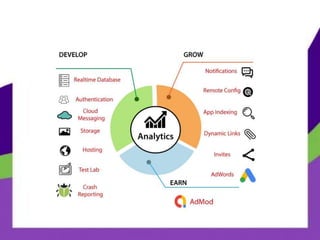
Features of Firebase
Build Better apps
Improve App Quality
Grow your Apps
How to earn Money
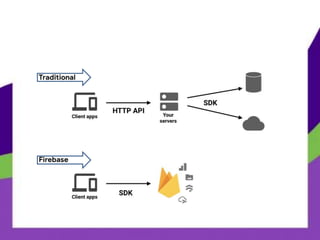
What is Firebase?
Realtime Application Platform
→ Firebase is Backend-as-a-service (baas) that’s
developed by Google
→ You're going to save tons of time and money using
Firebase products instead of building them yourself
→ You can use all of it, parts of it, or a single piece of
it
→ All those parts work together like a well oiled
engine
Who’s for Firebase?
 Backend developer
 Super duper cheap
 The free tier is extremely generous, so you
can play around to your hearts content with
the various features that Firebase offers.
Why Firebase?
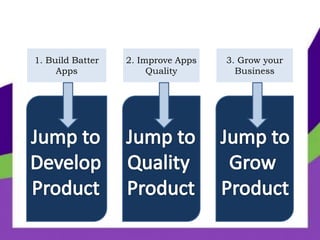
1. Build Batter
Apps
2. Improve Apps
Quality
3. Grow your
Business
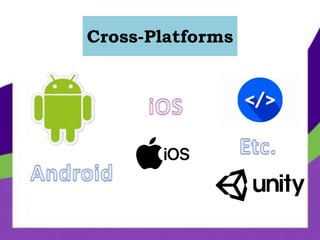
Cross-Platforms
Features of Firebase
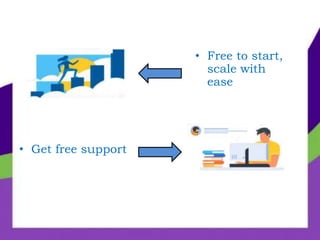
• Get free support
• Free to start,
scale with
ease
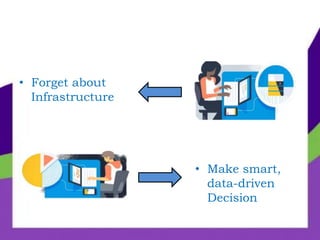
• Forget about
Infrastructure
• Make smart,
data-driven
Decision
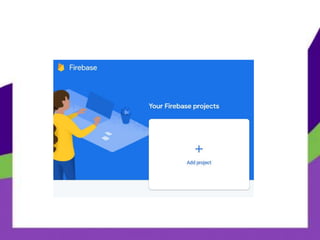
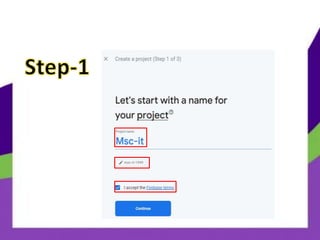
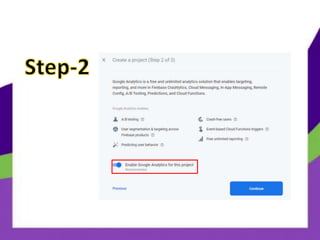
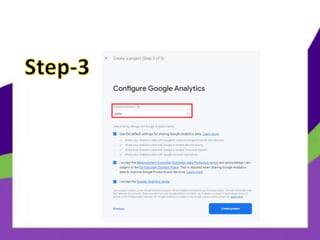
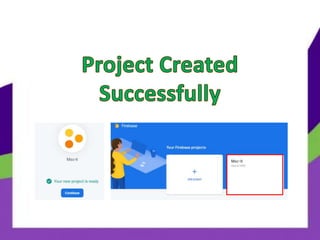
Create A Project
in Firebase
Build Better Apps
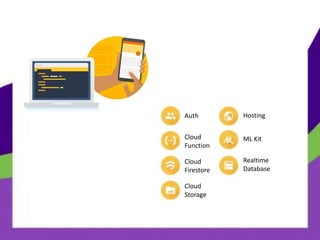
Auth
Cloud
Function
Cloud
Firestore
Cloud
Storage
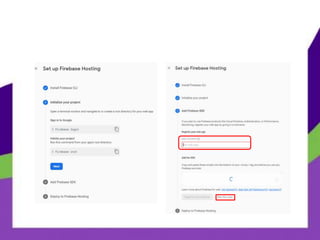
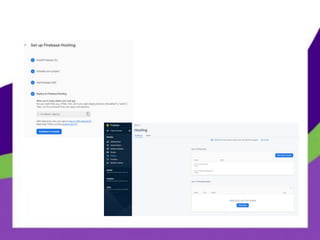
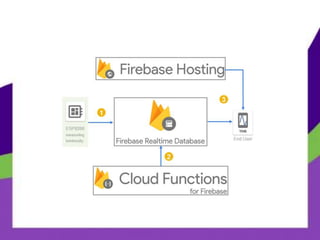
Hosting
ML Kit
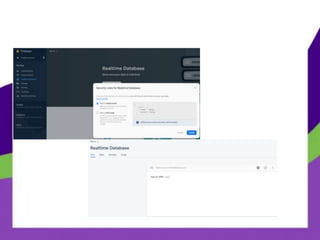
Realtime
Database
 Organizing and managing users
 Supports email and password and many social
media accounts (Google , Facebook ,..)
 Many templates for many functions (password
reset, email verification etc.)
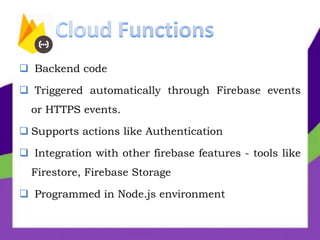
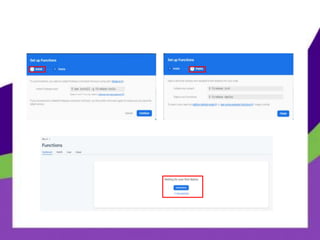
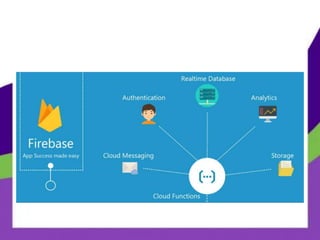
 Backend code
 Triggered automatically through Firebase events
or HTTPS events.
 Supports actions like Authentication
 Integration with other firebase features - tools like
Firestore, Firebase Storage
 Programmed in Node.js environment
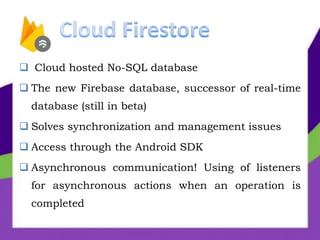
 Cloud hosted No-SQL database
 The new Firebase database, successor of real-time
database (still in beta)
 Solves synchronization and management issues
 Access through the Android SDK
 Asynchronous communication! Using of listeners
for asynchronous actions when an operation is
completed
 Using of custom indexes is necessary for complex
Queries
 For more simplex Queries external tools are need
(Elastic Search for example, for queries like ‘like’
operator in SQL for search inside a string).
 Easy way to use through Android sdk
 Managing weak connection issues
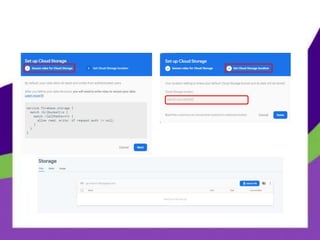
 Stores files into a Google Cloud Storage bucket
and are accessible Firebase and Google Cloud
 Integration with Firebase Authentication for
authorization
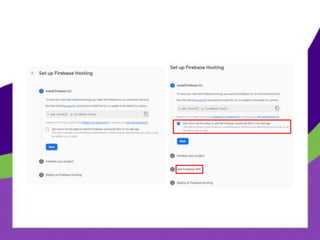
 Supports static and dynamic content through and
international CDN.
 SSL
 Custom Domains
 Integration with Firebase Functions
 Bring powerful machine learning features to your
mobile app.
 Firebase ML helps you deploy custom ML models
optimized for on-device inference, which reduces your
initial app installation size and lets you more easily
make updates.
 You can also use AutoML Vision Edge to train your own
custom image classification models, or access Cloud AI
Vision APIs for a more turn-key solution
 Realtime Database is Firebase's original database.
 It's an efficient, low-latency solution for mobile
apps that require synced states across clients in
realtime.
 We recommend Cloud Firestore instead of Realtime
Database for most developers starting a new
project.
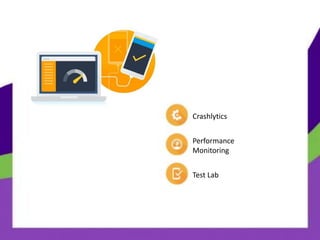
Improve Apps Quality
Crashlytics
Performance
Monitoring
Test Lab
 Lightweight
 Real Time crash reporter with notification to email
or other sources
 Collaboration with Fabric.io tool
 Collaboration with Firebase Analytics
 Configuration with debug messages
 Crashlytics SDK
 Diagnose app performance issues occurring on
your users’ devices
 Use traces to monitor the performance of specific
parts of your app and see a summarized view in
the Firebase console
 Stay on top of your app’s start-up time and
monitor HTTP requests without writing any code
 Run automatic and customized tests for your app
on virtual and physical devices hosted by Google
 Use Firebase Test Lab throughout your
development lifecycle to discover bugs and
inconsistencies so that you can offer up a great
experience on a wide variety of devices.
Grow Your Apps
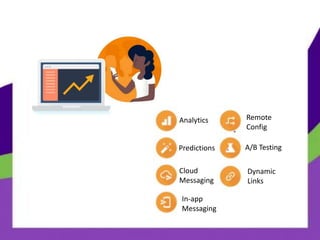
Analytics
Predictions
Cloud
Messaging
In-app
Messaging
Remote
Config
A/B Testing
Dynamic
Links
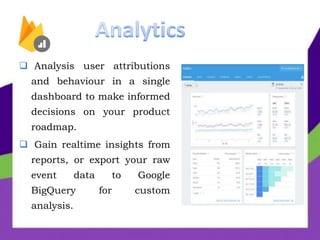
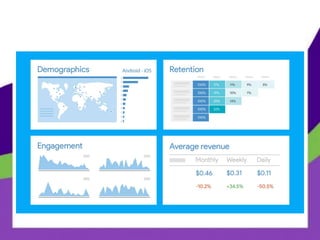
 Analysis user attributions
and behaviour in a single
dashboard to make informed
decisions on your product
roadmap.
 Gain realtime insights from
reports, or export your raw
event data to Google
BigQuery for custom
analysis.
 Harness the power of Google’s machine learning to
get insight into which segments of users are likely
to churn or spend (or complete another conversion
event).
 Use these smart predictive segments for targeting
in other products like Remote Config, Cloud
Messaging, and In-App Messaging
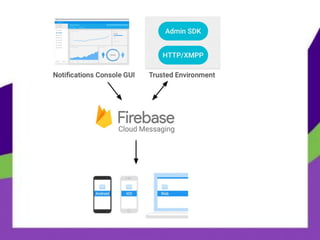
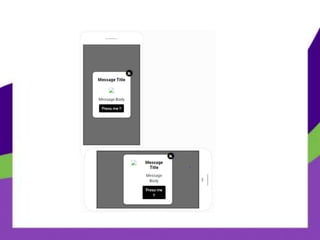
 Cross-platform messaging solution
 In Android with notifications
 No cost, Real Time
 You can define an Activity which handles the
Intent extra data.
 It can carry payload up to 4KB.
 Cross-platform messaging solution
 In Android with notifications
 No cost, Real Time
 You can define an Activity which handles the
Intent extra data.
 It can carry payload up to 4KB.
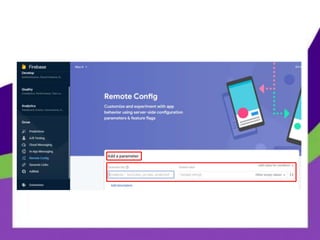
 Customize how your app renders for each user.
 Change the look and feel, roll out features
gradually, run A/B tests, deliver customized
content to certain users, or make other updates
without deploying a new version—all from the
Firebase console.
 Monitor the impact of your changes and make
adjustments in a matter of minutes.
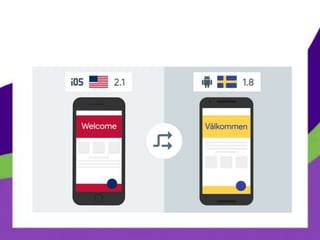
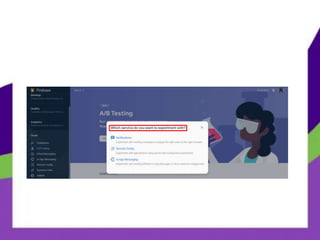
 Improve your app by running product and
marketing experiments, without worrying about
setting up the infrastructure to run A/B tests
 Customize experiments to suit your goals
 Test a variety of updates to your app, like message
copy or new features. Then, only roll-out changes
proven to move the needle on your key metrics
 Use Dynamic Links to deliver a customized user
experience for iOS, Android, and the web
 You can use them to power mobile web to drive
native app conversions, user to user sharing, social
and marketing campaigns, and more
 Dynamic Links provides you with the attributions
you need to better understand your mobile growth
 Empower your users to share your app
 Acquire users with the reach of Google
How to Earn Money?
 Show ads from millions of Google advertising
competing in real time
 Choose a format to suit your app, including
banner, video and native ads
 Work with more than 40 top ad networks using
AdMob Mediation
 Cross-promote between your apps for free with
AdMob house ads
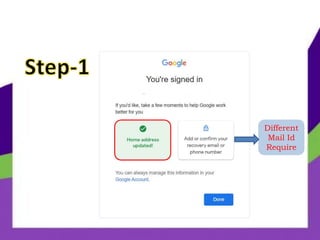
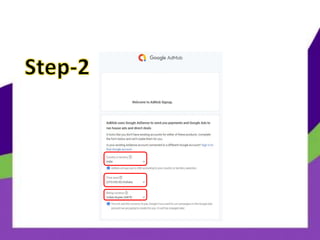
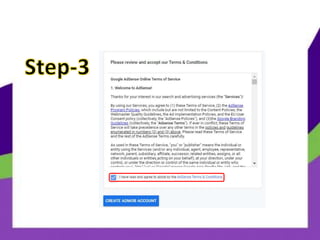
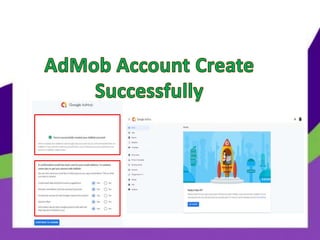
Create AdMob
Account
Different
Mail Id
Require
 https://firebase.google.com/docs/guides
Google Firebase Presentation

Google Firebase Presentation

  • 1.
  • 2.
    Content:- What is Firebase? Who’sfor Firebase? Why Firebase? Features of Firebase Build Better apps Improve App Quality Grow your Apps How to earn Money
  • 3.
    What is Firebase? RealtimeApplication Platform
  • 5.
    → Firebase isBackend-as-a-service (baas) that’s developed by Google → You're going to save tons of time and money using Firebase products instead of building them yourself → You can use all of it, parts of it, or a single piece of it → All those parts work together like a well oiled engine
  • 6.
  • 7.
     Backend developer Super duper cheap  The free tier is extremely generous, so you can play around to your hearts content with the various features that Firebase offers.
  • 8.
  • 10.
    1. Build Batter Apps 2.Improve Apps Quality 3. Grow your Business
  • 11.
  • 12.
  • 13.
    • Get freesupport • Free to start, scale with ease
  • 14.
    • Forget about Infrastructure •Make smart, data-driven Decision
  • 15.
  • 21.
  • 22.
  • 23.
     Organizing andmanaging users  Supports email and password and many social media accounts (Google , Facebook ,..)  Many templates for many functions (password reset, email verification etc.)
  • 24.
     Backend code Triggered automatically through Firebase events or HTTPS events.  Supports actions like Authentication  Integration with other firebase features - tools like Firestore, Firebase Storage  Programmed in Node.js environment
  • 27.
     Cloud hostedNo-SQL database  The new Firebase database, successor of real-time database (still in beta)  Solves synchronization and management issues  Access through the Android SDK  Asynchronous communication! Using of listeners for asynchronous actions when an operation is completed
  • 28.
     Using ofcustom indexes is necessary for complex Queries  For more simplex Queries external tools are need (Elastic Search for example, for queries like ‘like’ operator in SQL for search inside a string).
  • 32.
     Easy wayto use through Android sdk  Managing weak connection issues  Stores files into a Google Cloud Storage bucket and are accessible Firebase and Google Cloud  Integration with Firebase Authentication for authorization
  • 34.
     Supports staticand dynamic content through and international CDN.  SSL  Custom Domains  Integration with Firebase Functions
  • 39.
     Bring powerfulmachine learning features to your mobile app.  Firebase ML helps you deploy custom ML models optimized for on-device inference, which reduces your initial app installation size and lets you more easily make updates.  You can also use AutoML Vision Edge to train your own custom image classification models, or access Cloud AI Vision APIs for a more turn-key solution
  • 40.
     Realtime Databaseis Firebase's original database.  It's an efficient, low-latency solution for mobile apps that require synced states across clients in realtime.  We recommend Cloud Firestore instead of Realtime Database for most developers starting a new project.
  • 42.
  • 43.
  • 44.
     Lightweight  RealTime crash reporter with notification to email or other sources  Collaboration with Fabric.io tool  Collaboration with Firebase Analytics  Configuration with debug messages  Crashlytics SDK
  • 45.
     Diagnose appperformance issues occurring on your users’ devices  Use traces to monitor the performance of specific parts of your app and see a summarized view in the Firebase console  Stay on top of your app’s start-up time and monitor HTTP requests without writing any code
  • 46.
     Run automaticand customized tests for your app on virtual and physical devices hosted by Google  Use Firebase Test Lab throughout your development lifecycle to discover bugs and inconsistencies so that you can offer up a great experience on a wide variety of devices.
  • 47.
  • 48.
  • 49.
     Analysis userattributions and behaviour in a single dashboard to make informed decisions on your product roadmap.  Gain realtime insights from reports, or export your raw event data to Google BigQuery for custom analysis.
  • 51.
     Harness thepower of Google’s machine learning to get insight into which segments of users are likely to churn or spend (or complete another conversion event).  Use these smart predictive segments for targeting in other products like Remote Config, Cloud Messaging, and In-App Messaging
  • 52.
     Cross-platform messagingsolution  In Android with notifications  No cost, Real Time  You can define an Activity which handles the Intent extra data.  It can carry payload up to 4KB.
  • 54.
     Cross-platform messagingsolution  In Android with notifications  No cost, Real Time  You can define an Activity which handles the Intent extra data.  It can carry payload up to 4KB.
  • 56.
     Customize howyour app renders for each user.  Change the look and feel, roll out features gradually, run A/B tests, deliver customized content to certain users, or make other updates without deploying a new version—all from the Firebase console.  Monitor the impact of your changes and make adjustments in a matter of minutes.
  • 59.
     Improve yourapp by running product and marketing experiments, without worrying about setting up the infrastructure to run A/B tests  Customize experiments to suit your goals  Test a variety of updates to your app, like message copy or new features. Then, only roll-out changes proven to move the needle on your key metrics
  • 61.
     Use DynamicLinks to deliver a customized user experience for iOS, Android, and the web  You can use them to power mobile web to drive native app conversions, user to user sharing, social and marketing campaigns, and more  Dynamic Links provides you with the attributions you need to better understand your mobile growth
  • 63.
     Empower yourusers to share your app  Acquire users with the reach of Google
  • 64.
  • 65.
     Show adsfrom millions of Google advertising competing in real time  Choose a format to suit your app, including banner, video and native ads  Work with more than 40 top ad networks using AdMob Mediation  Cross-promote between your apps for free with AdMob house ads
  • 66.
  • 67.
  • 71.