What it is
Where it is going
Who it is for
What is GA App + Web
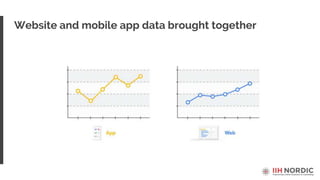
Website and mobile app data brought together
4
APP
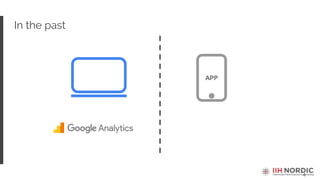
In the past
5
APP
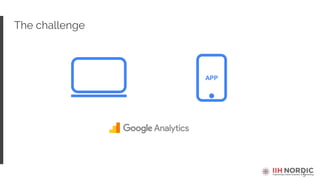
The challenge
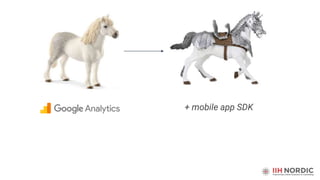
+ mobile app SDK
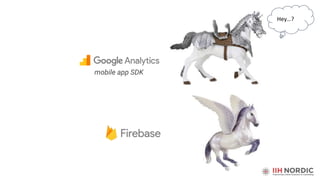
Hey…?
mobile app SDK
8
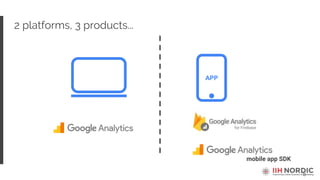
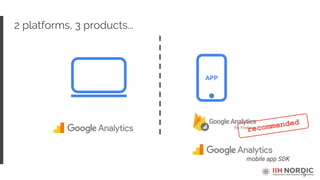
2 platforms, 3 products...
mobile app SDK
APP
9
2 platforms, 3 products...
mobile app SDK
APP
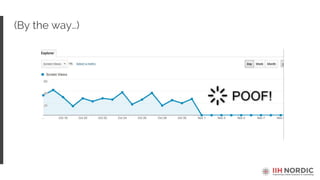
(By the way…)
11
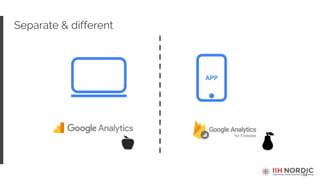
Separate & different
APP
12
APP
GA App + Web
App + Web
13
What is GA App + Web
In a nutshell,
• website and mobile app data together
• new single data model
• new way of working with the data
• new setup required
What's great about GA App + Web
15
16
1. BigQuery integration
Out of the box for web!
• fast queries of large data sets
• data modelling, etc.
17
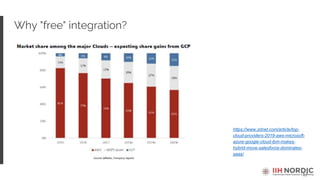
Why "free" integration?
https://www.zdnet.com/article/top-
cloud-providers-2019-aws-microsoft-
azure-google-cloud-ibm-makes-
hybrid-move-salesforce-dominates-
saas/
18
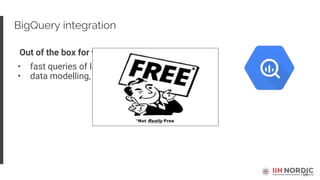
BigQuery integration
Out of the box for web!
• fast queries of large data sets
• data modelling, etc.
19
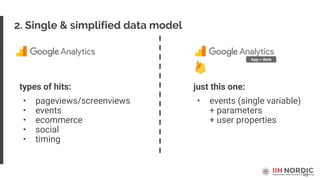
2. Single & simplified data model
just this one:
• events (single variable)
+ parameters
+ user properties
types of hits:
• pageviews/screenviews
• events
• ecommerce
• social
• timing
App + Web
20
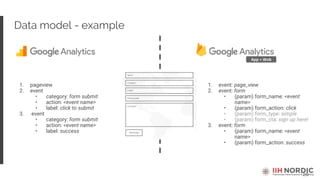
Data model - example
1. event: page_view
2. event: form
• (param) form_name: <event
name>
• (param) form_action: click
• (param) form_type: simple
• (param) form_cta: sign up here!
3. event: form
• (param) form_name: <event
name>
• (param) form_action: success
App + Web
1. pageview
2. event
• category: form submit
• action: <event name>
• label: click to submit
3. event
• category: form submit
• action: <event name>
• label: success
21
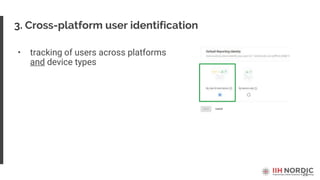
• tracking of users across platforms
and device types
3. Cross-platform user identification
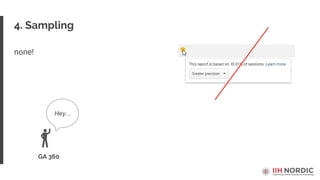
4. Sampling
none!
GA 360
Hey...
23
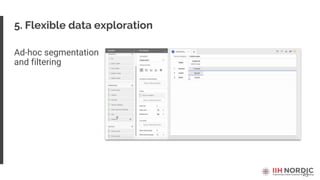
5. Flexible data exploration
Ad-hoc segmentation
and filtering
24
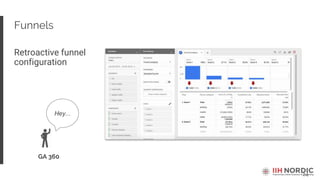
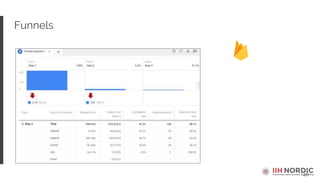
Funnels
Retroactive funnel
configuration
GA 360
Hey...
25
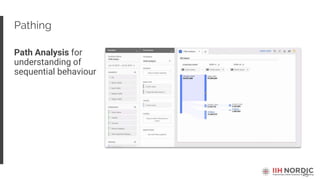
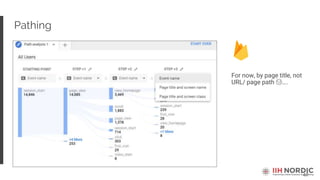
Pathing
Path Analysis for
understanding of
sequential behaviour
26
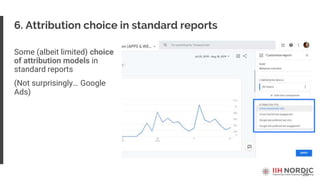
6. Attribution choice in standard reports
Some (albeit limited) choice
of attribution models in
standard reports
(Not surprisingly… Google
Ads)
27
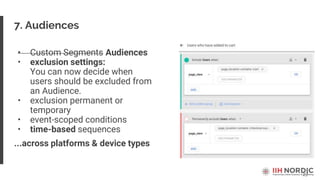
7. Audiences
• Custom Segments Audiences
• exclusion settings:
You can now decide when
users should be excluded from
an Audience.
• exclusion permanent or
temporary
• event-scoped conditions
• time-based sequences
...across platforms & device types
28
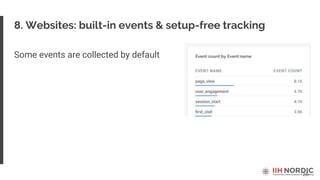
8. Websites: built-in events & setup-free tracking
Some events are collected by default
29
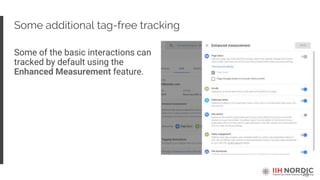
Some additional tag-free tracking
Some of the basic interactions can
tracked by default using the
Enhanced Measurement feature.
Universal Analytics vs. GA App+Web
31
1. User identification
• Cookie/device
(apart from User ID view)
• User ID + cookie
(useful with multiple users logging in on
website and app)
32
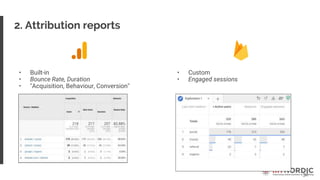
2. Attribution reports
• Built-in
• Bounce Rate, Duration
• "Acquisition, Behaviour, Conversion"
• Custom
• Engaged sessions
33
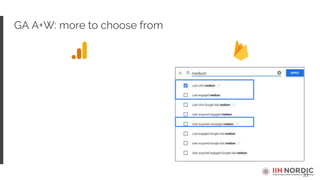
GA A+W: more to choose from
34
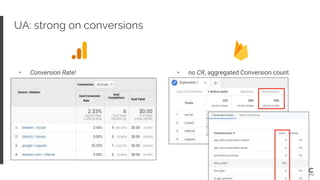
UA: strong on conversions
• Conversion Rate! • no CR, aggregated Conversion count
35
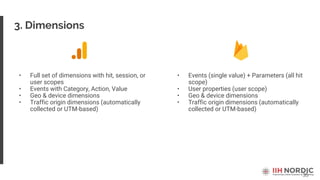
3. Dimensions
• Full set of dimensions with hit, session, or
user scopes
• Events with Category, Action, Value
• Geo & device dimensions
• Traffic origin dimensions (automatically
collected or UTM-based)
• Events (single value) + Parameters (all hit
scope)
• User properties (user scope)
• Geo & device dimensions
• Traffic origin dimensions (automatically
collected or UTM-based)
36
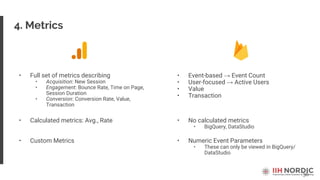
4. Metrics
• Full set of metrics describing
• Acquisition: New Session
• Engagement: Bounce Rate, Time on Page,
Session Duration
• Conversion: Conversion Rate, Value,
Transaction
• Event-based → Event Count
• User-focused → Active Users
• Value
• Transaction
• Calculated metrics: Avg., Rate • No calculated metrics
• BigQuery, DataStudio
• Custom Metrics • Numeric Event Parameters
• These can only be viewed in BigQuery/
DataStudio
37
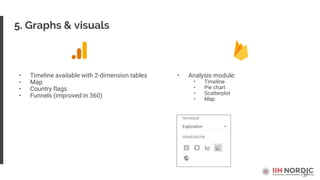
5. Graphs & visuals
• Timeline available with 2-dimension tables
• Map
• Country flags
• Funnels (improved in 360)
• Analysis module:
• Timeline
• Pie chart
• Scatterplot
• Map
38
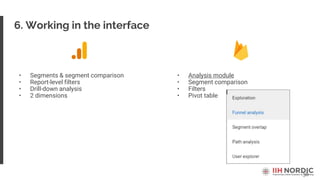
6. Working in the interface
• Segments & segment comparison
• Report-level filters
• Drill-down analysis
• 2 dimensions
• Analysis module
• Segment comparison
• Filters
• Pivot table
39
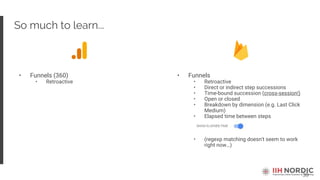
So much to learn...
• Funnels (360)
• Retroactive
• Funnels
• Retroactive
• Direct or indirect step successions
• Time-bound succession (cross-session!)
• Open or closed
• Breakdown by dimension (e.g. Last Click
Medium)
• Elapsed time between steps
• (regexp matching doesn't seem to work
right now…)
40
Funnels
41
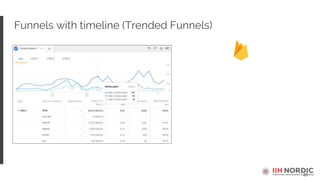
Funnels with timeline (Trended Funnels)
42
Pathing
For now, by page title, not
URL/ page path 😢….
43
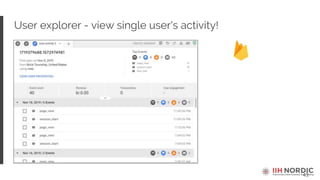
User explorer - view single user's activity!
44
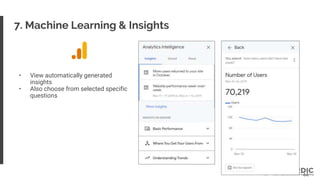
7. Machine Learning & Insights
• View automatically generated
insights
• Also choose from selected specific
questions
45
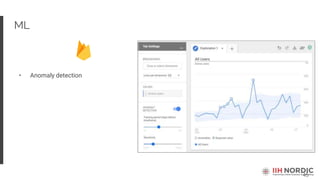
ML
• Anomaly detection
46
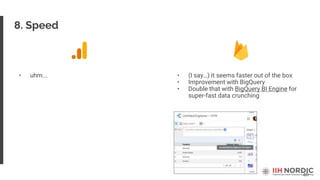
8. Speed
• uhm... • (I say…) it seems faster out of the box
• Improvement with BigQuery
• Double that with BigQuery BI Engine for
super-fast data crunching
47
9. Setup
• GTM • GTM
48
What's missing
49
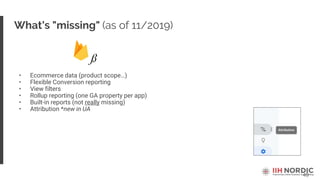
What's "missing" (as of 11/2019)
• Ecommerce data (product scope…)
• Flexible Conversion reporting
• View filters
• Rollup reporting (one GA property per app)
• Built-in reports (not really missing)
• Attribution *new in UA
50
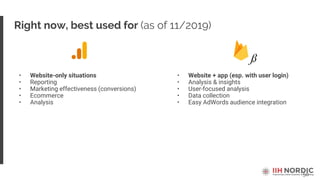
Right now, best used for (as of 11/2019)
• Website-only situations
• Reporting
• Marketing effectiveness (conversions)
• Ecommerce
• Analysis
• Website + app (esp. with user login)
• Analysis & insights
• User-focused analysis
• Data collection
• Easy AdWords audience integration
51
The whole idea...
Practical tips
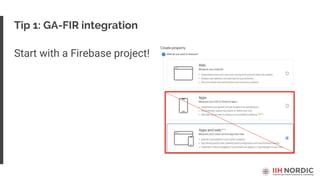
Start with a Firebase project!
Tip 1: GA-FIR integration
54
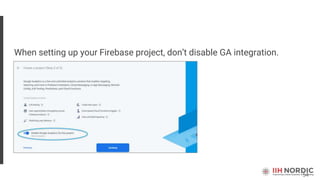
When setting up your Firebase project, don’t disable GA integration.
55
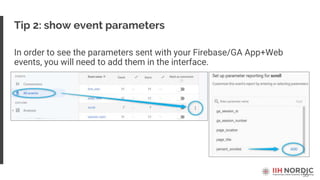
Tip 2: show event parameters
In order to see the parameters sent with your Firebase/GA App+Web
events, you will need to add them in the interface.
56
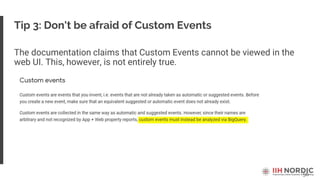
Tip 3: Don't be afraid of Custom Events
The documentation claims that Custom Events cannot be viewed in the
web UI. This, however, is not entirely true.
57
Tip 4: numeric parameters
Event parameters come in 2 formats:
• text (string) and
• numeric.
Any text parameter – built-in, Recommended or Custom – can be viewed
in the reports in Analytics interface.
The only numeric parameter that you can currently view in the web
interface is value. Use this rather than e.g. price, score etc.
58
Tip 5: parameter quota
According to the documentation the maximum number of parameters is
50 text and 50 numeric.
However, you need to to think in terms of event-parameter combinations.
You can only get 50 unique combinations with each type of parameter.
59
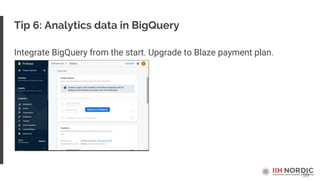
Tip 6: Analytics data in BigQuery
Integrate BigQuery from the start. Upgrade to Blaze payment plan.
60
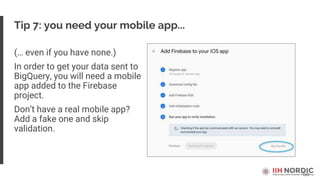
Tip 7: you need your mobile app...
(… even if you have none.)
In order to get your data sent to
BigQuery, you will need a mobile
app added to the Firebase
project.
Don’t have a real mobile app?
Add a fake one and skip
validation.
Firebase for Web
62
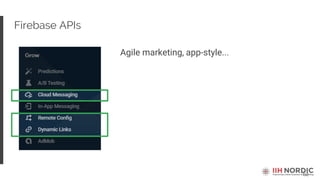
Firebase APIs
Agile marketing, app-style...
63
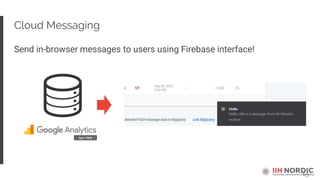
Cloud Messaging
Send in-browser messages to users using Firebase interface!
App + Web
64
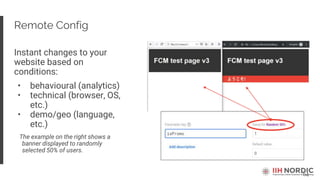
Remote Config
Instant changes to your
website based on
conditions:
• behavioural (analytics)
• technical (browser, OS,
etc.)
• demo/geo (language,
etc.)
The example on the right shows a
banner displayed to randomly
selected 50% of users.
65
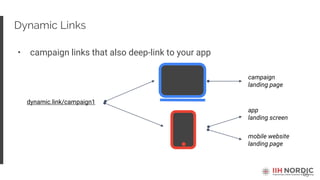
Dynamic Links
• campaign links that also deep-link to your app
dynamic.link/campaign1
campaign
landing page
app
landing screen
mobile website
landing page
Considerations & Roadmap
68
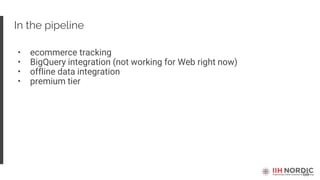
In the pipeline
• ecommerce tracking
• BigQuery integration (not working for Web right now)
• offline data integration
• premium tier
70
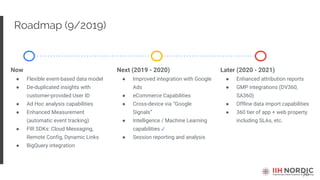
Roadmap (9/2019)
Now
● Flexible event-based data model
● De-duplicated insights with
customer-provided User ID
● Ad Hoc analysis capabilities
● Enhanced Measurement
(automatic event tracking)
● FIR SDKs: Cloud Messaging,
Remote Config, Dynamic Links
● BigQuery integration
Next (2019 - 2020)
● Improved integration with Google
Ads
● eCommerce Capabilities
● Cross-device via “Google
Signals”
● Intelligence / Machine Learning
capabilities ✓
● Session reporting and analysis
Later (2020 - 2021)
● Enhanced attribution reports
● GMP integrations (DV360,
SA360)
● Offline data import capabilities
● 360 tier of app + web property
including SLAs, etc.
71
Recommendation (in most cases)
• dual implementation: test &
learn
Start collecting data in GA App
+ Web early and add
functionalities as they are
rolled out
Thank you!
Florian Pertynski
florian@iihnordic.com

Florian Pertynski session at Google Partner Summit Review

  • 1.
    What it is Whereit is going Who it is for
  • 2.
    What is GAApp + Web
  • 3.
    Website and mobileapp data brought together
  • 4.
  • 5.
  • 6.
  • 7.
  • 8.
    8 2 platforms, 3products... mobile app SDK APP
  • 9.
    9 2 platforms, 3products... mobile app SDK APP
  • 10.
  • 11.
  • 12.
    12 APP GA App +Web App + Web
  • 13.
    13 What is GAApp + Web In a nutshell, • website and mobile app data together • new single data model • new way of working with the data • new setup required
  • 14.
    What's great aboutGA App + Web
  • 15.
  • 16.
    16 1. BigQuery integration Outof the box for web! • fast queries of large data sets • data modelling, etc.
  • 17.
  • 18.
    18 BigQuery integration Out ofthe box for web! • fast queries of large data sets • data modelling, etc.
  • 19.
    19 2. Single &simplified data model just this one: • events (single variable) + parameters + user properties types of hits: • pageviews/screenviews • events • ecommerce • social • timing App + Web
  • 20.
    20 Data model -example 1. event: page_view 2. event: form • (param) form_name: <event name> • (param) form_action: click • (param) form_type: simple • (param) form_cta: sign up here! 3. event: form • (param) form_name: <event name> • (param) form_action: success App + Web 1. pageview 2. event • category: form submit • action: <event name> • label: click to submit 3. event • category: form submit • action: <event name> • label: success
  • 21.
    21 • tracking ofusers across platforms and device types 3. Cross-platform user identification
  • 22.
  • 23.
    23 5. Flexible dataexploration Ad-hoc segmentation and filtering
  • 24.
  • 25.
  • 26.
    26 6. Attribution choicein standard reports Some (albeit limited) choice of attribution models in standard reports (Not surprisingly… Google Ads)
  • 27.
    27 7. Audiences • CustomSegments Audiences • exclusion settings: You can now decide when users should be excluded from an Audience. • exclusion permanent or temporary • event-scoped conditions • time-based sequences ...across platforms & device types
  • 28.
    28 8. Websites: built-inevents & setup-free tracking Some events are collected by default
  • 29.
    29 Some additional tag-freetracking Some of the basic interactions can tracked by default using the Enhanced Measurement feature.
  • 30.
  • 31.
    31 1. User identification •Cookie/device (apart from User ID view) • User ID + cookie (useful with multiple users logging in on website and app)
  • 32.
    32 2. Attribution reports •Built-in • Bounce Rate, Duration • "Acquisition, Behaviour, Conversion" • Custom • Engaged sessions
  • 33.
    33 GA A+W: moreto choose from
  • 34.
    34 UA: strong onconversions • Conversion Rate! • no CR, aggregated Conversion count
  • 35.
    35 3. Dimensions • Fullset of dimensions with hit, session, or user scopes • Events with Category, Action, Value • Geo & device dimensions • Traffic origin dimensions (automatically collected or UTM-based) • Events (single value) + Parameters (all hit scope) • User properties (user scope) • Geo & device dimensions • Traffic origin dimensions (automatically collected or UTM-based)
  • 36.
    36 4. Metrics • Fullset of metrics describing • Acquisition: New Session • Engagement: Bounce Rate, Time on Page, Session Duration • Conversion: Conversion Rate, Value, Transaction • Event-based → Event Count • User-focused → Active Users • Value • Transaction • Calculated metrics: Avg., Rate • No calculated metrics • BigQuery, DataStudio • Custom Metrics • Numeric Event Parameters • These can only be viewed in BigQuery/ DataStudio
  • 37.
    37 5. Graphs &visuals • Timeline available with 2-dimension tables • Map • Country flags • Funnels (improved in 360) • Analysis module: • Timeline • Pie chart • Scatterplot • Map
  • 38.
    38 6. Working inthe interface • Segments & segment comparison • Report-level filters • Drill-down analysis • 2 dimensions • Analysis module • Segment comparison • Filters • Pivot table
  • 39.
    39 So much tolearn... • Funnels (360) • Retroactive • Funnels • Retroactive • Direct or indirect step successions • Time-bound succession (cross-session!) • Open or closed • Breakdown by dimension (e.g. Last Click Medium) • Elapsed time between steps • (regexp matching doesn't seem to work right now…)
  • 40.
  • 41.
    41 Funnels with timeline(Trended Funnels)
  • 42.
    42 Pathing For now, bypage title, not URL/ page path 😢….
  • 43.
    43 User explorer -view single user's activity!
  • 44.
    44 7. Machine Learning& Insights • View automatically generated insights • Also choose from selected specific questions
  • 45.
  • 46.
    46 8. Speed • uhm...• (I say…) it seems faster out of the box • Improvement with BigQuery • Double that with BigQuery BI Engine for super-fast data crunching
  • 47.
  • 48.
  • 49.
    49 What's "missing" (asof 11/2019) • Ecommerce data (product scope…) • Flexible Conversion reporting • View filters • Rollup reporting (one GA property per app) • Built-in reports (not really missing) • Attribution *new in UA
  • 50.
    50 Right now, bestused for (as of 11/2019) • Website-only situations • Reporting • Marketing effectiveness (conversions) • Ecommerce • Analysis • Website + app (esp. with user login) • Analysis & insights • User-focused analysis • Data collection • Easy AdWords audience integration
  • 51.
  • 52.
  • 53.
    Start with aFirebase project! Tip 1: GA-FIR integration
  • 54.
    54 When setting upyour Firebase project, don’t disable GA integration.
  • 55.
    55 Tip 2: showevent parameters In order to see the parameters sent with your Firebase/GA App+Web events, you will need to add them in the interface.
  • 56.
    56 Tip 3: Don'tbe afraid of Custom Events The documentation claims that Custom Events cannot be viewed in the web UI. This, however, is not entirely true.
  • 57.
    57 Tip 4: numericparameters Event parameters come in 2 formats: • text (string) and • numeric. Any text parameter – built-in, Recommended or Custom – can be viewed in the reports in Analytics interface. The only numeric parameter that you can currently view in the web interface is value. Use this rather than e.g. price, score etc.
  • 58.
    58 Tip 5: parameterquota According to the documentation the maximum number of parameters is 50 text and 50 numeric. However, you need to to think in terms of event-parameter combinations. You can only get 50 unique combinations with each type of parameter.
  • 59.
    59 Tip 6: Analyticsdata in BigQuery Integrate BigQuery from the start. Upgrade to Blaze payment plan.
  • 60.
    60 Tip 7: youneed your mobile app... (… even if you have none.) In order to get your data sent to BigQuery, you will need a mobile app added to the Firebase project. Don’t have a real mobile app? Add a fake one and skip validation.
  • 61.
  • 62.
  • 63.
    63 Cloud Messaging Send in-browsermessages to users using Firebase interface! App + Web
  • 64.
    64 Remote Config Instant changesto your website based on conditions: • behavioural (analytics) • technical (browser, OS, etc.) • demo/geo (language, etc.) The example on the right shows a banner displayed to randomly selected 50% of users.
  • 65.
    65 Dynamic Links • campaignlinks that also deep-link to your app dynamic.link/campaign1 campaign landing page app landing screen mobile website landing page
  • 66.
  • 68.
    68 In the pipeline •ecommerce tracking • BigQuery integration (not working for Web right now) • offline data integration • premium tier
  • 70.
    70 Roadmap (9/2019) Now ● Flexibleevent-based data model ● De-duplicated insights with customer-provided User ID ● Ad Hoc analysis capabilities ● Enhanced Measurement (automatic event tracking) ● FIR SDKs: Cloud Messaging, Remote Config, Dynamic Links ● BigQuery integration Next (2019 - 2020) ● Improved integration with Google Ads ● eCommerce Capabilities ● Cross-device via “Google Signals” ● Intelligence / Machine Learning capabilities ✓ ● Session reporting and analysis Later (2020 - 2021) ● Enhanced attribution reports ● GMP integrations (DV360, SA360) ● Offline data import capabilities ● 360 tier of app + web property including SLAs, etc.
  • 71.
    71 Recommendation (in mostcases) • dual implementation: test & learn Start collecting data in GA App + Web early and add functionalities as they are rolled out
  • 72.

Editor's Notes

  • #16 GA App + Web is in beta stage now. Most likely we will see more features - perhaps covering more of current Google Analytics functionalities.