

Embedding Video in PowerPoint So many options! Prepared by Tom Weinandy for an EN 211 class with Professor Karen Wilson
Videos Vamp-up Power Points!
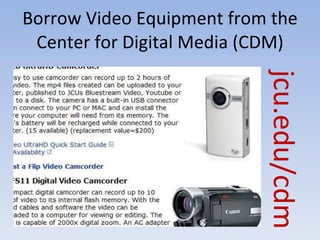
Borrow Video Equipment from the Center for Digital Media (CDM) jcu.edu/cdm
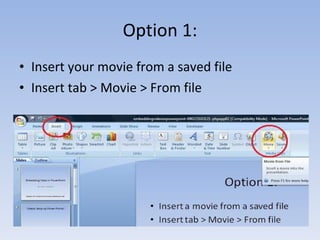
Option 1: Insert your movie from a saved file Insert tab > Movie > From file
Option 2 Embed from the Web (needs internets) ENABLE MACROS when prompted http:// www.youtube.com/watch?v=hChq5drjQl4&feature=player_embedded
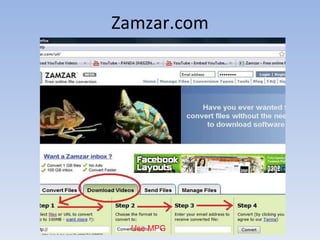
Option 3 Download the video from YouTube via the website  zamzar.com This will make your file size larger, but functional without the internets
Zamzar.com Use MPG
Then Insert the Video Insert tab >  Movie >  From file Make sure the  video is saved to  your computer Download the MPG from Email
Thanks to the following  God for loving us all Al Gore for inventing the internet Lmatthews of Slideshare.com where I used a portion of this presentation.

Embedding video in powerpoint

  • 1.
    Embedding Video inPowerPoint So many options! Prepared by Tom Weinandy for an EN 211 class with Professor Karen Wilson
  • 2.
  • 3.
    Borrow Video Equipmentfrom the Center for Digital Media (CDM) jcu.edu/cdm
  • 4.
    Option 1: Insertyour movie from a saved file Insert tab > Movie > From file
  • 5.
    Option 2 Embedfrom the Web (needs internets) ENABLE MACROS when prompted http:// www.youtube.com/watch?v=hChq5drjQl4&feature=player_embedded
  • 6.
    Option 3 Downloadthe video from YouTube via the website zamzar.com This will make your file size larger, but functional without the internets
  • 7.
  • 8.
    Then Insert theVideo Insert tab > Movie > From file Make sure the video is saved to your computer Download the MPG from Email
  • 9.
    Thanks to thefollowing God for loving us all Al Gore for inventing the internet Lmatthews of Slideshare.com where I used a portion of this presentation.