Elderly People Smart Phone
Guide
2º B
May 2015
How can I download an
App?
Go to playstore if you have Android and go to
Appstore if you has ios, search the app and
download it.
Belén Sabaniego López & Andrea Contreras Sanchez
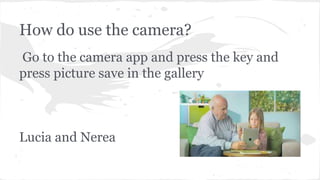
How do use the camera?
Go to the camera app and press the key and
press picture save in the gallery
Lucia and Nerea
How can I surf on the internet?
You have to go to the menu,search the browser,press
it when you find it and search and search the
information or the images that would you like.
Aá
How can I switch on the
mobile?
Press the button at the top of the right.
When you press the button you have
switch on the mobile.
LUCAS & SERGIO
SEARCH IN YOUR CONTACT LIST ,SELECT
THE CONTACT AND PRESS THE GREEN
BUTTON.
RUBEN J.VILAR & DANIEL DE LA ROSA
WHAT IS THE APP TO PLAY GAMES?
If you have android you go to playstore but if
you have a IOS you go to appstore in your
mobile and you choose the game that you
prefer.
Paula Sola & Carlos Sánchez
How can I chat with other people?
Go to WhatsApp, select your contact and
write.
I strongly recommend to use big letters.
Jose Luis Abad and Paula Ortega
How can I select my profile
picture?
Press menu and
go to the gallery,
then select the
photo and upload
it to your profile.
Lorena Ruiz
Valentina Tejeda
What is this app for?
Youtube or similar apps: This app is used to
search videos. Just tap in the text box and write
the name of the video you want to search and
select it.
Juan Manuel & Alejandro
How can I add a contact?
First press menu, then select the
contacts icon.
When you’re in contacts, press
the add button. Finally write the
number and the name of the
person you want to add.
By: Soraya Quiroga & Lucia Víctori
HOW CAN I TAKE PHOTOS?
Look for the camera icon in the menu, press
the button and you can take your pictures.
Elisabeth and Irene
HOW CAN I CHAT TO FRIENDS?
SELECT THE CONTACT AND AFTER WRITE
THEM.
Andrea Contreras & Santiago Arrabal
How can I skype someone??
First you have to download the application.
Then you have to click on it and sign in or create an account.
After, you have to find your friends and family by putting in the person's email
address. Once you have added them to your contacts you click on the green
button. You can video call or simple make a normal phone call. when you video
call you should see the persons face on the screen.
Lily Read & Juan Caro

Elderly people smart phone guide

  • 1.
    Elderly People SmartPhone Guide 2º B May 2015
  • 2.
    How can Idownload an App? Go to playstore if you have Android and go to Appstore if you has ios, search the app and download it. Belén Sabaniego López & Andrea Contreras Sanchez
  • 3.
    How do usethe camera? Go to the camera app and press the key and press picture save in the gallery Lucia and Nerea
  • 4.
    How can Isurf on the internet? You have to go to the menu,search the browser,press it when you find it and search and search the information or the images that would you like. Aá
  • 5.
    How can Iswitch on the mobile? Press the button at the top of the right. When you press the button you have switch on the mobile. LUCAS & SERGIO
  • 6.
    SEARCH IN YOURCONTACT LIST ,SELECT THE CONTACT AND PRESS THE GREEN BUTTON. RUBEN J.VILAR & DANIEL DE LA ROSA
  • 7.
    WHAT IS THEAPP TO PLAY GAMES? If you have android you go to playstore but if you have a IOS you go to appstore in your mobile and you choose the game that you prefer. Paula Sola & Carlos Sánchez
  • 8.
    How can Ichat with other people? Go to WhatsApp, select your contact and write. I strongly recommend to use big letters. Jose Luis Abad and Paula Ortega
  • 10.
    How can Iselect my profile picture? Press menu and go to the gallery, then select the photo and upload it to your profile. Lorena Ruiz Valentina Tejeda
  • 11.
    What is thisapp for? Youtube or similar apps: This app is used to search videos. Just tap in the text box and write the name of the video you want to search and select it. Juan Manuel & Alejandro
  • 12.
    How can Iadd a contact? First press menu, then select the contacts icon. When you’re in contacts, press the add button. Finally write the number and the name of the person you want to add. By: Soraya Quiroga & Lucia Víctori
  • 13.
    HOW CAN ITAKE PHOTOS? Look for the camera icon in the menu, press the button and you can take your pictures. Elisabeth and Irene
  • 14.
    HOW CAN ICHAT TO FRIENDS? SELECT THE CONTACT AND AFTER WRITE THEM. Andrea Contreras & Santiago Arrabal
  • 15.
    How can Iskype someone?? First you have to download the application. Then you have to click on it and sign in or create an account. After, you have to find your friends and family by putting in the person's email address. Once you have added them to your contacts you click on the green button. You can video call or simple make a normal phone call. when you video call you should see the persons face on the screen. Lily Read & Juan Caro