Eclipse + Mobile = Mobile Tools for Java


                David Marques
          david.marques@cesar.org.br


                                           1
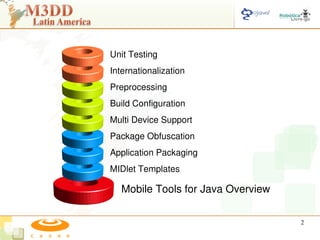
Unit Testing
Internationalization
Preprocessing
Build Configuration
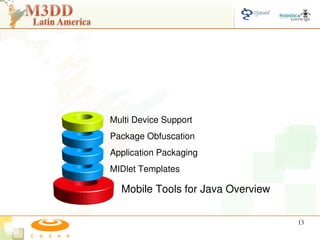
Multi Device Support
Package Obfuscation
Application Packaging
MIDlet Templates

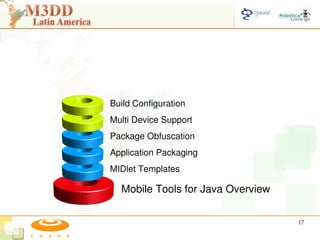
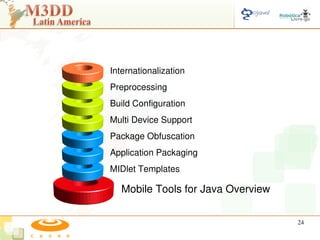
   Mobile Tools for Java Overview

                                    2
Mobile Tools for Java Overview

                                 3
MTJ Overview
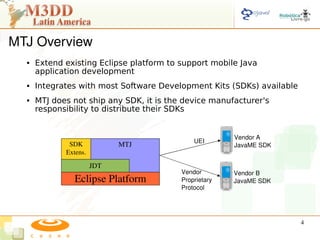
     Extend existing Eclipse platform to support mobile Java
      application development
     Integrates with most Software Development Kits (SDKs) available
     MTJ does not ship any SDK, it is the device manufacturer's
      responsibility to distribute their SDKs


                                                        Vendor A
                                              UEI
              SDK            MTJ                        JavaME SDK
             Extens.

                       JDT
                                          Vendor        Vendor B
                Eclipse Platform          Proprietary   JavaME SDK
                                          Protocol


                                                                        4
MIDlet Templates

  Mobile Tools for Java Overview

                                   5
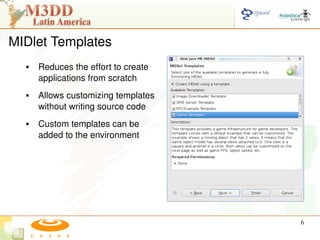
MIDlet Templates
     Reduces the effort to create 
      applications from scratch
     Allows customizing templates 
      without writing source code
     Custom templates can be 
      added to the environment


                                          6
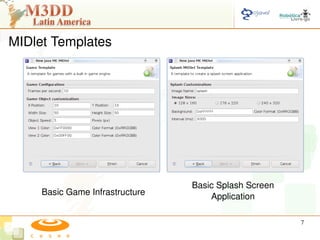
MIDlet Templates


                                     Basic Splash Screen 
     Basic Game Infrastructure           Application

                                                            7
Application Packaging
MIDlet Templates

  Mobile Tools for Java Overview

                                   8
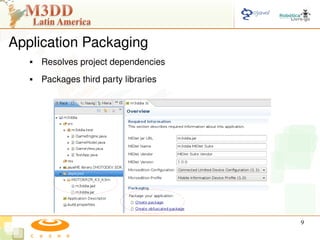
Application Packaging
      Resolves project dependencies
      Packages third party libraries


                                            9
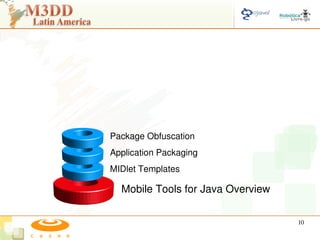
Package Obfuscation
Application Packaging
MIDlet Templates

  Mobile Tools for Java Overview

                                   10
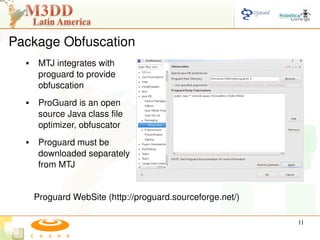
Package Obfuscation
      MTJ integrates with 
       proguard to provide 
       obfuscation
      ProGuard is an open 
       source Java class file 
       optimizer, obfuscator
      Proguard must be 
       downloaded separately 
       from MTJ 


      Proguard WebSite (http://proguard.sourceforge.net/)

                                                            11
Demo Part 1
     Import installed SDKs
     Create a MIDlet Suite Project
     Create a MIDlet from a 
      template                            Part 1
     Package application for 
      deployment
     Create an obfuscated package 
      for deployment
     Run/Debug Application


                                                   12
Multi Device Support
Package Obfuscation
Application Packaging
MIDlet Templates

  Mobile Tools for Java Overview

                                   13
Multi device configuration

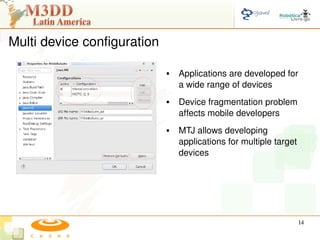
                                    Applications are developed for 
                                     a wide range of devices
                                    Device fragmentation problem 
                                     affects mobile developers
                                    MTJ allows developing 
                                     applications for multiple target 
                                     devices


                                                                     14
Multi device configuration

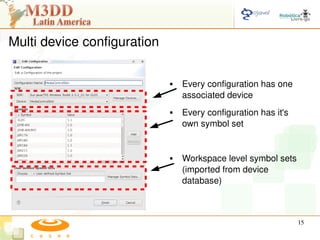
                                    Every configuration has one 
                                     associated device
                                    Every configuration has it's 
                                     own symbol set


                                    Workspace level symbol sets 
                                     (imported from device 
                                     database)


                                                                     15
Multi device configuration

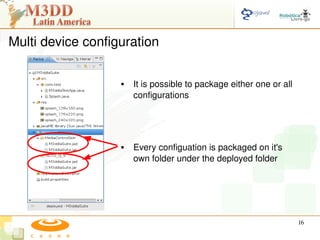
                      It is possible to package either one or all 
                       configurations


                      Every configuation is packaged on it's 
                       own folder under the deployed folder


                                                                      16
Build Configuration
Multi Device Support
Package Obfuscation
Application Packaging
MIDlet Templates

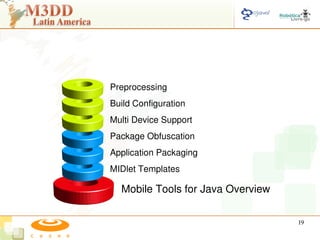
  Mobile Tools for Java Overview

                                   17
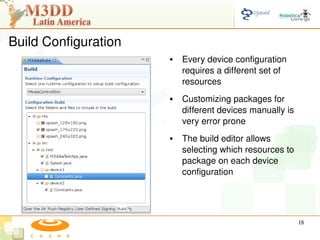
Build Configuration
                             Every device configuration 
                              requires a different set of 
                              resources
                             Customizing packages for 
                              different devices manually is 
                              very error prone
                             The build editor allows 
                              selecting which resources to 
                              package on each device 
                              configuration


                                                               18
Preprocessing
Build Configuration
Multi Device Support
Package Obfuscation
Application Packaging
MIDlet Templates

  Mobile Tools for Java Overview

                                   19
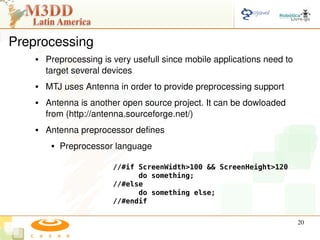
Preprocessing
       Preprocessing is very usefull since mobile applications need to 
        target several devices
       MTJ uses Antenna in order to provide preprocessing support
       Antenna is another open source project. It can be dowloaded 
        from (http://antenna.sourceforge.net/)
       Antenna preprocessor defines 
            Preprocessor language

                         //#if ScreenWidth>100 && ScreenHeight>120
                               do something;
                         //#else
                               do something else;
                         //#endif

                                                                           20
Preprocessing
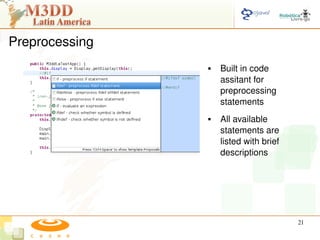
                       Built in code 
                        assitant for 
                        preprocessing 
                        statements
                       All available 
                        statements are 
                        listed with brief 
                        descriptions


                                             21
Preprocessing
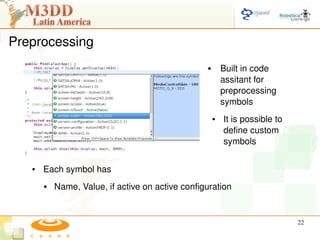
                                                         Built in code 
                                                          assitant for 
                                                          preprocessing 
                                                          symbols
                                                      ●   It is possible to 
                                                          define custom 
                                                          symbols

   ●   Each symbol has
          Name, Value, if active on active configuration


                                                                               22
Demo Part 2
     Setup multi device 
      configuration
     Setup build configuration
     Enable preprocessing               Part 2
     Manage preprocessing symbol 
      sets
     Add preprocessing to our 
      example
     Build and package applications 
      for all configurations

                                                  23
Internationalization
Preprocessing
Build Configuration
Multi Device Support
Package Obfuscation
Application Packaging
MIDlet Templates

   Mobile Tools for Java Overview

                                    24
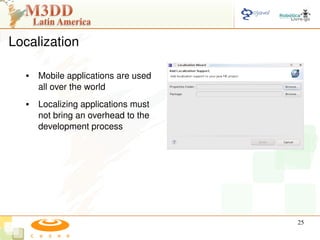
Localization

      Mobile applications are used 
       all over the world
      Localizing applications must 
       not bring an overhead to the 
       development process


                                           25
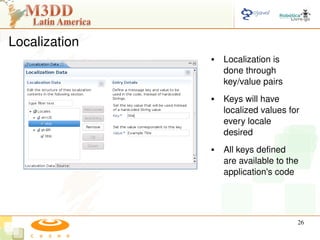
Localization
                      Localization is 
                       done through 
                       key/value pairs
                      Keys will have 
                       localized values for 
                       every locale 
                       desired
                      All keys defined 
                       are available to the 
                       application's code


                                           26
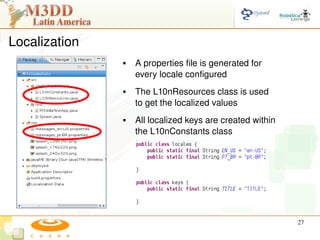
Localization
                  A properties file is generated for 
                   every locale configured
                  The L10nResources class is used 
                   to get the localized values
                  All localized keys are created within 
                   the L10nConstants class


                                                            27
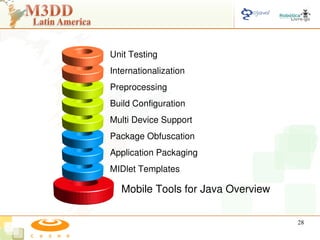
Unit Testing
Internationalization
Preprocessing
Build Configuration
Multi Device Support
Package Obfuscation
Application Packaging
MIDlet Templates

   Mobile Tools for Java Overview

                                    28
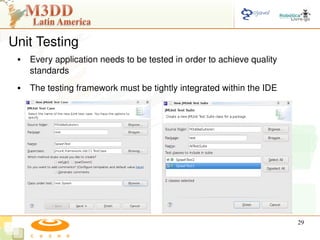
Unit Testing
    Every application needs to be tested in order to achieve quality 
     standards
    The testing framework must be tightly integrated within the IDE


                                                                         29
Unit Testing
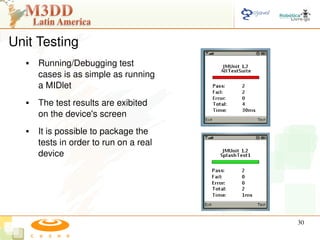
      Running/Debugging test 
       cases is as simple as running 
       a MIDlet
      The test results are exibited 
       on the device's screen
      It is possible to package the 
       tests in order to run on a real 
       device


                                              30
Demo Part 3
  ●   Setup localization
  ●   Create localized resources
  ●   Add localization into the 
      application code                 Part 3
  ●   Enable unit testing
  ●   Create Unit Tests/ Suites
  ●   Run Tests


                                                31
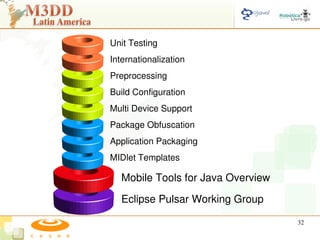
Unit Testing
Internationalization
Preprocessing
Build Configuration
Multi Device Support
Package Obfuscation
Application Packaging
MIDlet Templates

   Mobile Tools for Java Overview

   Eclipse Pulsar Working Group

                                    32
Eclipse Pulsar Working Group
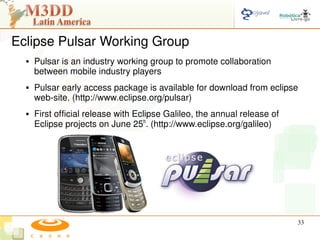
     Pulsar is an industry working group to promote collaboration 
      between mobile industry players
     Pulsar early access package is available for download from eclipse 
      web­site. (http://www.eclipse.org/pulsar)
     First official release with Eclipse Galileo, the annual release of 
      Eclipse projects on June 25th. (http://www.eclipse.org/galileo)


                                                                            33
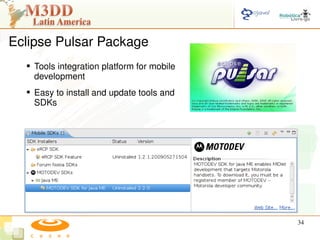
Eclipse Pulsar Package
   Tools integration platform for mobile 
    development
   Easy to install and update tools and 
    SDKs


                                             34
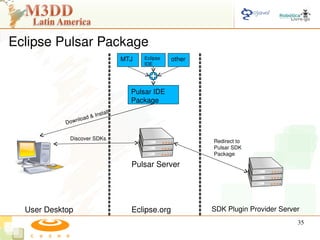
Eclipse Pulsar Package
                                         MTJ   Eclipse    other
                                               IDE


                                           Pulsar IDE  
                                           Package

                          & In   stall
                n   load 
            Dow

             Discover SDKs                                        Redirect to
                                                                  Pulsar SDK
                                                                  Package

                                           Pulsar Server


  User Desktop                             Eclipse.org            SDK Plugin Provider Server
                                                                                           35
Mobile Tools for Java Overview

Eclipse Pulsar Working Group

  Open Source Community


                                 36
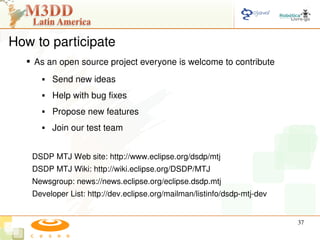
How to participate
   As an open source project everyone is welcome to contribute
        Send new ideas
        Help with bug fixes
        Propose new features
        Join our test team


   DSDP MTJ Web site: http://www.eclipse.org/dsdp/mtj
   DSDP MTJ Wiki: http://wiki.eclipse.org/DSDP/MTJ
   Newsgroup: news://news.eclipse.org/eclipse.dsdp.mtj
   Developer List: http://dev.eclipse.org/mailman/listinfo/dsdp­mtj­dev 


                                                                           37
Conclusions
      MTJ provides several features in order to improve mobile Java 
       development
      It requires a very low learning curve since it follows Eclipse 
       standards and everyone uses Eclipse :)


                                                                         38
Questions


                39
Eclipse + Mobile = Mobile Tools for Java


                David Marques
          david.marques@cesar.org.br


                                       40

Eclipse Mobile Tools for Java Project