EasyPAY
Payroll Management Software
>> Press Enter to go to the Next Slide
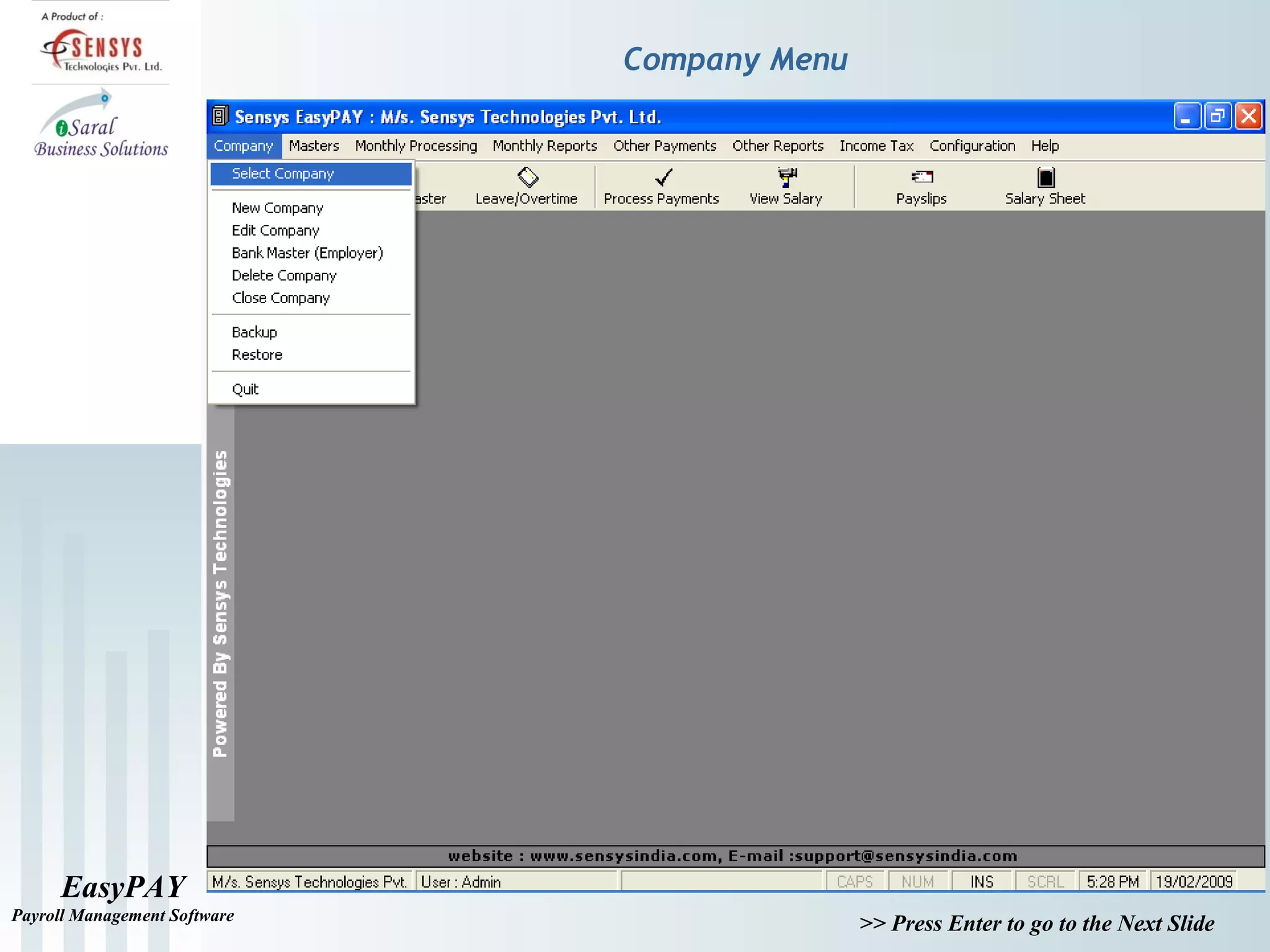
Company Menu
EasyPAY
Payroll Management Software
>> Press Enter to go to the Next Slide
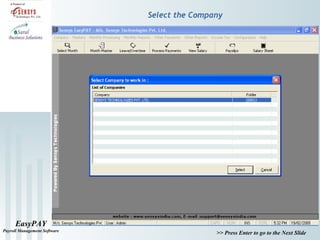
Select the Company
EasyPAY
Payroll Management Software
>> Press Enter to go to the Next Slide
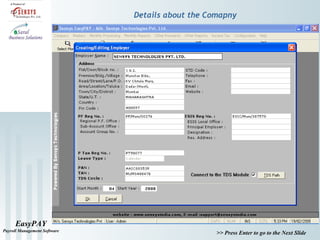
Details about the Comapny
EasyPAY
Payroll Management Software
>> Press Enter to go to the Next Slide
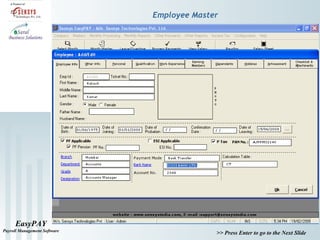
Employee Master
EasyPAY
Payroll Management Software
>> Press Enter to go to the Next Slide
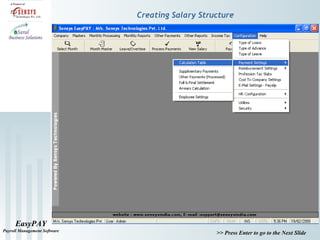
Creating Salary Structure
EasyPAY
Payroll Management Software
>> Press Enter to go to the Next Slide
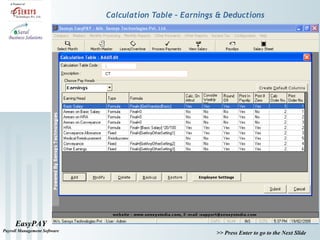
Calculation Table – Earnings & Deductions
EasyPAY
Payroll Management Software
>> Press Enter to go to the Next Slide
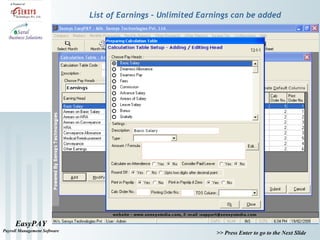
List of Earnings – Unlimited Earnings can be added
EasyPAY
Payroll Management Software
>> Press Enter to go to the Next Slide
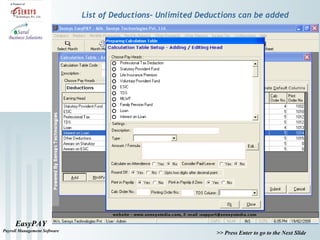
List of Deductions– Unlimited Deductions can be added
EasyPAY
Payroll Management Software
>> Press Enter to go to the Next Slide
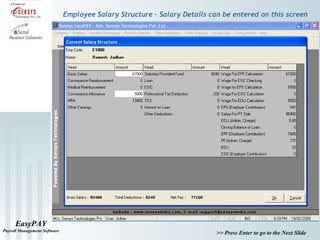
Employee Salary Structure – Salary Details can be entered on this screen
EasyPAY
Payroll Management Software
>> Press Enter to go to the Next Slide
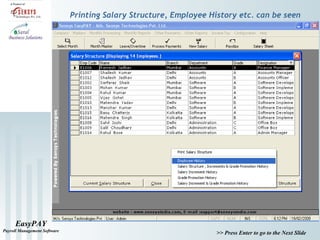
Printing Salary Structure, Employee History etc. can be seen
EasyPAY
Payroll Management Software
>> Press Enter to go to the Next Slide
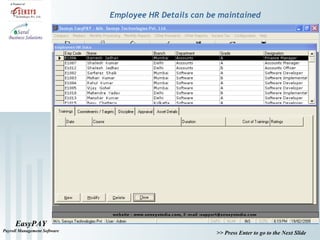
Employee HR Details can be maintained
EasyPAY
Payroll Management Software
>> Press Enter to go to the Next Slide
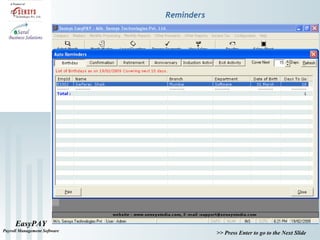
Reminders
EasyPAY
Payroll Management Software
>> Press Enter to go to the Next Slide
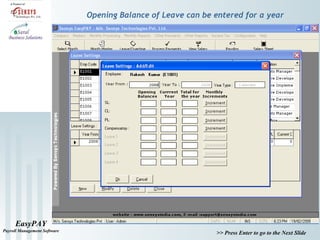
Opening Balance of Leave can be entered for a year
EasyPAY
Payroll Management Software
>> Press Enter to go to the Next Slide
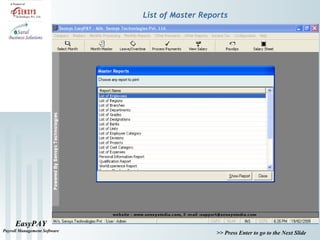
List of Master Reports
EasyPAY
Payroll Management Software
>> Press Enter to go to the Next Slide
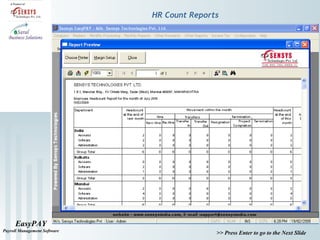
HR Count Reports
EasyPAY
Payroll Management Software
>> Press Enter to go to the Next Slide
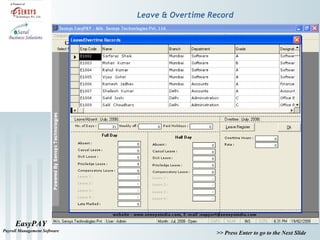
Leave & Overtime Record
EasyPAY
Payroll Management Software
>> Press Enter to go to the Next Slide
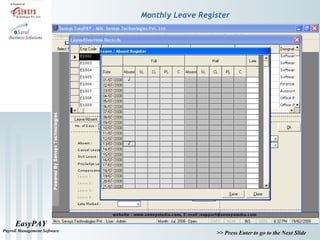
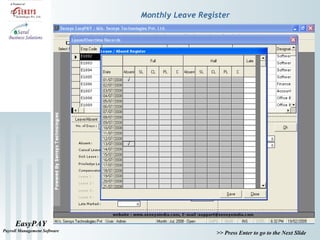
Monthly Leave Register
EasyPAY
Payroll Management Software
>> Press Enter to go to the Next Slide
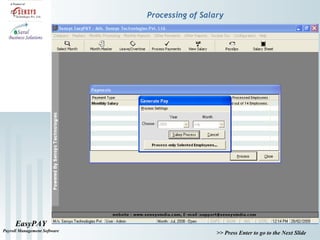
Processing of Salary
EasyPAY
Payroll Management Software
>> Press Enter to go to the Next Slide
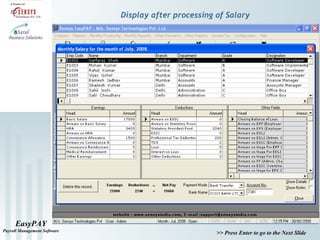
Display after processing of Salary
EasyPAY
Payroll Management Software
>> Press Enter to go to the Next Slide
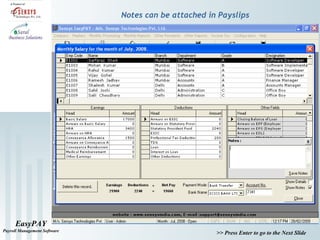
Notes can be attached in Payslips
EasyPAY
Payroll Management Software
>> Press Enter to go to the Next Slide
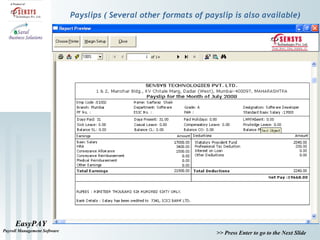
Payslips ( Several other formats of payslip is also available)
EasyPAY
Payroll Management Software
>> Press Enter to go to the Next Slide
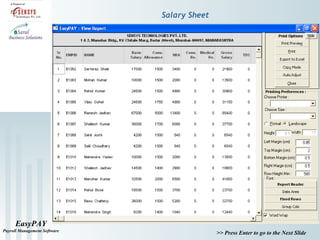
Salary Sheet
EasyPAY
Payroll Management Software
>> Press Enter to go to the Next Slide
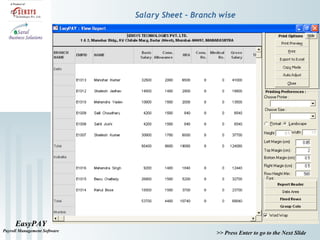
Salary Sheet – Branch wise
EasyPAY
Payroll Management Software
>> Press Enter to go to the Next Slide
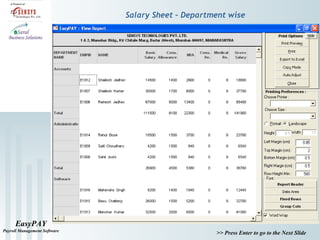
Salary Sheet – Department wise
EasyPAY
Payroll Management Software
>> Press Enter to go to the Next Slide
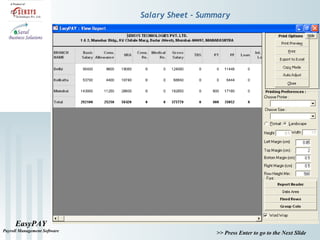
Salary Sheet - Summary
EasyPAY
Payroll Management Software
>> Press Enter to go to the Next Slide
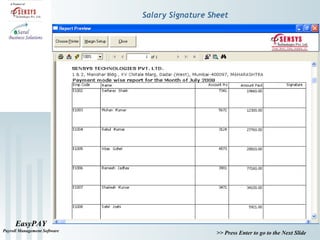
Salary Signature Sheet
EasyPAY
Payroll Management Software
>> Press Enter to go to the Next Slide
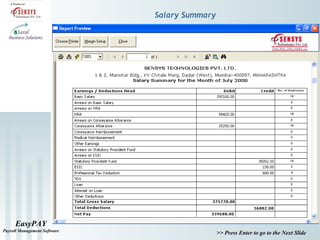
Salary Summary
EasyPAY
Payroll Management Software
>> Press Enter to go to the Next Slide
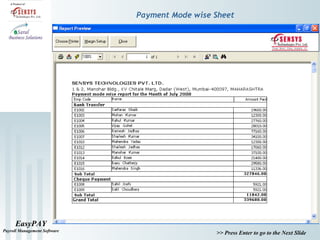
Payment Mode wise Sheet
EasyPAY
Payroll Management Software
>> Press Enter to go to the Next Slide
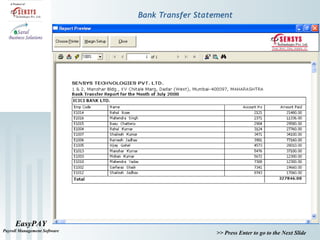
Bank Transfer Statement
EasyPAY
Payroll Management Software
>> Press Enter to go to the Next Slide
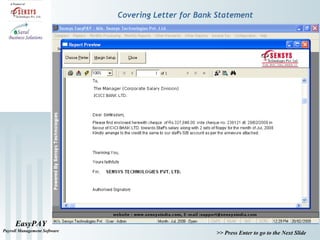
Covering Letter for Bank Statement
EasyPAY
Payroll Management Software
>> Press Enter to go to the Next Slide
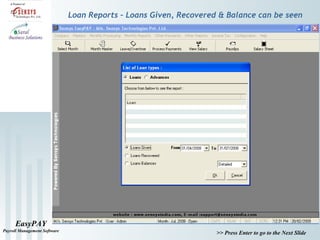
Loan Reports – Loans Given, Recovered & Balance can be seen
EasyPAY
Payroll Management Software
>> Press Enter to go to the Next Slide
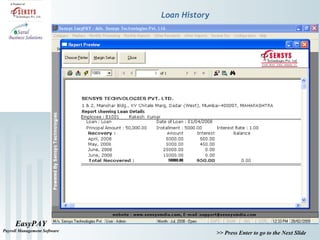
Loan History
EasyPAY
Payroll Management Software
>> Press Enter to go to the Next Slide
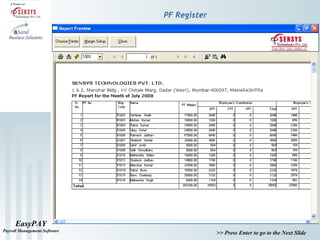
PF Register
EasyPAY
Payroll Management Software
>> Press Enter to go to the Next Slide
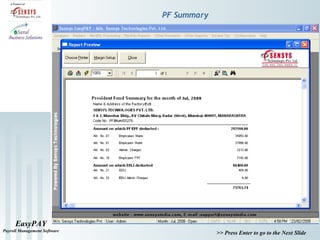
PF Summary
EasyPAY
Payroll Management Software
>> Press Enter to go to the Next Slide
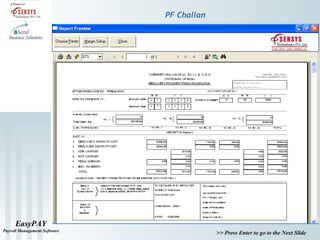
PF Challan
EasyPAY
Payroll Management Software
>> Press Enter to go to the Next Slide
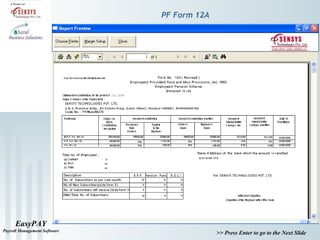
PF Form 12A
EasyPAY
Payroll Management Software
>> Press Enter to go to the Next Slide
Monthly Leave Register
EasyPAY
Payroll Management Software
>> Press Enter to go to the Next Slide
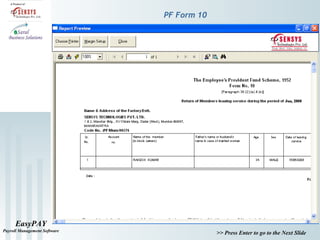
PF Form 10
EasyPAY
Payroll Management Software
>> Press Enter to go to the Next Slide
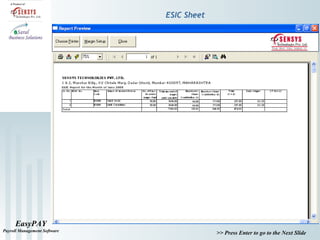
ESIC Sheet
EasyPAY
Payroll Management Software
>> Press Enter to go to the Next Slide
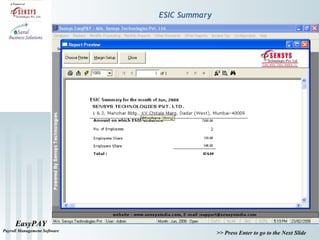
ESIC Summary
EasyPAY
Payroll Management Software
>> Press Enter to go to the Next Slide
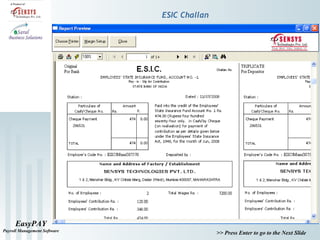
ESIC Challan
EasyPAY
Payroll Management Software
>> Press Enter to go to the Next Slide
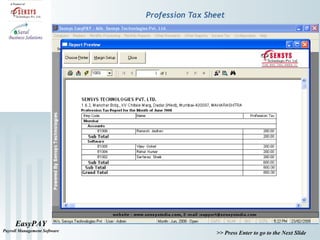
Profession Tax Sheet
EasyPAY
Payroll Management Software
>> Press Enter to go to the Next Slide
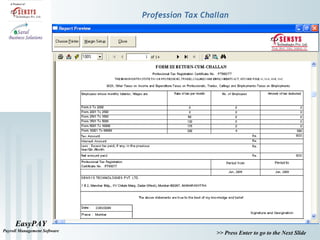
Profession Tax Challan
EasyPAY
Payroll Management Software
>> Press Enter to go to the Next Slide
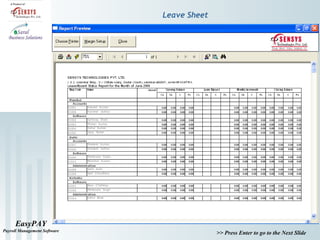
Leave Sheet
EasyPAY
Payroll Management Software
>> Press Enter to go to the Next Slide
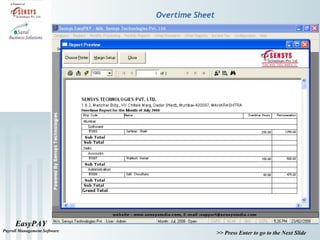
Overtime Sheet
EasyPAY
Payroll Management Software
>> Press Enter to go to the Next Slide
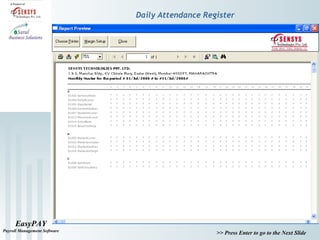
Daily Attendance Register
EasyPAY
Payroll Management Software
>> Press Enter to go to the Next Slide
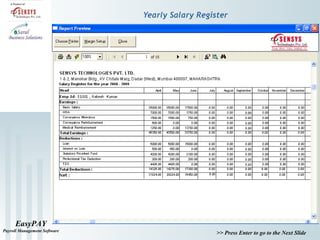
Yearly Salary Register
EasyPAY
Payroll Management Software
>> Press Enter to go to the Next Slide
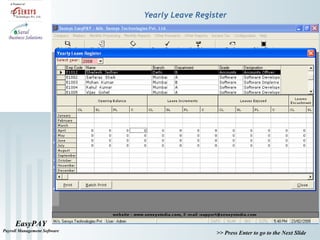
Yearly Leave Register
EasyPAY
Payroll Management Software
>> Press Enter to go to the Next Slide
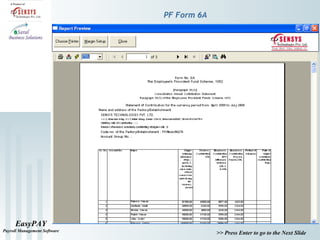
PF Form 6A
EasyPAY
Payroll Management Software
>> Press Enter to go to the Next Slide
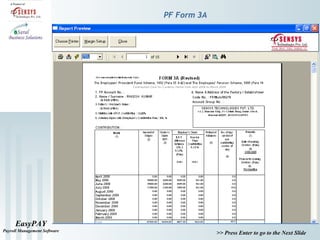
PF Form 3A
EasyPAY
Payroll Management Software
>> Press Enter to go to the Next Slide
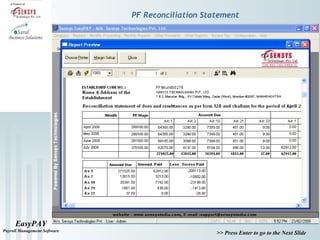
PF Reconciliation Statement
EasyPAY
Payroll Management Software
>> Press Enter to go to the Next Slide
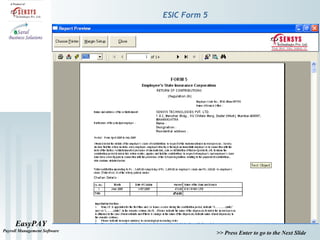
ESIC Form 5
EasyPAY
Payroll Management Software
>> Press Enter to go to the Next Slide
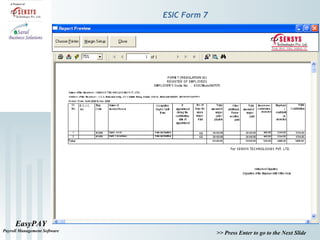
ESIC Form 7
EasyPAY
Payroll Management Software
>> Press Enter to go to the Next Slide
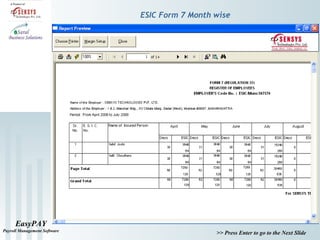
ESIC Form 7 Month wise
EasyPAY
Payroll Management Software
>> Press Enter to go to the Next Slide
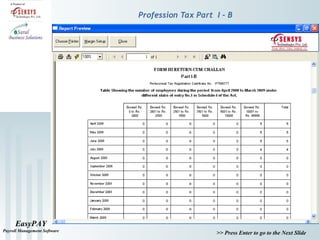
Profession Tax Part I - B
EasyPAY
Payroll Management Software
>> Press Enter to go to the Next Slide
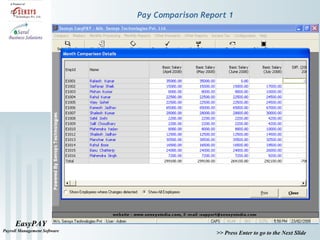
Pay Comparison Report 1
EasyPAY
Payroll Management Software
>> Press Enter to go to the Next Slide
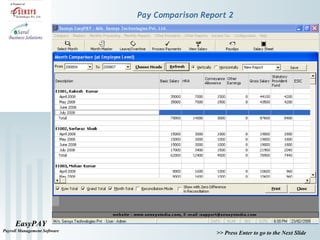
Pay Comparison Report 2
EasyPAY
Payroll Management Software
>> Press Enter to go to the Next Slide
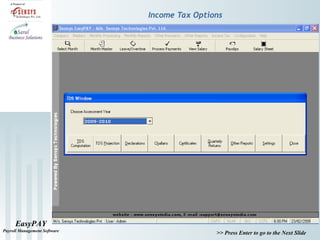
Income Tax Options
EasyPAY
Payroll Management Software
>> Press Enter to go to the Next Slide
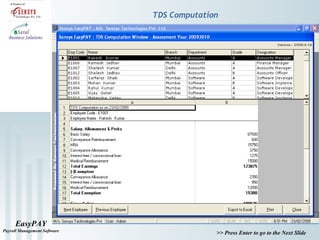
TDS Computation
EasyPAY
Payroll Management Software
>> Press Enter to go to the Next Slide
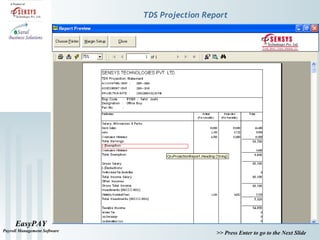
TDS Projection Report
EasyPAY
Payroll Management Software
>> Press Enter to go to the Next Slide
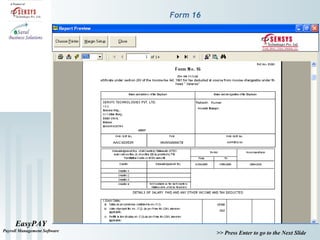
Form 16
EasyPAY
Payroll Management Software
>> Press Enter to go to the Next Slide
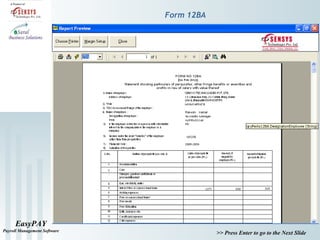
Form 12BA
EasyPAY
Payroll Management Software
>> Press Enter to go to the Next Slide
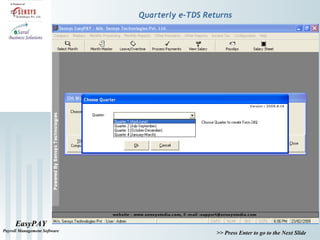
Quarterly e-TDS Returns
EasyPAY
Payroll Management Software
>> Press Enter to go to the Next Slide
Our Contact Details
Bangalore
iSaral Business Solutions
Tel : 080-40962022
Cell : 9743189880 / 9108024198
Mumbai
Tel : 022-66278651
Cell : 09867307971 / 09769468105
Delhi
Cell : 09891008988 / 09891008473
Email : sales@isaral.in
Website : www.isaral.in
www.sensysindia.com
Thanks for your valuable time. We assure you our best attention.

Easypay Payroll Management Software