NCCTCentre
for Advanced Technology
------------------------------------------------------------------------------------------------------------------------------------------------------------------------
SOFTWARE DEVELOPMENT * EMBEDDED SYSTEMS
#109, 2nd Floor, Bombay Flats, Nungambakkam High Road,
Nungambakkam, Chennai - 600 034.
Phone - 044 - 2823 5816, 98412 32310
E-Mail: ncct@eth.net, esskayn@eth.net, URL: ncctchennai.com
Dedicated to Commitments, Committed to
Technologies
WEB
TECHNOLOGIES
AND TRENDS
NCCT
Where Technology and Solutions Meet
INTRODUCTION
The purpose is to make a
technical presentation on
E-Commerce, Web
Technologies, Trends and
Applications
NCCT
About NCCT
 NCCT is a leading IT organization backed by a
strong R & D, concentrating on Software
Applications, Web related Products, Electronics
product development.
 The major activities of NCCT include Hardware
Design, Development, Implementation and related
activities
NCCT
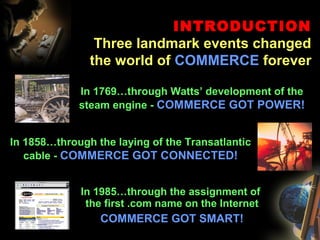
INTRODUCTION
Three landmark events changed
the world of COMMERCE forever
In 1769…through Watts’ development of the
steam engine - COMMERCE GOT POWER!
In 1858…through the laying of the Transatlantic
cable - COMMERCE GOT CONNECTED!
In 1985…through the assignment of
the first .com name on the Internet
COMMERCE GOT SMART!
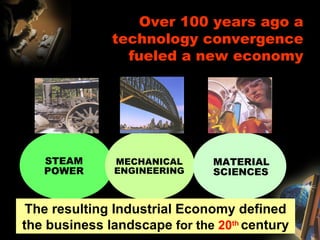
Over 100 years ago a
technology convergence
fueled a new economy
STEAM
POWER
MECHANICAL
ENGINEERING
MATERIAL
SCIENCES
The resulting Industrial Economy defined
the business landscape for the 20th
century
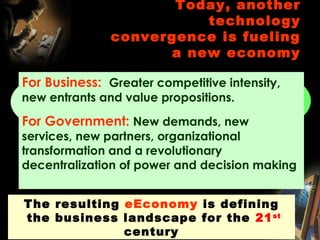
Today, another
technology
convergence is fueling
a new economy
Computing
Technologie
s
Communicati
on
Technologies
Content
Technologi
es
The resulting eEconomy is defining
the business landscape for the 21st
century
For Business: Greater competitive intensity,
new entrants and value propositions.
For Government: New demands, new
services, new partners, organizational
transformation and a revolutionary
decentralization of power and decision making
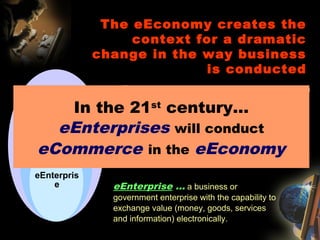
eEconomy … the broad business environment in
which global commerce is conducted.
eEconomy
eCommerce … the conduct of business among
eEnterprises and consumers with an alignment of
people, processes and technology with eCommerce
enlightened strategic intent.
eCommerce
eEnterprise … a business or
government enterprise with the capability to
exchange value (money, goods, services
and information) electronically.
eEnterpris
e
The eEconomy creates the
context for a dramatic
change in the way business
is conducted
In the 21st
century…
eEnterprises will conduct
eCommerce in the eEconomy
WHAT IS THE INTERNET?
• The internet is a collection of wires, protocols and hardware that
allows the electronic transmission of data over TCP/IP
• Any data can be transferred over the net, e.g., email, faxes, video,
voice & web pages
• Technically www (web) and the net are not the same. The web is
an application for the net
INTERNET ARCHITECTURE
• A collection of networks, 2 networks can only be connected by a
computer that is connected to both of them. This machine is a
router.
• Routers use the destination network address not the destination
host address when routing a packet.
• The amount of info a router needs to store is proportional to the #
of nets not hosts.
HOW THE INTERNET WORKS
CHARACTERISTICS THAT ALLOW SHARED
ACCESS OF DATA IN A NETWORK
• Unique identification of each computer on the network - Internet is a
network of millions of computers and thousands of networks intertwined
together. Thus it was important that each computer can be uniquely
identified by assigning a specific Internet Protocol(IP) address.
e.g.,198.108.95.145
• Human-friendly addressing - Domain Name System(DNS) gave each
computer on the network an address comprising an easily recognizable
letters and words instead of an IP address; e.g., www.yahoo.com
• Packet Switching - To remedy delays associated with unequally sized data
transfers, instead of transferring files in their entirety, whole files are
broken up into data packets before being transferred over the network.
• Routing - Routers are dedicated, special-purpose computers which serve
as an intermediary between networks. They route packets efficiently
through networks. Routers are building blocks of the internet.
NETWORKING SOFTWARE
• The two most well-known pieces of internetworking software are the TCP
and IP
• IP software set rules of data transfer over the network
• TCP software ensures the safe and reliable transfer of data
• With open system nature of TCP/IP development, software development
and computer companies could more easily build TCP/IP compliant
software and hardware
• TCP/IP standard network protocol laid the groundwork that enabled the
deep internetworking that made internet possible
• Reliability and Transmission control Protocol - IP software handles
packet deliveries and TCP handles safe delivery of packages.
• Standardization - Without the TCP/IP standardization, there would have
been many negative tradeoffs, such as inflexibility and increased functional
and switching costs.
HOW THE INTERNET WORKS
CHARACTERISTICS THAT ALLOW SHARED
ACCESS OF DATA IN A NETWORK
WEB SITE BASICS
•WEB SERVER
– Software, Hardware, Network
•CONTENT
– Keeping it current
•DESIGN
•IDENTITY NCCT
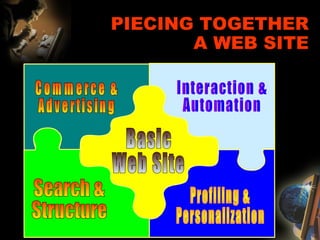
PIECING TOGETHER
A WEB SITE
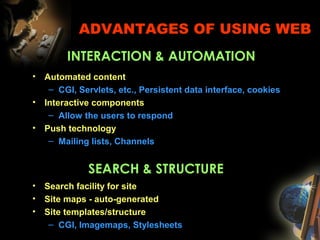
ADVANTAGES OF USING WEB
• Automated content
– CGI, Servlets, etc., Persistent data interface, cookies
• Interactive components
– Allow the users to respond
• Push technology
– Mailing lists, Channels
INTERACTION & AUTOMATION
SEARCH & STRUCTURE
• Search facility for site
• Site maps - auto-generated
• Site templates/structure
– CGI, Imagemaps, Stylesheets
ADVANTAGES OF USING WEB
COMMERCE & ADVERTISING
• Commerce server
– Shopping carts, Stateful sessions
– Security/Encryption, Payment
• Ad Servers
• Marketing
– attract customer attention, build customer loyalty
• Direct Sales
– global, 7x24
• Advertising Revenue
• Reduced Support Costs
ELECTRONIC
COMMERCE
(E-COMMERCE)
• Commerce is fundamentally based on Trust
• Commerce refers to all the activities the purchase and
sales of goods or services.
– Marketing, sales, payment, fulfillment, customer
service
• Electronic commerce is doing commerce with the use
of computers, networks and commerce-enabled
software (more than just online shopping)
• E-Commerce involves the translation of protocols, that
have evolved over the millenia, into the Electronic
environment
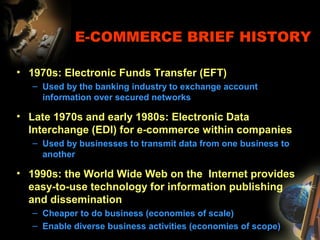
E-COMMERCE BRIEF HISTORY
• 1970s: Electronic Funds Transfer (EFT)
– Used by the banking industry to exchange account
information over secured networks
• Late 1970s and early 1980s: Electronic Data
Interchange (EDI) for e-commerce within companies
– Used by businesses to transmit data from one business to
another
• 1990s: the World Wide Web on the Internet provides
easy-to-use technology for information publishing
and dissemination
– Cheaper to do business (economies of scale)
– Enable diverse business activities (economies of scope)
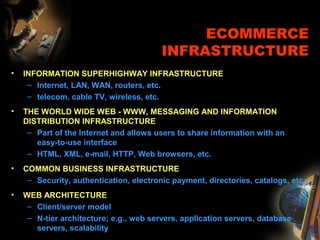
ECOMMERCE
INFRASTRUCTURE
• INFORMATION SUPERHIGHWAY INFRASTRUCTURE
– Internet, LAN, WAN, routers, etc.
– telecom, cable TV, wireless, etc.
• THE WORLD WIDE WEB - WWW, MESSAGING AND INFORMATION
DISTRIBUTION INFRASTRUCTURE
– Part of the Internet and allows users to share information with an
easy-to-use interface
– HTML, XML, e-mail, HTTP, Web browsers, etc.
• COMMON BUSINESS INFRASTRUCTURE
– Security, authentication, electronic payment, directories, catalogs, etc.
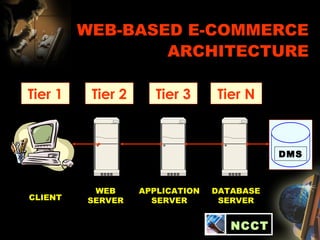
• WEB ARCHITECTURE
– Client/server model
– N-tier architecture; e.g., web servers, application servers, database
servers, scalability
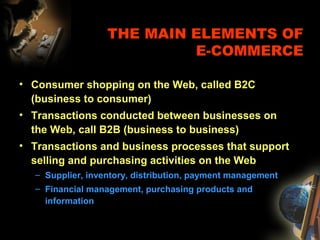
THE MAIN ELEMENTS OF
E-COMMERCE
• Consumer shopping on the Web, called B2C
(business to consumer)
• Transactions conducted between businesses on
the Web, call B2B (business to business)
• Transactions and business processes that support
selling and purchasing activities on the Web
– Supplier, inventory, distribution, payment management
– Financial management, purchasing products and
information
WEB-BASED E-COMMERCE
ARCHITECTURE
CLIENT
Tier 1
WEB
SERVER
Tier 3Tier 2 Tier N
APPLICATION
SERVER
DATABASE
SERVER
DMS
NCCT
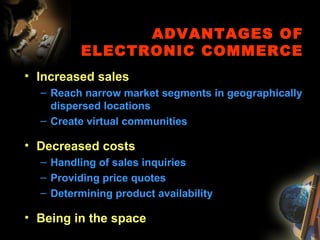
ADVANTAGES OF
ELECTRONIC COMMERCE
• Increased sales
– Reach narrow market segments in geographically
dispersed locations
– Create virtual communities
• Decreased costs
– Handling of sales inquiries
– Providing price quotes
– Determining product availability
• Being in the space
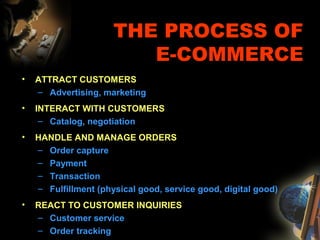
THE PROCESS OF
E-COMMERCE
• ATTRACT CUSTOMERS
– Advertising, marketing
• INTERACT WITH CUSTOMERS
– Catalog, negotiation
• HANDLE AND MANAGE ORDERS
– Order capture
– Payment
– Transaction
– Fulfillment (physical good, service good, digital good)
• REACT TO CUSTOMER INQUIRIES
– Customer service
– Order tracking
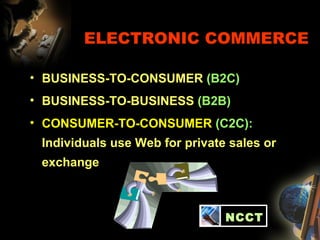
ELECTRONIC COMMERCE
• BUSINESS-TO-CONSUMER (B2C)
• BUSINESS-TO-BUSINESS (B2B)
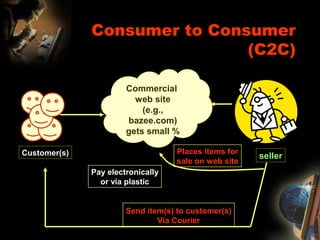
• CONSUMER-TO-CONSUMER (C2C):
Individuals use Web for private sales or
exchange
*
NCCT
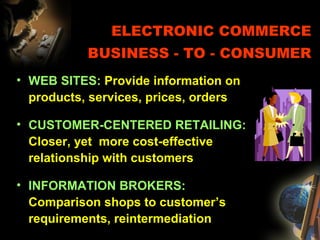
ELECTRONIC COMMERCE
BUSINESS - TO - CONSUMER
• WEB SITES: Provide information on
products, services, prices, orders
• CUSTOMER-CENTERED RETAILING:
Closer, yet more cost-effective
relationship with customers
• INFORMATION BROKERS:
Comparison shops to customer’s
requirements, reintermediation
ELECTRONIC COMMERCE
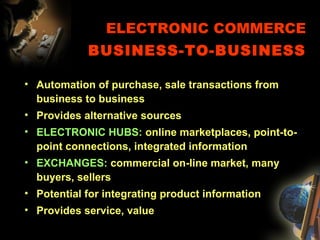
BUSINESS-TO-BUSINESS
• Automation of purchase, sale transactions from
business to business
• Provides alternative sources
• ELECTRONIC HUBS: online marketplaces, point-to-
point connections, integrated information
• EXCHANGES: commercial on-line market, many
buyers, sellers
• Potential for integrating product information
• Provides service, value
Consumer to Consumer
(C2C)
Customer(s)
Commercial
web site
(e.g.,
bazee.com)
gets small %
seller
Places items for
sale on web site
Pay electronically
or via plastic
Send item(s) to customer(s)
Via Courier
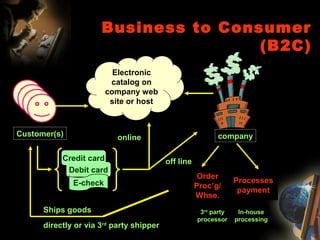
Business to Consumer
(B2C)
Electronic
catalog on
company web
site or host
Customer(s)
Credit card
Debit card
E-check
online
off line
company
Processes
payment
In-house
processing
3rd
party
processor
Ships goods
directly or via 3rd
party shipper
Order
Proc’g/
Whse.
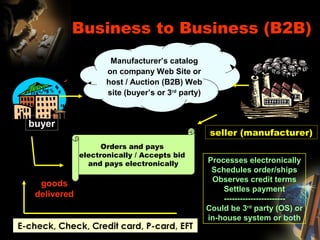
Business to Business (B2B)
Manufacturer’s catalog
on company Web Site or
host / Auction (B2B) Web
site (buyer’s or 3rd
party)
buyer
seller (manufacturer)
E-check, Check, Credit card, P-card, EFT
Processes electronically
Schedules order/ships
Observes credit terms
Settles payment
-----------------------
Could be 3rd
party (OS) or
in-house system or both
goods
delivered
Orders and pays
electronically / Accepts bid
and pays electronically
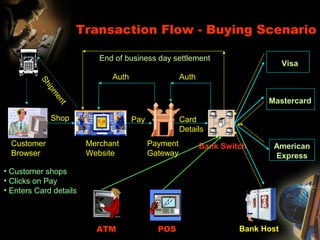
Customer
Browser
Merchant
Website
Payment
Gateway
Bank Switch
Shop Pay Card
Details
Visa
Mastercard
American
Express
Bank HostATM POS
AuthAuth
End of business day settlement
Transaction Flow - Buying Scenario
• Customer shops
• Clicks on Pay
• Enters Card details
Shipm
ent
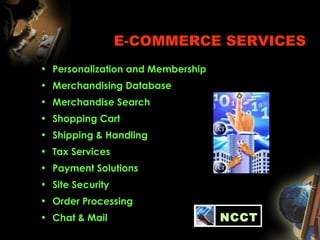
E-COMMERCE SERVICES
• Personalization and Membership
• Merchandising Database
• Merchandise Search
• Shopping Cart
• Shipping & Handling
• Tax Services
• Payment Solutions
• Site Security
• Order Processing
• Chat & Mail NCCT
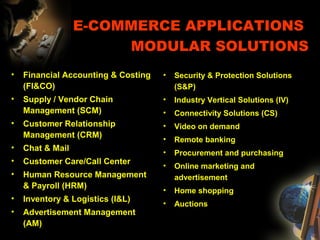
E-COMMERCE APPLICATIONS
MODULAR SOLUTIONS
• Financial Accounting & Costing
(FI&CO)
• Supply / Vendor Chain
Management (SCM)
• Customer Relationship
Management (CRM)
• Chat & Mail
• Customer Care/Call Center
• Human Resource Management
& Payroll (HRM)
• Inventory & Logistics (I&L)
• Advertisement Management
(AM)
• Security & Protection Solutions
(S&P)
• Industry Vertical Solutions (IV)
• Connectivity Solutions (CS)
• Video on demand
• Remote banking
• Procurement and purchasing
• Online marketing and
advertisement
• Home shopping
• Auctions
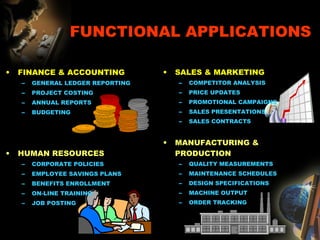
FUNCTIONAL APPLICATIONS
• FINANCE & ACCOUNTING
– GENERAL LEDGER REPORTING
– PROJECT COSTING
– ANNUAL REPORTS
– BUDGETING
• HUMAN RESOURCES
– CORPORATE POLICIES
– EMPLOYEE SAVINGS PLANS
– BENEFITS ENROLLMENT
– ON-LINE TRAINING
– JOB POSTING
• SALES & MARKETING
– COMPETITOR ANALYSIS
– PRICE UPDATES
– PROMOTIONAL CAMPAIGNS
– SALES PRESENTATIONS
– SALES CONTRACTS
• MANUFACTURING &
PRODUCTION
– QUALITY MEASUREMENTS
– MAINTENANCE SCHEDULES
– DESIGN SPECIFICATIONS
– MACHINE OUTPUT
– ORDER TRACKING
E-COMMERCE
TECHNOLOGIES
• Internet
• Mobile technologies
• Web architecture
• Component
programming
• Data exchange
• Multimedia
• Search engines
• Data mining
• Intelligent agents
• Access security
• Cryptographic security
• SSL, SET
• Watermarking
• Payment systems
NCCT
SYSTEM DESIGN ISSUES
• GOOD ARCHITECTURAL PROPERTIES
– Functional separation
– Performance (load balancing, web caching)
– Secure
– Reliable
– Available
– Scalable
CREATING AND MANAGING CONTENT
• What the customer see
• Static vs. dynamic content
• Different faces for different users
• Tools for creating content
• Multimedia presentation
• Integration with other
media
• Data interchange
• HTML, XML (Extensible
Markup Language)
Projects @ NCCT
SAMPLE PROJECTS @ NCCT
E-SECURE TRANSACTIONS
WIRELSS HEART BEAT RATE MONITOR
WITH WAP MESSENGER
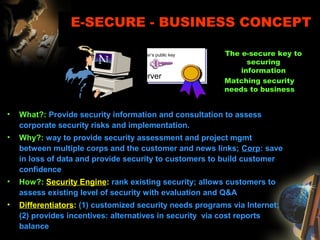
• What?: Provide security information and consultation to assess
corporate security risks and implementation.
• Why?: way to provide security assessment and project mgmt
between multiple corps and the customer and news links; Corp: save
in loss of data and provide security to customers to build customer
confidence
• How?: Security Engine: rank existing security; allows customers to
assess existing level of security with evaluation and Q&A
• Differentiators: (1) customized security needs programs via Internet;
(2) provides incentives: alternatives in security via cost reports
balance
E-SECURE - BUSINESS CONCEPT
The e-secure key to
securing
information
Matching security
needs to business
Server
Server’s public key
E-SECURE
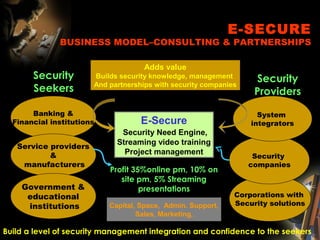
BUSINESS MODEL–CONSULTING & PARTNERSHIPS
Banking &
Financial institutions
Security
Seekers
Security
Providers
Capital, Space, Admin. Support,
Sales, Marketing,
Corporations with
Security solutions
Service providers
&
manufacturers
Build a level of security management integration and confidence to the seekers
Security
companies
System
integrators
Profit 35%online pm, 10% on
site pm, 5% Streaming
presentations
Adds value
Builds security knowledge, management
And partnerships with security companies
Government &
educational
institutions
E-Secure
Security Need Engine,
Streaming video training
Project management
INTRODUCTION
 Security System
 Algorithms
NCCT
• SECURITY - The man who looks for security, even in the
mind, is like a man who would chop off his limbs in order to
have artificial ones which will give him no pain or trouble.
• Henry Miller (1891–1980), Sexus, ch. 14 (1949).
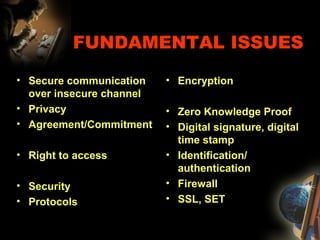
FUNDAMENTAL ISSUES
• Secure communication
over insecure channel
• Privacy
• Agreement/Commitment
• Right to access
• Security
• Protocols
• Encryption
• Zero Knowledge Proof
• Digital signature, digital
time stamp
• Identification/
authentication
• Firewall
• SSL, SET
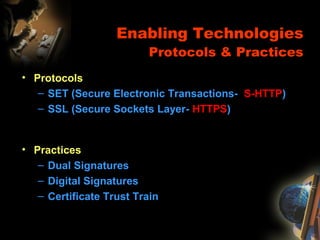
Enabling Technologies
Protocols & Practices
• Protocols
– SET (Secure Electronic Transactions- S-HTTP)
– SSL (Secure Sockets Layer- HTTPS)
• Practices
– Dual Signatures
– Digital Signatures
– Certificate Trust Train
SSL
Secure Socket Layer
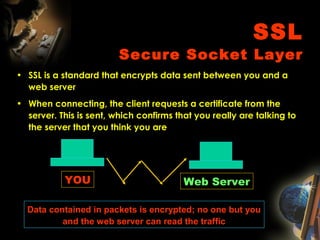
• SSL is a standard that encrypts data sent between you and a
web server
• When connecting, the client requests a certificate from the
server. This is sent, which confirms that you really are talking to
the server that you think you are
Web ServerYOU
Data contained in packets is encrypted; no one but you
and the web server can read the traffic
SET COMPONENTS
• Wallet - performs cardholders’ authentication
• Merchant Server - authenticates merchant
and its accepted payment brand
• Payment Gateway - processes payments and
authorizations
• Certificate Authority - manages certificates
for wallets and merchants; allows for branding
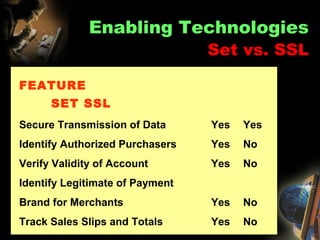
FEATURE
SET SSL
Secure Transmission of Data Yes Yes
Identify Authorized Purchasers Yes No
Verify Validity of Account Yes No
Identify Legitimate of Payment
Brand for Merchants Yes No
Track Sales Slips and Totals Yes No
Enabling Technologies
Set vs. SSL
CRYPTOGRAPHY
• Cryptographic software transforms plain text messages into
something no one without a key or secret knowledge can
easily read
• The most basic form of this is simple substitutions; one
letter is replaced by another letter wherever it appears
• But this is very easy to break, so more sophisticated
algorithms are used to encrypt messages
• Cryptography: Techniques, Protocols, and Applications
using the existence of difficult problems
• Cryptanalysis: How to compromise cryptographic protocols
and techniques
DIGITAL SIGNATURES
• This is used to confirm that data has not been changed by anyone other
than the person who created and signed it.
• Example: Suja sends a document to Prema. Kumar intercepts the
message during transmission and changes it. Prema receives a doctored
document. Or Kumar could send a message to Prema and claim it was
from Suja.
• To prevent this we can use digital signatures. Generally this is done by
using a hash function to generate a “fingerprint” of the data. Any change
to the data will change the fingerprint.
• The “fingerprint” is encrypted using the sender’s private key and attached
to the document
• The receiver can decrypt the “fingerprint” using the sender’s public key,
then see if it matches the fingerprint of the received document
• This ensures that the data has not changed since the sender signed it,
and confirms that the sender signed it (since only he has the private key.)
FIREWALLS
• What is a firewall?
– A firewall is any mechanism that acts to
restrict access to a network according to a
set of defined rules.
– Function as “front doors” to a network.
• There are 2 Basic approaches to
implementing rule sets on your firewall
– Block all and Allow
– Allow all and Block
PUBLIC KEY CRYPTOGRAPHY
• Most systems on the internet use public key
cryptography.
• This uses two keys: a public key, which is
available to anyone; and a private key, which
is secret and known only to the user
• The most popular variation on this concept is
RSA (Rivest-Shamir-Adleman), named for the
three who invented it
RSA
• RSA works by using a mathematical function that is (comparatively)
easy to compute while encrypting, but very difficult to reverse without
knowing the private key. See handout for gory details.
• RSA works by selecting two large prime numbers and doing some semi-
fancy math. One of the prime numbers and the product of the two prime
numbers is the public key; the other prime number and their product is
the private key
• The security of the system depends on it being difficult to efficiently
factor large numbers. There’s been a lot of research in the area by a lot
of smart people, and no one has come up with an algorithmically good
solution.
• The only engineering solution is to throw more resources at brute force
approaches, but this is not very practical for large key sizes, since the
computations required increase exponentially with key size.
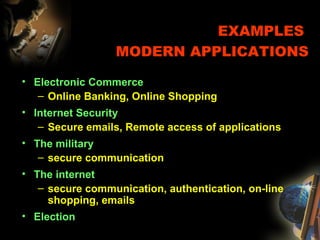
EXAMPLES
MODERN APPLICATIONS
• Electronic Commerce
– Online Banking, Online Shopping
• Internet Security
– Secure emails, Remote access of applications
• The military
– secure communication
• The internet
– secure communication, authentication, on-line
shopping, emails
• Election
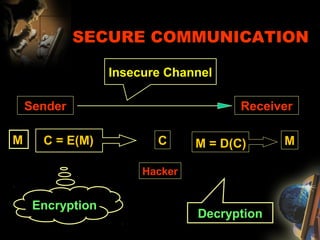
SECURE COMMUNICATION
Sender Receiver
Insecure Channel
Hacker
M M
Encryption
C = E(M)
Decryption
M = D(C)C
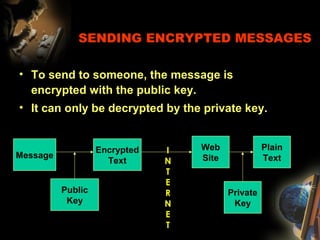
SENDING ENCRYPTED MESSAGES
• To send to someone, the message is
encrypted with the public key.
• It can only be decrypted by the private key.
Message
Public
Key
Encrypted
Text
Web
Site
Plain
Text
Private
Key
I
N
T
E
R
N
E
T
Projects @
NCCT
Redefining the
Learning
Specialization, Design,
Development and
Implementation with Projects
Experience the learning with the latest
new tools and technologies…
Projects @
NCCT
Project Specialization Concept
• NCCT, in consultation with Export-Software Division, offers Live
Software Applications, System, Electronics related Projects to
experience the learning with the latest new tools and
technologies
• NCCT believes in specialized Hardware Design, development training
and implementation with an emphasis on development principles and
standards
• NCCT plays a dual positive role by satisfying your academic
requirements as well as giving the necessary training in electronics
and embedded product development
Projects @ NCCT
WE ARE OFFERING PROJECTS FOR THE
FOLLOWING DISCIPLINES
• COMPUTER SCIENCE AND ENGINEERING
• INFORMATION TECHNOLOGY
• ELECTRONICS AND COMMUNICATION ENGINEERING
• ELECTRICAL AND ELECTRONICS ENGINEERING
• ELECTRONICS AND INSTRUMENTATION
• MECHANICAL AND MECHATRONICS
Projects @ NCCT
PROJECTS IN THE AREAS OF
• System Software Development
• Application Software Development, Porting
• Networking & Communication related
• Data Mining, Neural Networks, Fuzzy Logic, AI based
• Bio Medical related
• Web & Internet related
• Embedded Systems - Microcontrollers, VLSI, DSP, RTOS
• WAP, Web enabled Internet Applications
• UNIX  LINUX based Projects
Placements @ NCCT
NCCT has an enormous placement wing, which enrolls all candidates in its
placement bank, and will keep in constant touch with various IT related industries in
India / Abroad, who are in need of computer trained quality manpower
Each candidate goes through complete pre-placement session before placement
made by NCCT
The placement division also helps students in getting projects and organize guest
lectures, group discussions, soft learning skills, mock interviews, personality
development skills, easy learning skills, technical discussions, student meetings, etc.,
For every student we communicate the IT organizations, with the following
documents
* Curriculum highlighting the skills
* A brief write up of the software knowledge acquired at NCCT, syllabus
taught at NCCT
* Projects and Specialization work done at NCCT
* Additional skills learnt
NCCT
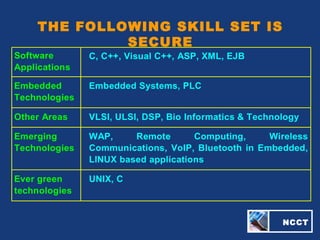
THE FOLLOWING SKILL SET IS
SECURE
Software
Applications
C, C++, Visual C++, ASP, XML, EJB
Embedded
Technologies
Embedded Systems, PLC
Other Areas VLSI, ULSI, DSP, Bio Informatics & Technology
Emerging
Technologies
WAP, Remote Computing, Wireless
Communications, VoIP, Bluetooth in Embedded,
LINUX based applications
Ever green
technologies
UNIX, C
NCCT
Quality is Our Responsibility
Dedicated to Commitments and
Committed to Technology

E Commerce 1

  • 1.
    NCCTCentre for Advanced Technology ------------------------------------------------------------------------------------------------------------------------------------------------------------------------ SOFTWAREDEVELOPMENT * EMBEDDED SYSTEMS #109, 2nd Floor, Bombay Flats, Nungambakkam High Road, Nungambakkam, Chennai - 600 034. Phone - 044 - 2823 5816, 98412 32310 E-Mail: ncct@eth.net, esskayn@eth.net, URL: ncctchennai.com Dedicated to Commitments, Committed to Technologies
  • 2.
  • 3.
    INTRODUCTION The purpose isto make a technical presentation on E-Commerce, Web Technologies, Trends and Applications NCCT
  • 4.
    About NCCT  NCCTis a leading IT organization backed by a strong R & D, concentrating on Software Applications, Web related Products, Electronics product development.  The major activities of NCCT include Hardware Design, Development, Implementation and related activities NCCT
  • 5.
    INTRODUCTION Three landmark eventschanged the world of COMMERCE forever In 1769…through Watts’ development of the steam engine - COMMERCE GOT POWER! In 1858…through the laying of the Transatlantic cable - COMMERCE GOT CONNECTED! In 1985…through the assignment of the first .com name on the Internet COMMERCE GOT SMART!
  • 6.
    Over 100 yearsago a technology convergence fueled a new economy STEAM POWER MECHANICAL ENGINEERING MATERIAL SCIENCES The resulting Industrial Economy defined the business landscape for the 20th century
  • 7.
    Today, another technology convergence isfueling a new economy Computing Technologie s Communicati on Technologies Content Technologi es The resulting eEconomy is defining the business landscape for the 21st century For Business: Greater competitive intensity, new entrants and value propositions. For Government: New demands, new services, new partners, organizational transformation and a revolutionary decentralization of power and decision making
  • 8.
    eEconomy … thebroad business environment in which global commerce is conducted. eEconomy eCommerce … the conduct of business among eEnterprises and consumers with an alignment of people, processes and technology with eCommerce enlightened strategic intent. eCommerce eEnterprise … a business or government enterprise with the capability to exchange value (money, goods, services and information) electronically. eEnterpris e The eEconomy creates the context for a dramatic change in the way business is conducted In the 21st century… eEnterprises will conduct eCommerce in the eEconomy
  • 9.
    WHAT IS THEINTERNET? • The internet is a collection of wires, protocols and hardware that allows the electronic transmission of data over TCP/IP • Any data can be transferred over the net, e.g., email, faxes, video, voice & web pages • Technically www (web) and the net are not the same. The web is an application for the net INTERNET ARCHITECTURE • A collection of networks, 2 networks can only be connected by a computer that is connected to both of them. This machine is a router. • Routers use the destination network address not the destination host address when routing a packet. • The amount of info a router needs to store is proportional to the # of nets not hosts.
  • 10.
    HOW THE INTERNETWORKS CHARACTERISTICS THAT ALLOW SHARED ACCESS OF DATA IN A NETWORK • Unique identification of each computer on the network - Internet is a network of millions of computers and thousands of networks intertwined together. Thus it was important that each computer can be uniquely identified by assigning a specific Internet Protocol(IP) address. e.g.,198.108.95.145 • Human-friendly addressing - Domain Name System(DNS) gave each computer on the network an address comprising an easily recognizable letters and words instead of an IP address; e.g., www.yahoo.com • Packet Switching - To remedy delays associated with unequally sized data transfers, instead of transferring files in their entirety, whole files are broken up into data packets before being transferred over the network. • Routing - Routers are dedicated, special-purpose computers which serve as an intermediary between networks. They route packets efficiently through networks. Routers are building blocks of the internet.
  • 11.
    NETWORKING SOFTWARE • Thetwo most well-known pieces of internetworking software are the TCP and IP • IP software set rules of data transfer over the network • TCP software ensures the safe and reliable transfer of data • With open system nature of TCP/IP development, software development and computer companies could more easily build TCP/IP compliant software and hardware • TCP/IP standard network protocol laid the groundwork that enabled the deep internetworking that made internet possible • Reliability and Transmission control Protocol - IP software handles packet deliveries and TCP handles safe delivery of packages. • Standardization - Without the TCP/IP standardization, there would have been many negative tradeoffs, such as inflexibility and increased functional and switching costs. HOW THE INTERNET WORKS CHARACTERISTICS THAT ALLOW SHARED ACCESS OF DATA IN A NETWORK
  • 12.
    WEB SITE BASICS •WEBSERVER – Software, Hardware, Network •CONTENT – Keeping it current •DESIGN •IDENTITY NCCT
  • 13.
  • 14.
    ADVANTAGES OF USINGWEB • Automated content – CGI, Servlets, etc., Persistent data interface, cookies • Interactive components – Allow the users to respond • Push technology – Mailing lists, Channels INTERACTION & AUTOMATION SEARCH & STRUCTURE • Search facility for site • Site maps - auto-generated • Site templates/structure – CGI, Imagemaps, Stylesheets
  • 15.
    ADVANTAGES OF USINGWEB COMMERCE & ADVERTISING • Commerce server – Shopping carts, Stateful sessions – Security/Encryption, Payment • Ad Servers • Marketing – attract customer attention, build customer loyalty • Direct Sales – global, 7x24 • Advertising Revenue • Reduced Support Costs
  • 16.
    ELECTRONIC COMMERCE (E-COMMERCE) • Commerce isfundamentally based on Trust • Commerce refers to all the activities the purchase and sales of goods or services. – Marketing, sales, payment, fulfillment, customer service • Electronic commerce is doing commerce with the use of computers, networks and commerce-enabled software (more than just online shopping) • E-Commerce involves the translation of protocols, that have evolved over the millenia, into the Electronic environment
  • 17.
    E-COMMERCE BRIEF HISTORY •1970s: Electronic Funds Transfer (EFT) – Used by the banking industry to exchange account information over secured networks • Late 1970s and early 1980s: Electronic Data Interchange (EDI) for e-commerce within companies – Used by businesses to transmit data from one business to another • 1990s: the World Wide Web on the Internet provides easy-to-use technology for information publishing and dissemination – Cheaper to do business (economies of scale) – Enable diverse business activities (economies of scope)
  • 18.
    ECOMMERCE INFRASTRUCTURE • INFORMATION SUPERHIGHWAYINFRASTRUCTURE – Internet, LAN, WAN, routers, etc. – telecom, cable TV, wireless, etc. • THE WORLD WIDE WEB - WWW, MESSAGING AND INFORMATION DISTRIBUTION INFRASTRUCTURE – Part of the Internet and allows users to share information with an easy-to-use interface – HTML, XML, e-mail, HTTP, Web browsers, etc. • COMMON BUSINESS INFRASTRUCTURE – Security, authentication, electronic payment, directories, catalogs, etc. • WEB ARCHITECTURE – Client/server model – N-tier architecture; e.g., web servers, application servers, database servers, scalability
  • 19.
    THE MAIN ELEMENTSOF E-COMMERCE • Consumer shopping on the Web, called B2C (business to consumer) • Transactions conducted between businesses on the Web, call B2B (business to business) • Transactions and business processes that support selling and purchasing activities on the Web – Supplier, inventory, distribution, payment management – Financial management, purchasing products and information
  • 20.
    WEB-BASED E-COMMERCE ARCHITECTURE CLIENT Tier 1 WEB SERVER Tier3Tier 2 Tier N APPLICATION SERVER DATABASE SERVER DMS NCCT
  • 21.
    ADVANTAGES OF ELECTRONIC COMMERCE •Increased sales – Reach narrow market segments in geographically dispersed locations – Create virtual communities • Decreased costs – Handling of sales inquiries – Providing price quotes – Determining product availability • Being in the space
  • 22.
    THE PROCESS OF E-COMMERCE •ATTRACT CUSTOMERS – Advertising, marketing • INTERACT WITH CUSTOMERS – Catalog, negotiation • HANDLE AND MANAGE ORDERS – Order capture – Payment – Transaction – Fulfillment (physical good, service good, digital good) • REACT TO CUSTOMER INQUIRIES – Customer service – Order tracking
  • 23.
    ELECTRONIC COMMERCE • BUSINESS-TO-CONSUMER(B2C) • BUSINESS-TO-BUSINESS (B2B) • CONSUMER-TO-CONSUMER (C2C): Individuals use Web for private sales or exchange * NCCT
  • 24.
    ELECTRONIC COMMERCE BUSINESS -TO - CONSUMER • WEB SITES: Provide information on products, services, prices, orders • CUSTOMER-CENTERED RETAILING: Closer, yet more cost-effective relationship with customers • INFORMATION BROKERS: Comparison shops to customer’s requirements, reintermediation
  • 25.
    ELECTRONIC COMMERCE BUSINESS-TO-BUSINESS • Automationof purchase, sale transactions from business to business • Provides alternative sources • ELECTRONIC HUBS: online marketplaces, point-to- point connections, integrated information • EXCHANGES: commercial on-line market, many buyers, sellers • Potential for integrating product information • Provides service, value
  • 26.
    Consumer to Consumer (C2C) Customer(s) Commercial website (e.g., bazee.com) gets small % seller Places items for sale on web site Pay electronically or via plastic Send item(s) to customer(s) Via Courier
  • 27.
    Business to Consumer (B2C) Electronic catalogon company web site or host Customer(s) Credit card Debit card E-check online off line company Processes payment In-house processing 3rd party processor Ships goods directly or via 3rd party shipper Order Proc’g/ Whse.
  • 28.
    Business to Business(B2B) Manufacturer’s catalog on company Web Site or host / Auction (B2B) Web site (buyer’s or 3rd party) buyer seller (manufacturer) E-check, Check, Credit card, P-card, EFT Processes electronically Schedules order/ships Observes credit terms Settles payment ----------------------- Could be 3rd party (OS) or in-house system or both goods delivered Orders and pays electronically / Accepts bid and pays electronically
  • 29.
    Customer Browser Merchant Website Payment Gateway Bank Switch Shop PayCard Details Visa Mastercard American Express Bank HostATM POS AuthAuth End of business day settlement Transaction Flow - Buying Scenario • Customer shops • Clicks on Pay • Enters Card details Shipm ent
  • 30.
    E-COMMERCE SERVICES • Personalizationand Membership • Merchandising Database • Merchandise Search • Shopping Cart • Shipping & Handling • Tax Services • Payment Solutions • Site Security • Order Processing • Chat & Mail NCCT
  • 31.
    E-COMMERCE APPLICATIONS MODULAR SOLUTIONS •Financial Accounting & Costing (FI&CO) • Supply / Vendor Chain Management (SCM) • Customer Relationship Management (CRM) • Chat & Mail • Customer Care/Call Center • Human Resource Management & Payroll (HRM) • Inventory & Logistics (I&L) • Advertisement Management (AM) • Security & Protection Solutions (S&P) • Industry Vertical Solutions (IV) • Connectivity Solutions (CS) • Video on demand • Remote banking • Procurement and purchasing • Online marketing and advertisement • Home shopping • Auctions
  • 32.
    FUNCTIONAL APPLICATIONS • FINANCE& ACCOUNTING – GENERAL LEDGER REPORTING – PROJECT COSTING – ANNUAL REPORTS – BUDGETING • HUMAN RESOURCES – CORPORATE POLICIES – EMPLOYEE SAVINGS PLANS – BENEFITS ENROLLMENT – ON-LINE TRAINING – JOB POSTING • SALES & MARKETING – COMPETITOR ANALYSIS – PRICE UPDATES – PROMOTIONAL CAMPAIGNS – SALES PRESENTATIONS – SALES CONTRACTS • MANUFACTURING & PRODUCTION – QUALITY MEASUREMENTS – MAINTENANCE SCHEDULES – DESIGN SPECIFICATIONS – MACHINE OUTPUT – ORDER TRACKING
  • 33.
    E-COMMERCE TECHNOLOGIES • Internet • Mobiletechnologies • Web architecture • Component programming • Data exchange • Multimedia • Search engines • Data mining • Intelligent agents • Access security • Cryptographic security • SSL, SET • Watermarking • Payment systems NCCT
  • 34.
    SYSTEM DESIGN ISSUES •GOOD ARCHITECTURAL PROPERTIES – Functional separation – Performance (load balancing, web caching) – Secure – Reliable – Available – Scalable CREATING AND MANAGING CONTENT • What the customer see • Static vs. dynamic content • Different faces for different users • Tools for creating content • Multimedia presentation • Integration with other media • Data interchange • HTML, XML (Extensible Markup Language)
  • 35.
    Projects @ NCCT SAMPLEPROJECTS @ NCCT E-SECURE TRANSACTIONS WIRELSS HEART BEAT RATE MONITOR WITH WAP MESSENGER
  • 36.
    • What?: Providesecurity information and consultation to assess corporate security risks and implementation. • Why?: way to provide security assessment and project mgmt between multiple corps and the customer and news links; Corp: save in loss of data and provide security to customers to build customer confidence • How?: Security Engine: rank existing security; allows customers to assess existing level of security with evaluation and Q&A • Differentiators: (1) customized security needs programs via Internet; (2) provides incentives: alternatives in security via cost reports balance E-SECURE - BUSINESS CONCEPT The e-secure key to securing information Matching security needs to business Server Server’s public key
  • 37.
    E-SECURE BUSINESS MODEL–CONSULTING &PARTNERSHIPS Banking & Financial institutions Security Seekers Security Providers Capital, Space, Admin. Support, Sales, Marketing, Corporations with Security solutions Service providers & manufacturers Build a level of security management integration and confidence to the seekers Security companies System integrators Profit 35%online pm, 10% on site pm, 5% Streaming presentations Adds value Builds security knowledge, management And partnerships with security companies Government & educational institutions E-Secure Security Need Engine, Streaming video training Project management
  • 38.
    INTRODUCTION  Security System Algorithms NCCT • SECURITY - The man who looks for security, even in the mind, is like a man who would chop off his limbs in order to have artificial ones which will give him no pain or trouble. • Henry Miller (1891–1980), Sexus, ch. 14 (1949).
  • 39.
    FUNDAMENTAL ISSUES • Securecommunication over insecure channel • Privacy • Agreement/Commitment • Right to access • Security • Protocols • Encryption • Zero Knowledge Proof • Digital signature, digital time stamp • Identification/ authentication • Firewall • SSL, SET
  • 40.
    Enabling Technologies Protocols &Practices • Protocols – SET (Secure Electronic Transactions- S-HTTP) – SSL (Secure Sockets Layer- HTTPS) • Practices – Dual Signatures – Digital Signatures – Certificate Trust Train
  • 41.
    SSL Secure Socket Layer •SSL is a standard that encrypts data sent between you and a web server • When connecting, the client requests a certificate from the server. This is sent, which confirms that you really are talking to the server that you think you are Web ServerYOU Data contained in packets is encrypted; no one but you and the web server can read the traffic
  • 42.
    SET COMPONENTS • Wallet- performs cardholders’ authentication • Merchant Server - authenticates merchant and its accepted payment brand • Payment Gateway - processes payments and authorizations • Certificate Authority - manages certificates for wallets and merchants; allows for branding
  • 43.
    FEATURE SET SSL Secure Transmissionof Data Yes Yes Identify Authorized Purchasers Yes No Verify Validity of Account Yes No Identify Legitimate of Payment Brand for Merchants Yes No Track Sales Slips and Totals Yes No Enabling Technologies Set vs. SSL
  • 44.
    CRYPTOGRAPHY • Cryptographic softwaretransforms plain text messages into something no one without a key or secret knowledge can easily read • The most basic form of this is simple substitutions; one letter is replaced by another letter wherever it appears • But this is very easy to break, so more sophisticated algorithms are used to encrypt messages • Cryptography: Techniques, Protocols, and Applications using the existence of difficult problems • Cryptanalysis: How to compromise cryptographic protocols and techniques
  • 45.
    DIGITAL SIGNATURES • Thisis used to confirm that data has not been changed by anyone other than the person who created and signed it. • Example: Suja sends a document to Prema. Kumar intercepts the message during transmission and changes it. Prema receives a doctored document. Or Kumar could send a message to Prema and claim it was from Suja. • To prevent this we can use digital signatures. Generally this is done by using a hash function to generate a “fingerprint” of the data. Any change to the data will change the fingerprint. • The “fingerprint” is encrypted using the sender’s private key and attached to the document • The receiver can decrypt the “fingerprint” using the sender’s public key, then see if it matches the fingerprint of the received document • This ensures that the data has not changed since the sender signed it, and confirms that the sender signed it (since only he has the private key.)
  • 46.
    FIREWALLS • What isa firewall? – A firewall is any mechanism that acts to restrict access to a network according to a set of defined rules. – Function as “front doors” to a network. • There are 2 Basic approaches to implementing rule sets on your firewall – Block all and Allow – Allow all and Block
  • 47.
    PUBLIC KEY CRYPTOGRAPHY •Most systems on the internet use public key cryptography. • This uses two keys: a public key, which is available to anyone; and a private key, which is secret and known only to the user • The most popular variation on this concept is RSA (Rivest-Shamir-Adleman), named for the three who invented it
  • 48.
    RSA • RSA worksby using a mathematical function that is (comparatively) easy to compute while encrypting, but very difficult to reverse without knowing the private key. See handout for gory details. • RSA works by selecting two large prime numbers and doing some semi- fancy math. One of the prime numbers and the product of the two prime numbers is the public key; the other prime number and their product is the private key • The security of the system depends on it being difficult to efficiently factor large numbers. There’s been a lot of research in the area by a lot of smart people, and no one has come up with an algorithmically good solution. • The only engineering solution is to throw more resources at brute force approaches, but this is not very practical for large key sizes, since the computations required increase exponentially with key size.
  • 49.
    EXAMPLES MODERN APPLICATIONS • ElectronicCommerce – Online Banking, Online Shopping • Internet Security – Secure emails, Remote access of applications • The military – secure communication • The internet – secure communication, authentication, on-line shopping, emails • Election
  • 50.
    SECURE COMMUNICATION Sender Receiver InsecureChannel Hacker M M Encryption C = E(M) Decryption M = D(C)C
  • 51.
    SENDING ENCRYPTED MESSAGES •To send to someone, the message is encrypted with the public key. • It can only be decrypted by the private key. Message Public Key Encrypted Text Web Site Plain Text Private Key I N T E R N E T
  • 52.
    Projects @ NCCT Redefining the Learning Specialization,Design, Development and Implementation with Projects Experience the learning with the latest new tools and technologies…
  • 53.
    Projects @ NCCT Project SpecializationConcept • NCCT, in consultation with Export-Software Division, offers Live Software Applications, System, Electronics related Projects to experience the learning with the latest new tools and technologies • NCCT believes in specialized Hardware Design, development training and implementation with an emphasis on development principles and standards • NCCT plays a dual positive role by satisfying your academic requirements as well as giving the necessary training in electronics and embedded product development
  • 54.
    Projects @ NCCT WEARE OFFERING PROJECTS FOR THE FOLLOWING DISCIPLINES • COMPUTER SCIENCE AND ENGINEERING • INFORMATION TECHNOLOGY • ELECTRONICS AND COMMUNICATION ENGINEERING • ELECTRICAL AND ELECTRONICS ENGINEERING • ELECTRONICS AND INSTRUMENTATION • MECHANICAL AND MECHATRONICS
  • 55.
    Projects @ NCCT PROJECTSIN THE AREAS OF • System Software Development • Application Software Development, Porting • Networking & Communication related • Data Mining, Neural Networks, Fuzzy Logic, AI based • Bio Medical related • Web & Internet related • Embedded Systems - Microcontrollers, VLSI, DSP, RTOS • WAP, Web enabled Internet Applications • UNIX LINUX based Projects
  • 56.
    Placements @ NCCT NCCThas an enormous placement wing, which enrolls all candidates in its placement bank, and will keep in constant touch with various IT related industries in India / Abroad, who are in need of computer trained quality manpower Each candidate goes through complete pre-placement session before placement made by NCCT The placement division also helps students in getting projects and organize guest lectures, group discussions, soft learning skills, mock interviews, personality development skills, easy learning skills, technical discussions, student meetings, etc., For every student we communicate the IT organizations, with the following documents * Curriculum highlighting the skills * A brief write up of the software knowledge acquired at NCCT, syllabus taught at NCCT * Projects and Specialization work done at NCCT * Additional skills learnt
  • 57.
    NCCT THE FOLLOWING SKILLSET IS SECURE Software Applications C, C++, Visual C++, ASP, XML, EJB Embedded Technologies Embedded Systems, PLC Other Areas VLSI, ULSI, DSP, Bio Informatics & Technology Emerging Technologies WAP, Remote Computing, Wireless Communications, VoIP, Bluetooth in Embedded, LINUX based applications Ever green technologies UNIX, C
  • 58.
    NCCT Quality is OurResponsibility Dedicated to Commitments and Committed to Technology

Editor's Notes

  • #9 So what is ecommerce?
  • #37 SLIDE 1 What is the E-secure business concept? E-secure is a business consulting service via the internet, providing adhoc or formal evaluation to assess the level of security your corporation requires with the balance of cost and risk . It assesses the corporations security minimal and maximum needs. For instance, in a corporate customer may want to secure information from an extranet, but is trying to weigh the costs of internal vs external implementation. With the e-Secure concept, we can then sell the e-secure consulting “security level” requirements based on risk and cost to with companies budgets in mind. The corp customer provides info online with a java based eval program upfront which provides generic information back based on input. This initial assessment is done for free, and preferably online. For more formal consultation they can hire consultants to come on site. We can also provide streaming video to explain the security level concept from A-Z…, I.e. what is pki, ssl, vpn etc. is name and password sufficient, why do we need to authenticate and authorize information… first level or introduction for free the rest for minimal pricing. What is e-secure’s Core Product? We design & sell security consulting/training, U.S.-based only. The “security Engine” : finds security information based on level of corporate requirements; allows informational free links to security information outside the website What are the key differentiators?: provides adhoc on spot security level info check via Q&A free online program via Internet; provides incentives: links to web sites with security info, research of companies levels of security today; it’s scalable, in order to balance your cost and needs of security today and scale it for tomorrow. develop relationships with companies as references to their products as well as ASP’s for exchange in reference or profit
  • #38 SLIDE 3 shows how E-secure collects money and resources required Security seekers include major banks such as BofA , or financial institutions such as title companies or Schwab or Fidelity Service providers include high tech ASP’s like loudcloud Government and educational institutions include Army, federal agencies, or university institutions Security providers include system integrators such as EDS , they actually implement the solution for the seeker Security companies include software apps or hardware chips to support the level of security needed, I.e. RSA, or Verisign, Entegrity solutions,that are known for only security solutions Corporations with security solutions include corporations that have a division to support security apps or hardware such as Novell, IBM, GTE, or Broadcom Esecure would work with companies up front to obtain the level of security they need. Often the need is driven by the security team from the seeker but needs more training or information on the level of security available and determined by the budget the company provides for the year. You typically might have a project manager handle the work internally for the company , but many times companies don’t have the luxury of maintaining a project manager especially with the knowledge to help implement this effort. Much of this effort has been done by the security providers in the past, however the challenge in that perspective is to only sell your own product. E-Secure would project manage the information and taylor the security needs to the level and integration expected of the security seeker , not only provide a one stop shop as providers tend to do. Resources: 1 person with security , computer and system networking background required for initial consulting Home office with DSL technology to provide own space, admin, support, sales, and marketing and web interface When building more than 5 customers, then add additional consulting people and delegate the work I will basically coordinate and consult the work between the IS folks in the “seekers” and the “providers” Financing only needed from consulting fees upfront.