




Baris Kanlica
Ramon Tebar
New Features &
Deprecations in
Version 9
Baris Kanlica
• CEO & CRM Solution Architect of
Mawens Business Solutions
• Design & Development of Dynamics 365
Solutions and related technologies
• Over 10 years experience with Dynamics
CRM & Microsoft Technology Stack
Mawens Business Solutions
Ramon Tebar
• CRM Solution Architect working for
Investec Bank in London
• Design & Development of Dynamics 365
Solutions and related technologies
• Over 10 years experience with Dynamics
CRM & Microsoft Technology Stack
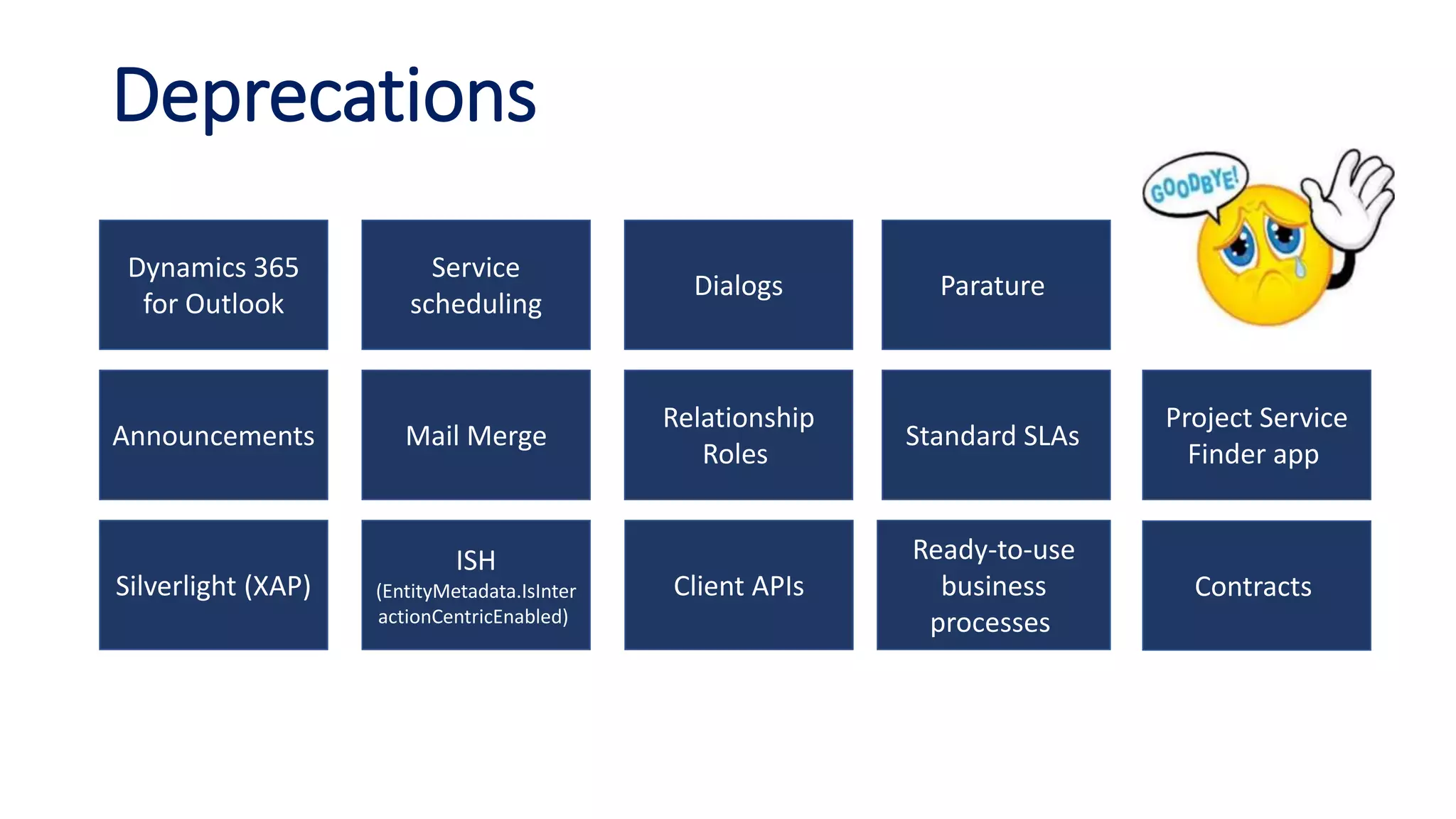
Dynamics 365
for Outlook
Service
scheduling
Dialogs Parature
Project Service
Finder app
Contracts
Standard SLAs
Relationship
Roles
Mail MergeAnnouncements
Ready-to-use
business
processes
Client APIs
ISH
(EntityMetadata.IsInter
actionCentricEnabled)
Silverlight (XAP)
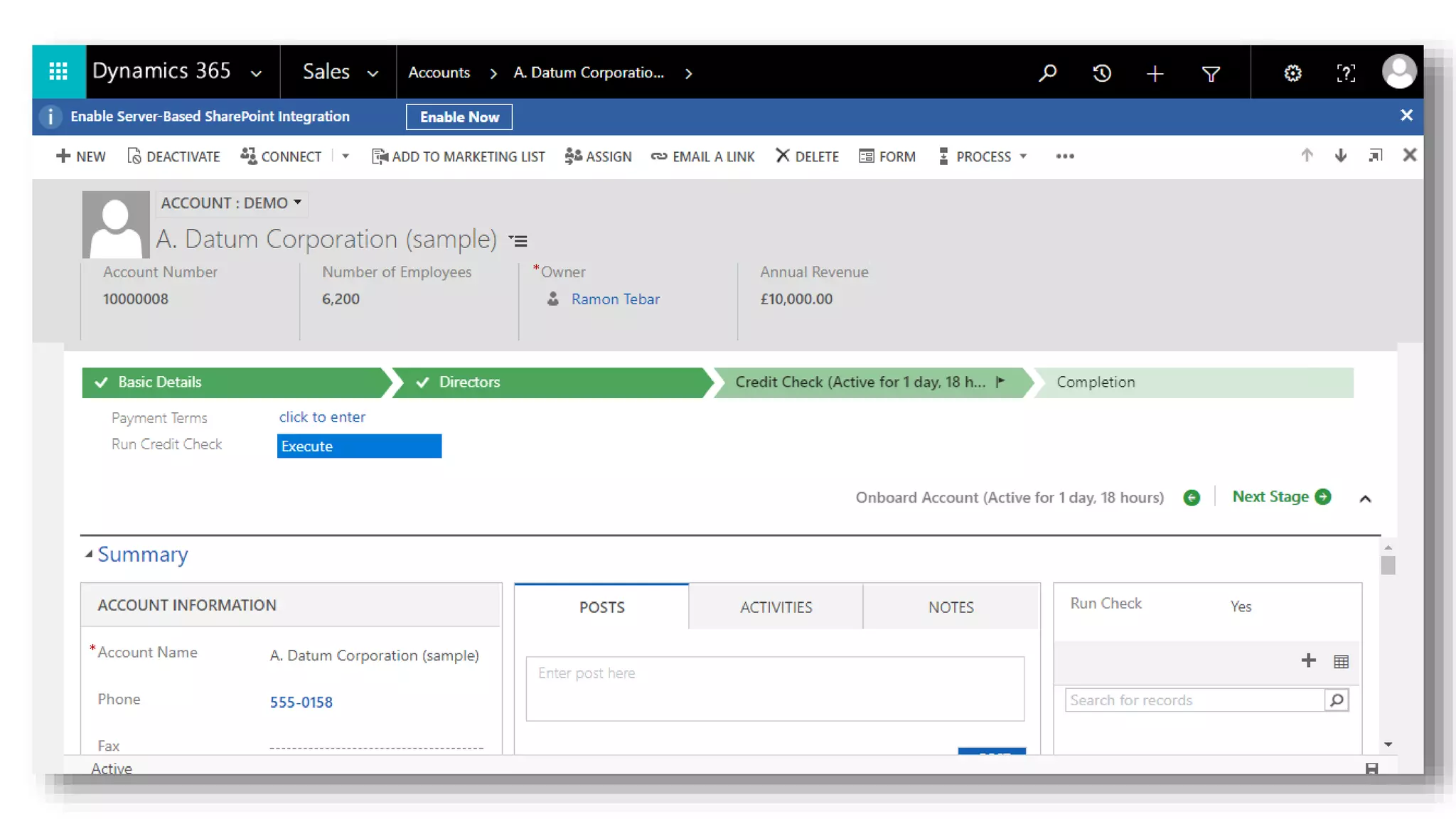
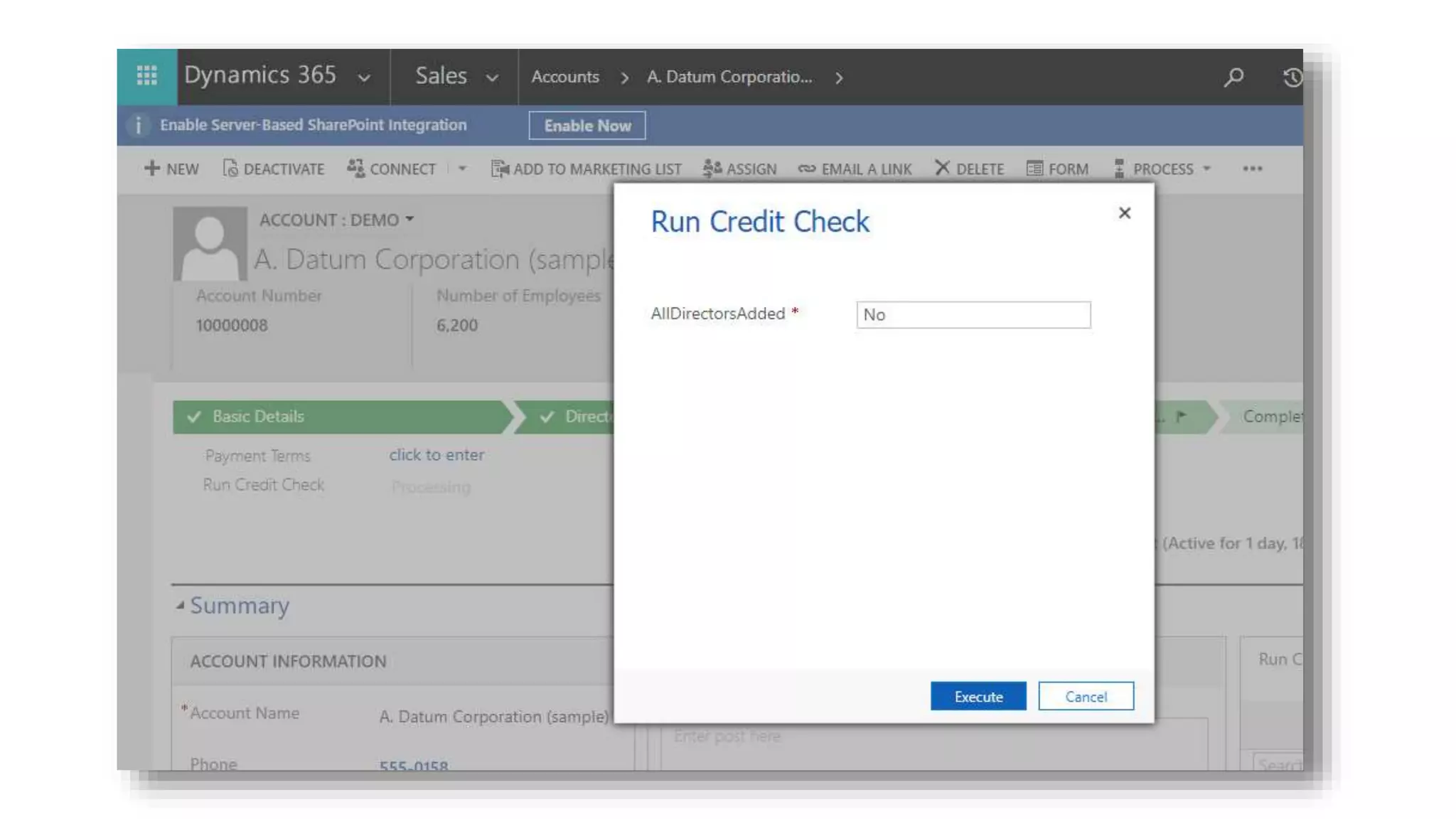
Deprecations
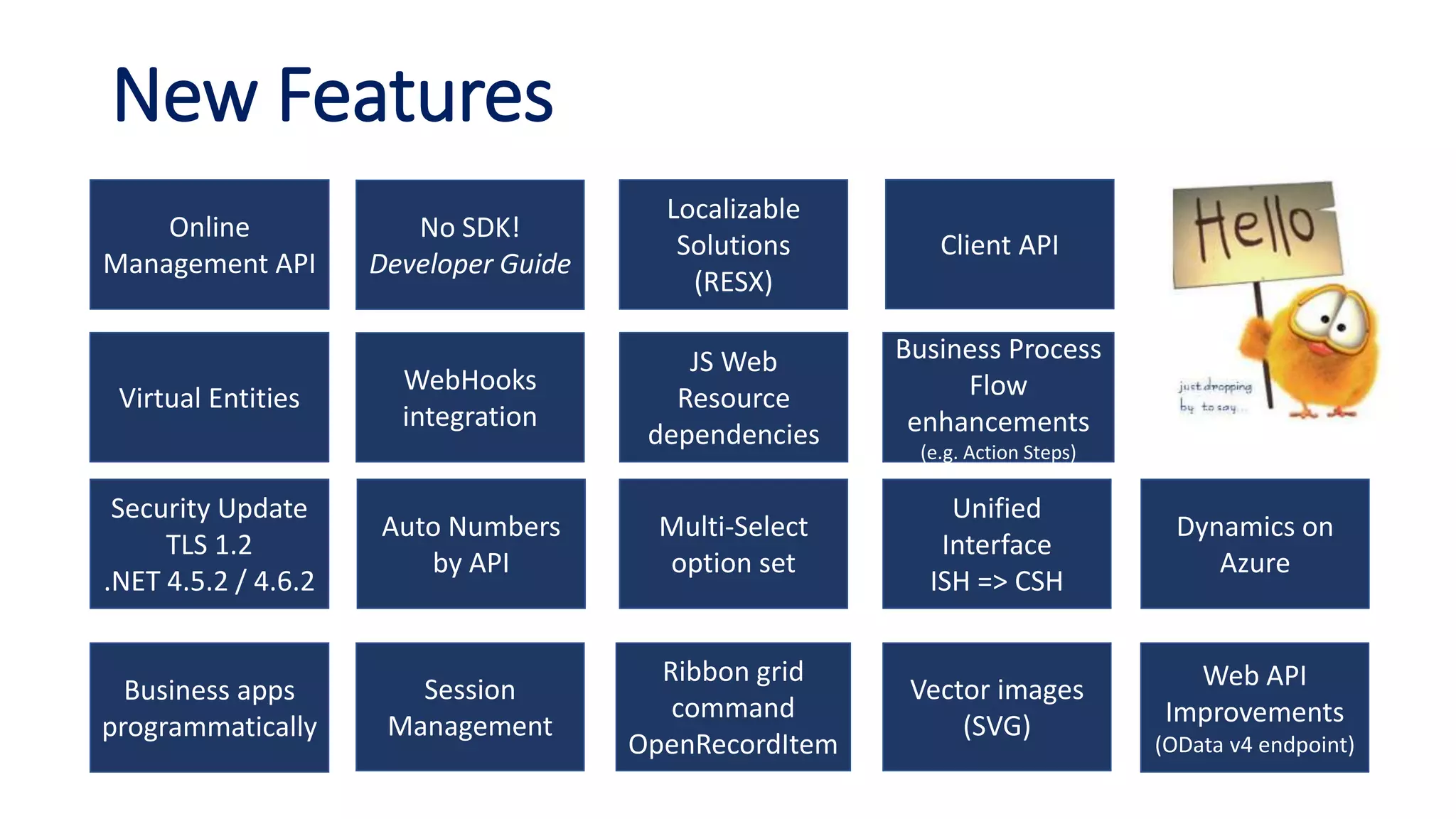
Security Update
TLS 1.2
.NET 4.5.2 / 4.6.2
No SDK!
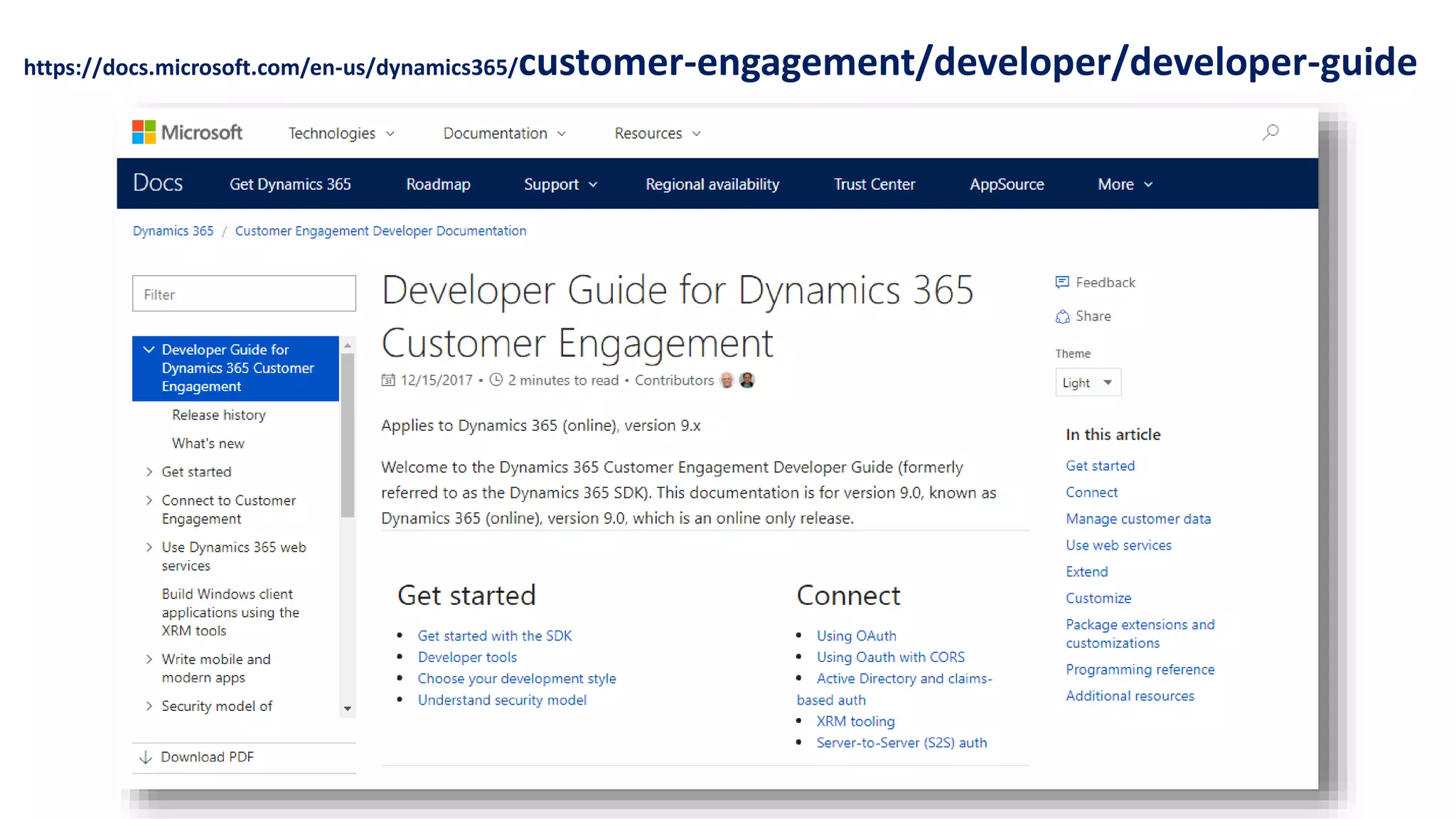
Developer Guide
Dynamics on
Azure
Virtual Entities
Web API
Improvements
(OData v4 endpoint)
Client API
Business apps
programmatically
Multi-Select
option set
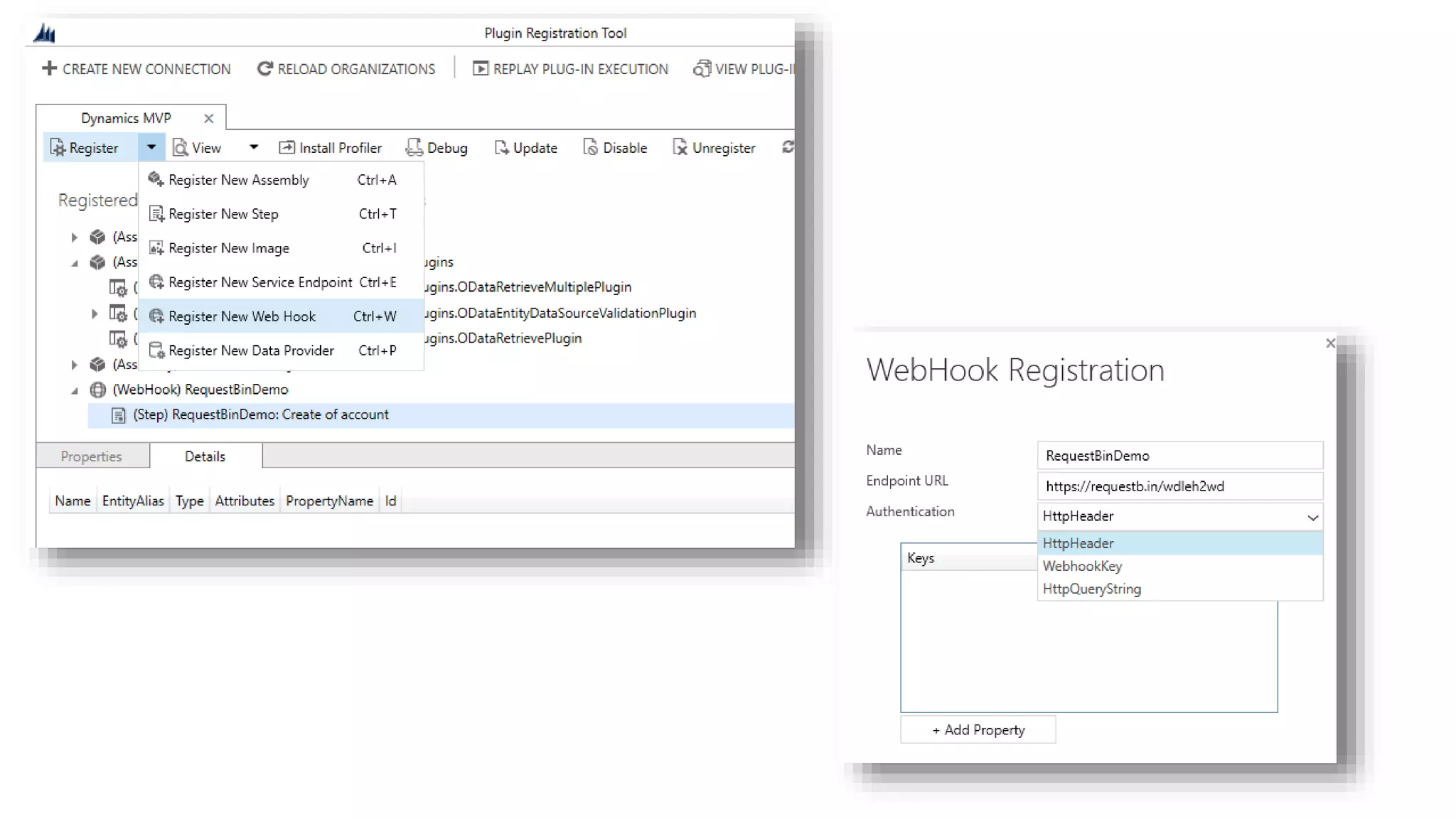
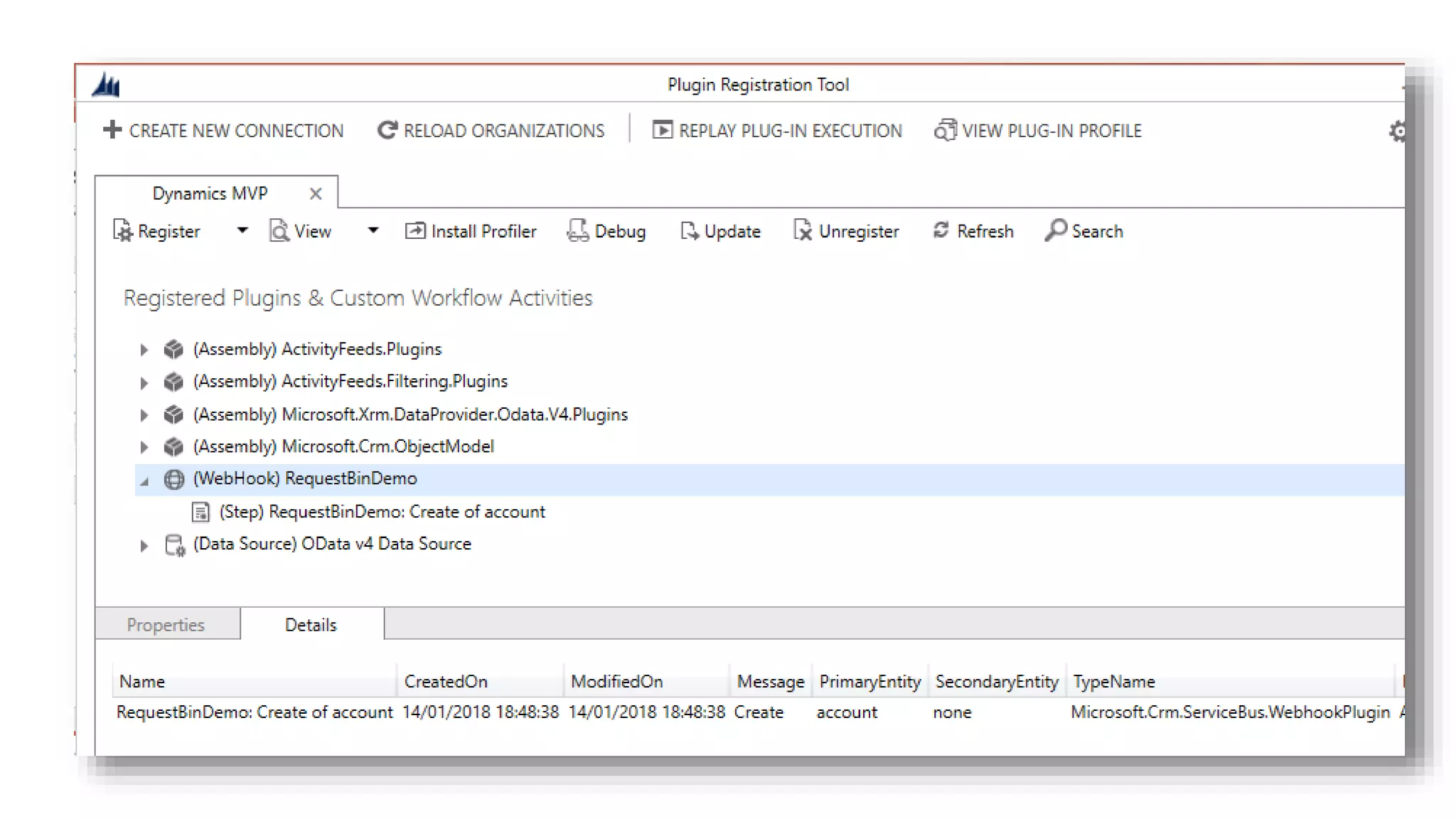
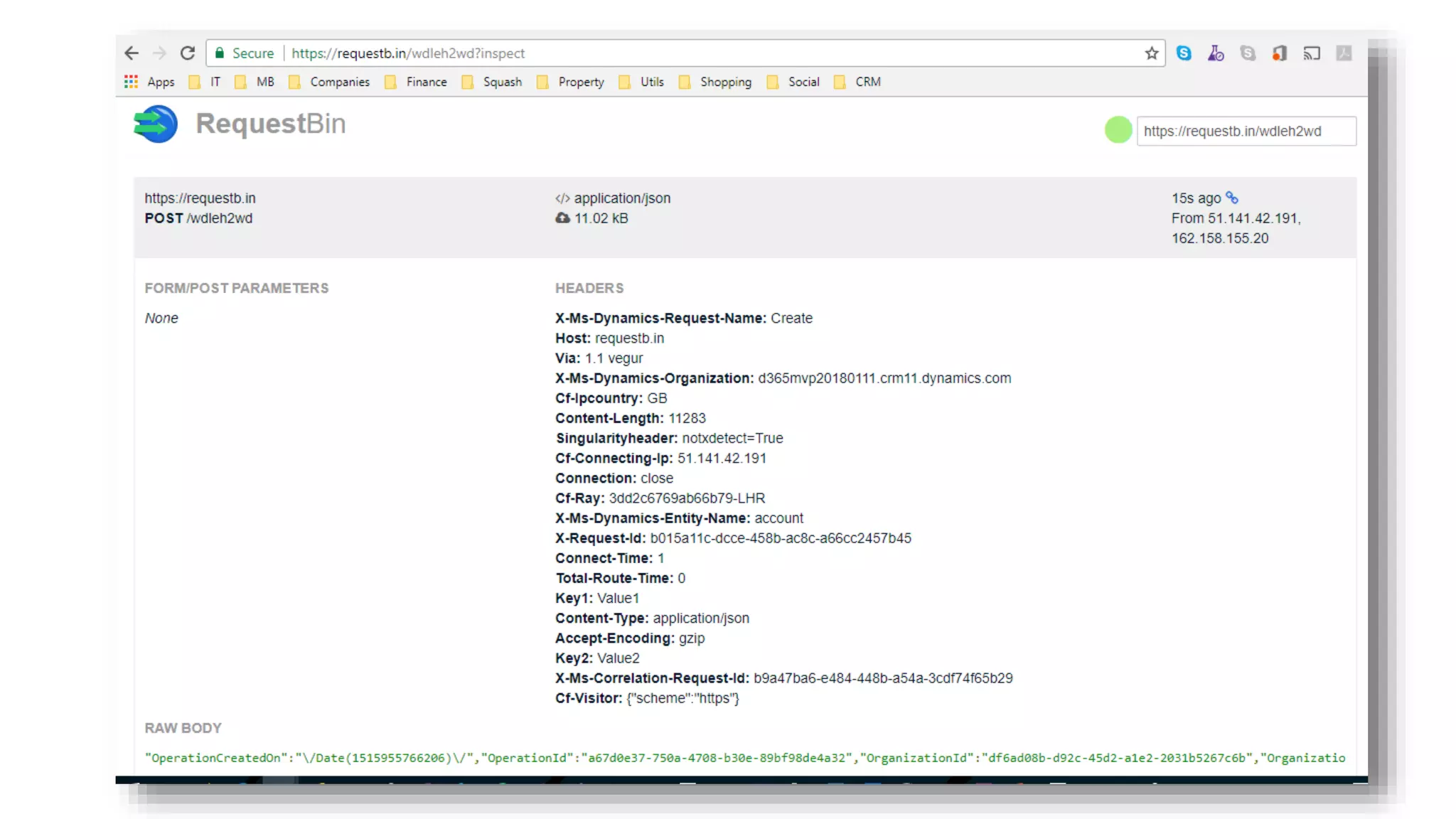
WebHooks
integration
Vector images
(SVG)
Localizable
Solutions
(RESX)
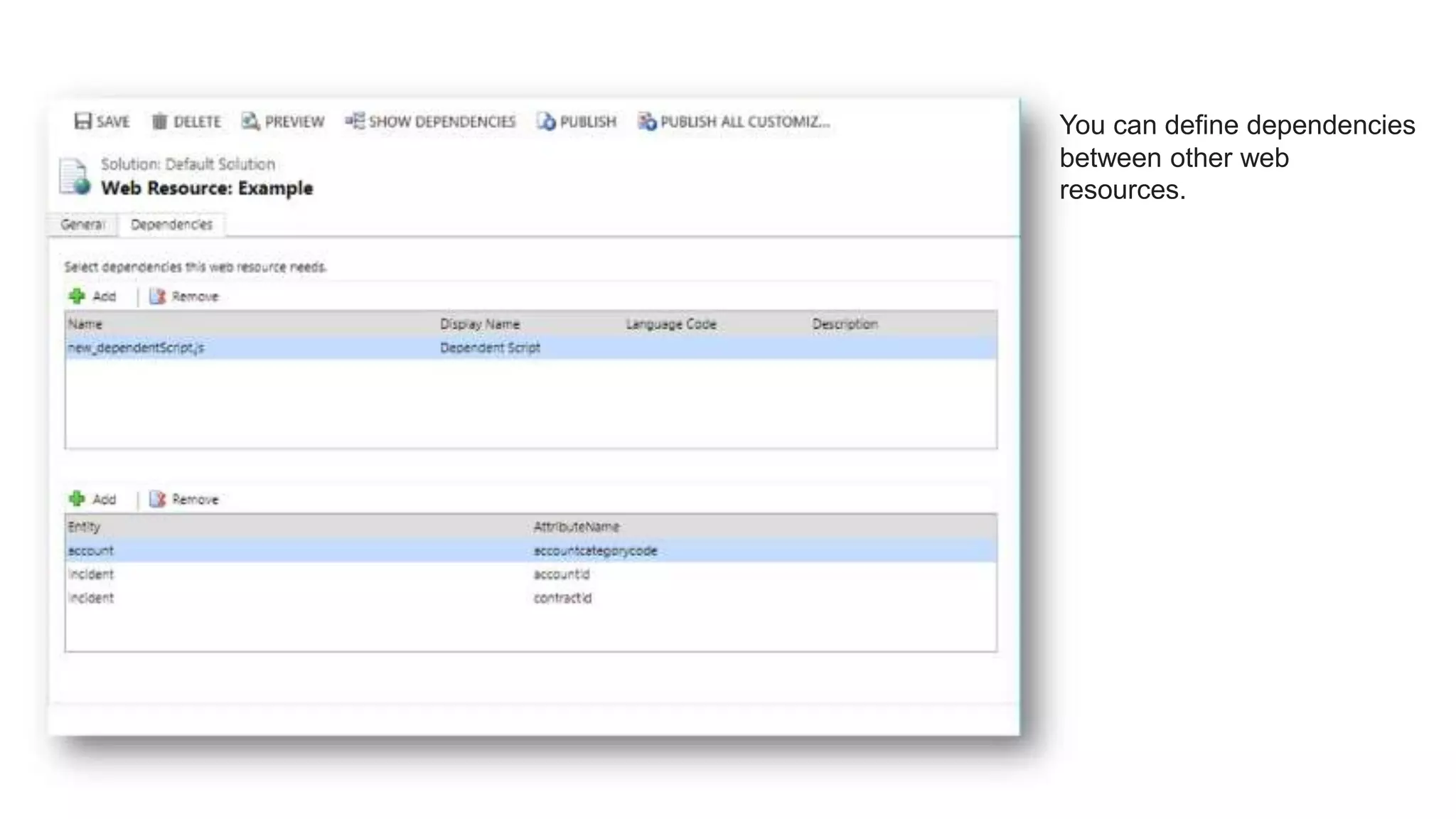
JS Web
Resource
dependencies
Session
Management
Ribbon grid
command
OpenRecordItem
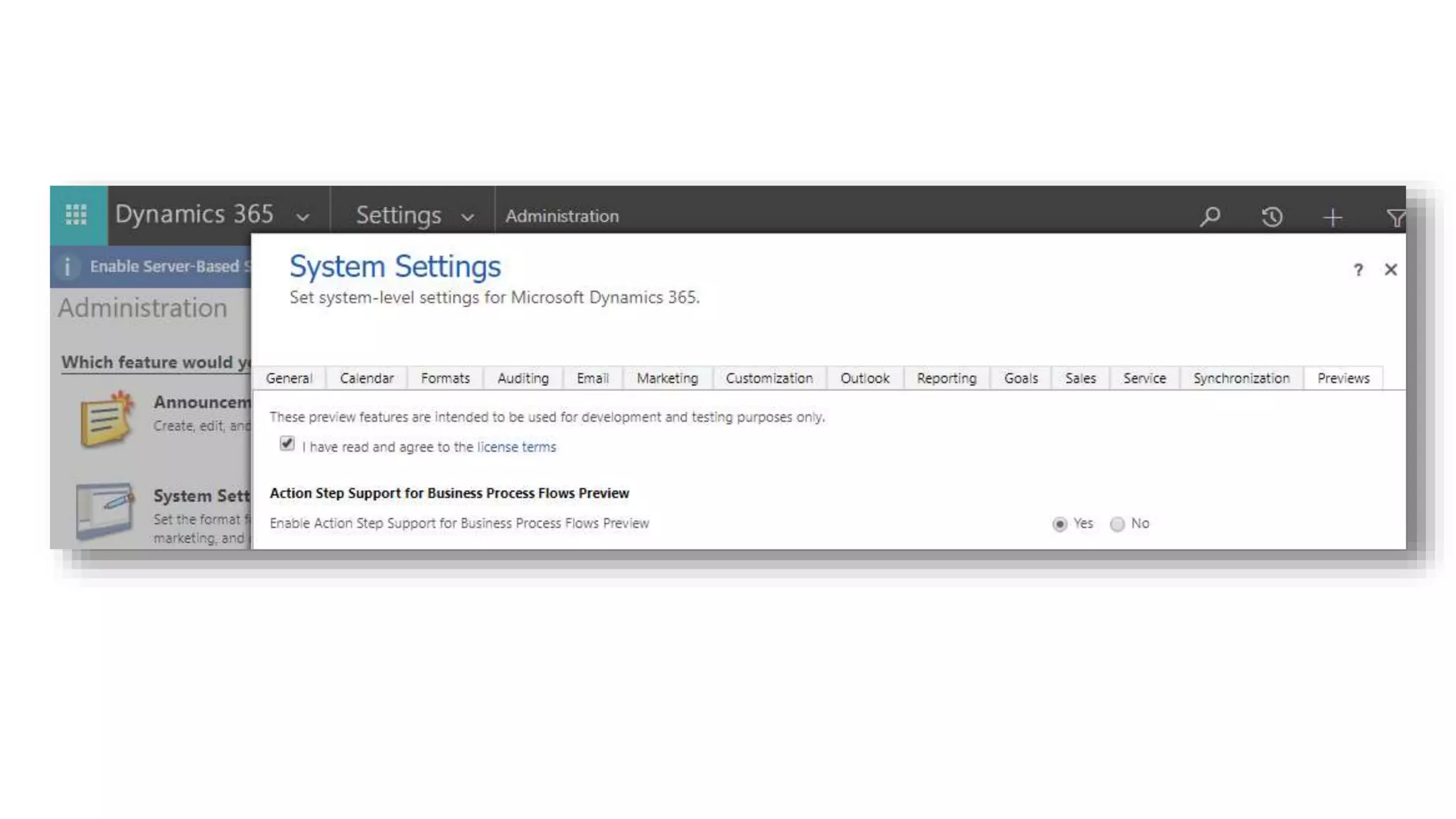
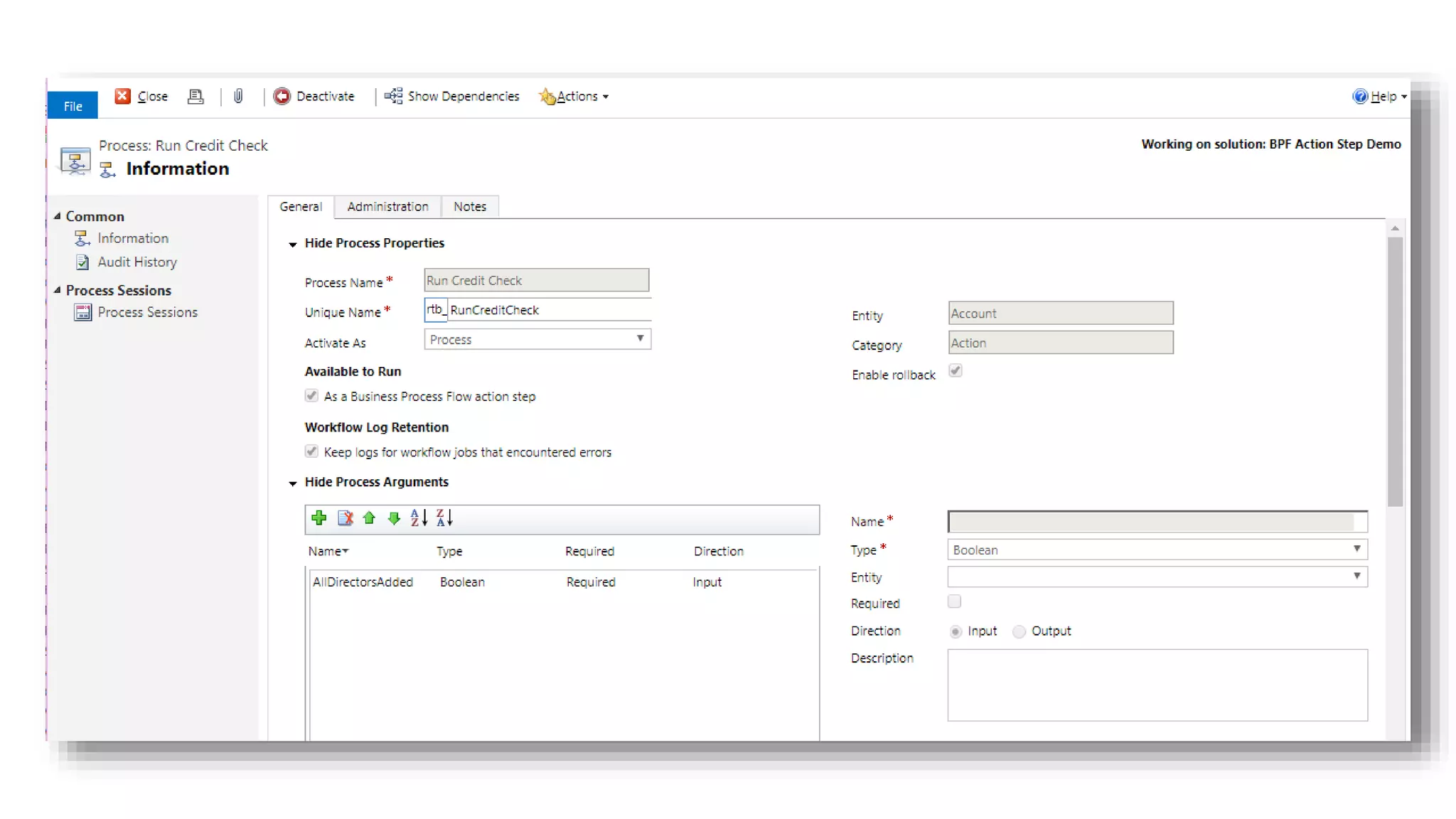
Business Process
Flow
enhancements
(e.g. Action Steps)
Auto Numbers
by API
Online
Management API
New Features
Unified
Interface
ISH => CSH
Admin API
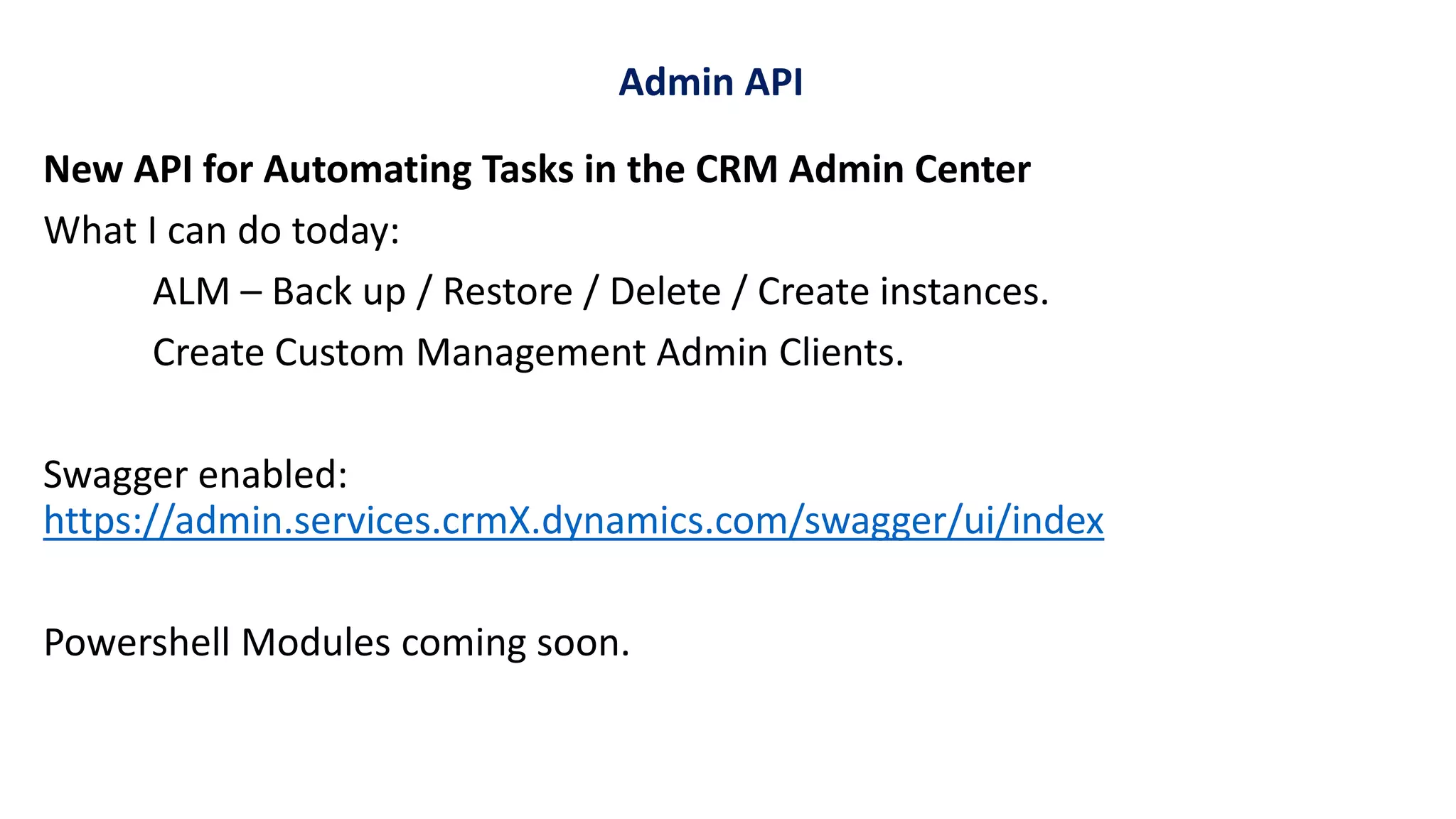
New API for Automating Tasks in the CRM Admin Center
What I can do today:
ALM – Back up / Restore / Delete / Create instances.
Create Custom Management Admin Clients.
Swagger enabled:
https://admin.services.crmX.dynamics.com/swagger/ui/index
Powershell Modules coming soon.
Admin API
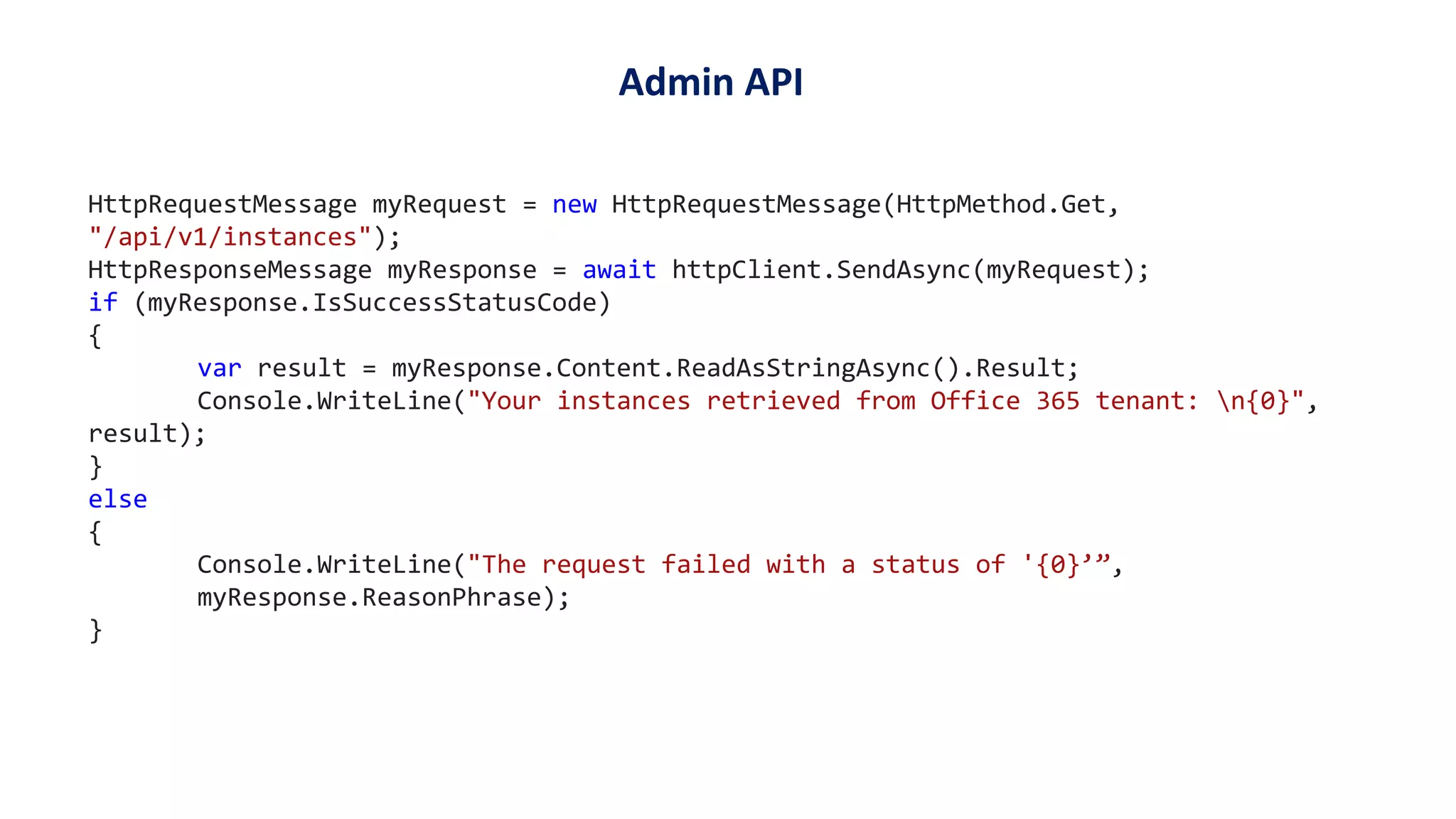
HttpRequestMessage myRequest = new HttpRequestMessage(HttpMethod.Get,
"/api/v1/instances");
HttpResponseMessage myResponse = await httpClient.SendAsync(myRequest);
if (myResponse.IsSuccessStatusCode)
{
var result = myResponse.Content.ReadAsStringAsync().Result;
Console.WriteLine("Your instances retrieved from Office 365 tenant: n{0}",
result);
}
else
{
Console.WriteLine("The request failed with a status of '{0}’”,
myResponse.ReasonPhrase);
}
Admin API
No SDK!!
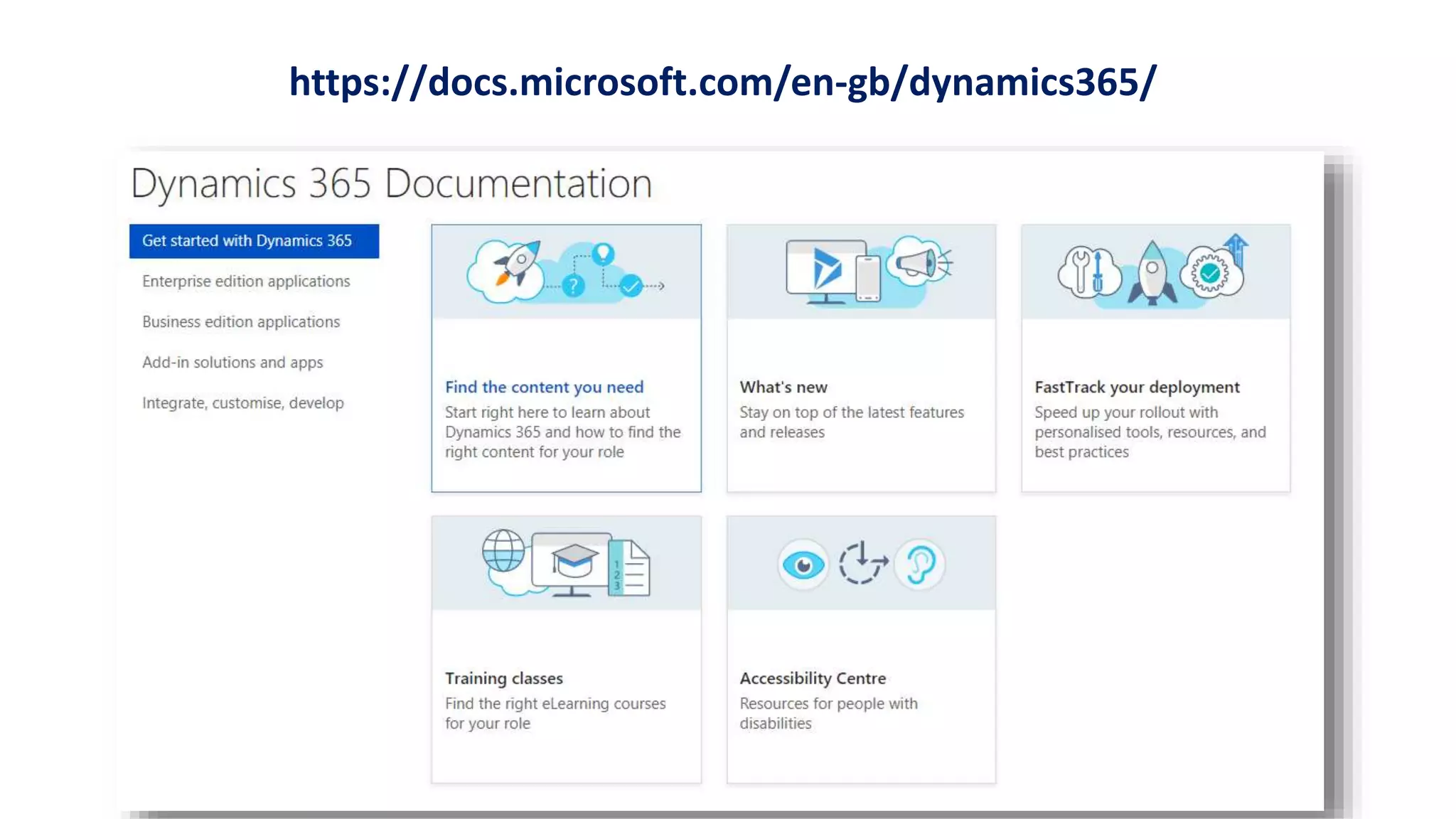
https://docs.microsoft.com/en-gb/dynamics365/
https://docs.microsoft.com/en-us/dynamics365/customer-engagement/developer/developer-guide
Assemblies and tools??
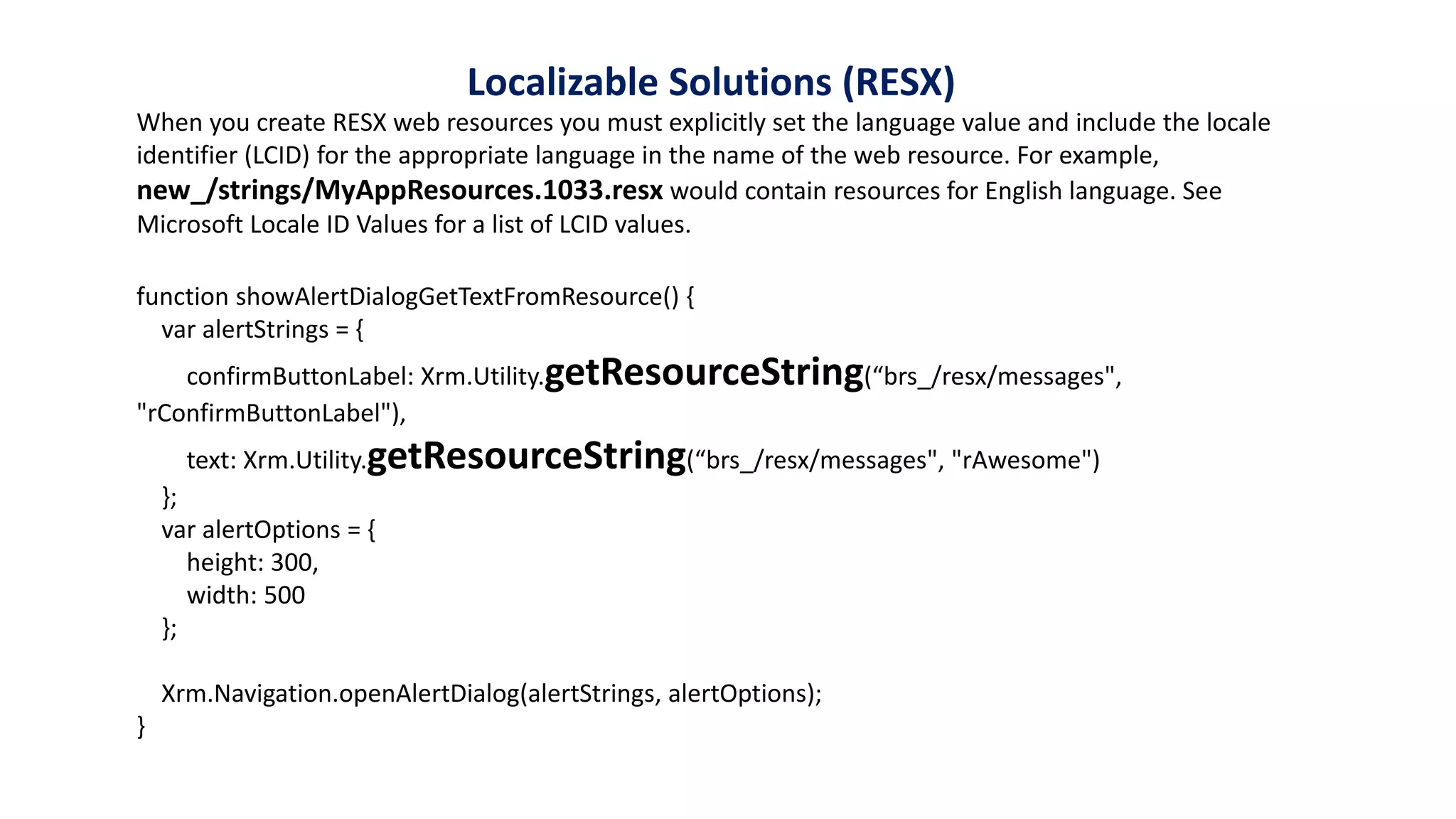
Localizable Solutions
(RESX)
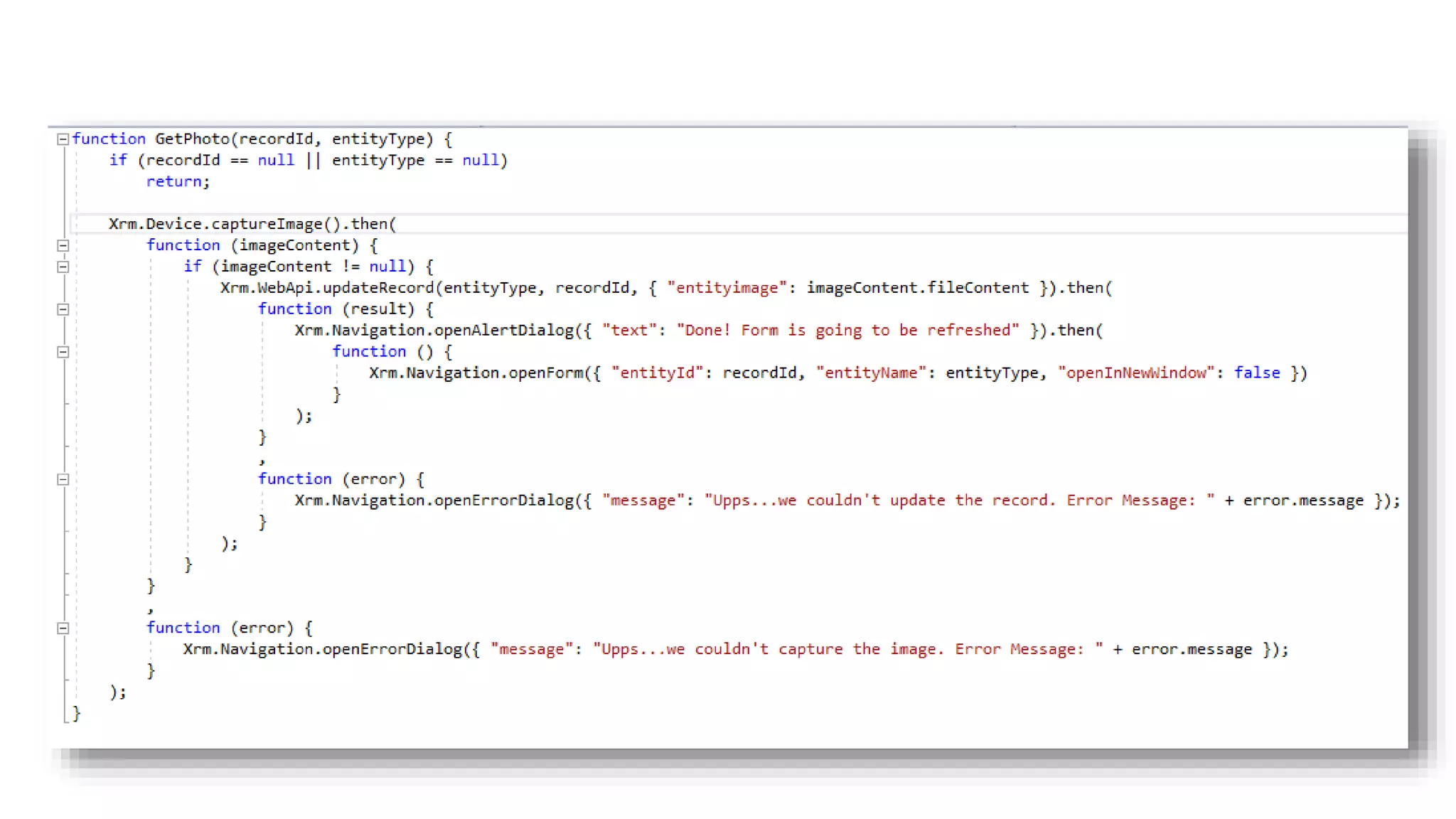
function showAlertDialogGetTextFromResource() {
var alertStrings = {
confirmButtonLabel: Xrm.Utility.getResourceString(“brs_/resx/messages",
"rConfirmButtonLabel"),
text: Xrm.Utility.getResourceString(“brs_/resx/messages", "rAwesome")
};
var alertOptions = {
height: 300,
width: 500
};
Xrm.Navigation.openAlertDialog(alertStrings, alertOptions);
}
When you create RESX web resources you must explicitly set the language value and include the locale
identifier (LCID) for the appropriate language in the name of the web resource. For example,
new_/strings/MyAppResources.1033.resx would contain resources for English language. See
Microsoft Locale ID Values for a list of LCID values.
Localizable Solutions (RESX)
Client API
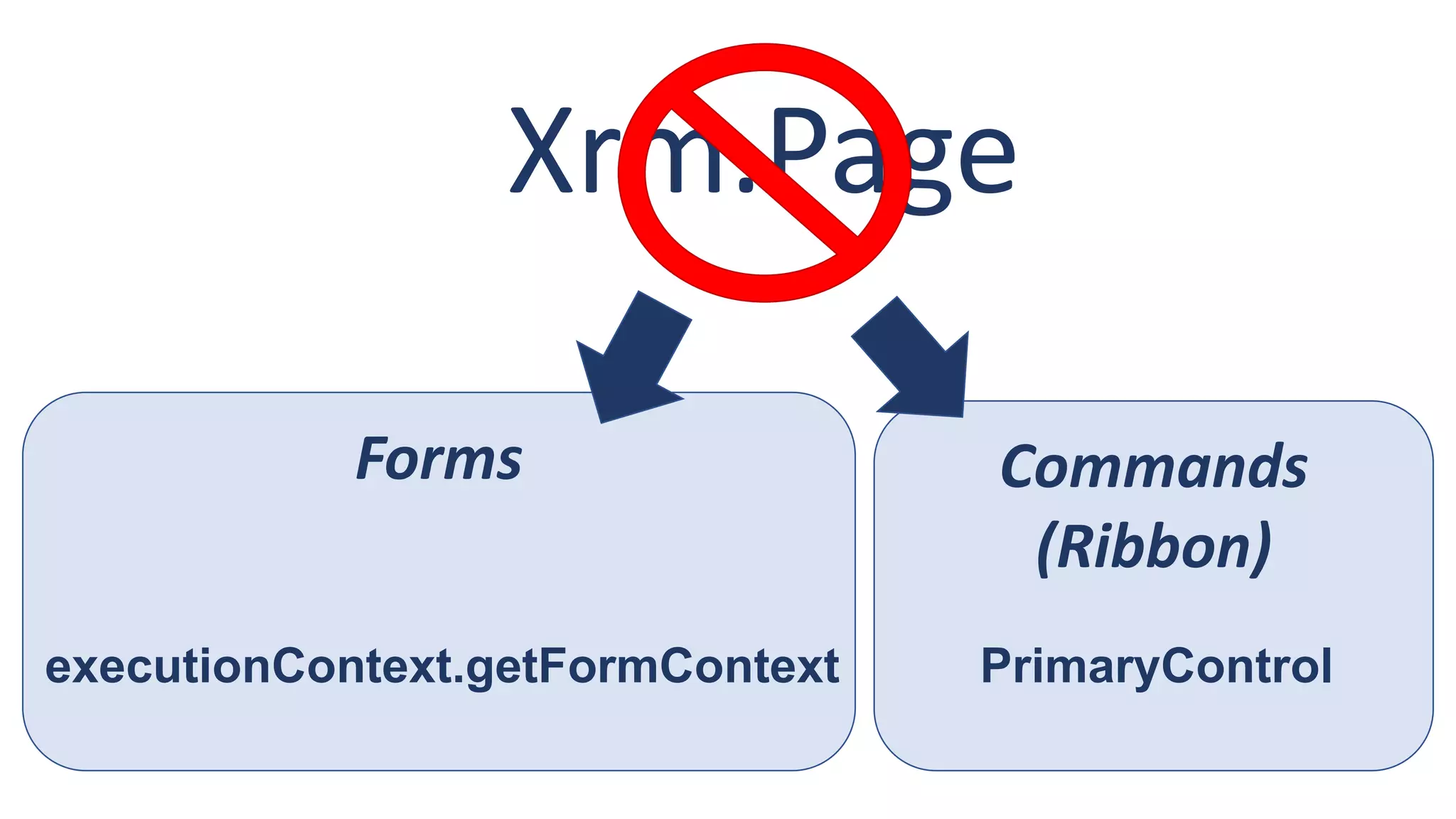
Xrm.Page
Forms
executionContext.getFormContext
Commands
(Ribbon)
PrimaryControl
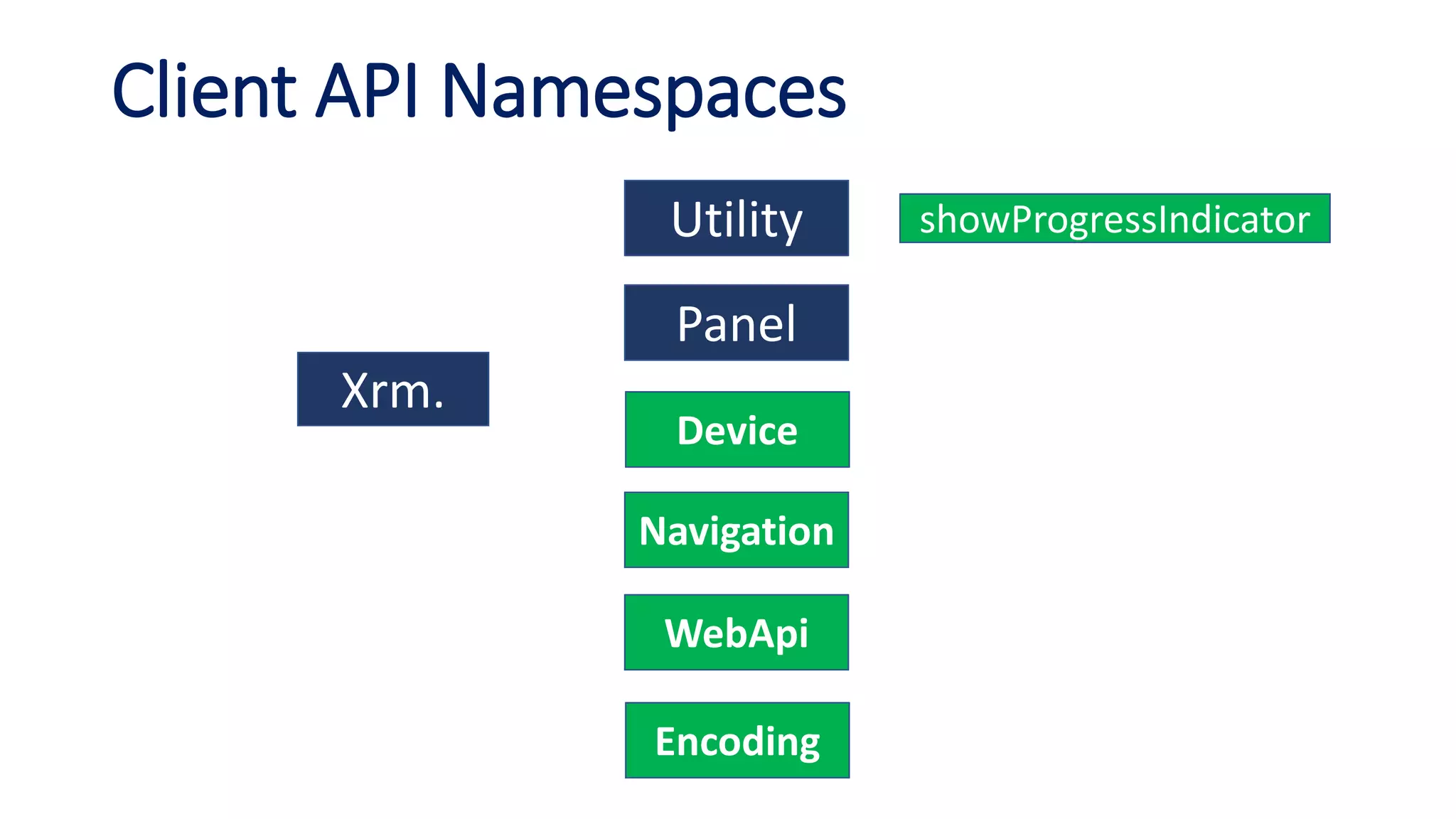
Client API Namespaces
Xrm.
Utility
Panel
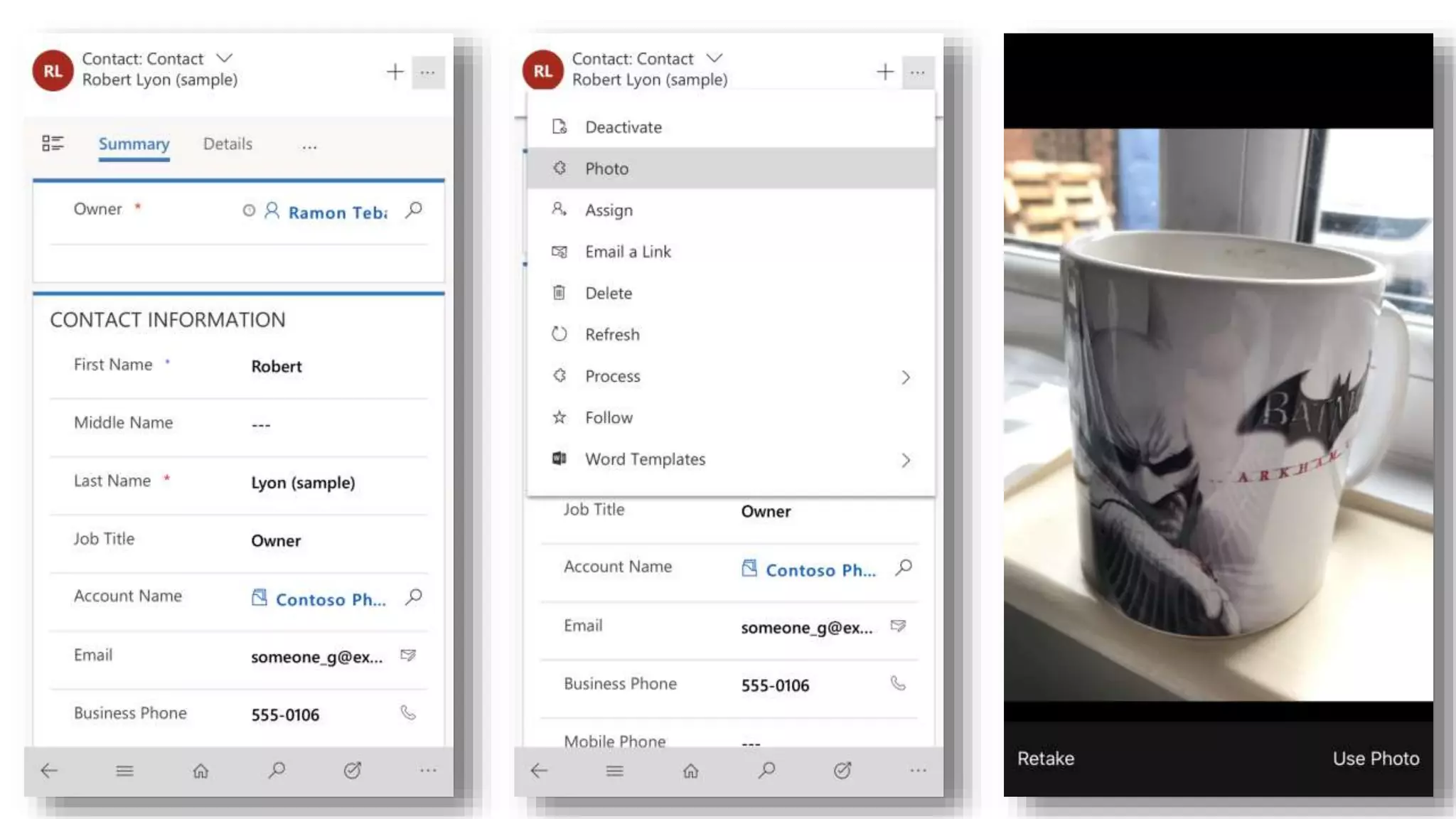
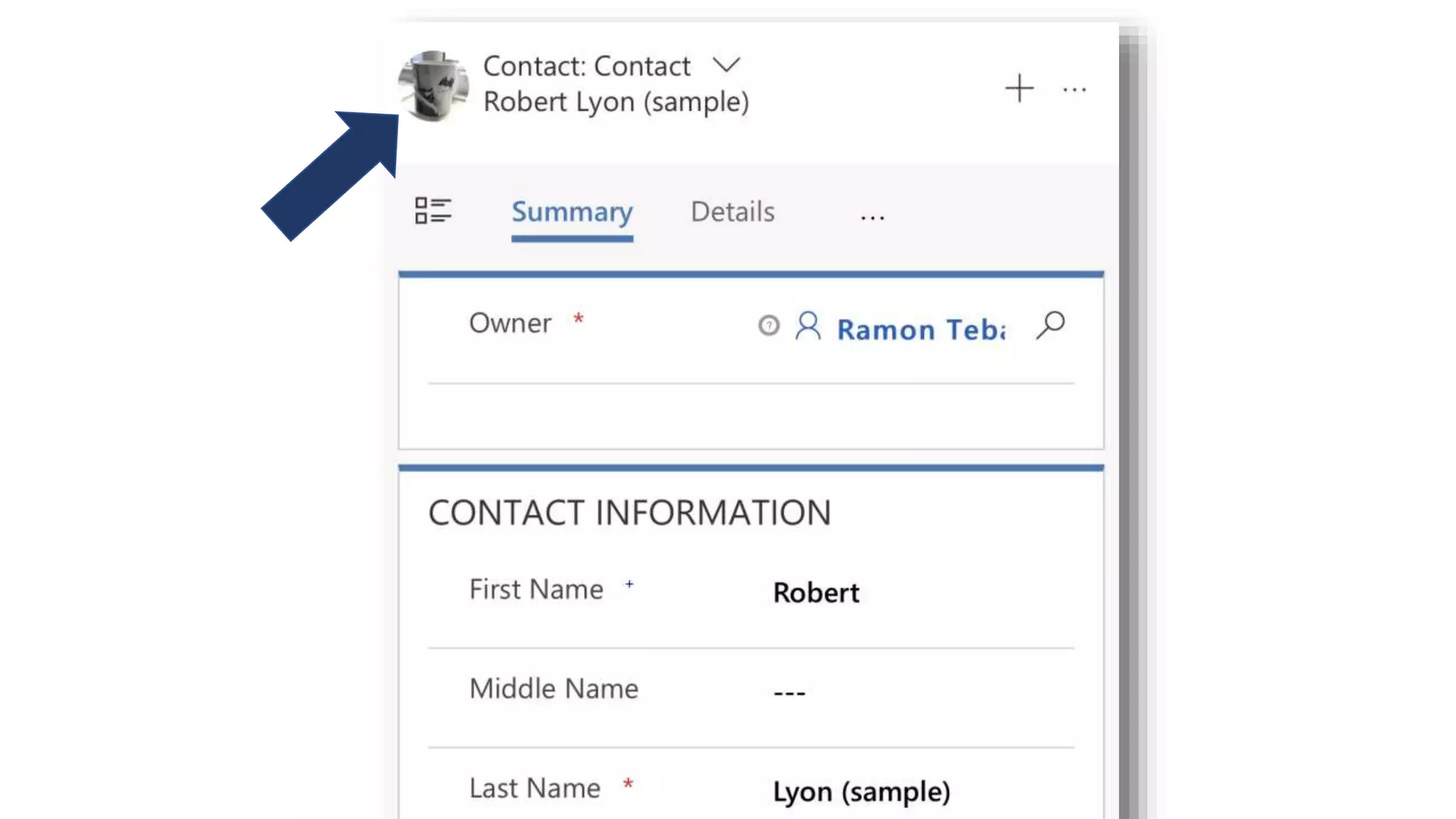
Device
Navigation
WebApi
Encoding
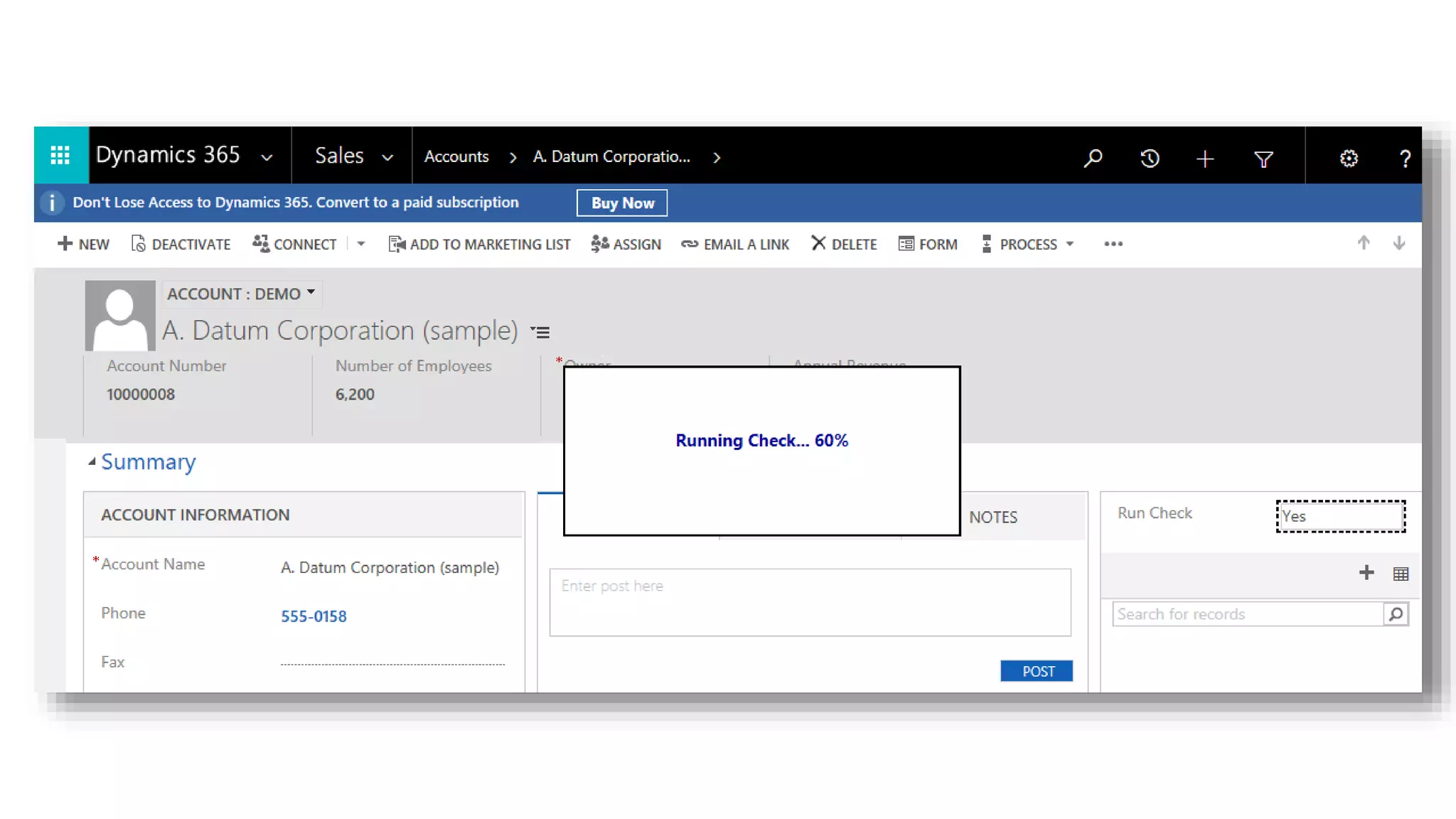
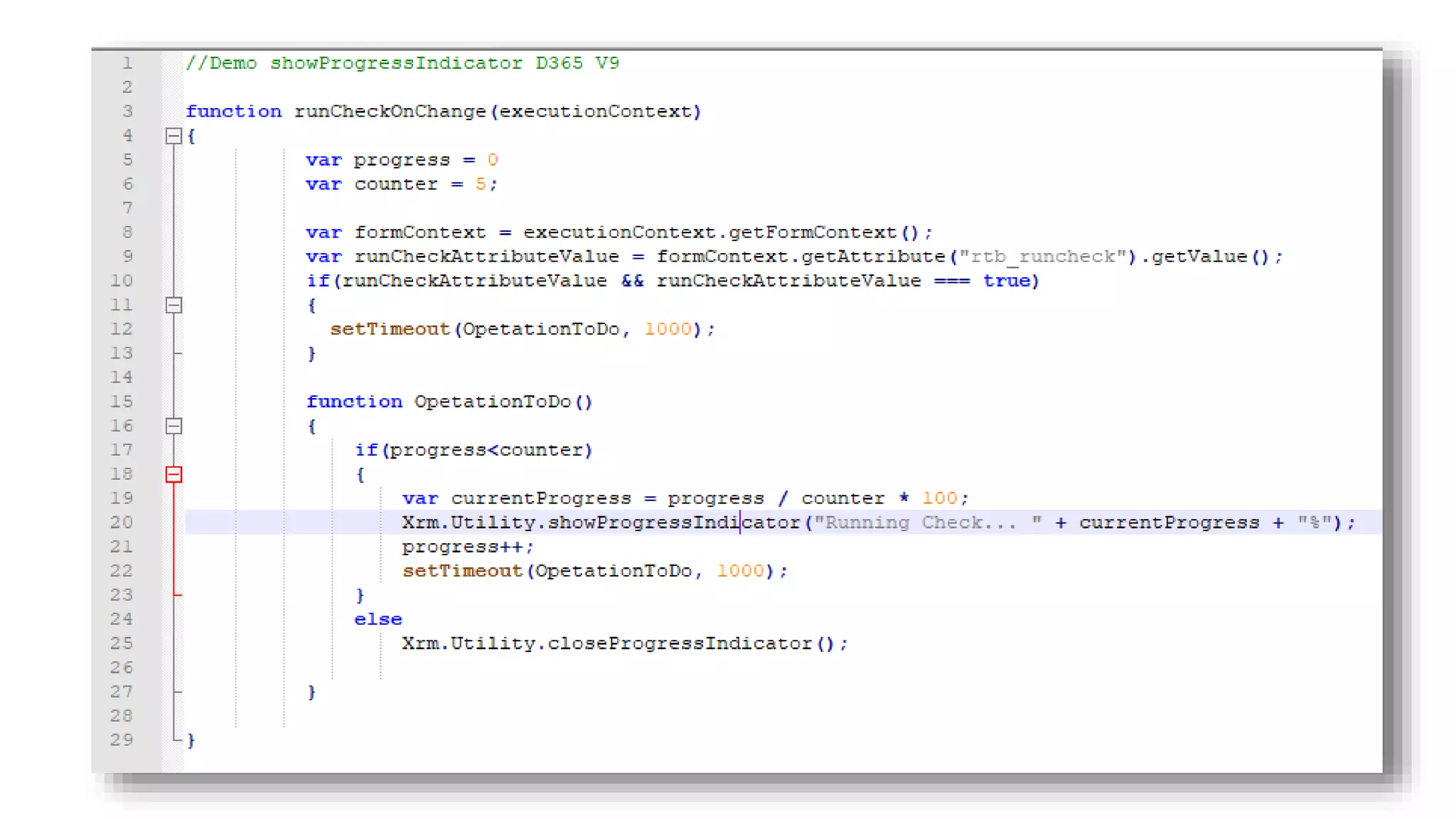
showProgressIndicator
Virtual Entities
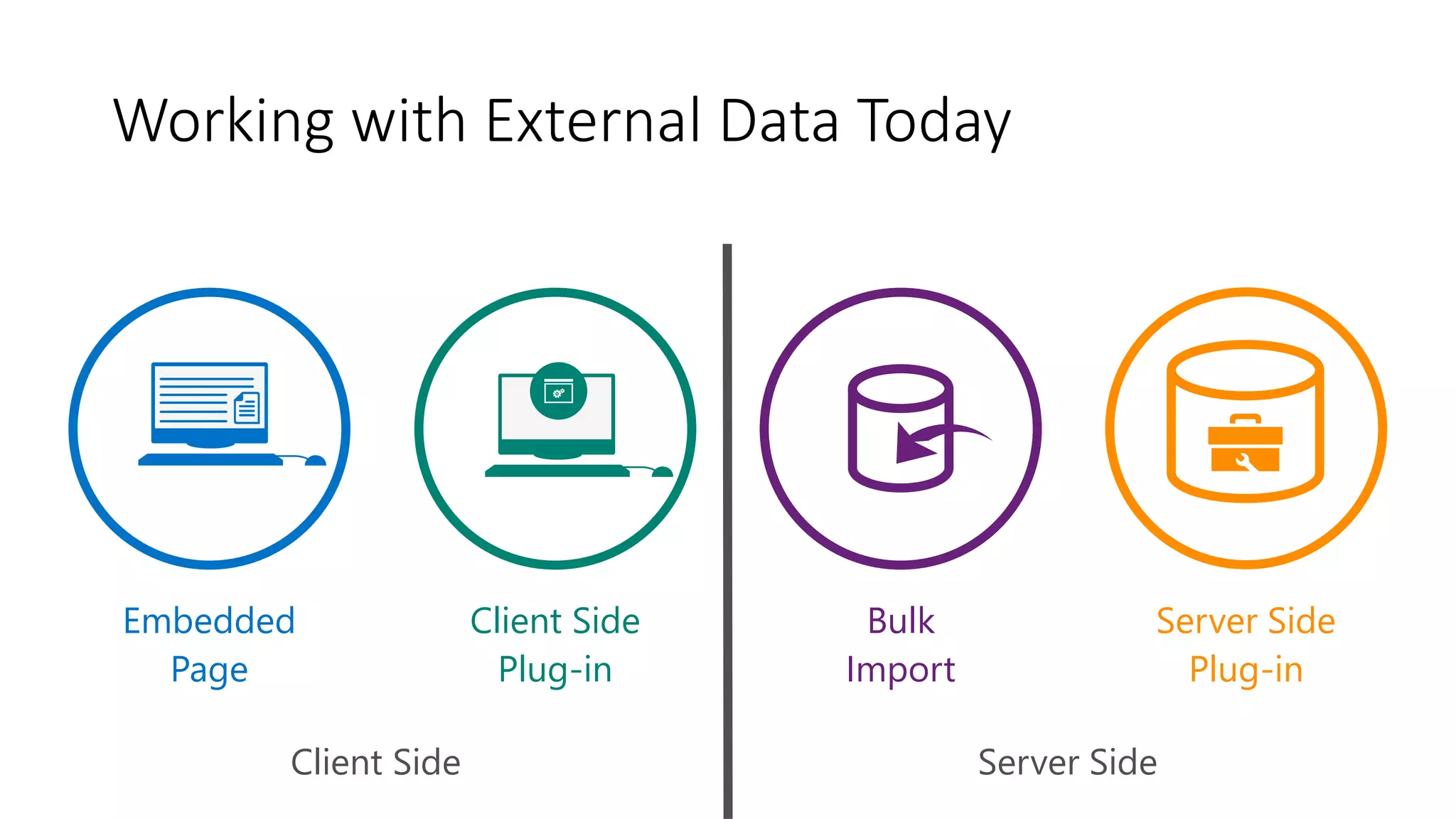
Bulk
Import
Server Side
Plug-in
Server SideClient Side
Client Side
Plug-in
Embedded
Page
Working with External Data Today
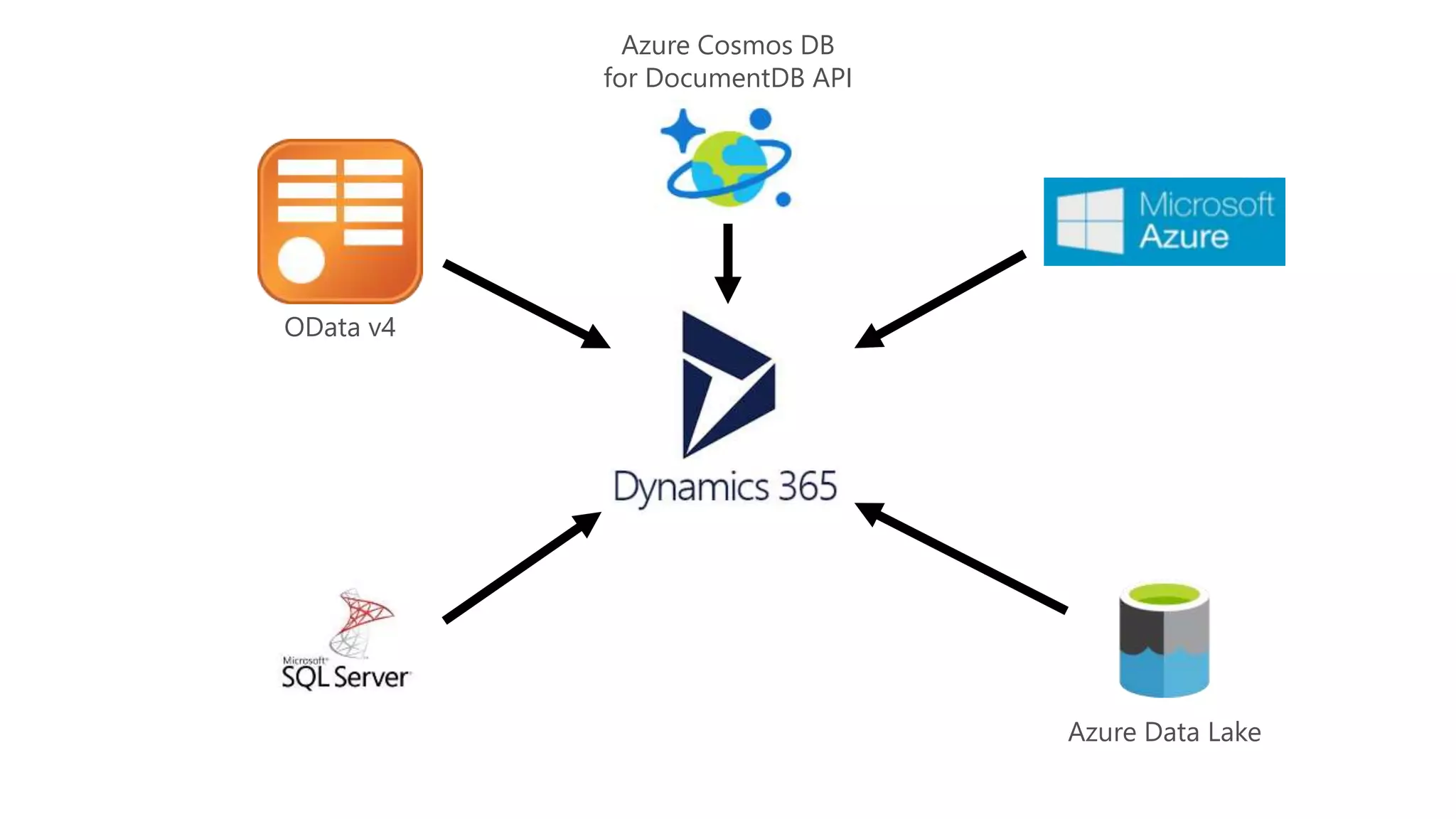
OData v4
Azure Cosmos DB
for DocumentDB API
Azure Data Lake
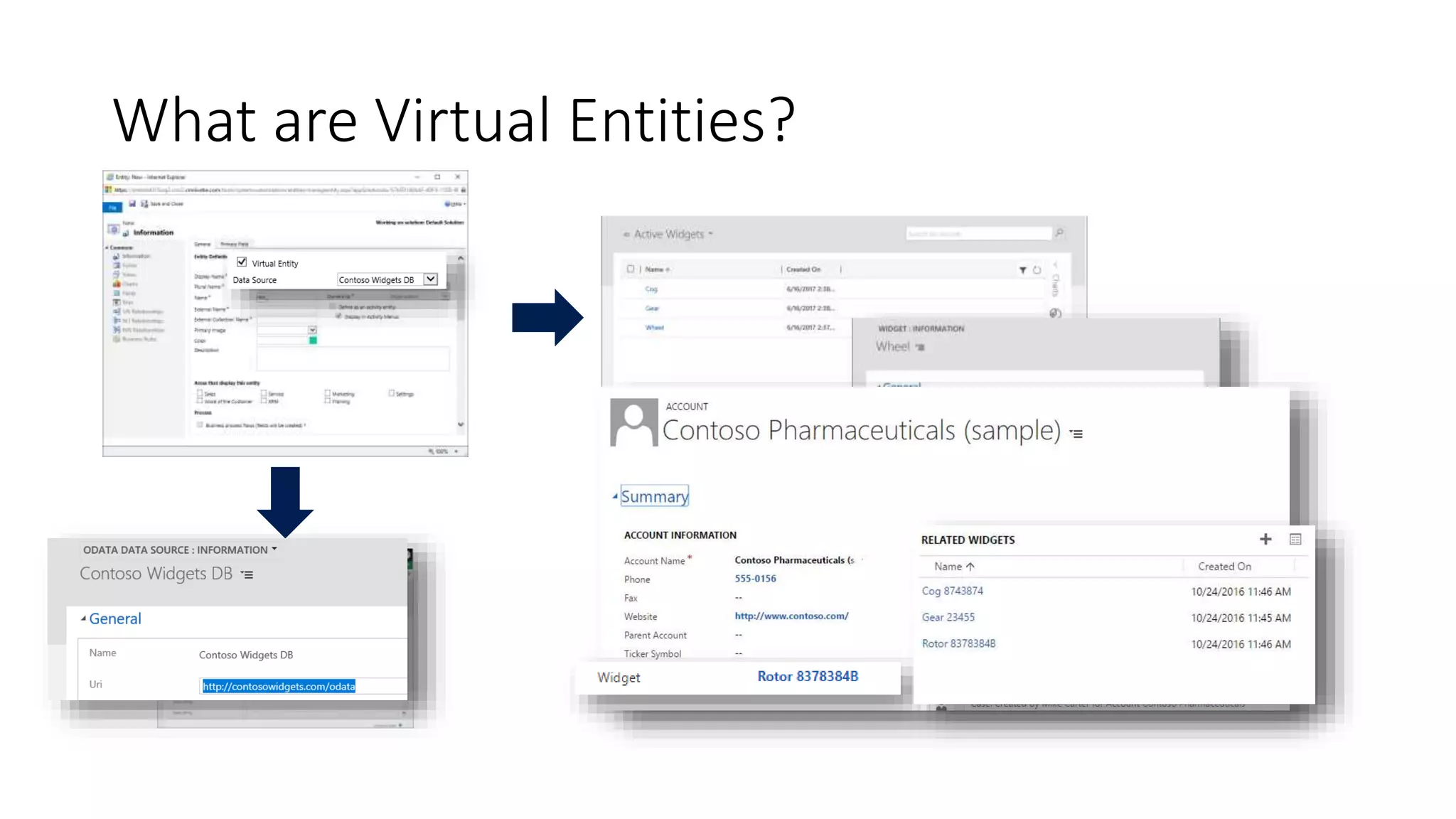
What are Virtual Entities?
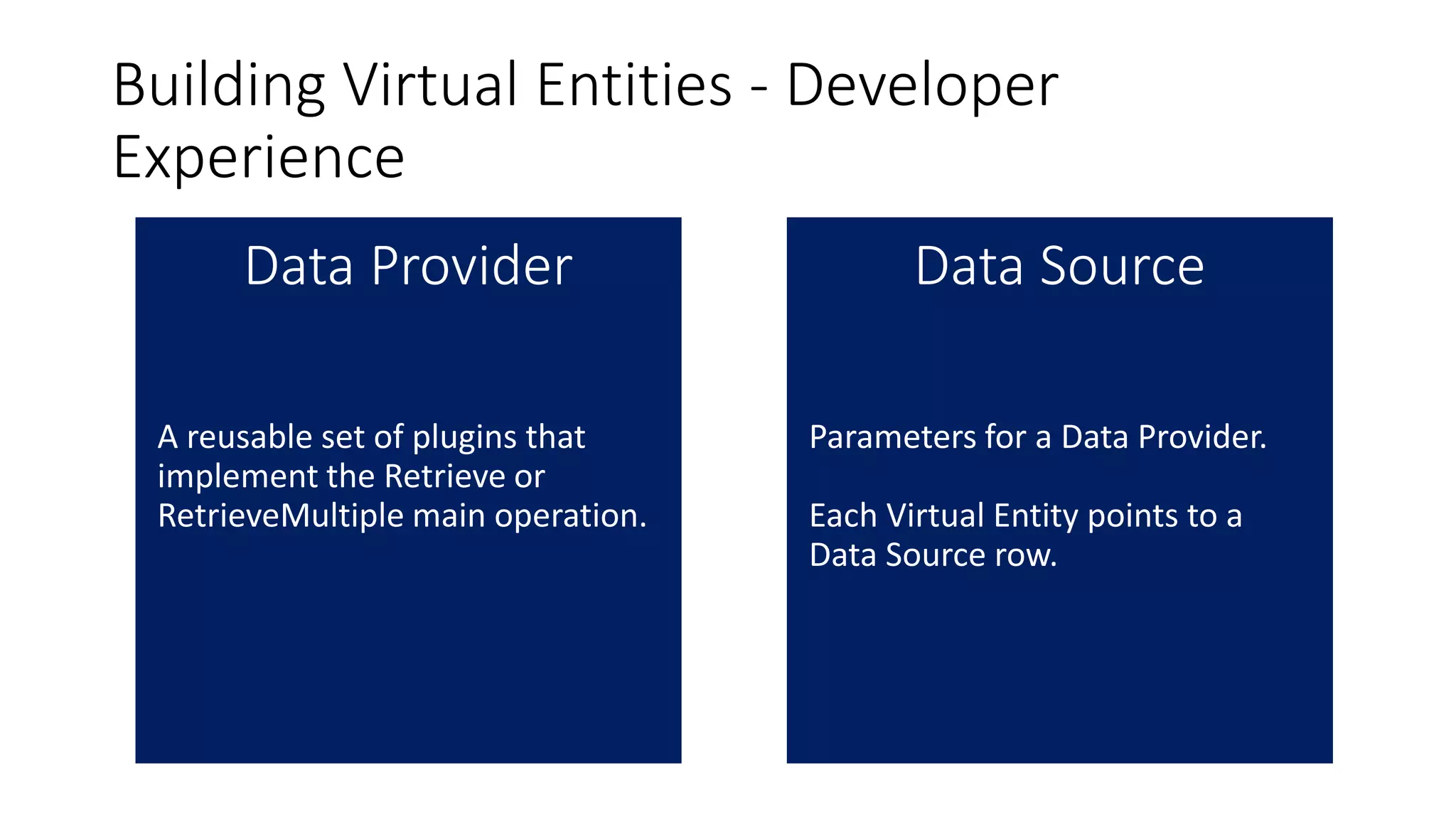
Building Virtual Entities - Developer
Experience
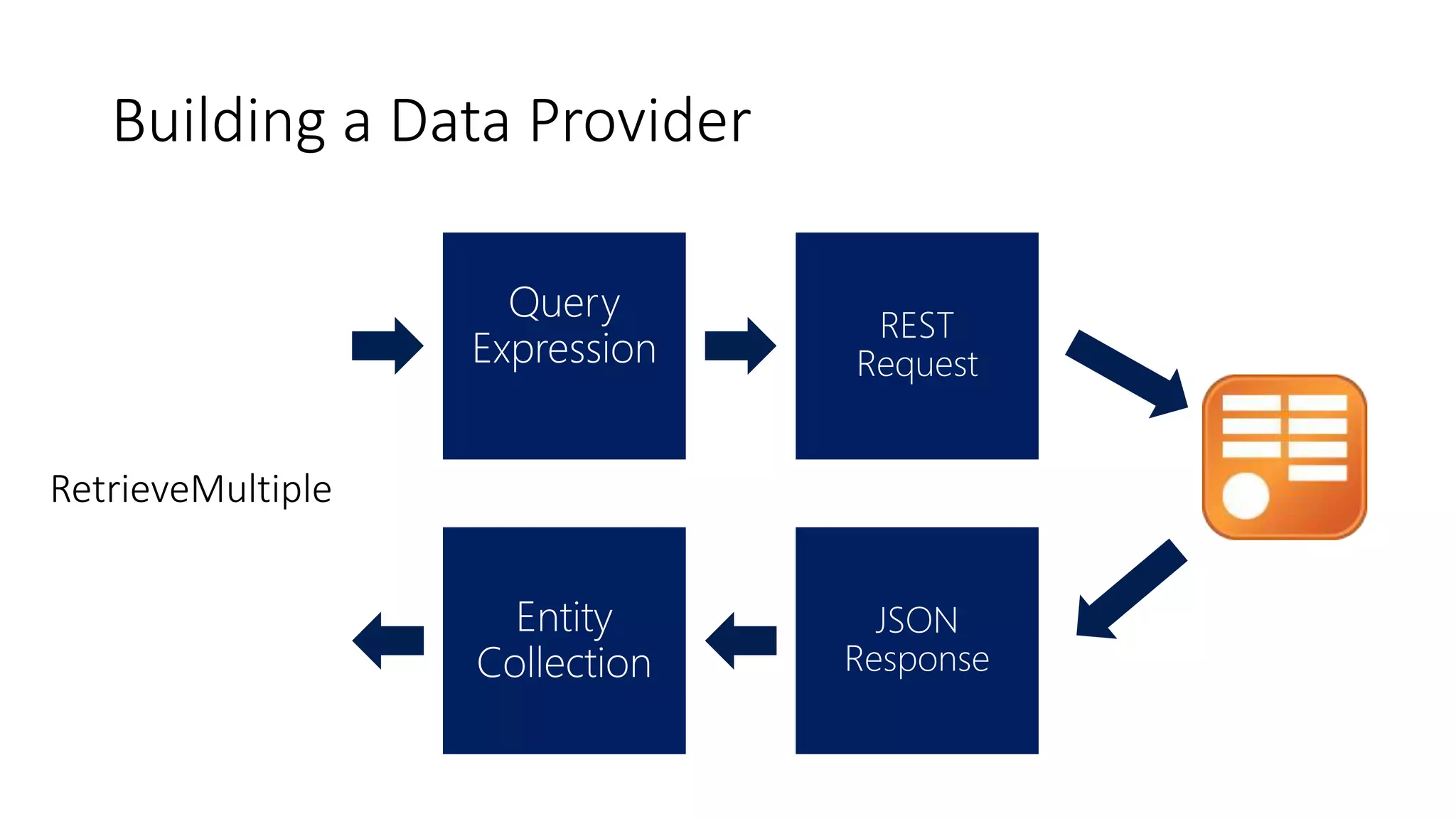
Building a Data Provider
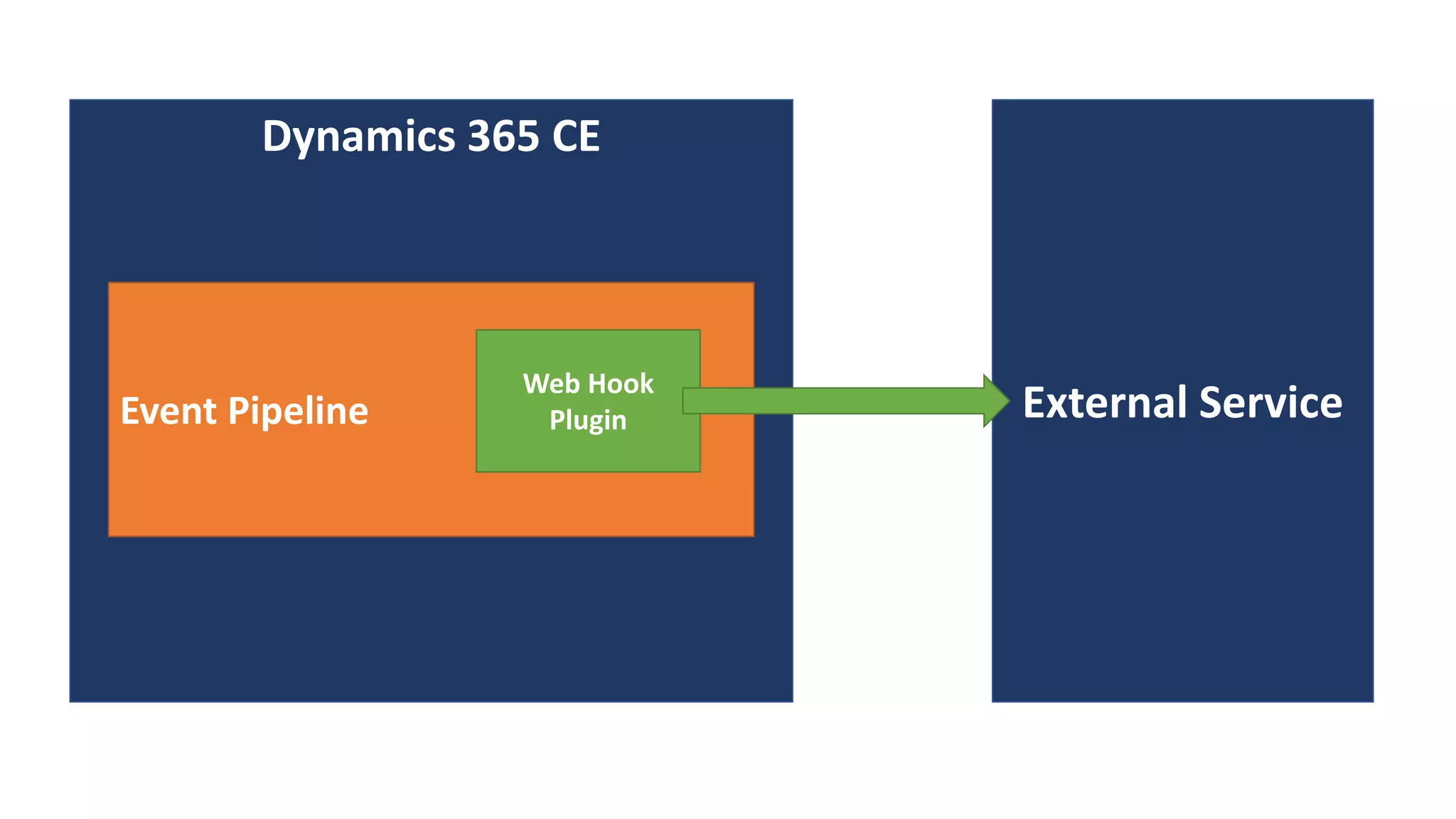
Web Hooks
Dynamics 365 CE
Event Pipeline External Service
Web Hook
Plugin
JS Web Resource
Dependencies
You can define dependencies
between other web
resources.
BPF Actions Steps
Security Update
TLS 1.2
.NET 4.5.2 / 4.6.2
What is TLS
TLS stands for “Transport Layer Security,” and is a protocol that is an industry standard
designed to protect the privacy of information communicated over the Internet. TLS is
used in many web browsers and applications that communicate over HTTPS and TCP.
Security Update TLS 1.2
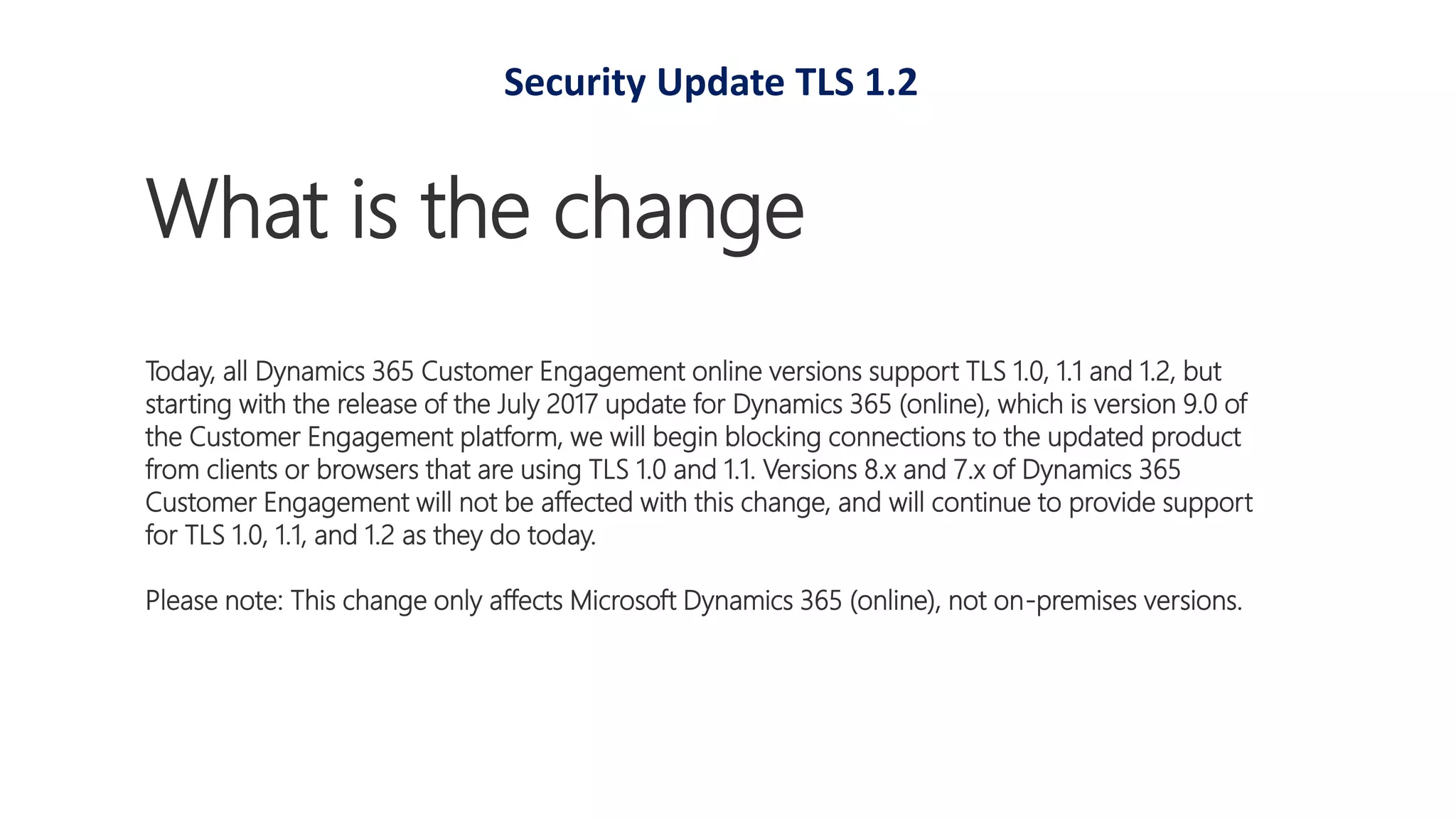
What is the change
Today, all Dynamics 365 Customer Engagement online versions support TLS 1.0, 1.1 and 1.2, but
starting with the release of the July 2017 update for Dynamics 365 (online), which is version 9.0 of
the Customer Engagement platform, we will begin blocking connections to the updated product
from clients or browsers that are using TLS 1.0 and 1.1. Versions 8.x and 7.x of Dynamics 365
Customer Engagement will not be affected with this change, and will continue to provide support
for TLS 1.0, 1.1, and 1.2 as they do today.
Please note: This change only affects Microsoft Dynamics 365 (online), not on-premises versions.
Security Update TLS 1.2
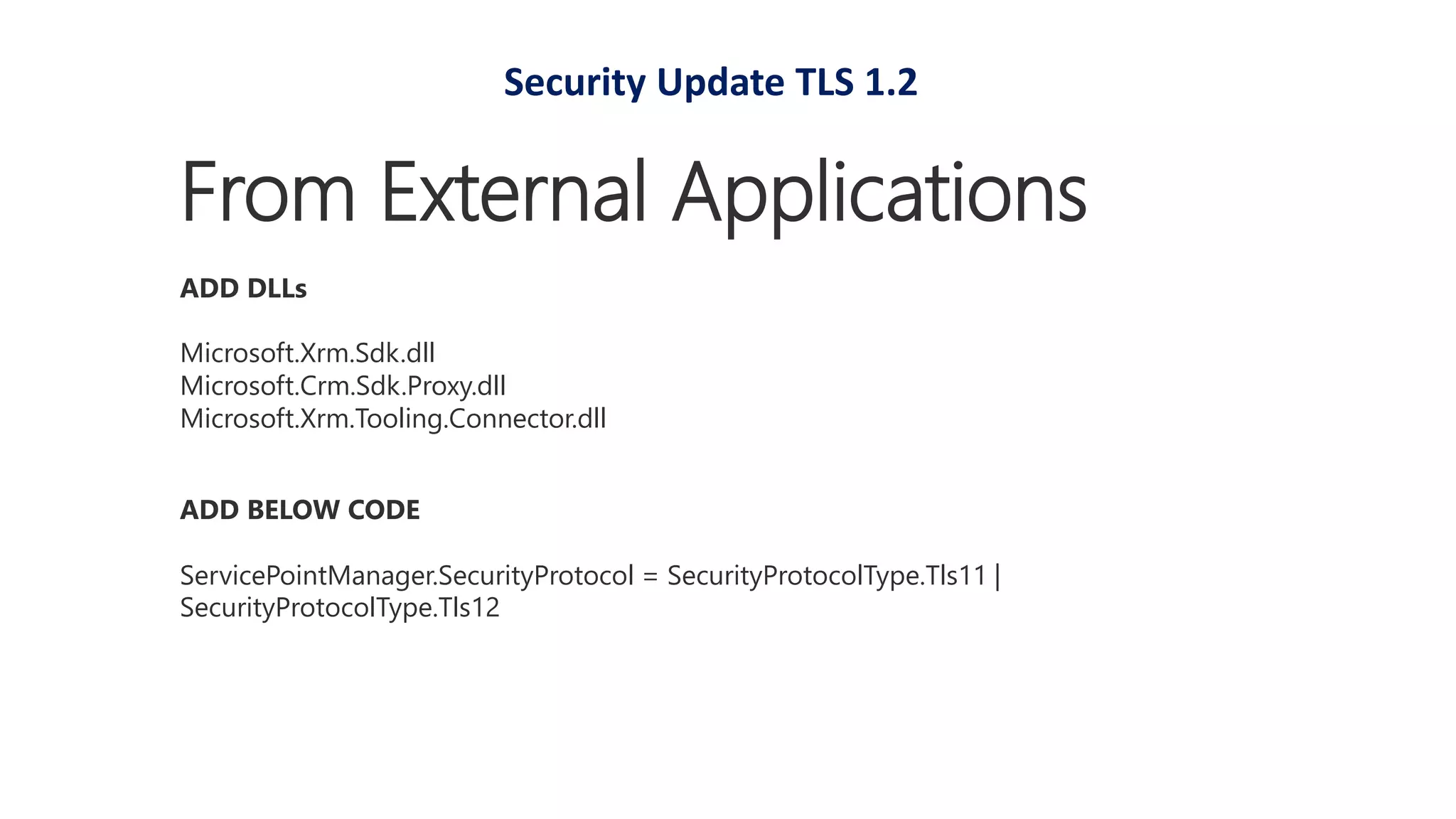
ADD BELOW CODE
ServicePointManager.SecurityProtocol = SecurityProtocolType.Tls11 |
SecurityProtocolType.Tls12
From External Applications
ADD DLLs
Microsoft.Xrm.Sdk.dll
Microsoft.Crm.Sdk.Proxy.dll
Microsoft.Xrm.Tooling.Connector.dll
Security Update TLS 1.2
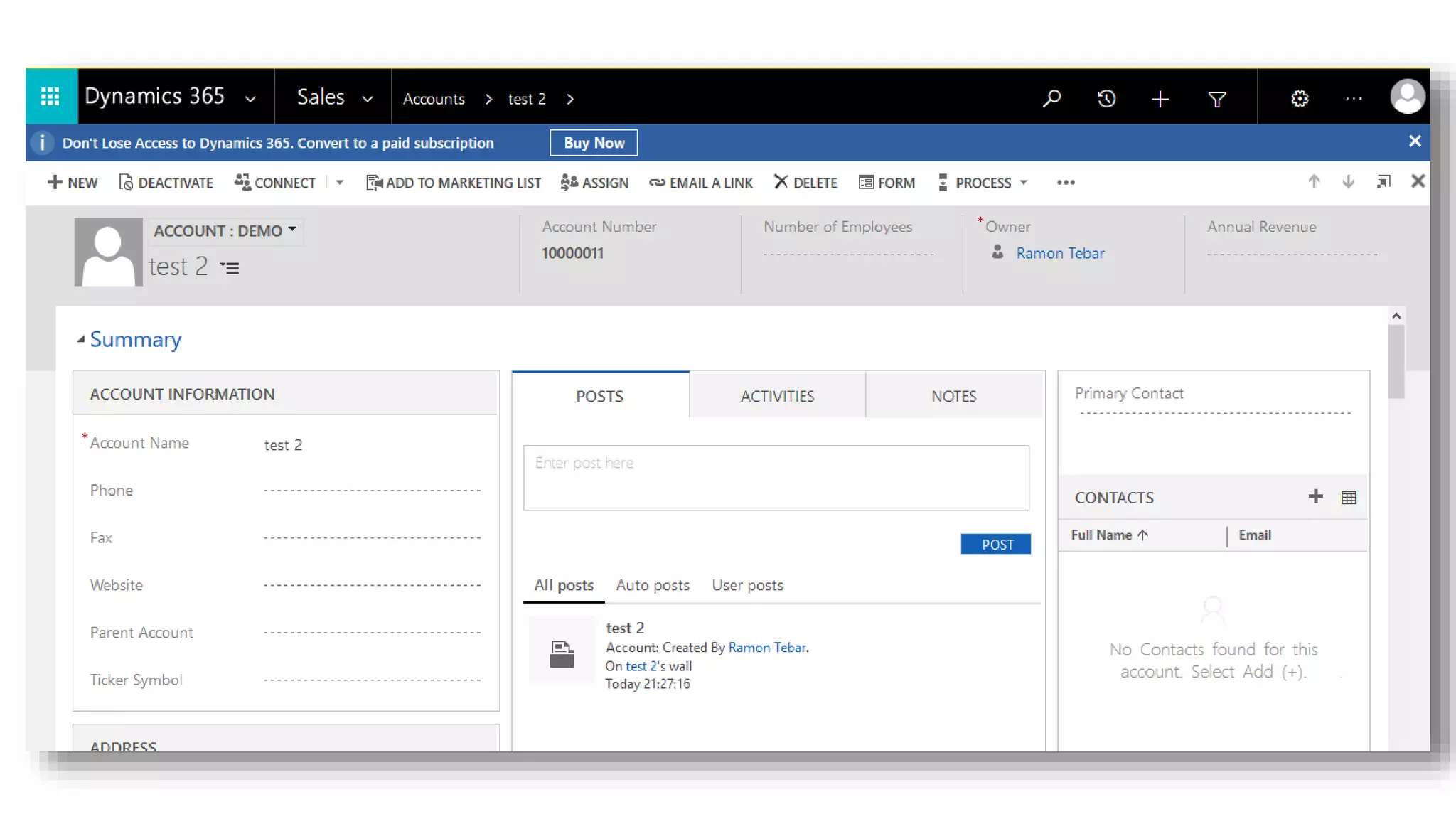
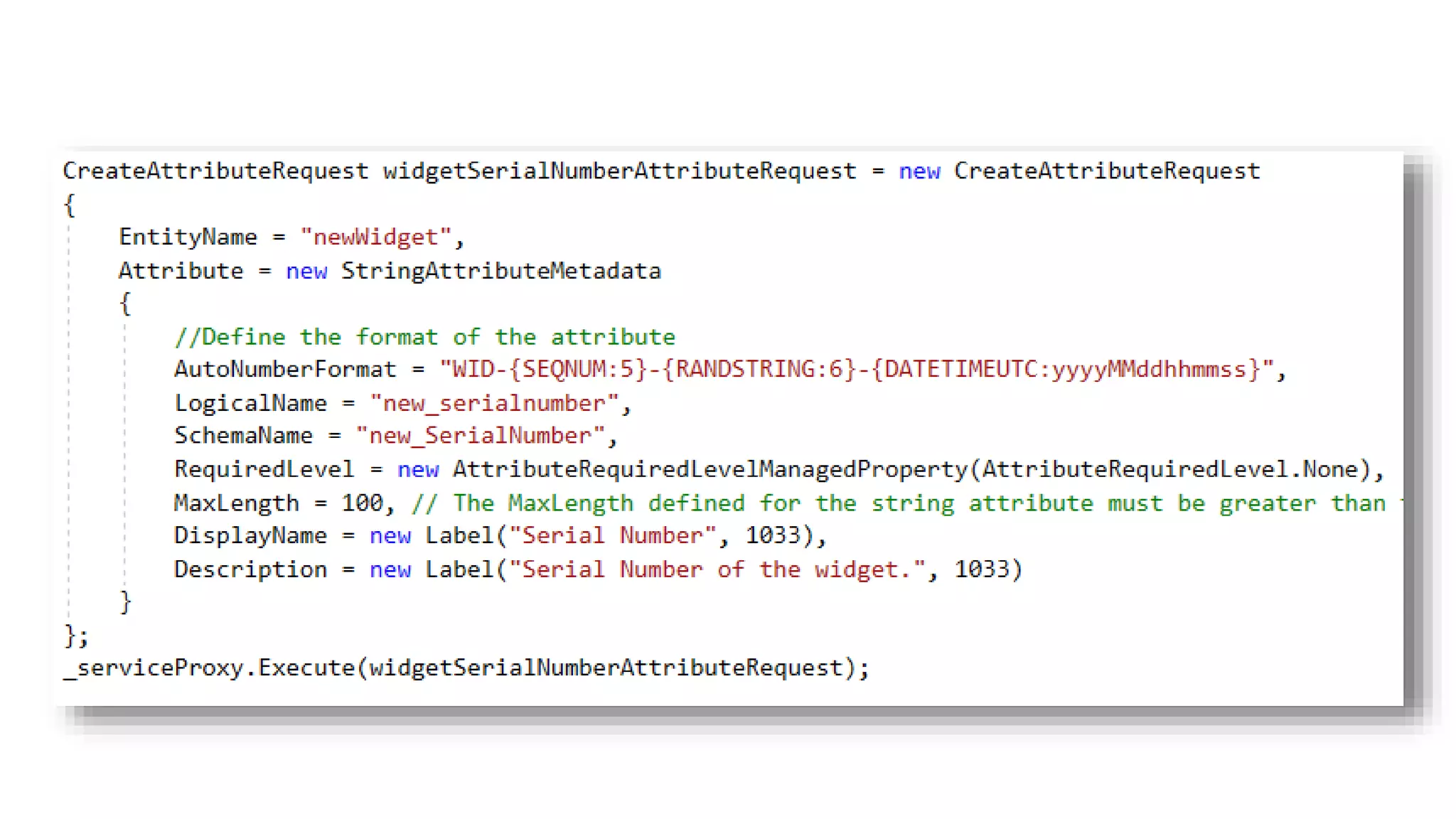
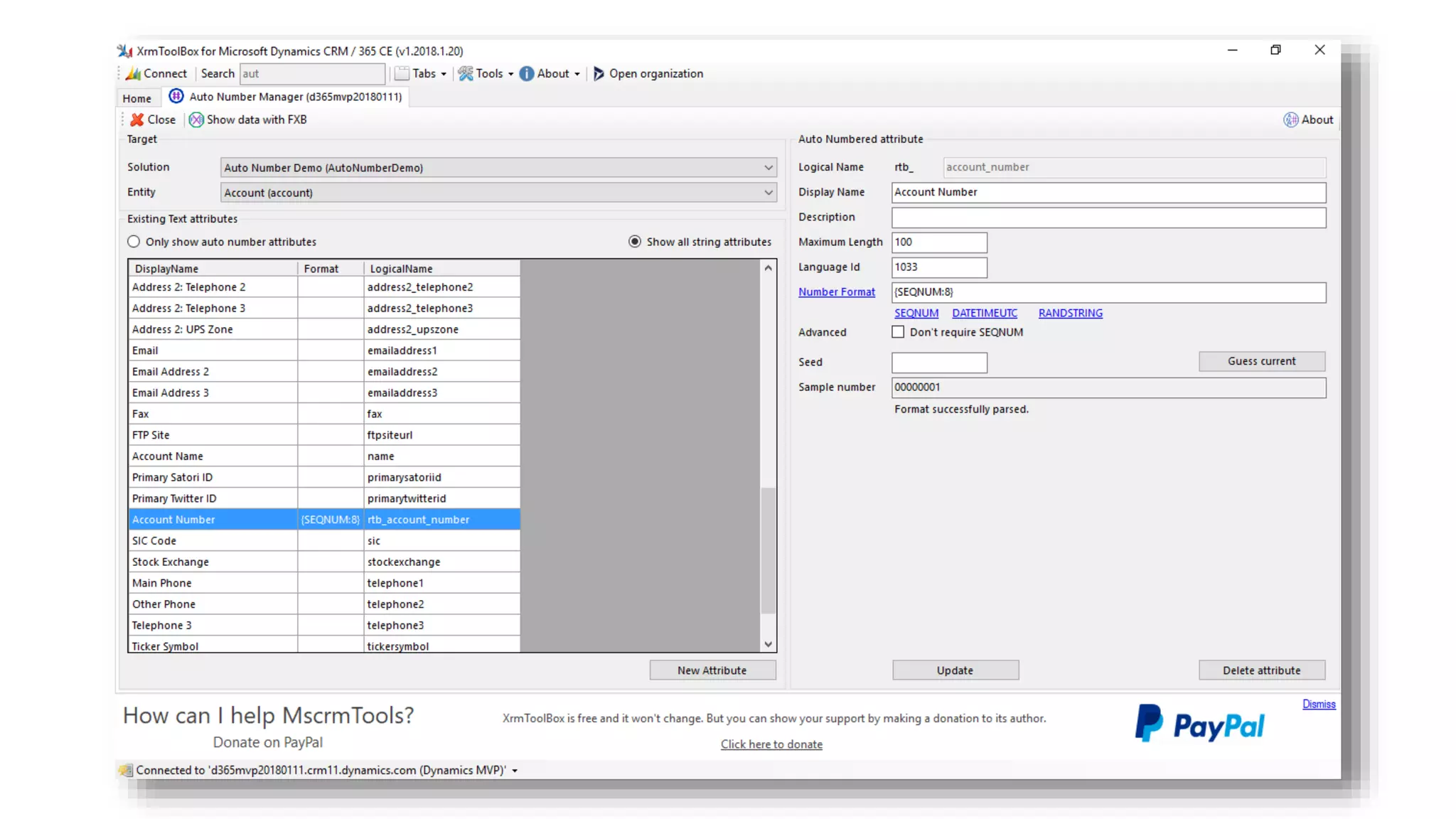
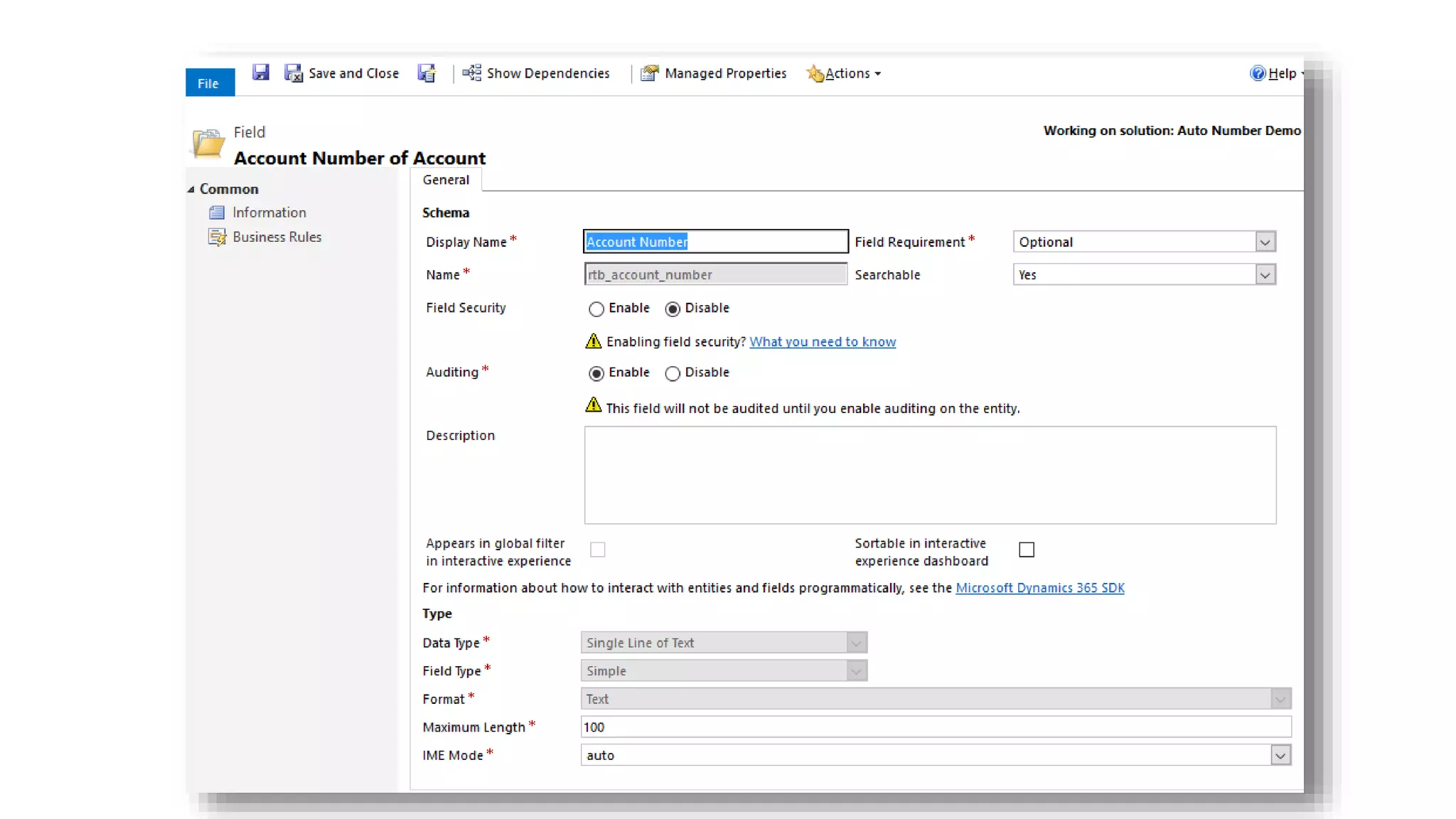
Auto Number for
Any Entity
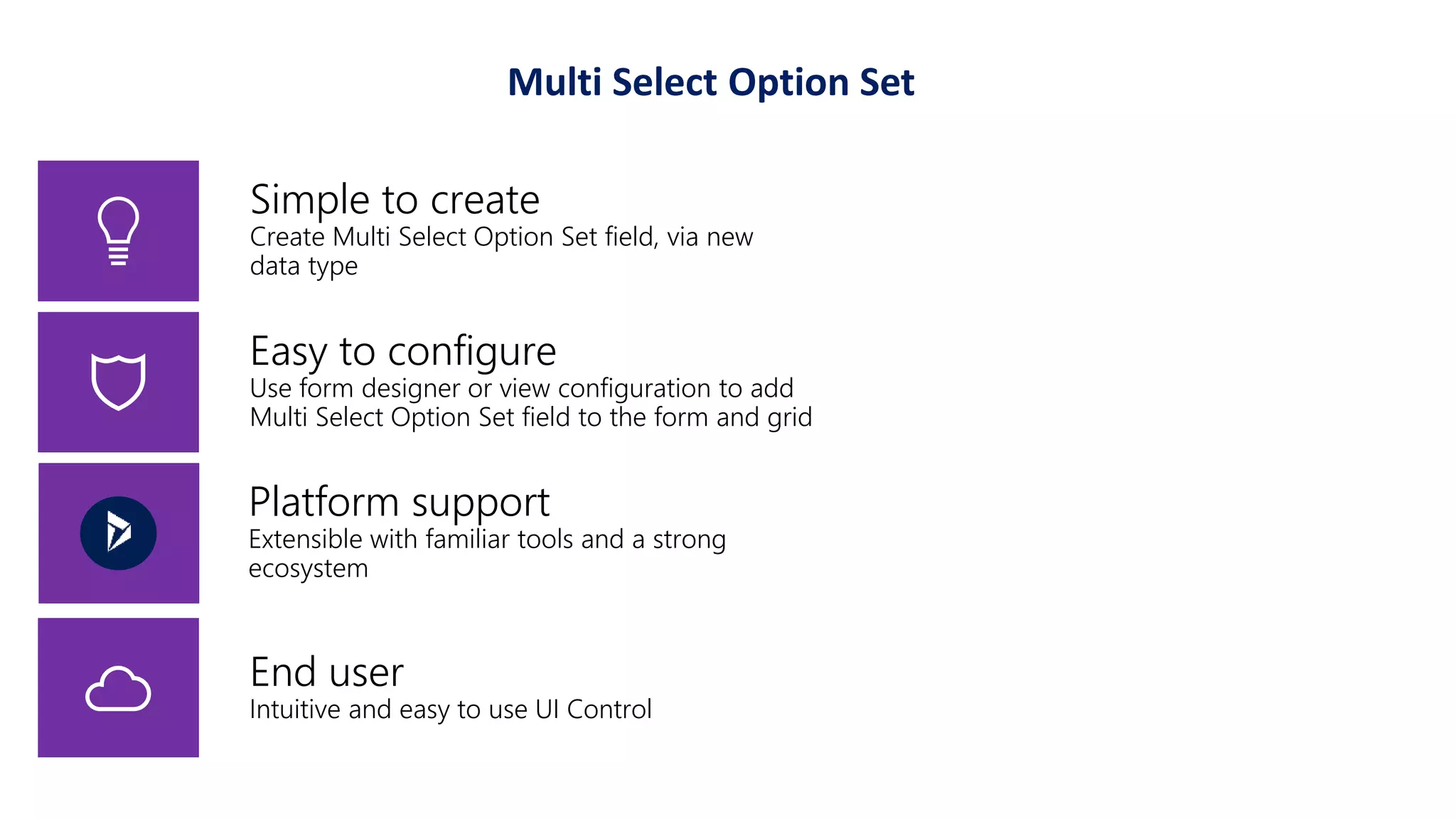
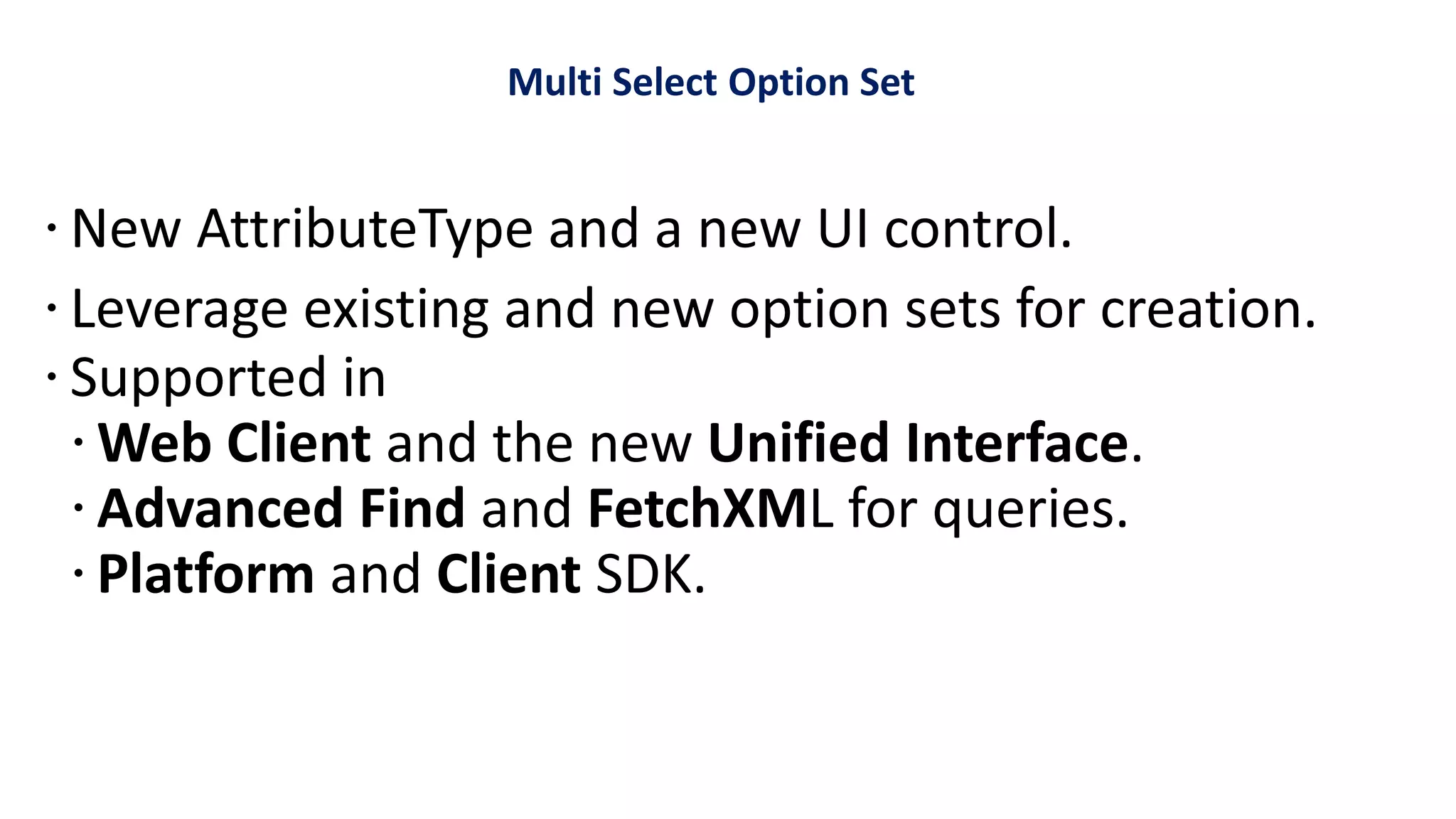
Multi-Select Option Set
Easy to configure
Use form designer or view configuration to add
Multi Select Option Set field to the form and grid
End user
Intuitive and easy to use UI Control
Simple to create
Create Multi Select Option Set field, via new
data type
Platform support
Extensible with familiar tools and a strong
ecosystem
Multi Select Option Set
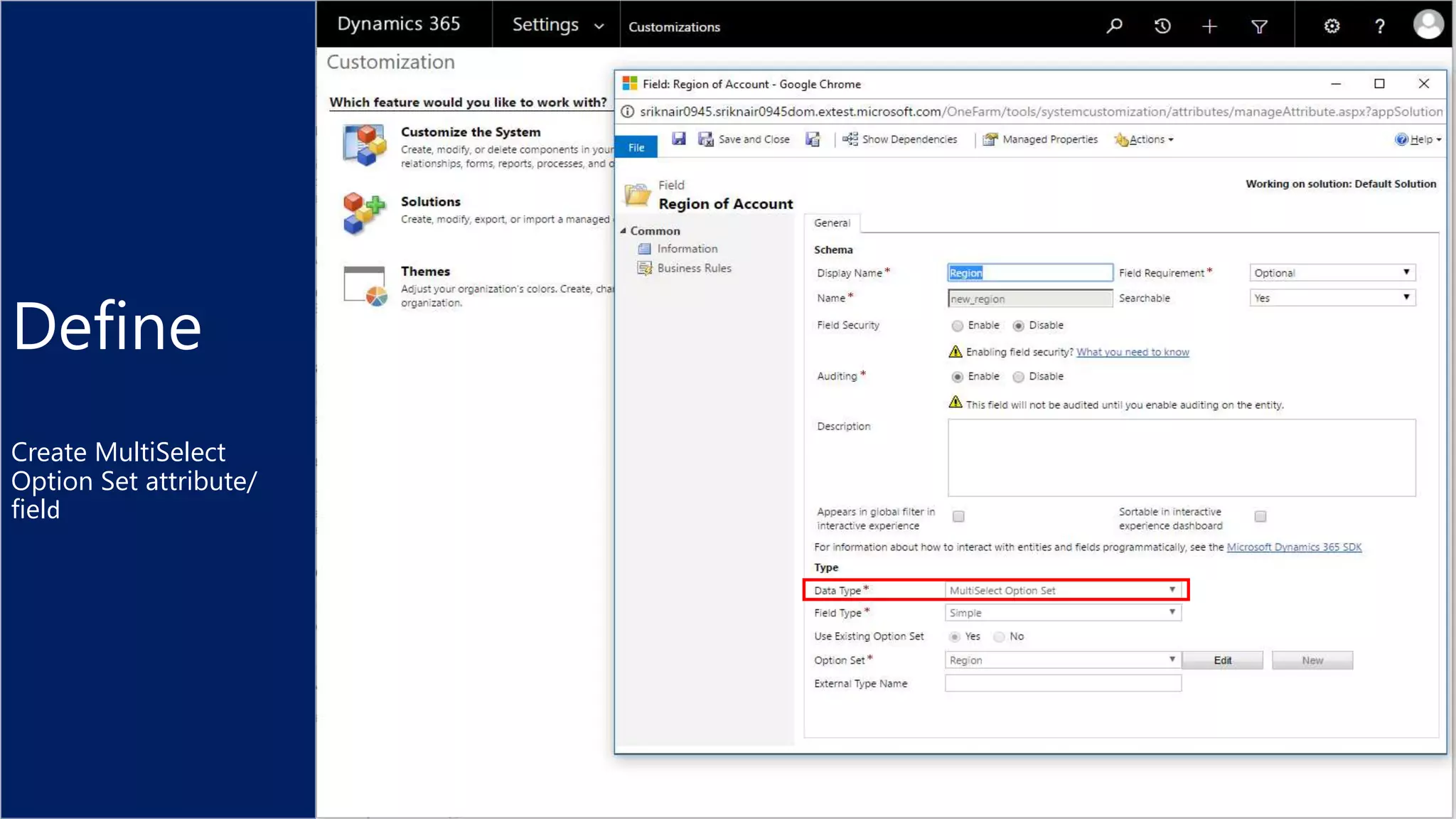
Define
Create MultiSelect
Option Set attribute/
field
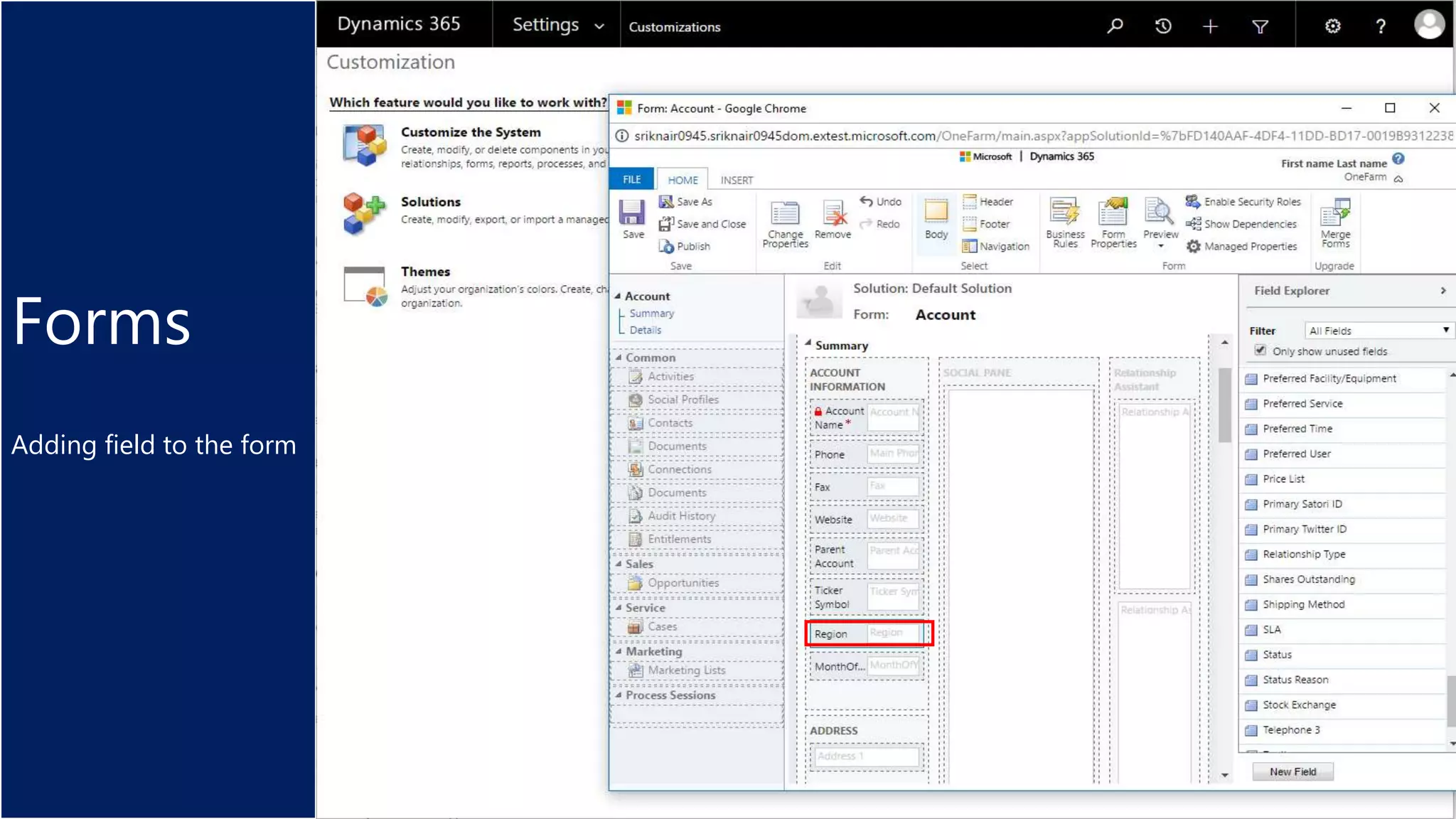
Forms
Adding field to the form
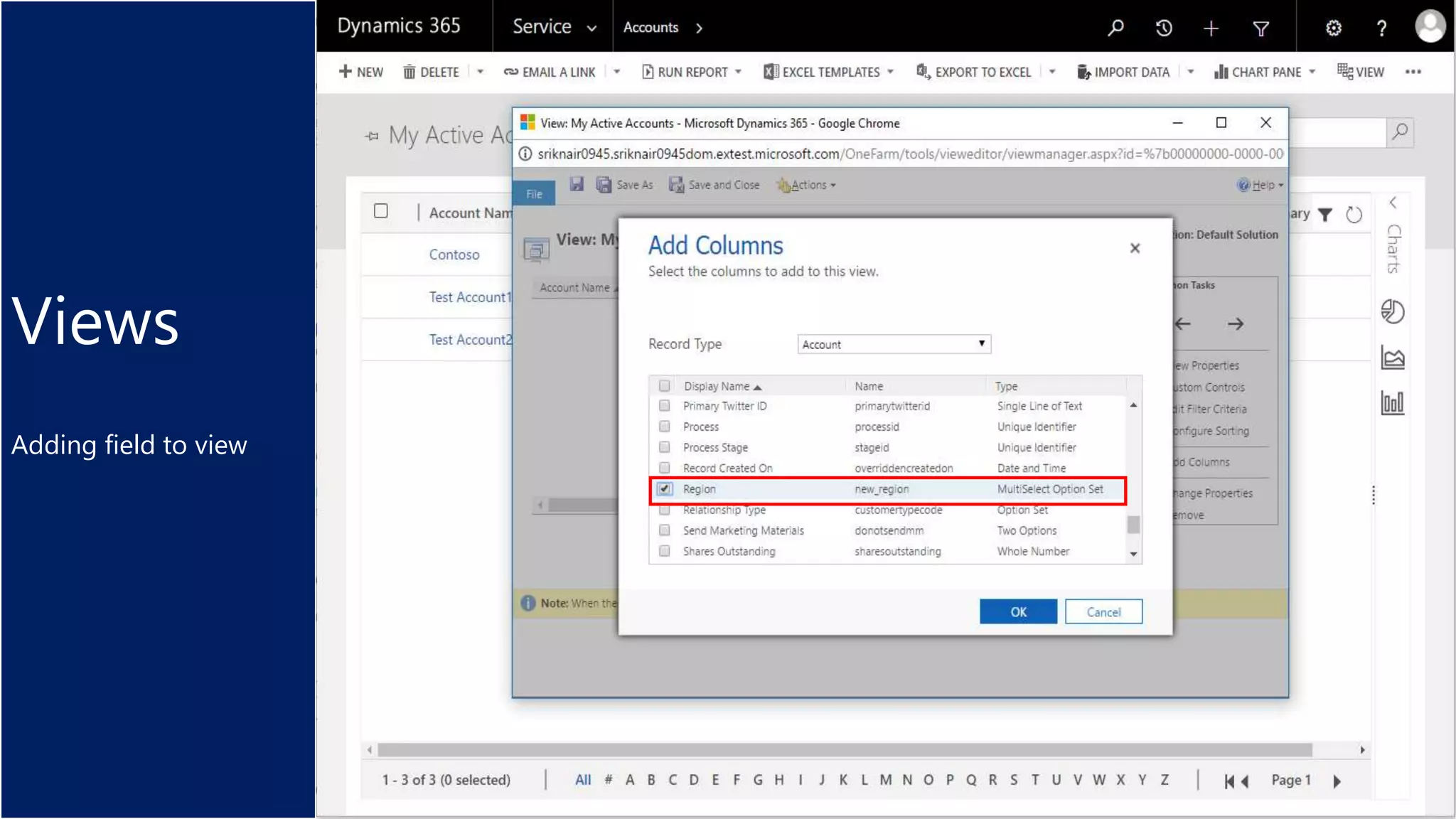
Views
Adding field to view
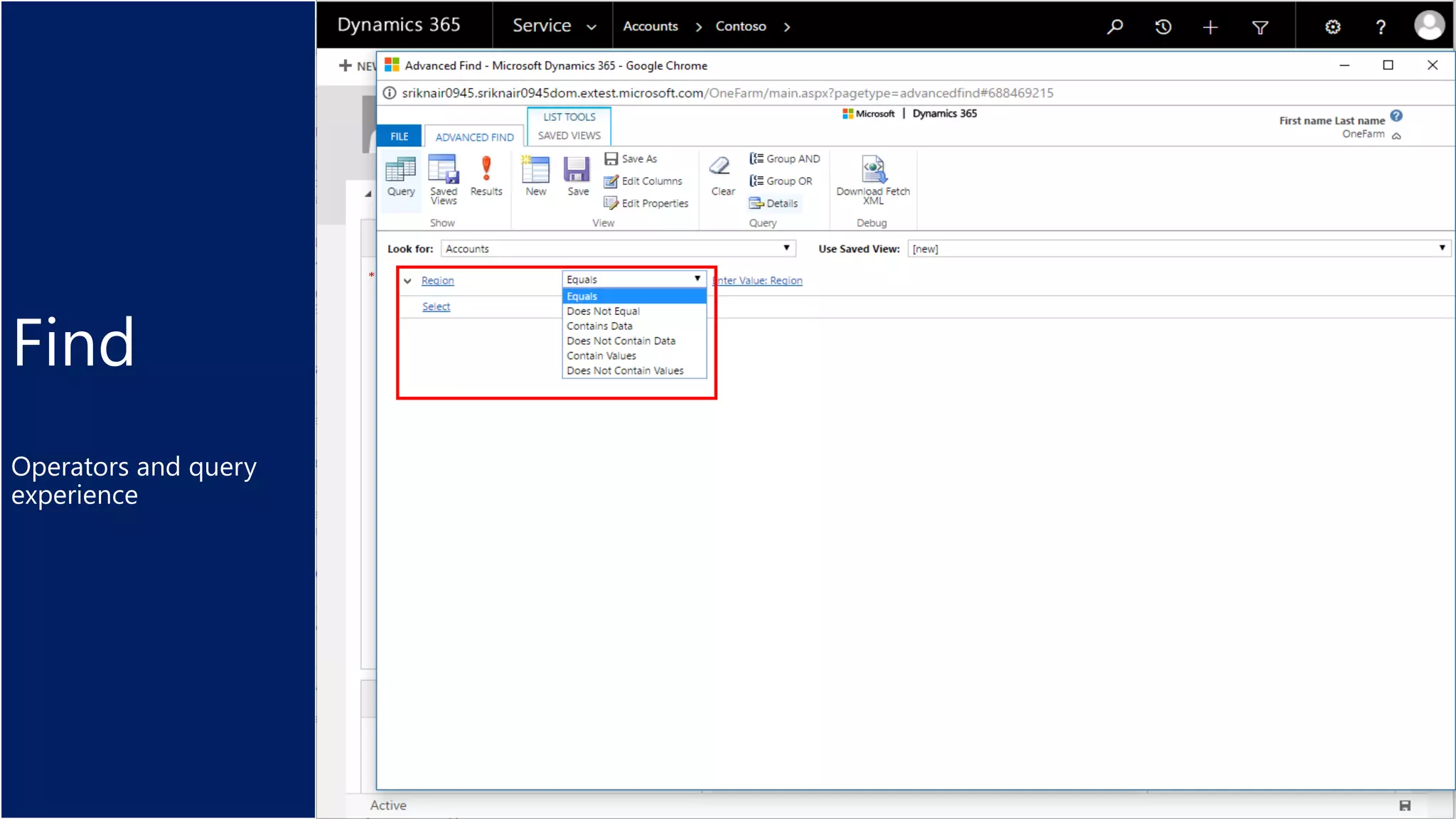
Find
Operators and query
experience
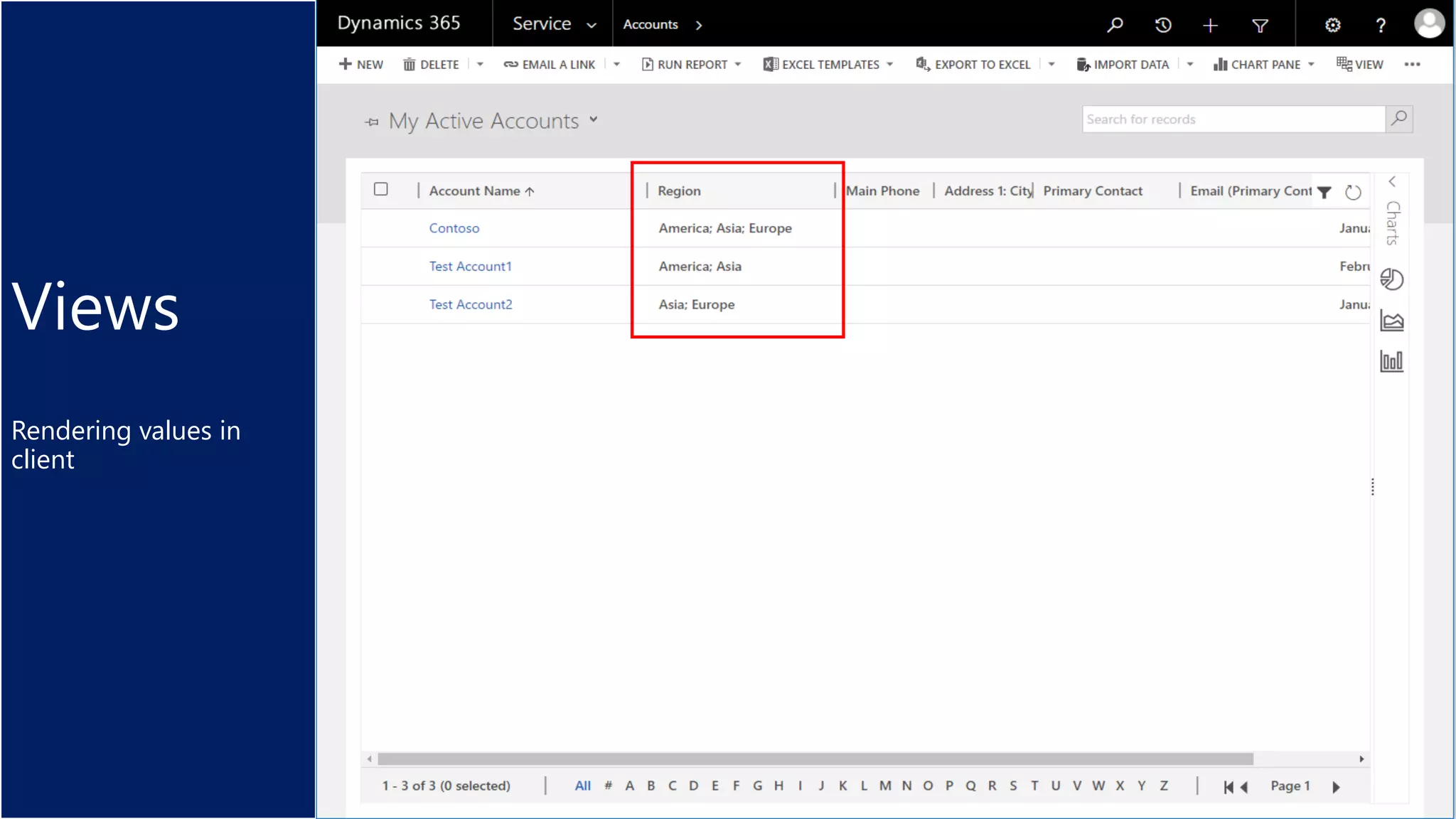
Views
Rendering values in
client
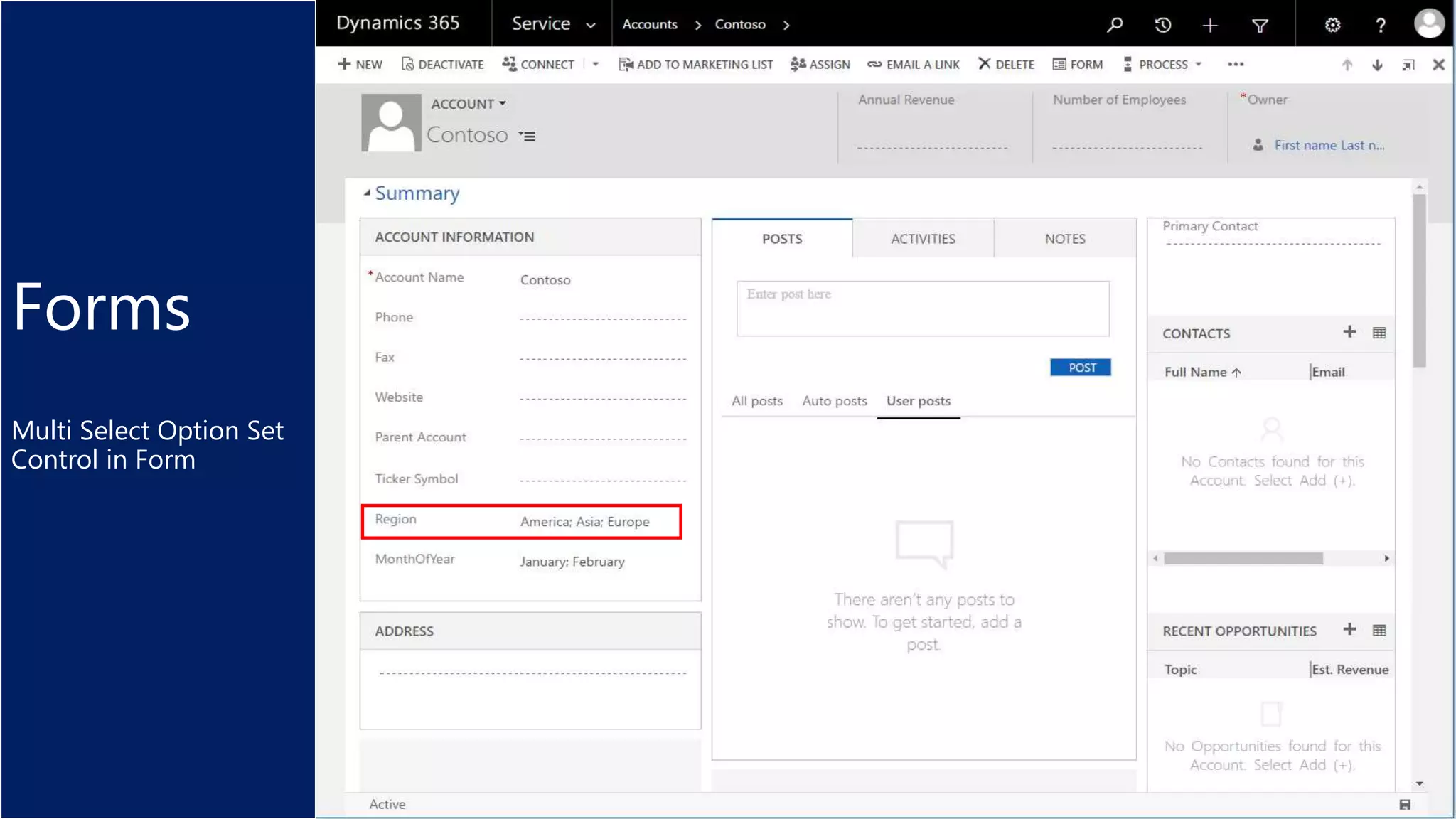
Forms
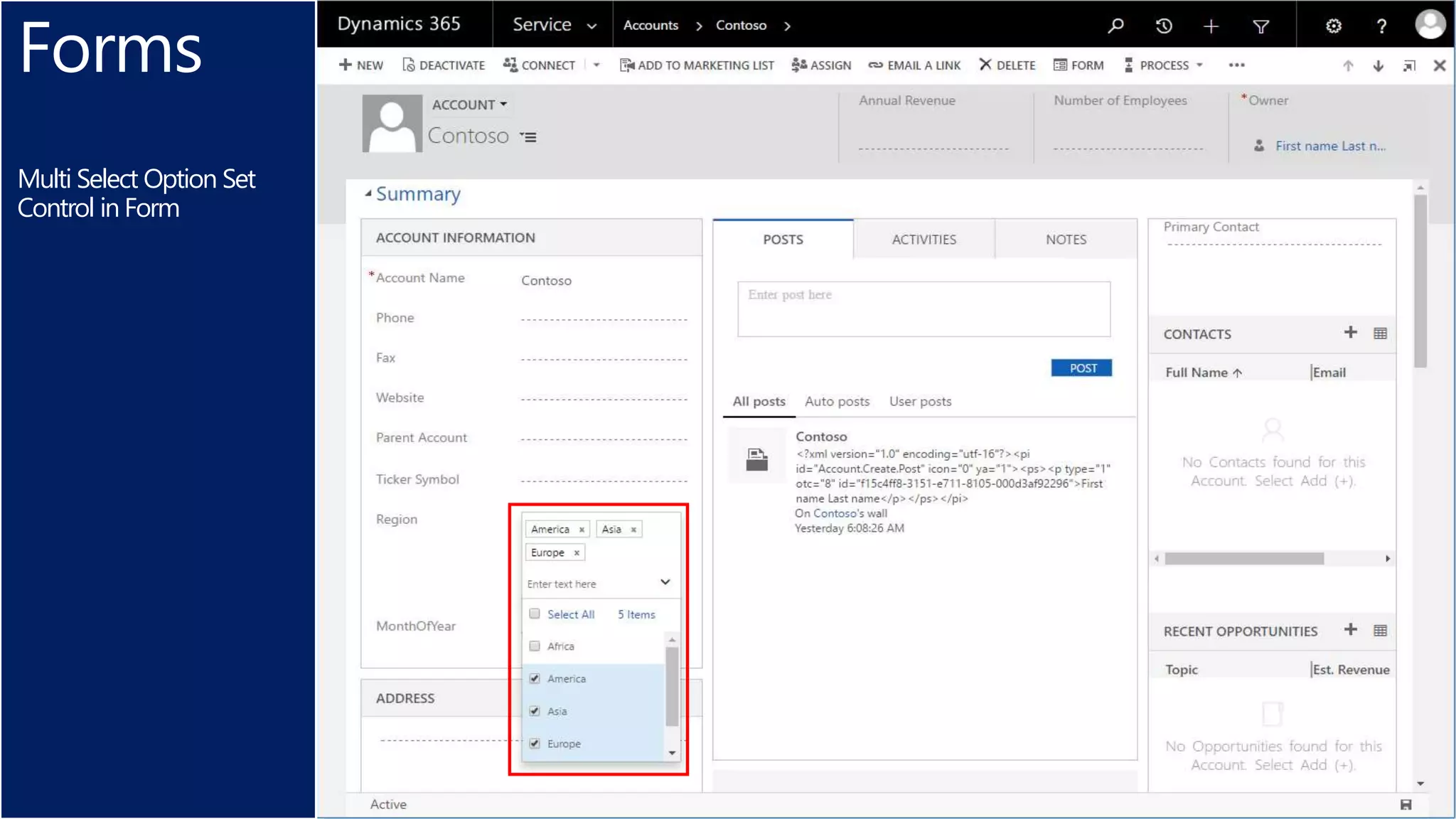
Multi Select Option Set
Control in Form
Forms
Multi Select Option Set
Control in Form
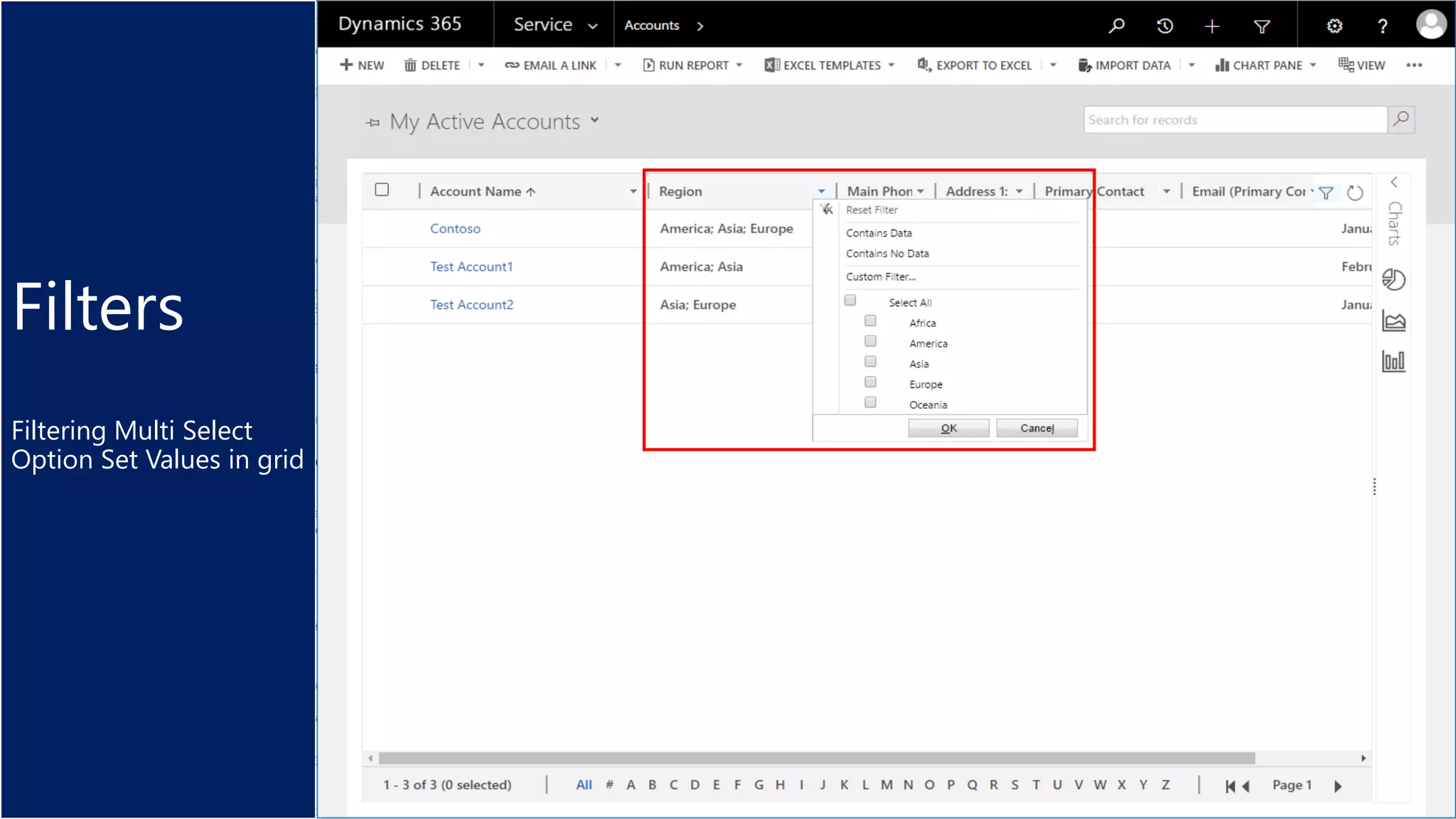
Filters
Filtering Multi Select
Option Set Values in grid
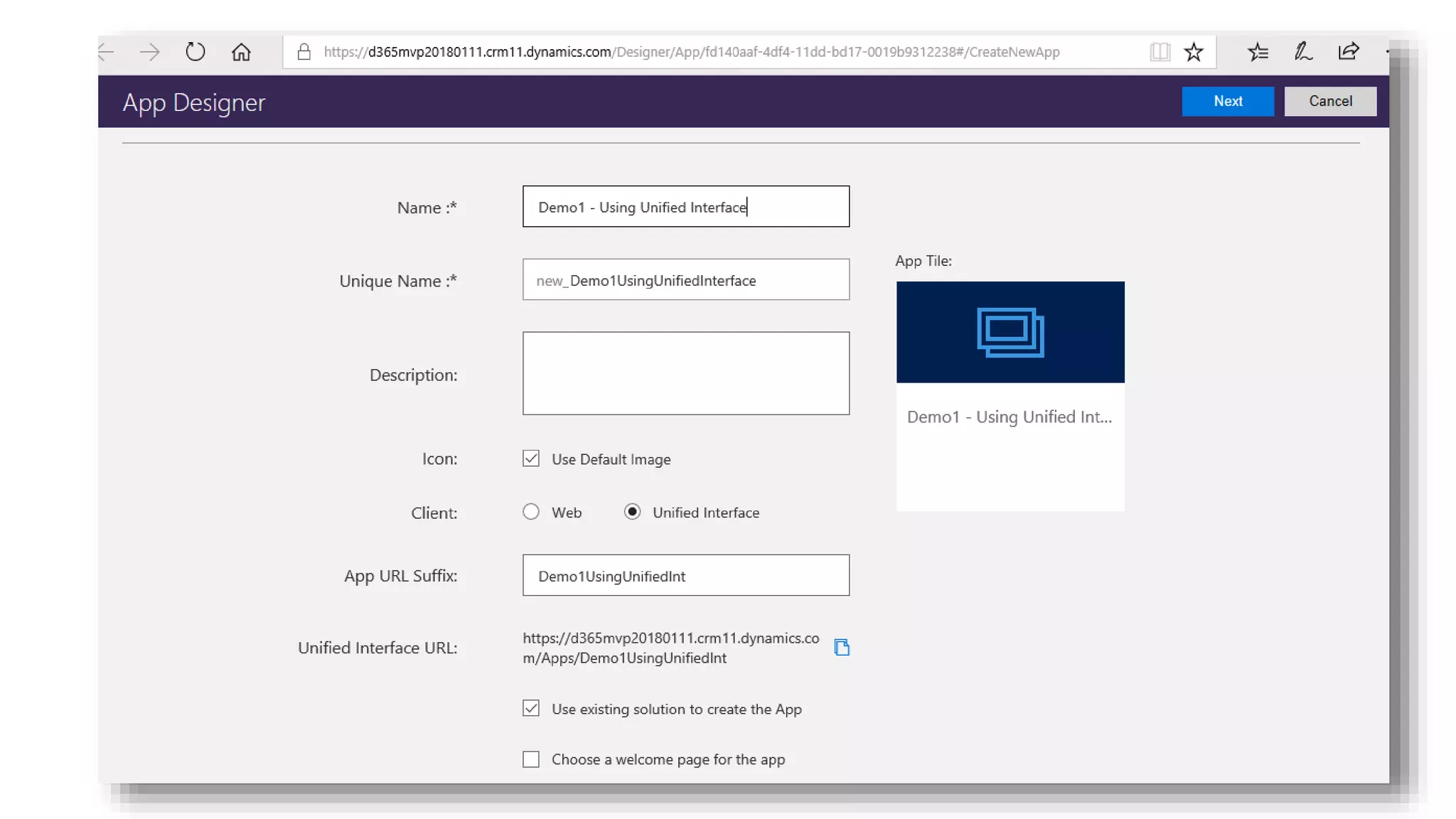
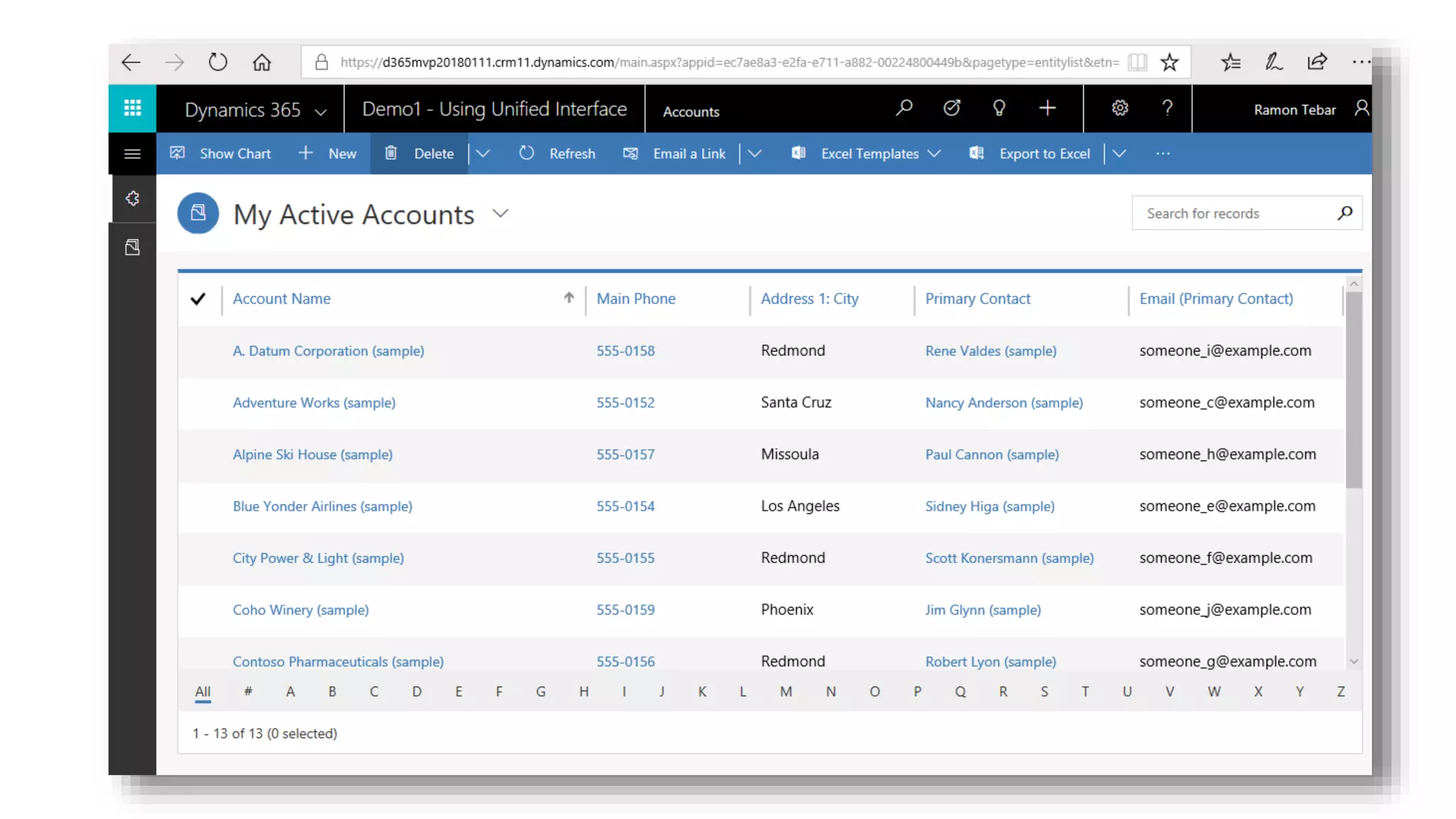
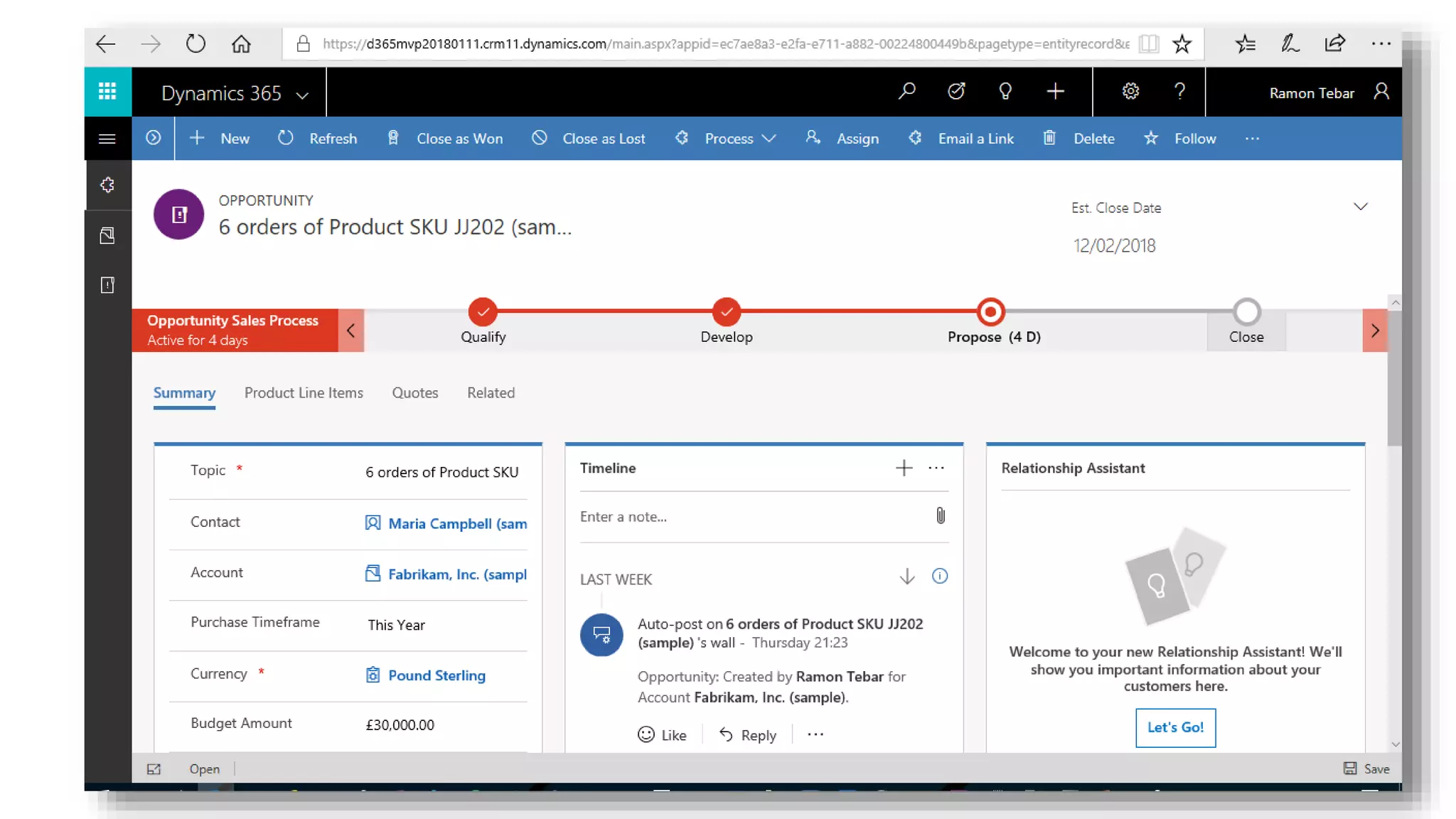
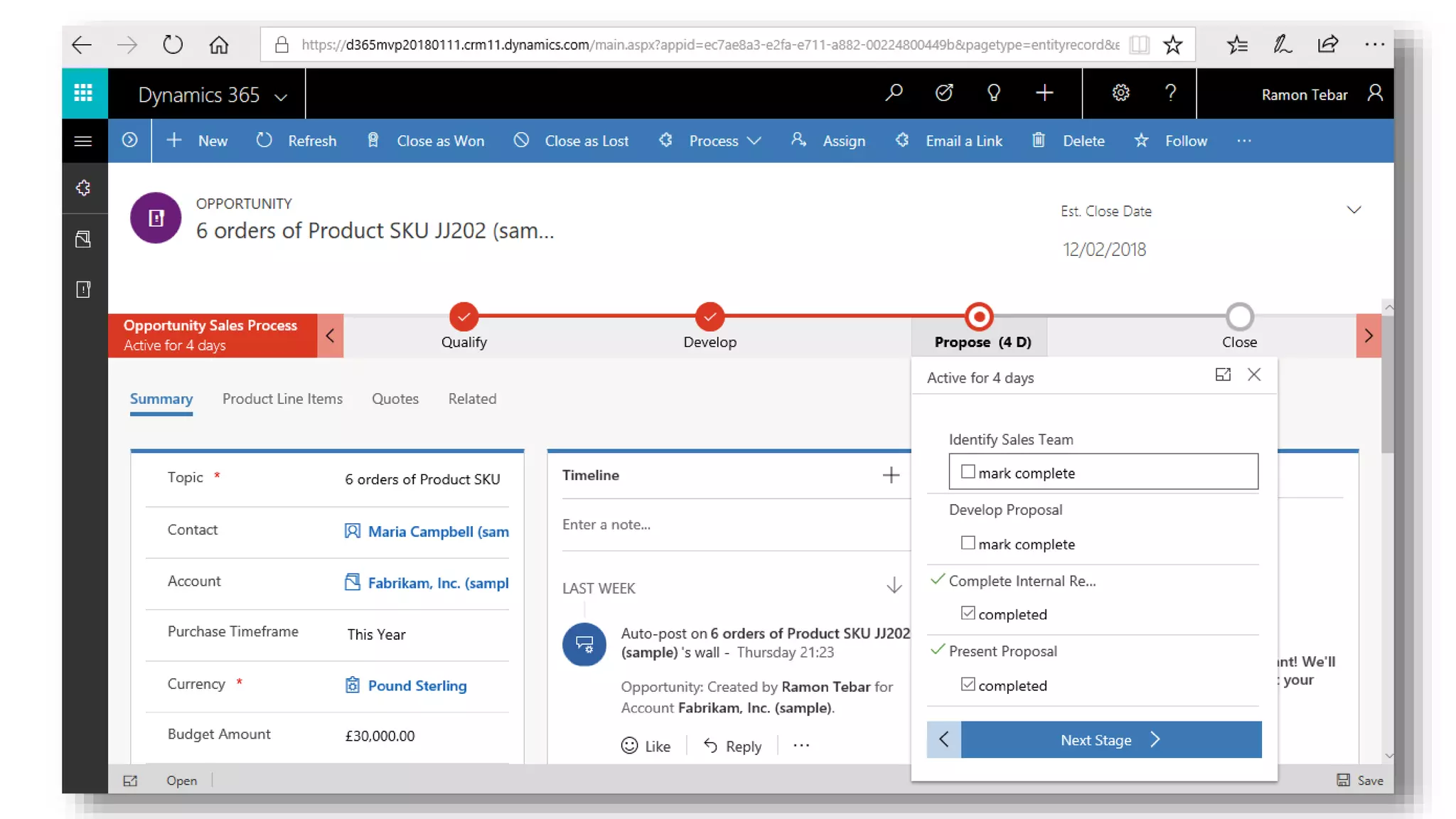
Unified Interface
Q&A
References
• https://blogs.msdn.microsoft.com/crm/2017/10/16/just-released-new-and-updated-content-for-the-july-2017-update-for-dynamics-365-online/
• https://docs.microsoft.com/en-us/dynamics365/get-started/whats-new/customer-engagement/new-in-version-9
• https://docs.microsoft.com/en-us/dynamics365/get-started/whats-new/customer-engagement/new-in-version-9-for-developers
• https://docs.microsoft.com/en-us/dynamics365/get-started/whats-new/customer-engagement/important-changes-coming
• https://docs.microsoft.com/en-us/dynamics365/get-started/whats-new/customer-engagement/online-only-features
• https://docs.microsoft.com/en-us/dynamics365/customer-engagement/developer/download-tools-nuget
• https://docs.microsoft.com/en-us/dynamics365/customer-engagement/developer/create-auto-number-attributes
• https://docs.microsoft.com/en-us/dynamics365/customer-engagement/developer/download-tools-nuget
• https://docs.microsoft.com/en-us/dynamics365/customer-engagement/developer/use-webhooks
• https://docs.microsoft.com/en-us/dynamics365/customer-engagement/developer/customize-dev/command-bar-ribbon-presentation
• https://docs.microsoft.com/en-us/dynamics365/customer-engagement/developer/clientapi/reference/xrm-device/captureimage
• https://blogs.msdn.microsoft.com/crm/2017/10/25/new-automation-and-visualization-features-for-business-process-flows-public-preview/
• https://community.dynamics.com/crm/b/workandstudybook/archive/2017/10/26/dynamics-365-v9-0-hidden-gems-2-configurations-for-a-better-ux
• https://community.dynamics.com/crm/b/workandstudybook/archive/2017/10/11/dynamics-365-v9-0-hidden-gems-1-autonumber
• https://community.dynamics.com/crm/b/briteglobalsolutions/archive/2017/09/28/dynamics-365-july-2017-update-general-availability
• https://community.dynamics.com/crm/b/exploringdynamics365/archive/2017/10/17/dynamics-365-v9-progress-indicator-api
• https://docs.microsoft.com/en-us/rest/api/admin.services.crm.dynamics.com/

Dynamics 365 Saturday - London 2018 - New Features and Deprecations with Dynamics 365 Customer Engagement Version 9

Editor's Notes

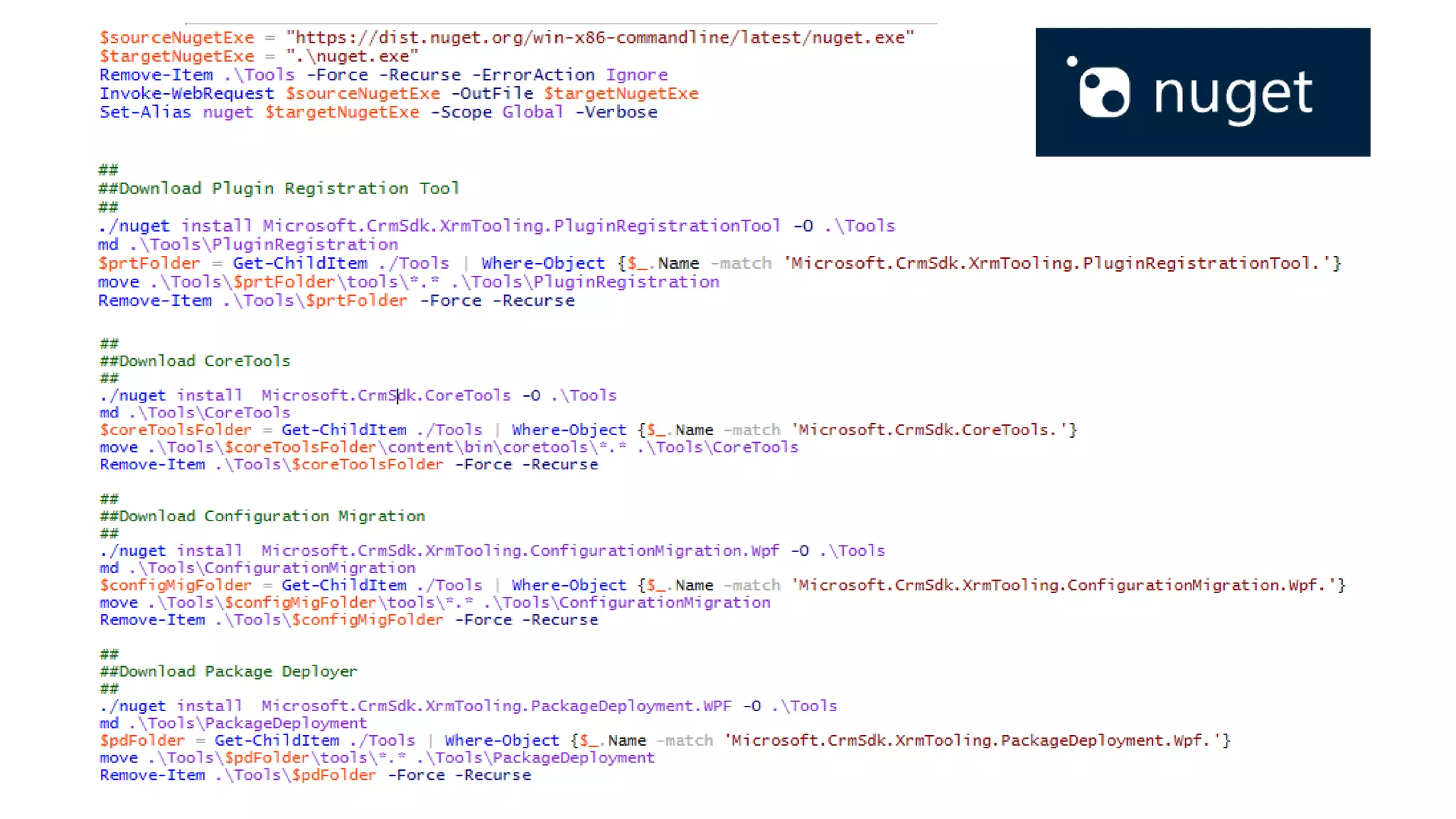
  • #14 $sourceNugetExe = "https://dist.nuget.org/win-x86-commandline/latest/nuget.exe" $targetNugetExe = ".\nuget.exe" Remove-Item .\Tools -Force -Recurse -ErrorAction Ignore Invoke-WebRequest $sourceNugetExe -OutFile $targetNugetExe Set-Alias nuget $targetNugetExe -Scope Global -Verbose ## ##Download Plugin Registration Tool ## ./nuget install Microsoft.CrmSdk.XrmTooling.PluginRegistrationTool -O .\Tools md .\Tools\PluginRegistration $prtFolder = Get-ChildItem ./Tools | Where-Object {$_.Name -match 'Microsoft.CrmSdk.XrmTooling.PluginRegistrationTool.'} move .\Tools\$prtFolder\tools\*.* .\Tools\PluginRegistration Remove-Item .\Tools\$prtFolder -Force -Recurse ## ##Download CoreTools ## ./nuget install Microsoft.CrmSdk.CoreTools -O .\Tools md .\Tools\CoreTools $coreToolsFolder = Get-ChildItem ./Tools | Where-Object {$_.Name -match 'Microsoft.CrmSdk.CoreTools.'} move .\Tools\$coreToolsFolder\content\bin\coretools\*.* .\Tools\CoreTools Remove-Item .\Tools\$coreToolsFolder -Force -Recurse ## ##Download Configuration Migration ## ./nuget install Microsoft.CrmSdk.XrmTooling.ConfigurationMigration.Wpf -O .\Tools md .\Tools\ConfigurationMigration $configMigFolder = Get-ChildItem ./Tools | Where-Object {$_.Name -match 'Microsoft.CrmSdk.XrmTooling.ConfigurationMigration.Wpf.'} move .\Tools\$configMigFolder\tools\*.* .\Tools\ConfigurationMigration Remove-Item .\Tools\$configMigFolder -Force -Recurse ## ##Download Package Deployer ## ./nuget install Microsoft.CrmSdk.XrmTooling.PackageDeployment.WPF -O .\Tools md .\Tools\PackageDeployment $pdFolder = Get-ChildItem ./Tools | Where-Object {$_.Name -match 'Microsoft.CrmSdk.XrmTooling.PackageDeployment.Wpf.'} move .\Tools\$pdFolder\tools\*.* .\Tools\PackageDeployment Remove-Item .\Tools\$pdFolder -Force -Recurse ## ##Remove NuGet.exe ## Remove-Item nuget.exe
  • #15 $sourceNugetExe = "https://dist.nuget.org/win-x86-commandline/latest/nuget.exe" $targetNugetExe = ".\nuget.exe" Remove-Item .\Tools -Force -Recurse -ErrorAction Ignore Invoke-WebRequest $sourceNugetExe -OutFile $targetNugetExe Set-Alias nuget $targetNugetExe -Scope Global -Verbose ## ##Download Plugin Registration Tool ## ./nuget install Microsoft.CrmSdk.XrmTooling.PluginRegistrationTool -O .\Tools md .\Tools\PluginRegistration $prtFolder = Get-ChildItem ./Tools | Where-Object {$_.Name -match 'Microsoft.CrmSdk.XrmTooling.PluginRegistrationTool.'} move .\Tools\$prtFolder\tools\*.* .\Tools\PluginRegistration Remove-Item .\Tools\$prtFolder -Force -Recurse ## ##Download CoreTools ## ./nuget install Microsoft.CrmSdk.CoreTools -O .\Tools md .\Tools\CoreTools $coreToolsFolder = Get-ChildItem ./Tools | Where-Object {$_.Name -match 'Microsoft.CrmSdk.CoreTools.'} move .\Tools\$coreToolsFolder\content\bin\coretools\*.* .\Tools\CoreTools Remove-Item .\Tools\$coreToolsFolder -Force -Recurse ## ##Download Configuration Migration ## ./nuget install Microsoft.CrmSdk.XrmTooling.ConfigurationMigration.Wpf -O .\Tools md .\Tools\ConfigurationMigration $configMigFolder = Get-ChildItem ./Tools | Where-Object {$_.Name -match 'Microsoft.CrmSdk.XrmTooling.ConfigurationMigration.Wpf.'} move .\Tools\$configMigFolder\tools\*.* .\Tools\ConfigurationMigration Remove-Item .\Tools\$configMigFolder -Force -Recurse ## ##Download Package Deployer ## ./nuget install Microsoft.CrmSdk.XrmTooling.PackageDeployment.WPF -O .\Tools md .\Tools\PackageDeployment $pdFolder = Get-ChildItem ./Tools | Where-Object {$_.Name -match 'Microsoft.CrmSdk.XrmTooling.PackageDeployment.Wpf.'} move .\Tools\$pdFolder\tools\*.* .\Tools\PackageDeployment Remove-Item .\Tools\$pdFolder -Force -Recurse ## ##Remove NuGet.exe ## Remove-Item nuget.exe
  • #31 30
  • #40 Limitations This feature is available for public preview and has the following limitations: In the public preview release, the Action Steps and Business Process Flow dashboards, grids and charts features are available only for Dynamics 365 (online) and have limited support, as outlined in the license terms that can be found on the Preview tab in the System Settings dialog box. Any user customization that utilizes Action Steps is not supported when importing or exporting solutions. Dynamics 365 Actions and Workflows must be configured to work on-demand to be available for Action Steps. Dynamics 365 Actions are not available as Action Steps if the input or output parameters are of type Entity, EntityCollection, or OptionSet (Picklist). Actions with more than one EntityReference output parameters or any number of EntityReference input parameters are not available as Action Steps. Actions not associated with a primary entity (global Action) are not available as Action Steps.