Dueling Duplications
Physical vs. Virtual Data Cloning

Steve Karam – oraclealchemist.com
Kyle Hailey – kylehailey.com
1
Your Presenters
• Kyle Hailey
– Oracle Ace, Oaktable Member
– A principle designer of Oracle EM performance pages
– Twitter: @kylehhailey
– Blog: kylehailey.com

• Steve Karam
– Joined Delphix in December
– Oracle Certified Master, ACE, and other acronyms
– Just a little social
• Blog: http://www.oraclealchemist.com/
• Twitter: @OracleAlchemist
• Facebook: OracleAlchemist
Introduction
In this corner…we have RMAN!
•
•
•
•
•
•

Undisputed(ish) Oracle Database Heavyweight Backup Champion
Raised on the mean streets of Oracle 8
Became really useful in Oracle 9i
Became really really useful in Oracle 10g
Just keeps getting better and better
Used as a tool for:
–
–
–
–

Backup and Recovery
Cloning Oracle Databases
Cross Platform Migrations
Taking up lots of disk space
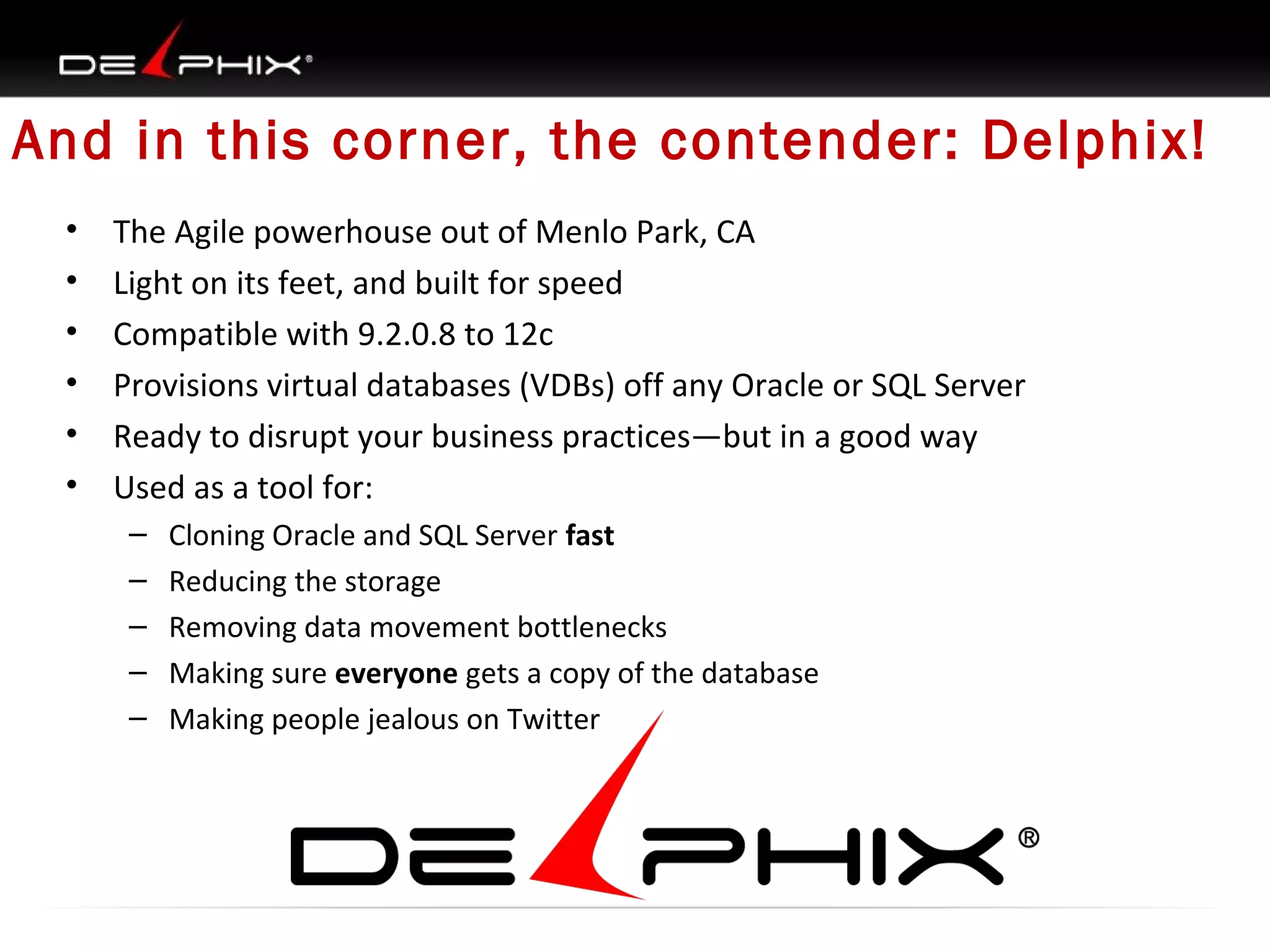
And in this corner, the contender: Delphix!
•
•
•
•
•
•

The Agile powerhouse out of Menlo Park, CA
Light on its feet, and built for speed
Compatible with 9.2.0.8 to 12c
Provisions virtual databases (VDBs) off any Oracle or SQL Server
Ready to disrupt your business practices—but in a good way
Used as a tool for:
–
–
–
–
–

Cloning Oracle and SQL Server fast
Reducing the storage
Removing data movement bottlenecks
Making sure everyone gets a copy of the database
Making people jealous on Twitter
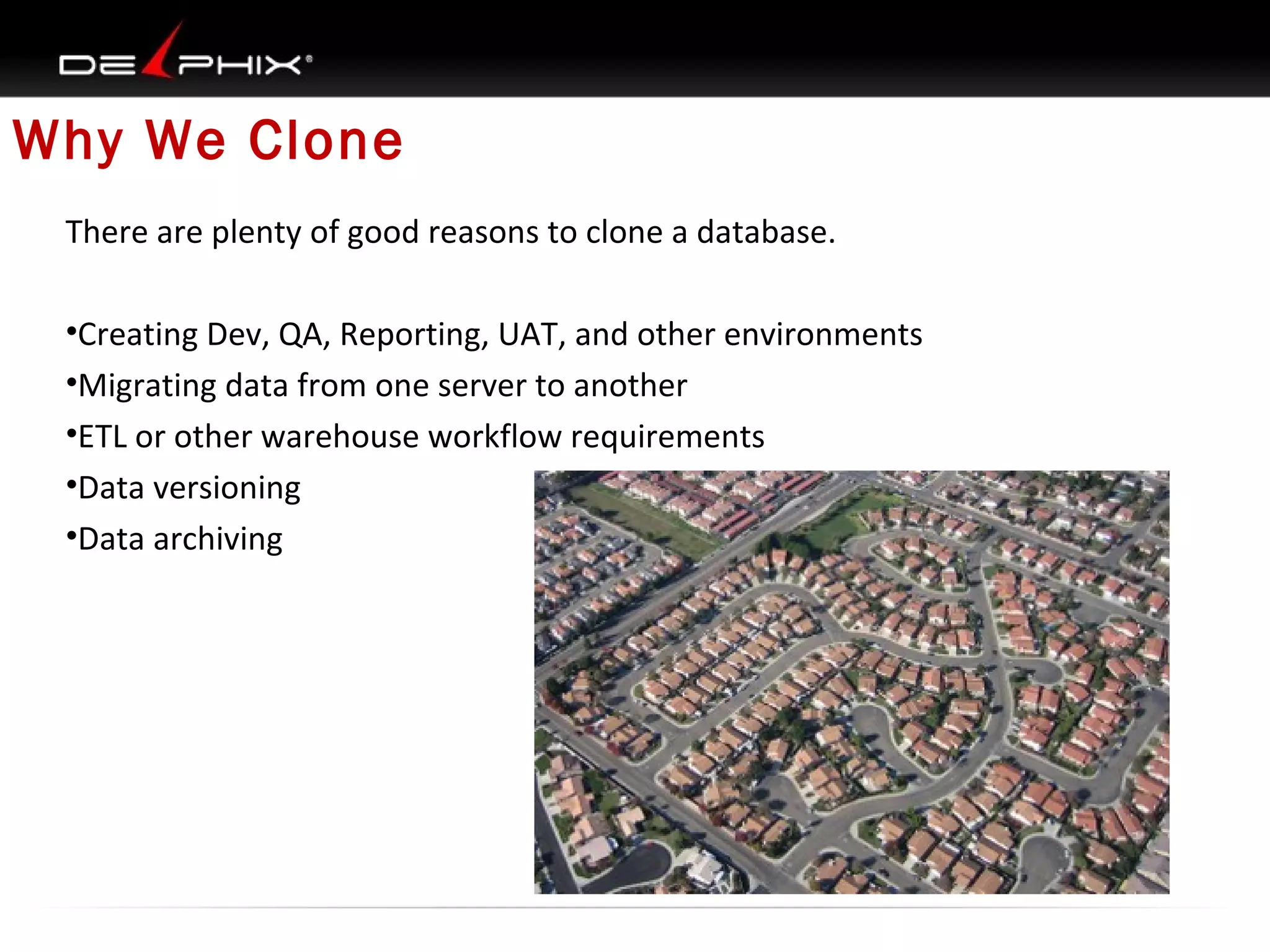
Why We Clone
There are plenty of good reasons to clone a database.
•Creating Dev, QA, Reporting, UAT, and other environments
•Migrating data from one server to another
•ETL or other warehouse workflow requirements
•Data versioning
•Data archiving
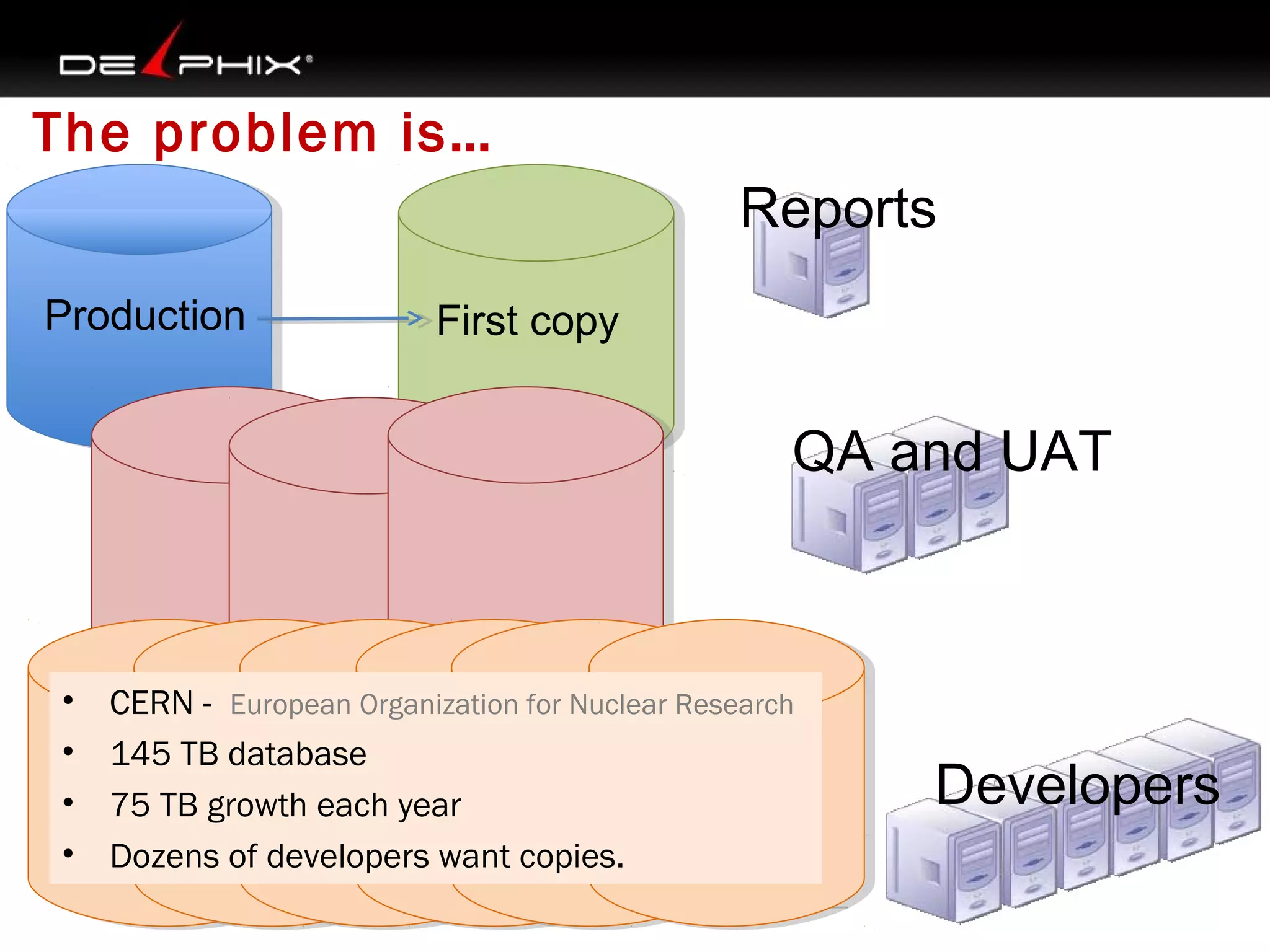
The problem is…
Reports
Production

First copy

QA and UAT

•
•
•
•

CERN -  European Organization for Nuclear Research
145 TB database
75 TB growth each year
Dozens of developers want copies.

Developers
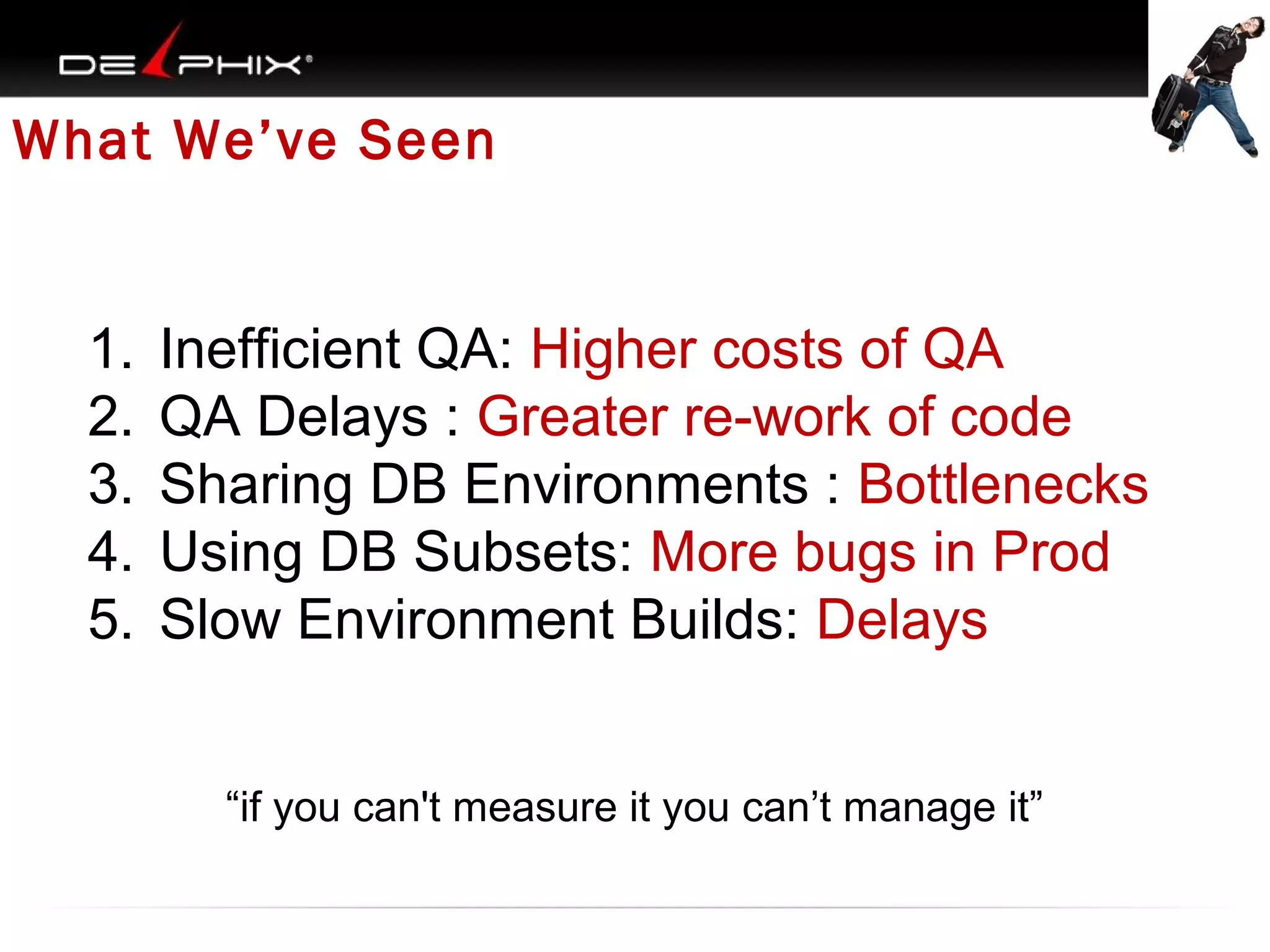
What We’ve Seen

1.
2.
3.
4.
5.

Inefficient QA: Higher costs of QA
QA Delays : Greater re-work of code
Sharing DB Environments : Bottlenecks
Using DB Subsets: More bugs in Prod
Slow Environment Builds: Delays
“if you can't measure it you can’t manage it”
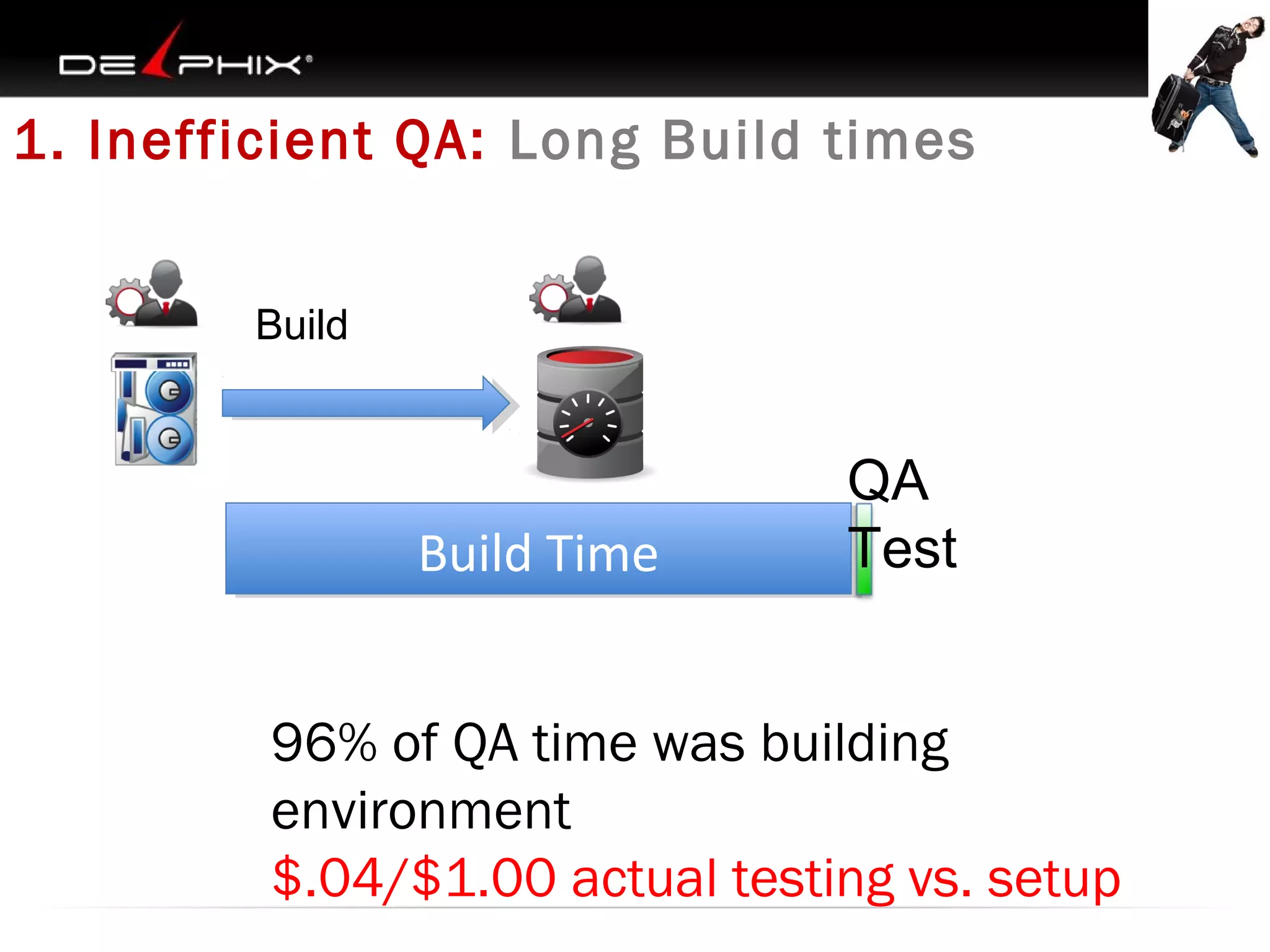
1. Inefficient QA: Long Build times
Build

Build Time
Build Time

QA
Test

96% of QA time was building
environment
$.04/$1.00 actual testing vs. setup
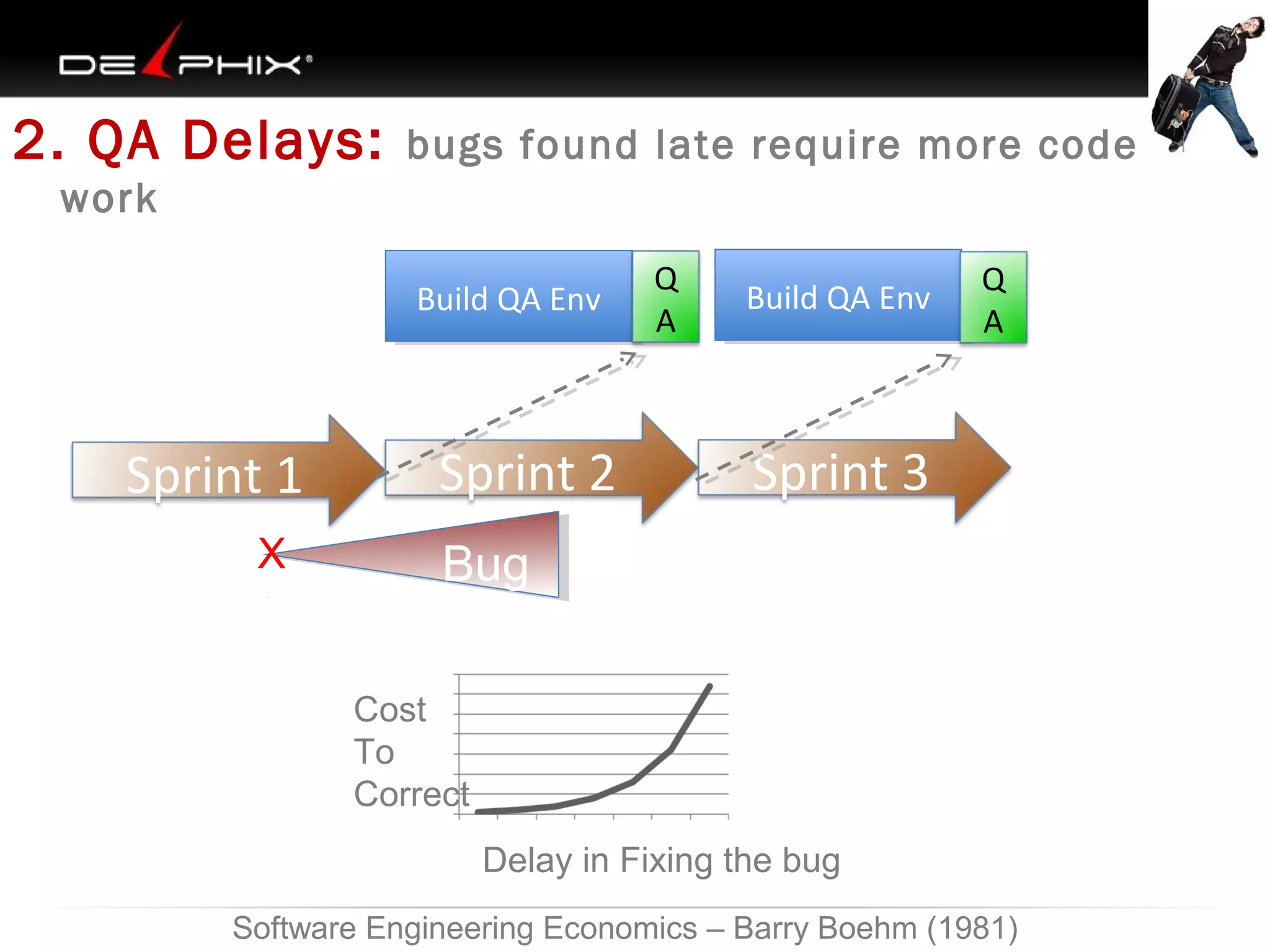
2. QA Delays:

bugs found late require more code re-

work
Build QA Env
Build QA Env

Sprint 1
X

Sprint 2

Q
A

Build QA Env
Build QA Env

Q
A

Sprint 3

Bug
Code
Cost
To
Correct
Delay in Fixing the bug

Software Engineering Economics – Barry Boehm (1981)
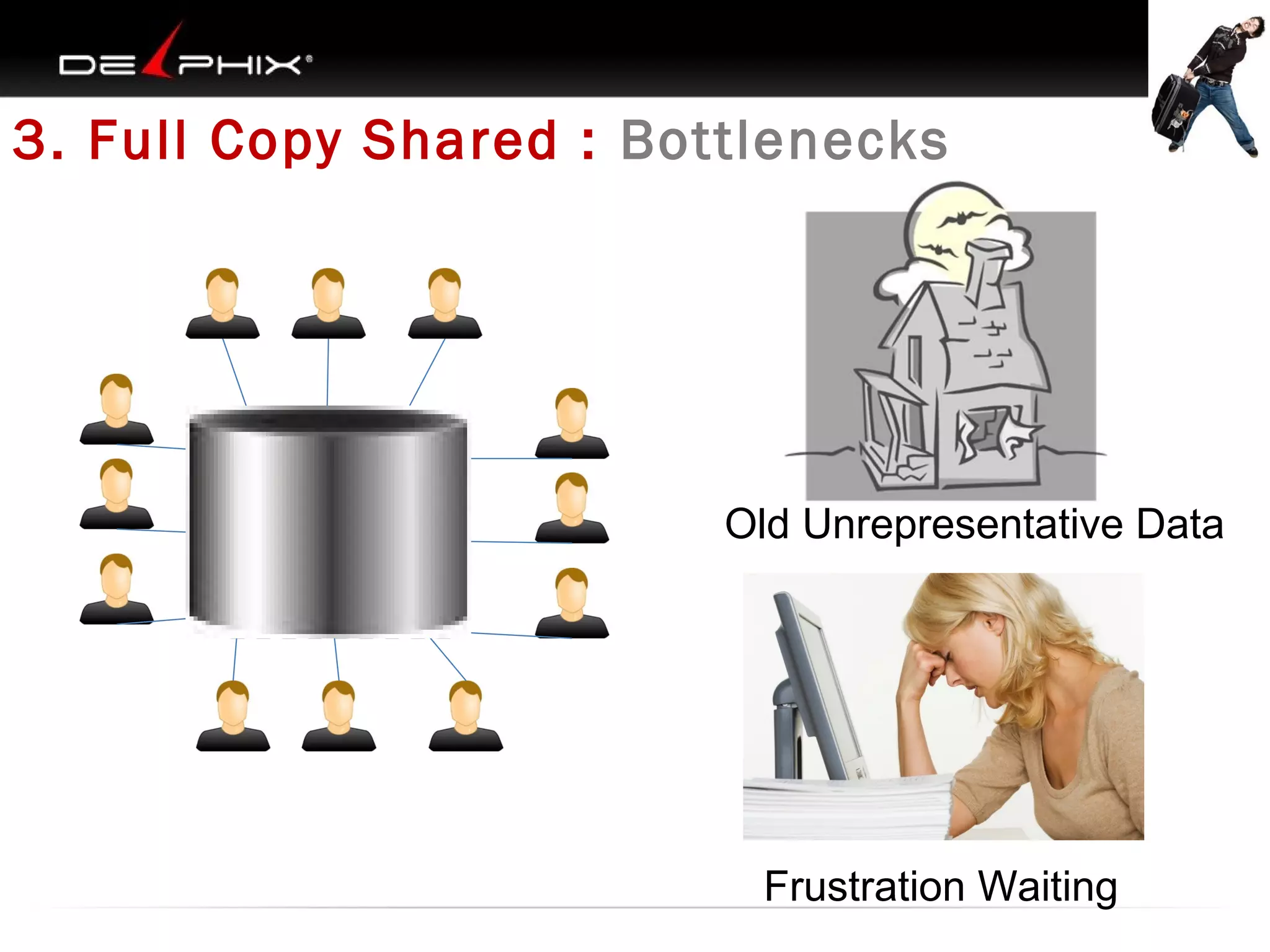
3. Full Copy Shared : Bottlenecks

Old Unrepresentative Data

Frustration Waiting
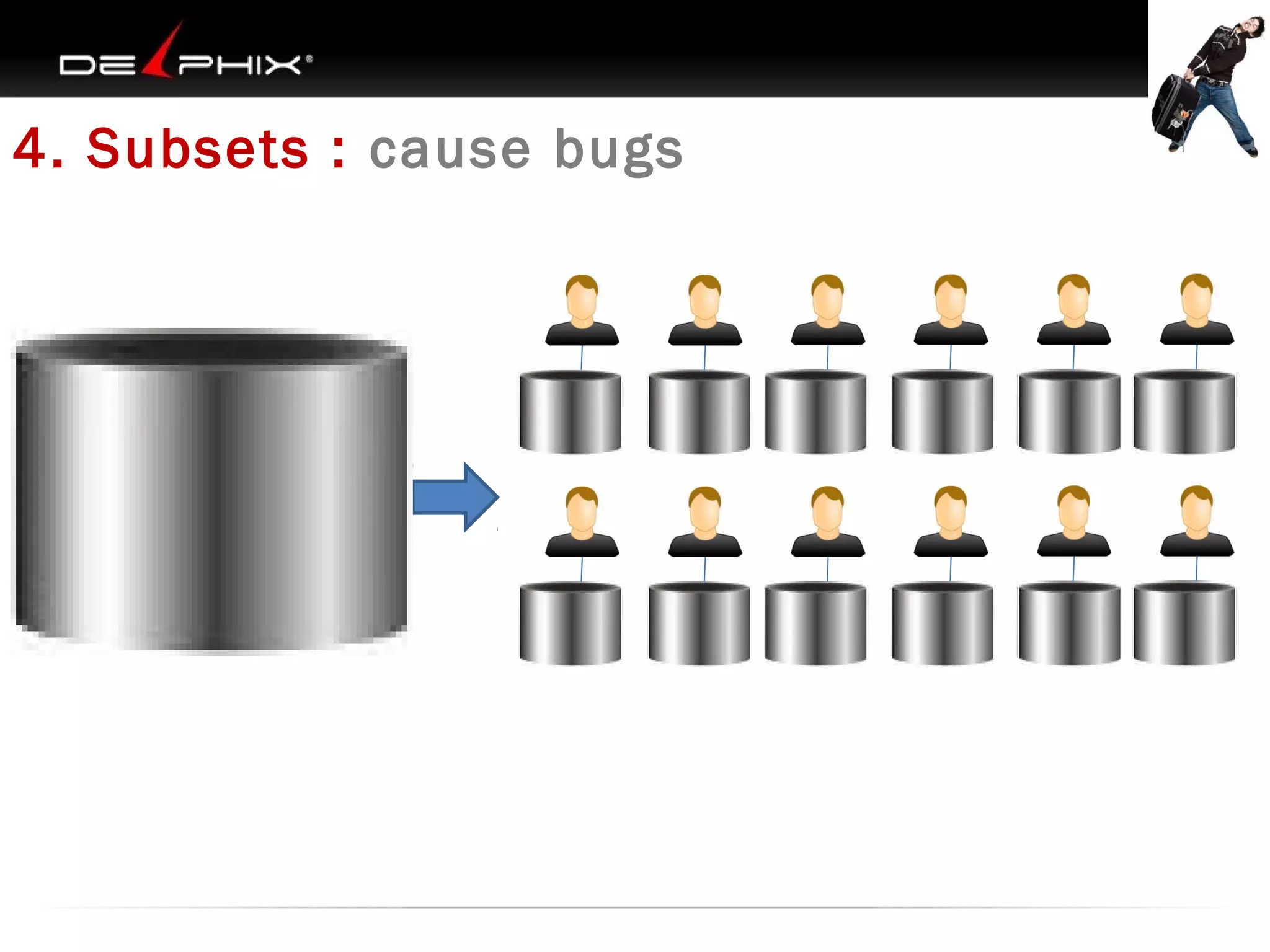
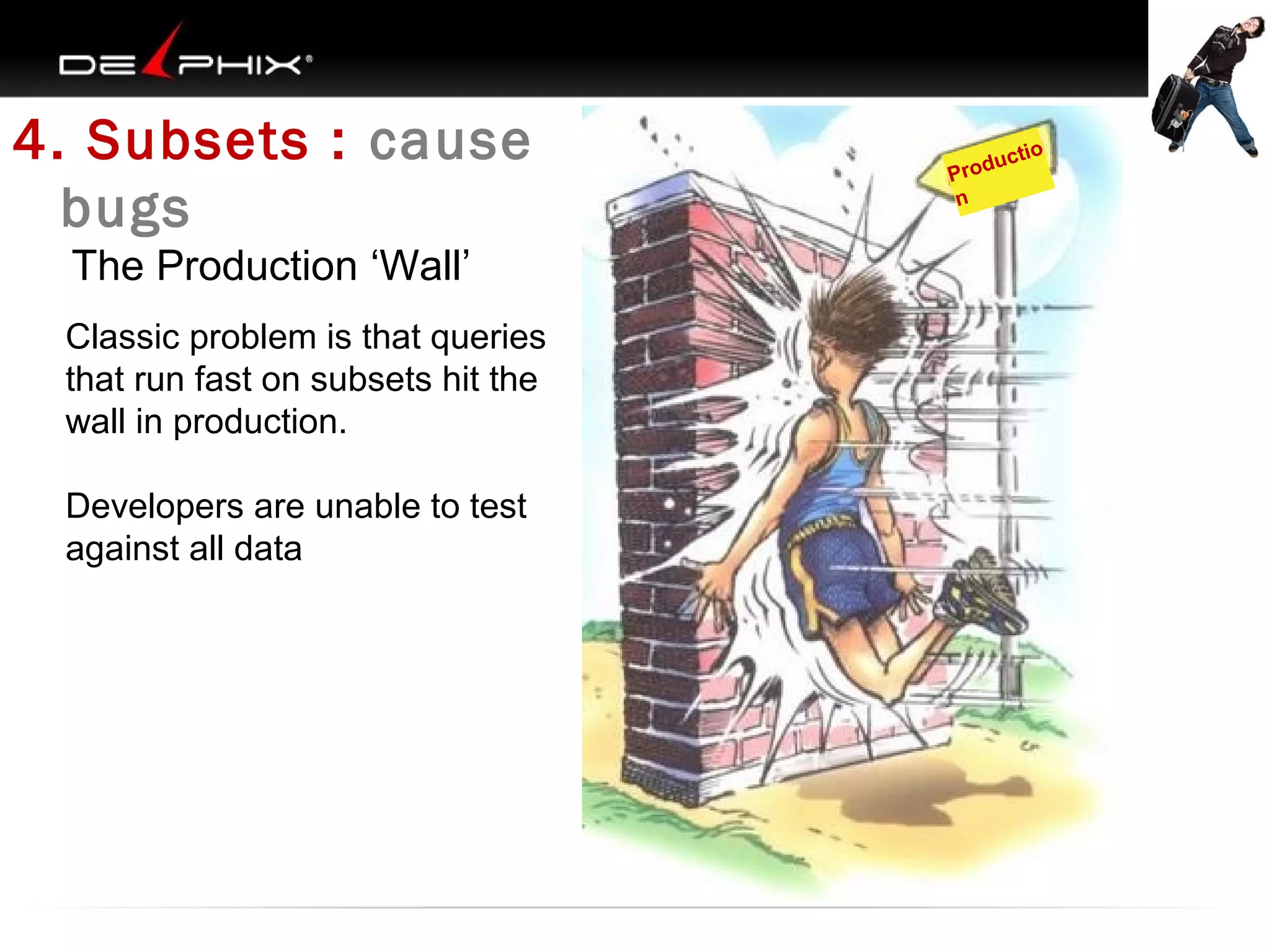
4. Subsets : cause bugs
4. Subsets : cause
bugs
The Production ‘Wall’
Classic problem is that queries
that run fast on subsets hit the
wall in production.
Developers are unable to test
against all data

ucti
Prod
n

o
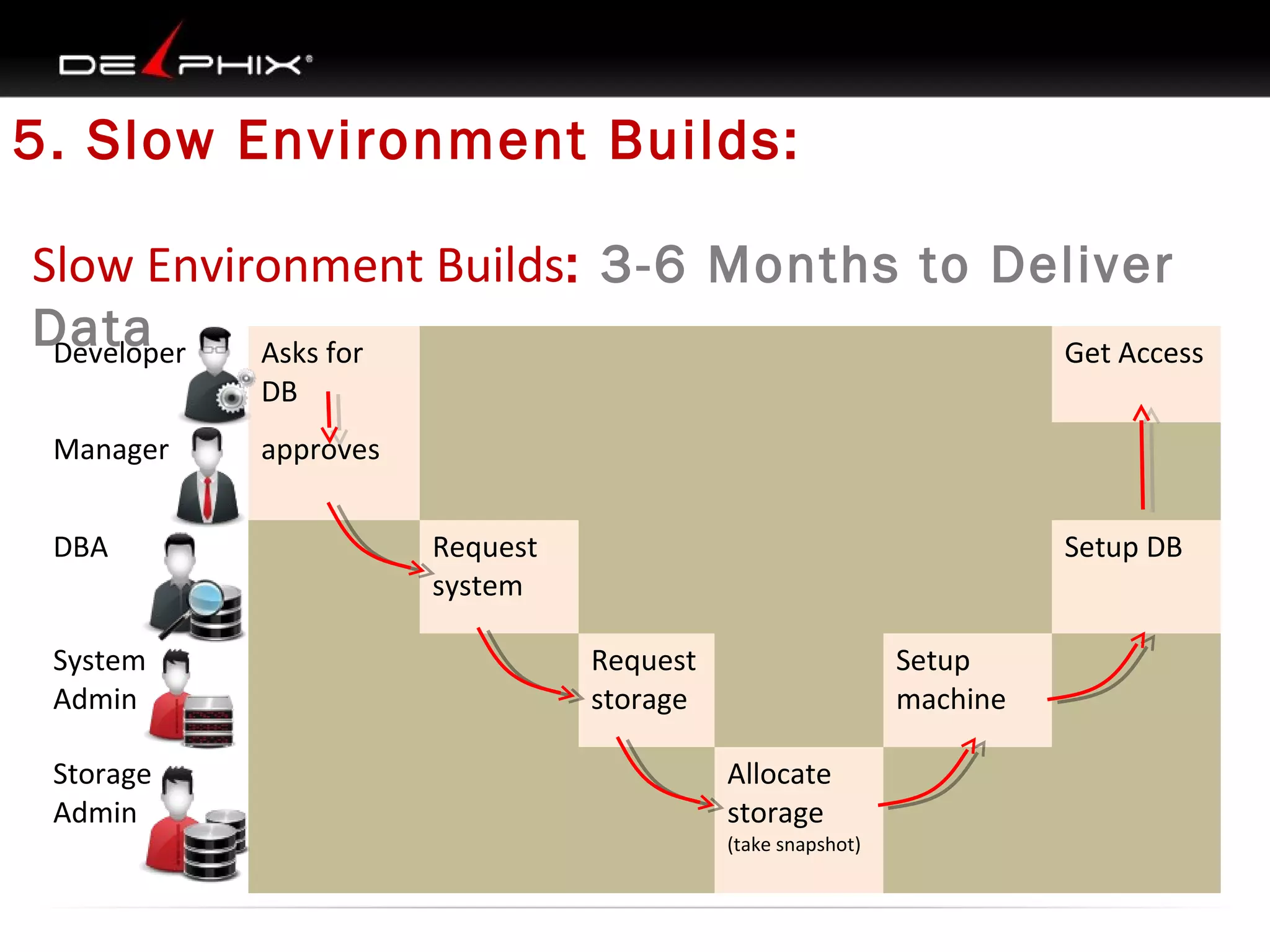
5. Slow Environment Builds:
Slow Environment Builds: 3-6 Months to Deliver
Data
Developer
Asks for
Get Access
DB
Manager
DBA
System
Admin
Storage
Admin

approves
Request
system

Setup DB
Request
storage

Setup
machine
Allocate
storage

(take snapshot)
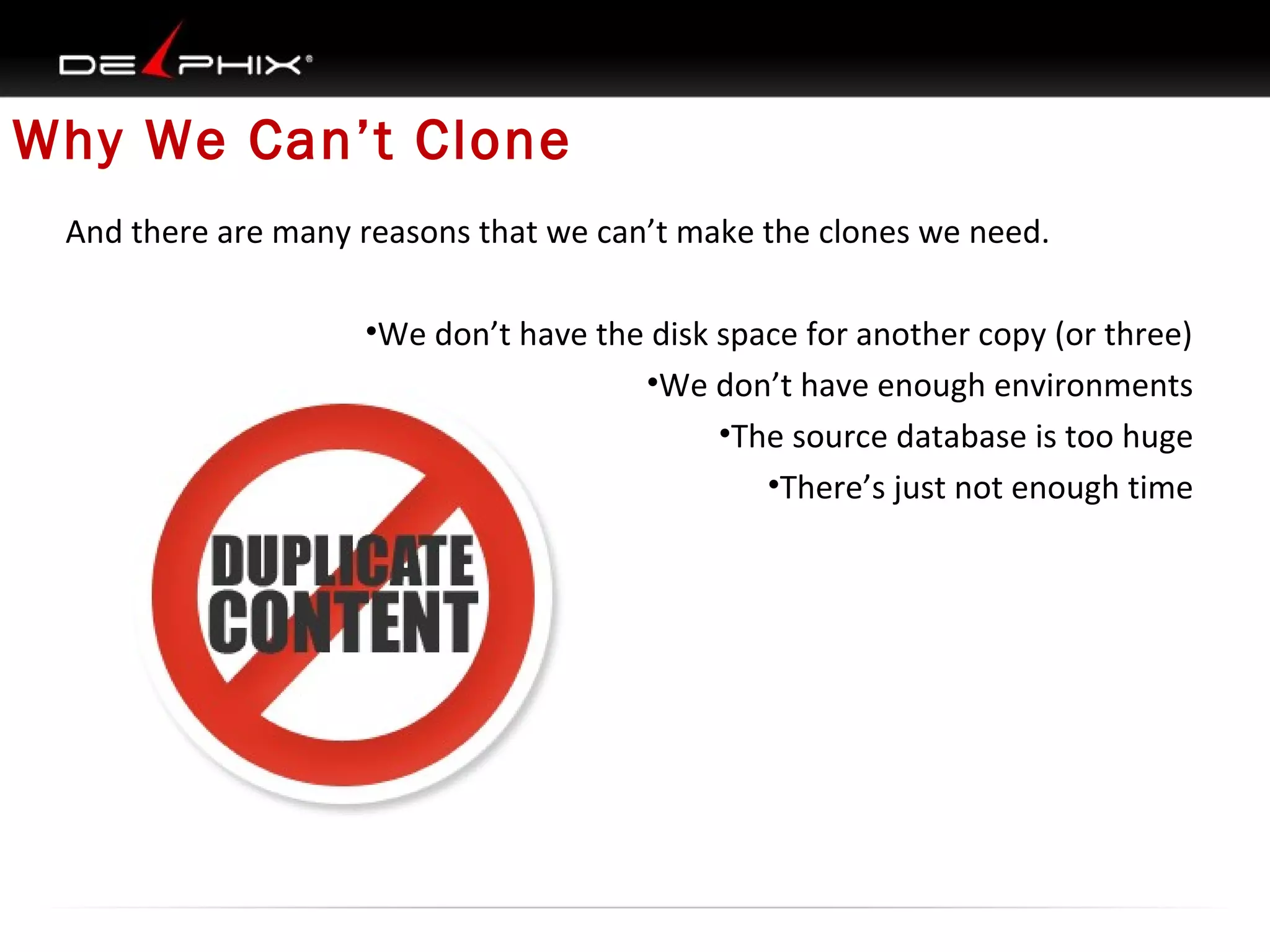
Why We Can’t Clone
And there are many reasons that we can’t make the clones we need.
•We don’t have the disk space for another copy (or three)
•We don’t have enough environments
•The source database is too huge
•There’s just not enough time
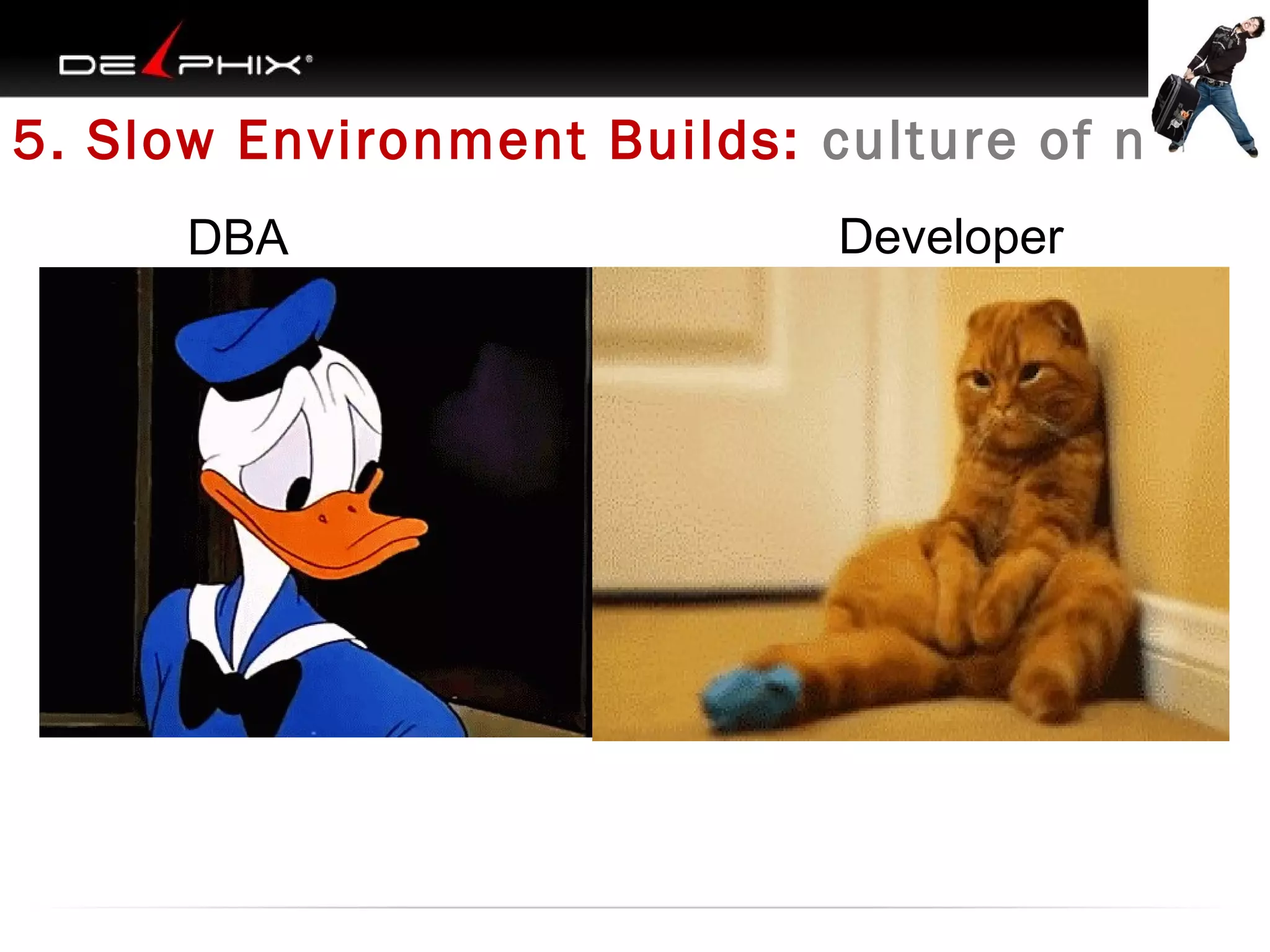
5. Slow Environment Builds: culture of no
DBA

Developer
Never enough environments
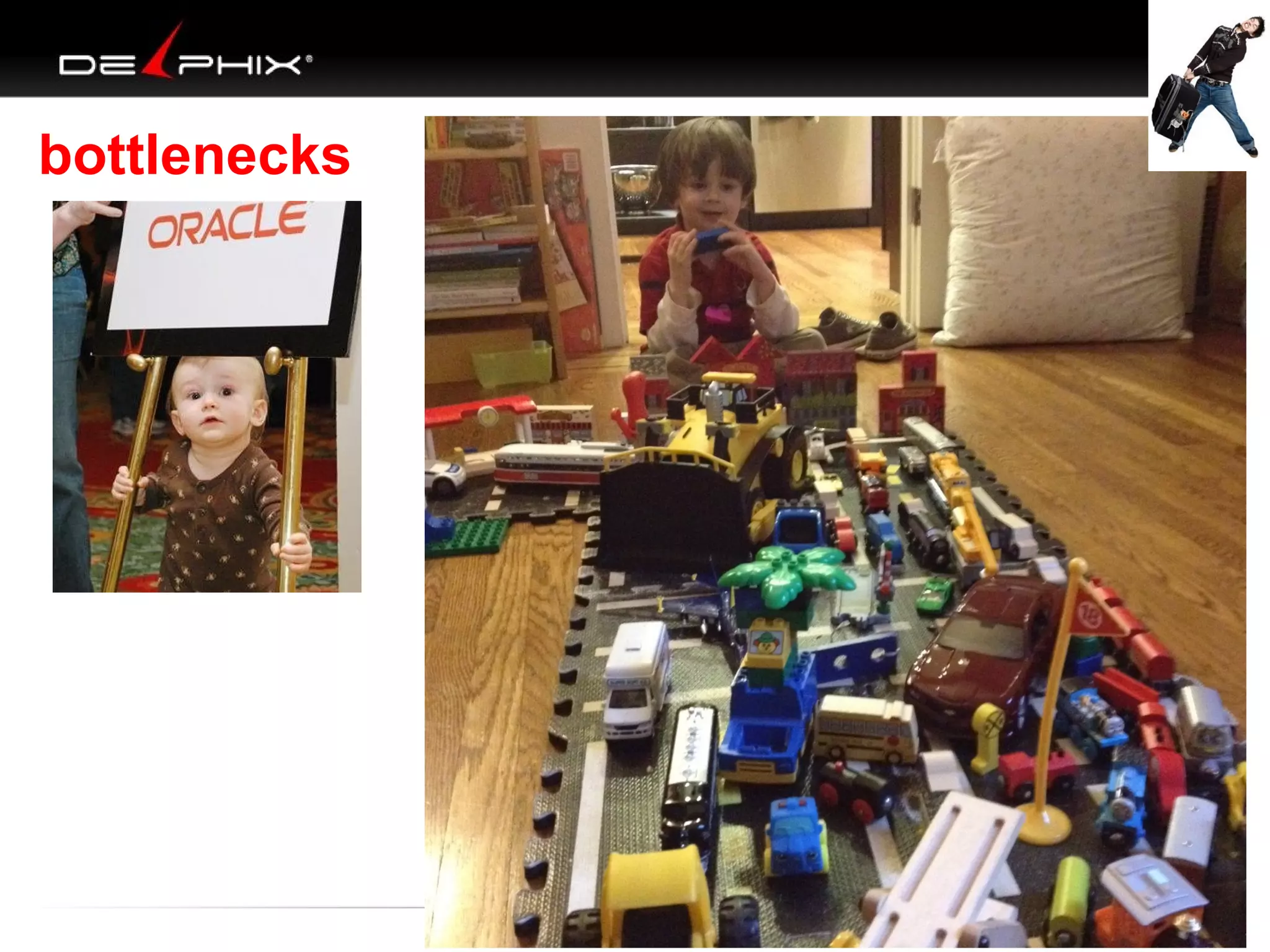
bottlenecks
What We’ve Seen

1. Inefficient QA: Higher costs
2. QA Delays : Increased re-work
3. Sharing DB : Bottlenecks
4. Subset DB : Bugs
5. Slow Environment Builds: Delays
The problem is…
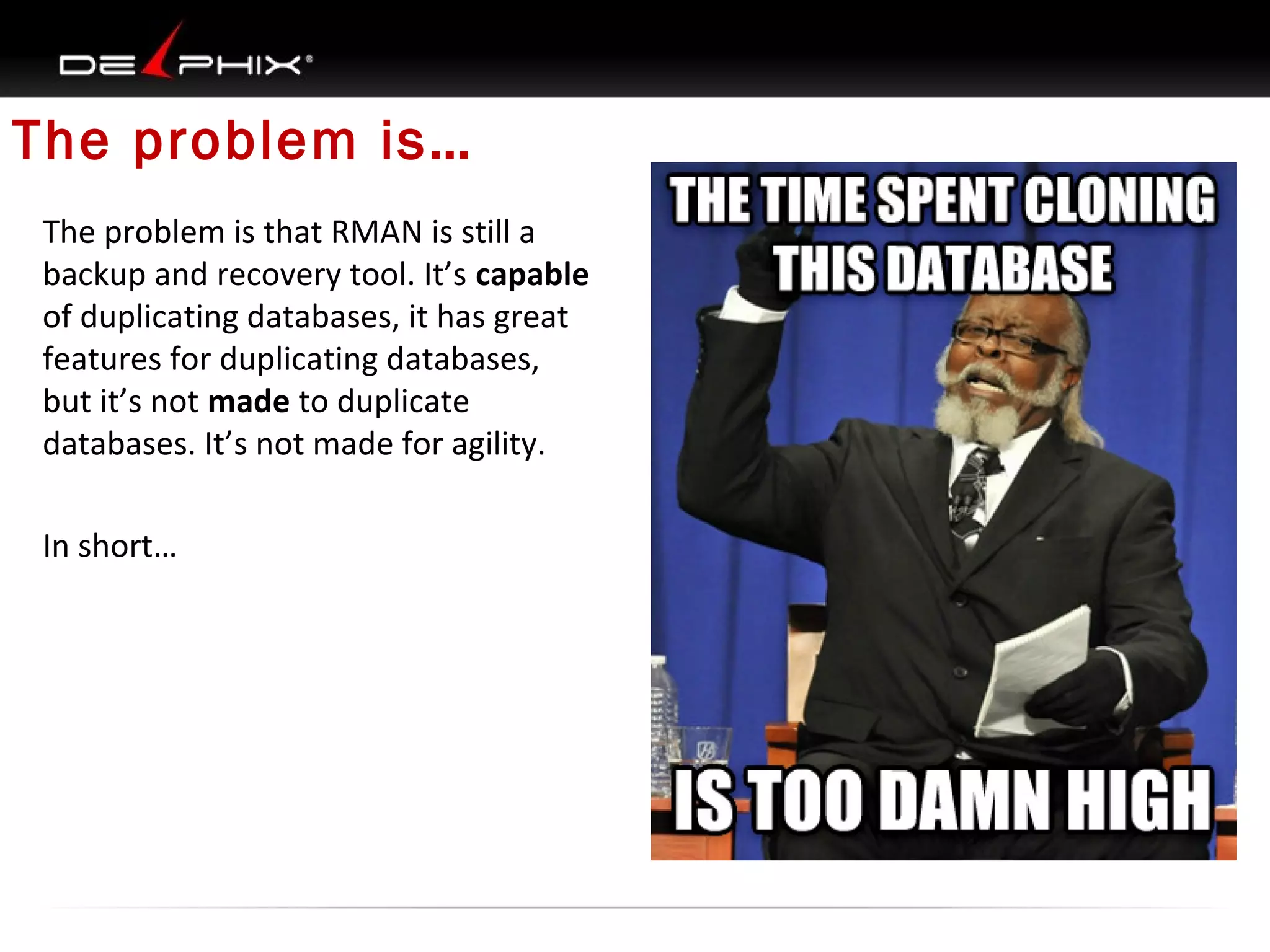
The problem is that RMAN is still a
backup and recovery tool. It’s capable
of duplicating databases, it has great
features for duplicating databases,
but it’s not made to duplicate
databases. It’s not made for agility.
In short…
Round 1 RMAN
RMAN is…
The official description: Oracle Recovery Manager (RMAN) provides a
comprehensive foundation for efficiently backing up and recovering the
Oracle database.
So how does it do that?
•Backups to disk or tape (or 3rd party media management layers)
•Integrated catalog , retention policies and cleanup
•Backup-time corruption detection
•Full and incremental backup capabilities
•Backup set and Copy backup types
Backup and Recovery in RMAN
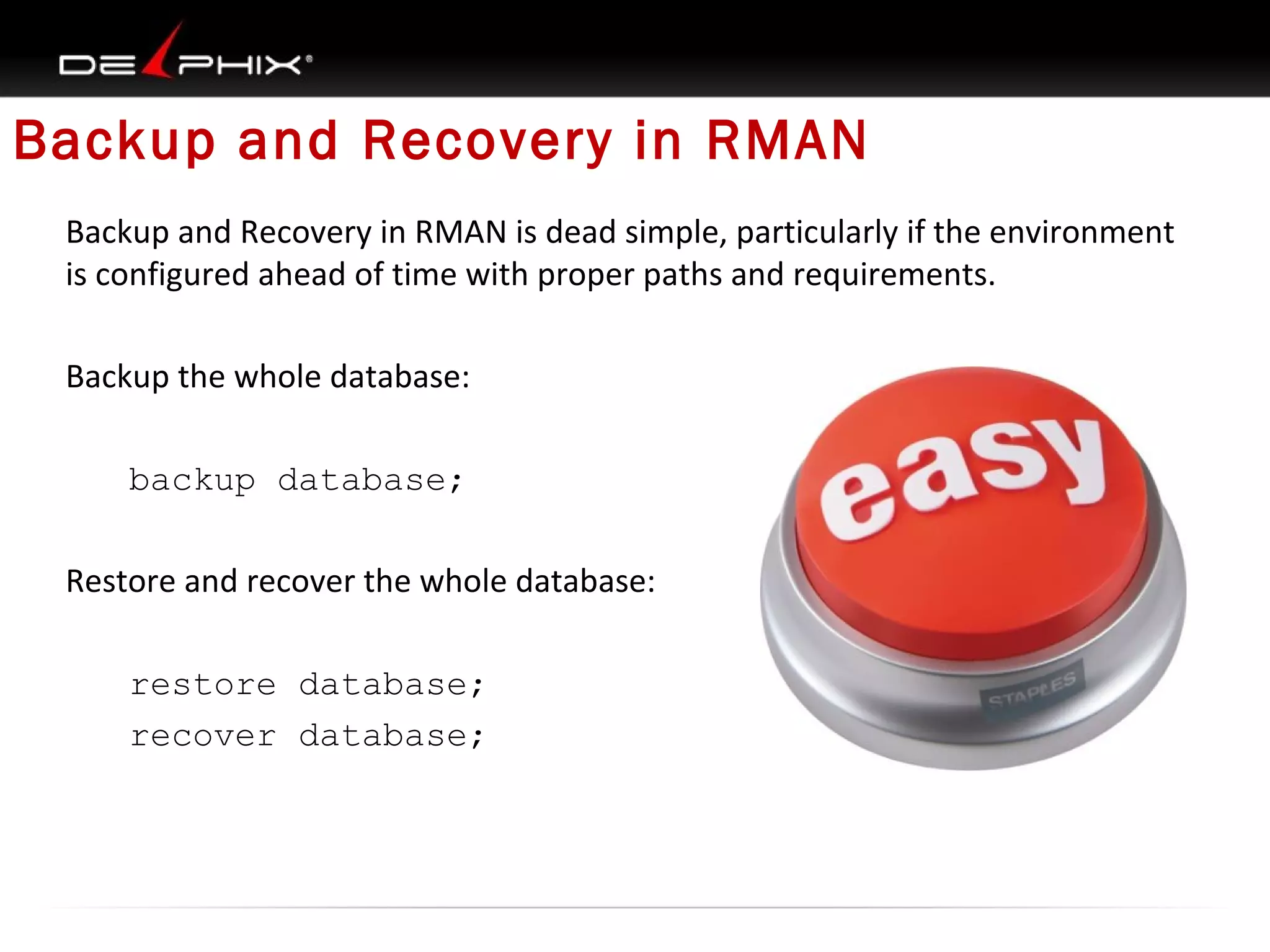
Backup and Recovery in RMAN is dead simple, particularly if the environment
is configured ahead of time with proper paths and requirements.
Backup the whole database:
backup database;
Restore and recover the whole database:
restore database;
recover database;
So what does a backup look like?
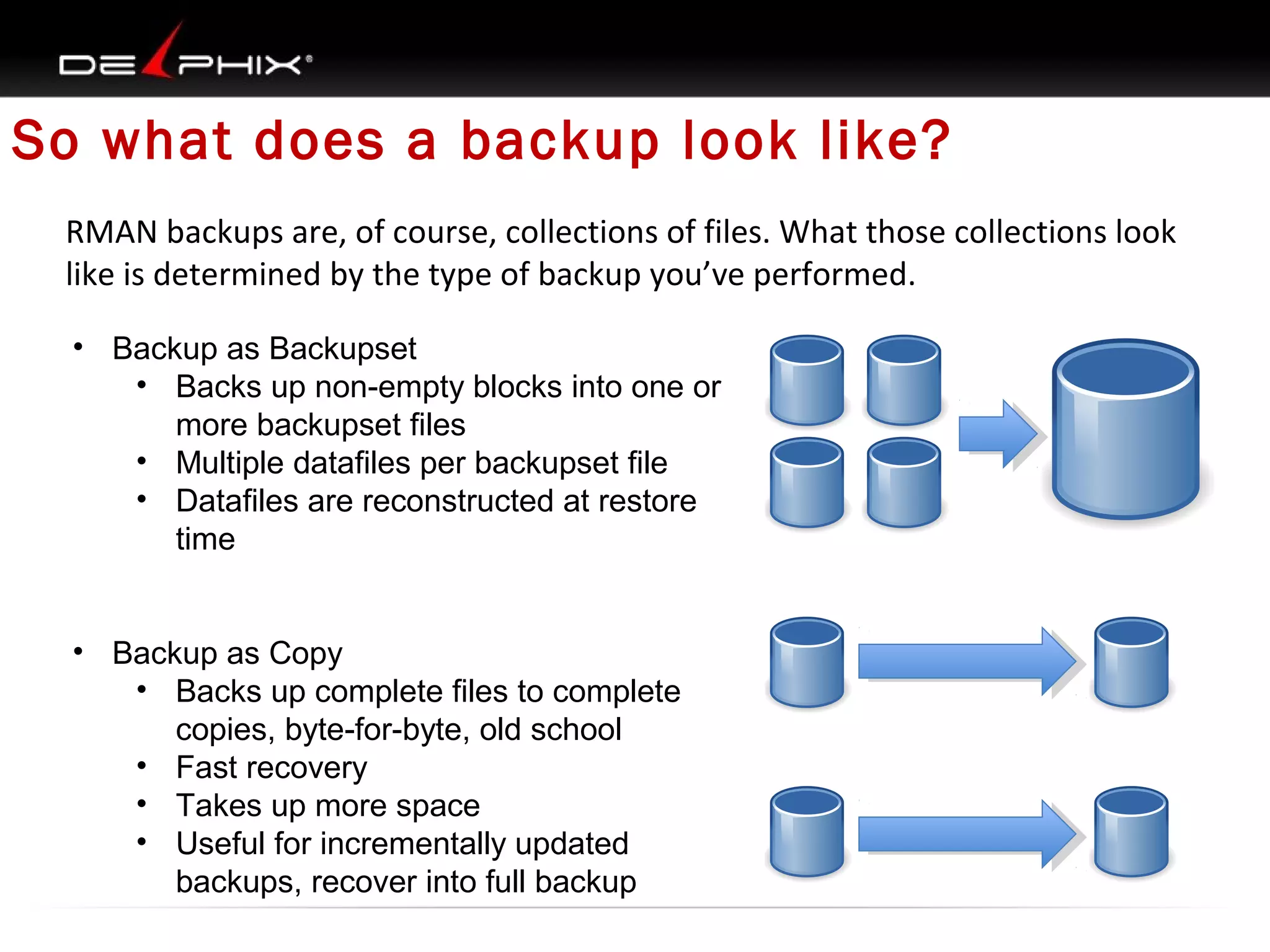
RMAN backups are, of course, collections of files. What those collections look
like is determined by the type of backup you’ve performed.
• Backup as Backupset
• Backs up non-empty blocks into one or
more backupset files
• Multiple datafiles per backupset file
• Datafiles are reconstructed at restore
time
• Backup as Copy
• Backs up complete files to complete
copies, byte-for-byte, old school
• Fast recovery
• Takes up more space
• Useful for incrementally updated
backups, recover into full backup
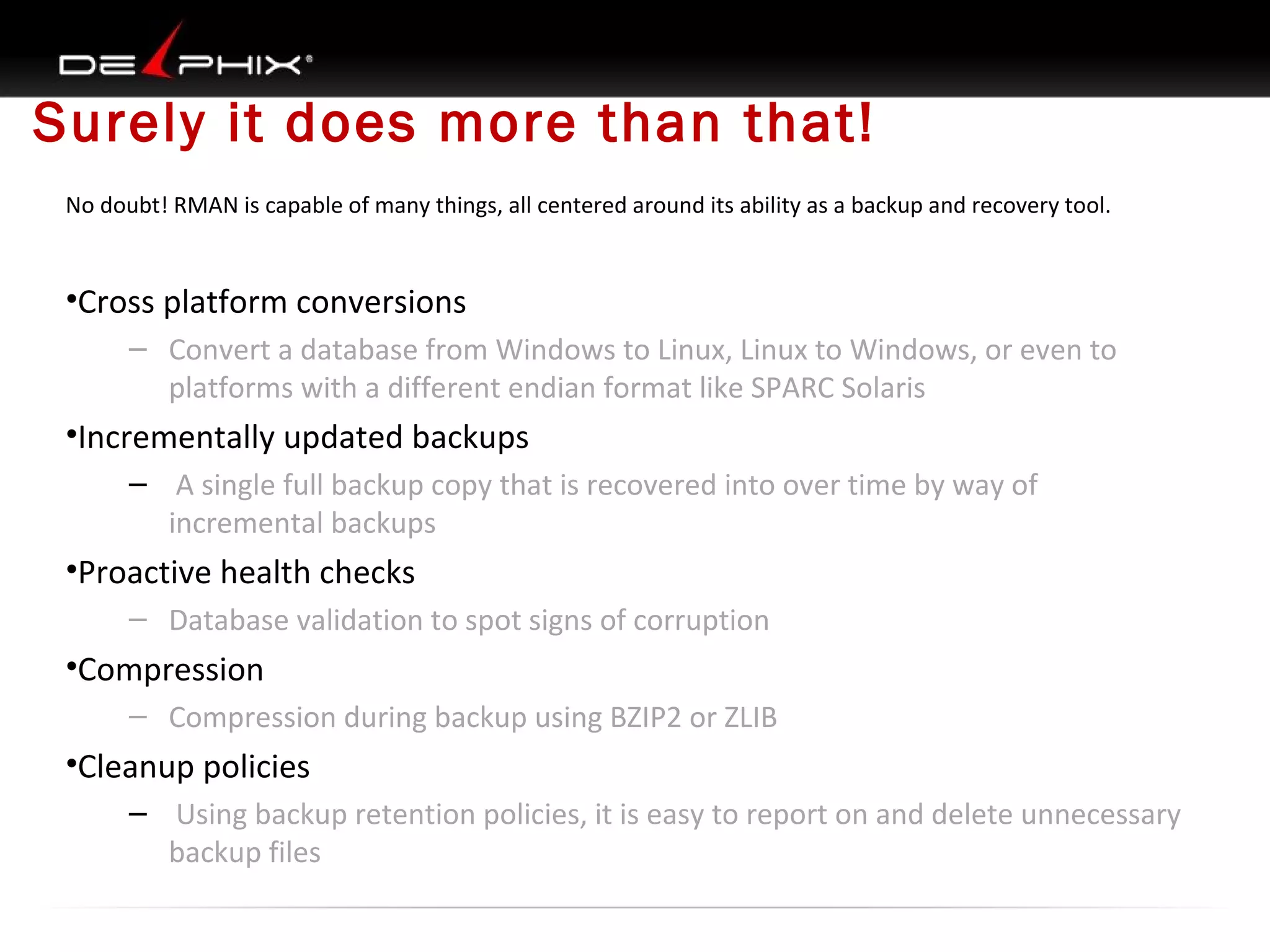
Surely it does more than that!
No doubt! RMAN is capable of many things, all centered around its ability as a backup and recovery tool.

•Cross platform conversions
– Convert a database from Windows to Linux, Linux to Windows, or even to
platforms with a different endian format like SPARC Solaris

•Incrementally updated backups
– A single full backup copy that is recovered into over time by way of
incremental backups

•Proactive health checks
– Database validation to spot signs of corruption

•Compression
– Compression during backup using BZIP2 or ZLIB

•Cleanup policies
– Using backup retention policies, it is easy to report on and delete unnecessary
backup files
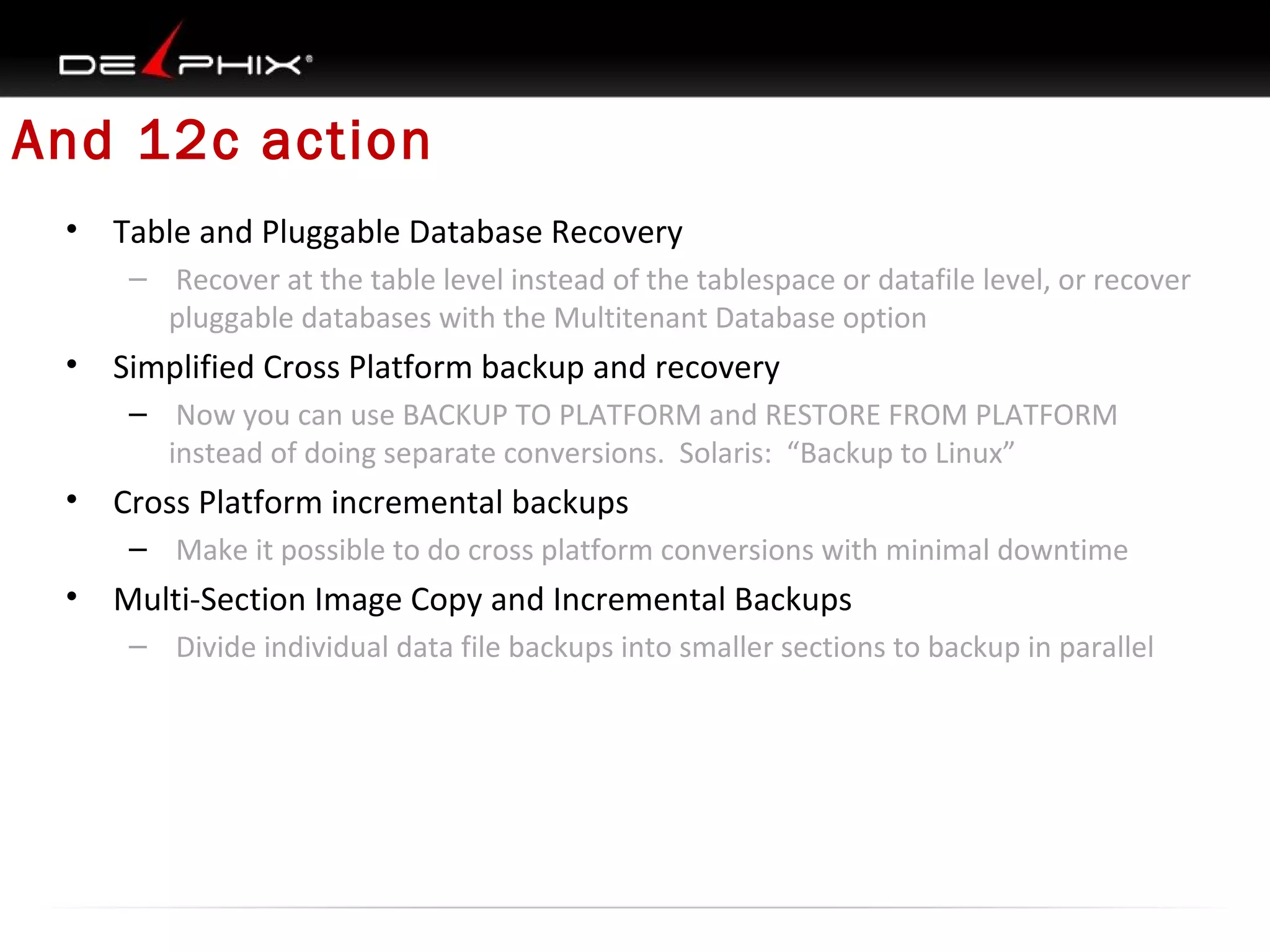
And 12c action
•

Table and Pluggable Database Recovery
– Recover at the table level instead of the tablespace or datafile level, or recover
pluggable databases with the Multitenant Database option

•

Simplified Cross Platform backup and recovery
– Now you can use BACKUP TO PLATFORM and RESTORE FROM PLATFORM
instead of doing separate conversions. Solaris: “Backup to Linux”

•

Cross Platform incremental backups
– Make it possible to do cross platform conversions with minimal downtime

•

Multi-Section Image Copy and Incremental Backups
– Divide individual data file backups into smaller sections to backup in parallel
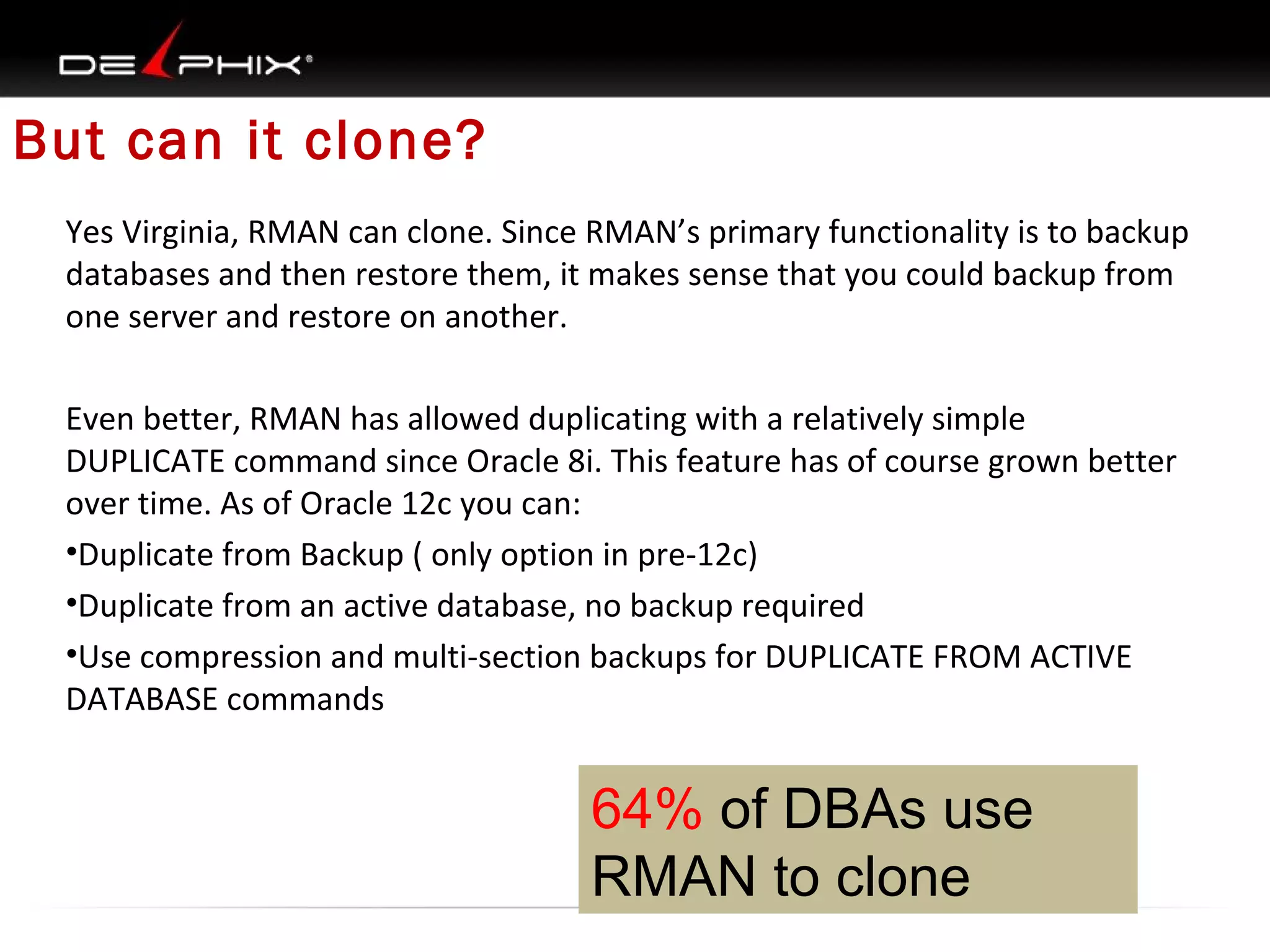
But can it clone?
Yes Virginia, RMAN can clone. Since RMAN’s primary functionality is to backup
databases and then restore them, it makes sense that you could backup from
one server and restore on another.
Even better, RMAN has allowed duplicating with a relatively simple
DUPLICATE command since Oracle 8i. This feature has of course grown better
over time. As of Oracle 12c you can:
•Duplicate from Backup ( only option in pre-12c)
•Duplicate from an active database, no backup required
•Use compression and multi-section backups for DUPLICATE FROM ACTIVE
DATABASE commands

64% of DBAs use
RMAN to clone
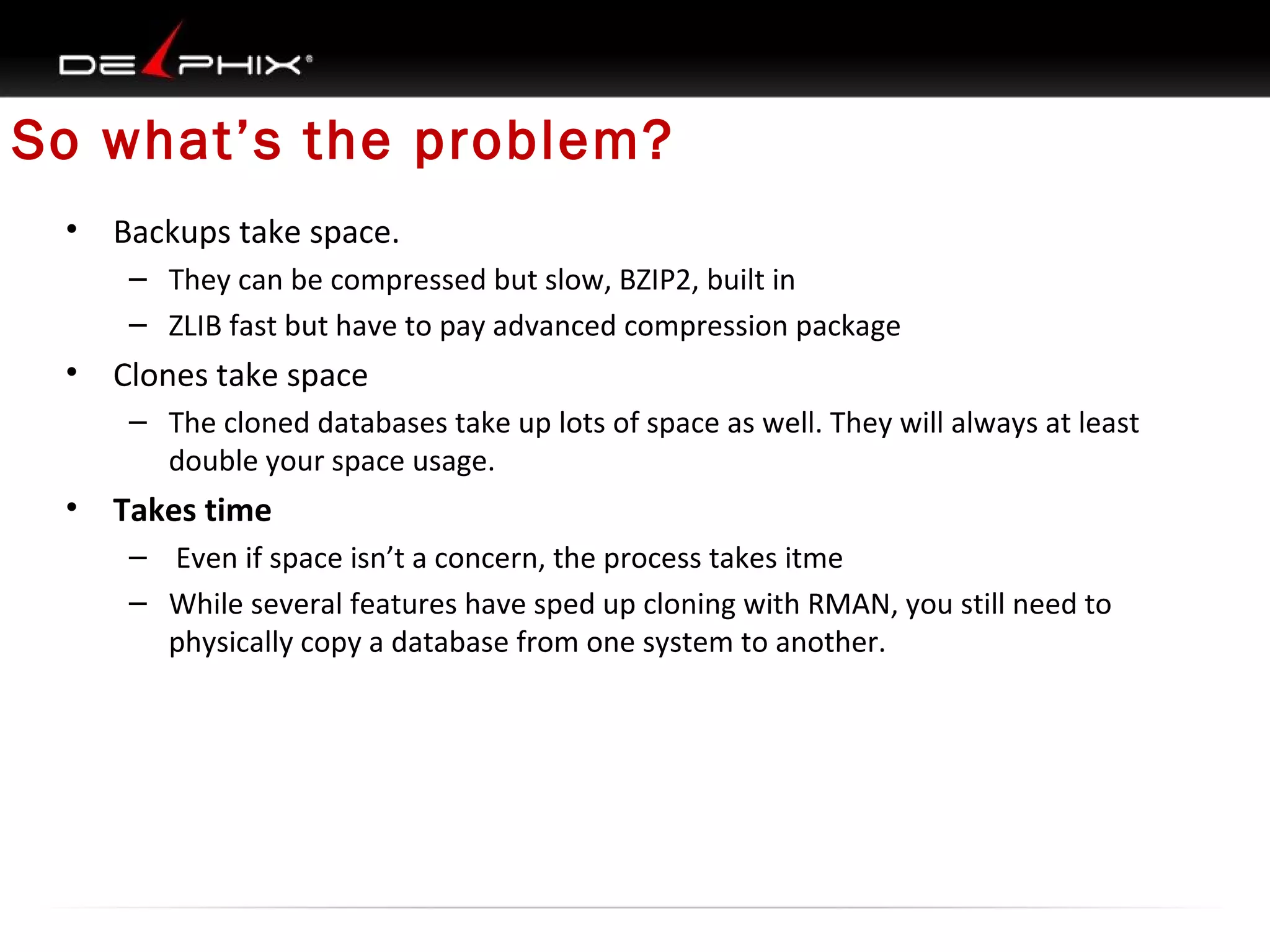
So what’s the problem?
•

Backups take space.
– They can be compressed but slow, BZIP2, built in
– ZLIB fast but have to pay advanced compression package

•

Clones take space
– The cloned databases take up lots of space as well. They will always at least
double your space usage.

•

Takes time
– Even if space isn’t a concern, the process takes itme
– While several features have sped up cloning with RMAN, you still need to
physically copy a database from one system to another.
•

Start RMAN backup
Round 2 Delphix
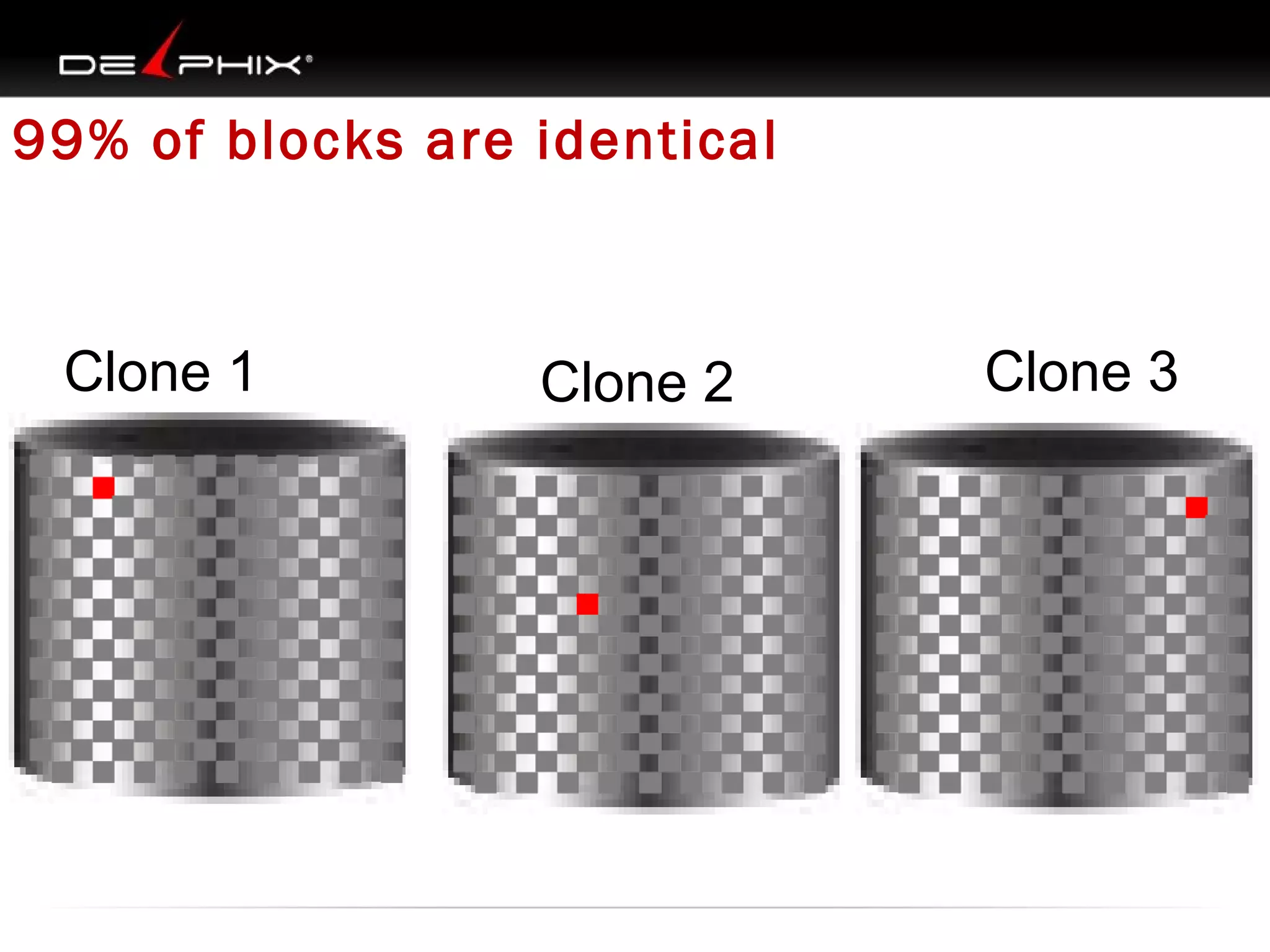
99% of blocks are identical

Clone 1

Clone 2

Clone 3
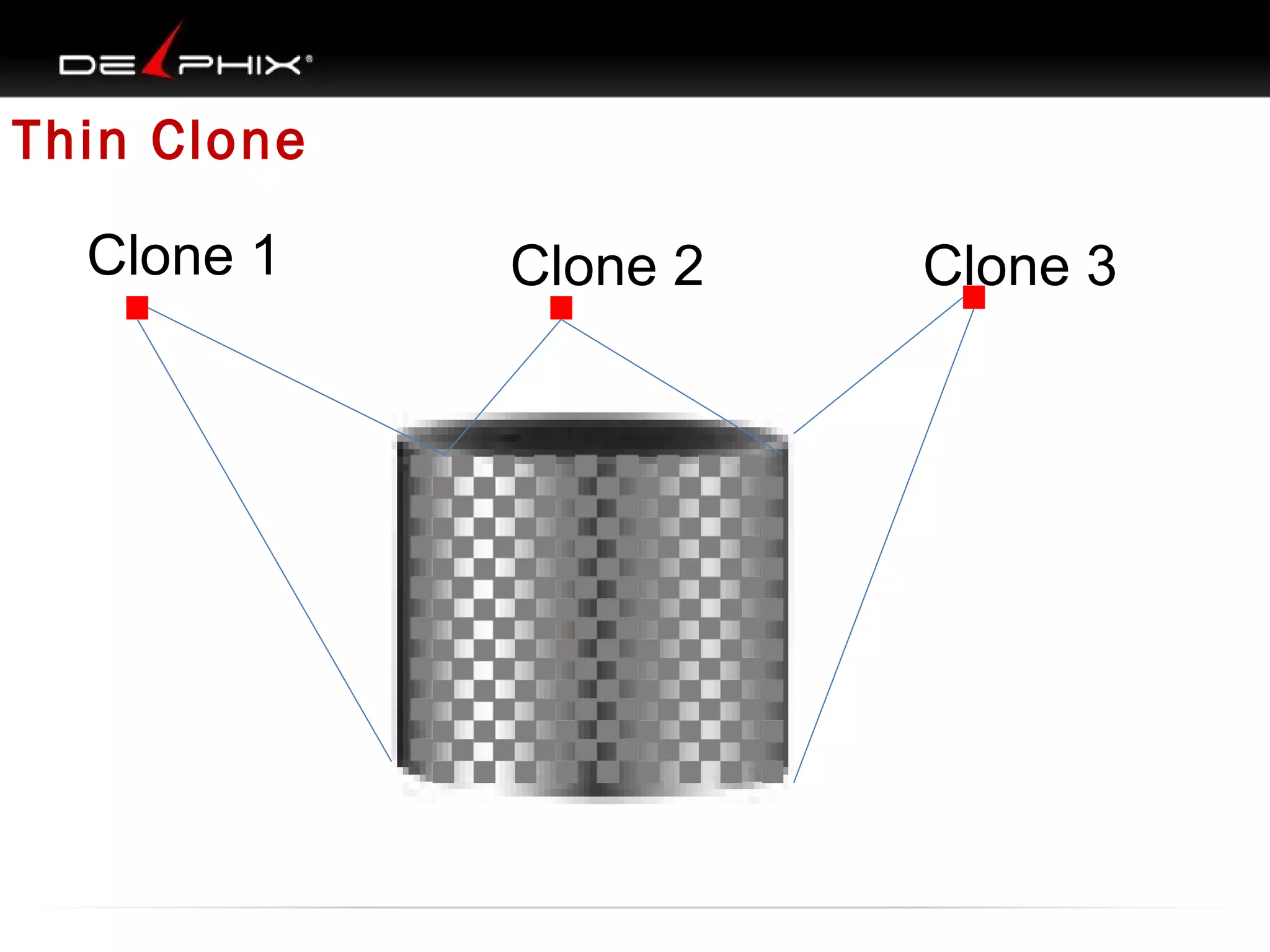
Thin Clone
Clone 1

Clone 2

Clone 3
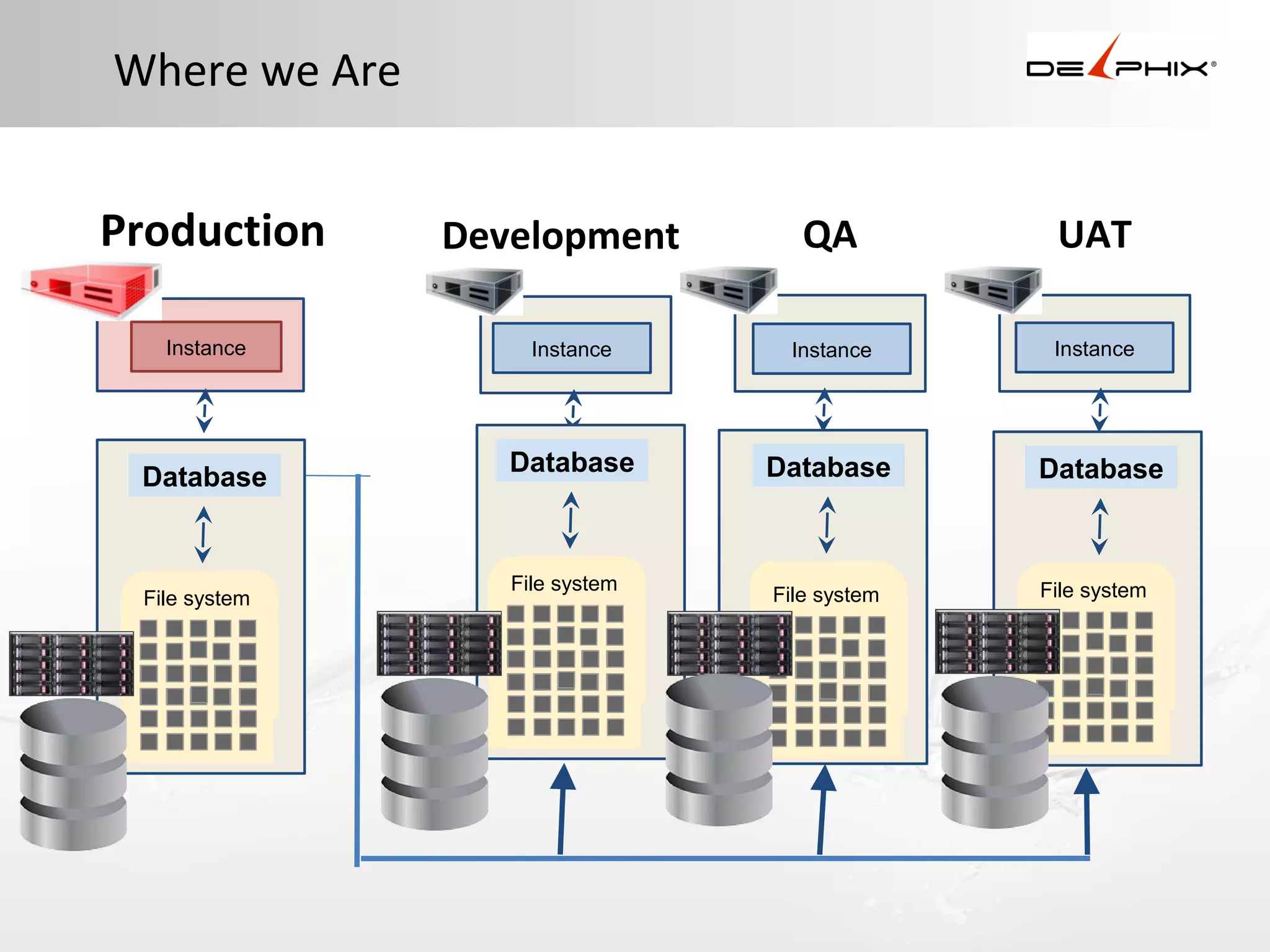
Where we Are
Production
Instance

Database

File system
File system

QA

UAT

Instance

Instance

Instance

Database

Database

Database

File system
File system

File system
File system
File system

File system
File system

Development
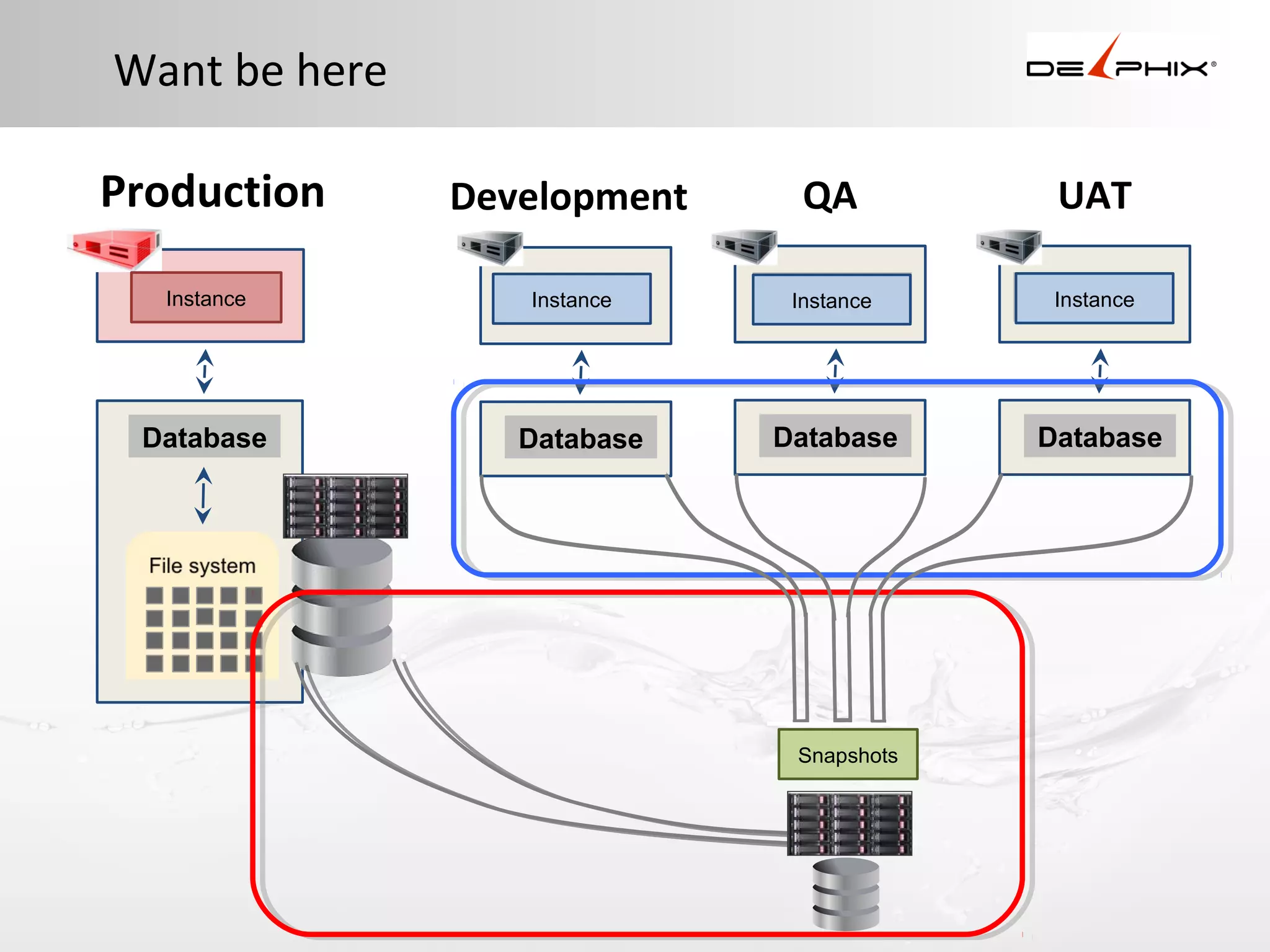
Want be here
Production
Instance

Database

Development

QA

UAT

Instance

Instance

Instance

Database

Database

Database

Snapshots
Database Virtualization
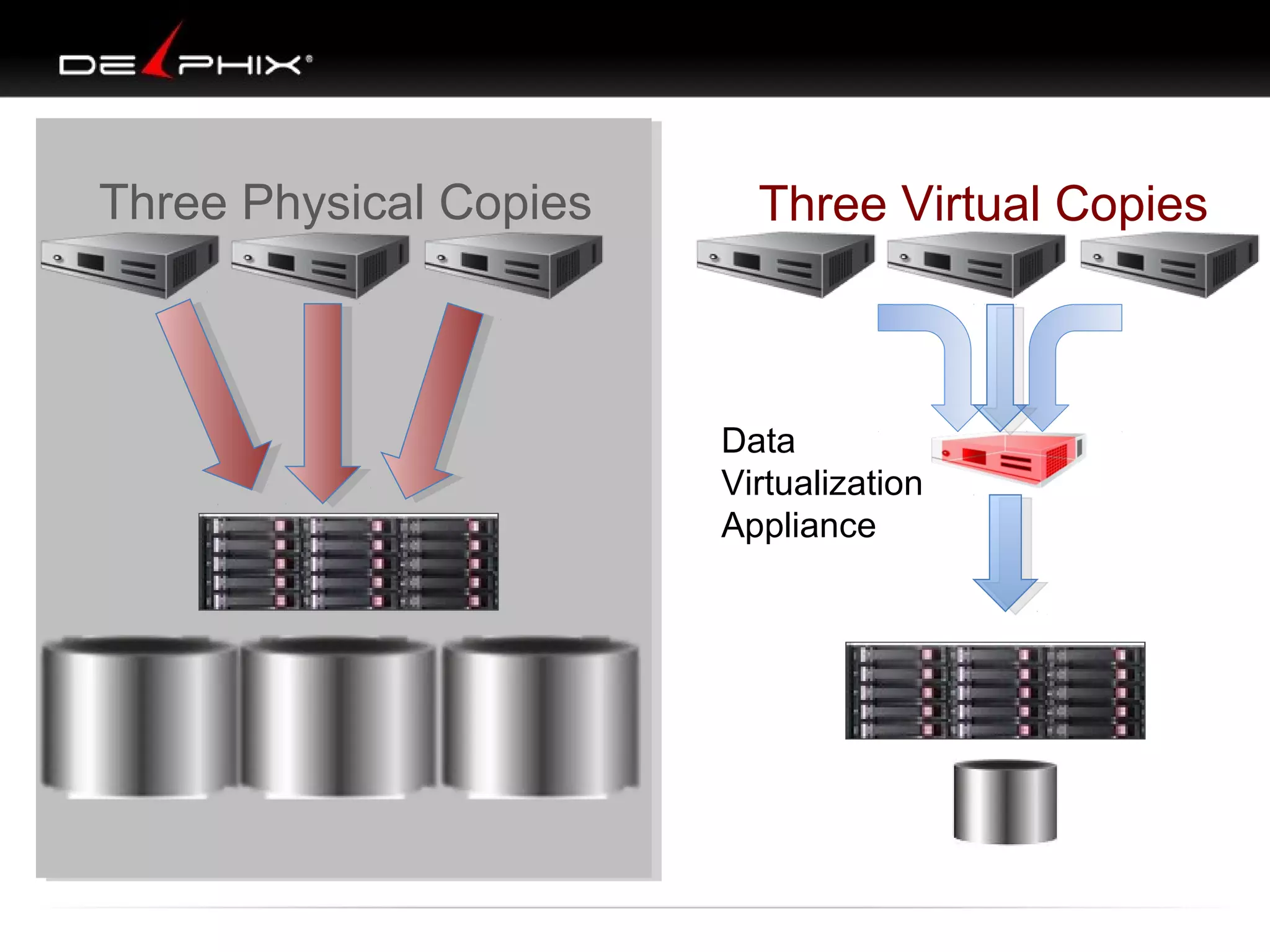
Three Physical Copies

Three Virtual Copies

Data
Virtualization
Appliance
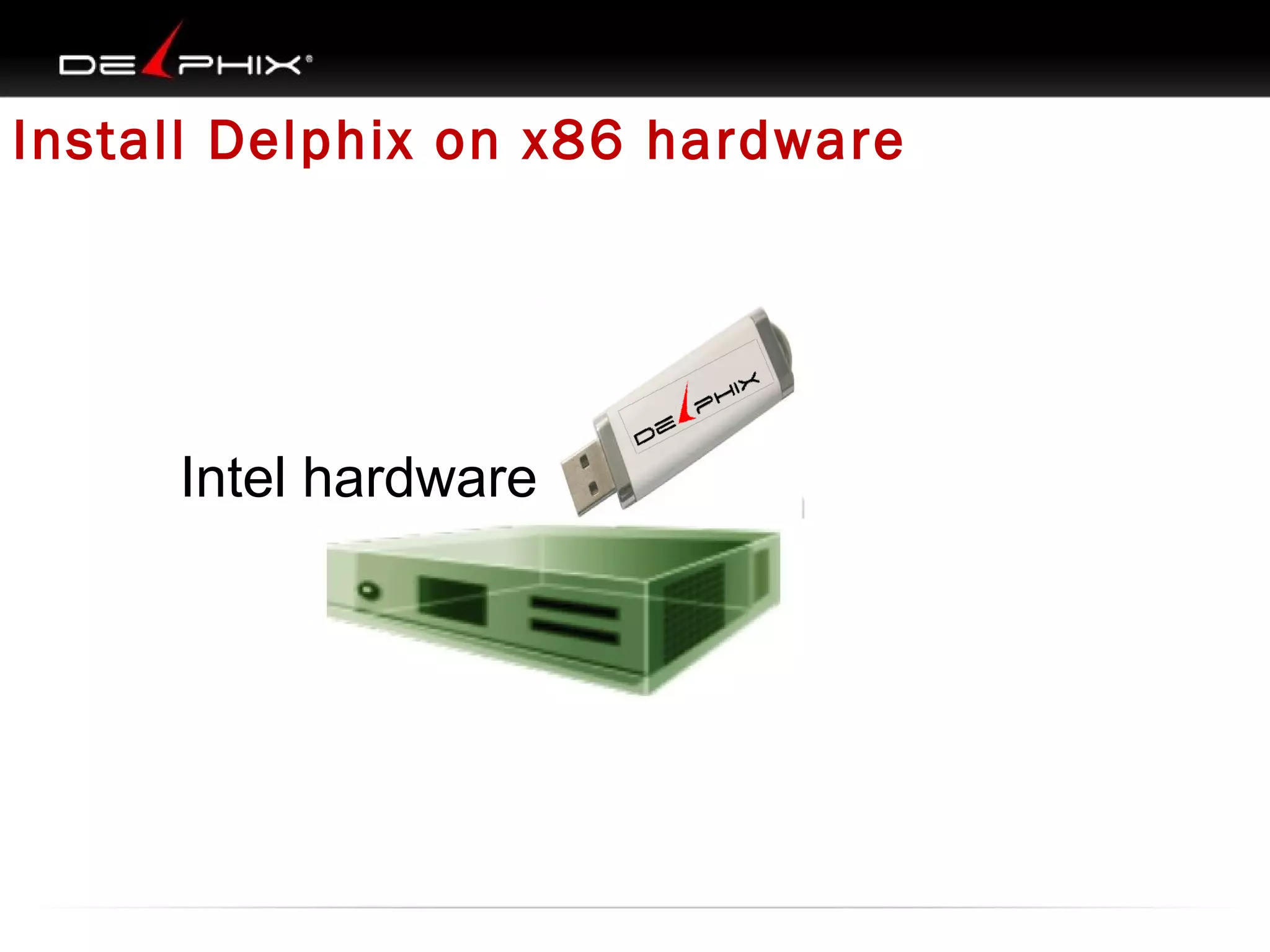
Install Delphix on x86 hardware

Intel hardware
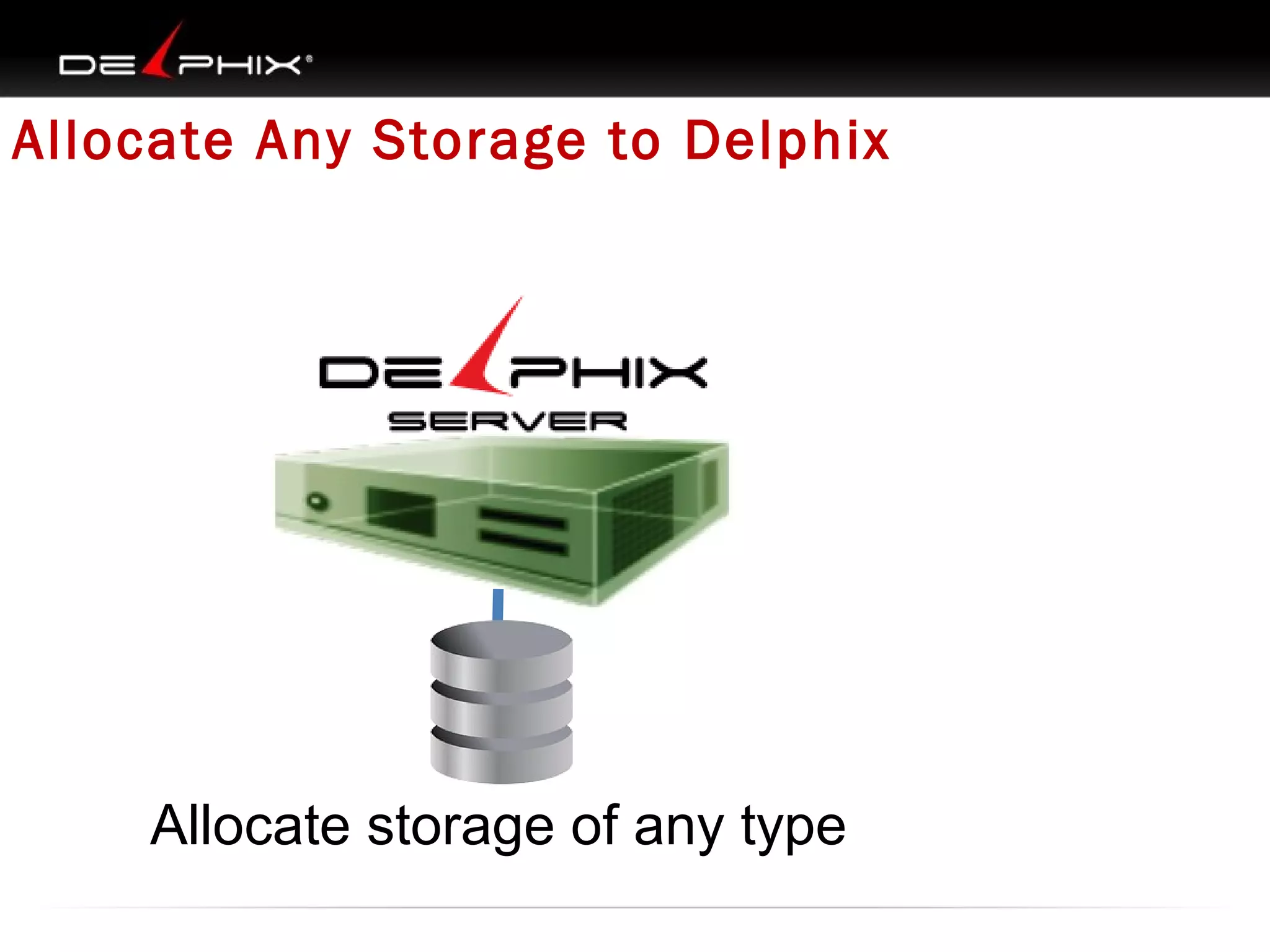
Allocate Any Storage to Delphix

Allocate storage of any type
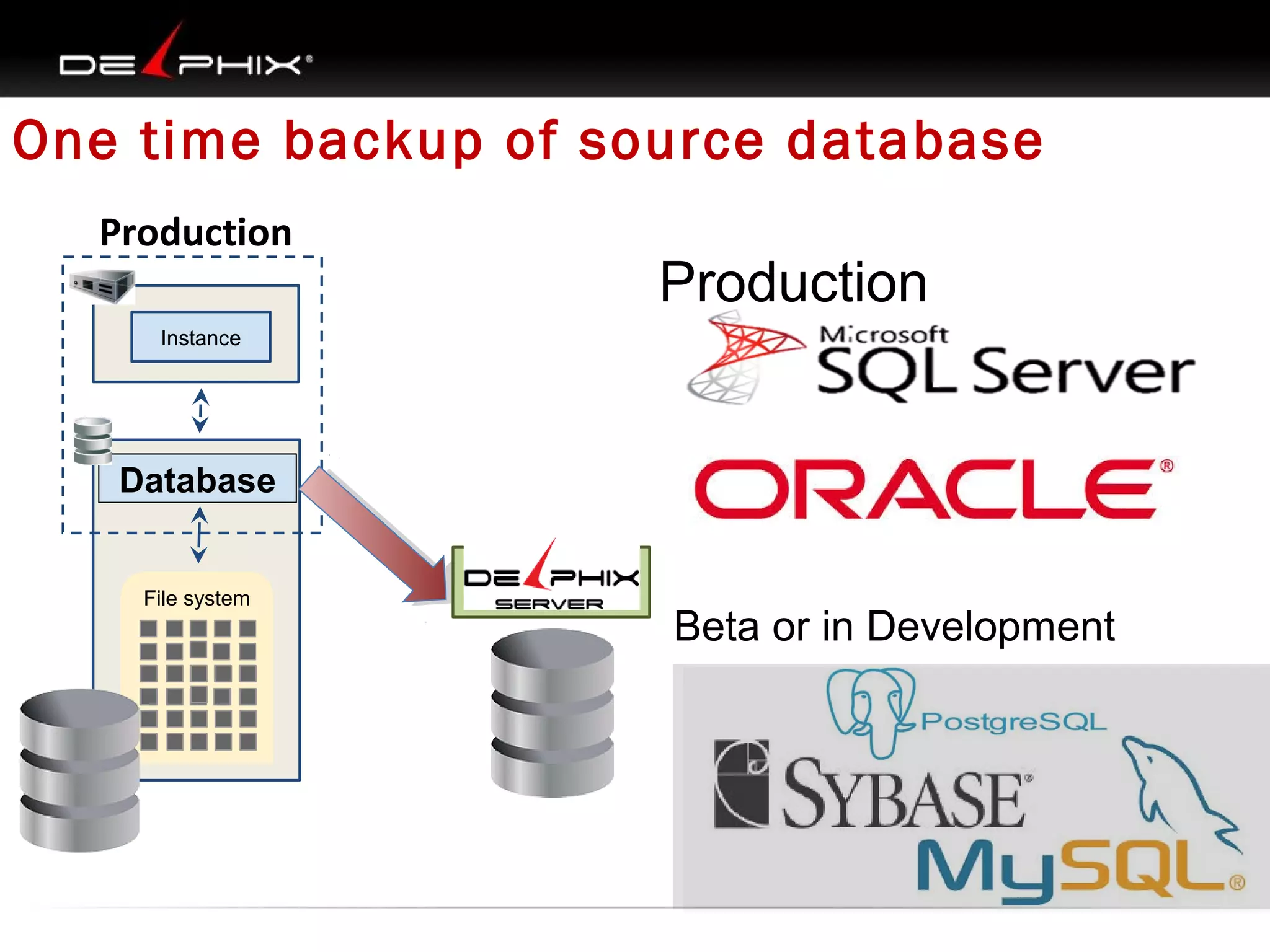
One time backup of source database
Production

Production

Instance

Database
File system

Beta or in Development
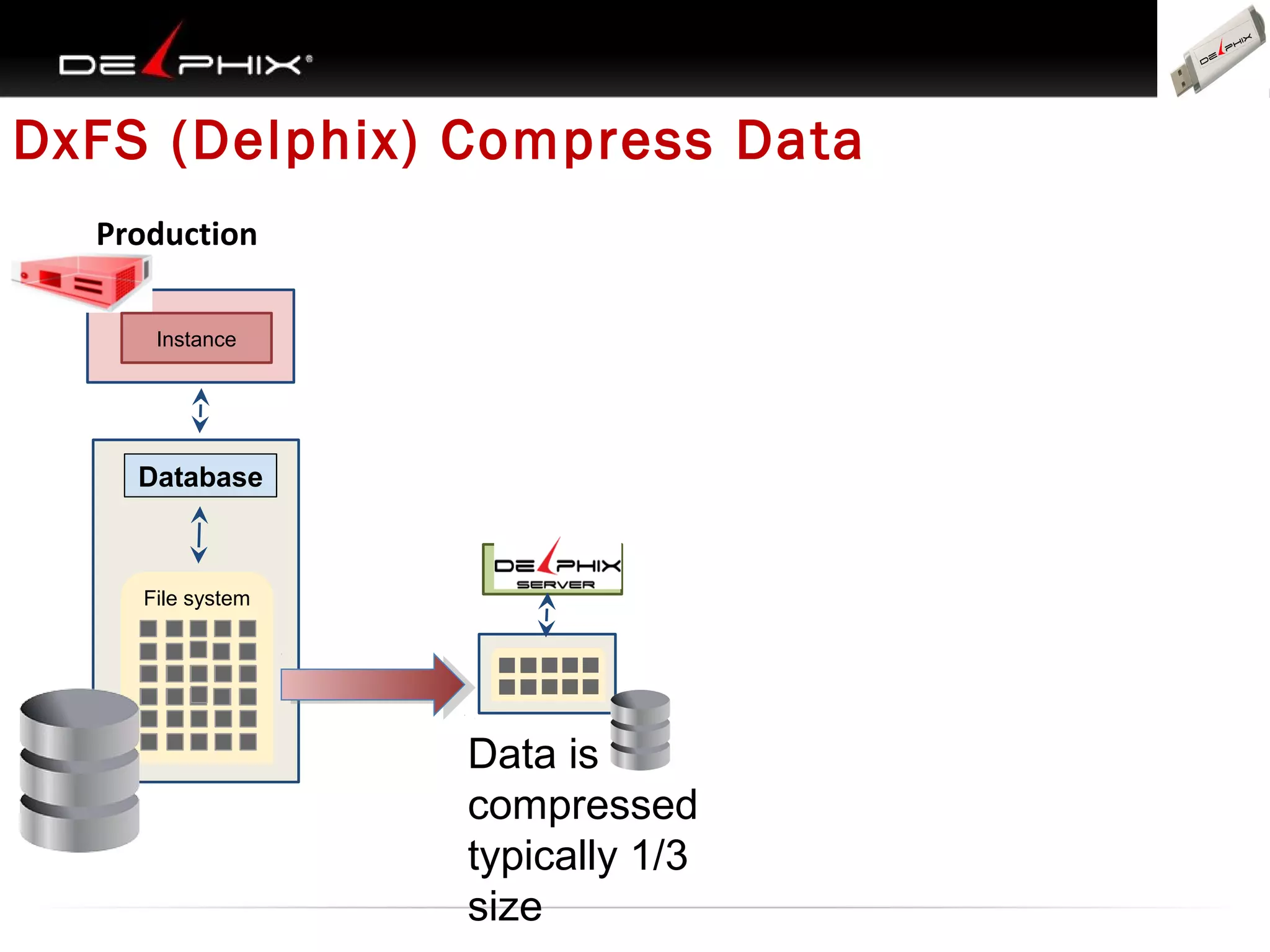
DxFS (Delphix) Compress Data
Production
Instance
Instance

Database

File system

Data is
compressed
typically 1/3
size
•

Start Delphix linking
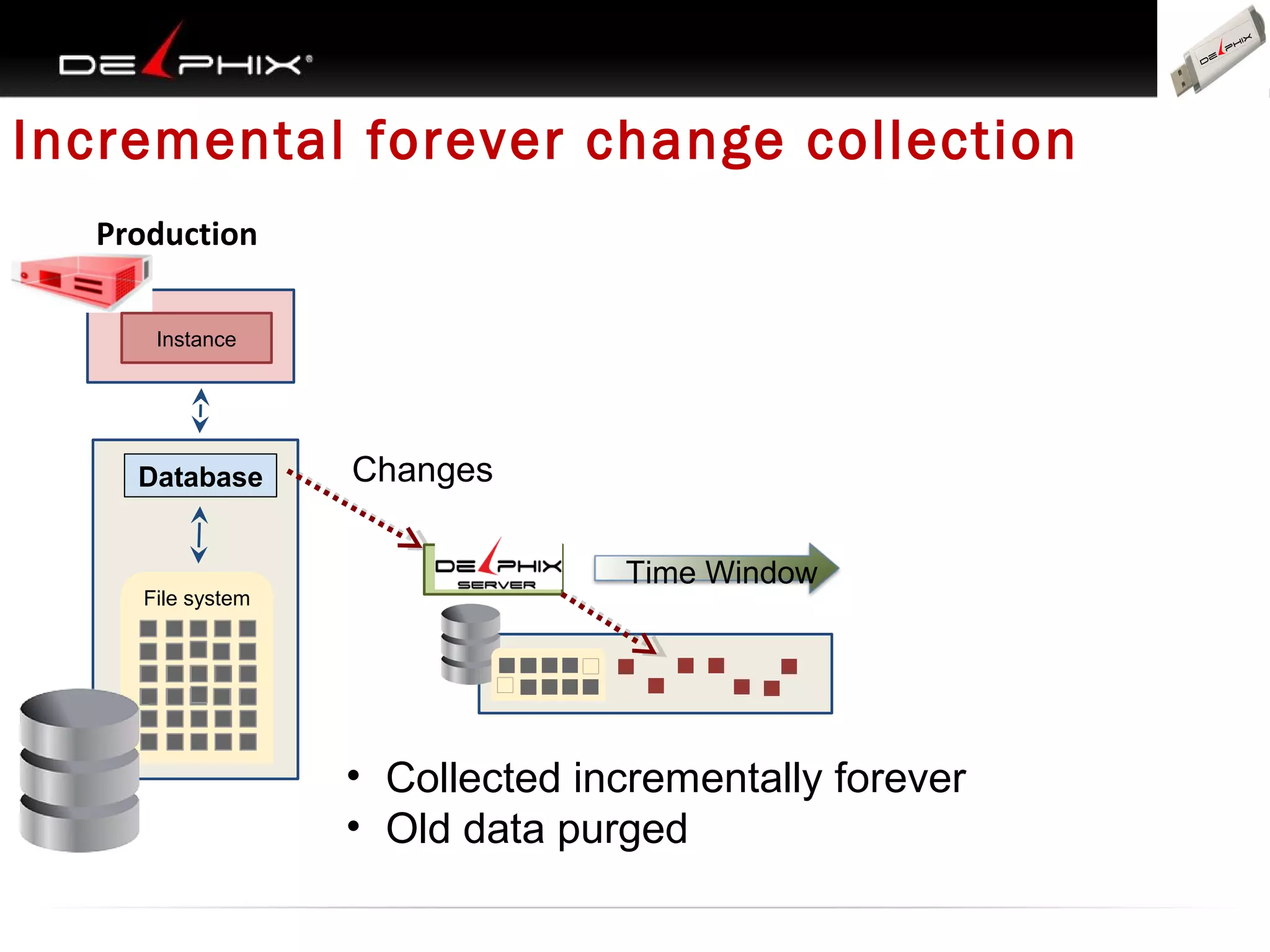
Incremental forever change collection
Production
Instance
Instance

Database

File system

Changes
Time Window

• Collected incrementally forever
• Old data purged
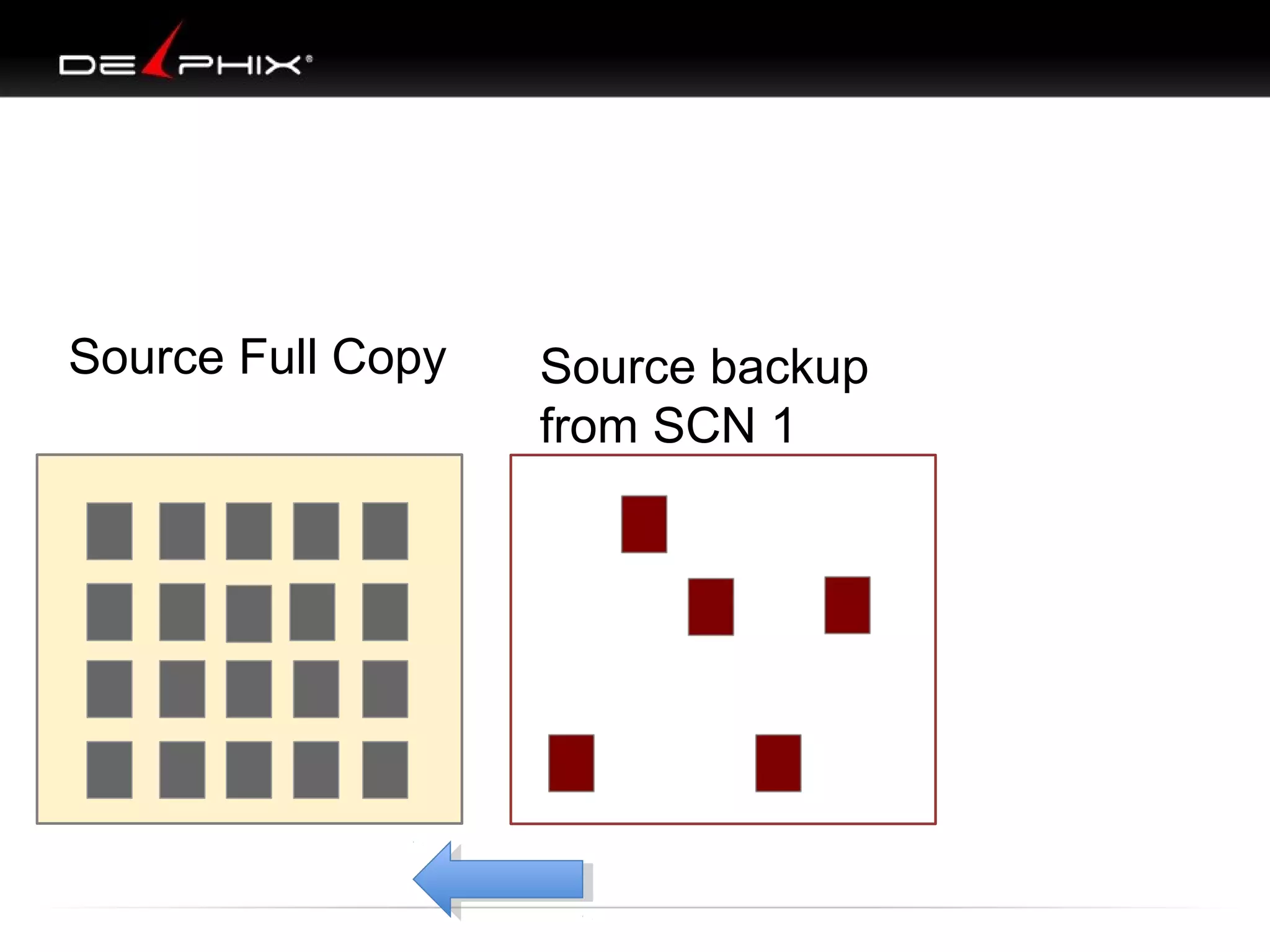
Source Full Copy

Source backup
from SCN 1
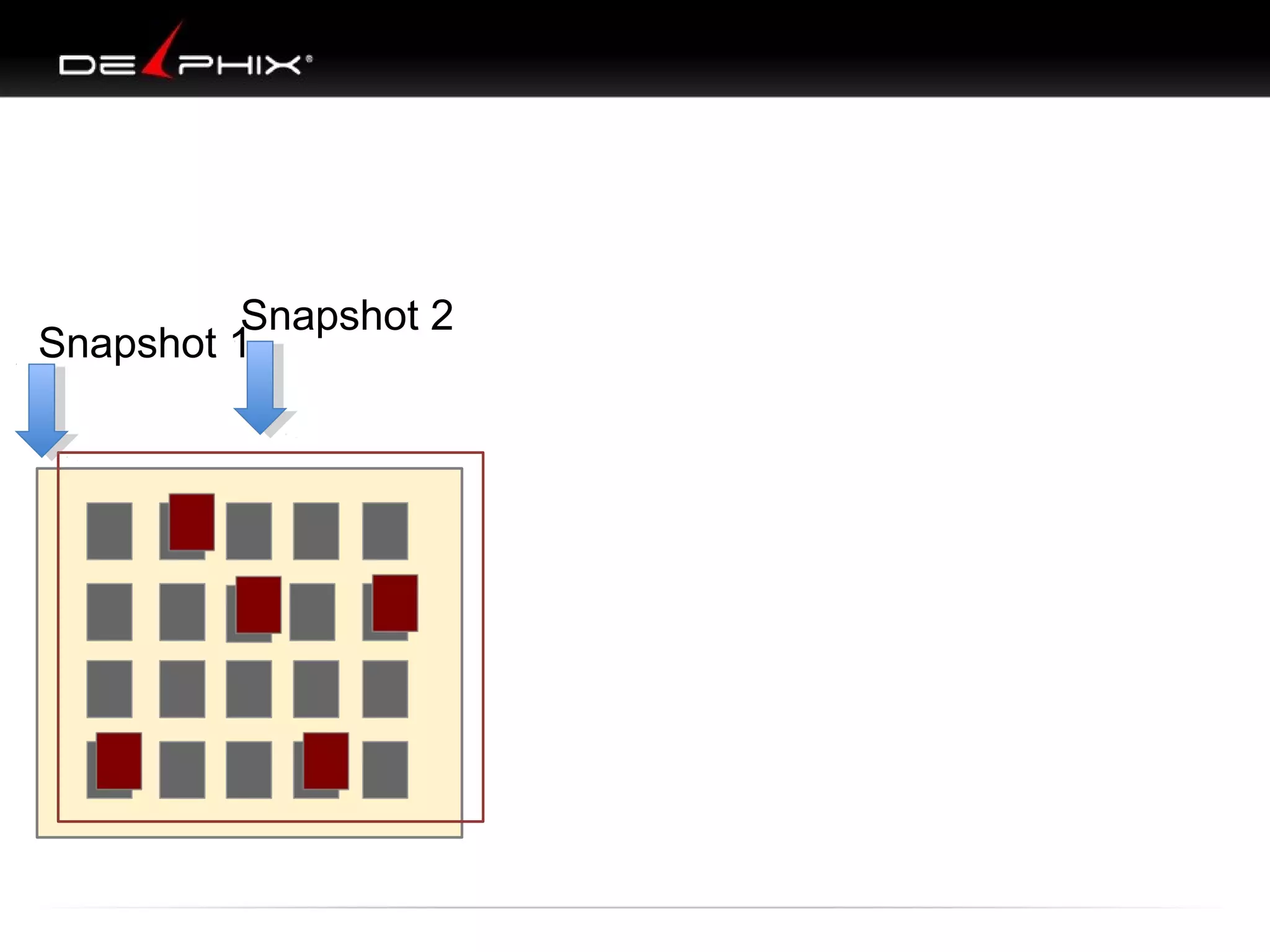
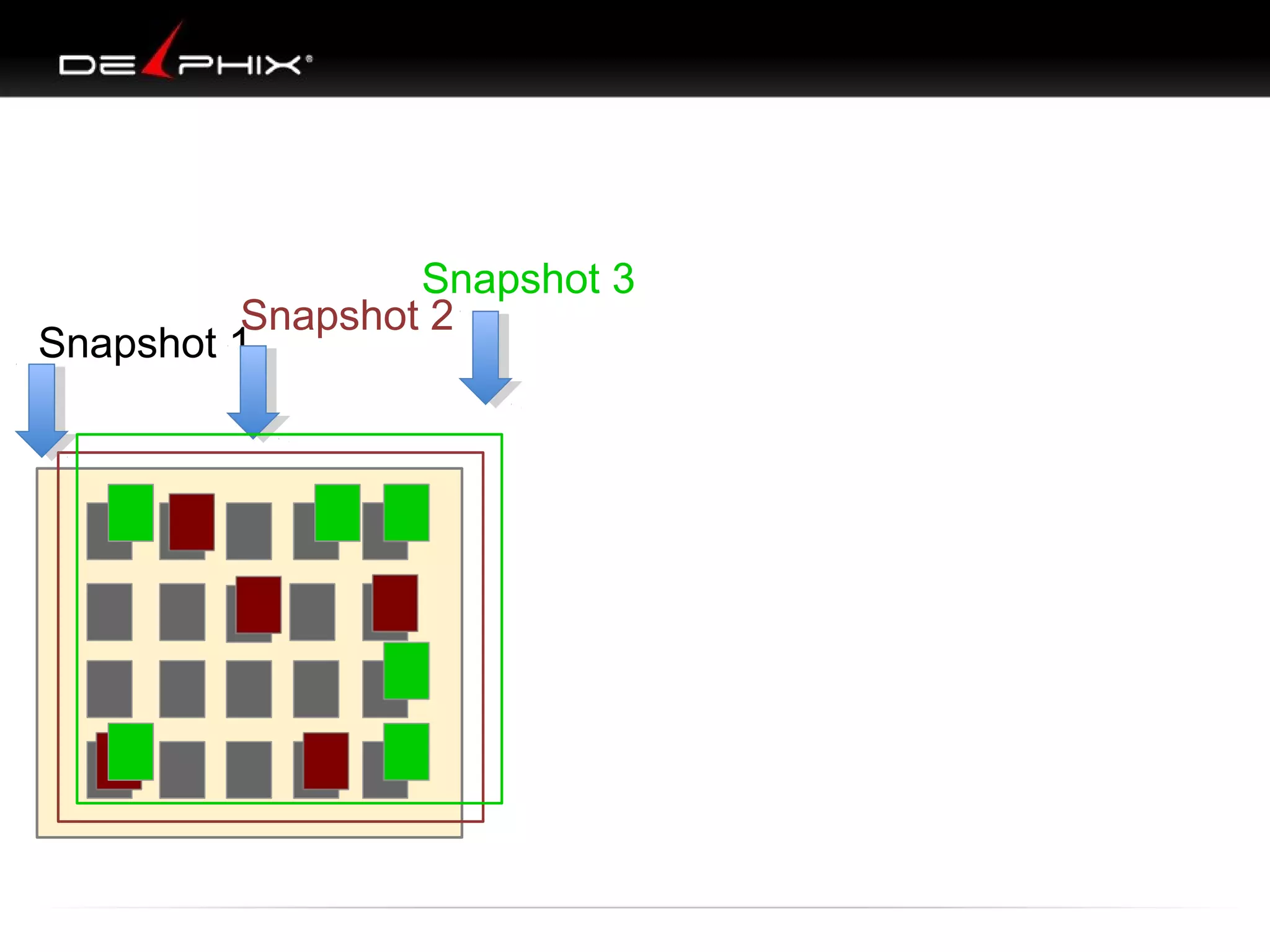
Snapshot 2
Snapshot 1
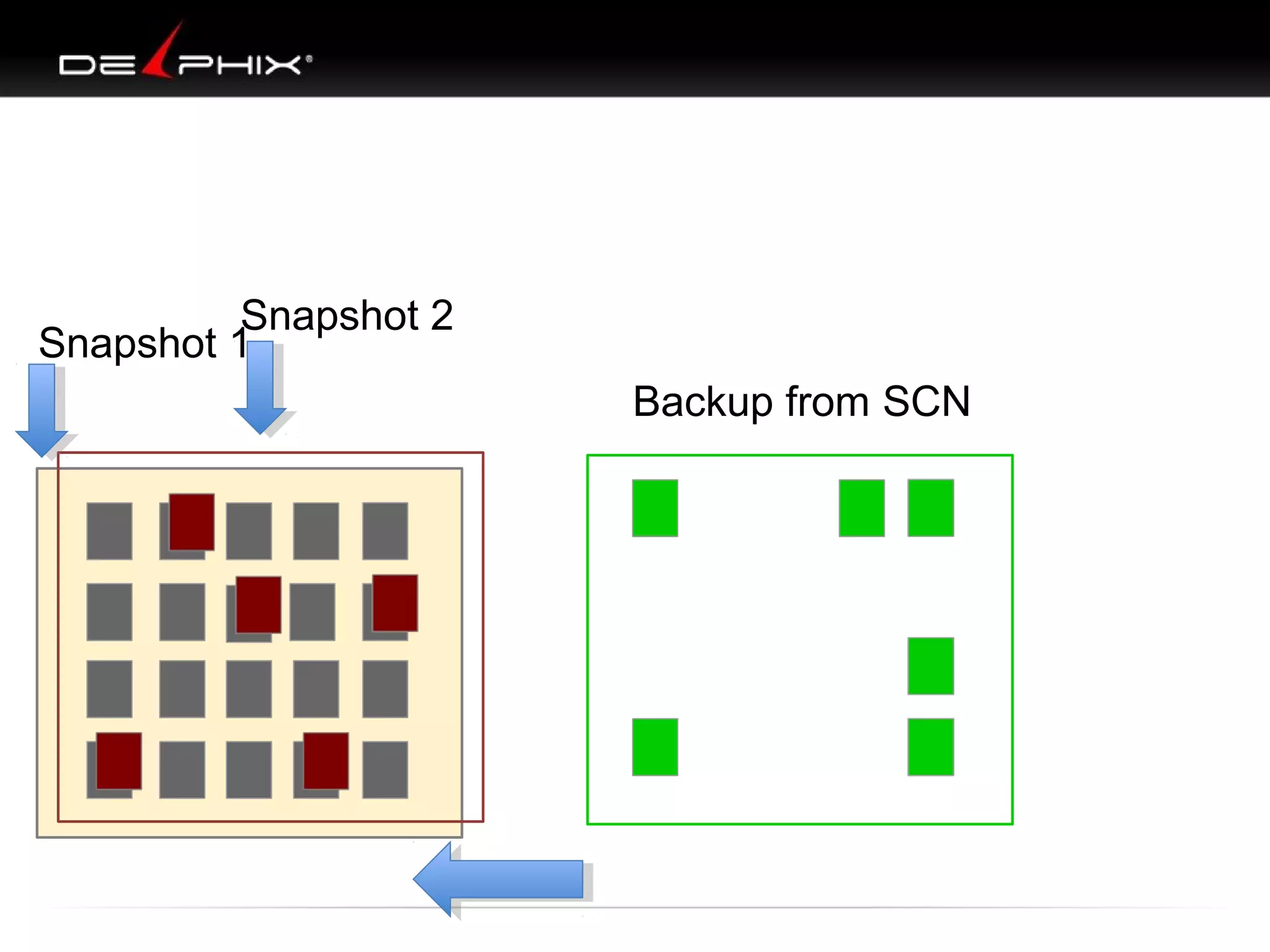
Snapshot 2
Snapshot 1
Backup from SCN
Snapshot 3
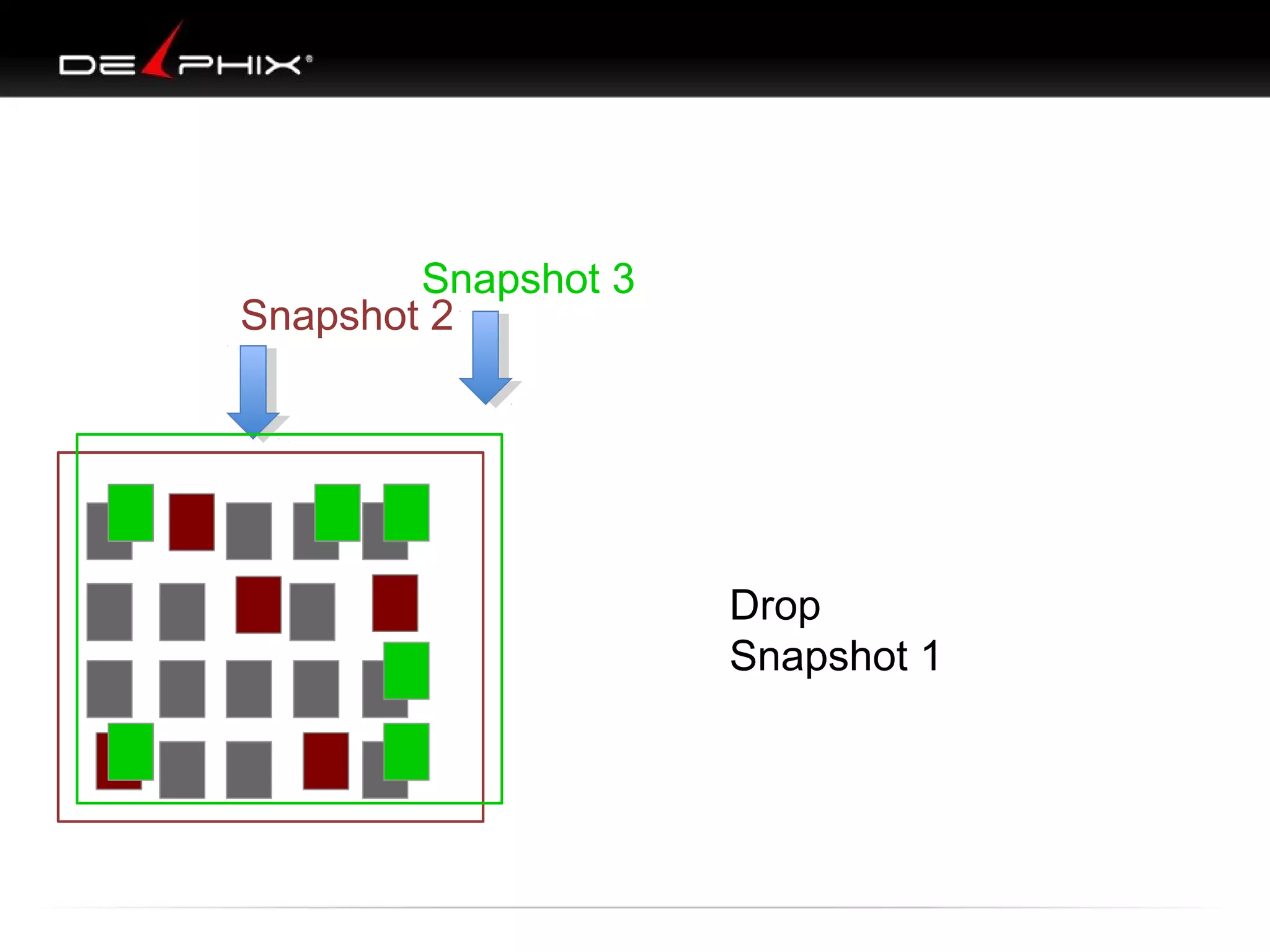
Snapshot 2
Snapshot 1
Snapshot 3
Snapshot 2

Drop
Snapshot 1
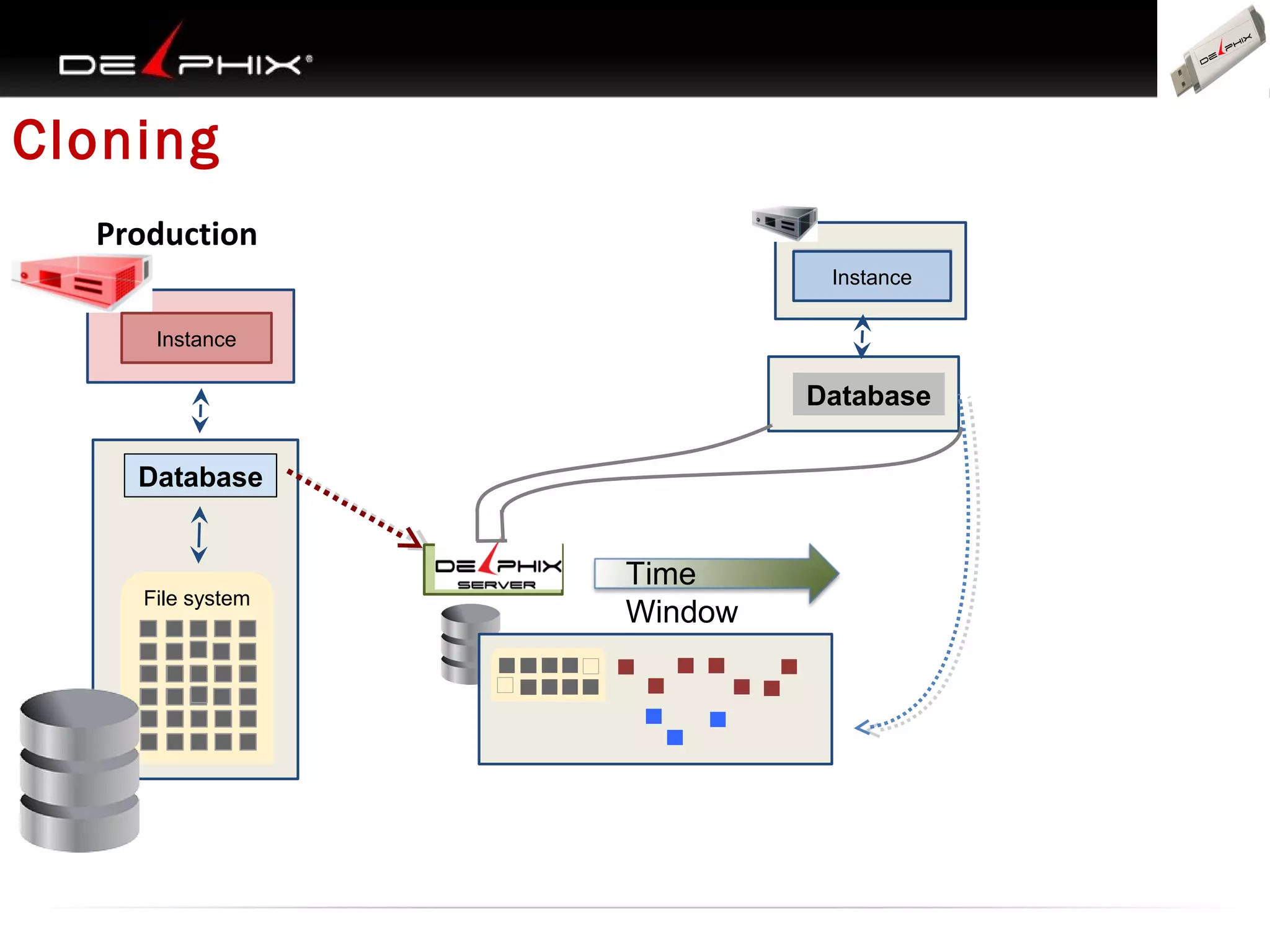
Cloning
Production
Instance

Inst

Instance
Instance

Database
Database

File system

Time
Window
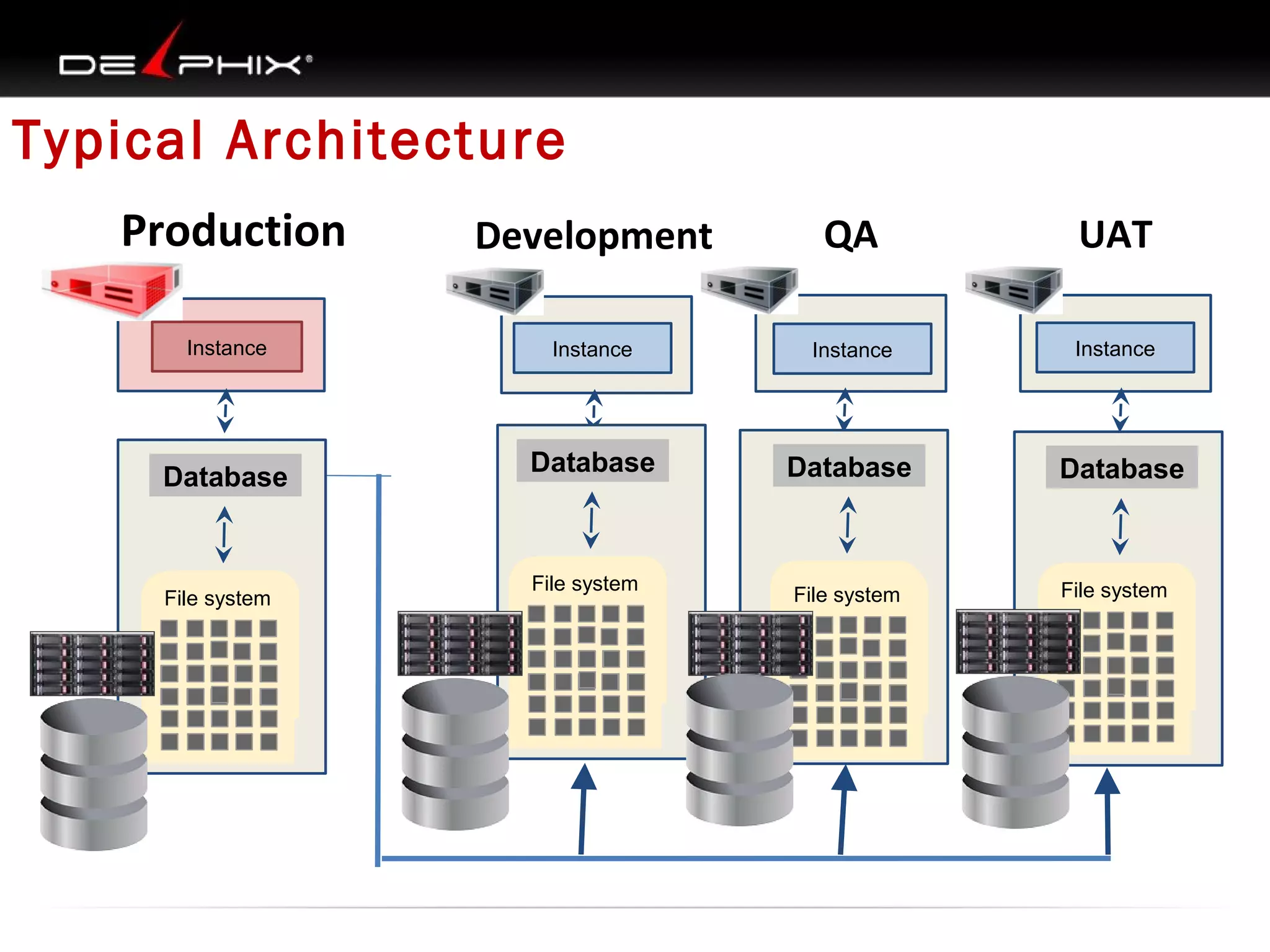
Typical Architecture
Production
Instance

Database

File system
File system

Development

QA

UAT

Instance

Instance

Instance

Database

Database

Database

File system
File system

File system
File system
File system

File system
File system
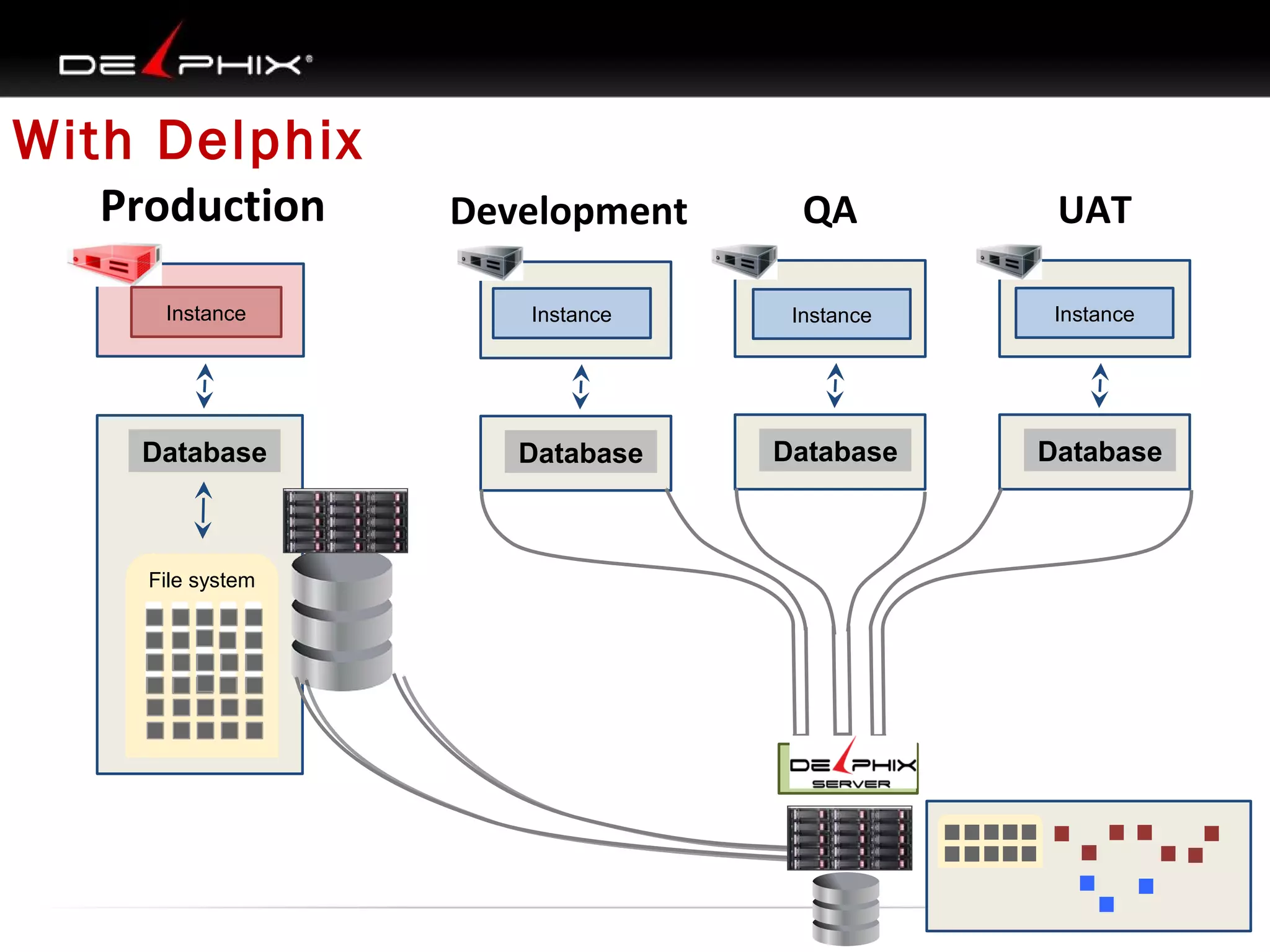
With Delphix
Production
Instance

Database

File system

Development

QA

UAT

Instance

Instance

Instance

Database

Database

Database
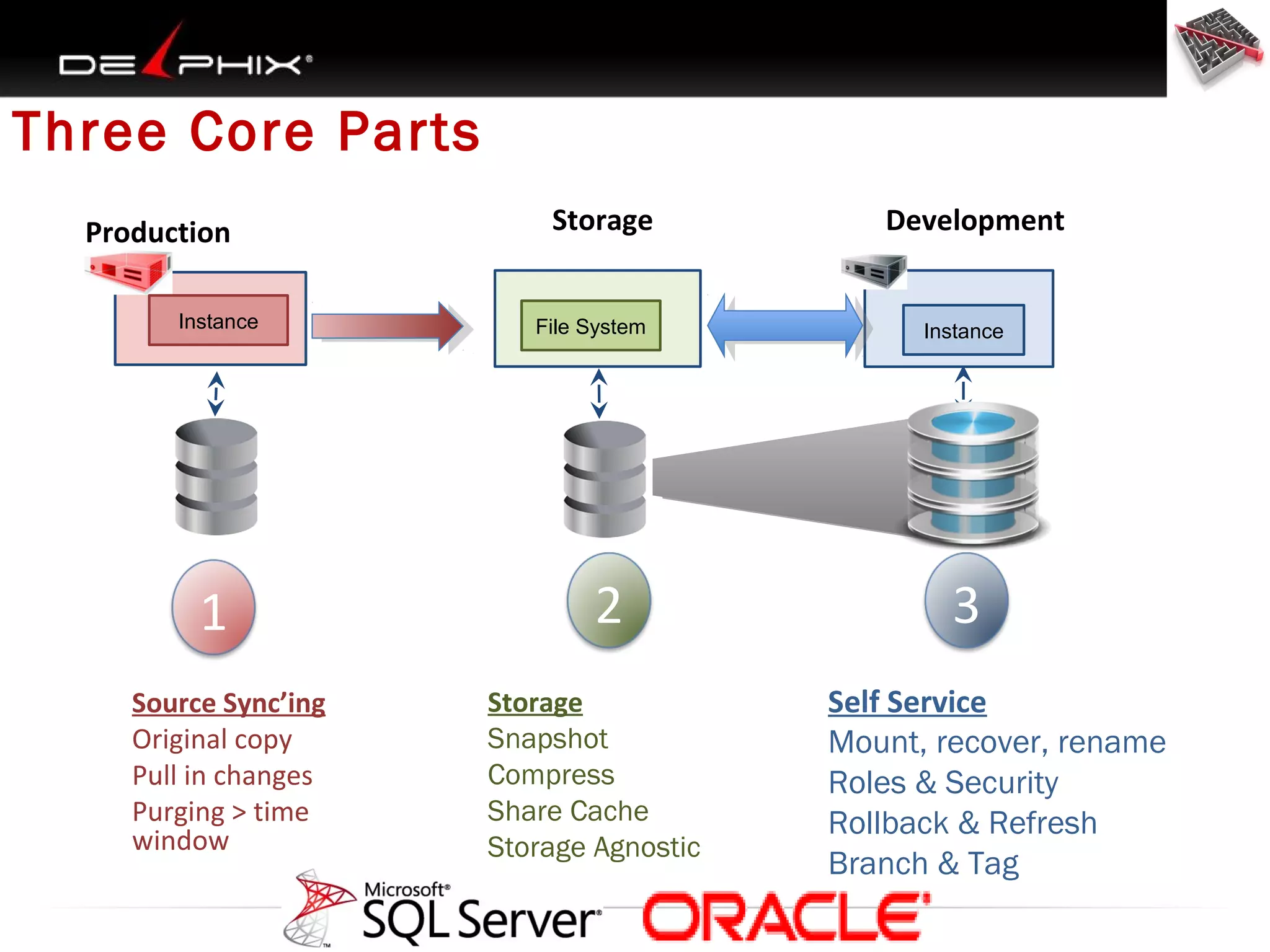
Three Core Parts
Production
Instance

1
Source Sync’ing
Original copy
Pull in changes
Purging > time
window

Storage
File System

2
Storage
Snapshot
Compress
Share Cache
Storage Agnostic

Development

Instance

3
Self Service
Mount, recover, rename
Roles & Security
Rollback & Refresh
Branch & Tag
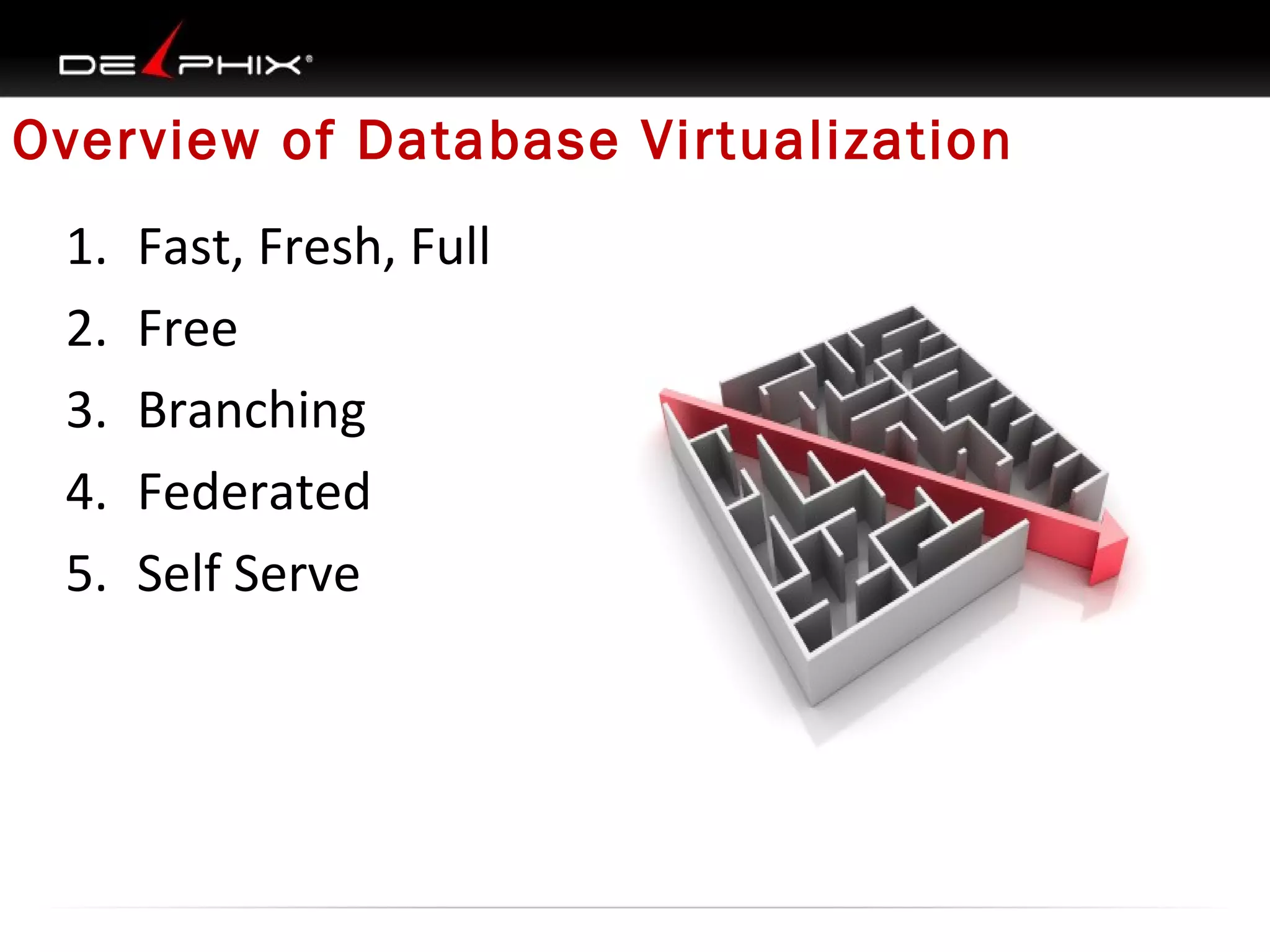
Overview of Database Virtualization
1.
2.
3.
4.
5.

Fast, Fresh, Full
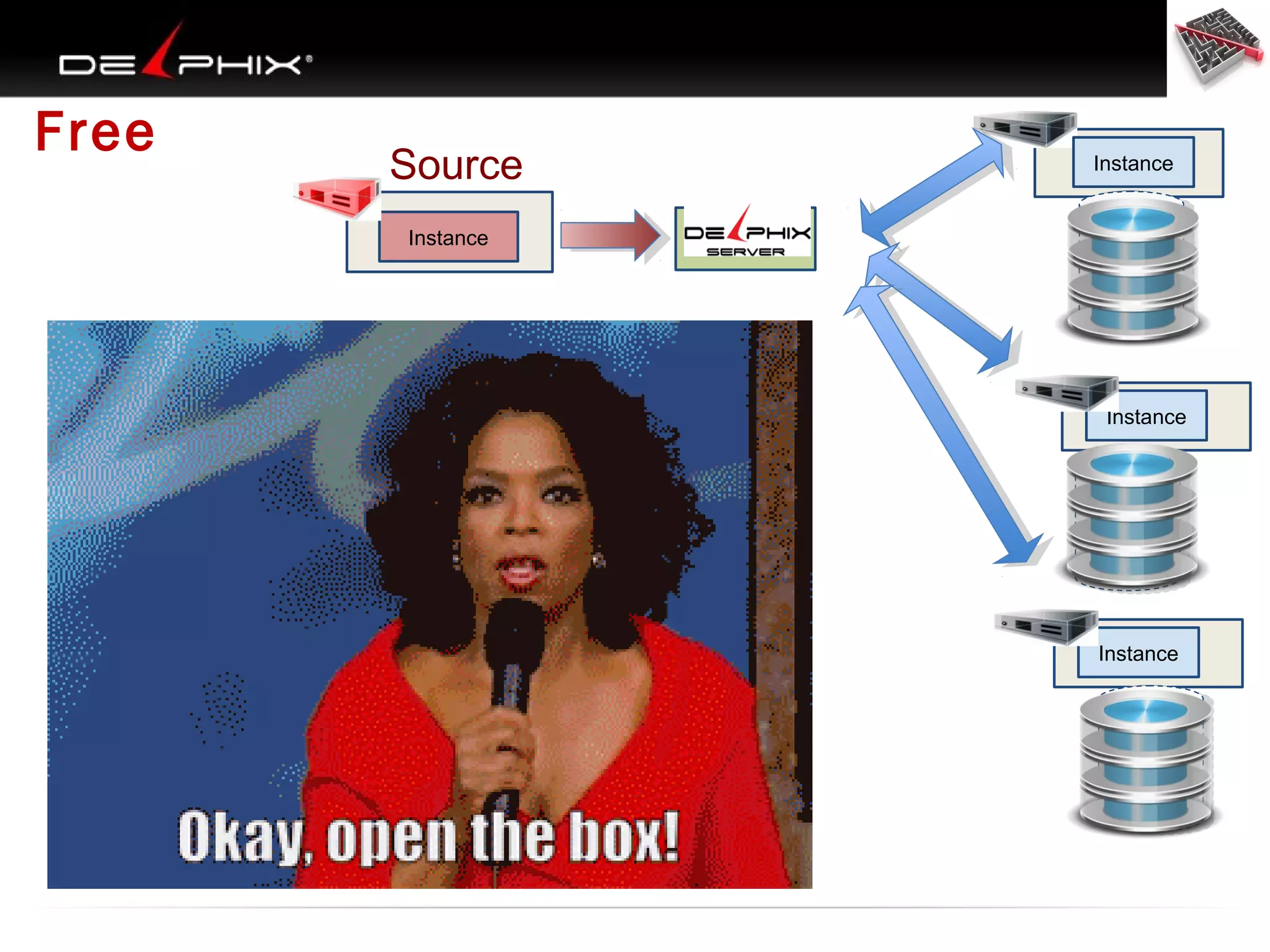
Free
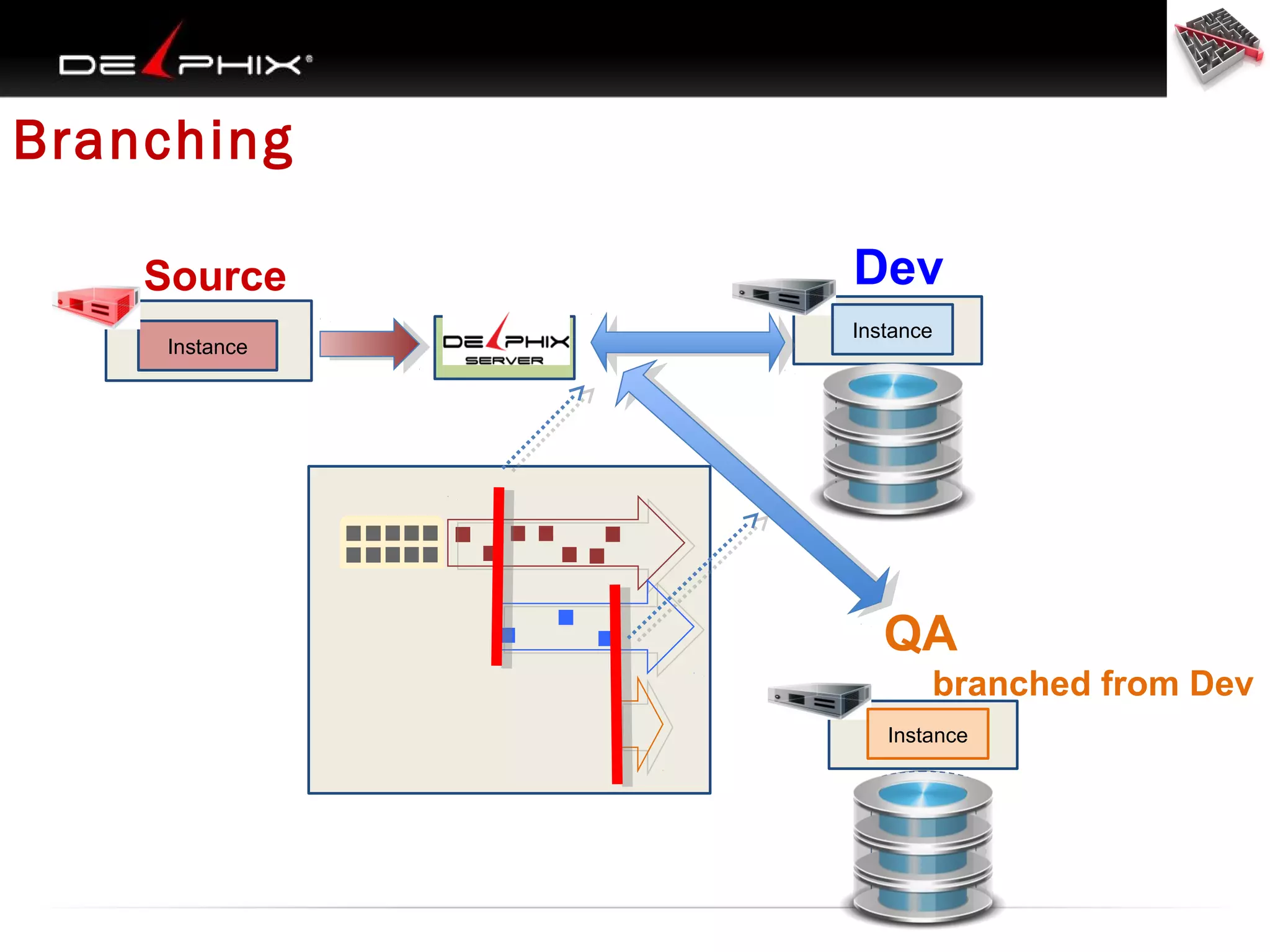
Branching
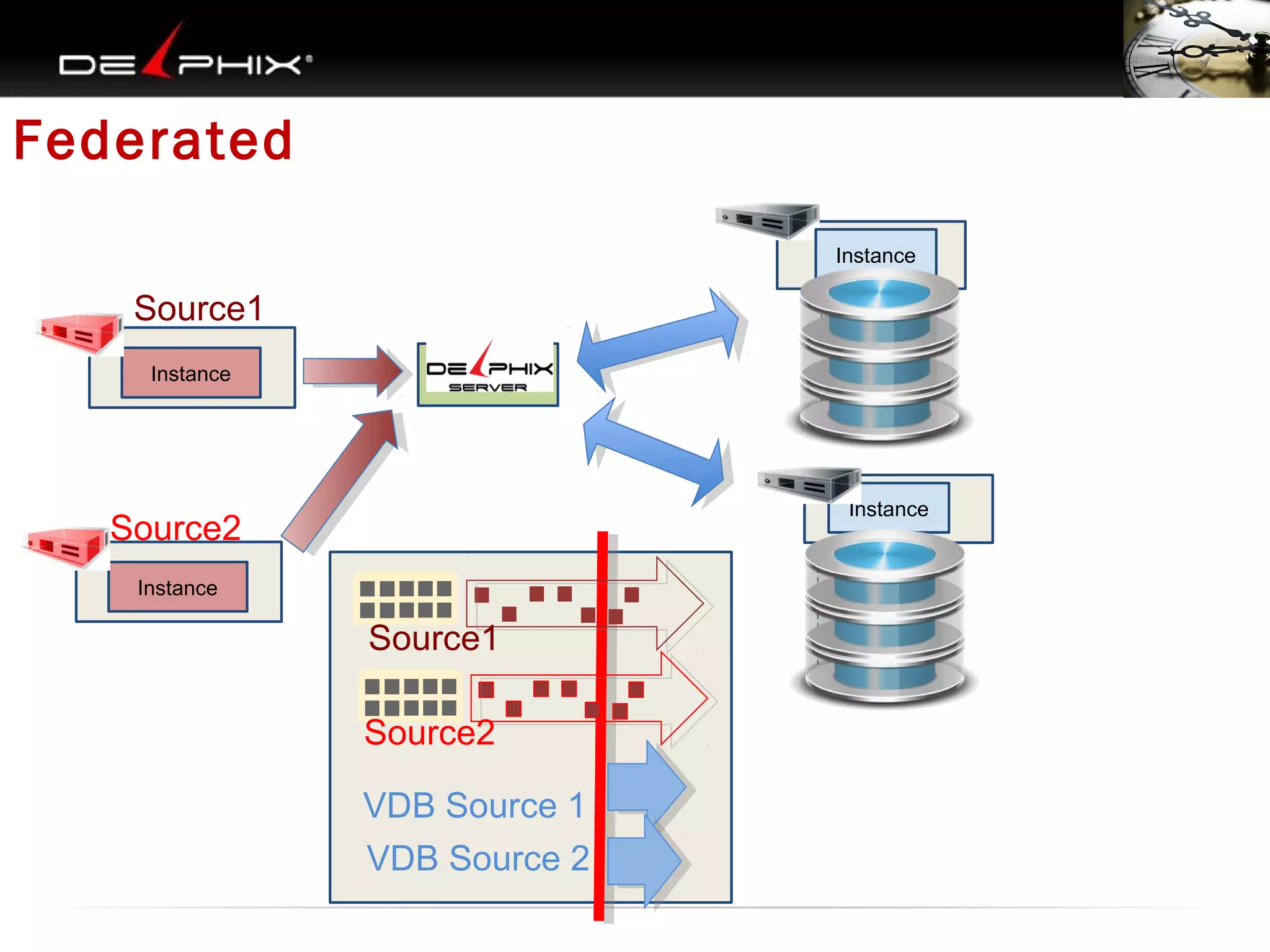
Federated
Self Serve
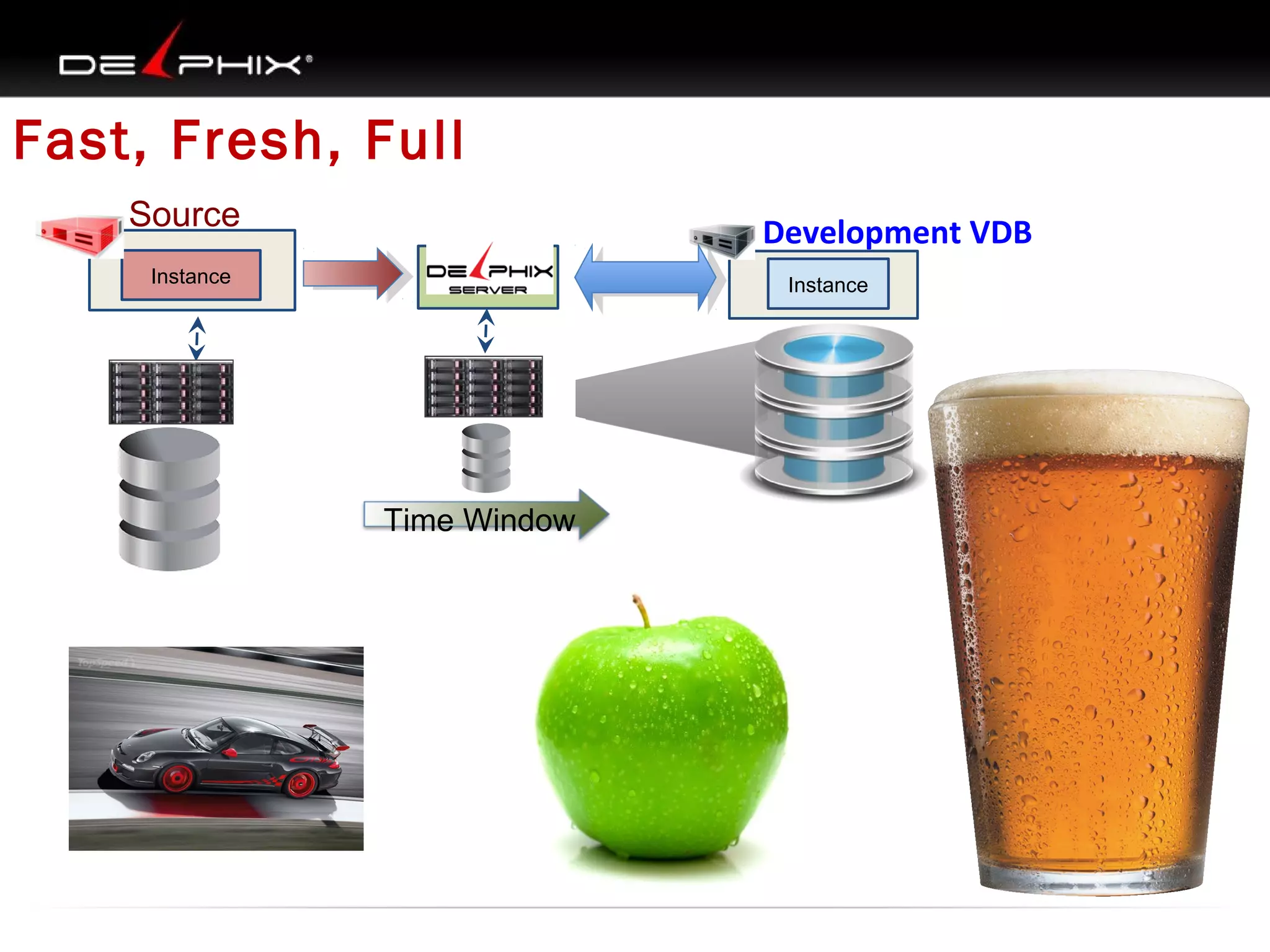
Fast, Fresh, Full
Source

Development VDB

Instance

Instance

Time Window
Free

Source

Instance

Instance

Instance

Instance
Branching
Source
Instance

Dev
Instance

QA
branched from Dev
Instance
Federated
Instance

Source1
Instance

Instance

Source2
Instance

Source1
Source2
VDB Source 1
VDB Source 2
Battle Royale
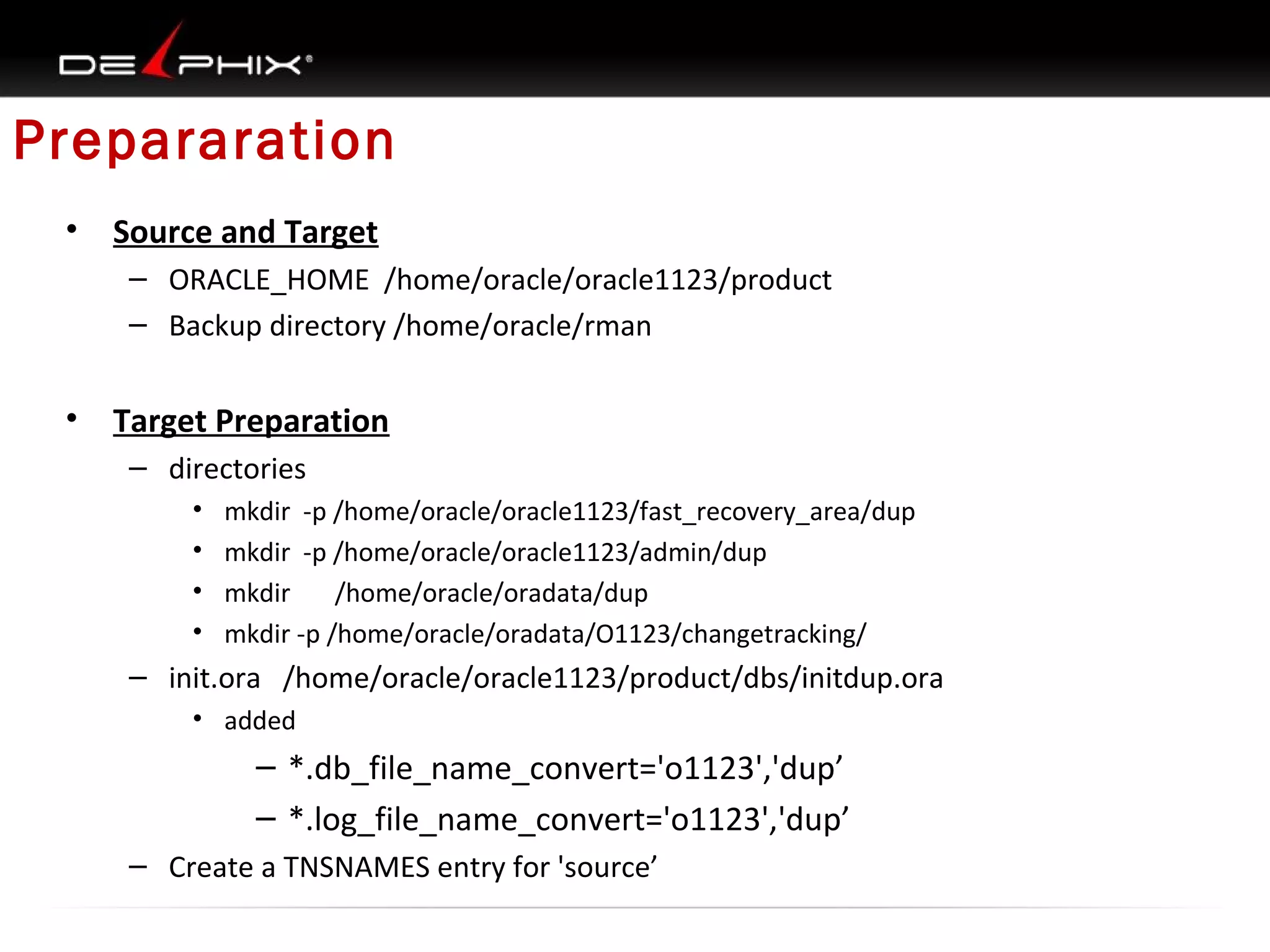
Prepararation
•

Source and Target
– ORACLE_HOME /home/oracle/oracle1123/product
– Backup directory /home/oracle/rman

•

Target Preparation
– directories
•
•
•
•

mkdir -p /home/oracle/oracle1123/fast_recovery_area/dup
mkdir -p /home/oracle/oracle1123/admin/dup
mkdir
/home/oracle/oradata/dup
mkdir -p /home/oracle/oradata/O1123/changetracking/

– init.ora /home/oracle/oracle1123/product/dbs/initdup.ora
• added

– *.db_file_name_convert='o1123','dup’
– *.log_file_name_convert='o1123','dup’
– Create a TNSNAMES entry for 'source’
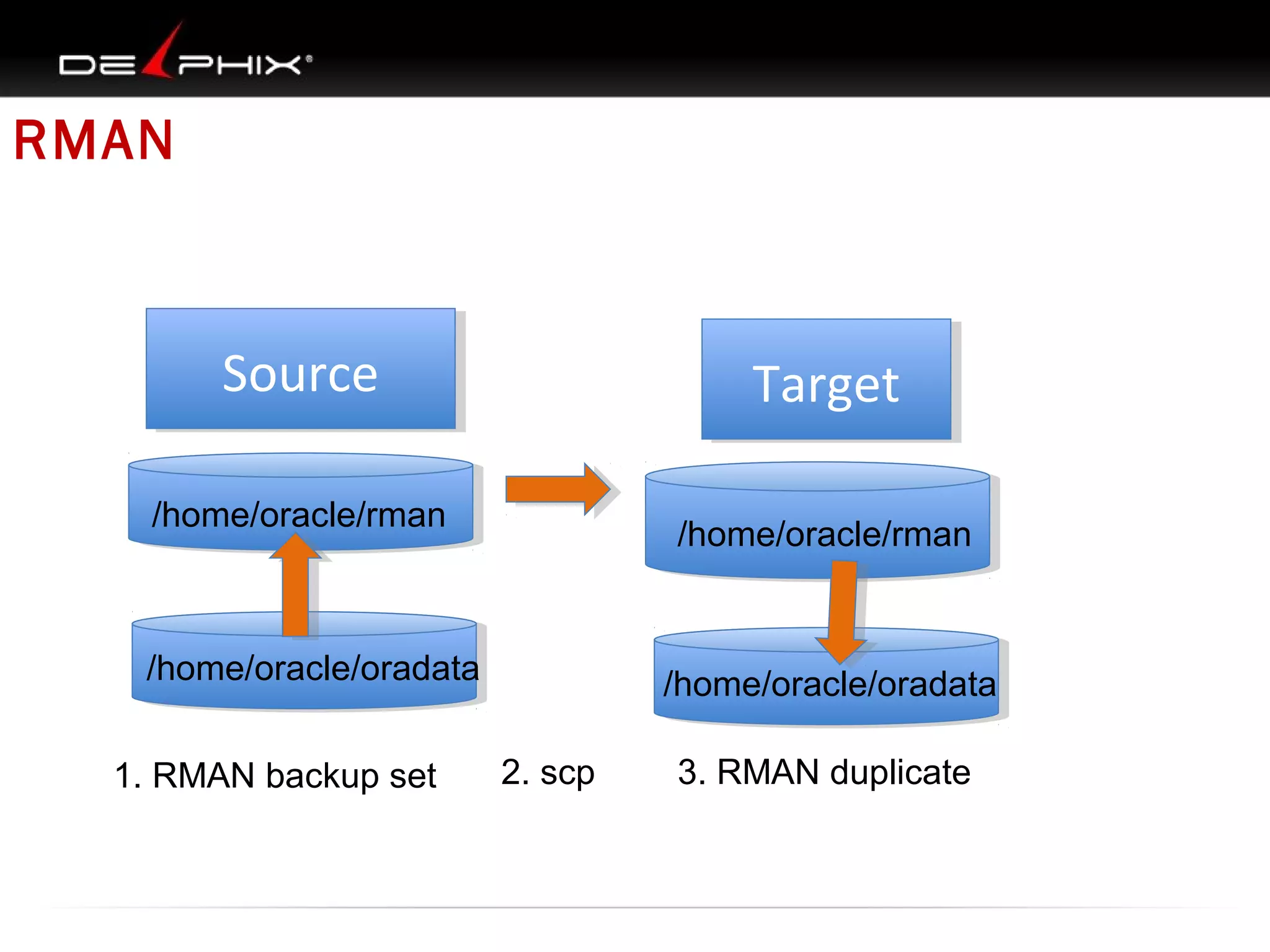
RMAN

Source
Source

Target
Target

/home/oracle/rman

/home/oracle/rman

/home/oracle/oradata
1. RMAN backup set

/home/oracle/oradata
2. scp

3. RMAN duplicate
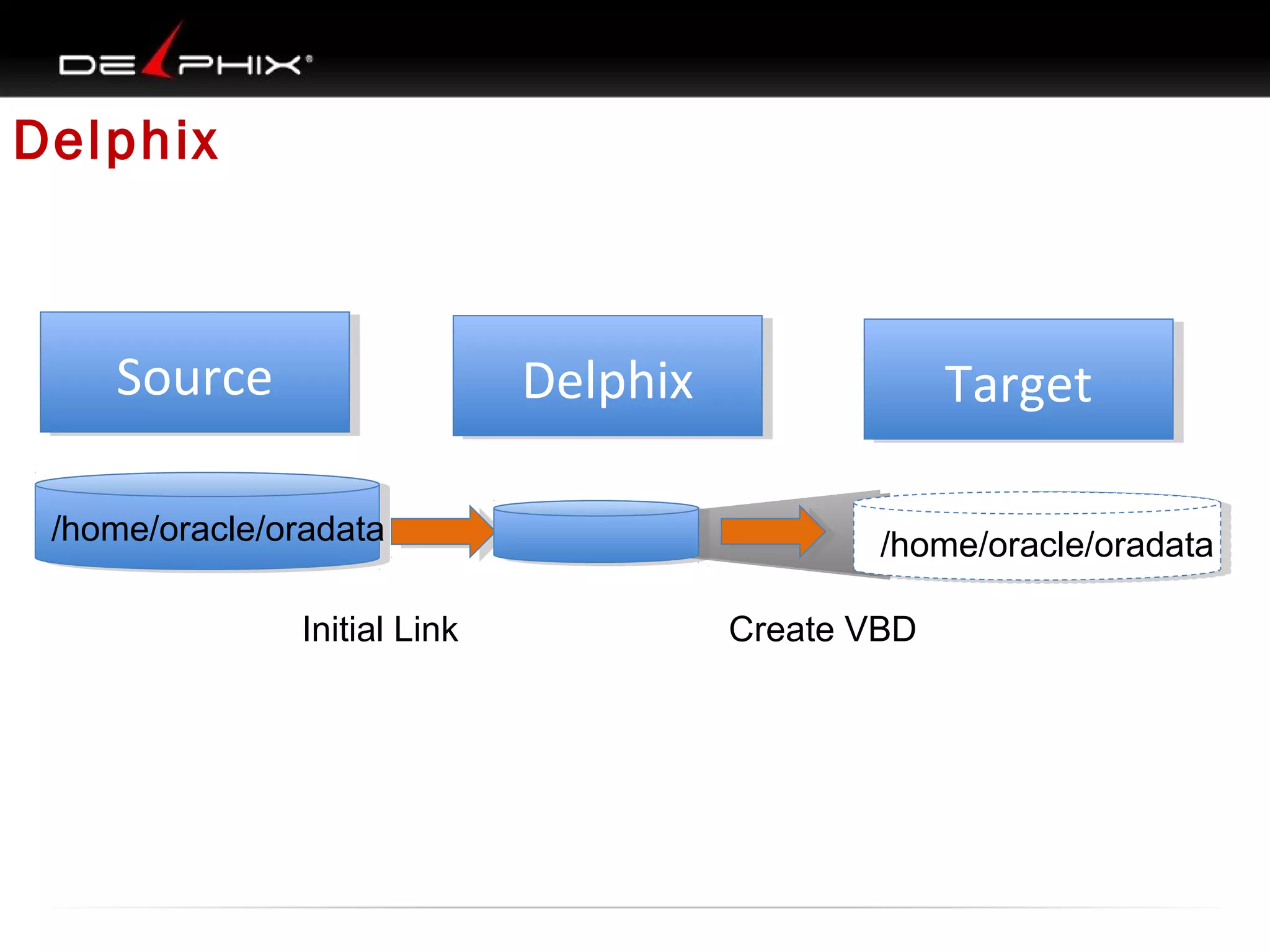
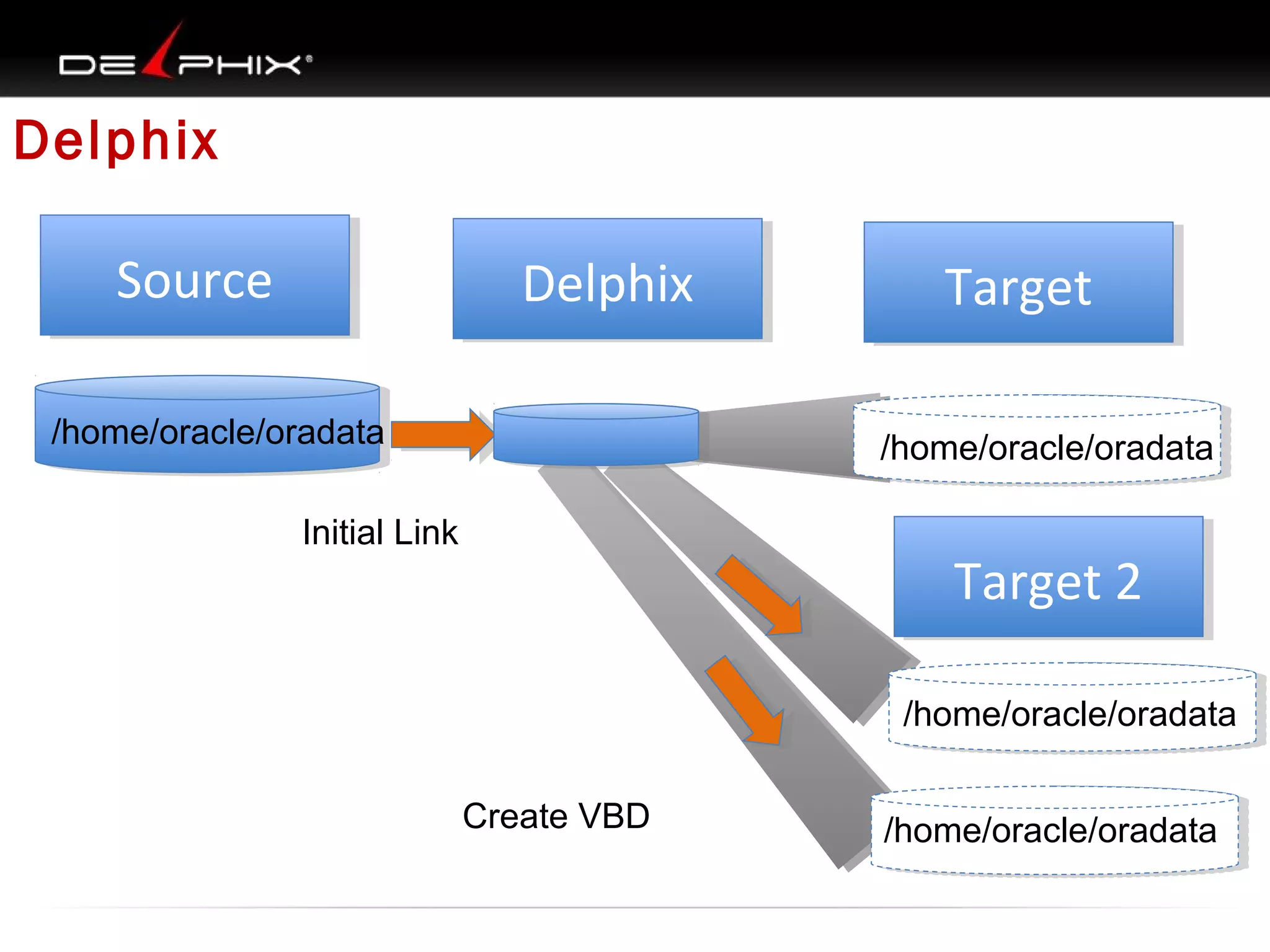
Delphix

Source
Source

Delphix
Delphix

/home/oracle/oradata
Initial Link

Target
Target
/home/oracle/oradata
Create VBD
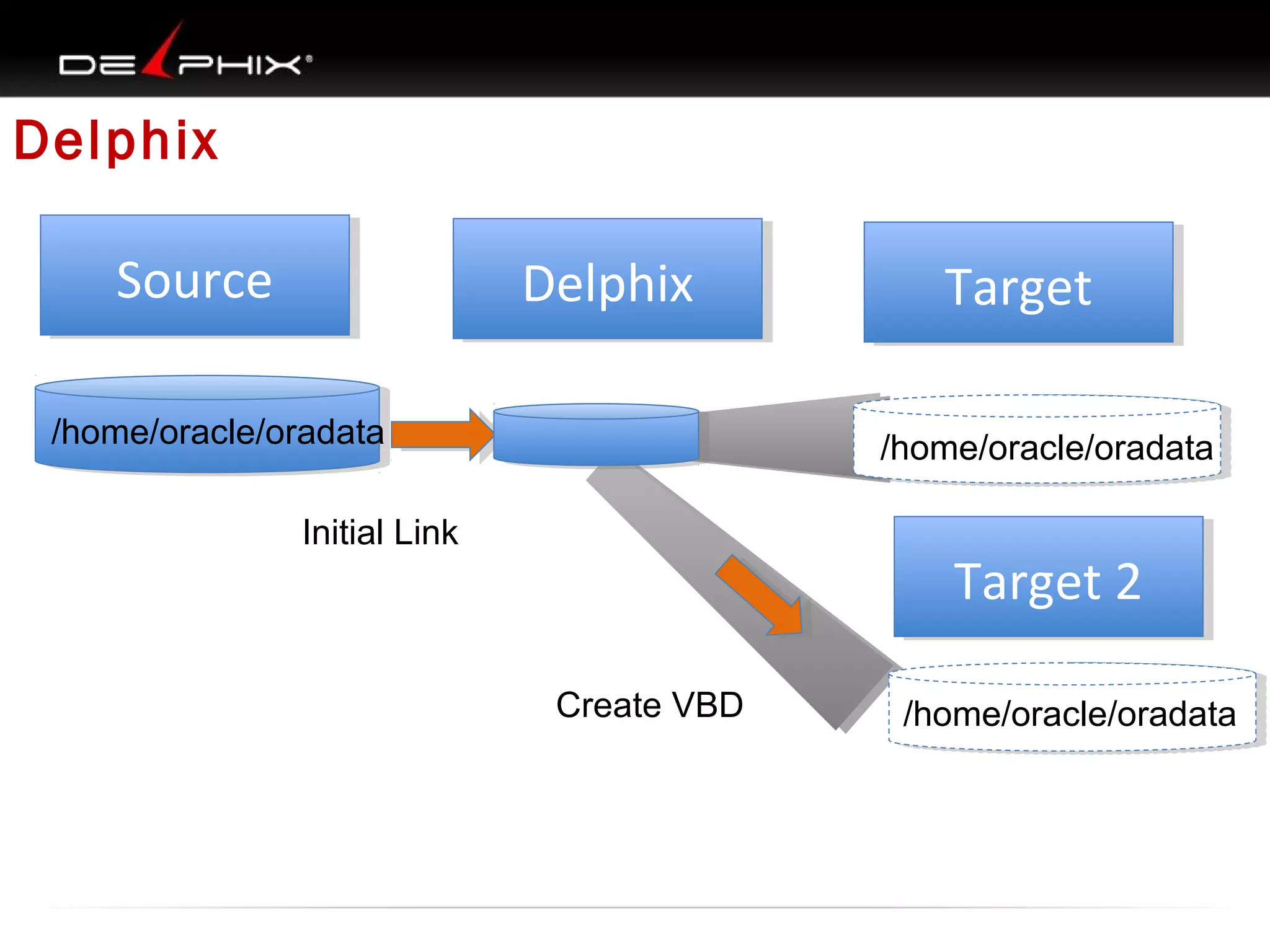
Delphix
Source
Source

Delphix
Delphix

/home/oracle/oradata

Target
Target
/home/oracle/oradata

Initial Link

Target 2
Target 2
Create VBD

/home/oracle/oradata
Delphix
Source
Source

Delphix
Delphix

/home/oracle/oradata

Target
Target
/home/oracle/oradata

Initial Link

Target 2
Target 2
/home/oracle/oradata
Create VBD

/home/oracle/oradata

Dueling duplications RMAN vs Delphix

  • 1.
    Dueling Duplications Physical vs.Virtual Data Cloning Steve Karam – oraclealchemist.com Kyle Hailey – kylehailey.com 1
  • 2.
    Your Presenters • KyleHailey – Oracle Ace, Oaktable Member – A principle designer of Oracle EM performance pages – Twitter: @kylehhailey – Blog: kylehailey.com • Steve Karam – Joined Delphix in December – Oracle Certified Master, ACE, and other acronyms – Just a little social • Blog: http://www.oraclealchemist.com/ • Twitter: @OracleAlchemist • Facebook: OracleAlchemist
  • 3.
  • 4.
    In this corner…wehave RMAN! • • • • • • Undisputed(ish) Oracle Database Heavyweight Backup Champion Raised on the mean streets of Oracle 8 Became really useful in Oracle 9i Became really really useful in Oracle 10g Just keeps getting better and better Used as a tool for: – – – – Backup and Recovery Cloning Oracle Databases Cross Platform Migrations Taking up lots of disk space
  • 5.
    And in thiscorner, the contender: Delphix! • • • • • • The Agile powerhouse out of Menlo Park, CA Light on its feet, and built for speed Compatible with 9.2.0.8 to 12c Provisions virtual databases (VDBs) off any Oracle or SQL Server Ready to disrupt your business practices—but in a good way Used as a tool for: – – – – – Cloning Oracle and SQL Server fast Reducing the storage Removing data movement bottlenecks Making sure everyone gets a copy of the database Making people jealous on Twitter
  • 6.
    Why We Clone Thereare plenty of good reasons to clone a database. •Creating Dev, QA, Reporting, UAT, and other environments •Migrating data from one server to another •ETL or other warehouse workflow requirements •Data versioning •Data archiving
  • 7.
    The problem is… Reports Production Firstcopy QA and UAT • • • • CERN -  European Organization for Nuclear Research 145 TB database 75 TB growth each year Dozens of developers want copies. Developers
  • 8.
    What We’ve Seen 1. 2. 3. 4. 5. InefficientQA: Higher costs of QA QA Delays : Greater re-work of code Sharing DB Environments : Bottlenecks Using DB Subsets: More bugs in Prod Slow Environment Builds: Delays “if you can't measure it you can’t manage it”
  • 9.
    1. Inefficient QA:Long Build times Build Build Time Build Time QA Test 96% of QA time was building environment $.04/$1.00 actual testing vs. setup
  • 10.
    2. QA Delays: bugsfound late require more code re- work Build QA Env Build QA Env Sprint 1 X Sprint 2 Q A Build QA Env Build QA Env Q A Sprint 3 Bug Code Cost To Correct Delay in Fixing the bug Software Engineering Economics – Barry Boehm (1981)
  • 11.
    3. Full CopyShared : Bottlenecks Old Unrepresentative Data Frustration Waiting
  • 12.
    4. Subsets :cause bugs
  • 13.
    4. Subsets :cause bugs The Production ‘Wall’ Classic problem is that queries that run fast on subsets hit the wall in production. Developers are unable to test against all data ucti Prod n o
  • 14.
    5. Slow EnvironmentBuilds: Slow Environment Builds: 3-6 Months to Deliver Data Developer Asks for Get Access DB Manager DBA System Admin Storage Admin approves Request system Setup DB Request storage Setup machine Allocate storage (take snapshot)
  • 15.
    Why We Can’tClone And there are many reasons that we can’t make the clones we need. •We don’t have the disk space for another copy (or three) •We don’t have enough environments •The source database is too huge •There’s just not enough time
  • 16.
    5. Slow EnvironmentBuilds: culture of no DBA Developer
  • 17.
  • 18.
  • 19.
    What We’ve Seen 1.Inefficient QA: Higher costs 2. QA Delays : Increased re-work 3. Sharing DB : Bottlenecks 4. Subset DB : Bugs 5. Slow Environment Builds: Delays
  • 20.
    The problem is… Theproblem is that RMAN is still a backup and recovery tool. It’s capable of duplicating databases, it has great features for duplicating databases, but it’s not made to duplicate databases. It’s not made for agility. In short…
  • 21.
  • 22.
    RMAN is… The officialdescription: Oracle Recovery Manager (RMAN) provides a comprehensive foundation for efficiently backing up and recovering the Oracle database. So how does it do that? •Backups to disk or tape (or 3rd party media management layers) •Integrated catalog , retention policies and cleanup •Backup-time corruption detection •Full and incremental backup capabilities •Backup set and Copy backup types
  • 23.
    Backup and Recoveryin RMAN Backup and Recovery in RMAN is dead simple, particularly if the environment is configured ahead of time with proper paths and requirements. Backup the whole database: backup database; Restore and recover the whole database: restore database; recover database;
  • 24.
    So what doesa backup look like? RMAN backups are, of course, collections of files. What those collections look like is determined by the type of backup you’ve performed. • Backup as Backupset • Backs up non-empty blocks into one or more backupset files • Multiple datafiles per backupset file • Datafiles are reconstructed at restore time • Backup as Copy • Backs up complete files to complete copies, byte-for-byte, old school • Fast recovery • Takes up more space • Useful for incrementally updated backups, recover into full backup
  • 25.
    Surely it doesmore than that! No doubt! RMAN is capable of many things, all centered around its ability as a backup and recovery tool. •Cross platform conversions – Convert a database from Windows to Linux, Linux to Windows, or even to platforms with a different endian format like SPARC Solaris •Incrementally updated backups – A single full backup copy that is recovered into over time by way of incremental backups •Proactive health checks – Database validation to spot signs of corruption •Compression – Compression during backup using BZIP2 or ZLIB •Cleanup policies – Using backup retention policies, it is easy to report on and delete unnecessary backup files
  • 26.
    And 12c action • Tableand Pluggable Database Recovery – Recover at the table level instead of the tablespace or datafile level, or recover pluggable databases with the Multitenant Database option • Simplified Cross Platform backup and recovery – Now you can use BACKUP TO PLATFORM and RESTORE FROM PLATFORM instead of doing separate conversions. Solaris: “Backup to Linux” • Cross Platform incremental backups – Make it possible to do cross platform conversions with minimal downtime • Multi-Section Image Copy and Incremental Backups – Divide individual data file backups into smaller sections to backup in parallel
  • 27.
    But can itclone? Yes Virginia, RMAN can clone. Since RMAN’s primary functionality is to backup databases and then restore them, it makes sense that you could backup from one server and restore on another. Even better, RMAN has allowed duplicating with a relatively simple DUPLICATE command since Oracle 8i. This feature has of course grown better over time. As of Oracle 12c you can: •Duplicate from Backup ( only option in pre-12c) •Duplicate from an active database, no backup required •Use compression and multi-section backups for DUPLICATE FROM ACTIVE DATABASE commands 64% of DBAs use RMAN to clone
  • 28.
    So what’s theproblem? • Backups take space. – They can be compressed but slow, BZIP2, built in – ZLIB fast but have to pay advanced compression package • Clones take space – The cloned databases take up lots of space as well. They will always at least double your space usage. • Takes time – Even if space isn’t a concern, the process takes itme – While several features have sped up cloning with RMAN, you still need to physically copy a database from one system to another.
  • 29.
  • 30.
  • 31.
    99% of blocksare identical Clone 1 Clone 2 Clone 3
  • 32.
  • 33.
    Where we Are Production Instance Database Filesystem File system QA UAT Instance Instance Instance Database Database Database File system File system File system File system File system File system File system Development
  • 34.
  • 35.
  • 36.
    Three Physical Copies ThreeVirtual Copies Data Virtualization Appliance
  • 37.
    Install Delphix onx86 hardware Intel hardware
  • 38.
    Allocate Any Storageto Delphix Allocate storage of any type
  • 39.
    One time backupof source database Production Production Instance Database File system Beta or in Development
  • 40.
    DxFS (Delphix) CompressData Production Instance Instance Database File system Data is compressed typically 1/3 size
  • 41.
  • 42.
    Incremental forever changecollection Production Instance Instance Database File system Changes Time Window • Collected incrementally forever • Old data purged
  • 43.
    Source Full Copy Sourcebackup from SCN 1
  • 44.
  • 45.
  • 46.
  • 47.
  • 48.
  • 49.
    Typical Architecture Production Instance Database File system Filesystem Development QA UAT Instance Instance Instance Database Database Database File system File system File system File system File system File system File system
  • 50.
  • 51.
    Three Core Parts Production Instance 1 SourceSync’ing Original copy Pull in changes Purging > time window Storage File System 2 Storage Snapshot Compress Share Cache Storage Agnostic Development Instance 3 Self Service Mount, recover, rename Roles & Security Rollback & Refresh Branch & Tag
  • 52.
    Overview of DatabaseVirtualization 1. 2. 3. 4. 5. Fast, Fresh, Full Free Branching Federated Self Serve
  • 53.
    Fast, Fresh, Full Source DevelopmentVDB Instance Instance Time Window
  • 54.
  • 55.
  • 56.
  • 57.
  • 58.
    Prepararation • Source and Target –ORACLE_HOME /home/oracle/oracle1123/product – Backup directory /home/oracle/rman • Target Preparation – directories • • • • mkdir -p /home/oracle/oracle1123/fast_recovery_area/dup mkdir -p /home/oracle/oracle1123/admin/dup mkdir /home/oracle/oradata/dup mkdir -p /home/oracle/oradata/O1123/changetracking/ – init.ora /home/oracle/oracle1123/product/dbs/initdup.ora • added – *.db_file_name_convert='o1123','dup’ – *.log_file_name_convert='o1123','dup’ – Create a TNSNAMES entry for 'source’
  • 59.
  • 60.
  • 61.
  • 62.

Editor's Notes

  • #2 In the Oracle world one of the most dreaded things onerous you can come across is when your boss or some group comes in and tells you we need to refressh QA we need to refresh developement usually your first thought is something like oh god didn't I do that a year ago or two years ago? the problem is that refreshing these environments takes hours and hours of works it takes digging out old scripts tons of disk space that you probably don't have you are going to have to ask the storage admins for more disk space you are going to have to figure out and trouble shoot a bunch of different issues trying to drop the old database and refresh it and all of that it can be abig pain it cab ne something as DBAs we like to avoid what we are going to talk about today is definitly part of that its calle dueling duplications we are going to look at the difference between physical cloning s something most of you hae probably experience with and probably serious horror stories about and virtual data cloning and we will go into a bit of the difference between a physical cloning and virtual data cloning and what virtual data is and why it is so important
  • #5 first we are going to talk about RMAN RMAN is a vernable old tool do not let anyone tell you it is not useful it is a very very useful tool it is probably one of the best Oracle centric tools for making Oracle backups that's what it is good for it's the undisputable heavyweight backup champion tool for Oracle It's been around since Oracle 8. It sort of sucked bad in Oracle 8, sorry to say it wan't that great lot of problems most focused around the commands you had to use it was very tough to get a good managed backup schedule and do eash recovery It got a lot more useful in Oralce 9i Oralce 9i made it much more easy to use didin't need to use the catalogue for so much, it was still very useful you could do a lot of good In 10g it became very useful became better at using incarnations when you did an open reset logs, rman could do a better job of going back and forth around that incarnation automatic channels and various other things made it very easy to take backups and recover you could take a back up just by typing "backup database" you cold do a restore and recover by typing "restore database" "recover database" in Oracle 10g, you will still find DBAs that have been around for a long time that still won't touch RMAN usually because the last time they used it was in Oracle 8 For DBAs who started with RMAN in Oracle 10g, they usually love it One of the cool thigs is it's not just a backup tool it's got some great features when it comes to managing backups it's good at managing redundancy and retention windows to get rid of backups in a clean way instead of trying to come up with some obscene schedule you just say I want a retention window of 14 days then you can type delete obsolete and it will get rid of any files not needed for that window really useful stuff good for backup and recovery good for cloning, does a pretty good job have to have space for archive logs have to have more space for your backups have to have space for frequent backups then need retention to hold on to those backyps for cloning need more need backup need to transfer to target restore and copy backup -> 3 copies on top of source , total 4 newest version of RMAN have ways to clone from live database
  • #6 When you have a team waiting it’s a big deal 10 – 20 developers Half a dozen qa people It’ just takes too long and is too disruptive to clone A virtualize databses use a foundation technology called thin cloining A virtual databse has a normal instance running just like a physical instance And the datafiles look like normal datafiles to the database But the datafiles are actually being shared between multiple clones And there is layer of
  • #7 You post a buggy app and it’s going to be slammed on twitter, facebook, etc But have deadlines to meet Doesn’t matter how polished it is if it comes out too late Need QA, testing, UAT EofQ can’t touch prod because running report Better to have reporting Data versionsing, not just stagnant, need to record changes, Data archiving, order history table, TBs need to move it off somewhere else
  • #8 Prod critical for business Performance of prod is top priority Protect prod from load
  • #9 I don’t know If these situations ring a bell at your organization or if you can imagine some of these situations But here are some of the issues we at Delphix are seeing in the industry with the companies we are talking to. Let’s look at the 5 points in more detail
  • #10 We talked to Presbyterian Healthcare And they told us that they spend 96% of their QA cycle time building the QA environment And only 4% actually running the QA suite This happens for every QA suite meaning For every dollar spent on QA there was only 4 cents of actual QA value Meaning 96% cost is spent infrastructure time and overhead
  • #11 Because of the time required to set up QA environments The actual QA tests suites lag behind the end of a sprint or code freeze Meaning that the amount of time that goes by after the introduction of a bug in code and before the bug is found increases And the more time that goes by after the introduction of a bug into the code The more dependent is written on top of the bug Increasing the amount of code rework required after the bug is finally found In his seminal book that some of you may be familiar with, “Software Engineering Economics”, author Barry Boehm Introduce the computer world to the idea that the longer one delays fixing a bug in the application design lifescyle The more expensive it is to to fix that bug and these cost rise exponentially the later The bug is address in the cycle
  • #12 Not sure if you’ve run into this but I have personally experience the following When I was talking to one group at Ebay, in that development group they Shared a single copy of the production database between the developers on that team. What this sharing of a single copy of production meant, is that whenever a Developer wanted to modified that database, they had to submit their changes to code Review and that code review took 1 to 2 weeks. I don’t know about you, but that kind of delay would stifle my motivation And I have direct experience with the kind of disgruntlement it can cause. When I was last a DBA, all schema changes went through me. It took me about half a day to process schema changes. That delay was too much so it was unilaterally decided by They developers to go to an EAV schema. Or entity attribute value schema Which mean that developers could add new fields without consulting me and without stepping on each others feat. It also mean that SQL code as unreadable and performance was atrocious. Besides creating developer frustration, sharing a database also makes refreshing the data difficult as it takes a while to refresh the full copy And it takes even longer to coordinate a time when everyone stops using the copy to make the refresh All this means is that the copy rarely gets refreshed and the data gets old and unreliable
  • #13 To circumvent the problems of sharing a single copy of production Many shops we talk to create subsets. One company we talked to , RBS spends 50% of time copying databases have to subset because not enough storage subsetting process constantly needs fixing modification Now What happens when developers use subsets -- ****** -----
  • #14 Stubhub (ebay) estimates that 20% of there production bugs arise from testing on Subsets instead of full database copies.
  • #16 Can’t afford licensing for QA and DEV Datacenter space, might not have the rack space 8-9TB, grew 2TB a year, took 3 days to make a clone Wanted refresh once a month Took 2 days of my time, 3 days of QA databse down time Takes a long time even with modern tools
  • #17 Due to the constraints of building clone copy database environments one ends up in the “culture of no” Where developers stop asking for a copy of a production database because the answer is “no” If the developers need to debug an anomaly seen on production or if they need to write a custom module which requires a copy of production they know not to even ask and just give up.
  • #18 State of Colorado has a 100 projects support 3 KLA tencor can only support 2 projects of a dozen
  • #19 Slow downs mean bottlenecks These bottlenecks cause failures in IT projects I’m into eliminating bottlenecks (whether it is wait events, tuning sql or provisioning copies of dbs)
  • #23 Show all To see setup
  • #28 Coming from a backup
  • #37 In the physical database world, 3 clones take up 3x the storage. In the virtual world 3 clones take up 1/3 the storage thanks to block sharing and compression
  • #38 Software installs an any x86 hardware uses any storage supports Oracle 9.2-12c, standard edition, enterprise edition, single instance and RAC on AIX, Sparc, HPUX, LINUX support SQL Server
  • #39 EMC, Netapp, Fujitsu, Or newer flash storage like Violin, Pure Storage, Fusion IO etc
  • #40 Delphix does a one time only copy of the source database onto Delphix
  • #52 Source Syncing* Initial backup once only Continual forever change collection Purging of old data Storage DxFS Share blocks snap shots , unlimited, storage agnostic Compression , 1/3 typically, compress on block boundaries. Overhead for compression is basically undetectable Share data in memory, super caching* Self Service Automation Virtual database provisioning, rollback, refresh*, branching*, tagging* Mount files over NFS Init.ora, SID, database name, database unique name Security on who can see which source databases, how many clones they can make and how much storage they can use