Download to read offline
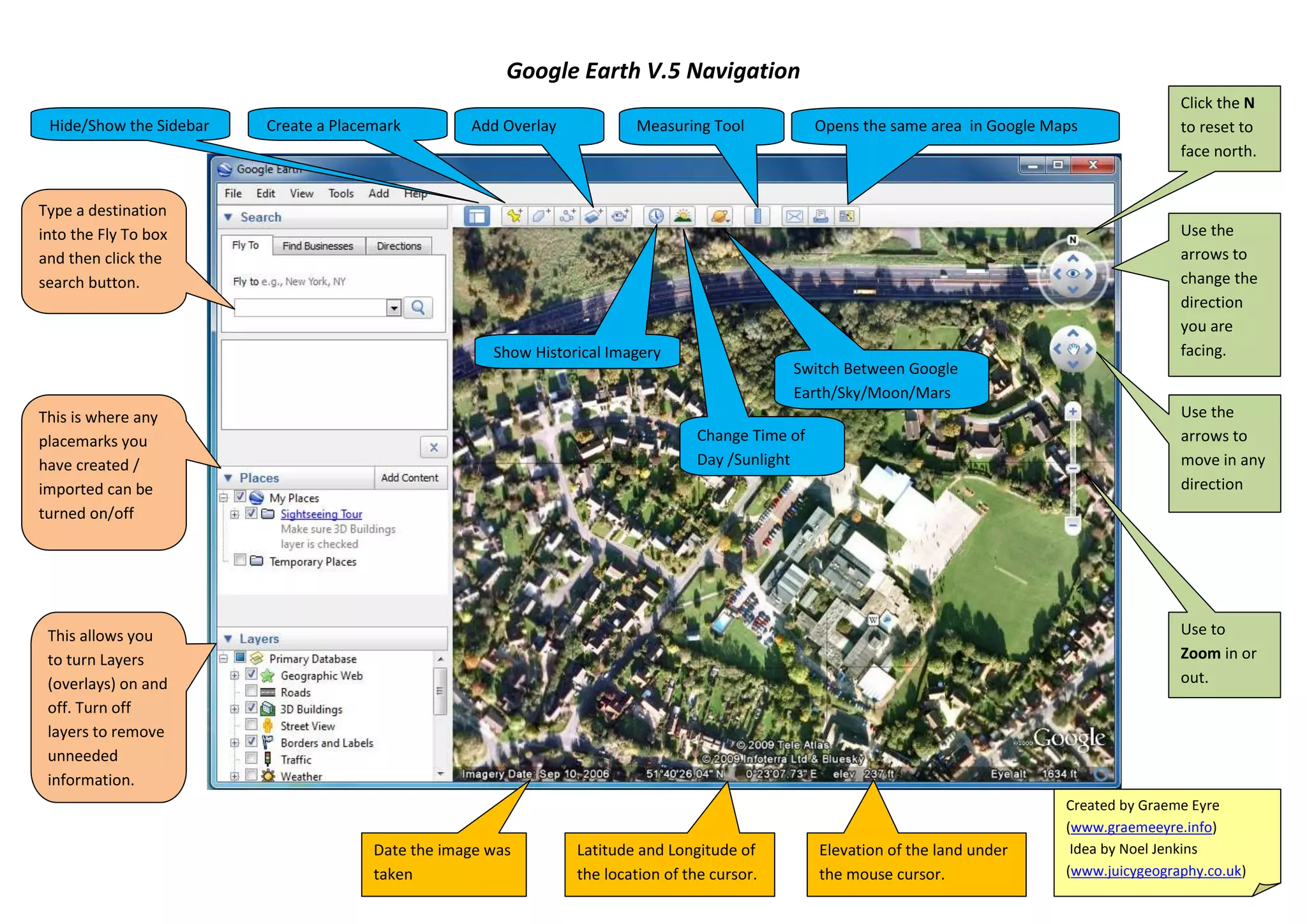

This document provides instructions for using various tools and features in Google Maps, including opening a specific area, adding overlays, measuring distances, placing markers, showing or hiding the sidebar, searching for locations, changing the viewing direction, turning layers on or off, showing placemarks, zooming in or out, and switching between map views.


