The Open Institute on 28th July, 2009   BY: Mr. HY ChanHan  Drupal Conference
Objective To   provide  a wide range of web development technique with drupal. To   promote  drupal to the professionals in Cambodia.  To   share  knowledge  To   build  developers capacity  To improve  websites to be a web standard.   
Expectation After  finish this conference you will get some thoughts with drupal related features Install  drupal Install  modules and themes  Manage  website
AGENDA I- Drupal introduction What is drupal? What can it do? System requirement  II- Why choose drupal? III- Who use drupal?
AGENDA IV- Download and install V- Drupal administration VI- Drupal third-party module   Where to download?    How to install?  VII- Demo VIII- Questions
Drupal Introduction I.
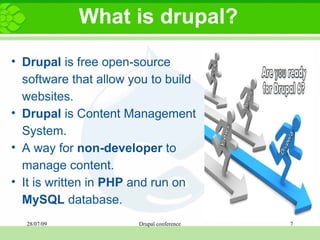
What is drupal? Drupal  is free open-source software that allow you to build websites.  Drupal  is Content Management System.   A way   for  non-developer  to manage content.   It is written in  PHP  and run on  MySQL  database.
What can it do? Community web portals Discussion sites/ Forums Corporate web sites  Personal websites/ blogs Social Networking Sites E-commerce Web Applications
System requirement PHP Apache MySQL        AppServ Recommended
Why choose drupal? II.
Why choose drupal? Easy to install Easy to use  There are a lot of modules Manage large sites Clean URL  Khmer language translation  
Who use drupal? III.
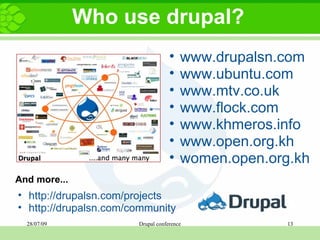
Who use drupal? www.drupalsn.com www.ubuntu.com  www.mtv.co.uk  www.flock.com  www.khmeros.info www.open.org.kh women.open.org.kh http://drupalsn.com/projects http://drupalsn.com/community And more...
Download and install IV.
Download and install Download drupal from http://drupal.org The latest version Drupal 6.13
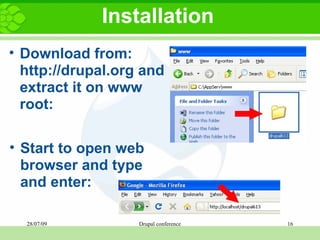
Installation Download from: http://drupal.org and extract it on www root: Start to open web browser and type and enter:
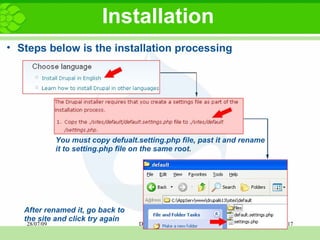
Installation Steps below is the installation processing You must copy defualt.setting.php file, past it and rename it to setting.php file on the same root. After renamed it, go back to the site and click   try again
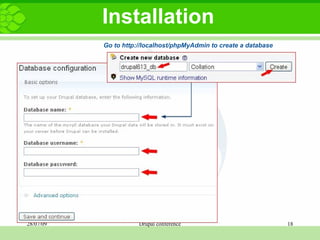
Installation Go to http://localhost/phpMyAdmin to create a database
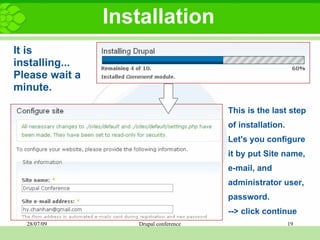
Installation It is installing... Please wait a minute. This is the last step of installation.  Let's you configure it by put Site name, e-mail, and administrator user, password. --> click continue
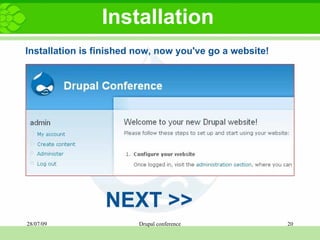
Installation Installation is finished now, now you've go a website! NEXT >>
Drupal Administration V.
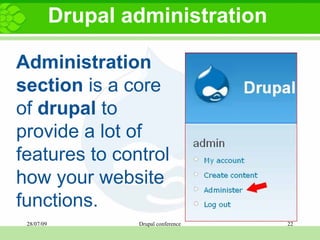
Drupal administration Administration section  is a core of  drupal  to provide a lot of features to control how your website functions.
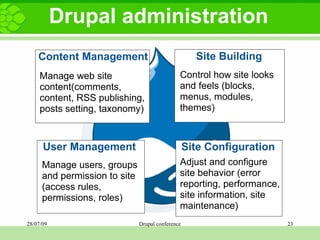
Drupal administration Content Management Site Building User Management Site Configuration Manage web site content(comments, content, RSS publishing,  posts setting, taxonomy) Control how site looks and feels (blocks, menus, modules, themes) Manage users, groups and permission to site (access rules, permissions, roles) Adjust and configure site behavior (error reporting, performance, site information, site maintenance)
Drupal third-party module   VI.
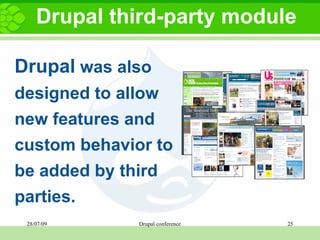
Drupal third-party module Drupal  was also designed to allow new features and custom behavior to be added by third parties.
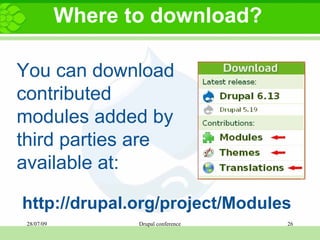
Where to download? You can download contributed modules added by third parties are available at:    http://drupal.org/project/Modules
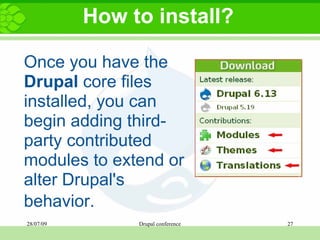
How to install? Once you have the  Drupal  core files installed, you can begin adding third-party contributed modules to extend or alter Drupal's behavior.    
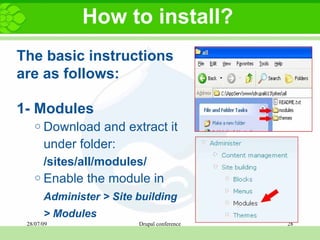
How to install? The basic instructions are as follows:   1- Modules Download and extract it under folder:  /sites/all/modules/ Enable the module in  Administer > Site building > Modules    
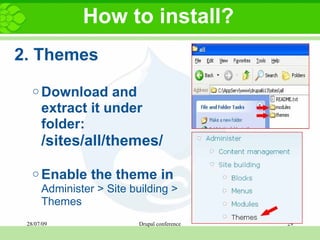
How to install? 2. Themes Download and extract it under folder:  /sites/all/themes/   Enable the theme in  Administer > Site building > Themes  
Demo VII.
Questions   VIII. Thanks you!

Drupal Conference

  • 1.
    The Open Instituteon 28th July, 2009   BY: Mr. HY ChanHan Drupal Conference
  • 2.
    Objective To provide a wide range of web development technique with drupal. To promote drupal to the professionals in Cambodia. To share knowledge  To build developers capacity To improve websites to be a web standard.  
  • 3.
    Expectation After finish this conference you will get some thoughts with drupal related features Install drupal Install modules and themes Manage website
  • 4.
    AGENDA I- Drupalintroduction What is drupal? What can it do? System requirement II- Why choose drupal? III- Who use drupal?
  • 5.
    AGENDA IV- Downloadand install V- Drupal administration VI- Drupal third-party module   Where to download?   How to install? VII- Demo VIII- Questions
  • 6.
  • 7.
    What is drupal?Drupal is free open-source software that allow you to build websites. Drupal is Content Management System. A way for non-developer to manage content. It is written in PHP and run on MySQL database.
  • 8.
    What can itdo? Community web portals Discussion sites/ Forums Corporate web sites Personal websites/ blogs Social Networking Sites E-commerce Web Applications
  • 9.
    System requirement PHPApache MySQL       AppServ Recommended
  • 10.
  • 11.
    Why choose drupal?Easy to install Easy to use There are a lot of modules Manage large sites Clean URL Khmer language translation  
  • 12.
  • 13.
    Who use drupal?www.drupalsn.com www.ubuntu.com  www.mtv.co.uk  www.flock.com www.khmeros.info www.open.org.kh women.open.org.kh http://drupalsn.com/projects http://drupalsn.com/community And more...
  • 14.
  • 15.
    Download and installDownload drupal from http://drupal.org The latest version Drupal 6.13
  • 16.
    Installation Download from:http://drupal.org and extract it on www root: Start to open web browser and type and enter:
  • 17.
    Installation Steps belowis the installation processing You must copy defualt.setting.php file, past it and rename it to setting.php file on the same root. After renamed it, go back to the site and click try again
  • 18.
    Installation Go tohttp://localhost/phpMyAdmin to create a database
  • 19.
    Installation It isinstalling... Please wait a minute. This is the last step of installation.  Let's you configure it by put Site name, e-mail, and administrator user, password. --> click continue
  • 20.
    Installation Installation isfinished now, now you've go a website! NEXT >>
  • 21.
  • 22.
    Drupal administration Administrationsection is a core of drupal to provide a lot of features to control how your website functions.
  • 23.
    Drupal administration ContentManagement Site Building User Management Site Configuration Manage web site content(comments, content, RSS publishing,  posts setting, taxonomy) Control how site looks and feels (blocks, menus, modules, themes) Manage users, groups and permission to site (access rules, permissions, roles) Adjust and configure site behavior (error reporting, performance, site information, site maintenance)
  • 24.
  • 25.
    Drupal third-party moduleDrupal was also designed to allow new features and custom behavior to be added by third parties.
  • 26.
    Where to download?You can download contributed modules added by third parties are available at:   http://drupal.org/project/Modules
  • 27.
    How to install?Once you have the Drupal core files installed, you can begin adding third-party contributed modules to extend or alter Drupal's behavior.  
  • 28.
    How to install?The basic instructions are as follows: 1- Modules Download and extract it under folder: /sites/all/modules/ Enable the module in Administer > Site building > Modules  
  • 29.
    How to install?2. Themes Download and extract it under folder: /sites/all/themes/   Enable the theme in Administer > Site building > Themes  
  • 30.
  • 31.
    Questions VIII. Thanks you!