Building a Business Value Demo OR How to give a better pre-sale demonstration Alec Clews  http://alecthegeek.wordpress.com Voga Consulting Services   http://voga.com.au
 
Talking about Why we do it What to do How to do it Traps and Pitfalls How to avoid (some of) the problems Technology and tips
What we are NOT going to talk about Presentations (But of course many of these ideas apply to presentations, as well as how to write your curriculum vitae) Basic talking and listening techniques
This is no magic wand Your demo must reflect you and your values No one size fits all I'm just one guy, so you teach me as well please
Why do we do it? Add value for ourselves Make a sale By giving value to the customer Understand and Manage the business Do more better and faster Save money Value is $$$$$ But more on that later
Problem No 1 People have short attention spans and only hear what they want to hear SO Assume customers have IBS and will leave after 10 minutes SHOW THE VALUE EARLY
Be specific about the value “ This is one way our customers are saving 15%---30% of their development costs” “ This customised report shows customer satisfaction trends over time so that you discover what works and make improvements” “ These tailored alerts give you feedback on your security exposure, when server changes occur, so you can remediate immediately”
Problem No 2 People hate lies, or what they  think  are lies SO Discover the customers PAIN FIRST then relate to your VALUE offering Be  Credible Don't lie! EVER! Know your Product or Service and the Market
OK That's all folks the rest is just details... but that of course is where the Devil lives...
What is value? MONEY Which is either Understand and Manage Business Do more, better and faster Save Money (or Risk management, Competitive advantage, Cost reduction)
Show the Value Early Start with reports and other information Oh no. Reports are boring! They're important to the guy with the  budget ! Show and then describe, how the product is  useful  and easy --  VALUABLE Relate it back to the  customer's  pain
Have a structured demo plan ALWAYS follow your plan You can get lead down the wrong way very easily Vary the pace, emphasis and words to suit the current situation Be good enough to start using the local terminology Helps you maintain control and authority Stay focused on the VALUE
Problem no 3 “Nerd in the Room” Can derail your demo plan in 15 seconds flat! “Does it use Perl 5.10 specific features?” “Our standard is to use DBIx::Class” CAREFUL – might be a key influencer Be as water Deflect Postpone Seek to understand fully (Leads back to 1) e.g. 'Why is that important you you?'
Problem no 4 “It's FAB baby!” The Old, Easy, Way (the perceived wisdom) F eatures A dvantages B enefits The New Way It's all about the VALUE
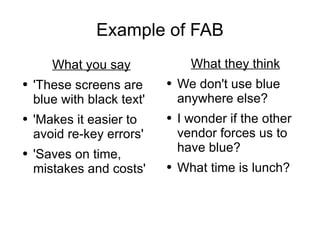
Example of FAB What you say 'These screens are blue with black text' 'Makes it easier to avoid re-key errors' 'Saves on time, mistakes and costs' What they think We don't use blue anywhere else? I wonder if the other vendor forces us to have blue? What time is lunch?
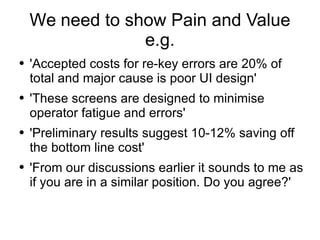
We need to show Pain and Value e.g. 'Accepted costs for re-key errors are 20% of total and major cause is poor UI design' 'These screens are designed to minimise operator fatigue and errors' 'Preliminary results suggest 10-12% saving off the bottom line cost' 'From our discussions earlier it sounds to me as if you are in a similar position. Do you agree?'
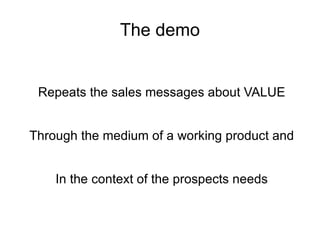
The demo Repeats the sales messages about VALUE Through the medium of a working product and In the context of the prospects needs
Importance of  Language Use their language or jargon Connect your ideas to their mental map Demonstrate the business value & costs © 2008 Digital Business Group Pty Ltd
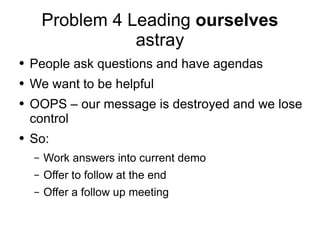
Problem 4 Leading  ourselves  astray People ask questions and have agendas We want to be helpful OOPS – our message is destroyed and we lose control So: Work answers into current demo Offer to follow at the end Offer a follow up meeting
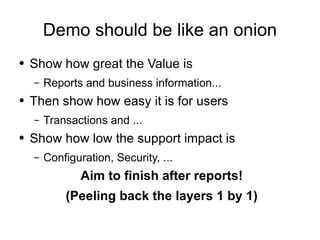
Demo should be like an onion Show how great the Value is Reports and business information... Then show how easy it is for users Transactions and ... Show how low the support impact is Configuration, Security, ... Aim to finish after reports! (Peeling back the layers 1 by 1)
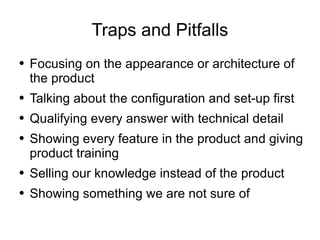
Traps and Pitfalls Focusing on the appearance or architecture of the product Talking about the configuration and set-up first Qualifying every answer with technical detail Showing every feature in the product and giving product training Selling our knowledge instead of the product Showing something we are not sure of
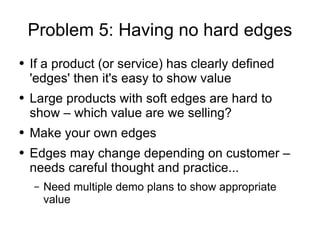
Problem 5: Having no hard edges If a product (or service) has clearly defined 'edges' then it's easy to show value Large products with soft edges are hard to show – which value are we selling? Make your own edges Edges may change depending on customer – needs careful thought and practice... Need multiple demo plans to show appropriate value
Tips and Tricks Use Virtual Machine technology Protects precious demo from external changes Makes set-up easy and fast Use a fixed specific data set you know Practice and refine, again and again and... After every demo ask Three good things Three things to improve
Tips and Tricks 2 Beware cultural differences. e.g. My approach works in Australia but needs changing in India Prepare by listening to the customer and make sure you know why they want to listen. Confirm your understanding. DISCOVERY Use the customers language, not yours e.g. machines vs. servers, iterations vs releases Features can be presented as an opportunity to attack or a tactic to defend –  or both
Demo as a slide show Showing a product as a set of screen shots, or outputs, and associated data can be a valid second choice: UI is too small or hard to demonstrate live No UI to show Forces a large complex demo to stay on track Back up in case demo fails on-site As a handout – but be  very  careful where it ends up
Key Takeaways The Demo MUST Address the PAIN Show the VALUE Be Credible
The boring bit Alec's started in NCR UK pre-sale team in 1982 In and out of technical sales and consulting ever since and project management, support, development, change control,... Currently an independent consultant for Software Process and Tools Business cards provided for modest fees  ☺
With thanks to: My many friends and colleagues over the years including, but not limited to: Paul Fenwick for help with OpenOffice The sales team at Tripwire for improving my skills Peter Rooke for being a sounding board Kate Carruthers  http://digbiz.com.au/  for material The Sales Warrior blog for imagery (http://xrl.us/onbpi)
The really boring bit This document is copyright 2008 Alec Clews Licensed under the Creative Commons Attribution-Share Alike 3.0 (see  http://xrl.us/ondsh )
Further Information http://delicious.com/alecclews/demos Solution Selling training and books

Create a better Demo

  • 1.
    Building a BusinessValue Demo OR How to give a better pre-sale demonstration Alec Clews http://alecthegeek.wordpress.com Voga Consulting Services http://voga.com.au
  • 2.
  • 3.
    Talking about Whywe do it What to do How to do it Traps and Pitfalls How to avoid (some of) the problems Technology and tips
  • 4.
    What we areNOT going to talk about Presentations (But of course many of these ideas apply to presentations, as well as how to write your curriculum vitae) Basic talking and listening techniques
  • 5.
    This is nomagic wand Your demo must reflect you and your values No one size fits all I'm just one guy, so you teach me as well please
  • 6.
    Why do wedo it? Add value for ourselves Make a sale By giving value to the customer Understand and Manage the business Do more better and faster Save money Value is $$$$$ But more on that later
  • 7.
    Problem No 1People have short attention spans and only hear what they want to hear SO Assume customers have IBS and will leave after 10 minutes SHOW THE VALUE EARLY
  • 8.
    Be specific aboutthe value “ This is one way our customers are saving 15%---30% of their development costs” “ This customised report shows customer satisfaction trends over time so that you discover what works and make improvements” “ These tailored alerts give you feedback on your security exposure, when server changes occur, so you can remediate immediately”
  • 9.
    Problem No 2People hate lies, or what they think are lies SO Discover the customers PAIN FIRST then relate to your VALUE offering Be Credible Don't lie! EVER! Know your Product or Service and the Market
  • 10.
    OK That's allfolks the rest is just details... but that of course is where the Devil lives...
  • 11.
    What is value?MONEY Which is either Understand and Manage Business Do more, better and faster Save Money (or Risk management, Competitive advantage, Cost reduction)
  • 12.
    Show the ValueEarly Start with reports and other information Oh no. Reports are boring! They're important to the guy with the budget ! Show and then describe, how the product is useful and easy -- VALUABLE Relate it back to the customer's pain
  • 13.
    Have a structureddemo plan ALWAYS follow your plan You can get lead down the wrong way very easily Vary the pace, emphasis and words to suit the current situation Be good enough to start using the local terminology Helps you maintain control and authority Stay focused on the VALUE
  • 14.
    Problem no 3“Nerd in the Room” Can derail your demo plan in 15 seconds flat! “Does it use Perl 5.10 specific features?” “Our standard is to use DBIx::Class” CAREFUL – might be a key influencer Be as water Deflect Postpone Seek to understand fully (Leads back to 1) e.g. 'Why is that important you you?'
  • 15.
    Problem no 4“It's FAB baby!” The Old, Easy, Way (the perceived wisdom) F eatures A dvantages B enefits The New Way It's all about the VALUE
  • 16.
    Example of FABWhat you say 'These screens are blue with black text' 'Makes it easier to avoid re-key errors' 'Saves on time, mistakes and costs' What they think We don't use blue anywhere else? I wonder if the other vendor forces us to have blue? What time is lunch?
  • 17.
    We need toshow Pain and Value e.g. 'Accepted costs for re-key errors are 20% of total and major cause is poor UI design' 'These screens are designed to minimise operator fatigue and errors' 'Preliminary results suggest 10-12% saving off the bottom line cost' 'From our discussions earlier it sounds to me as if you are in a similar position. Do you agree?'
  • 18.
    The demo Repeatsthe sales messages about VALUE Through the medium of a working product and In the context of the prospects needs
  • 19.
    Importance of Language Use their language or jargon Connect your ideas to their mental map Demonstrate the business value & costs © 2008 Digital Business Group Pty Ltd
  • 20.
    Problem 4 Leading ourselves astray People ask questions and have agendas We want to be helpful OOPS – our message is destroyed and we lose control So: Work answers into current demo Offer to follow at the end Offer a follow up meeting
  • 21.
    Demo should belike an onion Show how great the Value is Reports and business information... Then show how easy it is for users Transactions and ... Show how low the support impact is Configuration, Security, ... Aim to finish after reports! (Peeling back the layers 1 by 1)
  • 22.
    Traps and PitfallsFocusing on the appearance or architecture of the product Talking about the configuration and set-up first Qualifying every answer with technical detail Showing every feature in the product and giving product training Selling our knowledge instead of the product Showing something we are not sure of
  • 23.
    Problem 5: Havingno hard edges If a product (or service) has clearly defined 'edges' then it's easy to show value Large products with soft edges are hard to show – which value are we selling? Make your own edges Edges may change depending on customer – needs careful thought and practice... Need multiple demo plans to show appropriate value
  • 24.
    Tips and TricksUse Virtual Machine technology Protects precious demo from external changes Makes set-up easy and fast Use a fixed specific data set you know Practice and refine, again and again and... After every demo ask Three good things Three things to improve
  • 25.
    Tips and Tricks2 Beware cultural differences. e.g. My approach works in Australia but needs changing in India Prepare by listening to the customer and make sure you know why they want to listen. Confirm your understanding. DISCOVERY Use the customers language, not yours e.g. machines vs. servers, iterations vs releases Features can be presented as an opportunity to attack or a tactic to defend – or both
  • 26.
    Demo as aslide show Showing a product as a set of screen shots, or outputs, and associated data can be a valid second choice: UI is too small or hard to demonstrate live No UI to show Forces a large complex demo to stay on track Back up in case demo fails on-site As a handout – but be very careful where it ends up
  • 27.
    Key Takeaways TheDemo MUST Address the PAIN Show the VALUE Be Credible
  • 28.
    The boring bitAlec's started in NCR UK pre-sale team in 1982 In and out of technical sales and consulting ever since and project management, support, development, change control,... Currently an independent consultant for Software Process and Tools Business cards provided for modest fees ☺
  • 29.
    With thanks to:My many friends and colleagues over the years including, but not limited to: Paul Fenwick for help with OpenOffice The sales team at Tripwire for improving my skills Peter Rooke for being a sounding board Kate Carruthers http://digbiz.com.au/ for material The Sales Warrior blog for imagery (http://xrl.us/onbpi)
  • 30.
    The really boringbit This document is copyright 2008 Alec Clews Licensed under the Creative Commons Attribution-Share Alike 3.0 (see http://xrl.us/ondsh )
  • 31.