Service Workers
Practical introduction.
Eugene Lazutkin, 4/3/2018, ClubAJAX, Dallas, TX
Abstract
Introduction.
Prerequisites.
Where is it supported?
Common techniques.
Code & demo.
What is it?
It is a client-side proxy server.
It is a Worker.
Completely asynchronous.
API is Promise-based.
Uses a special cache.
What can it do?
It can:
Pre-cache intelligently.
Cache strategies.
Generate content.
Redirect.
What can it do?
It can:
Work offline.
Send and receive messages.
Support push.
Sync in background.
What can it do?
It can:
Intercept all I/O in scope.
Process received data.
Slice & dice…
We are not going to touch push nor sync.
Prerequisites: lambda
Not necessary but used in this
presentation.
It is a short-cut for a function.
Prerequisites: lambda
var f = function (x) {...};
// equivalent:
const f = x => {...};
Prerequisites: lambda
var f = function (x, y) {...};
// equivalent:
const f = (x, y) => {...};
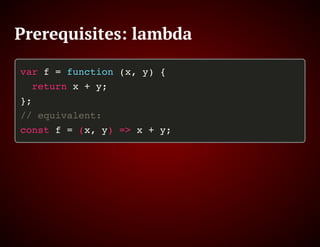
Prerequisites: lambda
var f = function (x, y) {
return x + y;
};
// equivalent:
const f = (x, y) => x + y;
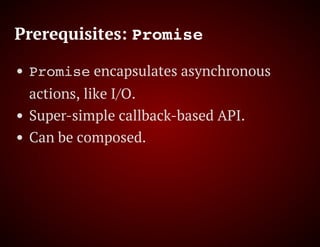
Prerequisites: Promise
Promise encapsulates asynchronous
actions, like I/O.
Super-simple callback-based API.
Can be composed.
Prerequisites: Promise
promise.then(data => {
console.log(data); return data;
}).then(data => data + 1).catch(
error => console.error(error));
Prerequisites: Promise
Promise.all([p0, p1]).then(array => {
console.log(array[0], array[1]);
}).catch(error => console.error(error));
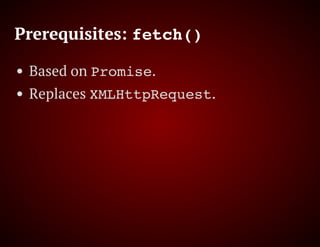
Prerequisites: fetch()
Based on Promise.
Replaces XMLHttpRequest.
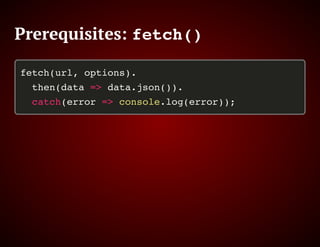
Prerequisites: fetch()
fetch(url, options).
then(data => data.json()).
catch(error => console.log(error));
Support
All new browsers.
Including Edge (preview).
Including Safari.
Excluding IE.
Desktop & mobile.
Support
Is Service Worker ready?
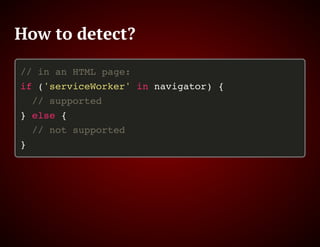
How to detect?
// in an HTML page:
if ('serviceWorker' in navigator) {
// supported
} else {
// not supported
}
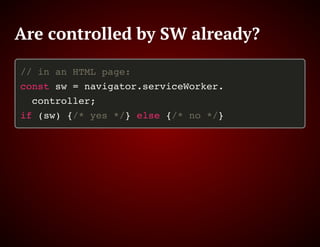
Are controlled by SW already?
// in an HTML page:
const sw = navigator.serviceWorker.
controller;
if (sw) {/* yes */} else {/* no */}
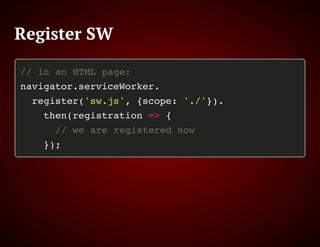
Register SW
// in an HTML page:
navigator.serviceWorker.
register('sw.js', {scope: './'}).
then(registration => {
// we are registered now
});
Now what?
Our SW can intercept all I/O.
fetch()
XHR
Images
…
Now what?
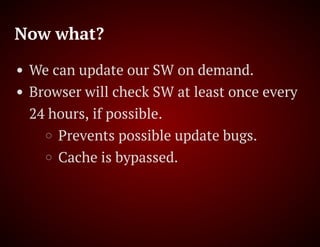
We can update our SW on demand.
Browser will check SW at least once every
24 hours, if possible.
Prevents possible update bugs.
Cache is bypassed.
Now what?
First installation of SW will require a
refresh.
The rest can seamlessly switch for new
clients.
Or retake all clients.
SW internals
An event-driven JS.
install, activate, fetch,
message…
Uses a special global space.
SW: install
self.addEventListener('install',
event => { // precache
event.waitUntil( // waits a promise
caches.open('v1').then(cache =>
cache.addAll(['./log.js'])
).then(() => self.skipWaiting())
);
});
SW: activate
self.addEventListener('activate',
event => { // remove old caches
event.waitUntil(cleanOldCaches);
});
SW: activate
const cleanOldCaches = () =>
caches.keys().then(names =>
Promise.all(names.
filter(name => name !== 'v1').
map(name => caches.delete(name)))
).then(() => self.clients.claim());
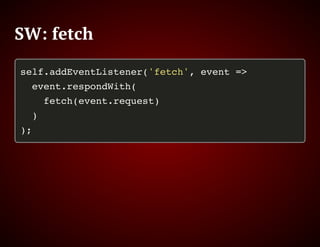
SW: fetch
self.addEventListener('fetch', event =>
event.respondWith(
fetch(event.request)
)
);
SW: fetch
self.addEventListener('fetch', e =>
event.respondWith(caches.open('v1').
then(c => c.match(e.request)).
then(d => d || fetch(e.request))
));
SW: fetch
self.addEventListener('fetch', e =>
event.respondWith(new Response(
'{"a": 1, "b": true, "c": []}',
{headers: {'content-type':
'application/json'}
}));
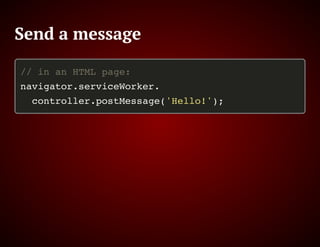
Send a message
// in an HTML page:
navigator.serviceWorker.
controller.postMessage('Hello!');
SW: message
self.addEventListener('message', e => {
console.log('From:', e.source.id);
console.log('Data:', e.data);
});
Message
Both page and SW can send and receive
messages at will.
Code & Demo
https://github.com/uhop/service-worker-
demo
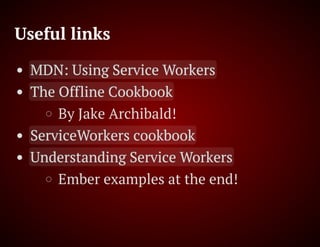
Useful links
MDN: Using Service Workers
The Offline Cookbook
By Jake Archibald!
ServiceWorkers cookbook
Understanding Service Workers
Ember examples at the end!
That’s all, folks!

Service workers