Fairfield Country JavaScript Meetup
       Wednesday Sept 26, 2012
About Jeff Fox

• Senior Software Engineer at [X+1]
• Self taught Web developer since 1997
• Also studied Art and Music Production
• Baseball enthusiast (ney fanatic)
• Twitter: @jfox015
Overview
• What is Dojo?

• Major components of the Dojo Toolkit

• Intro to [X+1] Origin

• Practical examples of Dojo usage in [X+1] Origin
  application

• Q&A
What is it?
What is Dojo?

• Powerful, feature rich JavaScript Toolkit

• Open Source and Community Driven

• One of the leading JS Frameworks along with
  Jquery, YUI, MooTools and Prototype

• Geared towards rapid web app development
Who is behind Dojo?


• Non-profit organization

• Open source community committers

• Industry leading technologists
Who is backing Dojo?
Why use Dojo?
•   Modern Browser Support
•   Full feature Mobile library (Dojo 1.7+)
•   Package Based
•   oAuth compatible
•   XMPP
•   2D and 3D FX Library
•   Namespaced, so it won’t conflict with
    other libraries.
Important support milestones
• IBM and Sun (now Oracle) announce support
  and contribute code

• Zend Technologies enters a partnership to
  integrate Dojo into the Zend Framework
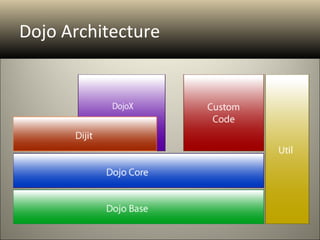
Dojo Architecture
Dojo and Dojo Core
Calling Dojo

Local
<script type="text/javascript"
 src=“js/dojo/dojo.js"></script>
Google API
<script
 src="http://ajax.googleapis.com
 /ajax/libs/dojo/1.6.0/dojo/dojo
 .xd.js"></script>
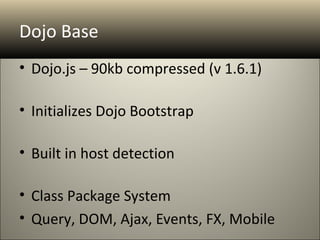
Dojo Base
• Dojo.js – 90kb compressed (v 1.6.1)

• Initializes Dojo Bootstrap

• Built in host detection

• Class Package System
• Query, DOM, Ajax, Events, FX, Mobile
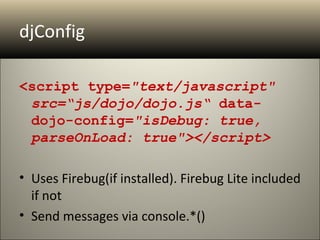
djConfig

<script type="text/javascript"
 src=“js/dojo/dojo.js“ data-
 dojo-config="isDebug: true,
 parseOnLoad: true"></script>

• Uses Firebug(if installed). Firebug Lite included
  if not
• Send messages via console.*()
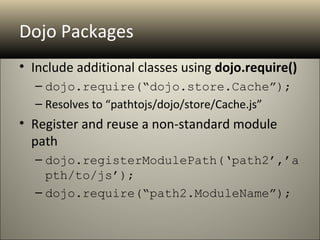
Dojo Packages
• Include additional classes using dojo.require()
  – dojo.require(“dojo.store.Cache”);
  – Resolves to “pathtojs/dojo/store/Cache.js”
• Register and reuse a non-standard module
  path
  – dojo.registerModulePath(‘path2’,’a
    pth/to/js’);
  – dojo.require(“path2.ModuleName”);
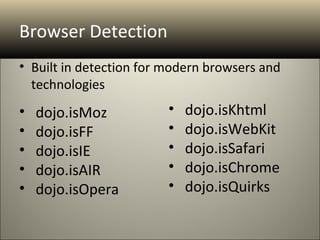
Browser Detection
• Built in detection for modern browsers and
  technologies
•   dojo.isMoz           •   dojo.isKhtml
•   dojo.isFF            •   dojo.isWebKit
•   dojo.isIE            •   dojo.isSafari
•   dojo.isAIR           •   dojo.isChrome
•   dojo.isOpera         •   dojo.isQuirks
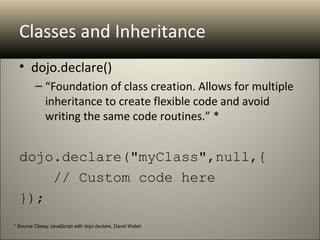
Classes and Inheritance
  • dojo.declare()
         – “Foundation of class creation. Allows for multiple
           inheritance to create flexible code and avoid
           writing the same code routines.” *


  dojo.declare("myClass",null,{
      // Custom code here
  });
* Source Classy JavaScript with dojo.declare, David Walsh
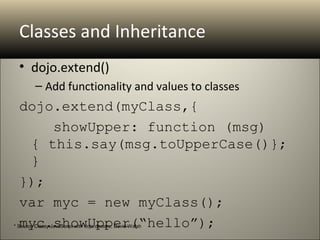
Classes and Inheritance
  • dojo.extend()
         – Add functionality and values to classes
  dojo.extend(myClass,{
      showUpper: function (msg) 
   { this.say(msg.toUpperCase()}; 
   }
  });
  var myc = new myClass();
  myc.showUpper(“hello”);
* Source Classy JavaScript with dojo.declare, David Walsh
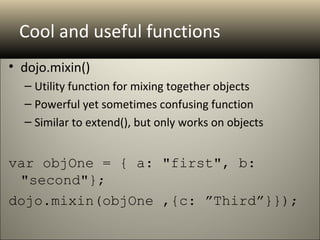
Cool and useful functions
• dojo.mixin()

  – Utility function for mixing together objects
  – Powerful yet sometimes confusing function
  – Similar to extend(), but only works on objects


var objOne = { a: "first", b: 
 "second"}; 
dojo.mixin(objOne ,{c: ”Third”}});
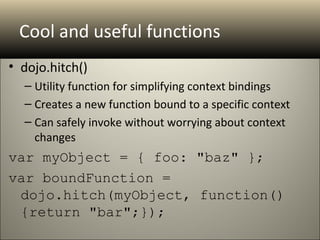
Cool and useful functions
• dojo.hitch()
  – Utility function for simplifying context bindings
  – Creates a new function bound to a specific context
  – Can safely invoke without worrying about context
    changes
var myObject = { foo: "baz" }; 
var boundFunction = 
 dojo.hitch(myObject, function()
 {return "bar";});
Cool and useful functions
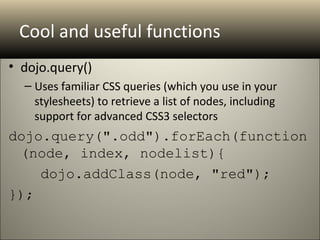
• dojo.query()
  – Uses familiar CSS queries (which you use in your
    stylesheets) to retrieve a list of nodes, including
    support for advanced CSS3 selectors
dojo.query(".odd").forEach(function
 (node, index, nodelist){
    dojo.addClass(node, "red");
});
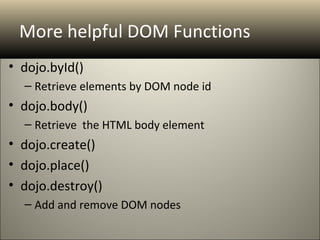
More helpful DOM Functions
• dojo.byId()
  – Retrieve elements by DOM node id
• dojo.body()
  – Retrieve the HTML body element
• dojo.create()
• dojo.place()
• dojo.destroy()
  – Add and remove DOM nodes
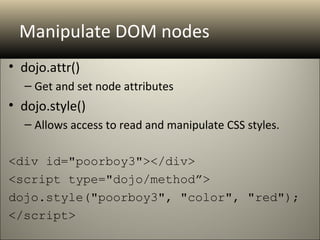
Manipulate DOM nodes
• dojo.attr()
  – Get and set node attributes
• dojo.style()
  – Allows access to read and manipulate CSS styles.

<div id="poorboy3"></div>
<script type="dojo/method”>
dojo.style("poorboy3", "color", "red");
</script>
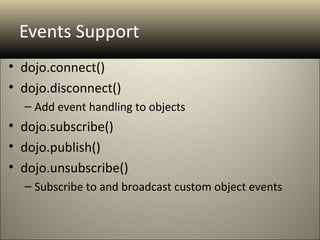
Events Support
• dojo.connect()
• dojo.disconnect()
  – Add event handling to objects
• dojo.subscribe()
• dojo.publish()
• dojo.unsubscribe()
  – Subscribe to and broadcast custom object events
Ajax
• dojo.xhr()
• dojo.xhrGet()
• dojo.xhrPost()
  – Standardized Ajax functionality
• dojo.Deferred()
  – Powerful tool for handling asynchronous operations
  – Deferred.then() allows for handling of both successful
    and error responses
• dojo. DeferredList() – Handle multiple Deferred
FX
• dojo.fadeIn()
• dojo.fadeOut()
  – Easy fade handlers
• dojo.animateProperty()
  – Animate a node according to set parameters
Dojo Core
• dojo.data                  • Utilities
   – Unified Data API           – dojo.string
• dojo.dnd                      – dojo.date
   – Drag and Drop Support      – dojo.regexp
• dojo.fx                    • I/O
   – Advanced FX Library        – dojo.io.iframe
• dojo.i18n                     – dojo.io.script
   – Internationalization       – dojo.rpc
• OpenAjax                   • dojo.back
                                – Browser History
Dijit
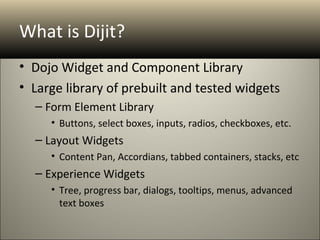
What is Dijit?
• Dojo Widget and Component Library
• Large library of prebuilt and tested widgets
  – Form Element Library
     • Buttons, select boxes, inputs, radios, checkboxes, etc.
  – Layout Widgets
     • Content Pan, Accordians, tabbed containers, stacks, etc
  – Experience Widgets
     • Tree, progress bar, dialogs, tooltips, menus, advanced
       text boxes
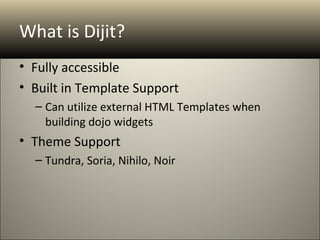
What is Dijit?
• Fully accessible
• Built in Template Support
  – Can utilize external HTML Templates when
    building dojo widgets
• Theme Support
  – Tundra, Soria, Nihilo, Noir
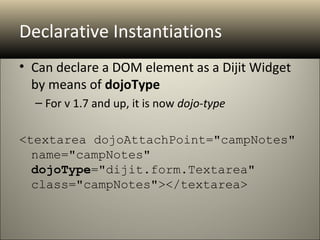
Declarative Instantiations
• Can declare a DOM element as a Dijit Widget
  by means of dojoType
  – For v 1.7 and up, it is now dojo-type

<textarea dojoAttachPoint="campNotes" 
  name="campNotes" 
  dojoType="dijit.form.Textarea" 
  class="campNotes"></textarea>
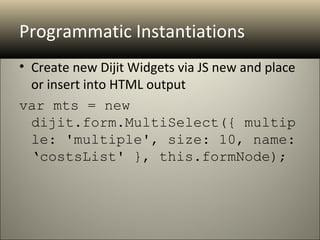
Programmatic Instantiations
• Create new Dijit Widgets via JS new and place
  or insert into HTML output
var mts = new 
  dijit.form.MultiSelect({ multip
  le: 'multiple', size: 10, name: 
  ‘costsList' }, this.formNode);
Widget Lifecycle
•   constructor()
•   postMixInProperties()
•   buildRendering()
•   postCreate()
•   startup()
Dijit Shortcuts
• Form. get(“value”)
  – Automatically access the values of all form
    elements that have a value attribute
  – Use dojo.mixin() to further add form data for
    submission
  – Use dojo.hitch() to add additional form validation
    and error handling
Helpful Layout Widgets
•   BorderContainer
•   ContentPane
•   LinkPane
•   TabContainer
•   AccordianContainer
•   SplitContainer
•   StackContainer
DojoX
What is DojoX
• DojoX is the Dojo breeding or playground.
• Contains widgets, classes and utilities that are
  not yet deemed ready for inclusion in the
  main Dojo library
• Contains experimental widgets and elements,
  most notable being the Dojo Grid widget
What’s in DojoX?
•   Analytics           •   I/O
•   Charting            •   More Data Stores
•   CometD              •   Language
•   Drawing             •   Layout
•   Editors             •   Mobile(!)
•   More Form Widgets   •   Testing
•   The Grid            •   Widgets
•   2D/3D gFx           •   XMPP
Dojo Mobile
Dojo Mobile
• Device ready Dojo JS library
• Pre-Built Themes for iOS and Android
• Leverage existing Dojo knowledge when
  building for mobile devices
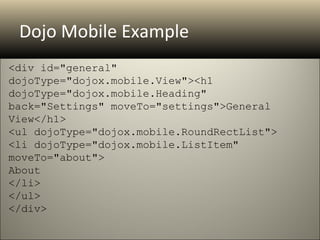
Dojo Mobile Example
<div id="general" 
dojoType="dojox.mobile.View"><h1 
dojoType="dojox.mobile.Heading" 
back="Settings" moveTo="settings">General 
View</h1>
<ul dojoType="dojox.mobile.RoundRectList">
<li dojoType="dojox.mobile.ListItem" 
moveTo="about">
About
</li>
</ul>
</div>
Util
Dojo Util
• DOH – Built in Unit Testing Tool
Q&A

The Dojo Toolkit An Introduction

  • 1.
    Fairfield Country JavaScriptMeetup Wednesday Sept 26, 2012
  • 2.
    About Jeff Fox •Senior Software Engineer at [X+1] • Self taught Web developer since 1997 • Also studied Art and Music Production • Baseball enthusiast (ney fanatic) • Twitter: @jfox015
  • 3.
    Overview • What isDojo? • Major components of the Dojo Toolkit • Intro to [X+1] Origin • Practical examples of Dojo usage in [X+1] Origin application • Q&A
  • 4.
  • 5.
    What is Dojo? •Powerful, feature rich JavaScript Toolkit • Open Source and Community Driven • One of the leading JS Frameworks along with Jquery, YUI, MooTools and Prototype • Geared towards rapid web app development
  • 6.
    Who is behindDojo? • Non-profit organization • Open source community committers • Industry leading technologists
  • 7.
  • 8.
    Why use Dojo? • Modern Browser Support • Full feature Mobile library (Dojo 1.7+) • Package Based • oAuth compatible • XMPP • 2D and 3D FX Library • Namespaced, so it won’t conflict with other libraries.
  • 9.
    Important support milestones •IBM and Sun (now Oracle) announce support and contribute code • Zend Technologies enters a partnership to integrate Dojo into the Zend Framework
  • 10.
  • 11.
  • 12.
    Calling Dojo Local <script type="text/javascript" src=“js/dojo/dojo.js"></script> Google API <script src="http://ajax.googleapis.com /ajax/libs/dojo/1.6.0/dojo/dojo .xd.js"></script>
  • 13.
    Dojo Base • Dojo.js– 90kb compressed (v 1.6.1) • Initializes Dojo Bootstrap • Built in host detection • Class Package System • Query, DOM, Ajax, Events, FX, Mobile
  • 14.
    djConfig <script type="text/javascript" src=“js/dojo/dojo.js“data- dojo-config="isDebug: true, parseOnLoad: true"></script> • Uses Firebug(if installed). Firebug Lite included if not • Send messages via console.*()
  • 15.
    Dojo Packages • Includeadditional classes using dojo.require() – dojo.require(“dojo.store.Cache”); – Resolves to “pathtojs/dojo/store/Cache.js” • Register and reuse a non-standard module path – dojo.registerModulePath(‘path2’,’a pth/to/js’); – dojo.require(“path2.ModuleName”);
  • 16.
    Browser Detection • Builtin detection for modern browsers and technologies • dojo.isMoz • dojo.isKhtml • dojo.isFF • dojo.isWebKit • dojo.isIE • dojo.isSafari • dojo.isAIR • dojo.isChrome • dojo.isOpera • dojo.isQuirks
  • 17.
    Classes and Inheritance • dojo.declare() – “Foundation of class creation. Allows for multiple inheritance to create flexible code and avoid writing the same code routines.” * dojo.declare("myClass",null,{     // Custom code here }); * Source Classy JavaScript with dojo.declare, David Walsh
  • 18.
    Classes and Inheritance • dojo.extend() – Add functionality and values to classes dojo.extend(myClass,{     showUpper: function (msg)  { this.say(msg.toUpperCase()};  } }); var myc = new myClass(); myc.showUpper(“hello”); * Source Classy JavaScript with dojo.declare, David Walsh
  • 19.
    Cool and usefulfunctions • dojo.mixin() – Utility function for mixing together objects – Powerful yet sometimes confusing function – Similar to extend(), but only works on objects var objOne = { a: "first", b:  "second"};  dojo.mixin(objOne ,{c: ”Third”}});
  • 20.
    Cool and usefulfunctions • dojo.hitch() – Utility function for simplifying context bindings – Creates a new function bound to a specific context – Can safely invoke without worrying about context changes var myObject = { foo: "baz" };  var boundFunction =  dojo.hitch(myObject, function() {return "bar";});
  • 21.
    Cool and usefulfunctions • dojo.query() – Uses familiar CSS queries (which you use in your stylesheets) to retrieve a list of nodes, including support for advanced CSS3 selectors dojo.query(".odd").forEach(function (node, index, nodelist){ dojo.addClass(node, "red"); });
  • 22.
    More helpful DOMFunctions • dojo.byId() – Retrieve elements by DOM node id • dojo.body() – Retrieve the HTML body element • dojo.create() • dojo.place() • dojo.destroy() – Add and remove DOM nodes
  • 23.
    Manipulate DOM nodes •dojo.attr() – Get and set node attributes • dojo.style() – Allows access to read and manipulate CSS styles. <div id="poorboy3"></div> <script type="dojo/method”> dojo.style("poorboy3", "color", "red"); </script>
  • 24.
    Events Support • dojo.connect() •dojo.disconnect() – Add event handling to objects • dojo.subscribe() • dojo.publish() • dojo.unsubscribe() – Subscribe to and broadcast custom object events
  • 25.
    Ajax • dojo.xhr() • dojo.xhrGet() •dojo.xhrPost() – Standardized Ajax functionality • dojo.Deferred() – Powerful tool for handling asynchronous operations – Deferred.then() allows for handling of both successful and error responses • dojo. DeferredList() – Handle multiple Deferred
  • 26.
    FX • dojo.fadeIn() • dojo.fadeOut() – Easy fade handlers • dojo.animateProperty() – Animate a node according to set parameters
  • 27.
    Dojo Core • dojo.data • Utilities – Unified Data API – dojo.string • dojo.dnd – dojo.date – Drag and Drop Support – dojo.regexp • dojo.fx • I/O – Advanced FX Library – dojo.io.iframe • dojo.i18n – dojo.io.script – Internationalization – dojo.rpc • OpenAjax • dojo.back – Browser History
  • 28.
  • 29.
    What is Dijit? •Dojo Widget and Component Library • Large library of prebuilt and tested widgets – Form Element Library • Buttons, select boxes, inputs, radios, checkboxes, etc. – Layout Widgets • Content Pan, Accordians, tabbed containers, stacks, etc – Experience Widgets • Tree, progress bar, dialogs, tooltips, menus, advanced text boxes
  • 30.
    What is Dijit? •Fully accessible • Built in Template Support – Can utilize external HTML Templates when building dojo widgets • Theme Support – Tundra, Soria, Nihilo, Noir
  • 31.
    Declarative Instantiations • Candeclare a DOM element as a Dijit Widget by means of dojoType – For v 1.7 and up, it is now dojo-type <textarea dojoAttachPoint="campNotes"  name="campNotes"  dojoType="dijit.form.Textarea"  class="campNotes"></textarea>
  • 32.
    Programmatic Instantiations • Createnew Dijit Widgets via JS new and place or insert into HTML output var mts = new  dijit.form.MultiSelect({ multip le: 'multiple', size: 10, name:  ‘costsList' }, this.formNode);
  • 33.
    Widget Lifecycle • constructor() • postMixInProperties() • buildRendering() • postCreate() • startup()
  • 34.
    Dijit Shortcuts • Form.get(“value”) – Automatically access the values of all form elements that have a value attribute – Use dojo.mixin() to further add form data for submission – Use dojo.hitch() to add additional form validation and error handling
  • 35.
    Helpful Layout Widgets • BorderContainer • ContentPane • LinkPane • TabContainer • AccordianContainer • SplitContainer • StackContainer
  • 36.
  • 37.
    What is DojoX •DojoX is the Dojo breeding or playground. • Contains widgets, classes and utilities that are not yet deemed ready for inclusion in the main Dojo library • Contains experimental widgets and elements, most notable being the Dojo Grid widget
  • 38.
    What’s in DojoX? • Analytics • I/O • Charting • More Data Stores • CometD • Language • Drawing • Layout • Editors • Mobile(!) • More Form Widgets • Testing • The Grid • Widgets • 2D/3D gFx • XMPP
  • 39.
  • 40.
    Dojo Mobile • Deviceready Dojo JS library • Pre-Built Themes for iOS and Android • Leverage existing Dojo knowledge when building for mobile devices
  • 41.
  • 42.
  • 43.
    Dojo Util • DOH– Built in Unit Testing Tool
  • 44.