Dockerfiles & Best Practices
#BDay4
Avash Mulmi
● Mozilla Representative for Nepal
● Volunteer, FOSS Nepal Community
● Docker Meetup Organizer
Agenda
● What are Dockerfiles?
● Usage
● Best Practices
Dockerfile(s)?
● Textfile, named Dockerfile
● Contains commands, in sequential order
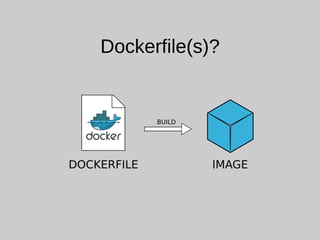
● Used to build an image
● Have own format and instruction set
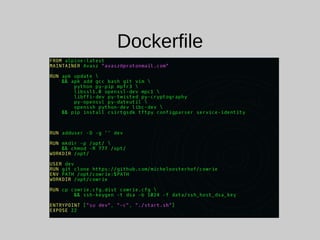
Dockerfile
Dockerfile(s)?
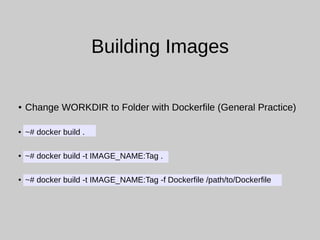
Building Images
● Change WORKDIR to Folder with Dockerfile (General Practice)
● ~# docker build .
● ~# docker build -t IMAGE_NAME:Tag .
● ~# docker build -t IMAGE_NAME:Tag -f Dockerfile /path/to/Dockerfile
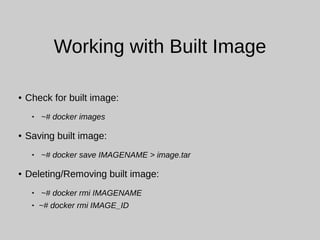
Working with Built Image
● Check for built image:
 ~# docker images
● Saving built image:
 ~# docker save IMAGENAME > image.tar
● Deleting/Removing built image:
 ~# docker rmi IMAGENAME
 ~# docker rmi IMAGE_ID
Best Practices
● Ephemeral Containers
● Using .dockerignore file
● As lightweight as possible
● Minimize the number of layers
● One container, One purpose
● Use volumes
● Avoid using root user
Ephemeral Containers
● Containers should be ephemeral
● Literal meaning of Ephemeral → Short lived, brief, momentary
● Stopped, Destroyed and New one built with minimum set-up &
configurations
● Good and Complete Dockerfile can achieve this easily
.dockerignore
● Similar to .gitignore
● Generally Dockerfile is in an empty directory
● In some cases, we need to add files and directories to the
containers
● In such cases, use .dockerignore in those directories to skip files
that are not required at all
Lightweight
● Install only required packages
● It can reduce complexity, dependencies, file size and build times
● Some applications ‘might’ look important for future
● For eg: a text editor in a database image
● Make image as small as possible using light base images where
possible
Minimize Number of Layers
● Each RUN command creates a new layer
● Need to know figure out how to minimize the number of layers
● Example 1: update, upgrade and installation of packages can stay
in a single RUN command with multi-line arguments
● Example 2: download of a zip file, extraction and move to another
folder
● Benefits: docker pull and docker push are faster, reduces
complexity of an image etc.
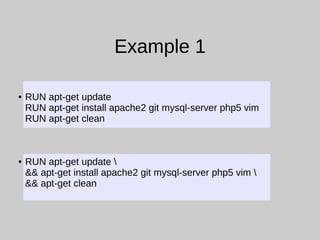
Example 1
● RUN apt-get update
RUN apt-get install apache2 git mysql-server php5 vim
RUN apt-get clean
● RUN apt-get update 
&& apt-get install apache2 git mysql-server php5 vim 
&& apt-get clean
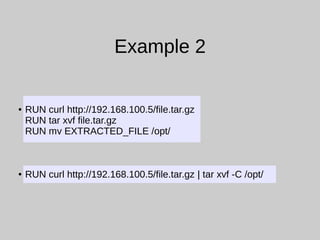
Example 2
● RUN curl http://192.168.100.5/file.tar.gz
RUN tar xvf file.tar.gz
RUN mv EXTRACTED_FILE /opt/
● RUN curl http://192.168.100.5/file.tar.gz | tar xvf -C /opt/
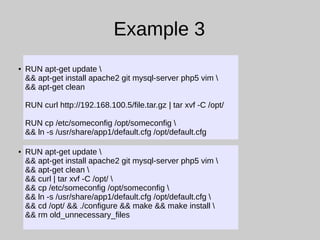
Example 3
● RUN apt-get update 
&& apt-get install apache2 git mysql-server php5 vim 
&& apt-get clean
RUN curl http://192.168.100.5/file.tar.gz | tar xvf -C /opt/
RUN cp /etc/someconfig /opt/someconfig 
&& ln -s /usr/share/app1/default.cfg /opt/default.cfg
● RUN apt-get update 
&& apt-get install apache2 git mysql-server php5 vim 
&& apt-get clean 
&& curl | tar xvf -C /opt/ 
&& cp /etc/someconfig /opt/someconfig 
&& ln -s /usr/share/app1/default.cfg /opt/default.cfg 
&& cd /opt/ && ./configure && make && make install 
&& rm old_unnecessary_files
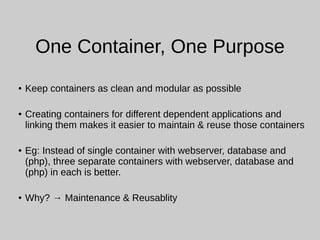
One Container, One Purpose
● Keep containers as clean and modular as possible
● Creating containers for different dependent applications and
linking them makes it easier to maintain & reuse those containers
● Eg: Instead of single container with webserver, database and
(php), three separate containers with webserver, database and
(php) in each is better.
● Why? → Maintenance & Reusablity
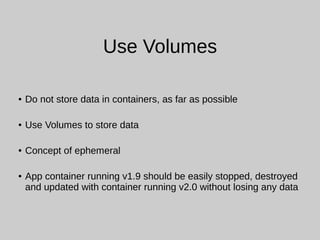
Use Volumes
● Do not store data in containers, as far as possible
● Use Volumes to store data
● Concept of ephemeral
● App container running v1.9 should be easily stopped, destroyed
and updated with container running v2.0 without losing any data
Avoid using `root` user
● By default docker runs containers with root user
● If possible use a normal user
● Depends on situation
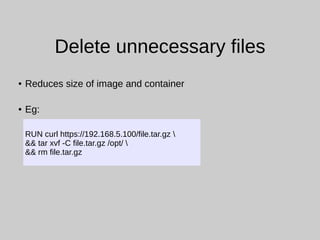
Delete unnecessary files
● Reduces size of image and container
● Eg:
RUN curl https://192.168.5.100/file.tar.gz 
&& tar xvf -C file.tar.gz /opt/ 
&& rm file.tar.gz
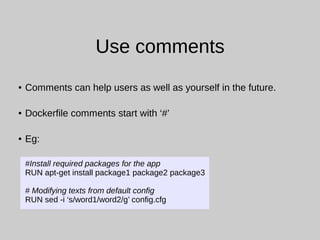
Use comments
● Comments can help users as well as yourself in the future.
● Dockerfile comments start with ‘#’
● Eg:
#Install required packages for the app
RUN apt-get install package1 package2 package3
# Modifying texts from default config
RUN sed -i ‘s/word1/word2/g’ config.cfg
ADD & COPY
● COPY only copies file from directory
● ADD allows source to be URL
● ADD also has functionality of `tar`, archiving
● Use COPY as far as possible as it is more transparent.
● ADD may add malicious files from unknown sources if used
improperly.
References
● Dockerfile references
https://docs.docker.com/engine/reference/builder/
● 10 things to avoid in docker containers
https://developers.redhat.com/blog/2016/02/24/10-things-to-avoid-in-d
● Docker best practices
https://github.com/FuriKuri/docker-best-practices
avasz@protonmail.com

Dockerfiles & Best Practices

  • 1.
    Dockerfiles & BestPractices #BDay4
  • 2.
    Avash Mulmi ● MozillaRepresentative for Nepal ● Volunteer, FOSS Nepal Community ● Docker Meetup Organizer
  • 3.
    Agenda ● What areDockerfiles? ● Usage ● Best Practices
  • 4.
    Dockerfile(s)? ● Textfile, namedDockerfile ● Contains commands, in sequential order ● Used to build an image ● Have own format and instruction set
  • 5.
  • 6.
  • 7.
    Building Images ● ChangeWORKDIR to Folder with Dockerfile (General Practice) ● ~# docker build . ● ~# docker build -t IMAGE_NAME:Tag . ● ~# docker build -t IMAGE_NAME:Tag -f Dockerfile /path/to/Dockerfile
  • 8.
    Working with BuiltImage ● Check for built image:  ~# docker images ● Saving built image:  ~# docker save IMAGENAME > image.tar ● Deleting/Removing built image:  ~# docker rmi IMAGENAME  ~# docker rmi IMAGE_ID
  • 9.
    Best Practices ● EphemeralContainers ● Using .dockerignore file ● As lightweight as possible ● Minimize the number of layers ● One container, One purpose ● Use volumes ● Avoid using root user
  • 10.
    Ephemeral Containers ● Containersshould be ephemeral ● Literal meaning of Ephemeral → Short lived, brief, momentary ● Stopped, Destroyed and New one built with minimum set-up & configurations ● Good and Complete Dockerfile can achieve this easily
  • 11.
    .dockerignore ● Similar to.gitignore ● Generally Dockerfile is in an empty directory ● In some cases, we need to add files and directories to the containers ● In such cases, use .dockerignore in those directories to skip files that are not required at all
  • 12.
    Lightweight ● Install onlyrequired packages ● It can reduce complexity, dependencies, file size and build times ● Some applications ‘might’ look important for future ● For eg: a text editor in a database image ● Make image as small as possible using light base images where possible
  • 13.
    Minimize Number ofLayers ● Each RUN command creates a new layer ● Need to know figure out how to minimize the number of layers ● Example 1: update, upgrade and installation of packages can stay in a single RUN command with multi-line arguments ● Example 2: download of a zip file, extraction and move to another folder ● Benefits: docker pull and docker push are faster, reduces complexity of an image etc.
  • 14.
    Example 1 ● RUNapt-get update RUN apt-get install apache2 git mysql-server php5 vim RUN apt-get clean ● RUN apt-get update && apt-get install apache2 git mysql-server php5 vim && apt-get clean
  • 15.
    Example 2 ● RUNcurl http://192.168.100.5/file.tar.gz RUN tar xvf file.tar.gz RUN mv EXTRACTED_FILE /opt/ ● RUN curl http://192.168.100.5/file.tar.gz | tar xvf -C /opt/
  • 16.
    Example 3 ● RUNapt-get update && apt-get install apache2 git mysql-server php5 vim && apt-get clean RUN curl http://192.168.100.5/file.tar.gz | tar xvf -C /opt/ RUN cp /etc/someconfig /opt/someconfig && ln -s /usr/share/app1/default.cfg /opt/default.cfg ● RUN apt-get update && apt-get install apache2 git mysql-server php5 vim && apt-get clean && curl | tar xvf -C /opt/ && cp /etc/someconfig /opt/someconfig && ln -s /usr/share/app1/default.cfg /opt/default.cfg && cd /opt/ && ./configure && make && make install && rm old_unnecessary_files
  • 17.
    One Container, OnePurpose ● Keep containers as clean and modular as possible ● Creating containers for different dependent applications and linking them makes it easier to maintain & reuse those containers ● Eg: Instead of single container with webserver, database and (php), three separate containers with webserver, database and (php) in each is better. ● Why? → Maintenance & Reusablity
  • 18.
    Use Volumes ● Donot store data in containers, as far as possible ● Use Volumes to store data ● Concept of ephemeral ● App container running v1.9 should be easily stopped, destroyed and updated with container running v2.0 without losing any data
  • 19.
    Avoid using `root`user ● By default docker runs containers with root user ● If possible use a normal user ● Depends on situation
  • 20.
    Delete unnecessary files ●Reduces size of image and container ● Eg: RUN curl https://192.168.5.100/file.tar.gz && tar xvf -C file.tar.gz /opt/ && rm file.tar.gz
  • 21.
    Use comments ● Commentscan help users as well as yourself in the future. ● Dockerfile comments start with ‘#’ ● Eg: #Install required packages for the app RUN apt-get install package1 package2 package3 # Modifying texts from default config RUN sed -i ‘s/word1/word2/g’ config.cfg
  • 22.
    ADD & COPY ●COPY only copies file from directory ● ADD allows source to be URL ● ADD also has functionality of `tar`, archiving ● Use COPY as far as possible as it is more transparent. ● ADD may add malicious files from unknown sources if used improperly.
  • 23.
    References ● Dockerfile references https://docs.docker.com/engine/reference/builder/ ●10 things to avoid in docker containers https://developers.redhat.com/blog/2016/02/24/10-things-to-avoid-in-d ● Docker best practices https://github.com/FuriKuri/docker-best-practices
  • 24.