Developing in Docker
YipitData is not endorsed by, directly affiliated with, maintained,
authorized, or sponsored by Docker Inc.
Disclaimer
● Brief terminology
● Running containers
● Dockerfiles & Images
● Tips for development
General Outline
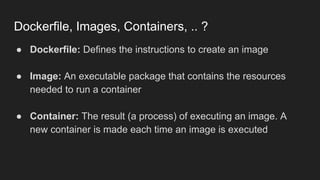
● Dockerfile: Defines the instructions to create an image
● Image: An executable package that contains the resources
needed to run a container
● Container: The result (a process) of executing an image. A
new container is made each time an image is executed
Dockerfile, Images, Containers, .. ?
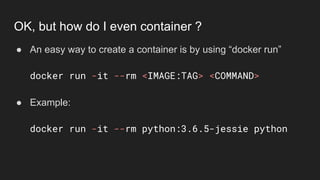
● An easy way to create a container is by using “docker run”
docker run -it --rm <IMAGE:TAG> <COMMAND>
● Example:
docker run -it --rm python:3.6.5-jessie python
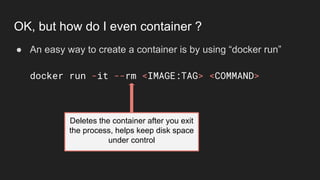
OK, but how do I even container ?
● An easy way to create a container is by using “docker run”
docker run -it --rm <IMAGE:TAG> <COMMAND>
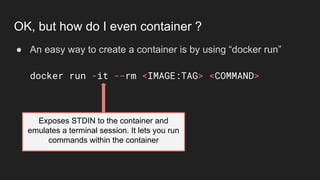
OK, but how do I even container ?
Exposes STDIN to the container and
emulates a terminal session. It lets you run
commands within the container
● An easy way to create a container is by using “docker run”
docker run -it --rm <IMAGE:TAG> <COMMAND>
OK, but how do I even container ?
Deletes the container after you exit
the process, helps keep disk space
under control
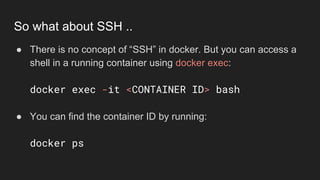
● There is no concept of “SSH” in docker. But you can access a
shell in a running container using docker exec:
docker exec -it <CONTAINER ID> bash
● You can find the container ID by running:
docker ps
So what about SSH ..
Live Demo
Exec into a container
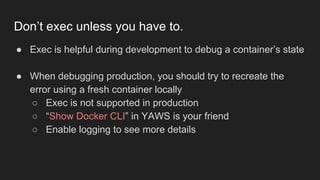
● Exec is helpful during development to debug a container’s state
● When debugging production, you should try to recreate the
error using a fresh container locally
○ Exec is not supported in production
○ “Show Docker CLI” in YAWS is your friend
○ Enable logging to see more details
Don’t exec unless you have to.
Check out this sweet Dockerfile ..
FROM python:3.6.7-jessie
COPY app /app
RUN pip install Flask
EXPOSE 8000
CMD ["python", "/app/__init__.py"]
FROM python:3.6.7-jessie
COPY app /app
RUN pip install Flask
EXPOSE 8000
CMD ["python", "/app/__init__.py"]
Check out this sweet Dockerfile ..
FROM loads a published
image as a starting point for
your application
FROM python:3.6.7-jessie
COPY app /app
RUN pip install Flask
EXPOSE 8000
CMD ["python", "/app/__init__.py"]
Check out this sweet Dockerfile ..
COPY takes files in the host file system
and moves them into the image
FROM python:3.6.7-jessie
COPY app /app
RUN pip install Flask
EXPOSE 8000
CMD ["python", "/app/__init__.py"]
Check out this sweet Dockerfile ..
RUN allows you to execute
commands inside the image
EXPOSE defines a
port that can be
accessed outside of
the container
FROM python:3.6.7-jessie
COPY app /app
RUN pip install Flask
EXPOSE 8000
CMD ["python", "/app/__init__.py"]
Check out this sweet Dockerfile ..
FROM python:3.6.7-jessie
COPY app /app
RUN pip install Flask
EXPOSE 8000
CMD ["python", "/app/__init__.py"]
Check out this sweet Dockerfile ..
CMD defines a
default command
the container will
run
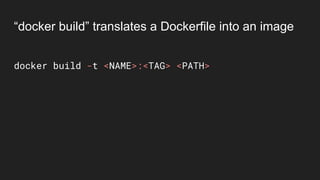
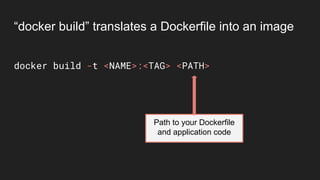
docker build -t <NAME>:<TAG> <PATH>
“docker build” translates a Dockerfile into an image
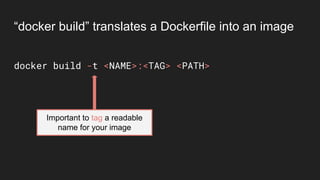
docker build -t <NAME>:<TAG> <PATH>
Important to tag a readable
name for your image
“docker build” translates a Dockerfile into an image
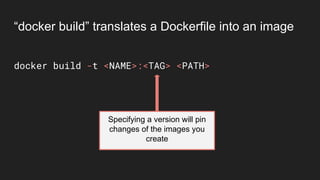
docker build -t <NAME>:<TAG> <PATH>
Specifying a version will pin
changes of the images you
create
“docker build” translates a Dockerfile into an image
docker build -t <NAME>:<TAG> <PATH>
Path to your Dockerfile
and application code
“docker build” translates a Dockerfile into an image
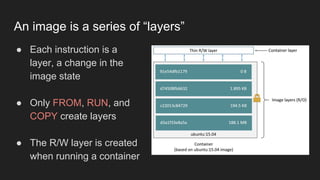
● Each instruction is a
layer, a change in the
image state
● Only FROM, RUN, and
COPY create layers
● The R/W layer is created
when running a container
An image is a series of “layers”
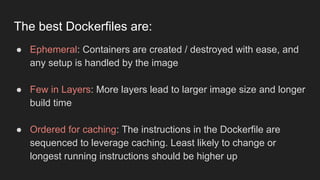
● Ephemeral: Containers are created / destroyed with ease, and
any setup is handled by the image
● Few in Layers: More layers lead to larger image size and longer
build time
● Ordered for caching: The instructions in the Dockerfile are
sequenced to leverage caching. Least likely to change or
longest running instructions should be higher up
The best Dockerfiles are:
Live Demo
Caching in action
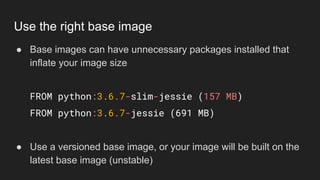
● Base images can have unnecessary packages installed that
inflate your image size
FROM python:3.6.7-slim-jessie (157 MB)
FROM python:3.6.7-jessie (691 MB)
● Use a versioned base image, or your image will be built on the
latest base image (unstable)
Use the right base image
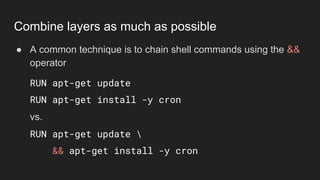
● A common technique is to chain shell commands using the &&
operator
RUN apt-get update
RUN apt-get install -y cron
vs.
RUN apt-get update 
&& apt-get install -y cron
Combine layers as much as possible
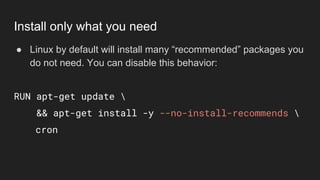
● Linux by default will install many “recommended” packages you
do not need. You can disable this behavior:
RUN apt-get update 
&& apt-get install -y --no-install-recommends 
cron
Install only what you need
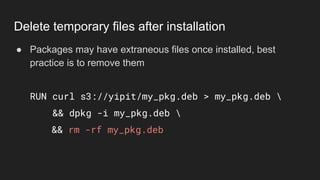
● Packages may have extraneous files once installed, best
practice is to remove them
RUN curl s3://yipit/my_pkg.deb > my_pkg.deb 
&& dpkg -i my_pkg.deb 
&& rm -rf my_pkg.deb
Delete temporary files after installation
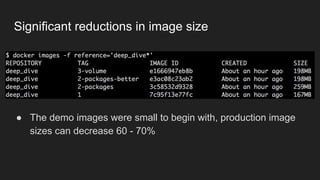
● The demo images were small to begin with, production image
sizes can decrease 60 - 70%
Significant reductions in image size
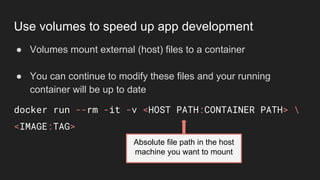
Absolute file path in the host
machine you want to mount
● Volumes mount external (host) files to a container
● You can continue to modify these files and your running
container will be up to date
docker run --rm -it -v <HOST PATH:CONTAINER PATH> 
<IMAGE:TAG>
Use volumes to speed up app development
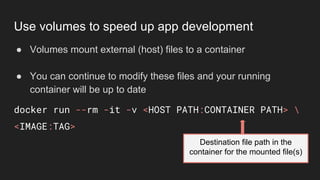
● Volumes mount external (host) files to a container
● You can continue to modify these files and your running
container will be up to date
docker run --rm -it -v <HOST PATH:CONTAINER PATH> 
<IMAGE:TAG>
Destination file path in the
container for the mounted file(s)
Use volumes to speed up app development
Live Demo
Using volumes
● Two ways to set variables in the Dockerfile, ARG and ENV
● ARG defines a build-time variable that is out of scope once the
image is built
○ Good for secrets only used in setup (ex: localshop)
● ENV sets an environment variable that is in scope during and
after the image is built
Environment variables
● Both variables can be set via the CLI. They will override values
in the Dockerfile
● ARG:
docker build --build-arg <NAME=VALUE> -t
<IMAGE:TAG> .
● ENV:
docker run --rm -it -e <NAME=VALUE> <IMAGE:TAG>
Environment variables in the CLI
● You will want to end your Dockerfile with a CMD and/or
ENTRYPOINT (or inherit from your base image)
● An ENTRYPOINT executes code right at a container’s runtime
○ Establish background processes / services
○ Wrap additional context around commands
○ A CMD is passed as an argument to the entrypoint
CMD or ENTRYPOINT?
Live Demo
Entrypoint
● Docker is a large platform and there is so much more to learn
● Best ways to get started:
○ Documentation: https://docs.docker.com/
○ Read Dockerfiles for base images (usually on github)
○ Build some images!
Tip of the iceberg ..
● Containers improves parity of local development to production
○ The image you build is the image you deploy
○ Far easier to reproduce bugs
● Increases flexibility in your application architecture
○ OS packages easier to manage (no need for brew or chef)
○ Python versioning is simplified (no virtualenv)
But it pays off !
Questions?
● Official Docker Documentation
● Best Practices for Writing Dockerfiles
● Docker Container Layers
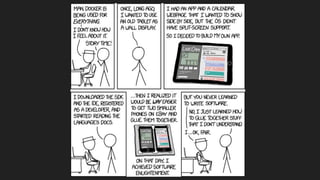
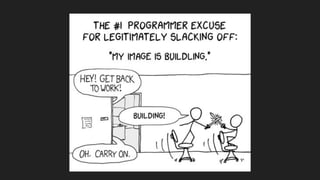
● XKCD on Containers
● XKCD on Compiling
References

Getting Started with Docker

  • 1.
  • 2.
    YipitData is notendorsed by, directly affiliated with, maintained, authorized, or sponsored by Docker Inc. Disclaimer
  • 4.
    ● Brief terminology ●Running containers ● Dockerfiles & Images ● Tips for development General Outline
  • 5.
    ● Dockerfile: Definesthe instructions to create an image ● Image: An executable package that contains the resources needed to run a container ● Container: The result (a process) of executing an image. A new container is made each time an image is executed Dockerfile, Images, Containers, .. ?
  • 6.
    ● An easyway to create a container is by using “docker run” docker run -it --rm <IMAGE:TAG> <COMMAND> ● Example: docker run -it --rm python:3.6.5-jessie python OK, but how do I even container ?
  • 7.
    ● An easyway to create a container is by using “docker run” docker run -it --rm <IMAGE:TAG> <COMMAND> OK, but how do I even container ? Exposes STDIN to the container and emulates a terminal session. It lets you run commands within the container
  • 8.
    ● An easyway to create a container is by using “docker run” docker run -it --rm <IMAGE:TAG> <COMMAND> OK, but how do I even container ? Deletes the container after you exit the process, helps keep disk space under control
  • 9.
    ● There isno concept of “SSH” in docker. But you can access a shell in a running container using docker exec: docker exec -it <CONTAINER ID> bash ● You can find the container ID by running: docker ps So what about SSH ..
  • 10.
  • 11.
    ● Exec ishelpful during development to debug a container’s state ● When debugging production, you should try to recreate the error using a fresh container locally ○ Exec is not supported in production ○ “Show Docker CLI” in YAWS is your friend ○ Enable logging to see more details Don’t exec unless you have to.
  • 13.
    Check out thissweet Dockerfile .. FROM python:3.6.7-jessie COPY app /app RUN pip install Flask EXPOSE 8000 CMD ["python", "/app/__init__.py"]
  • 14.
    FROM python:3.6.7-jessie COPY app/app RUN pip install Flask EXPOSE 8000 CMD ["python", "/app/__init__.py"] Check out this sweet Dockerfile .. FROM loads a published image as a starting point for your application
  • 15.
    FROM python:3.6.7-jessie COPY app/app RUN pip install Flask EXPOSE 8000 CMD ["python", "/app/__init__.py"] Check out this sweet Dockerfile .. COPY takes files in the host file system and moves them into the image
  • 16.
    FROM python:3.6.7-jessie COPY app/app RUN pip install Flask EXPOSE 8000 CMD ["python", "/app/__init__.py"] Check out this sweet Dockerfile .. RUN allows you to execute commands inside the image
  • 17.
    EXPOSE defines a portthat can be accessed outside of the container FROM python:3.6.7-jessie COPY app /app RUN pip install Flask EXPOSE 8000 CMD ["python", "/app/__init__.py"] Check out this sweet Dockerfile ..
  • 18.
    FROM python:3.6.7-jessie COPY app/app RUN pip install Flask EXPOSE 8000 CMD ["python", "/app/__init__.py"] Check out this sweet Dockerfile .. CMD defines a default command the container will run
  • 19.
    docker build -t<NAME>:<TAG> <PATH> “docker build” translates a Dockerfile into an image
  • 20.
    docker build -t<NAME>:<TAG> <PATH> Important to tag a readable name for your image “docker build” translates a Dockerfile into an image
  • 21.
    docker build -t<NAME>:<TAG> <PATH> Specifying a version will pin changes of the images you create “docker build” translates a Dockerfile into an image
  • 22.
    docker build -t<NAME>:<TAG> <PATH> Path to your Dockerfile and application code “docker build” translates a Dockerfile into an image
  • 23.
    ● Each instructionis a layer, a change in the image state ● Only FROM, RUN, and COPY create layers ● The R/W layer is created when running a container An image is a series of “layers”
  • 24.
    ● Ephemeral: Containersare created / destroyed with ease, and any setup is handled by the image ● Few in Layers: More layers lead to larger image size and longer build time ● Ordered for caching: The instructions in the Dockerfile are sequenced to leverage caching. Least likely to change or longest running instructions should be higher up The best Dockerfiles are:
  • 25.
  • 26.
    ● Base imagescan have unnecessary packages installed that inflate your image size FROM python:3.6.7-slim-jessie (157 MB) FROM python:3.6.7-jessie (691 MB) ● Use a versioned base image, or your image will be built on the latest base image (unstable) Use the right base image
  • 27.
    ● A commontechnique is to chain shell commands using the && operator RUN apt-get update RUN apt-get install -y cron vs. RUN apt-get update && apt-get install -y cron Combine layers as much as possible
  • 28.
    ● Linux bydefault will install many “recommended” packages you do not need. You can disable this behavior: RUN apt-get update && apt-get install -y --no-install-recommends cron Install only what you need
  • 29.
    ● Packages mayhave extraneous files once installed, best practice is to remove them RUN curl s3://yipit/my_pkg.deb > my_pkg.deb && dpkg -i my_pkg.deb && rm -rf my_pkg.deb Delete temporary files after installation
  • 30.
    ● The demoimages were small to begin with, production image sizes can decrease 60 - 70% Significant reductions in image size
  • 31.
    Absolute file pathin the host machine you want to mount ● Volumes mount external (host) files to a container ● You can continue to modify these files and your running container will be up to date docker run --rm -it -v <HOST PATH:CONTAINER PATH> <IMAGE:TAG> Use volumes to speed up app development
  • 32.
    ● Volumes mountexternal (host) files to a container ● You can continue to modify these files and your running container will be up to date docker run --rm -it -v <HOST PATH:CONTAINER PATH> <IMAGE:TAG> Destination file path in the container for the mounted file(s) Use volumes to speed up app development
  • 33.
  • 34.
    ● Two waysto set variables in the Dockerfile, ARG and ENV ● ARG defines a build-time variable that is out of scope once the image is built ○ Good for secrets only used in setup (ex: localshop) ● ENV sets an environment variable that is in scope during and after the image is built Environment variables
  • 35.
    ● Both variablescan be set via the CLI. They will override values in the Dockerfile ● ARG: docker build --build-arg <NAME=VALUE> -t <IMAGE:TAG> . ● ENV: docker run --rm -it -e <NAME=VALUE> <IMAGE:TAG> Environment variables in the CLI
  • 36.
    ● You willwant to end your Dockerfile with a CMD and/or ENTRYPOINT (or inherit from your base image) ● An ENTRYPOINT executes code right at a container’s runtime ○ Establish background processes / services ○ Wrap additional context around commands ○ A CMD is passed as an argument to the entrypoint CMD or ENTRYPOINT?
  • 37.
  • 38.
    ● Docker isa large platform and there is so much more to learn ● Best ways to get started: ○ Documentation: https://docs.docker.com/ ○ Read Dockerfiles for base images (usually on github) ○ Build some images! Tip of the iceberg ..
  • 39.
    ● Containers improvesparity of local development to production ○ The image you build is the image you deploy ○ Far easier to reproduce bugs ● Increases flexibility in your application architecture ○ OS packages easier to manage (no need for brew or chef) ○ Python versioning is simplified (no virtualenv) But it pays off !
  • 40.
  • 41.
    ● Official DockerDocumentation ● Best Practices for Writing Dockerfiles ● Docker Container Layers ● XKCD on Containers ● XKCD on Compiling References