MonitoringDocker at Scale
Matt Williams
Evangelist @ Datadog
mattw@datadoghq.com
@technovangelist
…and having a way to answer
every question you have about it
• Docker at a high level
• Implementing a Docker-based app
• How to monitor at scale
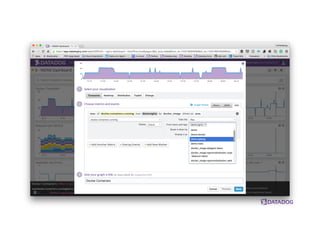
• Implementing a monitoring platform
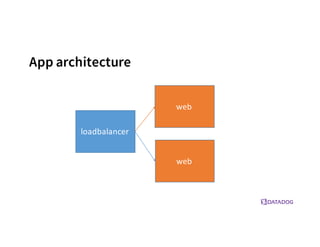
Implementing an app
App architecture
loadbalancer
web
web
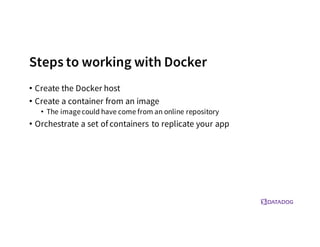
Steps to working with Docker
• Create the Docker host
• Create a container from an image
• The imagecould have come from an online repository
• Orchestrate a set of containers to replicate your app
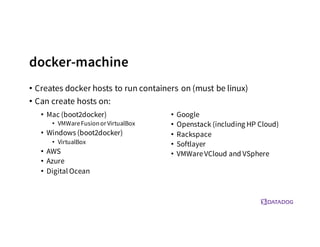
docker-machine
• Creates docker hosts to run containers on (must be linux)
• Can create hosts on:
• Mac (boot2docker)
• VMWareFusionorVirtualBox
• Windows (boot2docker)
• VirtualBox
• AWS
• Azure
• Digital Ocean
• Google
• Openstack (including HP Cloud)
• Rackspace
• Softlayer
• VMWareVCloud and VSphere
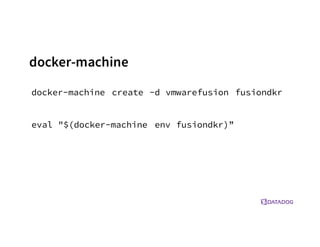
docker-machine create -d vmwarefusion fusiondkr
eval "$(docker-machine env fusiondkr)”
docker-machine
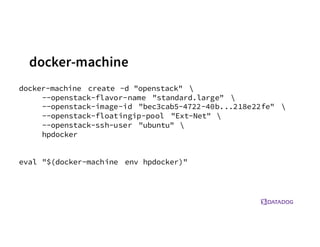
docker-machine create -d "openstack" 
--openstack-flavor-name "standard.large" 
--openstack-image-id "bec3cab5-4722-40b...218e22fe" 
--openstack-floatingip-pool "Ext-Net" 
--openstack-ssh-user "ubuntu" 
hpdocker
eval "$(docker-machine env hpdocker)"
docker-machine
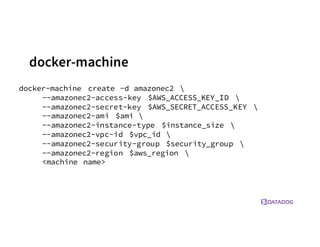
docker-machine
docker-machine create -d amazonec2 
--amazonec2-access-key $AWS_ACCESS_KEY_ID 
--amazonec2-secret-key $AWS_SECRET_ACCESS_KEY 
--amazonec2-ami $ami 
--amazonec2-instance-type $instance_size 
--amazonec2-vpc-id $vpc_id 
--amazonec2-security-group $security_group 
--amazonec2-region $aws_region 
<machine name>
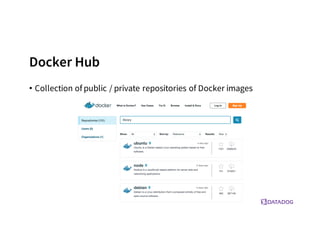
Docker Hub
• Collection of public / private repositories of Docker images
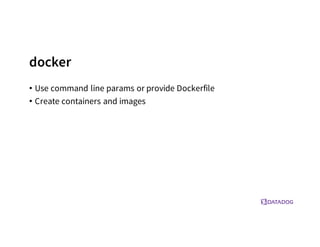
docker
• Use command line params or provide Dockerfile
• Create containers and images
Web
Web
Load Balancer
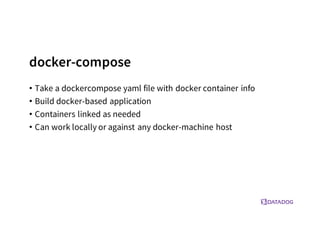
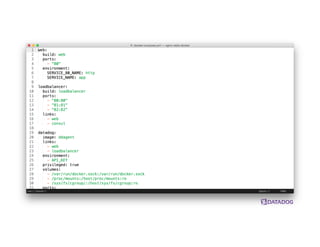
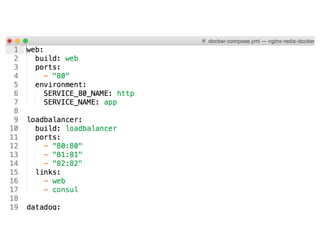
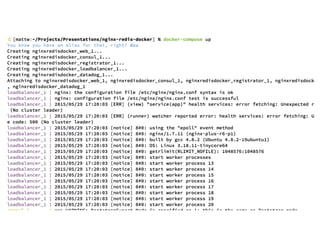
docker-compose
• Take a dockercompose yaml file with docker container info
• Build docker-based application
• Containers linked as needed
• Can work locally or against any docker-machine host
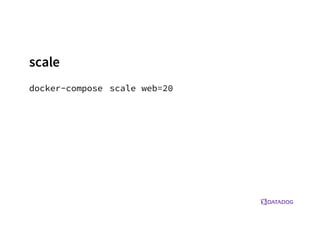
scale
docker-compose scale web=20
one more tip…
• If sharing a volume in Docker on top of VirtualBox and using
nginx/apache:
• sendfile off;
Download the demo
http://dtdg.co/dkrcon
Docker Stats API
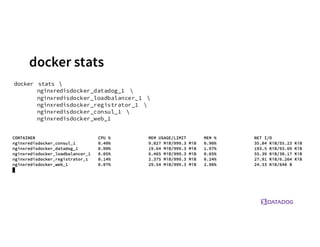
docker stats
docker stats 
nginxredisdocker_datadog_1 
nginxredisdocker_loadbalancer_1 
nginxredisdocker_registrator_1 
nginxredisdocker_consul_1 
nginxredisdocker_web_1
RemoteAPI
{
"read" :	
  "2015-­‐01-­‐08T22:57:31.547920715Z",
"network" :	
  {
"rx_dropped" :	
  0,
"rx_bytes" :	
  648,
"rx_errors" :	
  0,
"tx_packets" :	
  8,
"tx_dropped" :	
  0,
"rx_packets" :	
  8,
"tx_errors" :	
  0,
"tx_bytes" :	
  648
},
"memory_stats" :	
  {
"stats" :	
  {
"total_pgmajfault" :	
  0,
"cache" :	
  0,
"mapped_file" :	
  0,
"total_inactive_file" :	
  0,
"pgpgout" :	
  414,
"rss" :	
  6537216,
"total_mapped_file" :	
  0,
"writeback" :	
  0,
"unevictable" :	
  0,
"pgpgin" :	
  477,
"total_unevictable" :	
  0,
"pgmajfault" :	
  0,
"total_rss" :	
  6537216,
"total_rss_huge" :	
  6291456,
"total_writeback" :	
  0,
"total_inactive_anon" :	
  0,
"rss_huge" :	
  6291456,
"hierarchical_memory_limit" :	
  67108864,
"total_pgfault" :	
  964,
"total_active_file" :	
  0,
"active_anon" :	
  6537216,
"total_active_anon" :	
  6537216,
"total_pgpgout" :	
  414,
"total_cache" :	
  0,
"inactive_anon" :	
  0,
"active_file" :	
  0,
"pgfault" :	
  964,
"inactive_file" :	
  0,
"total_pgpgin" :	
  477
},
"max_usage" :	
  6651904,
"usage" :	
  6537216,
"failcnt" :	
  0,
"limit" :	
  67108864
},
"blkio_stats" :	
  {},
"cpu_stats" :	
  {
"cpu_usage" :	
  {
"percpu_usage" :	
  [
16970827,
1839451,
7107380,
10571290
],
"usage_in_usermode" :	
  10000000,
"total_usage" :	
  36488948,
"usage_in_kernelmode" :	
  20000000
},
"system_cpu_usage" :	
  20091722000000000,
"throttling_data" :	
  {}
}
}
RemoteAPI
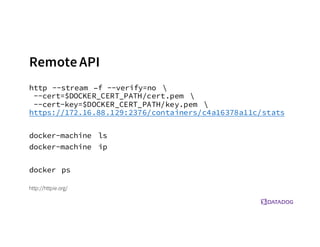
http --stream –f --verify=no 
--cert=$DOCKER_CERT_PATH/cert.pem 
--cert-key=$DOCKER_CERT_PATH/key.pem 
https://172.16.88.129:2376/containers/c4a16378a11c/stats
docker-machine ls
docker-machine ip
docker ps
http://httpie.org/
RemoteAPI
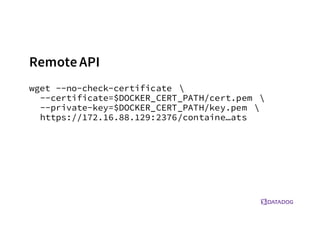
wget --no-check-certificate 
--certificate=$DOCKER_CERT_PATH/cert.pem 
--private-key=$DOCKER_CERT_PATH/key.pem 
https://172.16.88.129:2376/containe…ats
Monitoringat scale
Operational Complexity
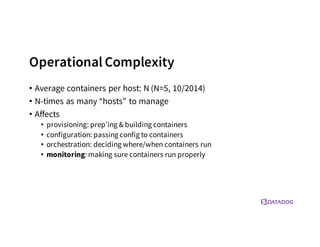
• Average containers per host: N (N=5, 10/2014)
• N-times as many “hosts” to manage
• Affects
• provisioning: prep’ing & building containers
• configuration: passing config to containers
• orchestration: deciding where/when containers run
• monitoring: making sure containers run properly
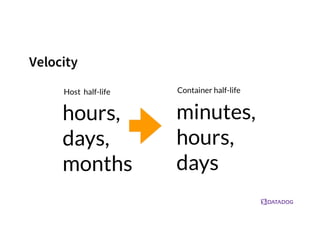
Complexity increases with…
• Number of things to measure
• Velocity of change
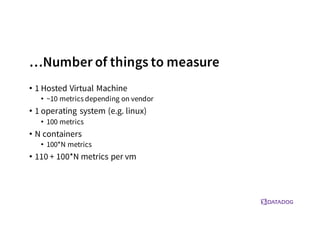
…Number of things to measure
• 1 Hosted Virtual Machine
• ~10 metrics depending on vendor
• 1 operating system (e.g. linux)
• 100 metrics
• N containers
• 100*N metrics
• 110 + 100*N metrics per vm
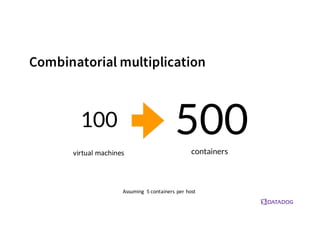
Combinatorial multiplication
Assuming	
   5	
  containers	
  per	
  host
virtual	
  machines
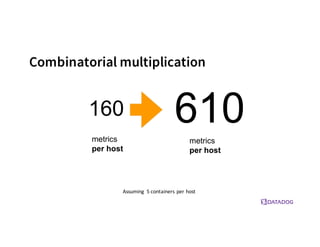
Combinatorial multiplication
Assuming	
   5	
  containers	
  per	
  host
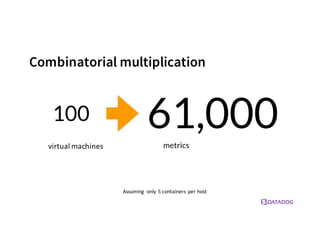
Combinatorial multiplication
Assuming	
   only	
  5	
  containers	
  per	
  host
virtual	
  machines
Velocity
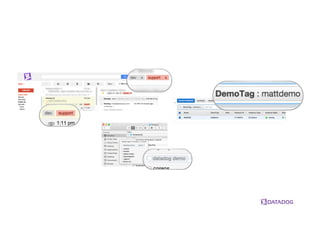
Tags
Tags
• From imperative to declarative
• Query-based
• Queries operate on tags
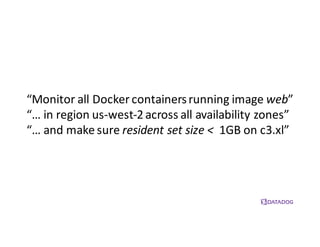
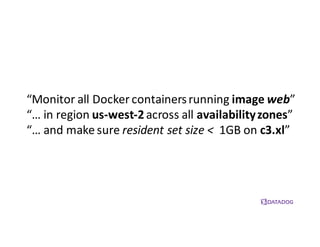
“Monitor	
  all	
  Docker containers	
  running	
  image	
  web”
“…	
  in	
  region	
  us-­‐west-­‐2	
  across	
  all	
  availability	
  zones”
“…	
  and	
  make	
  sure	
  resident	
  set	
  size	
  <	
   1GB	
  on	
  c3.xl”
“Monitor	
  all	
  Docker containers	
  running	
  image	
  web”
“…	
  in	
  region	
  us-­‐west-­‐2across	
  all	
  availability	
  zones”
“…	
  and	
  make	
  sure	
  resident	
  set	
  size	
  <	
   1GB	
  on	
  c3.xl”
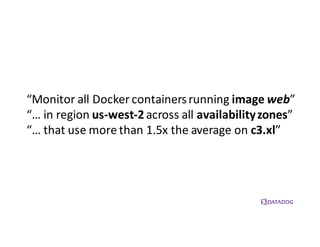
“Monitor	
  all	
  Docker containers	
  running	
  image	
  web”
“…	
  in	
  region	
  us-­‐west-­‐2across	
  all	
  availability	
  zones”
“…	
  that	
  use	
  more	
  than	
  1.5x	
  the	
  average	
  on	
  c3.xl”
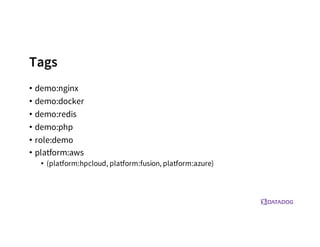
Tags
• demo:nginx
• demo:docker
• demo:redis
• demo:php
• role:demo
• platform:aws
• (platform:hpcloud, platform:fusion, platform:azure)
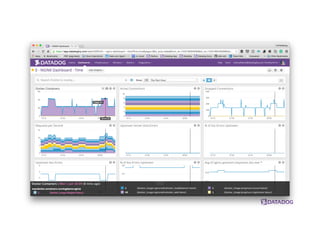
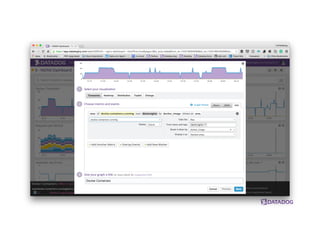
How We Collect Stats for
Datadog
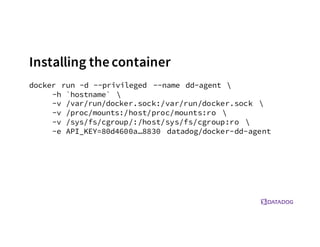
Installing the container
docker run -d --privileged --name dd-agent 
-h `hostname` 
-v /var/run/docker.sock:/var/run/docker.sock 
-v /proc/mounts:/host/proc/mounts:ro 
-v /sys/fs/cgroup/:/host/sys/fs/cgroup:ro 
-e API_KEY=80d4600a…8830 datadog/docker-dd-agent
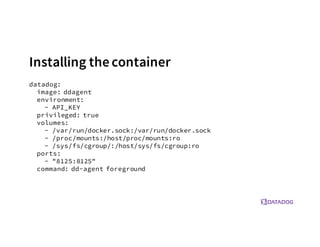
Installing thecontainer
datadog:
image: ddagent
environment:
- API_KEY
privileged: true
volumes:
- /var/run/docker.sock:/var/run/docker.sock
- /proc/mounts:/host/proc/mounts:ro
- /sys/fs/cgroup/:/host/sys/fs/cgroup:ro
ports:
- "8125:8125"
command: dd-agent foreground
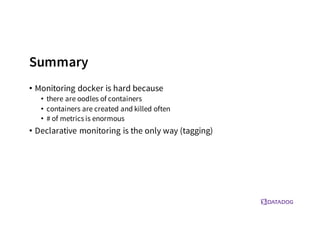
Summary
• Monitoring docker is hard because
• there are oodles of containers
• containers are created and killed often
• # of metrics is enormous
• Declarative monitoring is the only way (tagging)
MonitoringDocker at Scale
Matt Williams
Evangelist @ Datadog
mattw@datadoghq.com
@technovangelist
…and having a way to answer
every question you have about it

Monitoring Docker at Scale - Docker San Francisco Meetup - August 11, 2015

  • 1.
    MonitoringDocker at Scale MattWilliams Evangelist @ Datadog mattw@datadoghq.com @technovangelist …and having a way to answer every question you have about it
  • 2.
    • Docker ata high level • Implementing a Docker-based app • How to monitor at scale • Implementing a monitoring platform
  • 3.
  • 4.
  • 5.
    Steps to workingwith Docker • Create the Docker host • Create a container from an image • The imagecould have come from an online repository • Orchestrate a set of containers to replicate your app
  • 6.
    docker-machine • Creates dockerhosts to run containers on (must be linux) • Can create hosts on: • Mac (boot2docker) • VMWareFusionorVirtualBox • Windows (boot2docker) • VirtualBox • AWS • Azure • Digital Ocean • Google • Openstack (including HP Cloud) • Rackspace • Softlayer • VMWareVCloud and VSphere
  • 7.
    docker-machine create -dvmwarefusion fusiondkr eval "$(docker-machine env fusiondkr)” docker-machine
  • 8.
    docker-machine create -d"openstack" --openstack-flavor-name "standard.large" --openstack-image-id "bec3cab5-4722-40b...218e22fe" --openstack-floatingip-pool "Ext-Net" --openstack-ssh-user "ubuntu" hpdocker eval "$(docker-machine env hpdocker)" docker-machine
  • 9.
    docker-machine docker-machine create -damazonec2 --amazonec2-access-key $AWS_ACCESS_KEY_ID --amazonec2-secret-key $AWS_SECRET_ACCESS_KEY --amazonec2-ami $ami --amazonec2-instance-type $instance_size --amazonec2-vpc-id $vpc_id --amazonec2-security-group $security_group --amazonec2-region $aws_region <machine name>
  • 10.
    Docker Hub • Collectionof public / private repositories of Docker images
  • 11.
    docker • Use commandline params or provide Dockerfile • Create containers and images
  • 20.
  • 21.
  • 22.
  • 23.
    docker-compose • Take adockercompose yaml file with docker container info • Build docker-based application • Containers linked as needed • Can work locally or against any docker-machine host
  • 27.
  • 28.
    one more tip… •If sharing a volume in Docker on top of VirtualBox and using nginx/apache: • sendfile off;
  • 29.
  • 30.
  • 31.
    docker stats docker stats nginxredisdocker_datadog_1 nginxredisdocker_loadbalancer_1 nginxredisdocker_registrator_1 nginxredisdocker_consul_1 nginxredisdocker_web_1
  • 32.
    RemoteAPI { "read" :  "2015-­‐01-­‐08T22:57:31.547920715Z", "network":  { "rx_dropped" :  0, "rx_bytes" :  648, "rx_errors" :  0, "tx_packets" :  8, "tx_dropped" :  0, "rx_packets" :  8, "tx_errors" :  0, "tx_bytes" :  648 }, "memory_stats" :  { "stats" :  { "total_pgmajfault" :  0, "cache" :  0, "mapped_file" :  0, "total_inactive_file" :  0, "pgpgout" :  414, "rss" :  6537216, "total_mapped_file" :  0, "writeback" :  0, "unevictable" :  0, "pgpgin" :  477, "total_unevictable" :  0, "pgmajfault" :  0, "total_rss" :  6537216, "total_rss_huge" :  6291456, "total_writeback" :  0, "total_inactive_anon" :  0, "rss_huge" :  6291456, "hierarchical_memory_limit" :  67108864, "total_pgfault" :  964, "total_active_file" :  0, "active_anon" :  6537216, "total_active_anon" :  6537216, "total_pgpgout" :  414, "total_cache" :  0, "inactive_anon" :  0, "active_file" :  0, "pgfault" :  964, "inactive_file" :  0, "total_pgpgin" :  477 }, "max_usage" :  6651904, "usage" :  6537216, "failcnt" :  0, "limit" :  67108864 }, "blkio_stats" :  {}, "cpu_stats" :  { "cpu_usage" :  { "percpu_usage" :  [ 16970827, 1839451, 7107380, 10571290 ], "usage_in_usermode" :  10000000, "total_usage" :  36488948, "usage_in_kernelmode" :  20000000 }, "system_cpu_usage" :  20091722000000000, "throttling_data" :  {} } }
  • 33.
    RemoteAPI http --stream –f--verify=no --cert=$DOCKER_CERT_PATH/cert.pem --cert-key=$DOCKER_CERT_PATH/key.pem https://172.16.88.129:2376/containers/c4a16378a11c/stats docker-machine ls docker-machine ip docker ps http://httpie.org/
  • 34.
    RemoteAPI wget --no-check-certificate --certificate=$DOCKER_CERT_PATH/cert.pem --private-key=$DOCKER_CERT_PATH/key.pem https://172.16.88.129:2376/containe…ats
  • 35.
  • 36.
    Operational Complexity • Averagecontainers per host: N (N=5, 10/2014) • N-times as many “hosts” to manage • Affects • provisioning: prep’ing & building containers • configuration: passing config to containers • orchestration: deciding where/when containers run • monitoring: making sure containers run properly
  • 37.
    Complexity increases with… •Number of things to measure • Velocity of change
  • 38.
    …Number of thingsto measure • 1 Hosted Virtual Machine • ~10 metrics depending on vendor • 1 operating system (e.g. linux) • 100 metrics • N containers • 100*N metrics • 110 + 100*N metrics per vm
  • 39.
    Combinatorial multiplication Assuming  5  containers  per  host virtual  machines
  • 40.
    Combinatorial multiplication Assuming  5  containers  per  host
  • 41.
    Combinatorial multiplication Assuming  only  5  containers  per  host virtual  machines
  • 42.
  • 43.
  • 45.
    Tags • From imperativeto declarative • Query-based • Queries operate on tags
  • 46.
    “Monitor  all  Dockercontainers  running  image  web” “…  in  region  us-­‐west-­‐2  across  all  availability  zones” “…  and  make  sure  resident  set  size  <   1GB  on  c3.xl”
  • 47.
    “Monitor  all  Dockercontainers  running  image  web” “…  in  region  us-­‐west-­‐2across  all  availability  zones” “…  and  make  sure  resident  set  size  <   1GB  on  c3.xl”
  • 48.
    “Monitor  all  Dockercontainers  running  image  web” “…  in  region  us-­‐west-­‐2across  all  availability  zones” “…  that  use  more  than  1.5x  the  average  on  c3.xl”
  • 49.
    Tags • demo:nginx • demo:docker •demo:redis • demo:php • role:demo • platform:aws • (platform:hpcloud, platform:fusion, platform:azure)
  • 50.
    How We CollectStats for Datadog
  • 51.
    Installing the container dockerrun -d --privileged --name dd-agent -h `hostname` -v /var/run/docker.sock:/var/run/docker.sock -v /proc/mounts:/host/proc/mounts:ro -v /sys/fs/cgroup/:/host/sys/fs/cgroup:ro -e API_KEY=80d4600a…8830 datadog/docker-dd-agent
  • 52.
    Installing thecontainer datadog: image: ddagent environment: -API_KEY privileged: true volumes: - /var/run/docker.sock:/var/run/docker.sock - /proc/mounts:/host/proc/mounts:ro - /sys/fs/cgroup/:/host/sys/fs/cgroup:ro ports: - "8125:8125" command: dd-agent foreground
  • 59.
    Summary • Monitoring dockeris hard because • there are oodles of containers • containers are created and killed often • # of metrics is enormous • Declarative monitoring is the only way (tagging)
  • 60.
    MonitoringDocker at Scale MattWilliams Evangelist @ Datadog mattw@datadoghq.com @technovangelist …and having a way to answer every question you have about it