docco.coffee
Docco is a quick-and-dirty, hundred-line-long, literate-
programming-style documentation generator. It produces HTML
that displays your comments alongside your code. Comments are
passed through Markdown, and code is passed through Pygments
syntax highlighting. This page is the result of running Docco
against its own source file.

If you install Docco, you can run it from the command-line:

  docco src/*.coffee


...will generate linked HTML documentation for the named source
files, saving it into a docs folder.

The source for Docco is available on GitHub, and released under
the MIT license.

To install Docco, first make sure you have Node.js, Pygments
(install the latest dev version of Pygments from its Mercurial
repo), and CoffeeScript. Then, with NPM:

  sudo npm install docco


If Node.js doesn't run on your platform, or you'd prefer a more
convenient package, get Rocco, the Ruby port that's available as a
gem. If you're writing shell scripts, try Shocco, a port for the
POSIX shell. Both are by Ryan Tomayko. If Python's more your
speed, take a look at Nick Fitzgerald's Pycco.


Main Documentation Generation Functions

Generate the documentation for a source file by reading it in,         generate_documentation = (source, callback) ->
splitting it up into comment/code sections, highlighting them for        fs.readFile source, "utf-8", (error, code) ->
                                                                           throw error if error
the appropriate language, and merging them into an HTML
                                                                           sections = parse source, code
template.                                                                  highlight source, sections, ->
                                                                             generate_html source, sections
                                                                             callback()


Given a string of source code, parse out each comment and the          parse = (source, code) ->
code that follows it, and create an individual section for it.           lines    = code.split 'n'
                                                                         sections = []
Sections take the form:
                                                                         language = get_language source
  {                                                                      has_code = docs_text = code_text = ''
      docs_text:   ...
      docs_html:   ...                                                   save = (docs, code) ->
      code_text:   ...                                                     sections.push docs_text: docs, code_text: code
      code_html:   ...
  }                                                                      for line in lines
                                                                           if line.match language.comment_matcher
                                                                             if not (line.match language.comment_filter)
                                                                                if has_code
                                                                                  save docs_text, code_text
                                                                                  has_code = docs_text = code_text = ''
                                                                                docs_text += line.replace(language.comment_matcher, '') + 'n'
                                                                           else
                                                                             has_code = yes
                                                                             code_text += line + 'n'
                                                                         save docs_text, code_text
                                                                         sections


Highlights a single chunk of CoffeeScript code, using Pygments         highlight = (source, sections, callback) ->
over stdio, and runs the text of its corresponding comment               language = get_language source
                                                                         pygments = spawn 'pygmentize', ['-l', language.name, '-f', 'html', '-O', 'enco
through Markdown, using the Github-flavored-Markdown
                                                                         output   = ''
modification of Showdown.js.                                             pygments.stderr.addListener 'data', (error) ->
                                                                           console.error error if error
We process the entire file in a single call to Pygments by inserting     pygments.stdout.addListener 'data', (result) ->
little marker comments between each section and then splitting             output += result if result
the result string wherever our markers occur.                            pygments.addListener 'exit', ->
output = output.replace(highlight_start, '').replace(highlight_end, '')
                                                                             fragments = output.split language.divider_html
                                                                             for section, i in sections
                                                                               section.code_html = highlight_start + fragments[i] + highlight_end
                                                                               section.docs_html = showdown.makeHtml section.docs_text
                                                                             callback()
                                                                           pygments.stdin.write((section.code_text for section in sections).join(language
                                                                           pygments.stdin.end()


Once all of the code is finished highlighting, we can generate the       generate_html = (source, sections) ->
HTML file and write out the documentation. Pass the completed              title = path.basename source
                                                                           dest = destination source
sections into the template found in resources/docco.jst
                                                                           html = docco_template {
                                                                             title: title, sections: sections, sources: sources, path: path, destination:
                                                                           }
                                                                           console.log "docco: #{source} -> #{dest}"
                                                                           fs.writeFile dest, html


Helpers & Setup

Require our external dependencies, including Showdown.js (the            fs       = require 'fs'
JavaScript implementation of Markdown).                                  path     = require 'path'
                                                                         showdown = require('./../vendor/showdown').Showdown
                                                                         {spawn, exec} = require 'child_process'


A list of the languages that Docco supports, mapping the file            languages =
extension to the name of the Pygments lexer and the symbol that            '.coffee':
                                                                             name: 'coffee-script', symbol: '#'
indicates a comment. To add another language to Docco's
                                                                           '.js':
repertoire, add it here.                                                     name: 'javascript', symbol: '//'
                                                                           '.rb':
                                                                             name: 'ruby', symbol: '#'
                                                                           '.py':
                                                                             name: 'python', symbol: '#'


Build out the appropriate matchers and delimiters for each               for ext, l of languages
language.


Does the line begin with a comment?                                        l.comment_matcher = new RegExp('^s*' + l.symbol + 's?')


Ignore hashbangs)                                                          l.comment_filter = new RegExp('^#![/]')


The dividing token we feed into Pygments, to delimit the                   l.divider_text = 'n' + l.symbol + 'DIVIDERn'
boundaries between sections.


The mirror of divider_text that we expect Pygments to return.              l.divider_html = new RegExp('n*<span class="c1?">' + l.symbol + 'DIVIDER</
We can split on this to recover the original sections. Note: the class
is "c" for Python and "c1" for the other languages


Get the current language we're documenting, based on the                 get_language = (source) -> languages[path.extname(source)]
extension.


Compute the destination HTML path for an input source file path.         destination = (filepath) ->
If the source is lib/example.coffee , the HTML will be at                  'docs/' + path.basename(filepath, path.extname(filepath)) + '.html'

docs/example.html


Ensure that the destination directory exists.                            ensure_directory = (callback) ->
                                                                           exec 'mkdir -p docs', -> callback()


Micro-templating, originally by John Resig, borrowed by way of           template = (str) ->
Underscore.js.                                                             new Function 'obj',
                                                                             'var p=[],print=function(){p.push.apply(p,arguments);};' +
                                                                             'with(obj){p.push('' +
                                                                             str.replace(/[rtn]/g, " ")
                                                                                .replace(/'(?=[^<]*%>)/g,"t")
                                                                                .split("'").join("'")
                                                                                .split("t").join("'")
                                                                                .replace(/<%=(.+?)%>/g, "',$1,'")
                                                                                .split('<%').join("');")
                                                                                .split('%>').join("p.push('") +
                                                                                "');}return p.join('');"
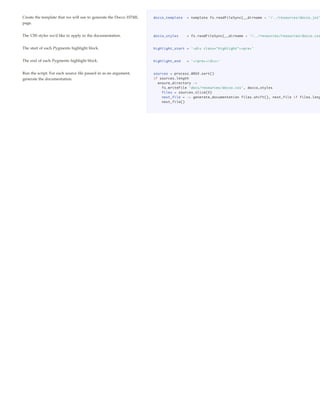
Create the template that we will use to generate the Docco HTML   docco_template   = template fs.readFileSync(__dirname + '/../resources/docco.jst'
page.


The CSS styles we'd like to apply to the documentation.           docco_styles     = fs.readFileSync(__dirname + '/../resources/resources/docco.css


The start of each Pygments highlight block.                       highlight_start = '<div class="highlight"><pre>'


The end of each Pygments highlight block.                         highlight_end    = '</pre></div>'


Run the script. For each source file passed in as an argument,    sources = process.ARGV.sort()
generate the documentation.                                       if sources.length
                                                                    ensure_directory ->
                                                                      fs.writeFile 'docs/resources/docco.css', docco_styles
                                                                      files = sources.slice(0)
                                                                      next_file = -> generate_documentation files.shift(), next_file if files.leng
                                                                      next_file()

Docco.coffee

  • 1.
    docco.coffee Docco is aquick-and-dirty, hundred-line-long, literate- programming-style documentation generator. It produces HTML that displays your comments alongside your code. Comments are passed through Markdown, and code is passed through Pygments syntax highlighting. This page is the result of running Docco against its own source file. If you install Docco, you can run it from the command-line: docco src/*.coffee ...will generate linked HTML documentation for the named source files, saving it into a docs folder. The source for Docco is available on GitHub, and released under the MIT license. To install Docco, first make sure you have Node.js, Pygments (install the latest dev version of Pygments from its Mercurial repo), and CoffeeScript. Then, with NPM: sudo npm install docco If Node.js doesn't run on your platform, or you'd prefer a more convenient package, get Rocco, the Ruby port that's available as a gem. If you're writing shell scripts, try Shocco, a port for the POSIX shell. Both are by Ryan Tomayko. If Python's more your speed, take a look at Nick Fitzgerald's Pycco. Main Documentation Generation Functions Generate the documentation for a source file by reading it in, generate_documentation = (source, callback) -> splitting it up into comment/code sections, highlighting them for fs.readFile source, "utf-8", (error, code) -> throw error if error the appropriate language, and merging them into an HTML sections = parse source, code template. highlight source, sections, -> generate_html source, sections callback() Given a string of source code, parse out each comment and the parse = (source, code) -> code that follows it, and create an individual section for it. lines = code.split 'n' sections = [] Sections take the form: language = get_language source { has_code = docs_text = code_text = '' docs_text: ... docs_html: ... save = (docs, code) -> code_text: ... sections.push docs_text: docs, code_text: code code_html: ... } for line in lines if line.match language.comment_matcher if not (line.match language.comment_filter) if has_code save docs_text, code_text has_code = docs_text = code_text = '' docs_text += line.replace(language.comment_matcher, '') + 'n' else has_code = yes code_text += line + 'n' save docs_text, code_text sections Highlights a single chunk of CoffeeScript code, using Pygments highlight = (source, sections, callback) -> over stdio, and runs the text of its corresponding comment language = get_language source pygments = spawn 'pygmentize', ['-l', language.name, '-f', 'html', '-O', 'enco through Markdown, using the Github-flavored-Markdown output = '' modification of Showdown.js. pygments.stderr.addListener 'data', (error) -> console.error error if error We process the entire file in a single call to Pygments by inserting pygments.stdout.addListener 'data', (result) -> little marker comments between each section and then splitting output += result if result the result string wherever our markers occur. pygments.addListener 'exit', ->
  • 2.
    output = output.replace(highlight_start,'').replace(highlight_end, '') fragments = output.split language.divider_html for section, i in sections section.code_html = highlight_start + fragments[i] + highlight_end section.docs_html = showdown.makeHtml section.docs_text callback() pygments.stdin.write((section.code_text for section in sections).join(language pygments.stdin.end() Once all of the code is finished highlighting, we can generate the generate_html = (source, sections) -> HTML file and write out the documentation. Pass the completed title = path.basename source dest = destination source sections into the template found in resources/docco.jst html = docco_template { title: title, sections: sections, sources: sources, path: path, destination: } console.log "docco: #{source} -> #{dest}" fs.writeFile dest, html Helpers & Setup Require our external dependencies, including Showdown.js (the fs = require 'fs' JavaScript implementation of Markdown). path = require 'path' showdown = require('./../vendor/showdown').Showdown {spawn, exec} = require 'child_process' A list of the languages that Docco supports, mapping the file languages = extension to the name of the Pygments lexer and the symbol that '.coffee': name: 'coffee-script', symbol: '#' indicates a comment. To add another language to Docco's '.js': repertoire, add it here. name: 'javascript', symbol: '//' '.rb': name: 'ruby', symbol: '#' '.py': name: 'python', symbol: '#' Build out the appropriate matchers and delimiters for each for ext, l of languages language. Does the line begin with a comment? l.comment_matcher = new RegExp('^s*' + l.symbol + 's?') Ignore hashbangs) l.comment_filter = new RegExp('^#![/]') The dividing token we feed into Pygments, to delimit the l.divider_text = 'n' + l.symbol + 'DIVIDERn' boundaries between sections. The mirror of divider_text that we expect Pygments to return. l.divider_html = new RegExp('n*<span class="c1?">' + l.symbol + 'DIVIDER</ We can split on this to recover the original sections. Note: the class is "c" for Python and "c1" for the other languages Get the current language we're documenting, based on the get_language = (source) -> languages[path.extname(source)] extension. Compute the destination HTML path for an input source file path. destination = (filepath) -> If the source is lib/example.coffee , the HTML will be at 'docs/' + path.basename(filepath, path.extname(filepath)) + '.html' docs/example.html Ensure that the destination directory exists. ensure_directory = (callback) -> exec 'mkdir -p docs', -> callback() Micro-templating, originally by John Resig, borrowed by way of template = (str) -> Underscore.js. new Function 'obj', 'var p=[],print=function(){p.push.apply(p,arguments);};' + 'with(obj){p.push('' + str.replace(/[rtn]/g, " ") .replace(/'(?=[^<]*%>)/g,"t") .split("'").join("'") .split("t").join("'") .replace(/<%=(.+?)%>/g, "',$1,'") .split('<%').join("');") .split('%>').join("p.push('") + "');}return p.join('');"
  • 3.
    Create the templatethat we will use to generate the Docco HTML docco_template = template fs.readFileSync(__dirname + '/../resources/docco.jst' page. The CSS styles we'd like to apply to the documentation. docco_styles = fs.readFileSync(__dirname + '/../resources/resources/docco.css The start of each Pygments highlight block. highlight_start = '<div class="highlight"><pre>' The end of each Pygments highlight block. highlight_end = '</pre></div>' Run the script. For each source file passed in as an argument, sources = process.ARGV.sort() generate the documentation. if sources.length ensure_directory -> fs.writeFile 'docs/resources/docco.css', docco_styles files = sources.slice(0) next_file = -> generate_documentation files.shift(), next_file if files.leng next_file()