The C++ Language


                                     Language Overview


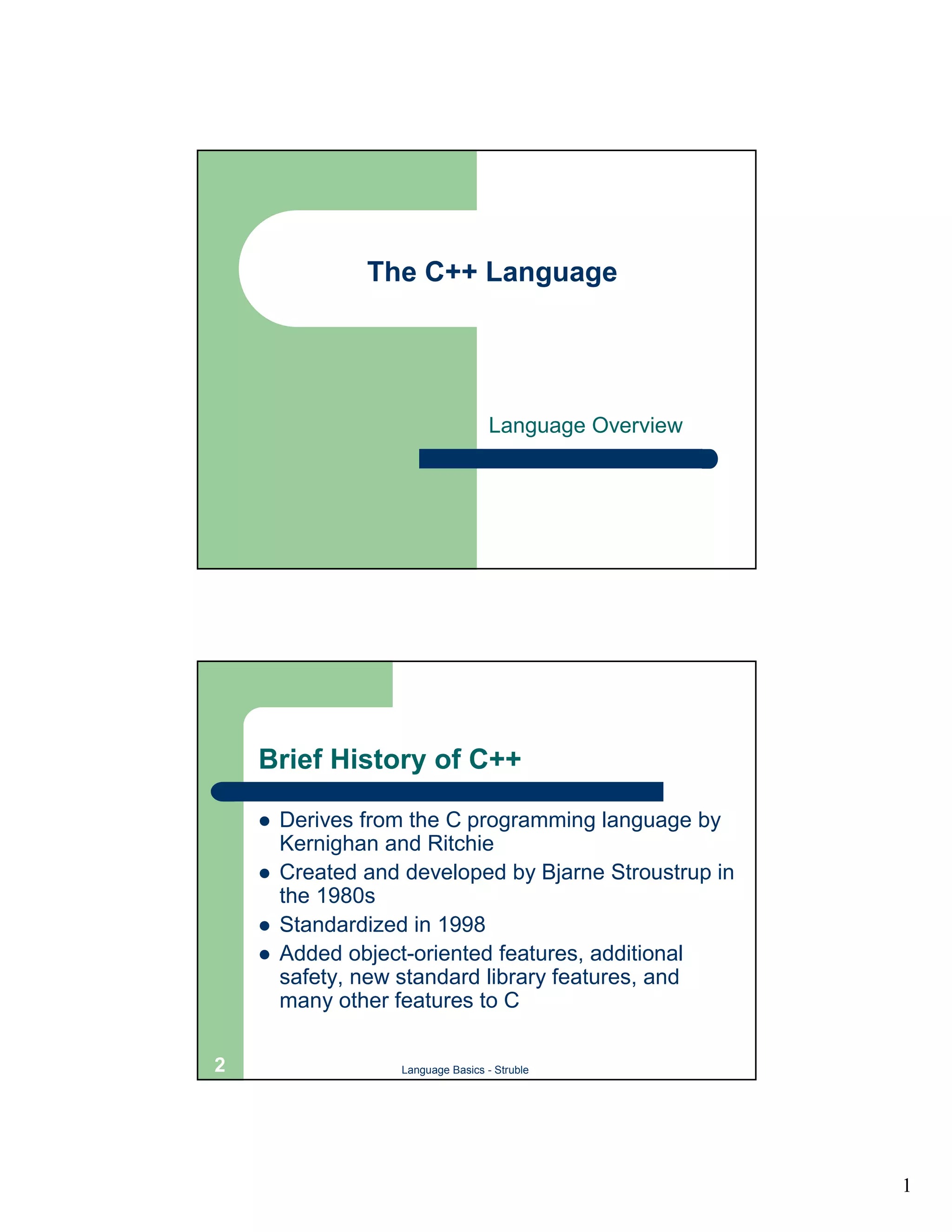
    Brief History of C++

    !   Derives from the C programming language by
        Kernighan and Ritchie
    !   Created and developed by Bjarne Stroustrup in
        the 1980s
    !   Standardized in 1998
    !   Added object-oriented features, additional
        safety, new standard library features, and
        many other features to C

2                   Language Basics - Struble


                                                         1
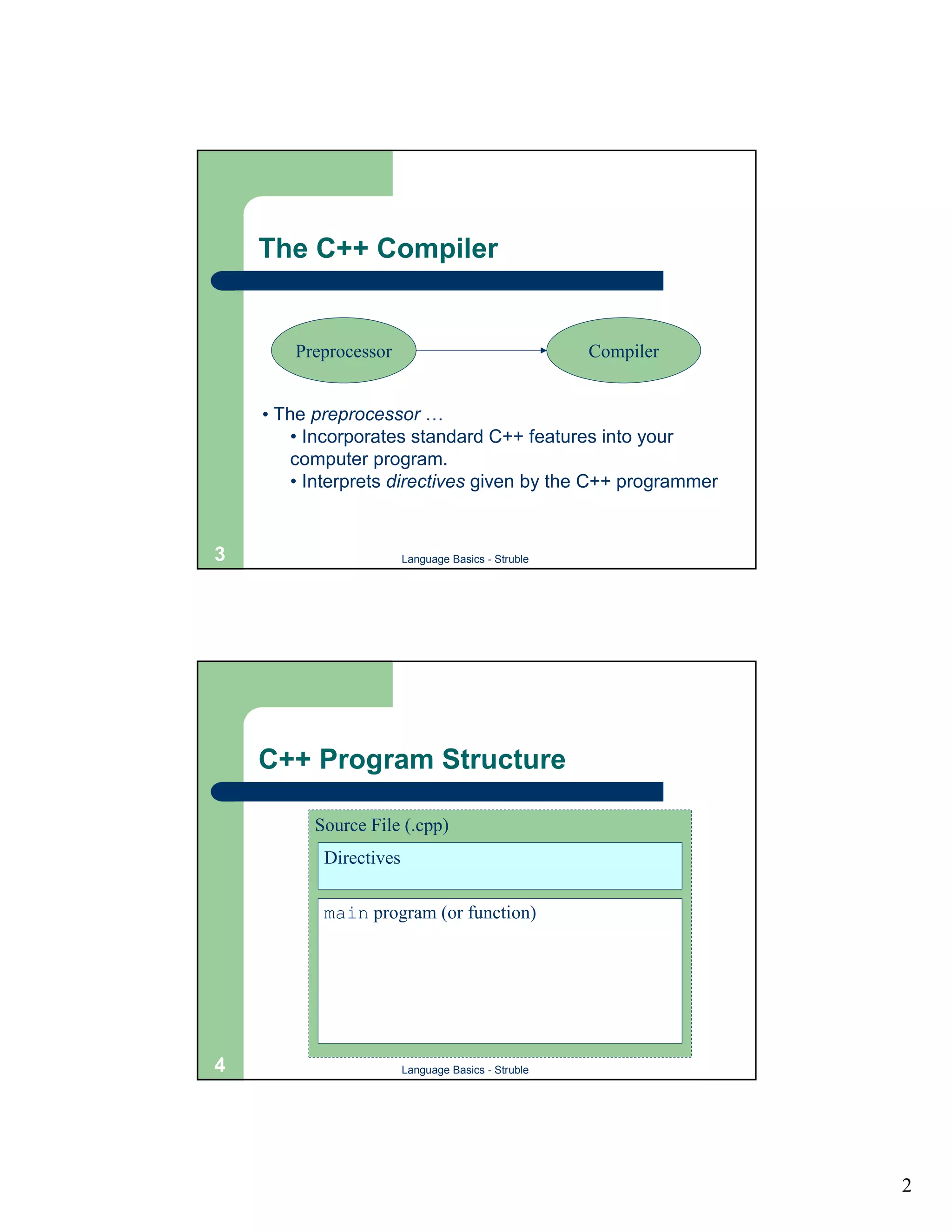
The C++ Compiler


        Preprocessor                                Compiler


    • The preprocessor …
        • Incorporates standard C++ features into your
        computer program.
        • Interprets directives given by the C++ programmer


3                       Language Basics - Struble


    C++ Program Structure

          Source File (.cpp)
           Directives

           main program (or function)


4                       Language Basics - Struble


                                                               2
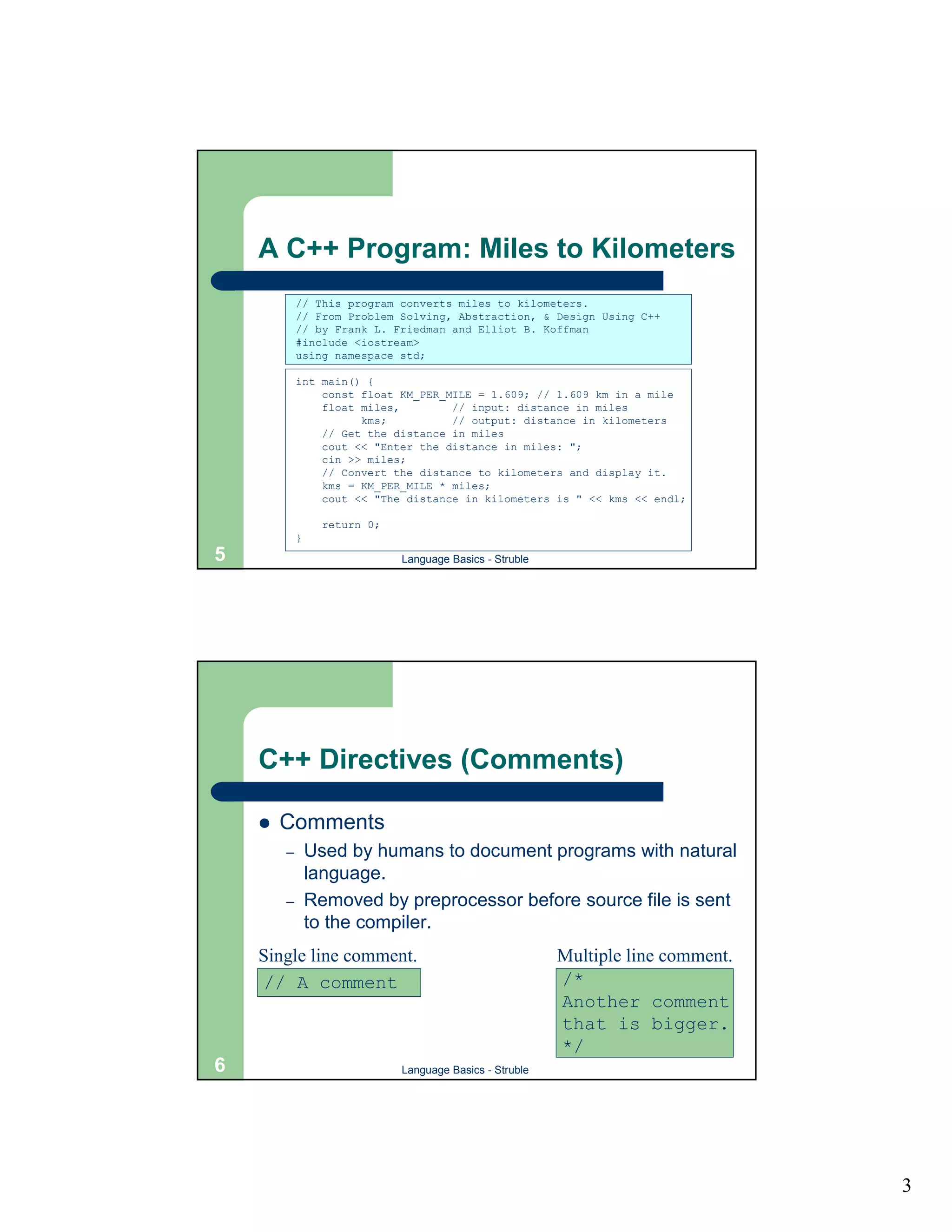
A C++ Program: Miles to Kilometers
            // This program converts miles to kilometers.
            // From Problem Solving, Abstraction, & Design Using C++
            // by Frank L. Friedman and Elliot B. Koffman
            #include <iostream>
            using namespace std;

            int main() {
                const float KM_PER_MILE = 1.609; // 1.609 km in a mile
                float miles,        // input: distance in miles
                      kms;          // output: distance in kilometers
                // Get the distance in miles
                cout << "Enter the distance in miles: ";
                cin >> miles;
                // Convert the distance to kilometers and display it.
                kms = KM_PER_MILE * miles;
                cout << "The distance in kilometers is " << kms << endl;

                  return 0;
            }
5                             Language Basics - Struble


    C++ Directives (Comments)

    !   Comments
        –       Used by humans to document programs with natural
                language.
        –       Removed by preprocessor before source file is sent
                to the compiler.
    Single line comment.                                  Multiple line comment.
    // A comment                                          /*
                                                          Another comment
                                                          that is bigger.
                                                          */
6                             Language Basics - Struble


                                                                                   3
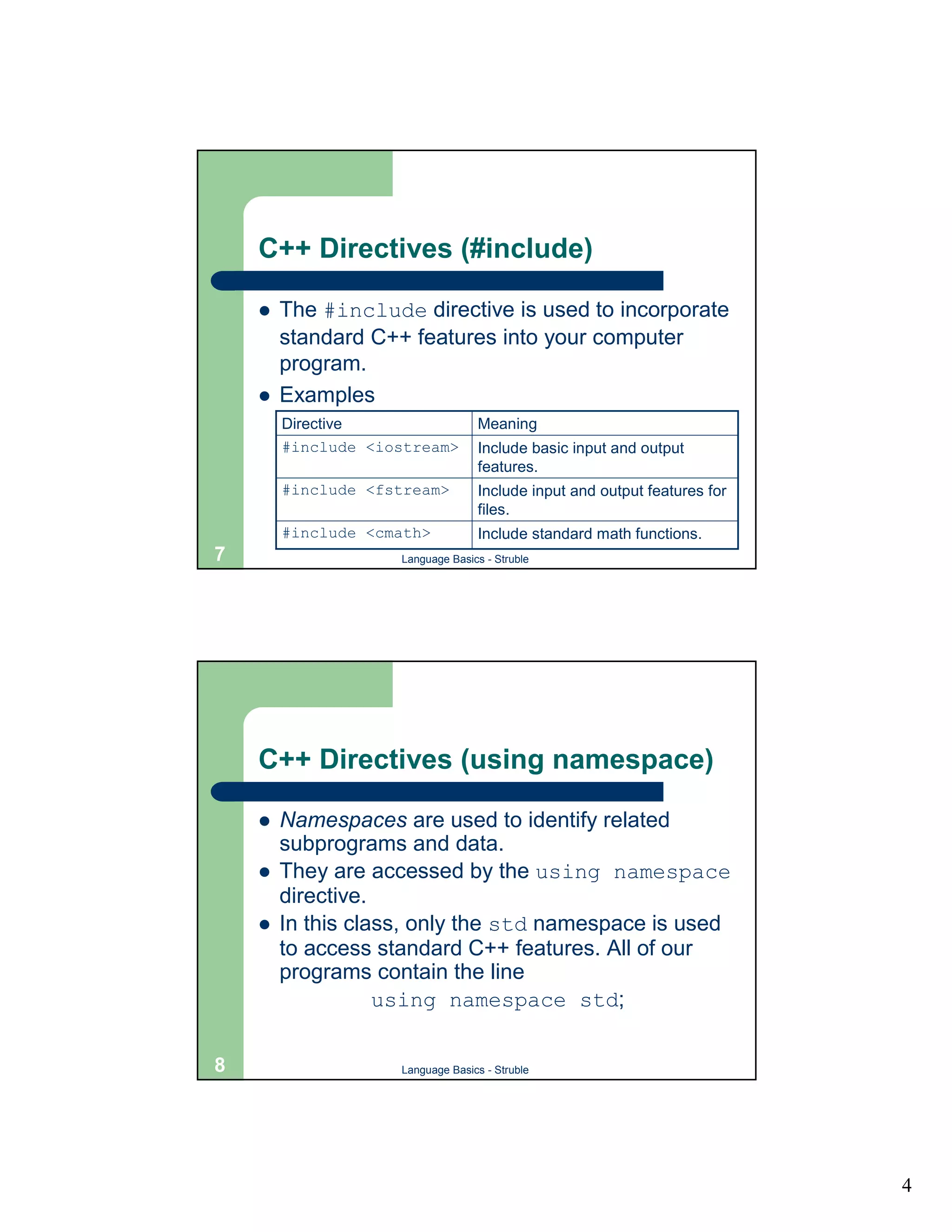
C++ Directives (#include)

    !   The #include directive is used to incorporate
        standard C++ features into your computer
        program.
    !   Examples
        Directive                 Meaning
        #include <iostream>       Include basic input and output
                                  features.
        #include <fstream>        Include input and output features for
                                  files.
        #include <cmath>          Include standard math functions.
7                   Language Basics - Struble


    C++ Directives (using namespace)

    !   Namespaces are used to identify related
        subprograms and data.
    !   They are accessed by the using namespace
        directive.
    !   In this class, only the std namespace is used
        to access standard C++ features. All of our
        programs contain the line
                   using namespace std;

8                   Language Basics - Struble


                                                                          4
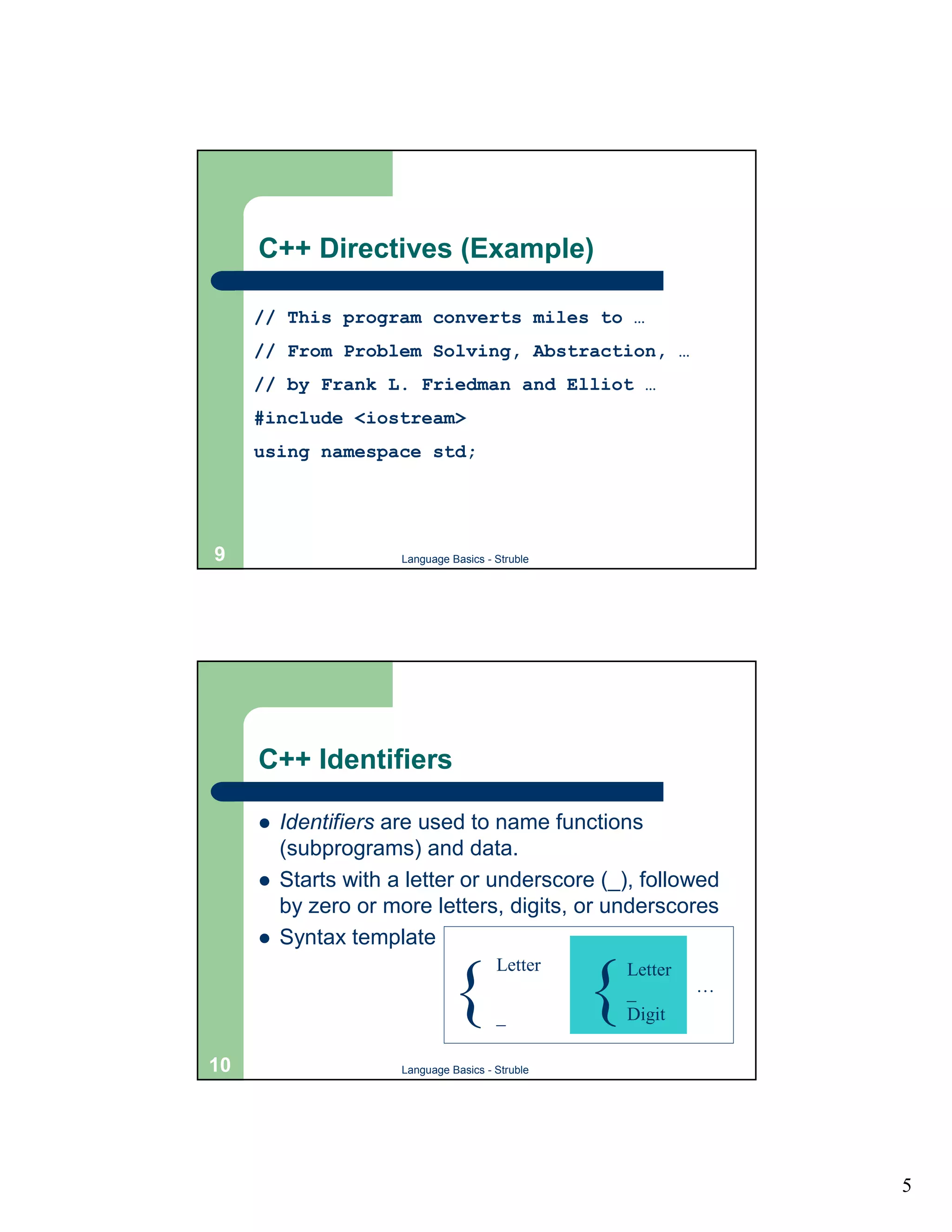
C++ Directives (Example)

     // This program converts miles to …
     // From Problem Solving, Abstraction, …
     // by Frank L. Friedman and Elliot …
     #include <iostream>
     using namespace std;


9                     Language Basics - Struble


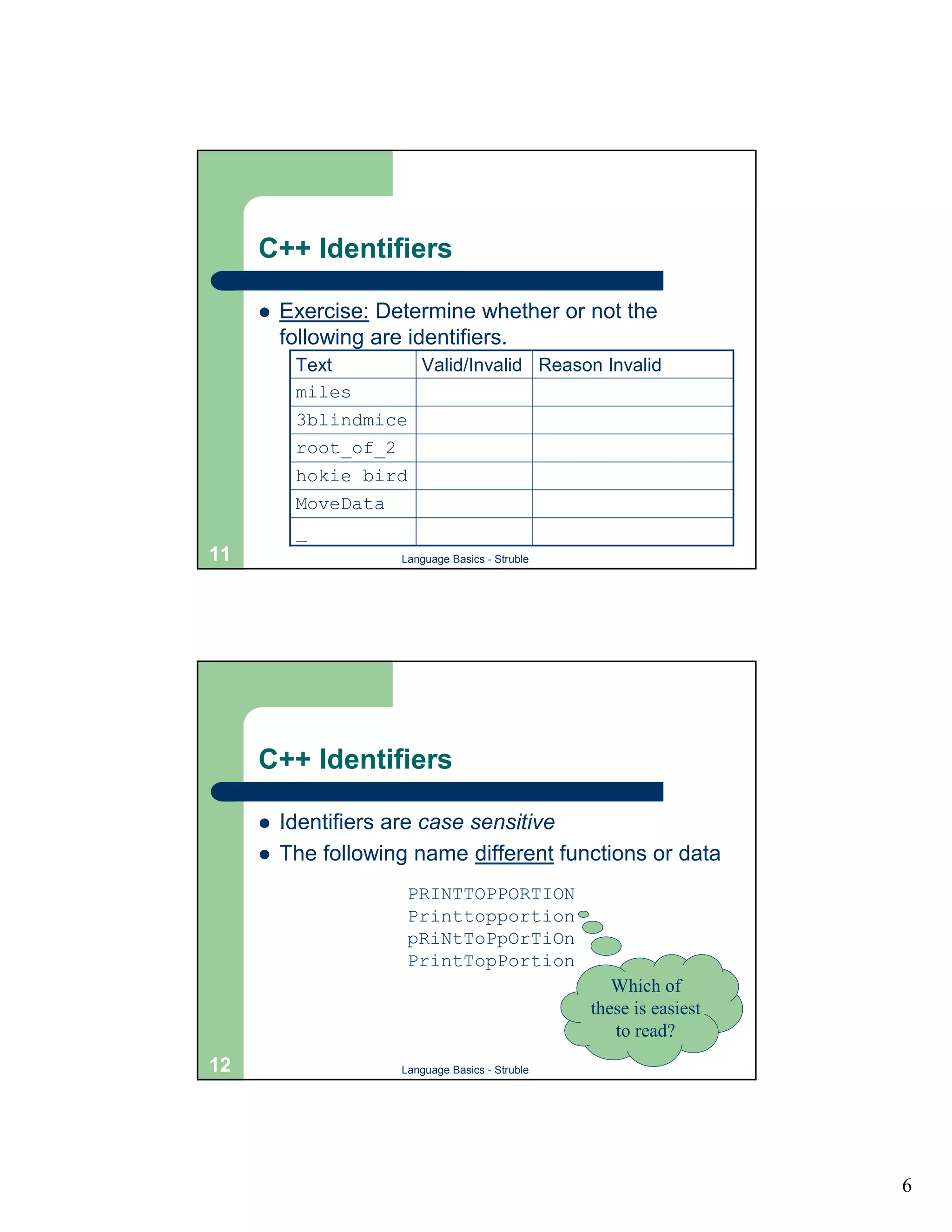
     C++ Identifiers

     !   Identifiers are used to name functions
         (subprograms) and data.
     !   Starts with a letter or underscore (_), followed
         by zero or more letters, digits, or underscores
     !   Syntax template
                                        Letter

                               {        _
                                                  {   Letter
                                                      _
                                                      Digit
                                                               …


10                    Language Basics - Struble


                                                                   5
C++ Identifiers

     !   Exercise: Determine whether or not the
         following are identifiers.
          Text          Valid/Invalid Reason Invalid
          miles
          3blindmice
          root_of_2
          hokie bird
          MoveData
          _
11                   Language Basics - Struble


     C++ Identifiers

     !   Identifiers are case sensitive
     !   The following name different functions or data
                      PRINTTOPPORTION
                      Printtopportion
                      pRiNtToPpOrTiOn
                      PrintTopPortion
                                                    Which of
                                                 these is easiest
                                                    to read?
12                   Language Basics - Struble


                                                                    6
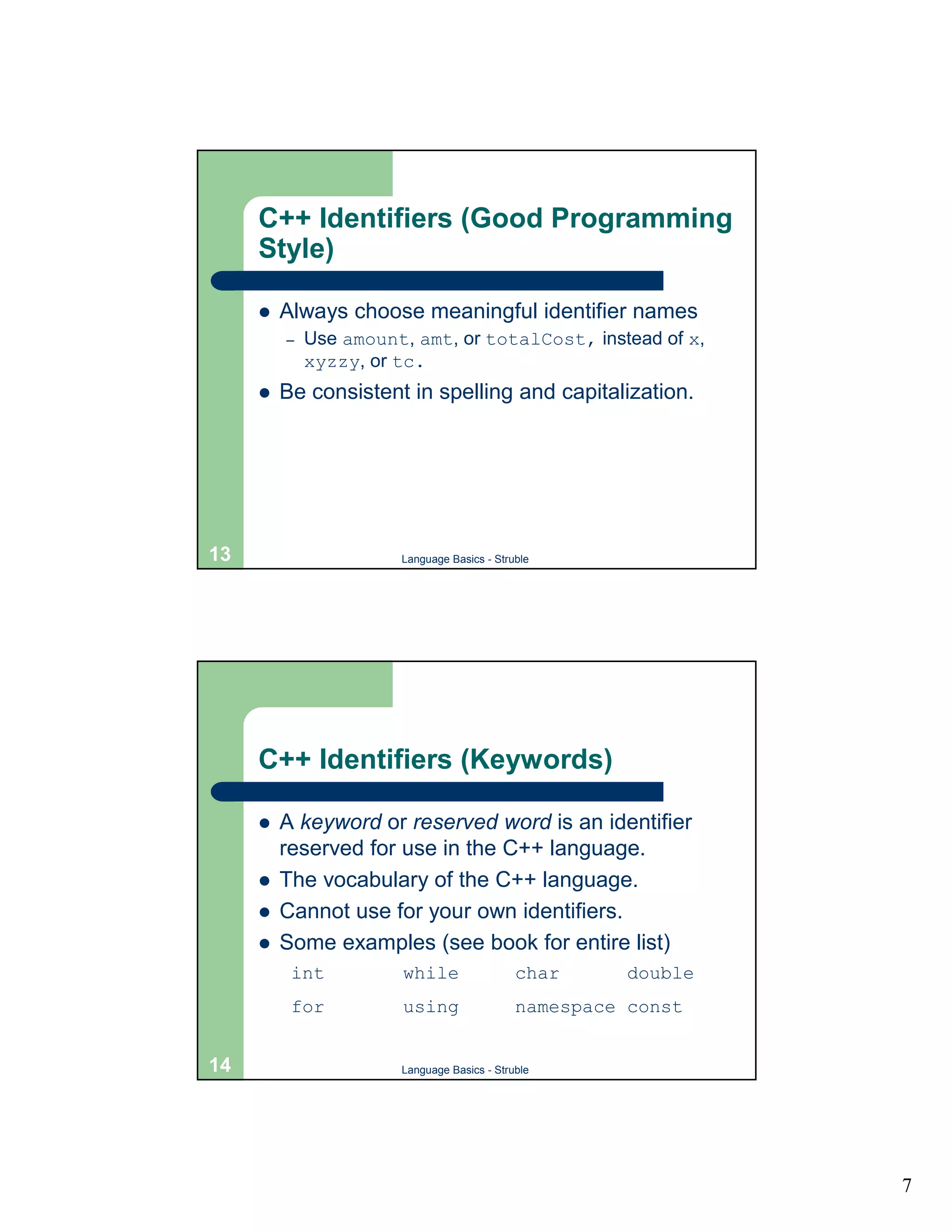
C++ Identifiers (Good Programming
     Style)

     !   Always choose meaningful identifier names
         –   Use amount, amt, or totalCost, instead of x,
             xyzzy, or tc.
     !   Be consistent in spelling and capitalization.


13                     Language Basics - Struble


     C++ Identifiers (Keywords)

     !   A keyword or reserved word is an identifier
         reserved for use in the C++ language.
     !   The vocabulary of the C++ language.
     !   Cannot use for your own identifiers.
     !   Some examples (see book for entire list)
          int          while                 char      double
          for          using                 namespace const


14                     Language Basics - Struble


                                                                7
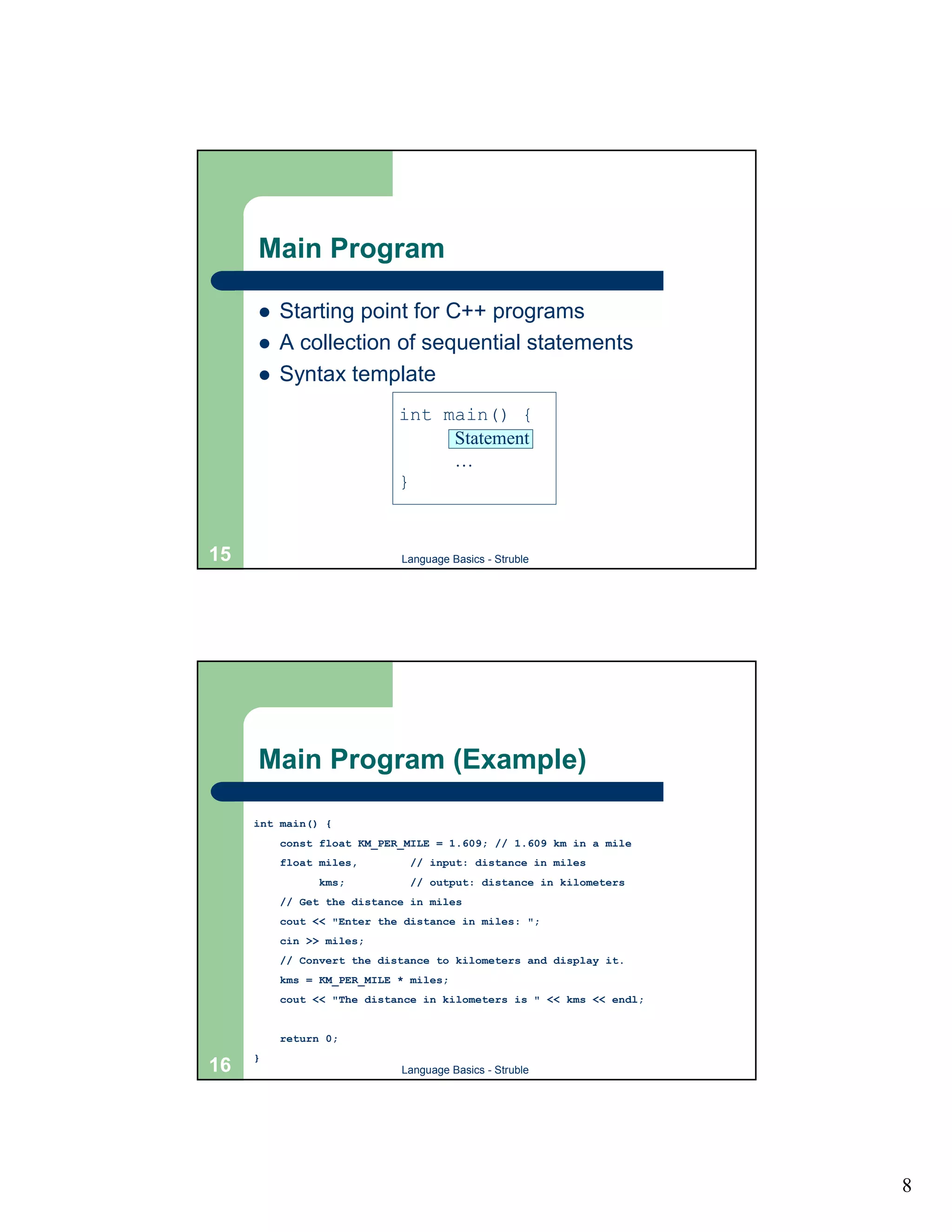
Main Program

     !   Starting point for C++ programs
     !   A collection of sequential statements
     !   Syntax template
                           int main() {
                                Statement
                                …
                           }


15                         Language Basics - Struble


     Main Program (Example)

     int main() {
         const float KM_PER_MILE = 1.609; // 1.609 km in a mile
         float miles,        // input: distance in miles
               kms;          // output: distance in kilometers
         // Get the distance in miles
         cout << "Enter the distance in miles: ";
         cin >> miles;
         // Convert the distance to kilometers and display it.
         kms = KM_PER_MILE * miles;
         cout << "The distance in kilometers is " << kms << endl;


         return 0;
     }
16                         Language Basics - Struble


                                                                    8
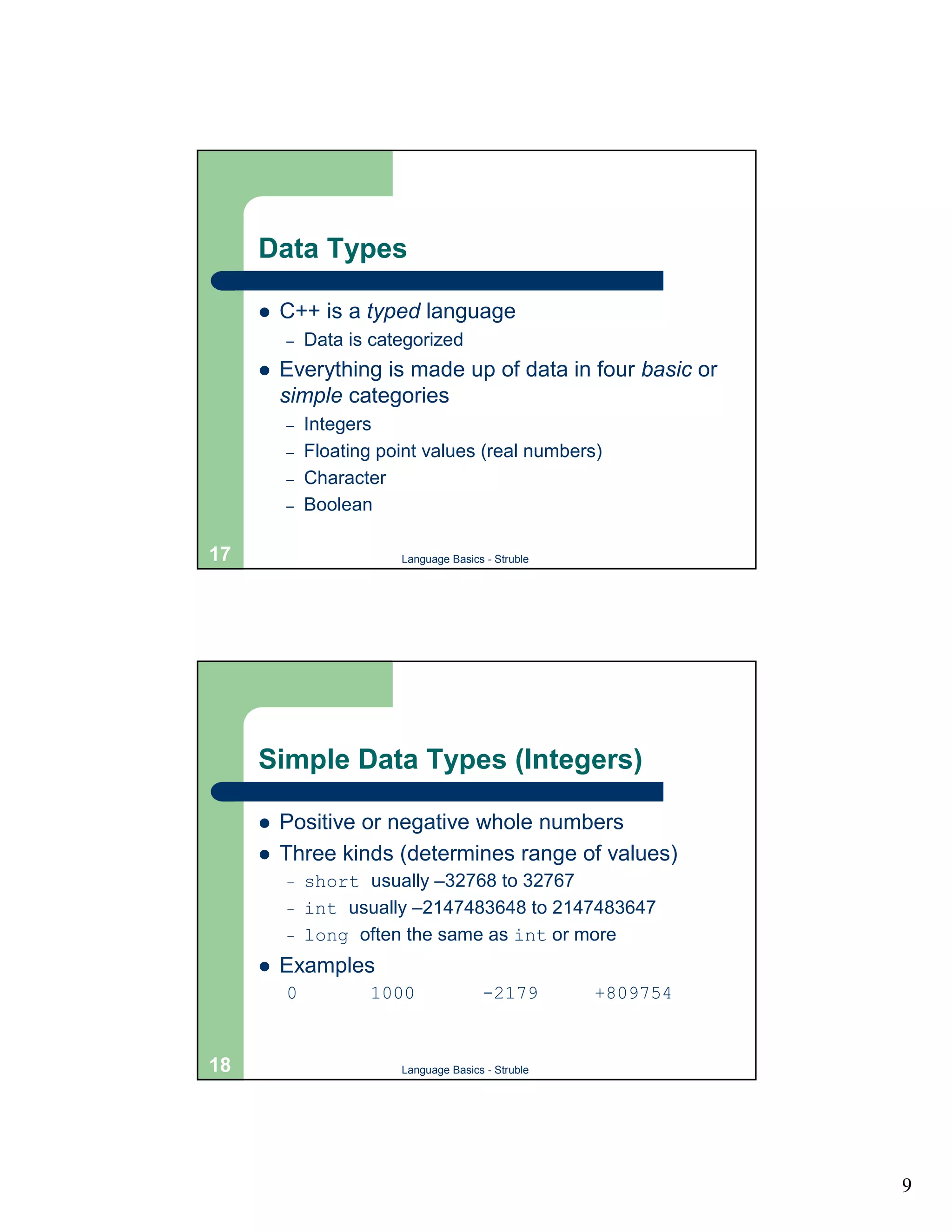
Data Types

     !   C++ is a typed language
         –   Data is categorized
     !   Everything is made up of data in four basic or
         simple categories
         –   Integers
         –   Floating point values (real numbers)
         –   Character
         –   Boolean

17                      Language Basics - Struble


     Simple Data Types (Integers)

     !   Positive or negative whole numbers
     !   Three kinds (determines range of values)
         –   short usually –32768 to 32767
         –   int usually –2147483648 to 2147483647
         –   long often the same as int or more
     !   Examples
         0           1000              -2179        +809754


18                      Language Basics - Struble


                                                              9
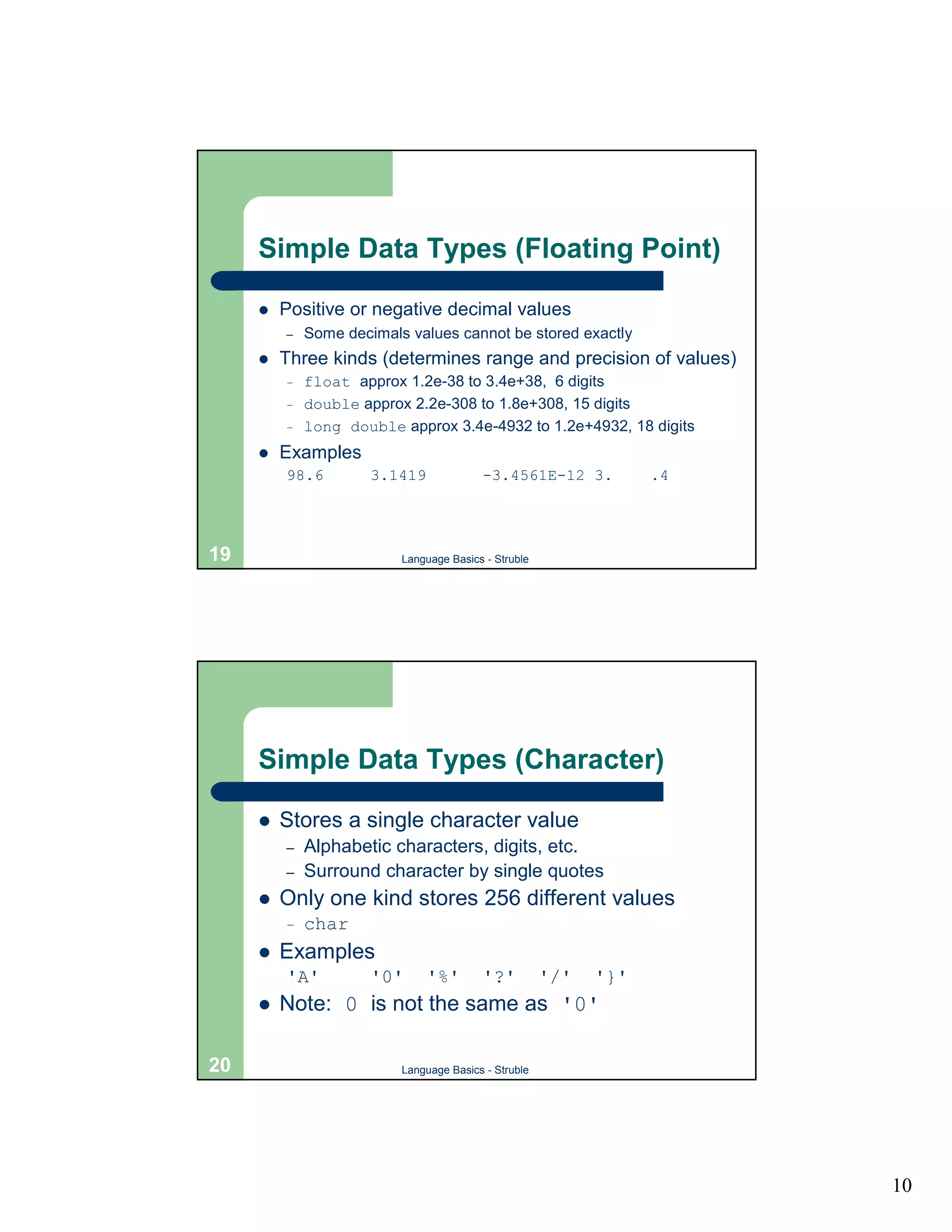
Simple Data Types (Floating Point)

     !   Positive or negative decimal values
         –   Some decimals values cannot be stored exactly
     !   Three kinds (determines range and precision of values)
         –   float approx 1.2e-38 to 3.4e+38, 6 digits
         –   double approx 2.2e-308 to 1.8e+308, 15 digits
         –   long double approx 3.4e-4932 to 1.2e+4932, 18 digits
     !   Examples
         98.6         3.1419             -3.4561E-12 3.           .4


19                        Language Basics - Struble


     Simple Data Types (Character)

     !   Stores a single character value
         –   Alphabetic characters, digits, etc.
         –   Surround character by single quotes
     !   Only one kind stores 256 different values
         –   char
     !   Examples
         'A'          '0'      '%'       '?'          '/'   '}'
     !   Note: 0 is not the same as '0'

20                        Language Basics - Struble


                                                                       10
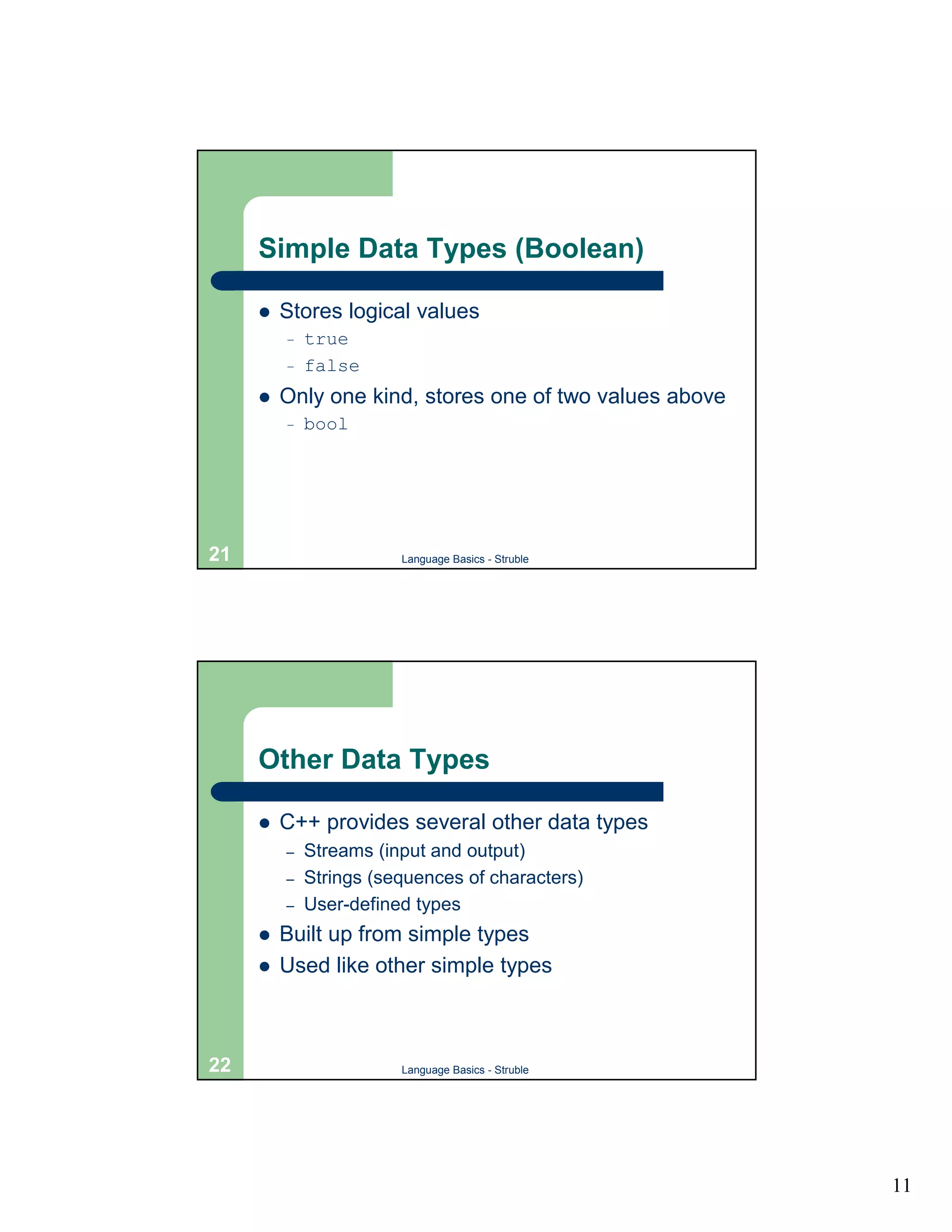
Simple Data Types (Boolean)

     !   Stores logical values
         –   true
         –   false
     !   Only one kind, stores one of two values above
         –   bool


21                      Language Basics - Struble


     Other Data Types

     !   C++ provides several other data types
         –   Streams (input and output)
         –   Strings (sequences of characters)
         –   User-defined types
     !   Built up from simple types
     !   Used like other simple types


22                      Language Basics - Struble


                                                         11
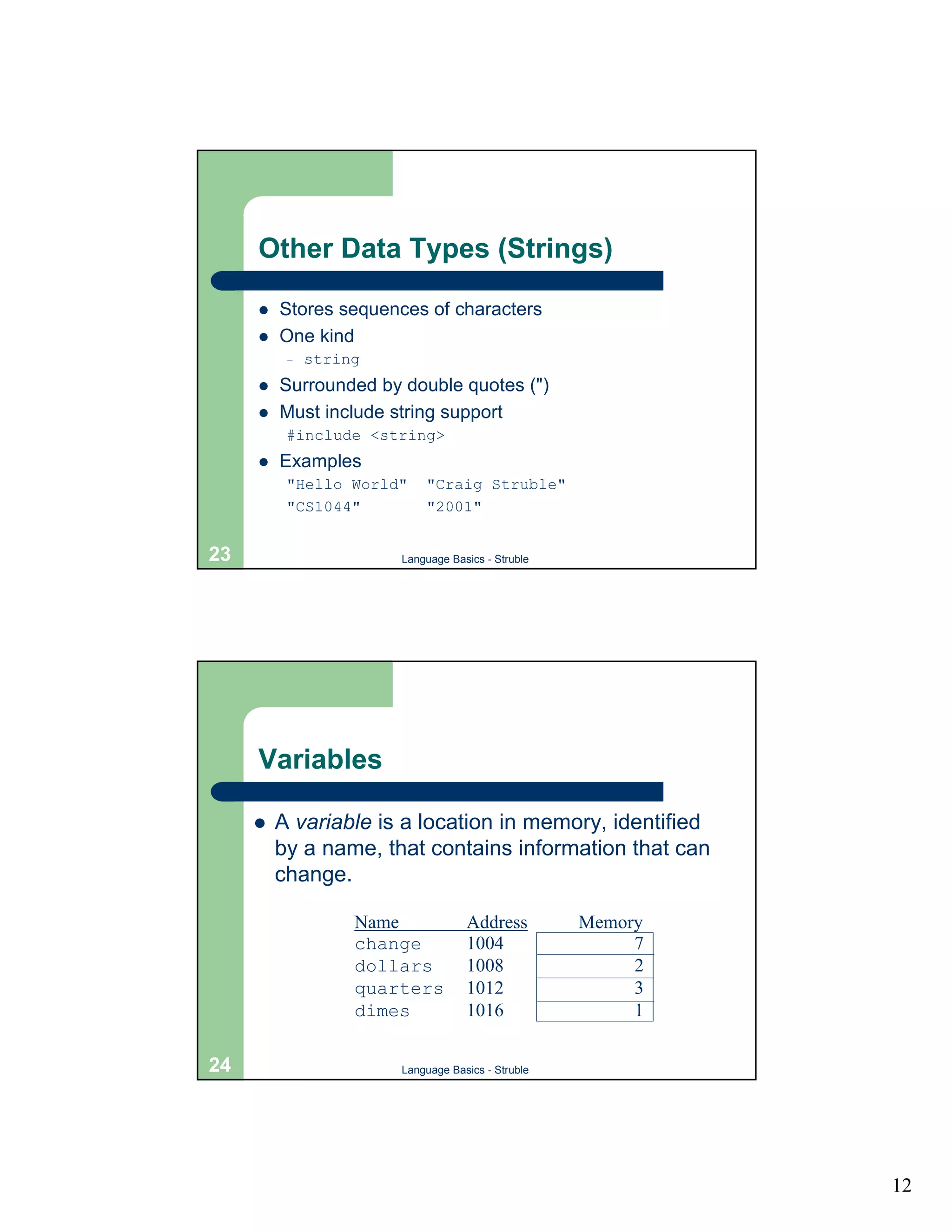
Other Data Types (Strings)

     !   Stores sequences of characters
     !   One kind
          –   string
     !   Surrounded by double quotes (")
     !   Must include string support
          #include <string>
     !   Examples
          "Hello World"    "Craig Struble"
          "CS1044"         "2001"


23                     Language Basics - Struble


     Variables

     !   A variable is a location in memory, identified
         by a name, that contains information that can
         change.

                   Name            Address         Memory
                   change          1004                 7
                   dollars         1008                 2
                   quarters        1012                 3
                   dimes           1016                 1

24                     Language Basics - Struble


                                                            12
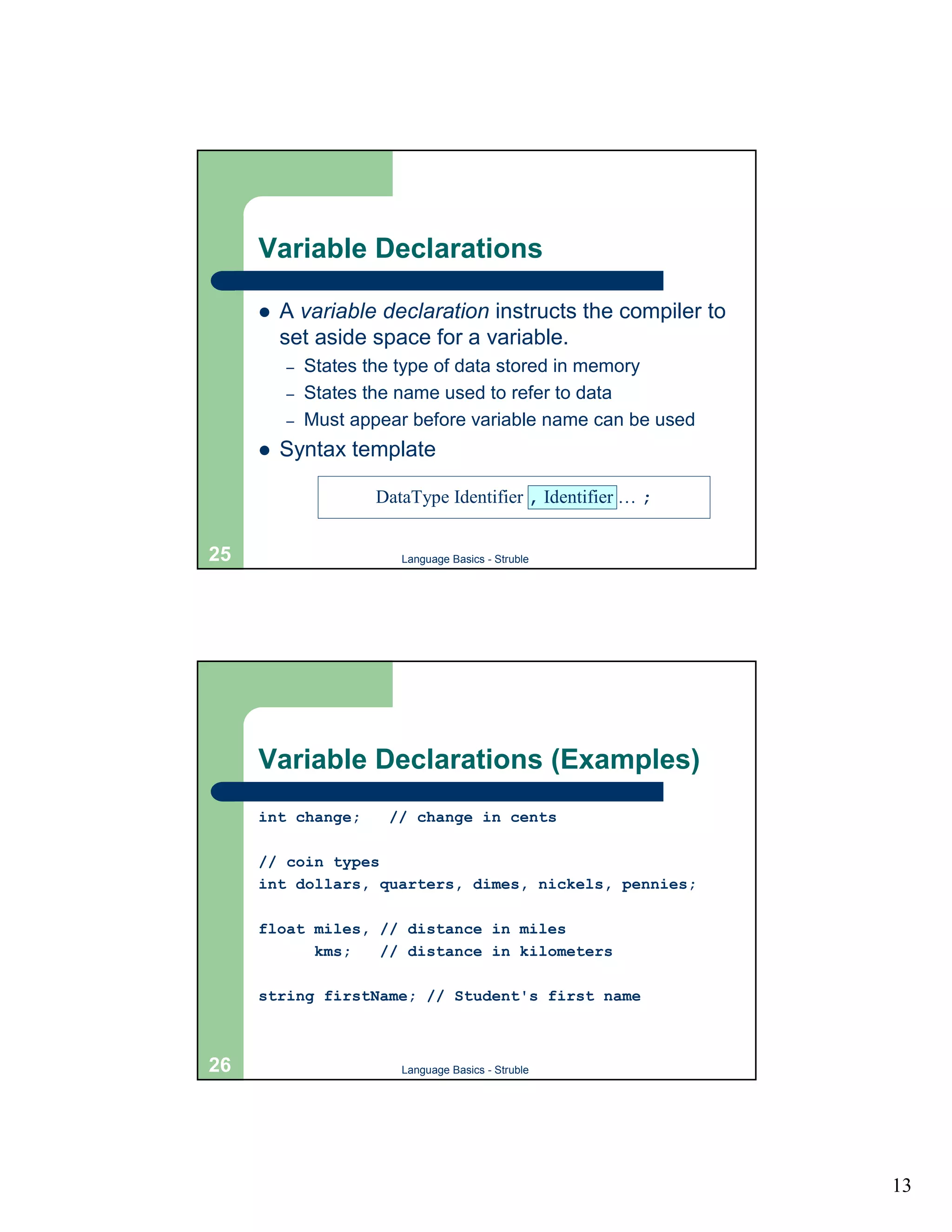
Variable Declarations

     !   A variable declaration instructs the compiler to
         set aside space for a variable.
         –   States the type of data stored in memory
         –   States the name used to refer to data
         –   Must appear before variable name can be used
     !   Syntax template

                     DataType Identifier , Identifier … ;


25                      Language Basics - Struble


     Variable Declarations (Examples)
     int change;      // change in cents

     // coin types
     int dollars, quarters, dimes, nickels, pennies;

     float miles, // distance in miles
           kms;   // distance in kilometers

     string firstName; // Student's first name


26                      Language Basics - Struble


                                                            13
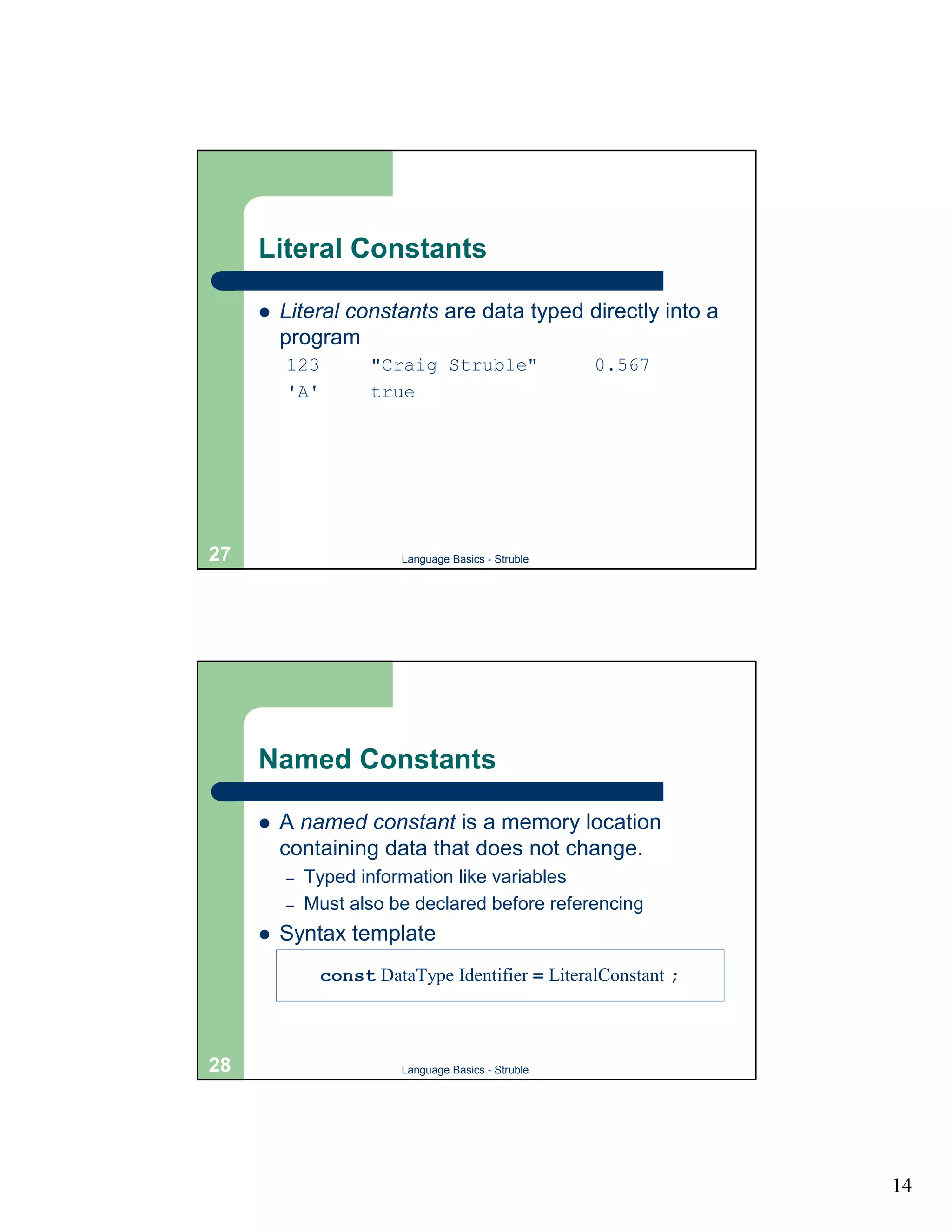
Literal Constants

     !   Literal constants are data typed directly into a
         program
         123         "Craig Struble"                 0.567
         'A'         true


27                       Language Basics - Struble


     Named Constants

     !   A named constant is a memory location
         containing data that does not change.
         –   Typed information like variables
         –   Must also be declared before referencing
     !   Syntax template
               const DataType Identifier = LiteralConstant ;


28                       Language Basics - Struble


                                                               14
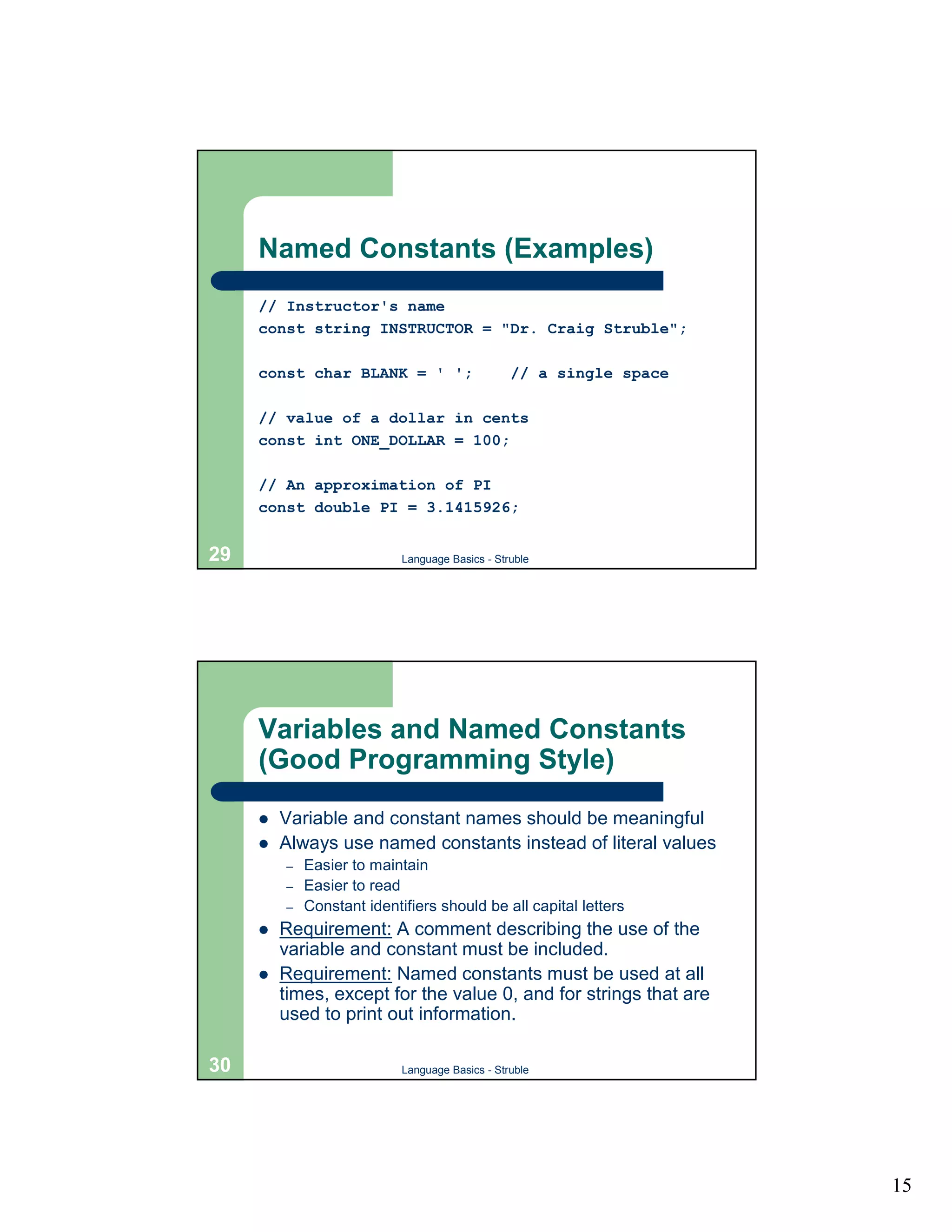
Named Constants (Examples)
     // Instructor's name
     const string INSTRUCTOR = "Dr. Craig Struble";

     const char BLANK = ' ';                     // a single space

     // value of a dollar in cents
     const int ONE_DOLLAR = 100;

     // An approximation of PI
     const double PI = 3.1415926;


29                          Language Basics - Struble


     Variables and Named Constants
     (Good Programming Style)
     !   Variable and constant names should be meaningful
     !   Always use named constants instead of literal values
         –   Easier to maintain
         –   Easier to read
         –   Constant identifiers should be all capital letters
     !   Requirement: A comment describing the use of the
         variable and constant must be included.
     !   Requirement: Named constants must be used at all
         times, except for the value 0, and for strings that are
         used to print out information.

30                          Language Basics - Struble


                                                                     15
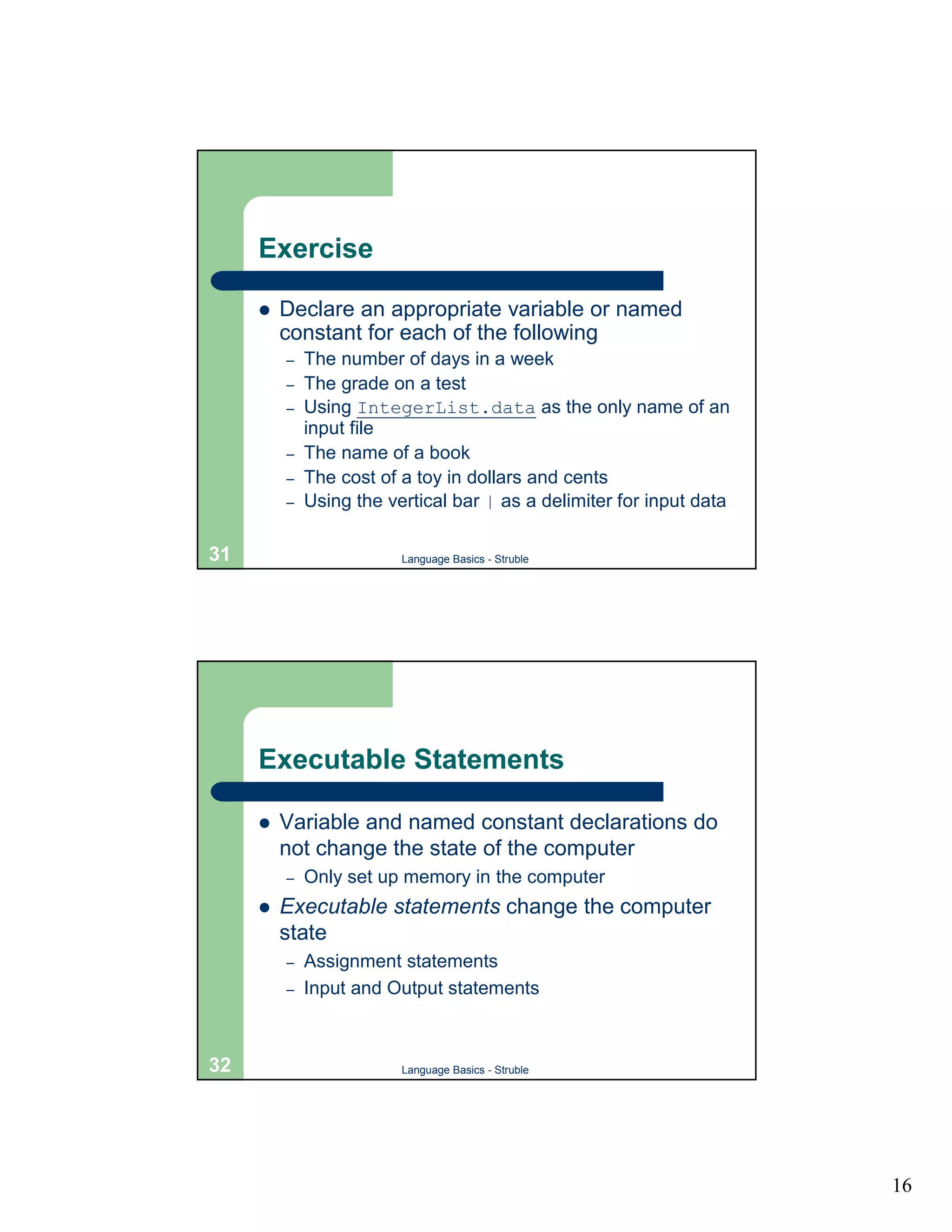
Exercise

     !   Declare an appropriate variable or named
         constant for each of the following
         –   The number of days in a week
         –   The grade on a test
         –   Using IntegerList.data as the only name of an
             input file
         –   The name of a book
         –   The cost of a toy in dollars and cents
         –   Using the vertical bar | as a delimiter for input data

31                       Language Basics - Struble


     Executable Statements

     !   Variable and named constant declarations do
         not change the state of the computer
         –   Only set up memory in the computer
     !   Executable statements change the computer
         state
         –   Assignment statements
         –   Input and Output statements


32                       Language Basics - Struble


                                                                      16
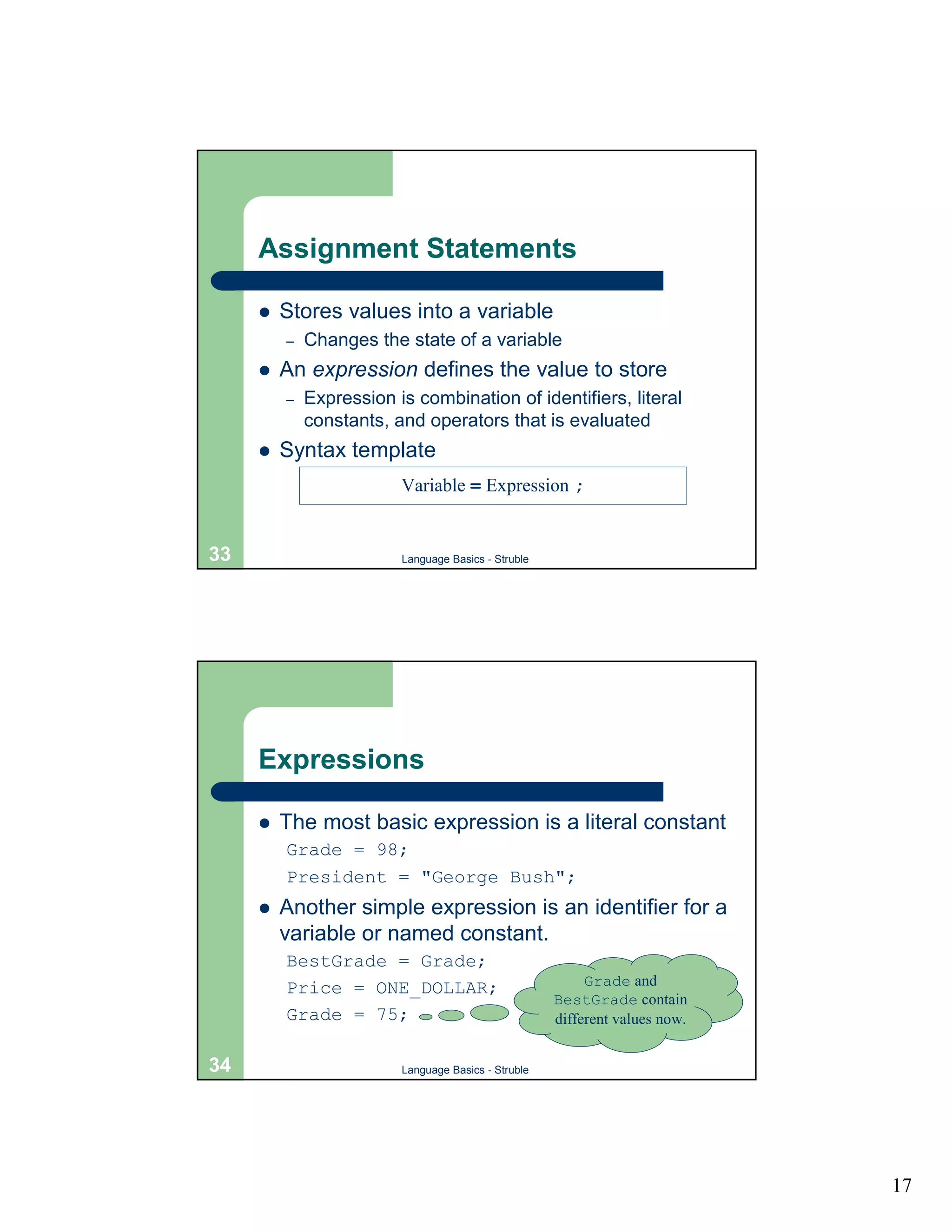
Assignment Statements

     !   Stores values into a variable
         –   Changes the state of a variable
     !   An expression defines the value to store
         –   Expression is combination of identifiers, literal
             constants, and operators that is evaluated
     !   Syntax template
                         Variable = Expression ;


33                       Language Basics - Struble


     Expressions

     !   The most basic expression is a literal constant
         Grade = 98;
         President = "George Bush";
     !   Another simple expression is an identifier for a
         variable or named constant.
         BestGrade = Grade;
         Price = ONE_DOLLAR;                              Grade and
                                                     BestGrade contain
         Grade = 75;                                 different values now.


34                       Language Basics - Struble


                                                                             17
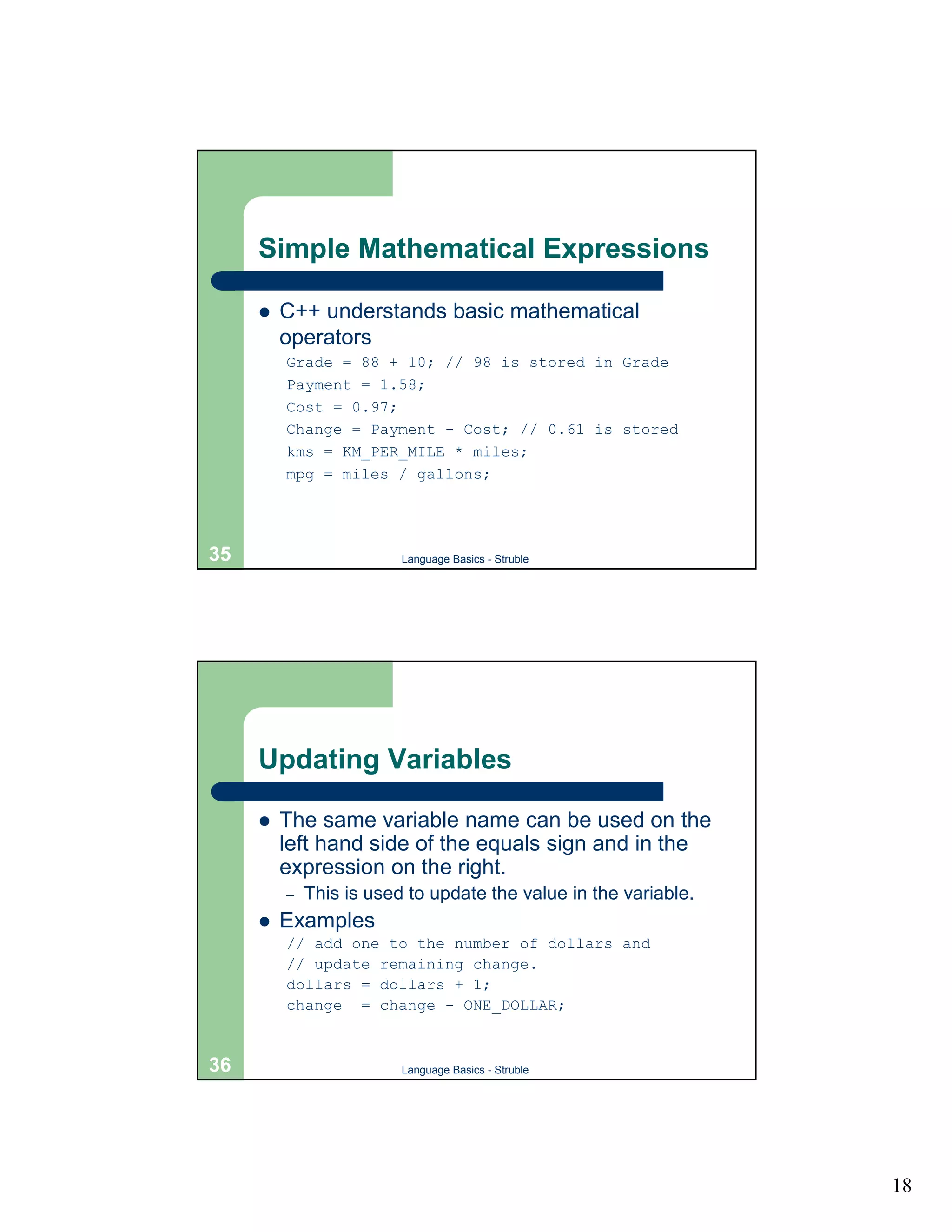
Simple Mathematical Expressions

     !   C++ understands basic mathematical
         operators
         Grade = 88 + 10; // 98 is stored in Grade
         Payment = 1.58;
         Cost = 0.97;
         Change = Payment - Cost; // 0.61 is stored
         kms = KM_PER_MILE * miles;
         mpg = miles / gallons;


35                       Language Basics - Struble


     Updating Variables

     !   The same variable name can be used on the
         left hand side of the equals sign and in the
         expression on the right.
         –   This is used to update the value in the variable.
     !   Examples
         // add one to the number of dollars and
         // update remaining change.
         dollars = dollars + 1;
         change = change - ONE_DOLLAR;


36                       Language Basics - Struble


                                                                 18
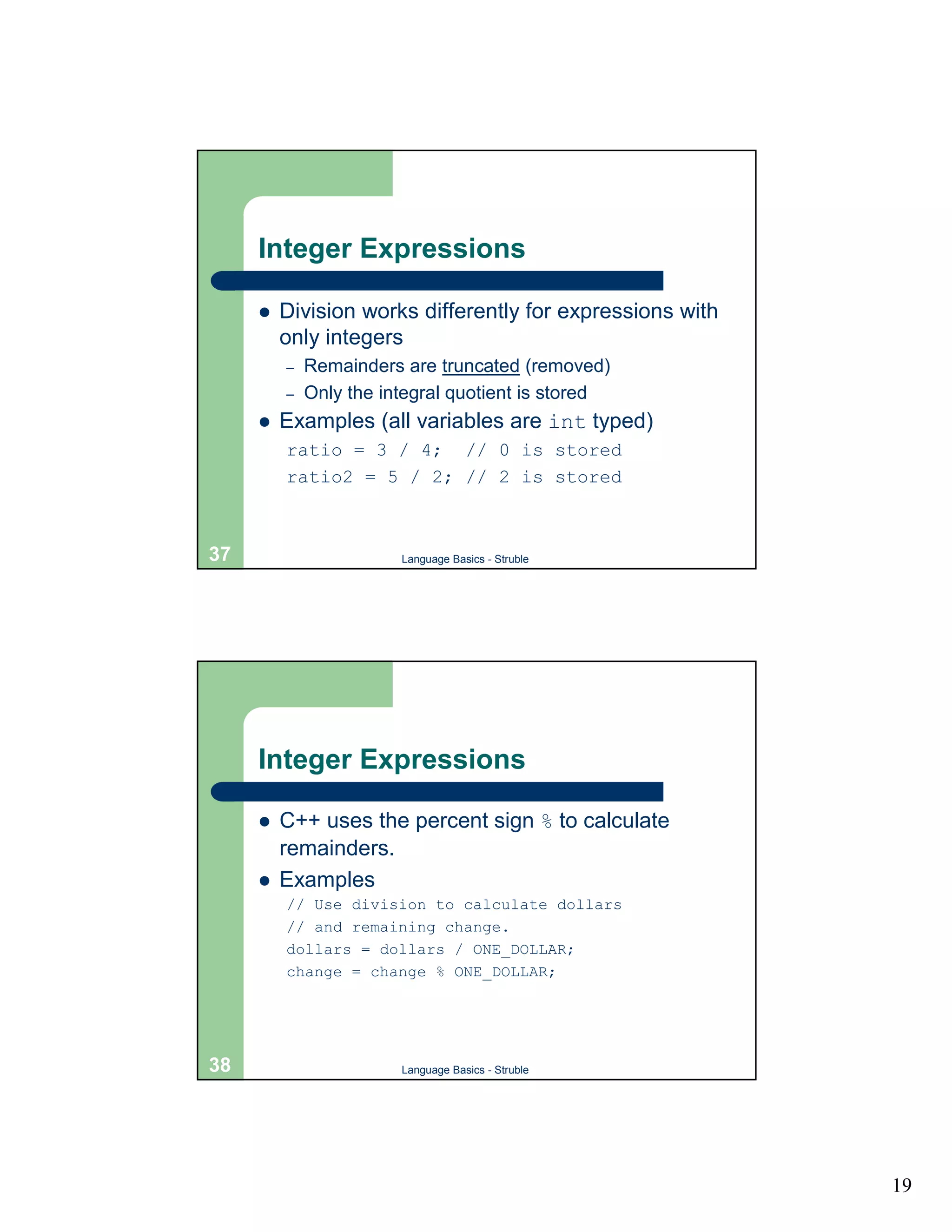
Integer Expressions

     !   Division works differently for expressions with
         only integers
         –   Remainders are truncated (removed)
         –   Only the integral quotient is stored
     !   Examples (all variables are int typed)
         ratio = 3 / 4; // 0 is stored
         ratio2 = 5 / 2; // 2 is stored


37                      Language Basics - Struble


     Integer Expressions

     !   C++ uses the percent sign % to calculate
         remainders.
     !   Examples
         // Use division to calculate dollars
         // and remaining change.
         dollars = dollars / ONE_DOLLAR;
         change = change % ONE_DOLLAR;


38                      Language Basics - Struble


                                                           19
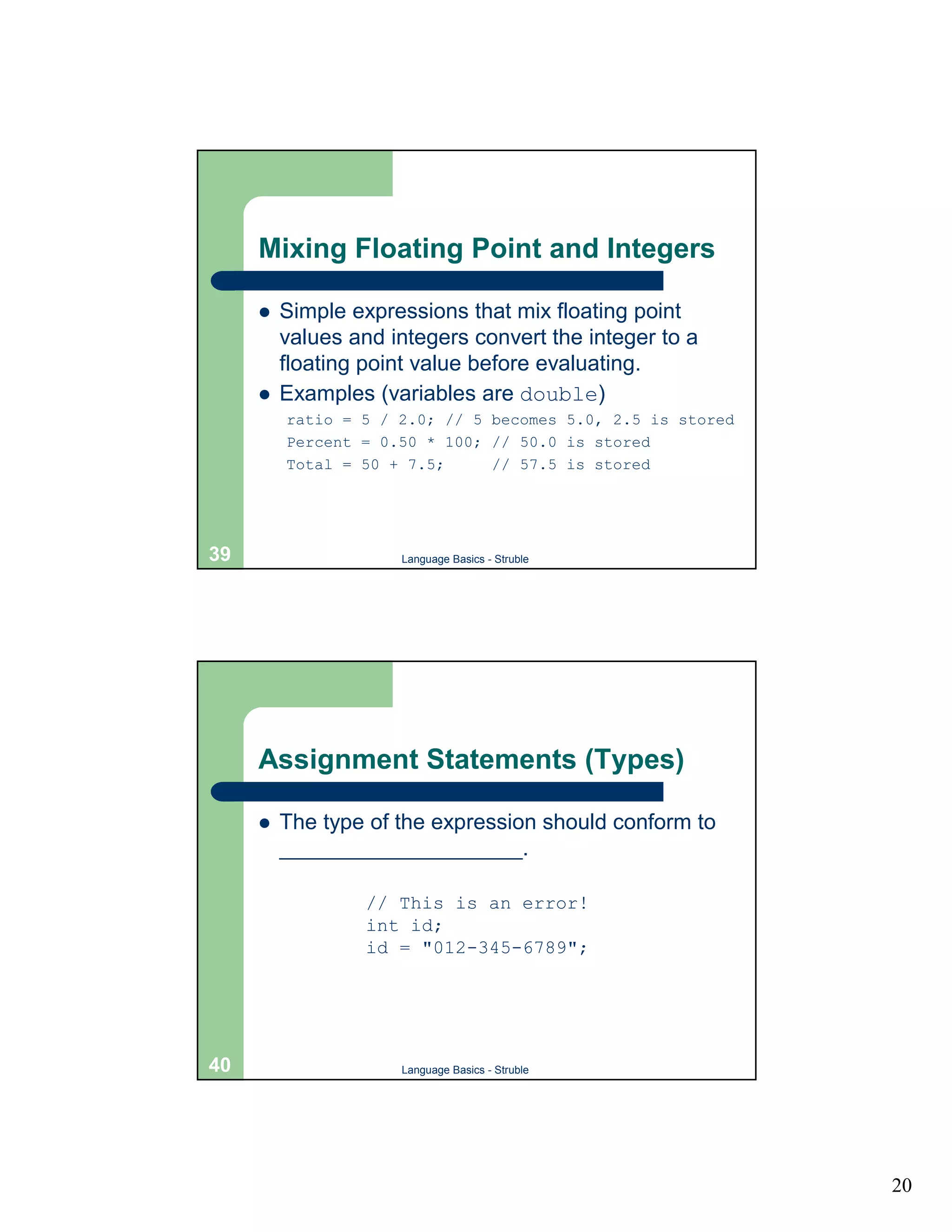
Mixing Floating Point and Integers

     !   Simple expressions that mix floating point
         values and integers convert the integer to a
         floating point value before evaluating.
     !   Examples (variables are double)
         ratio = 5 / 2.0; // 5 becomes 5.0, 2.5 is stored
         Percent = 0.50 * 100; // 50.0 is stored
         Total = 50 + 7.5;     // 57.5 is stored


39                   Language Basics - Struble


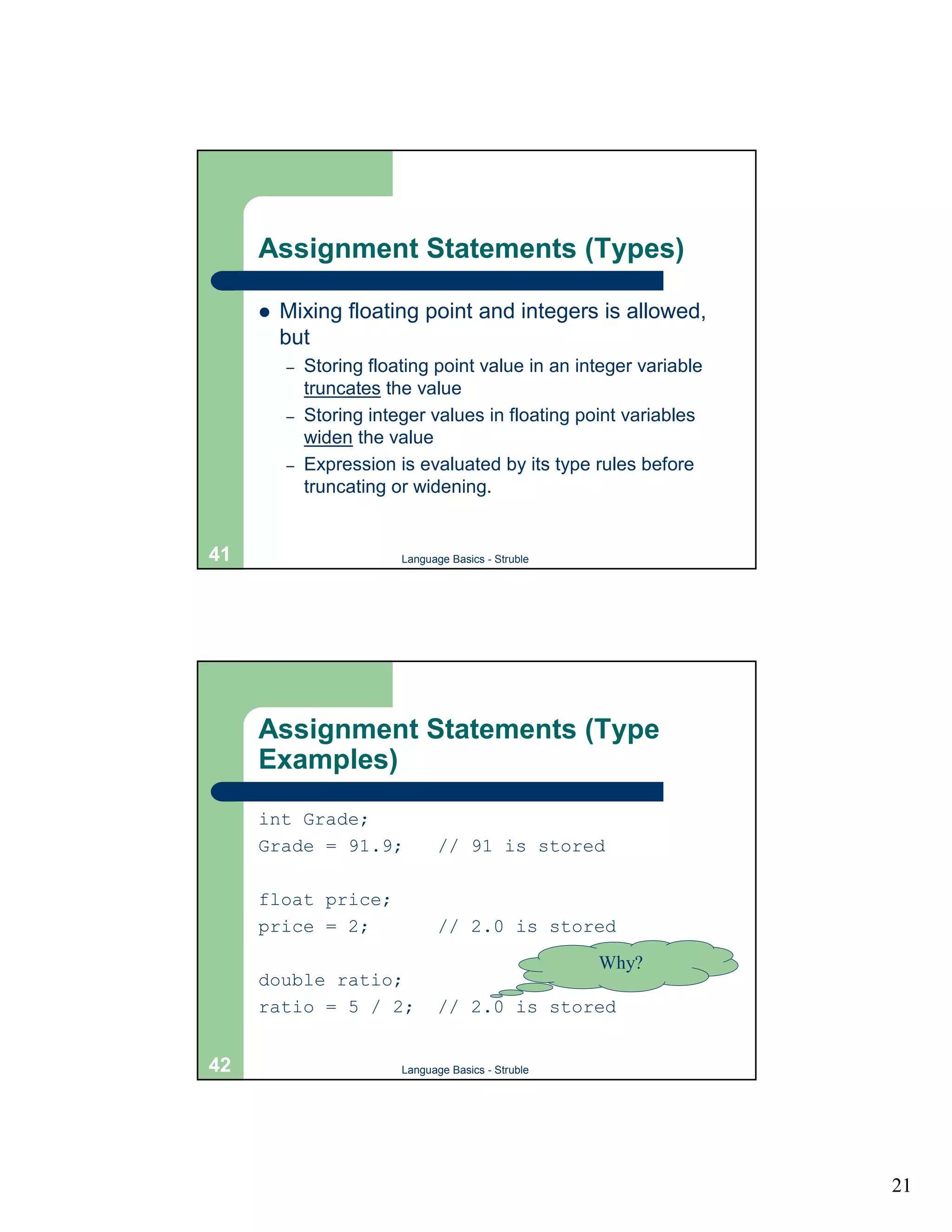
     Assignment Statements (Types)

     !   The type of the expression should conform to
         ____________________.

                  // This is an error!
                  int id;
                  id = "012-345-6789";


40                   Language Basics - Struble


                                                            20
Assignment Statements (Types)

     !   Mixing floating point and integers is allowed,
         but
         –   Storing floating point value in an integer variable
             truncates the value
         –   Storing integer values in floating point variables
             widen the value
         –   Expression is evaluated by its type rules before
             truncating or widening.


41                       Language Basics - Struble


     Assignment Statements (Type
     Examples)
     int Grade;
     Grade = 91.9;              // 91 is stored

     float price;
     price = 2;                 // 2.0 is stored
                                                     Why?
     double ratio;
     ratio = 5 / 2;             // 2.0 is stored


42                       Language Basics - Struble


                                                                   21
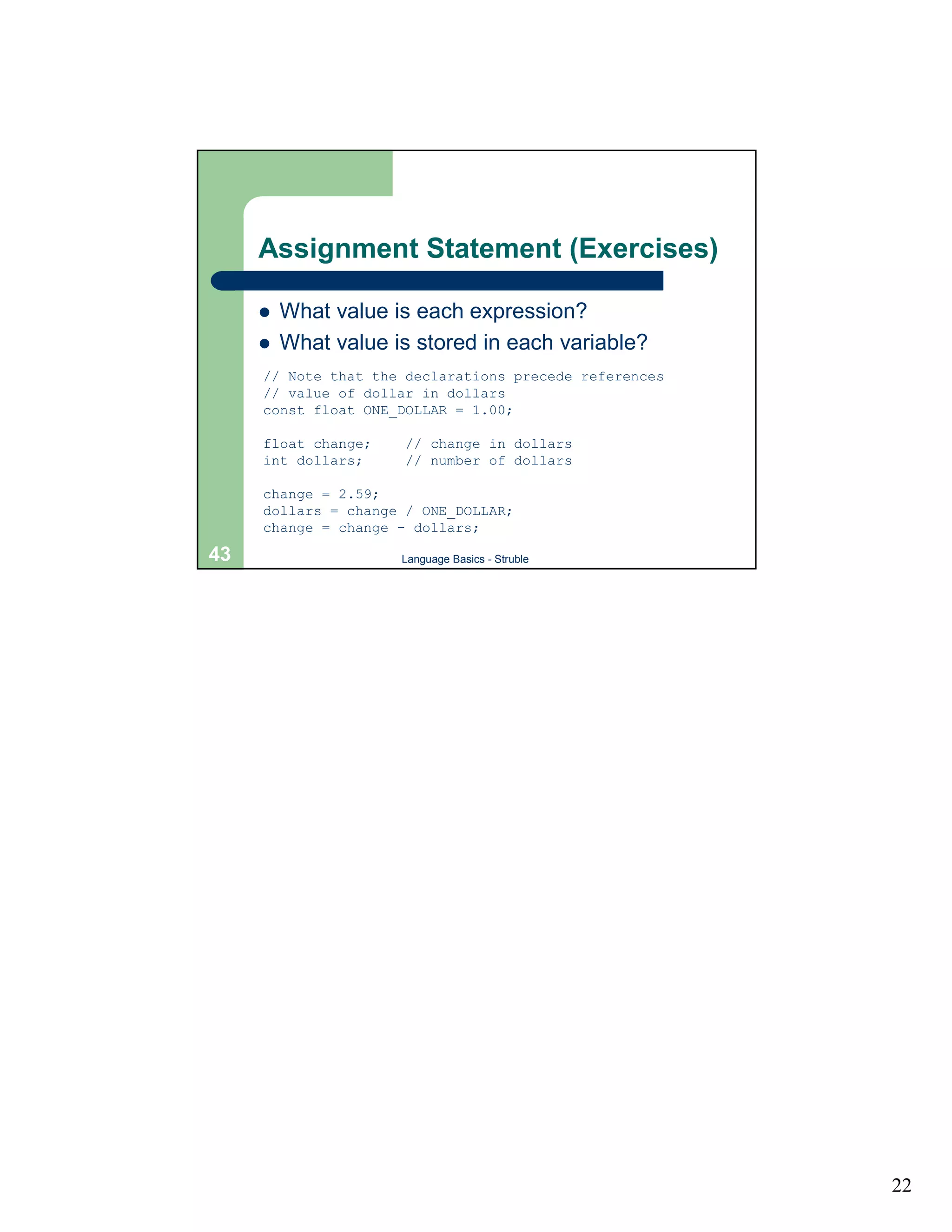
Assignment Statement (Exercises)

     !   What value is each expression?
     !   What value is stored in each variable?
     // Note that the declarations precede references
     // value of dollar in dollars
     const float ONE_DOLLAR = 1.00;

     float change;    // change in dollars
     int dollars;     // number of dollars

     change = 2.59;
     dollars = change / ONE_DOLLAR;
     change = change - dollars;

43                   Language Basics - Struble


                                                        22

4.languagebasics

  • 1.
    The C++ Language Language Overview Brief History of C++ ! Derives from the C programming language by Kernighan and Ritchie ! Created and developed by Bjarne Stroustrup in the 1980s ! Standardized in 1998 ! Added object-oriented features, additional safety, new standard library features, and many other features to C 2 Language Basics - Struble 1
  • 2.
    The C++ Compiler Preprocessor Compiler • The preprocessor … • Incorporates standard C++ features into your computer program. • Interprets directives given by the C++ programmer 3 Language Basics - Struble C++ Program Structure Source File (.cpp) Directives main program (or function) 4 Language Basics - Struble 2
  • 3.
    A C++ Program:Miles to Kilometers // This program converts miles to kilometers. // From Problem Solving, Abstraction, & Design Using C++ // by Frank L. Friedman and Elliot B. Koffman #include <iostream> using namespace std; int main() { const float KM_PER_MILE = 1.609; // 1.609 km in a mile float miles, // input: distance in miles kms; // output: distance in kilometers // Get the distance in miles cout << "Enter the distance in miles: "; cin >> miles; // Convert the distance to kilometers and display it. kms = KM_PER_MILE * miles; cout << "The distance in kilometers is " << kms << endl; return 0; } 5 Language Basics - Struble C++ Directives (Comments) ! Comments – Used by humans to document programs with natural language. – Removed by preprocessor before source file is sent to the compiler. Single line comment. Multiple line comment. // A comment /* Another comment that is bigger. */ 6 Language Basics - Struble 3
  • 4.
    C++ Directives (#include) ! The #include directive is used to incorporate standard C++ features into your computer program. ! Examples Directive Meaning #include <iostream> Include basic input and output features. #include <fstream> Include input and output features for files. #include <cmath> Include standard math functions. 7 Language Basics - Struble C++ Directives (using namespace) ! Namespaces are used to identify related subprograms and data. ! They are accessed by the using namespace directive. ! In this class, only the std namespace is used to access standard C++ features. All of our programs contain the line using namespace std; 8 Language Basics - Struble 4
  • 5.
    C++ Directives (Example) // This program converts miles to … // From Problem Solving, Abstraction, … // by Frank L. Friedman and Elliot … #include <iostream> using namespace std; 9 Language Basics - Struble C++ Identifiers ! Identifiers are used to name functions (subprograms) and data. ! Starts with a letter or underscore (_), followed by zero or more letters, digits, or underscores ! Syntax template Letter { _ { Letter _ Digit … 10 Language Basics - Struble 5
  • 6.
    C++ Identifiers ! Exercise: Determine whether or not the following are identifiers. Text Valid/Invalid Reason Invalid miles 3blindmice root_of_2 hokie bird MoveData _ 11 Language Basics - Struble C++ Identifiers ! Identifiers are case sensitive ! The following name different functions or data PRINTTOPPORTION Printtopportion pRiNtToPpOrTiOn PrintTopPortion Which of these is easiest to read? 12 Language Basics - Struble 6
  • 7.
    C++ Identifiers (GoodProgramming Style) ! Always choose meaningful identifier names – Use amount, amt, or totalCost, instead of x, xyzzy, or tc. ! Be consistent in spelling and capitalization. 13 Language Basics - Struble C++ Identifiers (Keywords) ! A keyword or reserved word is an identifier reserved for use in the C++ language. ! The vocabulary of the C++ language. ! Cannot use for your own identifiers. ! Some examples (see book for entire list) int while char double for using namespace const 14 Language Basics - Struble 7
  • 8.
    Main Program ! Starting point for C++ programs ! A collection of sequential statements ! Syntax template int main() { Statement … } 15 Language Basics - Struble Main Program (Example) int main() { const float KM_PER_MILE = 1.609; // 1.609 km in a mile float miles, // input: distance in miles kms; // output: distance in kilometers // Get the distance in miles cout << "Enter the distance in miles: "; cin >> miles; // Convert the distance to kilometers and display it. kms = KM_PER_MILE * miles; cout << "The distance in kilometers is " << kms << endl; return 0; } 16 Language Basics - Struble 8
  • 9.
    Data Types ! C++ is a typed language – Data is categorized ! Everything is made up of data in four basic or simple categories – Integers – Floating point values (real numbers) – Character – Boolean 17 Language Basics - Struble Simple Data Types (Integers) ! Positive or negative whole numbers ! Three kinds (determines range of values) – short usually –32768 to 32767 – int usually –2147483648 to 2147483647 – long often the same as int or more ! Examples 0 1000 -2179 +809754 18 Language Basics - Struble 9
  • 10.
    Simple Data Types(Floating Point) ! Positive or negative decimal values – Some decimals values cannot be stored exactly ! Three kinds (determines range and precision of values) – float approx 1.2e-38 to 3.4e+38, 6 digits – double approx 2.2e-308 to 1.8e+308, 15 digits – long double approx 3.4e-4932 to 1.2e+4932, 18 digits ! Examples 98.6 3.1419 -3.4561E-12 3. .4 19 Language Basics - Struble Simple Data Types (Character) ! Stores a single character value – Alphabetic characters, digits, etc. – Surround character by single quotes ! Only one kind stores 256 different values – char ! Examples 'A' '0' '%' '?' '/' '}' ! Note: 0 is not the same as '0' 20 Language Basics - Struble 10
  • 11.
    Simple Data Types(Boolean) ! Stores logical values – true – false ! Only one kind, stores one of two values above – bool 21 Language Basics - Struble Other Data Types ! C++ provides several other data types – Streams (input and output) – Strings (sequences of characters) – User-defined types ! Built up from simple types ! Used like other simple types 22 Language Basics - Struble 11
  • 12.
    Other Data Types(Strings) ! Stores sequences of characters ! One kind – string ! Surrounded by double quotes (") ! Must include string support #include <string> ! Examples "Hello World" "Craig Struble" "CS1044" "2001" 23 Language Basics - Struble Variables ! A variable is a location in memory, identified by a name, that contains information that can change. Name Address Memory change 1004 7 dollars 1008 2 quarters 1012 3 dimes 1016 1 24 Language Basics - Struble 12
  • 13.
    Variable Declarations ! A variable declaration instructs the compiler to set aside space for a variable. – States the type of data stored in memory – States the name used to refer to data – Must appear before variable name can be used ! Syntax template DataType Identifier , Identifier … ; 25 Language Basics - Struble Variable Declarations (Examples) int change; // change in cents // coin types int dollars, quarters, dimes, nickels, pennies; float miles, // distance in miles kms; // distance in kilometers string firstName; // Student's first name 26 Language Basics - Struble 13
  • 14.
    Literal Constants ! Literal constants are data typed directly into a program 123 "Craig Struble" 0.567 'A' true 27 Language Basics - Struble Named Constants ! A named constant is a memory location containing data that does not change. – Typed information like variables – Must also be declared before referencing ! Syntax template const DataType Identifier = LiteralConstant ; 28 Language Basics - Struble 14
  • 15.
    Named Constants (Examples) // Instructor's name const string INSTRUCTOR = "Dr. Craig Struble"; const char BLANK = ' '; // a single space // value of a dollar in cents const int ONE_DOLLAR = 100; // An approximation of PI const double PI = 3.1415926; 29 Language Basics - Struble Variables and Named Constants (Good Programming Style) ! Variable and constant names should be meaningful ! Always use named constants instead of literal values – Easier to maintain – Easier to read – Constant identifiers should be all capital letters ! Requirement: A comment describing the use of the variable and constant must be included. ! Requirement: Named constants must be used at all times, except for the value 0, and for strings that are used to print out information. 30 Language Basics - Struble 15
  • 16.
    Exercise ! Declare an appropriate variable or named constant for each of the following – The number of days in a week – The grade on a test – Using IntegerList.data as the only name of an input file – The name of a book – The cost of a toy in dollars and cents – Using the vertical bar | as a delimiter for input data 31 Language Basics - Struble Executable Statements ! Variable and named constant declarations do not change the state of the computer – Only set up memory in the computer ! Executable statements change the computer state – Assignment statements – Input and Output statements 32 Language Basics - Struble 16
  • 17.
    Assignment Statements ! Stores values into a variable – Changes the state of a variable ! An expression defines the value to store – Expression is combination of identifiers, literal constants, and operators that is evaluated ! Syntax template Variable = Expression ; 33 Language Basics - Struble Expressions ! The most basic expression is a literal constant Grade = 98; President = "George Bush"; ! Another simple expression is an identifier for a variable or named constant. BestGrade = Grade; Price = ONE_DOLLAR; Grade and BestGrade contain Grade = 75; different values now. 34 Language Basics - Struble 17
  • 18.
    Simple Mathematical Expressions ! C++ understands basic mathematical operators Grade = 88 + 10; // 98 is stored in Grade Payment = 1.58; Cost = 0.97; Change = Payment - Cost; // 0.61 is stored kms = KM_PER_MILE * miles; mpg = miles / gallons; 35 Language Basics - Struble Updating Variables ! The same variable name can be used on the left hand side of the equals sign and in the expression on the right. – This is used to update the value in the variable. ! Examples // add one to the number of dollars and // update remaining change. dollars = dollars + 1; change = change - ONE_DOLLAR; 36 Language Basics - Struble 18
  • 19.
    Integer Expressions ! Division works differently for expressions with only integers – Remainders are truncated (removed) – Only the integral quotient is stored ! Examples (all variables are int typed) ratio = 3 / 4; // 0 is stored ratio2 = 5 / 2; // 2 is stored 37 Language Basics - Struble Integer Expressions ! C++ uses the percent sign % to calculate remainders. ! Examples // Use division to calculate dollars // and remaining change. dollars = dollars / ONE_DOLLAR; change = change % ONE_DOLLAR; 38 Language Basics - Struble 19
  • 20.
    Mixing Floating Pointand Integers ! Simple expressions that mix floating point values and integers convert the integer to a floating point value before evaluating. ! Examples (variables are double) ratio = 5 / 2.0; // 5 becomes 5.0, 2.5 is stored Percent = 0.50 * 100; // 50.0 is stored Total = 50 + 7.5; // 57.5 is stored 39 Language Basics - Struble Assignment Statements (Types) ! The type of the expression should conform to ____________________. // This is an error! int id; id = "012-345-6789"; 40 Language Basics - Struble 20
  • 21.
    Assignment Statements (Types) ! Mixing floating point and integers is allowed, but – Storing floating point value in an integer variable truncates the value – Storing integer values in floating point variables widen the value – Expression is evaluated by its type rules before truncating or widening. 41 Language Basics - Struble Assignment Statements (Type Examples) int Grade; Grade = 91.9; // 91 is stored float price; price = 2; // 2.0 is stored Why? double ratio; ratio = 5 / 2; // 2.0 is stored 42 Language Basics - Struble 21
  • 22.
    Assignment Statement (Exercises) ! What value is each expression? ! What value is stored in each variable? // Note that the declarations precede references // value of dollar in dollars const float ONE_DOLLAR = 1.00; float change; // change in dollars int dollars; // number of dollars change = 2.59; dollars = change / ONE_DOLLAR; change = change - dollars; 43 Language Basics - Struble 22