▪
▪
▪
▪
▪
▪
▪
▪
▪
▪
▪
▪
▪
▪
▪
▪
▪
▪
▪
▪
▪
This Photo by Unknown Author is licensed under CC BY-SA
This Photo by Unknown Author is licensed under CC BY-
SA
This Photo by Unknown Author is licensed under CC BY-NC
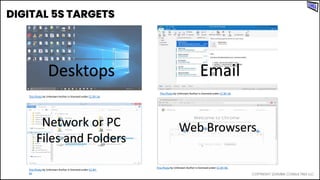
Desktops Email
Network or PC
Files and Folders
Web Browsers
•
•
•
•
•
•
•
•
•
•
•
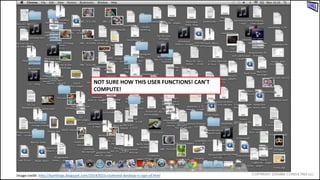
NOT SURE HOW THIS USER FUNCTIONS! CAN’T
COMPUTE!
Image credit: http://bartkings.blogspot.com/2014/02/a-cluttered-desktop-is-sign-of.html
•
•
•
•
•
•
•
•
•
•
•
•
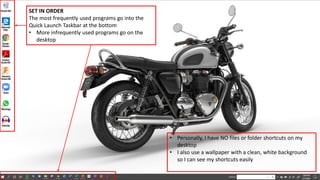
SET IN ORDER
The most frequently used programs go into the
Quick Launch Taskbar at the bottom
• More infrequently used programs go on the
desktop
• Personally, I have NO files or folder shortcuts on my
desktop
• I also use a wallpaper with a clean, white background
so I can see my shortcuts easily
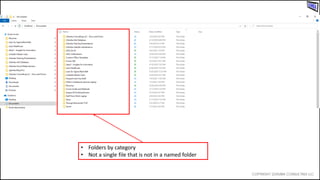
• Folders by category
• Not a single file that is not in a named folder
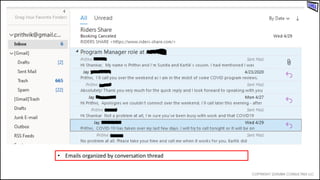
• Emails organized by conversation thread
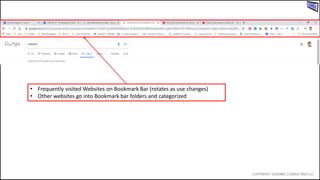
• Frequently visited Websites on Bookmark Bar (rotates as use changes)
• Other websites go into Bookmark bar folders and categorized
•
•
•
•
•
•
•
•
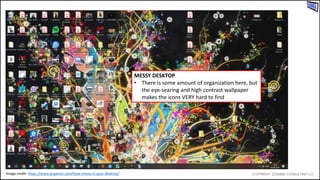
MESSY DESKTOP
• There is some amount of organization here, but
the eye-searing and high contrast wallpaper
makes the icons VERY hard to find
Image credit: https://www.pcgamer.com/how-messy-is-your-desktop/
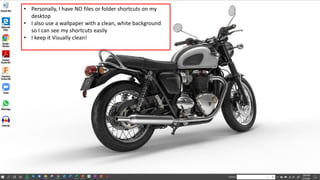
• Personally, I have NO files or folder shortcuts on my
desktop
• I also use a wallpaper with a clean, white background
so I can see my shortcuts easily
• I keep it Visually clean!
•
•
•
•
•
•
•
•
•
•
•
•
•
•
•
•
•
•
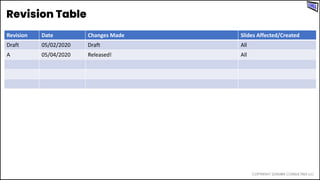
Revision Date Changes Made Slides Affected/Created
Draft 05/02/2020 Draft All
A 05/04/2020 Released! All

Digital 5S - How to 5S your computer!