Avoid Growing Pains: Scale your App 
for the Enterprise 
Randy Case 
ISV Technical Evangelist 
@randyscase
Safe Harbor 
Safe harbor statement under the Private Securities Litigation Reform Act of 1995: 
This presentation may contain forward-looking statements that involve risks, uncertainties, and assumptions. If any such uncertainties materialize or if any of 
the assumptions proves incorrect, the results of salesforce.com, inc. could differ materially from the results expressed or implied by the forward-looking 
statements we make. All statements other than statements of historical fact could be deemed forward-looking, including any projections of product or service 
availability, subscriber growth, earnings, revenues, or other financial items and any statements regarding strategies or plans of management for future 
operations, statements of belief, any statements concerning new, planned, or upgraded services or technology developments and customer contracts or use 
of our services. 
The risks and uncertainties referred to above include – but are not limited to – risks associated with developing and delivering new functionality for our service, 
new products and services, our new business model, our past operating losses, possible fluctuations in our operating results and rate of growth, interruptions 
or delays in our Web hosting, breach of our security measures, the outcome of any litigation, risks associated with completed and any possible mergers and 
acquisitions, the immature market in which we operate, our relatively limited operating history, our ability to expand, retain, and motivate our employees and 
manage our growth, new releases of our service and successful customer deployment, our limited history reselling non-salesforce.com products, and 
utilization and selling to larger enterprise customers. Further information on potential factors that could affect the financial results of salesforce.com, inc. is 
included in our annual report on Form 10-K for the most recent fiscal year and in our quarterly report on Form 10-Q for the most recent fiscal quarter. These 
documents and others containing important disclosures are available on the SEC Filings section of the Investor Information section of our Web site. 
Any unreleased services or features referenced in this or other presentations, press releases or public statements are not currently available and may not be 
delivered on time or at all. Customers who purchase our services should make the purchase decisions based upon features that are currently available. 
Salesforce.com, inc. assumes no obligation and does not intend to update these forward-looking statements.
Agenda 
– Introduction 
– Thinking at enterprise scale 
– Force.com database architecture and tuning 
– Architecting your application for scale 
– Testing your application at scale 
– Peek into the future 
– Question and Answers
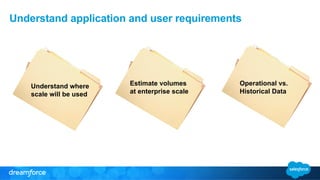
Understand application and user requirements 
Estimate volumes 
at enterprise scale 
Operational vs. 
Historical Data 
Understand where 
scale will be used
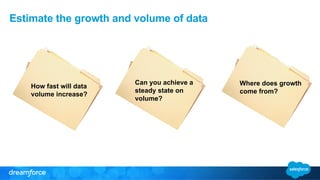
Estimate the growth and volume of data 
Can you achieve a 
steady state on 
volume? 
Where does growth 
come from? 
How fast will data 
volume increase?
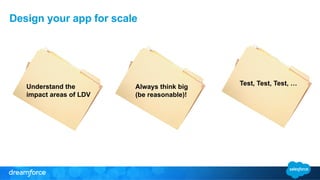
Design your app for scale 
Understand the Test, Test, Test, … 
impact areas of LDV 
Always think big 
(be reasonable)!
Force.com Database Architecture and 
Tuning
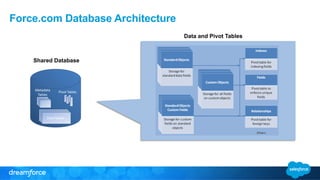
Force.com Database Architecture 
Shared Database 
Data and Pivot Tables
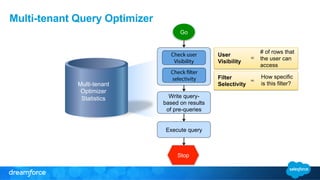
Go 
Check user 
Visibility 
Check filter 
selectivity 
Write query-based 
on results 
of pre-queries 
Execute query 
User 
Visibility 
# of rows that 
the user can 
access 
= 
Filter 
Selectivity 
How specific 
= is this filter? 
Stop 
Multi-tenant Query Optimizer 
Multi-tenant 
Optimizer 
Statistics
Architecting Your Application for Scale 
What you need to do
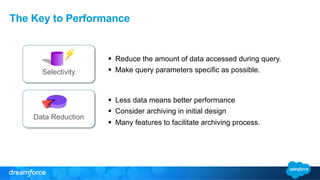
The Key to Performance 
Selectivity 
Data Reduction 
§ Reduce the amount of data accessed during query. 
§ Make query parameters specific as possible. 
§ Less data means better performance 
§ Consider archiving in initial design 
§ Many features to facilitate archiving process.
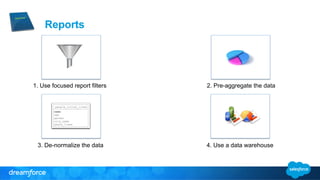
Reports 
1. Use focused report filters 2. Pre-aggregate the data 
3. De-normalize the data 4. Use a data warehouse
API Best Practices 
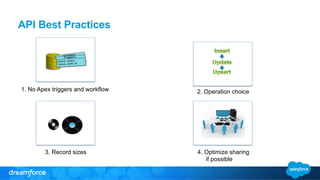
1. No Apex triggers and workflow 2. Operation choice 
3. Record sizes 4. Optimize sharing 
if possible
API Best Practices 
1. Delta-only loads 2. Parent record locking 
3. Keep large volumes 
out of DB 
4. Database statistics
Sharing 
• Used by all features and can have huge impact with LDV. 
• Data accessibility is governed by: 
– Organization-wide defaults 
– Role hierarchy 
– Sharing rules 
– Criteria-based sharing 
– Manual shares 
– Programmatic sharing 
– Implicit sharing
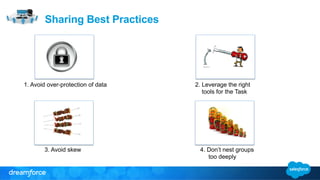
1. Avoid over-protection of data 
3. Avoid skew 4. Don’t nest groups 
too deeply 
Sharing Best Practices 
2. Leverage the right 
tools for the Task
SOQL Best Practices 
§ Make queries selective 
§ Use alternative approach 
§ Utilize Apex to do the work 
§ Decompose relationship queries 
§ Some use cases that will cause issues: 
§ Performing large data loads and immediate query 
§ LIKE with leading wildcards “%Acme” 
§ Use of NOT and “!=“ 
§ Complex queries with multiple joins 
§ Data in the Recycle Bin 
Query Resource Feedback 
Parameter Pilot
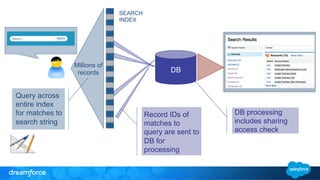
DB 
SEARCH 
INDEX 

DB processing 
includes sharing 
access check 
Millions of 
records 
Query across 
entire index 
for matches to 
search string 
Record IDs of 
matches to 
query are sent to 
DB for 
processing
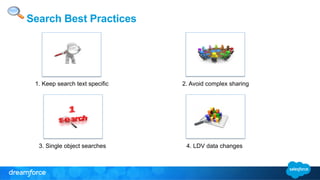
Search Best Practices 
1. Keep search text specific 2. Avoid complex sharing 
3. Single object searches 
4. LDV data changes
Architecting Your Application for Scale 
How Salesforce may help you
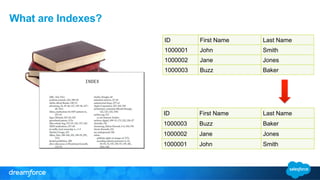
What are Indexes? 
ID First Name Last Name 
1000001 John Smith 
1000002 Jane Jones 
1000003 Buzz Baker 
ID First Name Last Name 
1000003 Buzz Baker 
1000002 Jane Jones 
1000001 John Smith
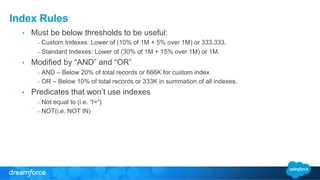
Index Rules 
• Must be below thresholds to be useful: 
– Custom Indexes: Lower of (10% of 1M + 5% over 1M) or 333,333. 
– Standard Indexes: Lower of (30% of 1M + 15% over 1M) or 1M. 
• Modified by “AND” and “OR” 
– AND – Below 20% of total records or 666K for custom index 
– OR – Below 10% of total records or 333K in summation of all indexes. 
• Predicates that won’t use indexes 
– Not equal to (i.e. “!=“) 
– NOT(i.e. NOT IN)
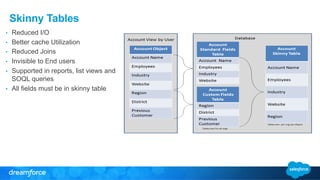
Skinny Tables 
• Reduced I/O 
• Better cache Utilization 
• Reduced Joins 
• Invisible to End users 
• Supported in reports, list views and 
SOQL queries 
• All fields must be in skinny table
Testing Your Application at Scale
What Is Performance Testing? 
Response Time Based Testing 
Confirm that a set of process flows perform in 
such a manner as to give the end user a 
positive experience 
User Load Based Testing 
Confirm that a set of process flows will be able 
to support a particular user load.
Candidates for Performance Testing 
• Areas effected by large data volumes 
– Custom code (VF, Apex) 
– Reports, List views 
– Page detail with possible skew 
• Usage Patterns 
– Large number of records 
– Large number of users 
– Large number of transactions
What is response time based testing? 
• This is functional and execution performance testing at scale. 
– Functional testing 
• Ensure all app functionality executes without error 
• Ensure UX is optimal at large data volumes 
– Execution performance testing 
• Understand relative response times 
• Focus on improving relative performance
What is user load based testing? 
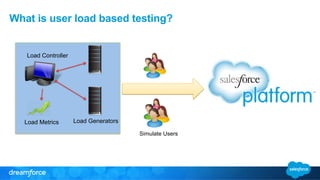
Simulate Users 
Load Generators 
Load Controller 
Load Metrics
Peek into the Future
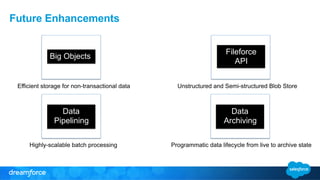
Future Enhancements 
Big Objects Fileforce 
API 
• Efficient storage for non-transactional data • Unstructured and Semi-structured Blob Store 
Data 
Pipelining 
Data 
Archiving 
• Highly-scalable batch processing Programmatic data lifecycle from live to archive state
Dreamforce Sessions 
• Introducing Force.com Data Management Services 
– Wednesday, 4:00 PM - 4:40 PM 
– Century Theaters 
– Theater 5 
• Get Out of Cold Storage, Get into Data Archiving on Salesforce 
– Wednesday, 11:00 AM - 11:40 AM 
– Century Theaters 
– Theater 2
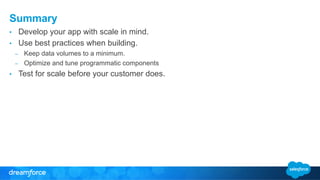
Summary 
• Develop your app with scale in mind. 
• Use best practices when building. 
– Keep data volumes to a minimum. 
– Optimize and tune programmatic components 
• Test for scale before your customer does.
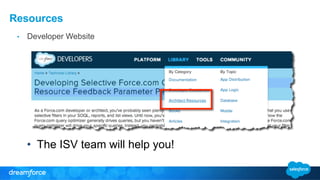
Resources 
• Developer Website 
• The ISV team will help you!
+ “Forgot the ring” = 
+ “Application 
Scalability” = 
+ “What work?” =
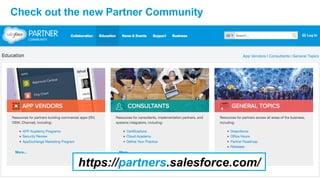
Check out the new Partner Community 
https://partners.salesforce.com/
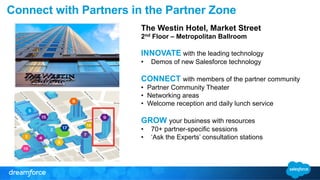
Connect with Partners in the Partner Zone 
The Westin Hotel, Market Street 
2nd Floor – Metropolitan Ballroom 
INNOVATE with the leading technology 
• Demos of new Salesforce technology 
CONNECT with members of the partner community 
• Partner Community Theater 
• Networking areas 
• Welcome reception and daily lunch service 
GROW your business with resources 
• 70+ partner-specific sessions 
• ‘Ask the Experts’ consultation stations
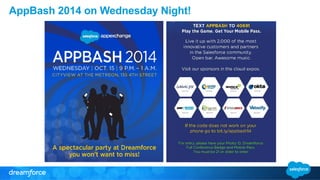
AppBash 2014 on Wednesday Night!
Avoid Growing Pains: Scale Your App for the Enterprise (October 14, 2014)

Avoid Growing Pains: Scale Your App for the Enterprise (October 14, 2014)

  • 1.
    Avoid Growing Pains:Scale your App for the Enterprise Randy Case ISV Technical Evangelist @randyscase
  • 2.
    Safe Harbor Safeharbor statement under the Private Securities Litigation Reform Act of 1995: This presentation may contain forward-looking statements that involve risks, uncertainties, and assumptions. If any such uncertainties materialize or if any of the assumptions proves incorrect, the results of salesforce.com, inc. could differ materially from the results expressed or implied by the forward-looking statements we make. All statements other than statements of historical fact could be deemed forward-looking, including any projections of product or service availability, subscriber growth, earnings, revenues, or other financial items and any statements regarding strategies or plans of management for future operations, statements of belief, any statements concerning new, planned, or upgraded services or technology developments and customer contracts or use of our services. The risks and uncertainties referred to above include – but are not limited to – risks associated with developing and delivering new functionality for our service, new products and services, our new business model, our past operating losses, possible fluctuations in our operating results and rate of growth, interruptions or delays in our Web hosting, breach of our security measures, the outcome of any litigation, risks associated with completed and any possible mergers and acquisitions, the immature market in which we operate, our relatively limited operating history, our ability to expand, retain, and motivate our employees and manage our growth, new releases of our service and successful customer deployment, our limited history reselling non-salesforce.com products, and utilization and selling to larger enterprise customers. Further information on potential factors that could affect the financial results of salesforce.com, inc. is included in our annual report on Form 10-K for the most recent fiscal year and in our quarterly report on Form 10-Q for the most recent fiscal quarter. These documents and others containing important disclosures are available on the SEC Filings section of the Investor Information section of our Web site. Any unreleased services or features referenced in this or other presentations, press releases or public statements are not currently available and may not be delivered on time or at all. Customers who purchase our services should make the purchase decisions based upon features that are currently available. Salesforce.com, inc. assumes no obligation and does not intend to update these forward-looking statements.
  • 3.
    Agenda – Introduction – Thinking at enterprise scale – Force.com database architecture and tuning – Architecting your application for scale – Testing your application at scale – Peek into the future – Question and Answers
  • 4.
    Understand application anduser requirements Estimate volumes at enterprise scale Operational vs. Historical Data Understand where scale will be used
  • 5.
    Estimate the growthand volume of data Can you achieve a steady state on volume? Where does growth come from? How fast will data volume increase?
  • 6.
    Design your appfor scale Understand the Test, Test, Test, … impact areas of LDV Always think big (be reasonable)!
  • 7.
  • 8.
    Force.com Database Architecture Shared Database Data and Pivot Tables
  • 9.
    Go Check user Visibility Check filter selectivity Write query-based on results of pre-queries Execute query User Visibility # of rows that the user can access = Filter Selectivity How specific = is this filter? Stop Multi-tenant Query Optimizer Multi-tenant Optimizer Statistics
  • 10.
    Architecting Your Applicationfor Scale What you need to do
  • 11.
    The Key toPerformance Selectivity Data Reduction § Reduce the amount of data accessed during query. § Make query parameters specific as possible. § Less data means better performance § Consider archiving in initial design § Many features to facilitate archiving process.
  • 12.
    Reports 1. Usefocused report filters 2. Pre-aggregate the data 3. De-normalize the data 4. Use a data warehouse
  • 13.
    API Best Practices 1. No Apex triggers and workflow 2. Operation choice 3. Record sizes 4. Optimize sharing if possible
  • 14.
    API Best Practices 1. Delta-only loads 2. Parent record locking 3. Keep large volumes out of DB 4. Database statistics
  • 15.
    Sharing • Usedby all features and can have huge impact with LDV. • Data accessibility is governed by: – Organization-wide defaults – Role hierarchy – Sharing rules – Criteria-based sharing – Manual shares – Programmatic sharing – Implicit sharing
  • 16.
    1. Avoid over-protectionof data 3. Avoid skew 4. Don’t nest groups too deeply Sharing Best Practices 2. Leverage the right tools for the Task
  • 17.
    SOQL Best Practices § Make queries selective § Use alternative approach § Utilize Apex to do the work § Decompose relationship queries § Some use cases that will cause issues: § Performing large data loads and immediate query § LIKE with leading wildcards “%Acme” § Use of NOT and “!=“ § Complex queries with multiple joins § Data in the Recycle Bin Query Resource Feedback Parameter Pilot
  • 18.
    DB SEARCH INDEX DB processing includes sharing access check Millions of records Query across entire index for matches to search string Record IDs of matches to query are sent to DB for processing
  • 19.
    Search Best Practices 1. Keep search text specific 2. Avoid complex sharing 3. Single object searches 4. LDV data changes
  • 20.
    Architecting Your Applicationfor Scale How Salesforce may help you
  • 21.
    What are Indexes? ID First Name Last Name 1000001 John Smith 1000002 Jane Jones 1000003 Buzz Baker ID First Name Last Name 1000003 Buzz Baker 1000002 Jane Jones 1000001 John Smith
  • 22.
    Index Rules •Must be below thresholds to be useful: – Custom Indexes: Lower of (10% of 1M + 5% over 1M) or 333,333. – Standard Indexes: Lower of (30% of 1M + 15% over 1M) or 1M. • Modified by “AND” and “OR” – AND – Below 20% of total records or 666K for custom index – OR – Below 10% of total records or 333K in summation of all indexes. • Predicates that won’t use indexes – Not equal to (i.e. “!=“) – NOT(i.e. NOT IN)
  • 23.
    Skinny Tables •Reduced I/O • Better cache Utilization • Reduced Joins • Invisible to End users • Supported in reports, list views and SOQL queries • All fields must be in skinny table
  • 24.
  • 25.
    What Is PerformanceTesting? Response Time Based Testing Confirm that a set of process flows perform in such a manner as to give the end user a positive experience User Load Based Testing Confirm that a set of process flows will be able to support a particular user load.
  • 26.
    Candidates for PerformanceTesting • Areas effected by large data volumes – Custom code (VF, Apex) – Reports, List views – Page detail with possible skew • Usage Patterns – Large number of records – Large number of users – Large number of transactions
  • 27.
    What is responsetime based testing? • This is functional and execution performance testing at scale. – Functional testing • Ensure all app functionality executes without error • Ensure UX is optimal at large data volumes – Execution performance testing • Understand relative response times • Focus on improving relative performance
  • 28.
    What is userload based testing? Simulate Users Load Generators Load Controller Load Metrics
  • 29.
  • 30.
    Future Enhancements BigObjects Fileforce API • Efficient storage for non-transactional data • Unstructured and Semi-structured Blob Store Data Pipelining Data Archiving • Highly-scalable batch processing Programmatic data lifecycle from live to archive state
  • 31.
    Dreamforce Sessions •Introducing Force.com Data Management Services – Wednesday, 4:00 PM - 4:40 PM – Century Theaters – Theater 5 • Get Out of Cold Storage, Get into Data Archiving on Salesforce – Wednesday, 11:00 AM - 11:40 AM – Century Theaters – Theater 2
  • 32.
    Summary • Developyour app with scale in mind. • Use best practices when building. – Keep data volumes to a minimum. – Optimize and tune programmatic components • Test for scale before your customer does.
  • 33.
    Resources • DeveloperWebsite • The ISV team will help you!
  • 34.
    + “Forgot thering” = + “Application Scalability” = + “What work?” =
  • 35.
    Check out thenew Partner Community https://partners.salesforce.com/
  • 36.
    Connect with Partnersin the Partner Zone The Westin Hotel, Market Street 2nd Floor – Metropolitan Ballroom INNOVATE with the leading technology • Demos of new Salesforce technology CONNECT with members of the partner community • Partner Community Theater • Networking areas • Welcome reception and daily lunch service GROW your business with resources • 70+ partner-specific sessions • ‘Ask the Experts’ consultation stations
  • 37.
    AppBash 2014 onWednesday Night!