Extending
the Reach of
NAV
NAV SharePoint and Web client
Our Agenda

    Client Positioning
    SharePoint use scenarios
    SharePoint Client
    Web Client
    Cloud Based
Your presenter/s


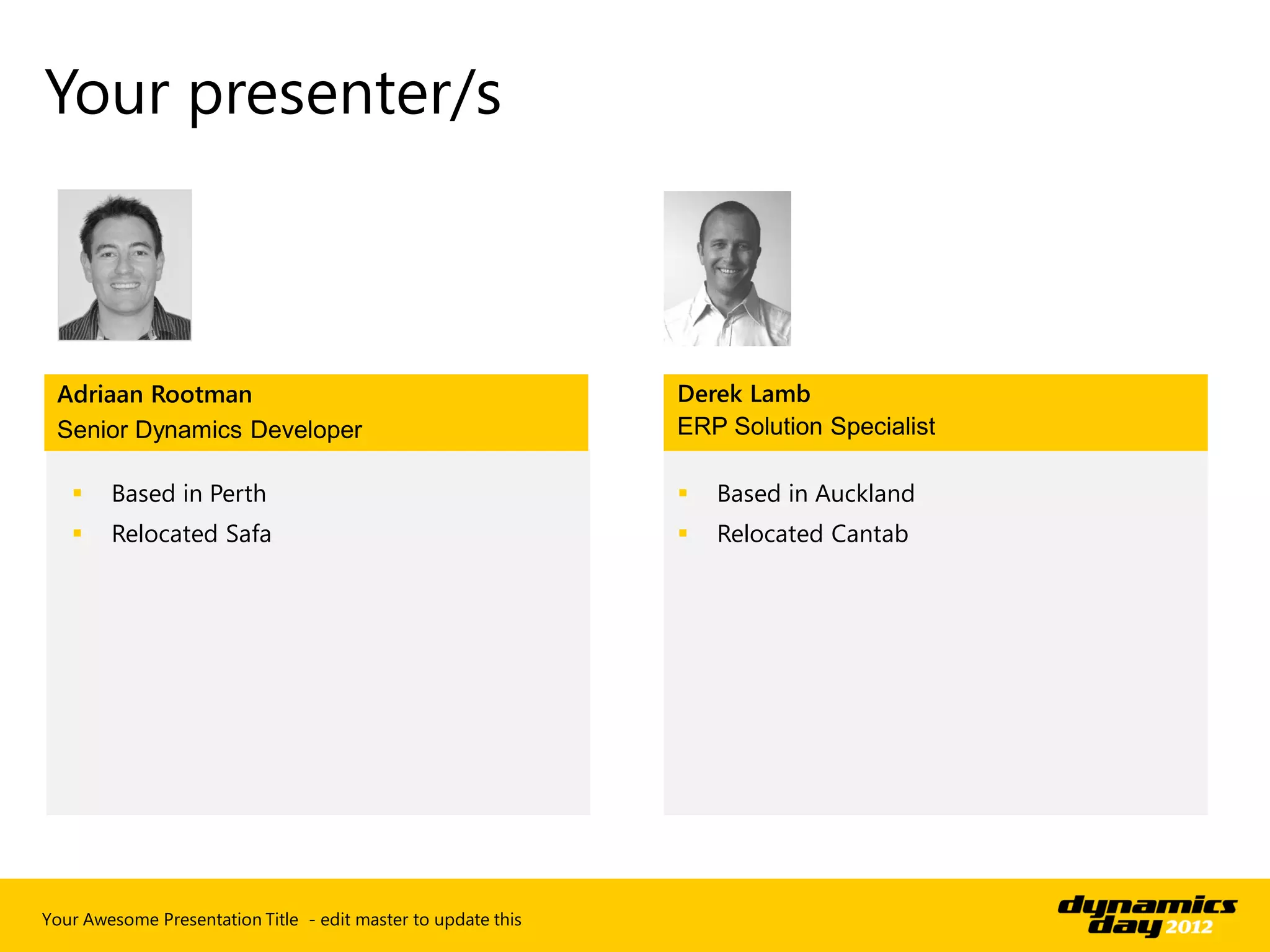
 Adriaan Rootman                                               Derek Lamb
 Senior Dynamics Developer                                     ERP Solution Specialist

       Based in Perth                                            Based in Auckland
       Relocated Safa                                            Relocated Cantab


Your Awesome Presentation Title - edit master to update this
Client Positioning
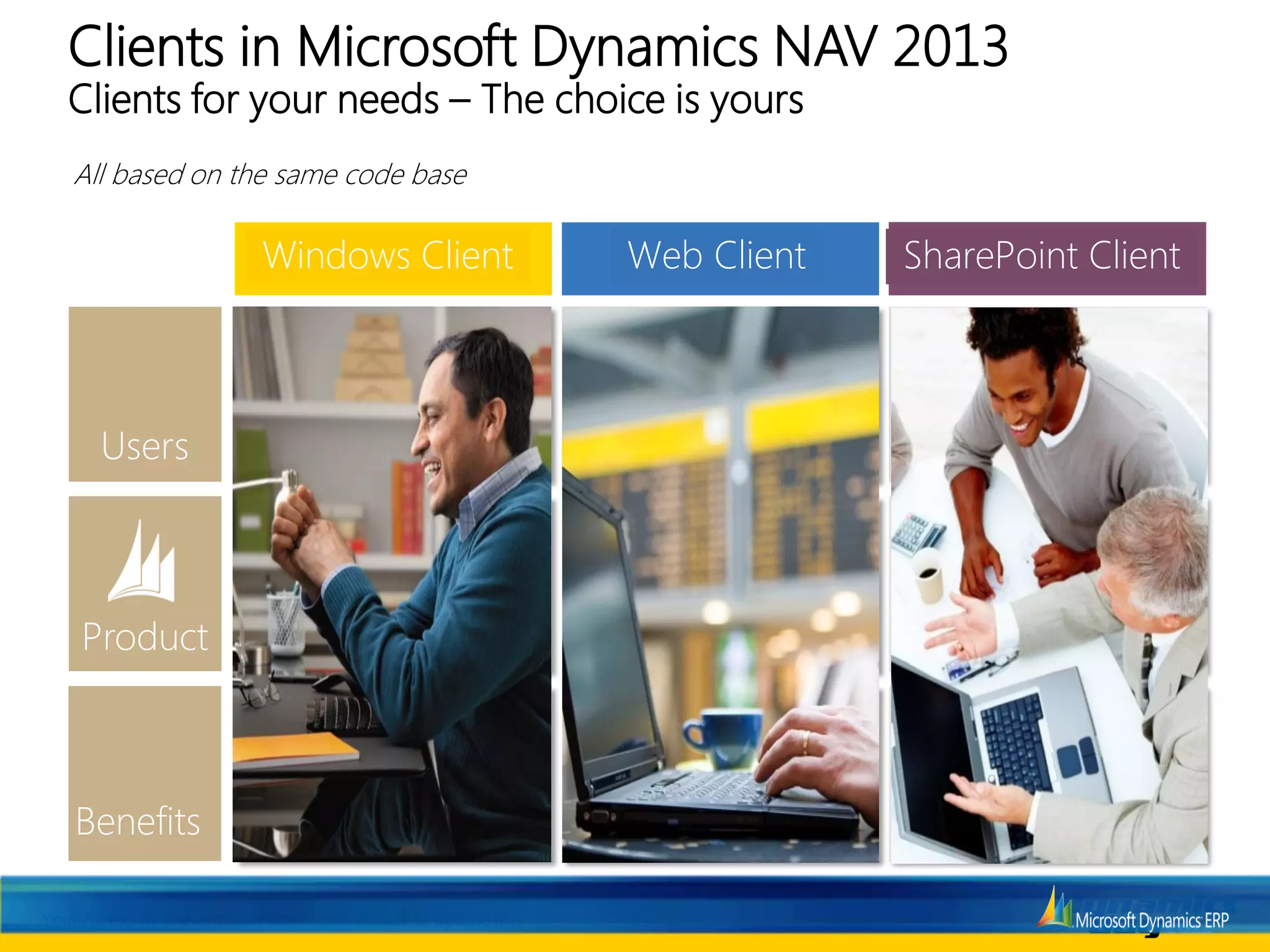
Clients in Microsoft Dynamics NAV 2013
   Clients for your needs – The choice is yours
   All based on the same code baseInvestment

                           Windows Client                          Web Client             SharePoint Client

                                                                                          Light or Occasional ERP
                                 Core ERP User                        ERP User               Users or Microsoft
                                                                                             SharePoint Users
                                                                                              or External users

                                                                                          Microsoft Dynamics NAV Portal
                                                               Full Microsoft Dynamics       framework for Microsoft
                           Full Microsoft Dynamics               NAV application in a               SharePoint
                                NAV application                      web browser             Self Service Applications
                                                                                                and Collaboration


                                                               Anywhere access through       Enhanced Business
                            Richness, Vividness &              multiple devices with No     Productivity through
                              User productivity                   client installation       Microsoft SharePoint


Your Awesome Presentation Title - edit master to update this
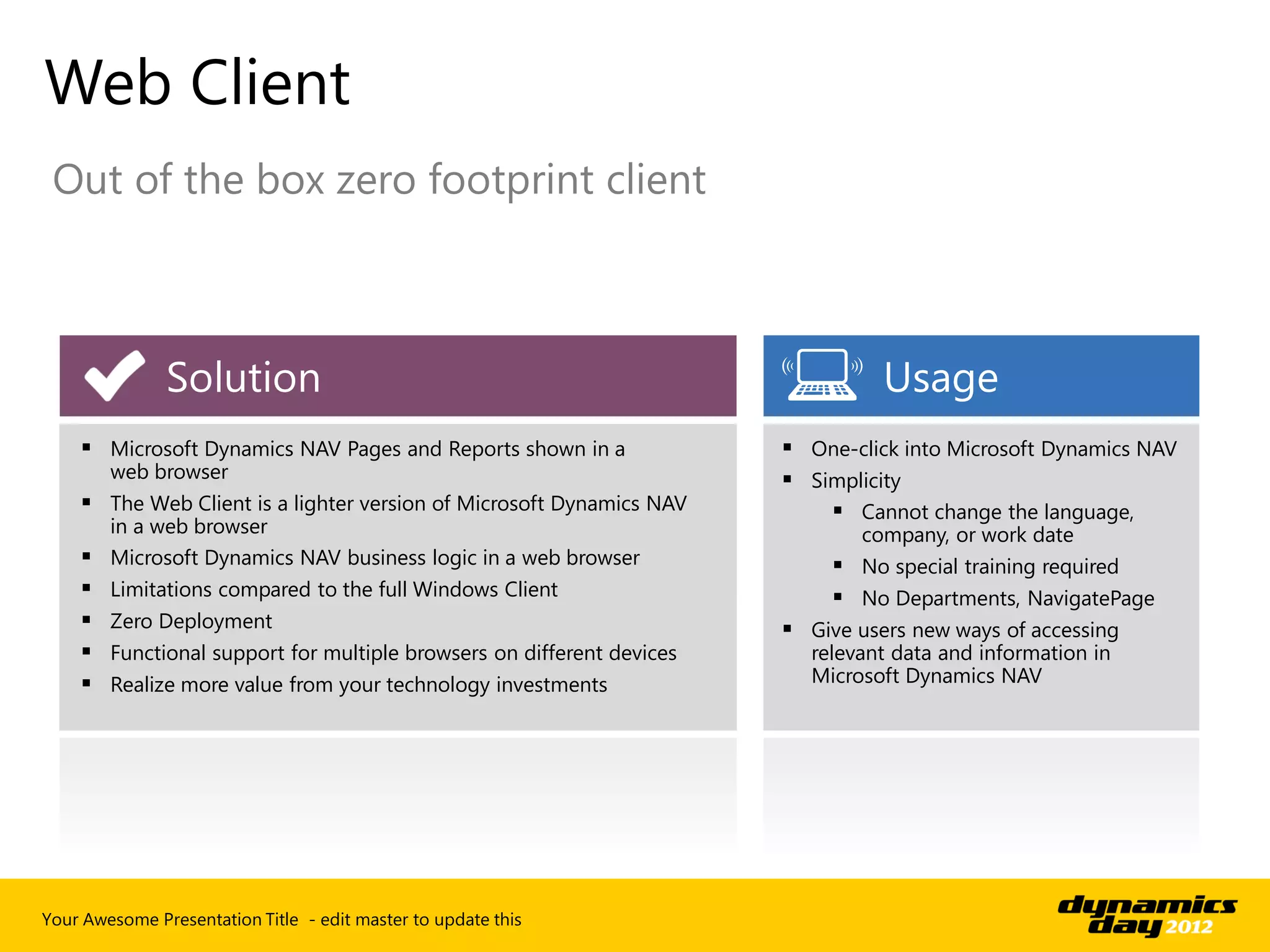
Web Client
 Out of the box zero footprint client


               Solution                                                           Usage
     Microsoft Dynamics NAV Pages and Reports shown in a                One-click into Microsoft Dynamics NAV
        web browser                                                      Simplicity
     The Web Client is a lighter version of Microsoft Dynamics NAV          Cannot change the language,
      in a web browser                                                         company, or work date
     Microsoft Dynamics NAV business logic in a web browser                  No special training required
       Limitations compared to the full Windows Client                       No Departments, NavigatePage
       Zero Deployment                                                  Give users new ways of accessing
       Functional support for multiple browsers on different devices     relevant data and information in
       Realize more value from your technology investments               Microsoft Dynamics NAV


Your Awesome Presentation Title - edit master to update this
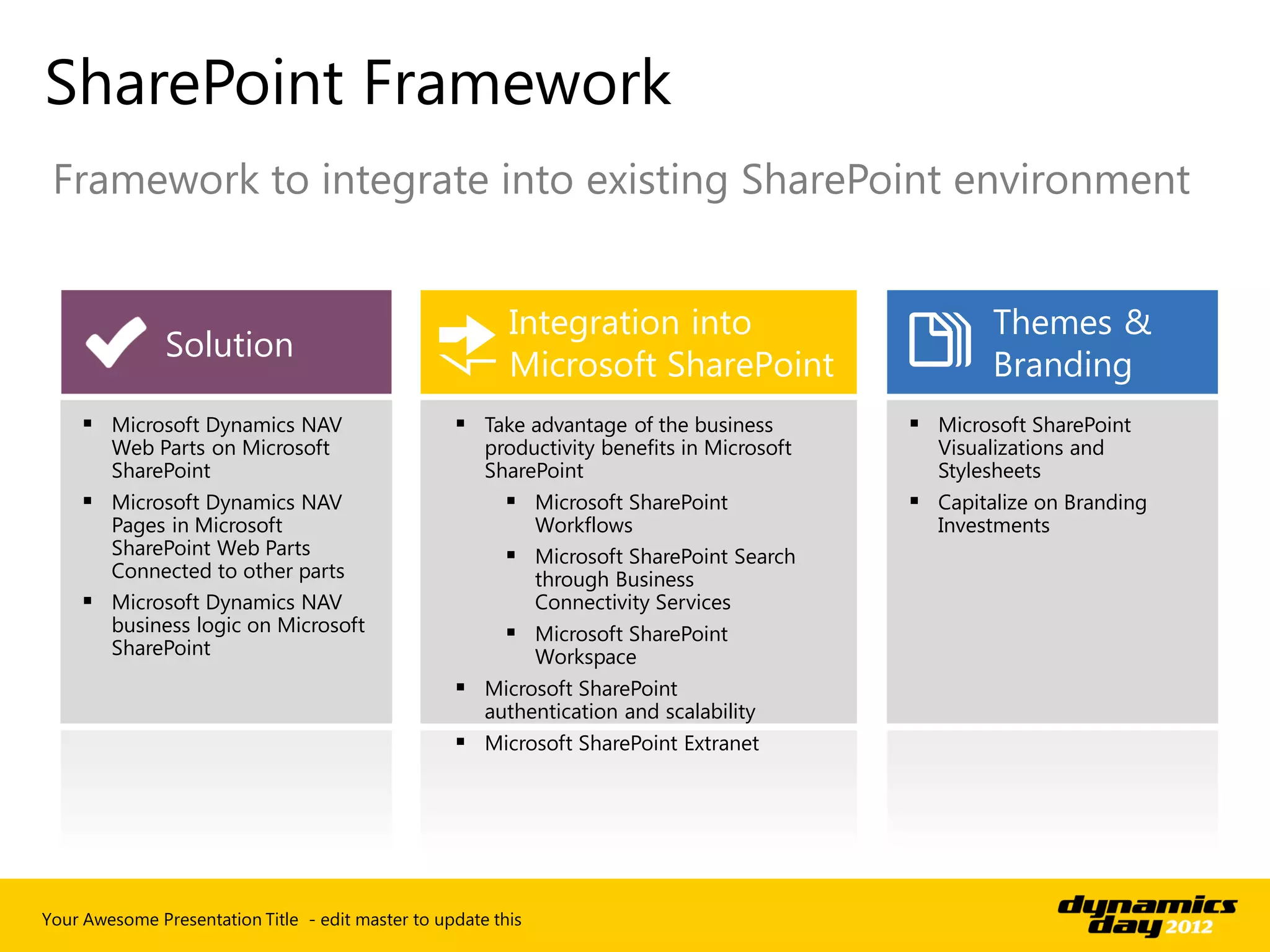
SharePoint Framework
 Framework to integrate into existing SharePoint environment


                                                          Integration into                          Themes &
               Solution
                                                          Microsoft SharePoint                      Branding
      Microsoft Dynamics NAV                       Take advantage of the business          Microsoft SharePoint
        Web Parts on Microsoft                         productivity benefits in Microsoft     Visualizations and
        SharePoint                                     SharePoint                             Stylesheets
      Microsoft Dynamics NAV                             Microsoft SharePoint              Capitalize on Branding
       Pages in Microsoft                                  Workflows                          Investments
       SharePoint Web Parts                               Microsoft SharePoint Search
       Connected to other parts                            through Business
      Microsoft Dynamics NAV                              Connectivity Services
       business logic on Microsoft                        Microsoft SharePoint
       SharePoint                                          Workspace
                                                    Microsoft SharePoint
                                                     authentication and scalability
                                                    Microsoft SharePoint Extranet


Your Awesome Presentation Title - edit master to update this
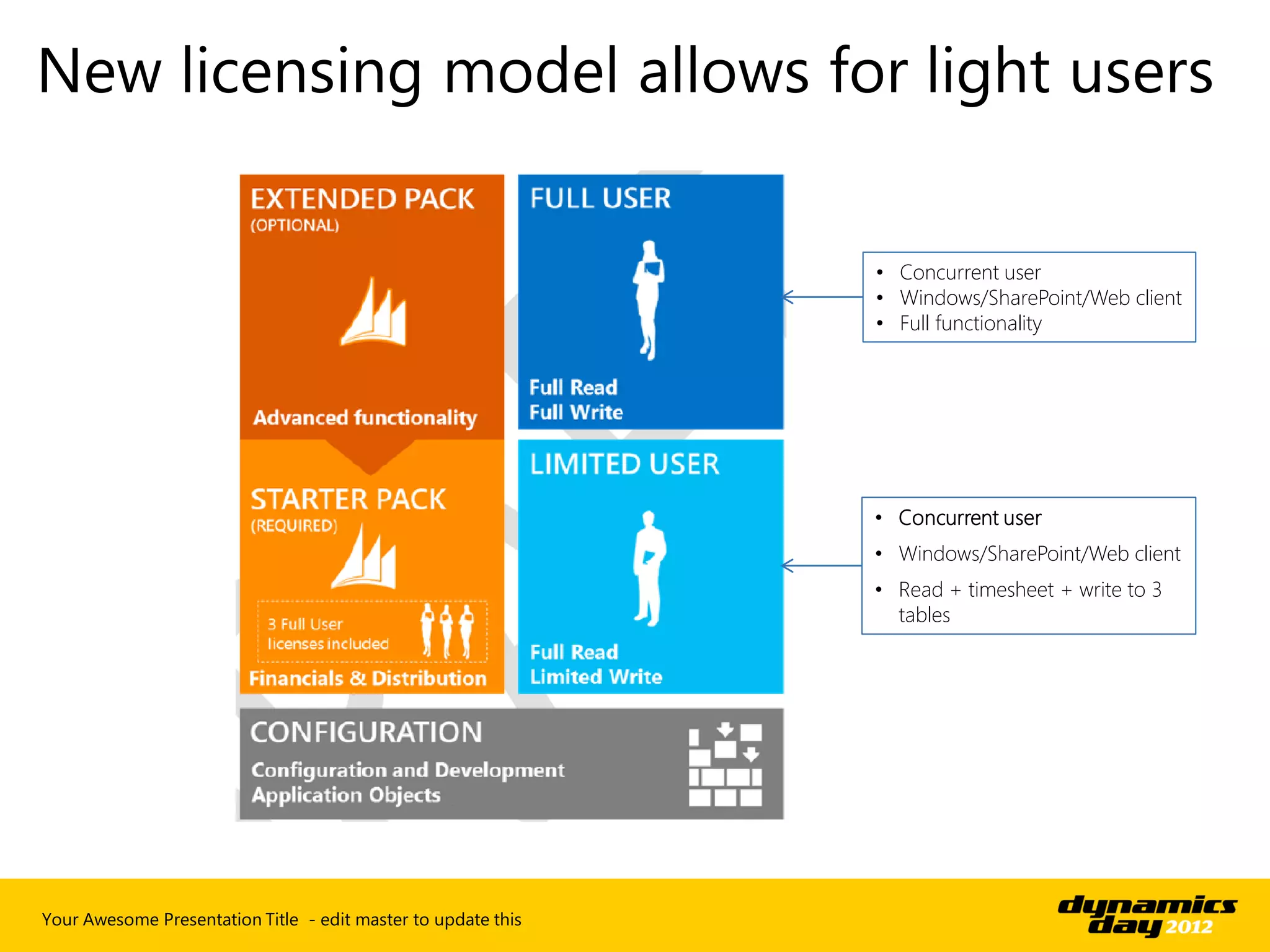
• Concurrent user
                                                               • Windows/SharePoint/Web client
                                                               • Full functionality


                                                               • Concurrent user
                                                               • Windows/SharePoint/Web client
                                                               • Read + timesheet + write to 3
                                                                 tables


Your Awesome Presentation Title - edit master to update this
SharePoint client
scenarios
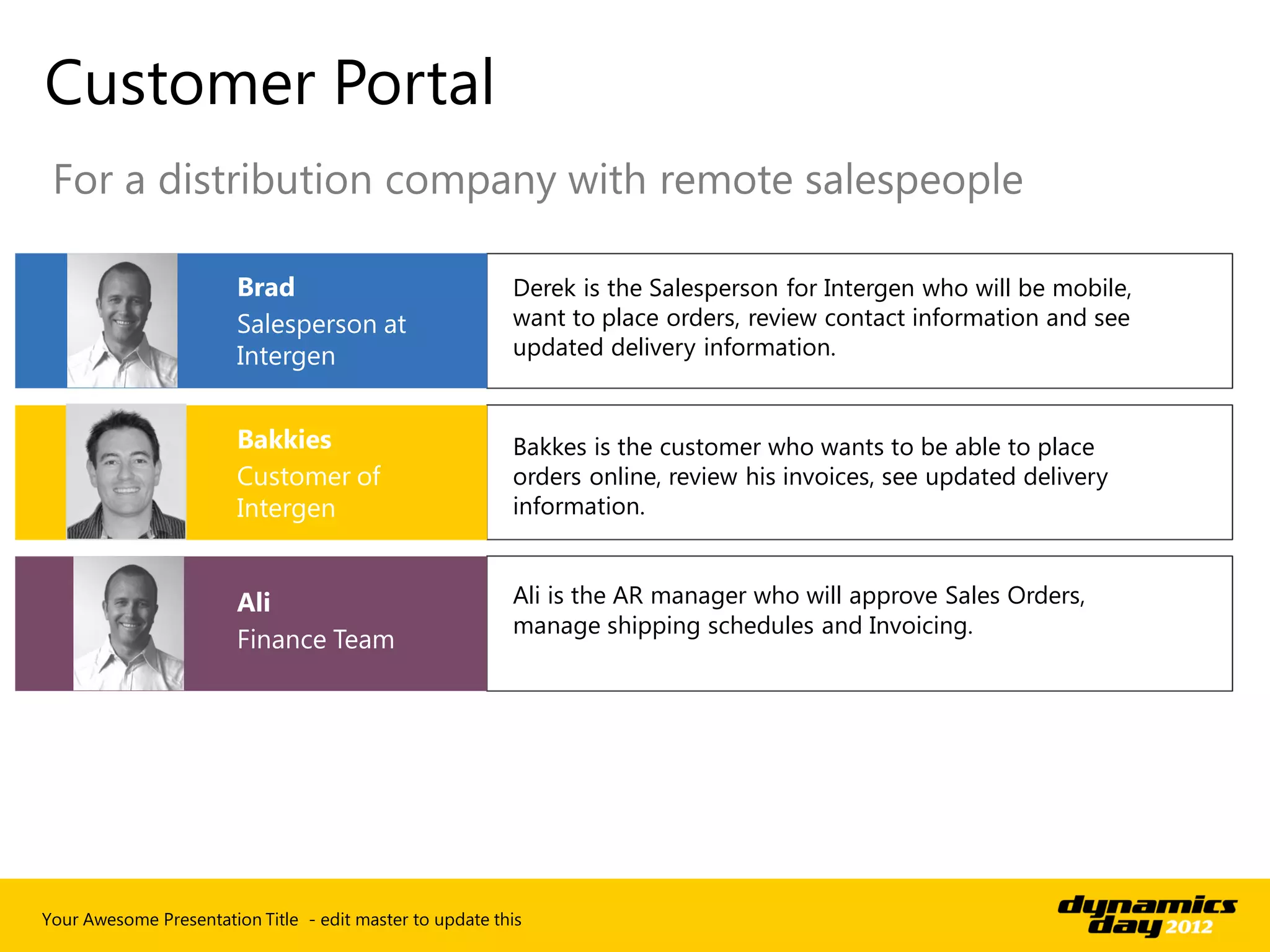
Customer Portal
 For a distribution company with remote salespeople

                                                          Derek is the Salesperson for Intergen who will be mobile,
                                                          want to place orders, review contact information and see
                                                          updated delivery information.


                                                          Bakkes is the customer who wants to be able to place
                                                          orders online, review his invoices, see updated delivery
                                                          information.


                                                          Ali is the AR manager who will approve Sales Orders,
                                                          manage shipping schedules and Invoicing.


Your Awesome Presentation Title - edit master to update this
Customer Portal
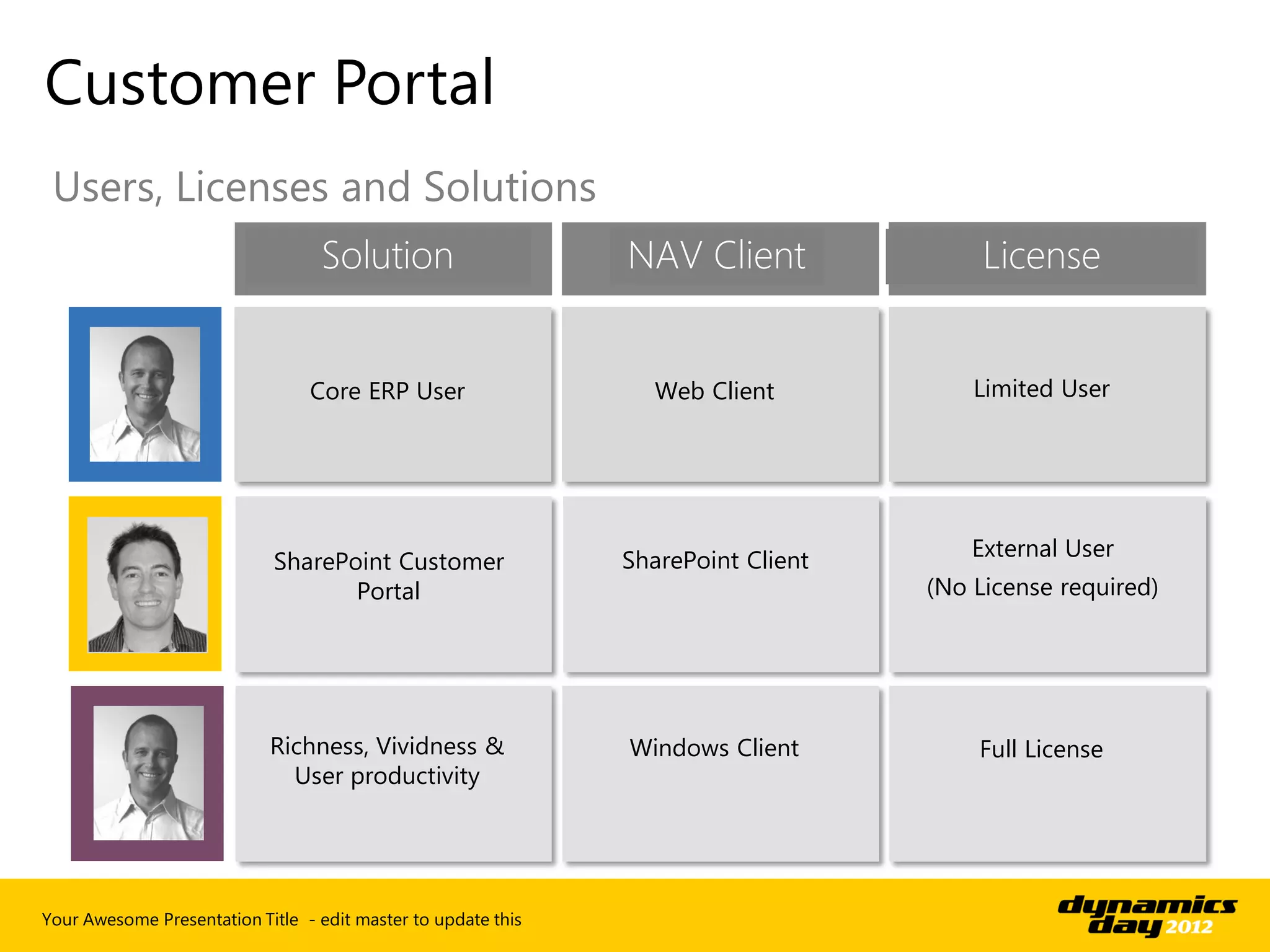
 Users, Licenses and Solutions
                                  Solution                     NAV Client               License


                                 Core ERP User                   Web Client            Limited User


                                                               SharePoint Client       External User
                             SharePoint Customer
                                    Portal                                         (No License required)


                            Richness, Vividness &              Windows Client          Full License
                              User productivity


Your Awesome Presentation Title - edit master to update this
Customer Portal
Demo
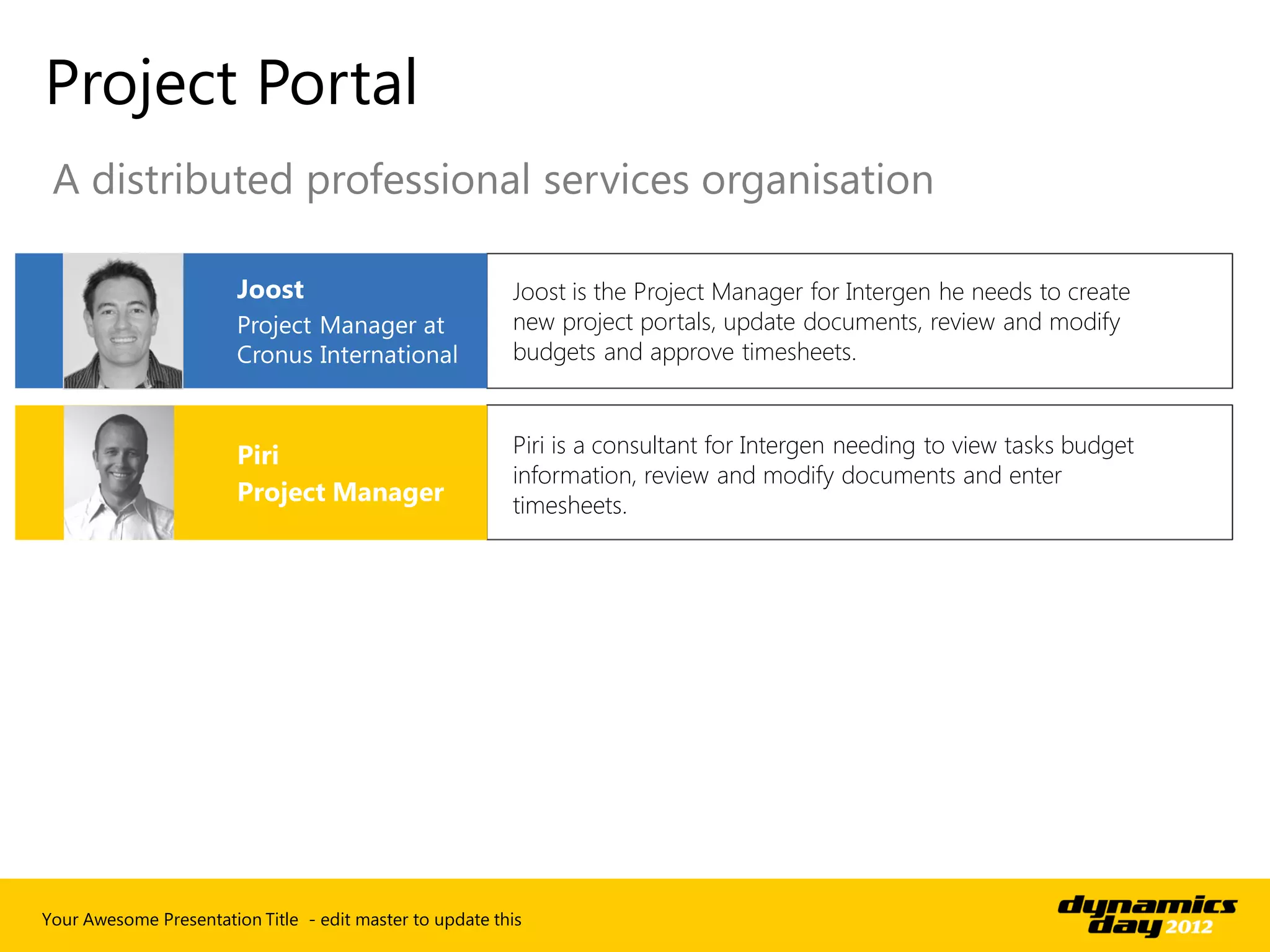
Project Portal
 A distributed professional services organisation

                                                          Joost is the Project Manager for Intergen he needs to create
                                                          new project portals, update documents, review and modify
                                                          budgets and approve timesheets.


                                                          Piri is a consultant for Intergen needing to view tasks budget
                                                          information, review and modify documents and enter
                                                          timesheets.


Your Awesome Presentation Title - edit master to update this
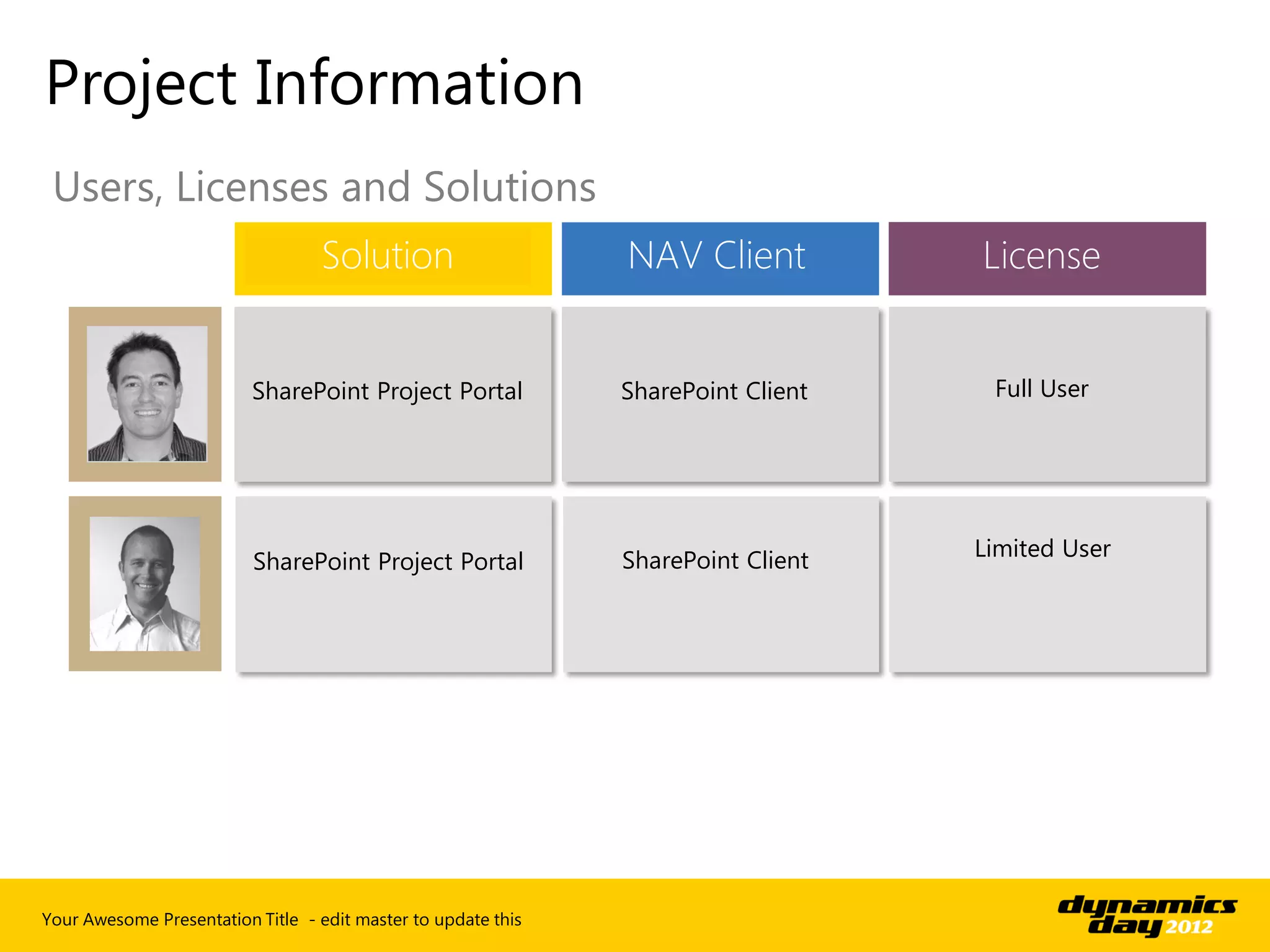
Project Information
 Users, Licenses and Solutions
                                  Solution                     NAV Client          License


                          SharePoint Project Portal            SharePoint Client    Full User


                                                               SharePoint Client   Limited User
                          SharePoint Project Portal


Your Awesome Presentation Title - edit master to update this
Project Portal Demo
Employee Portal
 Will allow us to suggest the best product
 ■ Leave Requests: SharePoint based workflow

 ■ Employee Expenses: NAV Expense entry and approval

 ■ Timesheets: Dynamics NAV Timesheets and Approvals .

 ■ My Site: Standard SharePoint capability


 ■ Purchase Approvals: Automated financial delegated
   authority


 ■ Distributed Budgeting: Collaborative budgeting
   process using Dynamics NAV Budgeting


 ■ Departmental Reporting: Combination of Dynamics
   NAV reports and SharePoint BI
Your Awesome Presentation Title - edit master to update this
Vendor Portal
 Form closer relationships with suppliers
 ■ Production Forecasts: Collaborating to improve supply
   chain

 ■ Catalogue update: Upload of product catalogue using
   standard SharePoint document management

 ■ Invoice & Payment information: Real time payment
   information .

 ■ Vendor performance: Scorecard of Vendor performance
   utilising BI functionality.


 ■ Quote management: Allow Vendors to enter Purchase
   Quotes directly into NAV.


Your Awesome Presentation Title - edit master to update this
2013 light clients extend reach of NAV

In Summary…
■ Web Client is out of the box
■ SharePoint Framework integrates as web parts
■ Single code source for all three clients
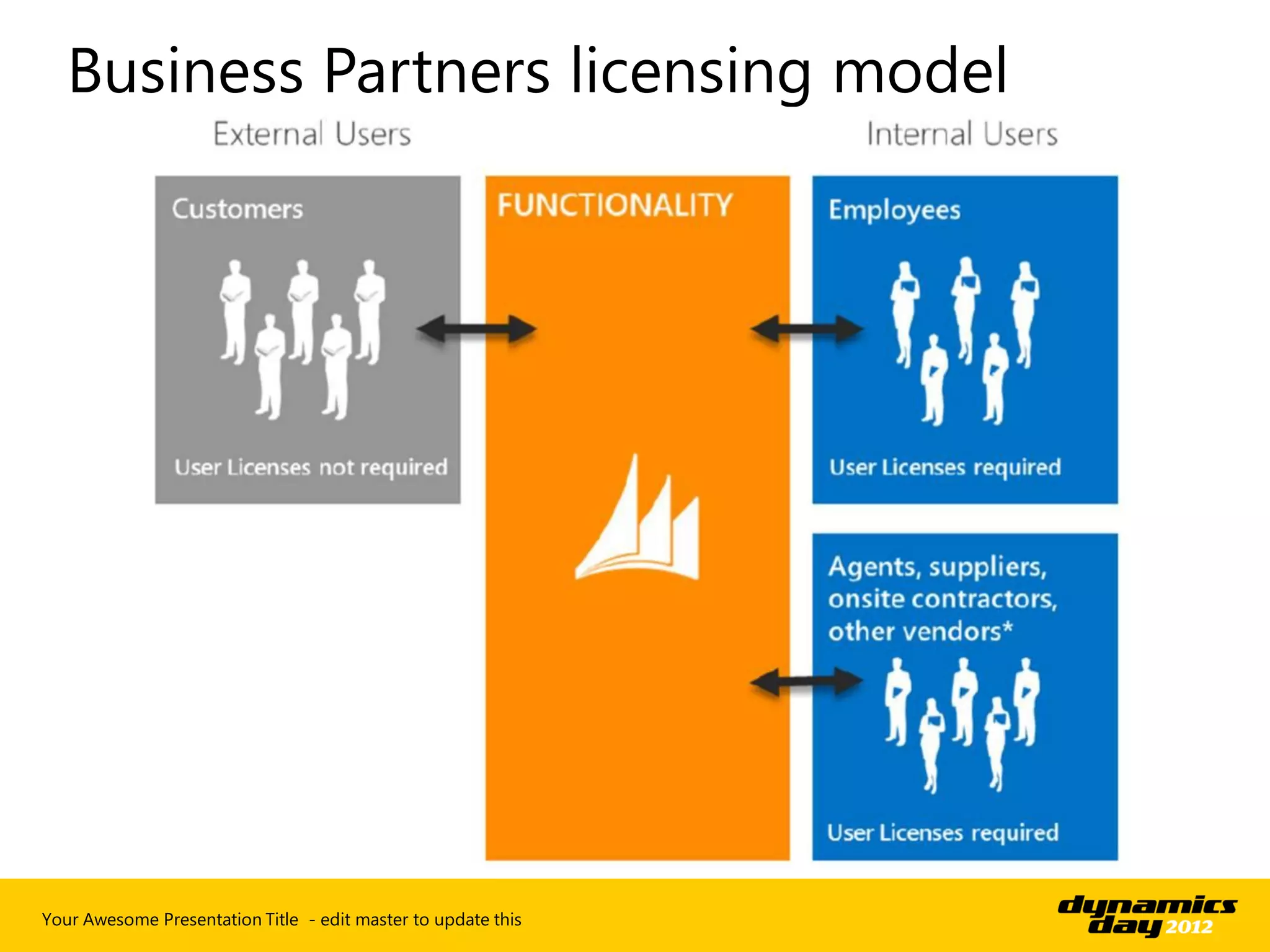
■ Customers don’t need a license to access
■ When combined with limited user licensing
  provides cost effective solution


Your Awesome Presentation Title - edit master to update this
Any questions?
Do you want to
know more?


Find me in the
Experience Lounge
at the end of this
presentation.
Thank you
barry.barryson@intergen.co.nz
Page with full
picture and
some text
Page with two pictures and heading
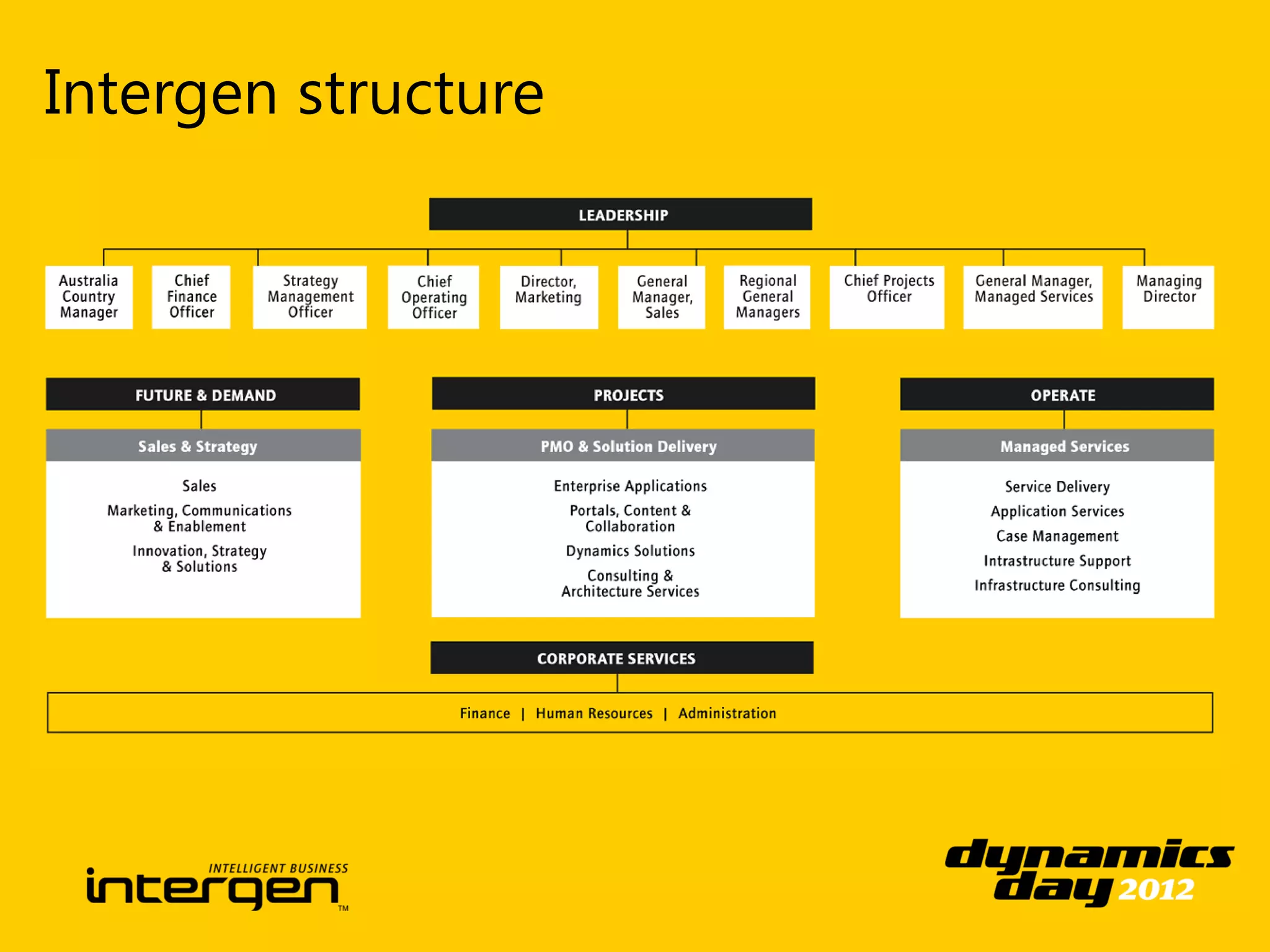
Intergen structure
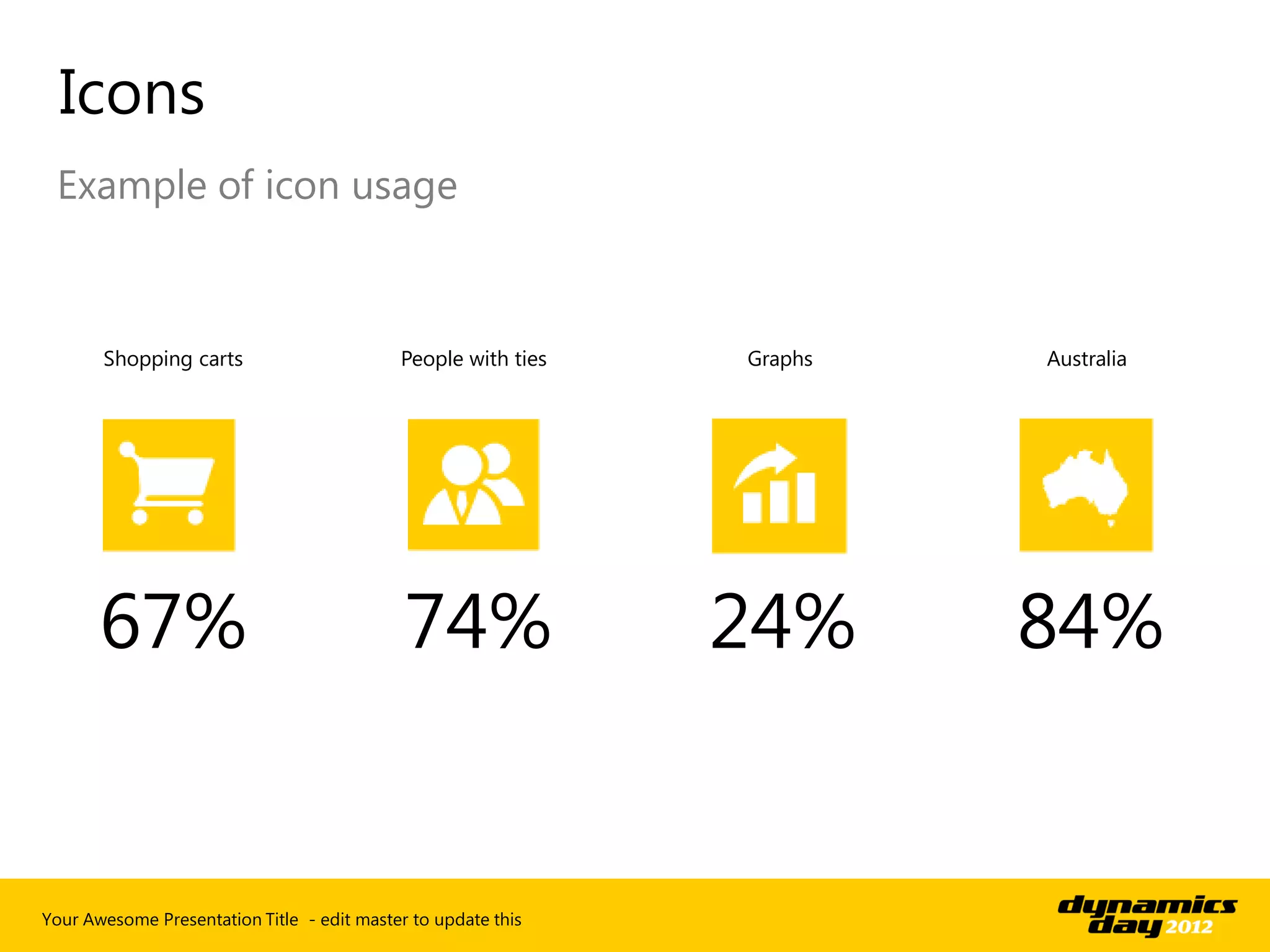
Icons
 Example of icon usage


       Shopping carts                       People with ties   Graphs   Australia


       67%                                   74%               24%      84%


Your Awesome Presentation Title - edit master to update this
Section Heading
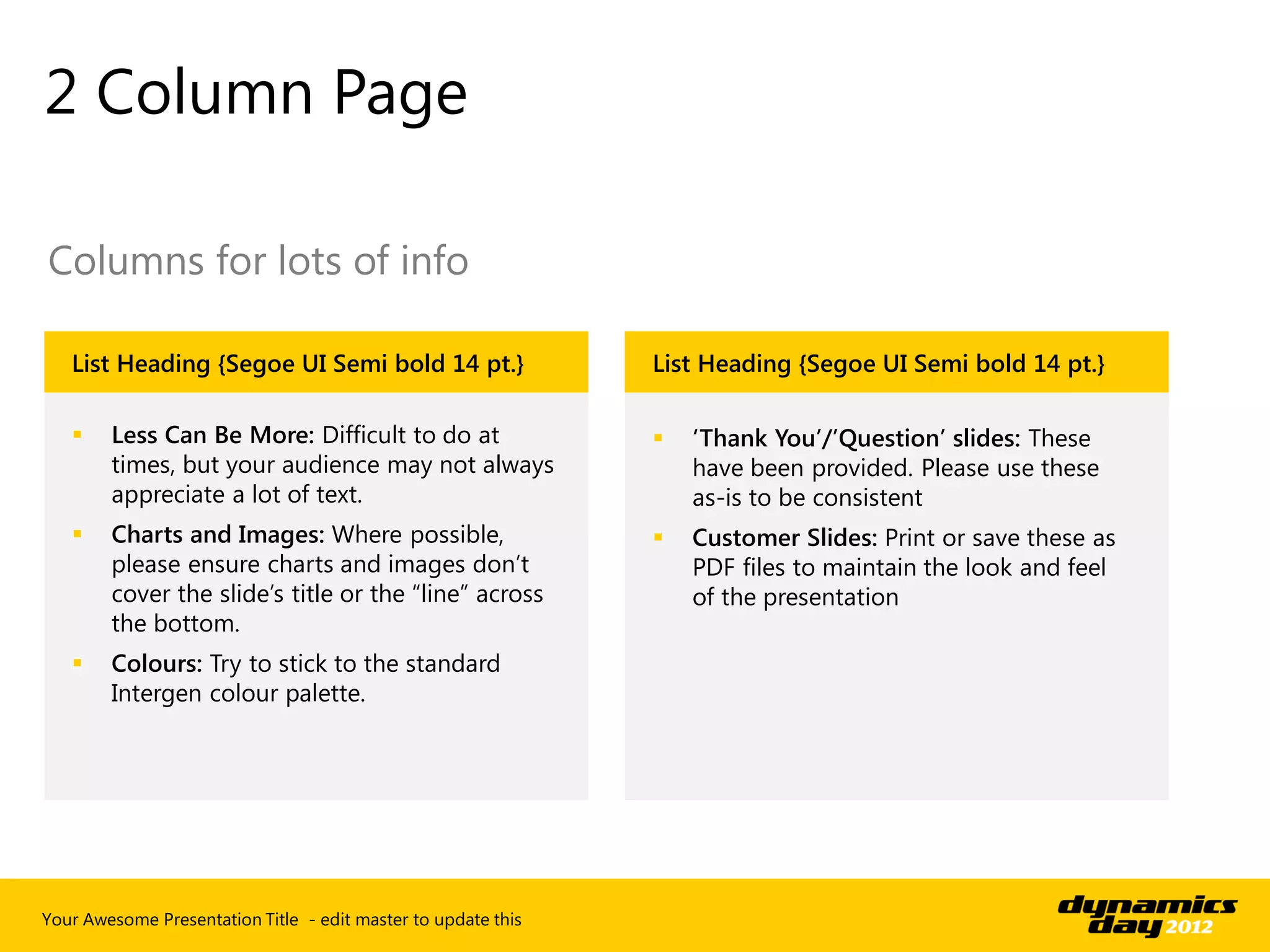
2 Column Page

Columns for lots of info

   List Heading {Segoe UI Semi bold 14 pt.}                    List Heading {Segoe UI Semi bold 14 pt.}

       Less Can Be More: Difficult to do at                      ‘Thank You’/’Question’ slides: These
        times, but your audience may not always                    have been provided. Please use these
        appreciate a lot of text.                                  as-is to be consistent
       Charts and Images: Where possible,                        Customer Slides: Print or save these as
        please ensure charts and images don’t                      PDF files to maintain the look and feel
        cover the slide’s title or the “line” across               of the presentation
        the bottom.
       Colours: Try to stick to the standard
        Intergen colour palette.


Your Awesome Presentation Title - edit master to update this
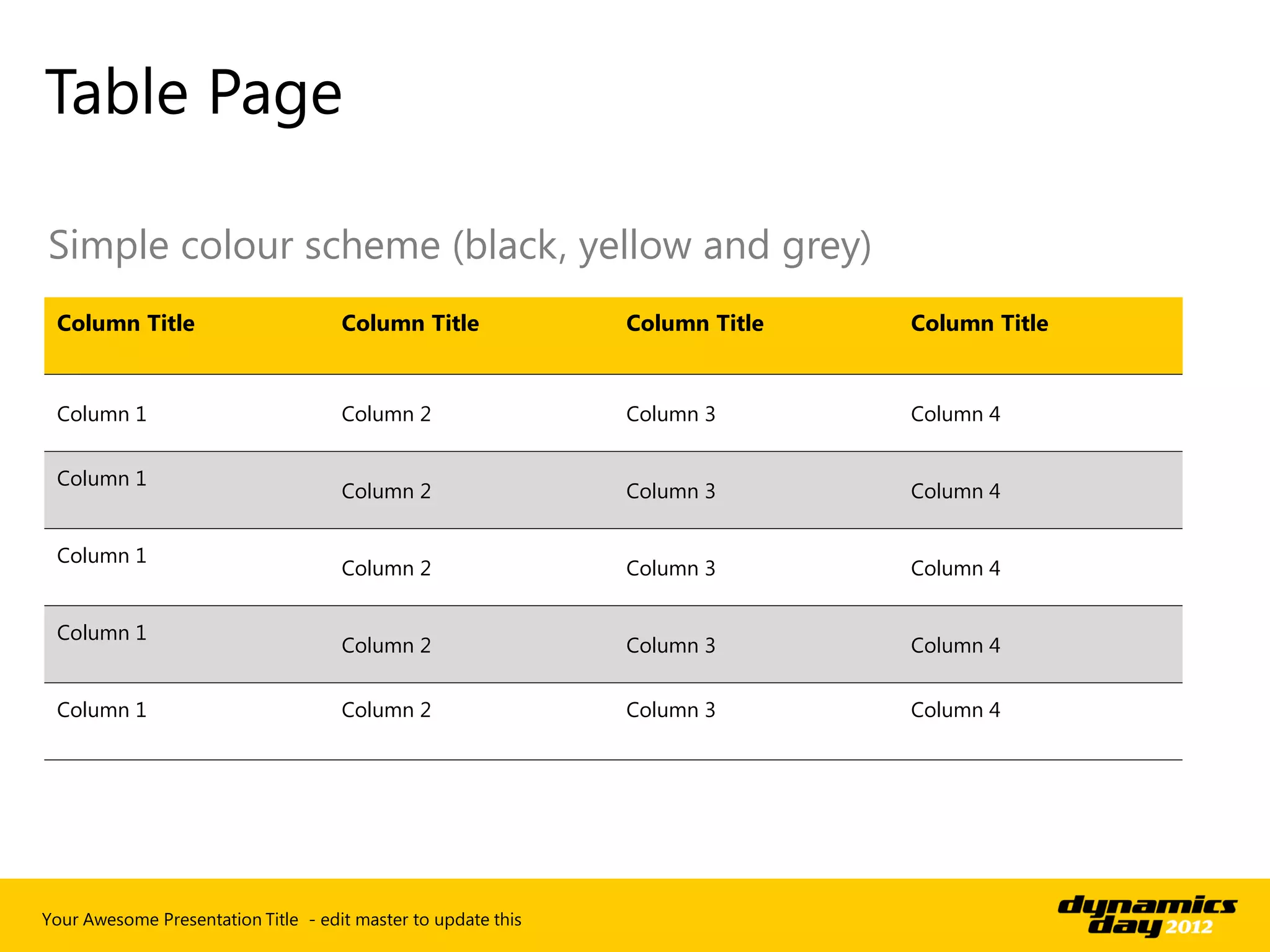
Table Page

Simple colour scheme (black, yellow and grey)
 Column Title                        Column Title              Column Title   Column Title


 Column 1                            Column 2                  Column 3       Column 4


 Column 1
                                     Column 2                  Column 3       Column 4


 Column 1
                                     Column 2                  Column 3       Column 4


 Column 1
                                     Column 2                  Column 3       Column 4


 Column 1                            Column 2                  Column 3       Column 4


Your Awesome Presentation Title - edit master to update this
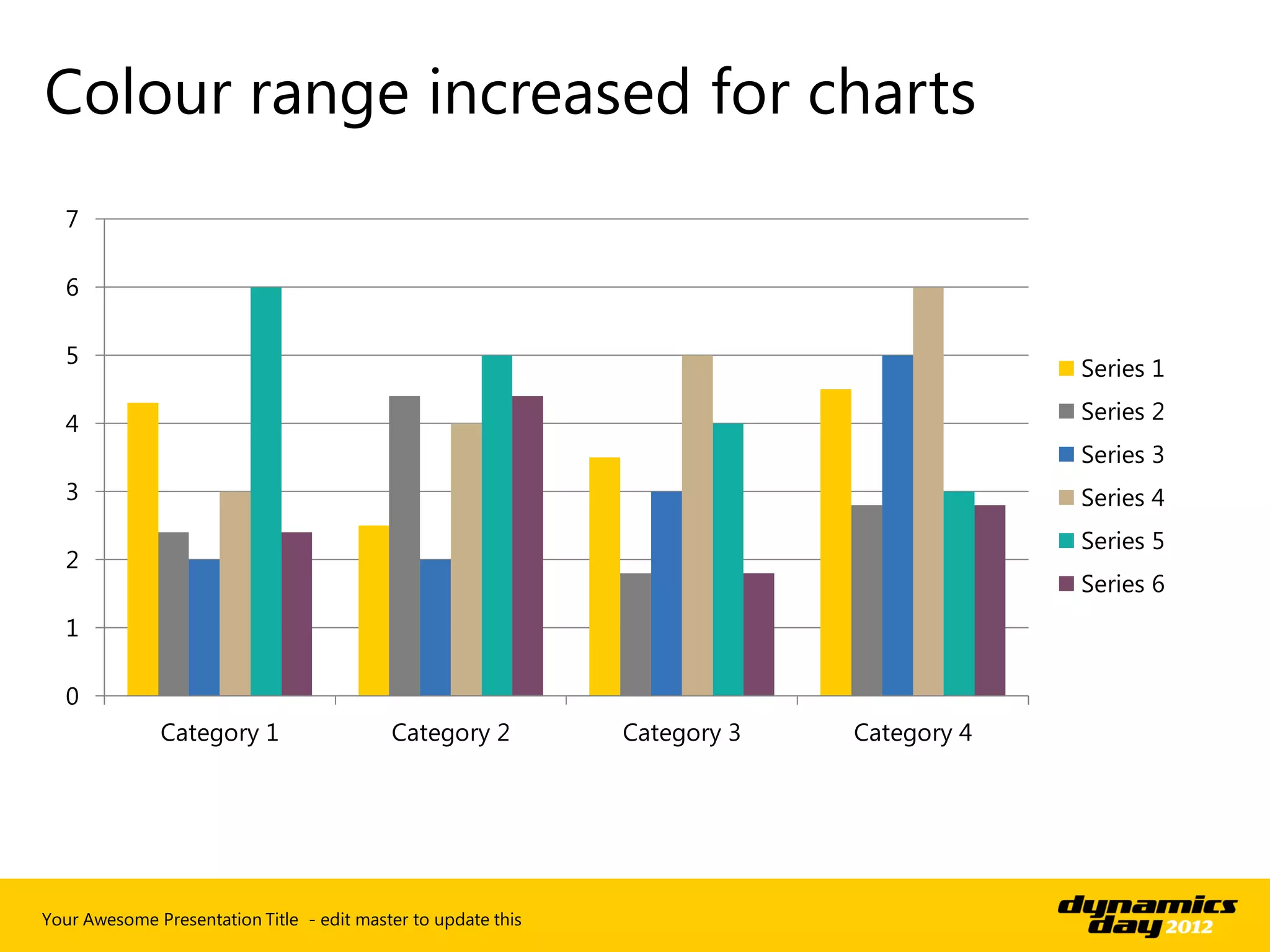
Colour range increased for charts
  7

  6

  5
                                                                                         Series 1

  4                                                                                      Series 2
                                                                                         Series 3
  3                                                                                      Series 4
                                                                                         Series 5
  2
                                                                                         Series 6
  1

  0
              Category 1                   Category 2          Category 3   Category 4


Your Awesome Presentation Title - edit master to update this
Sub Section
   Title with image
   on the right


Your Awesome Presentation Title - edit master to update this
“Intergen are the experts and
a pleasure to deal with. They
     make me look good”
               Client Name – Position and Title
Dynamics Day 2012: Deep Dive - Dynamics NAV 2013 client options

Dynamics Day 2012: Deep Dive - Dynamics NAV 2013 client options

  • 1.
    Extending the Reach of NAV NAVSharePoint and Web client
  • 2.
    Our Agenda Client Positioning SharePoint use scenarios SharePoint Client Web Client Cloud Based
  • 3.
    Your presenter/s AdriaanRootman Derek Lamb Senior Dynamics Developer ERP Solution Specialist  Based in Perth  Based in Auckland  Relocated Safa  Relocated Cantab Your Awesome Presentation Title - edit master to update this
  • 4.
  • 5.
    Clients in MicrosoftDynamics NAV 2013 Clients for your needs – The choice is yours All based on the same code baseInvestment Windows Client Web Client SharePoint Client Light or Occasional ERP Core ERP User ERP User Users or Microsoft SharePoint Users or External users Microsoft Dynamics NAV Portal Full Microsoft Dynamics framework for Microsoft Full Microsoft Dynamics NAV application in a SharePoint NAV application web browser Self Service Applications and Collaboration Anywhere access through Enhanced Business Richness, Vividness & multiple devices with No Productivity through User productivity client installation Microsoft SharePoint Your Awesome Presentation Title - edit master to update this
  • 6.
    Web Client Outof the box zero footprint client Solution Usage  Microsoft Dynamics NAV Pages and Reports shown in a  One-click into Microsoft Dynamics NAV web browser  Simplicity  The Web Client is a lighter version of Microsoft Dynamics NAV  Cannot change the language, in a web browser company, or work date  Microsoft Dynamics NAV business logic in a web browser  No special training required  Limitations compared to the full Windows Client  No Departments, NavigatePage  Zero Deployment  Give users new ways of accessing  Functional support for multiple browsers on different devices relevant data and information in  Realize more value from your technology investments Microsoft Dynamics NAV Your Awesome Presentation Title - edit master to update this
  • 7.
    SharePoint Framework Frameworkto integrate into existing SharePoint environment Integration into Themes & Solution Microsoft SharePoint Branding  Microsoft Dynamics NAV  Take advantage of the business  Microsoft SharePoint Web Parts on Microsoft productivity benefits in Microsoft Visualizations and SharePoint SharePoint Stylesheets  Microsoft Dynamics NAV  Microsoft SharePoint  Capitalize on Branding Pages in Microsoft Workflows Investments SharePoint Web Parts  Microsoft SharePoint Search Connected to other parts through Business  Microsoft Dynamics NAV Connectivity Services business logic on Microsoft  Microsoft SharePoint SharePoint Workspace  Microsoft SharePoint authentication and scalability  Microsoft SharePoint Extranet Your Awesome Presentation Title - edit master to update this
  • 8.
    • Concurrent user • Windows/SharePoint/Web client • Full functionality • Concurrent user • Windows/SharePoint/Web client • Read + timesheet + write to 3 tables Your Awesome Presentation Title - edit master to update this
  • 9.
    Your Awesome PresentationTitle - edit master to update this
  • 10.
  • 11.
    Customer Portal Fora distribution company with remote salespeople Derek is the Salesperson for Intergen who will be mobile, want to place orders, review contact information and see updated delivery information. Bakkes is the customer who wants to be able to place orders online, review his invoices, see updated delivery information. Ali is the AR manager who will approve Sales Orders, manage shipping schedules and Invoicing. Your Awesome Presentation Title - edit master to update this
  • 12.
    Customer Portal Users,Licenses and Solutions Solution NAV Client License Core ERP User Web Client Limited User SharePoint Client External User SharePoint Customer Portal (No License required) Richness, Vividness & Windows Client Full License User productivity Your Awesome Presentation Title - edit master to update this
  • 13.
  • 14.
    Project Portal Adistributed professional services organisation Joost is the Project Manager for Intergen he needs to create new project portals, update documents, review and modify budgets and approve timesheets. Piri is a consultant for Intergen needing to view tasks budget information, review and modify documents and enter timesheets. Your Awesome Presentation Title - edit master to update this
  • 15.
    Project Information Users,Licenses and Solutions Solution NAV Client License SharePoint Project Portal SharePoint Client Full User SharePoint Client Limited User SharePoint Project Portal Your Awesome Presentation Title - edit master to update this
  • 16.
  • 17.
    Employee Portal Willallow us to suggest the best product ■ Leave Requests: SharePoint based workflow ■ Employee Expenses: NAV Expense entry and approval ■ Timesheets: Dynamics NAV Timesheets and Approvals . ■ My Site: Standard SharePoint capability ■ Purchase Approvals: Automated financial delegated authority ■ Distributed Budgeting: Collaborative budgeting process using Dynamics NAV Budgeting ■ Departmental Reporting: Combination of Dynamics NAV reports and SharePoint BI Your Awesome Presentation Title - edit master to update this
  • 18.
    Vendor Portal Formcloser relationships with suppliers ■ Production Forecasts: Collaborating to improve supply chain ■ Catalogue update: Upload of product catalogue using standard SharePoint document management ■ Invoice & Payment information: Real time payment information . ■ Vendor performance: Scorecard of Vendor performance utilising BI functionality. ■ Quote management: Allow Vendors to enter Purchase Quotes directly into NAV. Your Awesome Presentation Title - edit master to update this
  • 19.
    2013 light clientsextend reach of NAV In Summary… ■ Web Client is out of the box ■ SharePoint Framework integrates as web parts ■ Single code source for all three clients ■ Customers don’t need a license to access ■ When combined with limited user licensing provides cost effective solution Your Awesome Presentation Title - edit master to update this
  • 20.
  • 21.
    Do you wantto know more? Find me in the Experience Lounge at the end of this presentation.
  • 22.
  • 24.
  • 25.
    Page with twopictures and heading
  • 26.
  • 28.
    Icons Example oficon usage Shopping carts People with ties Graphs Australia 67% 74% 24% 84% Your Awesome Presentation Title - edit master to update this
  • 29.
  • 30.
    2 Column Page Columnsfor lots of info List Heading {Segoe UI Semi bold 14 pt.} List Heading {Segoe UI Semi bold 14 pt.}  Less Can Be More: Difficult to do at  ‘Thank You’/’Question’ slides: These times, but your audience may not always have been provided. Please use these appreciate a lot of text. as-is to be consistent  Charts and Images: Where possible,  Customer Slides: Print or save these as please ensure charts and images don’t PDF files to maintain the look and feel cover the slide’s title or the “line” across of the presentation the bottom.  Colours: Try to stick to the standard Intergen colour palette. Your Awesome Presentation Title - edit master to update this
  • 31.
    Table Page Simple colourscheme (black, yellow and grey) Column Title Column Title Column Title Column Title Column 1 Column 2 Column 3 Column 4 Column 1 Column 2 Column 3 Column 4 Column 1 Column 2 Column 3 Column 4 Column 1 Column 2 Column 3 Column 4 Column 1 Column 2 Column 3 Column 4 Your Awesome Presentation Title - edit master to update this
  • 32.
    Colour range increasedfor charts 7 6 5 Series 1 4 Series 2 Series 3 3 Series 4 Series 5 2 Series 6 1 0 Category 1 Category 2 Category 3 Category 4 Your Awesome Presentation Title - edit master to update this
  • 33.
    Sub Section Title with image on the right Your Awesome Presentation Title - edit master to update this
  • 34.
    “Intergen are theexperts and a pleasure to deal with. They make me look good” Client Name – Position and Title