
Bhasker Thapan
Developer Group Manager , Noida
bhasker@blackberrydevteam.com
October 10, 2012
www.blackberrydevteam.com
Topics
Introduction : BlackBerry WebWorks

HTML5

Web App Vs Native App

Why BlackBerry WebWorks

BlackBerry WebWorks App Development
Introduction to BlackBerry WebWorks


 Mission….


       To create, as a community, a simple to use cross platform SDK for Web
       Developers to package their Web assets as a mobile application which
             has Secure access to deeply integrated system level APIs.
Using HTML5 In Your Application

HTML5 is a standardized technology
   • Supported consistently across different platforms and engines
   • Enhancements to existing standard allow integration with platform

See “HTML reference – BlackBerry browser” documentation
     • Complete list of BlackBerry supported HTML5 elements
     • http://bit.ly/aGFoub

Many great HTML5 learning resources available online
   • http://diveintohtml5.org/
   • http://html5demos.com
   • http://www.w3schools.com/html5/default.asp
   • http://www.html5test.com
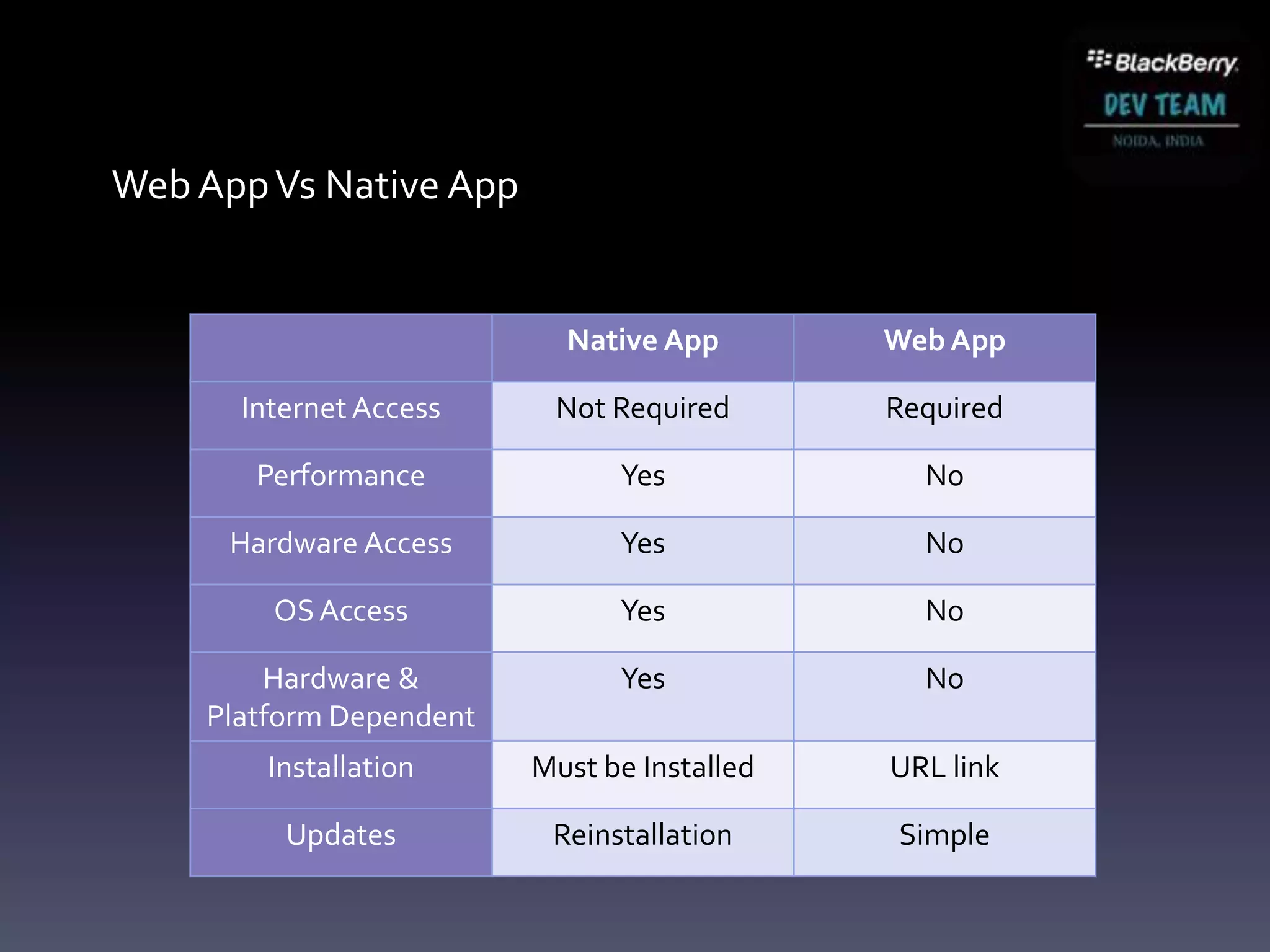
Web App Vs Native App


                           Native App        Web App

      Internet Access     Not Required       Required

       Performance             Yes             No

      Hardware Access          Yes             No

        OS Access              Yes             No

        Hardware &             Yes             No
    Platform Dependent
        Installation     Must be Installed   URL link

         Updates          Reinstallation     Simple
Why BlackBerry WebWorks ?


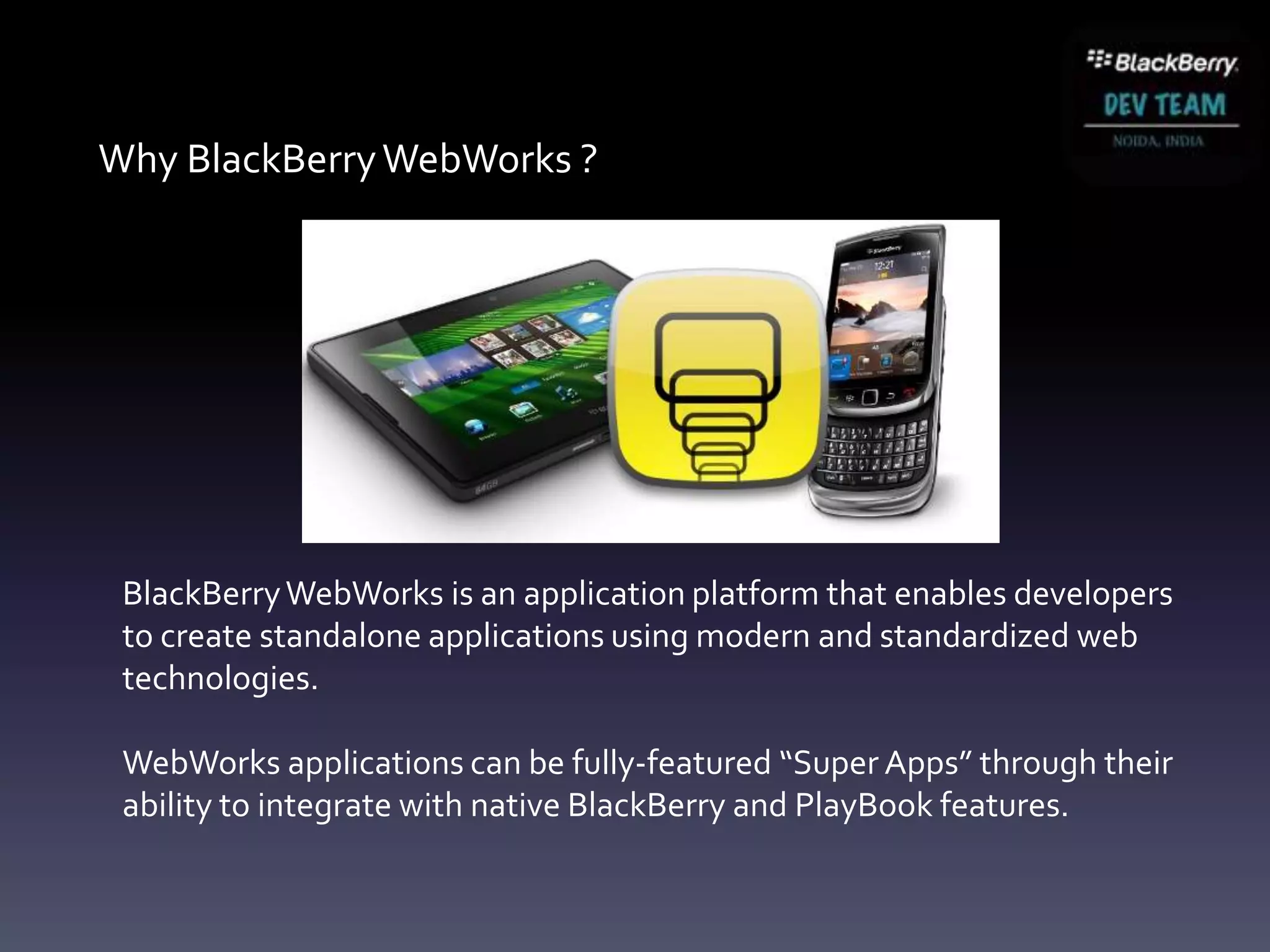
 BlackBerry WebWorks is an application platform that enables developers
 to create standalone applications using modern and standardized web
 technologies.

 WebWorks applications can be fully-featured “Super Apps” through their
 ability to integrate with native BlackBerry and PlayBook features.
Why BlackBerry WebWorks ?
 The richness of device access and reuse of assets .
 The simplicity of the browser programming model.
 It’s a diverse world out there for developers!
 Strong Web standards offer support across multiple platforms
     Reuse Web assets and developer skills to create BlackBerry apps
 Each platform seeing growth in access to native functionality
     Access the richness and differentiators of each platform
 BlackBerry WebWorks applications are supported on

                          All BlackBerry PlayBook
                          All BlackBerry 6 onwards including BlackBerry 10
                          More than 60 Million Users
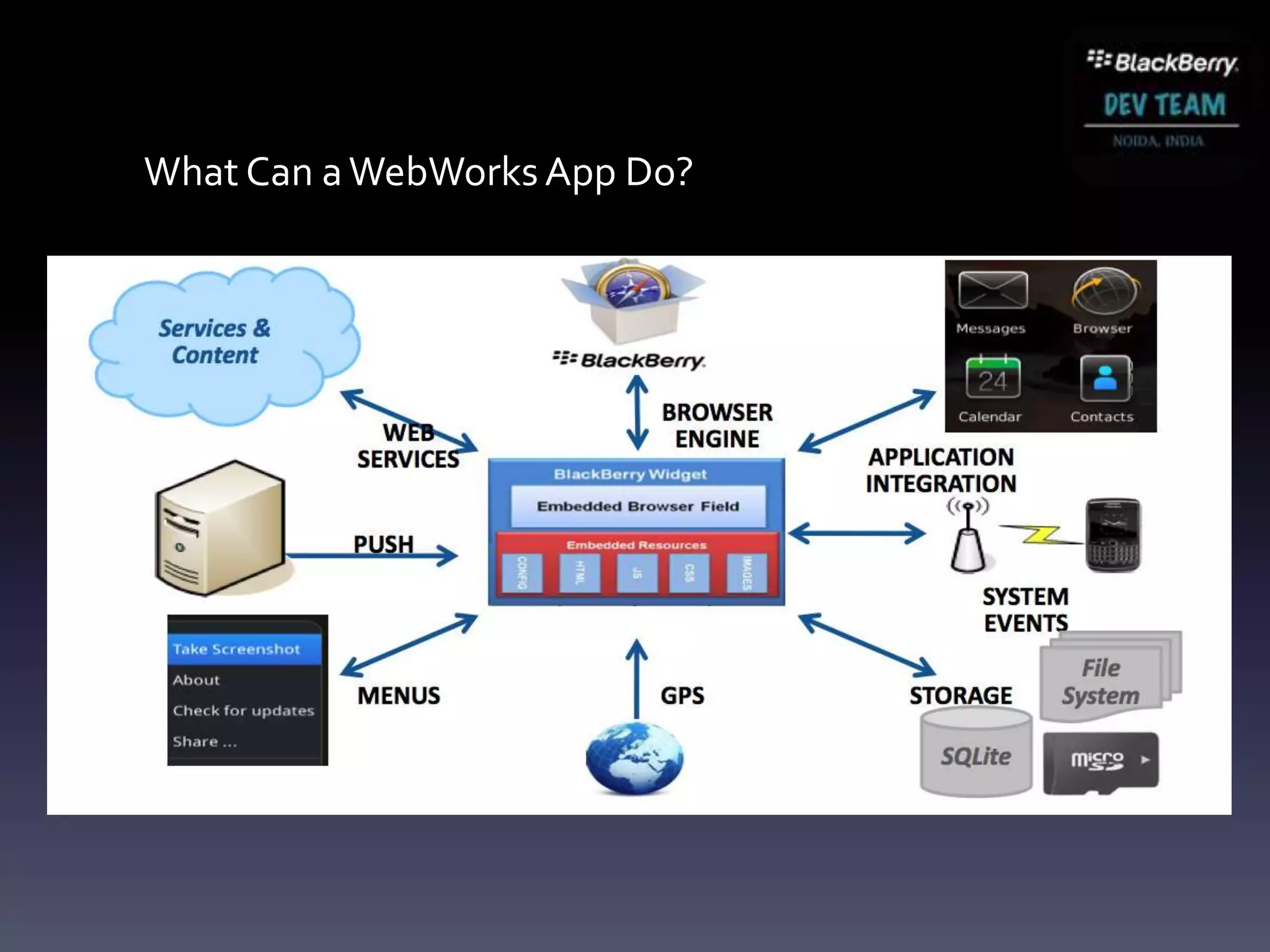
What Can a WebWorks App Do?
Live vs. Local Web Content

 A WebWorks application does not need an active network connection
       Created using Web technologies, but designed to function offline

 Web assets of your application can be local:

              <a href="local:///index.html">Home</a>
      <a href="file:///accounts/1000/shared/camera/IMG_01.jpg">
                        Camera Pic</a>

 Can also use live resources to populate content dynamically

          <img src="http://www.mysite.com/image1.png"/>
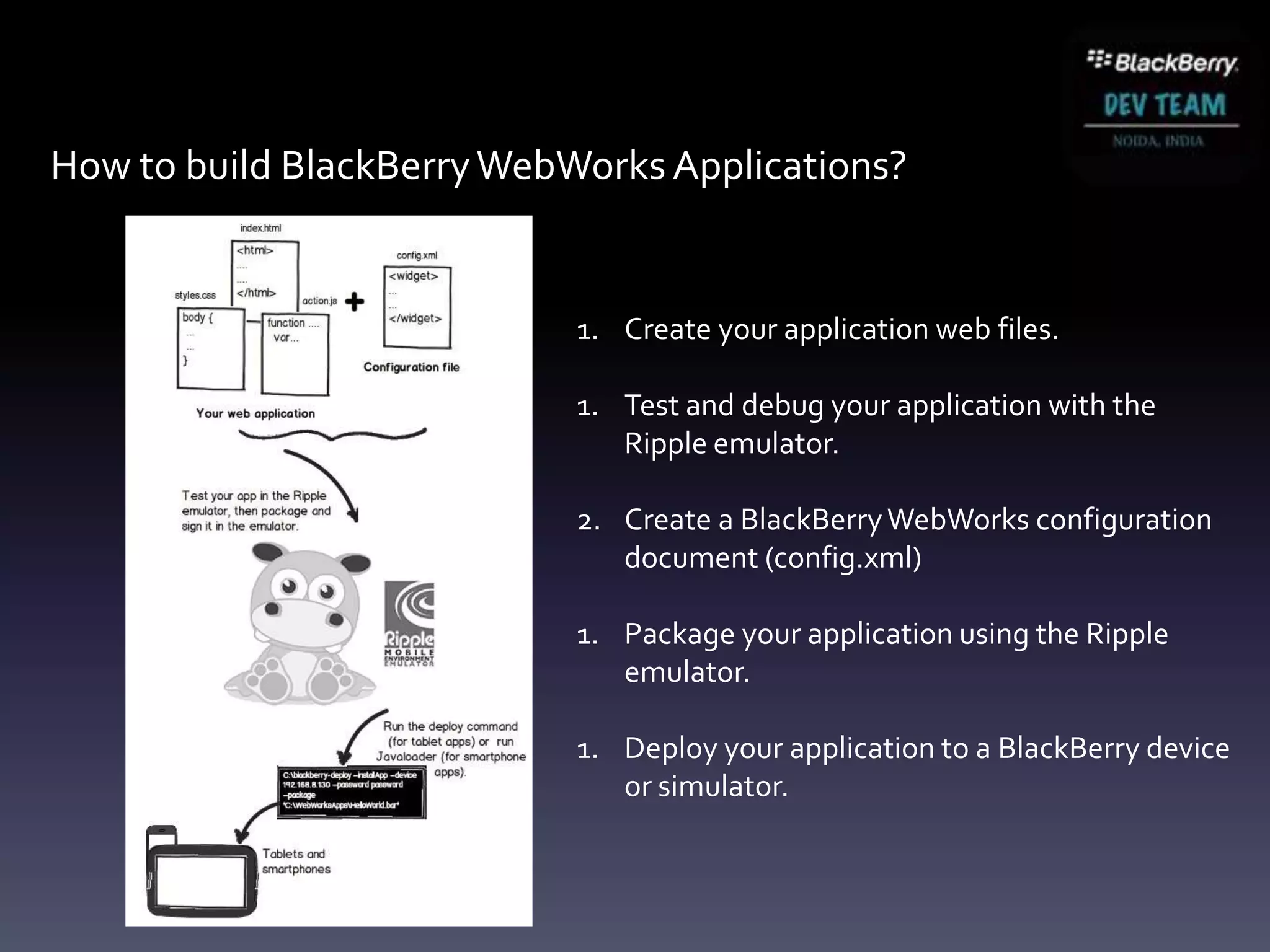
How to build BlackBerry WebWorks Applications?


                            1. Create your application web files.

                            1. Test and debug your application with the
                               Ripple emulator.

                            2. Create a BlackBerry WebWorks configuration
                               document (config.xml)

                            1. Package your application using the Ripple
                               emulator.

                            1. Deploy your application to a BlackBerry device
                               or simulator.
Let’s Build a WebWorks Application

Target: BlackBerry Smartphone
Dev environment setup
     Required to package WebWorks file assets into a BlackBerry application
     BlackBerry WebWorks SDK for Smartphone
             Java SDK 1.6
             BlackBerry WebWorks SDK
             Optional: BlackBerry Smartphone simulator (Windows Only)


    Step 1 . Download and Setup Java SDK (min version 1.6):
    http://java.sun.com/javase/downloads/index.jsp#jdk

    Step 2. Download and Setup the BlackBerry WebWorks SDK for
    Smartphone:
    http://developer.blackberry.com/html5/download/sdk

    Step 3. Download and Setup Ripple (Standalone)
     http://developer.blackberry.com/html5
Hello World
  my first app
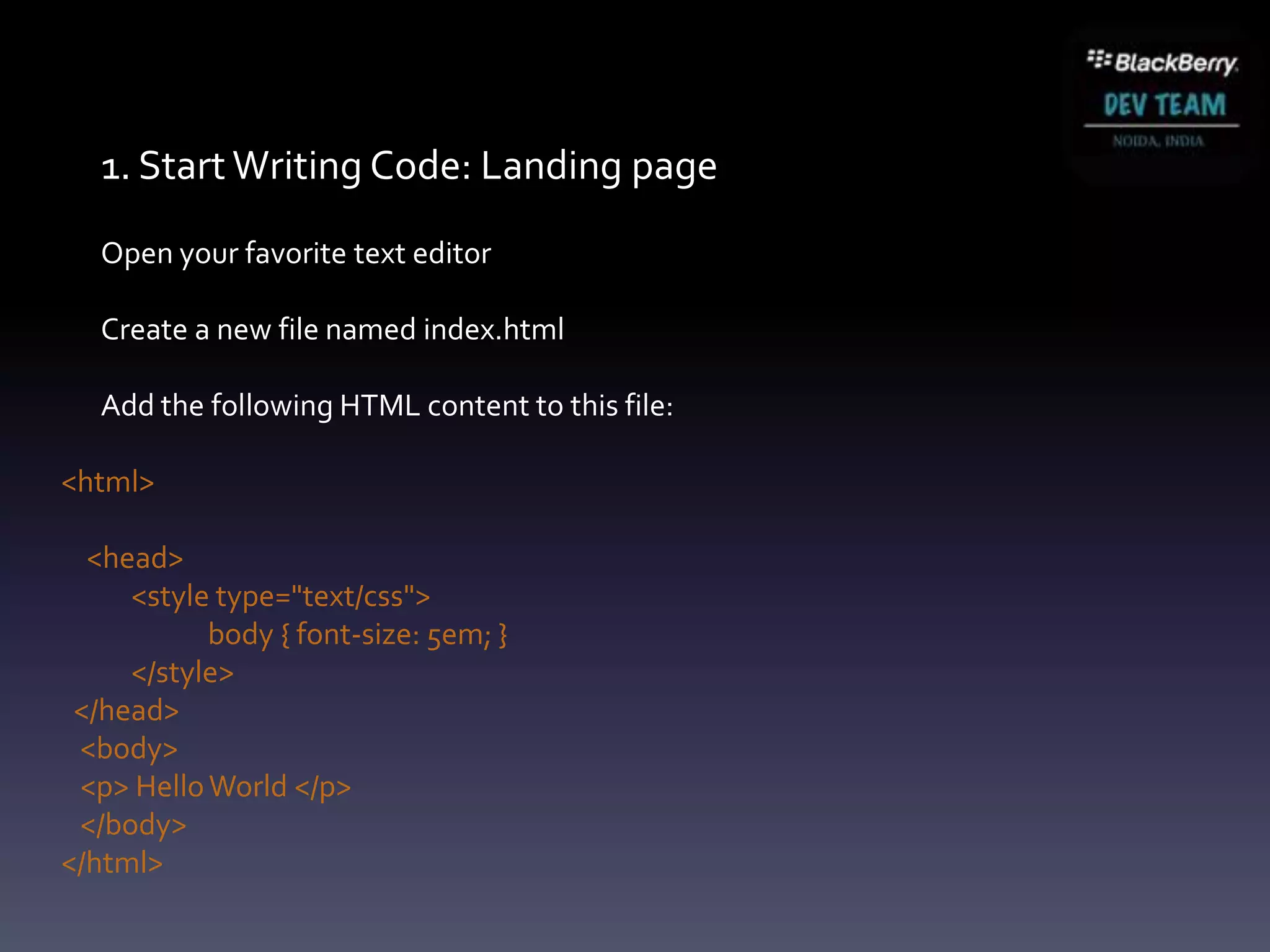
1. Start Writing Code: Landing page
   Open your favorite text editor

   Create a new file named index.html

   Add the following HTML content to this file:

<html>

  <head>
     <style type="text/css">
           body { font-size: 5em; }
     </style>
 </head>
 <body>
 <p> Hello World </p>
 </body>
</html>
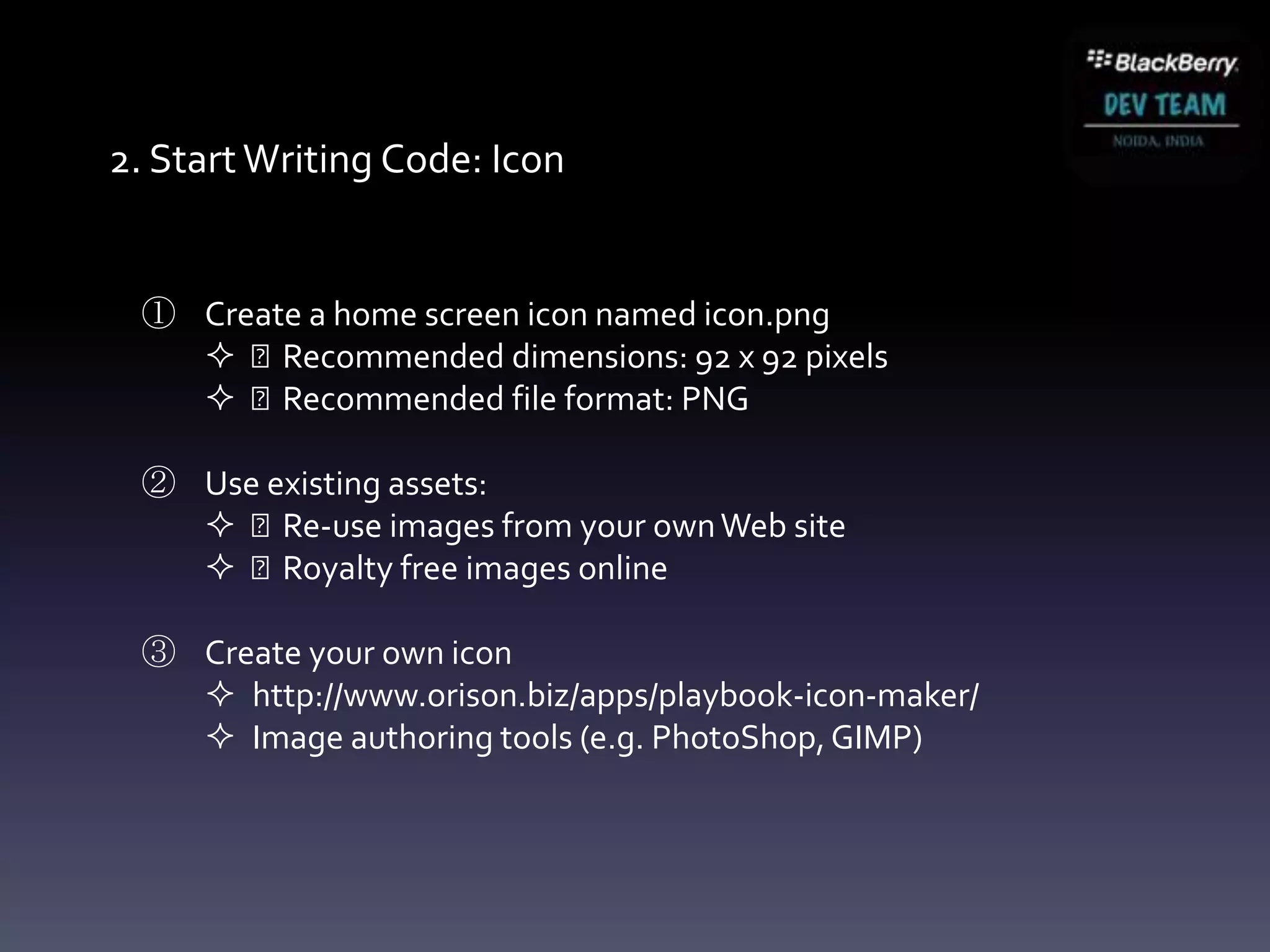
2. Start Writing Code: Icon


 ① Create a home screen icon named icon.png
    Recommended dimensions: 92 x 92 pixels
    Recommended file format: PNG

 ② Use existing assets:
    Re-use images from your own Web site
    Royalty free images online

 ③ Create your own icon
    http://www.orison.biz/apps/playbook-icon-maker/
    Image authoring tools (e.g. PhotoShop, GIMP)
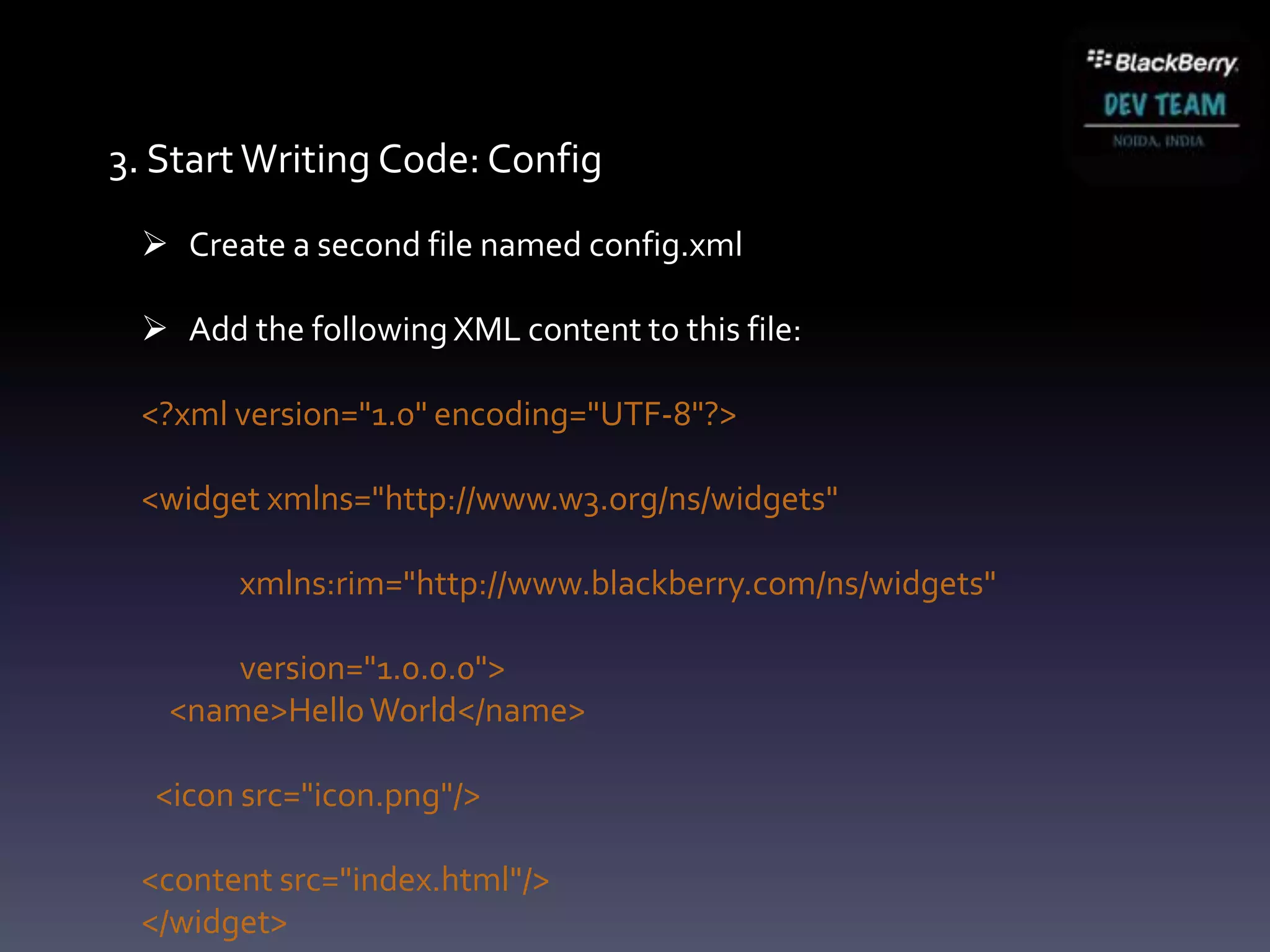
3. Start Writing Code: Config
  Create a second file named config.xml

  Add the following XML content to this file:

 <?xml version="1.0" encoding="UTF-8"?>

 <widget xmlns="http://www.w3.org/ns/widgets"

       xmlns:rim="http://www.blackberry.com/ns/widgets"

       version="1.0.0.0">
   <name>Hello World</name>

  <icon src="icon.png"/>

 <content src="index.html"/>
 </widget>
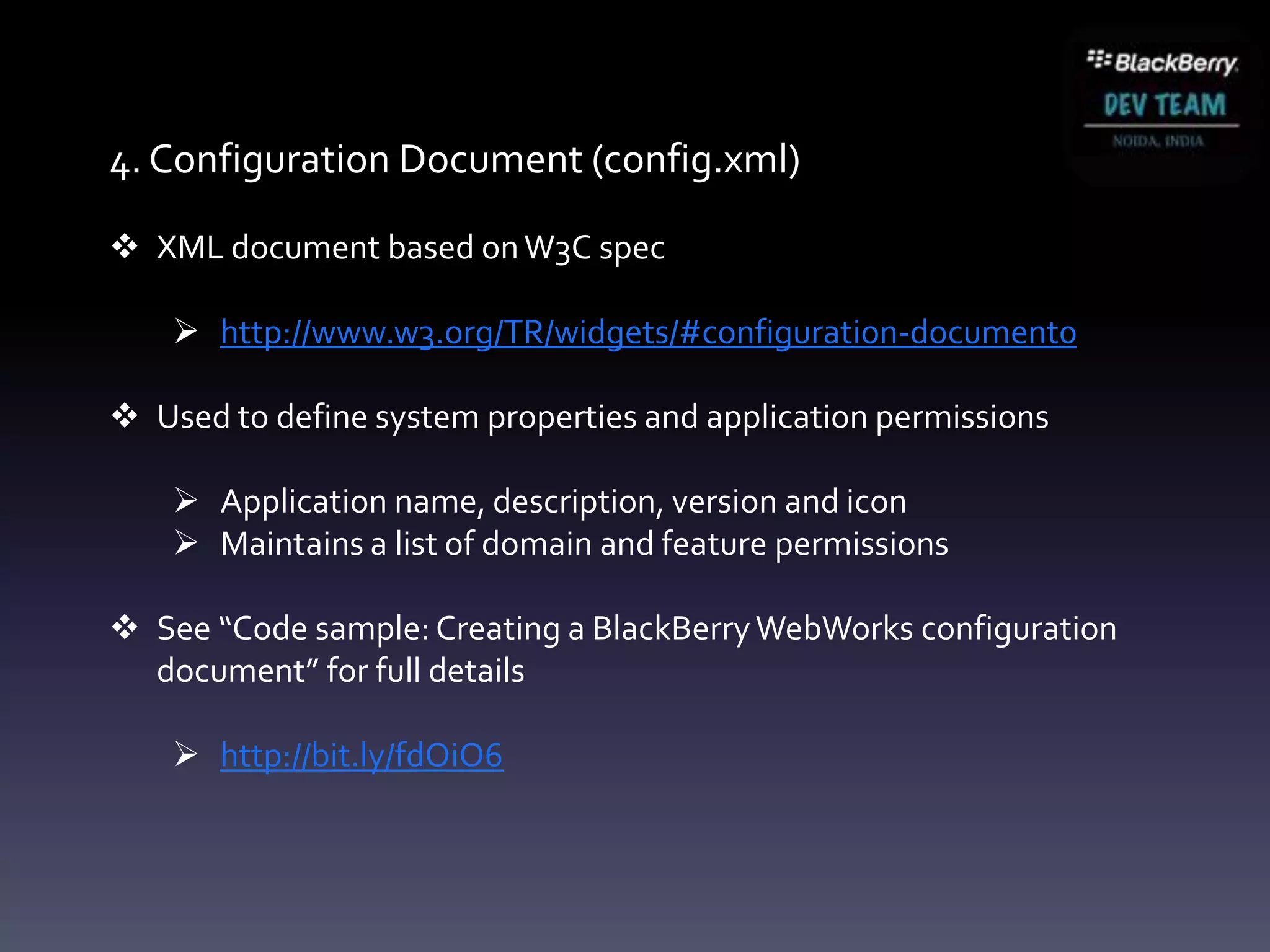
4. Configuration Document (config.xml)

 XML document based on W3C spec

     http://www.w3.org/TR/widgets/#configuration-document0

 Used to define system properties and application permissions

     Application name, description, version and icon
     Maintains a list of domain and feature permissions

 See “Code sample: Creating a BlackBerry WebWorks configuration
  document” for full details

     http://bit.ly/fdOiO6
4. Configuration Document (config.xml)

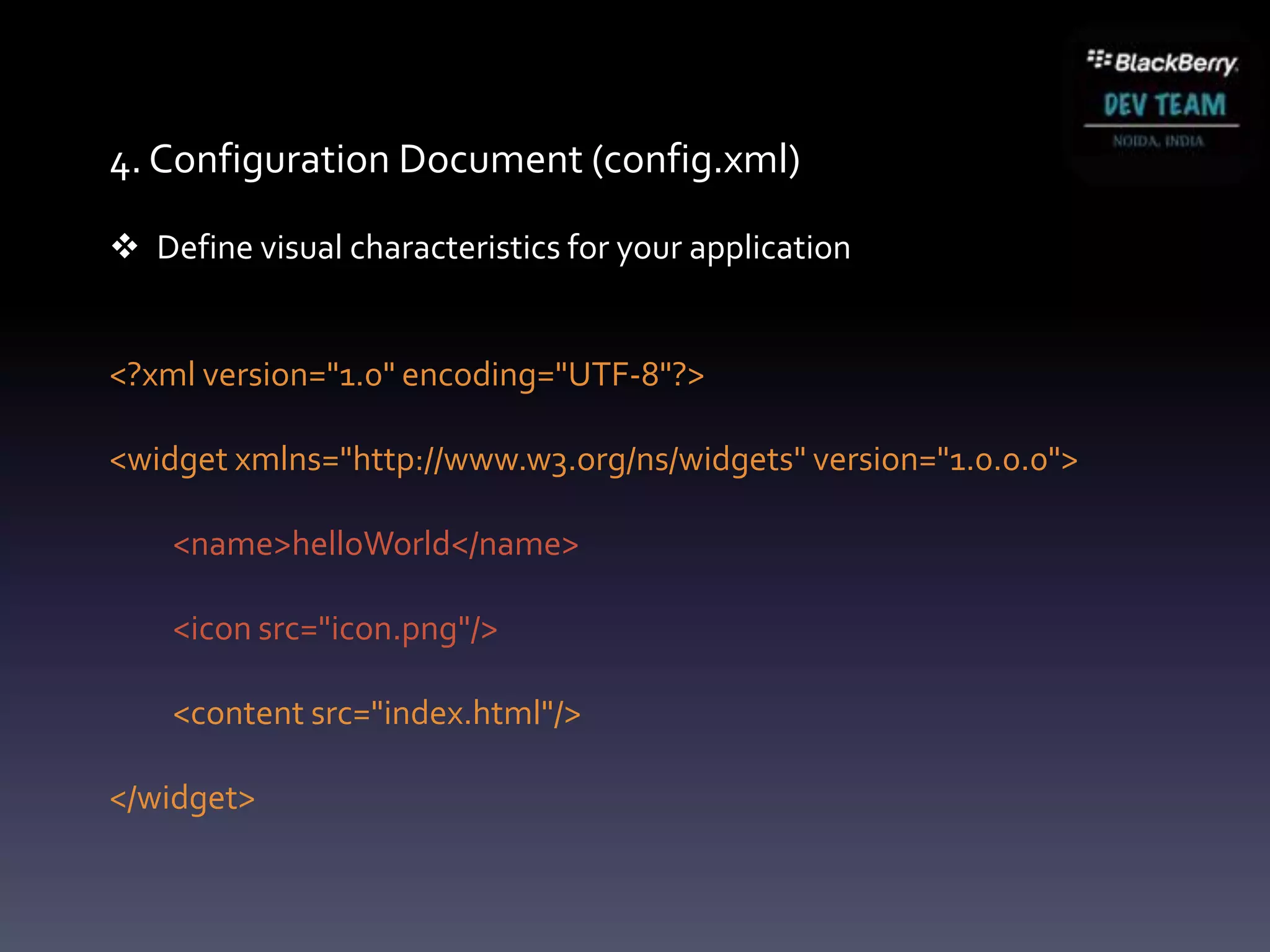
 Define visual characteristics for your application


<?xml version="1.0" encoding="UTF-8"?>

<widget xmlns="http://www.w3.org/ns/widgets" version="1.0.0.0">

    <name>helloWorld</name>

    <icon src="icon.png"/>

    <content src="index.html"/>

</widget>
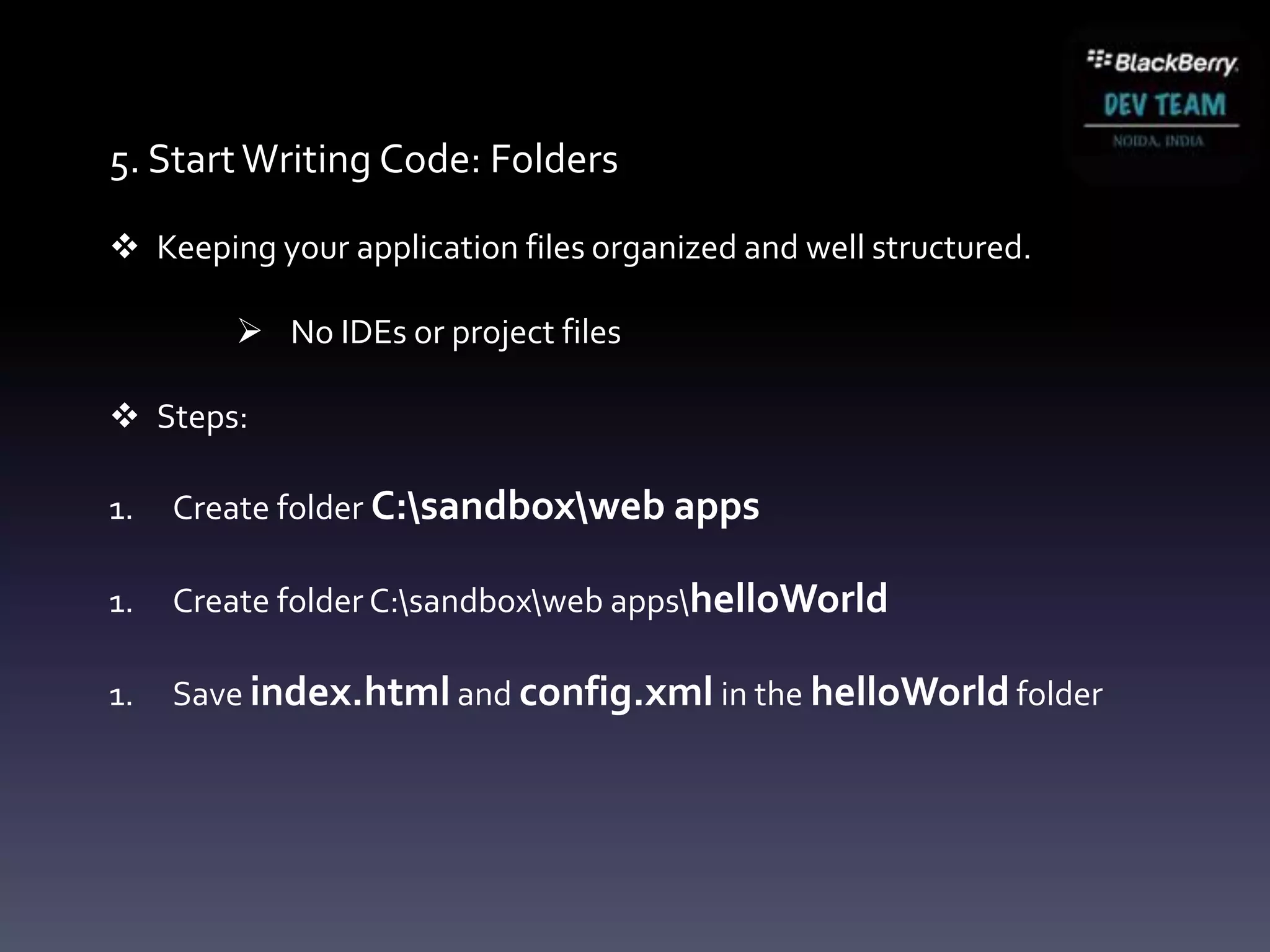
5. Start Writing Code: Folders

 Keeping your application files organized and well structured.

         No IDEs or project files

 Steps:

1.   Create folder C:sandboxweb apps

1.   Create folder C:sandboxweb appshelloWorld

1.   Save index.html and config.xml in the helloWorld folder
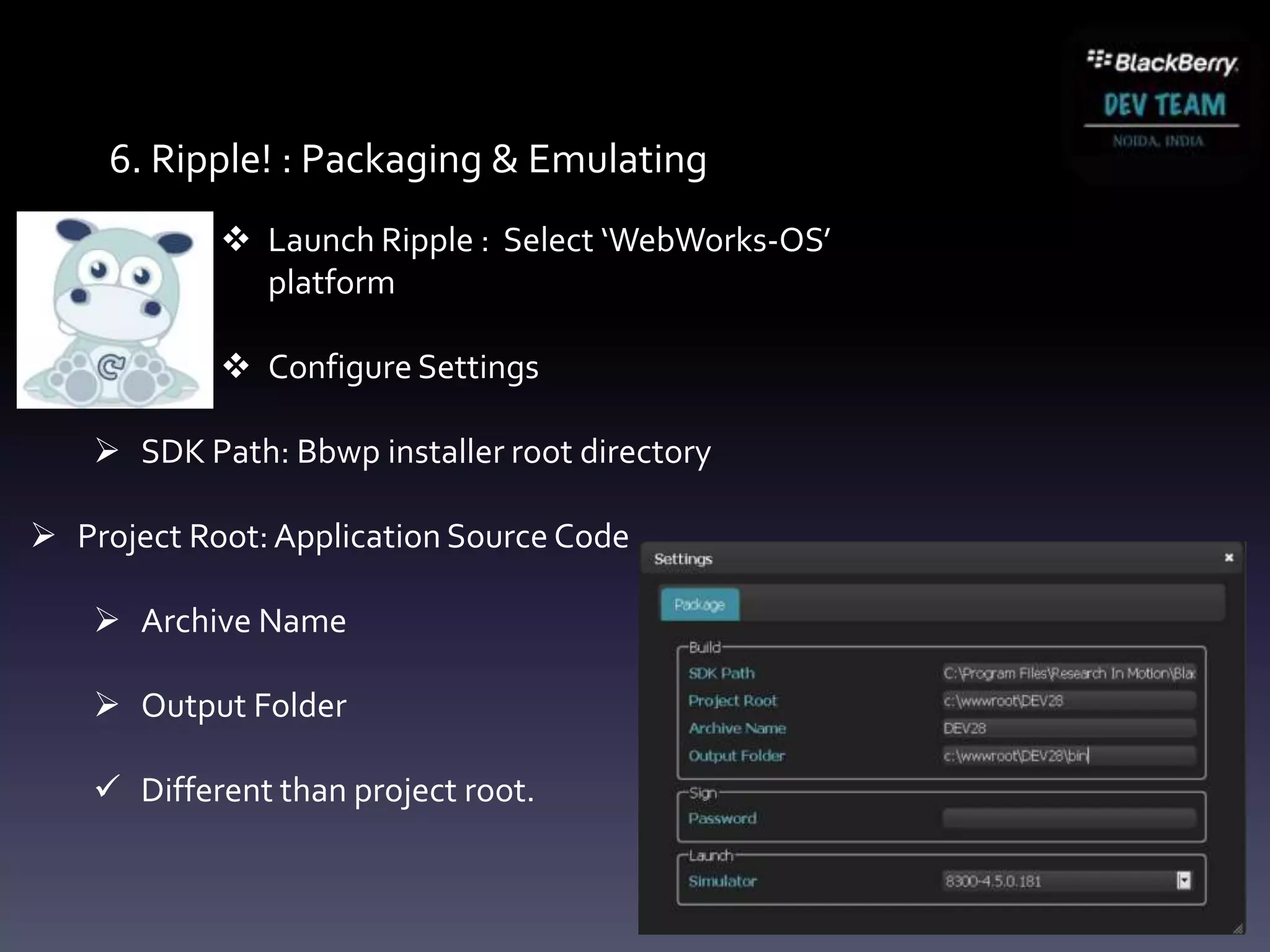
6. Ripple! : Packaging & Emulating
             Launch Ripple : Select ‘WebWorks-OS’
              platform

             Configure Settings

     SDK Path: Bbwp installer root directory

 Project Root: Application Source Code

     Archive Name

     Output Folder

     Different than project root.
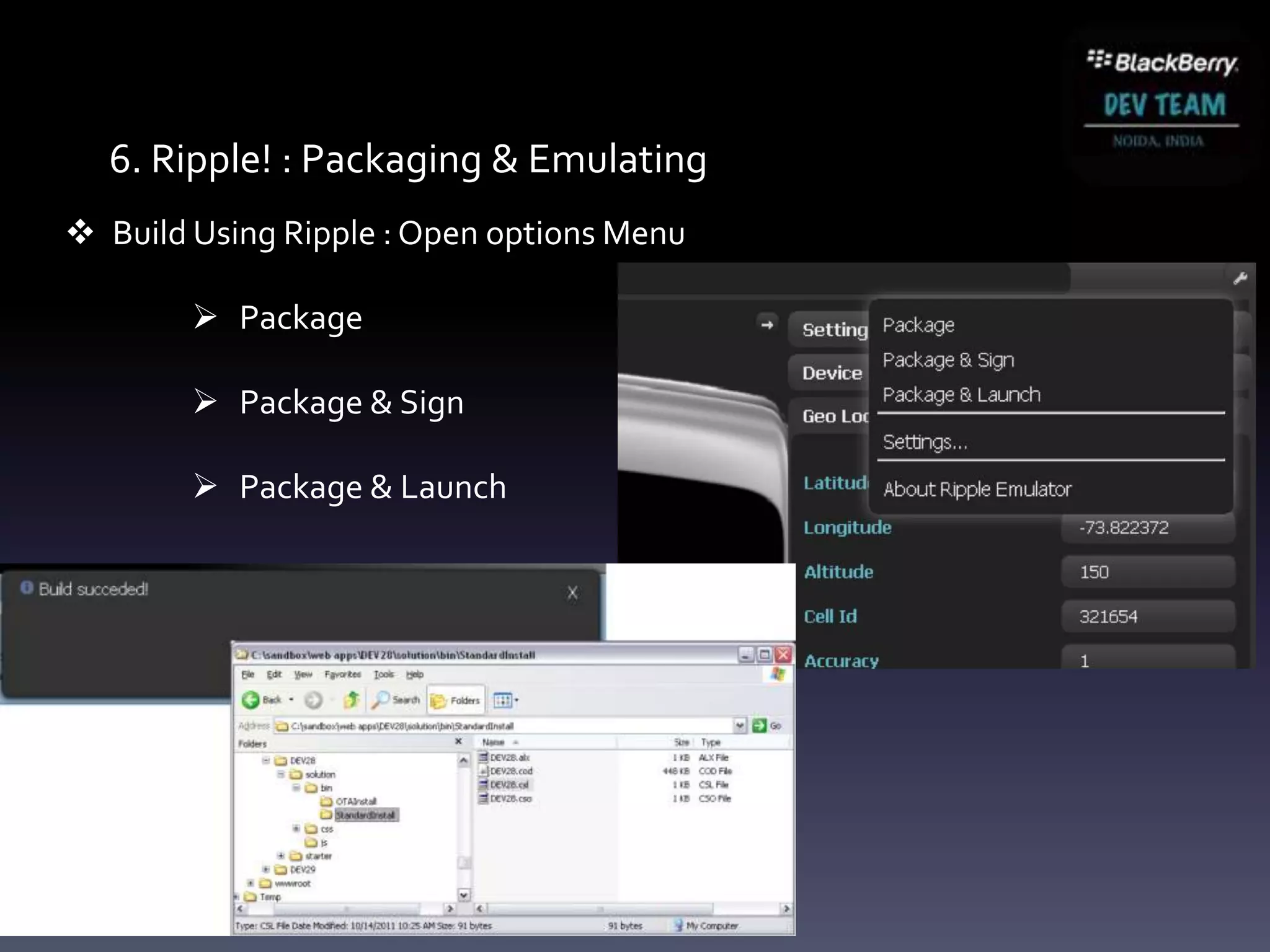
6. Ripple! : Packaging & Emulating
 Build Using Ripple : Open options Menu

         Package

         Package & Sign

         Package & Launch
Thank you.

BlackBerry WebWorks

  • 1.
    Bhasker Thapan Developer GroupManager , Noida bhasker@blackberrydevteam.com October 10, 2012
  • 2.
  • 3.
    Topics Introduction : BlackBerryWebWorks HTML5 Web App Vs Native App Why BlackBerry WebWorks BlackBerry WebWorks App Development
  • 4.
    Introduction to BlackBerryWebWorks Mission…. To create, as a community, a simple to use cross platform SDK for Web Developers to package their Web assets as a mobile application which has Secure access to deeply integrated system level APIs.
  • 5.
    Using HTML5 InYour Application HTML5 is a standardized technology • Supported consistently across different platforms and engines • Enhancements to existing standard allow integration with platform See “HTML reference – BlackBerry browser” documentation • Complete list of BlackBerry supported HTML5 elements • http://bit.ly/aGFoub Many great HTML5 learning resources available online • http://diveintohtml5.org/ • http://html5demos.com • http://www.w3schools.com/html5/default.asp • http://www.html5test.com
  • 6.
    Web App VsNative App Native App Web App Internet Access Not Required Required Performance Yes No Hardware Access Yes No OS Access Yes No Hardware & Yes No Platform Dependent Installation Must be Installed URL link Updates Reinstallation Simple
  • 7.
    Why BlackBerry WebWorks? BlackBerry WebWorks is an application platform that enables developers to create standalone applications using modern and standardized web technologies. WebWorks applications can be fully-featured “Super Apps” through their ability to integrate with native BlackBerry and PlayBook features.
  • 8.
    Why BlackBerry WebWorks?  The richness of device access and reuse of assets .  The simplicity of the browser programming model.  It’s a diverse world out there for developers!  Strong Web standards offer support across multiple platforms  Reuse Web assets and developer skills to create BlackBerry apps  Each platform seeing growth in access to native functionality  Access the richness and differentiators of each platform  BlackBerry WebWorks applications are supported on  All BlackBerry PlayBook  All BlackBerry 6 onwards including BlackBerry 10  More than 60 Million Users
  • 9.
    What Can aWebWorks App Do?
  • 10.
    Live vs. LocalWeb Content  A WebWorks application does not need an active network connection  Created using Web technologies, but designed to function offline  Web assets of your application can be local: <a href="local:///index.html">Home</a> <a href="file:///accounts/1000/shared/camera/IMG_01.jpg"> Camera Pic</a>  Can also use live resources to populate content dynamically <img src="http://www.mysite.com/image1.png"/>
  • 11.
    How to buildBlackBerry WebWorks Applications? 1. Create your application web files. 1. Test and debug your application with the Ripple emulator. 2. Create a BlackBerry WebWorks configuration document (config.xml) 1. Package your application using the Ripple emulator. 1. Deploy your application to a BlackBerry device or simulator.
  • 12.
    Let’s Build aWebWorks Application Target: BlackBerry Smartphone
  • 13.
    Dev environment setup  Required to package WebWorks file assets into a BlackBerry application  BlackBerry WebWorks SDK for Smartphone  Java SDK 1.6  BlackBerry WebWorks SDK  Optional: BlackBerry Smartphone simulator (Windows Only) Step 1 . Download and Setup Java SDK (min version 1.6): http://java.sun.com/javase/downloads/index.jsp#jdk Step 2. Download and Setup the BlackBerry WebWorks SDK for Smartphone: http://developer.blackberry.com/html5/download/sdk Step 3. Download and Setup Ripple (Standalone)  http://developer.blackberry.com/html5
  • 14.
    Hello World my first app
  • 15.
    1. Start WritingCode: Landing page Open your favorite text editor Create a new file named index.html Add the following HTML content to this file: <html> <head> <style type="text/css"> body { font-size: 5em; } </style> </head> <body> <p> Hello World </p> </body> </html>
  • 16.
    2. Start WritingCode: Icon ① Create a home screen icon named icon.png  Recommended dimensions: 92 x 92 pixels  Recommended file format: PNG ② Use existing assets:  Re-use images from your own Web site  Royalty free images online ③ Create your own icon  http://www.orison.biz/apps/playbook-icon-maker/  Image authoring tools (e.g. PhotoShop, GIMP)
  • 17.
    3. Start WritingCode: Config  Create a second file named config.xml  Add the following XML content to this file: <?xml version="1.0" encoding="UTF-8"?> <widget xmlns="http://www.w3.org/ns/widgets" xmlns:rim="http://www.blackberry.com/ns/widgets" version="1.0.0.0"> <name>Hello World</name> <icon src="icon.png"/> <content src="index.html"/> </widget>
  • 18.
    4. Configuration Document(config.xml)  XML document based on W3C spec  http://www.w3.org/TR/widgets/#configuration-document0  Used to define system properties and application permissions  Application name, description, version and icon  Maintains a list of domain and feature permissions  See “Code sample: Creating a BlackBerry WebWorks configuration document” for full details  http://bit.ly/fdOiO6
  • 19.
    4. Configuration Document(config.xml)  Define visual characteristics for your application <?xml version="1.0" encoding="UTF-8"?> <widget xmlns="http://www.w3.org/ns/widgets" version="1.0.0.0"> <name>helloWorld</name> <icon src="icon.png"/> <content src="index.html"/> </widget>
  • 20.
    5. Start WritingCode: Folders  Keeping your application files organized and well structured.  No IDEs or project files  Steps: 1. Create folder C:sandboxweb apps 1. Create folder C:sandboxweb appshelloWorld 1. Save index.html and config.xml in the helloWorld folder
  • 21.
    6. Ripple! :Packaging & Emulating  Launch Ripple : Select ‘WebWorks-OS’ platform  Configure Settings  SDK Path: Bbwp installer root directory  Project Root: Application Source Code  Archive Name  Output Folder  Different than project root.
  • 22.
    6. Ripple! :Packaging & Emulating  Build Using Ripple : Open options Menu  Package  Package & Sign  Package & Launch
  • 23.