Introduction to Point-And-Click App
Building
Fabien Taillon
CGI Technical Architect
@FabienTaillon
Bruno Vuong
Platform Solution Engineer
bvuong@salesforce.com
Agenda
• Salesforce Platform Overview
• Multi Tenant Architecture
• Services brought by the platform
• Integration
• New Features
• How do we build an application?
• Hands On
• Q&A
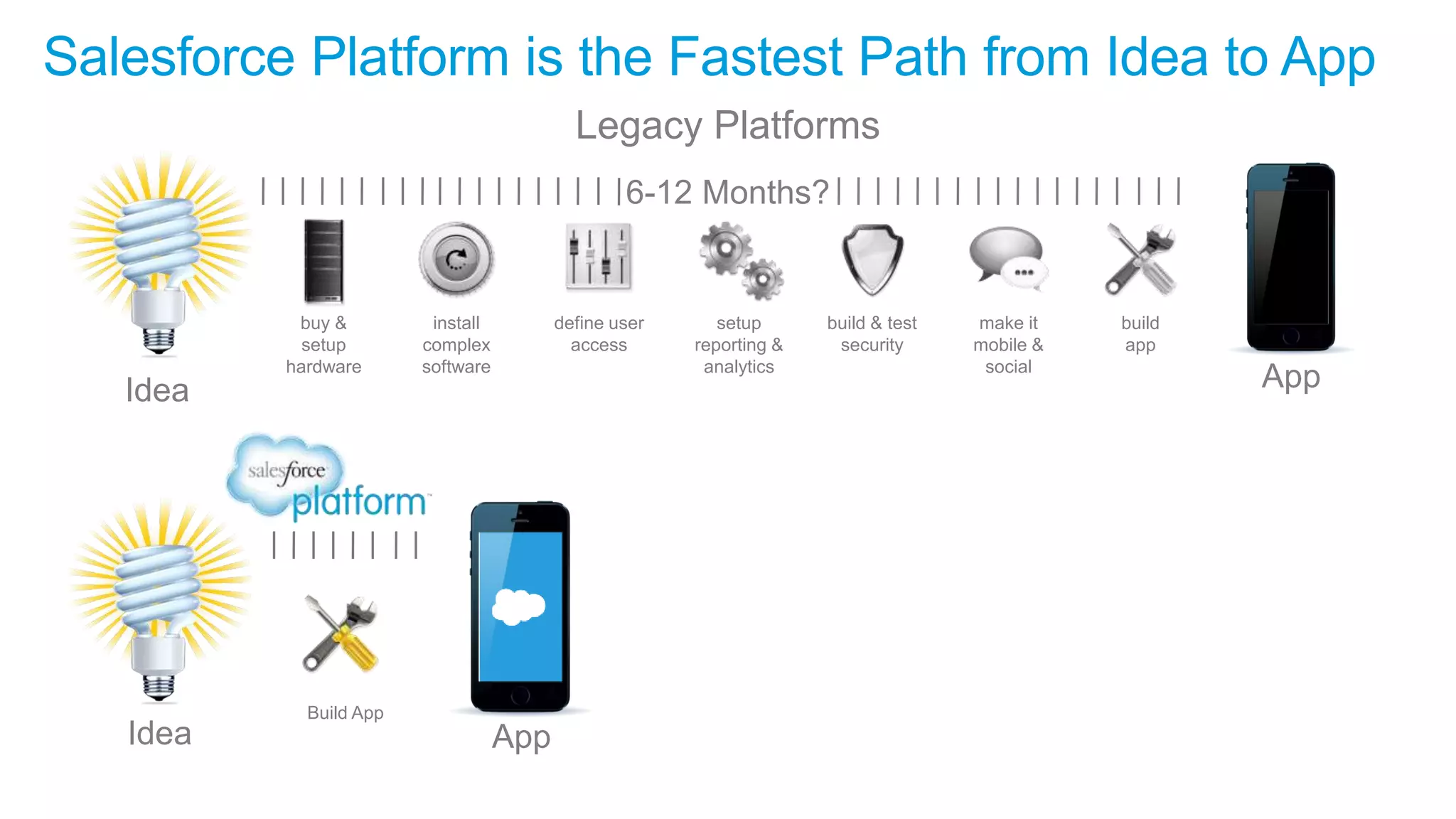
Salesforce Platform is the Fastest Path from Idea to App
Idea
Build App
Idea
buy &
setup
hardware
install
complex
software
define user
access
build & test
security
make it
mobile &
social
setup
reporting &
analytics
build
app
Legacy Platforms
6-12 Months?
App
App
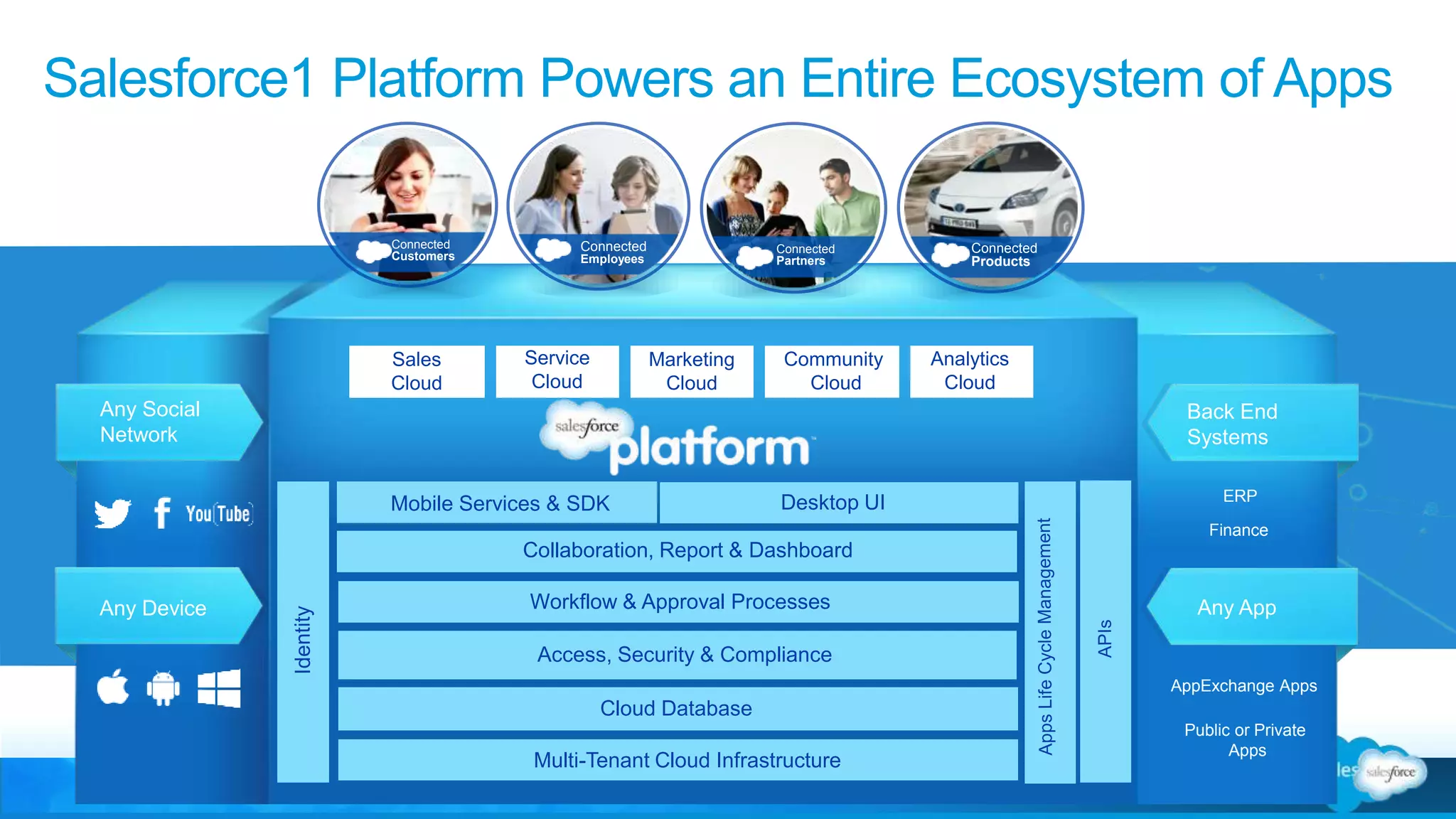
Salesforce1 Platform Powers an Entire Ecosystem of Apps
Collaboration, Report & Dashboard
Multi-Tenant Cloud Infrastructure
Sales
Cloud
Service
Cloud
Marketing
Cloud
Community
Cloud
Cloud Database
Access, Security & Compliance
Any Social
Network
Any Device
Back End
Systems
Any App
AppExchange Apps
ERP
Finance
Public or Private
Apps
Connected
Customers
Connected
Products
Connected
Partners
Connected
Employees
Analytics
Cloud
Mobile Services & SDK
Workflow & Approval Processes
Desktop UI
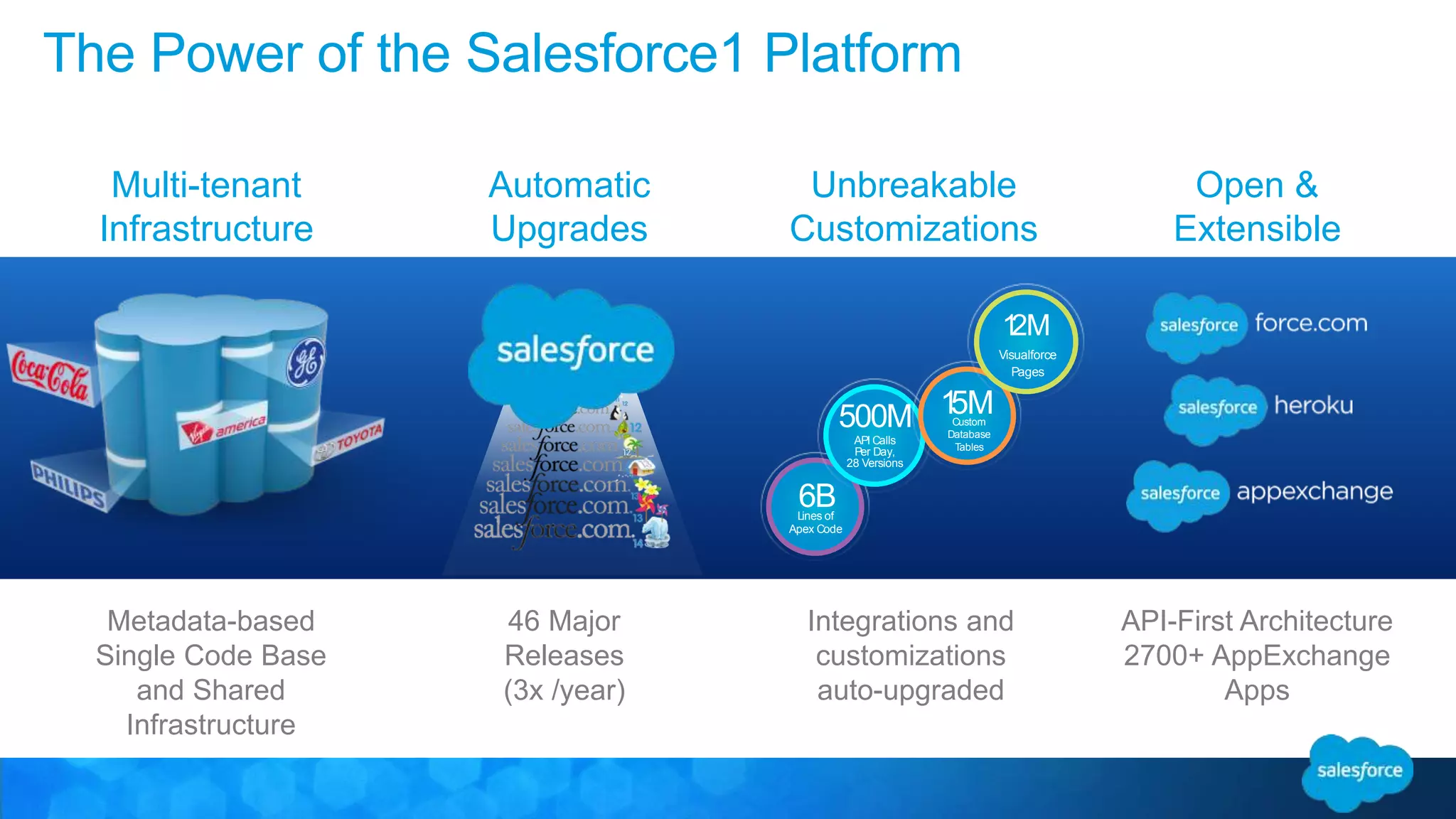
The Power of the Salesforce1 Platform
Automatic
Upgrades
46 Major
Releases
(3x /year)
Multi-tenant
Infrastructure
Metadata-based
Single Code Base
and Shared
Infrastructure
Open &
Extensible
API-First Architecture
2700+ AppExchange
Apps
Unbreakable
Customizations
Integrations and
customizations
auto-upgraded
6BLines of
Apex Code
500M
API Calls
Per Day,
28 Versions
15MCustom
Database
Tables
12M
Visualforce
Pages
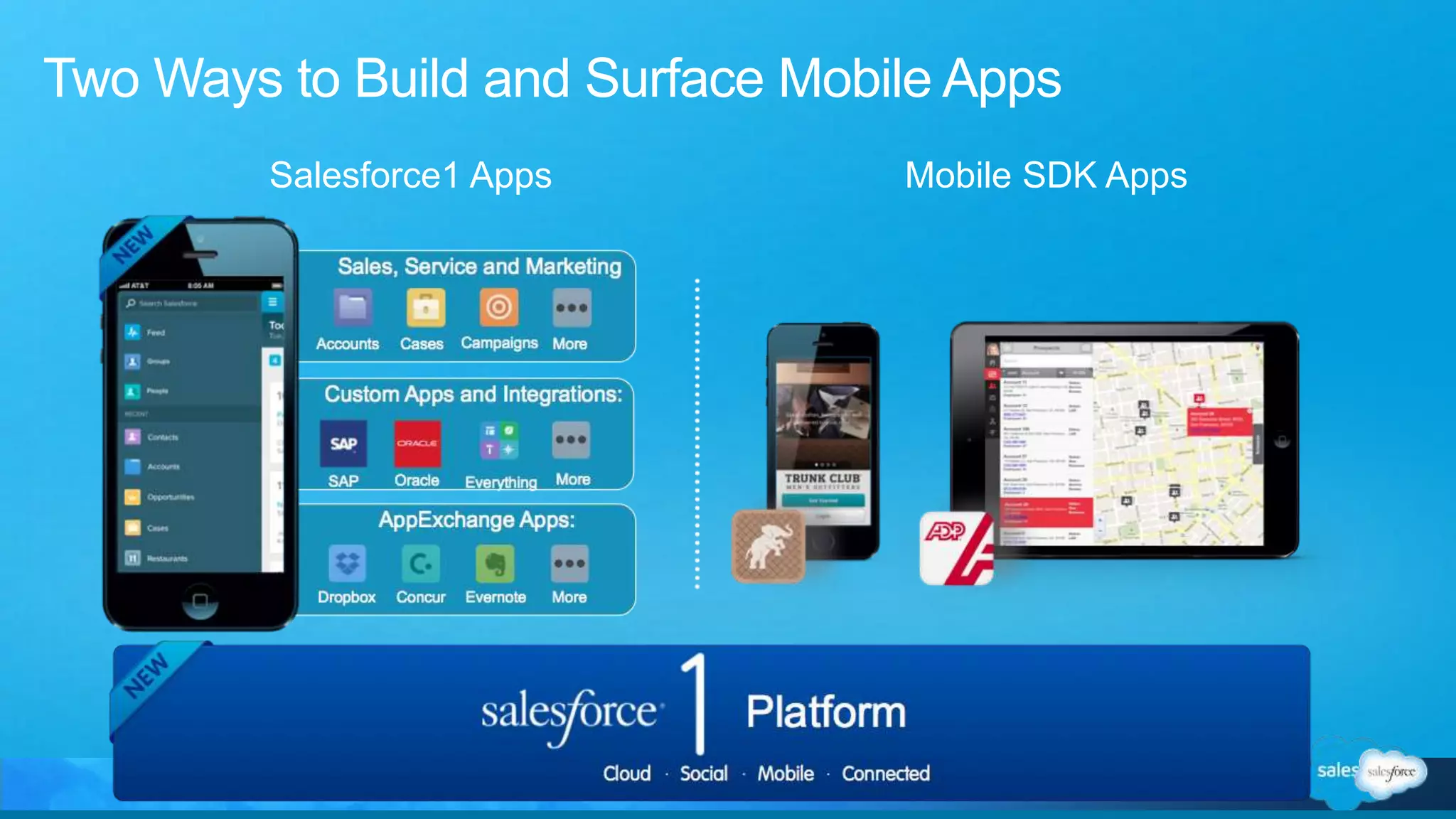
Mobile SDK AppsSalesforce1 Apps
Two Ways to Build and Surface Mobile Apps
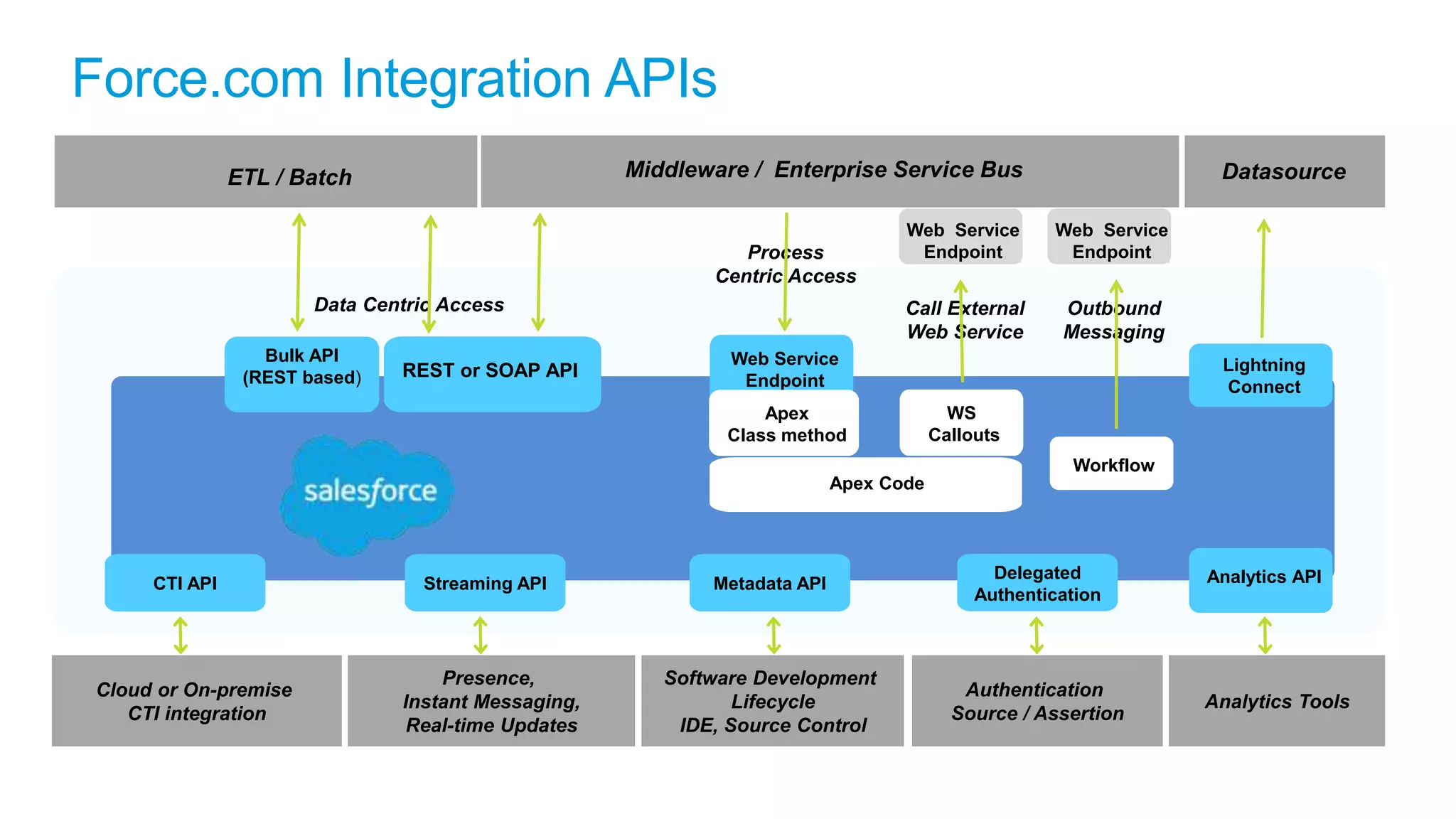
Force.com Integration APIs
Middleware / Enterprise Service Bus
Web Service
Endpoint
Call External
Web Service
REST or SOAP API
Data Centric Access
Web Service
Endpoint
Outbound
Messaging
Workflow
WS
Callouts
Web Service
Endpoint
Process
Centric Access
Apex
Class method
Apex Code
ETL / Batch
Bulk API
(REST based)
Delegated
Authentication
Authentication
Source / Assertion
Metadata API
Software Development
Lifecycle
IDE, Source Control
Streaming API
Presence,
Instant Messaging,
Real-time Updates
CTI API
Cloud or On-premise
CTI integration
Analytics API
Datasource
Analytics Tools
Lightning
Connect
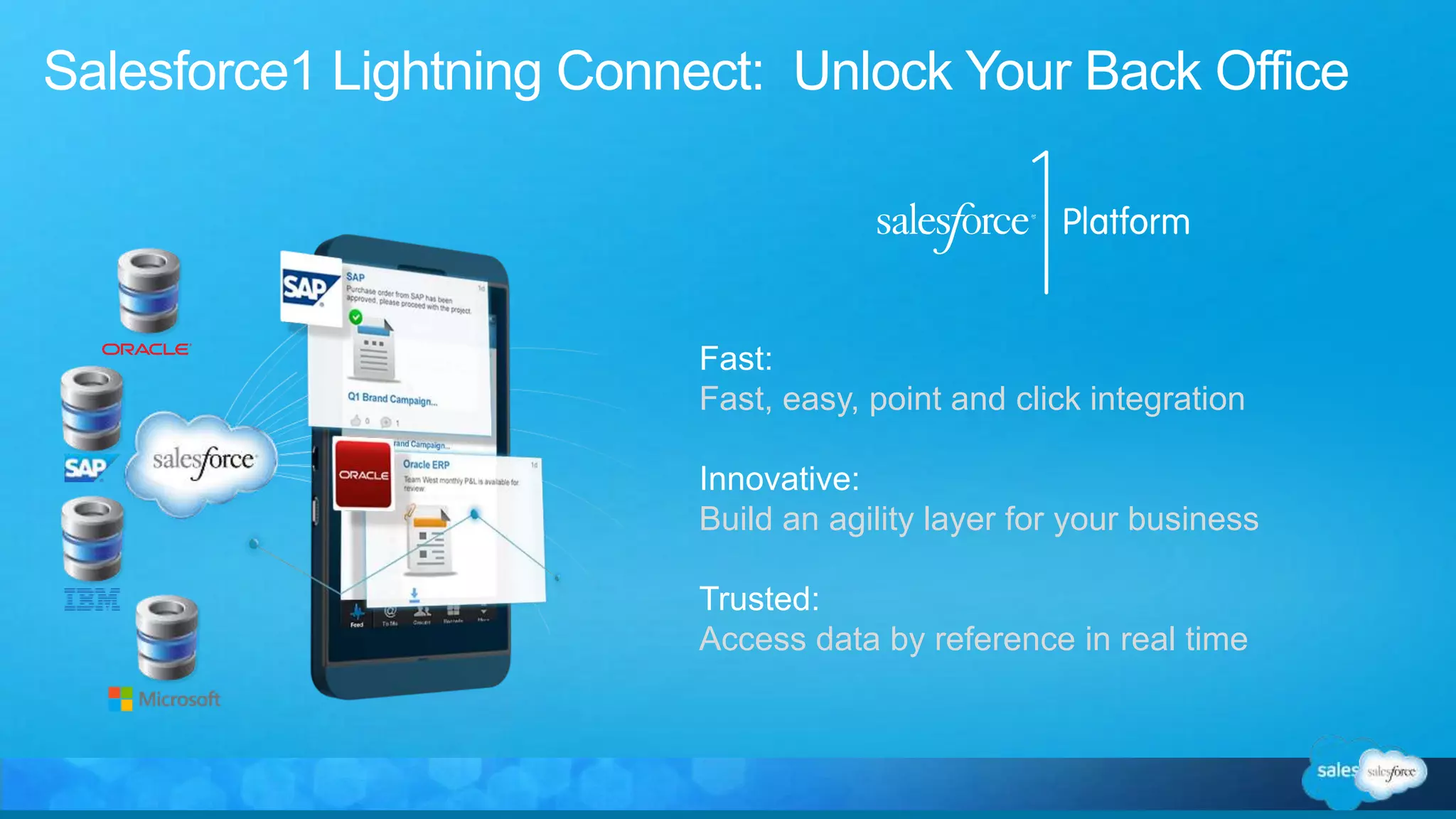
Salesforce1 Lightning Connect: Unlock Your Back Office
Fast:
Fast, easy, point and click integration
Innovative:
Build an agility layer for your business
Trusted:
Access data by reference in real time
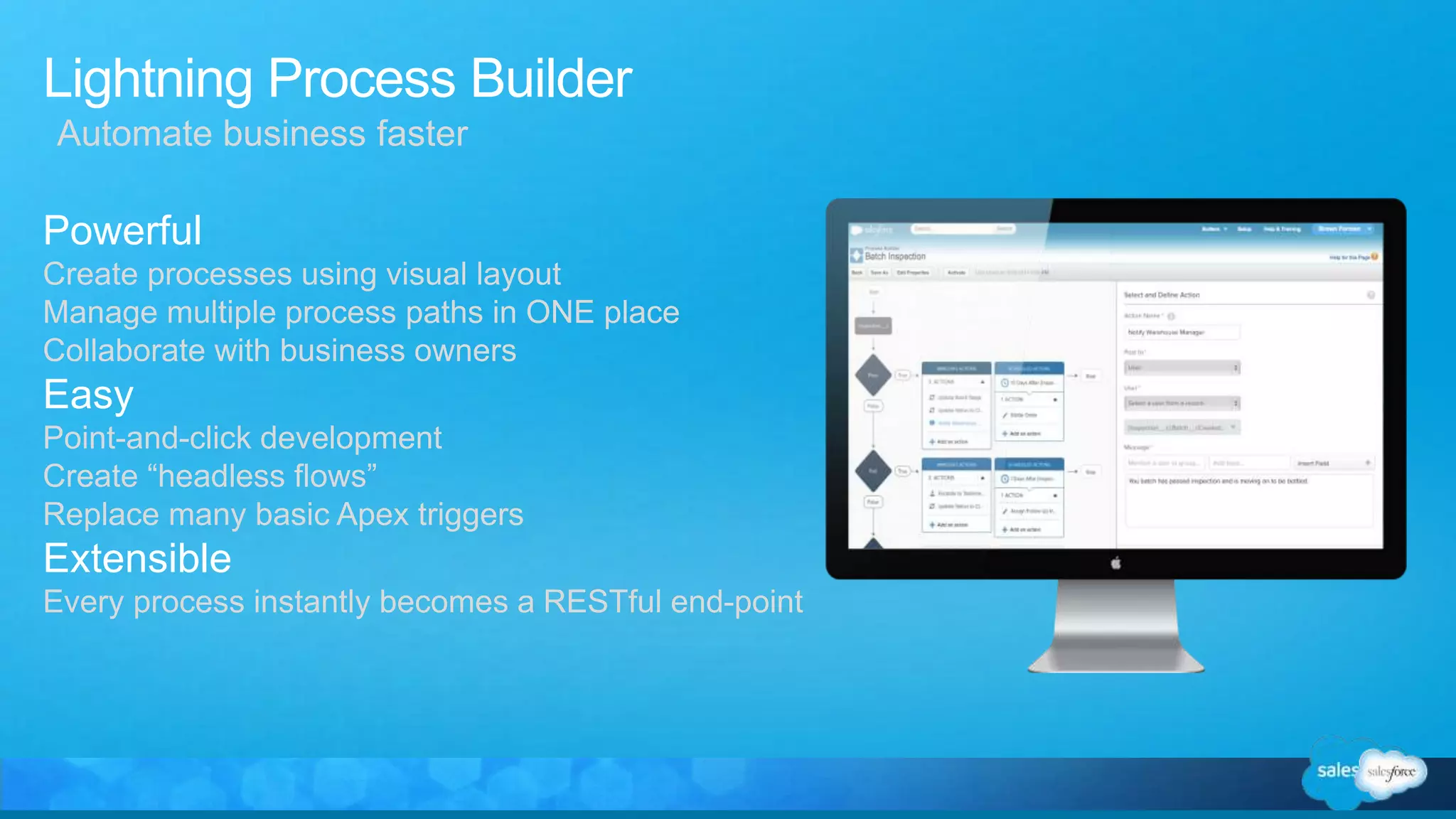
Lightning Process Builder
Powerful
Create processes using visual layout
Manage multiple process paths in ONE place
Collaborate with business owners
Easy
Point-and-click development
Create “headless flows”
Replace many basic Apex triggers
Extensible
Every process instantly becomes a RESTful end-point
Automate business faster
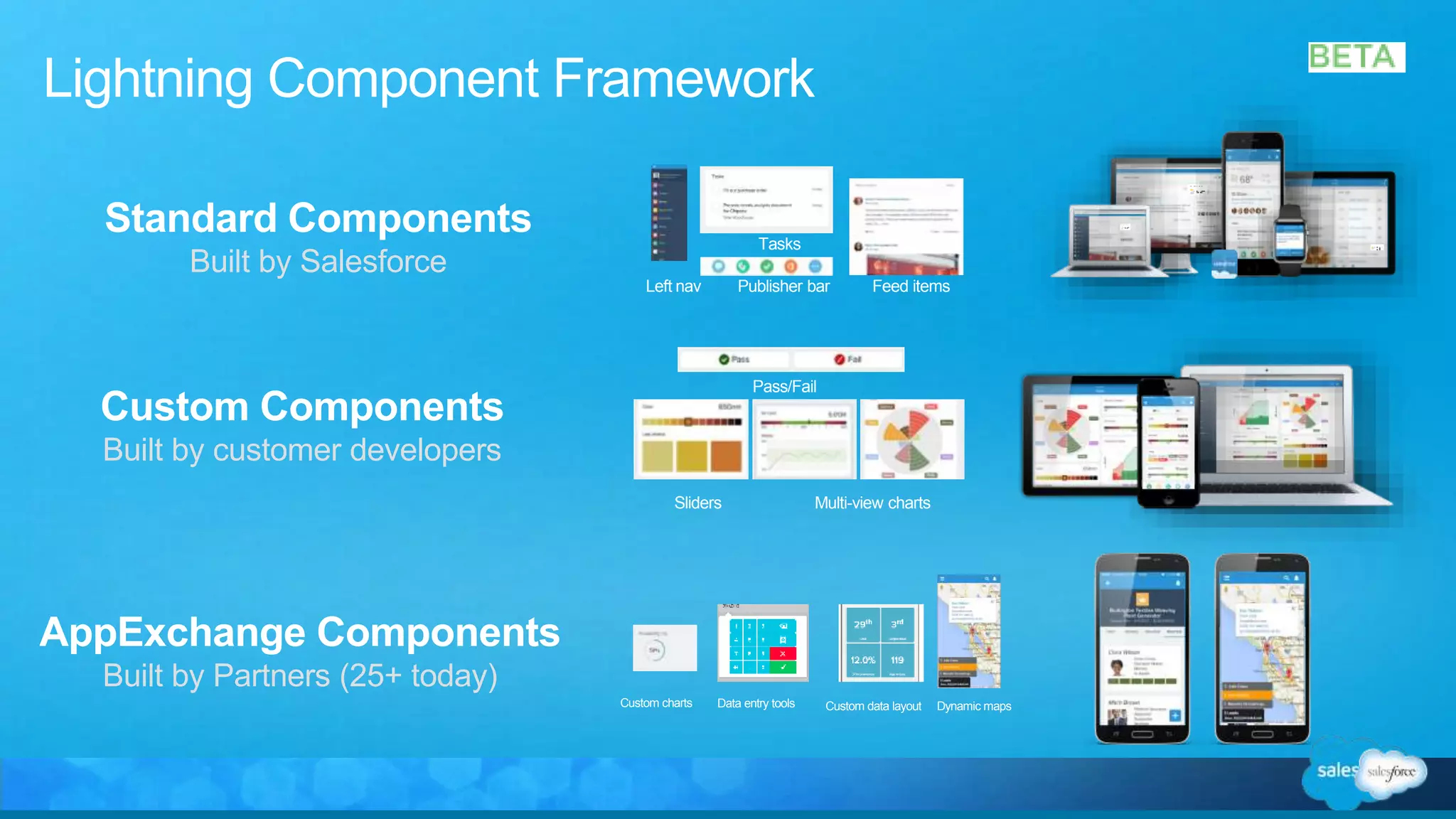
Standard Components
Built by Salesforce
Custom charts Data entry tools Custom data layout Dynamic maps
Left nav Publisher bar Feed items
Tasks
Sliders Multi-view charts
Pass/Fail
Custom Components
Built by customer developers
AppExchange Components
Built by Partners (25+ today)
Lightning Component Framework
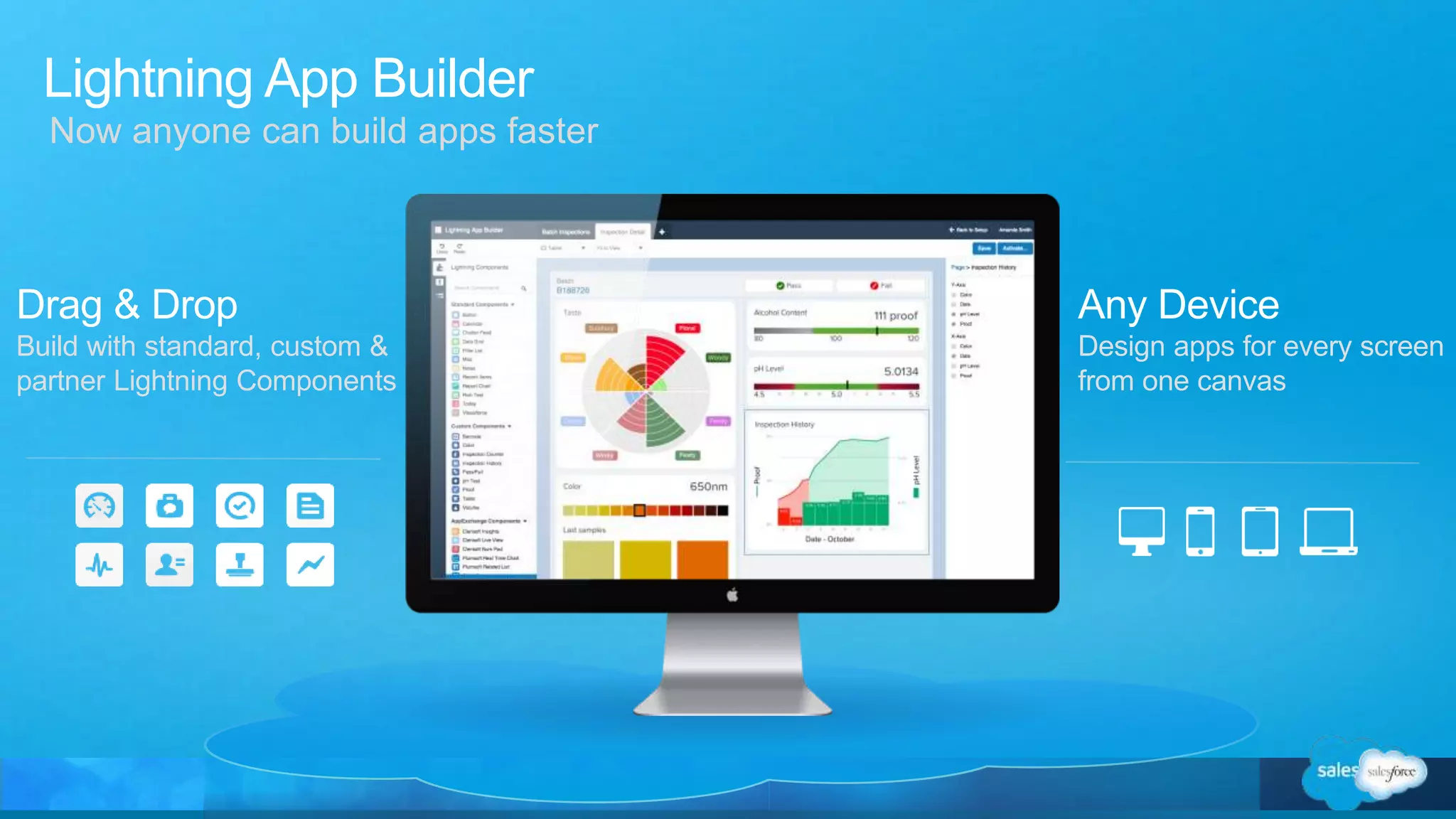
Lightning App Builder
Drag & Drop
Build with standard, custom &
partner Lightning Components
Any Device
Design apps for every screen
from one canvas
Now anyone can build apps faster
HR Help Desk
Employee Intranet
Recruiting &
Onboarding
Performance
& Coaching
IT Help Desk / Self-
Service Community
Legacy Applications
Consolidation
Enterprise
Knowledge
Identity Mgmt
Custom Web /
Mobile Applications
Business Agility
Layer (e.g. Claims,
Underwriting, …)
Asset & Facilities
Management
Financial Shared
Services
M&A Enablement
Early Warning
Management
Product Ideas &
Innovation
Pre-Production
Testing
Warrant Coverage
Decisioning
Procurement
Vendor
Management
Transportation
Logistics
Contract
Management
Budget
Management
Contract
Management
Pricing
Billing
Management
Audit
Management
Connect Every Department on One Platform
Apps
HR Product
Supply
Chain
ITFinanceOps
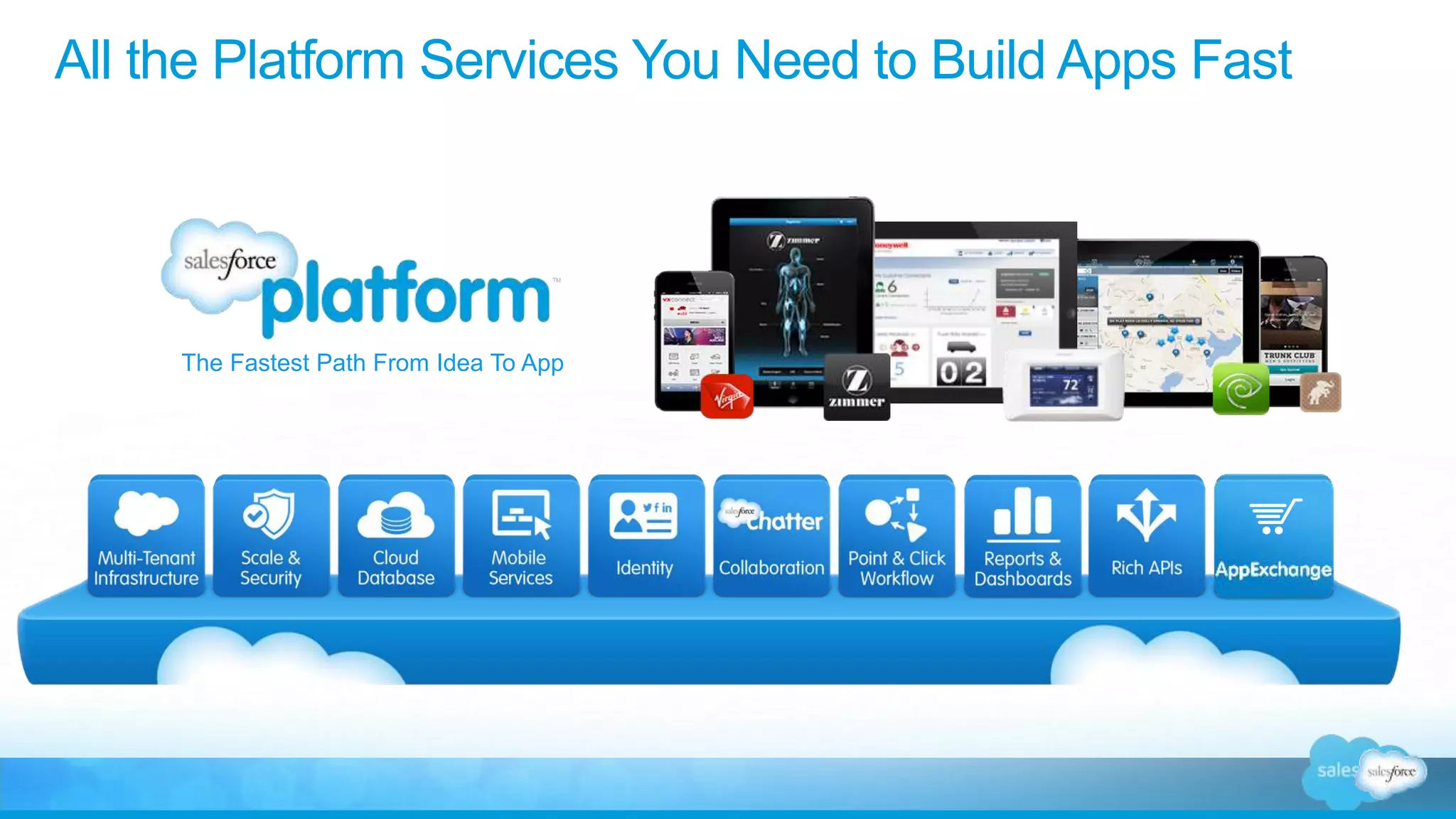
All the Platform Services You Need to Build Apps Fast
The Fastest Path From Idea To App
So when we talk about building apps, what’s
really in an app?
A Cloud Database is The Core of Our Platform
Data
Schema
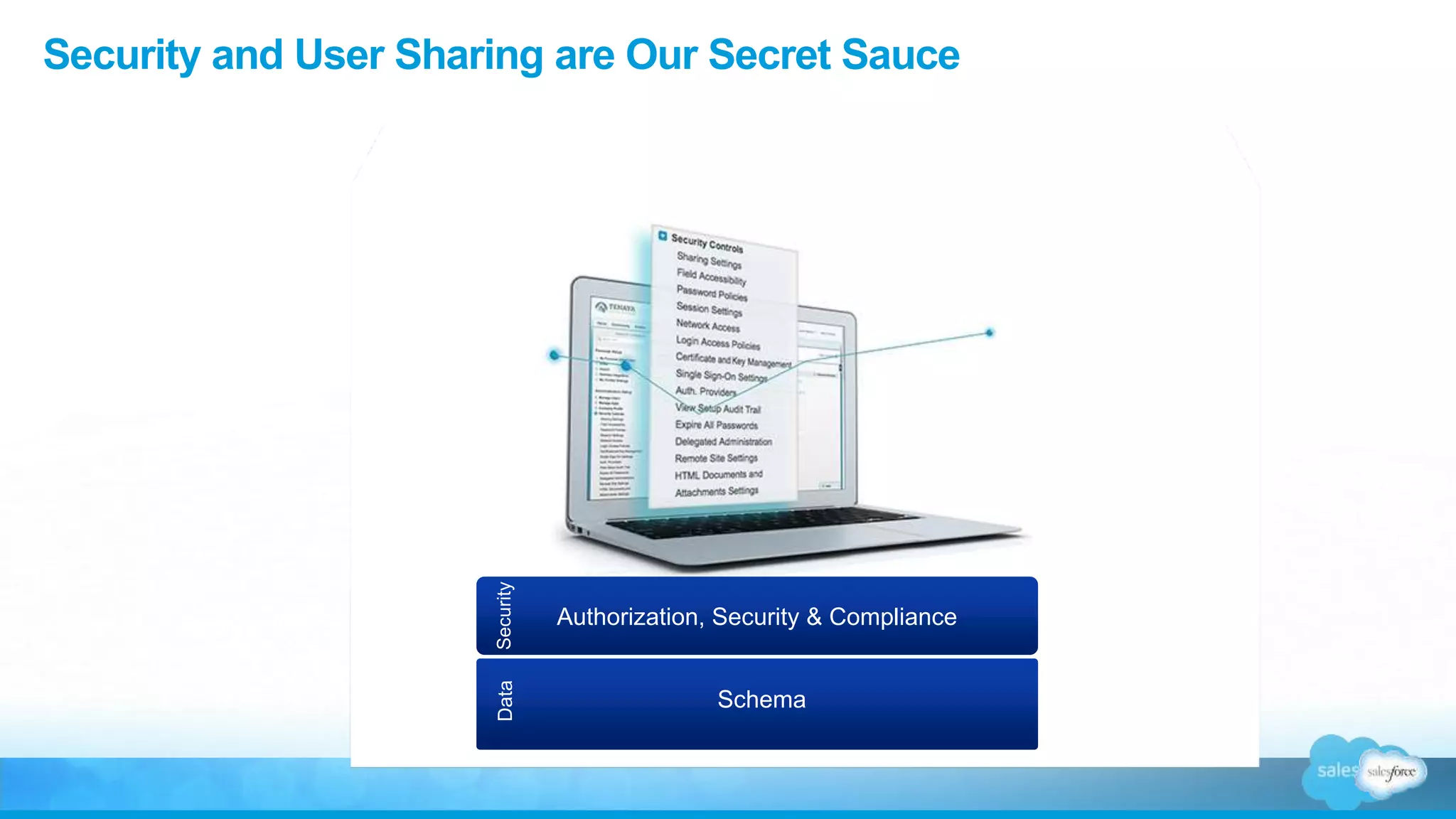
Security and User Sharing are Our Secret Sauce
Data
Schema
Authorization, Security & Compliance
Security
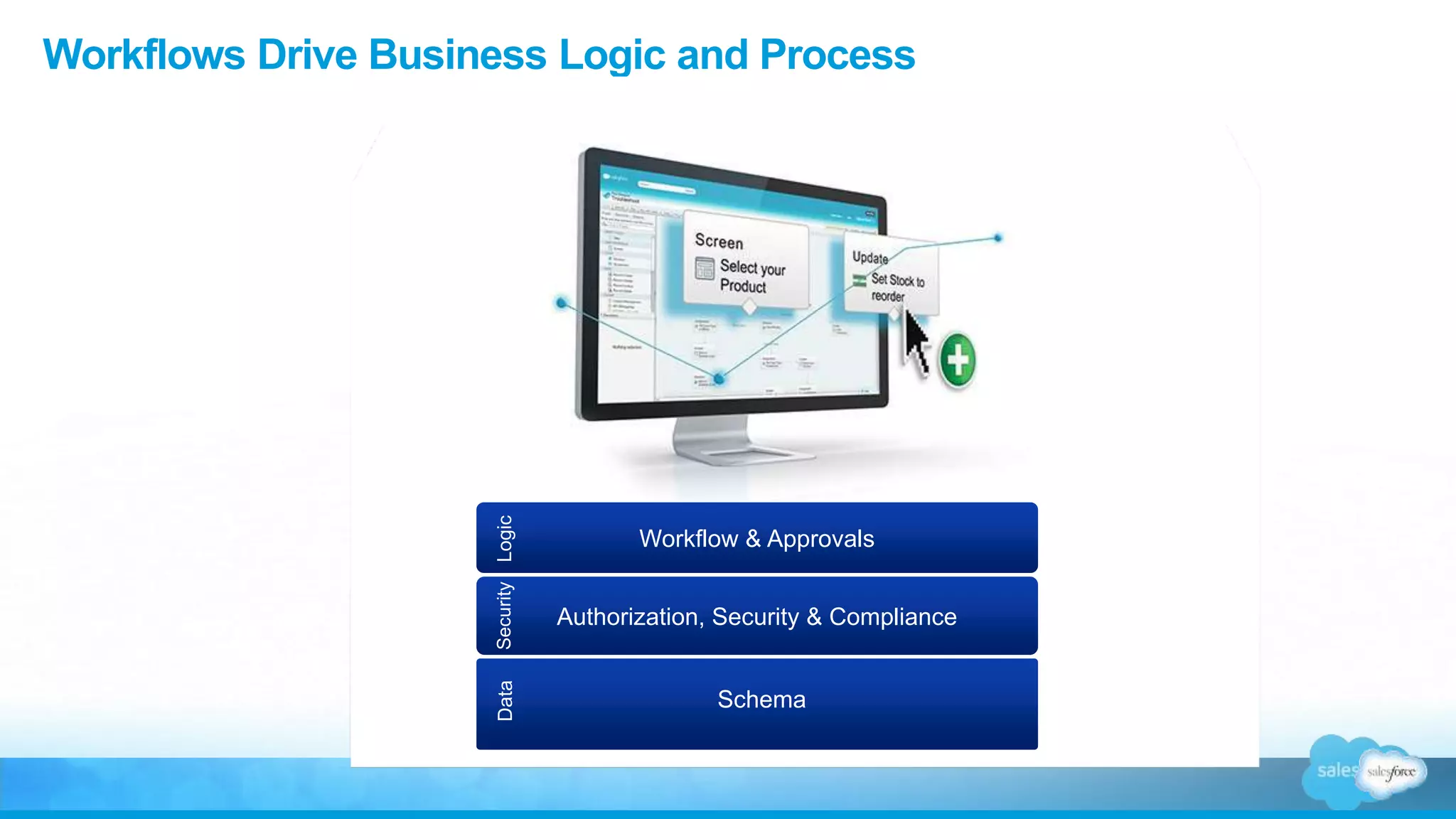
Workflows Drive Business Logic and Process
Data
Schema
Authorization, Security & Compliance
Security
Workflow & Approvals
Logic
Chatter Enables All Business Process to Be Social
Data
Schema
Authorization, Security & Compliance
Security
Workflow & Approvals
Logic
Chatter
Social
Dashboards Provide Real-Time Visibility
Data
Schema
Authorization, Security & Compliance
Security
Workflow & Approvals
Logic
Chatter
Social
Analytics
Insight
Customize the Look & Feel with Drag & Drop Page Layouts or Visualforce
Data
Schema
Authorization, Security & Compliance
Security
Workflow & Approvals
Logic
Chatter
Social
Analytics
Insight
Page Layouts & User Interface
UI
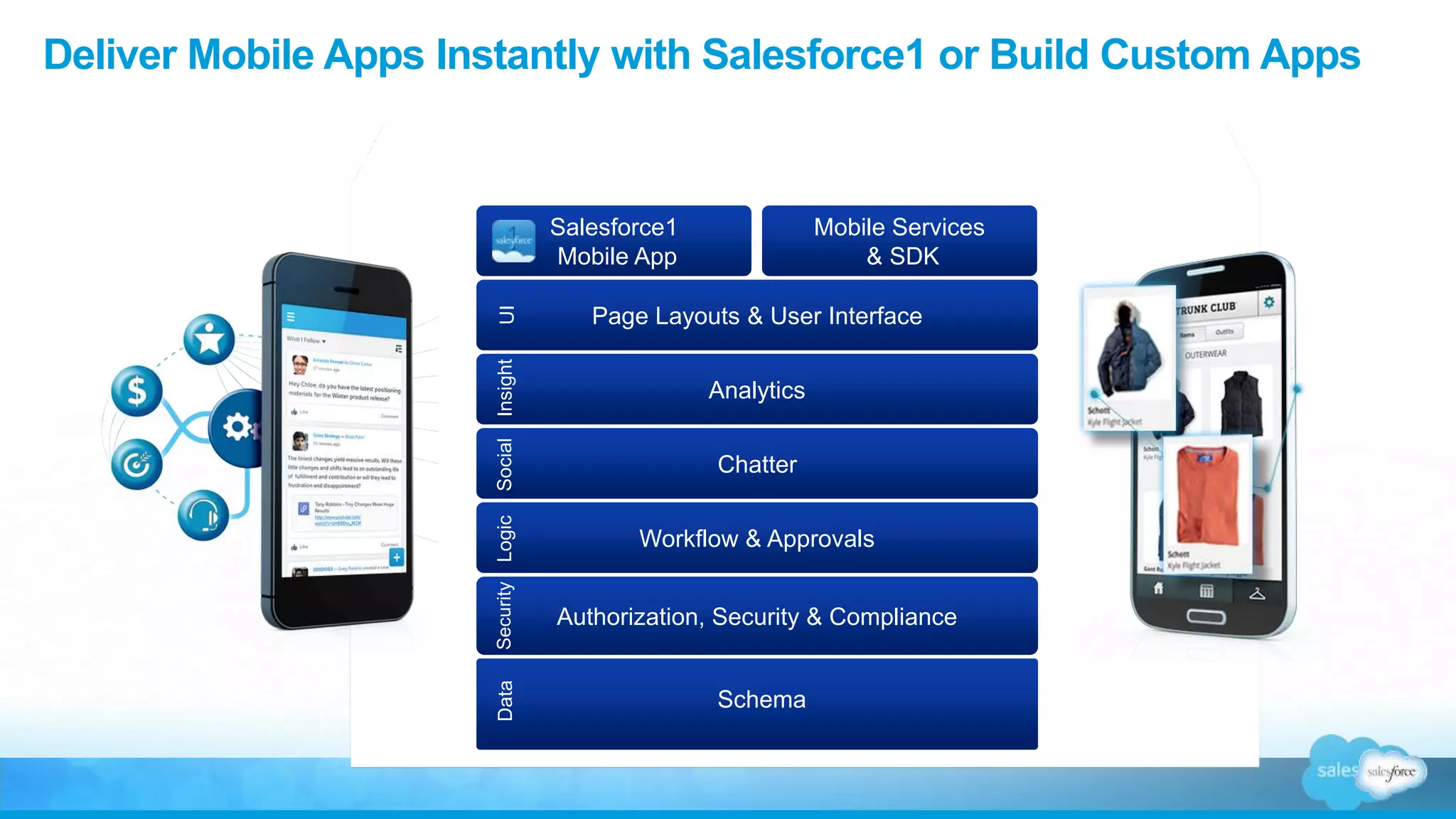
Deliver Mobile Apps Instantly with Salesforce1 or Build Custom Apps
Data
Schema
Authorization, Security & Compliance
Security
Workflow & Approvals
Logic
Chatter
Social
Analytics
Insight
Page Layouts & User Interface
UI
Salesforce1
Mobile App
Mobile Services
& SDK
Hands On
Sign up for a Developer Edition
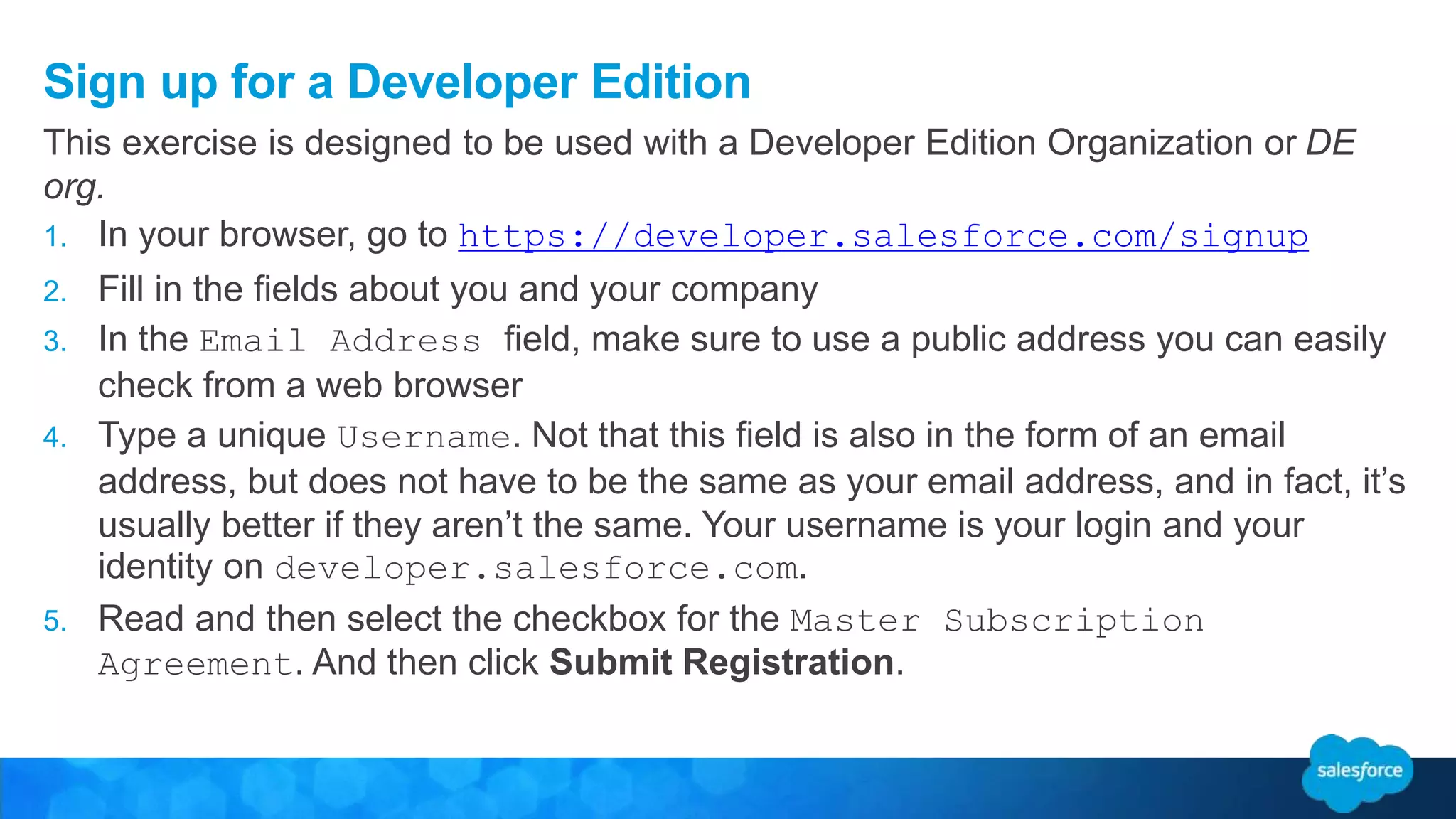
1. In your browser, go to https://developer.salesforce.com/signup
2. Fill in the fields about you and your company
3. In the Email Address field, make sure to use a public address you can easily
check from a web browser
4. Type a unique Username. Not that this field is also in the form of an email
address, but does not have to be the same as your email address, and in fact, it’s
usually better if they aren’t the same. Your username is your login and your
identity on developer.salesforce.com.
5. Read and then select the checkbox for the Master Subscription
Agreement. And then click Submit Registration.
This exercise is designed to be used with a Developer Edition Organization or DE
org.
Goal for Today’s Exercise
• Show you how to create a Salesforce
App using only declarative tools.
• Get you familiar with declarative app
building on the Force.com platform
and give you a useable app that you
put to work today.
• How many people have never
created an App in Salesforce?
Business Case
• We need a application to manage Salesforce
Requests
– New Feature or bug requests
– Adding New Users to the system
• The Application should be in Salesforce
• Management wants to see reports on
Requests
Build a Salesforce Admin App
What is an App?
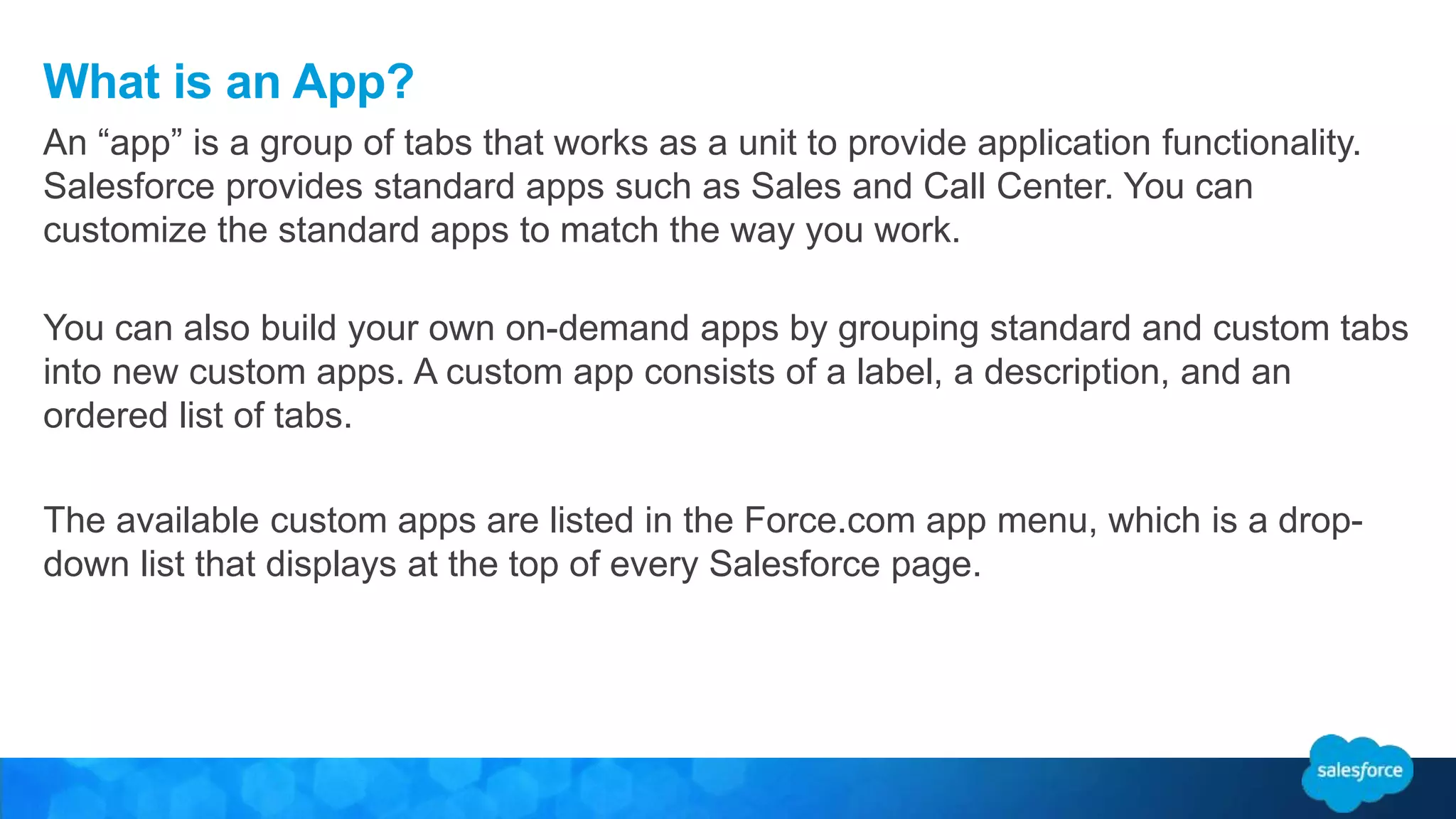
You can also build your own on-demand apps by grouping standard and custom tabs
into new custom apps. A custom app consists of a label, a description, and an
ordered list of tabs.
The available custom apps are listed in the Force.com app menu, which is a drop-
down list that displays at the top of every Salesforce page.
An “app” is a group of tabs that works as a unit to provide application functionality.
Salesforce provides standard apps such as Sales and Call Center. You can
customize the standard apps to match the way you work.
What is a Custom Object?
After you define a custom object, you can:
• Create Custom Fields.
• Associate the custom object to other records and display the custom object data in
custom related lists.
• Track tasks and event for custom object records
• Create a custom tab for the custom object
• Create Reports and Dashboards to analyze custom object data
• Import Custom object records.
Custom objects are custom database tables that allow you to store information
unique to your organization. For example, we are creating a custom object called
“Salesforce Requests” to store data based on user requests.
Step 1: Create an Admin App
1. Turn to page 4.
2. Launch your browser and got to https://login.salesforce.com/
3. Enter your username and password.
4. Follow the Exercise Guide for creating an app.
5. Stop at the end of the module
You can create an app with just a few clicks. In this exercise we will create a custom
object to house our Salesforce Requests.
Step 1: Create an Admin App
Step 2: Adding Fields to the Salesforce
Request Object
Divider Subtitle
About Salesforce Fields
Salesforce Field Reference Guide
http://help.salesforce.com/help/pdfs/en/salesforce_field_names_reference.pdf
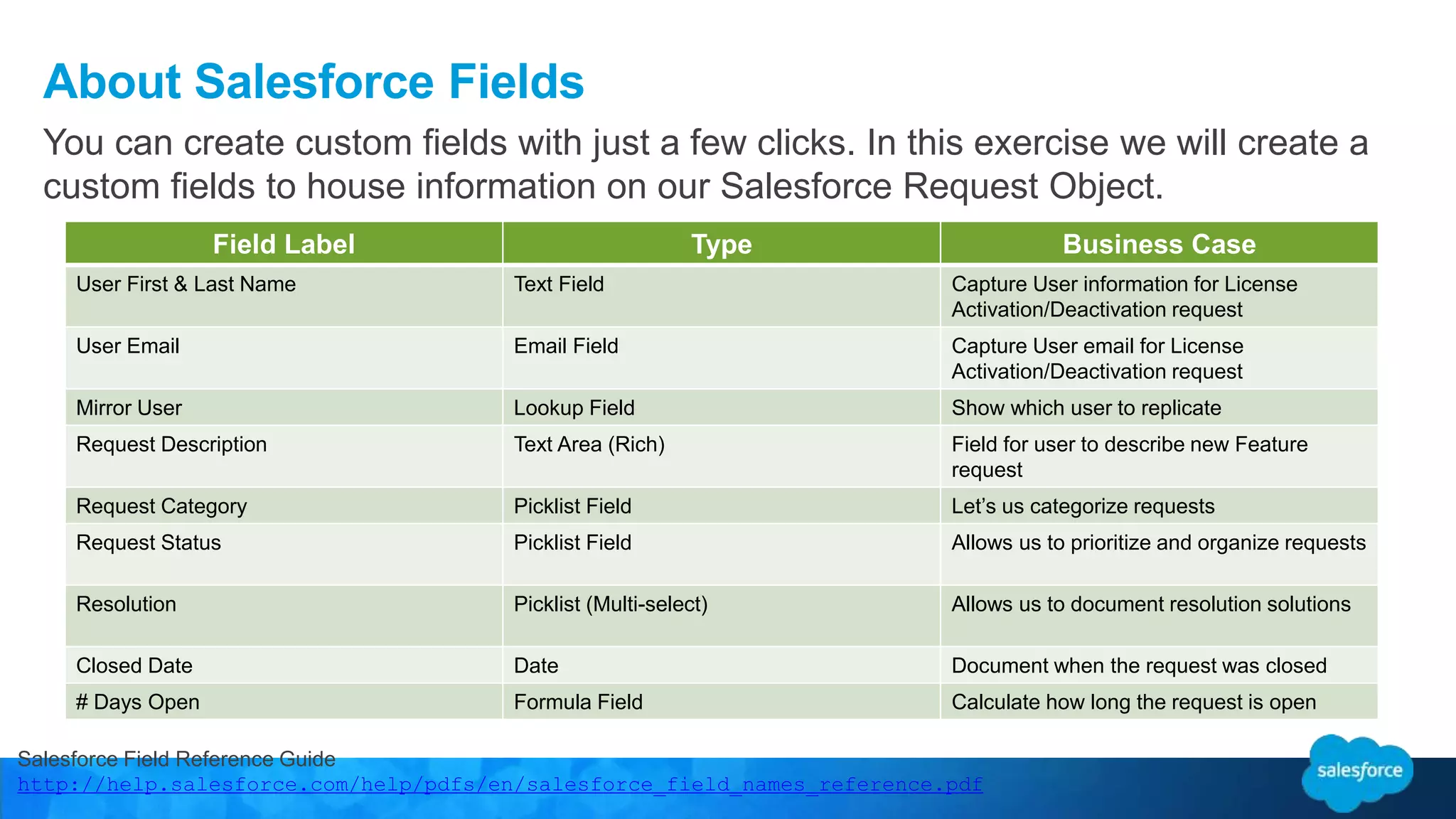
You can create custom fields with just a few clicks. In this exercise we will create a
custom fields to house information on our Salesforce Request Object.
Field Label Type Business Case
User First & Last Name Text Field Capture User information for License
Activation/Deactivation request
User Email Email Field Capture User email for License
Activation/Deactivation request
Mirror User Lookup Field Show which user to replicate
Request Description Text Area (Rich) Field for user to describe new Feature
request
Request Category Picklist Field Let’s us categorize requests
Request Status Picklist Field Allows us to prioritize and organize requests
Resolution Picklist (Multi-select) Allows us to document resolution solutions
Closed Date Date Document when the request was closed
# Days Open Formula Field Calculate how long the request is open
Step 2: Adding Fields to the Salesforce Request Object
1. Click Setup | Build| Create | Objects
2. Click on Salesforce Request
3. Scroll to “Custom Fields and Relationships”
4. Click New
5. Stop at the end of the module
In this part of the exercise we will create fields that will be used to gather and report
on data.
Step 3: Adding Page Layouts & Record
Types
Divider Subtitle
About Salesforce Page Layouts
Page Layouts control the layout and organization of detail and edit pages in
Salesforce.
Features of Page Layouts
• Control which fields, related lists, and custom
links users see, on detail and edit pages
only.
• Control which standard and custom buttons
display on detail pages and related lists.
• Determine whether fields are visible, read
only, or required, on detail and edit pages
only.
About Salesforce Page Layouts
For our Application, we will have 2 Page Layouts
New User Request Layout Feature/Bug Request
Layout
Step 3: Create the Following Page Layouts
Salesforce Page Layout Reference Guide
http://help.salesforce.com/HTViewHelpDoc?id=customize_layoutcustomize_pd.htm&language=en_US
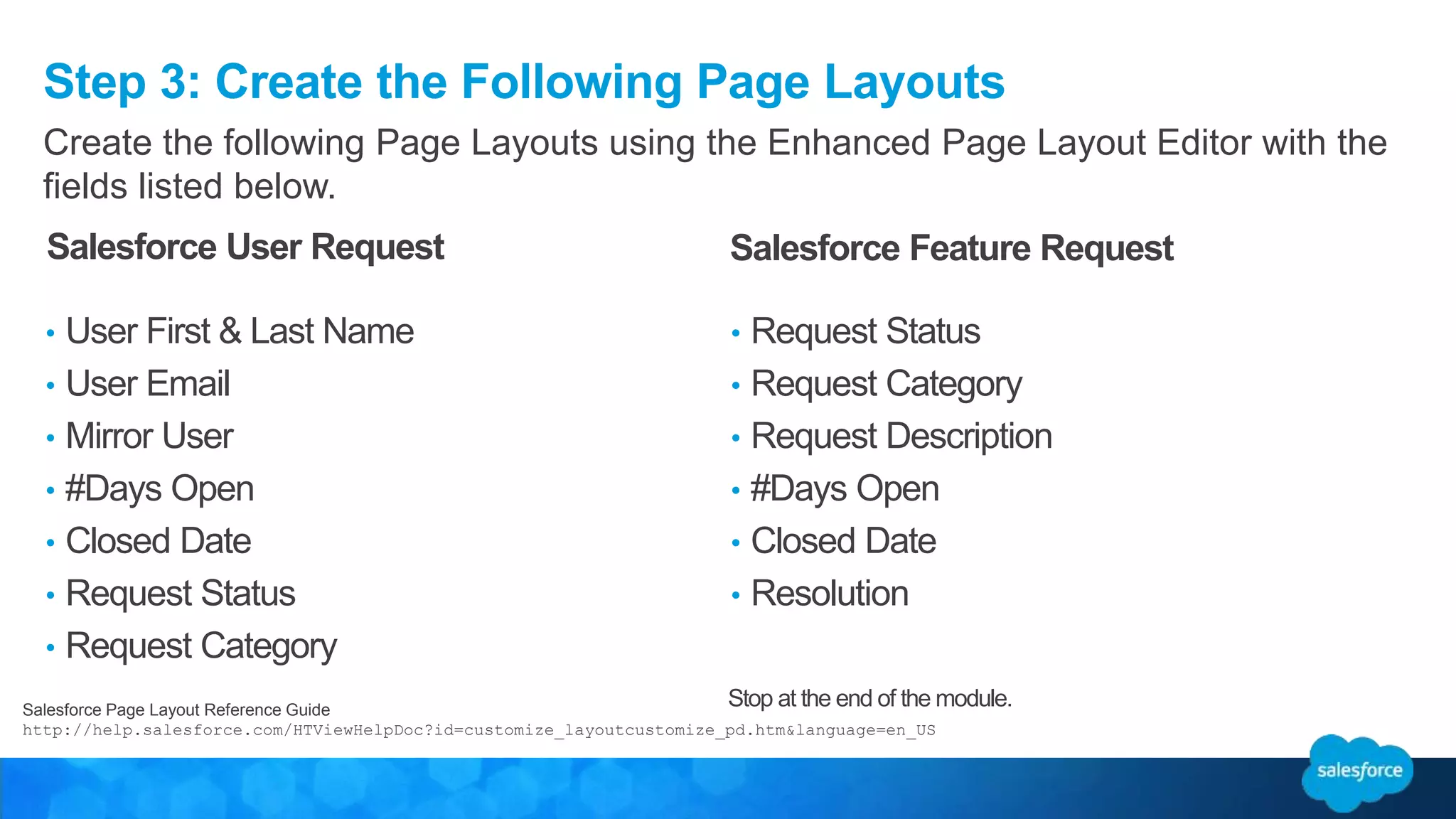
Create the following Page Layouts using the Enhanced Page Layout Editor with the
fields listed below.
• User First & Last Name
• User Email
• Mirror User
• #Days Open
• Closed Date
• Request Status
• Request Category
• Request Status
• Request Category
• Request Description
• #Days Open
• Closed Date
• Resolution
Salesforce User Request Salesforce Feature Request
Stop at the end of the module.
About Salesforce Record Types
Record types allow you to offer different business processes, picklist values, and
page layouts to different users. Record types can be used in various ways, for
example:
• Create record types for opportunities to differentiate your regular sales deals from
your professional services engagements and offer different picklist values for
each.
• Create record types for cases to display different page layouts for your customer
support cases versus your billing cases.
Salesforce Record Type Reference Guide
https://help.salesforce.com/apex/HTViewHelpDoc?id=customize_recordtype.htm&language=en_U
S
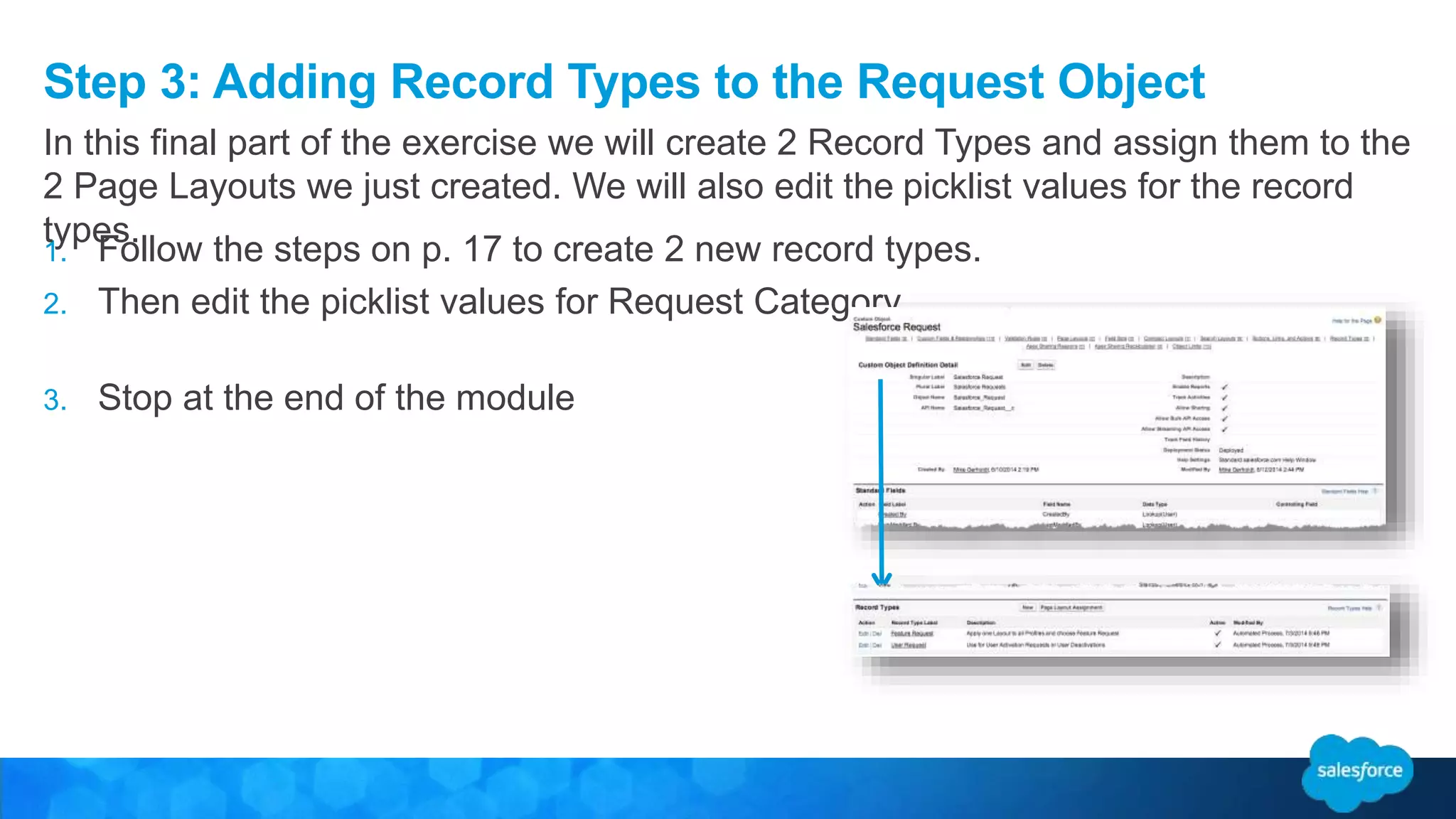
Step 3: Adding Record Types to the Request Object
1. Follow the steps on p. 17 to create 2 new record types.
2. Then edit the picklist values for Request Category
3. Stop at the end of the module
In this final part of the exercise we will create 2 Record Types and assign them to the
2 Page Layouts we just created. We will also edit the picklist values for the record
types.
Step 4: Add App Logic with Clicks, Not
Code
Divider Subtitle
Salesforce Workflow Rules
Each Workflow Consists of:
• Criteria that cause the workflow rule to run.
• Immediate actions that execute when a
record matches the criteria.
For example, salesforce.com can automatically send
an email that notifies the account team when a new
high-value opportunity is created.
• Time-dependent actions that queue when
a record matches the criteria, and execute
according to time triggers.
For example, salesforce.com can automatically send
an email reminder to the account team if a high-value
opportunity is still open ten days before the close date.
About Salesforce Workflow Rules
Many of the tasks you normally assign, the emails you regularly send, and other record updates are
part of your organization's standard processes. Instead of doing this work manually, you can configure
workflow rules to do it automatically.
• Tasks: Assign a new task to a user, role, or record owner.
• Email Alerts: Send an email to one or more recipients you
specify.
•
Field Updates: Update the value of a field on a record.
•
Outbound Messages: Send a secure, configurable API
message (in XML format) to a designated listener.
Workflow rules can help automate the following types of actions based on
your organization's processes:
Step 4: Add App Logic with Clicks, Not Code
Stop at the end of the module
In this exercise we will create a Workflow Rule to automatically
update the status field when a Closed Date is entered.
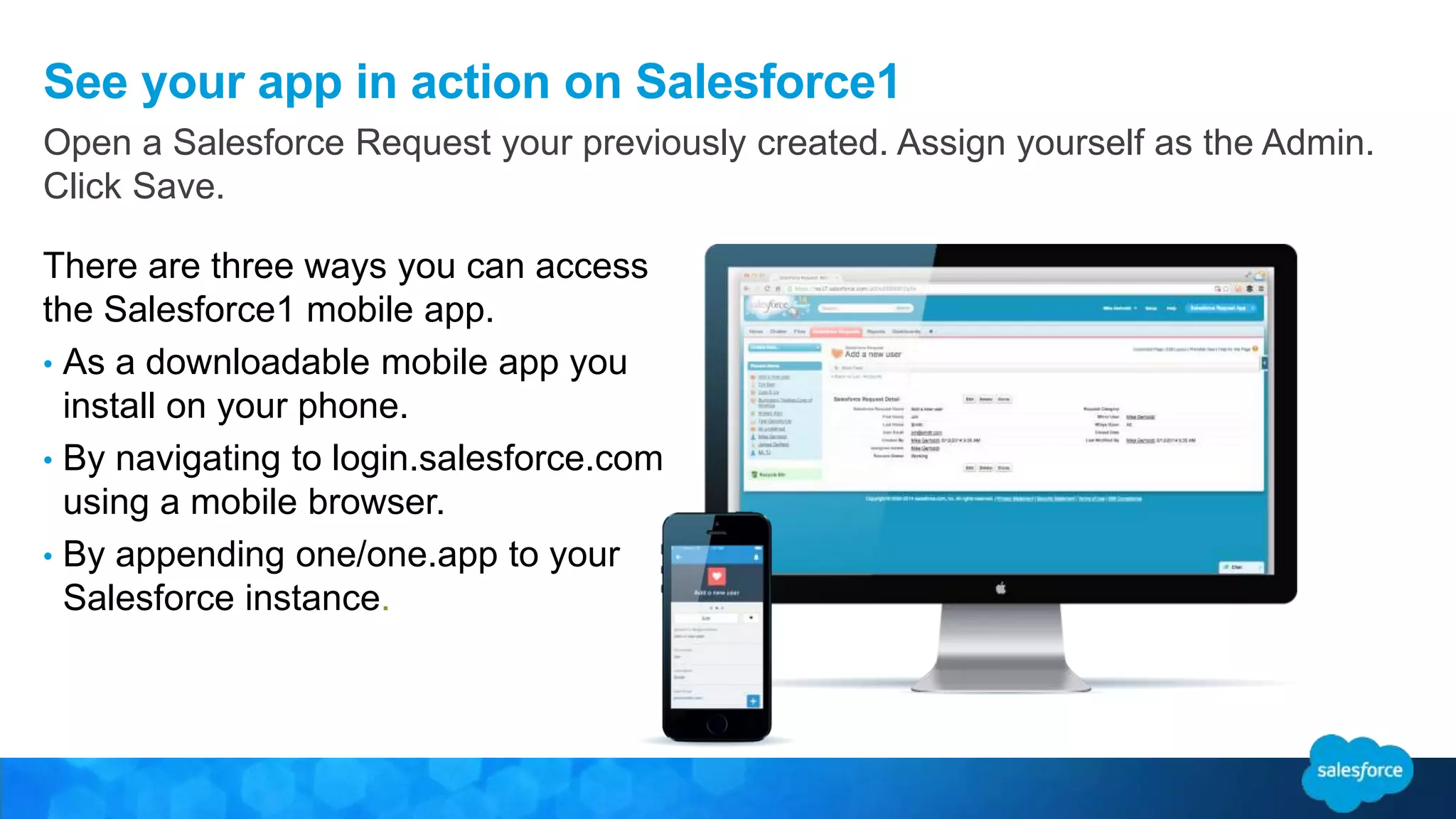
See your app in action on Salesforce1
There are three ways you can access
the Salesforce1 mobile app.
• As a downloadable mobile app you
install on your phone.
• By navigating to login.salesforce.com
using a mobile browser.
• By appending one/one.app to your
Salesforce instance.
Open a Salesforce Request your previously created. Assign yourself as the Admin.
Click Save.
Step 5 Create a Dashboard and Useful
Reports
Divider Subtitle
Analyze your Salesforce Data
Salesforce offers a powerful suite of analytics tools that work together to help you
view and analyze your data.
Gather Data with Reports
Reports give you access to the data your organization
has accumulated over time, enabling you to make
informed decisions. You can examine your
organization’s data in almost infinite combinations,
display it in easy-to-understand formats, and share the
resulting insights with others via dashboards.
Share Insights with Dashboards
Dashboards help you visually understand changing
business conditions so you can make decisions based
on the real-time data you have gathered with reports.
Use dashboards to help users identify trends, sort out
quantities, and measure the impact of their activities.
http://www.salesforce.com/us/developer/docs/workbook_analytics/workbook_analytics.pdf
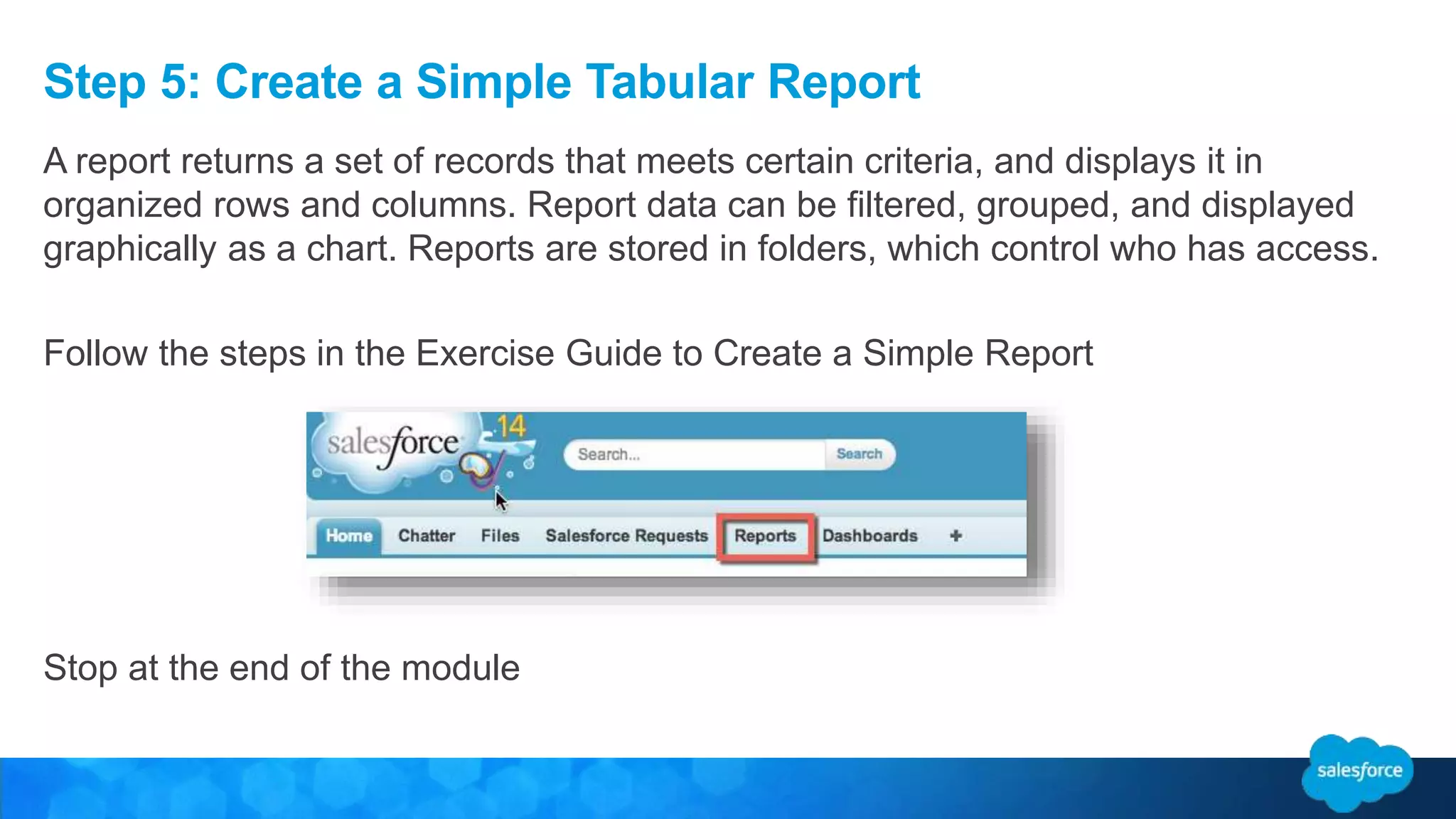
Step 5: Create a Simple Tabular Report
A report returns a set of records that meets certain criteria, and displays it in
organized rows and columns. Report data can be filtered, grouped, and displayed
graphically as a chart. Reports are stored in folders, which control who has access.
Follow the steps in the Exercise Guide to Create a Simple Report
Stop at the end of the module
Create a Dashboard
Divider Subtitle
You can show data in reports and dashboards in
the form of bars, columns, lines, shapes, or other
elements. Which is right depends on what the
data is about and what you want to show with it.
• Bar Charts
• Column Charts
• Line Charts
• Pie Charts
• Donut Charts
• Funnel Charts
• Scatter Charts
About Salesforce Dashboards
Dashboards are a way to graphically display multiple reports. They give you the big
picture, letting you see key metrics at a glance.
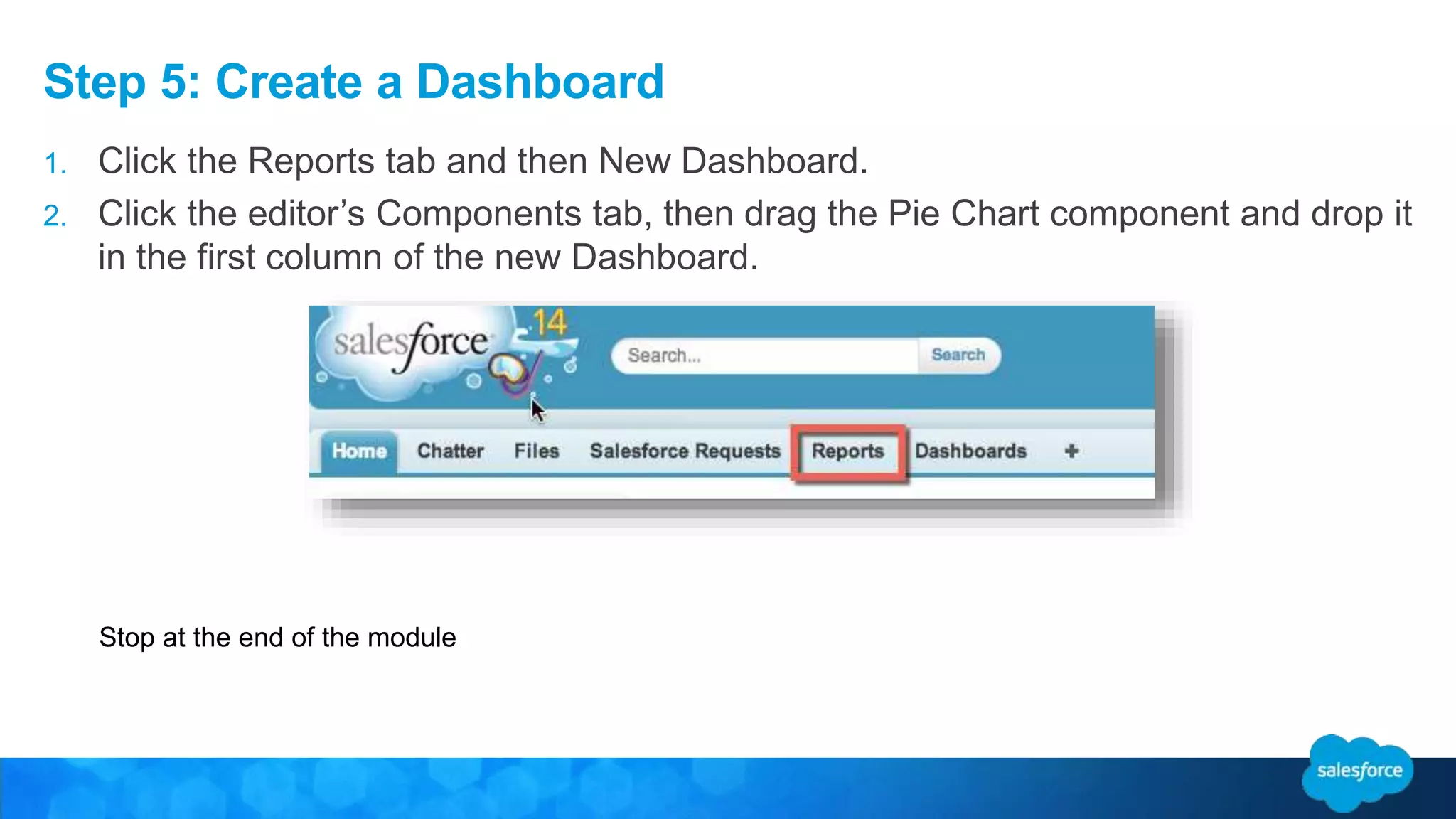
Step 5: Create a Dashboard
1. Click the Reports tab and then New Dashboard.
2. Click the editor’s Components tab, then drag the Pie Chart component and drop it
in the first column of the new Dashboard.
Stop at the end of the module
Congratulations!
Survey: bit.ly/elevate-paris-track1
You just built a Salesforce App with clicks, not code!
developer.salesforce.com/trailhead
Paris Salesforce Developer Group
Every month, join Salesforce developers for talks, presentations and… pizzas !!
Subscribe to receive notifications of new Meetups scheduled :
http://www.meetup.com/Paris-Salesforce-Developer-User-Group/
Dev day paris020415

Dev day paris020415

  • 1.
    Introduction to Point-And-ClickApp Building Fabien Taillon CGI Technical Architect @FabienTaillon Bruno Vuong Platform Solution Engineer bvuong@salesforce.com
  • 2.
    Agenda • Salesforce PlatformOverview • Multi Tenant Architecture • Services brought by the platform • Integration • New Features • How do we build an application? • Hands On • Q&A
  • 3.
    Salesforce Platform isthe Fastest Path from Idea to App Idea Build App Idea buy & setup hardware install complex software define user access build & test security make it mobile & social setup reporting & analytics build app Legacy Platforms 6-12 Months? App App
  • 4.
    Salesforce1 Platform Powersan Entire Ecosystem of Apps Collaboration, Report & Dashboard Multi-Tenant Cloud Infrastructure Sales Cloud Service Cloud Marketing Cloud Community Cloud Cloud Database Access, Security & Compliance Any Social Network Any Device Back End Systems Any App AppExchange Apps ERP Finance Public or Private Apps Connected Customers Connected Products Connected Partners Connected Employees Analytics Cloud Mobile Services & SDK Workflow & Approval Processes Desktop UI
  • 5.
    The Power ofthe Salesforce1 Platform Automatic Upgrades 46 Major Releases (3x /year) Multi-tenant Infrastructure Metadata-based Single Code Base and Shared Infrastructure Open & Extensible API-First Architecture 2700+ AppExchange Apps Unbreakable Customizations Integrations and customizations auto-upgraded 6BLines of Apex Code 500M API Calls Per Day, 28 Versions 15MCustom Database Tables 12M Visualforce Pages
  • 6.
    Mobile SDK AppsSalesforce1Apps Two Ways to Build and Surface Mobile Apps
  • 7.
    Force.com Integration APIs Middleware/ Enterprise Service Bus Web Service Endpoint Call External Web Service REST or SOAP API Data Centric Access Web Service Endpoint Outbound Messaging Workflow WS Callouts Web Service Endpoint Process Centric Access Apex Class method Apex Code ETL / Batch Bulk API (REST based) Delegated Authentication Authentication Source / Assertion Metadata API Software Development Lifecycle IDE, Source Control Streaming API Presence, Instant Messaging, Real-time Updates CTI API Cloud or On-premise CTI integration Analytics API Datasource Analytics Tools Lightning Connect
  • 8.
    Salesforce1 Lightning Connect:Unlock Your Back Office Fast: Fast, easy, point and click integration Innovative: Build an agility layer for your business Trusted: Access data by reference in real time
  • 9.
    Lightning Process Builder Powerful Createprocesses using visual layout Manage multiple process paths in ONE place Collaborate with business owners Easy Point-and-click development Create “headless flows” Replace many basic Apex triggers Extensible Every process instantly becomes a RESTful end-point Automate business faster
  • 10.
    Standard Components Built bySalesforce Custom charts Data entry tools Custom data layout Dynamic maps Left nav Publisher bar Feed items Tasks Sliders Multi-view charts Pass/Fail Custom Components Built by customer developers AppExchange Components Built by Partners (25+ today) Lightning Component Framework
  • 11.
    Lightning App Builder Drag& Drop Build with standard, custom & partner Lightning Components Any Device Design apps for every screen from one canvas Now anyone can build apps faster
  • 12.
    HR Help Desk EmployeeIntranet Recruiting & Onboarding Performance & Coaching IT Help Desk / Self- Service Community Legacy Applications Consolidation Enterprise Knowledge Identity Mgmt Custom Web / Mobile Applications Business Agility Layer (e.g. Claims, Underwriting, …) Asset & Facilities Management Financial Shared Services M&A Enablement Early Warning Management Product Ideas & Innovation Pre-Production Testing Warrant Coverage Decisioning Procurement Vendor Management Transportation Logistics Contract Management Budget Management Contract Management Pricing Billing Management Audit Management Connect Every Department on One Platform Apps HR Product Supply Chain ITFinanceOps
  • 13.
    All the PlatformServices You Need to Build Apps Fast The Fastest Path From Idea To App
  • 14.
    So when wetalk about building apps, what’s really in an app?
  • 15.
    A Cloud Databaseis The Core of Our Platform Data Schema
  • 16.
    Security and UserSharing are Our Secret Sauce Data Schema Authorization, Security & Compliance Security
  • 17.
    Workflows Drive BusinessLogic and Process Data Schema Authorization, Security & Compliance Security Workflow & Approvals Logic
  • 18.
    Chatter Enables AllBusiness Process to Be Social Data Schema Authorization, Security & Compliance Security Workflow & Approvals Logic Chatter Social
  • 19.
    Dashboards Provide Real-TimeVisibility Data Schema Authorization, Security & Compliance Security Workflow & Approvals Logic Chatter Social Analytics Insight
  • 20.
    Customize the Look& Feel with Drag & Drop Page Layouts or Visualforce Data Schema Authorization, Security & Compliance Security Workflow & Approvals Logic Chatter Social Analytics Insight Page Layouts & User Interface UI
  • 21.
    Deliver Mobile AppsInstantly with Salesforce1 or Build Custom Apps Data Schema Authorization, Security & Compliance Security Workflow & Approvals Logic Chatter Social Analytics Insight Page Layouts & User Interface UI Salesforce1 Mobile App Mobile Services & SDK
  • 22.
  • 23.
    Sign up fora Developer Edition 1. In your browser, go to https://developer.salesforce.com/signup 2. Fill in the fields about you and your company 3. In the Email Address field, make sure to use a public address you can easily check from a web browser 4. Type a unique Username. Not that this field is also in the form of an email address, but does not have to be the same as your email address, and in fact, it’s usually better if they aren’t the same. Your username is your login and your identity on developer.salesforce.com. 5. Read and then select the checkbox for the Master Subscription Agreement. And then click Submit Registration. This exercise is designed to be used with a Developer Edition Organization or DE org.
  • 24.
    Goal for Today’sExercise • Show you how to create a Salesforce App using only declarative tools. • Get you familiar with declarative app building on the Force.com platform and give you a useable app that you put to work today. • How many people have never created an App in Salesforce?
  • 25.
    Business Case • Weneed a application to manage Salesforce Requests – New Feature or bug requests – Adding New Users to the system • The Application should be in Salesforce • Management wants to see reports on Requests
  • 26.
  • 27.
    What is anApp? You can also build your own on-demand apps by grouping standard and custom tabs into new custom apps. A custom app consists of a label, a description, and an ordered list of tabs. The available custom apps are listed in the Force.com app menu, which is a drop- down list that displays at the top of every Salesforce page. An “app” is a group of tabs that works as a unit to provide application functionality. Salesforce provides standard apps such as Sales and Call Center. You can customize the standard apps to match the way you work.
  • 28.
    What is aCustom Object? After you define a custom object, you can: • Create Custom Fields. • Associate the custom object to other records and display the custom object data in custom related lists. • Track tasks and event for custom object records • Create a custom tab for the custom object • Create Reports and Dashboards to analyze custom object data • Import Custom object records. Custom objects are custom database tables that allow you to store information unique to your organization. For example, we are creating a custom object called “Salesforce Requests” to store data based on user requests.
  • 29.
    Step 1: Createan Admin App
  • 30.
    Step 1: Createan Admin App 1. Turn to page 4. 2. Launch your browser and got to https://login.salesforce.com/ 3. Enter your username and password. 4. Follow the Exercise Guide for creating an app. 5. Stop at the end of the module You can create an app with just a few clicks. In this exercise we will create a custom object to house our Salesforce Requests.
  • 31.
    Step 1: Createan Admin App
  • 32.
    Step 2: AddingFields to the Salesforce Request Object Divider Subtitle
  • 33.
    About Salesforce Fields SalesforceField Reference Guide http://help.salesforce.com/help/pdfs/en/salesforce_field_names_reference.pdf You can create custom fields with just a few clicks. In this exercise we will create a custom fields to house information on our Salesforce Request Object. Field Label Type Business Case User First & Last Name Text Field Capture User information for License Activation/Deactivation request User Email Email Field Capture User email for License Activation/Deactivation request Mirror User Lookup Field Show which user to replicate Request Description Text Area (Rich) Field for user to describe new Feature request Request Category Picklist Field Let’s us categorize requests Request Status Picklist Field Allows us to prioritize and organize requests Resolution Picklist (Multi-select) Allows us to document resolution solutions Closed Date Date Document when the request was closed # Days Open Formula Field Calculate how long the request is open
  • 34.
    Step 2: AddingFields to the Salesforce Request Object 1. Click Setup | Build| Create | Objects 2. Click on Salesforce Request 3. Scroll to “Custom Fields and Relationships” 4. Click New 5. Stop at the end of the module In this part of the exercise we will create fields that will be used to gather and report on data.
  • 35.
    Step 3: AddingPage Layouts & Record Types Divider Subtitle
  • 36.
    About Salesforce PageLayouts Page Layouts control the layout and organization of detail and edit pages in Salesforce. Features of Page Layouts • Control which fields, related lists, and custom links users see, on detail and edit pages only. • Control which standard and custom buttons display on detail pages and related lists. • Determine whether fields are visible, read only, or required, on detail and edit pages only.
  • 37.
    About Salesforce PageLayouts For our Application, we will have 2 Page Layouts New User Request Layout Feature/Bug Request Layout
  • 38.
    Step 3: Createthe Following Page Layouts Salesforce Page Layout Reference Guide http://help.salesforce.com/HTViewHelpDoc?id=customize_layoutcustomize_pd.htm&language=en_US Create the following Page Layouts using the Enhanced Page Layout Editor with the fields listed below. • User First & Last Name • User Email • Mirror User • #Days Open • Closed Date • Request Status • Request Category • Request Status • Request Category • Request Description • #Days Open • Closed Date • Resolution Salesforce User Request Salesforce Feature Request Stop at the end of the module.
  • 39.
    About Salesforce RecordTypes Record types allow you to offer different business processes, picklist values, and page layouts to different users. Record types can be used in various ways, for example: • Create record types for opportunities to differentiate your regular sales deals from your professional services engagements and offer different picklist values for each. • Create record types for cases to display different page layouts for your customer support cases versus your billing cases. Salesforce Record Type Reference Guide https://help.salesforce.com/apex/HTViewHelpDoc?id=customize_recordtype.htm&language=en_U S
  • 40.
    Step 3: AddingRecord Types to the Request Object 1. Follow the steps on p. 17 to create 2 new record types. 2. Then edit the picklist values for Request Category 3. Stop at the end of the module In this final part of the exercise we will create 2 Record Types and assign them to the 2 Page Layouts we just created. We will also edit the picklist values for the record types.
  • 41.
    Step 4: AddApp Logic with Clicks, Not Code Divider Subtitle
  • 42.
    Salesforce Workflow Rules EachWorkflow Consists of: • Criteria that cause the workflow rule to run. • Immediate actions that execute when a record matches the criteria. For example, salesforce.com can automatically send an email that notifies the account team when a new high-value opportunity is created. • Time-dependent actions that queue when a record matches the criteria, and execute according to time triggers. For example, salesforce.com can automatically send an email reminder to the account team if a high-value opportunity is still open ten days before the close date.
  • 43.
    About Salesforce WorkflowRules Many of the tasks you normally assign, the emails you regularly send, and other record updates are part of your organization's standard processes. Instead of doing this work manually, you can configure workflow rules to do it automatically. • Tasks: Assign a new task to a user, role, or record owner. • Email Alerts: Send an email to one or more recipients you specify. • Field Updates: Update the value of a field on a record. • Outbound Messages: Send a secure, configurable API message (in XML format) to a designated listener. Workflow rules can help automate the following types of actions based on your organization's processes:
  • 44.
    Step 4: AddApp Logic with Clicks, Not Code Stop at the end of the module In this exercise we will create a Workflow Rule to automatically update the status field when a Closed Date is entered.
  • 45.
    See your appin action on Salesforce1 There are three ways you can access the Salesforce1 mobile app. • As a downloadable mobile app you install on your phone. • By navigating to login.salesforce.com using a mobile browser. • By appending one/one.app to your Salesforce instance. Open a Salesforce Request your previously created. Assign yourself as the Admin. Click Save.
  • 46.
    Step 5 Createa Dashboard and Useful Reports Divider Subtitle
  • 47.
    Analyze your SalesforceData Salesforce offers a powerful suite of analytics tools that work together to help you view and analyze your data. Gather Data with Reports Reports give you access to the data your organization has accumulated over time, enabling you to make informed decisions. You can examine your organization’s data in almost infinite combinations, display it in easy-to-understand formats, and share the resulting insights with others via dashboards. Share Insights with Dashboards Dashboards help you visually understand changing business conditions so you can make decisions based on the real-time data you have gathered with reports. Use dashboards to help users identify trends, sort out quantities, and measure the impact of their activities. http://www.salesforce.com/us/developer/docs/workbook_analytics/workbook_analytics.pdf
  • 48.
    Step 5: Createa Simple Tabular Report A report returns a set of records that meets certain criteria, and displays it in organized rows and columns. Report data can be filtered, grouped, and displayed graphically as a chart. Reports are stored in folders, which control who has access. Follow the steps in the Exercise Guide to Create a Simple Report Stop at the end of the module
  • 49.
  • 50.
    You can showdata in reports and dashboards in the form of bars, columns, lines, shapes, or other elements. Which is right depends on what the data is about and what you want to show with it. • Bar Charts • Column Charts • Line Charts • Pie Charts • Donut Charts • Funnel Charts • Scatter Charts About Salesforce Dashboards Dashboards are a way to graphically display multiple reports. They give you the big picture, letting you see key metrics at a glance.
  • 51.
    Step 5: Createa Dashboard 1. Click the Reports tab and then New Dashboard. 2. Click the editor’s Components tab, then drag the Pie Chart component and drop it in the first column of the new Dashboard. Stop at the end of the module
  • 52.
    Congratulations! Survey: bit.ly/elevate-paris-track1 You justbuilt a Salesforce App with clicks, not code!
  • 53.
  • 54.
    Paris Salesforce DeveloperGroup Every month, join Salesforce developers for talks, presentations and… pizzas !! Subscribe to receive notifications of new Meetups scheduled : http://www.meetup.com/Paris-Salesforce-Developer-User-Group/