Introduction to PHP Todd Barber IT Analyst III / University Webmaster Information Technology Services
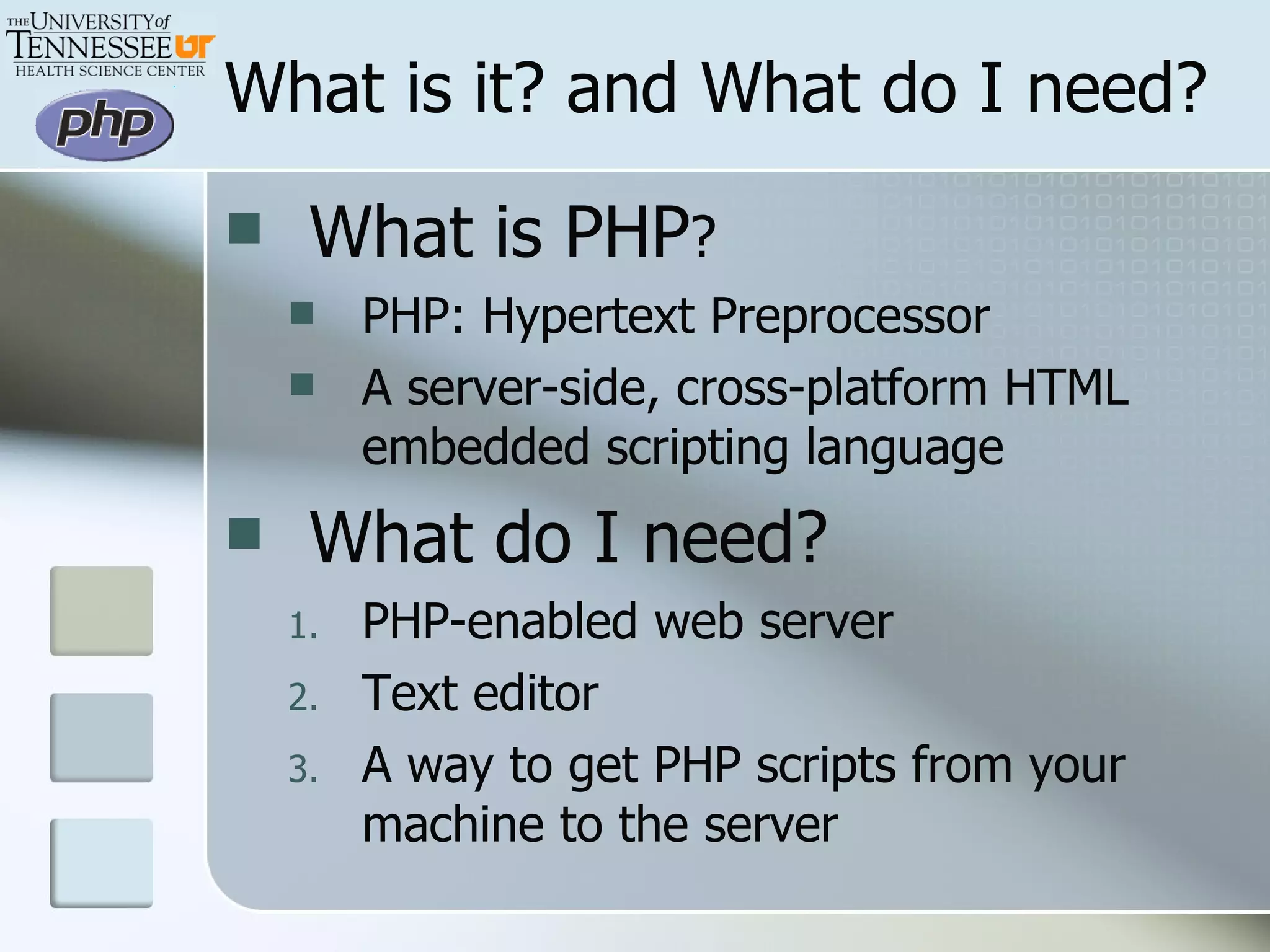
What is PHP ? PHP: Hypertext Preprocessor A server-side, cross-platform HTML embedded scripting language What do I need? PHP-enabled web server Text editor A way to get PHP scripts from your machine to the server What is it? and What do I need?
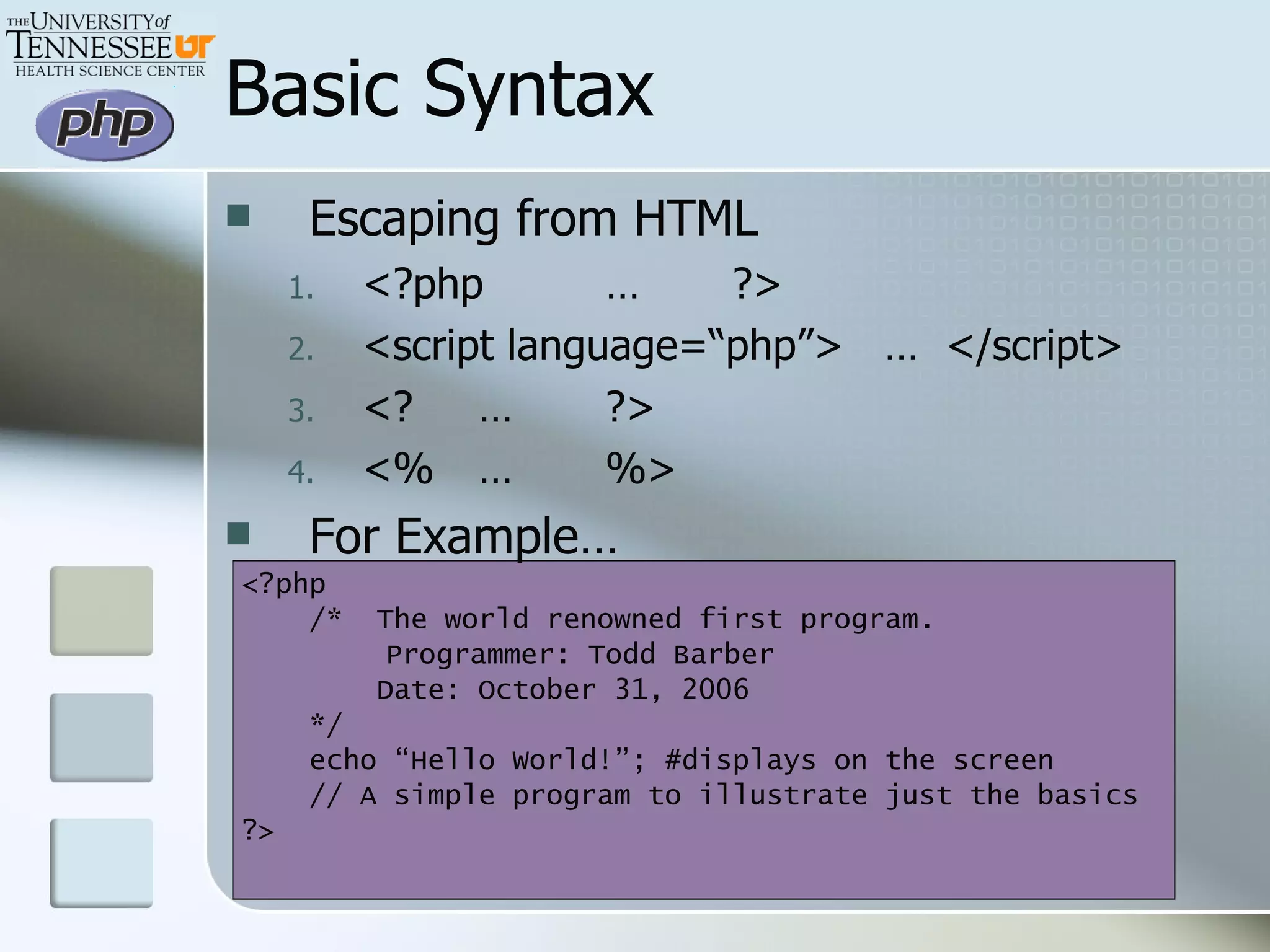
Basic Syntax Escaping from HTML <?php … ?> <script language=“php”>  …  </script> <? … ?> <% … %> For Example… <?php /*  The world renowned first program.   Programmer: Todd Barber   Date: October 31, 2006 */  echo “Hello World!”; #displays on the screen // A simple program to illustrate just the basics ?>
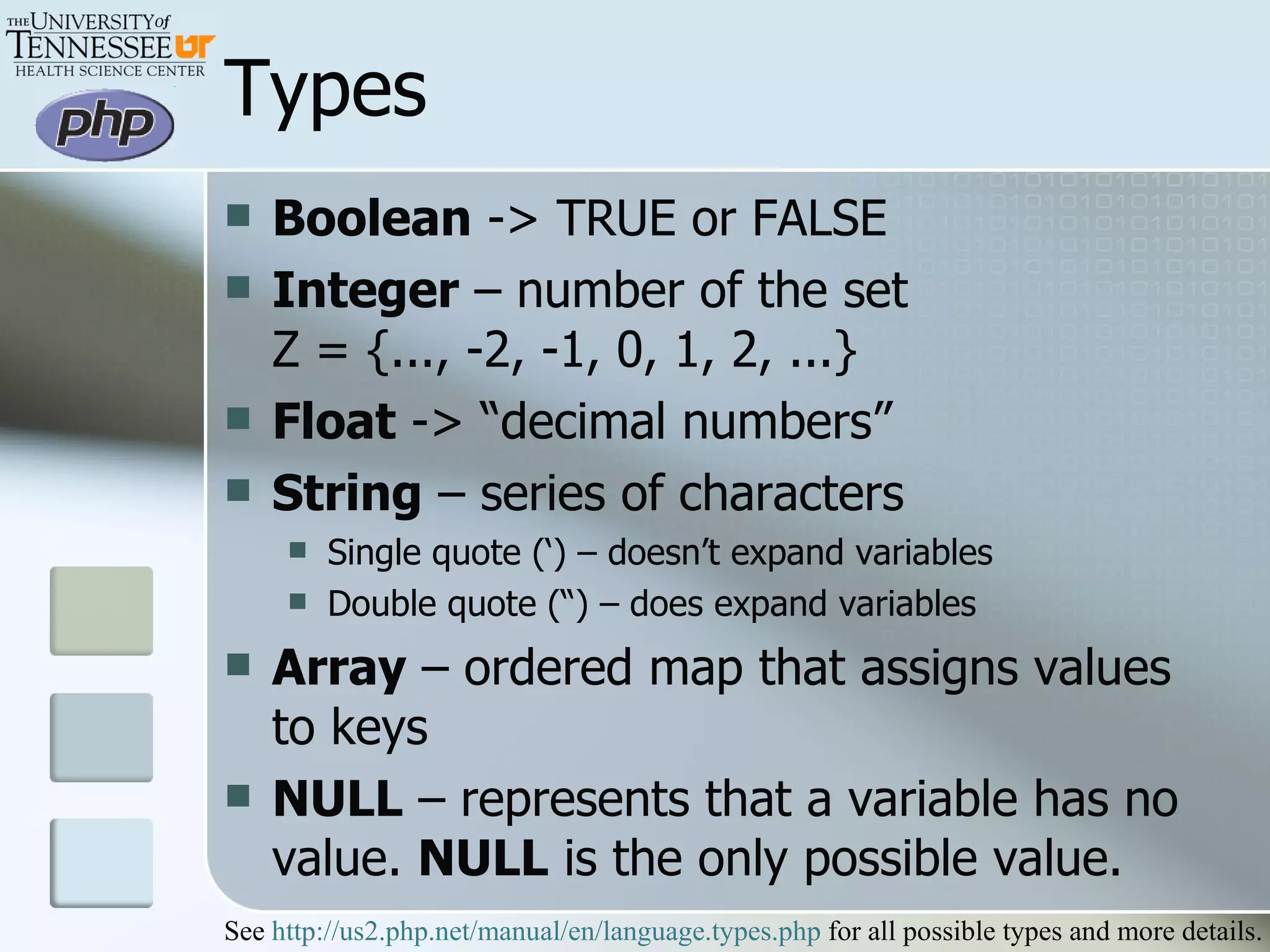
Types Boolean  -> TRUE or FALSE Integer  – number of the set  Z = {..., -2, -1, 0, 1, 2, ...}  Float  -> “decimal numbers” String  – series of characters Single quote (‘) – doesn’t expand variables Double quote (“) – does expand variables Array  – ordered map that assigns values to keys NULL  – represents that a variable has no value.  NULL  is the only possible value.  See  http://us2.php.net/manual/en/language.types.php  for all possible types and more details.
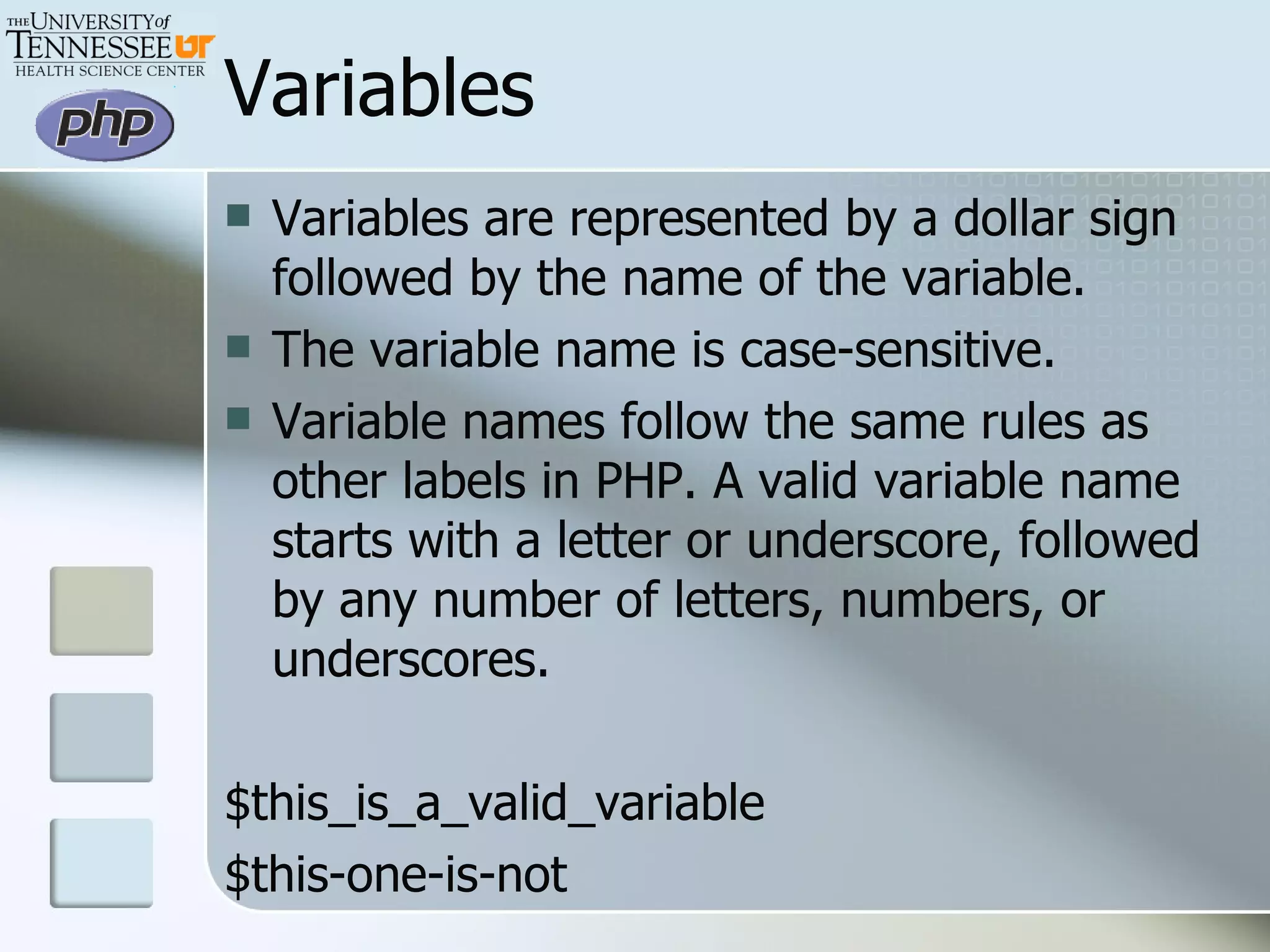
Variables Variables are represented by a dollar sign followed by the name of the variable.  The variable name is case-sensitive.  Variable names follow the same rules as other labels in PHP. A valid variable name starts with a letter or underscore, followed by any number of letters, numbers, or underscores. $this_is_a_valid_variable $this-one-is-not
More Variables Predefined Variables $GLOBALS  – all variables currently in the global scope $_SERVER  – all variables set by the web server $_POST  – variables provided by the HTTP POST $_GET  – variables provides by the HTTP GET (in the URL) $_SESSION  – variables currently registered with the script’s session
More Variables - Scope For the most part PHP variables have a single scope <?php $a=1; include ‘header_info.php’; ?> You can reference the $a variable in the file ‘header_info.php’ <?php $b=1; function footer_info () { echo $b; } footer_info(); ?> Nothing will output. The echo statement refers to the local scope of the variable (inside the function.)  Global variables must be declared global inside the function.
Global Keyword <?php $a = 1; $b = 2; function Sum() {    global $a, $b;    $b = $a + $b; }  Sum(); echo $b; ?>   What is $b? More Variables – Scope Passing Variables <?php $a = 1; $b = 2; function Sum ($a, $b) {    $b = $a + $b; }  Sum($a, $b); echo $b; ?>   What is $b? 3 2
More Variables - Variable Variable names which can be set and used dynamically <?php $a = ‘hello’; $$a = ‘world’; echo “$a ${$a}”; echo “$a $hello”; ?> Constants - value cannot change during the execution of the script A constant is case-sensitive by default. By convention, constant identifiers are always uppercase. <?php define (“PI”,”3.14159265358979323846”); echo PI; ?> This outputs hello world hello world This outputs 3.14159265358979323846
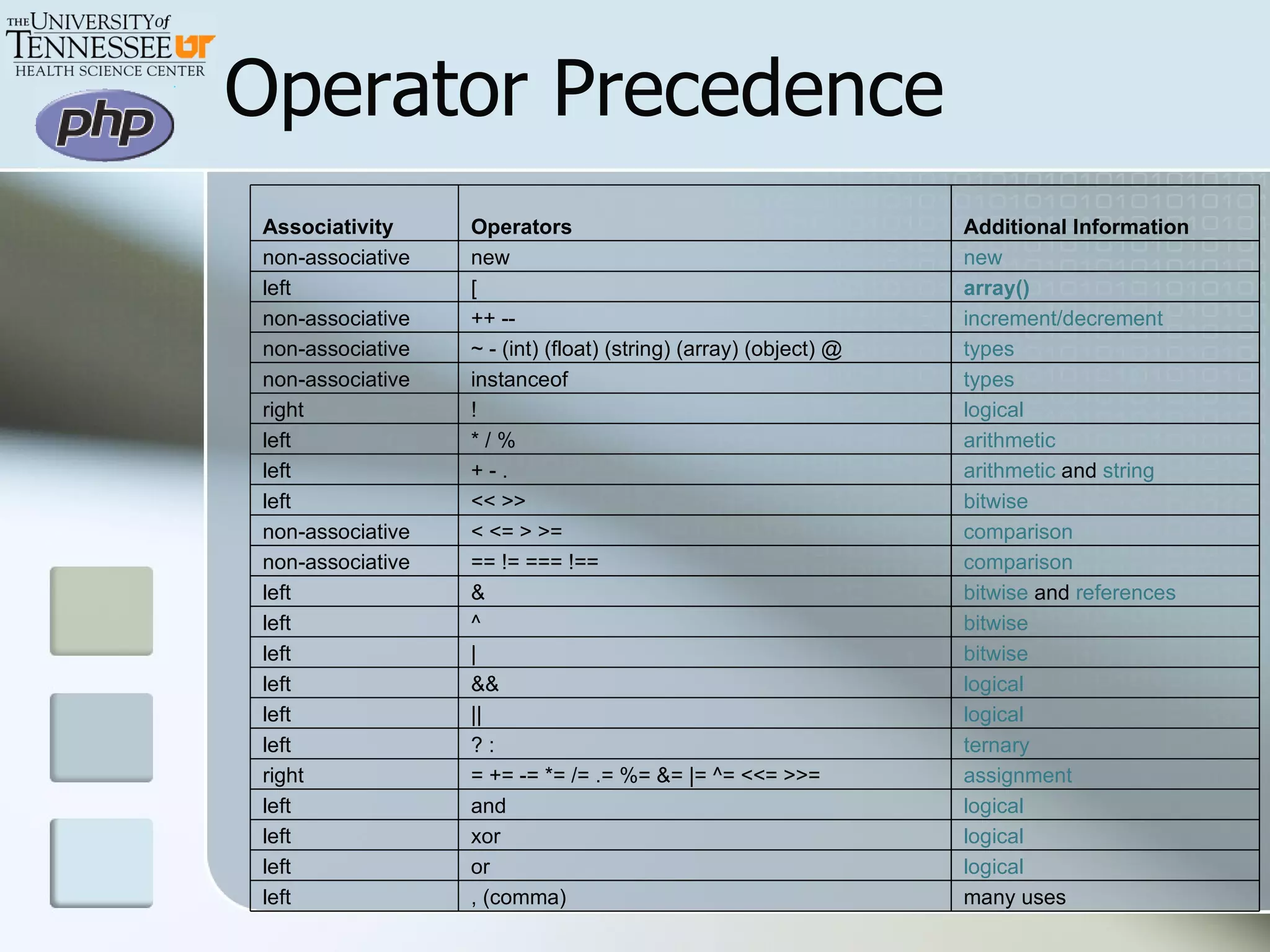
Operator Precedence Associativity Operators Additional Information non-associative new new left [ array() non-associative ++ -- increment/decrement   non-associative ~ - (int) (float) (string) (array) (object) @ types   non-associative instanceof types   right ! logical   left * / % arithmetic   left + - . arithmetic  and  string left << >> bitwise   non-associative < <= > >= comparison   non-associative == != === !== comparison   left & bitwise  and  references left ^ bitwise   left | bitwise   left && logical   left || logical   left ? : ternary   right = += -= *= /= .= %= &= |= ^= <<= >>=  assignment   left and logical   left xor logical   left or logical   left , (comma) many uses
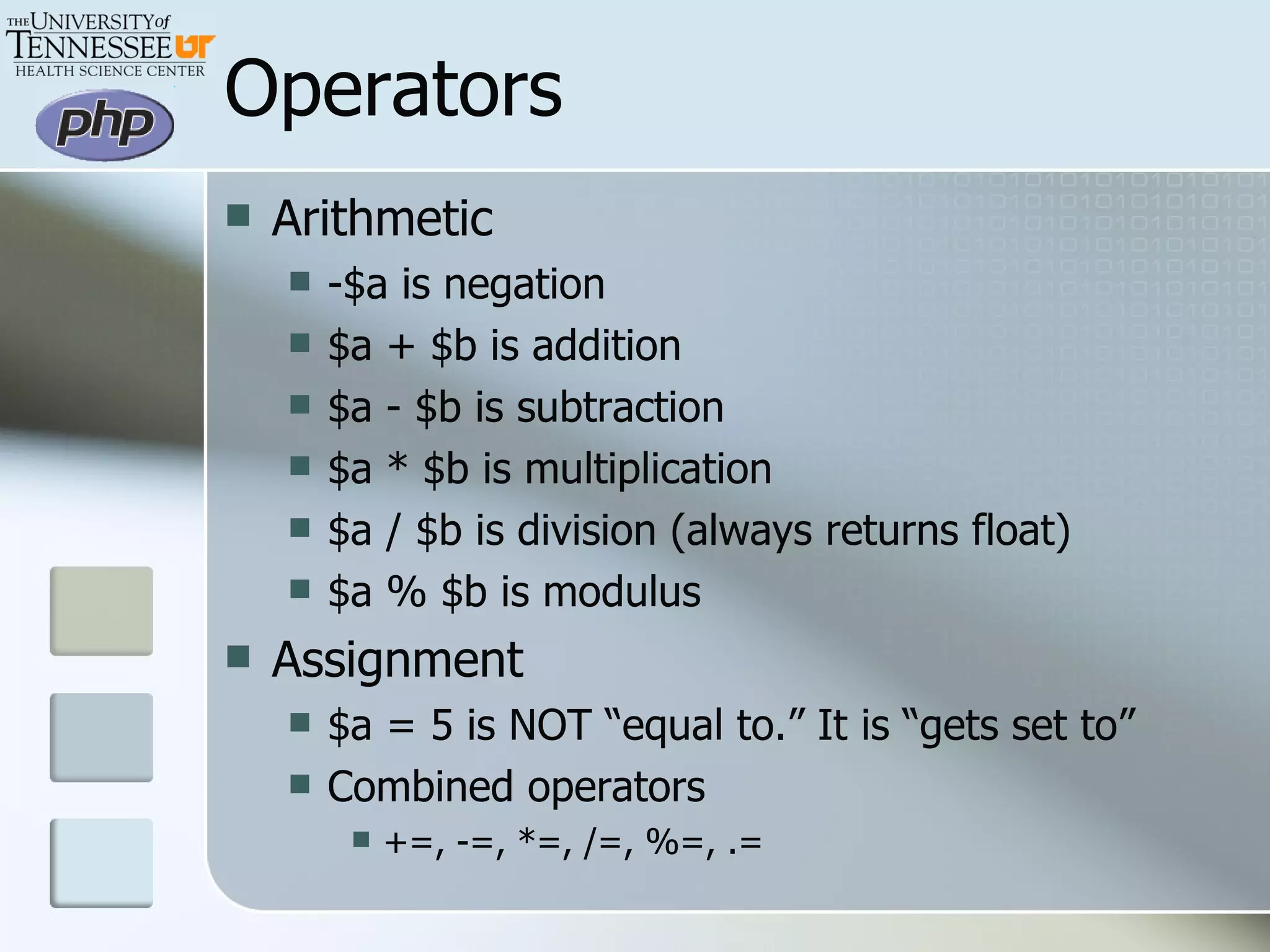
Operators Arithmetic -$a is negation $a + $b is addition $a - $b is subtraction $a * $b is multiplication $a / $b is division (always returns float) $a % $b is modulus Assignment $a = 5 is NOT “equal to.” It is “gets set to” Combined operators +=, -=, *=, /=, %=, .=
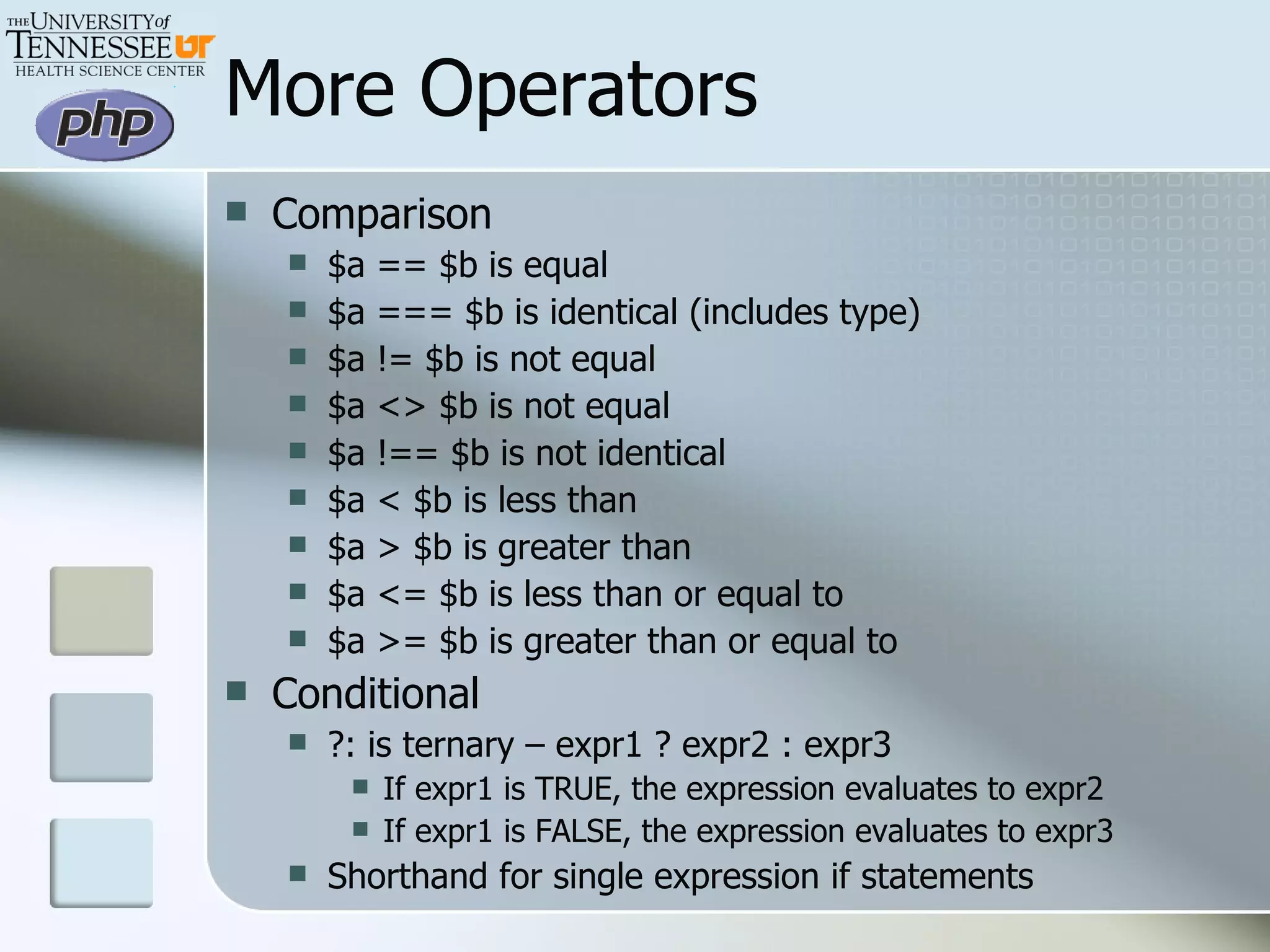
More Operators Comparison $a == $b is equal $a === $b is identical (includes type) $a != $b is not equal $a <> $b is not equal $a !== $b is not identical $a < $b is less than $a > $b is greater than $a <= $b is less than or equal to $a >= $b is greater than or equal to Conditional ?: is ternary – expr1 ? expr2 : expr3 If expr1 is TRUE, the expression evaluates to expr2 If expr1 is FALSE, the expression evaluates to expr3 Shorthand for single expression if statements
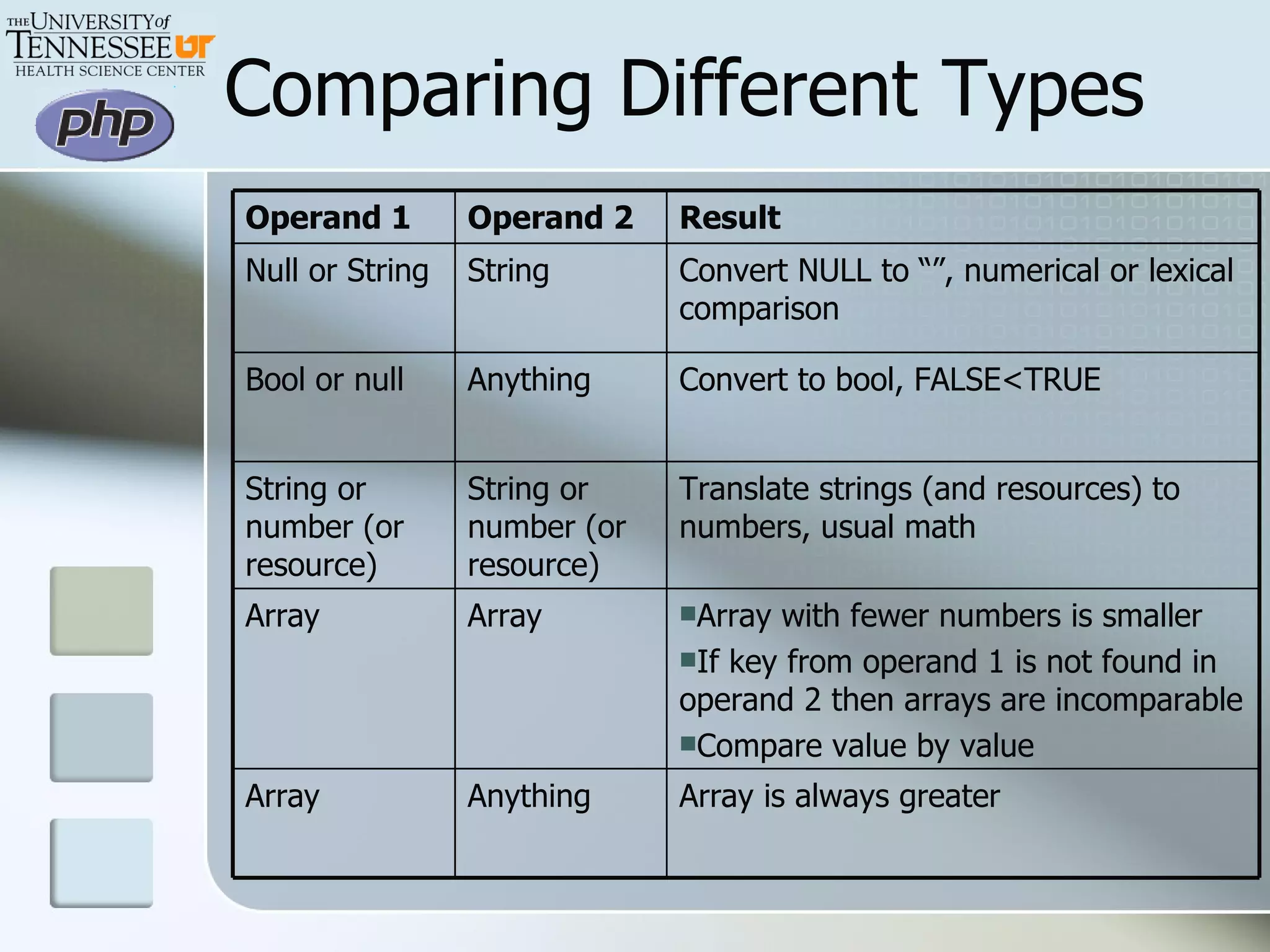
Comparing Different Types Operand 1 Operand 2 Result Null or String String Convert NULL to “”, numerical or lexical comparison Bool or null Anything Convert to bool, FALSE<TRUE String or number (or resource) String or number (or resource) Translate strings (and resources) to numbers, usual math Array Array Array with fewer numbers is smaller If key from operand 1 is not found in operand 2 then arrays are incomparable  Compare value by value Array Anything Array is always greater
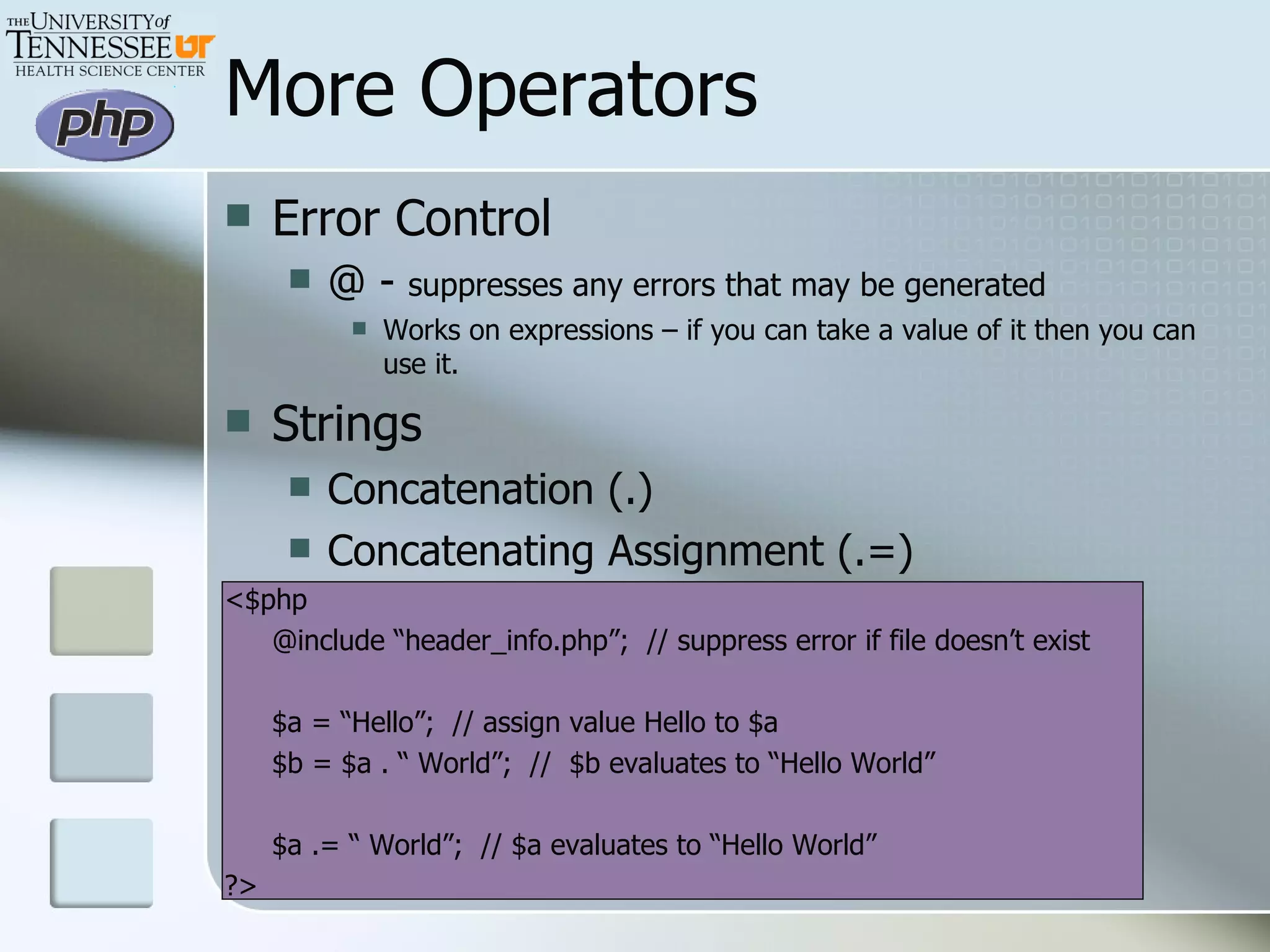
More Operators Error Control  @ -  suppresses any errors that may be generated Works on expressions – if you can take a value of it then you can use it. Strings Concatenation (.)  Concatenating Assignment (.=) <$php @include “header_info.php”;  // suppress error if file doesn’t exist $a = “Hello”;  // assign value Hello to $a $b = $a . “ World”;  //  $b evaluates to “Hello World” $a .= “ World”;  // $a evaluates to “Hello World” ?>
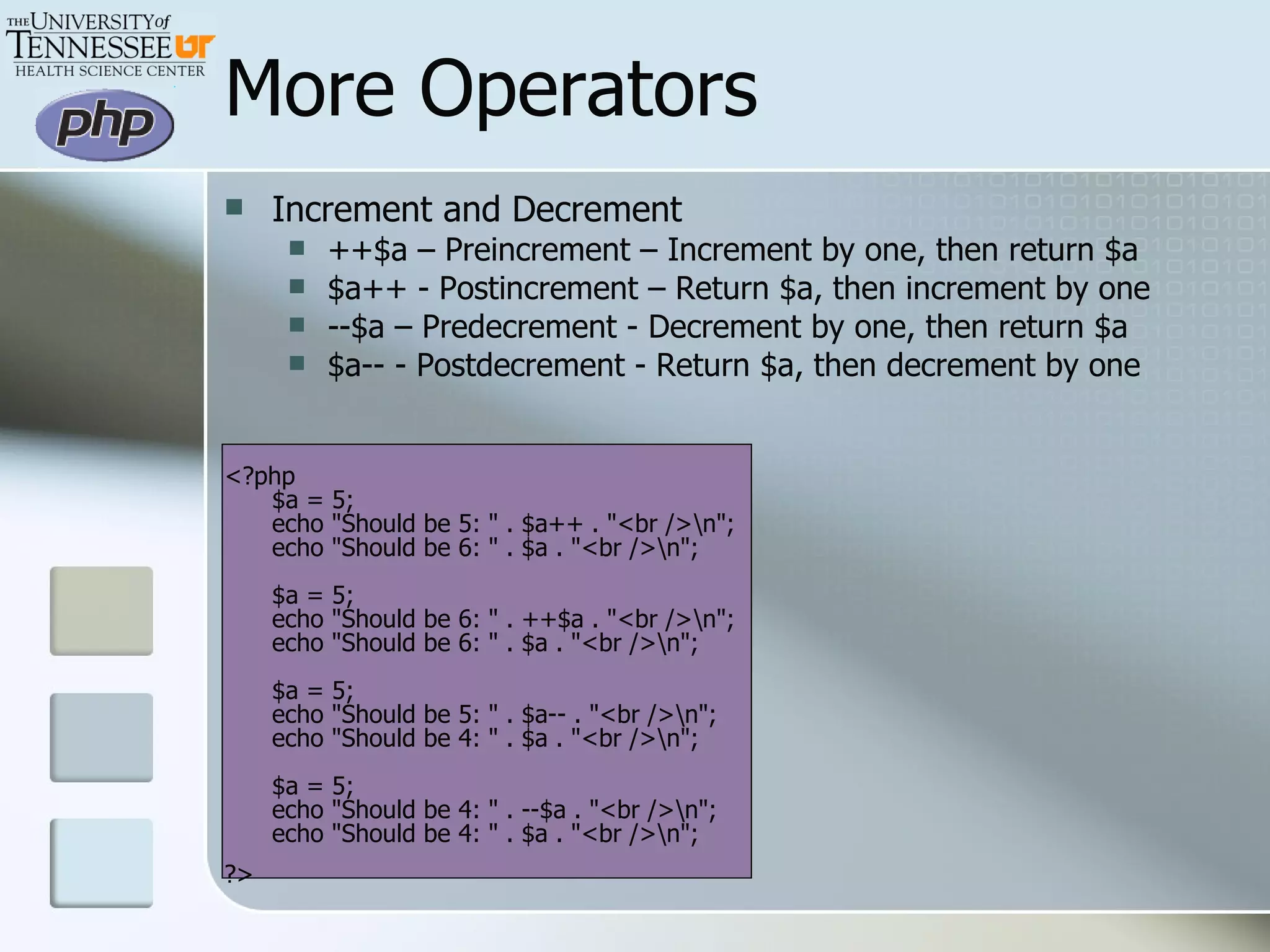
More Operators Increment and Decrement ++$a – Preincrement – Increment by one, then return $a $a++ - Postincrement – Return $a, then increment by one --$a – Predecrement - Decrement by one, then return $a $a-- - Postdecrement - Return $a, then decrement by one <?php $a = 5; echo &quot;Should be 5: &quot; . $a++ . &quot;<br />\n&quot;; echo &quot;Should be 6: &quot; . $a . &quot;<br />\n&quot;; $a = 5; echo &quot;Should be 6: &quot; . ++$a . &quot;<br />\n&quot;; echo &quot;Should be 6: &quot; . $a . &quot;<br />\n&quot;; $a = 5; echo &quot;Should be 5: &quot; . $a-- . &quot;<br />\n&quot;; echo &quot;Should be 4: &quot; . $a . &quot;<br />\n&quot;; $a = 5; echo &quot;Should be 4: &quot; . --$a . &quot;<br />\n&quot;; echo &quot;Should be 4: &quot; . $a . &quot;<br />\n&quot;; ?>
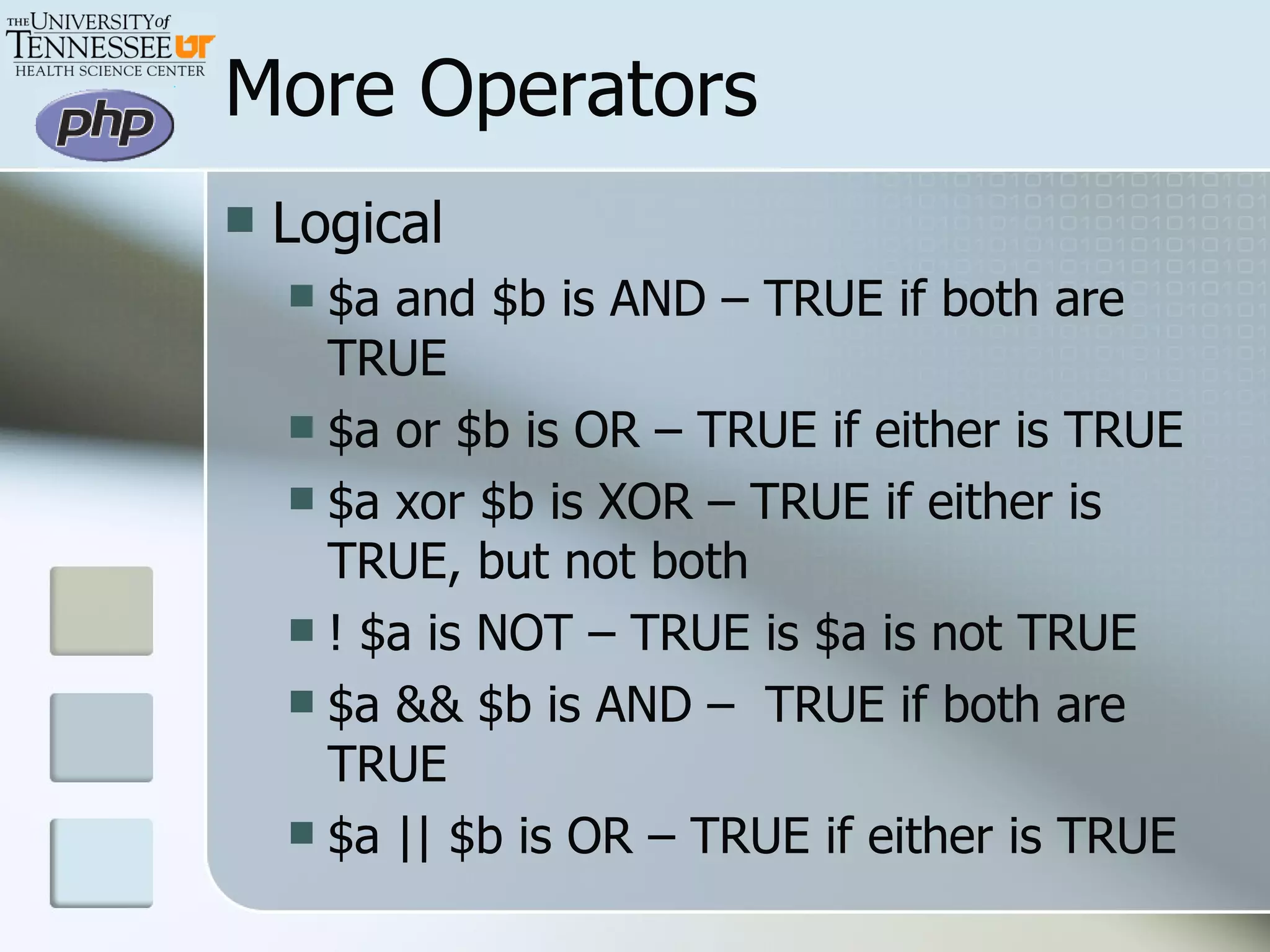
More Operators Logical $a and $b is AND – TRUE if both are TRUE $a or $b is OR – TRUE if either is TRUE $a xor $b is XOR – TRUE if either is TRUE, but not both ! $a is NOT – TRUE is $a is not TRUE $a && $b is AND –  TRUE if both are TRUE $a || $b is OR – TRUE if either is TRUE
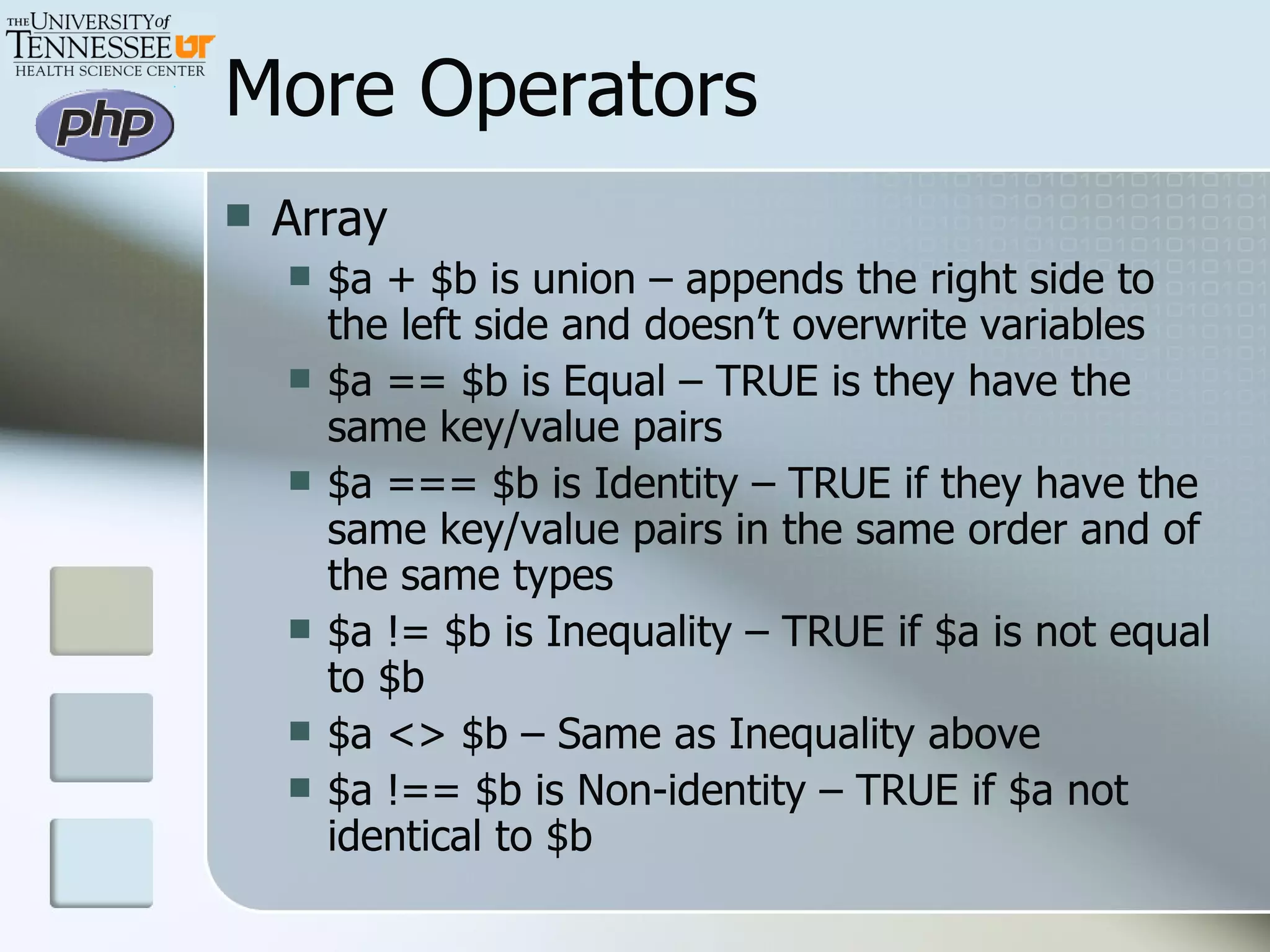
More Operators Array $a + $b is union – appends the right side to the left side and doesn’t overwrite variables $a == $b is Equal – TRUE is they have the same key/value pairs $a === $b is Identity – TRUE if they have the same key/value pairs in the same order and of the same types $a != $b is Inequality – TRUE if $a is not equal to $b $a <> $b – Same as Inequality above $a !== $b is Non-identity – TRUE if $a not identical to $b
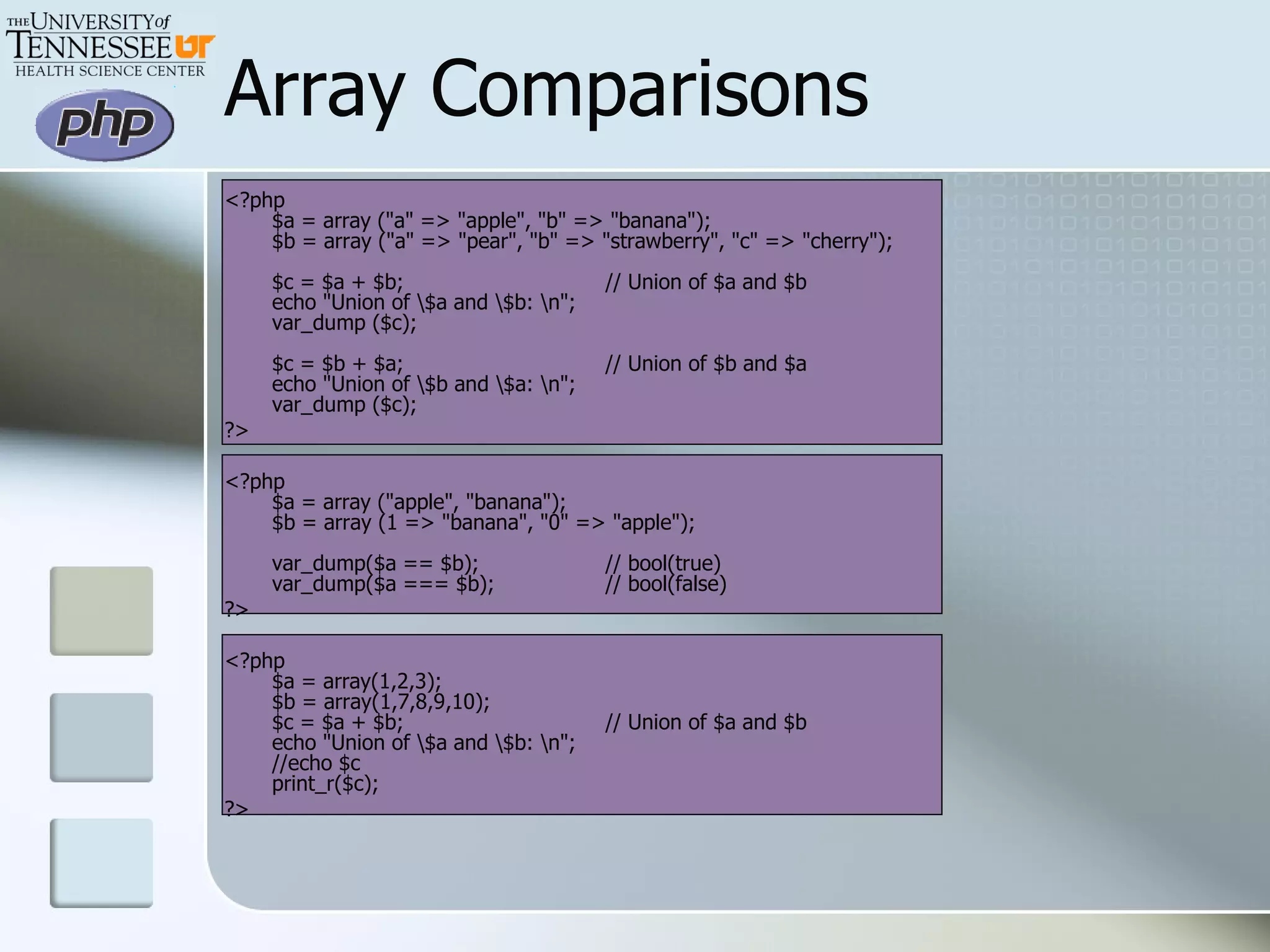
Array Comparisons <?php $a = array (&quot;a&quot; => &quot;apple&quot;, &quot;b&quot; => &quot;banana&quot;); $b = array (&quot;a&quot; => &quot;pear&quot;, &quot;b&quot; => &quot;strawberry&quot;, &quot;c&quot; => &quot;cherry&quot;); $c = $a + $b;  // Union of $a and $b echo &quot;Union of \$a and \$b: \n&quot;; var_dump ($c); $c = $b + $a;  // Union of $b and $a echo &quot;Union of \$b and \$a: \n&quot;; var_dump ($c); ?>  <?php $a = array (&quot;apple&quot;, &quot;banana&quot;); $b = array (1 => &quot;banana&quot;, &quot;0&quot; => &quot;apple&quot;); var_dump($a == $b);  // bool(true) var_dump($a === $b);  // bool(false) ?>  <?php $a = array(1,2,3); $b = array(1,7,8,9,10); $c = $a + $b;  // Union of $a and $b echo &quot;Union of \$a and \$b: \n&quot;; //echo $c print_r($c); ?>
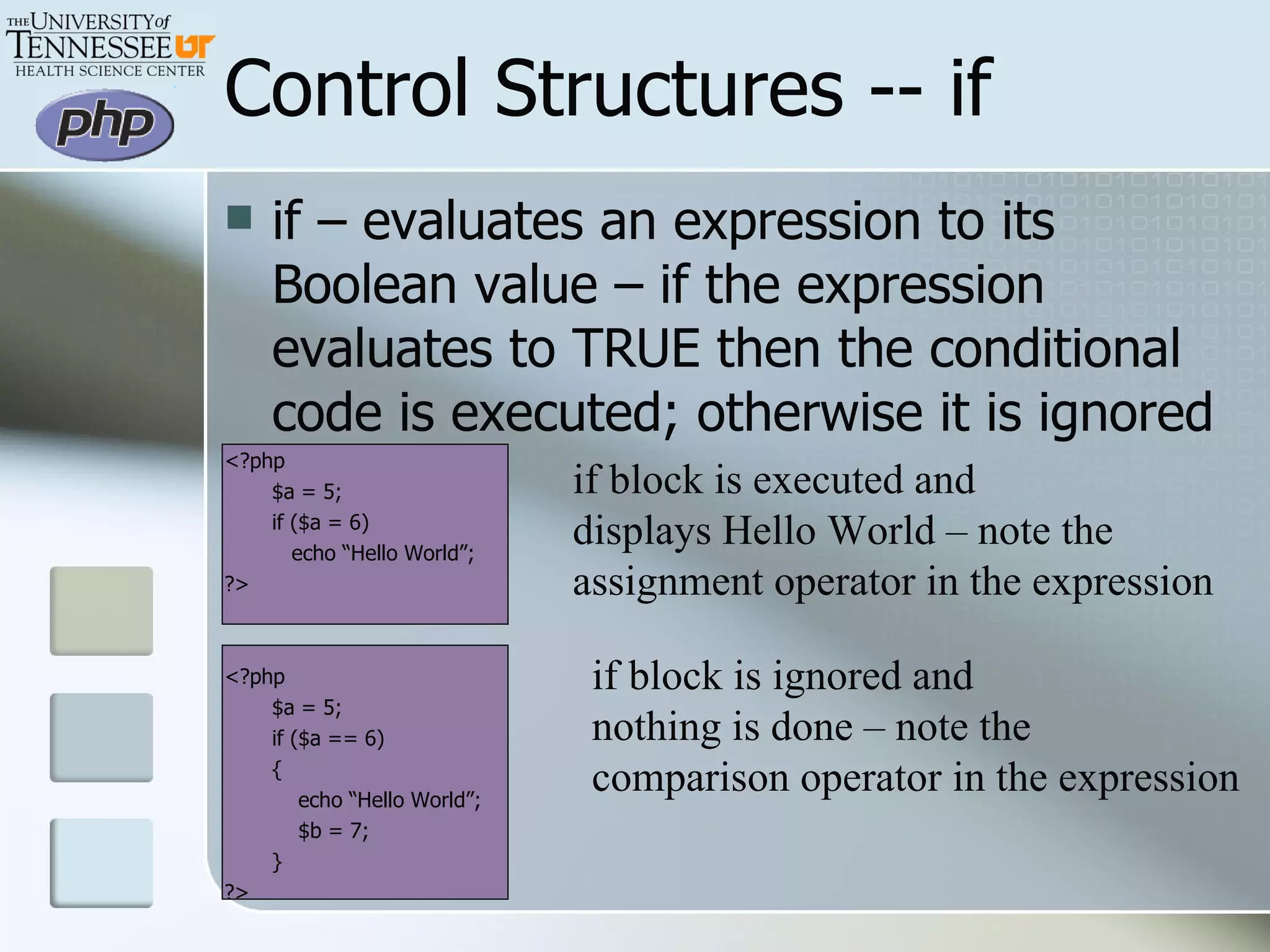
Control Structures -- if if – evaluates an expression to its Boolean value – if the expression evaluates to TRUE then the conditional code is executed; otherwise it is ignored <?php $a = 5; if ($a = 6)   echo “Hello World”; ?> <?php $a = 5; if ($a == 6) {   echo “Hello World”;   $b = 7; } ?> if block is executed and displays Hello World – note the assignment operator in the expression if block is ignored and nothing is done – note the  comparison operator in the expression
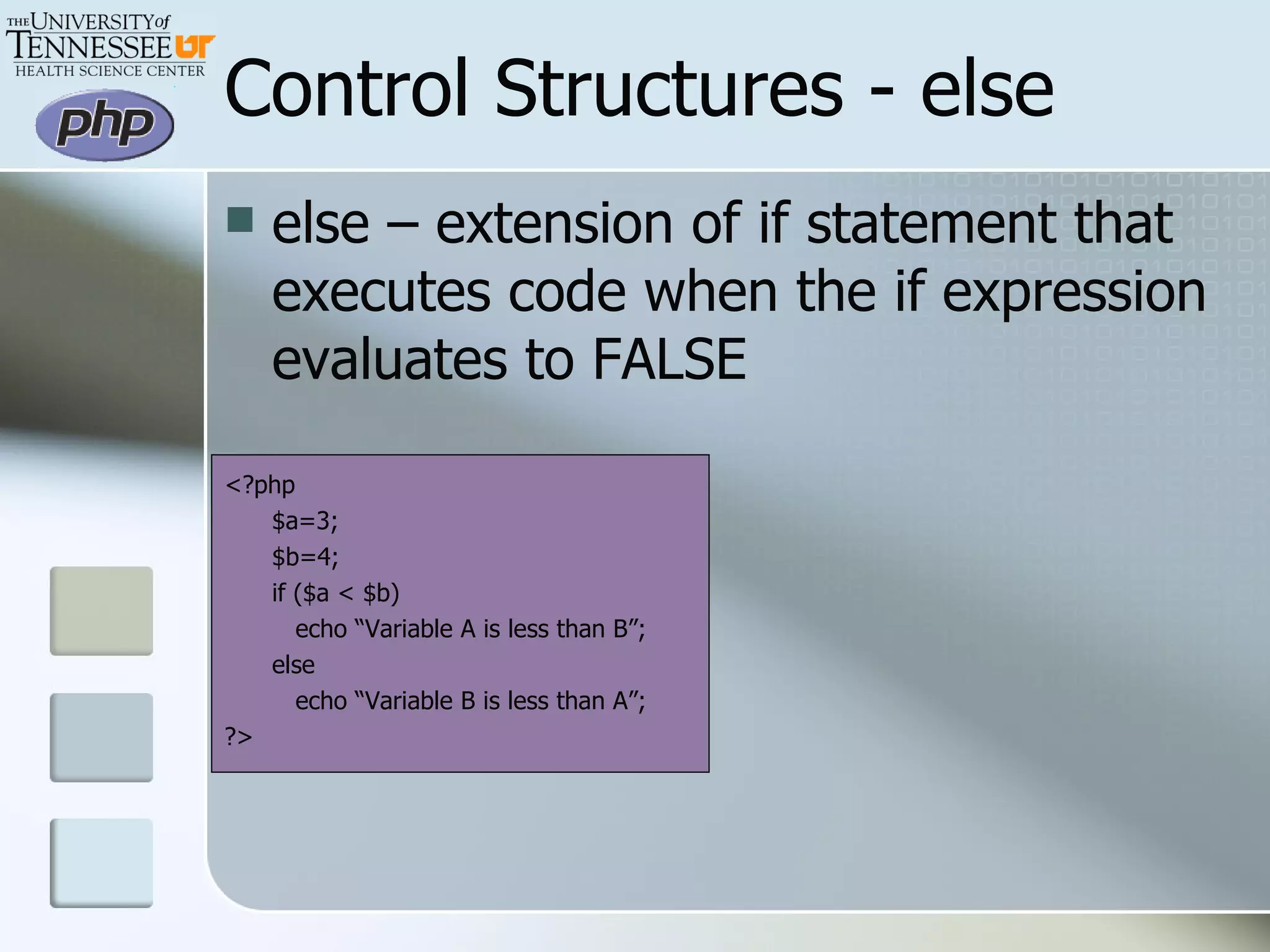
Control Structures - else else – extension of if statement that executes code when the if expression evaluates to FALSE <?php $a=3; $b=4; if ($a < $b)   echo “Variable A is less than B”; else   echo “Variable B is less than A”; ?>
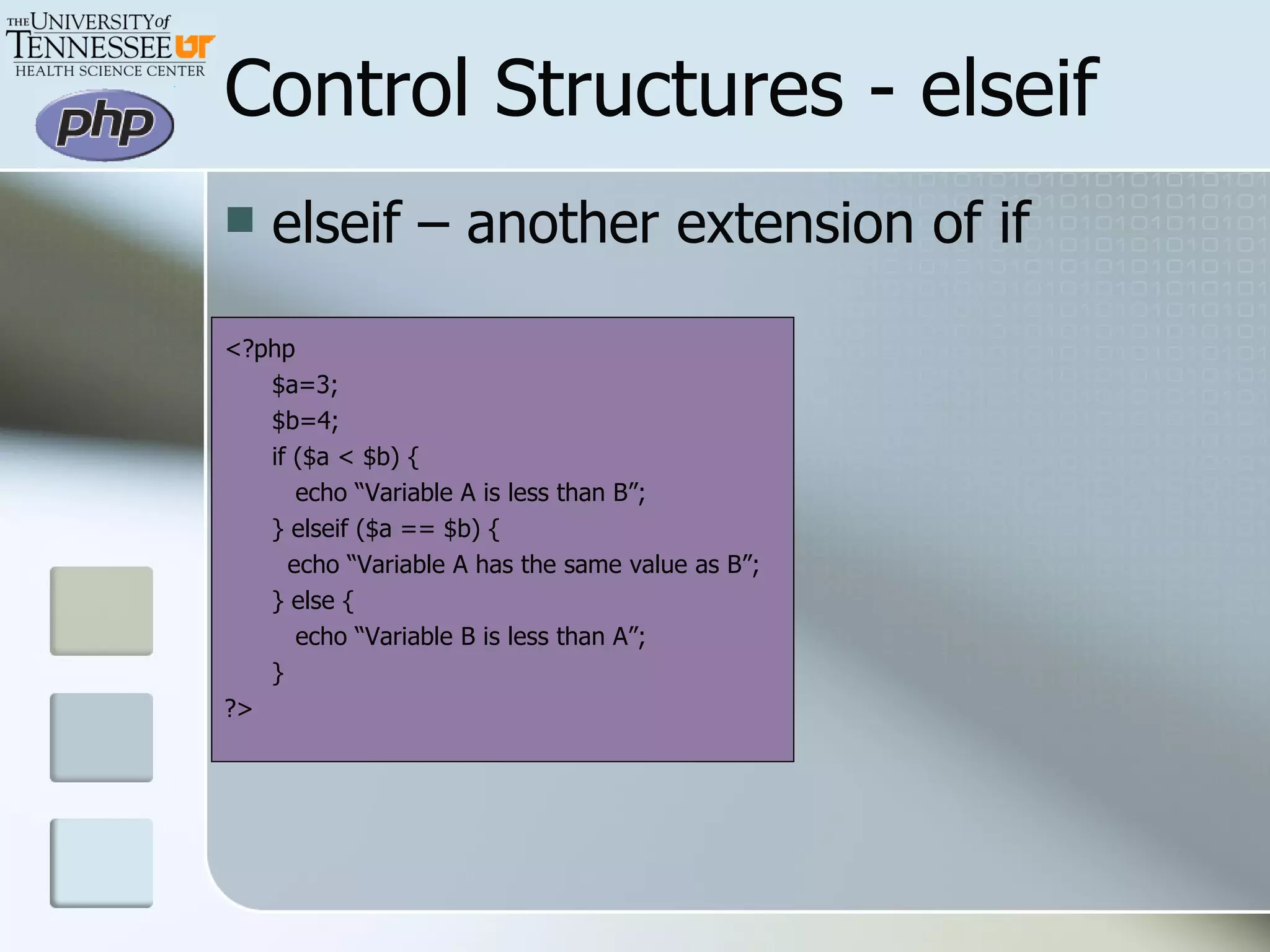
Control Structures - elseif elseif – another extension of if <?php $a=3; $b=4; if ($a < $b) {   echo “Variable A is less than B”; } elseif ($a == $b) {   echo “Variable A has the same value as B”; } else {   echo “Variable B is less than A”; } ?>
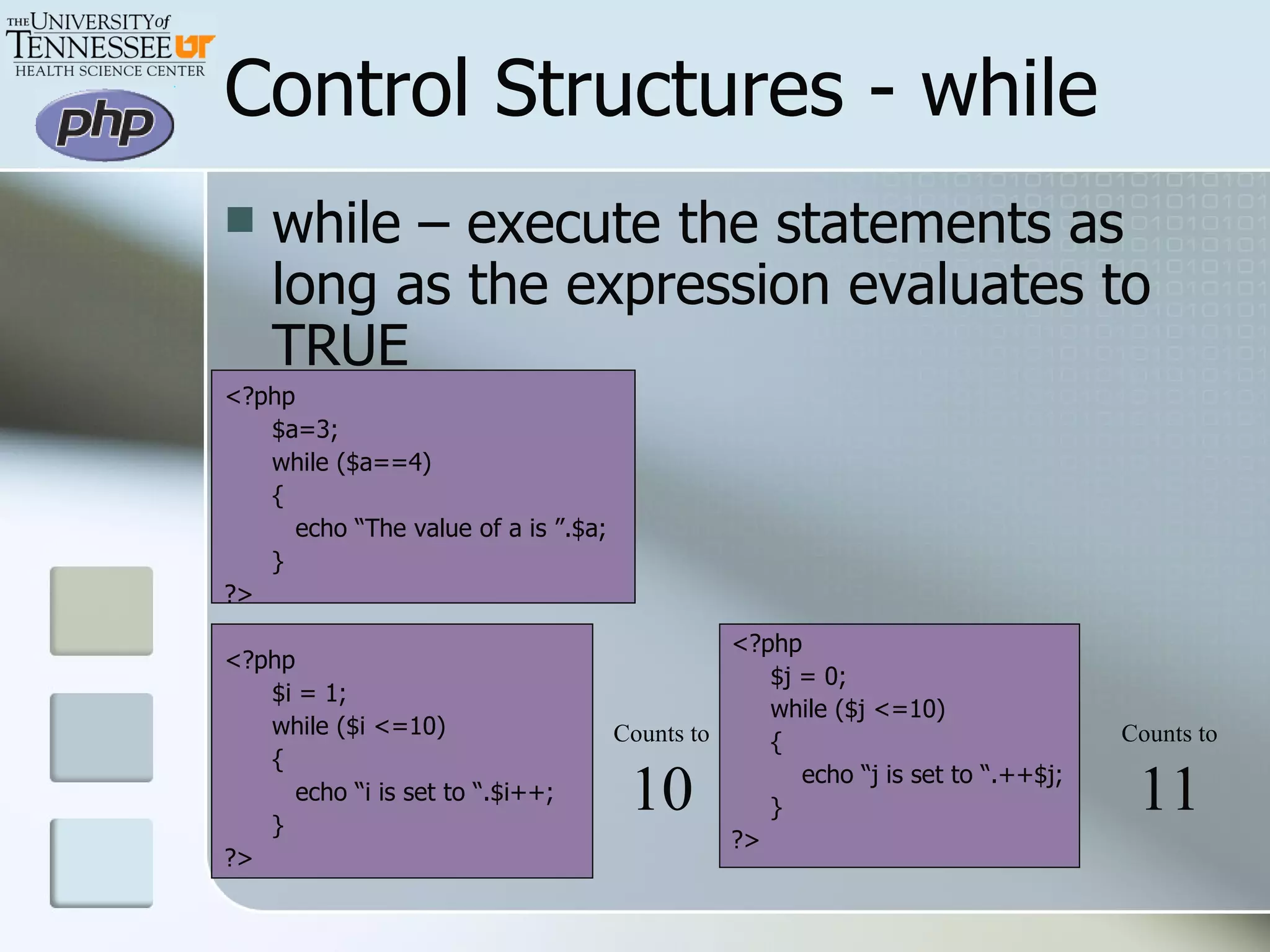
Control Structures - while while – execute the statements as long as the expression evaluates to TRUE <?php $a=3; while ($a==4) {   echo “The value of a is ”.$a; } ?> <?php $i = 1; while ($i <=10) {   echo “i is set to “.$i++; } ?> <?php $j = 0; while ($j <=10) { echo “j is set to “.++$j; } ?> Counts to 10 Counts to 11
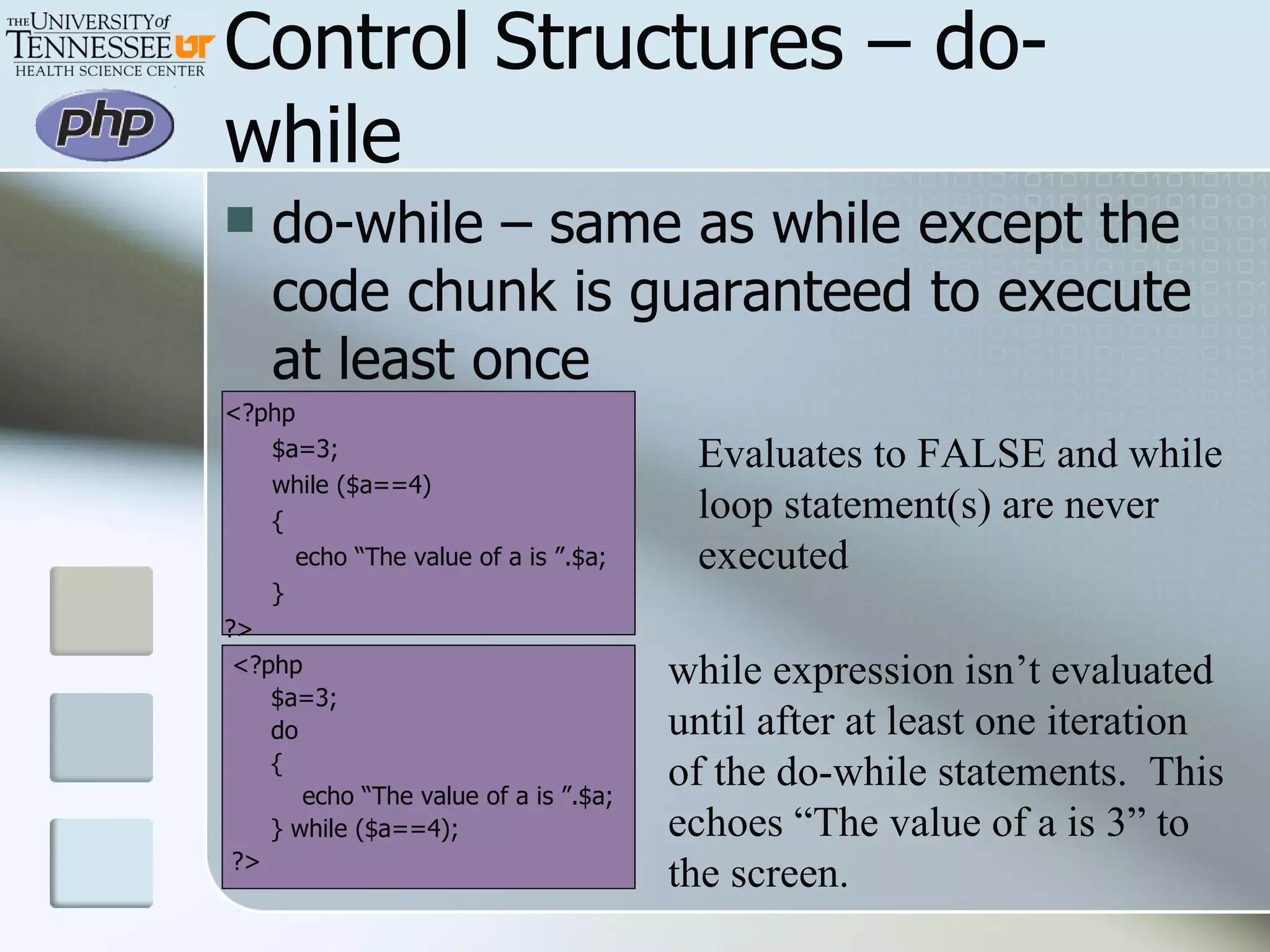
Control Structures – do-while do-while – same as while except the code chunk is guaranteed to execute at least once <?php $a=3; while ($a==4) {   echo “The value of a is ”.$a; } ?> <?php $a=3; do { echo “The value of a is ”.$a; } while ($a==4); ?> Evaluates to FALSE and while loop statement(s) are never executed while expression isn’t evaluated until after at least one iteration  of the do-while statements.  This echoes “The value of a is 3” to the screen.
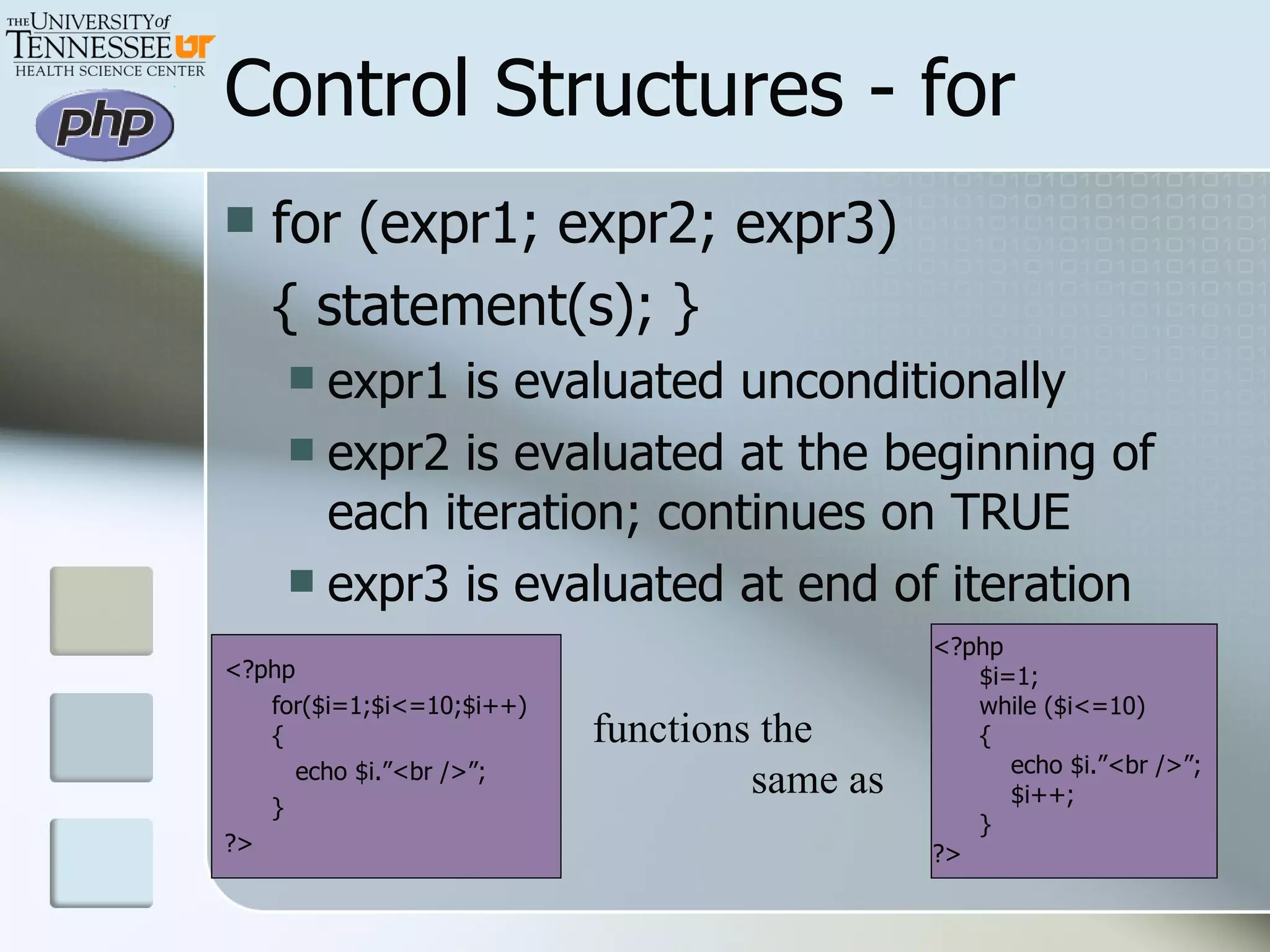
for (expr1; expr2; expr3) { statement(s); } expr1 is evaluated unconditionally expr2 is evaluated at the beginning of each iteration; continues on TRUE expr3 is evaluated at end of iteration  <?php for($i=1;$i<=10;$i++) {   echo $i.”<br />”; } ?> Control Structures - for <?php $i=1; while ($i<=10) { echo $i.”<br />”; $i++; } ?> functions the    same as
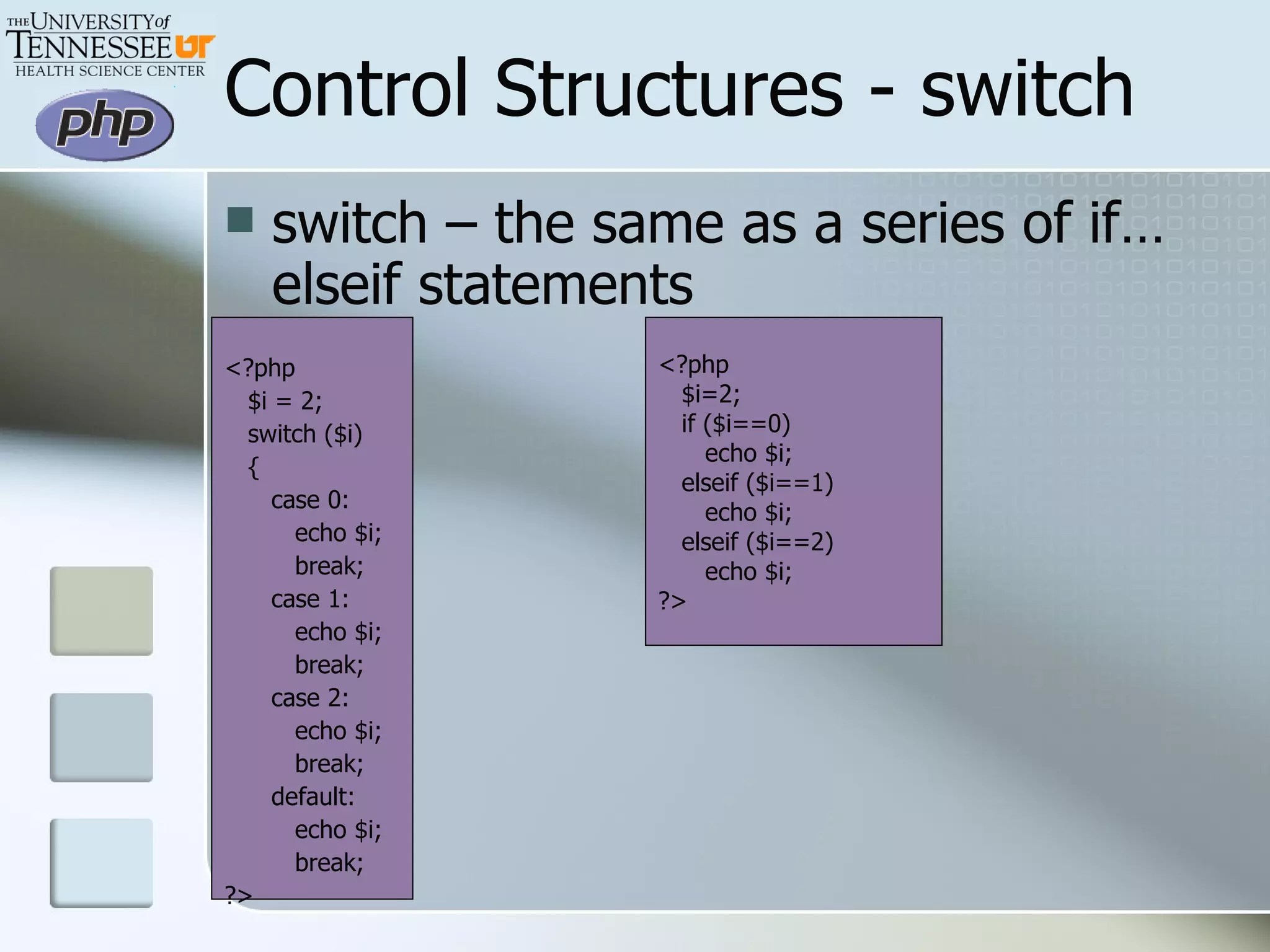
Control Structures - switch switch – the same as a series of if…elseif statements <?php $i = 2; switch ($i) { case 0: echo $i; break; case 1: echo $i; break; case 2: echo $i; break; default: echo $i; break; ?> <?php $i=2; if ($i==0) echo $i; elseif ($i==1) echo $i; elseif ($i==2) echo $i; ?>
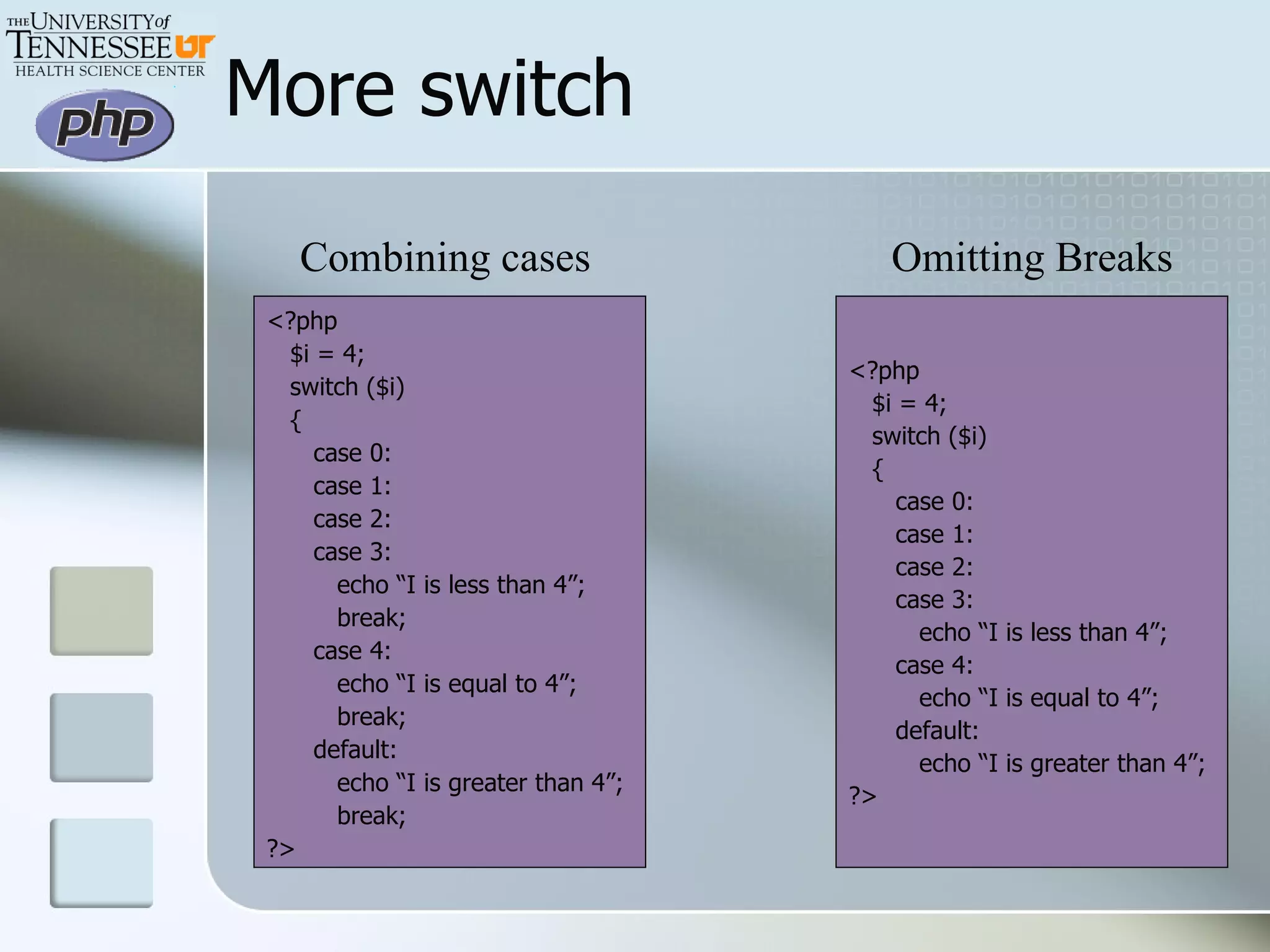
More switch <?php $i = 4; switch ($i) { case 0: case 1: case 2: case 3: echo “I is less than 4”; break; case 4: echo “I is equal to 4”; break; default: echo “I is greater than 4”; break; ?> Combining cases Omitting Breaks <?php $i = 4; switch ($i) { case 0: case 1: case 2: case 3: echo “I is less than 4”; case 4: echo “I is equal to 4”; default: echo “I is greater than 4”; ?>
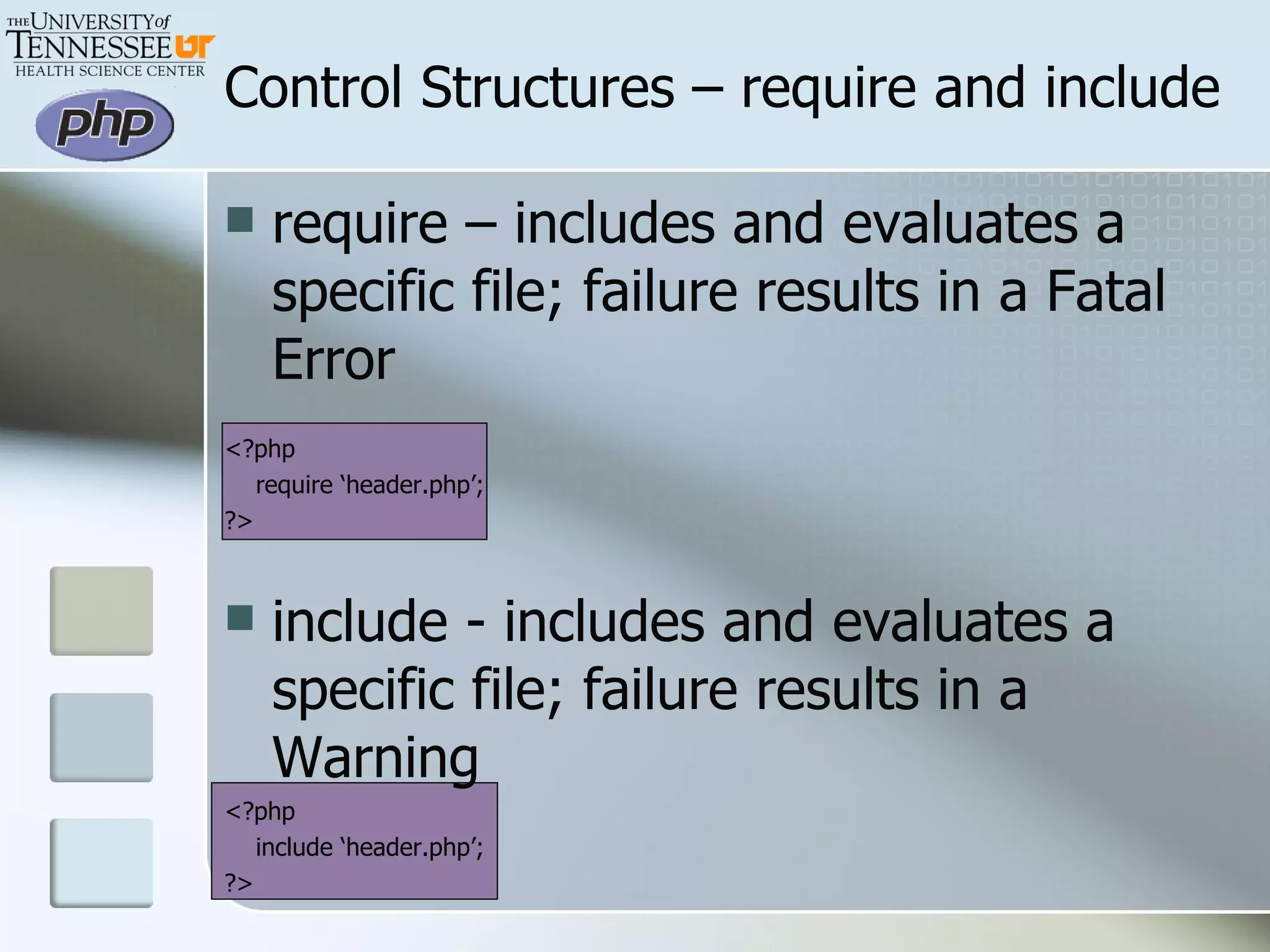
Control Structures – require and include require – includes and evaluates a specific file; failure results in a Fatal Error <?php require ‘header.php’; ?> include - includes and evaluates a specific file; failure results in a Warning <?php include ‘header.php’; ?>
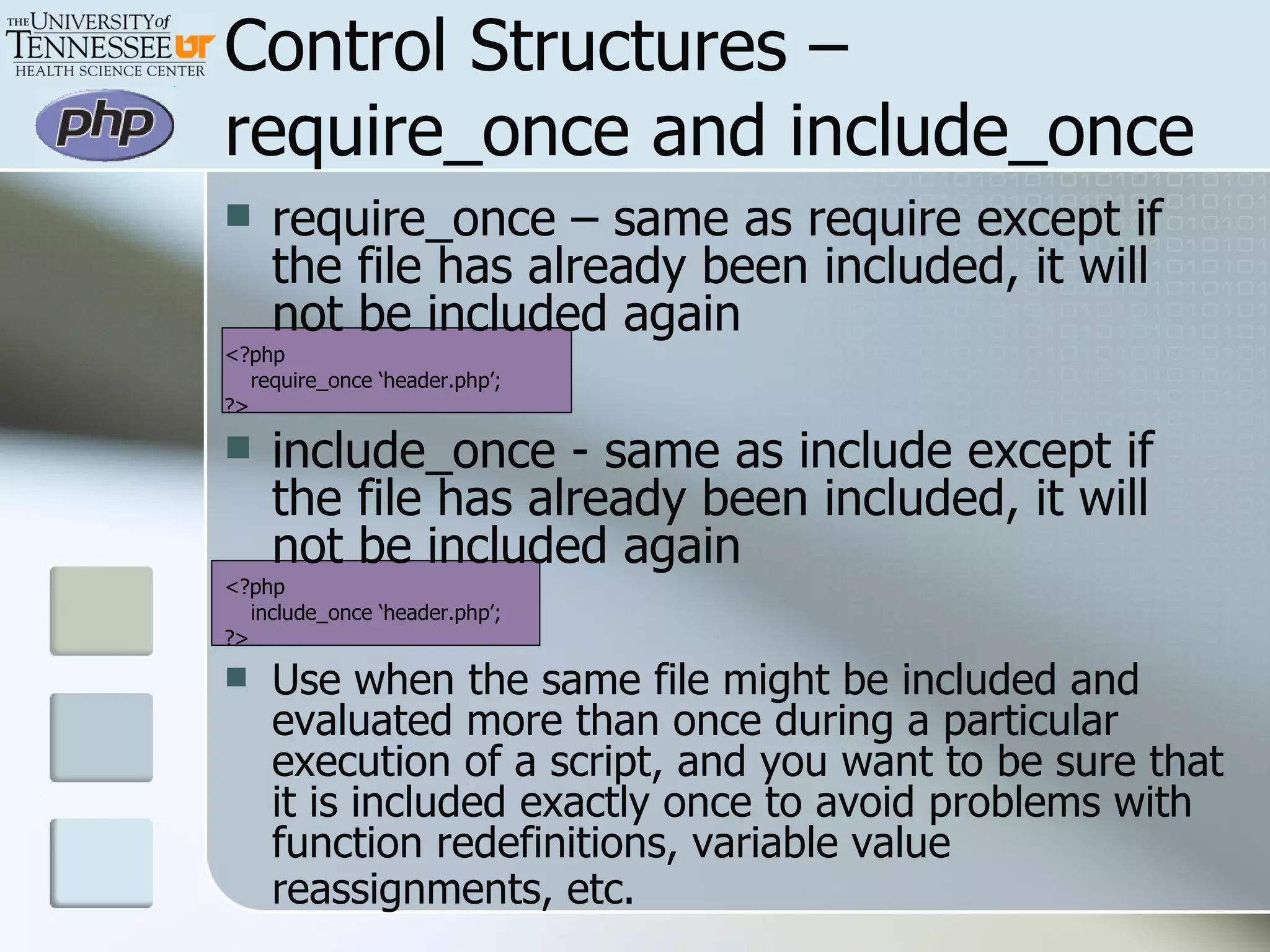
Control Structures –require_once and include_once require_once – same as require except if the file has already been included, it will not be included again <?php require_once ‘header.php’; ?> include_once - same as include except if the file has already been included, it will not be included again <?php include_once ‘header.php’; ?> Use when the same file might be included and evaluated more than once during a particular execution of a script, and you want to be sure that it is included exactly once to avoid problems with function redefinitions, variable value reassignments, etc.
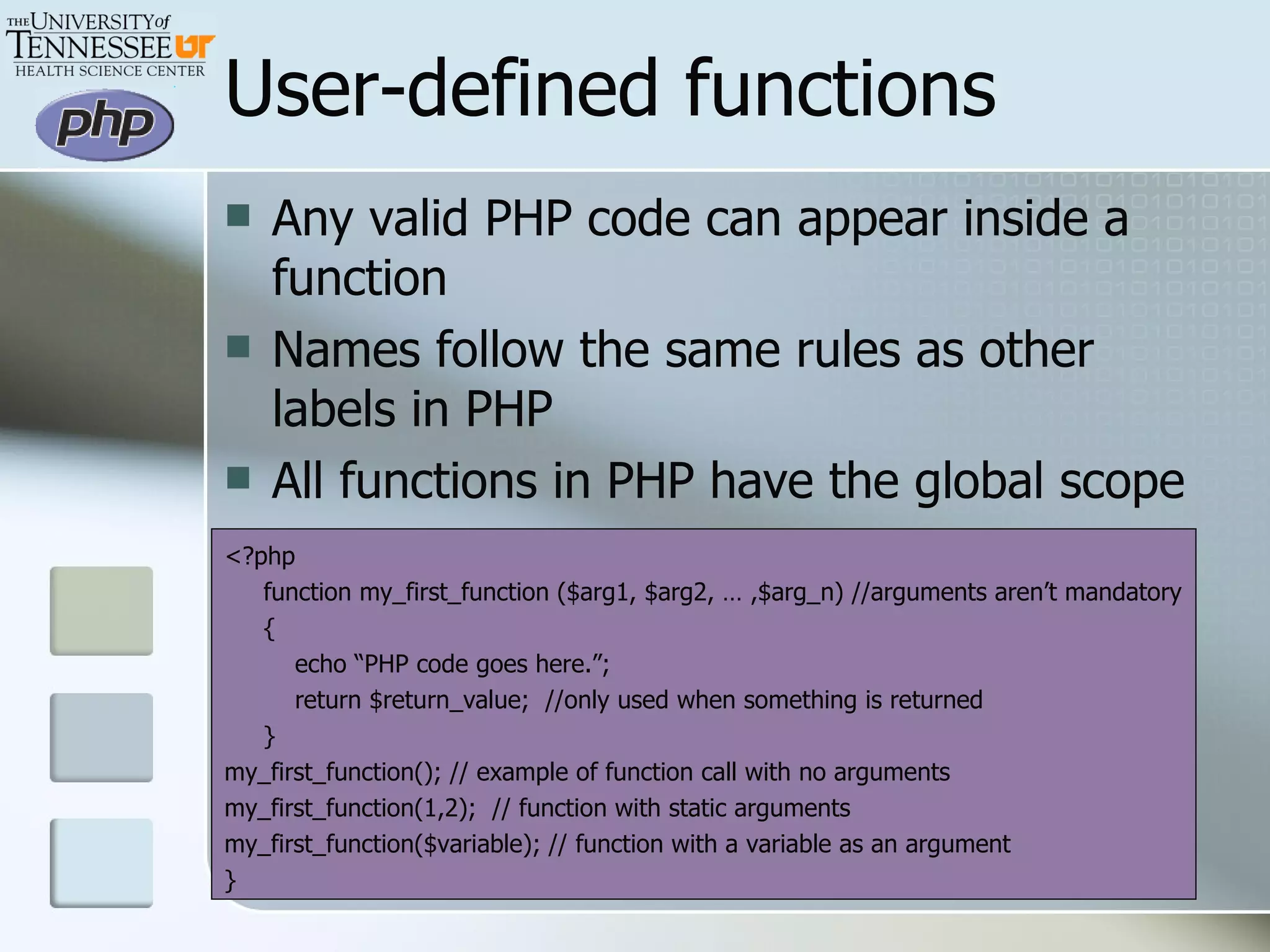
User-defined functions Any valid PHP code can appear inside a function Names follow the same rules as other labels in PHP All functions in PHP have the global scope <?php function my_first_function ($arg1, $arg2, … ,$arg_n) //arguments aren’t mandatory { echo “PHP code goes here.”; return $return_value;  //only used when something is returned } my_first_function(); // example of function call with no arguments my_first_function(1,2);  // function with static arguments my_first_function($variable); // function with a variable as an argument }
Functions and Arguments Information can be passed to the function by the argument list, a comma separated value list of expressions Arguments may be passed by: Value (default) Reference Default argument list Variable-length argument lists are supported only in PHP4 and greater
Passing by value examples <?php #########  NUMBERS  ###########  function add_numbers($value1, $value2) { echo “The numbers $value1 + $value2 equal “. $value1+$value2; } add_numbers(3,4);  #adding 2 static numbers add_numbers($age1,$age2); #adding 2 ages given by a user from a form #########  STRING  ########### function display_instructions() { echo “Text goes here.  Great for text that changes often and is used many places.”; } display_instructions(); #########  ARRAYS  ########### function add_array_values($func_array) { echo “The numbers $func_array[0] + $func_array[1] = “. $func_array[0] + $func_array[1]; } $main_program_array = array(2,3); add_array_values($array); ?> Function Examples
More Function Examples Passing by Reference and Default Argument List <?php $dbc = OCILogon(&quot;A201&quot;,&quot;$password&quot;,&quot;$database&quot;); function which_name($identifier,&$conn,$count=&quot;1&quot;) { //global $dbc; //$conn =& $GLOBALS['dbc']; if ($identifier == &quot;last&quot;)   $sql = &quot;select t100_first_name, t100_last_name from a201t100 where t100_last_name like 'Q%'&quot;; else   $sql = &quot;select t100_first_name, t100_last_name from a201t100 where t100_first_name like 'Q%'&quot;; $stmt = OCIParse($conn,$sql); OCIExecute($stmt); while ($row=OCI_fetch_row($stmt)) { echo &quot;<tr><td>&quot;.$count++.&quot;</td><td>$row[0] $row[1]</td></tr>&quot;;} OCIFreeStatement($stmt); OCILogoff($conn); } echo &quot;<table border='1' cellpadding='3’ width='30%'><tr><td>Count</td><td>Name</td></tr>\n“;  which_name(&quot;first&quot;,$dbc); echo&quot;</table>&quot;; ?>
More Function Examples Passing by reference notes Used when you want to change the value of the object you passed in I don’t know of a realistic use except when using classes. Can be used to return more than one value from a function (more on that later). Passing by default argument list Any defaults must be on the right side of the argument list Must be a constant expression Uses default unless specified otherwise
Variable length argument lists Uses the  func_num_args() ,  func_get_arg() , and  func_get_args()  functions.   <?php function math() { $numargs = func_num_args(); echo &quot;Number of arguments: $numargs\n<br />&quot;; echo &quot;The second side is: &quot; . func_get_arg(1) . &quot;<br />\n&quot;; $arg_list = func_get_args(); for ($i = 1; $i < $numargs +1; $i++) { echo &quot;Side $i is: &quot; . $arg_list[$i -1] . &quot;<br />\n&quot;; $area += $arg_list[$i -1]; } return $area; } $area_of_object = math(3,4,5,6,1);  // Prints 'Number of arguments: 5' echo &quot;The area of the object is $area_of_object&quot;; ?>
Returning values A value can be returned by using the optional return() statement Function execution is ended immediately and control passed back to the line that called the function Returns a single variable could be a single number or string could be an array with several values
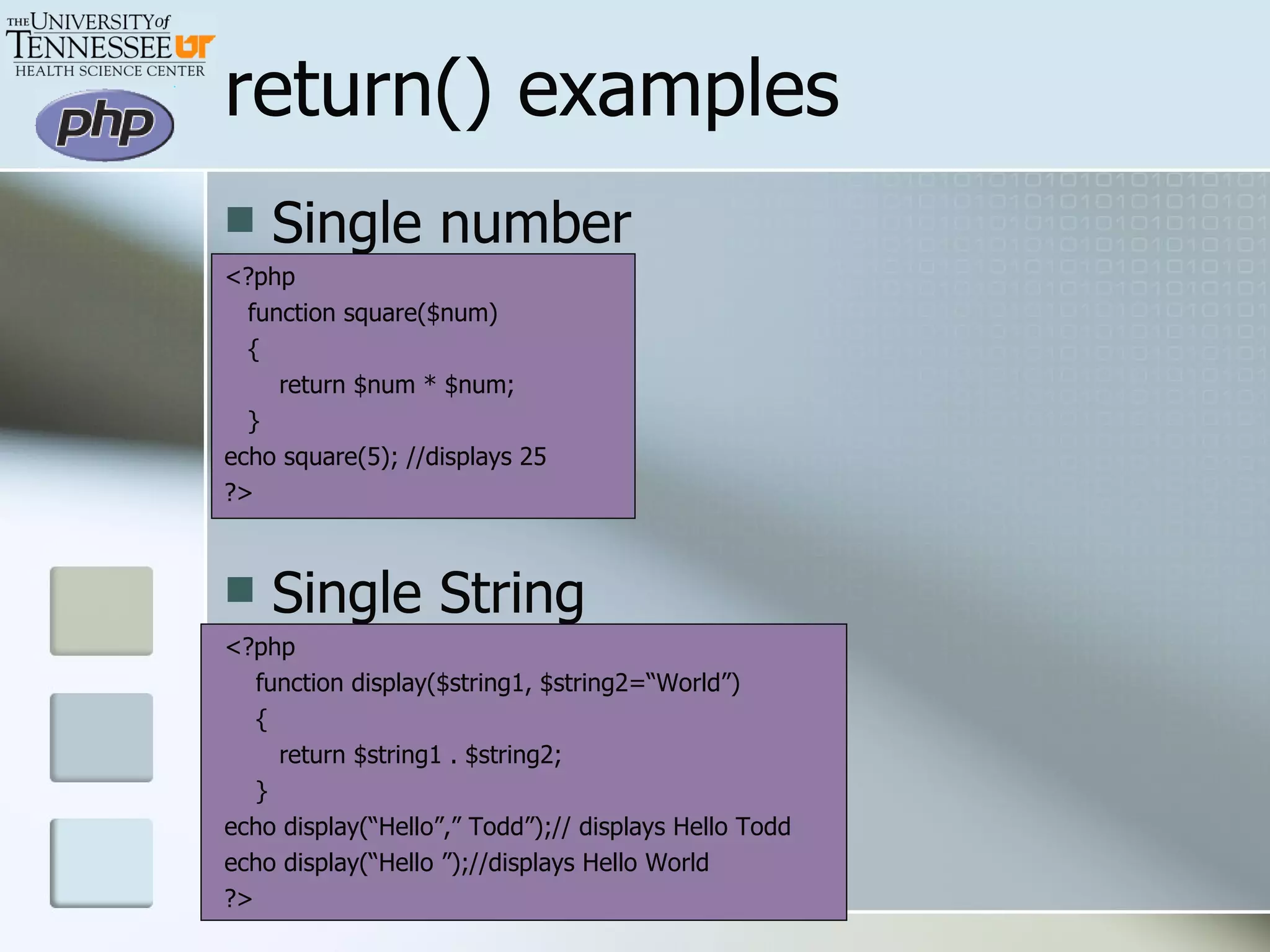
return() examples Single number <?php function square($num) { return $num * $num; } echo square(5); //displays 25 ?> Single String <?php function display($string1, $string2=“World”) { return $string1 . $string2; } echo display(“Hello”,” Todd”);// displays Hello Todd echo display(“Hello ”);//displays Hello World ?>
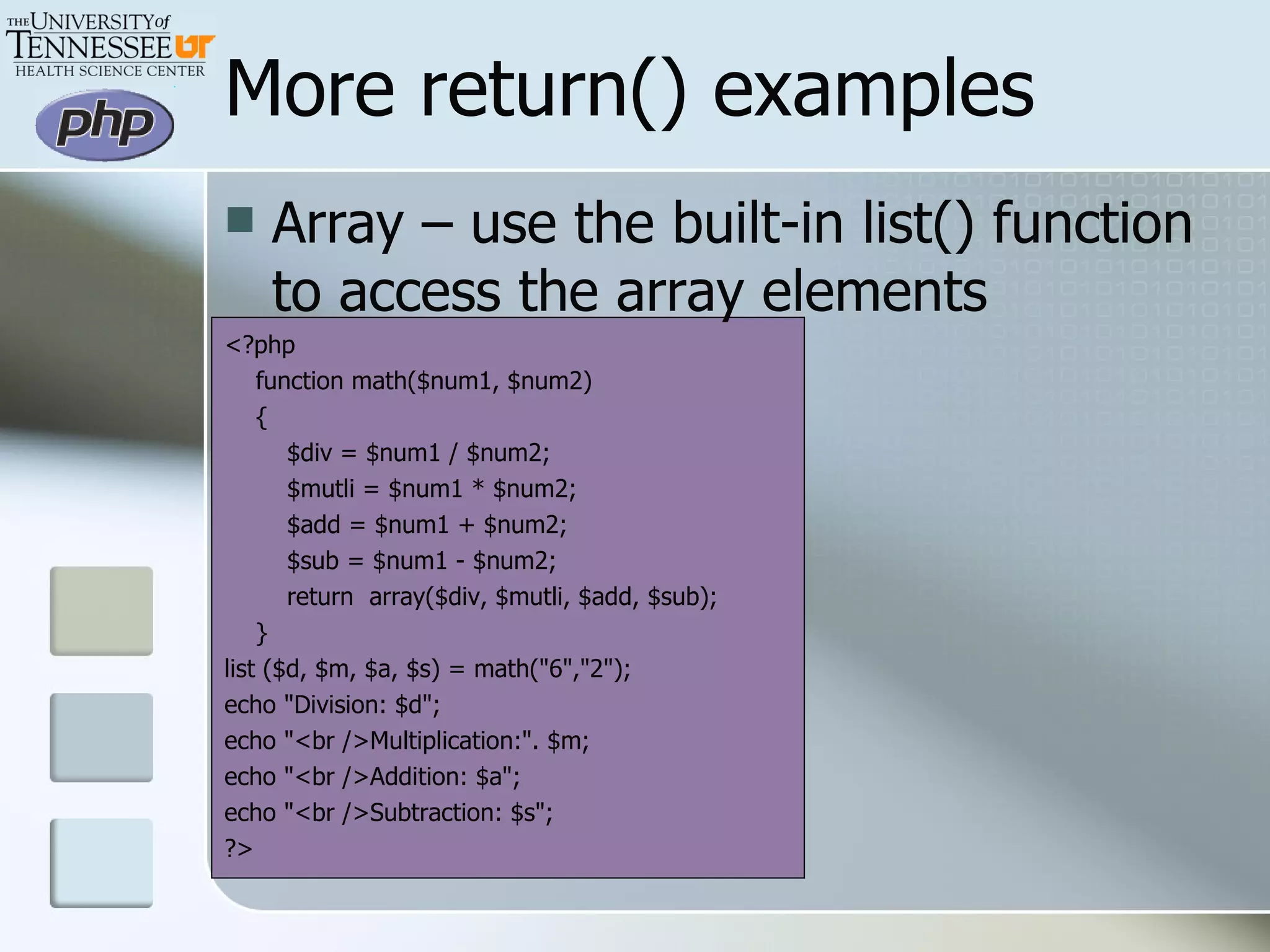
More return() examples Array – use the built-in list() function to access the array elements <?php function math($num1, $num2) { $div = $num1 / $num2; $mutli = $num1 * $num2; $add = $num1 + $num2; $sub = $num1 - $num2; return  array($div, $mutli, $add, $sub); } list ($d, $m, $a, $s) = math(&quot;6&quot;,&quot;2&quot;); echo &quot;Division: $d&quot;; echo &quot;<br />Multiplication:&quot;. $m; echo &quot;<br />Addition: $a&quot;; echo &quot;<br />Subtraction: $s&quot;; ?>
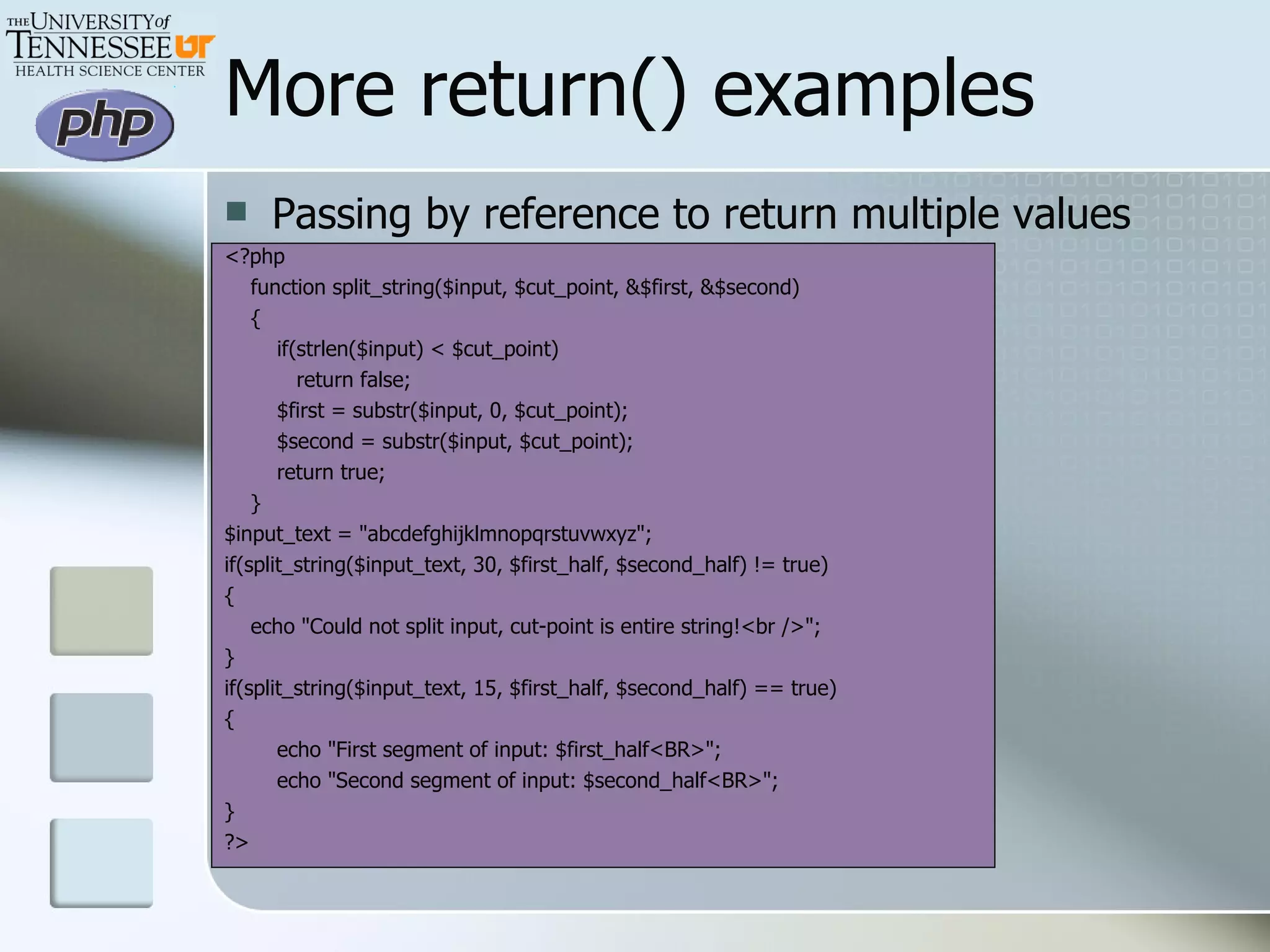
More return() examples Passing by reference to return multiple values <?php function split_string($input, $cut_point, &$first, &$second)  { if(strlen($input) < $cut_point)  return false; $first = substr($input, 0, $cut_point); $second = substr($input, $cut_point); return true; } $input_text = &quot;abcdefghijklmnopqrstuvwxyz&quot;; if(split_string($input_text, 30, $first_half, $second_half) != true)  { echo &quot;Could not split input, cut-point is entire string!<br />&quot;; } if(split_string($input_text, 15, $first_half, $second_half) == true)  { echo &quot;First segment of input: $first_half<BR>&quot;; echo &quot;Second segment of input: $second_half<BR>&quot;; } ?>
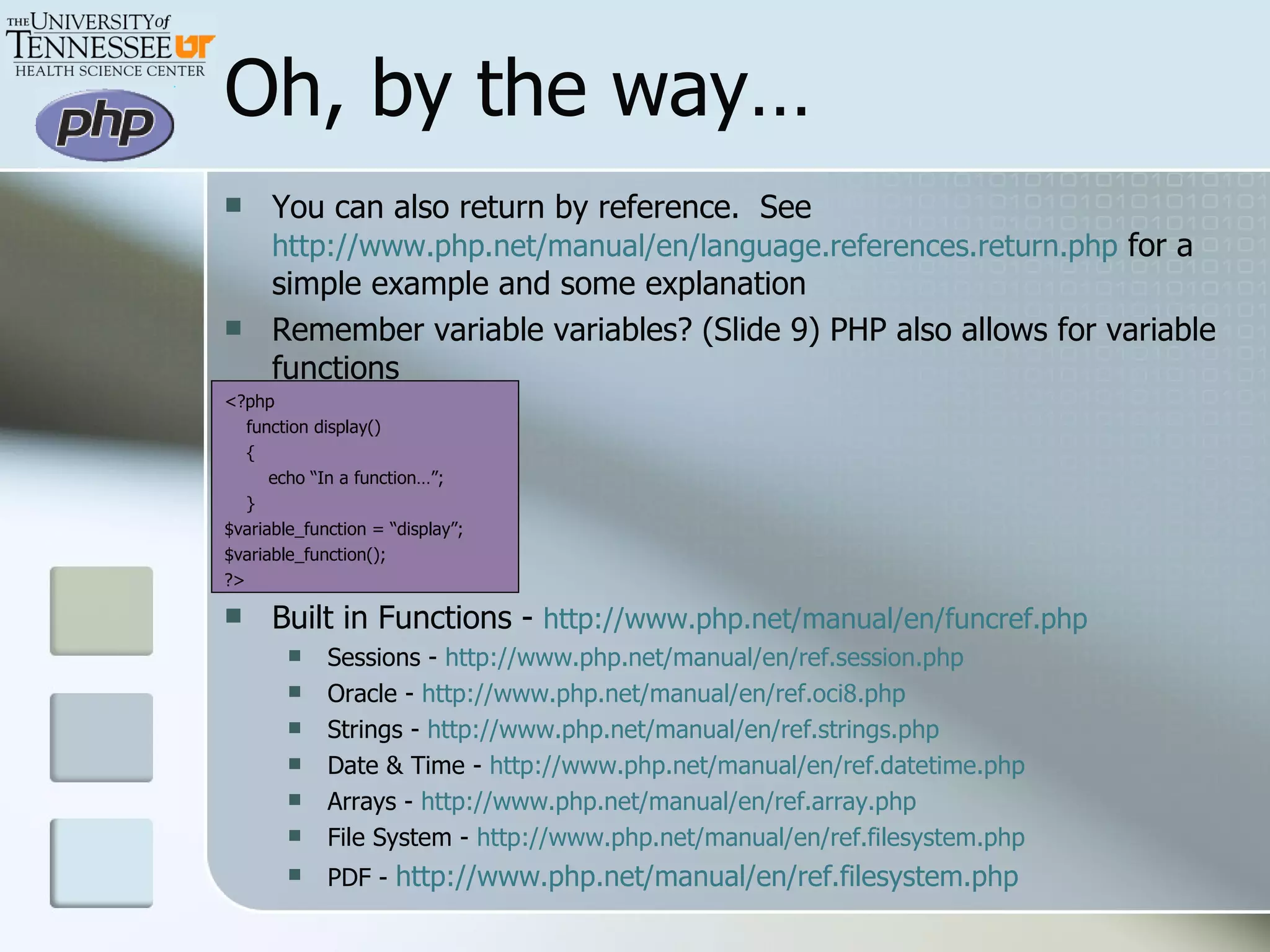
Oh, by the way… You can also return by reference.  See  http://www.php.net/manual/en/language.references.return.php  for a simple example and some explanation Remember variable variables? (Slide 9) PHP also allows for variable functions <?php function display() { echo “In a function…”; } $variable_function = “display”; $variable_function(); ?> Built in Functions -  http://www.php.net/manual/en/funcref.php Sessions -  http://www.php.net/manual/en/ref.session.php Oracle -  http://www.php.net/manual/en/ref.oci8.php Strings -  http://www.php.net/manual/en/ref.strings.php Date & Time -  http://www.php.net/manual/en/ref.datetime.php Arrays -  http://www.php.net/manual/en/ref.array.php File System -  http://www.php.net/manual/en/ref.filesystem.php PDF -  http://www.php.net/manual/en/ref.filesystem.php

Basic PHP

  • 1.
    Introduction to PHPTodd Barber IT Analyst III / University Webmaster Information Technology Services
  • 2.
    What is PHP? PHP: Hypertext Preprocessor A server-side, cross-platform HTML embedded scripting language What do I need? PHP-enabled web server Text editor A way to get PHP scripts from your machine to the server What is it? and What do I need?
  • 3.
    Basic Syntax Escapingfrom HTML <?php … ?> <script language=“php”> … </script> <? … ?> <% … %> For Example… <?php /* The world renowned first program. Programmer: Todd Barber Date: October 31, 2006 */ echo “Hello World!”; #displays on the screen // A simple program to illustrate just the basics ?>
  • 4.
    Types Boolean -> TRUE or FALSE Integer – number of the set Z = {..., -2, -1, 0, 1, 2, ...} Float -> “decimal numbers” String – series of characters Single quote (‘) – doesn’t expand variables Double quote (“) – does expand variables Array – ordered map that assigns values to keys NULL – represents that a variable has no value. NULL is the only possible value. See http://us2.php.net/manual/en/language.types.php for all possible types and more details.
  • 5.
    Variables Variables arerepresented by a dollar sign followed by the name of the variable. The variable name is case-sensitive. Variable names follow the same rules as other labels in PHP. A valid variable name starts with a letter or underscore, followed by any number of letters, numbers, or underscores. $this_is_a_valid_variable $this-one-is-not
  • 6.
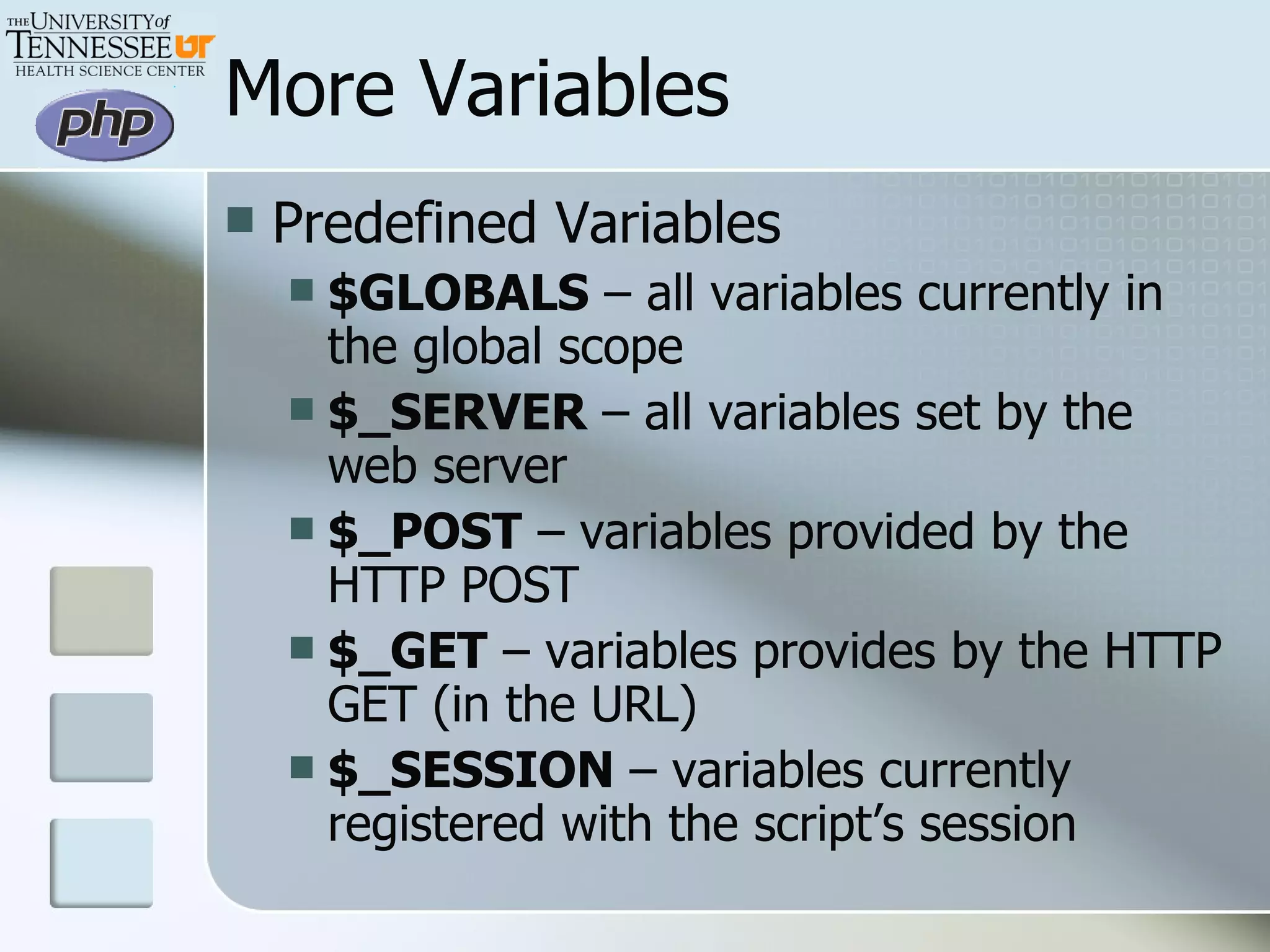
    More Variables PredefinedVariables $GLOBALS – all variables currently in the global scope $_SERVER – all variables set by the web server $_POST – variables provided by the HTTP POST $_GET – variables provides by the HTTP GET (in the URL) $_SESSION – variables currently registered with the script’s session
  • 7.
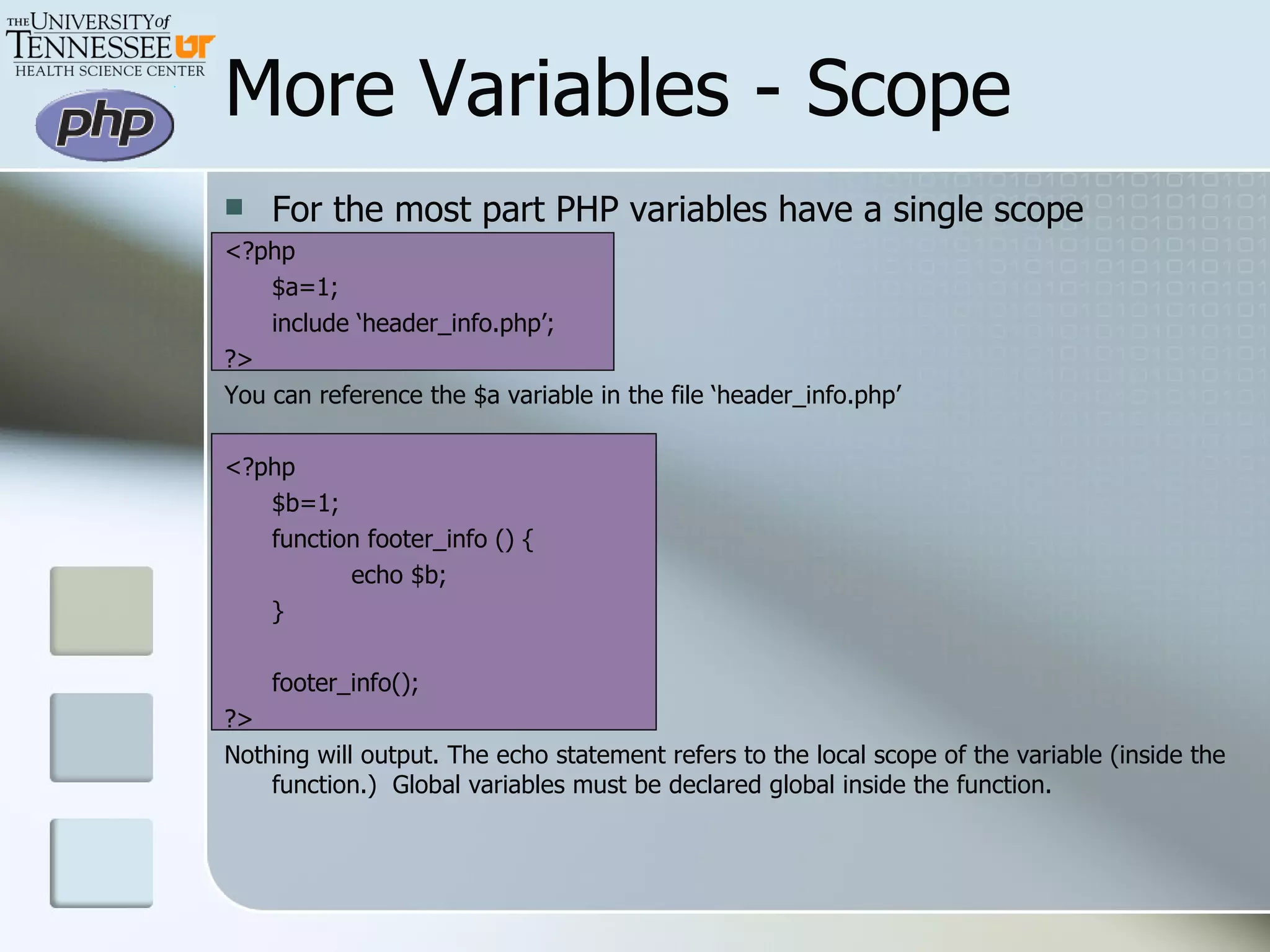
    More Variables -Scope For the most part PHP variables have a single scope <?php $a=1; include ‘header_info.php’; ?> You can reference the $a variable in the file ‘header_info.php’ <?php $b=1; function footer_info () { echo $b; } footer_info(); ?> Nothing will output. The echo statement refers to the local scope of the variable (inside the function.) Global variables must be declared global inside the function.
  • 8.
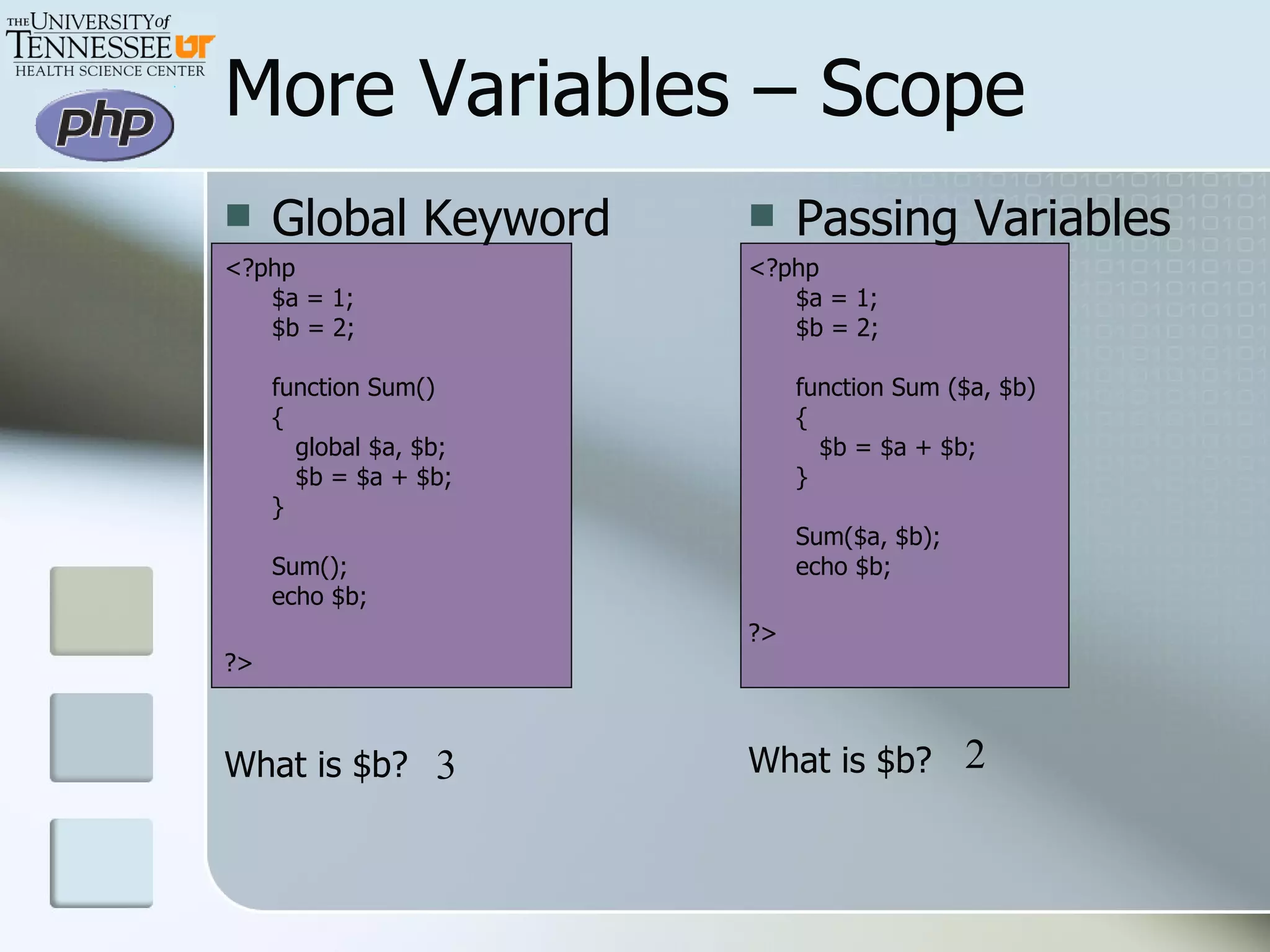
    Global Keyword <?php$a = 1; $b = 2; function Sum() {    global $a, $b;    $b = $a + $b; } Sum(); echo $b; ?> What is $b? More Variables – Scope Passing Variables <?php $a = 1; $b = 2; function Sum ($a, $b) {    $b = $a + $b; } Sum($a, $b); echo $b; ?> What is $b? 3 2
  • 9.
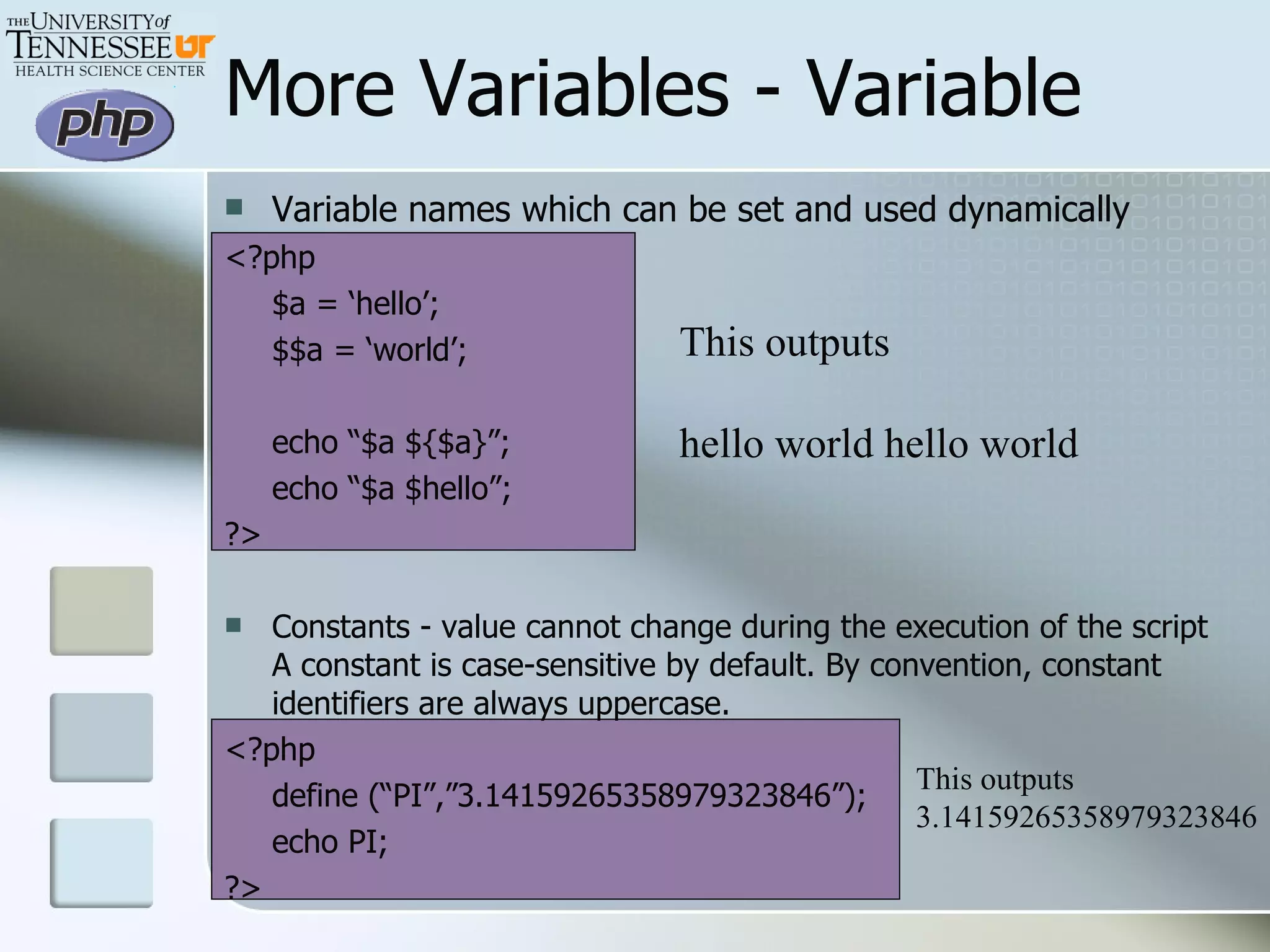
    More Variables -Variable Variable names which can be set and used dynamically <?php $a = ‘hello’; $$a = ‘world’; echo “$a ${$a}”; echo “$a $hello”; ?> Constants - value cannot change during the execution of the script A constant is case-sensitive by default. By convention, constant identifiers are always uppercase. <?php define (“PI”,”3.14159265358979323846”); echo PI; ?> This outputs hello world hello world This outputs 3.14159265358979323846
  • 10.
    Operator Precedence AssociativityOperators Additional Information non-associative new new left [ array() non-associative ++ -- increment/decrement non-associative ~ - (int) (float) (string) (array) (object) @ types non-associative instanceof types right ! logical left * / % arithmetic left + - . arithmetic and string left << >> bitwise non-associative < <= > >= comparison non-associative == != === !== comparison left & bitwise and references left ^ bitwise left | bitwise left && logical left || logical left ? : ternary right = += -= *= /= .= %= &= |= ^= <<= >>= assignment left and logical left xor logical left or logical left , (comma) many uses
  • 11.
    Operators Arithmetic -$ais negation $a + $b is addition $a - $b is subtraction $a * $b is multiplication $a / $b is division (always returns float) $a % $b is modulus Assignment $a = 5 is NOT “equal to.” It is “gets set to” Combined operators +=, -=, *=, /=, %=, .=
  • 12.
    More Operators Comparison$a == $b is equal $a === $b is identical (includes type) $a != $b is not equal $a <> $b is not equal $a !== $b is not identical $a < $b is less than $a > $b is greater than $a <= $b is less than or equal to $a >= $b is greater than or equal to Conditional ?: is ternary – expr1 ? expr2 : expr3 If expr1 is TRUE, the expression evaluates to expr2 If expr1 is FALSE, the expression evaluates to expr3 Shorthand for single expression if statements
  • 13.
    Comparing Different TypesOperand 1 Operand 2 Result Null or String String Convert NULL to “”, numerical or lexical comparison Bool or null Anything Convert to bool, FALSE<TRUE String or number (or resource) String or number (or resource) Translate strings (and resources) to numbers, usual math Array Array Array with fewer numbers is smaller If key from operand 1 is not found in operand 2 then arrays are incomparable Compare value by value Array Anything Array is always greater
  • 14.
    More Operators ErrorControl @ - suppresses any errors that may be generated Works on expressions – if you can take a value of it then you can use it. Strings Concatenation (.) Concatenating Assignment (.=) <$php @include “header_info.php”; // suppress error if file doesn’t exist $a = “Hello”; // assign value Hello to $a $b = $a . “ World”; // $b evaluates to “Hello World” $a .= “ World”; // $a evaluates to “Hello World” ?>
  • 15.
    More Operators Incrementand Decrement ++$a – Preincrement – Increment by one, then return $a $a++ - Postincrement – Return $a, then increment by one --$a – Predecrement - Decrement by one, then return $a $a-- - Postdecrement - Return $a, then decrement by one <?php $a = 5; echo &quot;Should be 5: &quot; . $a++ . &quot;<br />\n&quot;; echo &quot;Should be 6: &quot; . $a . &quot;<br />\n&quot;; $a = 5; echo &quot;Should be 6: &quot; . ++$a . &quot;<br />\n&quot;; echo &quot;Should be 6: &quot; . $a . &quot;<br />\n&quot;; $a = 5; echo &quot;Should be 5: &quot; . $a-- . &quot;<br />\n&quot;; echo &quot;Should be 4: &quot; . $a . &quot;<br />\n&quot;; $a = 5; echo &quot;Should be 4: &quot; . --$a . &quot;<br />\n&quot;; echo &quot;Should be 4: &quot; . $a . &quot;<br />\n&quot;; ?>
  • 16.
    More Operators Logical$a and $b is AND – TRUE if both are TRUE $a or $b is OR – TRUE if either is TRUE $a xor $b is XOR – TRUE if either is TRUE, but not both ! $a is NOT – TRUE is $a is not TRUE $a && $b is AND – TRUE if both are TRUE $a || $b is OR – TRUE if either is TRUE
  • 17.
    More Operators Array$a + $b is union – appends the right side to the left side and doesn’t overwrite variables $a == $b is Equal – TRUE is they have the same key/value pairs $a === $b is Identity – TRUE if they have the same key/value pairs in the same order and of the same types $a != $b is Inequality – TRUE if $a is not equal to $b $a <> $b – Same as Inequality above $a !== $b is Non-identity – TRUE if $a not identical to $b
  • 18.
    Array Comparisons <?php$a = array (&quot;a&quot; => &quot;apple&quot;, &quot;b&quot; => &quot;banana&quot;); $b = array (&quot;a&quot; => &quot;pear&quot;, &quot;b&quot; => &quot;strawberry&quot;, &quot;c&quot; => &quot;cherry&quot;); $c = $a + $b; // Union of $a and $b echo &quot;Union of \$a and \$b: \n&quot;; var_dump ($c); $c = $b + $a; // Union of $b and $a echo &quot;Union of \$b and \$a: \n&quot;; var_dump ($c); ?> <?php $a = array (&quot;apple&quot;, &quot;banana&quot;); $b = array (1 => &quot;banana&quot;, &quot;0&quot; => &quot;apple&quot;); var_dump($a == $b); // bool(true) var_dump($a === $b); // bool(false) ?> <?php $a = array(1,2,3); $b = array(1,7,8,9,10); $c = $a + $b; // Union of $a and $b echo &quot;Union of \$a and \$b: \n&quot;; //echo $c print_r($c); ?>
  • 19.
    Control Structures --if if – evaluates an expression to its Boolean value – if the expression evaluates to TRUE then the conditional code is executed; otherwise it is ignored <?php $a = 5; if ($a = 6) echo “Hello World”; ?> <?php $a = 5; if ($a == 6) { echo “Hello World”; $b = 7; } ?> if block is executed and displays Hello World – note the assignment operator in the expression if block is ignored and nothing is done – note the comparison operator in the expression
  • 20.
    Control Structures -else else – extension of if statement that executes code when the if expression evaluates to FALSE <?php $a=3; $b=4; if ($a < $b) echo “Variable A is less than B”; else echo “Variable B is less than A”; ?>
  • 21.
    Control Structures -elseif elseif – another extension of if <?php $a=3; $b=4; if ($a < $b) { echo “Variable A is less than B”; } elseif ($a == $b) { echo “Variable A has the same value as B”; } else { echo “Variable B is less than A”; } ?>
  • 22.
    Control Structures -while while – execute the statements as long as the expression evaluates to TRUE <?php $a=3; while ($a==4) { echo “The value of a is ”.$a; } ?> <?php $i = 1; while ($i <=10) { echo “i is set to “.$i++; } ?> <?php $j = 0; while ($j <=10) { echo “j is set to “.++$j; } ?> Counts to 10 Counts to 11
  • 23.
    Control Structures –do-while do-while – same as while except the code chunk is guaranteed to execute at least once <?php $a=3; while ($a==4) { echo “The value of a is ”.$a; } ?> <?php $a=3; do { echo “The value of a is ”.$a; } while ($a==4); ?> Evaluates to FALSE and while loop statement(s) are never executed while expression isn’t evaluated until after at least one iteration of the do-while statements. This echoes “The value of a is 3” to the screen.
  • 24.
    for (expr1; expr2;expr3) { statement(s); } expr1 is evaluated unconditionally expr2 is evaluated at the beginning of each iteration; continues on TRUE expr3 is evaluated at end of iteration <?php for($i=1;$i<=10;$i++) { echo $i.”<br />”; } ?> Control Structures - for <?php $i=1; while ($i<=10) { echo $i.”<br />”; $i++; } ?> functions the same as
  • 25.
    Control Structures -switch switch – the same as a series of if…elseif statements <?php $i = 2; switch ($i) { case 0: echo $i; break; case 1: echo $i; break; case 2: echo $i; break; default: echo $i; break; ?> <?php $i=2; if ($i==0) echo $i; elseif ($i==1) echo $i; elseif ($i==2) echo $i; ?>
  • 26.
    More switch <?php$i = 4; switch ($i) { case 0: case 1: case 2: case 3: echo “I is less than 4”; break; case 4: echo “I is equal to 4”; break; default: echo “I is greater than 4”; break; ?> Combining cases Omitting Breaks <?php $i = 4; switch ($i) { case 0: case 1: case 2: case 3: echo “I is less than 4”; case 4: echo “I is equal to 4”; default: echo “I is greater than 4”; ?>
  • 27.
    Control Structures –require and include require – includes and evaluates a specific file; failure results in a Fatal Error <?php require ‘header.php’; ?> include - includes and evaluates a specific file; failure results in a Warning <?php include ‘header.php’; ?>
  • 28.
    Control Structures –require_onceand include_once require_once – same as require except if the file has already been included, it will not be included again <?php require_once ‘header.php’; ?> include_once - same as include except if the file has already been included, it will not be included again <?php include_once ‘header.php’; ?> Use when the same file might be included and evaluated more than once during a particular execution of a script, and you want to be sure that it is included exactly once to avoid problems with function redefinitions, variable value reassignments, etc.
  • 29.
    User-defined functions Anyvalid PHP code can appear inside a function Names follow the same rules as other labels in PHP All functions in PHP have the global scope <?php function my_first_function ($arg1, $arg2, … ,$arg_n) //arguments aren’t mandatory { echo “PHP code goes here.”; return $return_value; //only used when something is returned } my_first_function(); // example of function call with no arguments my_first_function(1,2); // function with static arguments my_first_function($variable); // function with a variable as an argument }
  • 30.
    Functions and ArgumentsInformation can be passed to the function by the argument list, a comma separated value list of expressions Arguments may be passed by: Value (default) Reference Default argument list Variable-length argument lists are supported only in PHP4 and greater
  • 31.
    Passing by valueexamples <?php ######### NUMBERS ########### function add_numbers($value1, $value2) { echo “The numbers $value1 + $value2 equal “. $value1+$value2; } add_numbers(3,4); #adding 2 static numbers add_numbers($age1,$age2); #adding 2 ages given by a user from a form ######### STRING ########### function display_instructions() { echo “Text goes here. Great for text that changes often and is used many places.”; } display_instructions(); ######### ARRAYS ########### function add_array_values($func_array) { echo “The numbers $func_array[0] + $func_array[1] = “. $func_array[0] + $func_array[1]; } $main_program_array = array(2,3); add_array_values($array); ?> Function Examples
  • 32.
    More Function ExamplesPassing by Reference and Default Argument List <?php $dbc = OCILogon(&quot;A201&quot;,&quot;$password&quot;,&quot;$database&quot;); function which_name($identifier,&$conn,$count=&quot;1&quot;) { //global $dbc; //$conn =& $GLOBALS['dbc']; if ($identifier == &quot;last&quot;) $sql = &quot;select t100_first_name, t100_last_name from a201t100 where t100_last_name like 'Q%'&quot;; else $sql = &quot;select t100_first_name, t100_last_name from a201t100 where t100_first_name like 'Q%'&quot;; $stmt = OCIParse($conn,$sql); OCIExecute($stmt); while ($row=OCI_fetch_row($stmt)) { echo &quot;<tr><td>&quot;.$count++.&quot;</td><td>$row[0] $row[1]</td></tr>&quot;;} OCIFreeStatement($stmt); OCILogoff($conn); } echo &quot;<table border='1' cellpadding='3’ width='30%'><tr><td>Count</td><td>Name</td></tr>\n“; which_name(&quot;first&quot;,$dbc); echo&quot;</table>&quot;; ?>
  • 33.
    More Function ExamplesPassing by reference notes Used when you want to change the value of the object you passed in I don’t know of a realistic use except when using classes. Can be used to return more than one value from a function (more on that later). Passing by default argument list Any defaults must be on the right side of the argument list Must be a constant expression Uses default unless specified otherwise
  • 34.
    Variable length argumentlists Uses the func_num_args() , func_get_arg() , and func_get_args() functions. <?php function math() { $numargs = func_num_args(); echo &quot;Number of arguments: $numargs\n<br />&quot;; echo &quot;The second side is: &quot; . func_get_arg(1) . &quot;<br />\n&quot;; $arg_list = func_get_args(); for ($i = 1; $i < $numargs +1; $i++) { echo &quot;Side $i is: &quot; . $arg_list[$i -1] . &quot;<br />\n&quot;; $area += $arg_list[$i -1]; } return $area; } $area_of_object = math(3,4,5,6,1); // Prints 'Number of arguments: 5' echo &quot;The area of the object is $area_of_object&quot;; ?>
  • 35.
    Returning values Avalue can be returned by using the optional return() statement Function execution is ended immediately and control passed back to the line that called the function Returns a single variable could be a single number or string could be an array with several values
  • 36.
    return() examples Singlenumber <?php function square($num) { return $num * $num; } echo square(5); //displays 25 ?> Single String <?php function display($string1, $string2=“World”) { return $string1 . $string2; } echo display(“Hello”,” Todd”);// displays Hello Todd echo display(“Hello ”);//displays Hello World ?>
  • 37.
    More return() examplesArray – use the built-in list() function to access the array elements <?php function math($num1, $num2) { $div = $num1 / $num2; $mutli = $num1 * $num2; $add = $num1 + $num2; $sub = $num1 - $num2; return array($div, $mutli, $add, $sub); } list ($d, $m, $a, $s) = math(&quot;6&quot;,&quot;2&quot;); echo &quot;Division: $d&quot;; echo &quot;<br />Multiplication:&quot;. $m; echo &quot;<br />Addition: $a&quot;; echo &quot;<br />Subtraction: $s&quot;; ?>
  • 38.
    More return() examplesPassing by reference to return multiple values <?php function split_string($input, $cut_point, &$first, &$second) { if(strlen($input) < $cut_point) return false; $first = substr($input, 0, $cut_point); $second = substr($input, $cut_point); return true; } $input_text = &quot;abcdefghijklmnopqrstuvwxyz&quot;; if(split_string($input_text, 30, $first_half, $second_half) != true) { echo &quot;Could not split input, cut-point is entire string!<br />&quot;; } if(split_string($input_text, 15, $first_half, $second_half) == true) { echo &quot;First segment of input: $first_half<BR>&quot;; echo &quot;Second segment of input: $second_half<BR>&quot;; } ?>
  • 39.
    Oh, by theway… You can also return by reference. See http://www.php.net/manual/en/language.references.return.php for a simple example and some explanation Remember variable variables? (Slide 9) PHP also allows for variable functions <?php function display() { echo “In a function…”; } $variable_function = “display”; $variable_function(); ?> Built in Functions - http://www.php.net/manual/en/funcref.php Sessions - http://www.php.net/manual/en/ref.session.php Oracle - http://www.php.net/manual/en/ref.oci8.php Strings - http://www.php.net/manual/en/ref.strings.php Date & Time - http://www.php.net/manual/en/ref.datetime.php Arrays - http://www.php.net/manual/en/ref.array.php File System - http://www.php.net/manual/en/ref.filesystem.php PDF - http://www.php.net/manual/en/ref.filesystem.php

Editor's Notes

  • #4 Since everything is HTML embedded, must have a way of telling the server what is PHP and what is HTML. 1 and 2 are both always available, however number 1 is used most often. 3 and 4 are only available if enabled by the server administrator. Closing tag is optional. Lines of code must end in PHP.
  • #8 Don’t add scope until talking about functions b/c examples don’t make sense until then.
  • #9 Don’t add scope until talking about functions b/c examples don’t make sense until then.
  • #10 Form with 8 names and name1, name2, etc… and it gets submitted For loop 8 times: $temp_name = name$i echo $$temp_name // holds the actual value from the form. End of for
  • #14 String to number- if string starts with number or sign then it gets that value, if it starts with anything else it gets evaluated to zero.
  • #17 Two different variations of AND and OR because they have different precedence
  • #20 Point out that on single command if statements the curly braces are optional.
  • #25 for ($i=1;$i&lt;=10;print $i++) More on for the expressions can be blank or have multiple expressions in them. Go to php.net for more