Bitmap images
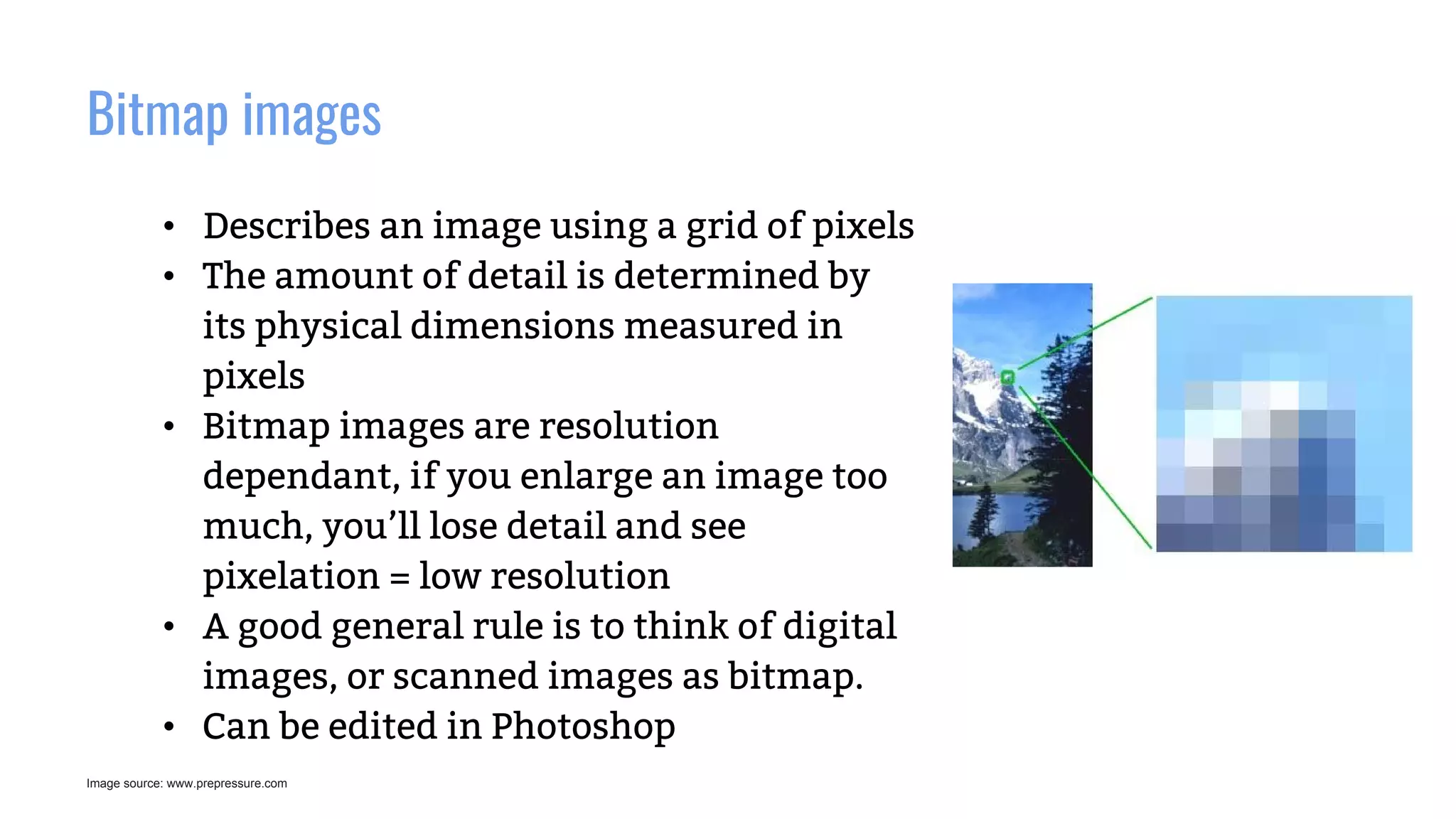
• Describes an image using a grid of pixels
• The amount of detail is determined by
its physical dimensions measured in
pixels
• Bitmap images are resolution
dependant, if you enlarge an image too
much, you’ll lose detail and see
pixelation = low resolution
• A good general rule is to think of digital
images, or scanned images as bitmap.
• Can be edited in Photoshop
Image source: www.prepressure.com
Vector image
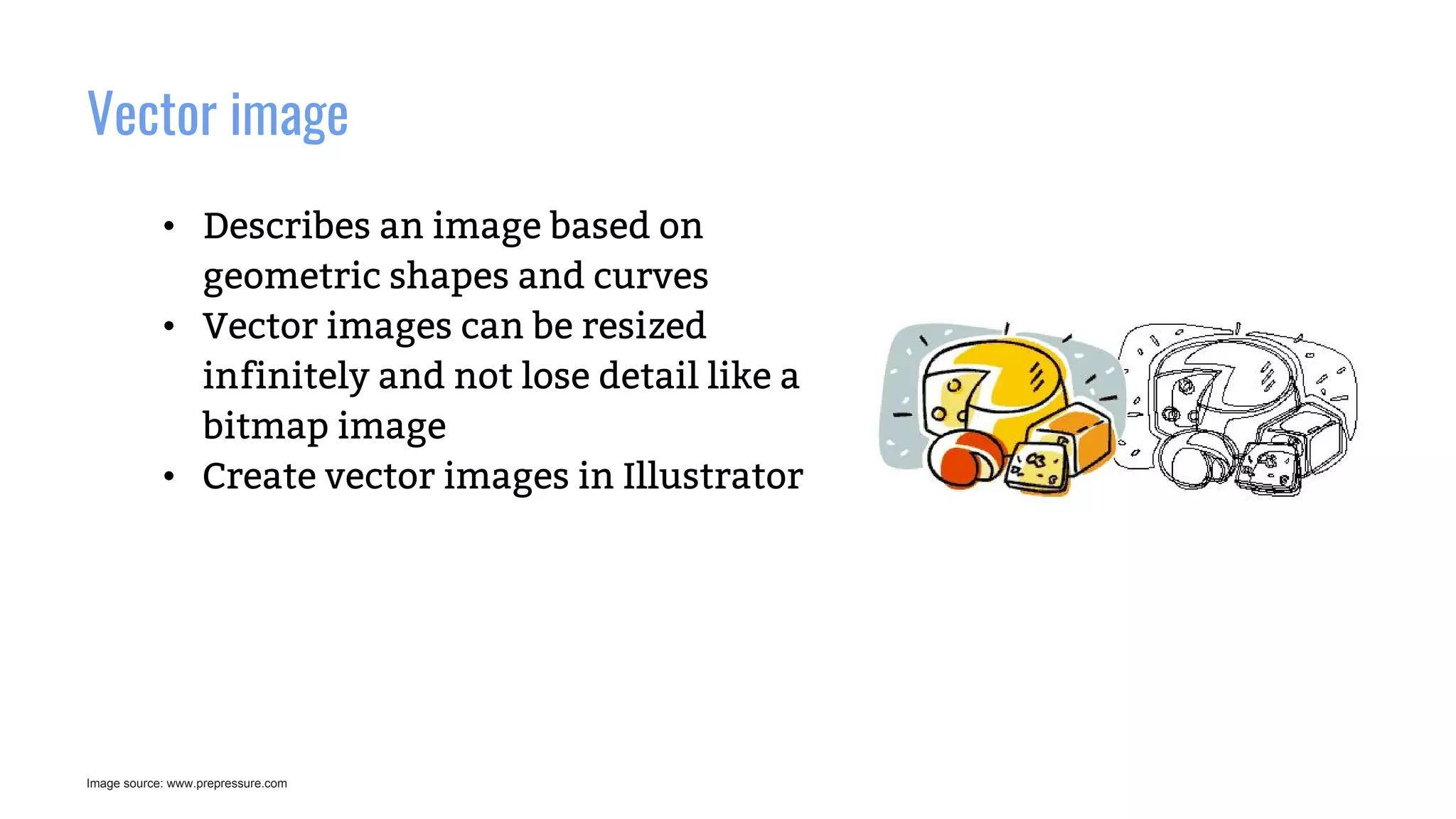
• Describes an image based on
geometric shapes and curves
• Vector images can be resized
infinitely and not lose detail like a
bitmap image
• Create vector images in Illustrator
Image source: www.prepressure.com
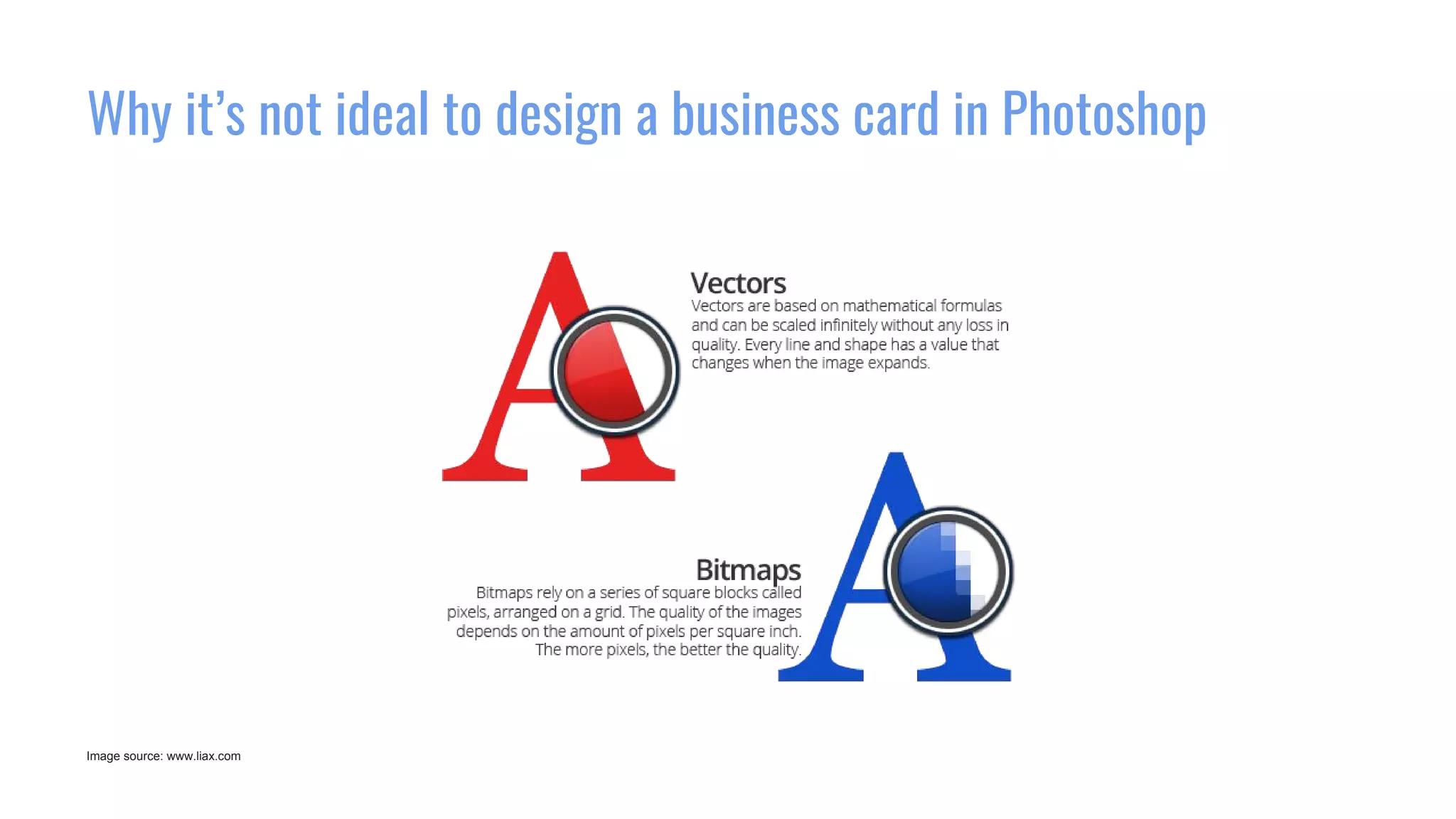
Why it’s not ideal to design a business card in Photoshop
Image source: www.liax.com
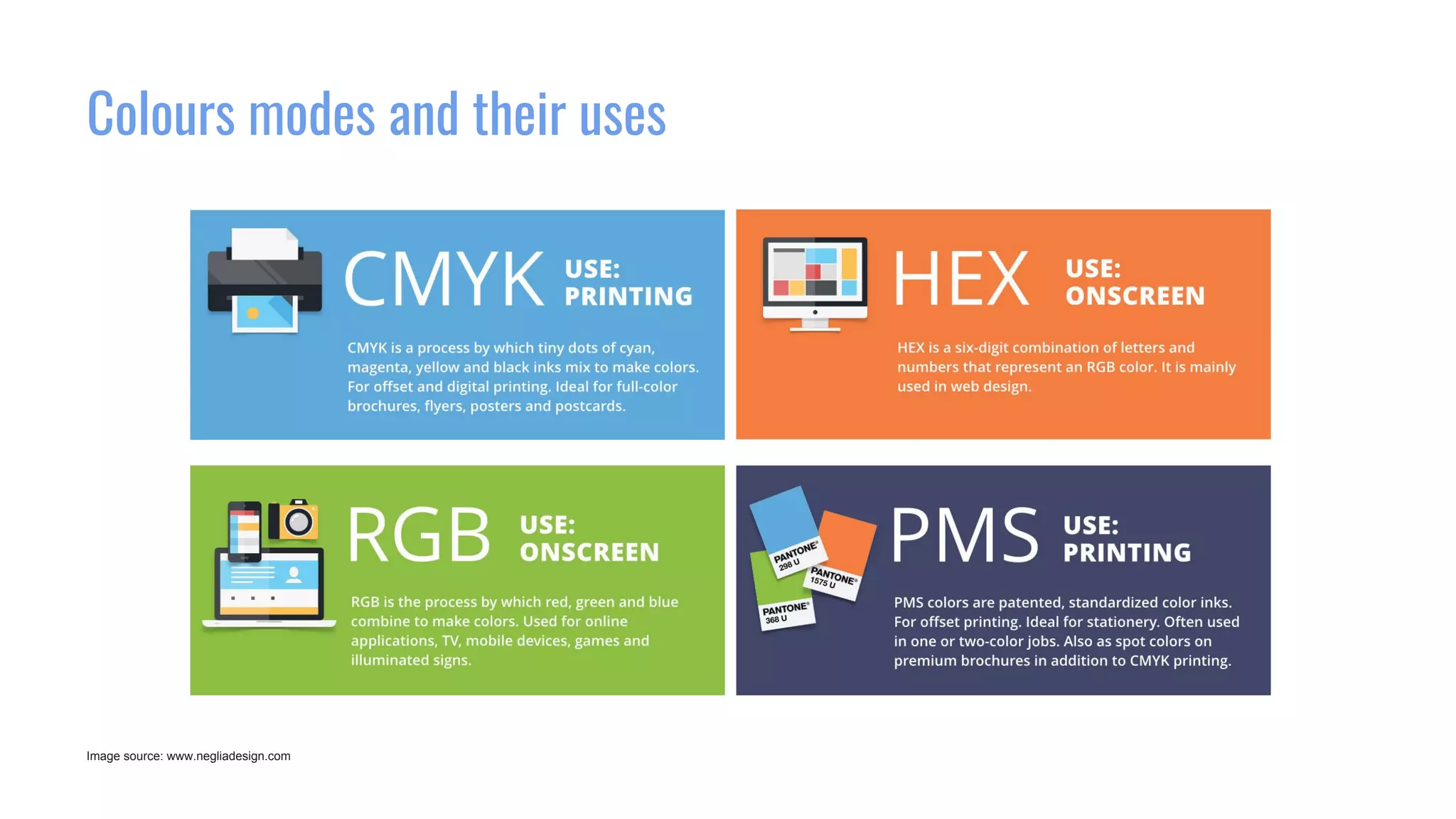
Colours modes and their uses
Image source: www.negliadesign.com
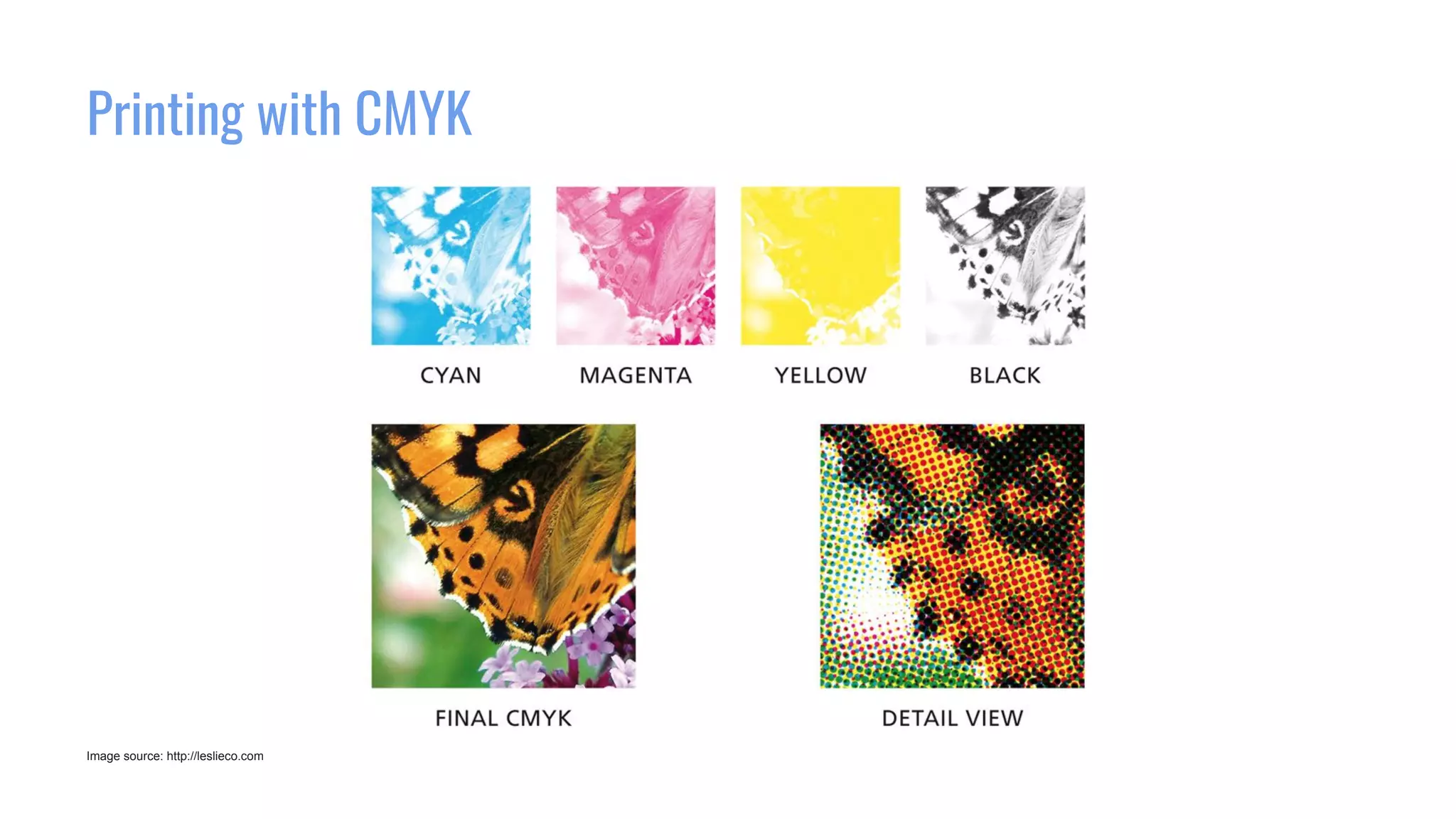
Printing with CMYK
Image source: http://leslieco.com
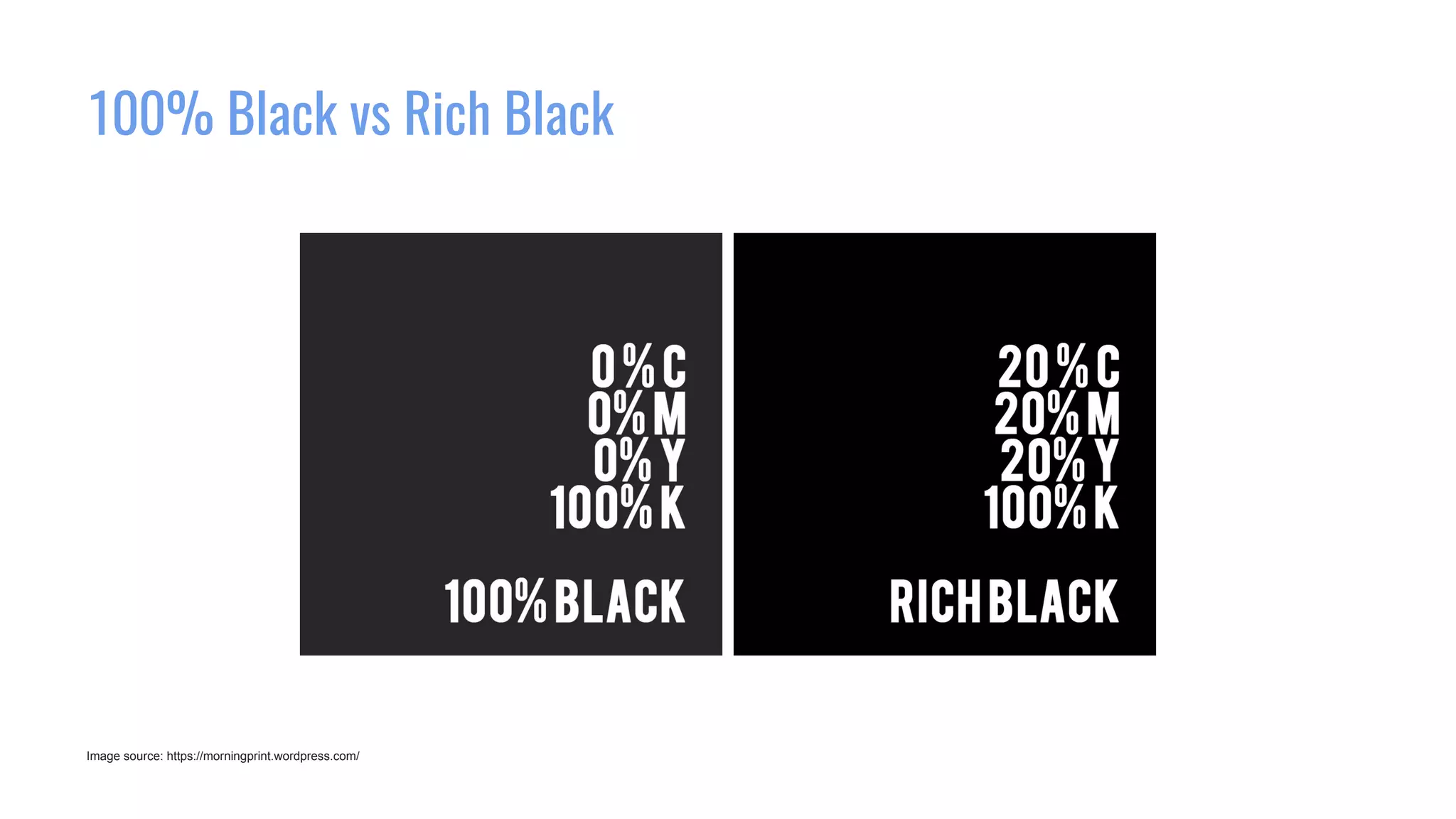
100% Black vs Rich Black
Image source: https://morningprint.wordpress.com/
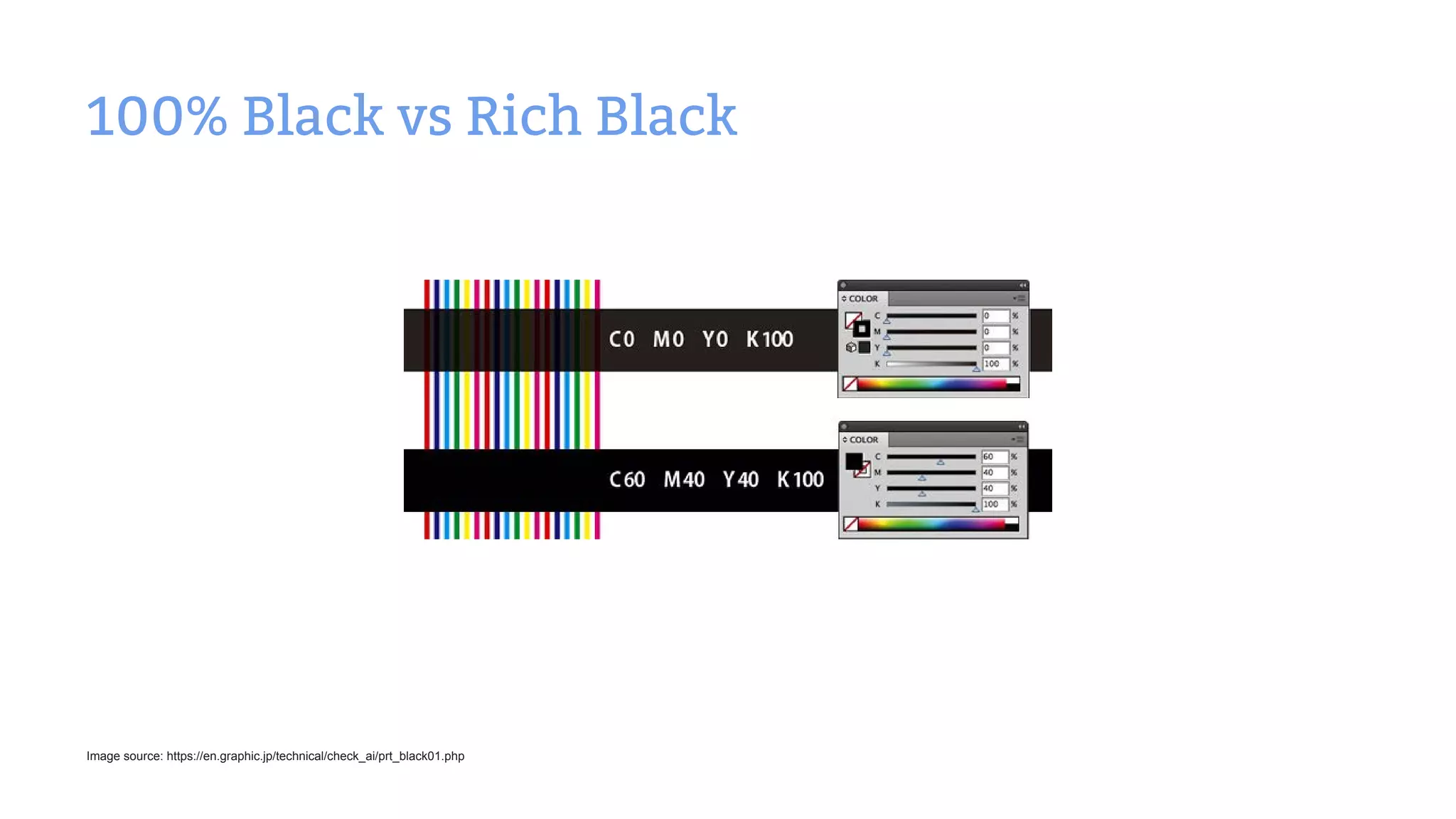
100% Black vs Rich Black
Image source: https://en.graphic.jp/technical/check_ai/prt_black01.php
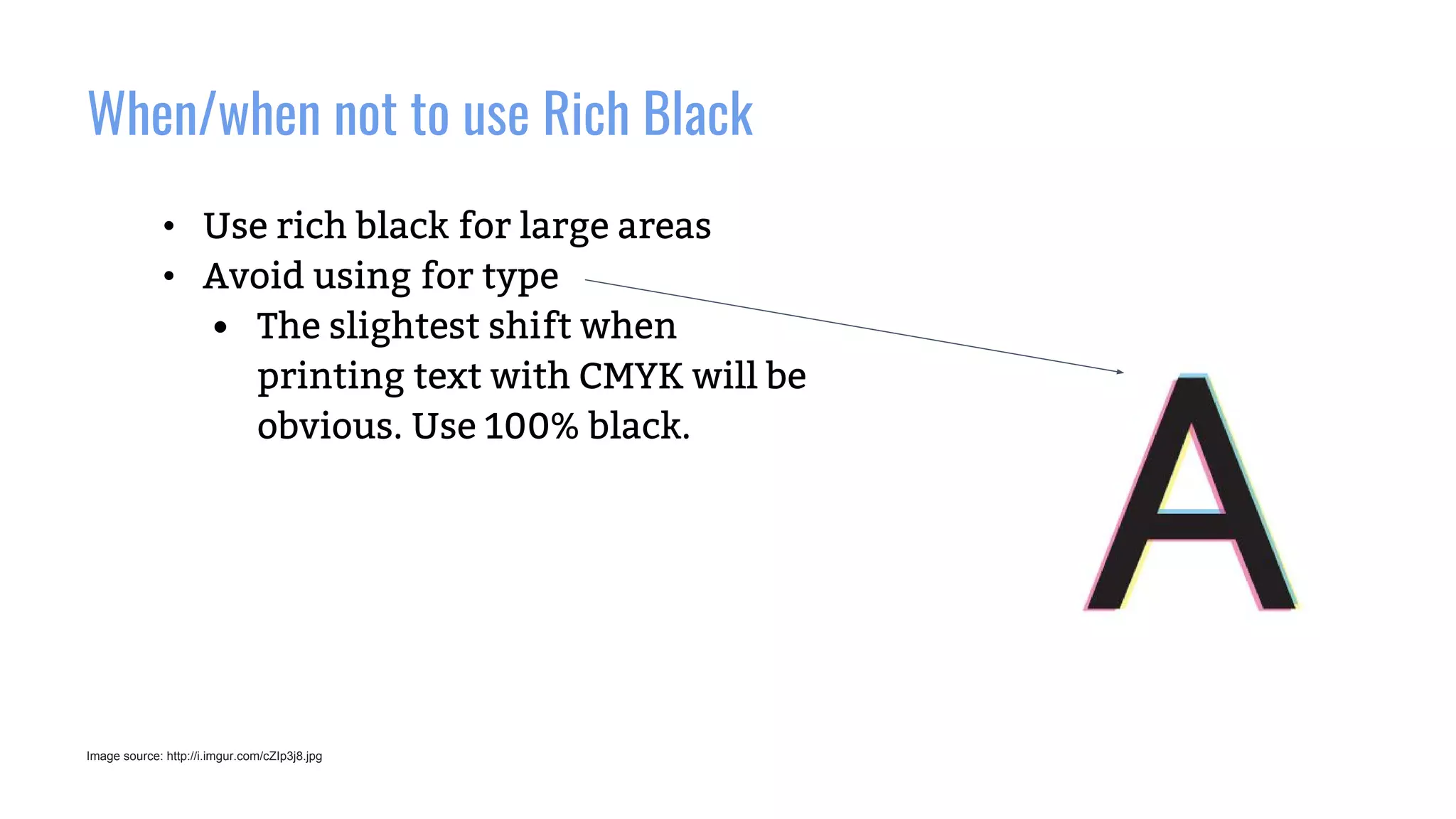
When/when not to use Rich Black
Image source: http://i.imgur.com/cZIp3j8.jpg
• Use rich black for large areas
• Avoid using for type
• The slightest shift when
printing text with CMYK will be
obvious. Use 100% black.
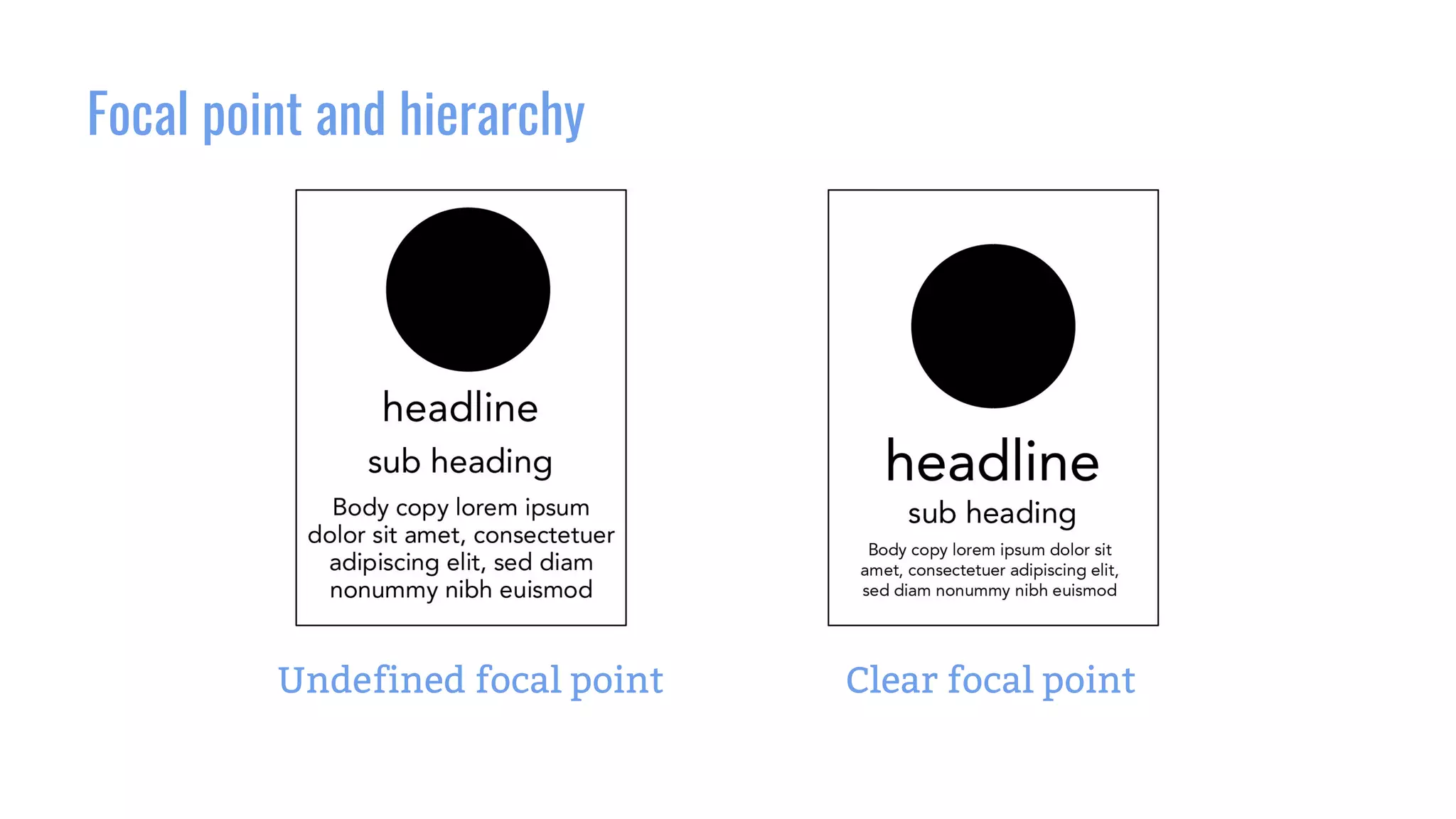
Focal point and hierarchy
Undefined focal point Clear focal point
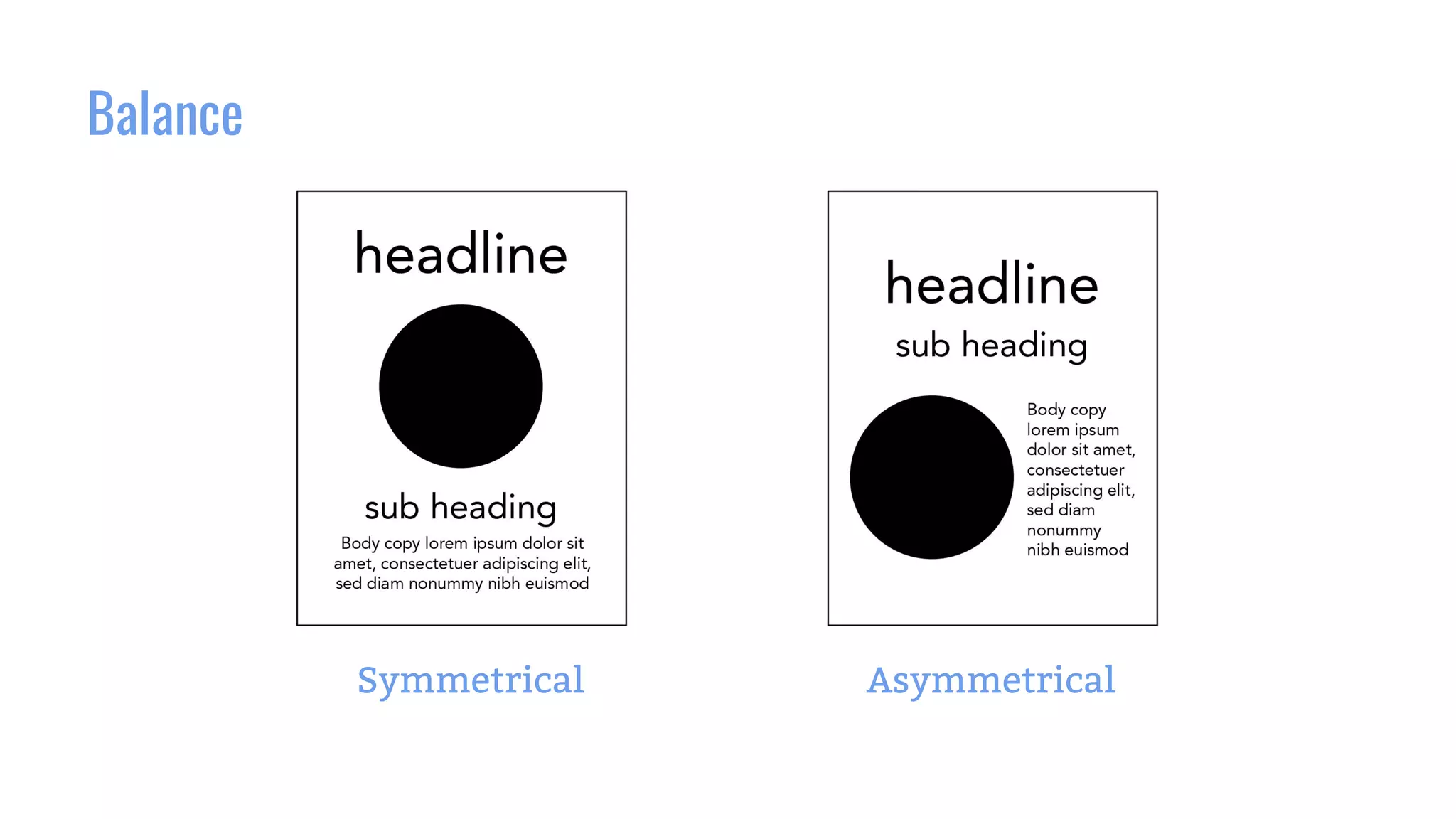
Balance
Symmetrical Asymmetrical
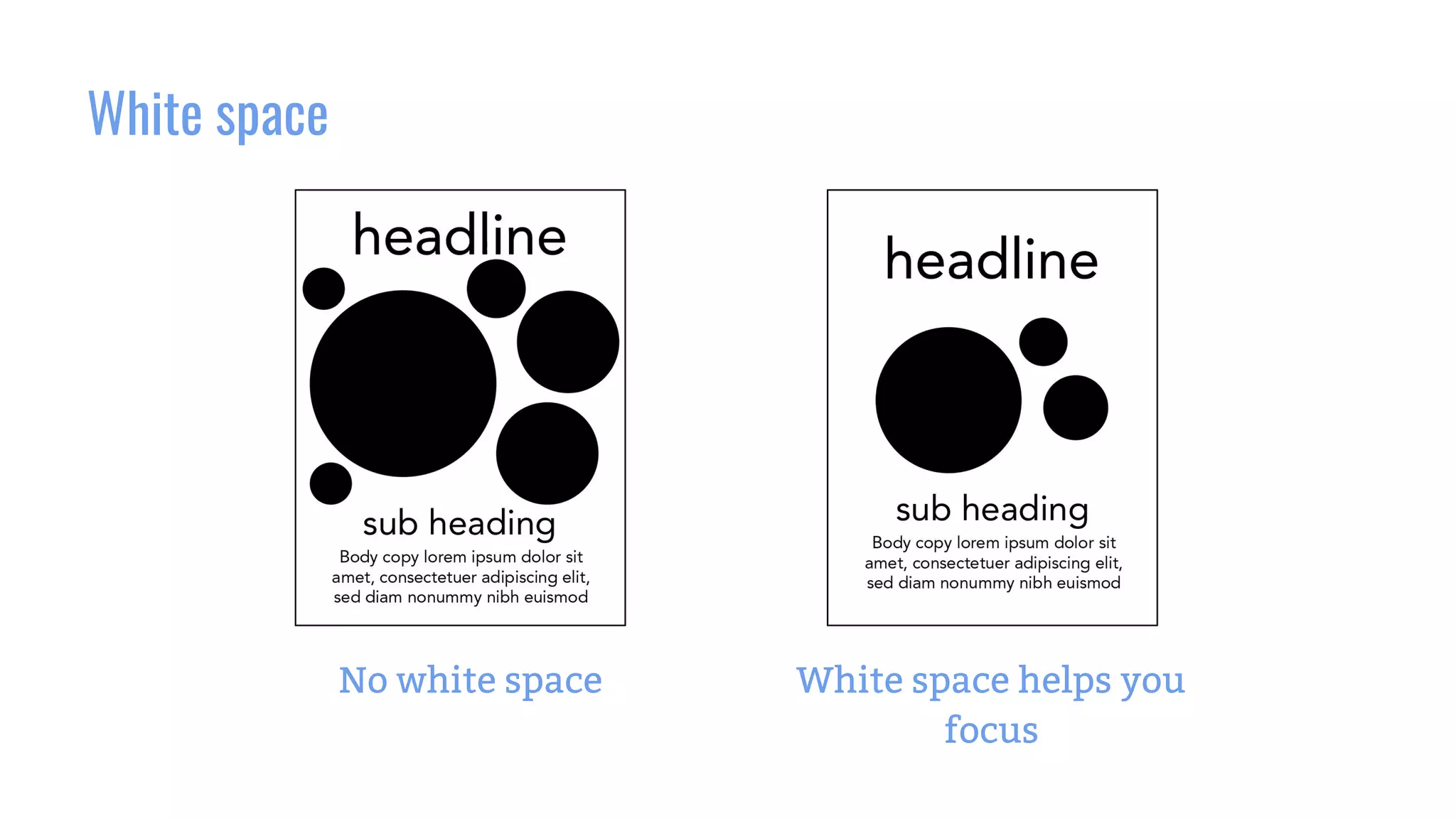
White space
No white space White space helps you
focus
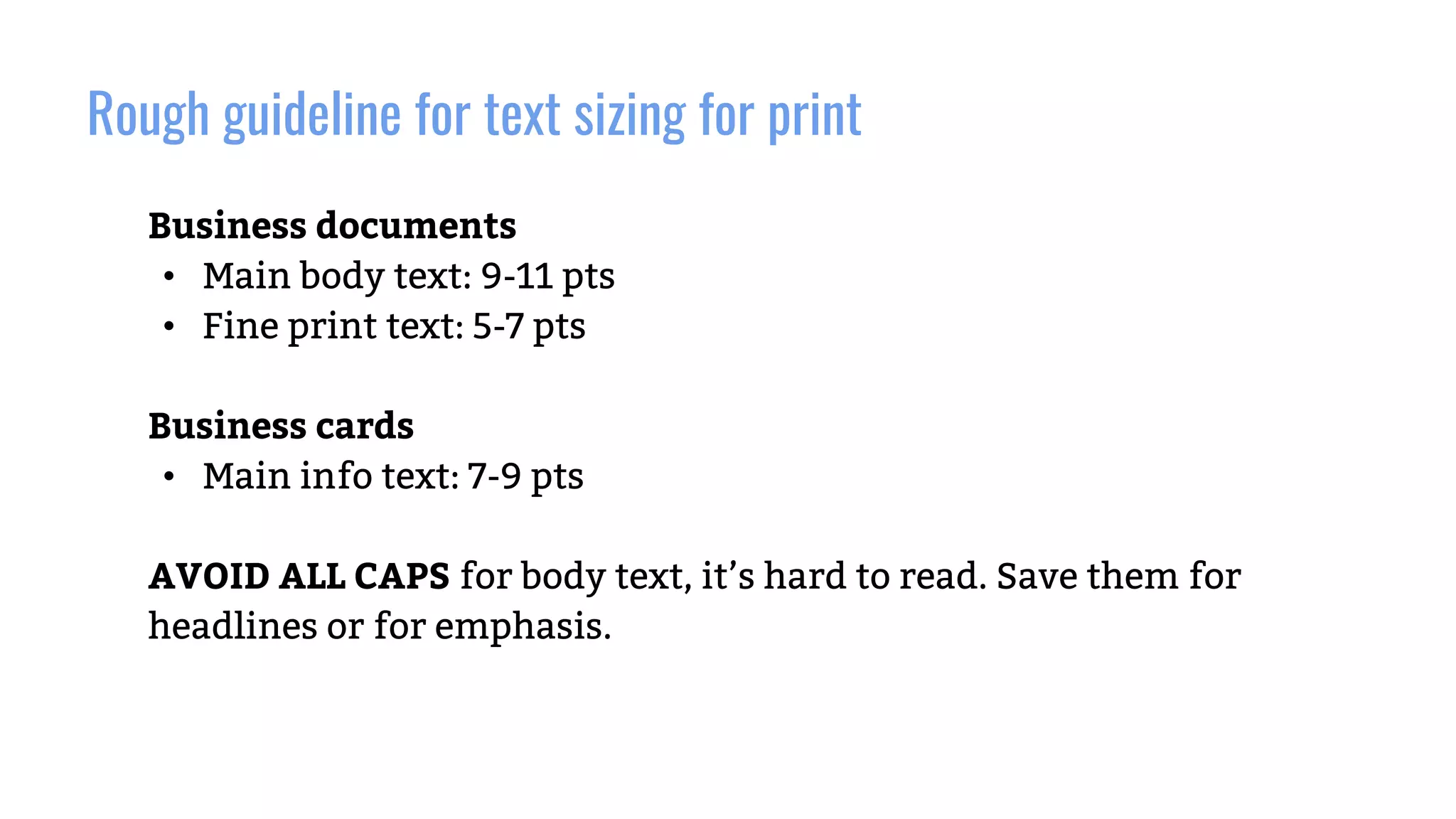
Rough guideline for text sizing for print
Business documents
• Main body text: 9-11 pts
• Fine print text: 5-7 pts
Business cards
• Main info text: 7-9 pts
AVOID ALL CAPS for body text, it’s hard to read. Save them for
headlines or for emphasis.
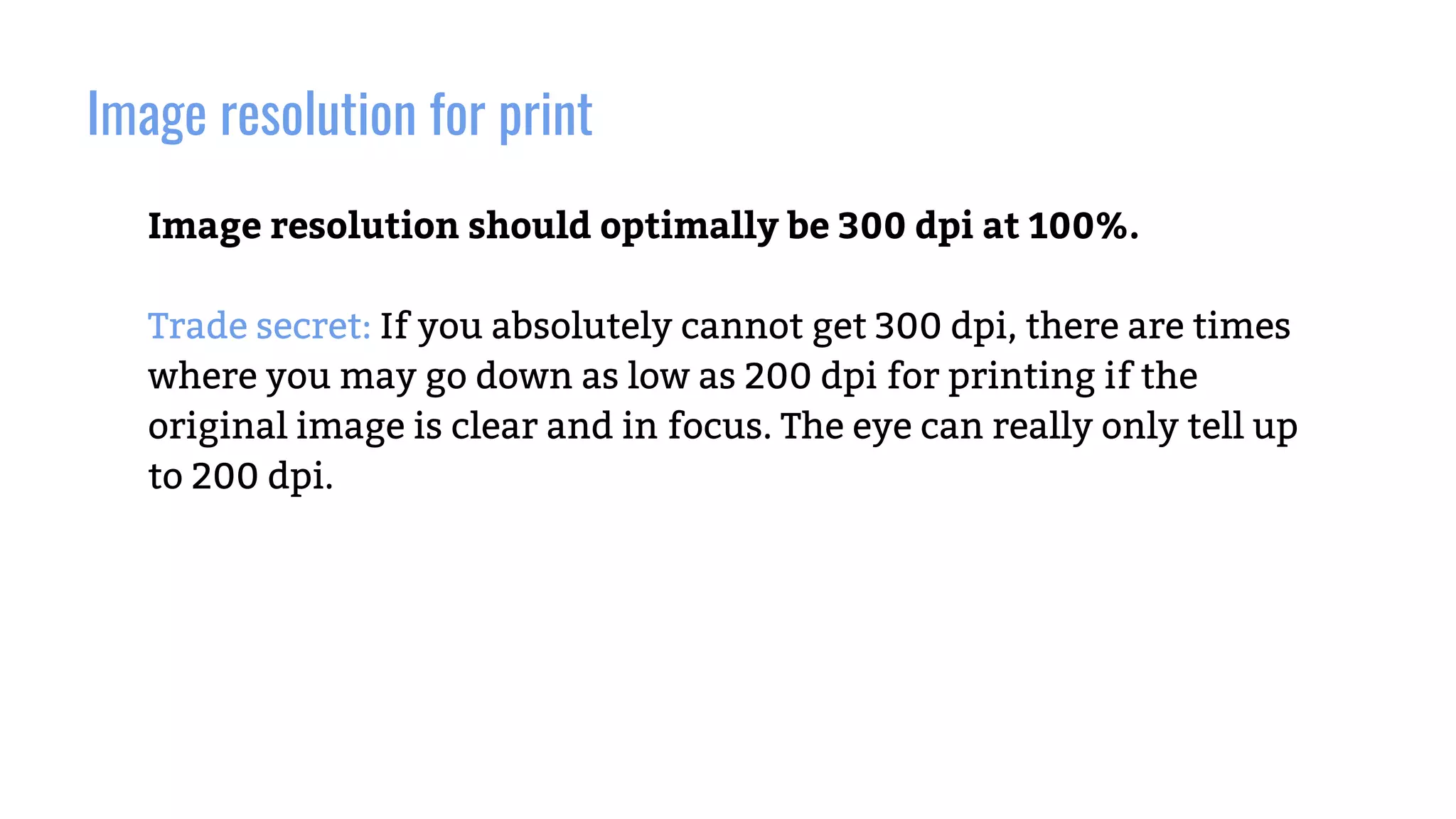
Image resolution for print
Image resolution should optimally be 300 dpi at 100%.
Trade secret: If you absolutely cannot get 300 dpi, there are times
where you may go down as low as 200 dpi for printing if the
original image is clear and in focus. The eye can really only tell up
to 200 dpi.
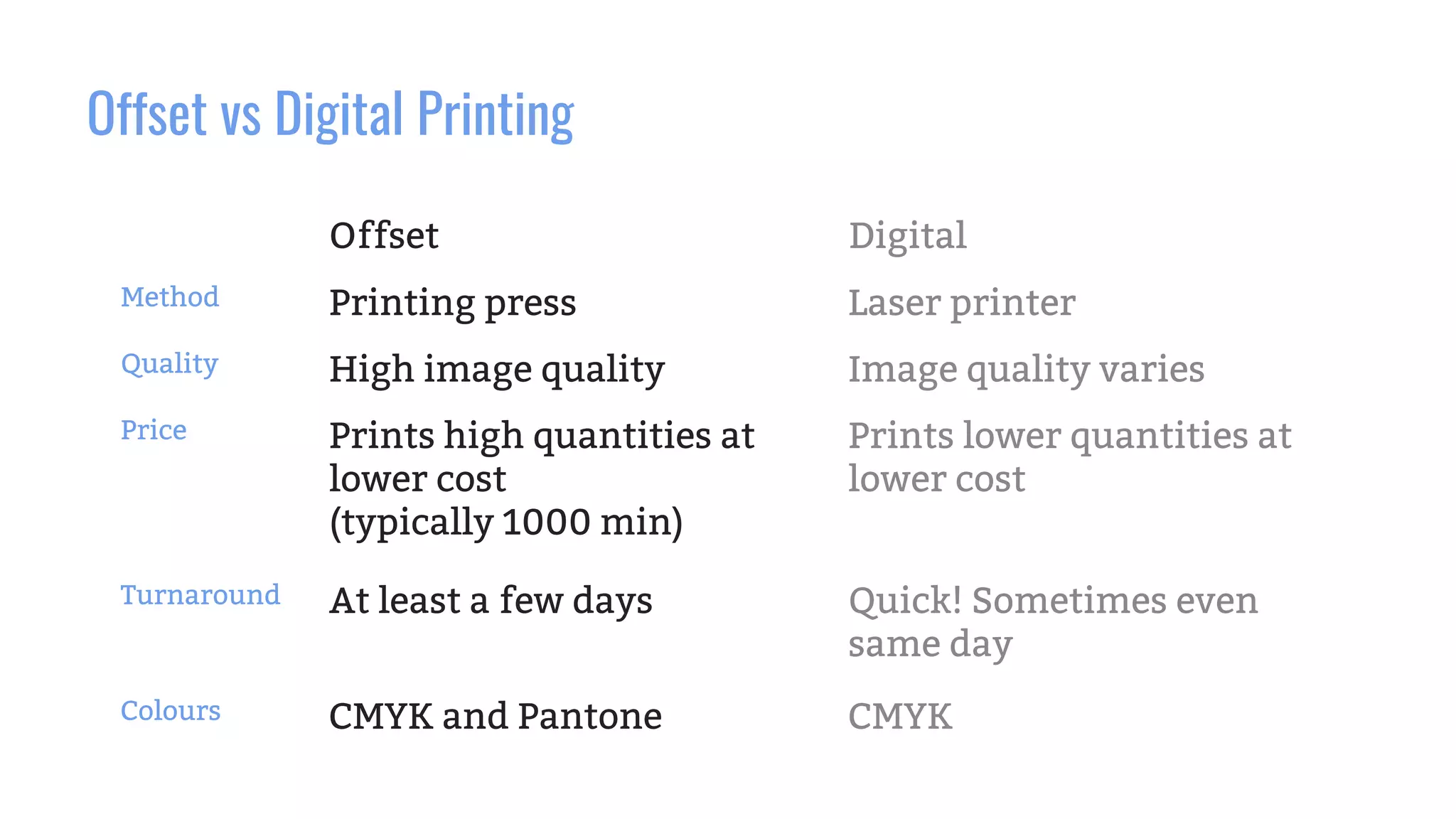
Offset vs Digital Printing
Offset Digital
Method Printing press Laser printer
Quality High image quality Image quality varies
Price Prints high quantities at
lower cost
(typically 1000 min)
Prints lower quantities at
lower cost
Turnaround At least a few days Quick! Sometimes even
same day
Colours CMYK and Pantone CMYK
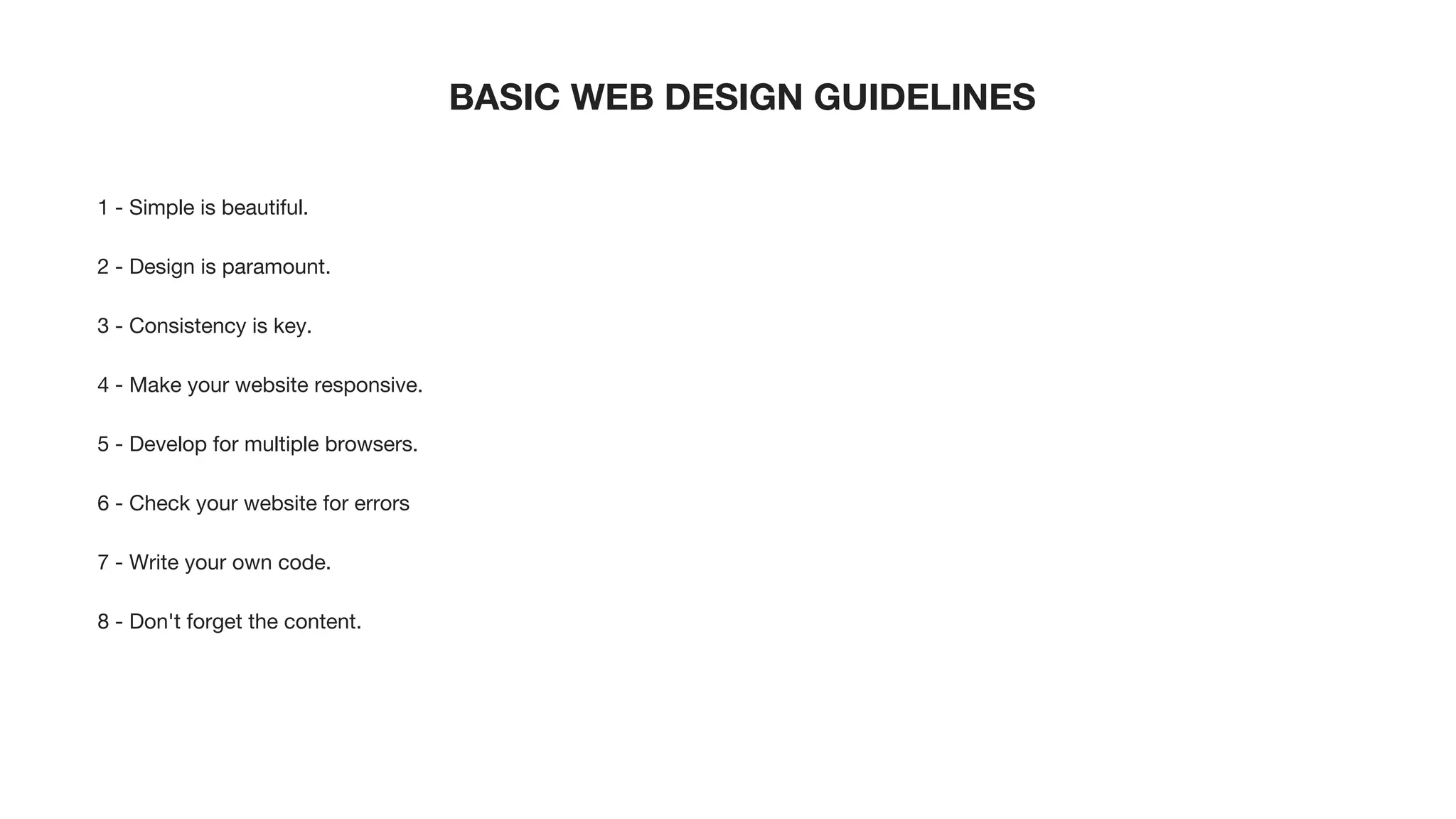
BASIC WEB DESIGN GUIDELINES
1 - Simple is beautiful.
2 - Design is paramount.
3 - Consistency is key.
4 - Make your website responsive.
5 - Develop for multiple browsers.
6 - Check your website for errors
7 - Write your own code.
8 - Don't forget the content.
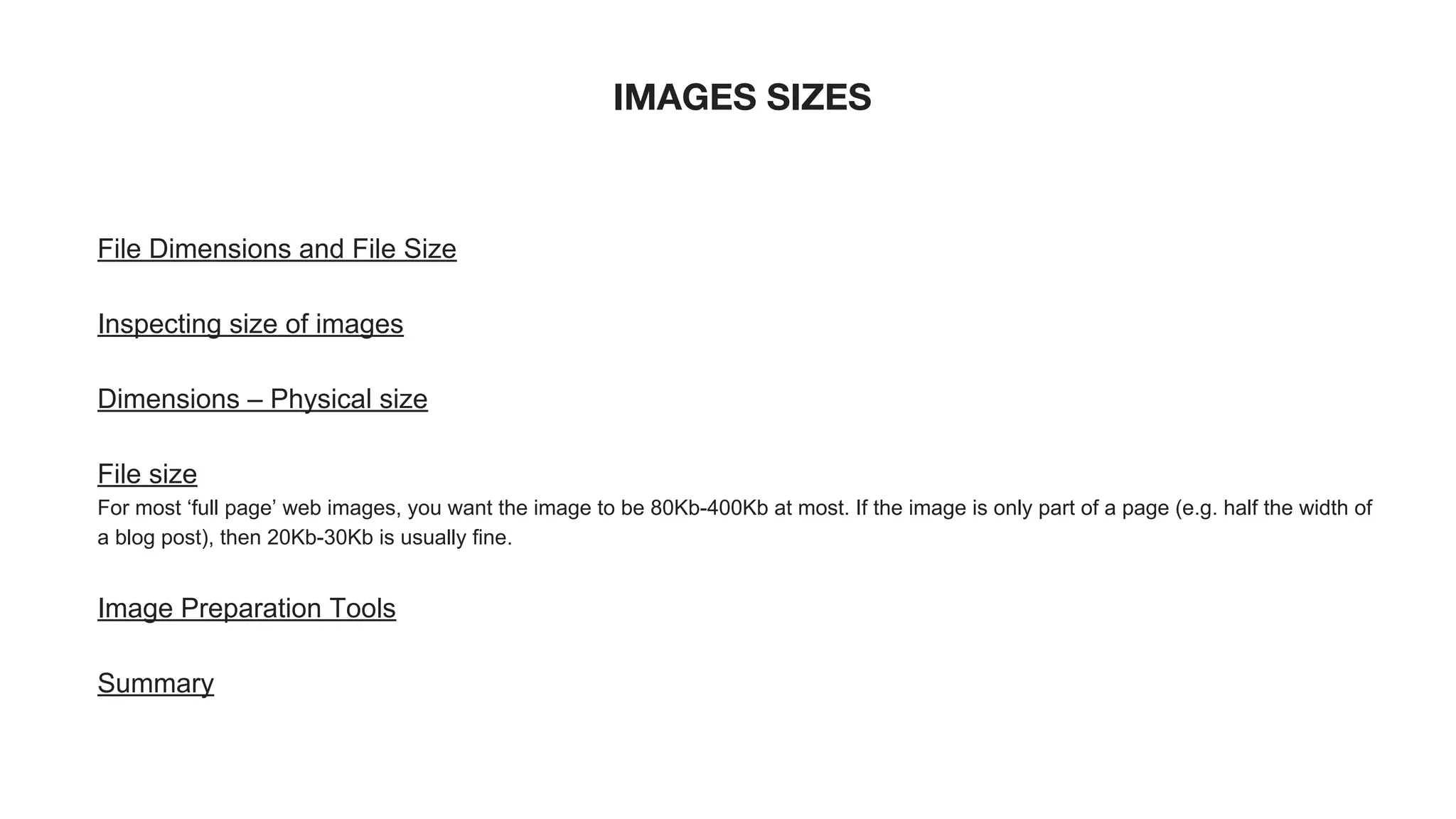
IMAGES SIZES
File Dimensions and File Size
Inspecting size of images
Dimensions – Physical size
File size
For most ‘full page’ web images, you want the image to be 80Kb-400Kb at most. If the image is only part of a page (e.g. half the width of
a blog post), then 20Kb-30Kb is usually fine.
Image Preparation Tools
Summary
EXTRA WEB DESIGN PRINCIPLES
1. How you group elements suggests their function
2. White space affects attention
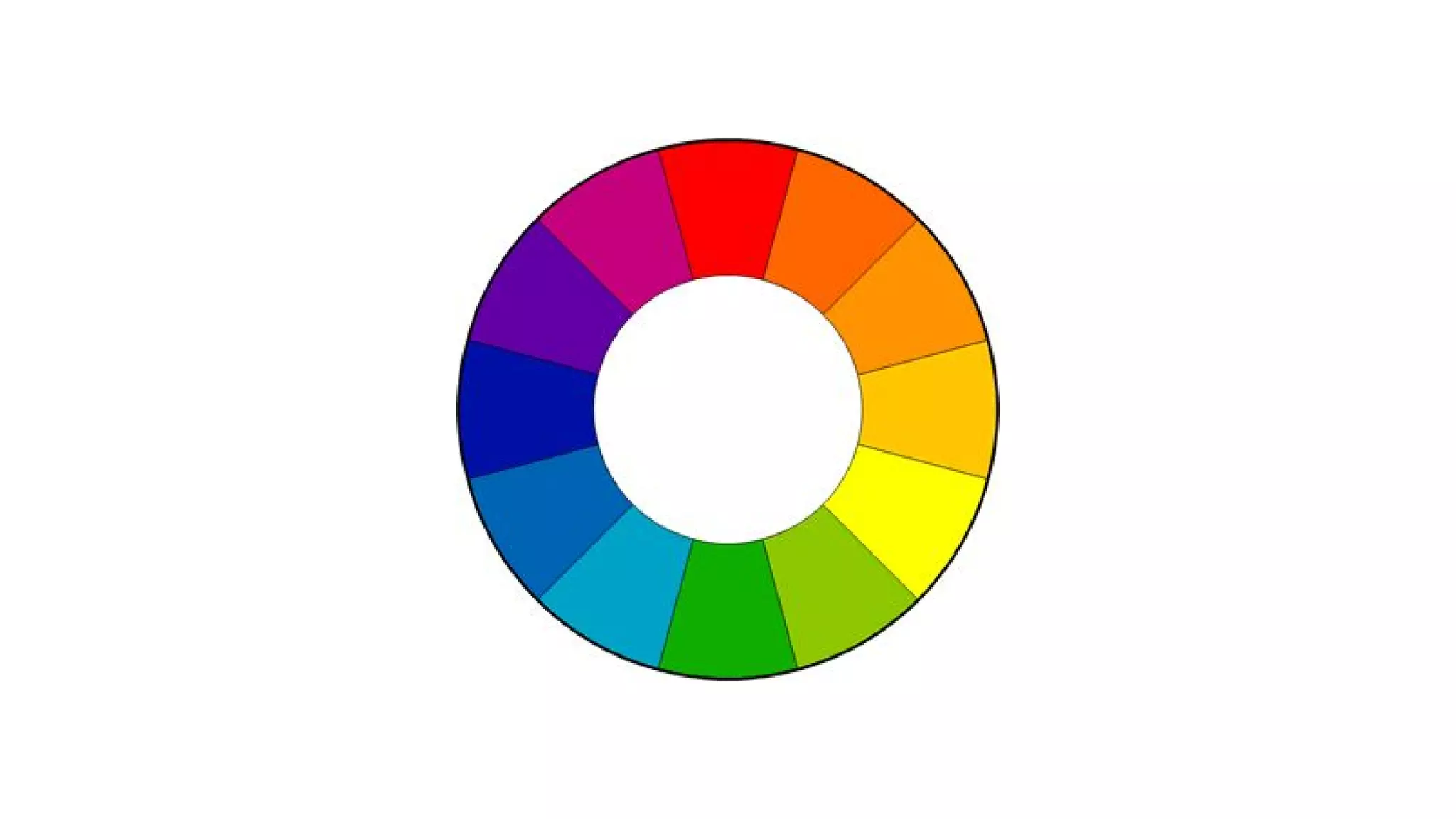
3. Clashing colors make elements stand out
4. Consistency aids learnability
5. Each color has unique psychological effects
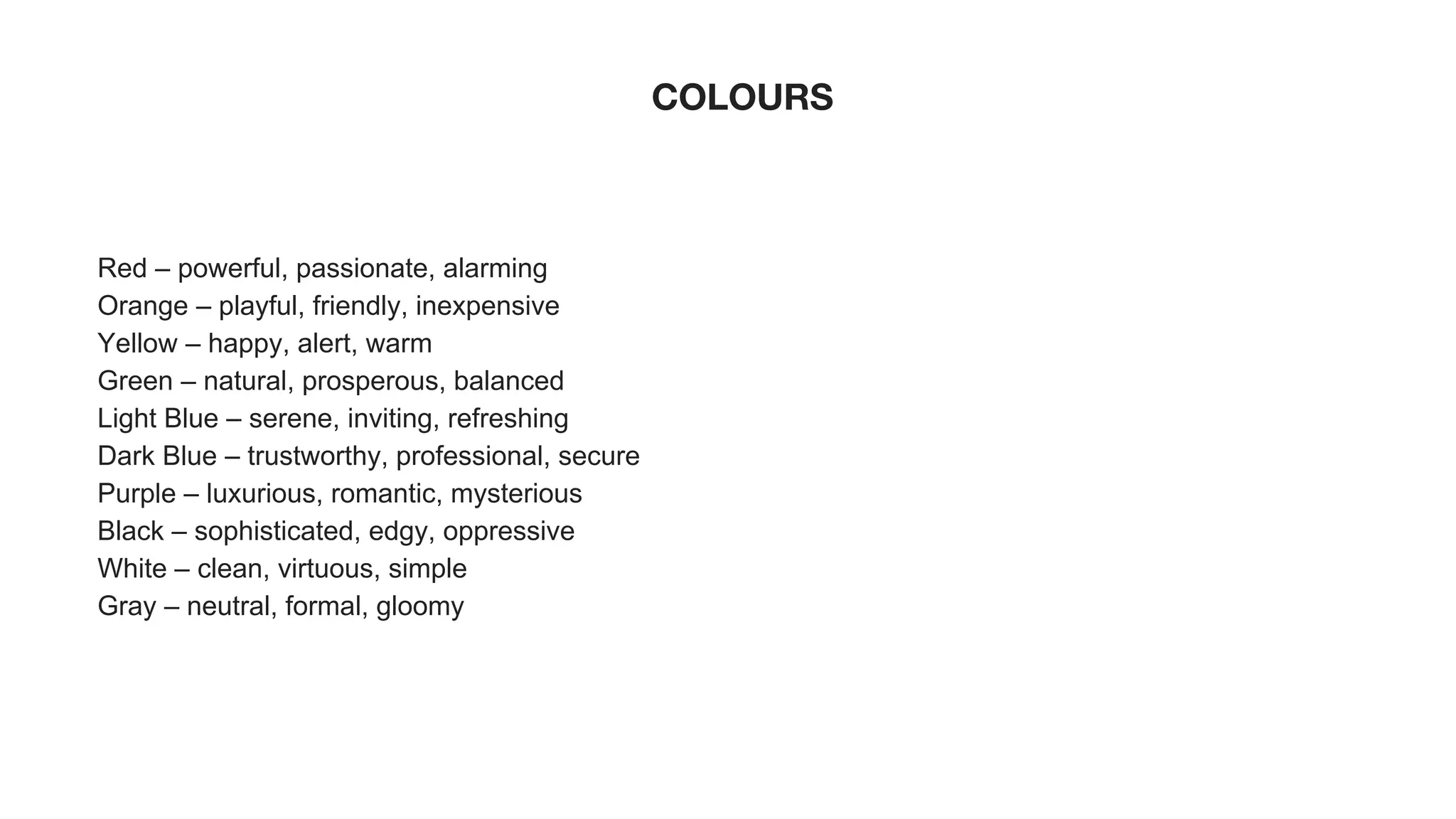
COLOURS
Red – powerful, passionate, alarming
Orange – playful, friendly, inexpensive
Yellow – happy, alert, warm
Green – natural, prosperous, balanced
Light Blue – serene, inviting, refreshing
Dark Blue – trustworthy, professional, secure
Purple – luxurious, romantic, mysterious
Black – sophisticated, edgy, oppressive
White – clean, virtuous, simple
Gray – neutral, formal, gloomy
LINKS
CANVA
https://www.canva.com
CANVA tutorial
https://www.youtube.com/watch?v=XqYti78riU8
Create images with ease!
https://www.youtube.com/watch?v=kyROcitFW0w
Free Stock Photos
https://unsplash.com/
https://www.pexels.com/
Online Photo Editor
http://www.pizap.com/
Font Pair Google Fonts
http://fontpair.co/

Design for Non-Designers: An Introduction to Design for Nonprofits

  • 1.
    Bitmap images • Describesan image using a grid of pixels • The amount of detail is determined by its physical dimensions measured in pixels • Bitmap images are resolution dependant, if you enlarge an image too much, you’ll lose detail and see pixelation = low resolution • A good general rule is to think of digital images, or scanned images as bitmap. • Can be edited in Photoshop Image source: www.prepressure.com
  • 2.
    Vector image • Describesan image based on geometric shapes and curves • Vector images can be resized infinitely and not lose detail like a bitmap image • Create vector images in Illustrator Image source: www.prepressure.com
  • 3.
    Why it’s notideal to design a business card in Photoshop Image source: www.liax.com
  • 4.
    Colours modes andtheir uses Image source: www.negliadesign.com
  • 5.
    Printing with CMYK Imagesource: http://leslieco.com
  • 6.
    100% Black vsRich Black Image source: https://morningprint.wordpress.com/
  • 7.
    100% Black vsRich Black Image source: https://en.graphic.jp/technical/check_ai/prt_black01.php
  • 8.
    When/when not touse Rich Black Image source: http://i.imgur.com/cZIp3j8.jpg • Use rich black for large areas • Avoid using for type • The slightest shift when printing text with CMYK will be obvious. Use 100% black.
  • 9.
    Focal point andhierarchy Undefined focal point Clear focal point
  • 10.
  • 11.
    White space No whitespace White space helps you focus
  • 12.
    Rough guideline fortext sizing for print Business documents • Main body text: 9-11 pts • Fine print text: 5-7 pts Business cards • Main info text: 7-9 pts AVOID ALL CAPS for body text, it’s hard to read. Save them for headlines or for emphasis.
  • 13.
    Image resolution forprint Image resolution should optimally be 300 dpi at 100%. Trade secret: If you absolutely cannot get 300 dpi, there are times where you may go down as low as 200 dpi for printing if the original image is clear and in focus. The eye can really only tell up to 200 dpi.
  • 14.
    Offset vs DigitalPrinting Offset Digital Method Printing press Laser printer Quality High image quality Image quality varies Price Prints high quantities at lower cost (typically 1000 min) Prints lower quantities at lower cost Turnaround At least a few days Quick! Sometimes even same day Colours CMYK and Pantone CMYK
  • 15.
    BASIC WEB DESIGNGUIDELINES 1 - Simple is beautiful. 2 - Design is paramount. 3 - Consistency is key. 4 - Make your website responsive. 5 - Develop for multiple browsers. 6 - Check your website for errors 7 - Write your own code. 8 - Don't forget the content.
  • 16.
    IMAGES SIZES File Dimensionsand File Size Inspecting size of images Dimensions – Physical size File size For most ‘full page’ web images, you want the image to be 80Kb-400Kb at most. If the image is only part of a page (e.g. half the width of a blog post), then 20Kb-30Kb is usually fine. Image Preparation Tools Summary
  • 17.
    EXTRA WEB DESIGNPRINCIPLES 1. How you group elements suggests their function 2. White space affects attention 3. Clashing colors make elements stand out 4. Consistency aids learnability 5. Each color has unique psychological effects
  • 19.
    COLOURS Red – powerful,passionate, alarming Orange – playful, friendly, inexpensive Yellow – happy, alert, warm Green – natural, prosperous, balanced Light Blue – serene, inviting, refreshing Dark Blue – trustworthy, professional, secure Purple – luxurious, romantic, mysterious Black – sophisticated, edgy, oppressive White – clean, virtuous, simple Gray – neutral, formal, gloomy
  • 20.
    LINKS CANVA https://www.canva.com CANVA tutorial https://www.youtube.com/watch?v=XqYti78riU8 Create imageswith ease! https://www.youtube.com/watch?v=kyROcitFW0w Free Stock Photos https://unsplash.com/ https://www.pexels.com/ Online Photo Editor http://www.pizap.com/ Font Pair Google Fonts http://fontpair.co/