Web and Database
Integration
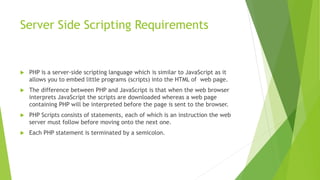
Server Side Scripting Requirements
 PHP is a server-side scripting language which is similar to JavaScript as it
allows you to embed little programs (scripts) into the HTML of web page.
 The difference between PHP and JavaScript is that when the web browser
interprets JavaScript the scripts are downloaded whereas a web page
containing PHP will be interpreted before the page is sent to the browser.
 PHP Scripts consists of statements, each of which is an instruction the web
server must follow before moving onto the next one.
 Each PHP statement is terminated by a semicolon.
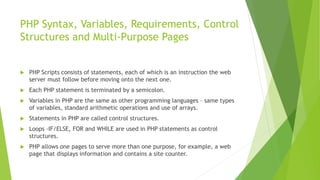
PHP Syntax, Variables, Requirements, Control
Structures and Multi-Purpose Pages
 PHP Scripts consists of statements, each of which is an instruction the web
server must follow before moving onto the next one.
 Each PHP statement is terminated by a semicolon.
 Variables in PHP are the same as other programming languages – same types
of variables, standard arithmetic operations and use of arrays.
 Statements in PHP are called control structures.
 Loops -IF/ELSE, FOR and WHILE are used in PHP statements as control
structures.
 PHP allows one pages to serve more than one purpose, for example, a web
page that displays information and contains a site counter.
Connecting to Database
 To connect to a database server, the following is required:
 Server, IP address or name of the server on which the database server software is
running.
 Username and password, required to connect to the database server.
 Name of the database stored on the database server that you want to connect to.
 Queries can then be executed on the connected database to retrieve
information.
 The result set from the query is provided as an object.
Editing and Amending Data
 Data needs to be displayed in a suitable format before it can be edited:
 Amending details – Updates the displayed information
 Deleting – Displayed information can be deleted when no longer required.
What you need to know…
 Connect to a database to process data.
 Read and write data, to and from a database.
 Be able to insert, amend and deletion queries.
 Process a form using server-side scripting.

Database and Web Integration

  • 1.
  • 2.
    Server Side ScriptingRequirements  PHP is a server-side scripting language which is similar to JavaScript as it allows you to embed little programs (scripts) into the HTML of web page.  The difference between PHP and JavaScript is that when the web browser interprets JavaScript the scripts are downloaded whereas a web page containing PHP will be interpreted before the page is sent to the browser.  PHP Scripts consists of statements, each of which is an instruction the web server must follow before moving onto the next one.  Each PHP statement is terminated by a semicolon.
  • 3.
    PHP Syntax, Variables,Requirements, Control Structures and Multi-Purpose Pages  PHP Scripts consists of statements, each of which is an instruction the web server must follow before moving onto the next one.  Each PHP statement is terminated by a semicolon.  Variables in PHP are the same as other programming languages – same types of variables, standard arithmetic operations and use of arrays.  Statements in PHP are called control structures.  Loops -IF/ELSE, FOR and WHILE are used in PHP statements as control structures.  PHP allows one pages to serve more than one purpose, for example, a web page that displays information and contains a site counter.
  • 4.
    Connecting to Database To connect to a database server, the following is required:  Server, IP address or name of the server on which the database server software is running.  Username and password, required to connect to the database server.  Name of the database stored on the database server that you want to connect to.  Queries can then be executed on the connected database to retrieve information.  The result set from the query is provided as an object.
  • 5.
    Editing and AmendingData  Data needs to be displayed in a suitable format before it can be edited:  Amending details – Updates the displayed information  Deleting – Displayed information can be deleted when no longer required.
  • 6.
    What you needto know…  Connect to a database to process data.  Read and write data, to and from a database.  Be able to insert, amend and deletion queries.  Process a form using server-side scripting.