DATA SCIENCE AND BIG DATA
ANALYTICS
CHAPTER 2:
DATA ANALYTICS LIFECYCLE
• Data science projects differ from BI projects
• More exploratory in nature
• Critical to have a project process
• Participants should be thorough and rigorous
• Break large projects into smaller pieces
• Spend time to plan and scope the work
• Documenting adds rigor and credibility
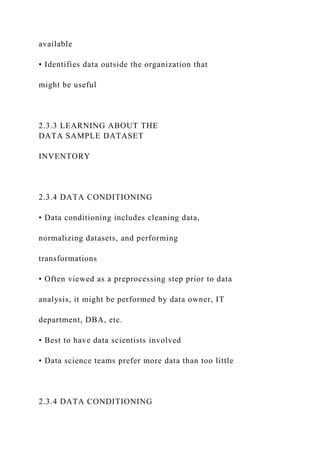
DATA ANALYTICS LIFECYCLE
• Data Analytics Lifecycle Overview
• Phase 1: Discovery
• Phase 2: Data Preparation
• Phase 3: Model Planning
• Phase 4: Model Building
• Phase 5: Communicate Results
• Phase 6: Operationalize
• Case Study: GINA
2.1 DATA ANALYTICS
LIFECYCLE OVERVIEW
• The data analytic lifecycle is designed for Big Data problems
and
data science projects
• With six phases the project work can occur in several phases
simultaneously
• The cycle is iterative to portray a real project
• Work can return to earlier phases as new information is
uncovered
2.1.1 KEY ROLES FOR A
SUCCESSFUL ANALYTICS
PROJECT
KEY ROLES FOR A
SUCCESSFUL ANALYTICS
PROJECT
• Business User – understands the domain area
• Project Sponsor – provides requirements
• Project Manager – ensures meeting objectives
• Business Intelligence Analyst – provides business domain
expertise based on deep understanding of the data
• Database Administrator (DBA) – creates DB environment
• Data Engineer – provides technical skills, assists data
management and extraction, supports analytic sandbox
• Data Scientist – provides analytic techniques and modeling
2.1.2 BACKGROUND AND OVERVIEW
OF DATA ANALYTICS LIFECYCLE
• Data Analytics Lifecycle defines the analytics process and
best practices from discovery to project completion
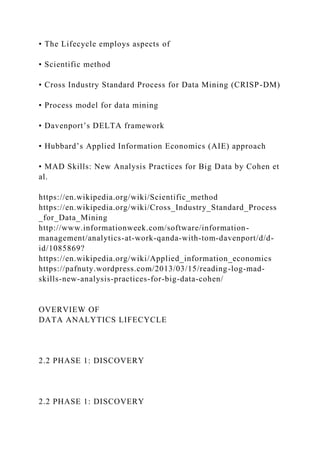
• The Lifecycle employs aspects of
• Scientific method
• Cross Industry Standard Process for Data Mining (CRISP-DM)
• Process model for data mining
• Davenport’s DELTA framework
• Hubbard’s Applied Information Economics (AIE) approach
• MAD Skills: New Analysis Practices for Big Data by Cohen et
al.
https://en.wikipedia.org/wiki/Scientific_method
https://en.wikipedia.org/wiki/Cross_Industry_Standard_Process
_for_Data_Mining
http://www.informationweek.com/software/information-
management/analytics-at-work-qanda-with-tom-davenport/d/d-
id/1085869?
https://en.wikipedia.org/wiki/Applied_information_economics
https://pafnuty.wordpress.com/2013/03/15/reading-log-mad-
skills-new-analysis-practices-for-big-data-cohen/
OVERVIEW OF
DATA ANALYTICS LIFECYCLE
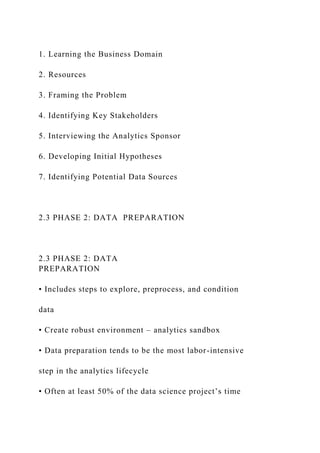
2.2 PHASE 1: DISCOVERY
1. Learning the Business Domain
2. Resources
3. Framing the Problem
4. Identifying Key Stakeholders
5. Interviewing the Analytics Sponsor
6. Developing Initial Hypotheses
7. Identifying Potential Data Sources
2.3 PHASE 2: DATA PREPARATION
2.3 PHASE 2: DATA
PREPARATION
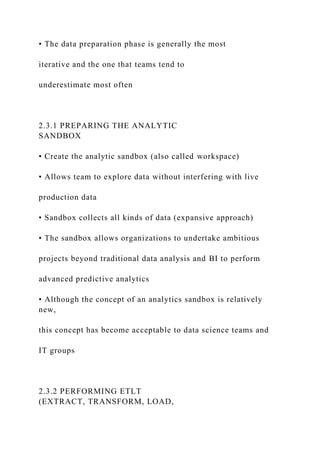
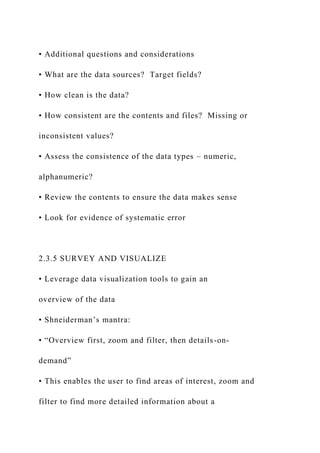
• Includes steps to explore, preprocess, and condition
data
• Create robust environment – analytics sandbox
• Data preparation tends to be the most labor-intensive
step in the analytics lifecycle
• Often at least 50% of the data science project’s time
• The data preparation phase is generally the most
iterative and the one that teams tend to
underestimate most often
2.3.1 PREPARING THE ANALYTIC
SANDBOX
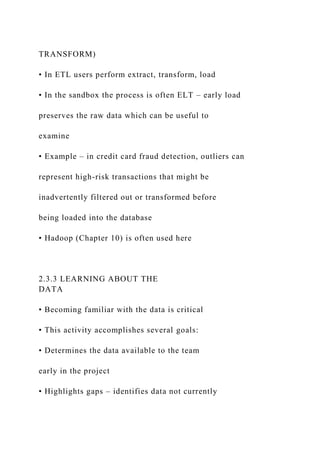
• Create the analytic sandbox (also called workspace)
• Allows team to explore data without interfering with live
production data
• Sandbox collects all kinds of data (expansive approach)
• The sandbox allows organizations to undertake ambitious
projects beyond traditional data analysis and BI to perform
advanced predictive analytics
• Although the concept of an analytics sandbox is relatively
new,
this concept has become acceptable to data science teams and
IT groups
2.3.2 PERFORMING ETLT
(EXTRACT, TRANSFORM, LOAD,
TRANSFORM)
• In ETL users perform extract, transform, load
• In the sandbox the process is often ELT – early load
preserves the raw data which can be useful to
examine
• Example – in credit card fraud detection, outliers can
represent high-risk transactions that might be
inadvertently filtered out or transformed before
being loaded into the database
• Hadoop (Chapter 10) is often used here
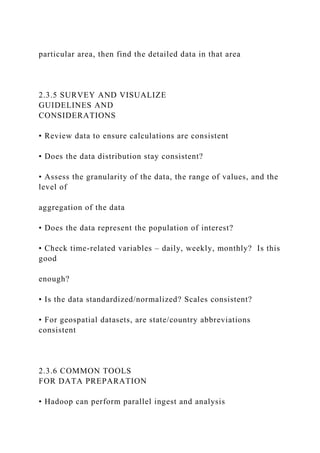
2.3.3 LEARNING ABOUT THE
DATA
• Becoming familiar with the data is critical
• This activity accomplishes several goals:
• Determines the data available to the team
early in the project
• Highlights gaps – identifies data not currently
available
• Identifies data outside the organization that
might be useful
2.3.3 LEARNING ABOUT THE
DATA SAMPLE DATASET
INVENTORY
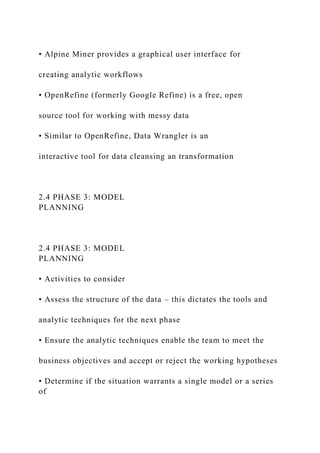
2.3.4 DATA CONDITIONING
• Data conditioning includes cleaning data,
normalizing datasets, and performing
transformations
• Often viewed as a preprocessing step prior to data
analysis, it might be performed by data owner, IT
department, DBA, etc.
• Best to have data scientists involved
• Data science teams prefer more data than too little
2.3.4 DATA CONDITIONING
• Additional questions and considerations
• What are the data sources? Target fields?
• How clean is the data?
• How consistent are the contents and files? Missing or
inconsistent values?
• Assess the consistence of the data types – numeric,
alphanumeric?
• Review the contents to ensure the data makes sense
• Look for evidence of systematic error
2.3.5 SURVEY AND VISUALIZE
• Leverage data visualization tools to gain an
overview of the data
• Shneiderman’s mantra:
• “Overview first, zoom and filter, then details-on-
demand”
• This enables the user to find areas of interest, zoom and
filter to find more detailed information about a
particular area, then find the detailed data in that area
2.3.5 SURVEY AND VISUALIZE
GUIDELINES AND
CONSIDERATIONS
• Review data to ensure calculations are consistent
• Does the data distribution stay consistent?
• Assess the granularity of the data, the range of values, and the
level of
aggregation of the data
• Does the data represent the population of interest?
• Check time-related variables – daily, weekly, monthly? Is this
good
enough?
• Is the data standardized/normalized? Scales consistent?
• For geospatial datasets, are state/country abbreviations
consistent
2.3.6 COMMON TOOLS
FOR DATA PREPARATION
• Hadoop can perform parallel ingest and analysis
• Alpine Miner provides a graphical user interface for
creating analytic workflows
• OpenRefine (formerly Google Refine) is a free, open
source tool for working with messy data
• Similar to OpenRefine, Data Wrangler is an
interactive tool for data cleansing an transformation
2.4 PHASE 3: MODEL
PLANNING
2.4 PHASE 3: MODEL
PLANNING
• Activities to consider
• Assess the structure of the data – this dictates the tools and
analytic techniques for the next phase
• Ensure the analytic techniques enable the team to meet the
business objectives and accept or reject the working hypotheses
• Determine if the situation warrants a single model or a series
of
techniques as part of a larger analytic workflow
• Research and understand how other analysts have approached
this kind or similar kind of problem
2.4 PHASE 3: MODEL PLANNING
MODEL PLANNING IN INDUSTRY
VERTICALS
• Example of other analysts approaching a similar problem
2.4.1 DATA EXPLORATION
AND VARIABLE SELECTION
• Explore the data to understand the relationships among the
variables to inform selection of the variables and methods
• A common way to do this is to use data visualization tools
• Often, stakeholders and subject matter experts may have ideas
• For example, some hypothesis that led to the project
• Aim for capturing the most essential predictors and variables
• This often requires iterations and testing to identify key
variables
• If the team plans to run regression analysis, identify the
candidate
predictors and outcome variables of the model
2.4.2 MODEL SELECTION
• The main goal is to choose an analytical technique, or several
candidates, based
on the end goal of the project
• We observe events in the real world and attempt to construct
models that
emulate this behavior with a set of rules and conditions
• A model is simply an abstraction from reality
• Determine whether to use techniques best suited for structured
data,
unstructured data, or a hybrid approach
• Teams often create initial models using statistical software
packages such as R,
SAS, or Matlab
• Which may have limitations when applied to very large
datasets
• The team moves to the model building phase once it has a
good idea about the
type of model to try
2.4.3 COMMON TOOLS FOR THE
MODEL PLANNING PHASE
• R has a complete set of modeling capabilities
• R contains about 5000 packages for data analysis and
graphical presentation
• SQL Analysis ser vices can perform in-database analytics of
common data mining functions, involved aggregations, and
basic
predictive models
• SAS/ACCESS provides integration between SAS and the
analytics
sandbox via multiple data connections
2.5 PHASE 4: MODEL BUILDING
• Execute the models defined in Phase 3
• Develop datasets for training, testing, and production
• Develop analytic model on training data, test on test data
• Question to consider
• Does the model appear valid and accurate on the test data?
• Does the model output/behavior make sense to the domain
experts?
• Do the parameter values make sense in the context of the
domain?
• Is the model sufficiently accurate to meet the goal?
• Does the model avoid intolerable mistakes? (see Chapters 3
and 7)
• Are more data or inputs needed?
• Will the kind of model chosen support the runtime
environment?
• Is a different form of the model required to address the
business problem?
2.5.1 COMMON TOOLS FOR
THE MODEL BUILDING PHASE
• Commercial Tools
• SAS Enterprise Miner – built for enterprise-level computing
and analytics
• SPSS Modeler (IBM) – provides enterprise-level computing
and analytics
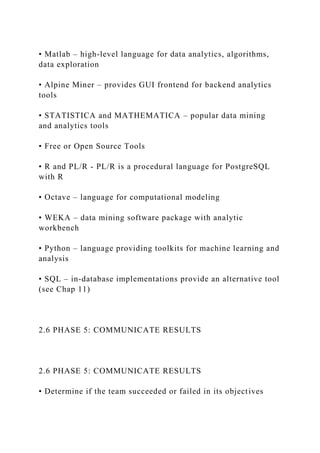
• Matlab – high-level language for data analytics, algorithms,
data exploration
• Alpine Miner – provides GUI frontend for backend analytics
tools
• STATISTICA and MATHEMATICA – popular data mining
and analytics tools
• Free or Open Source Tools
• R and PL/R - PL/R is a procedural language for PostgreSQL
with R
• Octave – language for computational modeling
• WEKA – data mining software package with analytic
workbench
• Python – language providing toolkits for machine learning and
analysis
• SQL – in-database implementations provide an alternative tool
(see Chap 11)
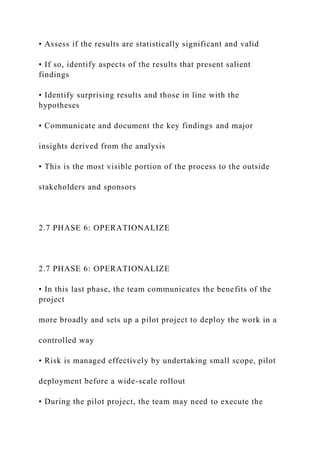
2.6 PHASE 5: COMMUNICATE RESULTS
• Determine if the team succeeded or failed in its objectives
• Assess if the results are statistically significant and valid
• If so, identify aspects of the results that present salient
findings
• Identify surprising results and those in line with the
hypotheses
• Communicate and document the key findings and major
insights derived from the analysis
• This is the most visible portion of the process to the outside
stakeholders and sponsors
2.7 PHASE 6: OPERATIONALIZE
• In this last phase, the team communicates the benefits of the
project
more broadly and sets up a pilot project to deploy the work in a
controlled way
• Risk is managed effectively by undertaking small scope, pilot
deployment before a wide-scale rollout
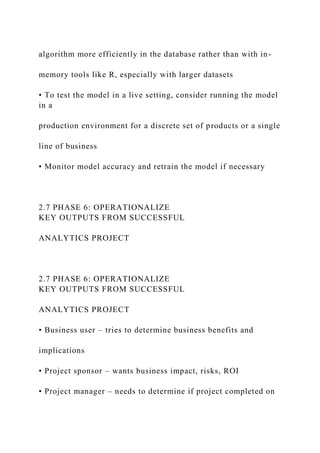
• During the pilot project, the team may need to execute the
algorithm more efficiently in the database rather than with in-
memory tools like R, especially with larger datasets
• To test the model in a live setting, consider running the model
in a
production environment for a discrete set of products or a single
line of business
• Monitor model accuracy and retrain the model if necessary
2.7 PHASE 6: OPERATIONALIZE
KEY OUTPUTS FROM SUCCESSFUL
ANALYTICS PROJECT
2.7 PHASE 6: OPERATIONALIZE
KEY OUTPUTS FROM SUCCESSFUL
ANALYTICS PROJECT
• Business user – tries to determine business benefits and
implications
• Project sponsor – wants business impact, risks, ROI
• Project manager – needs to determine if project completed on
time, within budget, goals met
• Business intelligence analyst – needs to know if reports and
dashboards will be impacted and need to change
• Data engineer and DBA – must share code and document
• Data scientist – must share code and explain model to peers,
managers, stakeholders
2.7 PHASE 6: OPERATIONALIZE
FOUR MAIN DELIVERABLES
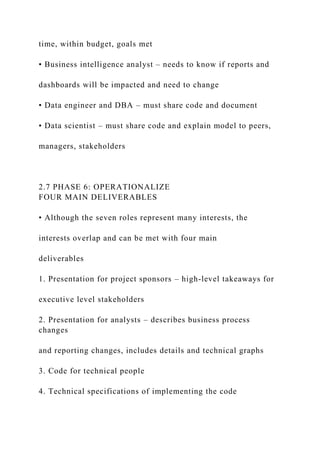
• Although the seven roles represent many interests, the
interests overlap and can be met with four main
deliverables
1. Presentation for project sponsors – high-level takeaways for
executive level stakeholders
2. Presentation for analysts – describes business process
changes
and reporting changes, includes details and technical graphs
3. Code for technical people
4. Technical specifications of implementing the code
2.8 CASE STUDY: GLOBAL INNOVATION
NETWORK AND ANALYSIS (GINA)
• In 2012 EMC’s new director wanted to improve
the company’s engagement of employees across
the global centers of excellence (GCE) to drive
innovation, research, and university partnerships
• This project was created to accomplish
• Store formal and informal data
• Track research from global technologists
• Mine the data for patterns and insights to improve the
team’s operations and strategy
2.8.1 PHASE 1: DISCOVERY
• Team members and roles
• Business user, project sponsor, project manager – Vice
President from
Office of CTO
• BI analyst – person from IT
• Data engineer and DBA – people from IT
• Data scientist – distinguished engineer
2.8.1 PHASE 1: DISCOVERY
• The data fell into two categories
• Five years of idea submissions from internal innovation
contests
• Minutes and notes representing innovation and research
activity from around the world
• Hypotheses grouped into two categories
• Descriptive analytics of what is happening to spark
further creativity, collaboration, and asset generation
• Predictive analytics to advise executive management of
where it should be investing in the future
2.8.2 PHASE 2: DATA
PREPARATION
• Set up an analytics sandbox
• Discovered that certain data needed conditioning and
normalization and that missing datasets were critical
• Team recognized that poor quality data could impact
subsequent steps
• They discovered many names were misspelled and
problems with extra spaces
• These seemingly small problems had to be addressed
2.8.3 PHASE 3: MODEL PLANNING
• The study included the following
considerations
• Identify the right milestones to achieve the goals
• Trace how people move ideas from each
milestone toward the goal
• Tract ideas that die and others that reach the goal
• Compare times and outcomes using a few
different methods
2.8.4 PHASE 4: MODEL BUILDING
• Several analytic method were employed
• NLP on textual descriptions
• Social network analysis using R and Rstudio
• Developed social graphs and visualizations
2.8.4 PHASE 4: MODEL BUILDING
SOCIAL GRAPH OF DATA
SUBMITTERS AND FINALISTS
2.8.4 PHASE 4: MODEL BUILDING
SOCIAL GRAPH OF TOP INNOVATION
INFLUENCERS
2.8.5 PHASE 5: COMMUNICATE RESULTS
• Study was successful in in identifying hidden innovators
• Found high density of innovators in Cork, Ireland
• The CTO office launched longitudinal studies
2.8.6 PHASE 6: OPERATIONALIZE
• Deployment was not really discussed
• Key findings
• Need more data in future
• Some data were sensitive
• A parallel initiative needs to be created to improve basic BI
activities
• A mechanism is needed to continually reevaluate the model
after
deployment
2.8.6 PHASE 6: OPERATIONALIZE
SUMMARY
• The Data Analytics Lifecycle is an approach to managing and
executing analytic projects
• Lifecycle has six phases
• Bulk of the time usually spent on preparation – phases 1 and 2
• Seven roles needed for a data science team
• Review the exercises
FOCUS OF COURSE
• Focus on quantitative disciplines – e.g., math,
statistics, machine learning
• Provide overview of Big Data analytics
• In-depth study of a several key algorithms
Data Science
and
Big Data Analytics
Chap 8: Advanced Analytical Theory and Methods:
Time Series Analysis
1
Chapter Sections
8.1 Overview of Time Series Analysis
8.1.1 Box-Jenkins Methodology
8.2 ARIMA Model
8.2.1 Autocorrelation Function (ACF)
8.2.2 Autoregressive Models
8.2.3 Moving Average Models
8.2.4 ARMA and ARIMA Models
8.2.5 Building and Evaluating an ARIMA Model
8.2.6 Reasons to Choose and Cautions
8.3 Additional Methods
Summary
2
8 Time Series Analysis
This chapter’s emphasis is on
Identifying the underlying structure of the time series
Fitting an appropriate Autoregressive Integrated Moving
Average (ARIMA) model
3
Time series analysis attempts to model the underlying structure
of observations over time
A time series, Y =a+ bX , is an ordered sequence of equally
spaced values over time
The analyses presented in this chapter are limited to equally
spaced time series of one variable
8.1 Overview of Time Series Analysis
4
The time series below plots #passengers vs months (144 months
or 12 years)
8.1 Overview of Time Series Analysis
5
The goals of time series analysis are
Identify and model the structure of the time series
Forecast future values in the time series
Time series analysis has many applications in finance,
economics, biology, engineering, retail, and manufacturing
8.1 Overview of Time Series Analysis
6
8.1 Overview of Time Series Analysis
8.1.1 Box-Jenkins Methodology
A time series can consist of the components:
Trend – long-term movement in a time series, increasing or
decreasing over time – for example,
Steady increase in sales month over month
Annual decline of fatalities due to car accidents
Seasonality – describes the fixed, periodic fluctuation in the
observations over time
Usually related to the calendar – e.g., airline passenger
example
Cyclic – also periodic but not as fixed
E.g., retail sales versus the boom-bust cycle of the economy
Random – is what remains
Often an underlying structure remains but usually with
significant noise
This structure is what is modeled to obtain forecasts
7
8.1 Overview of Time Series Analysis
8.1.1 Box-Jenkins Methodology
The Box-Jenkins methodology has three main steps:
Condition data and select a model
Identify/account for trends/seasonality in time series
Examine remaining time series to determine a model
Estimate the model parameters.
Assess the model, return to Step 1 if necessary
This chapter uses the Box-Jenkins methodology to apply an
ARIMA model to a given time series
8
8.1 Overview of Time Series Analysis
8.1.1 Box-Jenkins Methodology
The remainder of the chapter is rather advanced and will not be
covered in this course
The remaining slides have not been finalized but can be
reviewed by those interested in time series analysis
9
8.2 ARIMA Model
ARIMA = Autoregressive Integrated Moving Average
Step 1: remove any trends/seasonality in time series
Achieve a time series with certain properties to which
autoregressive and moving average models can be applied
Such a time series is known as a stationary time series
10
8.2 ARIMA Model
ARIMA = Autoregressive Integrated Moving Average
A time series, Yt for t= 1,2,3, ... t, is a stationary time series if
the following three conditions are met
The expected value (mean) of Y is constant for all values
The variance of Y is finite
The covariance of Y, and Y, h depends only on the value of h =
0, 1, 2, .. .for all t
The covariance of Y, andY,. h is a measure of how the two
variables, Y, andY,_ h• vary together
11
8.2 ARIMA Model
ARIMA = Autoregressive Integrated Moving Average
The covariance of Y, andY,. h is a measure of how the two
variables, Y, andY,_ h• vary together
If two variables are independent, covariance is zero.
If the variables change together in the same direction, cov is
positive; conversely, if the variables change in opposite
directions, cov is negative
12
8.2 ARIMA Model
ARIMA = Autoregressive Integrated Moving Average
A stationary time series, by condition (1), has constant mean,
say m, so covariance simplifies to
By condition (3), cov between two points can be nonzero, but
cov is only function of h – e.g., h=3
If h=0, cov(0) = cov(yt,yt) = var(yt) for all t
13
8.2 ARIMA Model
ARIMA = Autoregressive Integrated Moving Average
A plot of a stationary time series
14
8.2 ARIMA Model
8.2.1 Autocorrelation Function (ACF)
From the figure, it appears that each point is somewhat
dependent on the past points, but does not provide insight into
the cov and its structure
The plot of autocorrelation function (ACF) provides this insight
For a stationary time series, the ACF is defined as
15
8.2 ARIMA Model
8.2.1 Autocorrelation Function (ACF)
Because the cov(0) is the variance,
the ACF is analogous to the correlation function of two
variables, corr (yt , yt+h), and
the value of the ACF falls between -1 and 1
Thus, the closer the absolute value of ACF(h) is to 1, the more
useful yt can be as a predictor of yt+h
16
8.2 ARIMA Model
8.2.1 Autocorrelation Function (ACF)
Using the dataset plotted above, the ACF plot is
17
8.2 ARIMA Model
8.2.1 Autocorrelation Function (ACF)
By convention, the quantity h in the ACF is referred to as the
lag, the difference between the time points t and t +h.
At lag 0, the ACF provides the correlation of every point with
itself
According to the ACF plot, at lag 1 the correlation between Y,
andY, 1 is approximately 0.9, which is very close to 1, so Y, 1
appears to be a good predictor of the value of Y,
In other words, a model can be considered that would express
Y, as a linear sum of its previous 8 terms. Such a model is
known as an autoregressive model of order 8
18
8.2 ARIMA Model
8.2.2 Autoregressive Models
For a stationary time series, y, t= 1, 2, 3, ... , an autoregressive
model of order p, denoted AR(p), is
19
8.2 ARIMA Model
8.2.2 Autoregressive Models
Thus, a particular point in the time series can be expressed as a
linear combination of the prior p values, Y, _ i for j = 1, 2, ... p,
of the time series plus a random error term, c,.
the c, time series is often called a white noise process that
represents random, independent fluctuations that are part of the
time series
20
8.2 ARIMA Model
8.2.2 Autoregressive Models
In the earlier example, the autocorrelations are quite high for
the first several lags.
Although an AR(8) model might be good, examining an AR(l)
model provides further insight into the ACF and the p value to
choose
An AR(1) model, centered around 6 = 0, yields
21
8.2 ARIMA Model
8.2.3 Moving Average Models
For a time series, y 1 , centered at zero, a moving average
model of order q, denoted MA(q), is expressed as
the value of a time series is a linear combination of the current
white noise term and the prior q white noise terms. So earlier
random shocks directly affect the current value of the time
series
22
8.2 ARIMA Model
8.2.3 Moving Average Models
the value of a time series is a linear combination of the current
white noise term and the prior q white noise terms, so earlier
random shocks directly affect the current value of the time
series
the behavior of the ACF and PACF plots are somewhat swapped
from the behavior of these plots for AR(p) models.
23
8.2 ARIMA Model
8.2.3 Moving Average Models
For a simulated MA(3) time series of the form Y, = E1 - 0.4 E,
1 + 1.1 £1 2 - 2.S E:1 3 where e, - N(O, 1), the scatterplot of the
simulated data over time is
24
8.2 ARIMA Model
8.2.3 Moving Average Models
The ACF plot of the simulated MA(3) series is shown below
ACF(0) = 1, because any variable correlates perfectly with
itself. At higher lags, the absolute values of terms decays
In an autoregressive model, the ACF slowly decays, but for an
MA(3) model, the ACF cuts off abruptly after lag 3, and this
pattern extends to any MA(q) model.
25
8.2 ARIMA Model
8.2.3 Moving Average Models
To understand this, examine the MA(3) model equations
Because Y1 shares specific white noise variables with Y1 _ 1
through Y1 _ 3,, those three variables are correlated to y1 •
However, the expression of Yr does not share white noise
variables with Y1_ 4 in Equation 8-14. So the theoretical
correlation between Y1 and Y1 _ 4 is zero. Of course, when
dealing with a particular dataset, the theoretical
autocorrelations are unknown, but the observed autocorrelations
should be close to zero for lags greater than q when working
with an MA(q) model
26
8.2 ARIMA Model
8.2.4 ARMA and ARIMA Models
In general, we don’t need to choose between an AR(p) and an
MA(q) model, rather combine these two representations into an
Autoregressive Moving Average model, ARMA(p,q),
27
8.2 ARIMA Model
8.2.4 ARMA and ARIMA Models
If p = 0 and q =;e. 0, then the ARMA(p,q) model is simply an
AR(p) model. Similarly, if p = 0 and q =;e. 0, then the
ARMA(p,q) model is an MA(q) model
Although the time series must be stationary, many series exhibit
a trend over time – e.g., an increasing linear trend
28
8.2 ARIMA Model
8.2.5 Building and Evaluating an ARIMA Model
For a large country, monthly gasoline production (millions of
barrels) was obtained for 240 months (20 years).
A market research firm requires some short-term gasoline
production forecasts
29
8.2 ARIMA Model
8.2.5 Building and Evaluating an ARIMA Model
library (forecast )
gas__prod_input <- as. data . f rame ( r ead.csv ( "c: / data/
gas__prod. csv")
gas__prod <- ts (gas__prod_input[ , 2])
plot (gas _prod, xlab = "Time (months) ", ylab = "Gas oline
production (mi llions of barrels ) " )
30
8.2 ARIMA Model
8.2.5 Building and Evaluating an ARIMA Model
Comparing Fitted Time Series Models
The arima () function in Ruses Maximum Likelihood Estimation
(MLE) to estimate the model coefficients. In the R output for an
ARIMA model, the log-likelihood (logLl value is provided. The
values of the model coefficients are determined such that the
value of the log likelihood function is maximized. Based on the
log L value, the R output provides several measures that are
useful for comparing the appropriateness of one fitted model
against another fitted model.
AIC (Akaike Information Criterion)
A ICc (Akaike Information Criterion, corrected)
BIC (Bayesian Information Criterion)
31
8.2 ARIMA Model
8.2.5 Building and Evaluating an ARIMA Model
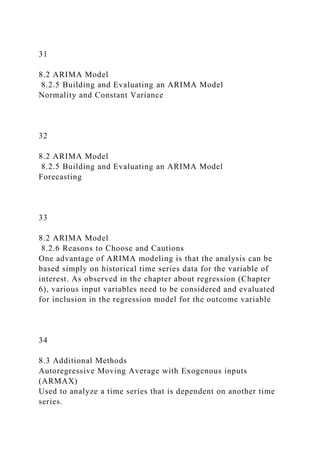
Normality and Constant Variance
32
8.2 ARIMA Model
8.2.5 Building and Evaluating an ARIMA Model
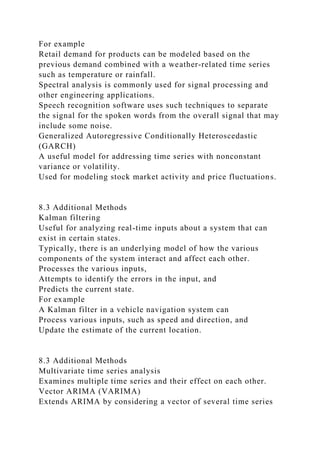
Forecasting
33
8.2 ARIMA Model
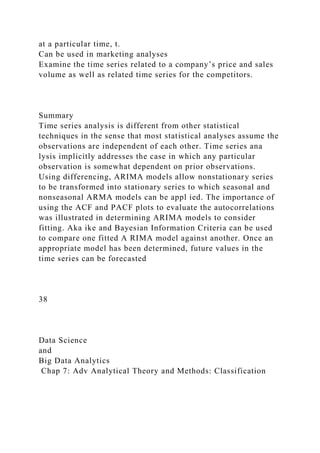
8.2.6 Reasons to Choose and Cautions
One advantage of ARIMA modeling is that the analysis can be
based simply on historical time series data for the variable of
interest. As observed in the chapter about regression (Chapter
6), various input variables need to be considered and evaluated
for inclusion in the regression model for the outcome variable
34
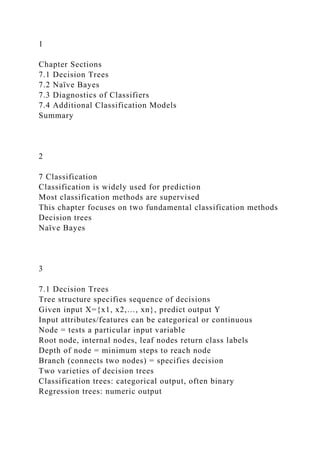
8.3 Additional Methods
Autoregressive Moving Average with Exogenous inputs
(ARMAX)
Used to analyze a time series that is dependent on another time
series.
For example
Retail demand for products can be modeled based on the
previous demand combined with a weather-related time series
such as temperature or rainfall.
Spectral analysis is commonly used for signal processing and
other engineering applications.
Speech recognition software uses such techniques to separate
the signal for the spoken words from the overall signal that may
include some noise.
Generalized Autoregressive Conditionally Heteroscedastic
(GARCH)
A useful model for addressing time series with nonconstant
variance or volatility.
Used for modeling stock market activity and price fluctuations.
8.3 Additional Methods
Kalman filtering
Useful for analyzing real-time inputs about a system that can
exist in certain states.
Typically, there is an underlying model of how the various
components of the system interact and affect each other.
Processes the various inputs,
Attempts to identify the errors in the input, and
Predicts the current state.
For example
A Kalman filter in a vehicle navigation system can
Process various inputs, such as speed and direction, and
Update the estimate of the current location.
8.3 Additional Methods
Multivariate time series analysis
Examines multiple time series and their effect on each other.
Vector ARIMA (VARIMA)
Extends ARIMA by considering a vector of several time series
at a particular time, t.
Can be used in marketing analyses
Examine the time series related to a company’s price and sales
volume as well as related time series for the competitors.
Summary
Time series analysis is different from other statistical
techniques in the sense that most statistical analyses assume the
observations are independent of each other. Time series ana
lysis implicitly addresses the case in which any particular
observation is somewhat dependent on prior observations.
Using differencing, ARIMA models allow nonstationary series
to be transformed into stationary series to which seasonal and
nonseasonal ARMA models can be appl ied. The importance of
using the ACF and PACF plots to evaluate the autocorrelations
was illustrated in determining ARIMA models to consider
fitting. Aka ike and Bayesian Information Criteria can be used
to compare one fitted A RIMA model against another. Once an
appropriate model has been determined, future values in the
time series can be forecasted
38
Data Science
and
Big Data Analytics
Chap 7: Adv Analytical Theory and Methods: Classification
1
Chapter Sections
7.1 Decision Trees
7.2 Naïve Bayes
7.3 Diagnostics of Classifiers
7.4 Additional Classification Models
Summary
2
7 Classification
Classification is widely used for prediction
Most classification methods are supervised
This chapter focuses on two fundamental classification methods
Decision trees
Naïve Bayes
3
7.1 Decision Trees
Tree structure specifies sequence of decisions
Given input X={x1, x2,…, xn}, predict output Y
Input attributes/features can be categorical or continuous
Node = tests a particular input variable
Root node, internal nodes, leaf nodes return class labels
Depth of node = minimum steps to reach node
Branch (connects two nodes) = specifies decision
Two varieties of decision trees
Classification trees: categorical output, often binary
Regression trees: numeric output
4
7.1 Decision Trees
7.1.1 Overview of a Decision Tree
Example of a decision tree
Predicts whether customers will buy a product
5
7.1 Decision Trees
7.1.1 Overview of a Decision Tree
Example: will bank client subscribe to term deposit?
6
7.1 Decision Trees
7.1.2 The General Algorithm
Construct a tree T from training set S
Requires a measure of attribute information
Simplistic method (data from previous Fig.)
Purity = probability of corresponding class
E.g., P(no)=1789/2000=89.45%, P(yes)=10.55%
Entropy methods
Entropy measures the impurity of an attribute
Information gain measures purity of an attribute
7
7.1 Decision Trees
7.1.2 The General Algorithm
Entropy methods of attribute information
Hx = the entropy of X
Information gain of an attribute = base entropy – conditional
entropy
8
7.1 Decision Trees
7.1.2 The General Algorithm
Construct a tree T from training set S
Choose root node = most informative attribute A
Partition S according to A’s values
Construct subtrees T1, T2… for the subsets of S recursively
until one of following occurs
All leaf nodes satisfy minimum purity threshold
Tree cannot be further split with min purity threshold
Other stopping criterion satisfied – e.g., max depth
9
7.1 Decision Trees
7.1.3 Decision Tree Algorithms
ID3 Algorithm
T=training set, P=output variable, A=attribute
10
7.1 Decision Trees
7.1.3 Decision Tree Algorithms
C4.5 Algorithm
Handles missing data
Handles both categorical and sontinuous variables
Uses bottom-up pruning to address overfitting
CART (Classification And Regression Trees)
Also handles continuous variables
Uses Gini diversity index as info measure
11
7.1 Decision Trees
7.1.4 Evaluating a Decision Tree
Decision trees are greedy algorithms
Best option at each step, maybe not best overall
Addressed by ensemble methods: random forest
Model might overfit the data
Blue = training set
Red = test set
Overcome overfitting:
Stop growing tree early
Grow full tree, then prune
12
7.1 Decision Trees
7.1.4 Evaluating a Decision Tree
Decision trees -> rectangular decision regions
13
7.1 Decision Trees
7.1.4 Evaluating a Decision Tree
Advantages of decision trees
Computationally inexpensive
Outputs are easy to interpret – sequence of tests
Show importance of each input variable
Decision trees handle
Both numerical and categorical attributes
Categorical attributes with many distinct values
Variables with nonlinear effect on outcome
Variable interactions
14
7.1 Decision Trees
7.1.4 Evaluating a Decision Tree
Disadvantages of decision trees
Sensitive to small variations in the training data
Overfitting can occur because each split reduces training data
for subsequent splits
Poor if dataset contains many irrelevant variables
15
7.1 Decision Trees
7.1.5 Decision Trees in R
# install packages rpart,rpart.plot
# put this code into Rstudio source and execute lines via
Ctrl/Enter
library("rpart")
library("rpart.plot")
setwd("c:/data/rstudiofiles/")
banktrain <- read.table("bank-
sample.csv",header=TRUE,sep=",")
## drop a few columns to simplify the tree
drops<-c("age", "balance", "day", "campaign", "pdays",
"previous", "month")
banktrain <- banktrain [,!(names(banktrain) %in% drops)]
summary(banktrain)
# Make a simple decision tree by only keeping the categorical
variables
fit <- rpart(subscribed ~ job + marital + education + default +
housing + loan + contact +
poutcome,method="class",data=banktrain,control=rpart.control(
minsplit=1),
parms=list(split='information'))
summary(fit)
# Plot the tree
rpart.plot(fit, type=4, extra=2, clip.right.labs=FALSE, varlen=0,
faclen=3)
16
7.2 Naïve Bayes
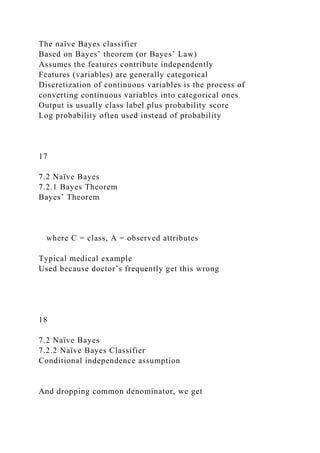
The naïve Bayes classifier
Based on Bayes’ theorem (or Bayes’ Law)
Assumes the features contribute independently
Features (variables) are generally categorical
Discretization of continuous variables is the process of
converting continuous variables into categorical ones
Output is usually class label plus probability score
Log probability often used instead of probability
17
7.2 Naïve Bayes
7.2.1 Bayes Theorem
Bayes’ Theorem
where C = class, A = observed attributes
Typical medical example
Used because doctor’s frequently get this wrong
18
7.2 Naïve Bayes
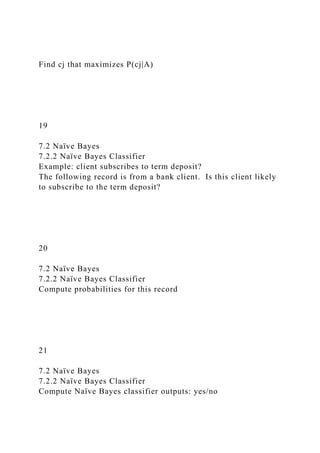
7.2.2 Naïve Bayes Classifier
Conditional independence assumption
And dropping common denominator, we get
Find cj that maximizes P(cj|A)
19
7.2 Naïve Bayes
7.2.2 Naïve Bayes Classifier
Example: client subscribes to term deposit?
The following record is from a bank client. Is this client likely
to subscribe to the term deposit?
20
7.2 Naïve Bayes
7.2.2 Naïve Bayes Classifier
Compute probabilities for this record
21
7.2 Naïve Bayes
7.2.2 Naïve Bayes Classifier
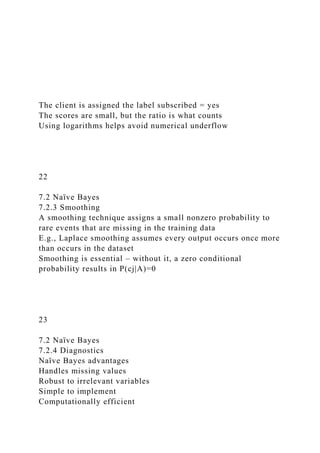
Compute Naïve Bayes classifier outputs: yes/no
The client is assigned the label subscribed = yes
The scores are small, but the ratio is what counts
Using logarithms helps avoid numerical underflow
22
7.2 Naïve Bayes
7.2.3 Smoothing
A smoothing technique assigns a small nonzero probability to
rare events that are missing in the training data
E.g., Laplace smoothing assumes every output occurs once more
than occurs in the dataset
Smoothing is essential – without it, a zero conditional
probability results in P(cj|A)=0
23
7.2 Naïve Bayes
7.2.4 Diagnostics
Naïve Bayes advantages
Handles missing values
Robust to irrelevant variables
Simple to implement
Computationally efficient
Handles high-dimensional data efficiently
Often competitive with other learning algorithms
Reasonably resistant to overfitting
Naïve Bayes disadvantages
Assumes variables are conditionally independent
Therefore, sensitive to double counting correlated variables
In its simplest form, used only for categorical variables
24
7.2 Naïve Bayes
7.2.5 Naïve Bayes in R
This section explores two methods of using the naïve Bayes
Classifier
Manually compute probabilities from scratch
Tedious with many R calculations
Use naïve Bayes function from e1071 package
Much easier – starts on page 222
Example: subscribing to term deposit
25
7.2 Naïve Bayes
7.2.5 Naïve Bayes in R
Get data and e1071 package
> setwd("c:/data/rstudio/chapter07")
> sample<-read.table("sample1.csv",header=TRUE,sep=",")
> traindata<-as.data.frame(sample[1:14,])
> testdata<-as.data.frame(sample[15,])
> traindata #lists train data
> testdata #lists test data, no Enrolls variable
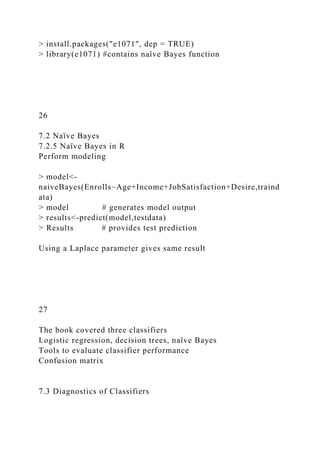
> install.packages("e1071", dep = TRUE)
> library(e1071) #contains naïve Bayes function
26
7.2 Naïve Bayes
7.2.5 Naïve Bayes in R
Perform modeling
> model<-
naiveBayes(Enrolls~Age+Income+JobSatisfaction+Desire,traind
ata)
> model # generates model output
> results<-predict(model,testdata)
> Results # provides test prediction
Using a Laplace parameter gives same result
27
The book covered three classifiers
Logistic regression, decision trees, naïve Bayes
Tools to evaluate classifier performance
Confusion matrix
7.3 Diagnostics of Classifiers
28
Bank marketing example
Training set of 2000 records
Test set of 100 records, evaluated below
7.3 Diagnostics of Classifiers
29
Evaluation metrics
7.3 Diagnostics of Classifiers
30
Evaluation metrics on bank marketing 100 test set
poor
poor
7.3 Diagnostics of Classifiers
31
ROC curve: good for evaluating binary detection
Bank marketing: 2000 training set + 100 test set
> banktrain<-read.table("bank-
sample.csv",header=TRUE,sep=",")
> drops<-
c("balance","day","campaign","pdays","previous","month")
> banktrain<-banktrain[,!(names(banktrain) %in% drops)]
> banktest<-read.table("bank-sample-
test.csv",header=TRUE,sep=",")
> banktest<-banktest[,!(names(banktest) %in% drops)]
> nb_model<-naiveBayes(subscribed~.,data=banktrain)
> nb_prediction<-predict(nb_model,banktest[,-
ncol(banktest)],type='raw')
> score<-nb_prediction[,c("yes")]
> actual_class<-banktest$subscribed=='yes'
> pred<-prediction(score,actual_class) # code problem
7.3 Diagnostics of Classifiers
32
ROC curve: good for evaluating binary detection
Bank marketing: 2000 training set + 100 test set
7.3 Diagnostics of Classifiers
33
7.4 Additional Classification Methods
Ensemble methods that use multiple models
Bagging: bootstrap method that uses repeated sampling with
replacement
Boosting: similar to bagging but iterative procedure
Random forest: uses ensemble of decision trees
These models usually have better performance than a single
decision tree
Support Vector Machine (SVM)
Linear model using small number of support vectors
34
Summary
How to choose a suitable classifier among
Decision trees, naïve Bayes, & logistic regression
35
Midterm Exam – 10/28/15
6:10-9:00 – 2 hours, 50 minutes
30% - Clustering: k-means example
30% - Association Rules: store transactions
30% - Regression: simple linear example
10% - Ten multiple choice questions
Note: for each of the three main problems
Manually compute algorithm on small example
Complete short answer sub questions
36
Data Science
and
Big Data Analytics
Chapter 6: Advanced Analytical Theory and Methods:
Regression
1
Chapter Sections
6.1 Linear Regression
6.2 Logical Regression
6.3 Reasons to Choose and Cautions
6.4 Additional Regression Models
Summary
2
6 Regression
Regression analysis attempts to explain the influence that input
(independent) variables have on the outcome (dependent)
variable
Questions regression might answer
What is a person’s expected income?
What is probability an applicant will default on a loan?
Regression can find the input variables having the greatest
statistical influence on the outcome
Then, can try to produce better values of input variables
E.g. – if 10-year-old reading level predicts students’ later
success, then try to improve early age reading levels
3
6.1 Linear Regression
Models the relationship between several input variables and a
continuous outcome variable
Assumption is that the relationship is linear
Various transformations can be used to achieve a linear
relationship
Linear regression models are probabilistic
Involves randomness and uncertainty
Not deterministic like Ohm’s Law (V=IR)
4
6.1.1 Use Cases
Real estate example
Predict residential home prices
Possible inputs – living area, #bathrooms, #bedrooms, lot size,
property taxes
Demand forecasting example
Restaurant predicts quantity of food needed
Possible inputs – weather, day of week, etc.
Medical example
Analyze effect of proposed radiation treatment
Possible inputs – radiation treatment duration, freq
5
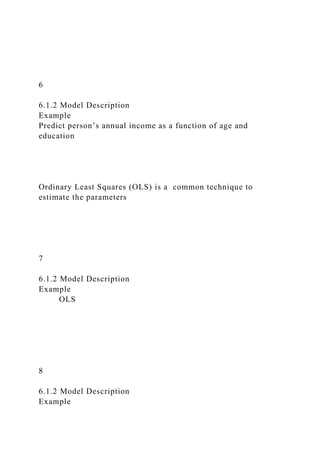
6.1.2 Model Description
6
6.1.2 Model Description
Example
Predict person’s annual income as a function of age and
education
Ordinary Least Squares (OLS) is a common technique to
estimate the parameters
7
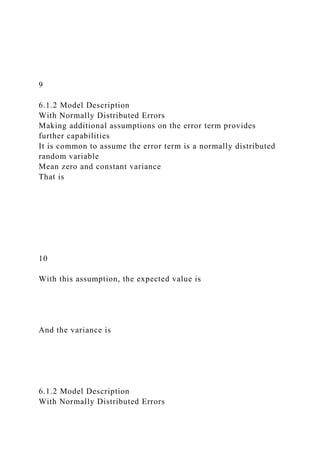
6.1.2 Model Description
Example
OLS
8
6.1.2 Model Description
Example
9
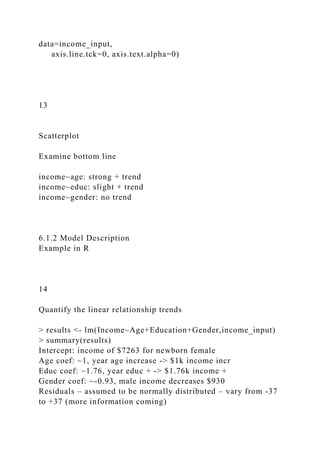
6.1.2 Model Description
With Normally Distributed Errors
Making additional assumptions on the error term provides
further capabilities
It is common to assume the error term is a normally distributed
random variable
Mean zero and constant variance
That is
10
With this assumption, the expected value is
And the variance is
6.1.2 Model Description
With Normally Distributed Errors
11
Normality assumption with one input variable
E.g., for x=8, E(y)~20 but varies 15-25
6.1.2 Model Description
With Normally Distributed Errors
12
6.1.2 Model Description
Example in R
Be sure to get publisher's R downloads:
http://www.wiley.com/WileyCDA/WileyTitle/productCd-
111887613X.html
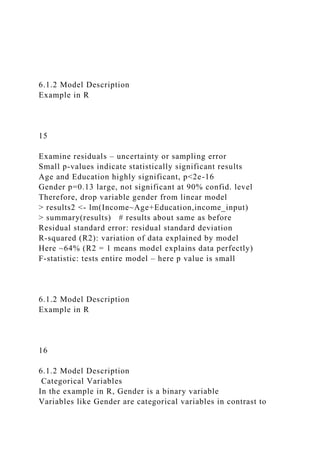
> income_input = as.data.frame(read.csv(“c:/data/income.csv”))
> income_input[1:10,]
> summary(income_input)
> library(lattice)
> splom(~income_input[c(2:5)], groups=NULL,
data=income_input,
axis.line.tck=0, axis.text.alpha=0)
13
Scatterplot
Examine bottom line
income~age: strong + trend
income~educ: slight + trend
income~gender: no trend
6.1.2 Model Description
Example in R
14
Quantify the linear relationship trends
> results <- lm(Income~Age+Education+Gender,income_input)
> summary(results)
Intercept: income of $7263 for newborn female
Age coef: ~1, year age increase -> $1k income incr
Educ coef: ~1.76, year educ + -> $1.76k income +
Gender coef: ~-0.93, male income decreases $930
Residuals – assumed to be normally distributed – vary from -37
to +37 (more information coming)
6.1.2 Model Description
Example in R
15
Examine residuals – uncertainty or sampling error
Small p-values indicate statistically significant results
Age and Education highly significant, p<2e-16
Gender p=0.13 large, not significant at 90% confid. level
Therefore, drop variable gender from linear model
> results2 <- lm(Income~Age+Education,income_input)
> summary(results) # results about same as before
Residual standard error: residual standard deviation
R-squared (R2): variation of data explained by model
Here ~64% (R2 = 1 means model explains data perfectly)
F-statistic: tests entire model – here p value is small
6.1.2 Model Description
Example in R
16
6.1.2 Model Description
Categorical Variables
In the example in R, Gender is a binary variable
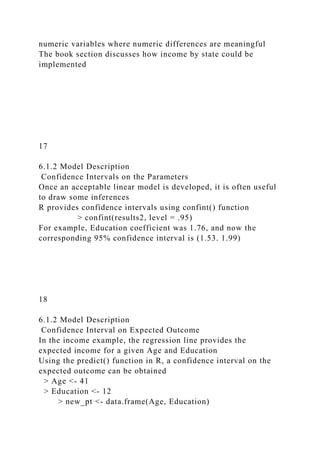
Variables like Gender are categorical variables in contrast to
numeric variables where numeric differences are meaningful
The book section discusses how income by state could be
implemented
17
6.1.2 Model Description
Confidence Intervals on the Parameters
Once an acceptable linear model is developed, it is often useful
to draw some inferences
R provides confidence intervals using confint() function
> confint(results2, level = .95)
For example, Education coefficient was 1.76, and now the
corresponding 95% confidence interval is (1.53. 1.99)
18
6.1.2 Model Description
Confidence Interval on Expected Outcome
In the income example, the regression line provides the
expected income for a given Age and Education
Using the predict() function in R, a confidence interval on the
expected outcome can be obtained
> Age <- 41
> Education <- 12
> new_pt <- data.frame(Age, Education)
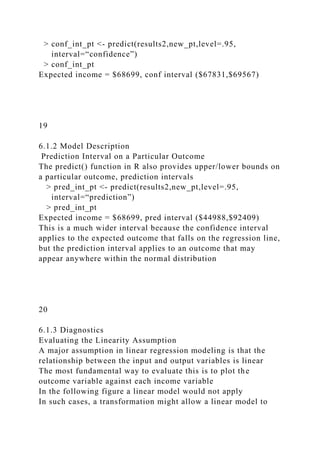
> conf_int_pt <- predict(results2,new_pt,level=.95,
interval=“confidence”)
> conf_int_pt
Expected income = $68699, conf interval ($67831,$69567)
19
6.1.2 Model Description
Prediction Interval on a Particular Outcome
The predict() function in R also provides upper/lower bounds on
a particular outcome, prediction intervals
> pred_int_pt <- predict(results2,new_pt,level=.95,
interval=“prediction”)
> pred_int_pt
Expected income = $68699, pred interval ($44988,$92409)
This is a much wider interval because the confidence interval
applies to the expected outcome that falls on the regression line,
but the prediction interval applies to an outcome that may
appear anywhere within the normal distribution
20
6.1.3 Diagnostics
Evaluating the Linearity Assumption
A major assumption in linear regression modeling is that the
relationship between the input and output variables is linear
The most fundamental way to evaluate this is to plot the
outcome variable against each income variable
In the following figure a linear model would not apply
In such cases, a transformation might allow a linear model to
apply
Class of dataset Groceries is transactions, containing 3 slots
transactionInfo # data frame with vectors having
length of transactions
itemInfo # data frame storing item labels
data # binary evidence matrix of
labels in transactions
> [email protected][1:10,]
> apply([email protected][,10:20],2,function(r)
paste([email protected][r,"labels"],collapse=", "))
21
6.1.3 Diagnostics
Evaluating the Linearity Assumption
Income as a quadratic function of Age
22
6.1.3 Diagnostics
Evaluating the Residuals
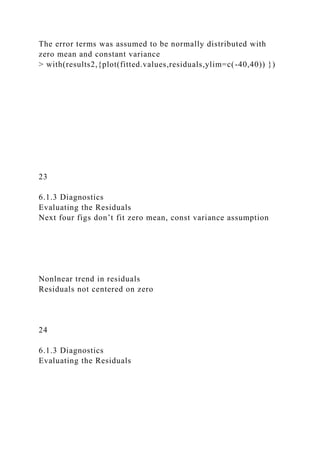
The error terms was assumed to be normally distributed with
zero mean and constant variance
> with(results2,{plot(fitted.values,residuals,ylim=c(-40,40)) })
23
6.1.3 Diagnostics
Evaluating the Residuals
Next four figs don’t fit zero mean, const variance assumption
Nonlnear trend in residuals
Residuals not centered on zero
24
6.1.3 Diagnostics
Evaluating the Residuals
Variance not
constant
Residuals not centered on zero
25
6.1.3 Diagnostics
Evaluating the Normality Assumption
The normality assumption still has to be validate
> hist(results2$residuals)
Residuals centered on zero and appear normally distributed
26
6.1.3 Diagnostics
Evaluating the Normality Assumption
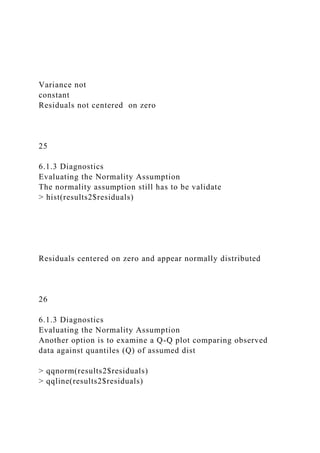
Another option is to examine a Q-Q plot comparing observed
data against quantiles (Q) of assumed dist
> qqnorm(results2$residuals)
> qqline(results2$residuals)
27
6.1.3 Diagnostics
Evaluating the Normality Assumption
Normally distributed residuals
Non-normally distributed residuals
28
6.1.3 Diagnostics
N-Fold Cross-Validation
To prevent overfitting, a common practice splits the dataset into
training and test sets, develops the model on the training set and
evaluates it on the test set
If the quantity of the dataset is insufficient for this, an N-fold
cross-validation technique can be used
Dataset randomly split into N dataset of equal size
Model trained on N-1 of the sets, tested on remaining one
Process repeated N times
Average the N model errors over the N folds
Note: if N = size of dataset, this is leave-one-out procedure
29
6.1.3 Diagnostics
Other Diagnostic Considerations
The model might be improved by including additional input
variables
However, the adjusted R2 applies a penalty as the number of
parameters increases
Residual plots should be examined for outliers
Points markedly different from the majority of points
They result from bad data, data processing errors, or actual rare
occurrences
Finally, the magnitude and signs of the estimated parameters
should be examined to see if they make sense
30
6.2 Logistic Regression
Introduction
In linear regression modeling, the outcome variable is
continuous – e.g., income ~ age and education
In logistic regression, the outcome variable is categorical, and
this chapter focuses on two-valued outcomes like true/false,
pass/fail, or yes/no
31
6.2.1 Logistic Regression
Use Cases
Medical
Probability of a patient’s successful response to a specific
medical treatment – input could include age, weight, etc.
Finance
Probability an applicant defaults on a loan
Marketing
Probability a wireless customer switches carriers (churns)
Engineering
Probability a mechanical part malfunctions or fails
32
6.2.2 Logistic Regression
Model Description
Logical regression is based on the logistic function
As y -> infinity, f(y)->1; and as y->-infinity, f(y)->0
33
6.2.2 Logistic Regression
Model Description
With the range of f(y) as (0,1), the logistic function models the
probability of an outcome occurring
In contrast to linear regression, the values of y are not directly
observed; only the values of f(y) in terms of success or failure
are observed.
Called log odds ratio, or logit of p.
Maximum Likelihood Estimation (MLE) is used to estimate
model parameters. MLR is beyond the scope of this book.
34
6.2.2 Logistic Regression
Model Description: customer churn example
A wireless telecom company estimates probability of a customer
churning (switching companies)
Variables collected for each customer: age (years), married
(y/n), duration as customer (years), churned contacts (count),
churned (true/false)
After analyzing the data and fitting a logical regression model,
age and churned contacts were selected as the best predictor
variables
35
6.2.2 Logistic Regression
Model Description: customer churn example
36
6.2.3 Diagnostics
Model Description: customer churn example
> head(churn_input) # Churned = 1 if cust churned
> sum(churn_input$Churned) # 1743/8000 churned
Use the Generalized Linear Model function glm()
> Churn_logistic1<-
glm(Churned~Age+Married+Cust_years+Churned_contacts,data
=churn_input,family=binomial(link=“logit”))
> summary(Churn_logistic1) # Age + Churned_contacts best
> Churn_logistic3<-
glm(Churned~Age+Churned_contacts,data=churn_input,family=
binomial(link=“logit”))
> summary(Churn_logistic3) # Age + Churned_contacts
37
6.2.3 Diagnostics
Deviance and the Pseudo-R2
In logistic regression, deviance = -2logL
where L is the maximized value of the likelihood function used
to obtain the parameter estimates
Two deviance values are provided
Null deviance = deviance based on only the y-intercept term
Residual deviance = deviance based on all parameters
Pseudo-R2 measures how well fitted model explains the data
Value near 1 indicates a good fit over the null model
38
6.2.3 Diagnostics
Receiver Operating Characteristic (ROC) Curve
Logistic regression is often used to classify
In the Churn example, a customer can be classified as Churn if
the model predicts high probability of churning
Although 0.5 is often used as the probability threshold, other
values can be used based on desired error tradeoff
For two classes, C and nC, we have
True Positive: predict C, when actually C
True Negative: predict nC, when actually nC
False Positive: predict C, when actually nC
False Negative: predict nC, when actually C
39
6.2.3 Diagnostics
Receiver Operating Characteristic (ROC) Curve
The Receiver Operating Characteristic (ROC) curve
Plots TPR against FPR
40
6.2.3 Diagnostics
Receiver Operating Characteristic (ROC) Curve
> library(ROCR)
> Pred = predict(Churn_logistic3, type=“response”)
41
6.2.3 Diagnostics
Receiver Operating Characteristic (ROC) Curve
42
6.2.3 Diagnostics
Histogram of the Probabilities
It is interesting to visualize the counts of the customers who
churned and who didn’t churn against the estimated churn
probability.
43
6.3 Reasons to Choose and Cautions
Linear regression – outcome variable continuous
Logistic regression – outcome variable categorical
Both models assume a linear additive function of the inputs
variables
If this is not true, the models perform poorly
In linear regression, the further assumption of normally
distributed error terms is important for many statistical
inferences
Although a set of input variables may be a good predictor of an
output variable, “correlation does not imply causation”
44
6.4 Additional Regression Models
Multicollinearity is the condition when several input variables
are highly correlated
This can lead to inappropriately large coefficients
To mitigate this problem
Ridge regression applies a penalty based on the size of the
coefficients
Lasso regression applies a penalty proportional to the sum of
the absolute values of the coefficients
Multinomial logistic regression – used for a more-than-two-
state categorical outcome variable
45
Data Science
and
Big Data Analytics
Chapter 5: Advanced Analytical Theory and Methods:
Association Rules
1
Chapter Sections
5.1 Overview
5.2 Apriori Algorithm
5.3 Evaluation of Candidate Rules
5.4 Example: Transactions in a Grocery Store
5.5 Validation and Testing
5.6 Diagnostics
2
5.1 Overview
Association rules method
Unsupervised learning method
Descriptive (not predictive) method
Used to find hidden relationships in data
The relationships are represented as rules
Questions association rules might answer
Which products tend to be purchased together
What products do similar customers tend to buy
3
5.1 Overview
Example – general logic of association rules
4
5.1 Overview
Rules have the form X -> Y
When X is observed, Y is also observed
Itemset
Collection of items or entities
k-itemset = {item 1, item 2,…,item k}
Examples
Items purchased in one transaction
Set of hyperlinks clicked by a user in one session
5
5.1 Overview – Apriori Algorithm
Apriori is the most fundamental algorithm
Given itemset L, support of L is the percent of transactions that
contain L
Frequent itemset – items appear together “often enough”
Minimum support defines “often enough” (% transactions)
If an itemset is frequent, then any subset is frequent
6
5.1 Overview – Apriori Algorithm
If {B,C,D} frequent, then all subsets frequent
7
5.2 Apriori Algorithm
Frequent = minimum support
Bottom-up iterative algorithm
Identify the frequent (min support) 1-itemsets
Frequent 1-itemsets are paired into 2-itemsets, and the frequent
2-itemsets are identified, etc.
Definitions for next slide
D = transaction database
d = minimum support threshold
N = maximum length of itemset (optional parameter)
Ck = set of candidate k-itemsets
Lk = set of k-itemsets with minimum support
8
5.2 Apriori Algorithm
9
5.3 Evaluation of Candidate Rules
Confidence
Frequent itemsets can form candidate rules
Confidence measures the certainty of a rule
Minimum confidence – predefined threshold
Problem with confidence
Given a rule X->Y, confidence considers only the antecedent
(X) and the co-occurrence of X and Y
Cannot tell if a rule contains true implication
10
5.3 Evaluation of Candidate Rules
Lift
Lift measures how much more often X and Y occur together
than expected if statistically independent
Lift = 1 if X and Y are statistically independent
Lift > 1 indicates the degree of usefulness of the rule
Example – in 1000 transactions,
If {milk, eggs} appears in 300, {milk} in 500, and {eggs} in
400, then Lift(milk->eggs) = 0.3/(0.5*0.4) = 1.5
If {milk, bread} appears in 400, {milk} in 500, and {bread} in
400, then Lift(milk->bread) = 0.4/(0.5*0.4) = 2.0
11
5.3 Evaluation of Candidate Rules
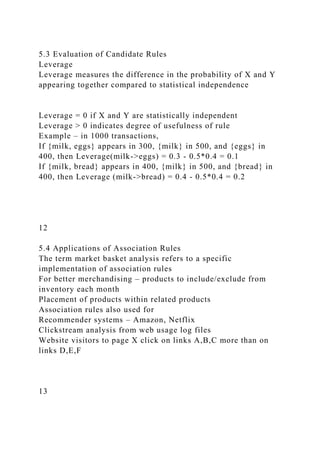
Leverage
Leverage measures the difference in the probability of X and Y
appearing together compared to statistical independence
Leverage = 0 if X and Y are statistically independent
Leverage > 0 indicates degree of usefulness of rule
Example – in 1000 transactions,
If {milk, eggs} appears in 300, {milk} in 500, and {eggs} in
400, then Leverage(milk->eggs) = 0.3 - 0.5*0.4 = 0.1
If {milk, bread} appears in 400, {milk} in 500, and {bread} in
400, then Leverage (milk->bread) = 0.4 - 0.5*0.4 = 0.2
12
5.4 Applications of Association Rules
The term market basket analysis refers to a specific
implementation of association rules
For better merchandising – products to include/exclude from
inventory each month
Placement of products within related products
Association rules also used for
Recommender systems – Amazon, Netflix
Clickstream analysis from web usage log files
Website visitors to page X click on links A,B,C more than on
links D,E,F
13
5.5 Example: Grocery Store Transactions
5.5.1 The Groceries Dataset
Packages -> Install -> arules, arulesViz # don’t
enter next line
> install.packages(c("arules", "arulesViz")) # appears on
console
> library('arules')
> library('arulesViz')
> data(Groceries)
> summary(Groceries) # indicates 9835 rows
Class of dataset Groceries is transactions, containing 3 slots
transactionInfo # data frame with vectors having
length of transactions
itemInfo # data frame storing item labels
data # binary evidence matrix of
labels in transactions
> [email protected]itemInfo[1:10,]
> apply([email protected][,10:20],2,function(r)
paste([email protected][r,"labels"],collapse=", "))
14
5.5 Example: Grocery Store Transactions
5.5.2 Frequent Itemset Generation
To illustrate the Apriori algorithm, the code below does each
iteration separately.
Assume minimum support threshold = 0.02 (0.02 * 9853 = 198
items), get 122 itemsets total
First, get itemsets of length 1
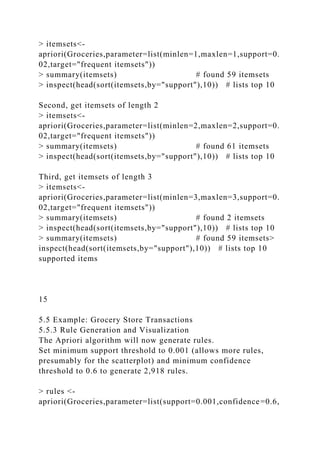
> itemsets<-
apriori(Groceries,parameter=list(minlen=1,maxlen=1,support=0.
02,target="frequent itemsets"))
> summary(itemsets) # found 59 itemsets
> inspect(head(sort(itemsets,by="support"),10)) # lists top 10
Second, get itemsets of length 2
> itemsets<-
apriori(Groceries,parameter=list(minlen=2,maxlen=2,support=0.
02,target="frequent itemsets"))
> summary(itemsets) # found 61 itemsets
> inspect(head(sort(itemsets,by="support"),10)) # lists top 10
Third, get itemsets of length 3
> itemsets<-
apriori(Groceries,parameter=list(minlen=3,maxlen=3,support=0.
02,target="frequent itemsets"))
> summary(itemsets) # found 2 itemsets
> inspect(head(sort(itemsets,by="support"),10)) # lists top 10
> summary(itemsets) # found 59 itemsets>
inspect(head(sort(itemsets,by="support"),10)) # lists top 10
supported items
15
5.5 Example: Grocery Store Transactions
5.5.3 Rule Generation and Visualization
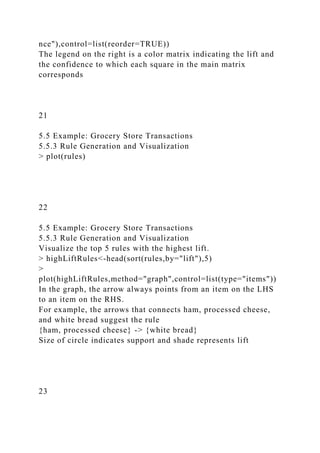
The Apriori algorithm will now generate rules.
Set minimum support threshold to 0.001 (allows more rules,
presumably for the scatterplot) and minimum confidence
threshold to 0.6 to generate 2,918 rules.
> rules <-
apriori(Groceries,parameter=list(support=0.001,confidence=0.6,
target="rules"))
> summary(rules) # finds 2918 rules
> plot(rules) # displays scatterplot
The scatterplot shows that the highest lift occurs at a low
support and a low confidence.
16
5.5 Example: Grocery Store Transactions
5.5.3 Rule Generation and Visualization
> plot(rules)
17
5.5 Example: Grocery Store Transactions
5.5.3 Rule Generation and Visualization
Get scatterplot matrix to compare the support, confidence, and
lift of the 2918 rules
> plot([email protected]) # displays scatterplot matrix
Lift is proportional to confidence with several linear groupings.
Note that Lift = Confidence/Support(Y), so when support of Y
remains the same, lift is proportional to confidence and the
slope of the linear trend is the reciprocal of Support(Y).
18
5.5 Example: Grocery Store Transactions
5.5.3 Rule Generation and Visualization
> plot(rules)
19
5.5 Example: Grocery Store Transactions
5.5.3 Rule Generation and Visualization
Compute the 1/Support(Y) which is the slope
> slope<-
sort(round([email protected]$lift/[email protected]$confidence,2
))
Display the number of times each slope appears in dataset
> unlist(lapply(split(slope,f=slope),length))
Display the top 10 rules sorted by lift
> inspect(head(sort(rules,by="lift"),10))
Rule {Instant food products, soda} -> {hamburger meat}
has the highest lift of 19 (page 154)
20
5.5 Example: Grocery Store Transactions
5.5.3 Rule Generation and Visualization
Find the rules with confidence above 0.9
> confidentRules<-rules[quality(rules)$confidence>0.9]
> confidentRules # set of 127 rules
Plot a matrix-based visualization of the LHS v RHS of rules
>
plot(confidentRules,method="matrix",measure=c("lift","confide
nce"),control=list(reorder=TRUE))
The legend on the right is a color matrix indicating the lift and
the confidence to which each square in the main matrix
corresponds
21
5.5 Example: Grocery Store Transactions
5.5.3 Rule Generation and Visualization
> plot(rules)
22
5.5 Example: Grocery Store Transactions
5.5.3 Rule Generation and Visualization
Visualize the top 5 rules with the highest lift.
> highLiftRules<-head(sort(rules,by="lift"),5)
>
plot(highLiftRules,method="graph",control=list(type="items"))
In the graph, the arrow always points from an item on the LHS
to an item on the RHS.
For example, the arrows that connects ham, processed cheese,
and white bread suggest the rule
{ham, processed cheese} -> {white bread}
Size of circle indicates support and shade represents lift
23
5.5 Example: Grocery Store Transactions
5.5.3 Rule Generation and Visualization
24
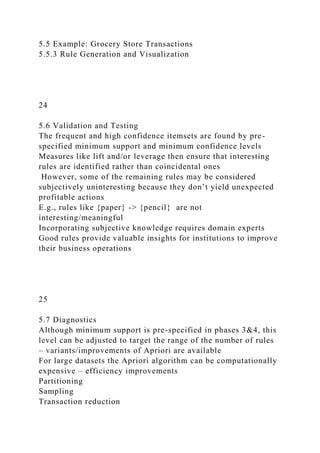
5.6 Validation and Testing
The frequent and high confidence itemsets are found by pre-
specified minimum support and minimum confidence levels
Measures like lift and/or leverage then ensure that interesting
rules are identified rather than coincidental ones
However, some of the remaining rules may be considered
subjectively uninteresting because they don’t yield unexpected
profitable actions
E.g., rules like {paper} -> {pencil} are not
interesting/meaningful
Incorporating subjective knowledge requires domain experts
Good rules provide valuable insights for institutions to improve
their business operations
25
5.7 Diagnostics
Although minimum support is pre-specified in phases 3&4, this
level can be adjusted to target the range of the number of rules
– variants/improvements of Apriori are available
For large datasets the Apriori algorithm can be computationally
expensive – efficiency improvements
Partitioning
Sampling
Transaction reduction
Hash-based itemset counting
Dynamic itemset counting
26
Data Science
and
Big Data Analytics
Chap 4: Advanced Analytical Theory and Methods: Clustering
1
4.1 Overview of Clustering
Clustering is the use of unsupervised techniques for grouping
similar objects
Supervised methods use labeled objects
Unsupervised methods use unlabeled objects
Clustering looks for hidden structure in the data, similarities
based on attributes
Often used for exploratory analysis
No predictions are made
2
4.2 K-means Algorithm
Given a collection of objects each with n measurable attributes
and a chosen value k of the number of clusters, the algorithm
identifies the k clusters of objects based on the objects
proximity to the centers of the k groups.
The algorithm is iterative with the centers adjusted to the mean
of each cluster’s n-dimensional vector of attributes
3
4.2.1 Use Cases
Clustering is often used as a lead-in to classification, where
labels are applied to the identified clusters
Some applications
Image processing
With security images, successive frames are examined for
change
Medical
Patients can be grouped to identify naturally occurring clusters
Customer segmentation
Marketing and sales groups identify customers having similar
behaviors and spending patterns
4
4.2.2 Overview of the Method
Four Steps
Choose the value of k and the initial guesses for the centroids
Compute the distance from each data point to each centroid, and
assign each point to the closest centroid
Compute the centroid of each newly defined cluster from step 2
Repeat steps 2 and 3 until the algorithm converges (no changes
occur)
5
4.2.2 Overview of the Method
Example – Step 1
Set k = 3 and initial clusters centers
6
4.2.2 Overview of the Method
Example – Step 2
Points are assigned to the closest centroid
7
4.2.2 Overview of the Method
Example – Step 3
Compute centroids of the new clusters
8
4.2.2 Overview of the Method
Example – Step 4
Repeat steps 2 and 3 until convergence
Convergence occurs when the centroids do not change or when
the centroids oscillate back and forth
This can occur when one or more points have equal distances
from the centroid centers
Videos
http://www.youtube.com/watch?v=aiJ8II94qck
https://class.coursera.org/ml-003/lecture/78
9
4.2.3 Determining Number of Clusters
Reasonable guess
Predefined requirement
Use heuristic – e.g., Within Sum of Squares (WSS)
WSS metric is the sum of the squares of the distances between
each data point and the closest centroid
The process of identifying the appropriate value of k is referred
to as finding the “elbow” of the WSS curve
10
4.2.3 Determining Number of Clusters
Example of WSS vs #Clusters curve
The elbow of the curve appears to occur at k = 3.
11
4.2.3 Determining Number of Clusters
High School Student Cluster Analysis
12
4.2.4 Diagnostics
When the number of clusters is small, plotting the data helps
refine the choice of k
The following questions should be considered
Are the clusters well separated from each other?
Do any of the clusters have only a few points
Do any of the centroids appear to be too close to each other?
13
4.2.4 Diagnostics
Example of distinct clusters
14
4.2.4 Diagnostics
Example of less obvious clusters
15
4.2.4 Diagnostics
Six clusters from points of previous figure
16
4.2.5 Reasons to Choose and Cautions
Decisions the practitioner must make
What object attributes should be included in the analysis?
What unit of measure should be used for each attribute?
Do the attributes need to be rescaled?
What other considerations might apply?
17
4.2.5 Reasons to Choose and Cautions
Object Attributes
Important to understand what attributes will be known at the
time a new object is assigned to a cluster
E.g., customer satisfaction may be available for modeling but
not available for potential customers
Best to reduce number of attributes when possible
Too many attributes minimize the impact of key variables
Identify highly correlated attributes for reduction
Combine several attributes into one: e.g., debt/asset ratio
18
4.2.5 Reasons to Choose and Cautions
Object attributes: scatterplot matrix for seven attributes
19
4.2.5 Reasons to Choose and Cautions
Units of Measure
K-means algorithm will identify different clusters depending on
the units of measure
k = 2
20
4.2.5 Reasons to Choose and Cautions
Units of Measure
Age dominates
k = 2
21
4.2.5 Reasons to Choose and Cautions
Rescaling
Rescaling can reduce domination effect
E.g., divide each variable by the appropriate standard deviation
Rescaled
attributes
k = 2
22
4.2.5 Reasons to Choose and Cautions
Additional Considerations
K-means sensitive to starting seeds
Important to rerun with several seeds – R has the nstart option
Could explore distance metrics other than Euclidean
E.g., Manhattan, Mahalanobis, etc.
K-means is easily applied to numeric data and does not work
well with nominal attributes
E.g., color
23
4.2.5 Additional Algorithms
K-modes clustering
kmod()
Partitioning around Medoids (PAM)
pam()
Hierarchical agglomerative clustering
hclust()
24
Summary
Clustering analysis groups similar objects based on the objects’
attributes
To use k-means properly, it is important to
Properly scale the attribute values to avoid domination
Assure the concept of distance between the assigned values of
an attribute is meaningful
Carefully choose the number of clusters, k
Once the clusters are identified, it is often useful to label them
in a descriptive way
25
Data Science
and
Big Data Analytics
Chap 3: Data Analytics Using R
1
Chap 3 Data Analytics Using R
This chapter has three sections
An overview of R
Using R to perform exploratory data analysis tasks using
visualization
A brief review of statistical inference
Hypothesis testing and analysis of variance
2
3.1 Introduction to R
Generic R functions are functions that share the same name but
behave differently depending on the type of arguments they
receive (polymorphism)
Some important functions used in this chapter (most are
generic)
head() displays first six records of a file
summary() generates descriptive statistics
plot() can generate a scatter plot of one variable against another
lm() applies a linear regression model between two variables
hist() generates a histogram
help() provides details of a function
3
3.1 Introduction to R
Example: number of orders vs sales
lm(formula = (sales$sales_total ~ sales$num_of_orders)
intercept = -154.1 slope = 166.2
4
3.1 Introduction to R
3.1.1 R Graphical User Interfaces
Getting R and RStudio
3.1.2 Data Import and Export
Necessary for project work
3.1.3 Attributes and Data Types
Vectors, matrices, data frames
3.1.4 Descriptive Statistics
summary(), mean(), median(), sd()
5
3.1.1 Getting R and RStudio
Download R and install (32-bit and 64-bit)
https://www.r-project.org/
R-3.5.1 for Windows (32/64 bit)
https://cran.cnr.berkeley.edu/bin/windows/base/R-3.5.1-win.exe
Download RStudio and install
https://www.rstudio.com/products/RStudio/#Desk
6
3.1.1 RStudio GUI
7
3.2 Exploratory Data Analysis
Scatterplots show possible relationships
x <- rnorm(50) # default is mean=0, sd=1
y <- x + rnorm(50, mean=0, sd=0.5)
plot(y,x)
8
3.2 Exploratory Data Analysis
3.2.1 Visualization before Analysis
3.2.2 Dirty Data
3.2.3 Visualizing a Single Variable
3.2.4 Examining Multiple Variables
3.2.5 Data Exploration versus Presentation
9
3.2.1 Visualization before Analysis
Anscombe’s quartet – 4 datasets, same statistics
should be x
10
3.2.1 Visualization before Analysis
Anscombe’s quartet – visualized
11
3.2.1 Visualization before Analysis
Anscombe’s quartet – Rstudio exercise
Enter and plot Anscombe’s dataset #3
and obtain the linear regression line
More regression coming in chapter 6
)
x <- 4:14
x
y <- c(5.39,5.73,6.08,6.42,6.77,7.11,7.46,7.81,8.15,12.74,8.84)
y
summary(x)
var(x)
summary(y)
var(y)
plot(y~x)
lm(y~x)
12
3.2.2 Dirty Data
Age Distribution of bank account holders
What is wrong here?
13
3.2.2 Dirty Data
Age of Mortgage
What is wrong here?
14
3.2.3 Visualizing a Single Variable
Example Visualization Functions
15
3.2.3 Visualizing a Single Variable
Dotchart – MPG of Car Models
16
3.2.3 Visualizing a Single Variable
Barplot – Distribution of Car Cylinder Counts
17
3.2.3 Visualizing a Single Variable
Histogram – Income
18
3.2.3 Visualizing a Single Variable
Density – Income (log10 scale)
19
In this case, the log density plot emphasizes the log nature of
the distribution
The rug() function at the bottom creates a one-dimensional
density plot to emphasize the distribution
3.2.3 Visualizing a Single Variable
Density – Income (log10 scale)
20
3.2.3 Visualizing a Single Variable
Density plots – Diamond prices, log of same
21
3.2.4 Examining Multiple Variables
Examining two variables with regression
Red line = linear regression
Blue line = LOESS curve fit
x
22
3.2.4 Examining Multiple Variables
Dotchart: MPG of car models grouped by cylinder
23
3.2.4 Examining Multiple Variables
Barplot: visualize multiple variables
24
3.2.4 Examining Multiple Variables
Box-and-whisker plot: income versus region
Box contains central 50% of data
Line inside box is median value
Shows data quartiles
25
3.2.4 Examining Multiple Variables
Scatterplot (a) & Hexbinplot – income vs education
The hexbinplot combines the ideas of scatterplot and histogram
For high volume data hexbinplot may be better than scatterplot
26
3.2.4 Examining Multiple Variables
Matrix of Scatterplots
27
3.2.4 Examining Multiple Variables
Variable over time – airline passenger counts
28
Data visualization for data exploration is different from
presenting results to stakeholders
Data scientists prefer graphs that are technical in nature
Nontechnical stakeholders prefer simple, clear graphics that
focus on the message rather than the data
3.2.5 Exploration vs Presentation
29
3.2.5 Exploration vs Presentation
Density plots better for data scientists
30
3.2.5 Exploration vs Presentation
Histograms better to show stakeholders
31
Model Building
What are the best input variables for the model?
Can the model predict the outcome given the input?
Model Evaluation
Is the model accurate?
Does the model perform better than an obvious guess?
Does the model perform better than other models?
Model Deployment
Is the prediction sound?
Does model have the desired effect (e.g., reducing cost)?
3.3 Statistical Methods for Evaluation
Statistics helps answer data analytics questions
32
3.3.1 Hypothesis Testing
3.3.2 Difference of Means
3.3.3 Wilcoxon Rank-Sum Test
3.3.4 Type I and Type II Errors
3.3.5 Power and Sample Size
3.3.6 ANOVA (Analysis of Variance)
3.3 Statistical Methods for Evaluation
Subsections
33
Basic concept is to form an assertion and test it with data
Common assumption is that there is no difference between
samples (default assumption)
Statisticians refer to this as the null hypothesis (H0)
The alternative hypothesis (HA) is that there is a difference
between samples
3.3.1 Hypothesis Testing
34
3.3.1 Hypothesis Testing
Example Null and Alternative Hypotheses
35
3.3.2 Difference of Means
Two populations – same or different?
36
Student’s t-test
Assumes two normally distributed populations, and that they
have equal variance
Welch’s t-test
Assumes two normally distributed populations, and they don’t
necessarily have equal variance
3.3.2 Difference of Means
Two Parametric Methods
37
Makes no assumptions about the underlying probability
distributions
3.3.3 Wilcoxon Rank-Sum Test
A Nonparametric Method
38
An hypothesis test may result in two types of errors
Type I error – rejection of the null hypothesis when the null
hypothesis is TRUE
Type II error – acceptance of the null hypothesis when the null
hypothesis is FALSE
3.3.4 Type I and Type II Errors
39
3.3.4 Type I and Type II Errors
40
The power of a test is the probability of correctly rejecting the
null hypothesis
The power of a test increases as the sample size increases
Effect size d = difference between the means
It is important to consider an appropriate effect size for the
problem at hand
3.3.5 Power and Sample Size
41
3.3.5 Power and Sample Size
42
A generalization of the hypothesis testing of the difference of
two population means
Good for analyzing more than two populations
ANOVA tests if any of the population means differ from the
other population means
3.3.6 ANOVA (Analysis of Variance)
43
DATA SCIENCE AND BIG
DATA ANALYTICS
CHAPTER 1:
INTRODUTION TO BIG
DATA ANALYTICS
1.1 BIG DATA OVERVIEW
• Industries that gather and exploit data
• Credit card companies monitor purchase
• Good at identifying fraudulent purchases
• Mobile phone companies analyze calling patterns – e.g., even
on rival
networks
• Look for customers might switch providers
• For social networks data is primary product
• Intrinsic value increases as data grows
ATTRIBUTES DEFINING
BIG DATA CHARACTERISTICS
• Huge volume of data
• Not just thousands/millions, but billions of items
• Complexity of data types and structures
• Varity of sources, formats, structures
• Speed of new data creation and grow
• High velocity, rapid ingestion, fast analysis
SOURCES OF BIG DATA
DELUGE
• Mobile sensors – GPS, accelerometer, etc.
• Social media – 700 Facebook updates/sec in2012
• Video surveillance – street cameras, stores, etc.
• Video rendering – processing video for display
• Smart grids – gather and act on information
• Geophysical exploration – oil, gas, etc.
• Medical imaging – reveals internal body structures
• Gene sequencing – more prevalent, less expensive,
healthcare would like to predict personal illnesses
SOURCES OF BIG DATA
DELUGE
EXAMPLE:
GENOTYPING FROM 23ANDME.COM
https://www.23andme.com/
1.1.1 DATA STRUCTURES:
CHARACTERISTICS OF BIG DATA
DATA STRUCTURES:
CHARACTERISTICS OF BIG DATA
• Structured – defined data type, format, structure
• Transactional data, OLAP cubes, RDBMS, CVS files,
spreadsheets
• Semi-structured
• Text data with discernable patterns – e.g., XML data
• Quasi-structured
• Text data with erratic data formats – e.g., clickstream data
• Unstructured
• Data with no inherent structure – text docs, PDF’s, images,
video
EXAMPLE OF STRUCTURED
DATA
EXAMPLE OF SEMI-STRUCTURED
DATA
EXAMPLE OF QUASI-STRUCTURED
DATA
VISITING 3 WEBSITES ADDS 3 URLS TO USER’S
LOG FILES
EXAMPLE OF UNSTRUCTURED DATA
VIDEO ABOUT ANTARCTICA
EXPEDITION
1.1.2 TYPES OF DATA REPOSITORIES
FROM AN ANALYST PERSPECTIVE
1.2 STATE OF THE PRACTICE
IN ANALYTICS
• Business Intelligence (BI) versus Data Science
• Current Analytical Architecture
• Drivers of Big Data
• Emerging Big Data Ecosystem and a New Approach to
Analytics
BUSINESS DRIVERS
FOR ADVANCED ANALYTICS
1.2.1 BUSINESS INTELLIGENCE
(BI) VERSUS DATA SCIENCE
1.2.2 CURRENT ANALYTICAL
ARCHITECTURE
TYPICAL ANALYTIC ARCHITECTURE
CURRENT ANALYTICAL
ARCHITECTURE
• Data sources must be well understood
• EDW – Enterprise Data Warehouse
• From the EDW data is read by applications
• Data scientists get data for downstream analytics processing
1.2.3 DRIVERS OF BIG DATA
DATA EVOLUTION & RISE OF BIG
DATA SOURCES
1.2.4 EMERGING BIG DATA
ECOSYSTEM AND A NEW
APPROACH TO ANALYTICS
• Four main groups of players
• Data devices
• Games, smartphones, computers, etc.
• Data collectors
• Phone and TV companies, Internet, Gov’t, etc.
• Data aggregators – make sense of data
• Websites, credit bureaus, media archives, etc.
• Data users and buyers
• Banks, law enforcement, marketers, employers, etc.
EMERGING BIG DATA
ECOSYSTEM AND A NEW
APPROACH TO ANALYTICS
1.3 KEY ROLES FOR THE
NEW BIG DATA ECOSYSTEM
1. Deep analytical talent
• Advanced training in quantitative disciplines – e.g., math,
statistics,
machine learning
2. Data savvy professionals
• Savvy but less technical than group 1
3. Technology and data enablers
• Support people – e.g., DB admins, programmers, etc.
THREE KEY ROLES OF THE
NEW BIG DATA ECOSYSTEM
THREE RECURRING
DATA SCIENTIST ACTIVITIES
1. Reframe business challenges as analytics
challenges
2. Design, implement, and deploy statistical
models and data mining techniques on Big
Data
3. Develop insights that lead to actionable
recommendations
PROFILE OF DATA SCIENTIST
FIVE MAIN SETS OF SKILLS
PROFILE OF DATA SCIENTIST
FIVE MAIN SETS OF SKILLS
• Quantitative skill – e.g., math, statistics
• Technical aptitude – e.g., software engineering, programming
• Skeptical mindset and critical thinking – ability to examine
work
critically
• Curious and creative – passionate about data and finding
creative
solutions
• Communicative and collaborative – can articulate ideas, can
work
with others
1.4 EXAMPLES OF
BIG DATA ANALYTICS
• Retailer Target
• Uses life events: marriage, divorce, pregnancy
• Apache Hadoop
• Open source Big Data infrastructure innovation
• MapReduce paradigm, ideal for many projects
• Social Media Company LinkedIn
• Social network for working professionals
• Can graph a user’s professional network
• 250 million users in 2014
DATA VISUALIZATION OF USER’S
SOCIAL NETWORK USING INMAPS
SUMMARY
• Big Data comes from myriad sources
• Social media, sensors, IoT, video surveillance, and sources
only
recently considered
• Companies are finding creative and novel ways to use
Big Data
• Exploiting Big Data opportunities requires
• New data architectures
• New machine learning algorithms, ways of working
• People with new skill sets
• Always Review Chapter Exercises
FOCUS OF COURSE
• Focus on quantitative disciplines – e.g., math, statistics,
machine learning
• Provide overview of Big Data analytics
• In-depth study of a several key algorithms
Mid Term (Chapter1 .. Chapter 8)
Please answer the following questions:
1. As the Big Data ecosystem takes shape, there are four main
groups of players within this interconnected web. List and
explain those groups.
2. How the data science team evaluate whether the model is
sufficiently robust to solve the problem or not? What are the
questions that they should ask?
3. Explain the differences between Hexbinplot and Scatterplot
and when to use each one of them.
4. k-means does not handle categorical data?
5. local retailer has a database that stores 10,000 transactions of
last summer. After analyzing the data, a data science team has
identified the following statistics:
● {battery} appears in 6,000 transactions.
● {sunscreen} appears in 5,000 transactions.
● {sandals} appears in 4,000 transactions.
● {bowls} appears in 2,000 transactions.
● {battery, sunscreen} appears in 1,500 transactions.
● {battery, sandals} appears in 1,000 transactions.
● {battery, bowls} appears in 250 transactions.
● {battery, sunscreen, sandals} appears in 600 transactions.
Answer the following questions:
a. What are the support values of the preceding itemsets?
b. Assuming the minimum support is 0.05, which itemsets are
considered frequent?
6. Linear regression is an analytical technique used to model the
relationship between several input variables and a continuous
outcome variable. Linear regression can be used in business,
government, and medical. Explain by example how it can be
used in those domains.
7. Which classifier is considered computationally efficient for
high-dimensional problems? Why?
8. Define the following time series components:
● Trend
● Seasonality
● Cyclic
● Random
1

DATA SCIENCE AND BIG DATA ANALYTICSCHAPTER 2 DATA ANA.docx

  • 1.
    DATA SCIENCE ANDBIG DATA ANALYTICS CHAPTER 2: DATA ANALYTICS LIFECYCLE DATA ANALYTICS LIFECYCLE • Data science projects differ from BI projects • More exploratory in nature • Critical to have a project process • Participants should be thorough and rigorous • Break large projects into smaller pieces • Spend time to plan and scope the work • Documenting adds rigor and credibility DATA ANALYTICS LIFECYCLE • Data Analytics Lifecycle Overview • Phase 1: Discovery
  • 2.
    • Phase 2:Data Preparation • Phase 3: Model Planning • Phase 4: Model Building • Phase 5: Communicate Results • Phase 6: Operationalize • Case Study: GINA 2.1 DATA ANALYTICS LIFECYCLE OVERVIEW • The data analytic lifecycle is designed for Big Data problems and data science projects • With six phases the project work can occur in several phases simultaneously • The cycle is iterative to portray a real project • Work can return to earlier phases as new information is uncovered 2.1.1 KEY ROLES FOR A SUCCESSFUL ANALYTICS
  • 3.
    PROJECT KEY ROLES FORA SUCCESSFUL ANALYTICS PROJECT • Business User – understands the domain area • Project Sponsor – provides requirements • Project Manager – ensures meeting objectives • Business Intelligence Analyst – provides business domain expertise based on deep understanding of the data • Database Administrator (DBA) – creates DB environment • Data Engineer – provides technical skills, assists data management and extraction, supports analytic sandbox • Data Scientist – provides analytic techniques and modeling 2.1.2 BACKGROUND AND OVERVIEW OF DATA ANALYTICS LIFECYCLE • Data Analytics Lifecycle defines the analytics process and best practices from discovery to project completion
  • 4.
    • The Lifecycleemploys aspects of • Scientific method • Cross Industry Standard Process for Data Mining (CRISP-DM) • Process model for data mining • Davenport’s DELTA framework • Hubbard’s Applied Information Economics (AIE) approach • MAD Skills: New Analysis Practices for Big Data by Cohen et al. https://en.wikipedia.org/wiki/Scientific_method https://en.wikipedia.org/wiki/Cross_Industry_Standard_Process _for_Data_Mining http://www.informationweek.com/software/information- management/analytics-at-work-qanda-with-tom-davenport/d/d- id/1085869? https://en.wikipedia.org/wiki/Applied_information_economics https://pafnuty.wordpress.com/2013/03/15/reading-log-mad- skills-new-analysis-practices-for-big-data-cohen/ OVERVIEW OF DATA ANALYTICS LIFECYCLE 2.2 PHASE 1: DISCOVERY 2.2 PHASE 1: DISCOVERY
  • 5.
    1. Learning theBusiness Domain 2. Resources 3. Framing the Problem 4. Identifying Key Stakeholders 5. Interviewing the Analytics Sponsor 6. Developing Initial Hypotheses 7. Identifying Potential Data Sources 2.3 PHASE 2: DATA PREPARATION 2.3 PHASE 2: DATA PREPARATION • Includes steps to explore, preprocess, and condition data • Create robust environment – analytics sandbox • Data preparation tends to be the most labor-intensive step in the analytics lifecycle • Often at least 50% of the data science project’s time
  • 6.
    • The datapreparation phase is generally the most iterative and the one that teams tend to underestimate most often 2.3.1 PREPARING THE ANALYTIC SANDBOX • Create the analytic sandbox (also called workspace) • Allows team to explore data without interfering with live production data • Sandbox collects all kinds of data (expansive approach) • The sandbox allows organizations to undertake ambitious projects beyond traditional data analysis and BI to perform advanced predictive analytics • Although the concept of an analytics sandbox is relatively new, this concept has become acceptable to data science teams and IT groups 2.3.2 PERFORMING ETLT (EXTRACT, TRANSFORM, LOAD,
  • 7.
    TRANSFORM) • In ETLusers perform extract, transform, load • In the sandbox the process is often ELT – early load preserves the raw data which can be useful to examine • Example – in credit card fraud detection, outliers can represent high-risk transactions that might be inadvertently filtered out or transformed before being loaded into the database • Hadoop (Chapter 10) is often used here 2.3.3 LEARNING ABOUT THE DATA • Becoming familiar with the data is critical • This activity accomplishes several goals: • Determines the data available to the team early in the project • Highlights gaps – identifies data not currently
  • 8.
    available • Identifies dataoutside the organization that might be useful 2.3.3 LEARNING ABOUT THE DATA SAMPLE DATASET INVENTORY 2.3.4 DATA CONDITIONING • Data conditioning includes cleaning data, normalizing datasets, and performing transformations • Often viewed as a preprocessing step prior to data analysis, it might be performed by data owner, IT department, DBA, etc. • Best to have data scientists involved • Data science teams prefer more data than too little 2.3.4 DATA CONDITIONING
  • 9.
    • Additional questionsand considerations • What are the data sources? Target fields? • How clean is the data? • How consistent are the contents and files? Missing or inconsistent values? • Assess the consistence of the data types – numeric, alphanumeric? • Review the contents to ensure the data makes sense • Look for evidence of systematic error 2.3.5 SURVEY AND VISUALIZE • Leverage data visualization tools to gain an overview of the data • Shneiderman’s mantra: • “Overview first, zoom and filter, then details-on- demand” • This enables the user to find areas of interest, zoom and filter to find more detailed information about a
  • 10.
    particular area, thenfind the detailed data in that area 2.3.5 SURVEY AND VISUALIZE GUIDELINES AND CONSIDERATIONS • Review data to ensure calculations are consistent • Does the data distribution stay consistent? • Assess the granularity of the data, the range of values, and the level of aggregation of the data • Does the data represent the population of interest? • Check time-related variables – daily, weekly, monthly? Is this good enough? • Is the data standardized/normalized? Scales consistent? • For geospatial datasets, are state/country abbreviations consistent 2.3.6 COMMON TOOLS FOR DATA PREPARATION • Hadoop can perform parallel ingest and analysis
  • 11.
    • Alpine Minerprovides a graphical user interface for creating analytic workflows • OpenRefine (formerly Google Refine) is a free, open source tool for working with messy data • Similar to OpenRefine, Data Wrangler is an interactive tool for data cleansing an transformation 2.4 PHASE 3: MODEL PLANNING 2.4 PHASE 3: MODEL PLANNING • Activities to consider • Assess the structure of the data – this dictates the tools and analytic techniques for the next phase • Ensure the analytic techniques enable the team to meet the business objectives and accept or reject the working hypotheses • Determine if the situation warrants a single model or a series of
  • 12.
    techniques as partof a larger analytic workflow • Research and understand how other analysts have approached this kind or similar kind of problem 2.4 PHASE 3: MODEL PLANNING MODEL PLANNING IN INDUSTRY VERTICALS • Example of other analysts approaching a similar problem 2.4.1 DATA EXPLORATION AND VARIABLE SELECTION • Explore the data to understand the relationships among the variables to inform selection of the variables and methods • A common way to do this is to use data visualization tools • Often, stakeholders and subject matter experts may have ideas • For example, some hypothesis that led to the project • Aim for capturing the most essential predictors and variables • This often requires iterations and testing to identify key variables • If the team plans to run regression analysis, identify the
  • 13.
    candidate predictors and outcomevariables of the model 2.4.2 MODEL SELECTION • The main goal is to choose an analytical technique, or several candidates, based on the end goal of the project • We observe events in the real world and attempt to construct models that emulate this behavior with a set of rules and conditions • A model is simply an abstraction from reality • Determine whether to use techniques best suited for structured data, unstructured data, or a hybrid approach • Teams often create initial models using statistical software packages such as R, SAS, or Matlab • Which may have limitations when applied to very large datasets • The team moves to the model building phase once it has a good idea about the
  • 14.
    type of modelto try 2.4.3 COMMON TOOLS FOR THE MODEL PLANNING PHASE • R has a complete set of modeling capabilities • R contains about 5000 packages for data analysis and graphical presentation • SQL Analysis ser vices can perform in-database analytics of common data mining functions, involved aggregations, and basic predictive models • SAS/ACCESS provides integration between SAS and the analytics sandbox via multiple data connections 2.5 PHASE 4: MODEL BUILDING 2.5 PHASE 4: MODEL BUILDING • Execute the models defined in Phase 3 • Develop datasets for training, testing, and production
  • 15.
    • Develop analyticmodel on training data, test on test data • Question to consider • Does the model appear valid and accurate on the test data? • Does the model output/behavior make sense to the domain experts? • Do the parameter values make sense in the context of the domain? • Is the model sufficiently accurate to meet the goal? • Does the model avoid intolerable mistakes? (see Chapters 3 and 7) • Are more data or inputs needed? • Will the kind of model chosen support the runtime environment? • Is a different form of the model required to address the business problem? 2.5.1 COMMON TOOLS FOR THE MODEL BUILDING PHASE • Commercial Tools • SAS Enterprise Miner – built for enterprise-level computing and analytics • SPSS Modeler (IBM) – provides enterprise-level computing and analytics
  • 16.
    • Matlab –high-level language for data analytics, algorithms, data exploration • Alpine Miner – provides GUI frontend for backend analytics tools • STATISTICA and MATHEMATICA – popular data mining and analytics tools • Free or Open Source Tools • R and PL/R - PL/R is a procedural language for PostgreSQL with R • Octave – language for computational modeling • WEKA – data mining software package with analytic workbench • Python – language providing toolkits for machine learning and analysis • SQL – in-database implementations provide an alternative tool (see Chap 11) 2.6 PHASE 5: COMMUNICATE RESULTS 2.6 PHASE 5: COMMUNICATE RESULTS • Determine if the team succeeded or failed in its objectives
  • 17.
    • Assess ifthe results are statistically significant and valid • If so, identify aspects of the results that present salient findings • Identify surprising results and those in line with the hypotheses • Communicate and document the key findings and major insights derived from the analysis • This is the most visible portion of the process to the outside stakeholders and sponsors 2.7 PHASE 6: OPERATIONALIZE 2.7 PHASE 6: OPERATIONALIZE • In this last phase, the team communicates the benefits of the project more broadly and sets up a pilot project to deploy the work in a controlled way • Risk is managed effectively by undertaking small scope, pilot deployment before a wide-scale rollout • During the pilot project, the team may need to execute the
  • 18.
    algorithm more efficientlyin the database rather than with in- memory tools like R, especially with larger datasets • To test the model in a live setting, consider running the model in a production environment for a discrete set of products or a single line of business • Monitor model accuracy and retrain the model if necessary 2.7 PHASE 6: OPERATIONALIZE KEY OUTPUTS FROM SUCCESSFUL ANALYTICS PROJECT 2.7 PHASE 6: OPERATIONALIZE KEY OUTPUTS FROM SUCCESSFUL ANALYTICS PROJECT • Business user – tries to determine business benefits and implications • Project sponsor – wants business impact, risks, ROI • Project manager – needs to determine if project completed on
  • 19.
    time, within budget,goals met • Business intelligence analyst – needs to know if reports and dashboards will be impacted and need to change • Data engineer and DBA – must share code and document • Data scientist – must share code and explain model to peers, managers, stakeholders 2.7 PHASE 6: OPERATIONALIZE FOUR MAIN DELIVERABLES • Although the seven roles represent many interests, the interests overlap and can be met with four main deliverables 1. Presentation for project sponsors – high-level takeaways for executive level stakeholders 2. Presentation for analysts – describes business process changes and reporting changes, includes details and technical graphs 3. Code for technical people 4. Technical specifications of implementing the code
  • 20.
    2.8 CASE STUDY:GLOBAL INNOVATION NETWORK AND ANALYSIS (GINA) • In 2012 EMC’s new director wanted to improve the company’s engagement of employees across the global centers of excellence (GCE) to drive innovation, research, and university partnerships • This project was created to accomplish • Store formal and informal data • Track research from global technologists • Mine the data for patterns and insights to improve the team’s operations and strategy 2.8.1 PHASE 1: DISCOVERY • Team members and roles • Business user, project sponsor, project manager – Vice President from Office of CTO • BI analyst – person from IT
  • 21.
    • Data engineerand DBA – people from IT • Data scientist – distinguished engineer 2.8.1 PHASE 1: DISCOVERY • The data fell into two categories • Five years of idea submissions from internal innovation contests • Minutes and notes representing innovation and research activity from around the world • Hypotheses grouped into two categories • Descriptive analytics of what is happening to spark further creativity, collaboration, and asset generation • Predictive analytics to advise executive management of where it should be investing in the future 2.8.2 PHASE 2: DATA PREPARATION • Set up an analytics sandbox • Discovered that certain data needed conditioning and
  • 22.
    normalization and thatmissing datasets were critical • Team recognized that poor quality data could impact subsequent steps • They discovered many names were misspelled and problems with extra spaces • These seemingly small problems had to be addressed 2.8.3 PHASE 3: MODEL PLANNING • The study included the following considerations • Identify the right milestones to achieve the goals • Trace how people move ideas from each milestone toward the goal • Tract ideas that die and others that reach the goal • Compare times and outcomes using a few different methods 2.8.4 PHASE 4: MODEL BUILDING
  • 23.
    • Several analyticmethod were employed • NLP on textual descriptions • Social network analysis using R and Rstudio • Developed social graphs and visualizations 2.8.4 PHASE 4: MODEL BUILDING SOCIAL GRAPH OF DATA SUBMITTERS AND FINALISTS 2.8.4 PHASE 4: MODEL BUILDING SOCIAL GRAPH OF TOP INNOVATION INFLUENCERS 2.8.5 PHASE 5: COMMUNICATE RESULTS • Study was successful in in identifying hidden innovators • Found high density of innovators in Cork, Ireland • The CTO office launched longitudinal studies 2.8.6 PHASE 6: OPERATIONALIZE
  • 24.
    • Deployment wasnot really discussed • Key findings • Need more data in future • Some data were sensitive • A parallel initiative needs to be created to improve basic BI activities • A mechanism is needed to continually reevaluate the model after deployment 2.8.6 PHASE 6: OPERATIONALIZE SUMMARY • The Data Analytics Lifecycle is an approach to managing and executing analytic projects • Lifecycle has six phases • Bulk of the time usually spent on preparation – phases 1 and 2 • Seven roles needed for a data science team • Review the exercises
  • 25.
    FOCUS OF COURSE •Focus on quantitative disciplines – e.g., math, statistics, machine learning • Provide overview of Big Data analytics • In-depth study of a several key algorithms Data Science and Big Data Analytics Chap 8: Advanced Analytical Theory and Methods: Time Series Analysis 1 Chapter Sections 8.1 Overview of Time Series Analysis 8.1.1 Box-Jenkins Methodology 8.2 ARIMA Model 8.2.1 Autocorrelation Function (ACF) 8.2.2 Autoregressive Models 8.2.3 Moving Average Models 8.2.4 ARMA and ARIMA Models 8.2.5 Building and Evaluating an ARIMA Model 8.2.6 Reasons to Choose and Cautions 8.3 Additional Methods Summary
  • 26.
    2 8 Time SeriesAnalysis This chapter’s emphasis is on Identifying the underlying structure of the time series Fitting an appropriate Autoregressive Integrated Moving Average (ARIMA) model 3 Time series analysis attempts to model the underlying structure of observations over time A time series, Y =a+ bX , is an ordered sequence of equally spaced values over time The analyses presented in this chapter are limited to equally spaced time series of one variable 8.1 Overview of Time Series Analysis 4 The time series below plots #passengers vs months (144 months or 12 years) 8.1 Overview of Time Series Analysis 5
  • 27.
    The goals oftime series analysis are Identify and model the structure of the time series Forecast future values in the time series Time series analysis has many applications in finance, economics, biology, engineering, retail, and manufacturing 8.1 Overview of Time Series Analysis 6 8.1 Overview of Time Series Analysis 8.1.1 Box-Jenkins Methodology A time series can consist of the components: Trend – long-term movement in a time series, increasing or decreasing over time – for example, Steady increase in sales month over month Annual decline of fatalities due to car accidents Seasonality – describes the fixed, periodic fluctuation in the observations over time Usually related to the calendar – e.g., airline passenger example Cyclic – also periodic but not as fixed E.g., retail sales versus the boom-bust cycle of the economy Random – is what remains Often an underlying structure remains but usually with significant noise This structure is what is modeled to obtain forecasts 7 8.1 Overview of Time Series Analysis 8.1.1 Box-Jenkins Methodology The Box-Jenkins methodology has three main steps:
  • 28.
    Condition data andselect a model Identify/account for trends/seasonality in time series Examine remaining time series to determine a model Estimate the model parameters. Assess the model, return to Step 1 if necessary This chapter uses the Box-Jenkins methodology to apply an ARIMA model to a given time series 8 8.1 Overview of Time Series Analysis 8.1.1 Box-Jenkins Methodology The remainder of the chapter is rather advanced and will not be covered in this course The remaining slides have not been finalized but can be reviewed by those interested in time series analysis 9 8.2 ARIMA Model ARIMA = Autoregressive Integrated Moving Average Step 1: remove any trends/seasonality in time series Achieve a time series with certain properties to which autoregressive and moving average models can be applied Such a time series is known as a stationary time series 10 8.2 ARIMA Model ARIMA = Autoregressive Integrated Moving Average
  • 29.
    A time series,Yt for t= 1,2,3, ... t, is a stationary time series if the following three conditions are met The expected value (mean) of Y is constant for all values The variance of Y is finite The covariance of Y, and Y, h depends only on the value of h = 0, 1, 2, .. .for all t The covariance of Y, andY,. h is a measure of how the two variables, Y, andY,_ h• vary together 11 8.2 ARIMA Model ARIMA = Autoregressive Integrated Moving Average The covariance of Y, andY,. h is a measure of how the two variables, Y, andY,_ h• vary together If two variables are independent, covariance is zero. If the variables change together in the same direction, cov is positive; conversely, if the variables change in opposite directions, cov is negative 12 8.2 ARIMA Model ARIMA = Autoregressive Integrated Moving Average A stationary time series, by condition (1), has constant mean, say m, so covariance simplifies to
  • 30.
    By condition (3),cov between two points can be nonzero, but cov is only function of h – e.g., h=3 If h=0, cov(0) = cov(yt,yt) = var(yt) for all t 13 8.2 ARIMA Model ARIMA = Autoregressive Integrated Moving Average A plot of a stationary time series 14 8.2 ARIMA Model 8.2.1 Autocorrelation Function (ACF) From the figure, it appears that each point is somewhat dependent on the past points, but does not provide insight into the cov and its structure The plot of autocorrelation function (ACF) provides this insight For a stationary time series, the ACF is defined as 15
  • 31.
    8.2 ARIMA Model 8.2.1Autocorrelation Function (ACF) Because the cov(0) is the variance, the ACF is analogous to the correlation function of two variables, corr (yt , yt+h), and the value of the ACF falls between -1 and 1 Thus, the closer the absolute value of ACF(h) is to 1, the more useful yt can be as a predictor of yt+h 16 8.2 ARIMA Model 8.2.1 Autocorrelation Function (ACF) Using the dataset plotted above, the ACF plot is 17 8.2 ARIMA Model 8.2.1 Autocorrelation Function (ACF) By convention, the quantity h in the ACF is referred to as the lag, the difference between the time points t and t +h. At lag 0, the ACF provides the correlation of every point with itself According to the ACF plot, at lag 1 the correlation between Y, andY, 1 is approximately 0.9, which is very close to 1, so Y, 1 appears to be a good predictor of the value of Y, In other words, a model can be considered that would express Y, as a linear sum of its previous 8 terms. Such a model is known as an autoregressive model of order 8
  • 32.
    18 8.2 ARIMA Model 8.2.2Autoregressive Models For a stationary time series, y, t= 1, 2, 3, ... , an autoregressive model of order p, denoted AR(p), is 19 8.2 ARIMA Model 8.2.2 Autoregressive Models Thus, a particular point in the time series can be expressed as a linear combination of the prior p values, Y, _ i for j = 1, 2, ... p, of the time series plus a random error term, c,. the c, time series is often called a white noise process that represents random, independent fluctuations that are part of the time series 20 8.2 ARIMA Model 8.2.2 Autoregressive Models In the earlier example, the autocorrelations are quite high for the first several lags. Although an AR(8) model might be good, examining an AR(l) model provides further insight into the ACF and the p value to choose An AR(1) model, centered around 6 = 0, yields
  • 33.
    21 8.2 ARIMA Model 8.2.3Moving Average Models For a time series, y 1 , centered at zero, a moving average model of order q, denoted MA(q), is expressed as the value of a time series is a linear combination of the current white noise term and the prior q white noise terms. So earlier random shocks directly affect the current value of the time series 22 8.2 ARIMA Model 8.2.3 Moving Average Models the value of a time series is a linear combination of the current white noise term and the prior q white noise terms, so earlier random shocks directly affect the current value of the time series the behavior of the ACF and PACF plots are somewhat swapped from the behavior of these plots for AR(p) models. 23
  • 34.
    8.2 ARIMA Model 8.2.3Moving Average Models For a simulated MA(3) time series of the form Y, = E1 - 0.4 E, 1 + 1.1 £1 2 - 2.S E:1 3 where e, - N(O, 1), the scatterplot of the simulated data over time is 24 8.2 ARIMA Model 8.2.3 Moving Average Models The ACF plot of the simulated MA(3) series is shown below ACF(0) = 1, because any variable correlates perfectly with itself. At higher lags, the absolute values of terms decays In an autoregressive model, the ACF slowly decays, but for an MA(3) model, the ACF cuts off abruptly after lag 3, and this pattern extends to any MA(q) model. 25 8.2 ARIMA Model 8.2.3 Moving Average Models To understand this, examine the MA(3) model equations Because Y1 shares specific white noise variables with Y1 _ 1 through Y1 _ 3,, those three variables are correlated to y1 • However, the expression of Yr does not share white noise variables with Y1_ 4 in Equation 8-14. So the theoretical correlation between Y1 and Y1 _ 4 is zero. Of course, when dealing with a particular dataset, the theoretical autocorrelations are unknown, but the observed autocorrelations should be close to zero for lags greater than q when working
  • 35.
    with an MA(q)model 26 8.2 ARIMA Model 8.2.4 ARMA and ARIMA Models In general, we don’t need to choose between an AR(p) and an MA(q) model, rather combine these two representations into an Autoregressive Moving Average model, ARMA(p,q), 27 8.2 ARIMA Model 8.2.4 ARMA and ARIMA Models If p = 0 and q =;e. 0, then the ARMA(p,q) model is simply an AR(p) model. Similarly, if p = 0 and q =;e. 0, then the ARMA(p,q) model is an MA(q) model Although the time series must be stationary, many series exhibit a trend over time – e.g., an increasing linear trend 28 8.2 ARIMA Model 8.2.5 Building and Evaluating an ARIMA Model For a large country, monthly gasoline production (millions of barrels) was obtained for 240 months (20 years). A market research firm requires some short-term gasoline
  • 36.
    production forecasts 29 8.2 ARIMAModel 8.2.5 Building and Evaluating an ARIMA Model library (forecast ) gas__prod_input <- as. data . f rame ( r ead.csv ( "c: / data/ gas__prod. csv") gas__prod <- ts (gas__prod_input[ , 2]) plot (gas _prod, xlab = "Time (months) ", ylab = "Gas oline production (mi llions of barrels ) " ) 30 8.2 ARIMA Model 8.2.5 Building and Evaluating an ARIMA Model Comparing Fitted Time Series Models The arima () function in Ruses Maximum Likelihood Estimation (MLE) to estimate the model coefficients. In the R output for an ARIMA model, the log-likelihood (logLl value is provided. The values of the model coefficients are determined such that the value of the log likelihood function is maximized. Based on the log L value, the R output provides several measures that are useful for comparing the appropriateness of one fitted model against another fitted model. AIC (Akaike Information Criterion) A ICc (Akaike Information Criterion, corrected) BIC (Bayesian Information Criterion)
  • 37.
    31 8.2 ARIMA Model 8.2.5Building and Evaluating an ARIMA Model Normality and Constant Variance 32 8.2 ARIMA Model 8.2.5 Building and Evaluating an ARIMA Model Forecasting 33 8.2 ARIMA Model 8.2.6 Reasons to Choose and Cautions One advantage of ARIMA modeling is that the analysis can be based simply on historical time series data for the variable of interest. As observed in the chapter about regression (Chapter 6), various input variables need to be considered and evaluated for inclusion in the regression model for the outcome variable 34 8.3 Additional Methods Autoregressive Moving Average with Exogenous inputs (ARMAX) Used to analyze a time series that is dependent on another time series.
  • 38.
    For example Retail demandfor products can be modeled based on the previous demand combined with a weather-related time series such as temperature or rainfall. Spectral analysis is commonly used for signal processing and other engineering applications. Speech recognition software uses such techniques to separate the signal for the spoken words from the overall signal that may include some noise. Generalized Autoregressive Conditionally Heteroscedastic (GARCH) A useful model for addressing time series with nonconstant variance or volatility. Used for modeling stock market activity and price fluctuations. 8.3 Additional Methods Kalman filtering Useful for analyzing real-time inputs about a system that can exist in certain states. Typically, there is an underlying model of how the various components of the system interact and affect each other. Processes the various inputs, Attempts to identify the errors in the input, and Predicts the current state. For example A Kalman filter in a vehicle navigation system can Process various inputs, such as speed and direction, and Update the estimate of the current location. 8.3 Additional Methods Multivariate time series analysis Examines multiple time series and their effect on each other. Vector ARIMA (VARIMA) Extends ARIMA by considering a vector of several time series
  • 39.
    at a particulartime, t. Can be used in marketing analyses Examine the time series related to a company’s price and sales volume as well as related time series for the competitors. Summary Time series analysis is different from other statistical techniques in the sense that most statistical analyses assume the observations are independent of each other. Time series ana lysis implicitly addresses the case in which any particular observation is somewhat dependent on prior observations. Using differencing, ARIMA models allow nonstationary series to be transformed into stationary series to which seasonal and nonseasonal ARMA models can be appl ied. The importance of using the ACF and PACF plots to evaluate the autocorrelations was illustrated in determining ARIMA models to consider fitting. Aka ike and Bayesian Information Criteria can be used to compare one fitted A RIMA model against another. Once an appropriate model has been determined, future values in the time series can be forecasted 38 Data Science and Big Data Analytics Chap 7: Adv Analytical Theory and Methods: Classification
  • 40.
    1 Chapter Sections 7.1 DecisionTrees 7.2 Naïve Bayes 7.3 Diagnostics of Classifiers 7.4 Additional Classification Models Summary 2 7 Classification Classification is widely used for prediction Most classification methods are supervised This chapter focuses on two fundamental classification methods Decision trees Naïve Bayes 3 7.1 Decision Trees Tree structure specifies sequence of decisions Given input X={x1, x2,…, xn}, predict output Y Input attributes/features can be categorical or continuous Node = tests a particular input variable Root node, internal nodes, leaf nodes return class labels Depth of node = minimum steps to reach node Branch (connects two nodes) = specifies decision Two varieties of decision trees Classification trees: categorical output, often binary Regression trees: numeric output
  • 41.
    4 7.1 Decision Trees 7.1.1Overview of a Decision Tree Example of a decision tree Predicts whether customers will buy a product 5 7.1 Decision Trees 7.1.1 Overview of a Decision Tree Example: will bank client subscribe to term deposit? 6 7.1 Decision Trees 7.1.2 The General Algorithm Construct a tree T from training set S Requires a measure of attribute information Simplistic method (data from previous Fig.) Purity = probability of corresponding class E.g., P(no)=1789/2000=89.45%, P(yes)=10.55% Entropy methods Entropy measures the impurity of an attribute Information gain measures purity of an attribute
  • 42.
    7 7.1 Decision Trees 7.1.2The General Algorithm Entropy methods of attribute information Hx = the entropy of X Information gain of an attribute = base entropy – conditional entropy 8 7.1 Decision Trees 7.1.2 The General Algorithm Construct a tree T from training set S Choose root node = most informative attribute A Partition S according to A’s values Construct subtrees T1, T2… for the subsets of S recursively until one of following occurs All leaf nodes satisfy minimum purity threshold Tree cannot be further split with min purity threshold Other stopping criterion satisfied – e.g., max depth 9 7.1 Decision Trees 7.1.3 Decision Tree Algorithms
  • 43.
    ID3 Algorithm T=training set,P=output variable, A=attribute 10 7.1 Decision Trees 7.1.3 Decision Tree Algorithms C4.5 Algorithm Handles missing data Handles both categorical and sontinuous variables Uses bottom-up pruning to address overfitting CART (Classification And Regression Trees) Also handles continuous variables Uses Gini diversity index as info measure 11 7.1 Decision Trees 7.1.4 Evaluating a Decision Tree Decision trees are greedy algorithms Best option at each step, maybe not best overall Addressed by ensemble methods: random forest Model might overfit the data Blue = training set Red = test set Overcome overfitting: Stop growing tree early Grow full tree, then prune
  • 44.
    12 7.1 Decision Trees 7.1.4Evaluating a Decision Tree Decision trees -> rectangular decision regions 13 7.1 Decision Trees 7.1.4 Evaluating a Decision Tree Advantages of decision trees Computationally inexpensive Outputs are easy to interpret – sequence of tests Show importance of each input variable Decision trees handle Both numerical and categorical attributes Categorical attributes with many distinct values Variables with nonlinear effect on outcome Variable interactions 14 7.1 Decision Trees 7.1.4 Evaluating a Decision Tree Disadvantages of decision trees Sensitive to small variations in the training data Overfitting can occur because each split reduces training data for subsequent splits Poor if dataset contains many irrelevant variables
  • 45.
    15 7.1 Decision Trees 7.1.5Decision Trees in R # install packages rpart,rpart.plot # put this code into Rstudio source and execute lines via Ctrl/Enter library("rpart") library("rpart.plot") setwd("c:/data/rstudiofiles/") banktrain <- read.table("bank- sample.csv",header=TRUE,sep=",") ## drop a few columns to simplify the tree drops<-c("age", "balance", "day", "campaign", "pdays", "previous", "month") banktrain <- banktrain [,!(names(banktrain) %in% drops)] summary(banktrain) # Make a simple decision tree by only keeping the categorical variables fit <- rpart(subscribed ~ job + marital + education + default + housing + loan + contact + poutcome,method="class",data=banktrain,control=rpart.control( minsplit=1), parms=list(split='information')) summary(fit) # Plot the tree rpart.plot(fit, type=4, extra=2, clip.right.labs=FALSE, varlen=0, faclen=3) 16 7.2 Naïve Bayes
  • 46.
    The naïve Bayesclassifier Based on Bayes’ theorem (or Bayes’ Law) Assumes the features contribute independently Features (variables) are generally categorical Discretization of continuous variables is the process of converting continuous variables into categorical ones Output is usually class label plus probability score Log probability often used instead of probability 17 7.2 Naïve Bayes 7.2.1 Bayes Theorem Bayes’ Theorem where C = class, A = observed attributes Typical medical example Used because doctor’s frequently get this wrong 18 7.2 Naïve Bayes 7.2.2 Naïve Bayes Classifier Conditional independence assumption And dropping common denominator, we get
  • 47.
    Find cj thatmaximizes P(cj|A) 19 7.2 Naïve Bayes 7.2.2 Naïve Bayes Classifier Example: client subscribes to term deposit? The following record is from a bank client. Is this client likely to subscribe to the term deposit? 20 7.2 Naïve Bayes 7.2.2 Naïve Bayes Classifier Compute probabilities for this record 21 7.2 Naïve Bayes 7.2.2 Naïve Bayes Classifier Compute Naïve Bayes classifier outputs: yes/no
  • 48.
    The client isassigned the label subscribed = yes The scores are small, but the ratio is what counts Using logarithms helps avoid numerical underflow 22 7.2 Naïve Bayes 7.2.3 Smoothing A smoothing technique assigns a small nonzero probability to rare events that are missing in the training data E.g., Laplace smoothing assumes every output occurs once more than occurs in the dataset Smoothing is essential – without it, a zero conditional probability results in P(cj|A)=0 23 7.2 Naïve Bayes 7.2.4 Diagnostics Naïve Bayes advantages Handles missing values Robust to irrelevant variables Simple to implement Computationally efficient
  • 49.
    Handles high-dimensional dataefficiently Often competitive with other learning algorithms Reasonably resistant to overfitting Naïve Bayes disadvantages Assumes variables are conditionally independent Therefore, sensitive to double counting correlated variables In its simplest form, used only for categorical variables 24 7.2 Naïve Bayes 7.2.5 Naïve Bayes in R This section explores two methods of using the naïve Bayes Classifier Manually compute probabilities from scratch Tedious with many R calculations Use naïve Bayes function from e1071 package Much easier – starts on page 222 Example: subscribing to term deposit 25 7.2 Naïve Bayes 7.2.5 Naïve Bayes in R Get data and e1071 package > setwd("c:/data/rstudio/chapter07") > sample<-read.table("sample1.csv",header=TRUE,sep=",") > traindata<-as.data.frame(sample[1:14,]) > testdata<-as.data.frame(sample[15,]) > traindata #lists train data > testdata #lists test data, no Enrolls variable
  • 50.
    > install.packages("e1071", dep= TRUE) > library(e1071) #contains naïve Bayes function 26 7.2 Naïve Bayes 7.2.5 Naïve Bayes in R Perform modeling > model<- naiveBayes(Enrolls~Age+Income+JobSatisfaction+Desire,traind ata) > model # generates model output > results<-predict(model,testdata) > Results # provides test prediction Using a Laplace parameter gives same result 27 The book covered three classifiers Logistic regression, decision trees, naïve Bayes Tools to evaluate classifier performance Confusion matrix 7.3 Diagnostics of Classifiers
  • 51.
    28 Bank marketing example Trainingset of 2000 records Test set of 100 records, evaluated below 7.3 Diagnostics of Classifiers 29 Evaluation metrics 7.3 Diagnostics of Classifiers 30 Evaluation metrics on bank marketing 100 test set poor poor 7.3 Diagnostics of Classifiers 31 ROC curve: good for evaluating binary detection Bank marketing: 2000 training set + 100 test set
  • 52.
    > banktrain<-read.table("bank- sample.csv",header=TRUE,sep=",") > drops<- c("balance","day","campaign","pdays","previous","month") >banktrain<-banktrain[,!(names(banktrain) %in% drops)] > banktest<-read.table("bank-sample- test.csv",header=TRUE,sep=",") > banktest<-banktest[,!(names(banktest) %in% drops)] > nb_model<-naiveBayes(subscribed~.,data=banktrain) > nb_prediction<-predict(nb_model,banktest[,- ncol(banktest)],type='raw') > score<-nb_prediction[,c("yes")] > actual_class<-banktest$subscribed=='yes' > pred<-prediction(score,actual_class) # code problem 7.3 Diagnostics of Classifiers 32 ROC curve: good for evaluating binary detection Bank marketing: 2000 training set + 100 test set 7.3 Diagnostics of Classifiers 33 7.4 Additional Classification Methods Ensemble methods that use multiple models Bagging: bootstrap method that uses repeated sampling with replacement
  • 53.
    Boosting: similar tobagging but iterative procedure Random forest: uses ensemble of decision trees These models usually have better performance than a single decision tree Support Vector Machine (SVM) Linear model using small number of support vectors 34 Summary How to choose a suitable classifier among Decision trees, naïve Bayes, & logistic regression 35 Midterm Exam – 10/28/15 6:10-9:00 – 2 hours, 50 minutes 30% - Clustering: k-means example 30% - Association Rules: store transactions 30% - Regression: simple linear example 10% - Ten multiple choice questions Note: for each of the three main problems Manually compute algorithm on small example Complete short answer sub questions 36
  • 54.
    Data Science and Big DataAnalytics Chapter 6: Advanced Analytical Theory and Methods: Regression 1 Chapter Sections 6.1 Linear Regression 6.2 Logical Regression 6.3 Reasons to Choose and Cautions 6.4 Additional Regression Models Summary 2 6 Regression Regression analysis attempts to explain the influence that input (independent) variables have on the outcome (dependent) variable Questions regression might answer What is a person’s expected income? What is probability an applicant will default on a loan? Regression can find the input variables having the greatest statistical influence on the outcome Then, can try to produce better values of input variables E.g. – if 10-year-old reading level predicts students’ later success, then try to improve early age reading levels
  • 55.
    3 6.1 Linear Regression Modelsthe relationship between several input variables and a continuous outcome variable Assumption is that the relationship is linear Various transformations can be used to achieve a linear relationship Linear regression models are probabilistic Involves randomness and uncertainty Not deterministic like Ohm’s Law (V=IR) 4 6.1.1 Use Cases Real estate example Predict residential home prices Possible inputs – living area, #bathrooms, #bedrooms, lot size, property taxes Demand forecasting example Restaurant predicts quantity of food needed Possible inputs – weather, day of week, etc. Medical example Analyze effect of proposed radiation treatment Possible inputs – radiation treatment duration, freq 5 6.1.2 Model Description
  • 56.
    6 6.1.2 Model Description Example Predictperson’s annual income as a function of age and education Ordinary Least Squares (OLS) is a common technique to estimate the parameters 7 6.1.2 Model Description Example OLS 8 6.1.2 Model Description Example
  • 57.
    9 6.1.2 Model Description WithNormally Distributed Errors Making additional assumptions on the error term provides further capabilities It is common to assume the error term is a normally distributed random variable Mean zero and constant variance That is 10 With this assumption, the expected value is And the variance is 6.1.2 Model Description With Normally Distributed Errors
  • 58.
    11 Normality assumption withone input variable E.g., for x=8, E(y)~20 but varies 15-25 6.1.2 Model Description With Normally Distributed Errors 12 6.1.2 Model Description Example in R Be sure to get publisher's R downloads: http://www.wiley.com/WileyCDA/WileyTitle/productCd- 111887613X.html > income_input = as.data.frame(read.csv(“c:/data/income.csv”)) > income_input[1:10,] > summary(income_input) > library(lattice) > splom(~income_input[c(2:5)], groups=NULL,
  • 59.
    data=income_input, axis.line.tck=0, axis.text.alpha=0) 13 Scatterplot Examine bottomline income~age: strong + trend income~educ: slight + trend income~gender: no trend 6.1.2 Model Description Example in R 14 Quantify the linear relationship trends > results <- lm(Income~Age+Education+Gender,income_input) > summary(results) Intercept: income of $7263 for newborn female Age coef: ~1, year age increase -> $1k income incr Educ coef: ~1.76, year educ + -> $1.76k income + Gender coef: ~-0.93, male income decreases $930 Residuals – assumed to be normally distributed – vary from -37 to +37 (more information coming)
  • 60.
    6.1.2 Model Description Examplein R 15 Examine residuals – uncertainty or sampling error Small p-values indicate statistically significant results Age and Education highly significant, p<2e-16 Gender p=0.13 large, not significant at 90% confid. level Therefore, drop variable gender from linear model > results2 <- lm(Income~Age+Education,income_input) > summary(results) # results about same as before Residual standard error: residual standard deviation R-squared (R2): variation of data explained by model Here ~64% (R2 = 1 means model explains data perfectly) F-statistic: tests entire model – here p value is small 6.1.2 Model Description Example in R 16 6.1.2 Model Description Categorical Variables In the example in R, Gender is a binary variable Variables like Gender are categorical variables in contrast to
  • 61.
    numeric variables wherenumeric differences are meaningful The book section discusses how income by state could be implemented 17 6.1.2 Model Description Confidence Intervals on the Parameters Once an acceptable linear model is developed, it is often useful to draw some inferences R provides confidence intervals using confint() function > confint(results2, level = .95) For example, Education coefficient was 1.76, and now the corresponding 95% confidence interval is (1.53. 1.99) 18 6.1.2 Model Description Confidence Interval on Expected Outcome In the income example, the regression line provides the expected income for a given Age and Education Using the predict() function in R, a confidence interval on the expected outcome can be obtained > Age <- 41 > Education <- 12 > new_pt <- data.frame(Age, Education)
  • 62.
    > conf_int_pt <-predict(results2,new_pt,level=.95, interval=“confidence”) > conf_int_pt Expected income = $68699, conf interval ($67831,$69567) 19 6.1.2 Model Description Prediction Interval on a Particular Outcome The predict() function in R also provides upper/lower bounds on a particular outcome, prediction intervals > pred_int_pt <- predict(results2,new_pt,level=.95, interval=“prediction”) > pred_int_pt Expected income = $68699, pred interval ($44988,$92409) This is a much wider interval because the confidence interval applies to the expected outcome that falls on the regression line, but the prediction interval applies to an outcome that may appear anywhere within the normal distribution 20 6.1.3 Diagnostics Evaluating the Linearity Assumption A major assumption in linear regression modeling is that the relationship between the input and output variables is linear The most fundamental way to evaluate this is to plot the outcome variable against each income variable In the following figure a linear model would not apply In such cases, a transformation might allow a linear model to
  • 63.
    apply Class of datasetGroceries is transactions, containing 3 slots transactionInfo # data frame with vectors having length of transactions itemInfo # data frame storing item labels data # binary evidence matrix of labels in transactions > [email protected][1:10,] > apply([email protected][,10:20],2,function(r) paste([email protected][r,"labels"],collapse=", ")) 21 6.1.3 Diagnostics Evaluating the Linearity Assumption Income as a quadratic function of Age 22 6.1.3 Diagnostics Evaluating the Residuals
  • 64.
    The error termswas assumed to be normally distributed with zero mean and constant variance > with(results2,{plot(fitted.values,residuals,ylim=c(-40,40)) }) 23 6.1.3 Diagnostics Evaluating the Residuals Next four figs don’t fit zero mean, const variance assumption Nonlnear trend in residuals Residuals not centered on zero 24 6.1.3 Diagnostics Evaluating the Residuals
  • 65.
    Variance not constant Residuals notcentered on zero 25 6.1.3 Diagnostics Evaluating the Normality Assumption The normality assumption still has to be validate > hist(results2$residuals) Residuals centered on zero and appear normally distributed 26 6.1.3 Diagnostics Evaluating the Normality Assumption Another option is to examine a Q-Q plot comparing observed data against quantiles (Q) of assumed dist > qqnorm(results2$residuals) > qqline(results2$residuals)
  • 66.
    27 6.1.3 Diagnostics Evaluating theNormality Assumption Normally distributed residuals Non-normally distributed residuals 28 6.1.3 Diagnostics N-Fold Cross-Validation To prevent overfitting, a common practice splits the dataset into training and test sets, develops the model on the training set and evaluates it on the test set If the quantity of the dataset is insufficient for this, an N-fold cross-validation technique can be used Dataset randomly split into N dataset of equal size Model trained on N-1 of the sets, tested on remaining one Process repeated N times Average the N model errors over the N folds Note: if N = size of dataset, this is leave-one-out procedure 29
  • 67.
    6.1.3 Diagnostics Other DiagnosticConsiderations The model might be improved by including additional input variables However, the adjusted R2 applies a penalty as the number of parameters increases Residual plots should be examined for outliers Points markedly different from the majority of points They result from bad data, data processing errors, or actual rare occurrences Finally, the magnitude and signs of the estimated parameters should be examined to see if they make sense 30 6.2 Logistic Regression Introduction In linear regression modeling, the outcome variable is continuous – e.g., income ~ age and education In logistic regression, the outcome variable is categorical, and this chapter focuses on two-valued outcomes like true/false, pass/fail, or yes/no 31 6.2.1 Logistic Regression Use Cases Medical Probability of a patient’s successful response to a specific medical treatment – input could include age, weight, etc.
  • 68.
    Finance Probability an applicantdefaults on a loan Marketing Probability a wireless customer switches carriers (churns) Engineering Probability a mechanical part malfunctions or fails 32 6.2.2 Logistic Regression Model Description Logical regression is based on the logistic function As y -> infinity, f(y)->1; and as y->-infinity, f(y)->0 33 6.2.2 Logistic Regression Model Description With the range of f(y) as (0,1), the logistic function models the probability of an outcome occurring In contrast to linear regression, the values of y are not directly observed; only the values of f(y) in terms of success or failure are observed. Called log odds ratio, or logit of p. Maximum Likelihood Estimation (MLE) is used to estimate
  • 69.
    model parameters. MLRis beyond the scope of this book. 34 6.2.2 Logistic Regression Model Description: customer churn example A wireless telecom company estimates probability of a customer churning (switching companies) Variables collected for each customer: age (years), married (y/n), duration as customer (years), churned contacts (count), churned (true/false) After analyzing the data and fitting a logical regression model, age and churned contacts were selected as the best predictor variables 35 6.2.2 Logistic Regression Model Description: customer churn example 36 6.2.3 Diagnostics Model Description: customer churn example > head(churn_input) # Churned = 1 if cust churned > sum(churn_input$Churned) # 1743/8000 churned Use the Generalized Linear Model function glm() > Churn_logistic1<-
  • 70.
    glm(Churned~Age+Married+Cust_years+Churned_contacts,data =churn_input,family=binomial(link=“logit”)) > summary(Churn_logistic1) #Age + Churned_contacts best > Churn_logistic3<- glm(Churned~Age+Churned_contacts,data=churn_input,family= binomial(link=“logit”)) > summary(Churn_logistic3) # Age + Churned_contacts 37 6.2.3 Diagnostics Deviance and the Pseudo-R2 In logistic regression, deviance = -2logL where L is the maximized value of the likelihood function used to obtain the parameter estimates Two deviance values are provided Null deviance = deviance based on only the y-intercept term Residual deviance = deviance based on all parameters Pseudo-R2 measures how well fitted model explains the data Value near 1 indicates a good fit over the null model
  • 71.
    38 6.2.3 Diagnostics Receiver OperatingCharacteristic (ROC) Curve Logistic regression is often used to classify In the Churn example, a customer can be classified as Churn if the model predicts high probability of churning Although 0.5 is often used as the probability threshold, other values can be used based on desired error tradeoff For two classes, C and nC, we have True Positive: predict C, when actually C True Negative: predict nC, when actually nC False Positive: predict C, when actually nC False Negative: predict nC, when actually C 39 6.2.3 Diagnostics Receiver Operating Characteristic (ROC) Curve The Receiver Operating Characteristic (ROC) curve Plots TPR against FPR 40
  • 72.
    6.2.3 Diagnostics Receiver OperatingCharacteristic (ROC) Curve > library(ROCR) > Pred = predict(Churn_logistic3, type=“response”) 41 6.2.3 Diagnostics Receiver Operating Characteristic (ROC) Curve 42 6.2.3 Diagnostics Histogram of the Probabilities It is interesting to visualize the counts of the customers who churned and who didn’t churn against the estimated churn probability. 43 6.3 Reasons to Choose and Cautions Linear regression – outcome variable continuous
  • 73.
    Logistic regression –outcome variable categorical Both models assume a linear additive function of the inputs variables If this is not true, the models perform poorly In linear regression, the further assumption of normally distributed error terms is important for many statistical inferences Although a set of input variables may be a good predictor of an output variable, “correlation does not imply causation” 44 6.4 Additional Regression Models Multicollinearity is the condition when several input variables are highly correlated This can lead to inappropriately large coefficients To mitigate this problem Ridge regression applies a penalty based on the size of the coefficients Lasso regression applies a penalty proportional to the sum of the absolute values of the coefficients Multinomial logistic regression – used for a more-than-two- state categorical outcome variable 45 Data Science and Big Data Analytics Chapter 5: Advanced Analytical Theory and Methods:
  • 74.
    Association Rules 1 Chapter Sections 5.1Overview 5.2 Apriori Algorithm 5.3 Evaluation of Candidate Rules 5.4 Example: Transactions in a Grocery Store 5.5 Validation and Testing 5.6 Diagnostics 2 5.1 Overview Association rules method Unsupervised learning method Descriptive (not predictive) method Used to find hidden relationships in data The relationships are represented as rules Questions association rules might answer Which products tend to be purchased together What products do similar customers tend to buy 3 5.1 Overview Example – general logic of association rules
  • 75.
    4 5.1 Overview Rules havethe form X -> Y When X is observed, Y is also observed Itemset Collection of items or entities k-itemset = {item 1, item 2,…,item k} Examples Items purchased in one transaction Set of hyperlinks clicked by a user in one session 5 5.1 Overview – Apriori Algorithm Apriori is the most fundamental algorithm Given itemset L, support of L is the percent of transactions that contain L Frequent itemset – items appear together “often enough” Minimum support defines “often enough” (% transactions) If an itemset is frequent, then any subset is frequent 6 5.1 Overview – Apriori Algorithm If {B,C,D} frequent, then all subsets frequent
  • 76.
    7 5.2 Apriori Algorithm Frequent= minimum support Bottom-up iterative algorithm Identify the frequent (min support) 1-itemsets Frequent 1-itemsets are paired into 2-itemsets, and the frequent 2-itemsets are identified, etc. Definitions for next slide D = transaction database d = minimum support threshold N = maximum length of itemset (optional parameter) Ck = set of candidate k-itemsets Lk = set of k-itemsets with minimum support 8 5.2 Apriori Algorithm 9 5.3 Evaluation of Candidate Rules
  • 77.
    Confidence Frequent itemsets canform candidate rules Confidence measures the certainty of a rule Minimum confidence – predefined threshold Problem with confidence Given a rule X->Y, confidence considers only the antecedent (X) and the co-occurrence of X and Y Cannot tell if a rule contains true implication 10 5.3 Evaluation of Candidate Rules Lift Lift measures how much more often X and Y occur together than expected if statistically independent Lift = 1 if X and Y are statistically independent Lift > 1 indicates the degree of usefulness of the rule Example – in 1000 transactions, If {milk, eggs} appears in 300, {milk} in 500, and {eggs} in 400, then Lift(milk->eggs) = 0.3/(0.5*0.4) = 1.5 If {milk, bread} appears in 400, {milk} in 500, and {bread} in 400, then Lift(milk->bread) = 0.4/(0.5*0.4) = 2.0 11
  • 78.
    5.3 Evaluation ofCandidate Rules Leverage Leverage measures the difference in the probability of X and Y appearing together compared to statistical independence Leverage = 0 if X and Y are statistically independent Leverage > 0 indicates degree of usefulness of rule Example – in 1000 transactions, If {milk, eggs} appears in 300, {milk} in 500, and {eggs} in 400, then Leverage(milk->eggs) = 0.3 - 0.5*0.4 = 0.1 If {milk, bread} appears in 400, {milk} in 500, and {bread} in 400, then Leverage (milk->bread) = 0.4 - 0.5*0.4 = 0.2 12 5.4 Applications of Association Rules The term market basket analysis refers to a specific implementation of association rules For better merchandising – products to include/exclude from inventory each month Placement of products within related products Association rules also used for Recommender systems – Amazon, Netflix Clickstream analysis from web usage log files Website visitors to page X click on links A,B,C more than on links D,E,F 13
  • 79.
    5.5 Example: GroceryStore Transactions 5.5.1 The Groceries Dataset Packages -> Install -> arules, arulesViz # don’t enter next line > install.packages(c("arules", "arulesViz")) # appears on console > library('arules') > library('arulesViz') > data(Groceries) > summary(Groceries) # indicates 9835 rows Class of dataset Groceries is transactions, containing 3 slots transactionInfo # data frame with vectors having length of transactions itemInfo # data frame storing item labels data # binary evidence matrix of labels in transactions > [email protected]itemInfo[1:10,] > apply([email protected][,10:20],2,function(r) paste([email protected][r,"labels"],collapse=", ")) 14 5.5 Example: Grocery Store Transactions 5.5.2 Frequent Itemset Generation To illustrate the Apriori algorithm, the code below does each iteration separately. Assume minimum support threshold = 0.02 (0.02 * 9853 = 198 items), get 122 itemsets total First, get itemsets of length 1
  • 80.
    > itemsets<- apriori(Groceries,parameter=list(minlen=1,maxlen=1,support=0. 02,target="frequent itemsets")) >summary(itemsets) # found 59 itemsets > inspect(head(sort(itemsets,by="support"),10)) # lists top 10 Second, get itemsets of length 2 > itemsets<- apriori(Groceries,parameter=list(minlen=2,maxlen=2,support=0. 02,target="frequent itemsets")) > summary(itemsets) # found 61 itemsets > inspect(head(sort(itemsets,by="support"),10)) # lists top 10 Third, get itemsets of length 3 > itemsets<- apriori(Groceries,parameter=list(minlen=3,maxlen=3,support=0. 02,target="frequent itemsets")) > summary(itemsets) # found 2 itemsets > inspect(head(sort(itemsets,by="support"),10)) # lists top 10 > summary(itemsets) # found 59 itemsets> inspect(head(sort(itemsets,by="support"),10)) # lists top 10 supported items 15 5.5 Example: Grocery Store Transactions 5.5.3 Rule Generation and Visualization The Apriori algorithm will now generate rules. Set minimum support threshold to 0.001 (allows more rules, presumably for the scatterplot) and minimum confidence threshold to 0.6 to generate 2,918 rules. > rules <- apriori(Groceries,parameter=list(support=0.001,confidence=0.6,
  • 81.
    target="rules")) > summary(rules) #finds 2918 rules > plot(rules) # displays scatterplot The scatterplot shows that the highest lift occurs at a low support and a low confidence. 16 5.5 Example: Grocery Store Transactions 5.5.3 Rule Generation and Visualization > plot(rules) 17 5.5 Example: Grocery Store Transactions 5.5.3 Rule Generation and Visualization Get scatterplot matrix to compare the support, confidence, and lift of the 2918 rules > plot([email protected]) # displays scatterplot matrix Lift is proportional to confidence with several linear groupings. Note that Lift = Confidence/Support(Y), so when support of Y remains the same, lift is proportional to confidence and the slope of the linear trend is the reciprocal of Support(Y).
  • 82.
    18 5.5 Example: GroceryStore Transactions 5.5.3 Rule Generation and Visualization > plot(rules) 19 5.5 Example: Grocery Store Transactions 5.5.3 Rule Generation and Visualization Compute the 1/Support(Y) which is the slope > slope<- sort(round([email protected]$lift/[email protected]$confidence,2 )) Display the number of times each slope appears in dataset > unlist(lapply(split(slope,f=slope),length)) Display the top 10 rules sorted by lift > inspect(head(sort(rules,by="lift"),10)) Rule {Instant food products, soda} -> {hamburger meat} has the highest lift of 19 (page 154) 20 5.5 Example: Grocery Store Transactions 5.5.3 Rule Generation and Visualization Find the rules with confidence above 0.9 > confidentRules<-rules[quality(rules)$confidence>0.9] > confidentRules # set of 127 rules Plot a matrix-based visualization of the LHS v RHS of rules > plot(confidentRules,method="matrix",measure=c("lift","confide
  • 83.
    nce"),control=list(reorder=TRUE)) The legend onthe right is a color matrix indicating the lift and the confidence to which each square in the main matrix corresponds 21 5.5 Example: Grocery Store Transactions 5.5.3 Rule Generation and Visualization > plot(rules) 22 5.5 Example: Grocery Store Transactions 5.5.3 Rule Generation and Visualization Visualize the top 5 rules with the highest lift. > highLiftRules<-head(sort(rules,by="lift"),5) > plot(highLiftRules,method="graph",control=list(type="items")) In the graph, the arrow always points from an item on the LHS to an item on the RHS. For example, the arrows that connects ham, processed cheese, and white bread suggest the rule {ham, processed cheese} -> {white bread} Size of circle indicates support and shade represents lift 23
  • 84.
    5.5 Example: GroceryStore Transactions 5.5.3 Rule Generation and Visualization 24 5.6 Validation and Testing The frequent and high confidence itemsets are found by pre- specified minimum support and minimum confidence levels Measures like lift and/or leverage then ensure that interesting rules are identified rather than coincidental ones However, some of the remaining rules may be considered subjectively uninteresting because they don’t yield unexpected profitable actions E.g., rules like {paper} -> {pencil} are not interesting/meaningful Incorporating subjective knowledge requires domain experts Good rules provide valuable insights for institutions to improve their business operations 25 5.7 Diagnostics Although minimum support is pre-specified in phases 3&4, this level can be adjusted to target the range of the number of rules – variants/improvements of Apriori are available For large datasets the Apriori algorithm can be computationally expensive – efficiency improvements Partitioning Sampling Transaction reduction
  • 85.
    Hash-based itemset counting Dynamicitemset counting 26 Data Science and Big Data Analytics Chap 4: Advanced Analytical Theory and Methods: Clustering 1 4.1 Overview of Clustering Clustering is the use of unsupervised techniques for grouping similar objects Supervised methods use labeled objects Unsupervised methods use unlabeled objects Clustering looks for hidden structure in the data, similarities based on attributes Often used for exploratory analysis No predictions are made 2
  • 86.
    4.2 K-means Algorithm Givena collection of objects each with n measurable attributes and a chosen value k of the number of clusters, the algorithm identifies the k clusters of objects based on the objects proximity to the centers of the k groups. The algorithm is iterative with the centers adjusted to the mean of each cluster’s n-dimensional vector of attributes 3 4.2.1 Use Cases Clustering is often used as a lead-in to classification, where labels are applied to the identified clusters Some applications Image processing With security images, successive frames are examined for change Medical Patients can be grouped to identify naturally occurring clusters Customer segmentation Marketing and sales groups identify customers having similar behaviors and spending patterns 4 4.2.2 Overview of the Method Four Steps Choose the value of k and the initial guesses for the centroids Compute the distance from each data point to each centroid, and assign each point to the closest centroid Compute the centroid of each newly defined cluster from step 2 Repeat steps 2 and 3 until the algorithm converges (no changes
  • 87.
    occur) 5 4.2.2 Overview ofthe Method Example – Step 1 Set k = 3 and initial clusters centers 6 4.2.2 Overview of the Method Example – Step 2 Points are assigned to the closest centroid 7 4.2.2 Overview of the Method Example – Step 3 Compute centroids of the new clusters 8 4.2.2 Overview of the Method Example – Step 4
  • 88.
    Repeat steps 2and 3 until convergence Convergence occurs when the centroids do not change or when the centroids oscillate back and forth This can occur when one or more points have equal distances from the centroid centers Videos http://www.youtube.com/watch?v=aiJ8II94qck https://class.coursera.org/ml-003/lecture/78 9 4.2.3 Determining Number of Clusters Reasonable guess Predefined requirement Use heuristic – e.g., Within Sum of Squares (WSS) WSS metric is the sum of the squares of the distances between each data point and the closest centroid The process of identifying the appropriate value of k is referred to as finding the “elbow” of the WSS curve 10 4.2.3 Determining Number of Clusters Example of WSS vs #Clusters curve The elbow of the curve appears to occur at k = 3. 11 4.2.3 Determining Number of Clusters
  • 89.
    High School StudentCluster Analysis 12 4.2.4 Diagnostics When the number of clusters is small, plotting the data helps refine the choice of k The following questions should be considered Are the clusters well separated from each other? Do any of the clusters have only a few points Do any of the centroids appear to be too close to each other? 13 4.2.4 Diagnostics Example of distinct clusters 14 4.2.4 Diagnostics Example of less obvious clusters 15 4.2.4 Diagnostics
  • 90.
    Six clusters frompoints of previous figure 16 4.2.5 Reasons to Choose and Cautions Decisions the practitioner must make What object attributes should be included in the analysis? What unit of measure should be used for each attribute? Do the attributes need to be rescaled? What other considerations might apply? 17 4.2.5 Reasons to Choose and Cautions Object Attributes Important to understand what attributes will be known at the time a new object is assigned to a cluster E.g., customer satisfaction may be available for modeling but not available for potential customers Best to reduce number of attributes when possible Too many attributes minimize the impact of key variables Identify highly correlated attributes for reduction Combine several attributes into one: e.g., debt/asset ratio 18 4.2.5 Reasons to Choose and Cautions Object attributes: scatterplot matrix for seven attributes
  • 91.
    19 4.2.5 Reasons toChoose and Cautions Units of Measure K-means algorithm will identify different clusters depending on the units of measure k = 2 20 4.2.5 Reasons to Choose and Cautions Units of Measure Age dominates k = 2 21 4.2.5 Reasons to Choose and Cautions Rescaling Rescaling can reduce domination effect E.g., divide each variable by the appropriate standard deviation Rescaled attributes k = 2
  • 92.
    22 4.2.5 Reasons toChoose and Cautions Additional Considerations K-means sensitive to starting seeds Important to rerun with several seeds – R has the nstart option Could explore distance metrics other than Euclidean E.g., Manhattan, Mahalanobis, etc. K-means is easily applied to numeric data and does not work well with nominal attributes E.g., color 23 4.2.5 Additional Algorithms K-modes clustering kmod() Partitioning around Medoids (PAM) pam() Hierarchical agglomerative clustering hclust() 24 Summary Clustering analysis groups similar objects based on the objects’ attributes To use k-means properly, it is important to Properly scale the attribute values to avoid domination Assure the concept of distance between the assigned values of an attribute is meaningful
  • 93.
    Carefully choose thenumber of clusters, k Once the clusters are identified, it is often useful to label them in a descriptive way 25 Data Science and Big Data Analytics Chap 3: Data Analytics Using R 1 Chap 3 Data Analytics Using R This chapter has three sections An overview of R Using R to perform exploratory data analysis tasks using visualization A brief review of statistical inference Hypothesis testing and analysis of variance 2 3.1 Introduction to R Generic R functions are functions that share the same name but behave differently depending on the type of arguments they receive (polymorphism)
  • 94.
    Some important functionsused in this chapter (most are generic) head() displays first six records of a file summary() generates descriptive statistics plot() can generate a scatter plot of one variable against another lm() applies a linear regression model between two variables hist() generates a histogram help() provides details of a function 3 3.1 Introduction to R Example: number of orders vs sales lm(formula = (sales$sales_total ~ sales$num_of_orders) intercept = -154.1 slope = 166.2 4 3.1 Introduction to R 3.1.1 R Graphical User Interfaces Getting R and RStudio 3.1.2 Data Import and Export Necessary for project work 3.1.3 Attributes and Data Types Vectors, matrices, data frames 3.1.4 Descriptive Statistics summary(), mean(), median(), sd()
  • 95.
    5 3.1.1 Getting Rand RStudio Download R and install (32-bit and 64-bit) https://www.r-project.org/ R-3.5.1 for Windows (32/64 bit) https://cran.cnr.berkeley.edu/bin/windows/base/R-3.5.1-win.exe Download RStudio and install https://www.rstudio.com/products/RStudio/#Desk 6 3.1.1 RStudio GUI 7 3.2 Exploratory Data Analysis Scatterplots show possible relationships x <- rnorm(50) # default is mean=0, sd=1 y <- x + rnorm(50, mean=0, sd=0.5) plot(y,x) 8 3.2 Exploratory Data Analysis
  • 96.
    3.2.1 Visualization beforeAnalysis 3.2.2 Dirty Data 3.2.3 Visualizing a Single Variable 3.2.4 Examining Multiple Variables 3.2.5 Data Exploration versus Presentation 9 3.2.1 Visualization before Analysis Anscombe’s quartet – 4 datasets, same statistics should be x 10 3.2.1 Visualization before Analysis Anscombe’s quartet – visualized 11 3.2.1 Visualization before Analysis Anscombe’s quartet – Rstudio exercise Enter and plot Anscombe’s dataset #3 and obtain the linear regression line
  • 97.
    More regression comingin chapter 6 ) x <- 4:14 x y <- c(5.39,5.73,6.08,6.42,6.77,7.11,7.46,7.81,8.15,12.74,8.84) y summary(x) var(x) summary(y) var(y) plot(y~x) lm(y~x) 12 3.2.2 Dirty Data Age Distribution of bank account holders What is wrong here? 13 3.2.2 Dirty Data Age of Mortgage What is wrong here? 14
  • 98.
    3.2.3 Visualizing aSingle Variable Example Visualization Functions 15 3.2.3 Visualizing a Single Variable Dotchart – MPG of Car Models 16 3.2.3 Visualizing a Single Variable Barplot – Distribution of Car Cylinder Counts 17 3.2.3 Visualizing a Single Variable Histogram – Income 18 3.2.3 Visualizing a Single Variable Density – Income (log10 scale)
  • 99.
    19 In this case,the log density plot emphasizes the log nature of the distribution The rug() function at the bottom creates a one-dimensional density plot to emphasize the distribution 3.2.3 Visualizing a Single Variable Density – Income (log10 scale) 20 3.2.3 Visualizing a Single Variable Density plots – Diamond prices, log of same 21 3.2.4 Examining Multiple Variables Examining two variables with regression Red line = linear regression Blue line = LOESS curve fit x 22 3.2.4 Examining Multiple Variables Dotchart: MPG of car models grouped by cylinder
  • 100.
    23 3.2.4 Examining MultipleVariables Barplot: visualize multiple variables 24 3.2.4 Examining Multiple Variables Box-and-whisker plot: income versus region Box contains central 50% of data Line inside box is median value Shows data quartiles 25 3.2.4 Examining Multiple Variables Scatterplot (a) & Hexbinplot – income vs education The hexbinplot combines the ideas of scatterplot and histogram For high volume data hexbinplot may be better than scatterplot 26 3.2.4 Examining Multiple Variables
  • 101.
    Matrix of Scatterplots 27 3.2.4Examining Multiple Variables Variable over time – airline passenger counts 28 Data visualization for data exploration is different from presenting results to stakeholders Data scientists prefer graphs that are technical in nature Nontechnical stakeholders prefer simple, clear graphics that focus on the message rather than the data 3.2.5 Exploration vs Presentation 29 3.2.5 Exploration vs Presentation Density plots better for data scientists 30 3.2.5 Exploration vs Presentation Histograms better to show stakeholders
  • 102.
    31 Model Building What arethe best input variables for the model? Can the model predict the outcome given the input? Model Evaluation Is the model accurate? Does the model perform better than an obvious guess? Does the model perform better than other models? Model Deployment Is the prediction sound? Does model have the desired effect (e.g., reducing cost)? 3.3 Statistical Methods for Evaluation Statistics helps answer data analytics questions 32 3.3.1 Hypothesis Testing 3.3.2 Difference of Means 3.3.3 Wilcoxon Rank-Sum Test 3.3.4 Type I and Type II Errors 3.3.5 Power and Sample Size 3.3.6 ANOVA (Analysis of Variance) 3.3 Statistical Methods for Evaluation Subsections 33
  • 103.
    Basic concept isto form an assertion and test it with data Common assumption is that there is no difference between samples (default assumption) Statisticians refer to this as the null hypothesis (H0) The alternative hypothesis (HA) is that there is a difference between samples 3.3.1 Hypothesis Testing 34 3.3.1 Hypothesis Testing Example Null and Alternative Hypotheses 35 3.3.2 Difference of Means Two populations – same or different? 36 Student’s t-test Assumes two normally distributed populations, and that they have equal variance Welch’s t-test Assumes two normally distributed populations, and they don’t necessarily have equal variance 3.3.2 Difference of Means
  • 104.
    Two Parametric Methods 37 Makesno assumptions about the underlying probability distributions 3.3.3 Wilcoxon Rank-Sum Test A Nonparametric Method 38 An hypothesis test may result in two types of errors Type I error – rejection of the null hypothesis when the null hypothesis is TRUE Type II error – acceptance of the null hypothesis when the null hypothesis is FALSE 3.3.4 Type I and Type II Errors 39 3.3.4 Type I and Type II Errors 40 The power of a test is the probability of correctly rejecting the
  • 105.
    null hypothesis The powerof a test increases as the sample size increases Effect size d = difference between the means It is important to consider an appropriate effect size for the problem at hand 3.3.5 Power and Sample Size 41 3.3.5 Power and Sample Size 42 A generalization of the hypothesis testing of the difference of two population means Good for analyzing more than two populations ANOVA tests if any of the population means differ from the other population means 3.3.6 ANOVA (Analysis of Variance) 43 DATA SCIENCE AND BIG DATA ANALYTICS CHAPTER 1:
  • 106.
    INTRODUTION TO BIG DATAANALYTICS 1.1 BIG DATA OVERVIEW • Industries that gather and exploit data • Credit card companies monitor purchase • Good at identifying fraudulent purchases • Mobile phone companies analyze calling patterns – e.g., even on rival networks • Look for customers might switch providers • For social networks data is primary product • Intrinsic value increases as data grows ATTRIBUTES DEFINING BIG DATA CHARACTERISTICS • Huge volume of data • Not just thousands/millions, but billions of items • Complexity of data types and structures
  • 107.
    • Varity ofsources, formats, structures • Speed of new data creation and grow • High velocity, rapid ingestion, fast analysis SOURCES OF BIG DATA DELUGE • Mobile sensors – GPS, accelerometer, etc. • Social media – 700 Facebook updates/sec in2012 • Video surveillance – street cameras, stores, etc. • Video rendering – processing video for display • Smart grids – gather and act on information • Geophysical exploration – oil, gas, etc. • Medical imaging – reveals internal body structures • Gene sequencing – more prevalent, less expensive, healthcare would like to predict personal illnesses SOURCES OF BIG DATA DELUGE
  • 108.
    EXAMPLE: GENOTYPING FROM 23ANDME.COM https://www.23andme.com/ 1.1.1DATA STRUCTURES: CHARACTERISTICS OF BIG DATA DATA STRUCTURES: CHARACTERISTICS OF BIG DATA • Structured – defined data type, format, structure • Transactional data, OLAP cubes, RDBMS, CVS files, spreadsheets • Semi-structured • Text data with discernable patterns – e.g., XML data • Quasi-structured • Text data with erratic data formats – e.g., clickstream data • Unstructured • Data with no inherent structure – text docs, PDF’s, images, video EXAMPLE OF STRUCTURED DATA
  • 109.
    EXAMPLE OF SEMI-STRUCTURED DATA EXAMPLEOF QUASI-STRUCTURED DATA VISITING 3 WEBSITES ADDS 3 URLS TO USER’S LOG FILES EXAMPLE OF UNSTRUCTURED DATA VIDEO ABOUT ANTARCTICA EXPEDITION 1.1.2 TYPES OF DATA REPOSITORIES FROM AN ANALYST PERSPECTIVE 1.2 STATE OF THE PRACTICE IN ANALYTICS • Business Intelligence (BI) versus Data Science • Current Analytical Architecture • Drivers of Big Data
  • 110.
    • Emerging BigData Ecosystem and a New Approach to Analytics BUSINESS DRIVERS FOR ADVANCED ANALYTICS 1.2.1 BUSINESS INTELLIGENCE (BI) VERSUS DATA SCIENCE 1.2.2 CURRENT ANALYTICAL ARCHITECTURE TYPICAL ANALYTIC ARCHITECTURE CURRENT ANALYTICAL ARCHITECTURE • Data sources must be well understood • EDW – Enterprise Data Warehouse • From the EDW data is read by applications • Data scientists get data for downstream analytics processing
  • 111.
    1.2.3 DRIVERS OFBIG DATA DATA EVOLUTION & RISE OF BIG DATA SOURCES 1.2.4 EMERGING BIG DATA ECOSYSTEM AND A NEW APPROACH TO ANALYTICS • Four main groups of players • Data devices • Games, smartphones, computers, etc. • Data collectors • Phone and TV companies, Internet, Gov’t, etc. • Data aggregators – make sense of data • Websites, credit bureaus, media archives, etc. • Data users and buyers • Banks, law enforcement, marketers, employers, etc. EMERGING BIG DATA ECOSYSTEM AND A NEW
  • 112.
    APPROACH TO ANALYTICS 1.3KEY ROLES FOR THE NEW BIG DATA ECOSYSTEM 1. Deep analytical talent • Advanced training in quantitative disciplines – e.g., math, statistics, machine learning 2. Data savvy professionals • Savvy but less technical than group 1 3. Technology and data enablers • Support people – e.g., DB admins, programmers, etc. THREE KEY ROLES OF THE NEW BIG DATA ECOSYSTEM THREE RECURRING DATA SCIENTIST ACTIVITIES 1. Reframe business challenges as analytics challenges
  • 113.
    2. Design, implement,and deploy statistical models and data mining techniques on Big Data 3. Develop insights that lead to actionable recommendations PROFILE OF DATA SCIENTIST FIVE MAIN SETS OF SKILLS PROFILE OF DATA SCIENTIST FIVE MAIN SETS OF SKILLS • Quantitative skill – e.g., math, statistics • Technical aptitude – e.g., software engineering, programming • Skeptical mindset and critical thinking – ability to examine work critically • Curious and creative – passionate about data and finding creative solutions • Communicative and collaborative – can articulate ideas, can work
  • 114.
    with others 1.4 EXAMPLESOF BIG DATA ANALYTICS • Retailer Target • Uses life events: marriage, divorce, pregnancy • Apache Hadoop • Open source Big Data infrastructure innovation • MapReduce paradigm, ideal for many projects • Social Media Company LinkedIn • Social network for working professionals • Can graph a user’s professional network • 250 million users in 2014 DATA VISUALIZATION OF USER’S SOCIAL NETWORK USING INMAPS SUMMARY • Big Data comes from myriad sources
  • 115.
    • Social media,sensors, IoT, video surveillance, and sources only recently considered • Companies are finding creative and novel ways to use Big Data • Exploiting Big Data opportunities requires • New data architectures • New machine learning algorithms, ways of working • People with new skill sets • Always Review Chapter Exercises FOCUS OF COURSE • Focus on quantitative disciplines – e.g., math, statistics, machine learning • Provide overview of Big Data analytics • In-depth study of a several key algorithms Mid Term (Chapter1 .. Chapter 8) Please answer the following questions: 1. As the Big Data ecosystem takes shape, there are four main groups of players within this interconnected web. List and
  • 116.
    explain those groups. 2.How the data science team evaluate whether the model is sufficiently robust to solve the problem or not? What are the questions that they should ask? 3. Explain the differences between Hexbinplot and Scatterplot and when to use each one of them. 4. k-means does not handle categorical data? 5. local retailer has a database that stores 10,000 transactions of last summer. After analyzing the data, a data science team has identified the following statistics: ● {battery} appears in 6,000 transactions. ● {sunscreen} appears in 5,000 transactions. ● {sandals} appears in 4,000 transactions. ● {bowls} appears in 2,000 transactions. ● {battery, sunscreen} appears in 1,500 transactions. ● {battery, sandals} appears in 1,000 transactions. ● {battery, bowls} appears in 250 transactions. ● {battery, sunscreen, sandals} appears in 600 transactions. Answer the following questions: a. What are the support values of the preceding itemsets? b. Assuming the minimum support is 0.05, which itemsets are considered frequent? 6. Linear regression is an analytical technique used to model the relationship between several input variables and a continuous outcome variable. Linear regression can be used in business, government, and medical. Explain by example how it can be used in those domains. 7. Which classifier is considered computationally efficient for
  • 117.
    high-dimensional problems? Why? 8.Define the following time series components: ● Trend ● Seasonality ● Cyclic ● Random 1