Improving Findability
                            Behind the Firewall
                                                      Bob Boeri
                                                 bboeri@guident.com


                     Guident - 198 Van Buren Street, Suite 120 Herndon, VA 20170 - Tel: 703.326.0888, www.guident.com
Copyright © 2010 Guident - All rights reserved                                                                          1
Agenda


•     Findability – What is it? Why is it so hard?

•     Approach to improving findability

•     Findability Project Stages

•     Summary – Findability Checklist


Copyright © 2010 Guident - All rights reserved       2
Findability – What is it?


• The art and science of locating information in or about an electronic document.

• Entails organizing and searching content, semantics, and interface design.

• Optimizes both recall and precision – getting everything that matches your query
versus only the one or two items you’re looking for.

• We spend up to 20% of each workday trying to find document information.

• We want to FIND, not SEARCH.


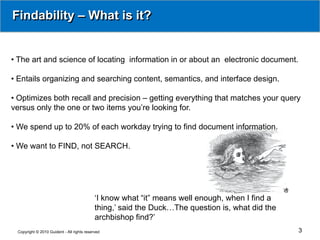
                                            ‘I know what “it” means well enough, when I find a
                                            thing,’ said the Duck…The question is, what did the
                                            archbishop find?’
 Copyright © 2010 Guident - All rights reserved                                                   3
Some Elements of Findability


               Clustering                        Controlled       Data
                                                 Vocabularies     Dictionaries
               Entity Extraction Semantic Search Tagging
               Taxonomies                        Text Analytics   Thesaurus


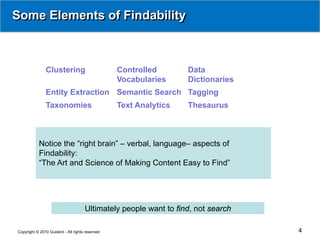
           Notice the “right brain” – verbal, language– aspects of
           Findability:
           “The Art and Science of Making Content Easy to Find”


                                     Ultimately people want to find, not search

Copyright © 2010 Guident - All rights reserved                                    4
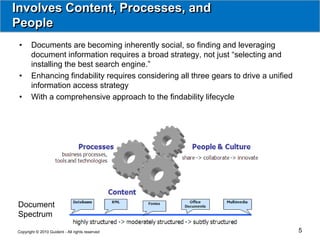
Involves Content, Processes, and
People
 •     Documents are becoming inherently social, so finding and leveraging
       document information requires a broad strategy, not just “selecting and
       installing the best search engine.”
 •     Enhancing findability requires considering all three gears to drive a unified
       information access strategy
 •     With a comprehensive approach to the findability lifecycle


Document
Spectrum

Copyright © 2010 Guident - All rights reserved                                         5
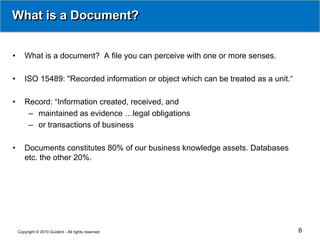
What is a Document?


•      What is a document? A file you can perceive with one or more senses.

•      ISO 15489: "Recorded information or object which can be treated as a unit.“

•      Record: “Information created, received, and
        – maintained as evidence …legal obligations
        – or transactions of business

•      Documents constitutes 80% of our business knowledge assets. Databases
       etc. the other 20%.


    Copyright © 2010 Guident - All rights reserved                                   6
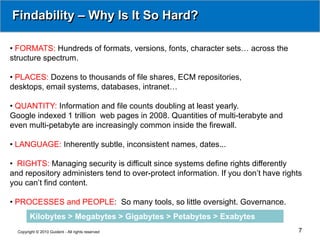
Findability – Why Is It So Hard?

• FORMATS: Hundreds of formats, versions, fonts, character sets… across the
structure spectrum.

• PLACES: Dozens to thousands of file shares, ECM repositories,
desktops, email systems, databases, intranet…

• QUANTITY: Information and file counts doubling at least yearly.
Google indexed 1 trillion web pages in 2008. Quantities of multi-terabyte and
even multi-petabyte are increasingly common inside the firewall.

• LANGUAGE: Inherently subtle, inconsistent names, dates...

• RIGHTS: Managing security is difficult since systems define rights differently
and repository administers tend to over-protect information. If you don’t have rights
you can’t find content.

• PROCESSES and PEOPLE: So many tools, so little oversight. Governance.
        Kilobytes > Megabytes > Gigabytes > Petabytes > Exabytes
  Copyright © 2010 Guident - All rights reserved                                    7
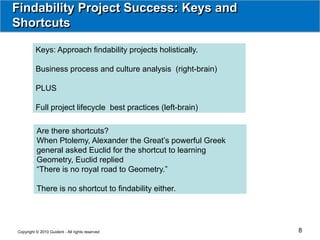
Findability Project Success: Keys and
Shortcuts

          Keys: Approach findability projects holistically.

          Business process and culture analysis (right-brain)

          PLUS

          Full project lifecycle best practices (left-brain)

          Are there shortcuts?
          When Ptolemy, Alexander the Great’s powerful Greek
          general asked Euclid for the shortcut to learning
          Geometry, Euclid replied
          “There is no royal road to Geometry.”

          There is no shortcut to findability either.


Copyright © 2010 Guident - All rights reserved                  8
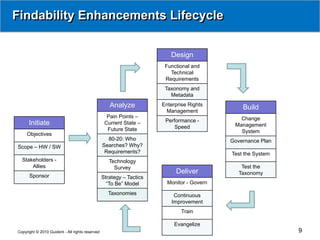
Findability Enhancements Lifecycle


                                                                         Design
                                                                       Functional and
                                                                         Technical
                                                                       Requirements
                                                                       Taxonomy and
                                                                         Metadata

                                                    Analyze           Enterprise Rights
                                                                                               Build
                                                                       Management
                                                   Pain Points –                              Change
                                                                       Performance -
      Initiate                                    Current State –                           Management
                                                   Future State            Speed
                                                                                              System
     Objectives
                                                   80-20: Who                              Governance Plan
Scope – HW / SW                                  Searches? Why?
                                                  Requirements?                            Test the System
  Stakeholders -                                    Technology
      Allies                                          Survey                                   Test the
                                                                           Deliver            Taxonomy
      Sponsor                                    Strategy – Tactics
                                                   “To Be” Model        Monitor - Govern

                                                   Taxonomies              Continuous
                                                                          Improvement
                                                                              Train

                                                                           Evangelize
Copyright © 2010 Guident - All rights reserved                                                               9
Initiate


                   Initiate      Analyze          Design   Build   Deliver


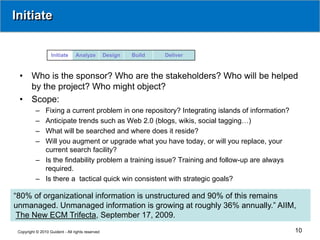
  •     Who is the sponsor? Who are the stakeholders? Who will be helped
        by the project? Who might object?
  •     Scope:
           – Fixing a current problem in one repository? Integrating islands of information?
           – Anticipate trends such as Web 2.0 (blogs, wikis, social tagging…)
           – What will be searched and where does it reside?
           – Will you augment or upgrade what you have today, or will you replace, your
             current search facility?
           – Is the findability problem a training issue? Training and follow-up are always
             required.
           – Is there a tactical quick win consistent with strategic goals?

“80% of organizational information is unstructured and 90% of this remains
unmanaged. Unmanaged information is growing at roughly 36% annually.” AIIM,
 The New ECM Trifecta, September 17, 2009.
 Copyright © 2010 Guident - All rights reserved                                                10
Initiate


                   Initiate      Analyze          Design   Build   Deliver


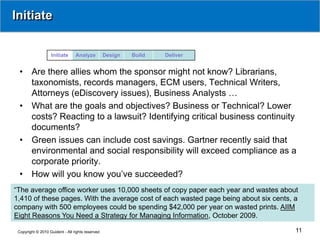
  •     Are there allies whom the sponsor might not know? Librarians,
        taxonomists, records managers, ECM users, Technical Writers,
        Attorneys (eDiscovery issues), Business Analysts …
  •     What are the goals and objectives? Business or Technical? Lower
        costs? Reacting to a lawsuit? Identifying critical business continuity
        documents?
  •     Green issues can include cost savings. Gartner recently said that
        environmental and social responsibility will exceed compliance as a
        corporate priority.
  •     How will you know you’ve succeeded?
“The average office worker uses 10,000 sheets of copy paper each year and wastes about
1,410 of these pages. With the average cost of each wasted page being about six cents, a
company with 500 employees could be spending $42,000 per year on wasted prints. AIIM
Eight Reasons You Need a Strategy for Managing Information, October 2009.

 Copyright © 2010 Guident - All rights reserved                                        11
Analyze


                  Initiate      Analyze          Design   Build   Deliver


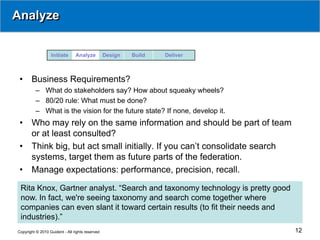
 •     Business Requirements?
          – What do stakeholders say? How about squeaky wheels?
          – 80/20 rule: What must be done?
          – What is the vision for the future state? If none, develop it.
 •     Who may rely on the same information and should be part of team
       or at least consulted?
 •     Think big, but act small initially. If you can’t consolidate search
       systems, target them as future parts of the federation.
 •     Manage expectations: performance, precision, recall.

 Rita Knox, Gartner analyst. “Search and taxonomy technology is pretty good
 now. In fact, we're seeing taxonomy and search come together where
 companies can even slant it toward certain results (to fit their needs and
 industries).”
Copyright © 2010 Guident - All rights reserved                                12
Analyze


                  Initiate      Analyze          Design   Build   Deliver


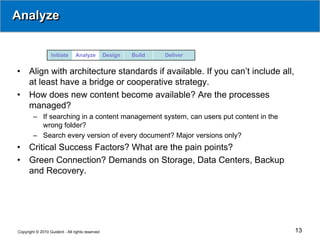
•     Align with architecture standards if available. If you can’t include all,
      at least have a bridge or cooperative strategy.
•     How does new content become available? Are the processes
      managed?
        – If searching in a content management system, can users put content in the
          wrong folder?
        – Search every version of every document? Major versions only?
•     Critical Success Factors? What are the pain points?
•     Green Connection? Demands on Storage, Data Centers, Backup
      and Recovery.


Copyright © 2010 Guident - All rights reserved                                        13
Analyze


                  Initiate      Analyze          Design   Build   Deliver


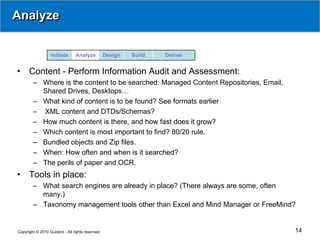
•     Content - Perform Information Audit and Assessment:
        – Where is the content to be searched: Managed Content Repositories, Email,
          Shared Drives, Desktops…
        – What kind of content is to be found? See formats earlier
        – XML content and DTDs/Schemas?
        – How much content is there, and how fast does it grow?
        – Which content is most important to find? 80/20 rule.
        – Bundled objects and Zip files.
        – When: How often and when is it searched?
        – The perils of paper and OCR.
•     Tools in place:
        – What search engines are already in place? (There always are some, often
          many.)
        – Taxonomy management tools other than Excel and Mind Manager or FreeMind?


Copyright © 2010 Guident - All rights reserved                                        14
Analyze


                  Initiate      Analyze          Design   Build   Deliver


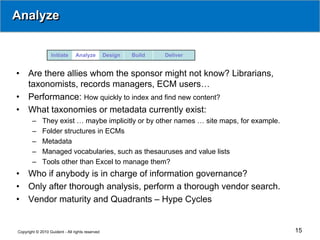
•    Are there allies whom the sponsor might not know? Librarians,
     taxonomists, records managers, ECM users…
•    Performance: How quickly to index and find new content?
•    What taxonomies or metadata currently exist:
        –    They exist … maybe implicitly or by other names … site maps, for example.
        –    Folder structures in ECMs
        –    Metadata
        –    Managed vocabularies, such as thesauruses and value lists
        –    Tools other than Excel to manage them?
•    Who if anybody is in charge of information governance?
•    Only after thorough analysis, perform a thorough vendor search.
•    Vendor maturity and Quadrants – Hype Cycles


Copyright © 2010 Guident - All rights reserved                                           15
Analyze


                  Initiate      Analyze          Design   Build   Deliver


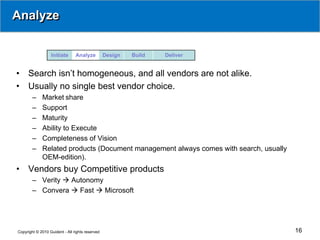
•    Search isn’t homogeneous, and all vendors are not alike.
•    Usually no single best vendor choice.
        –    Market share
        –    Support
        –    Maturity
        –    Ability to Execute
        –    Completeness of Vision
        –    Related products (Document management always comes with search, usually
             OEM-edition).
•    Vendors buy Competitive products
        – Verity  Autonomy
        – Convera  Fast  Microsoft


Copyright © 2010 Guident - All rights reserved                                         16
Design


                  Initiate      Analyze          Design   Build   Deliver


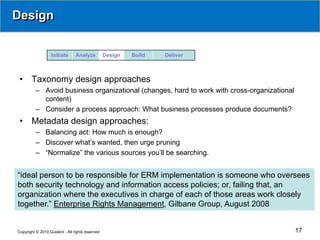
 •     Taxonomy design approaches
          – Avoid business organizational (changes, hard to work with cross-organizational
            content)
          – Consider a process approach: What business processes produce documents?
 •     Metadata design approaches:
          – Balancing act: How much is enough?
          – Discover what’s wanted, then urge pruning
          – “Normalize” the various sources you’ll be searching.


“ideal person to be responsible for ERM implementation is someone who oversees
both security technology and information access policies; or, failing that, an
organization where the executives in charge of each of those areas work closely
together.” Enterprise Rights Management, Gilbane Group, August 2008


Copyright © 2010 Guident - All rights reserved                                               17
Design


                      Initiate      Analyze          Design   Build   Deliver


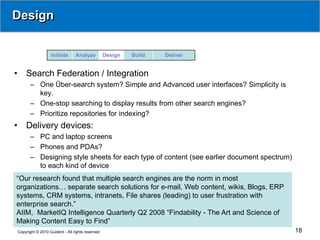
•       Search Federation / Integration
           – One Über-search system? Simple and Advanced user interfaces? Simplicity is
             key.
           – One-stop searching to display results from other search engines?
           – Prioritize repositories for indexing?
•       Delivery devices:
           – PC and laptop screens
           – Phones and PDAs?
           – Designing style sheets for each type of content (see earlier document spectrum)
             to each kind of device
“Our research found that multiple search engines are the norm in most
organizations… separate search solutions for e-mail, Web content, wikis, Blogs, ERP
systems, CRM systems, intranets, File shares (leading) to user frustration with
enterprise search.”
AIIM, MarketIQ Intelligence Quarterly Q2 2008 “Findability - The Art and Science of
Making Content Easy to Find”
    Copyright © 2010 Guident - All rights reserved                                             18
Design


                  Initiate      Analyze          Design   Build   Deliver


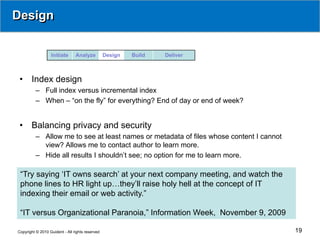
 •     Index design
          – Full index versus incremental index
          – When – “on the fly” for everything? End of day or end of week?


 •     Balancing privacy and security
          – Allow me to see at least names or metadata of files whose content I cannot
            view? Allows me to contact author to learn more.
          – Hide all results I shouldn’t see; no option for me to learn more.

 “Try saying ‘IT owns search’ at your next company meeting, and watch the
 phone lines to HR light up…they’ll raise holy hell at the concept of IT
 indexing their email or web activity.”

 “IT versus Organizational Paranoia,” Information Week, November 9, 2009

Copyright © 2010 Guident - All rights reserved                                           19
Build


                  Initiate      Analyze          Design   Build   Deliver


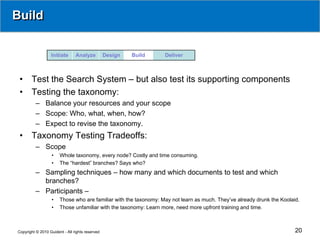
 •     Test the Search System – but also test its supporting components
 •     Testing the taxonomy:
          – Balance your resources and your scope
          – Scope: Who, what, when, how?
          – Expect to revise the taxonomy.
 •     Taxonomy Testing Tradeoffs:
          – Scope
                   •   Whole taxonomy, every node? Costly and time consuming.
                   •   The “hardest” branches? Says who?
          – Sampling techniques – how many and which documents to test and which
            branches?
          – Participants –
                   •   Those who are familiar with the taxonomy: May not learn as much. They’ve already drunk the Koolaid.
                   •   Those unfamiliar with the taxonomy: Learn more, need more upfront training and time.


Copyright © 2010 Guident - All rights reserved                                                                          20
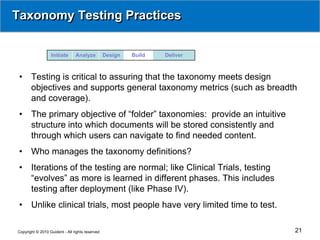
Taxonomy Testing Practices


                  Initiate      Analyze          Design   Build   Deliver


 •     Testing is critical to assuring that the taxonomy meets design
       objectives and supports general taxonomy metrics (such as breadth
       and coverage).
 •     The primary objective of “folder” taxonomies: provide an intuitive
       structure into which documents will be stored consistently and
       through which users can navigate to find needed content.
 •     Who manages the taxonomy definitions?
 •     Iterations of the testing are normal; like Clinical Trials, testing
       “evolves” as more is learned in different phases. This includes
       testing after deployment (like Phase IV).
 •     Unlike clinical trials, most people have very limited time to test.

Copyright © 2010 Guident - All rights reserved                               21
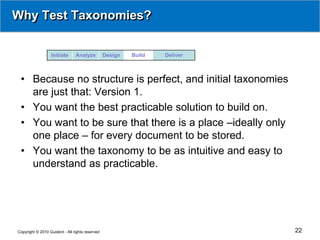
Why Test Taxonomies?


                  Initiate      Analyze          Design   Build   Deliver


 • Because no structure is perfect, and initial taxonomies
   are just that: Version 1.
 • You want the best practicable solution to build on.
 • You want to be sure that there is a place –ideally only
   one place – for every document to be stored.
 • You want the taxonomy to be as intuitive and easy to
   understand as practicable.


Copyright © 2010 Guident - All rights reserved                              22
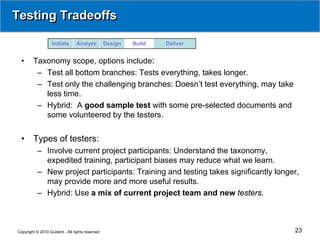
Testing Tradeoffs

                   Initiate      Analyze         Design   Build   Deliver


 •      Taxonomy scope, options include:
         – Test all bottom branches: Tests everything, takes longer.
         – Test only the challenging branches: Doesn’t test everything, may take
           less time.
         – Hybrid: A good sample test with some pre-selected documents and
           some volunteered by the testers.


 •      Types of testers:
          – Involve current project participants: Understand the taxonomy,
            expedited training, participant biases may reduce what we learn.
          – New project participants: Training and testing takes significantly longer,
            may provide more and more useful results.
          – Hybrid: Use a mix of current project team and new testers.


Copyright © 2010 Guident - All rights reserved                                      23
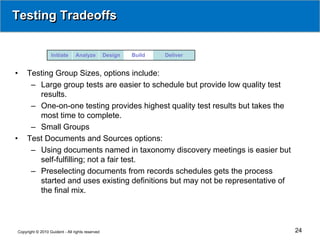
Testing Tradeoffs


                  Initiate      Analyze          Design   Build   Deliver


•    Testing Group Sizes, options include:
      – Large group tests are easier to schedule but provide low quality test
        results.
      – One-on-one testing provides highest quality test results but takes the
        most time to complete.
      – Small Groups
•    Test Documents and Sources options:
      – Using documents named in taxonomy discovery meetings is easier but
        self-fulfilling; not a fair test.
      – Preselecting documents from records schedules gets the process
        started and uses existing definitions but may not be representative of
        the final mix.


Copyright © 2010 Guident - All rights reserved                                   24
Deliver – Install and Walk Away?


                  Initiate      Analyze          Design   Build   Deliver


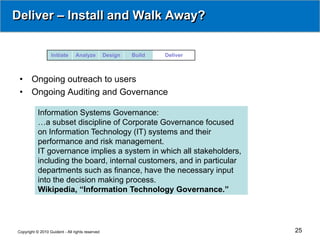
 •     Ongoing outreach to users
 •     Ongoing Auditing and Governance

           Information Systems Governance:
           …a subset discipline of Corporate Governance focused
           on Information Technology (IT) systems and their
           performance and risk management.
           IT governance implies a system in which all stakeholders,
           including the board, internal customers, and in particular
           departments such as finance, have the necessary input
           into the decision making process.
           Wikipedia, “Information Technology Governance.”


Copyright © 2010 Guident - All rights reserved                              25
Deliver – Install and Walk Away?


                      Initiate      Analyze          Design   Build   Deliver


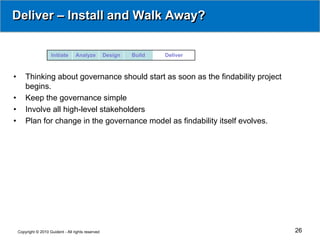
•       Thinking about governance should start as soon as the findability project
        begins.
•       Keep the governance simple
•       Involve all high-level stakeholders
•       Plan for change in the governance model as findability itself evolves.


    Copyright © 2010 Guident - All rights reserved                                  26
In Summary


•       Andy Grove was right: Only the Paranoid Survive and get to deliver findability
        results successfully.
•       Use both the left (analytical) and right (creative) sides of your brain, and make
        sure your team has both sufficient technical and political skills, throughout the
        full lifecycle of your findability projects.
•       And don’t forget that findability projects never end, they just change their
        phases.


    Copyright © 2010 Guident - All rights reserved                                     27
About Guident

                                             http://guident.com
•       Professional Services and Consulting Firm: Business Intelligence,
        Management Consulting, Systems Engineering, ECM and Search
•       Founded in 1996, headquartered in the Washington, DC Metro area
•       Over 260 professionals with broad expertise and backgrounds
•       Named to Inc. Magazine’s Inc. 5000 list in 2007, 2008, and 2009
•       Washington Technology Fast 50 member in 2006, 2007, 2008, and 2009
•       Washington Business Journal Fastest Growing Company in 2008


                     Email Bob Boeri bboeri@guident.com
                     for Findability Checklist and Presentation Quotes tool

Copyright © 2010 Guident - All rights reserved                                28

Improving Findability Inside the Firewall

  • 1.
    Improving Findability Behind the Firewall Bob Boeri bboeri@guident.com Guident - 198 Van Buren Street, Suite 120 Herndon, VA 20170 - Tel: 703.326.0888, www.guident.com Copyright © 2010 Guident - All rights reserved 1
  • 2.
    Agenda • Findability – What is it? Why is it so hard? • Approach to improving findability • Findability Project Stages • Summary – Findability Checklist Copyright © 2010 Guident - All rights reserved 2
  • 3.
    Findability – Whatis it? • The art and science of locating information in or about an electronic document. • Entails organizing and searching content, semantics, and interface design. • Optimizes both recall and precision – getting everything that matches your query versus only the one or two items you’re looking for. • We spend up to 20% of each workday trying to find document information. • We want to FIND, not SEARCH. ‘I know what “it” means well enough, when I find a thing,’ said the Duck…The question is, what did the archbishop find?’ Copyright © 2010 Guident - All rights reserved 3
  • 4.
    Some Elements ofFindability Clustering Controlled Data Vocabularies Dictionaries Entity Extraction Semantic Search Tagging Taxonomies Text Analytics Thesaurus Notice the “right brain” – verbal, language– aspects of Findability: “The Art and Science of Making Content Easy to Find” Ultimately people want to find, not search Copyright © 2010 Guident - All rights reserved 4
  • 5.
    Involves Content, Processes,and People • Documents are becoming inherently social, so finding and leveraging document information requires a broad strategy, not just “selecting and installing the best search engine.” • Enhancing findability requires considering all three gears to drive a unified information access strategy • With a comprehensive approach to the findability lifecycle Document Spectrum Copyright © 2010 Guident - All rights reserved 5
  • 6.
    What is aDocument? • What is a document? A file you can perceive with one or more senses. • ISO 15489: "Recorded information or object which can be treated as a unit.“ • Record: “Information created, received, and – maintained as evidence …legal obligations – or transactions of business • Documents constitutes 80% of our business knowledge assets. Databases etc. the other 20%. Copyright © 2010 Guident - All rights reserved 6
  • 7.
    Findability – WhyIs It So Hard? • FORMATS: Hundreds of formats, versions, fonts, character sets… across the structure spectrum. • PLACES: Dozens to thousands of file shares, ECM repositories, desktops, email systems, databases, intranet… • QUANTITY: Information and file counts doubling at least yearly. Google indexed 1 trillion web pages in 2008. Quantities of multi-terabyte and even multi-petabyte are increasingly common inside the firewall. • LANGUAGE: Inherently subtle, inconsistent names, dates... • RIGHTS: Managing security is difficult since systems define rights differently and repository administers tend to over-protect information. If you don’t have rights you can’t find content. • PROCESSES and PEOPLE: So many tools, so little oversight. Governance. Kilobytes > Megabytes > Gigabytes > Petabytes > Exabytes Copyright © 2010 Guident - All rights reserved 7
  • 8.
    Findability Project Success:Keys and Shortcuts Keys: Approach findability projects holistically. Business process and culture analysis (right-brain) PLUS Full project lifecycle best practices (left-brain) Are there shortcuts? When Ptolemy, Alexander the Great’s powerful Greek general asked Euclid for the shortcut to learning Geometry, Euclid replied “There is no royal road to Geometry.” There is no shortcut to findability either. Copyright © 2010 Guident - All rights reserved 8
  • 9.
    Findability Enhancements Lifecycle Design Functional and Technical Requirements Taxonomy and Metadata Analyze Enterprise Rights Build Management Pain Points – Change Performance - Initiate Current State – Management Future State Speed System Objectives 80-20: Who Governance Plan Scope – HW / SW Searches? Why? Requirements? Test the System Stakeholders - Technology Allies Survey Test the Deliver Taxonomy Sponsor Strategy – Tactics “To Be” Model Monitor - Govern Taxonomies Continuous Improvement Train Evangelize Copyright © 2010 Guident - All rights reserved 9
  • 10.
    Initiate Initiate Analyze Design Build Deliver • Who is the sponsor? Who are the stakeholders? Who will be helped by the project? Who might object? • Scope: – Fixing a current problem in one repository? Integrating islands of information? – Anticipate trends such as Web 2.0 (blogs, wikis, social tagging…) – What will be searched and where does it reside? – Will you augment or upgrade what you have today, or will you replace, your current search facility? – Is the findability problem a training issue? Training and follow-up are always required. – Is there a tactical quick win consistent with strategic goals? “80% of organizational information is unstructured and 90% of this remains unmanaged. Unmanaged information is growing at roughly 36% annually.” AIIM, The New ECM Trifecta, September 17, 2009. Copyright © 2010 Guident - All rights reserved 10
  • 11.
    Initiate Initiate Analyze Design Build Deliver • Are there allies whom the sponsor might not know? Librarians, taxonomists, records managers, ECM users, Technical Writers, Attorneys (eDiscovery issues), Business Analysts … • What are the goals and objectives? Business or Technical? Lower costs? Reacting to a lawsuit? Identifying critical business continuity documents? • Green issues can include cost savings. Gartner recently said that environmental and social responsibility will exceed compliance as a corporate priority. • How will you know you’ve succeeded? “The average office worker uses 10,000 sheets of copy paper each year and wastes about 1,410 of these pages. With the average cost of each wasted page being about six cents, a company with 500 employees could be spending $42,000 per year on wasted prints. AIIM Eight Reasons You Need a Strategy for Managing Information, October 2009. Copyright © 2010 Guident - All rights reserved 11
  • 12.
    Analyze Initiate Analyze Design Build Deliver • Business Requirements? – What do stakeholders say? How about squeaky wheels? – 80/20 rule: What must be done? – What is the vision for the future state? If none, develop it. • Who may rely on the same information and should be part of team or at least consulted? • Think big, but act small initially. If you can’t consolidate search systems, target them as future parts of the federation. • Manage expectations: performance, precision, recall. Rita Knox, Gartner analyst. “Search and taxonomy technology is pretty good now. In fact, we're seeing taxonomy and search come together where companies can even slant it toward certain results (to fit their needs and industries).” Copyright © 2010 Guident - All rights reserved 12
  • 13.
    Analyze Initiate Analyze Design Build Deliver • Align with architecture standards if available. If you can’t include all, at least have a bridge or cooperative strategy. • How does new content become available? Are the processes managed? – If searching in a content management system, can users put content in the wrong folder? – Search every version of every document? Major versions only? • Critical Success Factors? What are the pain points? • Green Connection? Demands on Storage, Data Centers, Backup and Recovery. Copyright © 2010 Guident - All rights reserved 13
  • 14.
    Analyze Initiate Analyze Design Build Deliver • Content - Perform Information Audit and Assessment: – Where is the content to be searched: Managed Content Repositories, Email, Shared Drives, Desktops… – What kind of content is to be found? See formats earlier – XML content and DTDs/Schemas? – How much content is there, and how fast does it grow? – Which content is most important to find? 80/20 rule. – Bundled objects and Zip files. – When: How often and when is it searched? – The perils of paper and OCR. • Tools in place: – What search engines are already in place? (There always are some, often many.) – Taxonomy management tools other than Excel and Mind Manager or FreeMind? Copyright © 2010 Guident - All rights reserved 14
  • 15.
    Analyze Initiate Analyze Design Build Deliver • Are there allies whom the sponsor might not know? Librarians, taxonomists, records managers, ECM users… • Performance: How quickly to index and find new content? • What taxonomies or metadata currently exist: – They exist … maybe implicitly or by other names … site maps, for example. – Folder structures in ECMs – Metadata – Managed vocabularies, such as thesauruses and value lists – Tools other than Excel to manage them? • Who if anybody is in charge of information governance? • Only after thorough analysis, perform a thorough vendor search. • Vendor maturity and Quadrants – Hype Cycles Copyright © 2010 Guident - All rights reserved 15
  • 16.
    Analyze Initiate Analyze Design Build Deliver • Search isn’t homogeneous, and all vendors are not alike. • Usually no single best vendor choice. – Market share – Support – Maturity – Ability to Execute – Completeness of Vision – Related products (Document management always comes with search, usually OEM-edition). • Vendors buy Competitive products – Verity  Autonomy – Convera  Fast  Microsoft Copyright © 2010 Guident - All rights reserved 16
  • 17.
    Design Initiate Analyze Design Build Deliver • Taxonomy design approaches – Avoid business organizational (changes, hard to work with cross-organizational content) – Consider a process approach: What business processes produce documents? • Metadata design approaches: – Balancing act: How much is enough? – Discover what’s wanted, then urge pruning – “Normalize” the various sources you’ll be searching. “ideal person to be responsible for ERM implementation is someone who oversees both security technology and information access policies; or, failing that, an organization where the executives in charge of each of those areas work closely together.” Enterprise Rights Management, Gilbane Group, August 2008 Copyright © 2010 Guident - All rights reserved 17
  • 18.
    Design Initiate Analyze Design Build Deliver • Search Federation / Integration – One Über-search system? Simple and Advanced user interfaces? Simplicity is key. – One-stop searching to display results from other search engines? – Prioritize repositories for indexing? • Delivery devices: – PC and laptop screens – Phones and PDAs? – Designing style sheets for each type of content (see earlier document spectrum) to each kind of device “Our research found that multiple search engines are the norm in most organizations… separate search solutions for e-mail, Web content, wikis, Blogs, ERP systems, CRM systems, intranets, File shares (leading) to user frustration with enterprise search.” AIIM, MarketIQ Intelligence Quarterly Q2 2008 “Findability - The Art and Science of Making Content Easy to Find” Copyright © 2010 Guident - All rights reserved 18
  • 19.
    Design Initiate Analyze Design Build Deliver • Index design – Full index versus incremental index – When – “on the fly” for everything? End of day or end of week? • Balancing privacy and security – Allow me to see at least names or metadata of files whose content I cannot view? Allows me to contact author to learn more. – Hide all results I shouldn’t see; no option for me to learn more. “Try saying ‘IT owns search’ at your next company meeting, and watch the phone lines to HR light up…they’ll raise holy hell at the concept of IT indexing their email or web activity.” “IT versus Organizational Paranoia,” Information Week, November 9, 2009 Copyright © 2010 Guident - All rights reserved 19
  • 20.
    Build Initiate Analyze Design Build Deliver • Test the Search System – but also test its supporting components • Testing the taxonomy: – Balance your resources and your scope – Scope: Who, what, when, how? – Expect to revise the taxonomy. • Taxonomy Testing Tradeoffs: – Scope • Whole taxonomy, every node? Costly and time consuming. • The “hardest” branches? Says who? – Sampling techniques – how many and which documents to test and which branches? – Participants – • Those who are familiar with the taxonomy: May not learn as much. They’ve already drunk the Koolaid. • Those unfamiliar with the taxonomy: Learn more, need more upfront training and time. Copyright © 2010 Guident - All rights reserved 20
  • 21.
    Taxonomy Testing Practices Initiate Analyze Design Build Deliver • Testing is critical to assuring that the taxonomy meets design objectives and supports general taxonomy metrics (such as breadth and coverage). • The primary objective of “folder” taxonomies: provide an intuitive structure into which documents will be stored consistently and through which users can navigate to find needed content. • Who manages the taxonomy definitions? • Iterations of the testing are normal; like Clinical Trials, testing “evolves” as more is learned in different phases. This includes testing after deployment (like Phase IV). • Unlike clinical trials, most people have very limited time to test. Copyright © 2010 Guident - All rights reserved 21
  • 22.
    Why Test Taxonomies? Initiate Analyze Design Build Deliver • Because no structure is perfect, and initial taxonomies are just that: Version 1. • You want the best practicable solution to build on. • You want to be sure that there is a place –ideally only one place – for every document to be stored. • You want the taxonomy to be as intuitive and easy to understand as practicable. Copyright © 2010 Guident - All rights reserved 22
  • 23.
    Testing Tradeoffs Initiate Analyze Design Build Deliver • Taxonomy scope, options include: – Test all bottom branches: Tests everything, takes longer. – Test only the challenging branches: Doesn’t test everything, may take less time. – Hybrid: A good sample test with some pre-selected documents and some volunteered by the testers. • Types of testers: – Involve current project participants: Understand the taxonomy, expedited training, participant biases may reduce what we learn. – New project participants: Training and testing takes significantly longer, may provide more and more useful results. – Hybrid: Use a mix of current project team and new testers. Copyright © 2010 Guident - All rights reserved 23
  • 24.
    Testing Tradeoffs Initiate Analyze Design Build Deliver • Testing Group Sizes, options include: – Large group tests are easier to schedule but provide low quality test results. – One-on-one testing provides highest quality test results but takes the most time to complete. – Small Groups • Test Documents and Sources options: – Using documents named in taxonomy discovery meetings is easier but self-fulfilling; not a fair test. – Preselecting documents from records schedules gets the process started and uses existing definitions but may not be representative of the final mix. Copyright © 2010 Guident - All rights reserved 24
  • 25.
    Deliver – Installand Walk Away? Initiate Analyze Design Build Deliver • Ongoing outreach to users • Ongoing Auditing and Governance Information Systems Governance: …a subset discipline of Corporate Governance focused on Information Technology (IT) systems and their performance and risk management. IT governance implies a system in which all stakeholders, including the board, internal customers, and in particular departments such as finance, have the necessary input into the decision making process. Wikipedia, “Information Technology Governance.” Copyright © 2010 Guident - All rights reserved 25
  • 26.
    Deliver – Installand Walk Away? Initiate Analyze Design Build Deliver • Thinking about governance should start as soon as the findability project begins. • Keep the governance simple • Involve all high-level stakeholders • Plan for change in the governance model as findability itself evolves. Copyright © 2010 Guident - All rights reserved 26
  • 27.
    In Summary • Andy Grove was right: Only the Paranoid Survive and get to deliver findability results successfully. • Use both the left (analytical) and right (creative) sides of your brain, and make sure your team has both sufficient technical and political skills, throughout the full lifecycle of your findability projects. • And don’t forget that findability projects never end, they just change their phases. Copyright © 2010 Guident - All rights reserved 27
  • 28.
    About Guident http://guident.com • Professional Services and Consulting Firm: Business Intelligence, Management Consulting, Systems Engineering, ECM and Search • Founded in 1996, headquartered in the Washington, DC Metro area • Over 260 professionals with broad expertise and backgrounds • Named to Inc. Magazine’s Inc. 5000 list in 2007, 2008, and 2009 • Washington Technology Fast 50 member in 2006, 2007, 2008, and 2009 • Washington Business Journal Fastest Growing Company in 2008 Email Bob Boeri bboeri@guident.com for Findability Checklist and Presentation Quotes tool Copyright © 2010 Guident - All rights reserved 28