Be CyberSMART! Addressing Safe and Appropriate Technology Use in Northside Administrator Institute  July 26, 2006   Kelly Smith Assistant Superintendent for Technology Services
Ripped from Recent Headlines! Students behind grade changing Employee fired for data breach at health care facility Teen who hacked into school files takes deal  Consultant hacks way into FBIs computers; even director's password was obtained Identity theft victims tell of job loss, red tape that follows when someone assumes your ID, spends in your name  Tipster leads FBI to laptop loaded with veterans' files; personal data on the stolen device apparently wasn't accessed, VA told  Franklin schools chief suspended for 4 days: further action possible after complaint about e-mails  Teacher charged with corrupting minors; allegedly had sex with a student in his truck and sent explicit e-mails to another Arrest sought after fight; police pursue a warrant linked to a fight shown on myspace.com Tougher laws urged for web predators; AG expresses concerns about repeat offenders who solicit minors  Employee fired over blog; private blog wasn't; man fired for blasting boss
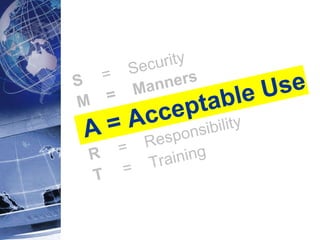
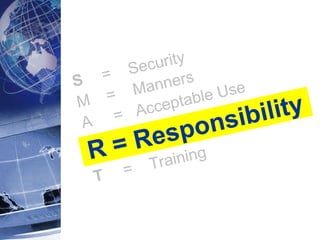
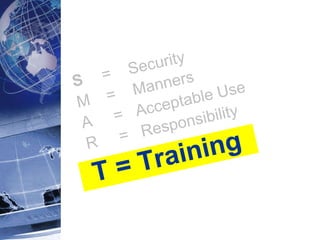
CyberSMART Principles   S     =  Security M   =  Manners A     =  Acceptable Use R     =  Responsibility T     =  Training
Scenarios for Discussion ( print version ) ( print version ) Classroom Scenario What kind of issues does Mr. Carter need to be aware of regarding safe and acceptable use of technology in the classroom?  As a CyberSMART teacher, what kinds of things can Mr. Carter do to protect himself and his data? How can Mr. Carter address the parent's fear of pornography? What should he tell his students to do if they accidentally encounter it?  What are some specific actions Mr. Carter could / should take to address what has happened? What kind of penalties should students face for misuse of school technology?  Office  Scenario What kind of issues does Ms. Gates need to be aware of regarding safe and acceptable use of technology in the workplace?  As a CyberSMART employee, what kinds of things can Ms. Gates do to protect herself and her data? What options are there for the Winocular and Groupwise situations? What are some specific actions Ms. Gates could / should take to address what has happened? Has Ms. Gates done anything wrong for which she could be reprimanded or fired?
S = Security M   =  Manners A     =  Acceptable Use R     =  Responsibility T     =  Training
Security:  Why Worry? Security breaches can compromise: student and staff safety and vulnerability the district’s ability to function public support and legitimacy liability
Security:  Why Now? NISD is a “digital school district” Data-driven, information-rich, “open” environment Inviting target for hackers of all kinds, even students!
Security:  Your Role Understand the risks Understand the policies Make security a high priority – be proactive!  Educate employees and students Treat all security incidents / violations seriously and report them promptly  Students     Technology Services Staff     Human Resources
Passwords and Security
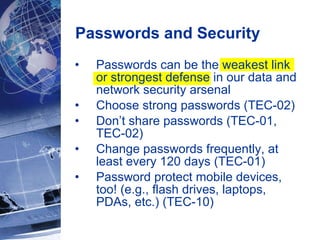
Passwords and Security Passwords can be the weakest link or strongest defense in our data and network security arsenal  Choose strong passwords (TEC-02) Don’t share passwords (TEC-01, TEC-02) Change passwords frequently, at least every 120 days (TEC-01) Password protect mobile devices, too! (e.g., flash drives, laptops, PDAs, etc.) (TEC-10)
Passwords and Security Why so many passwords?!? Life online  means living with--and managing -passwords (work, bank, personal e-mail, online newspaper, shopping, etc.).  Using the same password for multiple sites and applications compounds the likelihood that someone will take control of your accounts!  If you record your passwords, recognize that there is truly no safe location to store passwords.  One idea :  an encrypted password-protected Word or Excel file (Tools > Options > Security) Technology  Services is working to  “synchronize”  NISD user-IDs and passwords, where possible. The vision    one user-id and password to access many different systems at work
Protect that Data! Data on mobile equipment (e.g., flash drives, laptops, PDAs) – exercise extreme caution! (TEC-10) Physical security, especially for mobile equipment (TEC-10, PUR-03) Lock workstation (TEC-02) Be wary! Keyloggers Dumpster diving Phishing Social engineering / pre-texting
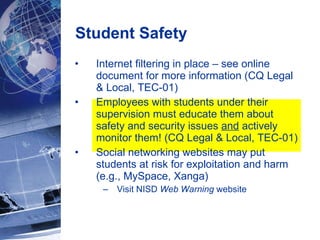
Student Safety Internet filtering in place – see online document for more information (CQ Legal & Local, TEC-01) Employees with students under their supervision must educate them about safety and security issues  and  actively monitor them! (CQ Legal & Local, TEC-01) Social networking websites may put students at risk for exploitation and harm (e.g., MySpace, Xanga) Visit NISD  Web Warning  website
S     =  Security M = Manners A     =  Acceptable Use R     =  Responsibility T     =  Training
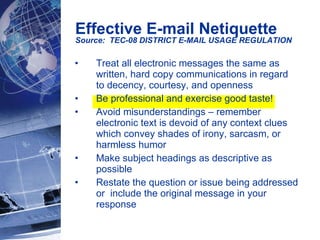
Effective E-mail Netiquette Source:  TEC-08 DISTRICT E-MAIL USAGE REGULATION   Treat all electronic messages the same as written, hard copy communications in regard to decency, courtesy, and openness  Be professional and exercise good taste! Avoid misunderstandings – remember electronic text is devoid of any context clues which convey shades of irony, sarcasm, or harmless humor Make subject headings as descriptive as possible Restate the question or issue being addressed or  include the original message in your response
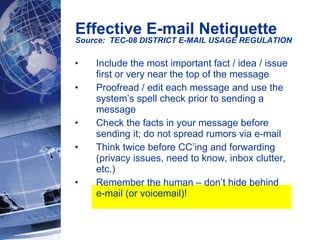
Effective E-mail Netiquette Source:  TEC-08 DISTRICT E-MAIL USAGE REGULATION   Include the most important fact / idea / issue first or very near the top of the message Proofread / edit each message and use the system’s spell check prior to sending a message Check the facts in your message before sending it; do not spread rumors via e-mail Think twice before CC’ing and forwarding (privacy issues, need to know, inbox clutter, etc.) Remember the human – don’t hide behind  e-mail (or voicemail)!
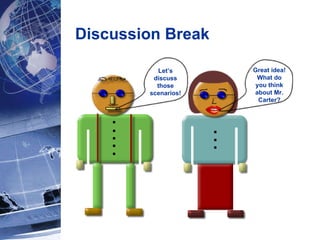
Discussion Break Let’s discuss those scenarios! Great idea! What do you think about Mr. Carter?
S     =  Security M   =  Manners A = Acceptable Use R     =  Responsibility T     =  Training
Digital Citizenship  = The expected standard of behavior with regard to technology use  We should all teach, model, and expect exemplary digital citizenship! Acceptable Use:  AKA “Digital Citizenship”
Digital Citizenship at Work: Principle #1 Access to all District technology is made available to employees  primarily for instructional and administrative purposes  in accordance with Board Policies and District Administrative Regulations.
Digital Citizenship at Work: Principle #2 Employees are  responsible at all times for their use  of the District’s electronic communications system and  must assume personal responsibility  to behave ethically and responsibly, even when technology provides them the freedom to do otherwise.
There are  consequences for NOT being a good digital citizen  (i.e. violating acceptable use policies) Access to technology denied Reprimand Termination Legal action Digital Citizenship at Work: Principle #3 System use is  electronically monitored.
E-mail Acceptable Use
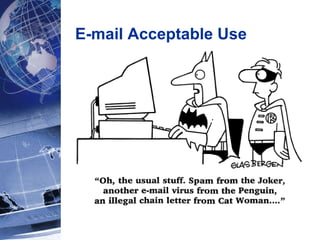
Do not send or forward e-mail messages or images that are abusive, obscene, pornographic, sexually oriented, threatening, harassing, damaging to another’s reputation, or illegal. Users may not send or forward any e-mail messages that are for personal-profit use. District-wide e-mail broadcasts must be approved by the Executive Director of Communications. ( Use the BC field .) Campus/site-wide e-mail broadcasts must be approved by the campus Principal/Site Administrator. E-mail Acceptable Use Source:  TEC-08 DISTRICT E-MAIL USAGE REGULATION
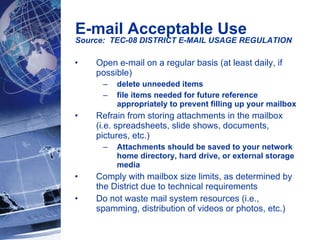
Do not send or forward chain e-mail messages or images.  Use the e-mail system’s proxy capabilities whenever out for extended periods of time only if someone needs access to your e-mail.  The Helpdesk can provide assistance.  Send e-mail to appropriate (i.e. need to know) parties only. E-mail Acceptable Use Source:  TEC-08 DISTRICT E-MAIL USAGE REGULATION
Open e-mail on a regular basis (at least daily, if possible) delete unneeded items file items needed for future reference appropriately to prevent filling up your mailbox  Refrain from storing attachments in the mailbox (i.e. spreadsheets, slide shows, documents, pictures, etc.) Attachments should be saved to your network home directory, hard drive, or external storage media Comply with mailbox size limits, as determined by the District due to technical requirements Do not waste mail system resources (i.e., spamming, distribution of videos or photos, etc.) E-mail Acceptable Use Source:  TEC-08 DISTRICT E-MAIL USAGE REGULATION
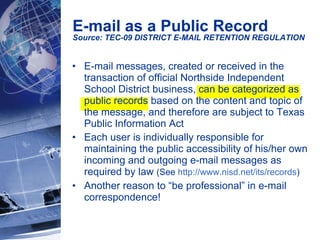
E-mail messages, created or received in the transaction of official Northside Independent School District business, can be categorized as public records based on the content and topic of the message, and therefore are subject to Texas Public Information Act  Each user is individually responsible for maintaining the public accessibility of his/her own incoming and outgoing e-mail messages as required by law  (See  http://www.nisd.net/its/records ) Another reason to “be professional” in e-mail correspondence!  E-mail as a Public Record Source: TEC-09 DISTRICT E-MAIL RETENTION REGULATION
S     =  Security M   =  Manners A  =  Acceptable Use R = Responsibility T     =  Training
Increased electronic systems    increased access to data (i.e., “open” environment)  Confidentiality of data is addressed in FL (Legal) Student Records and DH (Exhibit) Employee Standards of Conduct  An employee shall not reveal confidential information concerning students or colleagues unless disclosure serves lawful professional purposes or is required by law  Avoid sending e-mail to colleagues or parents that contain personally identifiable information about students Model and Emphasize Data Confidentiality
Know the Acceptable Use District Policies & Regs  CQ Legal and Local, TEC series Other important topics Copyright Campus, classroom/teacher, extra-curricular and student websites Personal hardware and software
Educate Others  Provide acceptable use training for all  staff and students  under your supervision Enlist the help of your campus technologists, technology teachers, librarian, & district technology trainers Lots of great NISD-developed resources are available online Promote and model Digital Citizenship!
Report Incidents / Violations  Treat all acceptable use incidents / violations seriously and report them as appropriate  Staff     Human Resources Students     Technology Services   Administer consistent consequences, especially for students’ inappropriate use
Manage the Paperwork Collect and manage student acceptable use agreement forms promptly  Ensure that the AUP data is entered into the Region 20 student system by September 1, 2006 (10 days after the first day of school) Direct your Library Assistants to help the Attendance Secretaries perform the AUP data entry at middle schools and high schools (optional at the elementary schools) AUP data is automatically “pushed” nightly to populate several other systems Professional and classified staff will acknowledge and agree to acceptable use online, with the online handbook process.  Auxiliary staff will complete and submit the paper form to their supervisor.
S     =  Security M   =  Manners A  =  Acceptable Use R  =  Responsibility T = Training
Online Acceptable Use Class Available  to all employees  Required  for all new employees with access to technology, within 3 weeks of employment Online, takes 45 minutes to complete All users will receive an e-mail in August with specific instructions Online course completion will be tracked and reported in ERO (Electronic Registration Online)
Discussion Break Let’s discuss those scenarios! Great idea! What are some important points?
Classroom Scenario Points  Monitor students when using computers (gum, software installation, flash drives) Be aware of keyloggers and safeguarding password (grades).  Change password; report it. Don’t e-mail IEPs (wrong recipient; confidentiality) Be able to explain how Internet filtering works in NISD; if inappropriate material is viewed accidentally – move on immediately and tell teacher Refer student and parent to Web Warning; counsel student Harassing e-mail – forward to  [email_address]  and report it to supervisor Follow Student Code of Conduct for students who violate AUP  more serious examples: cyberbullying; hacking and other malicious activity; purposely accessing materials that are abusive, obscene, sexually oriented; proxy avoidance less serious example:  non-school related Internet use
Office Scenario Points  Don’t use others’ passwords (access to certain applications such as Winocular must be limited to administrators/supervisors) Be professional in e-mail correspondence (Hr policy situation) Report acceptable use violations to supervisor (co-worker wasting time and resources – maybe it is business related) Don’t respond to the phishing scam; forward message to  [email_address] Do not forward jokes; could be offensive; waste resources Keep laptop physically secure; encrypt data Don’t share GroupWise password; grant proxy if you want someone else to keep up with your messages
Be CyberSMART! Addressing Safe and Appropriate Technology Use in Northside Administrator Institute  July 26, 2006   Kelly Smith Assistant Superintendent for Technology Services

Cybersmart

  • 1.
    Be CyberSMART! AddressingSafe and Appropriate Technology Use in Northside Administrator Institute July 26, 2006 Kelly Smith Assistant Superintendent for Technology Services
  • 2.
    Ripped from RecentHeadlines! Students behind grade changing Employee fired for data breach at health care facility Teen who hacked into school files takes deal Consultant hacks way into FBIs computers; even director's password was obtained Identity theft victims tell of job loss, red tape that follows when someone assumes your ID, spends in your name Tipster leads FBI to laptop loaded with veterans' files; personal data on the stolen device apparently wasn't accessed, VA told Franklin schools chief suspended for 4 days: further action possible after complaint about e-mails Teacher charged with corrupting minors; allegedly had sex with a student in his truck and sent explicit e-mails to another Arrest sought after fight; police pursue a warrant linked to a fight shown on myspace.com Tougher laws urged for web predators; AG expresses concerns about repeat offenders who solicit minors Employee fired over blog; private blog wasn't; man fired for blasting boss
  • 3.
    CyberSMART Principles   S = Security M = Manners A = Acceptable Use R = Responsibility T = Training
  • 4.
    Scenarios for Discussion( print version ) ( print version ) Classroom Scenario What kind of issues does Mr. Carter need to be aware of regarding safe and acceptable use of technology in the classroom? As a CyberSMART teacher, what kinds of things can Mr. Carter do to protect himself and his data? How can Mr. Carter address the parent's fear of pornography? What should he tell his students to do if they accidentally encounter it? What are some specific actions Mr. Carter could / should take to address what has happened? What kind of penalties should students face for misuse of school technology? Office Scenario What kind of issues does Ms. Gates need to be aware of regarding safe and acceptable use of technology in the workplace? As a CyberSMART employee, what kinds of things can Ms. Gates do to protect herself and her data? What options are there for the Winocular and Groupwise situations? What are some specific actions Ms. Gates could / should take to address what has happened? Has Ms. Gates done anything wrong for which she could be reprimanded or fired?
  • 5.
    S = SecurityM = Manners A = Acceptable Use R = Responsibility T = Training
  • 6.
    Security: WhyWorry? Security breaches can compromise: student and staff safety and vulnerability the district’s ability to function public support and legitimacy liability
  • 7.
    Security: WhyNow? NISD is a “digital school district” Data-driven, information-rich, “open” environment Inviting target for hackers of all kinds, even students!
  • 8.
    Security: YourRole Understand the risks Understand the policies Make security a high priority – be proactive! Educate employees and students Treat all security incidents / violations seriously and report them promptly Students  Technology Services Staff  Human Resources
  • 9.
  • 10.
    Passwords and SecurityPasswords can be the weakest link or strongest defense in our data and network security arsenal Choose strong passwords (TEC-02) Don’t share passwords (TEC-01, TEC-02) Change passwords frequently, at least every 120 days (TEC-01) Password protect mobile devices, too! (e.g., flash drives, laptops, PDAs, etc.) (TEC-10)
  • 11.
    Passwords and SecurityWhy so many passwords?!? Life online means living with--and managing -passwords (work, bank, personal e-mail, online newspaper, shopping, etc.). Using the same password for multiple sites and applications compounds the likelihood that someone will take control of your accounts! If you record your passwords, recognize that there is truly no safe location to store passwords. One idea : an encrypted password-protected Word or Excel file (Tools > Options > Security) Technology Services is working to “synchronize” NISD user-IDs and passwords, where possible. The vision  one user-id and password to access many different systems at work
  • 12.
    Protect that Data!Data on mobile equipment (e.g., flash drives, laptops, PDAs) – exercise extreme caution! (TEC-10) Physical security, especially for mobile equipment (TEC-10, PUR-03) Lock workstation (TEC-02) Be wary! Keyloggers Dumpster diving Phishing Social engineering / pre-texting
  • 13.
    Student Safety Internetfiltering in place – see online document for more information (CQ Legal & Local, TEC-01) Employees with students under their supervision must educate them about safety and security issues and actively monitor them! (CQ Legal & Local, TEC-01) Social networking websites may put students at risk for exploitation and harm (e.g., MySpace, Xanga) Visit NISD Web Warning website
  • 14.
    S = Security M = Manners A = Acceptable Use R = Responsibility T = Training
  • 15.
    Effective E-mail NetiquetteSource: TEC-08 DISTRICT E-MAIL USAGE REGULATION Treat all electronic messages the same as written, hard copy communications in regard to decency, courtesy, and openness Be professional and exercise good taste! Avoid misunderstandings – remember electronic text is devoid of any context clues which convey shades of irony, sarcasm, or harmless humor Make subject headings as descriptive as possible Restate the question or issue being addressed or include the original message in your response
  • 16.
    Effective E-mail NetiquetteSource: TEC-08 DISTRICT E-MAIL USAGE REGULATION Include the most important fact / idea / issue first or very near the top of the message Proofread / edit each message and use the system’s spell check prior to sending a message Check the facts in your message before sending it; do not spread rumors via e-mail Think twice before CC’ing and forwarding (privacy issues, need to know, inbox clutter, etc.) Remember the human – don’t hide behind e-mail (or voicemail)!
  • 17.
    Discussion Break Let’sdiscuss those scenarios! Great idea! What do you think about Mr. Carter?
  • 18.
    S = Security M = Manners A = Acceptable Use R = Responsibility T = Training
  • 19.
    Digital Citizenship = The expected standard of behavior with regard to technology use We should all teach, model, and expect exemplary digital citizenship! Acceptable Use: AKA “Digital Citizenship”
  • 20.
    Digital Citizenship atWork: Principle #1 Access to all District technology is made available to employees primarily for instructional and administrative purposes in accordance with Board Policies and District Administrative Regulations.
  • 21.
    Digital Citizenship atWork: Principle #2 Employees are responsible at all times for their use of the District’s electronic communications system and must assume personal responsibility to behave ethically and responsibly, even when technology provides them the freedom to do otherwise.
  • 22.
    There are consequences for NOT being a good digital citizen (i.e. violating acceptable use policies) Access to technology denied Reprimand Termination Legal action Digital Citizenship at Work: Principle #3 System use is electronically monitored.
  • 23.
  • 24.
    Do not sendor forward e-mail messages or images that are abusive, obscene, pornographic, sexually oriented, threatening, harassing, damaging to another’s reputation, or illegal. Users may not send or forward any e-mail messages that are for personal-profit use. District-wide e-mail broadcasts must be approved by the Executive Director of Communications. ( Use the BC field .) Campus/site-wide e-mail broadcasts must be approved by the campus Principal/Site Administrator. E-mail Acceptable Use Source: TEC-08 DISTRICT E-MAIL USAGE REGULATION
  • 25.
    Do not sendor forward chain e-mail messages or images. Use the e-mail system’s proxy capabilities whenever out for extended periods of time only if someone needs access to your e-mail. The Helpdesk can provide assistance. Send e-mail to appropriate (i.e. need to know) parties only. E-mail Acceptable Use Source: TEC-08 DISTRICT E-MAIL USAGE REGULATION
  • 26.
    Open e-mail ona regular basis (at least daily, if possible) delete unneeded items file items needed for future reference appropriately to prevent filling up your mailbox Refrain from storing attachments in the mailbox (i.e. spreadsheets, slide shows, documents, pictures, etc.) Attachments should be saved to your network home directory, hard drive, or external storage media Comply with mailbox size limits, as determined by the District due to technical requirements Do not waste mail system resources (i.e., spamming, distribution of videos or photos, etc.) E-mail Acceptable Use Source: TEC-08 DISTRICT E-MAIL USAGE REGULATION
  • 27.
    E-mail messages, createdor received in the transaction of official Northside Independent School District business, can be categorized as public records based on the content and topic of the message, and therefore are subject to Texas Public Information Act Each user is individually responsible for maintaining the public accessibility of his/her own incoming and outgoing e-mail messages as required by law (See http://www.nisd.net/its/records ) Another reason to “be professional” in e-mail correspondence! E-mail as a Public Record Source: TEC-09 DISTRICT E-MAIL RETENTION REGULATION
  • 28.
    S = Security M = Manners A = Acceptable Use R = Responsibility T = Training
  • 29.
    Increased electronic systems  increased access to data (i.e., “open” environment) Confidentiality of data is addressed in FL (Legal) Student Records and DH (Exhibit) Employee Standards of Conduct An employee shall not reveal confidential information concerning students or colleagues unless disclosure serves lawful professional purposes or is required by law Avoid sending e-mail to colleagues or parents that contain personally identifiable information about students Model and Emphasize Data Confidentiality
  • 30.
    Know the AcceptableUse District Policies & Regs CQ Legal and Local, TEC series Other important topics Copyright Campus, classroom/teacher, extra-curricular and student websites Personal hardware and software
  • 31.
    Educate Others Provide acceptable use training for all staff and students under your supervision Enlist the help of your campus technologists, technology teachers, librarian, & district technology trainers Lots of great NISD-developed resources are available online Promote and model Digital Citizenship!
  • 32.
    Report Incidents /Violations Treat all acceptable use incidents / violations seriously and report them as appropriate Staff  Human Resources Students  Technology Services Administer consistent consequences, especially for students’ inappropriate use
  • 33.
    Manage the PaperworkCollect and manage student acceptable use agreement forms promptly Ensure that the AUP data is entered into the Region 20 student system by September 1, 2006 (10 days after the first day of school) Direct your Library Assistants to help the Attendance Secretaries perform the AUP data entry at middle schools and high schools (optional at the elementary schools) AUP data is automatically “pushed” nightly to populate several other systems Professional and classified staff will acknowledge and agree to acceptable use online, with the online handbook process. Auxiliary staff will complete and submit the paper form to their supervisor.
  • 34.
    S = Security M = Manners A = Acceptable Use R = Responsibility T = Training
  • 35.
    Online Acceptable UseClass Available to all employees Required for all new employees with access to technology, within 3 weeks of employment Online, takes 45 minutes to complete All users will receive an e-mail in August with specific instructions Online course completion will be tracked and reported in ERO (Electronic Registration Online)
  • 36.
    Discussion Break Let’sdiscuss those scenarios! Great idea! What are some important points?
  • 37.
    Classroom Scenario Points Monitor students when using computers (gum, software installation, flash drives) Be aware of keyloggers and safeguarding password (grades). Change password; report it. Don’t e-mail IEPs (wrong recipient; confidentiality) Be able to explain how Internet filtering works in NISD; if inappropriate material is viewed accidentally – move on immediately and tell teacher Refer student and parent to Web Warning; counsel student Harassing e-mail – forward to [email_address] and report it to supervisor Follow Student Code of Conduct for students who violate AUP more serious examples: cyberbullying; hacking and other malicious activity; purposely accessing materials that are abusive, obscene, sexually oriented; proxy avoidance less serious example: non-school related Internet use
  • 38.
    Office Scenario Points Don’t use others’ passwords (access to certain applications such as Winocular must be limited to administrators/supervisors) Be professional in e-mail correspondence (Hr policy situation) Report acceptable use violations to supervisor (co-worker wasting time and resources – maybe it is business related) Don’t respond to the phishing scam; forward message to [email_address] Do not forward jokes; could be offensive; waste resources Keep laptop physically secure; encrypt data Don’t share GroupWise password; grant proxy if you want someone else to keep up with your messages
  • 39.
    Be CyberSMART! AddressingSafe and Appropriate Technology Use in Northside Administrator Institute July 26, 2006 Kelly Smith Assistant Superintendent for Technology Services

Editor's Notes

  • #7 Consider these questions : Would you want your own SS# shared with just anyone? Would you want your own child’s name and address shared with just anyone? Have you come to rely on our network and information systems and want them to be tamper-proof and available? Do you want the community to trust our ability to protect sensitive data? Why – student safety, voter support, etc. Do you want to be “at fault” if and when sensitive data is compromised?
  • #8 As more districts centralize academic and other information to make data-driven decisions—as encouraged under No Child Left Behind —they leave themselves even more vulnerable to risk. Open environment = data is available / accessible for parents, employees, and students when they have a legal or legitimate need to know (CMS, Parent Connection, Winocular, etc.) Reports of students’ in other districts gaining access to school networks to change grades, delete teachers’ files, or steal data are becoming more common. Unlike 10 years ago, people don’t have to be computer geeks to become hackers. Online chat rooms, listservs, and Web sites give step-by-step directions on how to hack and make it easy for students—and anyone else—to tap into networks rich with confidential data.
  • #11 TEC-02 USER/WORKSTATION SECURITY MEASURES Use passwords that are unique and not easily guessed. Passwords should not be easily accessible to others or stored near the computer. Recommended password guidelines are as follows: a. Minimum of 8 characters in length b. Alphanumeric c. Upper and lower case d. At least one special character TEC-01 ELECTRONIC COMMUNICATION AND DATA MANAGEMENT TEC-10 MOBILE TECHNOLOGY EQUIPMENT SECURITY MEASURES Set a password that is not easily guessed on mobile devices · Laptops Computers · Personal Digital Assistants (PDA) · Pocket Personal Computers (Pocket PCs) · Password Capable Storage Devices (e.g. USB Flash Drives)
  • #13 TEC-10 MOBILE TECHNOLOGY EQUIPMENT SECURITY MEASURES Be extremely careful about the type of data stored on the mobile equipment. Personnel are responsible for the NISD data stored on the mobile equipment. Do not store sensitive or confidential data on the device without realizing the risk assumed by doing so. The disclosure of certain types of information does violate federal regulations such as CIPA, HIPPA, FERPA, etc. and could result in a federal violation. Do not share or loan your device with others for non-business use at any time. Personnel are responsible for the physical safeguarding of District mobile technology equipment TEC-02 USER/WORKSTATION SECURITY MEASURES lock the workstation or log out when leaving the area requires password protected screensavers Keyloggers : a type of surveillance software that has the capability to record every keystroke you make to a log file. A keylogger can record account information (i.e., usernames and passwords), e-mail, and any information you type at any time using your keyboard. The log file can then be used by someone to gain unauthorized access to your data. Keyloggers are not illegal and HS students know all about them! Dumpster diving : going through the garbage fo paper copies of sensitive data Phishing : uses a combination of e-mail messages and fake Web sites to convince users they are dealing with a major company to try to trick someone into electronically sharing personal data such as a Social Security or credit card number. Social engineering / pre-texting : influencing and manipulating people into innocently giving away confidential data, often by pretending to be somebody in an “official” capacity
  • #14 The Internet is an important teaching tool used in Northside ISD classrooms and libraries. The Internet can, however, provide students with access to inappropriate material. Federal law ( CIPA - Children's Internet Protection Act, 2001 ) requires school districts to use "filtering" software to block access to content that is obscene, pornographic, inappropriate for students, or harmful to minors, as defined by CIPA and as determined by the District. NISD currently filters content in approximately 35 categories / subcategories, reviewed annually (e.g., Nudity, Gambling, Racism and Hate; see online document for others) Internet Safety Committee reviews requests to unblock / block specific sites as necessary
  • #16 Openness = nothing is ever truly anonymous online