Disclaimer: This presentation is prepared by trainees of
baabtra as a part of mentoring program. This is not official
document of baabtra –Mentoring Partner
Baabtra-Mentoring Partner is the mentoring division of baabte System Technologies Pvt . Ltd
RESHMYCS
reshmycs@gmail.com
www.facebook.com/username
twitter.com/username
in.linkedin.com/in/profilename
CSS
CSS
• CSS stands for Cascading Style Sheets.
• CSS is used to control the style of a web
document in a simple and easy way
• Simple & Reusable
• Separate content from presentation
• separate content from presentation
Advantages of CSS
• CSS saves time
• Easy maintenance
• Superior styles to HTML
• Pages load faster
• Multiple Device Compatibility
• Global web standards
Disadvantages of css
• Browser support for style sheets is
inconsistent
Who Creates and Maintains CSS?
• CSS is created and maintained through a
group of people within the W3C called the CSS
Working Group
• Specifications-Document
SYNTAX
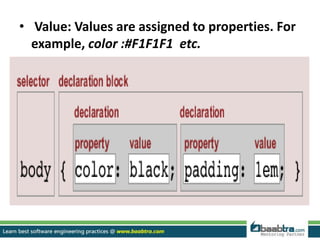
• A CSS comprises of style rules that are
interpreted by the browser and then applied
to the corresponding elements in your
document. A style rule is made of three parts:
• Selector:
Eg:<h1> or <table> etc.
• Property: A property is a type of attribute of
HTML tag.. They could be color, border, etc.
• Value: Values are assigned to properties. For
example, color :#F1F1F1 etc.
Different Ways To Format CSS
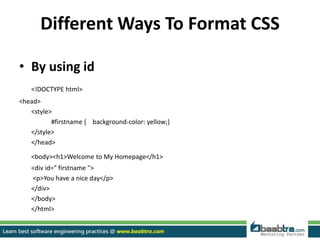
• By using id
<!DOCTYPE html>
<head>
<style>
#firstname { background-color: yellow;}
</style>
</head>
<body><h1>Welcome to My Homepage</h1>
<div id=" firstname ">
<p>You have a nice day</p>
</div>
</body>
</html>
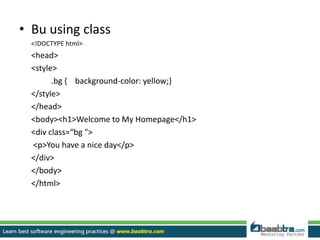
• Bu using class
<!DOCTYPE html>
<head>
<style>
.bg { background-color: yellow;}
</style>
</head>
<body><h1>Welcome to My Homepage</h1>
<div class=“bg ">
<p>You have a nice day</p>
</div>
</body>
</html>
• By using tags
<!DOCTYPE html>
<head>
<style>
body {
color: red;
}
</style>
</head>
<body><h1>Welcome to My Homepage</h1>
<p>You have a nice day</p>
</body>
</html>
INCLUSION
• Four ways to associate styles with your HTML
document
• Commonly used methods are inline CSS and
External CSS
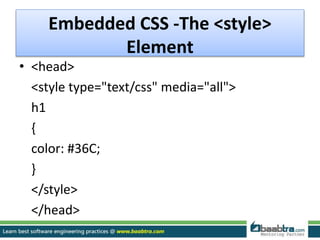
Embedded CSS -The <style>
Element
• <head>
<style type="text/css" media="all">
h1
{
color: #36C;
}
</style>
</head>
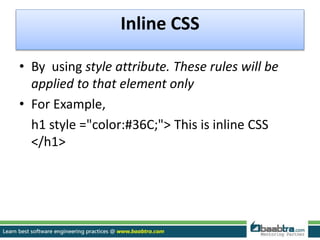
Inline CSS
• By using style attribute. These rules will be
applied to that element only
• For Example,
h1 style ="color:#36C;"> This is inline CSS
</h1>
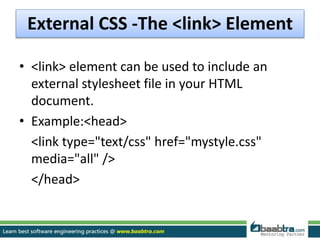
External CSS -The <link> Element
• <link> element can be used to include an
external stylesheet file in your HTML
document.
• Example:<head>
<link type="text/css" href="mystyle.css"
media="all" />
</head>
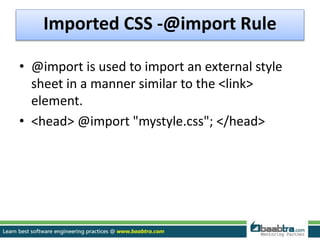
Imported CSS -@import Rule
• @import is used to import an external style
sheet in a manner similar to the <link>
element.
• <head> @import "mystyle.css"; </head>
MEASUREMENT UNITS
• % -Percentage
• cm –centimeters
• em - relative measurement for the height of a
font in em spaces.
• in -inches
• mm-millimeter
• px-screen pixels
Style Properties
Color Properties
 Background Properties
 Font Properties
 Text Properties
 Border Properties
 Table Properties
 Marquee Properties
Example
<!DOCTYPE html>
<html>
<head>
<style>
body { color: red; }
h1 { color: #00ff00; }
p.ex { color: rgb(0,0,255); }
</style>
</head>
<body><h1>This is heading 1</h1>
<p>This is an ordinary paragraph. Notice that this text is red. The default text-
color for a page is defined in the body selector.</p>
<p class="ex">This is a paragraph with class="ex". This text is blue.</p>
</body></html>
Thankyou…
Want to learn more about programming or Looking to become a good programmer?
Are you wasting time on searching so many contents online?
Do you want to learn things quickly?
Tired of spending huge amount of money to become a Software professional?
Do an online course
@ baabtra.com
We put industry standards to practice. Our structured, activity based courses are so designed
to make a quick, good software professional out of anybody who holds a passion for coding.
Follow us @ twitter.com/baabtra
Like us @ facebook.com/baabtra
Subscribe to us @ youtube.com/baabtra
Become a follower @ slideshare.net/BaabtraMentoringPartner
Connect to us @ in.linkedin.com/in/baabtra
Give a feedback @ massbaab.com/baabtra
Thanks in advance
www.baabtra.com | www.massbaab.com |www.baabte.com
Emarald Mall (Big Bazar Building)
Mavoor Road, Kozhikode,
Kerala, India.
Ph: + 91 – 495 40 25 550
NC Complex, Near Bus Stand
Mukkam, Kozhikode,
Kerala, India.
Ph: + 91 – 495 40 25 550
Cafit Square,
Hilite Business Park,
Near Pantheerankavu,
Kozhikode
Start up Village
Eranakulam,
Kerala, India.
Email: info@baabtra.com
Contact Us

Css with example

  • 2.
    Disclaimer: This presentationis prepared by trainees of baabtra as a part of mentoring program. This is not official document of baabtra –Mentoring Partner Baabtra-Mentoring Partner is the mentoring division of baabte System Technologies Pvt . Ltd
  • 3.
  • 4.
    CSS • CSS standsfor Cascading Style Sheets. • CSS is used to control the style of a web document in a simple and easy way • Simple & Reusable • Separate content from presentation • separate content from presentation
  • 5.
    Advantages of CSS •CSS saves time • Easy maintenance • Superior styles to HTML • Pages load faster • Multiple Device Compatibility • Global web standards Disadvantages of css • Browser support for style sheets is inconsistent
  • 6.
    Who Creates andMaintains CSS? • CSS is created and maintained through a group of people within the W3C called the CSS Working Group • Specifications-Document
  • 7.
    SYNTAX • A CSScomprises of style rules that are interpreted by the browser and then applied to the corresponding elements in your document. A style rule is made of three parts: • Selector: Eg:<h1> or <table> etc. • Property: A property is a type of attribute of HTML tag.. They could be color, border, etc.
  • 8.
    • Value: Valuesare assigned to properties. For example, color :#F1F1F1 etc.
  • 9.
    Different Ways ToFormat CSS • By using id <!DOCTYPE html> <head> <style> #firstname { background-color: yellow;} </style> </head> <body><h1>Welcome to My Homepage</h1> <div id=" firstname "> <p>You have a nice day</p> </div> </body> </html>
  • 10.
    • Bu usingclass <!DOCTYPE html> <head> <style> .bg { background-color: yellow;} </style> </head> <body><h1>Welcome to My Homepage</h1> <div class=“bg "> <p>You have a nice day</p> </div> </body> </html>
  • 11.
    • By usingtags <!DOCTYPE html> <head> <style> body { color: red; } </style> </head> <body><h1>Welcome to My Homepage</h1> <p>You have a nice day</p> </body> </html>
  • 12.
    INCLUSION • Four waysto associate styles with your HTML document • Commonly used methods are inline CSS and External CSS
  • 13.
    Embedded CSS -The<style> Element • <head> <style type="text/css" media="all"> h1 { color: #36C; } </style> </head>
  • 14.
    Inline CSS • Byusing style attribute. These rules will be applied to that element only • For Example, h1 style ="color:#36C;"> This is inline CSS </h1>
  • 15.
    External CSS -The<link> Element • <link> element can be used to include an external stylesheet file in your HTML document. • Example:<head> <link type="text/css" href="mystyle.css" media="all" /> </head>
  • 16.
    Imported CSS -@importRule • @import is used to import an external style sheet in a manner similar to the <link> element. • <head> @import "mystyle.css"; </head>
  • 17.
    MEASUREMENT UNITS • %-Percentage • cm –centimeters • em - relative measurement for the height of a font in em spaces. • in -inches • mm-millimeter • px-screen pixels
  • 18.
    Style Properties Color Properties Background Properties  Font Properties  Text Properties  Border Properties  Table Properties  Marquee Properties
  • 19.
    Example <!DOCTYPE html> <html> <head> <style> body {color: red; } h1 { color: #00ff00; } p.ex { color: rgb(0,0,255); } </style> </head> <body><h1>This is heading 1</h1> <p>This is an ordinary paragraph. Notice that this text is red. The default text- color for a page is defined in the body selector.</p> <p class="ex">This is a paragraph with class="ex". This text is blue.</p> </body></html>
  • 20.
  • 21.
    Want to learnmore about programming or Looking to become a good programmer? Are you wasting time on searching so many contents online? Do you want to learn things quickly? Tired of spending huge amount of money to become a Software professional? Do an online course @ baabtra.com We put industry standards to practice. Our structured, activity based courses are so designed to make a quick, good software professional out of anybody who holds a passion for coding.
  • 22.
    Follow us @twitter.com/baabtra Like us @ facebook.com/baabtra Subscribe to us @ youtube.com/baabtra Become a follower @ slideshare.net/BaabtraMentoringPartner Connect to us @ in.linkedin.com/in/baabtra Give a feedback @ massbaab.com/baabtra Thanks in advance www.baabtra.com | www.massbaab.com |www.baabte.com
  • 23.
    Emarald Mall (BigBazar Building) Mavoor Road, Kozhikode, Kerala, India. Ph: + 91 – 495 40 25 550 NC Complex, Near Bus Stand Mukkam, Kozhikode, Kerala, India. Ph: + 91 – 495 40 25 550 Cafit Square, Hilite Business Park, Near Pantheerankavu, Kozhikode Start up Village Eranakulam, Kerala, India. Email: info@baabtra.com Contact Us