Subject: CSS1 – Computer System Servicing
LEARNING MATERIALS 1.1
Topic: Occupational Health
and Safety Procedures
Objectives:
At the end of this session, you
are expected to be able to:
1.Understand what Occupational Health and Safety
(OHS) procedures are.
2. Apply OHS policies and procedures in assembling
computer hardware.
3.List and identify tools and equipment in performing
PC assembly and disassembly.
4. Know and understand the difference between
tools, materials and equipment.
Occupational
Health and
Safety
Procedures
Unit assembly is planned and
prepared to ensure OHS policies
and procedures are followed in
accordance with systems
requirements. Materials
necessary to complete the work
are identified and obtained in
accordance with established
procedures and checked against
systems requirements.
Occupational
Health and
Safety
Procedures
Tools, equipment and testing devices
needed to carry out the installation
work are obtained in accordance with
established procedures and checked
for correct operation and safety.
Occupation Health and Safety refers to
the legislation, policies, procedures and
activities that aim to protect the
health, safety and welfare of all people
at the workplace. The purpose of the
Health and Safety policies and
procedures is to guide and direct all
trainees to work safely and prevent
injury, to themselves and others.
12 Occupational
Health and
Safety
procedures in
the Computer
Laboratory
Do not work alone so that there's
someone who can take care of you in
case of emergency.
Always power off the computer and
unplug the computer before working on
it.
Take away any liquid near your working
area to avoid getting electrocuted or
accidentally damaging computer parts.
Be careful with tools that may cause
short circuit.
12 Occupational
Health and
Safety
procedures in
the Computer
Laboratory
Always ground or discharge yourself
before touching any part of the
computer.
Do not use excessive force if things
don't quite slip into place.
Clean the area before and after
using it to maintain sanitation and
prevent accidents.
Hold the components on the edges
and do not touch the Integrated
Circuit (IC) parts.
12 Occupational
Health and
Safety
procedures in
the Computer
Laboratory
Always wear personal protective
equipment (PPE) in accordance with
the organization's OHS procedures and
practices.
Make sure that the pins are properly
aligned when connecting a cable
connector.
Contingency measures during
workplace accidents, fire and other
emergencies are recognized.
Use brush, compressed air or blower in
cleaning the computer system.
12 Occupational
Health and
Safety
procedures in
the Computer
Laboratory
Always wear personal protective
equipment (PPE) in accordance with
the organization's OHS procedures and
practices.
Make sure that the pins are properly
aligned when connecting a cable
connector.
Contingency measures during
workplace accidents, fire and other
emergencies are recognized.
Use brush, compressed air or blower in
cleaning the computer system.
Workplace
hazards
Employers have a
responsibility to protect
workers against health
and safety hazards at
work. Workers have the
right to know about
potential hazards and to
refuse work that they
believe is dangerous.
There are four main types of
workplace hazards:
• Physical hazards
• Ergonomic hazards
• Chemical hazards
• Biological hazards
Physical
hazards
The most common hazards
and are present in most
workplaces at some time.
Examples include: frayed
electrical cords, unguarded
machinery, exposed moving
parts, constant loud noise,
vibrations, working from
ladders, scaffolding or
heights, spills, tripping
hazards.
Ergonomic
hazards
It occur when the type of
work you do, your body
position and/or your
working conditions put a
strain on your body.
Chemical
hazards
Present when you are
exposed to any
chemical preparation
(solid, liquid or gas) in
the workplace.
Biological
hazards
Come from working with
people, animals or
infectious plant material.
Examples include: blood,
saliva or other bodily fluids,
bacteria and viruses, insect
bites, animal and bird
droppings.
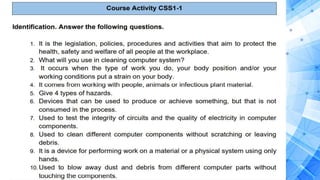
Course
Activity
CSS1-1
Identification. Answer
the following questions.
1. It is the legislation, policies, procedures and
activities that aim to protect the health,
safety and welfare of all people at the
workplace.
2. What will you use in cleaning computer
system?
3. It occurs when the type of work you do,
your body position and/or your working
conditions put a strain on your body.
4. It comes from working with people, animals
or infectious plant material.
5. Give 4 types of hazards.
For Questions and
Clarification.
Chat/call or Text me

CSS 1 WEEK 02 2021-2022.pptx

  • 1.
    Subject: CSS1 –Computer System Servicing LEARNING MATERIALS 1.1 Topic: Occupational Health and Safety Procedures
  • 2.
    Objectives: At the endof this session, you are expected to be able to: 1.Understand what Occupational Health and Safety (OHS) procedures are. 2. Apply OHS policies and procedures in assembling computer hardware. 3.List and identify tools and equipment in performing PC assembly and disassembly. 4. Know and understand the difference between tools, materials and equipment.
  • 3.
    Occupational Health and Safety Procedures Unit assemblyis planned and prepared to ensure OHS policies and procedures are followed in accordance with systems requirements. Materials necessary to complete the work are identified and obtained in accordance with established procedures and checked against systems requirements.
  • 4.
    Occupational Health and Safety Procedures Tools, equipmentand testing devices needed to carry out the installation work are obtained in accordance with established procedures and checked for correct operation and safety. Occupation Health and Safety refers to the legislation, policies, procedures and activities that aim to protect the health, safety and welfare of all people at the workplace. The purpose of the Health and Safety policies and procedures is to guide and direct all trainees to work safely and prevent injury, to themselves and others.
  • 5.
    12 Occupational Health and Safety proceduresin the Computer Laboratory Do not work alone so that there's someone who can take care of you in case of emergency. Always power off the computer and unplug the computer before working on it. Take away any liquid near your working area to avoid getting electrocuted or accidentally damaging computer parts. Be careful with tools that may cause short circuit.
  • 6.
    12 Occupational Health and Safety proceduresin the Computer Laboratory Always ground or discharge yourself before touching any part of the computer. Do not use excessive force if things don't quite slip into place. Clean the area before and after using it to maintain sanitation and prevent accidents. Hold the components on the edges and do not touch the Integrated Circuit (IC) parts.
  • 7.
    12 Occupational Health and Safety proceduresin the Computer Laboratory Always wear personal protective equipment (PPE) in accordance with the organization's OHS procedures and practices. Make sure that the pins are properly aligned when connecting a cable connector. Contingency measures during workplace accidents, fire and other emergencies are recognized. Use brush, compressed air or blower in cleaning the computer system.
  • 8.
    12 Occupational Health and Safety proceduresin the Computer Laboratory Always wear personal protective equipment (PPE) in accordance with the organization's OHS procedures and practices. Make sure that the pins are properly aligned when connecting a cable connector. Contingency measures during workplace accidents, fire and other emergencies are recognized. Use brush, compressed air or blower in cleaning the computer system.
  • 9.
    Workplace hazards Employers have a responsibilityto protect workers against health and safety hazards at work. Workers have the right to know about potential hazards and to refuse work that they believe is dangerous.
  • 10.
    There are fourmain types of workplace hazards: • Physical hazards • Ergonomic hazards • Chemical hazards • Biological hazards
  • 11.
    Physical hazards The most commonhazards and are present in most workplaces at some time. Examples include: frayed electrical cords, unguarded machinery, exposed moving parts, constant loud noise, vibrations, working from ladders, scaffolding or heights, spills, tripping hazards.
  • 12.
    Ergonomic hazards It occur whenthe type of work you do, your body position and/or your working conditions put a strain on your body.
  • 13.
    Chemical hazards Present when youare exposed to any chemical preparation (solid, liquid or gas) in the workplace.
  • 14.
    Biological hazards Come from workingwith people, animals or infectious plant material. Examples include: blood, saliva or other bodily fluids, bacteria and viruses, insect bites, animal and bird droppings.
  • 15.
    Course Activity CSS1-1 Identification. Answer the followingquestions. 1. It is the legislation, policies, procedures and activities that aim to protect the health, safety and welfare of all people at the workplace. 2. What will you use in cleaning computer system? 3. It occurs when the type of work you do, your body position and/or your working conditions put a strain on your body. 4. It comes from working with people, animals or infectious plant material. 5. Give 4 types of hazards.
  • 17.

Editor's Notes

  • #2 Good Morning Students!! How’s your weekend?? For this week we will learn about Occupational Health and Safety Procedures.
  • #16 Answer the following questions and kindly submit picture of this activity within this week.