Creating URL Providers for Your
Custom Extensions
Brian Dukes, Engage
@BrianDukes

Don’t forget to include #DNNCon in your tweets!

@DNNCon
What It Is
• Extension URL Provider

Don’t forget to include #DNNCon in your tweets!

@DNNCon
How it works – Prerequisites
• DNN 7.1
• Advanced URL Provider

Don’t forget to include #DNNCon in your tweets!

@DNNCon
How it works – Install & Manage
• Just a component in a package
• Optionally tied to a desktop module
• Managed through Site Settings

Don’t forget to include #DNNCon in your tweets!

@DNNCon
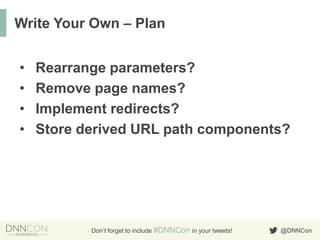
Write Your Own – Plan
•
•
•
•

Rearrange parameters?
Remove page names?
Implement redirects?
Store derived URL path components?

Don’t forget to include #DNNCon in your tweets!

@DNNCon
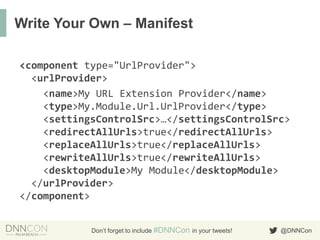
Write Your Own – Manifest
<component type="UrlProvider">
<urlProvider>
<name>My URL Extension Provider</name>
<type>My.Module.Url.UrlProvider</type>
<settingsControlSrc>…</settingsControlSrc>
<redirectAllUrls>true</redirectAllUrls>
<replaceAllUrls>true</replaceAllUrls>
<rewriteAllUrls>true</rewriteAllUrls>
<desktopModule>My Module</desktopModule>
</urlProvider>
</component>
Don’t forget to include #DNNCon in your tweets!

@DNNCon
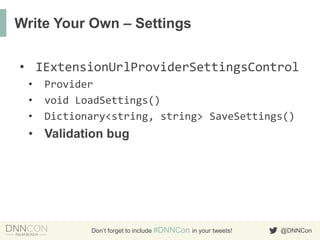
Write Your Own – Settings
• IExtensionUrlProviderSettingsControl
•
•
•

Provider
void LoadSettings()
Dictionary<string, string> SaveSettings()

• Validation bug

Don’t forget to include #DNNCon in your tweets!

@DNNCon
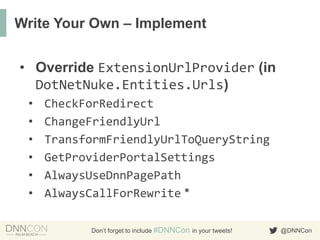
Write Your Own – Implement
• Override ExtensionUrlProvider (in
DotNetNuke.Entities.Urls)
•
•
•
•
•
•

CheckForRedirect
ChangeFriendlyUrl
TransformFriendlyUrlToQueryString
GetProviderPortalSettings
AlwaysUseDnnPagePath
AlwaysCallForRewrite *
Don’t forget to include #DNNCon in your tweets!

@DNNCon
Write Your Own – Utilities
• ProviderConfig
• CleanNameForUrl(
string, FriendlyUrlOptions)
• EnsureLeadingChar(string, string)
• EnsureNotLeadingChar(
string, string)
• CreateQueryStringFromParameters(
string[], int)
Don’t forget to include #DNNCon in your tweets!

@DNNCon
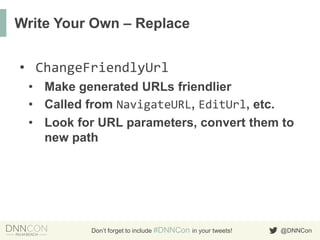
Write Your Own – Replace
• ChangeFriendlyUrl
• Make generated URLs friendlier
• Called from NavigateURL, EditUrl, etc.
• Look for URL parameters, convert them to
new path

Don’t forget to include #DNNCon in your tweets!

@DNNCon
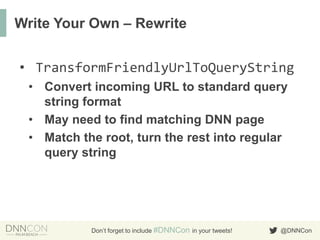
Write Your Own – Rewrite
• TransformFriendlyUrlToQueryString
• Convert incoming URL to standard query
string format
• May need to find matching DNN page
• Match the root, turn the rest into regular
query string

Don’t forget to include #DNNCon in your tweets!

@DNNCon
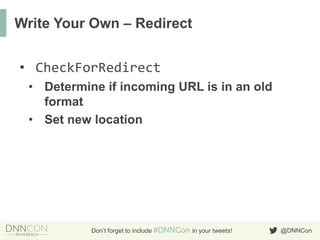
Write Your Own – Redirect
• CheckForRedirect
• Determine if incoming URL is in an old
format
• Set new location

Don’t forget to include #DNNCon in your tweets!

@DNNCon
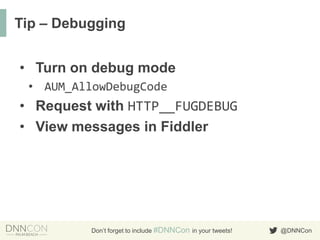
Tip – Debugging
• Turn on debug mode
• AUM_AllowDebugCode

• Request with HTTP__FUGDEBUG
• View messages in Fiddler

Don’t forget to include #DNNCon in your tweets!

@DNNCon
THANKS TO ALL OF OUR GENEROUS
SPONSORS!

Don’t forget to include #DNNCon in your tweets!

@DNNCon

Creating URL Providers for your Custom Extensions

  • 1.
    Creating URL Providersfor Your Custom Extensions Brian Dukes, Engage @BrianDukes Don’t forget to include #DNNCon in your tweets! @DNNCon
  • 2.
    What It Is •Extension URL Provider Don’t forget to include #DNNCon in your tweets! @DNNCon
  • 3.
    How it works– Prerequisites • DNN 7.1 • Advanced URL Provider Don’t forget to include #DNNCon in your tweets! @DNNCon
  • 4.
    How it works– Install & Manage • Just a component in a package • Optionally tied to a desktop module • Managed through Site Settings Don’t forget to include #DNNCon in your tweets! @DNNCon
  • 5.
    Write Your Own– Plan • • • • Rearrange parameters? Remove page names? Implement redirects? Store derived URL path components? Don’t forget to include #DNNCon in your tweets! @DNNCon
  • 6.
    Write Your Own– Manifest <component type="UrlProvider"> <urlProvider> <name>My URL Extension Provider</name> <type>My.Module.Url.UrlProvider</type> <settingsControlSrc>…</settingsControlSrc> <redirectAllUrls>true</redirectAllUrls> <replaceAllUrls>true</replaceAllUrls> <rewriteAllUrls>true</rewriteAllUrls> <desktopModule>My Module</desktopModule> </urlProvider> </component> Don’t forget to include #DNNCon in your tweets! @DNNCon
  • 7.
    Write Your Own– Settings • IExtensionUrlProviderSettingsControl • • • Provider void LoadSettings() Dictionary<string, string> SaveSettings() • Validation bug Don’t forget to include #DNNCon in your tweets! @DNNCon
  • 8.
    Write Your Own– Implement • Override ExtensionUrlProvider (in DotNetNuke.Entities.Urls) • • • • • • CheckForRedirect ChangeFriendlyUrl TransformFriendlyUrlToQueryString GetProviderPortalSettings AlwaysUseDnnPagePath AlwaysCallForRewrite * Don’t forget to include #DNNCon in your tweets! @DNNCon
  • 9.
    Write Your Own– Utilities • ProviderConfig • CleanNameForUrl( string, FriendlyUrlOptions) • EnsureLeadingChar(string, string) • EnsureNotLeadingChar( string, string) • CreateQueryStringFromParameters( string[], int) Don’t forget to include #DNNCon in your tweets! @DNNCon
  • 10.
    Write Your Own– Replace • ChangeFriendlyUrl • Make generated URLs friendlier • Called from NavigateURL, EditUrl, etc. • Look for URL parameters, convert them to new path Don’t forget to include #DNNCon in your tweets! @DNNCon
  • 11.
    Write Your Own– Rewrite • TransformFriendlyUrlToQueryString • Convert incoming URL to standard query string format • May need to find matching DNN page • Match the root, turn the rest into regular query string Don’t forget to include #DNNCon in your tweets! @DNNCon
  • 12.
    Write Your Own– Redirect • CheckForRedirect • Determine if incoming URL is in an old format • Set new location Don’t forget to include #DNNCon in your tweets! @DNNCon
  • 13.
    Tip – Debugging •Turn on debug mode • AUM_AllowDebugCode • Request with HTTP__FUGDEBUG • View messages in Fiddler Don’t forget to include #DNNCon in your tweets! @DNNCon
  • 14.
    THANKS TO ALLOF OUR GENEROUS SPONSORS! Don’t forget to include #DNNCon in your tweets! @DNNCon