Web Design with Google Sites
Key Elements  of Site Development Purpose  what will you use the site for? classroom mangement student ePortfolios collaborative project Content relevant & organized (be selective) Navigation user friendly  Visual Design branding, or look and feel      
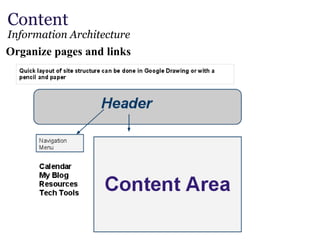
Content  Information Architecture Organize pages and links 
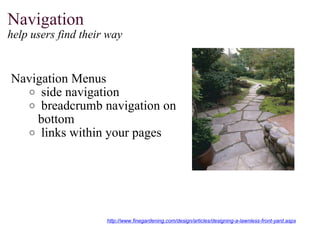
Navigation   help users find their way    Navigation Menus   side navigation   breadcrumb navigation on bottom   links within your pages http://www.finegardening.com/design/articles/designing-a-lawnless-front-yard.aspx
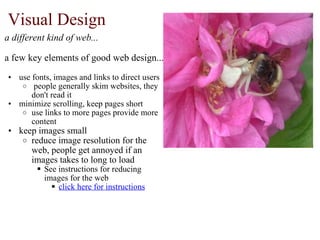
Visual Design  a different kind of web... a few key elements of good web design... use fonts, images and links to direct users   people generally skim websites, they don't read it minimize scrolling, keep pages short  use links to more pages provide more content keep images small  reduce image resolution for the web, people get annoyed if an images takes to long to load See instructions for reducing images for the web click here for instructions
Start Designing Google's Sites: https://www.google.com/support/sites/bin/static.py?hl=en&page=guide.cs&guide=23216 Example School Sites: http://www.joycepto.org/ http://sites.google.com/site/googlitics/ http://sites.google.com/site/thephotoweb/ Resources: http://webdesign.about.com/od/webdesignbasics/u/webdesignbasics.htm#s5 http://www.siteshelp.com/

Creating google sites

  • 1.
    Web Design withGoogle Sites
  • 2.
    Key Elements of Site Development Purpose  what will you use the site for? classroom mangement student ePortfolios collaborative project Content relevant & organized (be selective) Navigation user friendly  Visual Design branding, or look and feel      
  • 3.
    Content  Information ArchitectureOrganize pages and links 
  • 4.
    Navigation   helpusers find their way    Navigation Menus   side navigation   breadcrumb navigation on bottom   links within your pages http://www.finegardening.com/design/articles/designing-a-lawnless-front-yard.aspx
  • 5.
    Visual Design  adifferent kind of web... a few key elements of good web design... use fonts, images and links to direct users   people generally skim websites, they don't read it minimize scrolling, keep pages short  use links to more pages provide more content keep images small  reduce image resolution for the web, people get annoyed if an images takes to long to load See instructions for reducing images for the web click here for instructions
  • 6.
    Start Designing Google'sSites: https://www.google.com/support/sites/bin/static.py?hl=en&page=guide.cs&guide=23216 Example School Sites: http://www.joycepto.org/ http://sites.google.com/site/googlitics/ http://sites.google.com/site/thephotoweb/ Resources: http://webdesign.about.com/od/webdesignbasics/u/webdesignbasics.htm#s5 http://www.siteshelp.com/