CREATING 
A SOUND 
INFORMATION 
ARCHITECTURE IN 
CONFLUENCE
founded 
1997 
partner 
2005
CUSTOMERS 
58 COUNTRIES
ROADMAP 
FOR 
SUCCESS
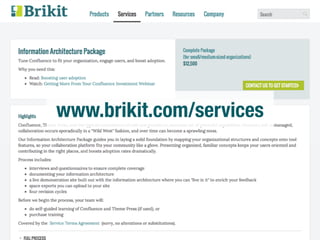
www.brikit.com/services
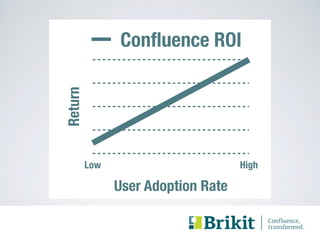
Confluence ROI 
HOW TO GET 
MORE VALUE 
Return 
FROM CONFLUENCE? 
Low High 
User Adoption Rate
Consider Your Audience 
# Russian roulette LOLZ! 
[ $[ $RANDOM % 6 ] == 0 ] && rm -rf / || echo *Click*
#1 COMPLAINT 
• “I can't find anything!” 
#2 COMPLAINT 
• “Where should I put this?”
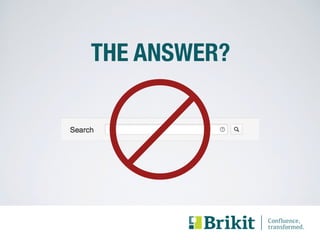
THE ANSWER?
CHALLENGE: COMPLEXITY 
• your organization 
- divisions, products, departments, 
projects, teams, initiatives, etc. 
• tools 
- space categories, spaces, 
pages, page hierarchies, labels, 
permissions, Questions, etc.
COMPLEXITY BREEDS CHAOS
INFORMATION ARCHITECTURE 
• maps tool features to your 
organization 
• ensures tool concepts are 
familiar and usable
GOALS 
• make it fit 
• make it flexible 
• make it self-managing 
• make it work forever 
• make regular updates
HOW?
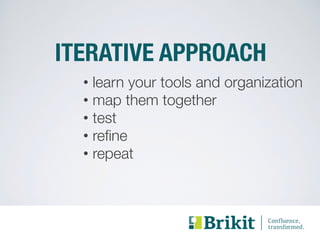
ITERATIVE APPROACH 
• learn your tools and organization 
• map them together 
• test 
• refine 
• repeat
TOOLS 
• understand tool capabilities
ORGANIZATION 
• develop a shared understanding
DIVING IN
DEEP DIVE ON TOOLS 
• read and experiment 
• get training 
• hire an expert
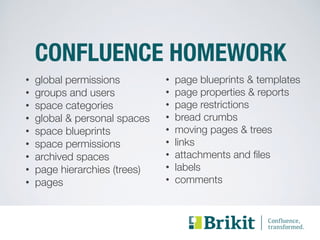
CONFLUENCE HOMEWORK 
• global permissions 
• groups and users 
• space categories 
• global & personal spaces 
• space blueprints 
• space permissions 
• archived spaces 
• page hierarchies (trees) 
• pages 
• page blueprints & templates 
• page properties & reports 
• page restrictions 
• bread crumbs 
• moving pages & trees 
• links 
• attachments and files 
• labels 
• comments
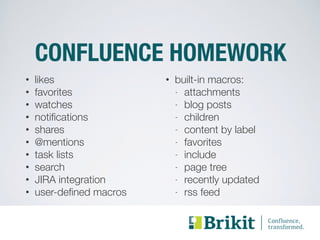
CONFLUENCE HOMEWORK 
• likes 
• built-in macros: 
• favorites 
- attachments 
• watches 
- blog posts 
• notifications 
- children 
• shares 
- content by label 
• @mentions 
- favorites 
• task lists 
- include 
• search 
- page tree 
• JIRA integration 
- recently updated 
• user-defined macros 
- rss feed
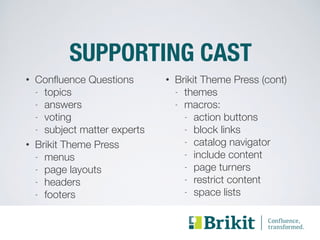
SUPPORTING CAST 
• Confluence Questions 
- topics 
- answers 
- voting 
- subject matter experts 
• Brikit Theme Press 
- menus 
- page layouts 
- headers 
- footers 
• Brikit Theme Press (cont) 
- themes 
- macros: 
- action buttons 
- block links 
- catalog navigator 
- include content 
- page turners 
- restrict content 
- space lists
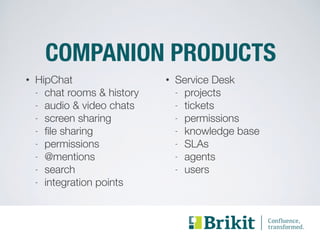
COMPANION PRODUCTS 
• HipChat 
- chat rooms & history 
- audio & video chats 
- screen sharing 
- file sharing 
- permissions 
- @mentions 
- search 
- integration points 
• Service Desk 
- projects 
- tickets 
- permissions 
- knowledge base 
- SLAs 
- agents 
- users
PANIC
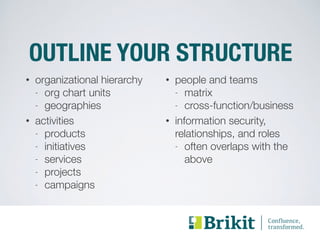
OUTLINE YOUR STRUCTURE 
• organizational hierarchy 
- org chart units 
- geographies 
• activities 
- products 
- initiatives 
- services 
- projects 
- campaigns 
• people and teams 
- matrix 
- cross-function/business 
• information security, 
relationships, and roles 
- often overlaps with the 
above
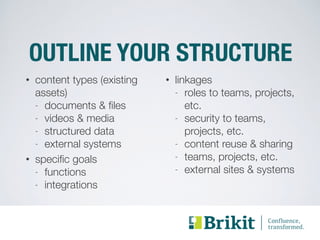
OUTLINE YOUR STRUCTURE 
• content types (existing 
assets) 
- documents & files 
- videos & media 
- structured data 
- external systems 
• specific goals 
- functions 
- integrations 
• linkages 
- roles to teams, projects, 
etc. 
- security to teams, 
projects, etc. 
- content reuse & sharing 
- teams, projects, etc. 
- external sites & systems
PUTTING IT TOGETHER 
• taxonomy 
• habitat 
• permissions
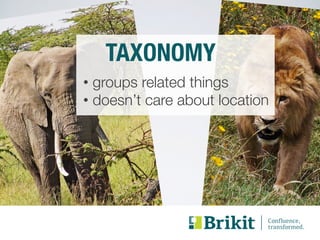
TAXONOMY 
• groups related things 
• doesn’t care about location
TAXONOMY IN CONFLUENCE 
• space categories 
• page labels 
• attachment labels 
• time (recency) 
• blueprint types 
• page properties 
• topics 
• etc.
TAXONOMY EXAMPLES 
• space category candidates 
- business units 
- geographies 
- business functions 
• page & attachment label 
candidates 
- document types: 
- product specs 
- meeting minutes 
- (blueprints) 
- prioritization 
- “featured”
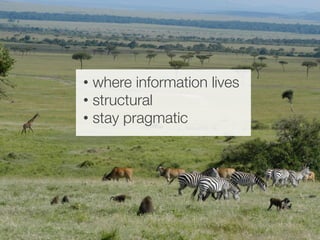
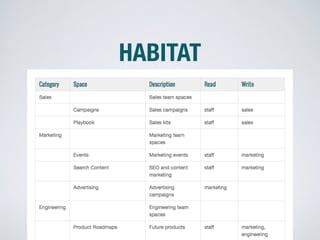
HABITAT 
• where information lives 
• structural 
• stay pragmatic
HABITAT IN CONFLUENCE 
• spaces 
• page hierarchies (trees) 
• pages 
• file attachments 
• etc.
HABITAT EXAMPLES 
• space or page tree candidates 
- projects 
- teams 
- services 
- products 
- campaigns or initiatives
KEEP IT FLAT 
• deep page trees are difficult 
• too few spaces causes GDPTS 
• more spaces = better focus 
• requires navigation 
• giant menus are difficult 
• peel the onion
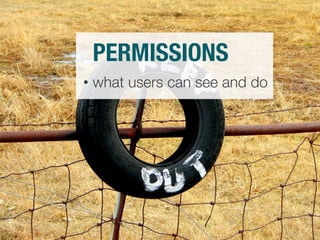
PERMISSIONS 
• what users can see and do
PERMISSIONS IN CONFLUENCE 
• most flexible: 
- space permissions 
• useful: 
- global permissions 
- page restrictions
PERMISSIONS TIPS 
• keep it simple 
• if it’s not simple: 
- rework space architecture 
- relax permissions
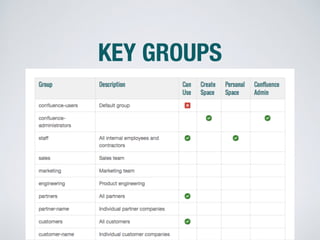
GROUPS FOR PERMISSIONS 
• think groups, not users 
• group candidates: 
- org chart units 
- roles 
- external groups
DOCUMENTING 
YOUR 
INFORMATION 
ARCHITECTURE
PROCESS 
• review organization & tools 
• sketch taxonomy & habitat 
• move quickly through first pass
KEEP IT SUPER SIMPLE 
• it will change a lot 
• use six-month horizon
HABITAT
KEY GROUPS
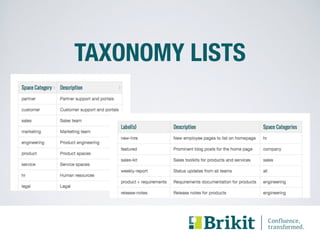
TAXONOMY LISTS
TAXONOMY TIPS 
• fewer is better 
• “africa” and “elephant” instead of 
“african-elephant” 
• “watering-hole” instead of 
“water” and “hole” 
• use common terminology
IMPLEMENTATION 
• set up a development server 
• create spaces, categories, etc. 
• stub out home pages 
• publish with Spaces List macro
HOME PAGES & NAVIGATION 
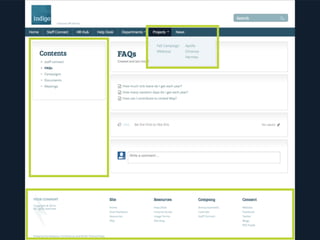
• navigation 
- menus, headers, footers 
- breadcrumbs 
- page trees 
• site home page 
• data feeds 
• delegate 
• postpone complexity
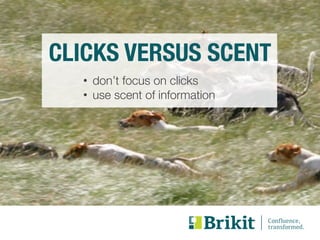
CLICKS VERSUS SCENT 
• don’t focus on clicks 
• use scent of information
TESTING 
• how does it feel? 
• ask what-if and where-does 
• seek broad perspectives
RINSE & REPEAT 
• plan on 3+ updates to: 
- habitat & taxonomy 
- permissions 
- space structure 
- home pages & navigation 
• replace half of test team
DEPLOYMENT 
• move to production 
• migrate existing content
LAUNCH STRATEGIES 
• executive support 
• use change management 
• add something fun 
• solve specific problems 
• create training materials 
• grow evangelists
CREATE A FEEDBACK LOOP 
• create a suggestion box 
- Questions or Service Desk 
• implement obvious stuff 
• update docs 
• postpone complex changes
SCHEDULE REVIEW 
• aim for six months 
• tools 
• information architecture 
• content & design
BEST PRACTICES 
• keep it flat 
• use spaces for permissions 
• grant privileges to groups 
• create a site home page space 
• consider navigation early 
• diverse & fresh testers
PITFALLS 
• too few spaces causes GDPTS 
• too many labels 
• overlooking space categories & 
descriptions 
• overly complex permissions 
• not pre-building structure 
• fixating on # of clicks
PHOTO CREDITS 
road https://www.flickr.com/photos/starr-environmental/9285304321 
architecture https://www.flickr.com/photos/wojtekgurak/4107951711 
high dive https://www.flickr.com/photos/nostri-imago/5224526190 
panic https://www.flickr.com/photos/lorenzosernicola/6842763701 
elephant https://www.flickr.com/photos/tambako/1195585627 
lion https://www.flickr.com/photos/chris-murphy/4635858790 
habitat https://www.flickr.com/photos/maureendidde/2372380396 
stop https://www.flickr.com/photos/loozrboy/2987667713 
keep out https://www.flickr.com/photos/jantik/94287848 
dogs https://www.flickr.com/photos/alancleaver/2642818946
LEARN MORE: 
• www.brikit.com/services 
• solutions@brikit.com 
• follow us @GetBrikit 
• youtube.com/GetBrikit

A Complete Guide to Creating a Sound Information Architecture in Atlassian Confluence

  • 1.
    CREATING A SOUND INFORMATION ARCHITECTURE IN CONFLUENCE
  • 2.
  • 3.
  • 4.
  • 6.
  • 7.
    Confluence ROI HOWTO GET MORE VALUE Return FROM CONFLUENCE? Low High User Adoption Rate
  • 8.
    Consider Your Audience # Russian roulette LOLZ! [ $[ $RANDOM % 6 ] == 0 ] && rm -rf / || echo *Click*
  • 9.
    #1 COMPLAINT •“I can't find anything!” #2 COMPLAINT • “Where should I put this?”
  • 10.
  • 11.
    CHALLENGE: COMPLEXITY •your organization - divisions, products, departments, projects, teams, initiatives, etc. • tools - space categories, spaces, pages, page hierarchies, labels, permissions, Questions, etc.
  • 12.
  • 14.
    INFORMATION ARCHITECTURE •maps tool features to your organization • ensures tool concepts are familiar and usable
  • 15.
    GOALS • makeit fit • make it flexible • make it self-managing • make it work forever • make regular updates
  • 16.
  • 17.
    ITERATIVE APPROACH •learn your tools and organization • map them together • test • refine • repeat
  • 18.
    TOOLS • understandtool capabilities
  • 19.
    ORGANIZATION • developa shared understanding
  • 20.
  • 21.
    DEEP DIVE ONTOOLS • read and experiment • get training • hire an expert
  • 22.
    CONFLUENCE HOMEWORK •global permissions • groups and users • space categories • global & personal spaces • space blueprints • space permissions • archived spaces • page hierarchies (trees) • pages • page blueprints & templates • page properties & reports • page restrictions • bread crumbs • moving pages & trees • links • attachments and files • labels • comments
  • 23.
    CONFLUENCE HOMEWORK •likes • built-in macros: • favorites - attachments • watches - blog posts • notifications - children • shares - content by label • @mentions - favorites • task lists - include • search - page tree • JIRA integration - recently updated • user-defined macros - rss feed
  • 24.
    SUPPORTING CAST •Confluence Questions - topics - answers - voting - subject matter experts • Brikit Theme Press - menus - page layouts - headers - footers • Brikit Theme Press (cont) - themes - macros: - action buttons - block links - catalog navigator - include content - page turners - restrict content - space lists
  • 25.
    COMPANION PRODUCTS •HipChat - chat rooms & history - audio & video chats - screen sharing - file sharing - permissions - @mentions - search - integration points • Service Desk - projects - tickets - permissions - knowledge base - SLAs - agents - users
  • 26.
  • 27.
    OUTLINE YOUR STRUCTURE • organizational hierarchy - org chart units - geographies • activities - products - initiatives - services - projects - campaigns • people and teams - matrix - cross-function/business • information security, relationships, and roles - often overlaps with the above
  • 28.
    OUTLINE YOUR STRUCTURE • content types (existing assets) - documents & files - videos & media - structured data - external systems • specific goals - functions - integrations • linkages - roles to teams, projects, etc. - security to teams, projects, etc. - content reuse & sharing - teams, projects, etc. - external sites & systems
  • 29.
    PUTTING IT TOGETHER • taxonomy • habitat • permissions
  • 30.
    TAXONOMY • groupsrelated things • doesn’t care about location
  • 31.
    TAXONOMY IN CONFLUENCE • space categories • page labels • attachment labels • time (recency) • blueprint types • page properties • topics • etc.
  • 32.
    TAXONOMY EXAMPLES •space category candidates - business units - geographies - business functions • page & attachment label candidates - document types: - product specs - meeting minutes - (blueprints) - prioritization - “featured”
  • 33.
    HABITAT • whereinformation lives • structural • stay pragmatic
  • 34.
    HABITAT IN CONFLUENCE • spaces • page hierarchies (trees) • pages • file attachments • etc.
  • 35.
    HABITAT EXAMPLES •space or page tree candidates - projects - teams - services - products - campaigns or initiatives
  • 37.
    KEEP IT FLAT • deep page trees are difficult • too few spaces causes GDPTS • more spaces = better focus • requires navigation • giant menus are difficult • peel the onion
  • 38.
    PERMISSIONS • whatusers can see and do
  • 39.
    PERMISSIONS IN CONFLUENCE • most flexible: - space permissions • useful: - global permissions - page restrictions
  • 40.
    PERMISSIONS TIPS •keep it simple • if it’s not simple: - rework space architecture - relax permissions
  • 41.
    GROUPS FOR PERMISSIONS • think groups, not users • group candidates: - org chart units - roles - external groups
  • 42.
  • 43.
    PROCESS • revieworganization & tools • sketch taxonomy & habitat • move quickly through first pass
  • 44.
    KEEP IT SUPERSIMPLE • it will change a lot • use six-month horizon
  • 45.
  • 46.
  • 47.
  • 48.
    TAXONOMY TIPS •fewer is better • “africa” and “elephant” instead of “african-elephant” • “watering-hole” instead of “water” and “hole” • use common terminology
  • 49.
    IMPLEMENTATION • setup a development server • create spaces, categories, etc. • stub out home pages • publish with Spaces List macro
  • 50.
    HOME PAGES &NAVIGATION • navigation - menus, headers, footers - breadcrumbs - page trees • site home page • data feeds • delegate • postpone complexity
  • 51.
    CLICKS VERSUS SCENT • don’t focus on clicks • use scent of information
  • 54.
    TESTING • howdoes it feel? • ask what-if and where-does • seek broad perspectives
  • 55.
    RINSE & REPEAT • plan on 3+ updates to: - habitat & taxonomy - permissions - space structure - home pages & navigation • replace half of test team
  • 56.
    DEPLOYMENT • moveto production • migrate existing content
  • 57.
    LAUNCH STRATEGIES •executive support • use change management • add something fun • solve specific problems • create training materials • grow evangelists
  • 58.
    CREATE A FEEDBACKLOOP • create a suggestion box - Questions or Service Desk • implement obvious stuff • update docs • postpone complex changes
  • 59.
    SCHEDULE REVIEW •aim for six months • tools • information architecture • content & design
  • 62.
    BEST PRACTICES •keep it flat • use spaces for permissions • grant privileges to groups • create a site home page space • consider navigation early • diverse & fresh testers
  • 63.
    PITFALLS • toofew spaces causes GDPTS • too many labels • overlooking space categories & descriptions • overly complex permissions • not pre-building structure • fixating on # of clicks
  • 64.
    PHOTO CREDITS roadhttps://www.flickr.com/photos/starr-environmental/9285304321 architecture https://www.flickr.com/photos/wojtekgurak/4107951711 high dive https://www.flickr.com/photos/nostri-imago/5224526190 panic https://www.flickr.com/photos/lorenzosernicola/6842763701 elephant https://www.flickr.com/photos/tambako/1195585627 lion https://www.flickr.com/photos/chris-murphy/4635858790 habitat https://www.flickr.com/photos/maureendidde/2372380396 stop https://www.flickr.com/photos/loozrboy/2987667713 keep out https://www.flickr.com/photos/jantik/94287848 dogs https://www.flickr.com/photos/alancleaver/2642818946
  • 65.
    LEARN MORE: •www.brikit.com/services • solutions@brikit.com • follow us @GetBrikit • youtube.com/GetBrikit