C++.NET
Windows Forms Course
L03 – Controls Part 2

Mohammad Shaker
mohammadshakergtr.wordpress.com
C++.NET Windows Forms Course
@ZGTRShaker
Switching Between Forms
It’s another form..
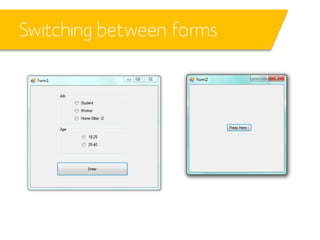
Switching between forms
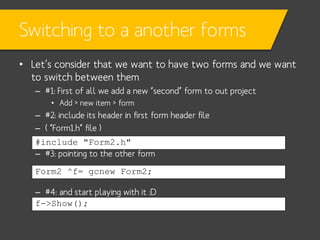
Switching to a another forms
• Let’s consider that we want to have two forms and we want
to switch between them
– #1: First of all we add a new “second” form to out project
• Add > new item > form

– #2: include its header in first form header file
– ( “Form1.h” file )
#include "Form2.h"
– #3: pointing to the other form
Form2 ^f= gcnew Form2;
– #4: and start playing with it :D
f->Show();
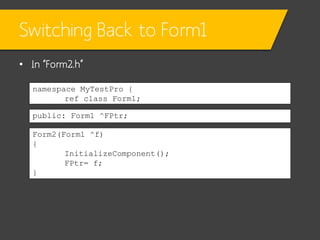
Switching Back to Form1
• In “Form2.h”
namespace MyTestPro {
ref class Form1;
public: Form1 ^FPtr;
Form2(Form1 ^f)
{
InitializeComponent();
FPtr= f;
}
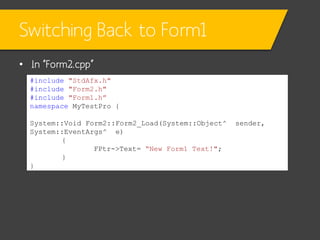
Switching Back to Form1
• In “Form2.cpp”
#include "StdAfx.h"
#include "Form2.h"
#include "Form1.h”
namespace MyTestPro {
System::Void Form2::Form2_Load(System::Object^
System::EventArgs^ e)
{
FPtr->Text= “New Form1 Text!";
}
}

sender,
Peak on Drawing Class
Point & Size
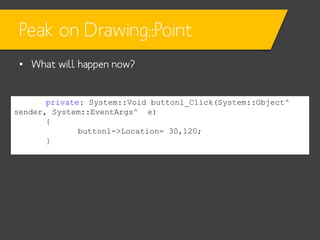
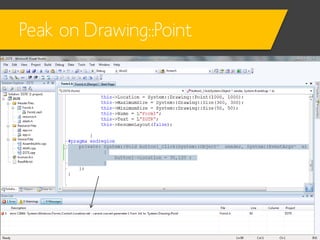
Peak on Drawing::Point
• What will happen now?

private: System::Void button1_Click(System::Object^
sender, System::EventArgs^ e)
{
button1->Location= 30,120;
}
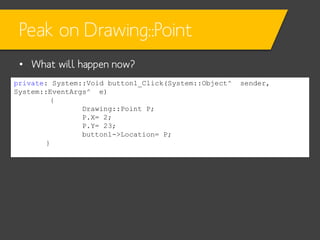
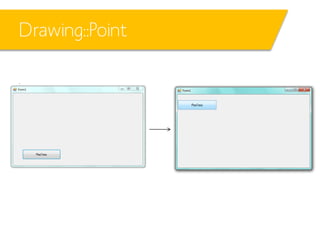
Peak on Drawing::Point
• What will happen now?
private: System::Void button1_Click(System::Object^
System::EventArgs^ e)
{
Drawing::Point P;
P.X= 2;
P.Y= 23;
button1->Location= P;
}

sender,
Drawing::Point
Helpers
Helpers

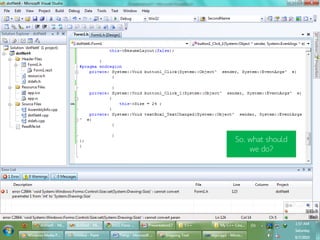
So, what should
we do?
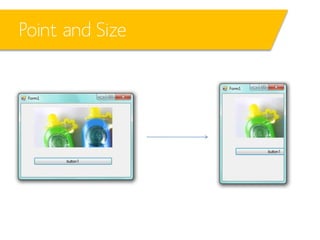
Point and Size
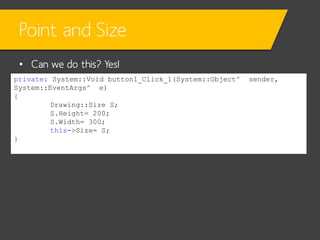
• Can we do this? Yes!
private: System::Void button1_Click_1(System::Object^
System::EventArgs^ e)
{
Drawing::Size S;
S.Height= 200;
S.Width= 300;
this->Size= S;
}

sender,
Point and Size
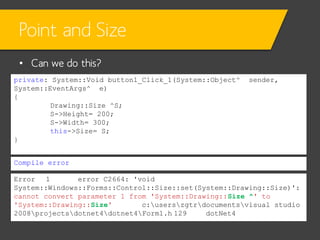
• Can we do this?
private: System::Void button1_Click_1(System::Object^
System::EventArgs^ e)
{
Drawing::Size ^S;
S->Height= 200;
S->Width= 300;
this->Size= S;
}

sender,

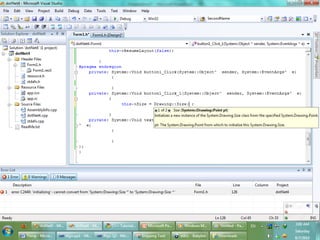
Compile error
Error
1
error C2664: 'void
System::Windows::Forms::Control::Size::set(System::Drawing::Size)':
cannot convert parameter 1 from 'System::Drawing::Size ^' to
'System::Drawing::Size'
c:userszgtrdocumentsvisual studio
2008projectsdotnet4dotnet4Form1.h 129
dotNet4
Helpers
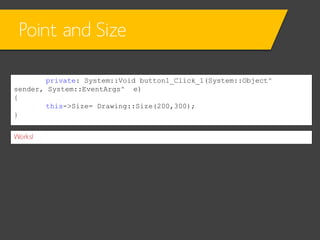
Point and Size
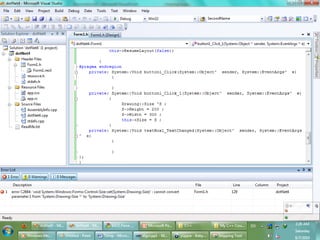
private: System::Void button1_Click_1(System::Object^
sender, System::EventArgs^ e)
{
this->Size= Drawing::Size(200,300);
}
Works!
Helpers
Point and Size
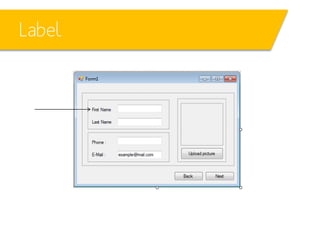
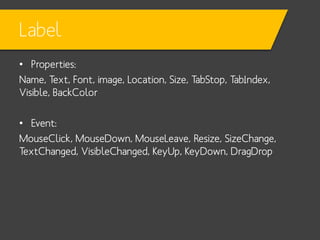
Label
Label
• Properties:
Name, Text, Font, image, Location, Size, TabStop, TabIndex,
Visible, BackColor

• Event:
MouseClick, MouseDown, MouseLeave, Resize, SizeChange,
TextChanged, VisibleChanged, KeyUp, KeyDown, DragDrop
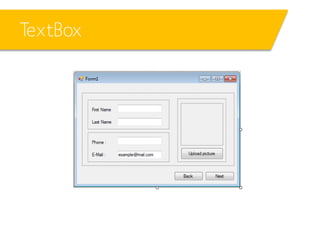
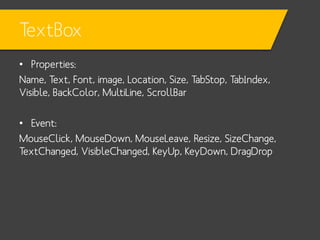
TextBox
TextBox
• Properties:
Name, Text, Font, image, Location, Size, TabStop, TabIndex,
Visible, BackColor, MultiLine, ScrollBar

• Event:
MouseClick, MouseDown, MouseLeave, Resize, SizeChange,
TextChanged, VisibleChanged, KeyUp, KeyDown, DragDrop
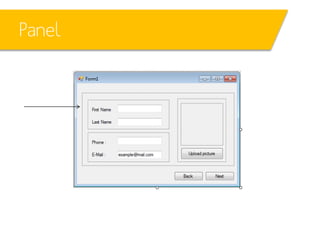
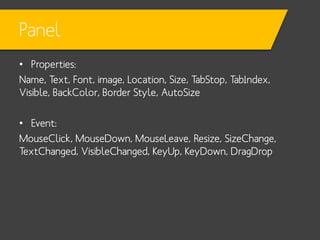
Panel
Panel
• Properties:
Name, Text, Font, image, Location, Size, TabStop, TabIndex,
Visible, BackColor, Border Style, AutoSize

• Event:
MouseClick, MouseDown, MouseLeave, Resize, SizeChange,
TextChanged, VisibleChanged, KeyUp, KeyDown, DragDrop
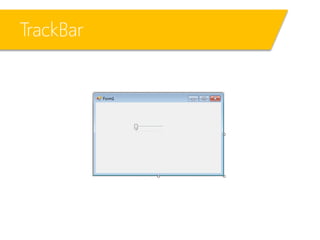
TrackBar
TrackBar
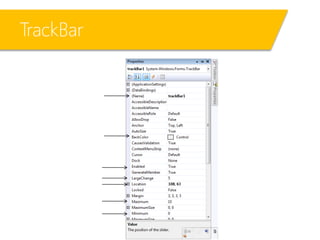
TrackBar
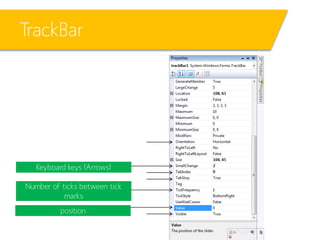
TrackBar

Keyboard keys (Arrows)
Number of ticks between tick
marks
position
TrackBar
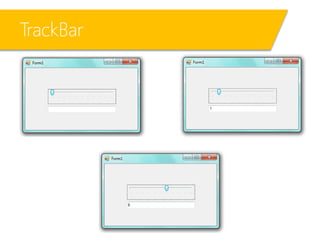
• What will happen now?
private: System::Void trackBar1_Scroll(System::Object^
System::EventArgs^ e)
{
textBox1->Text= trackBar1->Value.ToString();
}

sender,
TrackBar
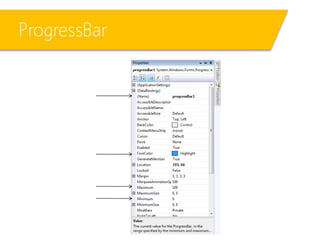
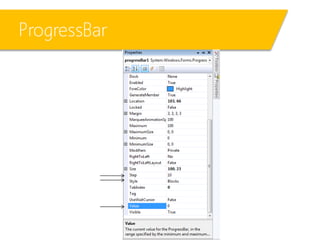
ProgressBar
ProgressBar
ProgressBar
ProgressBar
ProgressBar
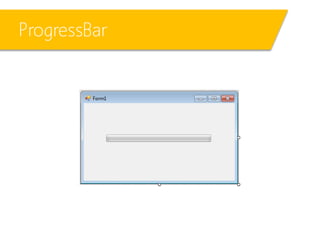
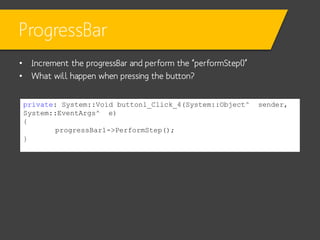
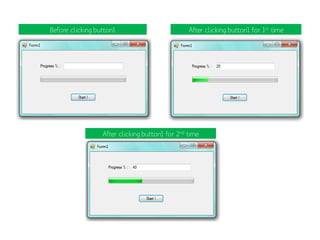
• Increment the progressBar and perform the “performStep()”
• What will happen when pressing the button?
private: System::Void button1_Click_4(System::Object^
System::EventArgs^ e)
{
progressBar1->PerformStep();
}

sender,
ProgressBar
• What will happen now when pressing the button, repeatedly?
private: System::Void button1_Click_4(System::Object^ sender,
System::EventArgs^ e)
{
progressBar1->PerformStep();
textBox1->Text= progressBar1->Value.ToString();
}
ProgressBar

Before clicking button1

After clicking button1 for 1st time

After clicking button1 for 2nd time
ProgressBar
• Another example:
– The following code example uses a ProgressBar control to display the
progress of a file copy operation. The example uses
the Minimum and Maximum properties to specify a range for
the ProgressBar that is equivalent to the number of files to copy. The
code also uses the Step property with the PerformStep method to
increment the value of theProgressBar as a file is copied. This example
requires that you have a ProgressBar control created called pBar1 that
is created within a Form and that there is a method created
called CopyFile (that returns a Boolean value indicating the file copy
operation was completed successfully) that performs the file copy
operation. The code also requires that an array of strings containing
the files to copy is created and passed to
the CopyWithProgress method defined in the example and that the
method is called from another method or event in the Form.
private:
void CopyWithProgress( array<String^>^filenames )
{
// Display the ProgressBar control.
pBar1->Visible= true;
// Set Minimum to 1 to represent the first file being copied.
pBar1->Minimum= 1;
// Set Maximum to the total number of files to copy.
pBar1->Maximum= filenames->Length;
// Set the initial value of the ProgressBar.
pBar1->Value= 1;
// Set the Step property to a value of 1 to represent each file being
copied.
pBar1->Step= 1;
// Loop through all files to copy.
for ( int x= 1; x <= filenames->Length; x++ )
{
// Copy the file and increment the ProgressBar if successful.
if ( CopyFile( filenames[ x - 1 ] )== true )
{
// Perform the increment on the ProgressBar.
pBar1->PerformStep();
}
}
}
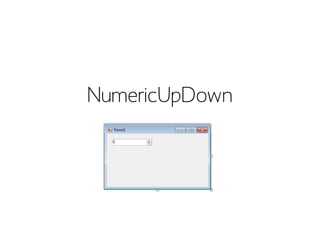
NumericUpDown
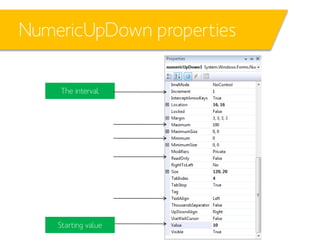
NumericUpDown properties
The interval

Starting value
NumericUpDown - coding
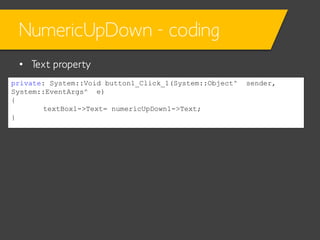
• Text property
private: System::Void button1_Click_1(System::Object^
System::EventArgs^ e)
{
textBox1->Text= numericUpDown1->Text;
}

sender,
NumericUpDown - coding
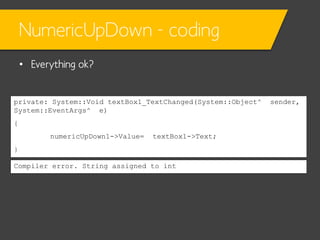
• Everything ok?

private: System::Void textBox1_TextChanged(System::Object^
System::EventArgs^ e)
{
numericUpDown1->Value=

textBox1->Text;

}
Compiler error. String assigned to int

sender,
NumericUpDown - coding
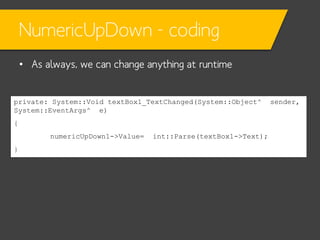
• As always, we can change anything at runtime

private: System::Void textBox1_TextChanged(System::Object^
System::EventArgs^ e)
{
numericUpDown1->Value=
}

int::Parse(textBox1->Text);

sender,
NumericUpDown - coding
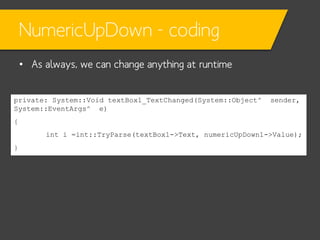
• As always, we can change anything at runtime
private: System::Void textBox1_TextChanged(System::Object^
System::EventArgs^ e)

sender,

{
int i =int::TryParse(textBox1->Text, numericUpDown1->Value);
}
NumericUpDown - coding
• As always, we can change anything at runtime

private: System::Void textBox1_TextChanged(System::Object^
System::EventArgs^ e)
{
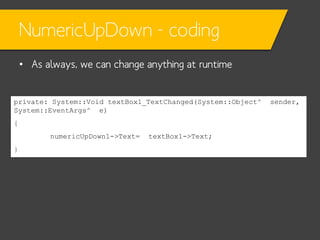
numericUpDown1->Text=
}

textBox1->Text;

sender,
PictureBox
PictureBox
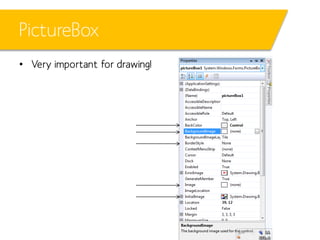
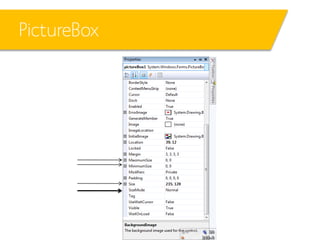
• Very important for drawing!
PictureBox
PictureBox
PictureBox
PictureBox
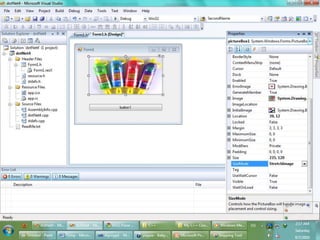
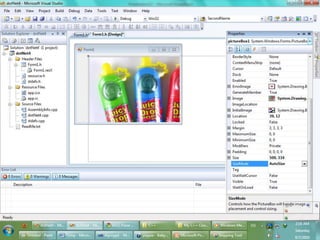
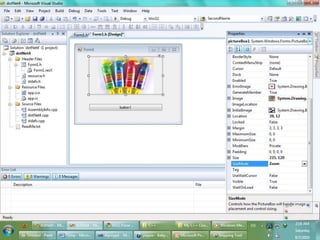
PictureBox
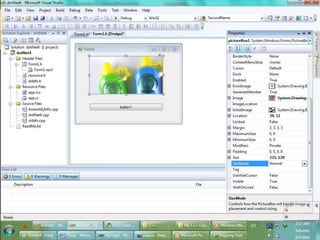
PictureBox .gif
That’s it for today!

C++ Windows Forms L03 - Controls P2

  • 1.
    C++.NET Windows Forms Course L03– Controls Part 2 Mohammad Shaker mohammadshakergtr.wordpress.com C++.NET Windows Forms Course @ZGTRShaker
  • 2.
  • 3.
  • 4.
  • 5.
    Switching to aanother forms • Let’s consider that we want to have two forms and we want to switch between them – #1: First of all we add a new “second” form to out project • Add > new item > form – #2: include its header in first form header file – ( “Form1.h” file ) #include "Form2.h" – #3: pointing to the other form Form2 ^f= gcnew Form2; – #4: and start playing with it :D f->Show();
  • 6.
    Switching Back toForm1 • In “Form2.h” namespace MyTestPro { ref class Form1; public: Form1 ^FPtr; Form2(Form1 ^f) { InitializeComponent(); FPtr= f; }
  • 7.
    Switching Back toForm1 • In “Form2.cpp” #include "StdAfx.h" #include "Form2.h" #include "Form1.h” namespace MyTestPro { System::Void Form2::Form2_Load(System::Object^ System::EventArgs^ e) { FPtr->Text= “New Form1 Text!"; } } sender,
  • 8.
    Peak on DrawingClass Point & Size
  • 9.
    Peak on Drawing::Point •What will happen now? private: System::Void button1_Click(System::Object^ sender, System::EventArgs^ e) { button1->Location= 30,120; }
  • 10.
  • 11.
    Peak on Drawing::Point •What will happen now? private: System::Void button1_Click(System::Object^ System::EventArgs^ e) { Drawing::Point P; P.X= 2; P.Y= 23; button1->Location= P; } sender,
  • 12.
  • 13.
  • 14.
  • 15.
    Point and Size •Can we do this? Yes! private: System::Void button1_Click_1(System::Object^ System::EventArgs^ e) { Drawing::Size S; S.Height= 200; S.Width= 300; this->Size= S; } sender,
  • 16.
    Point and Size •Can we do this? private: System::Void button1_Click_1(System::Object^ System::EventArgs^ e) { Drawing::Size ^S; S->Height= 200; S->Width= 300; this->Size= S; } sender, Compile error Error 1 error C2664: 'void System::Windows::Forms::Control::Size::set(System::Drawing::Size)': cannot convert parameter 1 from 'System::Drawing::Size ^' to 'System::Drawing::Size' c:userszgtrdocumentsvisual studio 2008projectsdotnet4dotnet4Form1.h 129 dotNet4
  • 17.
  • 18.
    Point and Size private:System::Void button1_Click_1(System::Object^ sender, System::EventArgs^ e) { this->Size= Drawing::Size(200,300); } Works!
  • 19.
  • 20.
  • 21.
  • 22.
    Label • Properties: Name, Text,Font, image, Location, Size, TabStop, TabIndex, Visible, BackColor • Event: MouseClick, MouseDown, MouseLeave, Resize, SizeChange, TextChanged, VisibleChanged, KeyUp, KeyDown, DragDrop
  • 23.
  • 24.
    TextBox • Properties: Name, Text,Font, image, Location, Size, TabStop, TabIndex, Visible, BackColor, MultiLine, ScrollBar • Event: MouseClick, MouseDown, MouseLeave, Resize, SizeChange, TextChanged, VisibleChanged, KeyUp, KeyDown, DragDrop
  • 25.
  • 26.
    Panel • Properties: Name, Text,Font, image, Location, Size, TabStop, TabIndex, Visible, BackColor, Border Style, AutoSize • Event: MouseClick, MouseDown, MouseLeave, Resize, SizeChange, TextChanged, VisibleChanged, KeyUp, KeyDown, DragDrop
  • 27.
  • 28.
  • 29.
  • 30.
    TrackBar Keyboard keys (Arrows) Numberof ticks between tick marks position
  • 31.
    TrackBar • What willhappen now? private: System::Void trackBar1_Scroll(System::Object^ System::EventArgs^ e) { textBox1->Text= trackBar1->Value.ToString(); } sender,
  • 32.
  • 33.
  • 34.
  • 35.
  • 36.
  • 37.
    ProgressBar • Increment theprogressBar and perform the “performStep()” • What will happen when pressing the button? private: System::Void button1_Click_4(System::Object^ System::EventArgs^ e) { progressBar1->PerformStep(); } sender,
  • 38.
    ProgressBar • What willhappen now when pressing the button, repeatedly? private: System::Void button1_Click_4(System::Object^ sender, System::EventArgs^ e) { progressBar1->PerformStep(); textBox1->Text= progressBar1->Value.ToString(); }
  • 39.
    ProgressBar Before clicking button1 Afterclicking button1 for 1st time After clicking button1 for 2nd time
  • 40.
    ProgressBar • Another example: –The following code example uses a ProgressBar control to display the progress of a file copy operation. The example uses the Minimum and Maximum properties to specify a range for the ProgressBar that is equivalent to the number of files to copy. The code also uses the Step property with the PerformStep method to increment the value of theProgressBar as a file is copied. This example requires that you have a ProgressBar control created called pBar1 that is created within a Form and that there is a method created called CopyFile (that returns a Boolean value indicating the file copy operation was completed successfully) that performs the file copy operation. The code also requires that an array of strings containing the files to copy is created and passed to the CopyWithProgress method defined in the example and that the method is called from another method or event in the Form.
  • 41.
    private: void CopyWithProgress( array<String^>^filenames) { // Display the ProgressBar control. pBar1->Visible= true; // Set Minimum to 1 to represent the first file being copied. pBar1->Minimum= 1; // Set Maximum to the total number of files to copy. pBar1->Maximum= filenames->Length; // Set the initial value of the ProgressBar. pBar1->Value= 1; // Set the Step property to a value of 1 to represent each file being copied. pBar1->Step= 1; // Loop through all files to copy. for ( int x= 1; x <= filenames->Length; x++ ) { // Copy the file and increment the ProgressBar if successful. if ( CopyFile( filenames[ x - 1 ] )== true ) { // Perform the increment on the ProgressBar. pBar1->PerformStep(); } } }
  • 42.
  • 43.
  • 44.
    NumericUpDown - coding •Text property private: System::Void button1_Click_1(System::Object^ System::EventArgs^ e) { textBox1->Text= numericUpDown1->Text; } sender,
  • 45.
    NumericUpDown - coding •Everything ok? private: System::Void textBox1_TextChanged(System::Object^ System::EventArgs^ e) { numericUpDown1->Value= textBox1->Text; } Compiler error. String assigned to int sender,
  • 46.
    NumericUpDown - coding •As always, we can change anything at runtime private: System::Void textBox1_TextChanged(System::Object^ System::EventArgs^ e) { numericUpDown1->Value= } int::Parse(textBox1->Text); sender,
  • 47.
    NumericUpDown - coding •As always, we can change anything at runtime private: System::Void textBox1_TextChanged(System::Object^ System::EventArgs^ e) sender, { int i =int::TryParse(textBox1->Text, numericUpDown1->Value); }
  • 48.
    NumericUpDown - coding •As always, we can change anything at runtime private: System::Void textBox1_TextChanged(System::Object^ System::EventArgs^ e) { numericUpDown1->Text= } textBox1->Text; sender,
  • 49.
  • 50.
  • 51.
  • 52.
  • 53.
  • 54.
  • 55.
  • 56.
  • 57.