Practical Marketing for Small Businesses :  Improving Your Digital Visibility Christine B. Whittemore
Upon completing this program, you should know how to:  Learn how to assess your digital visibility Think with a customer mindset Develop a content strategy that integrates offline and online activities Measure results
Christine B. Whittemore Chief Simplifier, Simple Marketing Now, LLC  Social media & content marketing strategist Passionate about the  retail experience & marketing to women ,  social media & content marketing , and  helping companies make their marketing work harder !
The Plan Examine the marketplace What has changed? What about  your  digital visibility? Google Juice Digital Visibility Basics How to do this when you’re busy? Examples
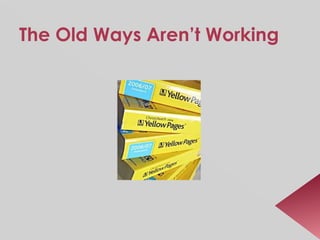
The Old Ways Aren’t Working
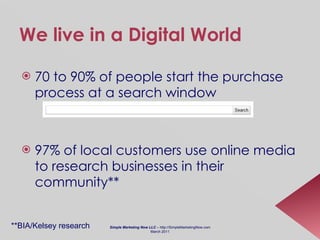
We live in a Digital World 70 to 90% of people start the purchase process at a search window 97% of local customers use online media to research businesses in their community** **BIA/Kelsey research Simple Marketing Now LLC  – http://SimpleMarketingNow.com March 2011
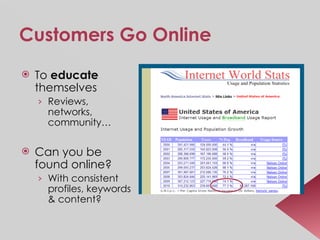
Customers Go Online To  educate  themselves  Reviews, networks, community… Can you be found online? With consistent profiles, keywords & content?
Especially Women Consumers! The majority of online audience & growing! Communication  Content Commerce Sense of Community Convenience [i.e., 24/7] Stats: 84% of social media sites are frequented more by women than men* Source : * CRM Buyer
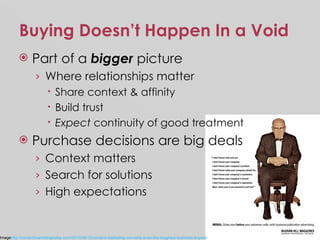
Buying Doesn’t Happen In a Void Part of a  bigger  picture Where relationships matter Share context & affinity Build trust Expect  continuity of good treatment Purchase decisions are big deals Context matters Search for solutions  High expectations Image http://contentmarketingtoday.com/2010/08/12/content-marketing-converts-even-the-toughest-business-buyers/
Establishing Trust: People want to buy from people they trust Need to establish trust & show you care Be the brand Be online Be human They want solutions They don ’ t want a hard sell Suspicious of marketing claims Build a relationship  before they buy!
Digital Visibility is Critical! The  paradox of existence If you have a physical presence, but can’t be found online,  do you exist ? If you can be found,  will you interact , offer value, be transparent and authentic with potential customers?
Being Found Means…  Rich Opportunities! Develop an online reputation before you need it Create a community of fans Word-of-mouth [~Fiskateers] Drive pre-qualified traffic to your site Appear in search results
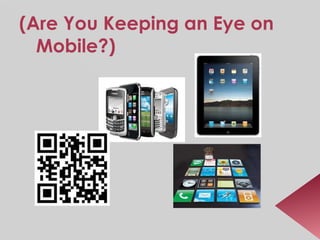
(Are You Keeping an Eye on Mobile?)
What about You? Can you be found? 15
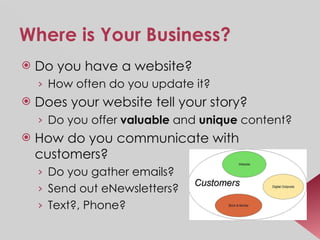
Where is Your Business? Do you have a website? How often do you update it? Does your website tell your story? Do you offer  valuable  and  unique  content? How do you communicate with customers? Do you gather emails? Send out eNewsletters? Text?, Phone?
Search Is Becoming Increasingly Social Can you be found from a search window? What about social media & social networking? Can your website content be shared? Do you have a Facebook Page? What about a Blog? Are you  personally engaged  with these tools?
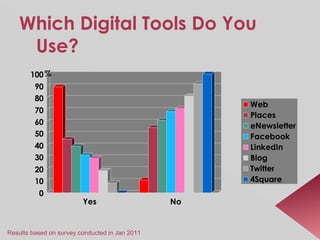
Show of Hands: Which Digital Tools Do You Use? Website Google Places eNewsletter Facebook LinkedIn Blog Twitter Foursquare
Which Digital Tools Do You Use? Results based on survey conducted in Jan 2011
Have You Googled Yourself? If you can’t be found online, you don’t exist… What’s your ‘ Google Juice ’?  Good? Bad? Nothing?
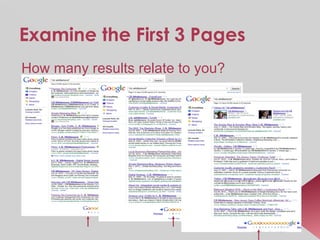
Examine the First 3 Pages How many results relate to you?
“ CB Whittemore ”’s Google Juice Relevant results Page 1 = 10 Relevant results Page 2 = 10 Relevant results Page 3 = 10 ------------- 30 Divide by total possible results [30] Multiply by 100 => 100% “ Christine B Whittemore” = 96.67% “ Christine Whittemore” = 86.67%
Digital Visibility Function of: Quality & relevance of your content Frequent updates [i.e., dynamic, fresh content] Links to your content – because it’s valuable Completed social profiles LinkedIn, Facebook Fan Page, Twitter, Google Profile and Places Be consistent! Manage your social reputation
Develop a Digital Presence Website Blog Digital Outposts Google profile, Places Social networks Facebook, LinkedIn, Twitter, FourSquare
Improve Your Digital Visibility Create consistent social profiles LinkedIn, Facebook, Twitter Link back to your website Don ’ t forget Google Places Professional listings, directories Develop a content strategy  Speak in terms relevant to customers
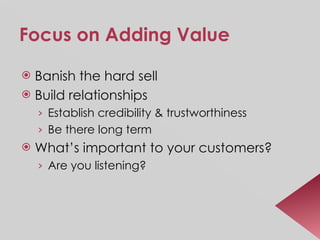
Focus on Adding Value Banish the hard sell Build relationships Establish credibility & trustworthiness Be there long term What’s important to your customers? Are you listening?
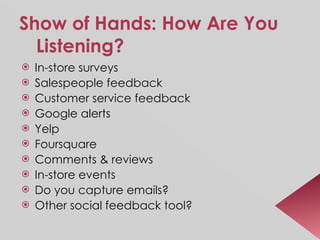
Show of Hands: How Are You Listening? In-store surveys Salespeople feedback Customer service feedback Google alerts Yelp Foursquare Comments & reviews In-store events Do you capture emails? Other social feedback tool?
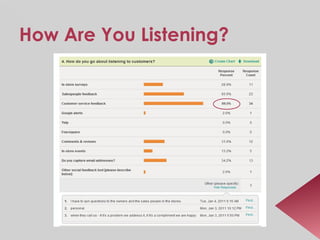
How Are You Listening?
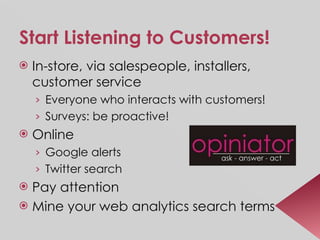
Start Listening to Customers! In-store, via salespeople, installers, customer service Everyone who interacts with customers! Surveys: be proactive! Online Google alerts Twitter search Pay attention Mine your web analytics search terms
Integrate It All Be consistent across all of your ‘touchpoints’ Online Offline
Digital Visibility Basics 31
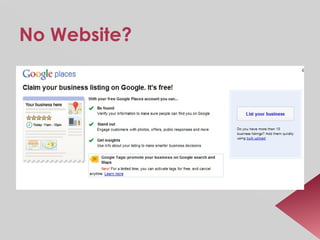
No Website?
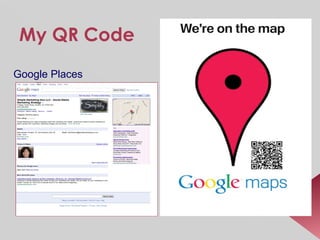
My QR Code Google Places
Website:  Digital Brick & Mortar Should consistently tell your brand story You, your people In terms  relevant to customers Reflect what you hear What matters to customers Keep it fresh/update it! Pay attention to your website basics Each page: unique content Description, keywords
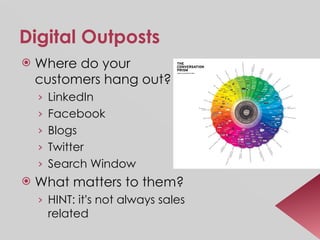
Digital Outposts Where do your customers hang out? LinkedIn Facebook Blogs Twitter Search Window What matters to them? HINT: it ’ s not always sales related
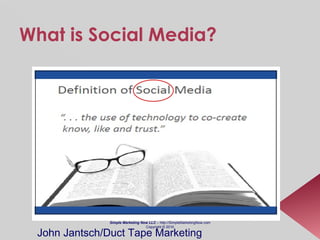
What is Social Media? Simple Marketing Now LLC  – http://SimpleMarketingNow.com Copyright © 2010 John Jantsch/Duct Tape Marketing
Digital  Social  Tools and Platforms Easy to use Mostly free Enable sharing Means to an end Facilitate conversation, build trust with  people Using… Simple Marketing Now LLC  – http://SimpleMarketingNow.com March 2011
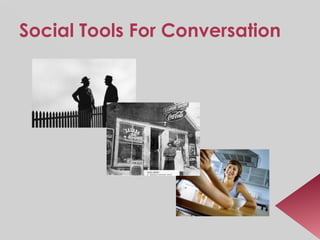
Social Tools For Conversation
Social is about Being  Human !
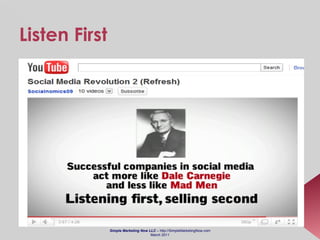
Listen First Simple Marketing Now LLC  – http://SimpleMarketingNow.com March 2011
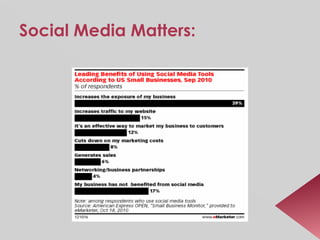
Social Media Matters:
 
LinkedIn: Professional Social 70+ million users  New member every second  ~ 12 million daily unique visitors  Includes executives from all Fortune 500 companies 80% companies use it for recruiting Thought-leadership Groups, Answers, updates Create individual and company profiles
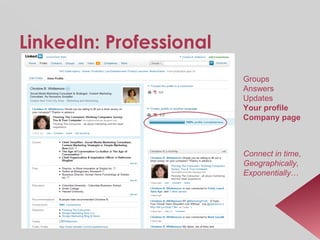
LinkedIn: Professional Groups Answers Updates Your profile Company page Connect in time, Geographically, Exponentially …
Facebook: Casual Social Over 500 million users! ~ world’s 3rd largest country 100+ million active users access through  mobile  devices Average user spends ~55 minutes/day Connects to 80 community pages, groups, events Creates 90 pieces of content each month 2/3 of comScore’s U.S. Top 100 websites are integrated with Facebook Consider a  Fan Page for your business Build relationships with existing customers and friends Google Searchable
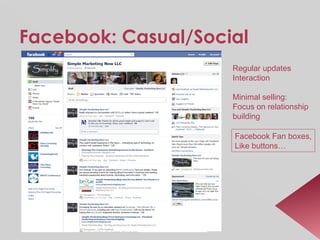
Facebook: Casual/Social Regular updates Interaction Minimal selling: Focus on relationship  building Facebook Fan boxes, Like buttons…
Twitter: Affinity Social 140 character micro-blogging platform ~ 110 million users Search engine searchable 600+ million searches happen every day 80% of Twitter users use  mobile  devices  54% of bloggers post content or tweet on a daily basis  Over 50 million tweets in 2010 
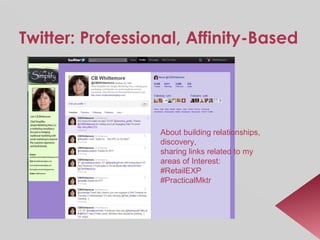
Twitter: Professional, Affinity-Based About building relationships,  discovery, sharing links related to my areas of Interest: #RetailEXP #PracticalMktr
Blog: Printing Press/Cafe Over 181 million blogs 34% of bloggers post opinions about products and brands 72% of bloggers share expertise 1 in 5 bloggers updates his/her blog daily Corporate blogging accounts for 14% of blogs 60% of bloggers are 18-44 years 50%+ of bloggers are married and/or parents 50%+ of bloggers have more than one blog
Blogs: Thought Leadership Regular  Updates [2x/wk]:  content related to my expertise
Blog Content is Timeless Where you tell your story in terms relevant to customers Create greater meaning and value Be human Reach out to others in your space Influence, thought leadership Conversation Available 24/7 Drive readers deeper into your website’s content
Foursquare: Geolocation! Based on smartphone GPS i.e.,  mobile “ Check in ” to favorite places Tips Hints Mayors Discounts Set up your business; reward loyalty
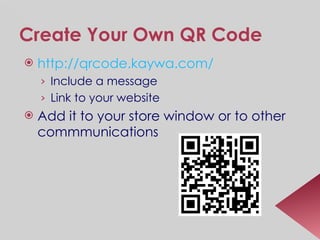
Create Your Own QR Code http:// qrcode.kaywa.com /   Include a message Link to your website Add it to your store window or to other commmunications
Beware of Flash Focus on Content Consistent Keywords Post frequently, consistently, relevantly on a blog Create unique content Listen. Listen more. Banish the Hard Sell! What do your physical & digital retail experiences communicate? Are they fresh? Promote your digital presence offline & your physical presence online. Invite visitors to opt-in for memorable email communications. Source:  CBW MarketingProfs
How To Do This When You’re BUSY? 55
First Questions… What is your business about? How are you different? Service? Quality? Knowledge? Price? What do your customers value? How much do you know about them? Do you listen to them?
What Is Your Business Known For? Customer Service Ninja Product Innovation Champion Fashion Maven Distribution Dynamo Social Matchmaker
Are You Looking To Build Relationships with Customers? What’s important to them How can you help them How does your business offer them solutions Who are your customers? What are your different buyer personas? Local residents Rental companies What tools do you use now? How do you use them?
Social Outposts Are Easy to Set Up, But… Most tools require: Ongoing fresh content Interaction and monitoring Need to be integrated into other marketing and business activities Success requires  Planning ahead Time management Aligning reasons for social with business goals
Determine What’s your purpose in engaging in digital tools & social media? How does this relate to your business? What are your business keywords/themes? What stories will you share beyond promotions and sales? What’s important to your different customers?
Create a Content Strategy That looks at your business from your  CUSTOMER ’s perspective Content audit Customer feedback Address gaps Which tools are most meaningful? What do they look for? Remember these tools allow you to  humanize  your brand
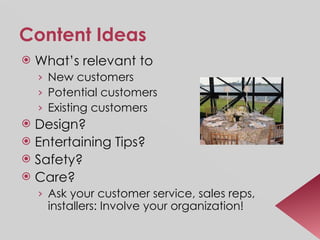
Content Ideas What’s relevant to  New customers Potential customers Existing customers Design? Entertaining Tips? Safety? Care? Ask your customer service, sales reps, installers: Involve your organization!
Each Social Tool Differs Facebook :  Lighthearted updates, share customer before/after, photos of community events LinkedIn :  Group discussions, news items, status updates, Answers Twitter :  Items relevant to your follower base, Twitter Chats, #Coverings Foursquare : Mobile, reward loyalty, best for brick & mortar locations Blog : Your publishing platform; allows you to create thoughtful content to share on other networks
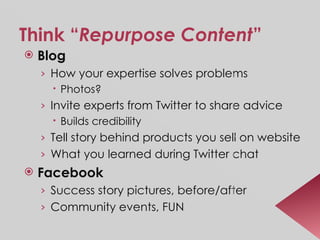
Think “ Repurpose Content ” Blog How your expertise solves problems  Photos? Invite experts from Twitter to share advice  Builds credibility Tell story behind products you sell on website What you learned during Twitter chat Facebook Success story pictures, before/after Community events, FUN
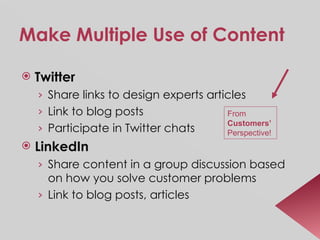
Make Multiple Use of Content Twitter Share links to design experts articles Link to blog posts Participate in Twitter chats LinkedIn Share content in a group discussion based on how you solve customer problems  Link to blog posts, articles From  Customers’   Perspective!
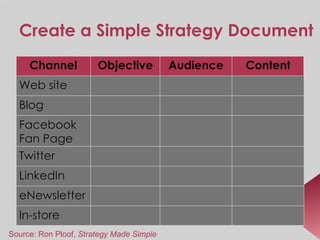
Create a Simple Strategy Document Source: Ron Ploof,  Strategy Made Simple In-store eNewsletter LinkedIn Twitter Facebook Fan Page Blog Web site Content Audience Objective Channel
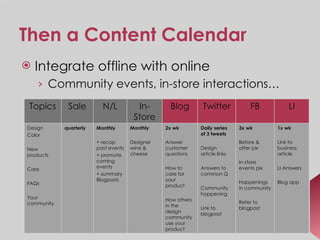
Then a Content Calendar Integrate offline with online  Community events, in-store interactions… 1x wk Link to business article LI Answers Blog app 3x wk Before & after pix In-store events pix Happenings in community Refer to blogpost Daily series of 3 tweets Design article links Answers to common Q Community happening Link to blogpost 2x wk   Answer customer questions  How to care for your product How others in the design community use your product Monthly Designer wine & cheese Monthly + recap past events + promote coming events + summary Blogposts quarterly Design Color  New products Care FAQs Your community Topics LI FB Twitter Blog In-Store N/L Sale
Watchout! Don’t post the exact same content everywhere Different angles Relevant for different audiences Don’t SPAM!
Time Management: Critical! Who will monitor & manage your digital presence? Don’t delegate to a high school kid These are YOUR customers These are legitimate platforms for customer communication You need social media policies that coincide with your overall business policies Complaints? Comment policy? Use Outlook reminders
Planning Ahead: Critical! Develop a content strategy that aligns with your business strategy Content affects online and offline Content strategy will guide content calendar Content-based approach requires long-term, customer-focused commitment
Prioritize! Pick your social networks based on how they relate to business goals & customers Be fluent in how they work: experiment Things can change rapidly Pay attention to Mobile! Your customers may not be involved now, but they could be tomorrow Facebook phenomenon! Set time limits
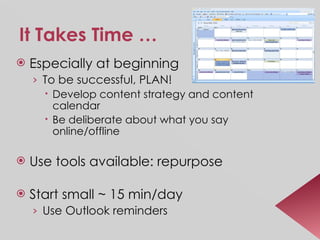
It Takes Time … Especially at beginning To be successful, PLAN! Develop content strategy and content calendar Be deliberate about what you say online/offline Use tools available: repurpose Start small ~ 15 min/day Use Outlook reminders
Rules for Social Networking Offer value No hard sell Be active consistently Mind your manners Be genuine Don’t spam Remember that your reputation is at stake Think long term
Measuring Success Lots of data available. Pick something meaningful & relevant to your business. Quality  vs. quantity Relevant Twitter followers Monitor visits to web/blog Visitors from social sites tend to be better qualified and spend more time on your sit Monitor referral sources Interactions, comments Repeat what works, change what doesn’t!
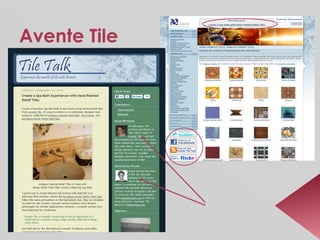
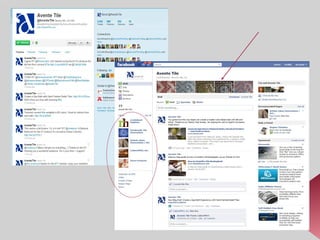
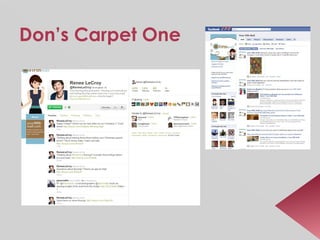
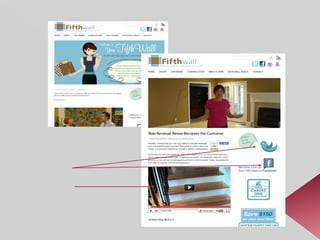
Examples of  Digital Visibility Building 75
Avente Tile
 
Don’s Carpet One
 
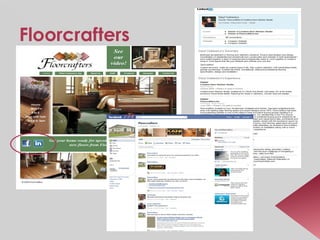
Floorcrafters
Food For Thought Bigger isn’t always better Focus on QUALITY Take time to know who your fans, followers, subscribers are Interact Ask questions Say thank you Add value so you can build meaningful relationships
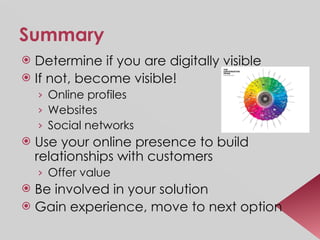
Summary Determine if you are digitally visible If not, become visible!  Online profiles Websites Social networks Use your online presence to build relationships with customers Offer value Be involved in your solution Gain experience, move to next option
Will You Assess This Seminar?   Was this valuable? What did you like most? Would you recommend it to a friend? What would you say? What is most important idea you learned? What will you put into action immediately? What do you want to know more about? Your email address for more information.
Thank You!
To Learn More… Christine B. Whittemore   Chief Simplifier Simple Marketing Now LLC [email_address] Tel: 973-283-2424 Flooring The Consumer  weblog http://flooringtheconsumer.blogspot.com Simple Marketing Blog  http:// SimpleMarketingBlog.com

Coverings2011: Practical Marketing - Digital Visibility for Small Businesses

  • 1.
    Practical Marketing forSmall Businesses : Improving Your Digital Visibility Christine B. Whittemore
  • 2.
    Upon completing thisprogram, you should know how to: Learn how to assess your digital visibility Think with a customer mindset Develop a content strategy that integrates offline and online activities Measure results
  • 3.
    Christine B. WhittemoreChief Simplifier, Simple Marketing Now, LLC Social media & content marketing strategist Passionate about the retail experience & marketing to women , social media & content marketing , and helping companies make their marketing work harder !
  • 4.
    The Plan Examinethe marketplace What has changed? What about your digital visibility? Google Juice Digital Visibility Basics How to do this when you’re busy? Examples
  • 5.
    The Old WaysAren’t Working
  • 6.
    We live ina Digital World 70 to 90% of people start the purchase process at a search window 97% of local customers use online media to research businesses in their community** **BIA/Kelsey research Simple Marketing Now LLC – http://SimpleMarketingNow.com March 2011
  • 7.
    Customers Go OnlineTo educate themselves Reviews, networks, community… Can you be found online? With consistent profiles, keywords & content?
  • 8.
    Especially Women Consumers!The majority of online audience & growing! Communication Content Commerce Sense of Community Convenience [i.e., 24/7] Stats: 84% of social media sites are frequented more by women than men* Source : * CRM Buyer
  • 9.
    Buying Doesn’t HappenIn a Void Part of a bigger picture Where relationships matter Share context & affinity Build trust Expect continuity of good treatment Purchase decisions are big deals Context matters Search for solutions High expectations Image http://contentmarketingtoday.com/2010/08/12/content-marketing-converts-even-the-toughest-business-buyers/
  • 10.
    Establishing Trust: Peoplewant to buy from people they trust Need to establish trust & show you care Be the brand Be online Be human They want solutions They don ’ t want a hard sell Suspicious of marketing claims Build a relationship before they buy!
  • 11.
    Digital Visibility isCritical! The paradox of existence If you have a physical presence, but can’t be found online, do you exist ? If you can be found, will you interact , offer value, be transparent and authentic with potential customers?
  • 12.
    Being Found Means… Rich Opportunities! Develop an online reputation before you need it Create a community of fans Word-of-mouth [~Fiskateers] Drive pre-qualified traffic to your site Appear in search results
  • 13.
    (Are You Keepingan Eye on Mobile?)
  • 14.
    What about You?Can you be found? 15
  • 15.
    Where is YourBusiness? Do you have a website? How often do you update it? Does your website tell your story? Do you offer valuable and unique content? How do you communicate with customers? Do you gather emails? Send out eNewsletters? Text?, Phone?
  • 16.
    Search Is BecomingIncreasingly Social Can you be found from a search window? What about social media & social networking? Can your website content be shared? Do you have a Facebook Page? What about a Blog? Are you personally engaged with these tools?
  • 17.
    Show of Hands:Which Digital Tools Do You Use? Website Google Places eNewsletter Facebook LinkedIn Blog Twitter Foursquare
  • 18.
    Which Digital ToolsDo You Use? Results based on survey conducted in Jan 2011
  • 19.
    Have You GoogledYourself? If you can’t be found online, you don’t exist… What’s your ‘ Google Juice ’? Good? Bad? Nothing?
  • 20.
    Examine the First3 Pages How many results relate to you?
  • 21.
    “ CB Whittemore”’s Google Juice Relevant results Page 1 = 10 Relevant results Page 2 = 10 Relevant results Page 3 = 10 ------------- 30 Divide by total possible results [30] Multiply by 100 => 100% “ Christine B Whittemore” = 96.67% “ Christine Whittemore” = 86.67%
  • 22.
    Digital Visibility Functionof: Quality & relevance of your content Frequent updates [i.e., dynamic, fresh content] Links to your content – because it’s valuable Completed social profiles LinkedIn, Facebook Fan Page, Twitter, Google Profile and Places Be consistent! Manage your social reputation
  • 23.
    Develop a DigitalPresence Website Blog Digital Outposts Google profile, Places Social networks Facebook, LinkedIn, Twitter, FourSquare
  • 24.
    Improve Your DigitalVisibility Create consistent social profiles LinkedIn, Facebook, Twitter Link back to your website Don ’ t forget Google Places Professional listings, directories Develop a content strategy Speak in terms relevant to customers
  • 25.
    Focus on AddingValue Banish the hard sell Build relationships Establish credibility & trustworthiness Be there long term What’s important to your customers? Are you listening?
  • 26.
    Show of Hands:How Are You Listening? In-store surveys Salespeople feedback Customer service feedback Google alerts Yelp Foursquare Comments & reviews In-store events Do you capture emails? Other social feedback tool?
  • 27.
    How Are YouListening?
  • 28.
    Start Listening toCustomers! In-store, via salespeople, installers, customer service Everyone who interacts with customers! Surveys: be proactive! Online Google alerts Twitter search Pay attention Mine your web analytics search terms
  • 29.
    Integrate It AllBe consistent across all of your ‘touchpoints’ Online Offline
  • 30.
  • 31.
  • 32.
    My QR CodeGoogle Places
  • 33.
    Website: DigitalBrick & Mortar Should consistently tell your brand story You, your people In terms relevant to customers Reflect what you hear What matters to customers Keep it fresh/update it! Pay attention to your website basics Each page: unique content Description, keywords
  • 34.
    Digital Outposts Wheredo your customers hang out? LinkedIn Facebook Blogs Twitter Search Window What matters to them? HINT: it ’ s not always sales related
  • 35.
    What is SocialMedia? Simple Marketing Now LLC – http://SimpleMarketingNow.com Copyright © 2010 John Jantsch/Duct Tape Marketing
  • 36.
    Digital Social Tools and Platforms Easy to use Mostly free Enable sharing Means to an end Facilitate conversation, build trust with people Using… Simple Marketing Now LLC – http://SimpleMarketingNow.com March 2011
  • 37.
    Social Tools ForConversation
  • 38.
    Social is aboutBeing Human !
  • 39.
    Listen First SimpleMarketing Now LLC – http://SimpleMarketingNow.com March 2011
  • 40.
  • 41.
  • 42.
    LinkedIn: Professional Social70+ million users New member every second ~ 12 million daily unique visitors Includes executives from all Fortune 500 companies 80% companies use it for recruiting Thought-leadership Groups, Answers, updates Create individual and company profiles
  • 43.
    LinkedIn: Professional GroupsAnswers Updates Your profile Company page Connect in time, Geographically, Exponentially …
  • 44.
    Facebook: Casual SocialOver 500 million users! ~ world’s 3rd largest country 100+ million active users access through mobile devices Average user spends ~55 minutes/day Connects to 80 community pages, groups, events Creates 90 pieces of content each month 2/3 of comScore’s U.S. Top 100 websites are integrated with Facebook Consider a Fan Page for your business Build relationships with existing customers and friends Google Searchable
  • 45.
    Facebook: Casual/Social Regularupdates Interaction Minimal selling: Focus on relationship building Facebook Fan boxes, Like buttons…
  • 46.
    Twitter: Affinity Social140 character micro-blogging platform ~ 110 million users Search engine searchable 600+ million searches happen every day 80% of Twitter users use mobile devices 54% of bloggers post content or tweet on a daily basis  Over 50 million tweets in 2010 
  • 47.
    Twitter: Professional, Affinity-BasedAbout building relationships, discovery, sharing links related to my areas of Interest: #RetailEXP #PracticalMktr
  • 48.
    Blog: Printing Press/CafeOver 181 million blogs 34% of bloggers post opinions about products and brands 72% of bloggers share expertise 1 in 5 bloggers updates his/her blog daily Corporate blogging accounts for 14% of blogs 60% of bloggers are 18-44 years 50%+ of bloggers are married and/or parents 50%+ of bloggers have more than one blog
  • 49.
    Blogs: Thought LeadershipRegular Updates [2x/wk]: content related to my expertise
  • 50.
    Blog Content isTimeless Where you tell your story in terms relevant to customers Create greater meaning and value Be human Reach out to others in your space Influence, thought leadership Conversation Available 24/7 Drive readers deeper into your website’s content
  • 51.
    Foursquare: Geolocation! Basedon smartphone GPS i.e., mobile “ Check in ” to favorite places Tips Hints Mayors Discounts Set up your business; reward loyalty
  • 52.
    Create Your OwnQR Code http:// qrcode.kaywa.com / Include a message Link to your website Add it to your store window or to other commmunications
  • 53.
    Beware of FlashFocus on Content Consistent Keywords Post frequently, consistently, relevantly on a blog Create unique content Listen. Listen more. Banish the Hard Sell! What do your physical & digital retail experiences communicate? Are they fresh? Promote your digital presence offline & your physical presence online. Invite visitors to opt-in for memorable email communications. Source: CBW MarketingProfs
  • 54.
    How To DoThis When You’re BUSY? 55
  • 55.
    First Questions… Whatis your business about? How are you different? Service? Quality? Knowledge? Price? What do your customers value? How much do you know about them? Do you listen to them?
  • 56.
    What Is YourBusiness Known For? Customer Service Ninja Product Innovation Champion Fashion Maven Distribution Dynamo Social Matchmaker
  • 57.
    Are You LookingTo Build Relationships with Customers? What’s important to them How can you help them How does your business offer them solutions Who are your customers? What are your different buyer personas? Local residents Rental companies What tools do you use now? How do you use them?
  • 58.
    Social Outposts AreEasy to Set Up, But… Most tools require: Ongoing fresh content Interaction and monitoring Need to be integrated into other marketing and business activities Success requires Planning ahead Time management Aligning reasons for social with business goals
  • 59.
    Determine What’s yourpurpose in engaging in digital tools & social media? How does this relate to your business? What are your business keywords/themes? What stories will you share beyond promotions and sales? What’s important to your different customers?
  • 60.
    Create a ContentStrategy That looks at your business from your CUSTOMER ’s perspective Content audit Customer feedback Address gaps Which tools are most meaningful? What do they look for? Remember these tools allow you to humanize your brand
  • 61.
    Content Ideas What’srelevant to New customers Potential customers Existing customers Design? Entertaining Tips? Safety? Care? Ask your customer service, sales reps, installers: Involve your organization!
  • 62.
    Each Social ToolDiffers Facebook : Lighthearted updates, share customer before/after, photos of community events LinkedIn : Group discussions, news items, status updates, Answers Twitter : Items relevant to your follower base, Twitter Chats, #Coverings Foursquare : Mobile, reward loyalty, best for brick & mortar locations Blog : Your publishing platform; allows you to create thoughtful content to share on other networks
  • 63.
    Think “ RepurposeContent ” Blog How your expertise solves problems Photos? Invite experts from Twitter to share advice Builds credibility Tell story behind products you sell on website What you learned during Twitter chat Facebook Success story pictures, before/after Community events, FUN
  • 64.
    Make Multiple Useof Content Twitter Share links to design experts articles Link to blog posts Participate in Twitter chats LinkedIn Share content in a group discussion based on how you solve customer problems Link to blog posts, articles From Customers’ Perspective!
  • 65.
    Create a SimpleStrategy Document Source: Ron Ploof, Strategy Made Simple In-store eNewsletter LinkedIn Twitter Facebook Fan Page Blog Web site Content Audience Objective Channel
  • 66.
    Then a ContentCalendar Integrate offline with online Community events, in-store interactions… 1x wk Link to business article LI Answers Blog app 3x wk Before & after pix In-store events pix Happenings in community Refer to blogpost Daily series of 3 tweets Design article links Answers to common Q Community happening Link to blogpost 2x wk Answer customer questions How to care for your product How others in the design community use your product Monthly Designer wine & cheese Monthly + recap past events + promote coming events + summary Blogposts quarterly Design Color New products Care FAQs Your community Topics LI FB Twitter Blog In-Store N/L Sale
  • 67.
    Watchout! Don’t postthe exact same content everywhere Different angles Relevant for different audiences Don’t SPAM!
  • 68.
    Time Management: Critical!Who will monitor & manage your digital presence? Don’t delegate to a high school kid These are YOUR customers These are legitimate platforms for customer communication You need social media policies that coincide with your overall business policies Complaints? Comment policy? Use Outlook reminders
  • 69.
    Planning Ahead: Critical!Develop a content strategy that aligns with your business strategy Content affects online and offline Content strategy will guide content calendar Content-based approach requires long-term, customer-focused commitment
  • 70.
    Prioritize! Pick yoursocial networks based on how they relate to business goals & customers Be fluent in how they work: experiment Things can change rapidly Pay attention to Mobile! Your customers may not be involved now, but they could be tomorrow Facebook phenomenon! Set time limits
  • 71.
    It Takes Time… Especially at beginning To be successful, PLAN! Develop content strategy and content calendar Be deliberate about what you say online/offline Use tools available: repurpose Start small ~ 15 min/day Use Outlook reminders
  • 72.
    Rules for SocialNetworking Offer value No hard sell Be active consistently Mind your manners Be genuine Don’t spam Remember that your reputation is at stake Think long term
  • 73.
    Measuring Success Lotsof data available. Pick something meaningful & relevant to your business. Quality vs. quantity Relevant Twitter followers Monitor visits to web/blog Visitors from social sites tend to be better qualified and spend more time on your sit Monitor referral sources Interactions, comments Repeat what works, change what doesn’t!
  • 74.
    Examples of Digital Visibility Building 75
  • 75.
  • 76.
  • 77.
  • 78.
  • 79.
  • 80.
    Food For ThoughtBigger isn’t always better Focus on QUALITY Take time to know who your fans, followers, subscribers are Interact Ask questions Say thank you Add value so you can build meaningful relationships
  • 81.
    Summary Determine ifyou are digitally visible If not, become visible! Online profiles Websites Social networks Use your online presence to build relationships with customers Offer value Be involved in your solution Gain experience, move to next option
  • 82.
    Will You AssessThis Seminar? Was this valuable? What did you like most? Would you recommend it to a friend? What would you say? What is most important idea you learned? What will you put into action immediately? What do you want to know more about? Your email address for more information.
  • 83.
  • 84.
    To Learn More…Christine B. Whittemore Chief Simplifier Simple Marketing Now LLC [email_address] Tel: 973-283-2424 Flooring The Consumer weblog http://flooringtheconsumer.blogspot.com Simple Marketing Blog http:// SimpleMarketingBlog.com

Editor's Notes