WEB MAILING
TWO COMMON WAYS TO GET EMAILS


1.A web-based mail like yahoo, gmail, hotmail etc.
2.Internet service provider and an email program like
  Microsoft office outlook.
WHAT IS WEBMAIL?

   Webmail is an internet based service which allows us
    to access our e-mail account from any computer that
    is connected to the Internet.
HOW IS WEBMAIL DIFFERENT FROM
MICROSOFT OUTLOOK         (OR
OTHER E-MAIL PROGRAM)?

 Most  e-mail accounts set up in programs like
  MS Outlook, Netscape Mail or Outlook
  Express, are set to move mail from the one
  mail server to our local machine when we
  open the mail software program.
 Using webmail, our e-mail does not get moved
  to the computer we are using.
 Instead we just view and process mail that is
  on the server.
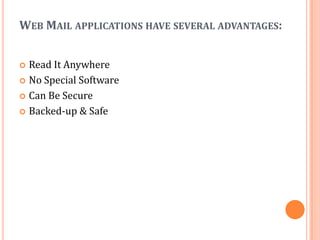
WEB MAIL APPLICATIONS HAVE SEVERAL ADVANTAGES:


 Read It Anywhere
 No Special Software

 Can Be Secure

 Backed-up & Safe
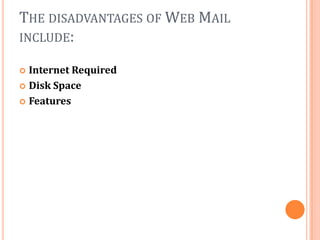
THE DISADVANTAGES OF WEB MAIL
INCLUDE:

 Internet Required
 Disk Space

 Features
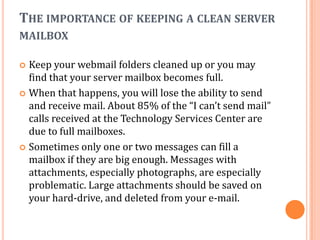
THE IMPORTANCE OF KEEPING A CLEAN SERVER
MAILBOX

 Keep your webmail folders cleaned up or you may
  find that your server mailbox becomes full.
 When that happens, you will lose the ability to send
  and receive mail. About 85% of the “I can’t send mail”
  calls received at the Technology Services Center are
  due to full mailboxes.
 Sometimes only one or two messages can fill a
  mailbox if they are big enough. Messages with
  attachments, especially photographs, are especially
  problematic. Large attachments should be saved on
  your hard-drive, and deleted from your e-mail.

Copy of final webmailing

  • 1.
  • 2.
    TWO COMMON WAYSTO GET EMAILS 1.A web-based mail like yahoo, gmail, hotmail etc. 2.Internet service provider and an email program like Microsoft office outlook.
  • 3.
    WHAT IS WEBMAIL?  Webmail is an internet based service which allows us to access our e-mail account from any computer that is connected to the Internet.
  • 4.
    HOW IS WEBMAILDIFFERENT FROM MICROSOFT OUTLOOK (OR OTHER E-MAIL PROGRAM)?  Most e-mail accounts set up in programs like MS Outlook, Netscape Mail or Outlook Express, are set to move mail from the one mail server to our local machine when we open the mail software program.  Using webmail, our e-mail does not get moved to the computer we are using.  Instead we just view and process mail that is on the server.
  • 5.
    WEB MAIL APPLICATIONSHAVE SEVERAL ADVANTAGES:  Read It Anywhere  No Special Software  Can Be Secure  Backed-up & Safe
  • 6.
    THE DISADVANTAGES OFWEB MAIL INCLUDE:  Internet Required  Disk Space  Features
  • 7.
    THE IMPORTANCE OFKEEPING A CLEAN SERVER MAILBOX  Keep your webmail folders cleaned up or you may find that your server mailbox becomes full.  When that happens, you will lose the ability to send and receive mail. About 85% of the “I can’t send mail” calls received at the Technology Services Center are due to full mailboxes.  Sometimes only one or two messages can fill a mailbox if they are big enough. Messages with attachments, especially photographs, are especially problematic. Large attachments should be saved on your hard-drive, and deleted from your e-mail.