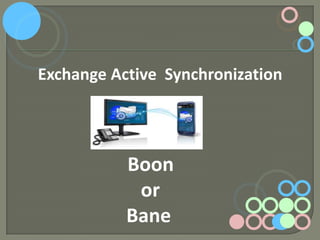
Exchange Active Synchronization

Boon
or
Bane
At A Glance
Introduction to AS
Introduction to EAS
Strength and Weakness of AS
Strength of EAS
Point of difference between EAS and AS
Problems and their solutions with Outlook
New features of EAS
Benefits of EAS
Conclusion
Basics of Active Synchronization
Expanded as Active Sync
Basically a protocol designed for
synchronization
Synchronize data between mobile and
desktop
Synchronize
data
like
emails,
calendars with Outlook
Drawbacks of Active Synchronization
Doesn’t support all Outlook features
Synchronize only emails, calendars
and tasks
Synchronize only Contacts that are
present in subfolder of mail
Provides limited backup facility
OoPs……… No Backup
facility!!!

Feeling Worried!!!!!

Don’t Worry At All
Here Comes Solution
i.e.

EAS
EAS Introduction
 Expanded as Exchange ActiveSync
Basically a protocol designed for the
synchronization of email
Protocol is based on XML and the Exchange
ActiveSync server
Synchronize data from a messaging server to
a smart phone or other mobile devices
Strength of EAS Protocol
 Provides

support for mobile device management
and policy control.
 Provides support for mobile device communicate
over http and https.
 Also known as Air Sync.
 Supporting Microsoft Exchange
Servers and Microsoft Pocket PC devices.
Confused Between AS & EAS
Need not to Confuse.

There are few points which clearly
differentiate between EAS and AS.
Point of Differentiation
Active Synchronization Vs
EAS
Supported mobile devices like BlackBerry,
Windows Phone
EAS support for I phone while Active Sync not
EAS uses Wireless technology to synchronize
while AS uses cables
Issues with Exchange Server
 Outlook.com doesn’t support Exchange
Server 2003.
Outlook.com doesn’t support Exchange Server
2007.
Exchange Server 2003 has limited connectivity
with IMAP and POP3 account.
Outlook 2010 also follow the same trend
Now , thinking ….

How to resolve Exchange Server Issue???????
Solution of Problem

Server Connectivity problem is easily resolved
by invention of EAS. Outlook 2013 easily resolve
this problem as it supports EAS…
EA Synchronization client support
All Smart Phones:
IOS
Android
Windows Phone
BlackBerry 10
BlackBerry Playbook
Tablet Computer
The built-in email application for Windows
8 desktop, Mail app, also supports the protocol
How EAS get Advance???
 First Version released EAS1.0
Latest updated version is EAS14.1
Part of Mobile Information Server
In new version Exchange ActiveSync2.5
involves MIME
New Policies Introduced in EAS2.5
 Minimum

password length as well as
alphanumeric password
 Timeout without user input
 Number of failed attempts
 Allow non-provision able device
Features Introduced in
EAS14.1
 GAL photos(Images stored in Active
Directory)
Message Diffs(Avoid Redundant
information)
Allow IRM over EAS(Information Rights
Management)
When Will EAS work???

Still Thinking!!!!! When to use EAS
Clear Your Doubt

When there is no internet access
To continue Conversation
Works when there is no availability of
desktop
Benefits of using EAS
Access Exchange mailbox with EAS
Access Outlook 2013 with EAS
Access Mailbox anywhere with EAS
Eliminates the need of wires and
cables
Boon for Business User’s
Microsoft Exchange 2003 user’s can
connect their Exchange Account with
“connected accounts”.
USE POP3 and IMAP account to access
email into Office 365 account.
Exchange Active Synchronization: Boon or Bane

Exchange Active Synchronization: Boon or Bane

  • 1.
  • 2.
    At A Glance Introductionto AS Introduction to EAS Strength and Weakness of AS Strength of EAS Point of difference between EAS and AS Problems and their solutions with Outlook New features of EAS Benefits of EAS Conclusion
  • 3.
    Basics of ActiveSynchronization Expanded as Active Sync Basically a protocol designed for synchronization Synchronize data between mobile and desktop Synchronize data like emails, calendars with Outlook
  • 4.
    Drawbacks of ActiveSynchronization Doesn’t support all Outlook features Synchronize only emails, calendars and tasks Synchronize only Contacts that are present in subfolder of mail Provides limited backup facility
  • 5.
    OoPs……… No Backup facility!!! FeelingWorried!!!!! Don’t Worry At All
  • 6.
  • 7.
    EAS Introduction  Expandedas Exchange ActiveSync Basically a protocol designed for the synchronization of email Protocol is based on XML and the Exchange ActiveSync server Synchronize data from a messaging server to a smart phone or other mobile devices
  • 8.
    Strength of EASProtocol  Provides support for mobile device management and policy control.  Provides support for mobile device communicate over http and https.  Also known as Air Sync.  Supporting Microsoft Exchange Servers and Microsoft Pocket PC devices.
  • 9.
    Confused Between AS& EAS Need not to Confuse. There are few points which clearly differentiate between EAS and AS.
  • 10.
    Point of Differentiation ActiveSynchronization Vs EAS Supported mobile devices like BlackBerry, Windows Phone EAS support for I phone while Active Sync not EAS uses Wireless technology to synchronize while AS uses cables
  • 11.
    Issues with ExchangeServer  Outlook.com doesn’t support Exchange Server 2003. Outlook.com doesn’t support Exchange Server 2007. Exchange Server 2003 has limited connectivity with IMAP and POP3 account. Outlook 2010 also follow the same trend
  • 12.
    Now , thinking…. How to resolve Exchange Server Issue???????
  • 13.
    Solution of Problem ServerConnectivity problem is easily resolved by invention of EAS. Outlook 2013 easily resolve this problem as it supports EAS…
  • 14.
    EA Synchronization clientsupport All Smart Phones: IOS Android Windows Phone BlackBerry 10 BlackBerry Playbook Tablet Computer The built-in email application for Windows 8 desktop, Mail app, also supports the protocol
  • 15.
    How EAS getAdvance???  First Version released EAS1.0 Latest updated version is EAS14.1 Part of Mobile Information Server In new version Exchange ActiveSync2.5 involves MIME
  • 16.
    New Policies Introducedin EAS2.5  Minimum password length as well as alphanumeric password  Timeout without user input  Number of failed attempts  Allow non-provision able device
  • 17.
    Features Introduced in EAS14.1 GAL photos(Images stored in Active Directory) Message Diffs(Avoid Redundant information) Allow IRM over EAS(Information Rights Management)
  • 18.
    When Will EASwork??? Still Thinking!!!!! When to use EAS
  • 19.
    Clear Your Doubt Whenthere is no internet access To continue Conversation Works when there is no availability of desktop
  • 20.
    Benefits of usingEAS Access Exchange mailbox with EAS Access Outlook 2013 with EAS Access Mailbox anywhere with EAS Eliminates the need of wires and cables
  • 21.
    Boon for BusinessUser’s Microsoft Exchange 2003 user’s can connect their Exchange Account with “connected accounts”. USE POP3 and IMAP account to access email into Office 365 account.