1 Access the activity using one of the following navigation options:
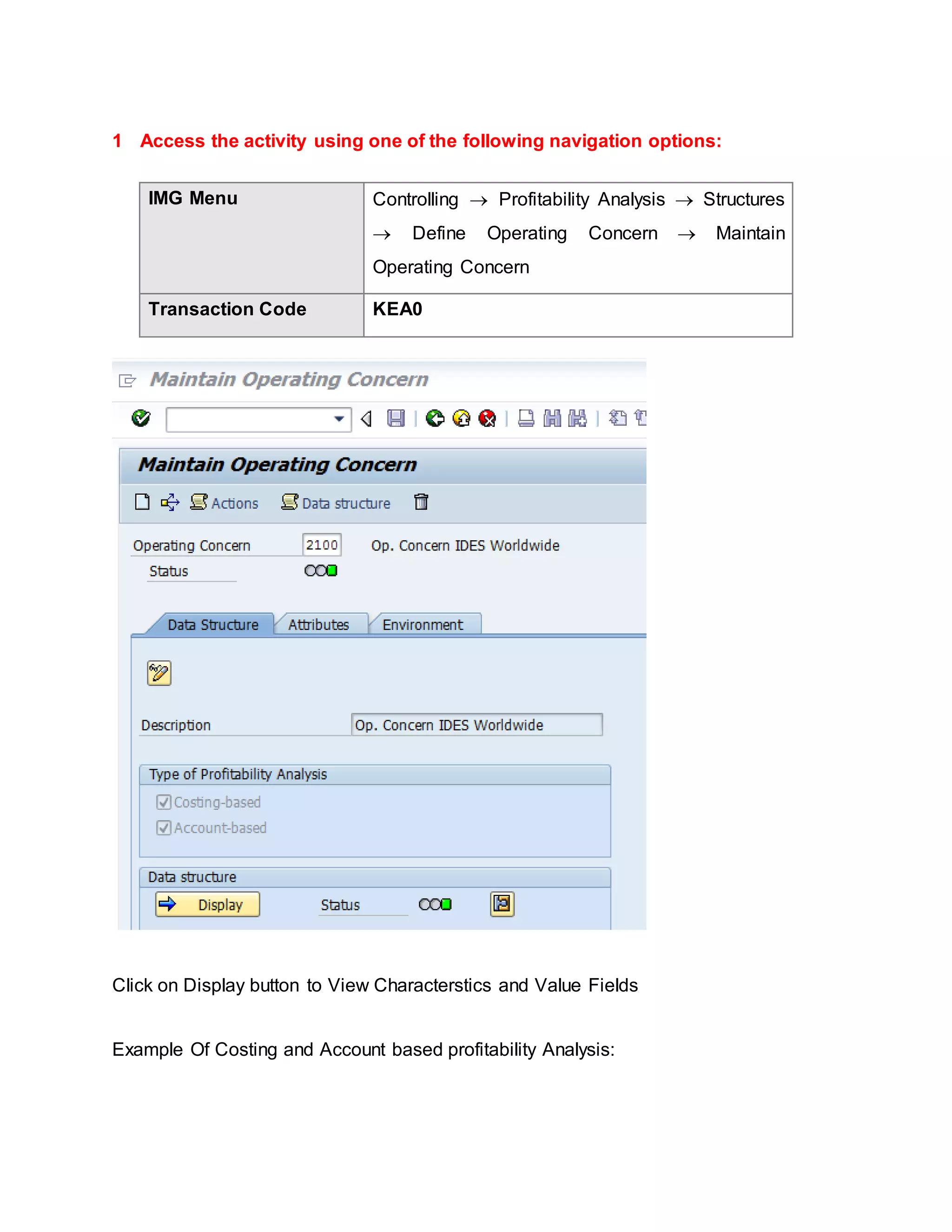
IMG Menu Controlling  Profitability Analysis  Structures
 Define Operating Concern  Maintain
Operating Concern
Transaction Code KEA0
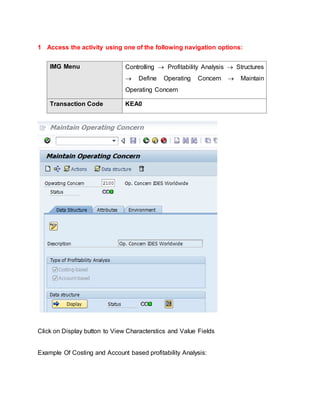
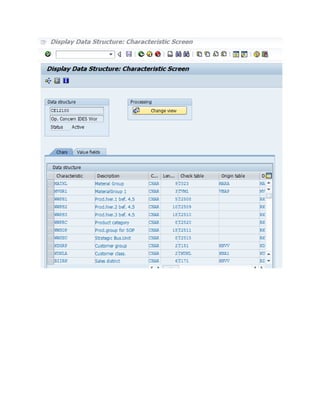
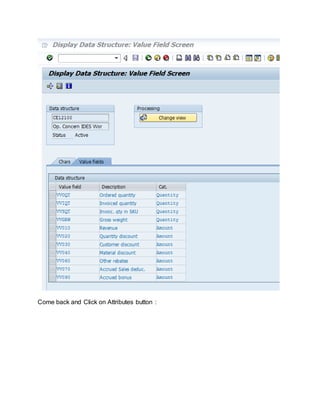
Click on Display button to View Characterstics and Value Fields
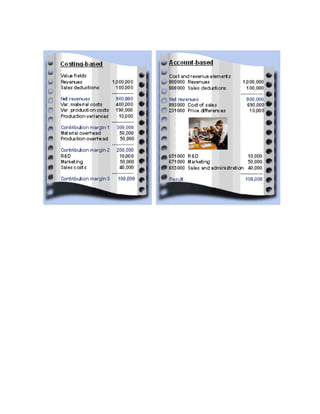
Example Of Costing and Account based profitability Analysis:
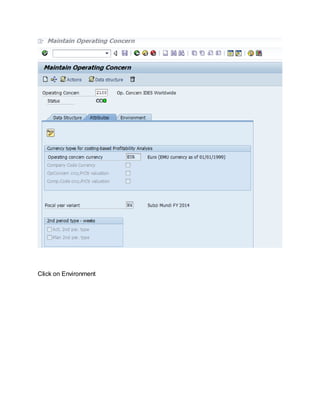
Come back and Click on Attributes button :
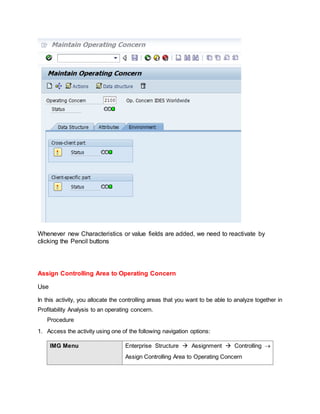
Click on Environment
Whenever new Characteristics or value fields are added, we need to reactivate by
clicking the Pencil buttons
Assign Controlling Area to Operating Concern
Use
In this activity, you allocate the controlling areas that you want to be able to analyze together in
Profitability Analysis to an operating concern.
Procedure
1. Access the activity using one of the following navigation options:
IMG Menu Enterprise Structure  Assignment  Controlling 
Assign Controlling Area to Operating Concern
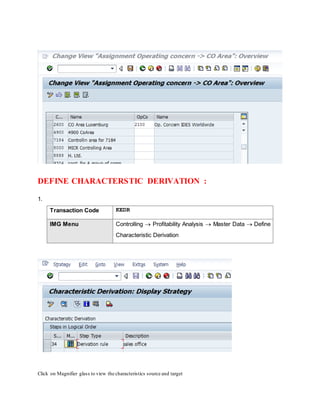
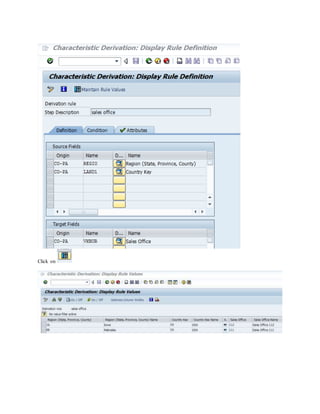
DEFINE CHARACTERSTIC DERIVATION :
1.
Transaction Code KEDR
IMG Menu Controlling  Profitability Analysis  Master Data  Define
Characteristic Derivation
Click on Magnifier glass to view the characteristics source and target
Click on
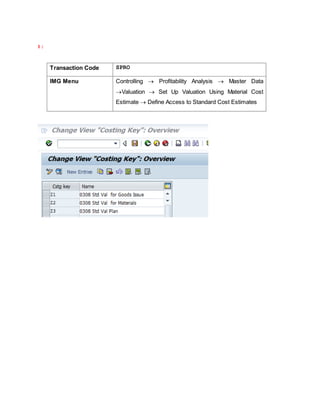
1 :
Transaction Code SPRO
IMG Menu Controlling  Profitability Analysis  Master Data
Valuation  Set Up Valuation Using Material Cost
Estimate  Define Access to Standard Cost Estimates
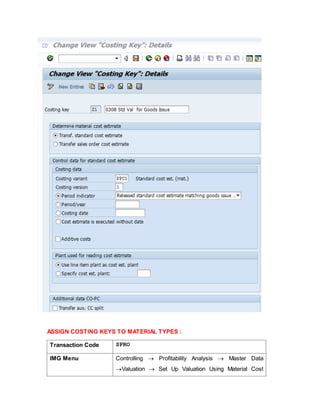
ASSIGN COSTING KEYS TO MATERIAL TYPES :
Transaction Code SPRO
IMG Menu Controlling  Profitability Analysis  Master Data
Valuation  Set Up Valuation Using Material Cost
Estimate  Assign Costing Keys to Material Types
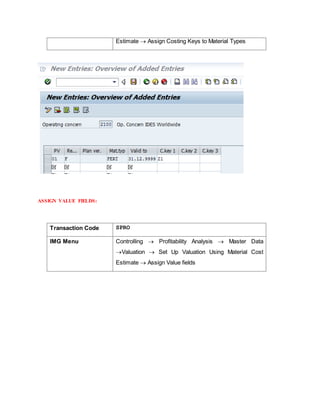
ASSIGN VALUE FIELDS:
Transaction Code SPRO
IMG Menu Controlling  Profitability Analysis  Master Data
Valuation  Set Up Valuation Using Material Cost
Estimate  Assign Value fields
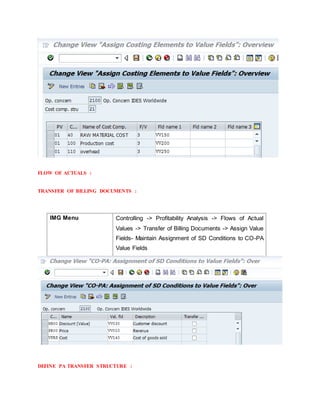
FLOW OF ACTUALS :
TRANSFER OF BILLING DOCUMENTS :
IMG Menu Controlling -> Profitability Analysis -> Flows of Actual
Values -> Transfer of Billing Documents -> Assign Value
Fields- Maintain Assignment of SD Conditions to CO-PA
Value Fields
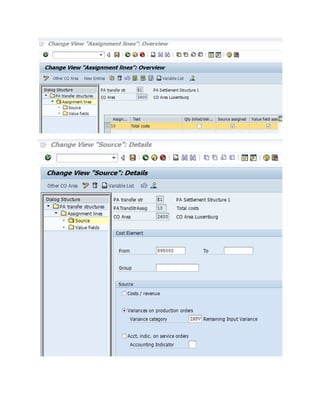
DEFINE PA TRANSFER STRUCTURE :
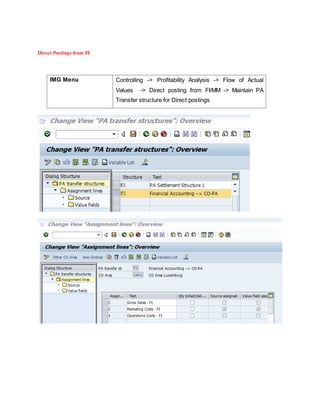
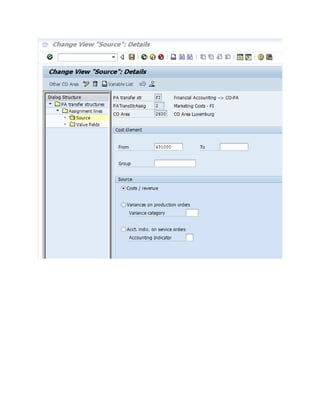
Direct Postings from FI
IMG Menu Controlling -> Profitability Analysis -> Flow of Actual
Values -> Direct posting from FI/MM -> Maintain PA
Transfer structure for Direct postings
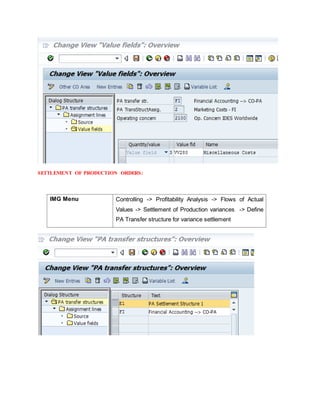
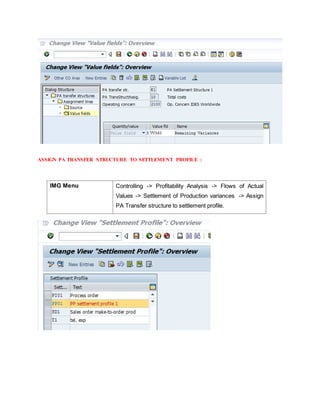
SETTLEMENT OF PRODUCTION ORDERS:
IMG Menu Controlling -> Profitability Analysis -> Flows of Actual
Values -> Settlement of Production variances -> Define
PA Transfer structure for variance settlement
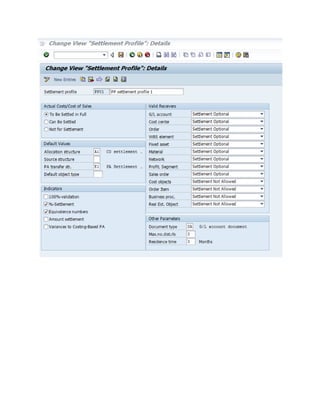
ASSIGN PA TRANSFER STRUCTURE TO SETTLEMENT PROFILE :
IMG Menu Controlling -> Profitability Analysis -> Flows of Actual
Values -> Settlement of Production variances -> Assign
PA Transfer structure to settlement profile.
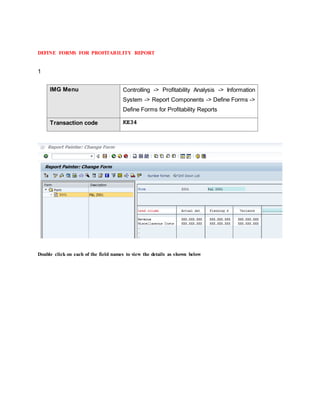
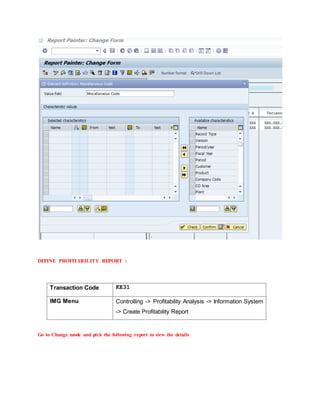
DEFINE FORMS FOR PROFITABILITY REPORT
1
IMG Menu Controlling -> Profitability Analysis -> Information
System -> Report Components -> Define Forms ->
Define Forms for Profitability Reports
Transaction code KE34
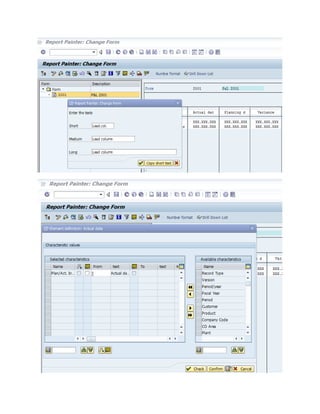
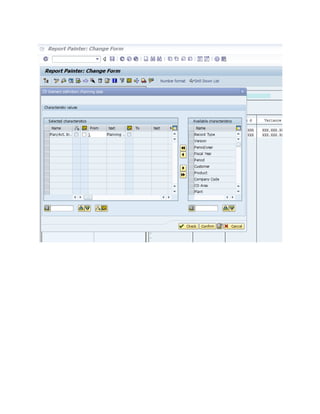
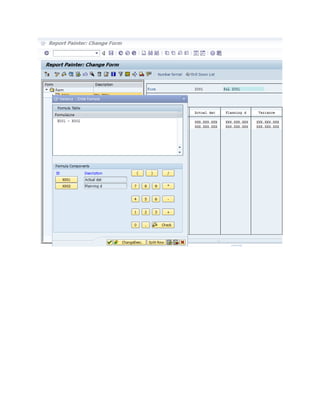
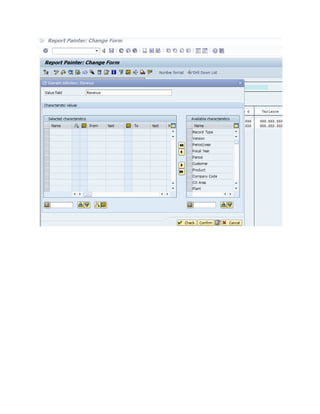
Double click on each of the field names to view the details as shown below
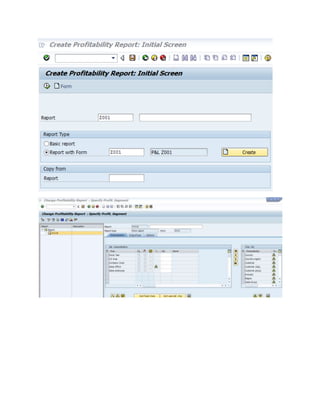
DEFINE PROFITABILITY REPORT :
Transaction Code KE31
IMG Menu Controlling -> Profitability Analysis -> Information System
-> Create Profitability Report
Go to Change mode and pick the following report to view the details
Copa

Copa

  • 1.
    1 Access theactivity using one of the following navigation options: IMG Menu Controlling  Profitability Analysis  Structures  Define Operating Concern  Maintain Operating Concern Transaction Code KEA0 Click on Display button to View Characterstics and Value Fields Example Of Costing and Account based profitability Analysis:
  • 4.
    Come back andClick on Attributes button :
  • 5.
  • 6.
    Whenever new Characteristicsor value fields are added, we need to reactivate by clicking the Pencil buttons Assign Controlling Area to Operating Concern Use In this activity, you allocate the controlling areas that you want to be able to analyze together in Profitability Analysis to an operating concern. Procedure 1. Access the activity using one of the following navigation options: IMG Menu Enterprise Structure  Assignment  Controlling  Assign Controlling Area to Operating Concern
  • 7.
    DEFINE CHARACTERSTIC DERIVATION: 1. Transaction Code KEDR IMG Menu Controlling  Profitability Analysis  Master Data  Define Characteristic Derivation Click on Magnifier glass to view the characteristics source and target
  • 8.
  • 9.
    1 : Transaction CodeSPRO IMG Menu Controlling  Profitability Analysis  Master Data Valuation  Set Up Valuation Using Material Cost Estimate  Define Access to Standard Cost Estimates
  • 10.
    ASSIGN COSTING KEYSTO MATERIAL TYPES : Transaction Code SPRO IMG Menu Controlling  Profitability Analysis  Master Data Valuation  Set Up Valuation Using Material Cost
  • 11.
    Estimate  AssignCosting Keys to Material Types ASSIGN VALUE FIELDS: Transaction Code SPRO IMG Menu Controlling  Profitability Analysis  Master Data Valuation  Set Up Valuation Using Material Cost Estimate  Assign Value fields
  • 12.
    FLOW OF ACTUALS: TRANSFER OF BILLING DOCUMENTS : IMG Menu Controlling -> Profitability Analysis -> Flows of Actual Values -> Transfer of Billing Documents -> Assign Value Fields- Maintain Assignment of SD Conditions to CO-PA Value Fields DEFINE PA TRANSFER STRUCTURE :
  • 13.
    Direct Postings fromFI IMG Menu Controlling -> Profitability Analysis -> Flow of Actual Values -> Direct posting from FI/MM -> Maintain PA Transfer structure for Direct postings
  • 15.
    SETTLEMENT OF PRODUCTIONORDERS: IMG Menu Controlling -> Profitability Analysis -> Flows of Actual Values -> Settlement of Production variances -> Define PA Transfer structure for variance settlement
  • 17.
    ASSIGN PA TRANSFERSTRUCTURE TO SETTLEMENT PROFILE : IMG Menu Controlling -> Profitability Analysis -> Flows of Actual Values -> Settlement of Production variances -> Assign PA Transfer structure to settlement profile.
  • 19.
    DEFINE FORMS FORPROFITABILITY REPORT 1 IMG Menu Controlling -> Profitability Analysis -> Information System -> Report Components -> Define Forms -> Define Forms for Profitability Reports Transaction code KE34 Double click on each of the field names to view the details as shown below
  • 24.
    DEFINE PROFITABILITY REPORT: Transaction Code KE31 IMG Menu Controlling -> Profitability Analysis -> Information System -> Create Profitability Report Go to Change mode and pick the following report to view the details