Tutorial on Contributing to
OpenStack
Dr. Devdatta Kulkarni
PTL, OpenStack Solum
devdatta.kulkarni@rackspace.com
Agenda
• Part I
– Introductions
– Introduction to OpenStack
• Part II
– Deep dive of a OpenStack project - Solum
• Part III
– Contributing to OpenStack
– OpenStack CI system
– Development best practices
– Hands-on exercise
• Questions and Answers
Agenda
• Part I
– Introductions
– Introduction to OpenStack
• Part II
– Deep dive of a OpenStack project - Solum
• Part III
– Contributing to OpenStack
– OpenStack CI system
– Development best practices
– Hands-on exercise
• Questions and Answers
Introduction
• Me
– Dr. Devdatta Kulkarni
– I go by Devdatta or Dev
– Working at Rackspace USA
– First contributor on Solum
– Currently Project Team Lead (PTL) of Solum for Mitaka cycle
– PhD, University of Minnesota Minneapolis
• You
Introduction to OpenStack
What is OpenStack?
A family of “open” projects that together enable different
aspects of cloud computing
Openness of OpenStack
https://wiki.openstack.org/wiki/Open
• Open source
• Open design
• Open development
• Open community
OpenStack family
• Family of projects enabling different aspects of cloud computing
– Authentication and authorization layer
• Keystone
– Infrastructure-as-a-service layer
• Nova, Glance
– Storage layer
• Swift, Cinder
– Networking layer
• Neutron
– Platform-as-a-service layer
• Solum, Heat, Murano, Mistral, Trove
• Project types
– OpenStack big tent vs. OpenStack related projects
OpenStack by numbers
• 49 projects in OpenStack big tent
• Several hundred organizations involved
• Several thousand developers participating
Agenda
• Part I
– Introductions
– Introduction to OpenStack
• Part II
– Deep dive of a OpenStack project - Solum
• Part III
– Contributing to OpenStack
– OpenStack CI system
– Development best practices
– Hands-on exercise
• Questions and Answers
What is Solum?
OpenStack project that provides easy mechanism for application
developers to deploy and run their applications on OpenStack starting
from application’s source code
Why should you care? (the value proposition)
– For operators, Solum provides ability to make your OpenStack cloud more
useful for your clouds’ application developers by simplifying the process of
deploying applications to it
– For developers, Solum provides an easy-to-use platform for building, testing,
and deploying applications on OpenStack clouds
Project goals
Application Stack Flexibility
Ability to support applications written in different languages and using different application
frameworks
Developer Productivity
Ability to perform CI/CD, integration with github
Add-On Services Extensibility
Ability to support different add-on services
Application Portability
Ability to deploy applications across different OpenStack clouds (use native OpenStack
services)
Project details
• Wiki:
https://wiki.openstack.org/wiki/Solum
• Meetings:
Tuesdays 1700 UTC in #openstack-meeting-3
• IRC:
Channel: #solum on freenode
• Code:
https://github.com/openstack/solum
https://github.com/openstack/python-solumclient
Solum abstractions
• App
• Languagepack (LP)
• Deployment Unit (DU)
• Workflow
• Add-on
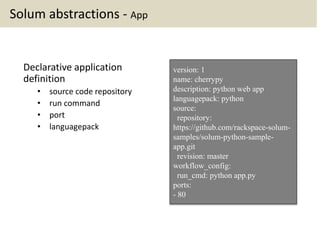
Solum abstractions - App
Declarative application
definition
• source code repository
• run command
• port
• languagepack
version: 1
name: cherrypy
description: python web app
languagepack: python
source:
repository:
https://github.com/rackspace-solum-
samples/solum-python-sample-
app.git
revision: master
workflow_config:
run_cmd: python app.py
ports:
- 80
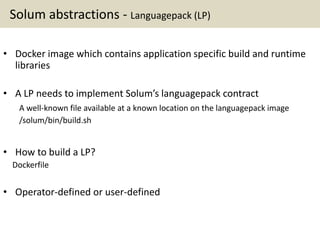
Solum abstractions - Languagepack (LP)
• Docker image which contains application specific build and runtime
libraries
• A LP needs to implement Solum’s languagepack contract
A well-known file available at a known location on the languagepack image
/solum/bin/build.sh
• How to build a LP?
Dockerfile
• Operator-defined or user-defined
Solum abstractions - Languagepack Example: Python
FROM ubuntu:precise
MAINTAINER Murali Allada
<murali.allada@rackspace.com>
RUN apt-get -yqq update
RUN apt-get -yqq install python-pip
RUN apt-get -yqq install python-dev
COPY build.sh /solum/bin/
https://github.com/rackspace-solum-samples/solum-languagepack-python
#!/bin/bash
# Check if pip is installed
pip help
[[ $? != 0 ]] && echo python-pip is
not installed. && exit 1
# Install app dependencies
cd /app
pip install -r requirements.txt
build.shDockerfile
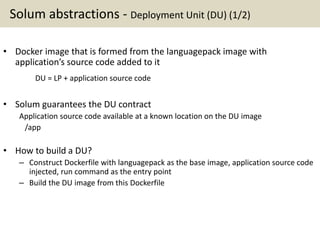
Solum abstractions - Deployment Unit (DU) (1/2)
• Docker image that is formed from the languagepack image with
application’s source code added to it
DU = LP + application source code
• Solum guarantees the DU contract
Application source code available at a known location on the DU image
/app
• How to build a DU?
– Construct Dockerfile with languagepack as the base image, application source code
injected, run command as the entry point
– Build the DU image from this Dockerfile
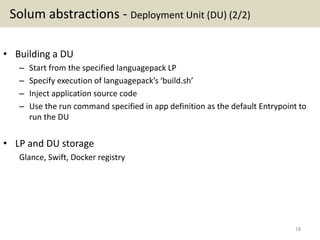
Solum abstractions - Deployment Unit (DU) (2/2)
• Building a DU
– Start from the specified languagepack LP
– Specify execution of languagepack’s ‘build.sh’
– Inject application source code
– Use the run command specified in app definition as the default Entrypoint to
run the DU
• LP and DU storage
Glance, Swift, Docker registry
18
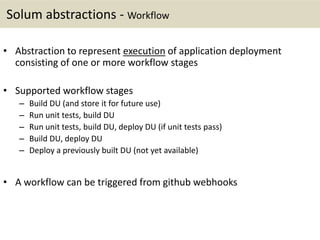
Solum abstractions - Workflow
• Abstraction to represent execution of application deployment
consisting of one or more workflow stages
• Supported workflow stages
– Build DU (and store it for future use)
– Run unit tests, build DU
– Run unit tests, build DU, deploy DU (if unit tests pass)
– Build DU, deploy DU
– Deploy a previously built DU (not yet available)
• A workflow can be triggered from github webhooks
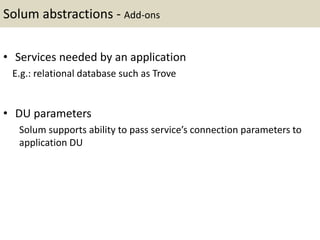
Solum abstractions - Add-ons
• Services needed by an application
E.g.: relational database such as Trove
• DU parameters
Solum supports ability to pass service’s connection parameters to
application DU
Architecture and system details
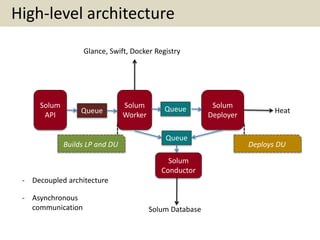
High-level architecture
Solum
API
Solum
Worker
Solum
Deployer
Queue Queue
Queue
Solum
Conductor
Heat
Solum Database
Glance, Swift, Docker Registry
Builds LP and DU Deploys DU
- Decoupled architecture
- Asynchronous
communication
Demo
https://vimeo.com/143425822
Agenda
• Part I
– Introductions
– Introduction to OpenStack
• Part II
– Deep dive of a OpenStack project - Solum
• Part III
– Contributing to OpenStack
– OpenStack CI system
– Development best practices
– Hands-on exercise
• Questions and Answers
Contributing to OpenStack
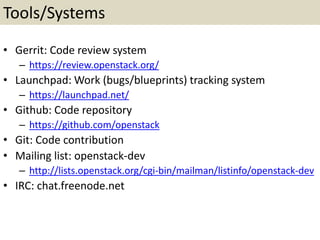
Tools/Systems
• Gerrit: Code review system
– https://review.openstack.org/
• Launchpad: Work (bugs/blueprints) tracking system
– https://launchpad.net/
• Github: Code repository
– https://github.com/openstack
• Git: Code contribution
• Mailing list: openstack-dev
– http://lists.openstack.org/cgi-bin/mailman/listinfo/openstack-dev
• IRC: chat.freenode.net
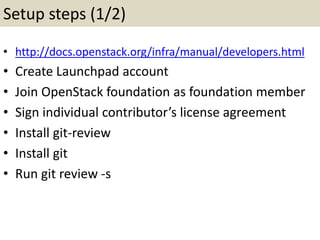
Setup steps (1/2)
• http://docs.openstack.org/infra/manual/developers.html
• Create Launchpad account
• Join OpenStack foundation as foundation member
• Sign individual contributor’s license agreement
• Install git-review
• Install git
• Run git review -s
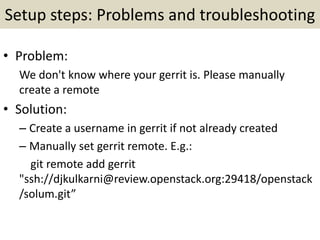
Setup steps: Problems and troubleshooting
• Problem:
We don't know where your gerrit is. Please manually
create a remote
• Solution:
– Create a username in gerrit if not already created
– Manually set gerrit remote. E.g.:
git remote add gerrit
"ssh://djkulkarni@review.openstack.org:29418/openstack
/solum.git”
Setup steps: Problems and troubleshooting
• Problem:
Problem running 'git remote update gerrit’
Fetching gerrit
Permission denied (publickey).
fatal: Could not read from remote repository.
• Solution:
– Generate sshkey and add it to gerrit
– ssh-keygen
Steps to submit a patch
• Create a Launchpad bug or assign an existing bug to
yourself
• Fixing the bug
– Iterative process
• Understand the issue (be in touch with project developers on
project’s IRC channel or on openstack-dev mailing list)
• Design solution
• Write code
• Write tests
• Commit code
• Provide good commit message
• Submit patch for review
Steps to merge a patch
• Patch needs to pass configured automated tests
• Patch needs to get two +2 votes
• Patch needs to be approved for merging by project’s
core reviewer
OpenStack CI System
Continuous Integration of patches
• Systems involved:
– Zuul
– Gerrit
– Jenkins
– Github
• Pre-merge checking
– Patch is merged to master only if all the configured tests
pass
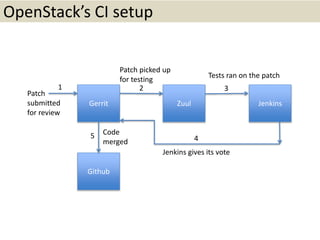
OpenStack’s CI setup
Gerrit Zuul Jenkins
Github
2 3
45
1
Patch
submitted
for review
Patch picked up
for testing
Tests ran on the patch
Jenkins gives its vote
Code
merged
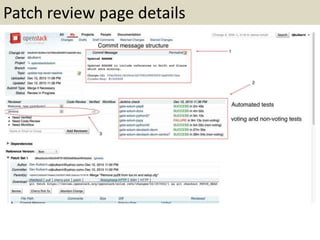
Patch review page details
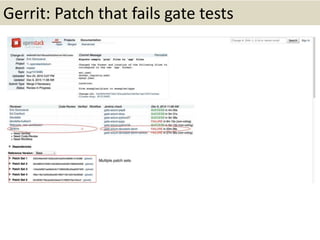
Gerrit: Patch that fails gate tests
Development best practices
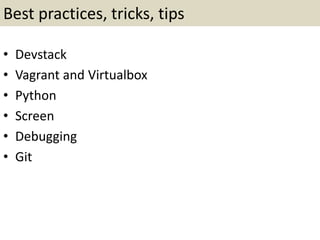
Best practices, tricks, tips
• Devstack
• Vagrant and Virtualbox
• Python
• Screen
• Debugging
• Git
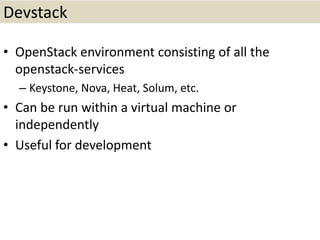
Devstack
• OpenStack environment consisting of all the
openstack-services
– Keystone, Nova, Heat, Solum, etc.
• Can be run within a virtual machine or
independently
• Useful for development
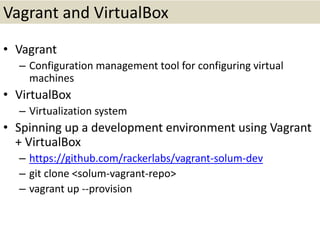
Vagrant and VirtualBox
• Vagrant
– Configuration management tool for configuring virtual
machines
• VirtualBox
– Virtualization system
• Spinning up a development environment using Vagrant
+ VirtualBox
– https://github.com/rackerlabs/vagrant-solum-dev
– git clone <solum-vagrant-repo>
– vagrant up --provision
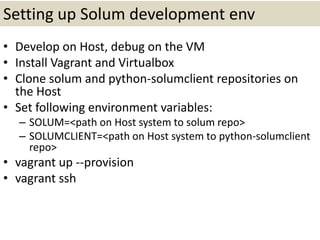
Setting up Solum development env
• Develop on Host, debug on the VM
• Install Vagrant and Virtualbox
• Clone solum and python-solumclient repositories on
the Host
• Set following environment variables:
– SOLUM=<path on Host system to solum repo>
– SOLUMCLIENT=<path on Host system to python-solumclient
repo>
• vagrant up --provision
• vagrant ssh
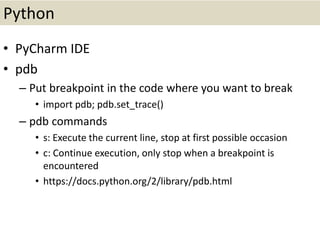
Python
• PyCharm IDE
• pdb
– Put breakpoint in the code where you want to break
• import pdb; pdb.set_trace()
– pdb commands
• s: Execute the current line, stop at first possible occasion
• c: Continue execution, only stop when a breakpoint is
encountered
• https://docs.python.org/2/library/pdb.html
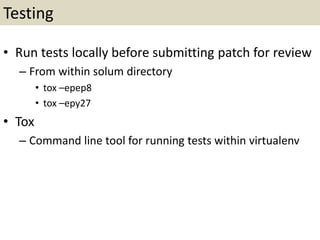
Testing
• Run tests locally before submitting patch for review
– From within solum directory
• tox –epep8
• tox –epy27
• Tox
– Command line tool for running tests within virtualenv
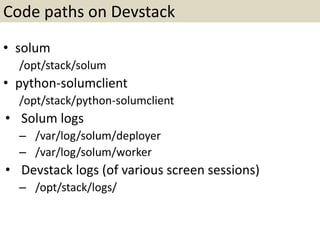
Code paths on Devstack
• solum
/opt/stack/solum
• python-solumclient
/opt/stack/python-solumclient
• Solum logs
– /var/log/solum/deployer
– /var/log/solum/worker
• Devstack logs (of various screen sessions)
– /opt/stack/logs/
Screen
• Program that allows sharing physical terminal between
different processes
• Entering Solum’s screen session in Devstack
– screen –x stack
• Screen commands
– Move to next window: Ctrl+a n
– Move to previous window: Ctrl+a p
– See all windows: Ctrl+a “
– Enter scrollback/copy mode: Ctrl+a [
– Leave scrollback/copy mode: Ctrl+a ]
– http://www.pixelbeat.org/lkdb/screen.html
Debugging
• Debug code/feature
– Put breakpoints in the code
– Invoke code-under-test from CLI
– Use screen to enter breakpoint and then debug using
Pdb
• Debug failing functional test
– https://review.openstack.org/#/c/254344/
• Debug failing unit test
Git
• Creating dependent commits
• Squashing commits
– git rebase -i HEAD~<number-of-commits>
– pick/squash/edit
• Updating dependent commit and submitting for
review
• https://ask.openstack.org/en/question/31633/gerri
t-best-way-to-make-a-series-of-dependent-
commits/
Hands-on exercise
• Submit first patch to OpenStack (45 minutes)
• https://etherpad.openstack.org/p/solum-low-
hanging-fruit-bugs
Questions

Contributing to OpenStack

  • 1.
    Tutorial on Contributingto OpenStack Dr. Devdatta Kulkarni PTL, OpenStack Solum devdatta.kulkarni@rackspace.com
  • 2.
    Agenda • Part I –Introductions – Introduction to OpenStack • Part II – Deep dive of a OpenStack project - Solum • Part III – Contributing to OpenStack – OpenStack CI system – Development best practices – Hands-on exercise • Questions and Answers
  • 3.
    Agenda • Part I –Introductions – Introduction to OpenStack • Part II – Deep dive of a OpenStack project - Solum • Part III – Contributing to OpenStack – OpenStack CI system – Development best practices – Hands-on exercise • Questions and Answers
  • 4.
    Introduction • Me – Dr.Devdatta Kulkarni – I go by Devdatta or Dev – Working at Rackspace USA – First contributor on Solum – Currently Project Team Lead (PTL) of Solum for Mitaka cycle – PhD, University of Minnesota Minneapolis • You
  • 5.
  • 6.
    What is OpenStack? Afamily of “open” projects that together enable different aspects of cloud computing Openness of OpenStack https://wiki.openstack.org/wiki/Open • Open source • Open design • Open development • Open community
  • 7.
    OpenStack family • Familyof projects enabling different aspects of cloud computing – Authentication and authorization layer • Keystone – Infrastructure-as-a-service layer • Nova, Glance – Storage layer • Swift, Cinder – Networking layer • Neutron – Platform-as-a-service layer • Solum, Heat, Murano, Mistral, Trove • Project types – OpenStack big tent vs. OpenStack related projects
  • 8.
    OpenStack by numbers •49 projects in OpenStack big tent • Several hundred organizations involved • Several thousand developers participating
  • 9.
    Agenda • Part I –Introductions – Introduction to OpenStack • Part II – Deep dive of a OpenStack project - Solum • Part III – Contributing to OpenStack – OpenStack CI system – Development best practices – Hands-on exercise • Questions and Answers
  • 10.
    What is Solum? OpenStackproject that provides easy mechanism for application developers to deploy and run their applications on OpenStack starting from application’s source code Why should you care? (the value proposition) – For operators, Solum provides ability to make your OpenStack cloud more useful for your clouds’ application developers by simplifying the process of deploying applications to it – For developers, Solum provides an easy-to-use platform for building, testing, and deploying applications on OpenStack clouds
  • 11.
    Project goals Application StackFlexibility Ability to support applications written in different languages and using different application frameworks Developer Productivity Ability to perform CI/CD, integration with github Add-On Services Extensibility Ability to support different add-on services Application Portability Ability to deploy applications across different OpenStack clouds (use native OpenStack services)
  • 12.
    Project details • Wiki: https://wiki.openstack.org/wiki/Solum •Meetings: Tuesdays 1700 UTC in #openstack-meeting-3 • IRC: Channel: #solum on freenode • Code: https://github.com/openstack/solum https://github.com/openstack/python-solumclient
  • 13.
    Solum abstractions • App •Languagepack (LP) • Deployment Unit (DU) • Workflow • Add-on
  • 14.
    Solum abstractions -App Declarative application definition • source code repository • run command • port • languagepack version: 1 name: cherrypy description: python web app languagepack: python source: repository: https://github.com/rackspace-solum- samples/solum-python-sample- app.git revision: master workflow_config: run_cmd: python app.py ports: - 80
  • 15.
    Solum abstractions -Languagepack (LP) • Docker image which contains application specific build and runtime libraries • A LP needs to implement Solum’s languagepack contract A well-known file available at a known location on the languagepack image /solum/bin/build.sh • How to build a LP? Dockerfile • Operator-defined or user-defined
  • 16.
    Solum abstractions -Languagepack Example: Python FROM ubuntu:precise MAINTAINER Murali Allada <murali.allada@rackspace.com> RUN apt-get -yqq update RUN apt-get -yqq install python-pip RUN apt-get -yqq install python-dev COPY build.sh /solum/bin/ https://github.com/rackspace-solum-samples/solum-languagepack-python #!/bin/bash # Check if pip is installed pip help [[ $? != 0 ]] && echo python-pip is not installed. && exit 1 # Install app dependencies cd /app pip install -r requirements.txt build.shDockerfile
  • 17.
    Solum abstractions -Deployment Unit (DU) (1/2) • Docker image that is formed from the languagepack image with application’s source code added to it DU = LP + application source code • Solum guarantees the DU contract Application source code available at a known location on the DU image /app • How to build a DU? – Construct Dockerfile with languagepack as the base image, application source code injected, run command as the entry point – Build the DU image from this Dockerfile
  • 18.
    Solum abstractions -Deployment Unit (DU) (2/2) • Building a DU – Start from the specified languagepack LP – Specify execution of languagepack’s ‘build.sh’ – Inject application source code – Use the run command specified in app definition as the default Entrypoint to run the DU • LP and DU storage Glance, Swift, Docker registry 18
  • 19.
    Solum abstractions -Workflow • Abstraction to represent execution of application deployment consisting of one or more workflow stages • Supported workflow stages – Build DU (and store it for future use) – Run unit tests, build DU – Run unit tests, build DU, deploy DU (if unit tests pass) – Build DU, deploy DU – Deploy a previously built DU (not yet available) • A workflow can be triggered from github webhooks
  • 20.
    Solum abstractions -Add-ons • Services needed by an application E.g.: relational database such as Trove • DU parameters Solum supports ability to pass service’s connection parameters to application DU
  • 21.
  • 22.
    High-level architecture Solum API Solum Worker Solum Deployer Queue Queue Queue Solum Conductor Heat SolumDatabase Glance, Swift, Docker Registry Builds LP and DU Deploys DU - Decoupled architecture - Asynchronous communication
  • 23.
  • 24.
    Agenda • Part I –Introductions – Introduction to OpenStack • Part II – Deep dive of a OpenStack project - Solum • Part III – Contributing to OpenStack – OpenStack CI system – Development best practices – Hands-on exercise • Questions and Answers
  • 25.
  • 26.
    Tools/Systems • Gerrit: Codereview system – https://review.openstack.org/ • Launchpad: Work (bugs/blueprints) tracking system – https://launchpad.net/ • Github: Code repository – https://github.com/openstack • Git: Code contribution • Mailing list: openstack-dev – http://lists.openstack.org/cgi-bin/mailman/listinfo/openstack-dev • IRC: chat.freenode.net
  • 27.
    Setup steps (1/2) •http://docs.openstack.org/infra/manual/developers.html • Create Launchpad account • Join OpenStack foundation as foundation member • Sign individual contributor’s license agreement • Install git-review • Install git • Run git review -s
  • 28.
    Setup steps: Problemsand troubleshooting • Problem: We don't know where your gerrit is. Please manually create a remote • Solution: – Create a username in gerrit if not already created – Manually set gerrit remote. E.g.: git remote add gerrit "ssh://djkulkarni@review.openstack.org:29418/openstack /solum.git”
  • 29.
    Setup steps: Problemsand troubleshooting • Problem: Problem running 'git remote update gerrit’ Fetching gerrit Permission denied (publickey). fatal: Could not read from remote repository. • Solution: – Generate sshkey and add it to gerrit – ssh-keygen
  • 30.
    Steps to submita patch • Create a Launchpad bug or assign an existing bug to yourself • Fixing the bug – Iterative process • Understand the issue (be in touch with project developers on project’s IRC channel or on openstack-dev mailing list) • Design solution • Write code • Write tests • Commit code • Provide good commit message • Submit patch for review
  • 31.
    Steps to mergea patch • Patch needs to pass configured automated tests • Patch needs to get two +2 votes • Patch needs to be approved for merging by project’s core reviewer
  • 32.
  • 33.
    Continuous Integration ofpatches • Systems involved: – Zuul – Gerrit – Jenkins – Github • Pre-merge checking – Patch is merged to master only if all the configured tests pass
  • 34.
    OpenStack’s CI setup GerritZuul Jenkins Github 2 3 45 1 Patch submitted for review Patch picked up for testing Tests ran on the patch Jenkins gives its vote Code merged
  • 35.
  • 36.
    Gerrit: Patch thatfails gate tests
  • 37.
  • 38.
    Best practices, tricks,tips • Devstack • Vagrant and Virtualbox • Python • Screen • Debugging • Git
  • 39.
    Devstack • OpenStack environmentconsisting of all the openstack-services – Keystone, Nova, Heat, Solum, etc. • Can be run within a virtual machine or independently • Useful for development
  • 40.
    Vagrant and VirtualBox •Vagrant – Configuration management tool for configuring virtual machines • VirtualBox – Virtualization system • Spinning up a development environment using Vagrant + VirtualBox – https://github.com/rackerlabs/vagrant-solum-dev – git clone <solum-vagrant-repo> – vagrant up --provision
  • 41.
    Setting up Solumdevelopment env • Develop on Host, debug on the VM • Install Vagrant and Virtualbox • Clone solum and python-solumclient repositories on the Host • Set following environment variables: – SOLUM=<path on Host system to solum repo> – SOLUMCLIENT=<path on Host system to python-solumclient repo> • vagrant up --provision • vagrant ssh
  • 42.
    Python • PyCharm IDE •pdb – Put breakpoint in the code where you want to break • import pdb; pdb.set_trace() – pdb commands • s: Execute the current line, stop at first possible occasion • c: Continue execution, only stop when a breakpoint is encountered • https://docs.python.org/2/library/pdb.html
  • 43.
    Testing • Run testslocally before submitting patch for review – From within solum directory • tox –epep8 • tox –epy27 • Tox – Command line tool for running tests within virtualenv
  • 44.
    Code paths onDevstack • solum /opt/stack/solum • python-solumclient /opt/stack/python-solumclient • Solum logs – /var/log/solum/deployer – /var/log/solum/worker • Devstack logs (of various screen sessions) – /opt/stack/logs/
  • 45.
    Screen • Program thatallows sharing physical terminal between different processes • Entering Solum’s screen session in Devstack – screen –x stack • Screen commands – Move to next window: Ctrl+a n – Move to previous window: Ctrl+a p – See all windows: Ctrl+a “ – Enter scrollback/copy mode: Ctrl+a [ – Leave scrollback/copy mode: Ctrl+a ] – http://www.pixelbeat.org/lkdb/screen.html
  • 46.
    Debugging • Debug code/feature –Put breakpoints in the code – Invoke code-under-test from CLI – Use screen to enter breakpoint and then debug using Pdb • Debug failing functional test – https://review.openstack.org/#/c/254344/ • Debug failing unit test
  • 47.
    Git • Creating dependentcommits • Squashing commits – git rebase -i HEAD~<number-of-commits> – pick/squash/edit • Updating dependent commit and submitting for review • https://ask.openstack.org/en/question/31633/gerri t-best-way-to-make-a-series-of-dependent- commits/
  • 48.
    Hands-on exercise • Submitfirst patch to OpenStack (45 minutes) • https://etherpad.openstack.org/p/solum-low- hanging-fruit-bugs
  • 49.