Continuous Delivery
to Kubernetes with
Jenkins and Helm
David Currie | @dcurrie
Presentation + Code @ https://github.com/davidcurrie/codeone2018
© 2018 CloudBees, Inc. All Rights Reserved. 2
CloudBees and Jenkins Trademark, Copyright and
Registration Information
• The registered trademark Jenkins®
is used pursuant to a sublicense from
the Jenkins project and Software in the Public Interest, Inc.
• © 2018 CloudBees, Inc. CloudBees and CloudBees DevOptics are registered
trademarks and CloudBees Jenkins Solutions, CloudBees Jenkins Enterprise,
CloudBees Jenkins Team, CloudBees Jenkins Operations Center, CloudBees
Jenkins Advisor and DEV@cloud are trademarks of CloudBees, Inc. Other
product or brand names may be trademarks or registered trademarks of their
respective holders.
© 2018 CloudBees, Inc. All Rights Reserved. 3
Agenda
• Running Jenkins on Kubernetes
• Deploying to Kubernetes from Jenkins
• Jenkins X
Running Jenkins
on Kubernetes
© 2018 CloudBees, Inc. All Rights Reserved. 5
Why run Jenkins on Kubernetes?
• Containerize components
• Isolated Jenkins masters
• Isolated agents and jobs
• Enforce memory and CPU limits
• Container orchestration
• Highly available Jenkins master
▸ Leverage pluggable persistent storage
• Dynamically scale number of agents across nodes
• Remove reliance on Jenkins plugins
© 2018 CloudBees, Inc. All Rights Reserved. 6
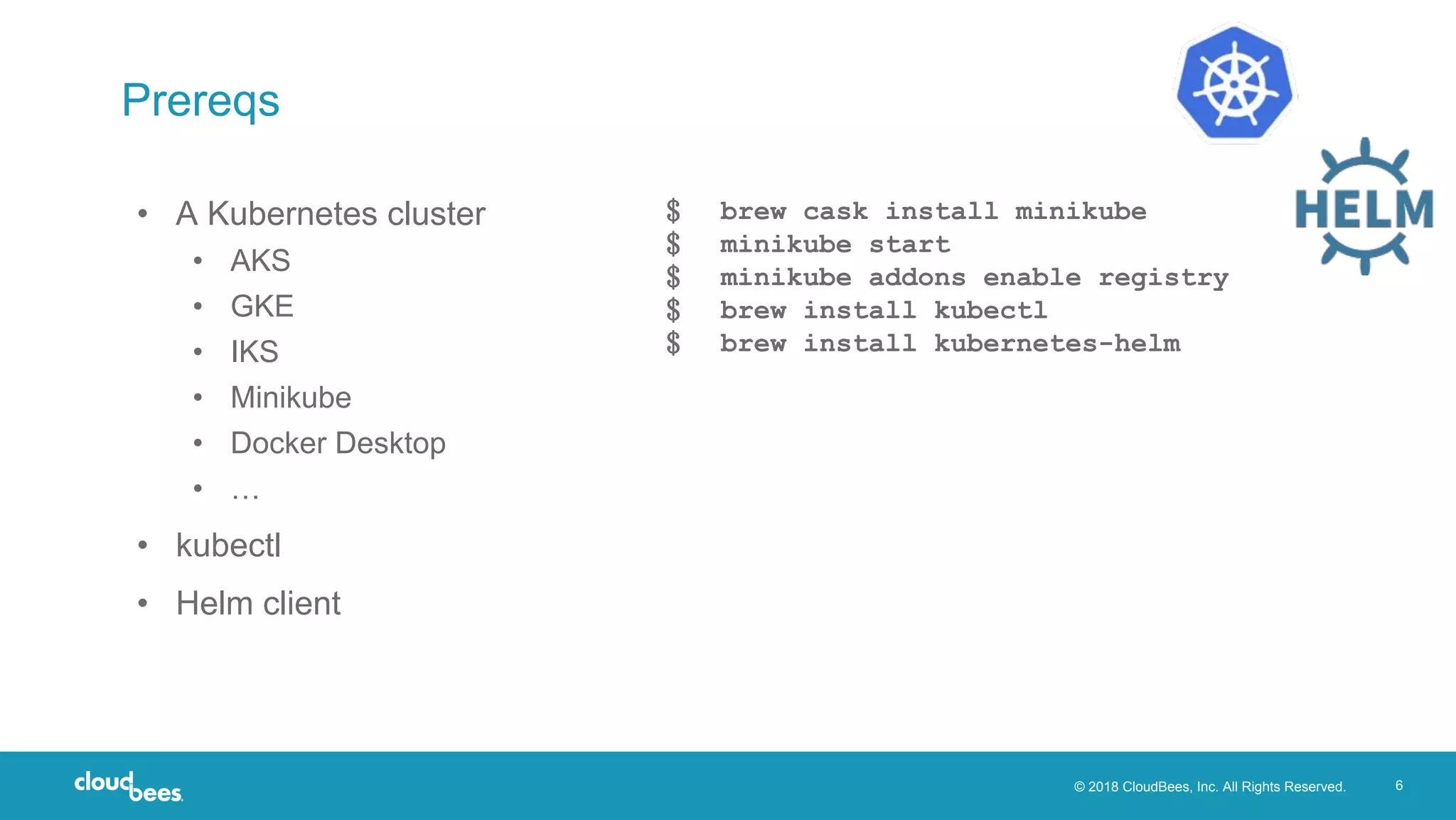
Prereqs
• A Kubernetes cluster
• AKS
• GKE
• IKS
• Minikube
• Docker Desktop
• …
• kubectl
• Helm client
﹩ brew cask install minikube
﹩ minikube start
﹩ minikube addons enable registry
﹩ brew install kubectl
﹩ brew install kubernetes-helm
© 2018 CloudBees, Inc. All Rights Reserved. 7
Getting started with Helm
• ‘Package manager’ for Kubernetes apps
• Packages called charts stored in repositories
• Charts contain templatized Kubernetes configuration
• Setup client configuration and install server-side tiller:
$ helm init --wait
http://helm.sh
© 2018 CloudBees, Inc. All Rights Reserved. 8
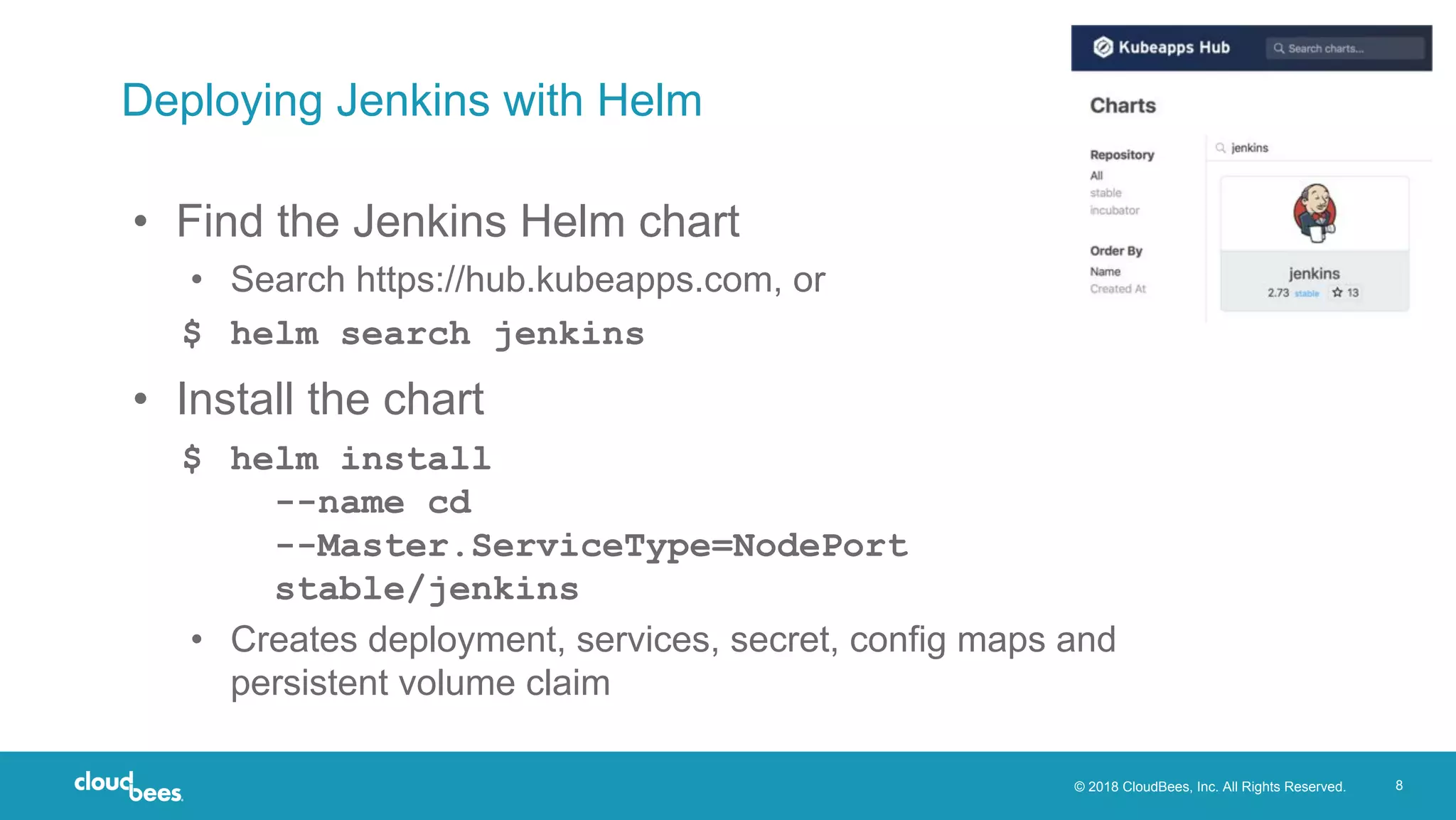
Deploying Jenkins with Helm
• Find the Jenkins Helm chart
• Search https://hub.kubeapps.com, or
$ helm search jenkins
• Install the chart
$ helm install
--name cd
--Master.ServiceType=NodePort
stable/jenkins
• Creates deployment, services, secret, config maps and
persistent volume claim
© 2018 CloudBees, Inc. All Rights Reserved. 9
Access the deployed Jenkins
• Follow the instructions to retrieve the Jenkins admin
password
• Access the Jenkins UI
$ minikube service cd-jenkins
© 2018 CloudBees, Inc. All Rights Reserved. 10
Kubernetes plugin for Jenkins
• Developed by Carlos Sanchez @ CloudBees
• Spins up Jenkins slave on demand as Kubernetes pod
• Pod template defines containers that should exist in pod
• JNLP agent is always one of them
• Enables reuse of existing Docker images e.g. maven or docker
• Template can define configuration for the pod/containers
• Environment variables
• Mount from secret, config map or volume
© 2018 CloudBees, Inc. All Rights Reserved. 11
Kubernetes plugin and Jenkins pipelines
• Pod templates can be defined in:
• Jenkins configuration, or
• Declaratively as part of a Jenkins pipeline (e.g. Jenkinsfile)
podTemplate(label: 'mypod', inheritFrom: 'default',
containers: [
containerTemplate(name: 'maven', image: 'maven',
ttyEnabled: true, command: 'cat')
]) {
node('mypod') {
stage ('Extract') { checkout scm }
stage ('Build') { container ('maven') { sh "mvn package" } }
}
}
© 2018 CloudBees, Inc. All Rights Reserved. 12
Go beyond physical scaling by driving
collaboration across teams to easily
propagate best practices, offer CD as a
Service across your organization and
reduce your administrative and IT
burden.
Whatever you are delivering - from
microservices, Java, .NET to mainframe
- CloudBees Core is the one CI/CD
solution for all your applications.
Sophisticated authorization reduces risks
to software delivery by ensuring
credentials and resources are not
misused. Create compliance without
hindering agility.
CloudBees Core
Flexible, governed continuous delivery for all your applications
12
FlexibilitySecurity and Compliance Scalability
Deploying to
Kubernetes
from Jenkins
© 2018 CloudBees, Inc. All Rights Reserved. 14
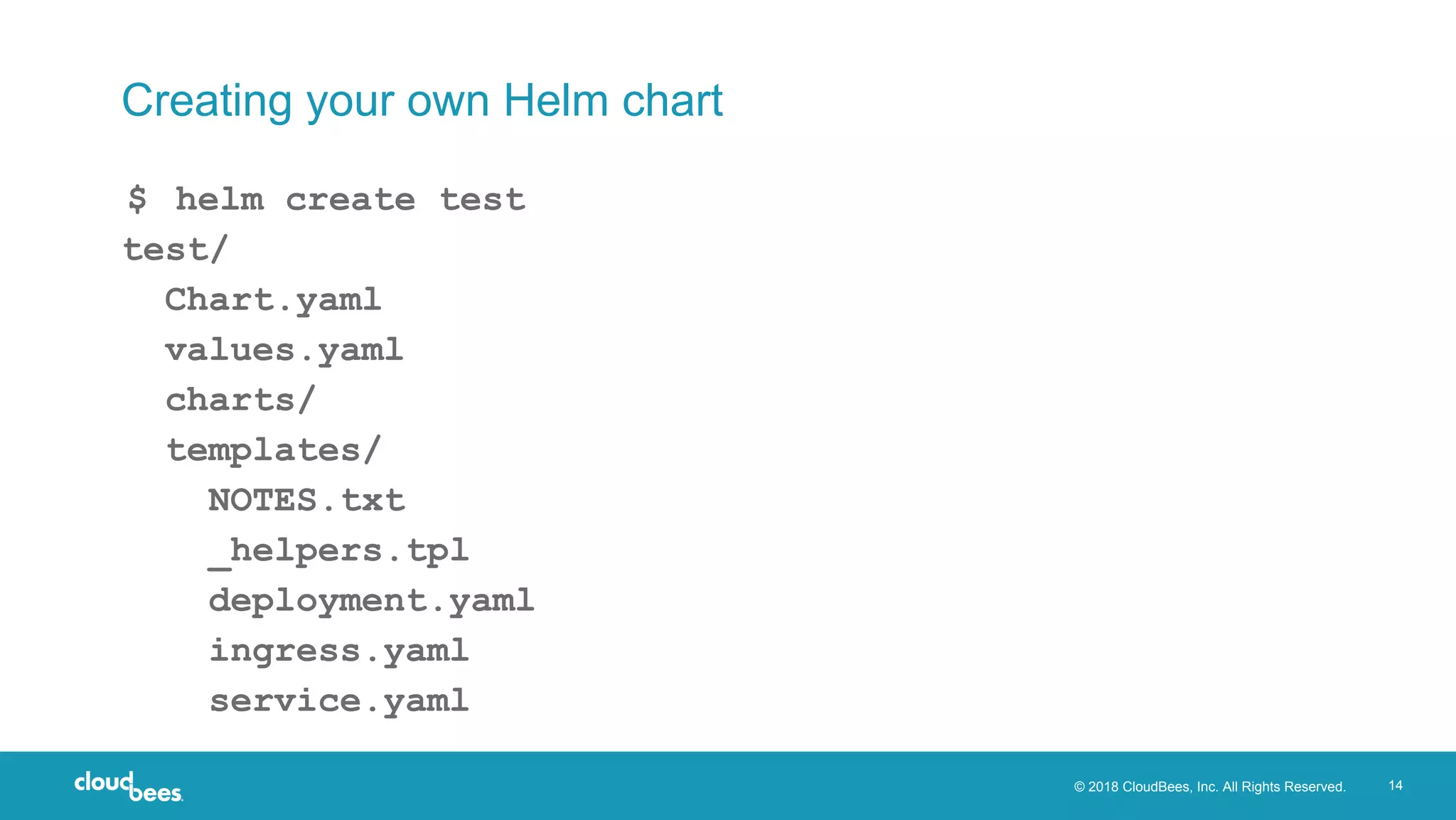
Creating your own Helm chart
$ helm create test
test/
Chart.yaml
values.yaml
charts/
templates/
NOTES.txt
_helpers.tpl
deployment.yaml
ingress.yaml
service.yaml
© 2018 CloudBees, Inc. All Rights Reserved. 15
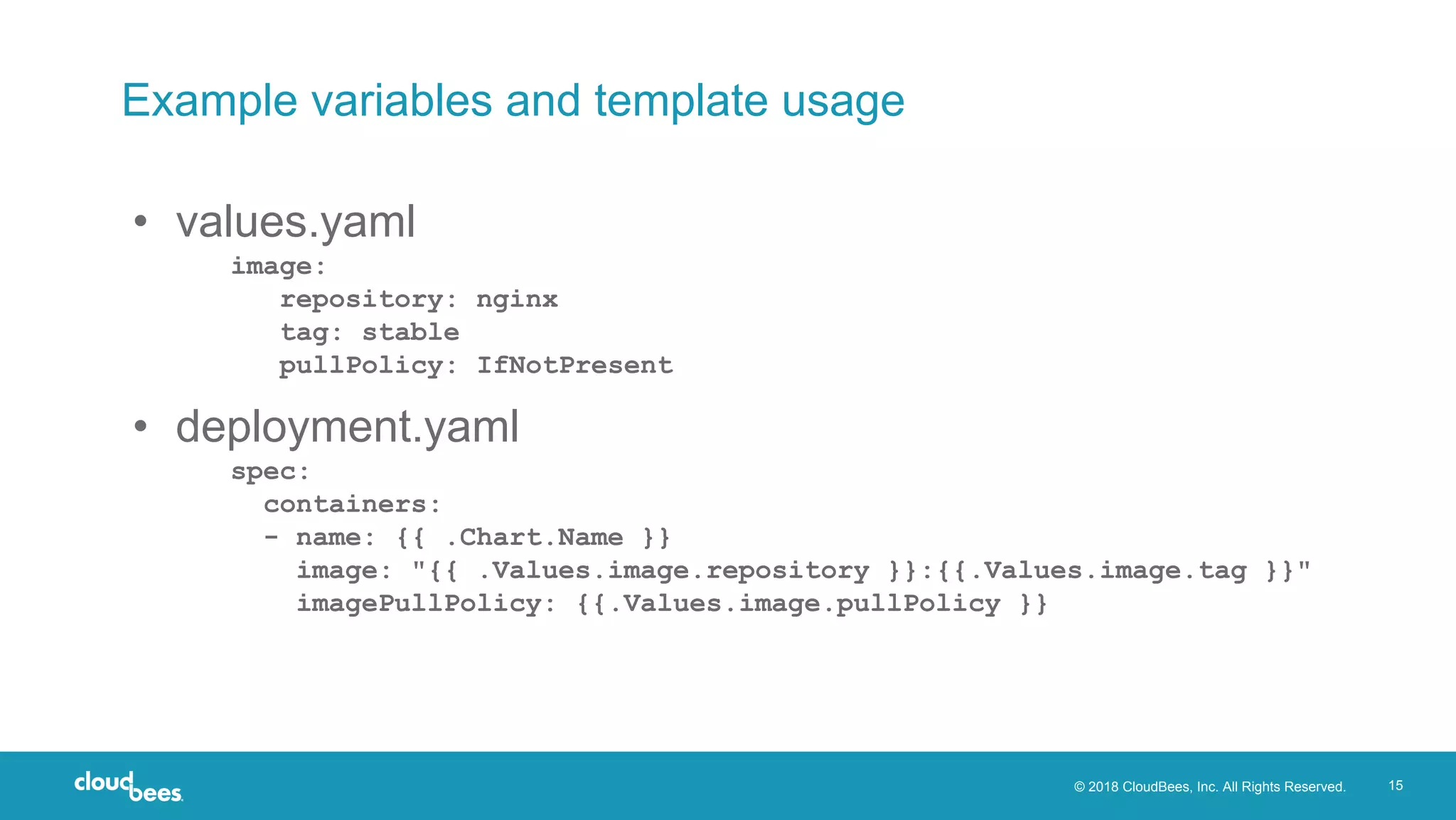
Example variables and template usage
• values.yaml
image:
repository: nginx
tag: stable
pullPolicy: IfNotPresent
• deployment.yaml
spec:
containers:
- name: {{ .Chart.Name }}
image: "{{ .Values.image.repository }}:{{.Values.image.tag }}"
imagePullPolicy: {{.Values.image.pullPolicy }}
© 2018 CloudBees, Inc. All Rights Reserved. 16
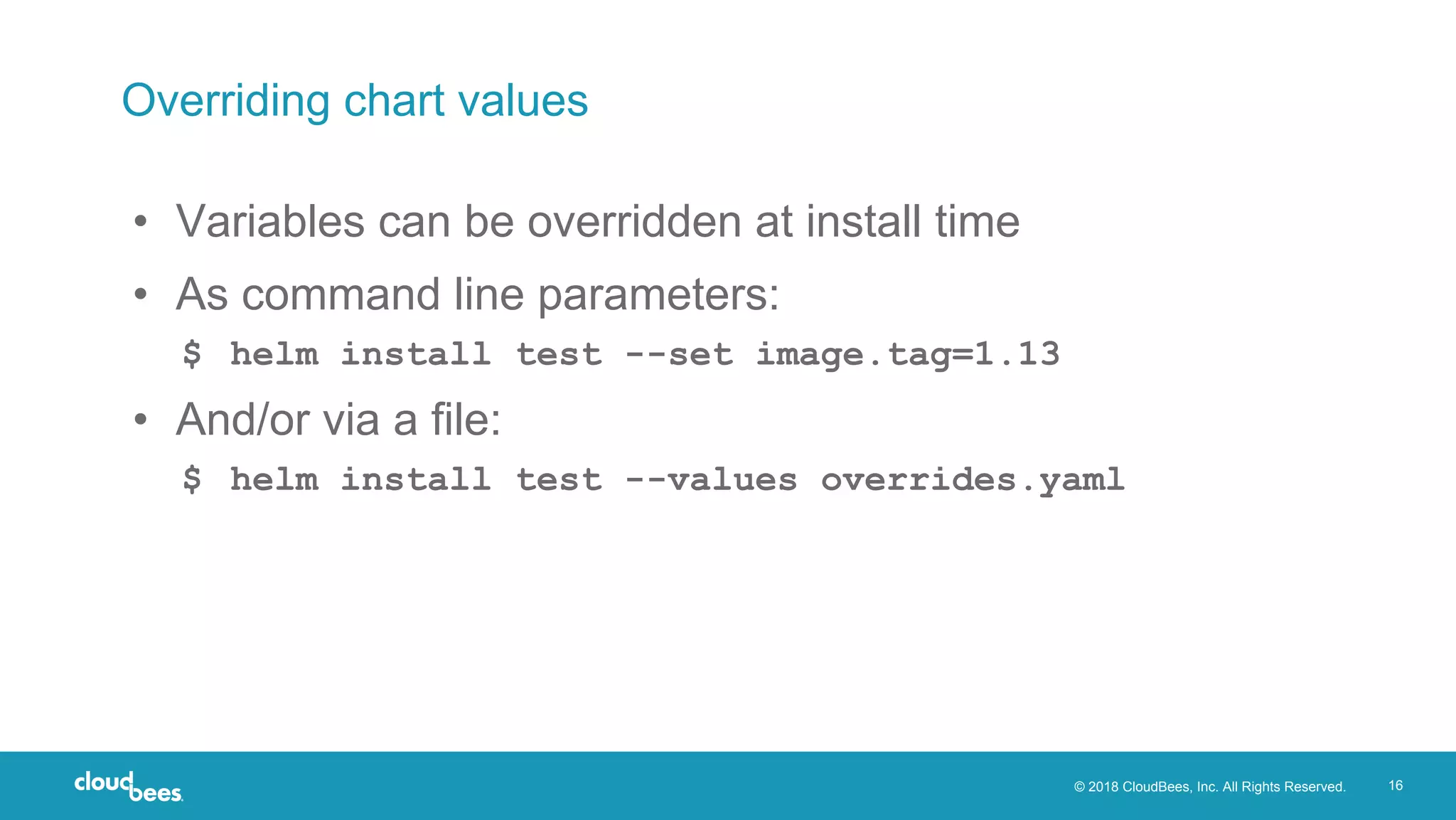
Overriding chart values
• Variables can be overridden at install time
• As command line parameters:
$ helm install test --set image.tag=1.13
• And/or via a file:
$ helm install test --values overrides.yaml
© 2018 CloudBees, Inc. All Rights Reserved. 17
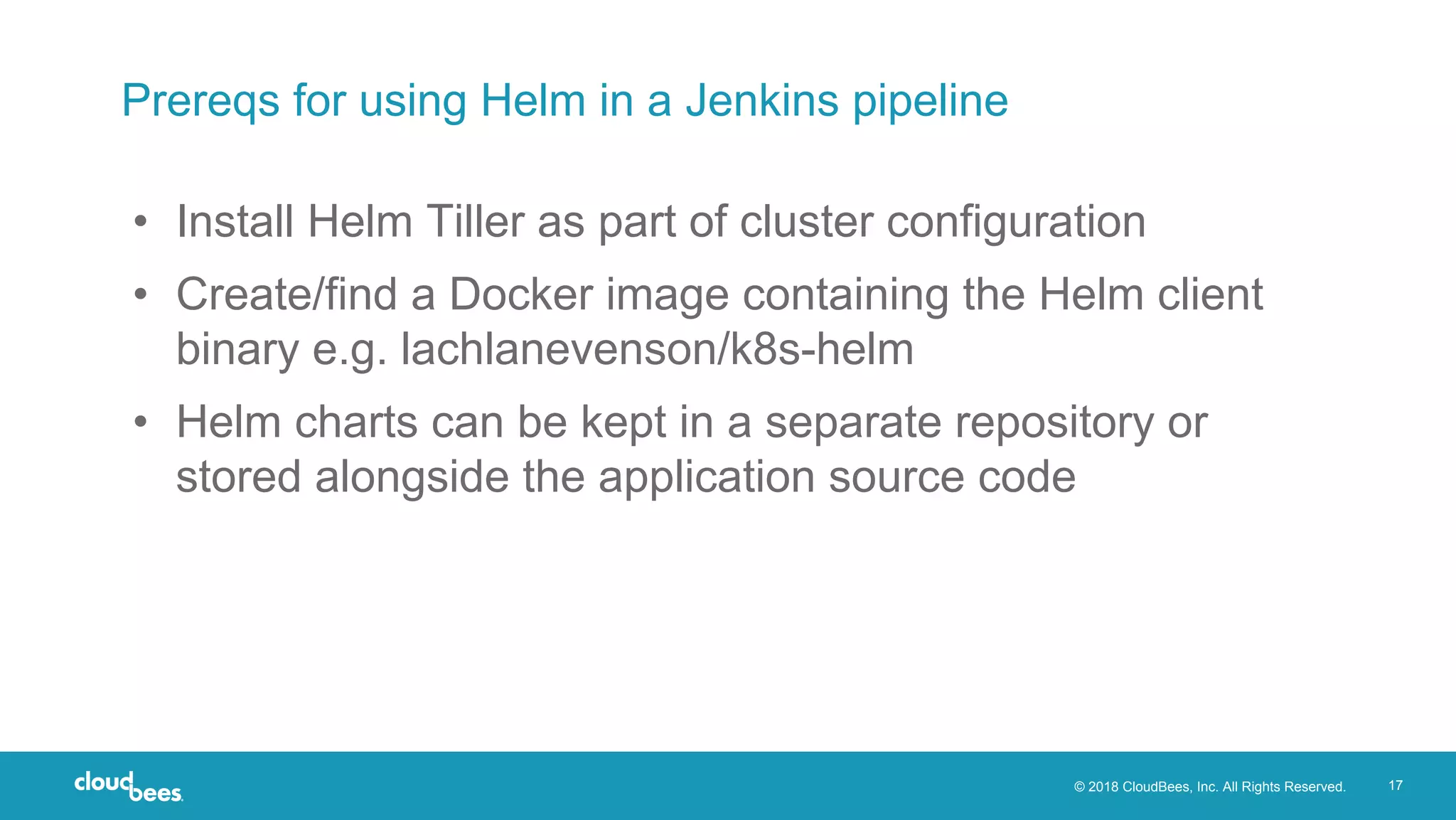
Prereqs for using Helm in a Jenkins pipeline
• Install Helm Tiller as part of cluster configuration
• Create/find a Docker image containing the Helm client
binary e.g. lachlanevenson/k8s-helm
• Helm charts can be kept in a separate repository or
stored alongside the application source code
© 2018 CloudBees, Inc. All Rights Reserved. 18
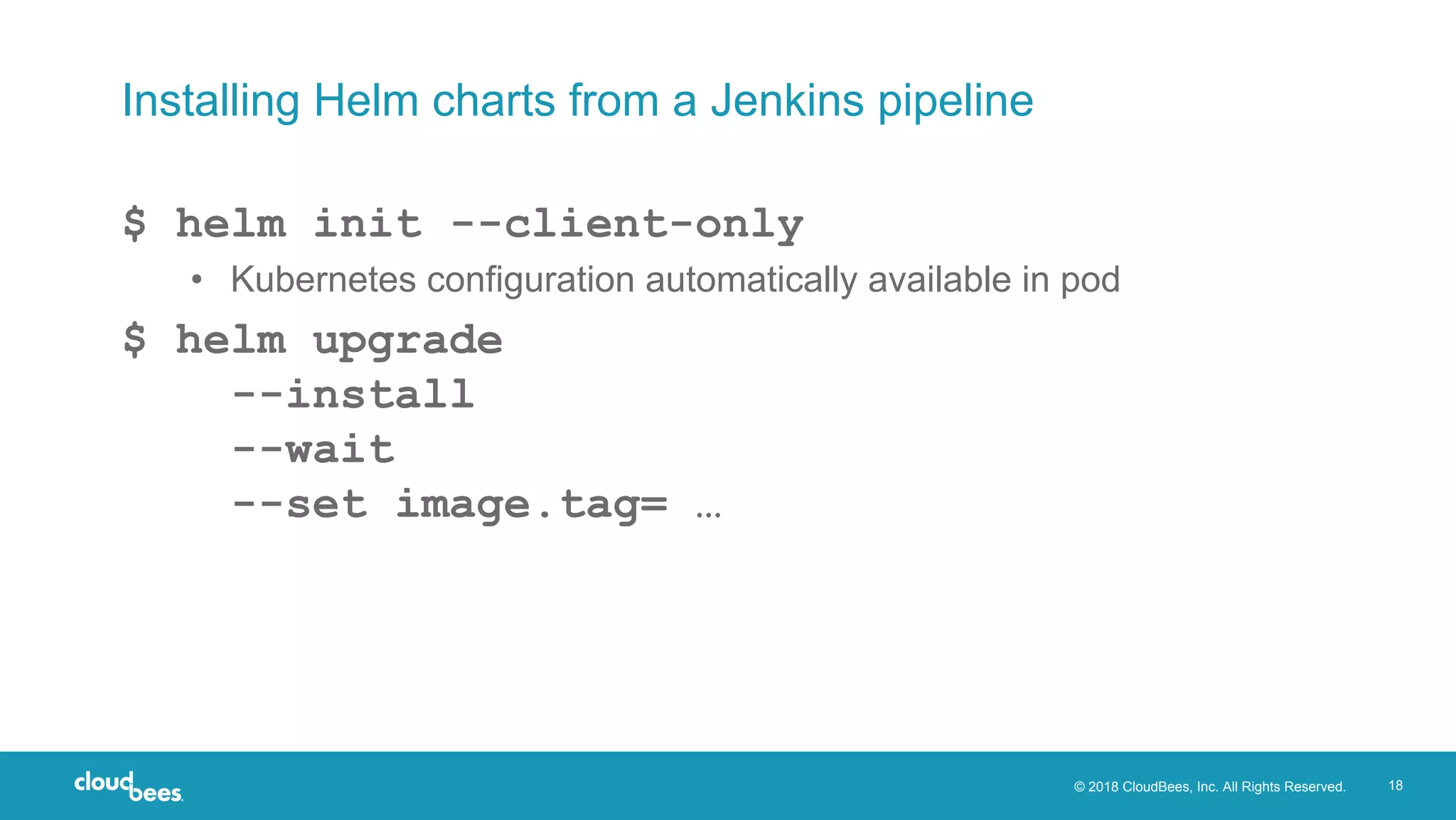
Installing Helm charts from a Jenkins pipeline
$ helm init --client-only
• Kubernetes configuration automatically available in pod
$ helm upgrade
--install
--wait
--set image.tag= …
© 2018 CloudBees, Inc. All Rights Reserved. 19
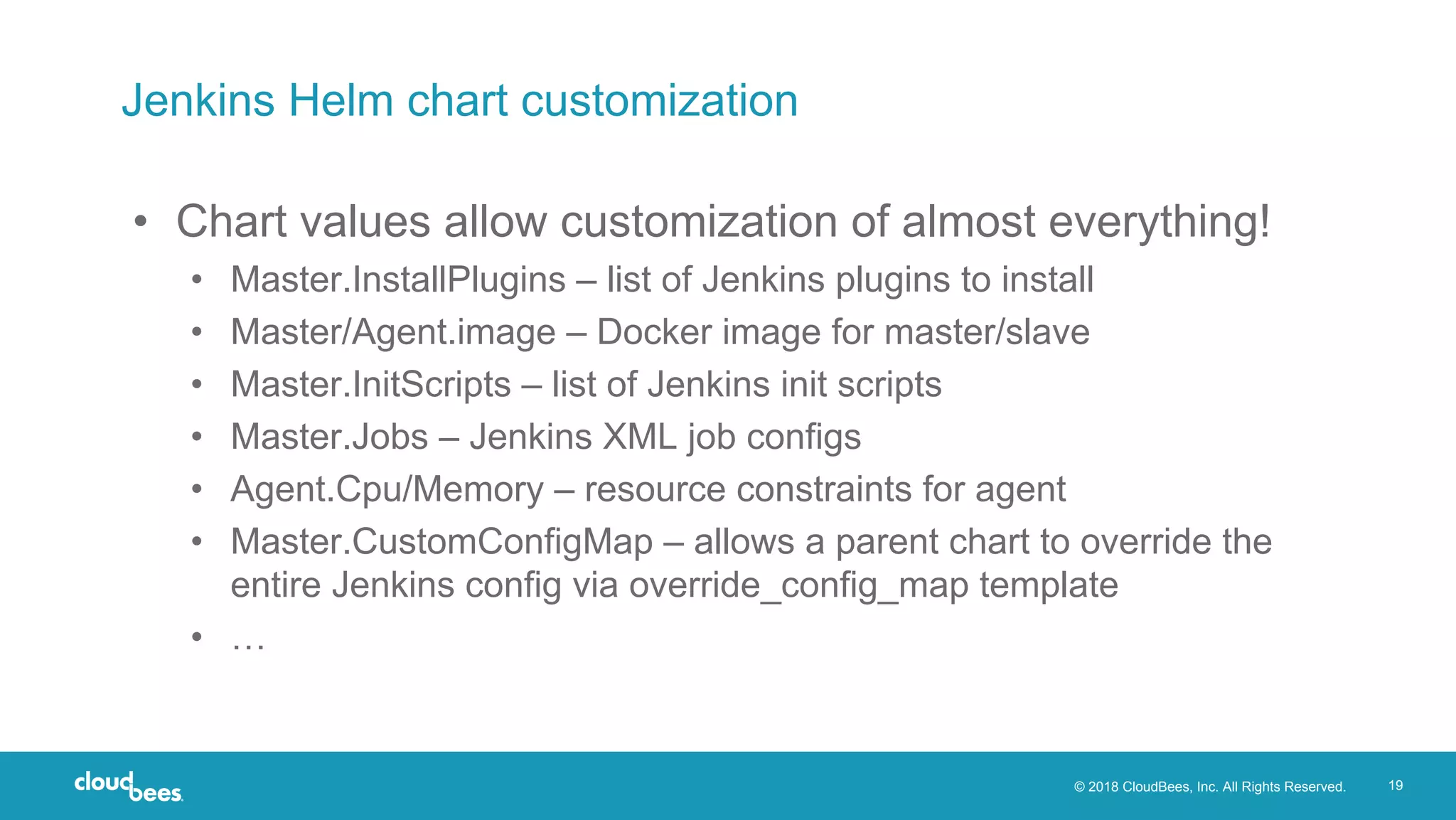
Jenkins Helm chart customization
• Chart values allow customization of almost everything!
• Master.InstallPlugins – list of Jenkins plugins to install
• Master/Agent.image – Docker image for master/slave
• Master.InitScripts – list of Jenkins init scripts
• Master.Jobs – Jenkins XML job configs
• Agent.Cpu/Memory – resource constraints for agent
• Master.CustomConfigMap – allows a parent chart to override the
entire Jenkins config via override_config_map template
• …
© 2018 CloudBees, Inc. All Rights Reserved. 20
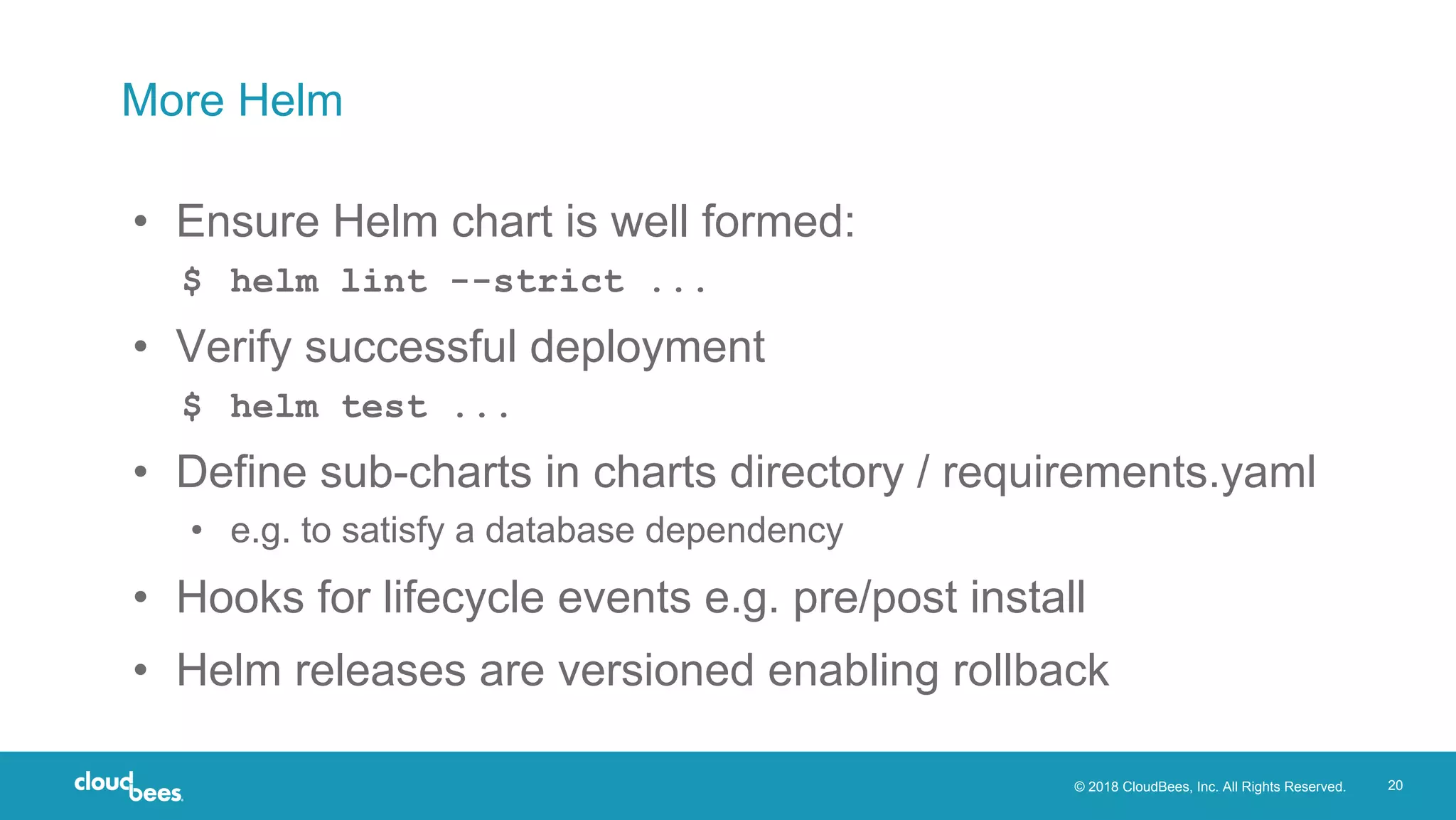
More Helm
• Ensure Helm chart is well formed:
$ helm lint --strict ...
• Verify successful deployment
$ helm test ...
• Define sub-charts in charts directory / requirements.yaml
• e.g. to satisfy a database dependency
• Hooks for lifecycle events e.g. pre/post install
• Helm releases are versioned enabling rollback
© 2018 CloudBees, Inc. All Rights Reserved. 21
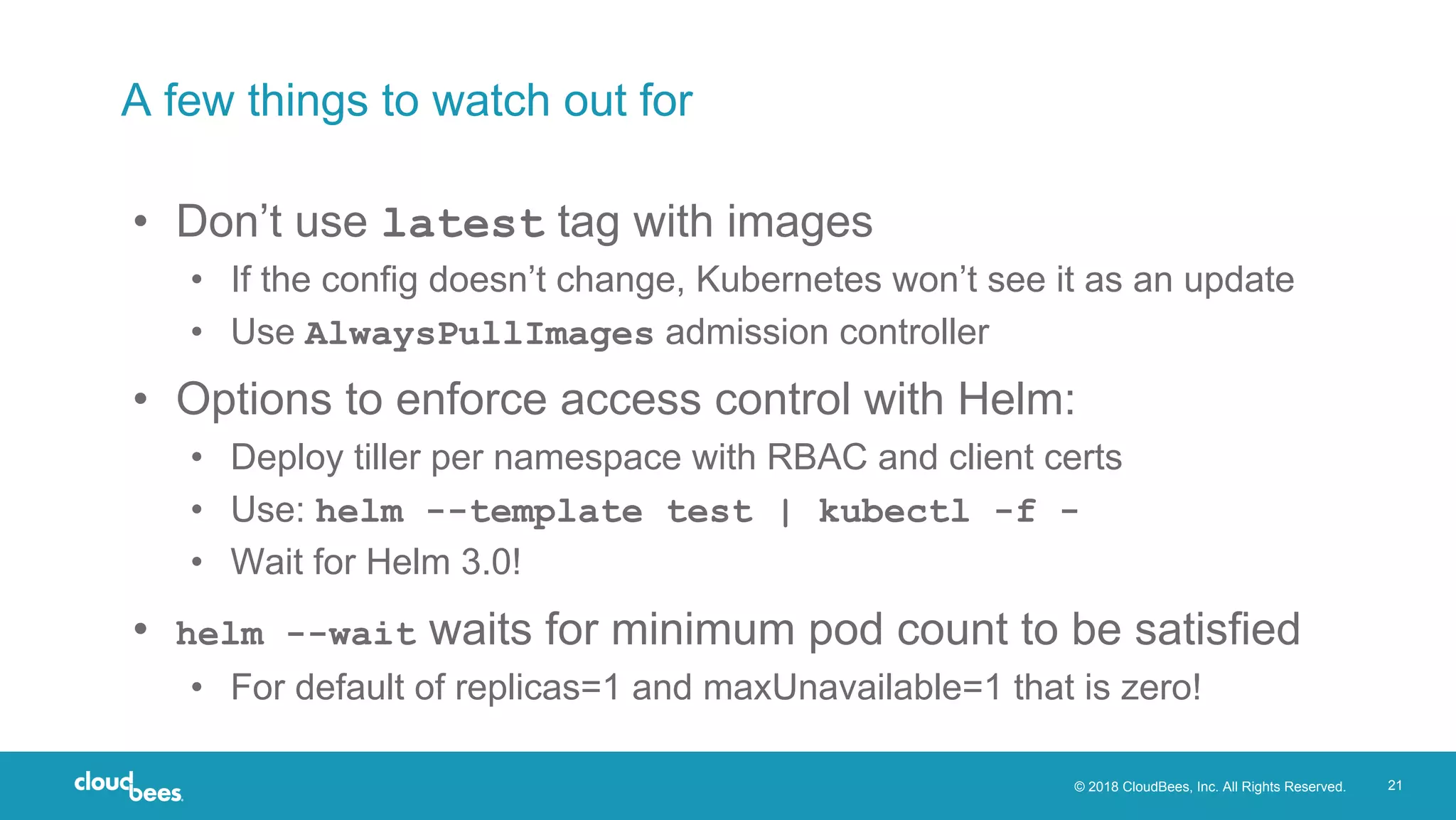
A few things to watch out for
• Don’t use latest tag with images
• If the config doesn’t change, Kubernetes won’t see it as an update
• Use AlwaysPullImages admission controller
• Options to enforce access control with Helm:
• Deploy tiller per namespace with RBAC and client certs
• Use: helm --template test | kubectl -f -
• Wait for Helm 3.0!
• helm --wait waits for minimum pod count to be satisfied
• For default of replicas=1 and maxUnavailable=1 that is zero!
Jenkins X
https://jenkins-x.io
© 2018 CloudBees, Inc. All Rights Reserved. 23
Jenkins X
• Opinionated best-practice CI/CD for Kubernetes
• Fully-configured cluster
• Quick starts for many languages (Spring, Liberty, Node, Go, …)
• GitOps for environmental promotion
• Each environment represented as Helm umbrella chart in git
• Preview environments for pull requests
© 2018 CloudBees, Inc. All Rights Reserved. 24
Getting started with Jenkins X
• Install Jenkins X CLI
$ brew install jenkins-x/jx/jx
• Create cluster with Jenkins X pre-configured
$ jx create cluster gke # or eks, minikube, …
• Create new project (creates repo and sets up webhooks)
$ jx create quickstart
• Preview environments are automatically created for PRs
• Automatic promotion to staging on merge to master
• Manual promotion to production
$ jx promote myapp --version 1.2.3 --env promotion
© 2018 CloudBees, Inc. All Rights Reserved. 25
Demo
© 2018 CloudBees, Inc. All Rights Reserved. 26
Jenkins X is evolving
• Version 1
• Based on Kubernetes Helm chart
• Version 2
• Webhooks handled by prow
• ‘Serverless Jenkins’ spun up to run build
• Wrapped in knative build
• Blog post: https://jenkins-x.io/news/serverless-jenkins/
© 2018 CloudBees, Inc. All Rights Reserved. 27
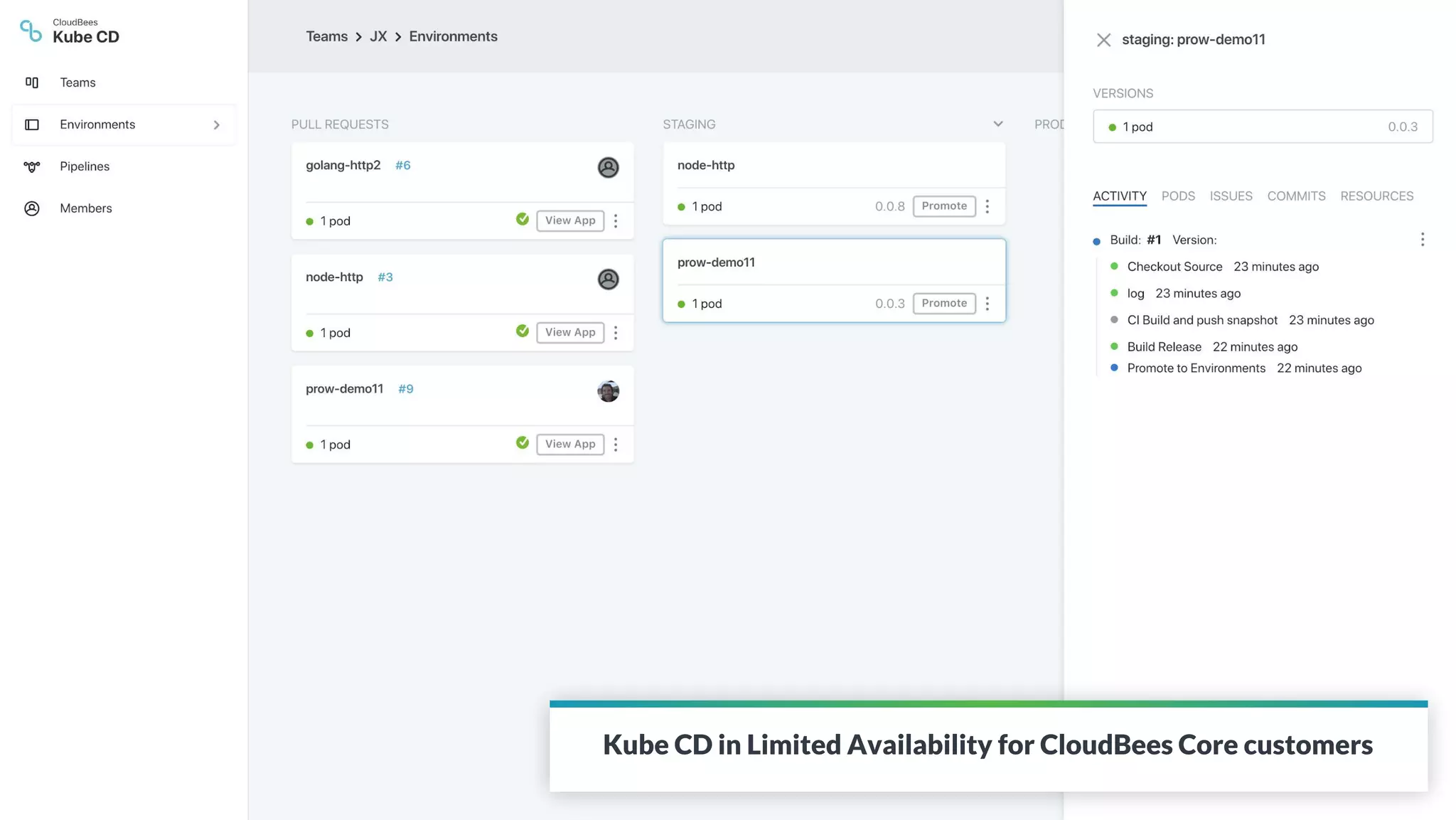
Kube CD in Limited Availability for CloudBees Core customers
Summary
© 2018 CloudBees, Inc. All Rights Reserved. 29
Summary
• Helm is an effective way to quickly and flexibly deploy a
scalable Jenkins topology on Kubernetes
• Jenkins is a great choice for Continuous Delivery as well
as Continuous Integration
• Jenkins X is provides a modern GitOps based
development workflow for rapid deployment and iteration
Software at the speed of ideas
THANK YOU!
www.cloudbees.com

Continuous Delivery to Kubernetes with Jenkins and Helm

  • 1.
    Continuous Delivery to Kuberneteswith Jenkins and Helm David Currie | @dcurrie Presentation + Code @ https://github.com/davidcurrie/codeone2018
  • 2.
    © 2018 CloudBees,Inc. All Rights Reserved. 2 CloudBees and Jenkins Trademark, Copyright and Registration Information • The registered trademark Jenkins® is used pursuant to a sublicense from the Jenkins project and Software in the Public Interest, Inc. • © 2018 CloudBees, Inc. CloudBees and CloudBees DevOptics are registered trademarks and CloudBees Jenkins Solutions, CloudBees Jenkins Enterprise, CloudBees Jenkins Team, CloudBees Jenkins Operations Center, CloudBees Jenkins Advisor and DEV@cloud are trademarks of CloudBees, Inc. Other product or brand names may be trademarks or registered trademarks of their respective holders.
  • 3.
    © 2018 CloudBees,Inc. All Rights Reserved. 3 Agenda • Running Jenkins on Kubernetes • Deploying to Kubernetes from Jenkins • Jenkins X
  • 4.
  • 5.
    © 2018 CloudBees,Inc. All Rights Reserved. 5 Why run Jenkins on Kubernetes? • Containerize components • Isolated Jenkins masters • Isolated agents and jobs • Enforce memory and CPU limits • Container orchestration • Highly available Jenkins master ▸ Leverage pluggable persistent storage • Dynamically scale number of agents across nodes • Remove reliance on Jenkins plugins
  • 6.
    © 2018 CloudBees,Inc. All Rights Reserved. 6 Prereqs • A Kubernetes cluster • AKS • GKE • IKS • Minikube • Docker Desktop • … • kubectl • Helm client ﹩ brew cask install minikube ﹩ minikube start ﹩ minikube addons enable registry ﹩ brew install kubectl ﹩ brew install kubernetes-helm
  • 7.
    © 2018 CloudBees,Inc. All Rights Reserved. 7 Getting started with Helm • ‘Package manager’ for Kubernetes apps • Packages called charts stored in repositories • Charts contain templatized Kubernetes configuration • Setup client configuration and install server-side tiller: $ helm init --wait http://helm.sh
  • 8.
    © 2018 CloudBees,Inc. All Rights Reserved. 8 Deploying Jenkins with Helm • Find the Jenkins Helm chart • Search https://hub.kubeapps.com, or $ helm search jenkins • Install the chart $ helm install --name cd --Master.ServiceType=NodePort stable/jenkins • Creates deployment, services, secret, config maps and persistent volume claim
  • 9.
    © 2018 CloudBees,Inc. All Rights Reserved. 9 Access the deployed Jenkins • Follow the instructions to retrieve the Jenkins admin password • Access the Jenkins UI $ minikube service cd-jenkins
  • 10.
    © 2018 CloudBees,Inc. All Rights Reserved. 10 Kubernetes plugin for Jenkins • Developed by Carlos Sanchez @ CloudBees • Spins up Jenkins slave on demand as Kubernetes pod • Pod template defines containers that should exist in pod • JNLP agent is always one of them • Enables reuse of existing Docker images e.g. maven or docker • Template can define configuration for the pod/containers • Environment variables • Mount from secret, config map or volume
  • 11.
    © 2018 CloudBees,Inc. All Rights Reserved. 11 Kubernetes plugin and Jenkins pipelines • Pod templates can be defined in: • Jenkins configuration, or • Declaratively as part of a Jenkins pipeline (e.g. Jenkinsfile) podTemplate(label: 'mypod', inheritFrom: 'default', containers: [ containerTemplate(name: 'maven', image: 'maven', ttyEnabled: true, command: 'cat') ]) { node('mypod') { stage ('Extract') { checkout scm } stage ('Build') { container ('maven') { sh "mvn package" } } } }
  • 12.
    © 2018 CloudBees,Inc. All Rights Reserved. 12 Go beyond physical scaling by driving collaboration across teams to easily propagate best practices, offer CD as a Service across your organization and reduce your administrative and IT burden. Whatever you are delivering - from microservices, Java, .NET to mainframe - CloudBees Core is the one CI/CD solution for all your applications. Sophisticated authorization reduces risks to software delivery by ensuring credentials and resources are not misused. Create compliance without hindering agility. CloudBees Core Flexible, governed continuous delivery for all your applications 12 FlexibilitySecurity and Compliance Scalability
  • 13.
  • 14.
    © 2018 CloudBees,Inc. All Rights Reserved. 14 Creating your own Helm chart $ helm create test test/ Chart.yaml values.yaml charts/ templates/ NOTES.txt _helpers.tpl deployment.yaml ingress.yaml service.yaml
  • 15.
    © 2018 CloudBees,Inc. All Rights Reserved. 15 Example variables and template usage • values.yaml image: repository: nginx tag: stable pullPolicy: IfNotPresent • deployment.yaml spec: containers: - name: {{ .Chart.Name }} image: "{{ .Values.image.repository }}:{{.Values.image.tag }}" imagePullPolicy: {{.Values.image.pullPolicy }}
  • 16.
    © 2018 CloudBees,Inc. All Rights Reserved. 16 Overriding chart values • Variables can be overridden at install time • As command line parameters: $ helm install test --set image.tag=1.13 • And/or via a file: $ helm install test --values overrides.yaml
  • 17.
    © 2018 CloudBees,Inc. All Rights Reserved. 17 Prereqs for using Helm in a Jenkins pipeline • Install Helm Tiller as part of cluster configuration • Create/find a Docker image containing the Helm client binary e.g. lachlanevenson/k8s-helm • Helm charts can be kept in a separate repository or stored alongside the application source code
  • 18.
    © 2018 CloudBees,Inc. All Rights Reserved. 18 Installing Helm charts from a Jenkins pipeline $ helm init --client-only • Kubernetes configuration automatically available in pod $ helm upgrade --install --wait --set image.tag= …
  • 19.
    © 2018 CloudBees,Inc. All Rights Reserved. 19 Jenkins Helm chart customization • Chart values allow customization of almost everything! • Master.InstallPlugins – list of Jenkins plugins to install • Master/Agent.image – Docker image for master/slave • Master.InitScripts – list of Jenkins init scripts • Master.Jobs – Jenkins XML job configs • Agent.Cpu/Memory – resource constraints for agent • Master.CustomConfigMap – allows a parent chart to override the entire Jenkins config via override_config_map template • …
  • 20.
    © 2018 CloudBees,Inc. All Rights Reserved. 20 More Helm • Ensure Helm chart is well formed: $ helm lint --strict ... • Verify successful deployment $ helm test ... • Define sub-charts in charts directory / requirements.yaml • e.g. to satisfy a database dependency • Hooks for lifecycle events e.g. pre/post install • Helm releases are versioned enabling rollback
  • 21.
    © 2018 CloudBees,Inc. All Rights Reserved. 21 A few things to watch out for • Don’t use latest tag with images • If the config doesn’t change, Kubernetes won’t see it as an update • Use AlwaysPullImages admission controller • Options to enforce access control with Helm: • Deploy tiller per namespace with RBAC and client certs • Use: helm --template test | kubectl -f - • Wait for Helm 3.0! • helm --wait waits for minimum pod count to be satisfied • For default of replicas=1 and maxUnavailable=1 that is zero!
  • 22.
  • 23.
    © 2018 CloudBees,Inc. All Rights Reserved. 23 Jenkins X • Opinionated best-practice CI/CD for Kubernetes • Fully-configured cluster • Quick starts for many languages (Spring, Liberty, Node, Go, …) • GitOps for environmental promotion • Each environment represented as Helm umbrella chart in git • Preview environments for pull requests
  • 24.
    © 2018 CloudBees,Inc. All Rights Reserved. 24 Getting started with Jenkins X • Install Jenkins X CLI $ brew install jenkins-x/jx/jx • Create cluster with Jenkins X pre-configured $ jx create cluster gke # or eks, minikube, … • Create new project (creates repo and sets up webhooks) $ jx create quickstart • Preview environments are automatically created for PRs • Automatic promotion to staging on merge to master • Manual promotion to production $ jx promote myapp --version 1.2.3 --env promotion
  • 25.
    © 2018 CloudBees,Inc. All Rights Reserved. 25 Demo
  • 26.
    © 2018 CloudBees,Inc. All Rights Reserved. 26 Jenkins X is evolving • Version 1 • Based on Kubernetes Helm chart • Version 2 • Webhooks handled by prow • ‘Serverless Jenkins’ spun up to run build • Wrapped in knative build • Blog post: https://jenkins-x.io/news/serverless-jenkins/
  • 27.
    © 2018 CloudBees,Inc. All Rights Reserved. 27 Kube CD in Limited Availability for CloudBees Core customers
  • 28.
  • 29.
    © 2018 CloudBees,Inc. All Rights Reserved. 29 Summary • Helm is an effective way to quickly and flexibly deploy a scalable Jenkins topology on Kubernetes • Jenkins is a great choice for Continuous Delivery as well as Continuous Integration • Jenkins X is provides a modern GitOps based development workflow for rapid deployment and iteration
  • 30.
    Software at thespeed of ideas THANK YOU! www.cloudbees.com