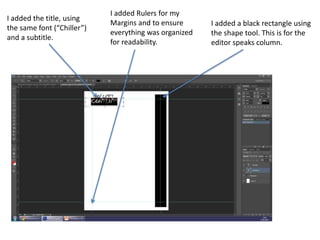
I added a black rectangle using
the shape tool. This is for the
editor speaks column.
I added the title, using
the same font (“Chiller”)
and a subtitle.
I added Rulers for my
Margins and to ensure
everything was organized
for readability.
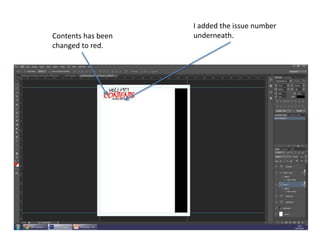
I added the issue number
underneath.Contents has been
changed to red.
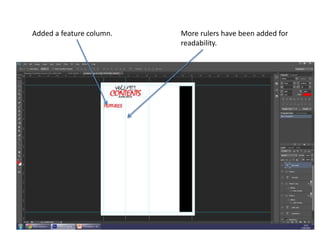
Added a feature column. More rulers have been added for
readability.
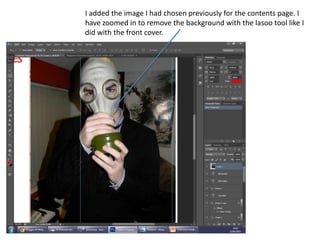
I added the image I had chosen previously for the contents page. I
have zoomed in to remove the background with the lasoo tool like I
did with the front cover.
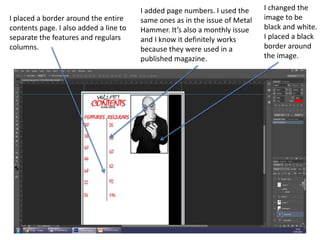
I changed the
image to be
black and white.
I placed a black
border around
the image.
I added page numbers. I used the
same ones as in the issue of Metal
Hammer. It’s also a monthly issue
and I know it definitely works
because they were used in a
published magazine.
I placed a border around the entire
contents page. I also added a line to
separate the features and regulars
columns.
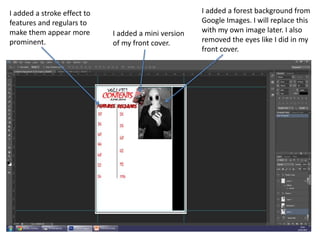
I added a stroke effect to
features and regulars to
make them appear more
prominent.
I added a mini version
of my front cover.
I added a forest background from
Google Images. I will replace this
with my own image later. I also
removed the eyes like I did in my
front cover.
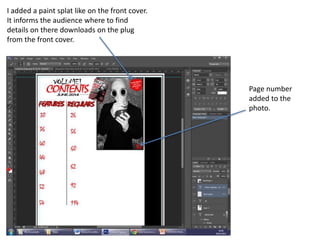
I added a paint splat like on the front cover.
It informs the audience where to find
details on there downloads on the plug
from the front cover.
Page number
added to the
photo.
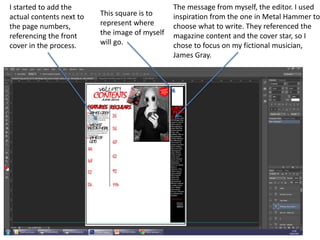
I started to add the
actual contents next to
the page numbers,
referencing the front
cover in the process.
This square is to
represent where
the image of myself
will go.
The message from myself, the editor. I used
inspiration from the one in Metal Hammer to
choose what to write. They referenced the
magazine content and the cover star, so I
chose to focus on my fictional musician,
James Gray.
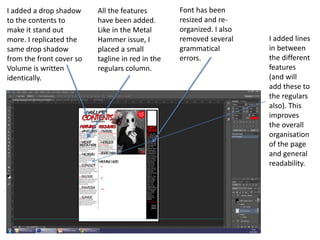
I added a drop shadow
to the contents to
make it stand out
more. I replicated the
same drop shadow
from the front cover so
Volume is written
identically.
All the features
have been added.
Like in the Metal
Hammer issue, I
placed a small
tagline in red in the
regulars column.
Font has been
resized and re-
organized. I also
removed several
grammatical
errors.
I added lines
in between
the different
features
(and will
add these to
the regulars
also). This
improves
the overall
organisation
of the page
and general
readability.
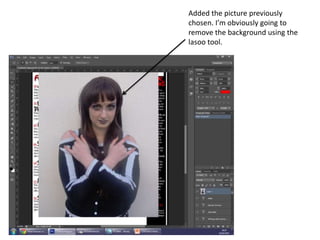
Added the picture previously
chosen. I’m obviously going to
remove the background using the
lasoo tool.
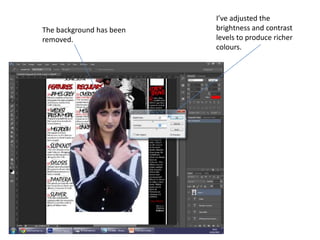
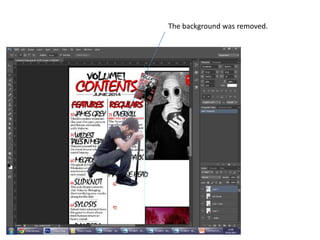
The background has been
removed.
I’ve adjusted the
brightness and contrast
levels to produce richer
colours.
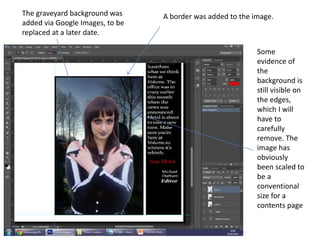
The graveyard background was
added via Google Images, to be
replaced at a later date.
A border was added to the image.
Some
evidence of
the
background is
still visible on
the edges,
which I will
have to
carefully
remove. The
image has
obviously
been scaled to
be a
conventional
size for a
contents page
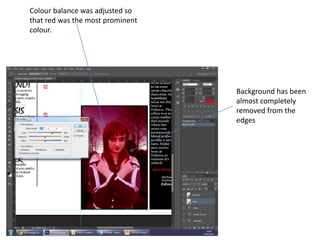
Colour balance was adjusted so
that red was the most prominent
colour.
Background has been
almost completely
removed from the
edges
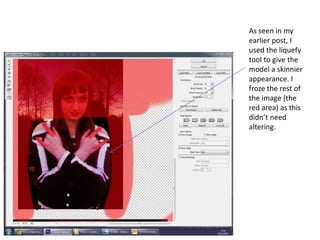
As seen in my
earlier post, I
used the liquefy
tool to give the
model a skinnier
appearance. I
froze the rest of
the image (the
red area) as this
didn’t need
altering.
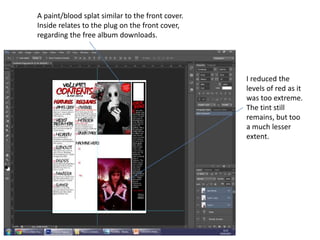
A paint/blood splat similar to the front cover.
Inside relates to the plug on the front cover,
regarding the free album downloads.
I reduced the
levels of red as it
was too extreme.
The tint still
remains, but too
a much lesser
extent.
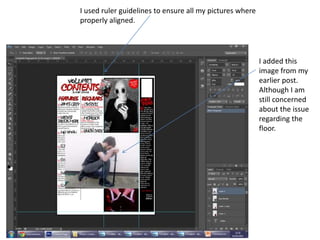
I used ruler guidelines to ensure all my pictures where
properly aligned.
I added this
image from my
earlier post.
Although I am
still concerned
about the issue
regarding the
floor.
The background was removed.
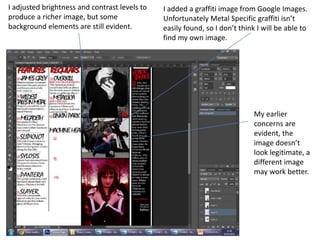
I adjusted brightness and contrast levels to
produce a richer image, but some
background elements are still evident.
My earlier
concerns are
evident, the
image doesn’t
look legitimate, a
different image
may work better.
I added a graffiti image from Google Images.
Unfortunately Metal Specific graffiti isn’t
easily found, so I don’t think I will be able to
find my own image.
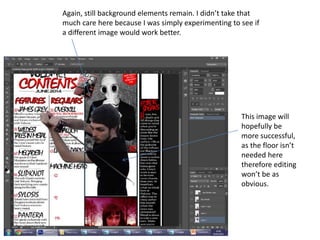
Again, still background elements remain. I didn’t take that
much care here because I was simply experimenting to see if
a different image would work better.
This image will
hopefully be
more successful,
as the floor isn’t
needed here
therefore editing
won’t be as
obvious.
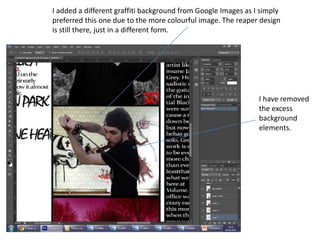
I added a different graffiti background from Google Images as I simply
preferred this one due to the more colourful image. The reaper design
is still there, just in a different form.
I have removed
the excess
background
elements.
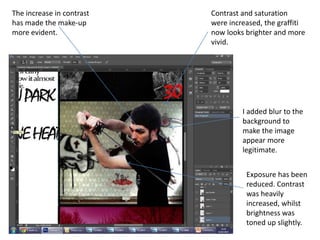
The increase in contrast
has made the make-up
more evident.
Exposure has been
reduced. Contrast
was heavily
increased, whilst
brightness was
toned up slightly.
I added blur to the
background to
make the image
appear more
legitimate.
Contrast and saturation
were increased, the graffiti
now looks brighter and more
vivid.
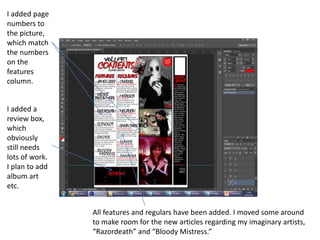
I added page
numbers to
the picture,
which match
the numbers
on the
features
column.
I added a
review box,
which
obviously
still needs
lots of work.
I plan to add
album art
etc.
All features and regulars have been added. I moved some around
to make room for the new articles regarding my imaginary artists,
“Razordeath” and “Bloody Mistress.”
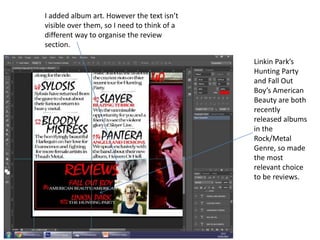
I added album art. However the text isn’t
visible over them, so I need to think of a
different way to organise the review
section.
Linkin Park’s
Hunting Party
and Fall Out
Boy’s American
Beauty are both
recently
released albums
in the
Rock/Metal
Genre, so made
the most
relevant choice
to be reviews.
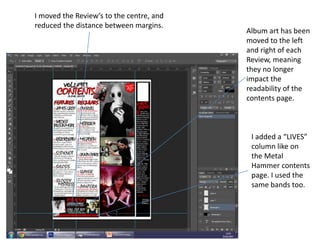
I moved the Review’s to the centre, and
reduced the distance between margins.
Album art has been
moved to the left
and right of each
Review, meaning
they no longer
impact the
readability of the
contents page.
I added a “LIVES”
column like on
the Metal
Hammer contents
page. I used the
same bands too.
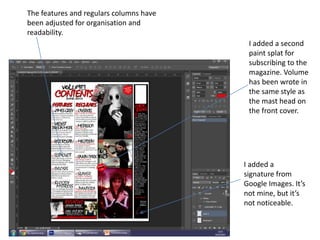
The features and regulars columns have
been adjusted for organisation and
readability.
I added a second
paint splat for
subscribing to the
magazine. Volume
has been wrote in
the same style as
the mast head on
the front cover.
I added a
signature from
Google Images. It’s
not mine, but it’s
not noticeable.
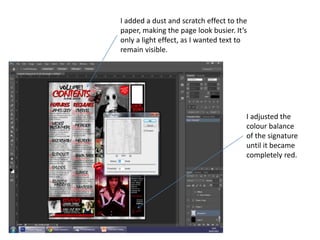
I added a dust and scratch effect to the
paper, making the page look busier. It’s
only a light effect, as I wanted text to
remain visible.
I adjusted the
colour balance
of the signature
until it became
completely red.
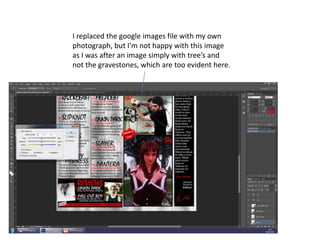
I replaced the google images file with my own
photograph, but I’m not happy with this image
as I was after an image simply with tree’s and
not the gravestones, which are too evident here.
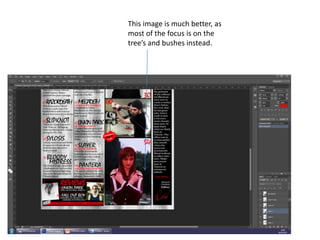
This image is much better, as
most of the focus is on the
tree’s and bushes instead.
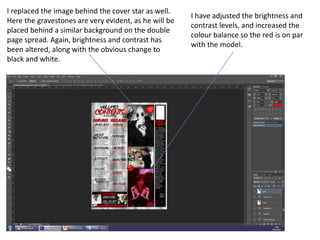
I have adjusted the brightness and
contrast levels, and increased the
colour balance so the red is on par
with the model.
I replaced the image behind the cover star as well.
Here the gravestones are very evident, as he will be
placed behind a similar background on the double
page spread. Again, brightness and contrast has
been altered, along with the obvious change to
black and white.
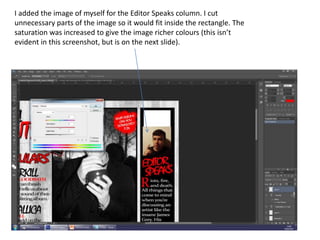
I added the image of myself for the Editor Speaks column. I cut
unnecessary parts of the image so it would fit inside the rectangle. The
saturation was increased to give the image richer colours (this isn’t
evident in this screenshot, but is on the next slide).
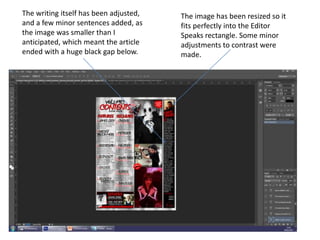
The image has been resized so it
fits perfectly into the Editor
Speaks rectangle. Some minor
adjustments to contrast were
made.
The writing itself has been adjusted,
and a few minor sentences added, as
the image was smaller than I
anticipated, which meant the article
ended with a huge black gap below.
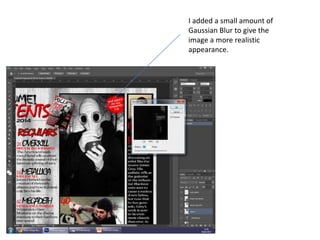
I added a small amount of
Gaussian Blur to give the
image a more realistic
appearance.
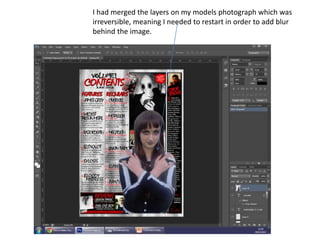
I had merged the layers on my models photograph which was
irreversible, meaning I needed to restart in order to add blur
behind the image.
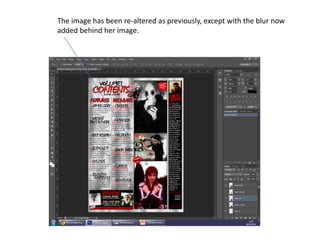
The image has been re-altered as previously, except with the blur now
added behind her image.

Contents page construction

  • 1.
    I added ablack rectangle using the shape tool. This is for the editor speaks column. I added the title, using the same font (“Chiller”) and a subtitle. I added Rulers for my Margins and to ensure everything was organized for readability.
  • 2.
    I added theissue number underneath.Contents has been changed to red.
  • 3.
    Added a featurecolumn. More rulers have been added for readability.
  • 4.
    I added theimage I had chosen previously for the contents page. I have zoomed in to remove the background with the lasoo tool like I did with the front cover.
  • 5.
    I changed the imageto be black and white. I placed a black border around the image. I added page numbers. I used the same ones as in the issue of Metal Hammer. It’s also a monthly issue and I know it definitely works because they were used in a published magazine. I placed a border around the entire contents page. I also added a line to separate the features and regulars columns.
  • 6.
    I added astroke effect to features and regulars to make them appear more prominent. I added a mini version of my front cover. I added a forest background from Google Images. I will replace this with my own image later. I also removed the eyes like I did in my front cover.
  • 7.
    I added apaint splat like on the front cover. It informs the audience where to find details on there downloads on the plug from the front cover. Page number added to the photo.
  • 8.
    I started toadd the actual contents next to the page numbers, referencing the front cover in the process. This square is to represent where the image of myself will go. The message from myself, the editor. I used inspiration from the one in Metal Hammer to choose what to write. They referenced the magazine content and the cover star, so I chose to focus on my fictional musician, James Gray.
  • 9.
    I added adrop shadow to the contents to make it stand out more. I replicated the same drop shadow from the front cover so Volume is written identically. All the features have been added. Like in the Metal Hammer issue, I placed a small tagline in red in the regulars column. Font has been resized and re- organized. I also removed several grammatical errors. I added lines in between the different features (and will add these to the regulars also). This improves the overall organisation of the page and general readability.
  • 10.
    Added the picturepreviously chosen. I’m obviously going to remove the background using the lasoo tool.
  • 11.
    The background hasbeen removed. I’ve adjusted the brightness and contrast levels to produce richer colours.
  • 12.
    The graveyard backgroundwas added via Google Images, to be replaced at a later date. A border was added to the image. Some evidence of the background is still visible on the edges, which I will have to carefully remove. The image has obviously been scaled to be a conventional size for a contents page
  • 13.
    Colour balance wasadjusted so that red was the most prominent colour. Background has been almost completely removed from the edges
  • 14.
    As seen inmy earlier post, I used the liquefy tool to give the model a skinnier appearance. I froze the rest of the image (the red area) as this didn’t need altering.
  • 15.
    A paint/blood splatsimilar to the front cover. Inside relates to the plug on the front cover, regarding the free album downloads. I reduced the levels of red as it was too extreme. The tint still remains, but too a much lesser extent.
  • 16.
    I used rulerguidelines to ensure all my pictures where properly aligned. I added this image from my earlier post. Although I am still concerned about the issue regarding the floor.
  • 17.
  • 18.
    I adjusted brightnessand contrast levels to produce a richer image, but some background elements are still evident. My earlier concerns are evident, the image doesn’t look legitimate, a different image may work better. I added a graffiti image from Google Images. Unfortunately Metal Specific graffiti isn’t easily found, so I don’t think I will be able to find my own image.
  • 19.
    Again, still backgroundelements remain. I didn’t take that much care here because I was simply experimenting to see if a different image would work better. This image will hopefully be more successful, as the floor isn’t needed here therefore editing won’t be as obvious.
  • 20.
    I added adifferent graffiti background from Google Images as I simply preferred this one due to the more colourful image. The reaper design is still there, just in a different form. I have removed the excess background elements.
  • 21.
    The increase incontrast has made the make-up more evident. Exposure has been reduced. Contrast was heavily increased, whilst brightness was toned up slightly. I added blur to the background to make the image appear more legitimate. Contrast and saturation were increased, the graffiti now looks brighter and more vivid.
  • 22.
    I added page numbersto the picture, which match the numbers on the features column. I added a review box, which obviously still needs lots of work. I plan to add album art etc. All features and regulars have been added. I moved some around to make room for the new articles regarding my imaginary artists, “Razordeath” and “Bloody Mistress.”
  • 23.
    I added albumart. However the text isn’t visible over them, so I need to think of a different way to organise the review section. Linkin Park’s Hunting Party and Fall Out Boy’s American Beauty are both recently released albums in the Rock/Metal Genre, so made the most relevant choice to be reviews.
  • 24.
    I moved theReview’s to the centre, and reduced the distance between margins. Album art has been moved to the left and right of each Review, meaning they no longer impact the readability of the contents page. I added a “LIVES” column like on the Metal Hammer contents page. I used the same bands too.
  • 25.
    The features andregulars columns have been adjusted for organisation and readability. I added a second paint splat for subscribing to the magazine. Volume has been wrote in the same style as the mast head on the front cover. I added a signature from Google Images. It’s not mine, but it’s not noticeable.
  • 26.
    I added adust and scratch effect to the paper, making the page look busier. It’s only a light effect, as I wanted text to remain visible. I adjusted the colour balance of the signature until it became completely red.
  • 27.
    I replaced thegoogle images file with my own photograph, but I’m not happy with this image as I was after an image simply with tree’s and not the gravestones, which are too evident here.
  • 28.
    This image ismuch better, as most of the focus is on the tree’s and bushes instead.
  • 29.
    I have adjustedthe brightness and contrast levels, and increased the colour balance so the red is on par with the model. I replaced the image behind the cover star as well. Here the gravestones are very evident, as he will be placed behind a similar background on the double page spread. Again, brightness and contrast has been altered, along with the obvious change to black and white.
  • 30.
    I added theimage of myself for the Editor Speaks column. I cut unnecessary parts of the image so it would fit inside the rectangle. The saturation was increased to give the image richer colours (this isn’t evident in this screenshot, but is on the next slide).
  • 31.
    The image hasbeen resized so it fits perfectly into the Editor Speaks rectangle. Some minor adjustments to contrast were made. The writing itself has been adjusted, and a few minor sentences added, as the image was smaller than I anticipated, which meant the article ended with a huge black gap below.
  • 32.
    I added asmall amount of Gaussian Blur to give the image a more realistic appearance.
  • 33.
    I had mergedthe layers on my models photograph which was irreversible, meaning I needed to restart in order to add blur behind the image.
  • 34.
    The image hasbeen re-altered as previously, except with the blur now added behind her image.