Construction:
Contents Page (Making)
By: Fasiha Zaheer
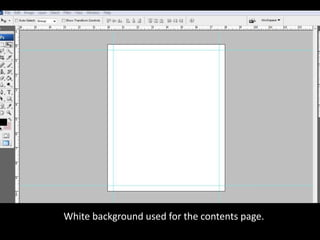
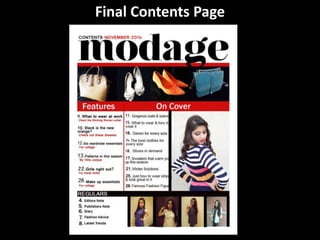
White background used for the contents page.
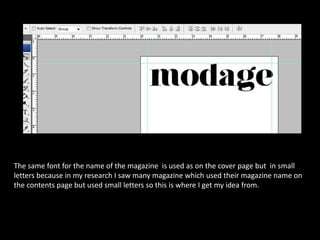
The same font for the name of the magazine is used as on the cover page but in small
letters because in my research I saw many magazine which used their magazine name on
the contents page but used small letters so this is where I get my idea from.
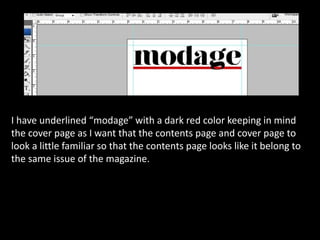
I have underlined “modage” with a dark red color keeping in mind
the cover page as I want that the contents page and cover page to
look a little familiar so that the contents page looks like it belong to
the same issue of the magazine.
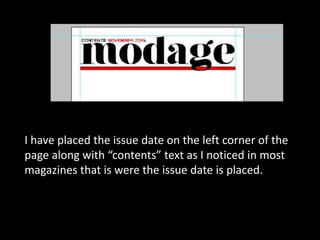
I have placed the issue date on the left corner of the
page along with “contents” text as I noticed in most
magazines that is were the issue date is placed.
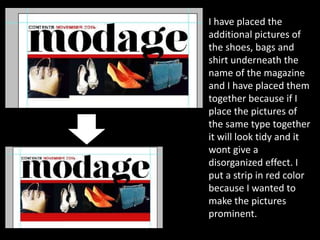
I have placed the
additional pictures of
the shoes, bags and
shirt underneath the
name of the magazine
and I have placed them
together because if I
place the pictures of
the same type together
it will look tidy and it
wont give a
disorganized effect. I
put a strip in red color
because I wanted to
make the pictures
prominent.
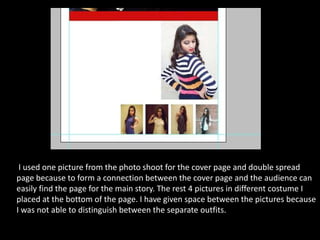
I used one picture from the photo shoot for the cover page and double spread
page because to form a connection between the cover page and the audience can
easily find the page for the main story. The rest 4 pictures in different costume I
placed at the bottom of the page. I have given space between the pictures because
I was not able to distinguish between the separate outfits.
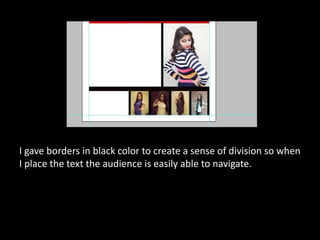
I gave borders in black color to create a sense of division so when
I place the text the audience is easily able to navigate.
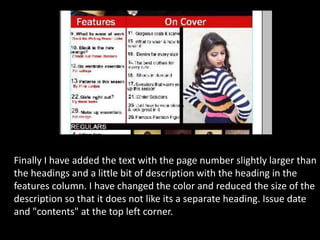
Finally I have added the text with the page number slightly larger than
the headings and a little bit of description with the heading in the
features column. I have changed the color and reduced the size of the
description so that it does not like its a separate heading. Issue date
and "contents" at the top left corner.
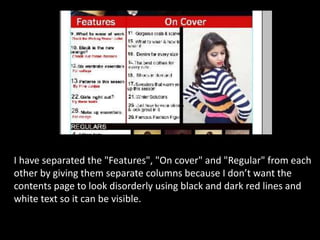
I have separated the "Features", "On cover" and "Regular" from each
other by giving them separate columns because I don’t want the
contents page to look disorderly using black and dark red lines and
white text so it can be visible.
Final Contents Page

Contents Page (Making)

  • 1.
  • 2.
    White background usedfor the contents page.
  • 3.
    The same fontfor the name of the magazine is used as on the cover page but in small letters because in my research I saw many magazine which used their magazine name on the contents page but used small letters so this is where I get my idea from.
  • 4.
    I have underlined“modage” with a dark red color keeping in mind the cover page as I want that the contents page and cover page to look a little familiar so that the contents page looks like it belong to the same issue of the magazine.
  • 5.
    I have placedthe issue date on the left corner of the page along with “contents” text as I noticed in most magazines that is were the issue date is placed.
  • 6.
    I have placedthe additional pictures of the shoes, bags and shirt underneath the name of the magazine and I have placed them together because if I place the pictures of the same type together it will look tidy and it wont give a disorganized effect. I put a strip in red color because I wanted to make the pictures prominent.
  • 7.
    I used onepicture from the photo shoot for the cover page and double spread page because to form a connection between the cover page and the audience can easily find the page for the main story. The rest 4 pictures in different costume I placed at the bottom of the page. I have given space between the pictures because I was not able to distinguish between the separate outfits.
  • 8.
    I gave bordersin black color to create a sense of division so when I place the text the audience is easily able to navigate.
  • 9.
    Finally I haveadded the text with the page number slightly larger than the headings and a little bit of description with the heading in the features column. I have changed the color and reduced the size of the description so that it does not like its a separate heading. Issue date and "contents" at the top left corner.
  • 10.
    I have separatedthe "Features", "On cover" and "Regular" from each other by giving them separate columns because I don’t want the contents page to look disorderly using black and dark red lines and white text so it can be visible.
  • 11.