Content Marketing
The missing piece in your Digital Marketing strategy
Arpit Dhariwal
Product Manager, SlideShare
The world’s largest community for sharing presentations
10 MILLION UPLOADS
CHEAT SHEET
for creating AWESOME presentations and generating LOTS of
views on your content
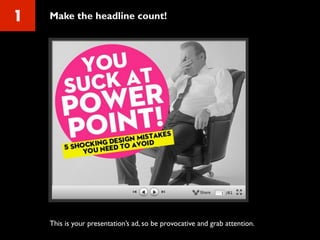
1 Make the headline count!
This is your presentation’s ad, so be provocative and grab attention.
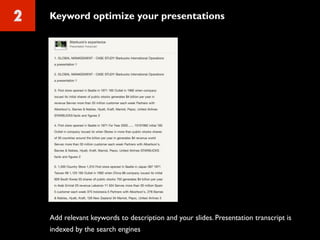
2 Keyword optimize your presentations
Add relevant keywords to description and your slides. Presentation transcript is
indexed by the search engines
3 Make it visual
People simply skim through the slides and don’t read it in detail
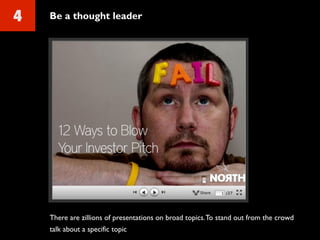
4 Be a thought leader
There are zillions of presentations on broad topics.To stand out from the crowd
talk about a specific topic
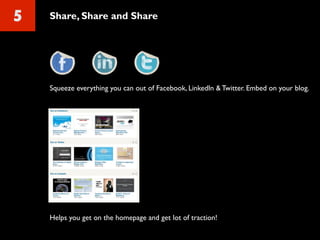
5 Share, Share and Share
Squeeze everything you can out of Facebook, LinkedIn & Twitter. Embed on your blog.
Helps you get on the homepage and get lot of traction!
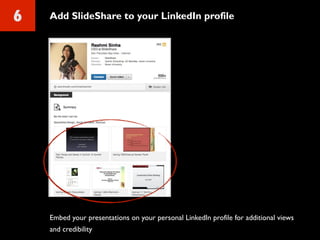
6 Add SlideShare to your LinkedIn profile
Embed your presentations on your personal LinkedIn profile for additional views
and credibility
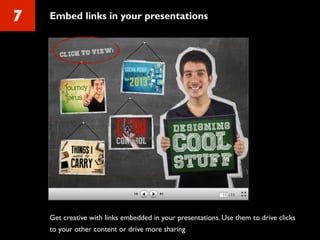
7 Embed links in your presentations
Get creative with links embedded in your presentations. Use them to drive clicks
to your other content or drive more sharing
Want to do more with your content?
SlideShare Pro can be useful!
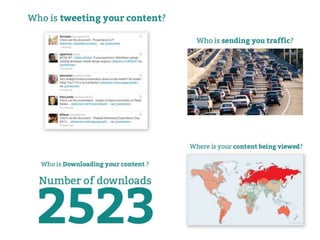
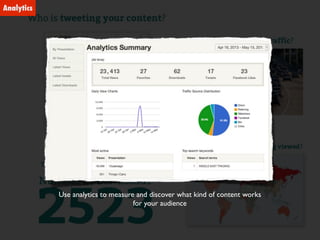
Use analytics to measure and discover what kind of content works
for your audience
Analytics
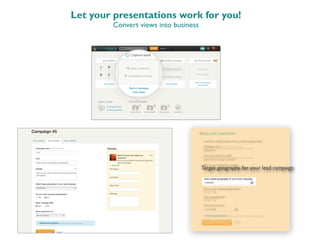
Let your presentations work for you!
Convert views into business
Target geography for your lead campaign
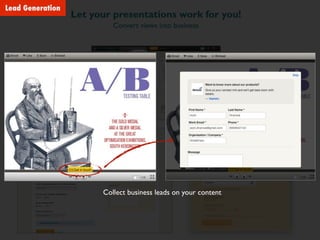
Let your presentations work for you!
Convert views into business
Collect business leads on your content
Lead Generation
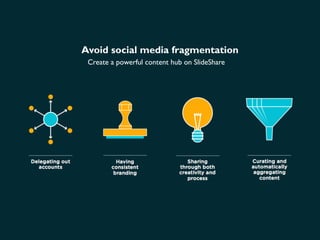
Avoid social media fragmentation
Create a powerful content hub on SlideShare
Avoid social media fragmentation
Create a powerful content hub on SlideShare
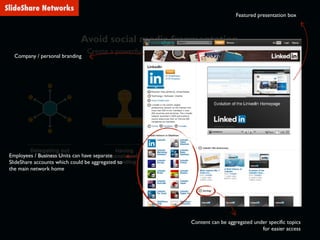
Employees / Business Units can have separate
SlideShare accounts which could be aggregated to
the main network home
Content can be aggregated under specific topics
for easier access
Company / personal branding
Featured presentation box
SlideShare Networks
Avoid social media fragmentation
Create a powerful content hub on SlideShare
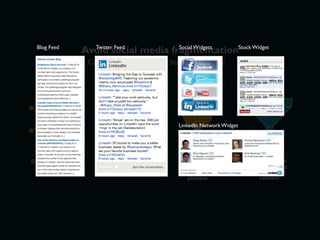
Blog Feed Twitter Feed Social Widgets Stock Widget
LinkedIn Network Widget
Case Studies
Power of SlideShare!
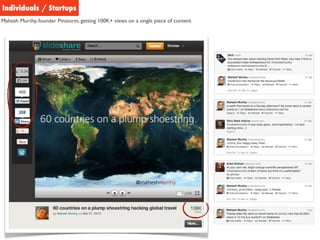
Individuals / Startups
Mahesh Murthy, founder Pinstorm, getting 100K+ views on a single piece of content
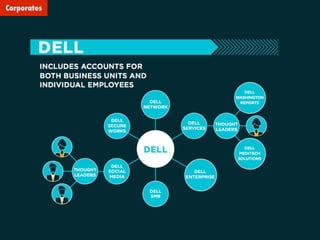
Corporates
That’s all Folks!

Content Marketing - NASSCOM Marketing Masterclass

  • 1.
    Content Marketing The missingpiece in your Digital Marketing strategy Arpit Dhariwal Product Manager, SlideShare
  • 2.
    The world’s largestcommunity for sharing presentations
  • 3.
  • 5.
    CHEAT SHEET for creatingAWESOME presentations and generating LOTS of views on your content
  • 6.
    1 Make theheadline count! This is your presentation’s ad, so be provocative and grab attention.
  • 7.
    2 Keyword optimizeyour presentations Add relevant keywords to description and your slides. Presentation transcript is indexed by the search engines
  • 8.
    3 Make itvisual People simply skim through the slides and don’t read it in detail
  • 9.
    4 Be athought leader There are zillions of presentations on broad topics.To stand out from the crowd talk about a specific topic
  • 10.
    5 Share, Shareand Share Squeeze everything you can out of Facebook, LinkedIn & Twitter. Embed on your blog. Helps you get on the homepage and get lot of traction!
  • 11.
    6 Add SlideShareto your LinkedIn profile Embed your presentations on your personal LinkedIn profile for additional views and credibility
  • 12.
    7 Embed linksin your presentations Get creative with links embedded in your presentations. Use them to drive clicks to your other content or drive more sharing
  • 13.
    Want to domore with your content? SlideShare Pro can be useful!
  • 15.
    Use analytics tomeasure and discover what kind of content works for your audience Analytics
  • 16.
    Let your presentationswork for you! Convert views into business Target geography for your lead campaign
  • 17.
    Let your presentationswork for you! Convert views into business Collect business leads on your content Lead Generation
  • 18.
    Avoid social mediafragmentation Create a powerful content hub on SlideShare
  • 19.
    Avoid social mediafragmentation Create a powerful content hub on SlideShare Employees / Business Units can have separate SlideShare accounts which could be aggregated to the main network home Content can be aggregated under specific topics for easier access Company / personal branding Featured presentation box SlideShare Networks
  • 20.
    Avoid social mediafragmentation Create a powerful content hub on SlideShare Blog Feed Twitter Feed Social Widgets Stock Widget LinkedIn Network Widget
  • 21.
  • 22.
    Individuals / Startups MaheshMurthy, founder Pinstorm, getting 100K+ views on a single piece of content
  • 23.
  • 24.