Richard Thomson
Senior Software Engineer, NVIDIA
@LegalizeAdulthd
http://LegalizeAdulthood.wordpress.com
legalize@xmission.com
Outline
 Adding test support in CMakeLists.txt
 Running Tests with CTest
 Viewing Test Trends in CDash
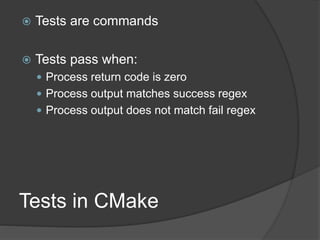
Tests in CMake
 Tests are commands
 Tests pass when:
 Process return code is zero
 Process output matches success regex
 Process output does not match fail regex
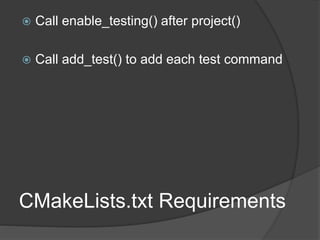
CMakeLists.txt Requirements
 Call enable_testing() after project()
 Call add_test() to add each test command
add_test Syntax
add_test(
NAME <name>
COMMAND <command> [<arg>...]
[CONFIGURATIONS <config>...]
[WORKING_DIRECTORY <dir>]
[COMMAND_EXPAND_LISTS]
)
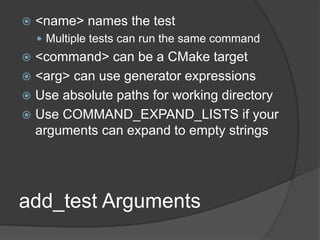
add_test Arguments
 <name> names the test
 Multiple tests can run the same command
 <command> can be a CMake target
 <arg> can use generator expressions
 Use absolute paths for working directory
 Use COMMAND_EXPAND_LISTS if your
arguments can expand to empty strings
Setting Test Properties
Tests are configured through properties
set_property(
TEST <test>
PROPERTY <name> [<value>...] )
set_tests_properties(
<test> [<test> ...]
PROPERTIES <prop> <value>
[<prop> <value>...] )
Use ; separated value lists with set_tests_properties
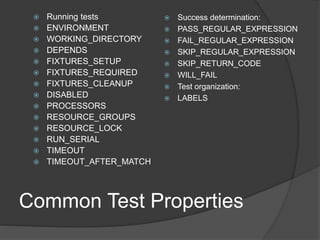
Common Test Properties
 Running tests
 ENVIRONMENT
 WORKING_DIRECTORY
 DEPENDS
 FIXTURES_SETUP
 FIXTURES_REQUIRED
 FIXTURES_CLEANUP
 DISABLED
 PROCESSORS
 RESOURCE_GROUPS
 RESOURCE_LOCK
 RUN_SERIAL
 TIMEOUT
 TIMEOUT_AFTER_MATCH
 Success determination:
 PASS_REGULAR_EXPRESSION
 FAIL_REGULAR_EXPRESSION
 SKIP_REGULAR_EXPRESSION
 SKIP_RETURN_CODE
 WILL_FAIL
 Test organization:
 LABELS
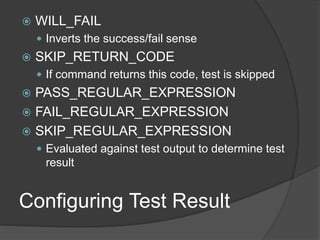
Configuring Test Result
 WILL_FAIL
 Inverts the success/fail sense
 SKIP_RETURN_CODE
 If command returns this code, test is skipped
 PASS_REGULAR_EXPRESSION
 FAIL_REGULAR_EXPRESSION
 SKIP_REGULAR_EXPRESSION
 Evaluated against test output to determine test
result
 LABELS property contains a list of label
names
 Use with –L <regex> argument to ctest to
select tests to run by regex match
Organizing Tests
Test Dependencies
 Does one test depend on another test to be
run first?
 Use the DEPENDS property to specify the
relationship
 Only controls order of test execution;
dependent test is run regardless of success
of the dependency
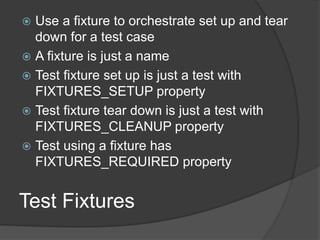
Test Fixtures
 Use a fixture to orchestrate set up and tear
down for a test case
 A fixture is just a name
 Test fixture set up is just a test with
FIXTURES_SETUP property
 Test fixture tear down is just a test with
FIXTURES_CLEANUP property
 Test using a fixture has
FIXTURES_REQUIRED property
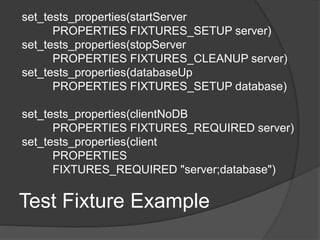
Test Fixture Example
set_tests_properties(startServer
PROPERTIES FIXTURES_SETUP server)
set_tests_properties(stopServer
PROPERTIES FIXTURES_CLEANUP server)
set_tests_properties(databaseUp
PROPERTIES FIXTURES_SETUP database)
set_tests_properties(clientNoDB
PROPERTIES FIXTURES_REQUIRED server)
set_tests_properties(client
PROPERTIES
FIXTURES_REQUIRED "server;database")
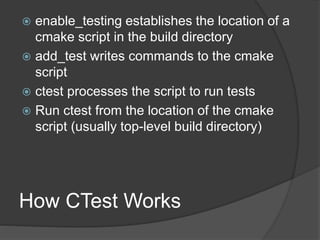
How CTest Works
 enable_testing establishes the location of a
cmake script in the build directory
 add_test writes commands to the cmake
script
 ctest processes the script to run tests
 Run ctest from the location of the cmake
script (usually top-level build directory)
Running CTest
 ctest [args...]
 -C <config> select config to run
 needed for multi-config generators
 -R <regex>, -E <regex>
 Specify tests to run/exclude based on test name
 --timeout <seconds>
 --stop-time <time-of-day>
 -j <n> for parallel execution
 --resource-spec-file <path>
 -L <regex> to select tests by label
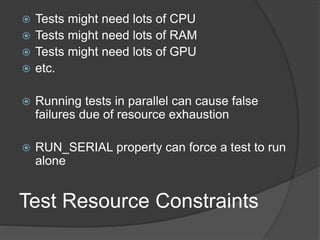
Test Resource Constraints
 Tests might need lots of CPU
 Tests might need lots of RAM
 Tests might need lots of GPU
 etc.
 Running tests in parallel can cause false
failures due of resource exhaustion
 RUN_SERIAL property can force a test to run
alone
RESOURCE_LOCK Property
 A resource is just a name
 Tests requiring the resource have the name
in its RESOURCE_LOCK property
 Only one test per named resource will run
at a time
RESOURCE_GROUPS
Property
 Specify quantity of resources in each group
needed by a test
 Configure the resources available in a
JSON file
 Check the documentation for details of
specifying and configuring resources
GoogleTest Support 3.9
include(GoogleTest)
gtest_add_tests(
TARGET <target>
[SOURCES file1...]
[EXTRA_ARGS arg1...]
[WORKING_DIRECTORY dir]
[TEST_PREFIX prefix]
[TEST_SUFFIX suffix]
[SKIP_DEPENDENCY]
[TEST_LIST outVar]
)
GoogleTest Support 3.9
 Scans source files to identify tests
 Adds one CTest test case per Google Test
test case
 Variable containing test names can be used
to further customize test cases
 Misses parameterized tests
 Misses tests defined through custom
macros
GoogleTest Support 3.10
include(GoogleTest)
gtest_discover_tests(
TARGET <target>
[EXTRA_ARGS arg1...]
[WORKING_DIRECTORY dir]
[TEST_PREFIX prefix]
[TEST_SUFFIX suffix]
[NO_PRETTY_TYPES]
[NO_PRETTY_VALUES]
[PROPERTIES name1 value1...]
[TEST_LIST outVar]
[DISCOVERY_TIMEOUT seconds]
)
GoogleTest Support 3.10
 Runs test executable to get test names
 Tests names aren't available until CTest is
run
 Can't easily further customize tests via
properties at CMake configuration time
 Customization can be done by including
additional hand-written files into the
generated CTest script
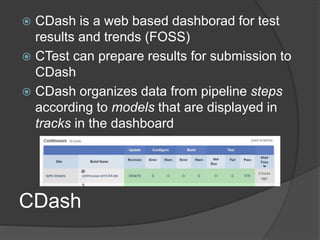
CDash
 CDash is a web based dashborad for test
results and trends (FOSS)
 CTest can prepare results for submission to
CDash
 CDash organizes data from pipeline steps
according to models that are displayed in
tracks in the dashboard
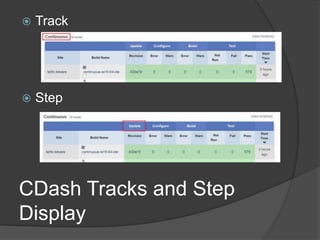
CDash Tracks and Step
Display
 Track
 Step
CDash Steps
 Start
 Update
 Configure
 Build
 Test
 Coverage
 Always displays results in the Coverage track
 MemCheck
 Always displays results in the Dynamic Analysis
track
 Submit
CDash Models
 Every pipeline is associated with a model
 Model defines default steps and error behavior
 Nightly
 Excludes MemCheck step, continues if Update fails
 Continuous
 Excludes MemCheck step, stops if Update fails
 Experimental
 Excludes Update and MemCheck steps
Executing Steps and Pipelines
 ctest -M <model> -T <step> --track <track>
 At least -M or -T must be specified
 Needs a CDash configuration in place
 ex: ctest -M Nightly --track "Nightly Master"
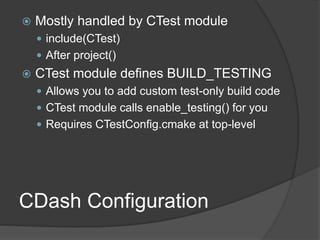
CDash Configuration
 Mostly handled by CTest module
 include(CTest)
 After project()
 CTest module defines BUILD_TESTING
 Allows you to add custom test-only build code
 CTest module calls enable_testing() for you
 Requires CTestConfig.cmake at top-level
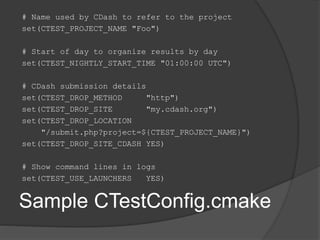
Sample CTestConfig.cmake
# Name used by CDash to refer to the project
set(CTEST_PROJECT_NAME "Foo")
# Start of day to organize results by day
set(CTEST_NIGHTLY_START_TIME "01:00:00 UTC")
# CDash submission details
set(CTEST_DROP_METHOD "http")
set(CTEST_DROP_SITE "my.cdash.org")
set(CTEST_DROP_LOCATION
"/submit.php?project=${CTEST_PROJECT_NAME}")
set(CTEST_DROP_SITE_CDASH YES)
# Show command lines in logs
set(CTEST_USE_LAUNCHERS YES)
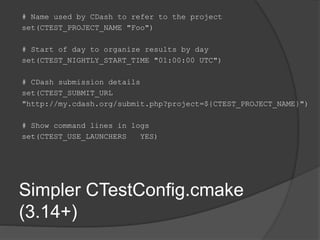
Simpler CTestConfig.cmake
(3.14+)
# Name used by CDash to refer to the project
set(CTEST_PROJECT_NAME "Foo")
# Start of day to organize results by day
set(CTEST_NIGHTLY_START_TIME "01:00:00 UTC")
# CDash submission details
set(CTEST_SUBMIT_URL
"http://my.cdash.org/submit.php?project=${CTEST_PROJECT_NAME}")
# Show command lines in logs
set(CTEST_USE_LAUNCHERS YES)
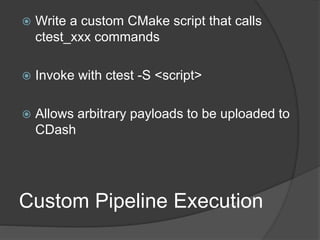
Custom Pipeline Execution
 Write a custom CMake script that calls
ctest_xxx commands
 Invoke with ctest -S <script>
 Allows arbitrary payloads to be uploaded to
CDash
Custom Test Results
 ATTACHED_FILES,
ATTACHED_FILES_ON_FAIL properties
specify a list of files to be attached to the
test results in the Upload step
 MEASUREMENT property allows a test to
specify a single value that can be tracked
for that test in CDash
 CTest snoops test output for XML fragments
to define measurements; see docs for
details.
Going Further
 Consult the CMake, CTest and CDash
documentation for more details
 More details and examples provided in
"Professional CMake: A Practical Guide" by
Craig Scott, http://crascit.com

Automated Testing with CMake, CTest and CDash

  • 1.
    Richard Thomson Senior SoftwareEngineer, NVIDIA @LegalizeAdulthd http://LegalizeAdulthood.wordpress.com legalize@xmission.com
  • 2.
    Outline  Adding testsupport in CMakeLists.txt  Running Tests with CTest  Viewing Test Trends in CDash
  • 3.
    Tests in CMake Tests are commands  Tests pass when:  Process return code is zero  Process output matches success regex  Process output does not match fail regex
  • 4.
    CMakeLists.txt Requirements  Callenable_testing() after project()  Call add_test() to add each test command
  • 5.
    add_test Syntax add_test( NAME <name> COMMAND<command> [<arg>...] [CONFIGURATIONS <config>...] [WORKING_DIRECTORY <dir>] [COMMAND_EXPAND_LISTS] )
  • 6.
    add_test Arguments  <name>names the test  Multiple tests can run the same command  <command> can be a CMake target  <arg> can use generator expressions  Use absolute paths for working directory  Use COMMAND_EXPAND_LISTS if your arguments can expand to empty strings
  • 7.
    Setting Test Properties Testsare configured through properties set_property( TEST <test> PROPERTY <name> [<value>...] ) set_tests_properties( <test> [<test> ...] PROPERTIES <prop> <value> [<prop> <value>...] ) Use ; separated value lists with set_tests_properties
  • 8.
    Common Test Properties Running tests  ENVIRONMENT  WORKING_DIRECTORY  DEPENDS  FIXTURES_SETUP  FIXTURES_REQUIRED  FIXTURES_CLEANUP  DISABLED  PROCESSORS  RESOURCE_GROUPS  RESOURCE_LOCK  RUN_SERIAL  TIMEOUT  TIMEOUT_AFTER_MATCH  Success determination:  PASS_REGULAR_EXPRESSION  FAIL_REGULAR_EXPRESSION  SKIP_REGULAR_EXPRESSION  SKIP_RETURN_CODE  WILL_FAIL  Test organization:  LABELS
  • 9.
    Configuring Test Result WILL_FAIL  Inverts the success/fail sense  SKIP_RETURN_CODE  If command returns this code, test is skipped  PASS_REGULAR_EXPRESSION  FAIL_REGULAR_EXPRESSION  SKIP_REGULAR_EXPRESSION  Evaluated against test output to determine test result
  • 10.
     LABELS propertycontains a list of label names  Use with –L <regex> argument to ctest to select tests to run by regex match Organizing Tests
  • 11.
    Test Dependencies  Doesone test depend on another test to be run first?  Use the DEPENDS property to specify the relationship  Only controls order of test execution; dependent test is run regardless of success of the dependency
  • 12.
    Test Fixtures  Usea fixture to orchestrate set up and tear down for a test case  A fixture is just a name  Test fixture set up is just a test with FIXTURES_SETUP property  Test fixture tear down is just a test with FIXTURES_CLEANUP property  Test using a fixture has FIXTURES_REQUIRED property
  • 13.
    Test Fixture Example set_tests_properties(startServer PROPERTIESFIXTURES_SETUP server) set_tests_properties(stopServer PROPERTIES FIXTURES_CLEANUP server) set_tests_properties(databaseUp PROPERTIES FIXTURES_SETUP database) set_tests_properties(clientNoDB PROPERTIES FIXTURES_REQUIRED server) set_tests_properties(client PROPERTIES FIXTURES_REQUIRED "server;database")
  • 14.
    How CTest Works enable_testing establishes the location of a cmake script in the build directory  add_test writes commands to the cmake script  ctest processes the script to run tests  Run ctest from the location of the cmake script (usually top-level build directory)
  • 15.
    Running CTest  ctest[args...]  -C <config> select config to run  needed for multi-config generators  -R <regex>, -E <regex>  Specify tests to run/exclude based on test name  --timeout <seconds>  --stop-time <time-of-day>  -j <n> for parallel execution  --resource-spec-file <path>  -L <regex> to select tests by label
  • 16.
    Test Resource Constraints Tests might need lots of CPU  Tests might need lots of RAM  Tests might need lots of GPU  etc.  Running tests in parallel can cause false failures due of resource exhaustion  RUN_SERIAL property can force a test to run alone
  • 17.
    RESOURCE_LOCK Property  Aresource is just a name  Tests requiring the resource have the name in its RESOURCE_LOCK property  Only one test per named resource will run at a time
  • 18.
    RESOURCE_GROUPS Property  Specify quantityof resources in each group needed by a test  Configure the resources available in a JSON file  Check the documentation for details of specifying and configuring resources
  • 19.
    GoogleTest Support 3.9 include(GoogleTest) gtest_add_tests( TARGET<target> [SOURCES file1...] [EXTRA_ARGS arg1...] [WORKING_DIRECTORY dir] [TEST_PREFIX prefix] [TEST_SUFFIX suffix] [SKIP_DEPENDENCY] [TEST_LIST outVar] )
  • 20.
    GoogleTest Support 3.9 Scans source files to identify tests  Adds one CTest test case per Google Test test case  Variable containing test names can be used to further customize test cases  Misses parameterized tests  Misses tests defined through custom macros
  • 21.
    GoogleTest Support 3.10 include(GoogleTest) gtest_discover_tests( TARGET<target> [EXTRA_ARGS arg1...] [WORKING_DIRECTORY dir] [TEST_PREFIX prefix] [TEST_SUFFIX suffix] [NO_PRETTY_TYPES] [NO_PRETTY_VALUES] [PROPERTIES name1 value1...] [TEST_LIST outVar] [DISCOVERY_TIMEOUT seconds] )
  • 22.
    GoogleTest Support 3.10 Runs test executable to get test names  Tests names aren't available until CTest is run  Can't easily further customize tests via properties at CMake configuration time  Customization can be done by including additional hand-written files into the generated CTest script
  • 23.
    CDash  CDash isa web based dashborad for test results and trends (FOSS)  CTest can prepare results for submission to CDash  CDash organizes data from pipeline steps according to models that are displayed in tracks in the dashboard
  • 24.
    CDash Tracks andStep Display  Track  Step
  • 25.
    CDash Steps  Start Update  Configure  Build  Test  Coverage  Always displays results in the Coverage track  MemCheck  Always displays results in the Dynamic Analysis track  Submit
  • 26.
    CDash Models  Everypipeline is associated with a model  Model defines default steps and error behavior  Nightly  Excludes MemCheck step, continues if Update fails  Continuous  Excludes MemCheck step, stops if Update fails  Experimental  Excludes Update and MemCheck steps
  • 27.
    Executing Steps andPipelines  ctest -M <model> -T <step> --track <track>  At least -M or -T must be specified  Needs a CDash configuration in place  ex: ctest -M Nightly --track "Nightly Master"
  • 28.
    CDash Configuration  Mostlyhandled by CTest module  include(CTest)  After project()  CTest module defines BUILD_TESTING  Allows you to add custom test-only build code  CTest module calls enable_testing() for you  Requires CTestConfig.cmake at top-level
  • 29.
    Sample CTestConfig.cmake # Nameused by CDash to refer to the project set(CTEST_PROJECT_NAME "Foo") # Start of day to organize results by day set(CTEST_NIGHTLY_START_TIME "01:00:00 UTC") # CDash submission details set(CTEST_DROP_METHOD "http") set(CTEST_DROP_SITE "my.cdash.org") set(CTEST_DROP_LOCATION "/submit.php?project=${CTEST_PROJECT_NAME}") set(CTEST_DROP_SITE_CDASH YES) # Show command lines in logs set(CTEST_USE_LAUNCHERS YES)
  • 30.
    Simpler CTestConfig.cmake (3.14+) # Nameused by CDash to refer to the project set(CTEST_PROJECT_NAME "Foo") # Start of day to organize results by day set(CTEST_NIGHTLY_START_TIME "01:00:00 UTC") # CDash submission details set(CTEST_SUBMIT_URL "http://my.cdash.org/submit.php?project=${CTEST_PROJECT_NAME}") # Show command lines in logs set(CTEST_USE_LAUNCHERS YES)
  • 31.
    Custom Pipeline Execution Write a custom CMake script that calls ctest_xxx commands  Invoke with ctest -S <script>  Allows arbitrary payloads to be uploaded to CDash
  • 32.
    Custom Test Results ATTACHED_FILES, ATTACHED_FILES_ON_FAIL properties specify a list of files to be attached to the test results in the Upload step  MEASUREMENT property allows a test to specify a single value that can be tracked for that test in CDash  CTest snoops test output for XML fragments to define measurements; see docs for details.
  • 33.
    Going Further  Consultthe CMake, CTest and CDash documentation for more details  More details and examples provided in "Professional CMake: A Practical Guide" by Craig Scott, http://crascit.com