Connect internal hardware
components
LO: 1 Identify and categories the
different internal hardware
components
• Components in computer systems are continually being refined and
improved. At the time of writing this unit the following types of hardware
components may be found internally in a computer:
 Motherboard
 Central processing unit (CPU)
 Random access memory (RAM)
 Firmware
 Power supply
 Removable media devices
 CD
 DVD
 Blu-ray
 Internal storage
 Hard disk drive (HDD)
 Solid state drive (SSD)
• The categories that most internal hardware
components come under are: >
 Processing
 Storage/ memory
 Input device
 Output devices
Motherboard
• The motherboard contains a variety of
connectors that support specific types of
components. The specifications of a
motherboard will clarify which components
are supported.
RAM requirements
• RAM is perhaps the easiest upgrade that will
improve the performance of a computer.
Computer users are often reluctant to
upgrade the hardware specs of their
computer, yet are very keen to install newer
applications. As a result, the applications can
be difficult to run smoothly if the system
requirements are not met.
Types of RAM
• Historically, there have been many types of RAM used in personal
computers.
 DDR RAM (Double Data Rate Transfer) A DDR-266 184 pin double in line
memory module (DIMM) has a data rate represented by the 266. Data transfer
rates are many times the speed at which the RAMs internal data rate. DDR
RAM was a standard from 1996 to about 2001, though continued to be used in
personal computers for a few years later.
 DDR RAM was typically used in sizes up to 256MB, 512Mb and 1GB per
module. DDR2 In a similar way and representing an improvement in
technology,
 DDR2 RAM had memory transfer rates of twice that of DDR RAM. This was
in the range of 200-533Mhz. DDR2 Ram is still widely used in 2011.
 DDR2 modules are generally available in 1 and 2GB.
 DDR3 This represents the latest standard in personal computer memory. At 4
times the rate of DDR2 RAM, this represents a considerable improvement in
technology. Clock cycles for this RAM are typically 400-1066 MHz
 Typical sizes for DDR3 modules are 2 and 4GB
• Each of these types of RAM is available in a smaller
form factor for devices such as notebook computers.
These are known as SO-DIMM (small outline dual in-
line memory module) modules
• The choice of RAM for a computer is of course bound
by the motherboards slots, with each supporting one
only of the above types of RAM. The maximum
memory availability is given by the largest available
module x number of slots in the mother board. A
machine currently equipped with 4GB DDR3 RAM,
would have 2 slots each with a 2GB module installed or
1 slot of 4GB. Thus it is upgradable to 8GB limited by
the motherboard. (4GB x 2)
Hard Disk Drive requirements
Types of Hard disks IDE
• IDE
 These drives used a series of platters in which to store data. It uses a
parallel cable to transfer data the data bus on the motherboard.
 Storage sizes typically ranged from 10GB to 320GB.
 Data transfer rates for these drives is up to 130MB/s.
SATA
These drive used the same disk technology as the IDE drive.
• The advantage over the IDE drive is in the data transfer rate.
• The transfer rate along a serial cable is more reliable and
significantly faster. These drives have a data transfer rate of up to
1GB/s, though this is limited by the rate of transfer of other devices
within the computer.
Solid State Drives (SSD)
Here, a change in technology sees data stored in
memory chips, containing no moving parts.
 The interface used is various. They include SATA
connectors, USB and PCI express.
Drive sizes range from 256GB to more than 1TB.
Data transfer rates of up to 6GB/s have been
achieved on recent devices
Disk Drive Disk
• drives store permanent data. They perform the following
roles:
> Storage of applications. These are loaded into memory
when they are launched by the operating system.
> Storage of user data. Applications that allow users to store
data for later use will interact with the operating system in
order that storage of user data is possible.
This is seen when a dialog box is presented to the user,
allowing them to “browse” for a location in which to store a
file. Many applications will have their own file extension e.g.
.doc, which allows the operating system to associate a file
with an application, so making easier access to the file
Explain the purpose of the different
internal hardware components
• RAM
• RAM is an essential component in a personal
computer. Its role is to store data in various forms for
temporary use. When a computer starts up, the
operating system is loading into memory.
• This allows the user to interact with devices on the
computer, such as a DVD burner or a set of speakers. It
also serves as a temporary storage medium for user
data which is being modified.
• This is commonly the case with an application into
which the user provides data from the keyboard, such
as a word processor or a spread sheet
Lo2 :Accurately determining client
requirements
• What information do you need from your client?
 Before meeting with clients to discuss their requirements, you
should be prepared. Thorough preparation should allow you to
get all necessary information during a meeting with your client.
You should understand your organisation’s standards and
policies, as well as plan to get the required information from the
client in a short time
 It is a good idea to have a standard set of questions to ask your
client. Having these questions printed out and ready to use will
further improve the quality of your service. It is very unlikely
you will forget to ask a written question about a particular item,
but a question could be overlooked if you try to commit it to
memory. The answers to these questions will not only provide
you with the information you need, but will also allow you to
confirm the answers with the client and your supervisor.
Information to obtain from client
Question Response
Background of the organization or
business:
Objectives of this exercise: Problem (a
Problem (and any underlying issues)
Criteria for successful achievement of
objectives: Issues, factors and information
that impinge on the problem:
Criteria for successful achievement of
objectives: Issues, factors and information
that impinge on the problem:
Resources available to address the
problem:
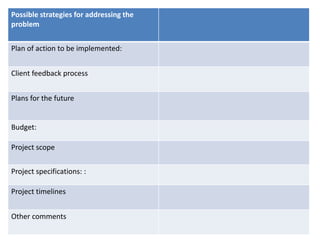
Possible strategies for addressing the
problem
Plan of action to be implemented:
Possible strategies for addressing the
problem
Plan of action to be implemented:
Client feedback process
Plans for the future
Budget:
Project scope
Project specifications: :
Project timelines
Other comments
How to analyse client requirements
• Suppose you’ve determined your client’s
requirements. You’ve collected from the client
the information that’s on the template we’ve just
looked at. You’ll now look at that information and
ask yourself questions such as:
Does the client know exactly what they want?
 Is there anything I need to research to help the client
make a more informed decision?
 Would I be able to meet the client’s requirements?
Analysis of client requirements
Analysis Details
What the client requires (to resolve the problem)
Other methods for resolving the problem
Advantages and disadvantages of each method
Recommendation (if any) and reasons for recommendation
Implications for initial budget, timelines, etc
Other comments:
Information you and your client need
to agree to
• It is important that you gather the correct
information from a client so that you can
accurately determine their requirements. It’s
just as important that:
You provide the clients with information that will
help them make an informed decision
You and your client agree on certain decisions
(e.g. the specifications of the job and the scope of
the job).
Types of information you should
obtain from the beginning
• Extra
costs It is important to ensure that the client is fully
aware of how much they would need to pay and for
what service. Are there any extra costs that could be
incurred by the client? Are there any extra charges or
penalties the client could be asked to pay
Scope of the job
 Both you and the client should agree on exactly what
you are supposed to do. They should know what they
have to provide. What are the parameters of the job (or
project)? Exactly what lies outside the brief?
• Specifications
It’s important to spell out the details that you will need to attend
to in order to do the job. (For example, if you’ve been contracted
to publish a company brochure, spell out the exact size, colours,
paper thickness, fonts, etc.
• Agreement or contract
Is there a document such as a service level agreement?
• Changing of the brief
Sometimes halfway through a job, a client may want to change
their original brief. Is there a deadline for changes to the brief?
Which specifications can be changed? Is there a penalty?
• Options
Let the client know what their options are. Provide information on
the features of each option.
• Possibilities
 The client may make a request for a certain service or product. However, they
may not be aware of other options or other possibilities
• Recommendations
 Is it your organization's policy to give recommendations to the client?
Sometimes clients request that you do. Make sure you carry out research.
• Process
 The client needs to be aware of the processes you’ll take when carrying out
the client’s request. Is the client part of this process? Will they be consulted?
When will they be consulted?
• Roles
 It’s important to clarify the roles of everyone on the job. What is your role?
What is their role? What are the roles of each person on the project?
• Consultation with the client
 Will the client be consulted? At what stages of the job or project will this
consultation occur?
 Contact person
 Can the client contact you or someone in the organisation if they have
queries?
• Timelines
 What are the dates for the completion of the job (or various parts of the job)?
Will there be penalties if deadlines are not met?
• Job guarantee
 Is there a job guarantee? If the client is not satisfied with the service, is there
recourse (someone or a regulatory body they could contact perhaps)? Once
you have agreed on this information, it would be a good idea to put it down in
writing. It could simply be in the form of a letter to the client where you say
something like: ‘Below are the decisions we made and agreed to at
Document the client’s requirements
and report them to your supervisor
• After analysis of the client’s requirements, you should fully
document the client’s requirements and report them to
your supervisor. This document may take the forms, but
would include the following:
 background information such as company details
 problems and issues that may have led to the client’s request
 questions asked during your meeting with the client and their
answers to those questions, as well as a list of any essential
criteria
 other options or possibilities of which the client may not have
been aware
 any information for the client that will help them understand
what they’re getting into before you go ahead with the job (or
project)
Lo:3 Contacting vendors
• ICT hardware and peripherals are often expensive and are purchased with
medium-term capital value in mind; meaning that devices are seen as
lasting from two to five years, before needing to be replaced or updated.
• To consider what is involved in replacing ICT equipment, think of a major
purchase in your life, such as a television. You would have thought about
and researched the features available and what you want, the brands that
offer that range of features, the relative price of brands and models within
brands, and where the brand and model you decide on might be bought at a
reasonable price.
Where to look and what to look for
• To say the ICT marketplace is ‘as wide as the world’ is both a figure of speech
and true—you can find and buy equipment from almost anywhere. Yet unless
you are in a large organisation with specific and possibly unique needs (and
therefore can’t avoid costly and untimely international delivery), you’ll more
likely deal with local or national retailers. Sometimes you may go direct to the
manufacturers and at other times through an agent, consultant, licensed
reseller or retail store. New hardware and information about
• new hardware (including peripherals such as printers and scanners) can be
found via
 computer magazines
 newspapers
 the Internet
 ICT consultants
 the yellow pages (for retailers, resellers etc.)
 computer suppliers
 ICT fairs and exhibitions
Requests for proposals
• One way in which to choose a supplier for the
equipment you need is to obtain a quote, or create a
request for proposal (RFP), also called requests for
tender (RFT).
• A RFP will require vendors to show how they will meet
your needs by detailing:
 product specifications
 product pricing
 support provisions
 how the product meets the specified performance criteria
 terms and conditions
 vendor history
• The content is determined by your
organization's purchasing procedures. The RFP
is only one part of the procedure. Procedures
may also include:
• guidelines on selecting products
• purchasing mechanisms
• dealing with suppliers
• receiving goods
• payment methods
Selection criteria
• It is important to be sure that equipment purchased does what is
required of it and that training and documentation for it are such
that users are aware of all the features of the equipment, to use it
fully.
• Equipment features that are needed must be encompassed by the
criteria you set when you evaluate the alternatives. When selecting
any item to purchase, the main categories of criteria include:
 product requirements
 support and maintenance
 training
 price
 issues of vendor continuity
The criteria, based on client needs, are generally part of an RFP. The key
to selecting the best product is ensuring that you fully understand the
client’s requirements and the constraints that might apply to what can be
used.
Product requirements
• The product requirement will vary depending on the technology being
assessed and what the client’s needs are. What is the device supposed to
do? How should it do it? A software product will need certain features
depending on its type. Database software, for instance, needs some form of
query language to support data manipulation and reporting.
• At another level, the software must be able to support the work practices of
the user and be compatible and interoperable with existing software and
systems. So if the user needs to extract data from his personal database and
send it to the corporate mainframe database, then this is a criterion that the
software must support.
• All of these criteria would be established
when you interview the client and determine
their requirements. Examples of hardware
criteria are:
 processor speed
 memory size and speed
disk size and speed
 monitor resolution
 type and number of ports
 expansion capabilities (number of slots, etc.)
Support, maintenance and training
• Support and maintenance It would not be in an
organization's best interest to invest time and resources
in acquiring new technology if the supplier cannot
provide assistance when things go wrong, or if there are
not the opportunities of upgrading equipment at a later
date.
• Vendors can offer support and maintenance contracts
for support of upgrades, usually at a fixed price.
Sometimes emerging technology will not have this
support structure in place. In this case, you would have
to carefully assess the benefits against what could
happen if the technology failed.
Training
• If the equipment to be purchased may require staff training for its use, you
need to know the cost of that training and if any contribution to training is
offered by the vendor. Vendors who develop emerging technology will
know their product very well. To encourage you to adopt their technology,
and assist you to use it, they may offer training courses in the product.
• This should be a criterion when evaluating the emerging technology as
lack of training can lead to unsuccessful implementation of the technology.
Price
• There is more to price than just the purchase
price. This criterion also includes development
and implementation costs, ongoing costs and
benefits to the organisation. Hardware is often
purchased as part of a capital budget. These
budgets are planned well in advance, often up to
12 months. Most organisations will expect some
form of cost/benefit analysis to be performed.
Software on the other hand, is mostly considered
as an expense by accounting practices
Planning
• Planning is fundamental to the successful operation of any
business. Planning is deciding in advance what is going to
be done. This function entails evaluating your resources
and environment and establishing goals. Once the goals are
established, managers develop tactics to achieve these
goals and monitor the results. Planning is the key to a
successful installation.
• By doing this you’ll avoid making mistakes that may require
you to reinstall the component and so minimise the impact
on clients in a network.
• This procedure may take some time, but you’ll definitely
benefit by doing so. We will be looking at developing an
installation plan for the installation of hardware
components or software applications
• . These plans need to
 Name the project.
 Break down the project into steps.
Identify and allocate resources to the project.
Give timelines for the project.
State who will take the appropriate action.
Develop contingency plans.
List desired outcomes.
• Your plan needs to include
• steps for:
1 installing
2 configuring
3 testing
4 backup procedures and disaster recovery plans
At all times it is important to try and minimize the
disruption to the client. For the installation, arrange a
convenient time for the client and notify the client how
long the job will take and what you are going to do
Your workspace
• One resource your installation plan needs to address is a
suitable working environment and adequate tools for the
task. You will generally need all of the following if you are
installing any hardware:
 a clean, tidy and well-lit working space or bench >
 sufficient power points >
 a toolkit comprising screwdrivers (flat and Philips) and some
long nose pliers
 an anti-static wrist strap to avoid static discharges on your
components
 a small torch to look inside dark corners
 a small jar or plastic container to store screws and small parts
 sticky notes to label components
Sources of information
Your user manual may contain information on:
Minimum system requirements,
 hardware and software
Safety precautions
All the accessories provided with the component such as screws
and cables
 Hardware installation
Driver installation for various operating systems
• Your installation CD may contain the following
information and/or software:
 Installation guide
 User manual
 Drivers for different operating systems
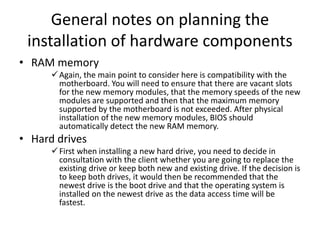
General notes on planning the
installation of hardware components
• RAM memory
Again, the main point to consider here is compatibility with the
motherboard. You will need to ensure that there are vacant slots
for the new memory modules, that the memory speeds of the new
modules are supported and then that the maximum memory
supported by the motherboard is not exceeded. After physical
installation of the new memory modules, BIOS should
automatically detect the new RAM memory.
• Hard drives
First when installing a new hard drive, you need to decide in
consultation with the client whether you are going to replace the
existing drive or keep both new and existing drive. If the decision is
to keep both drives, it would then be recommended that the
newest drive is the boot drive and that the operating system is
installed on the newest drive as the data access time will be
fastest.
• After completing the physical hardware
installation, the drive will need to be configured
and formatted. Unlike
 floppy drives, hard disk drives vary greatly in storage
capacity. The disk is electronically blank to begin with. The
manufacturer generally performs a ‘low-level format’. Here
are the basic steps in the preparation of a hard disk:
1 Configure the CMOS for the drive you have installed.
2 Perform a low-level format.
3 Partition the drive.
4 Perform a high-level format.
5 Restore the client’s data to the installed drive if necessary
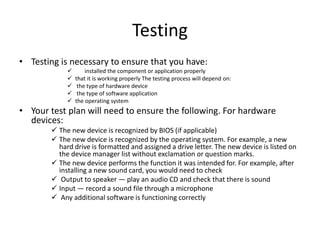
Testing
• Testing is necessary to ensure that you have:
 installed the component or application properly
 that it is working properly The testing process will depend on:
 the type of hardware device
 the type of software application
 the operating system
• Your test plan will need to ensure the following. For hardware
devices:
 The new device is recognized by BIOS (if applicable)
 The new device is recognized by the operating system. For example, a new
hard drive is formatted and assigned a drive letter. The new device is listed on
the device manager list without exclamation or question marks.
 The new device performs the function it was intended for. For example, after
installing a new sound card, you would need to check
 Output to speaker — play an audio CD and check that there is sound
 Input — record a sound file through a microphone
 Any additional software is functioning correctly
For software applications
• Software is tested for all functionalities of the
new software. For example, if you are
installing a new office suite, test the word
processing, spreadsheet and database
application. Be sure that they can all create
and save new document and that you can
print these documents
Lo: 4 Evaluation
• Evaluation needs to be conducted after the migration into the new
technology to assess the project’s success or failure. In this process,
you must use the project success indicators to compare against the
actual benefits and returns.
• During evaluation, data is collected, recorded and analyzed to
identify the benefits of the new technology. Evaluation is conducted
after implementation of new technology to:
1. Identify any issues relating to the relevance, effectiveness and efficiency of
the hardware and software systems installed.
2. Identify changes that are necessary to address any pressing issues.
3. Ensure that the organizational process used for migrating to new technology
are acceptable to stakeholders and identify any changes that are necessary
4. Verify whether the system has delivered what was expected so as to benefit
future projects.
5. Monitor long-term use of the system.
Key indicators of performance
• Performance of the system measures the
reliability of the hardware and software. It
includes:
 availability of the system
error rate
 mean time taken to complete task
Environmental considerations for new
equipment and software
• It is important to use a formal process to ensure that
potential environment problems are foreseen and
addressed at early stages of the implementation of
new hardware or software. However, a careful
environmental impact assessment prior to
implementation does not exempt you from re-visiting
this topic during the evaluation stage
• Assessment of the environmental impact of using the
technology must be done against:
 resources
labour
infrastructure
supporting technologies required
• Factors that could bring favorable environmental outcomes
are:
 reduction in wastage
 replacement of old equipment that is not environmentally friendly
 reduction in paper usage
 reduction in energy consumption Factors that could pose a challenge
are:
 Environmental issues relating to disposal of obsolete computer
supplies, hardware and other equipment
 Environmental issues relating to communication devices, wireless
communication devices in particular
 The apparent need of many organizations to purchase large numbers
of new computers. (It is estimated that 1.8 tons of raw materials are
required to produce the average desktop personal computer and
monitor. Imagine the negative impact of the production on the
environment!
Using feedback
• The value of feedback
Feedback is extremely valuable in the evaluation of
hardware and software as it provides an effective
balance for your own observations and walkthroughs
on the system.
• Gathering feedback
The goal of collecting feedback from users and
gathering information from other sources is to enable
the technology committee to assess how well the
software and hardware implementation is satisfying
the key usability and performance indicators.
Basic feedback gathering methods
1. Observations, walkthroughs and site visits
2. Interviews
3. Focus groups
4. Surveys and questionnaires
5. Produce a final report
• The end

Connect internal hardware components.pptx

  • 1.
    Connect internal hardware components LO:1 Identify and categories the different internal hardware components
  • 2.
    • Components incomputer systems are continually being refined and improved. At the time of writing this unit the following types of hardware components may be found internally in a computer:  Motherboard  Central processing unit (CPU)  Random access memory (RAM)  Firmware  Power supply  Removable media devices  CD  DVD  Blu-ray  Internal storage  Hard disk drive (HDD)  Solid state drive (SSD)
  • 3.
    • The categoriesthat most internal hardware components come under are: >  Processing  Storage/ memory  Input device  Output devices
  • 4.
    Motherboard • The motherboardcontains a variety of connectors that support specific types of components. The specifications of a motherboard will clarify which components are supported.
  • 5.
    RAM requirements • RAMis perhaps the easiest upgrade that will improve the performance of a computer. Computer users are often reluctant to upgrade the hardware specs of their computer, yet are very keen to install newer applications. As a result, the applications can be difficult to run smoothly if the system requirements are not met.
  • 6.
    Types of RAM •Historically, there have been many types of RAM used in personal computers.  DDR RAM (Double Data Rate Transfer) A DDR-266 184 pin double in line memory module (DIMM) has a data rate represented by the 266. Data transfer rates are many times the speed at which the RAMs internal data rate. DDR RAM was a standard from 1996 to about 2001, though continued to be used in personal computers for a few years later.  DDR RAM was typically used in sizes up to 256MB, 512Mb and 1GB per module. DDR2 In a similar way and representing an improvement in technology,  DDR2 RAM had memory transfer rates of twice that of DDR RAM. This was in the range of 200-533Mhz. DDR2 Ram is still widely used in 2011.  DDR2 modules are generally available in 1 and 2GB.  DDR3 This represents the latest standard in personal computer memory. At 4 times the rate of DDR2 RAM, this represents a considerable improvement in technology. Clock cycles for this RAM are typically 400-1066 MHz  Typical sizes for DDR3 modules are 2 and 4GB
  • 7.
    • Each ofthese types of RAM is available in a smaller form factor for devices such as notebook computers. These are known as SO-DIMM (small outline dual in- line memory module) modules • The choice of RAM for a computer is of course bound by the motherboards slots, with each supporting one only of the above types of RAM. The maximum memory availability is given by the largest available module x number of slots in the mother board. A machine currently equipped with 4GB DDR3 RAM, would have 2 slots each with a 2GB module installed or 1 slot of 4GB. Thus it is upgradable to 8GB limited by the motherboard. (4GB x 2)
  • 8.
    Hard Disk Driverequirements Types of Hard disks IDE • IDE  These drives used a series of platters in which to store data. It uses a parallel cable to transfer data the data bus on the motherboard.  Storage sizes typically ranged from 10GB to 320GB.  Data transfer rates for these drives is up to 130MB/s. SATA These drive used the same disk technology as the IDE drive. • The advantage over the IDE drive is in the data transfer rate. • The transfer rate along a serial cable is more reliable and significantly faster. These drives have a data transfer rate of up to 1GB/s, though this is limited by the rate of transfer of other devices within the computer.
  • 9.
    Solid State Drives(SSD) Here, a change in technology sees data stored in memory chips, containing no moving parts.  The interface used is various. They include SATA connectors, USB and PCI express. Drive sizes range from 256GB to more than 1TB. Data transfer rates of up to 6GB/s have been achieved on recent devices
  • 10.
    Disk Drive Disk •drives store permanent data. They perform the following roles: > Storage of applications. These are loaded into memory when they are launched by the operating system. > Storage of user data. Applications that allow users to store data for later use will interact with the operating system in order that storage of user data is possible. This is seen when a dialog box is presented to the user, allowing them to “browse” for a location in which to store a file. Many applications will have their own file extension e.g. .doc, which allows the operating system to associate a file with an application, so making easier access to the file
  • 11.
    Explain the purposeof the different internal hardware components • RAM • RAM is an essential component in a personal computer. Its role is to store data in various forms for temporary use. When a computer starts up, the operating system is loading into memory. • This allows the user to interact with devices on the computer, such as a DVD burner or a set of speakers. It also serves as a temporary storage medium for user data which is being modified. • This is commonly the case with an application into which the user provides data from the keyboard, such as a word processor or a spread sheet
  • 12.
    Lo2 :Accurately determiningclient requirements • What information do you need from your client?  Before meeting with clients to discuss their requirements, you should be prepared. Thorough preparation should allow you to get all necessary information during a meeting with your client. You should understand your organisation’s standards and policies, as well as plan to get the required information from the client in a short time  It is a good idea to have a standard set of questions to ask your client. Having these questions printed out and ready to use will further improve the quality of your service. It is very unlikely you will forget to ask a written question about a particular item, but a question could be overlooked if you try to commit it to memory. The answers to these questions will not only provide you with the information you need, but will also allow you to confirm the answers with the client and your supervisor.
  • 13.
    Information to obtainfrom client Question Response Background of the organization or business: Objectives of this exercise: Problem (a Problem (and any underlying issues) Criteria for successful achievement of objectives: Issues, factors and information that impinge on the problem: Criteria for successful achievement of objectives: Issues, factors and information that impinge on the problem: Resources available to address the problem: Possible strategies for addressing the problem Plan of action to be implemented:
  • 14.
    Possible strategies foraddressing the problem Plan of action to be implemented: Client feedback process Plans for the future Budget: Project scope Project specifications: : Project timelines Other comments
  • 15.
    How to analyseclient requirements • Suppose you’ve determined your client’s requirements. You’ve collected from the client the information that’s on the template we’ve just looked at. You’ll now look at that information and ask yourself questions such as: Does the client know exactly what they want?  Is there anything I need to research to help the client make a more informed decision?  Would I be able to meet the client’s requirements?
  • 16.
    Analysis of clientrequirements Analysis Details What the client requires (to resolve the problem) Other methods for resolving the problem Advantages and disadvantages of each method Recommendation (if any) and reasons for recommendation Implications for initial budget, timelines, etc Other comments:
  • 17.
    Information you andyour client need to agree to • It is important that you gather the correct information from a client so that you can accurately determine their requirements. It’s just as important that: You provide the clients with information that will help them make an informed decision You and your client agree on certain decisions (e.g. the specifications of the job and the scope of the job).
  • 18.
    Types of informationyou should obtain from the beginning • Extra costs It is important to ensure that the client is fully aware of how much they would need to pay and for what service. Are there any extra costs that could be incurred by the client? Are there any extra charges or penalties the client could be asked to pay Scope of the job  Both you and the client should agree on exactly what you are supposed to do. They should know what they have to provide. What are the parameters of the job (or project)? Exactly what lies outside the brief?
  • 19.
    • Specifications It’s importantto spell out the details that you will need to attend to in order to do the job. (For example, if you’ve been contracted to publish a company brochure, spell out the exact size, colours, paper thickness, fonts, etc. • Agreement or contract Is there a document such as a service level agreement? • Changing of the brief Sometimes halfway through a job, a client may want to change their original brief. Is there a deadline for changes to the brief? Which specifications can be changed? Is there a penalty? • Options Let the client know what their options are. Provide information on the features of each option.
  • 20.
    • Possibilities  Theclient may make a request for a certain service or product. However, they may not be aware of other options or other possibilities • Recommendations  Is it your organization's policy to give recommendations to the client? Sometimes clients request that you do. Make sure you carry out research. • Process  The client needs to be aware of the processes you’ll take when carrying out the client’s request. Is the client part of this process? Will they be consulted? When will they be consulted? • Roles  It’s important to clarify the roles of everyone on the job. What is your role? What is their role? What are the roles of each person on the project?
  • 21.
    • Consultation withthe client  Will the client be consulted? At what stages of the job or project will this consultation occur?  Contact person  Can the client contact you or someone in the organisation if they have queries? • Timelines  What are the dates for the completion of the job (or various parts of the job)? Will there be penalties if deadlines are not met? • Job guarantee  Is there a job guarantee? If the client is not satisfied with the service, is there recourse (someone or a regulatory body they could contact perhaps)? Once you have agreed on this information, it would be a good idea to put it down in writing. It could simply be in the form of a letter to the client where you say something like: ‘Below are the decisions we made and agreed to at
  • 22.
    Document the client’srequirements and report them to your supervisor • After analysis of the client’s requirements, you should fully document the client’s requirements and report them to your supervisor. This document may take the forms, but would include the following:  background information such as company details  problems and issues that may have led to the client’s request  questions asked during your meeting with the client and their answers to those questions, as well as a list of any essential criteria  other options or possibilities of which the client may not have been aware  any information for the client that will help them understand what they’re getting into before you go ahead with the job (or project)
  • 23.
    Lo:3 Contacting vendors •ICT hardware and peripherals are often expensive and are purchased with medium-term capital value in mind; meaning that devices are seen as lasting from two to five years, before needing to be replaced or updated. • To consider what is involved in replacing ICT equipment, think of a major purchase in your life, such as a television. You would have thought about and researched the features available and what you want, the brands that offer that range of features, the relative price of brands and models within brands, and where the brand and model you decide on might be bought at a reasonable price.
  • 24.
    Where to lookand what to look for • To say the ICT marketplace is ‘as wide as the world’ is both a figure of speech and true—you can find and buy equipment from almost anywhere. Yet unless you are in a large organisation with specific and possibly unique needs (and therefore can’t avoid costly and untimely international delivery), you’ll more likely deal with local or national retailers. Sometimes you may go direct to the manufacturers and at other times through an agent, consultant, licensed reseller or retail store. New hardware and information about • new hardware (including peripherals such as printers and scanners) can be found via  computer magazines  newspapers  the Internet  ICT consultants  the yellow pages (for retailers, resellers etc.)  computer suppliers  ICT fairs and exhibitions
  • 25.
    Requests for proposals •One way in which to choose a supplier for the equipment you need is to obtain a quote, or create a request for proposal (RFP), also called requests for tender (RFT). • A RFP will require vendors to show how they will meet your needs by detailing:  product specifications  product pricing  support provisions  how the product meets the specified performance criteria  terms and conditions  vendor history
  • 26.
    • The contentis determined by your organization's purchasing procedures. The RFP is only one part of the procedure. Procedures may also include: • guidelines on selecting products • purchasing mechanisms • dealing with suppliers • receiving goods • payment methods
  • 27.
    Selection criteria • Itis important to be sure that equipment purchased does what is required of it and that training and documentation for it are such that users are aware of all the features of the equipment, to use it fully. • Equipment features that are needed must be encompassed by the criteria you set when you evaluate the alternatives. When selecting any item to purchase, the main categories of criteria include:  product requirements  support and maintenance  training  price  issues of vendor continuity The criteria, based on client needs, are generally part of an RFP. The key to selecting the best product is ensuring that you fully understand the client’s requirements and the constraints that might apply to what can be used.
  • 28.
    Product requirements • Theproduct requirement will vary depending on the technology being assessed and what the client’s needs are. What is the device supposed to do? How should it do it? A software product will need certain features depending on its type. Database software, for instance, needs some form of query language to support data manipulation and reporting. • At another level, the software must be able to support the work practices of the user and be compatible and interoperable with existing software and systems. So if the user needs to extract data from his personal database and send it to the corporate mainframe database, then this is a criterion that the software must support.
  • 29.
    • All ofthese criteria would be established when you interview the client and determine their requirements. Examples of hardware criteria are:  processor speed  memory size and speed disk size and speed  monitor resolution  type and number of ports  expansion capabilities (number of slots, etc.)
  • 30.
    Support, maintenance andtraining • Support and maintenance It would not be in an organization's best interest to invest time and resources in acquiring new technology if the supplier cannot provide assistance when things go wrong, or if there are not the opportunities of upgrading equipment at a later date. • Vendors can offer support and maintenance contracts for support of upgrades, usually at a fixed price. Sometimes emerging technology will not have this support structure in place. In this case, you would have to carefully assess the benefits against what could happen if the technology failed.
  • 31.
    Training • If theequipment to be purchased may require staff training for its use, you need to know the cost of that training and if any contribution to training is offered by the vendor. Vendors who develop emerging technology will know their product very well. To encourage you to adopt their technology, and assist you to use it, they may offer training courses in the product. • This should be a criterion when evaluating the emerging technology as lack of training can lead to unsuccessful implementation of the technology.
  • 32.
    Price • There ismore to price than just the purchase price. This criterion also includes development and implementation costs, ongoing costs and benefits to the organisation. Hardware is often purchased as part of a capital budget. These budgets are planned well in advance, often up to 12 months. Most organisations will expect some form of cost/benefit analysis to be performed. Software on the other hand, is mostly considered as an expense by accounting practices
  • 33.
    Planning • Planning isfundamental to the successful operation of any business. Planning is deciding in advance what is going to be done. This function entails evaluating your resources and environment and establishing goals. Once the goals are established, managers develop tactics to achieve these goals and monitor the results. Planning is the key to a successful installation. • By doing this you’ll avoid making mistakes that may require you to reinstall the component and so minimise the impact on clients in a network. • This procedure may take some time, but you’ll definitely benefit by doing so. We will be looking at developing an installation plan for the installation of hardware components or software applications
  • 34.
    • . Theseplans need to  Name the project.  Break down the project into steps. Identify and allocate resources to the project. Give timelines for the project. State who will take the appropriate action. Develop contingency plans. List desired outcomes.
  • 35.
    • Your planneeds to include • steps for: 1 installing 2 configuring 3 testing 4 backup procedures and disaster recovery plans At all times it is important to try and minimize the disruption to the client. For the installation, arrange a convenient time for the client and notify the client how long the job will take and what you are going to do
  • 36.
    Your workspace • Oneresource your installation plan needs to address is a suitable working environment and adequate tools for the task. You will generally need all of the following if you are installing any hardware:  a clean, tidy and well-lit working space or bench >  sufficient power points >  a toolkit comprising screwdrivers (flat and Philips) and some long nose pliers  an anti-static wrist strap to avoid static discharges on your components  a small torch to look inside dark corners  a small jar or plastic container to store screws and small parts  sticky notes to label components
  • 37.
    Sources of information Youruser manual may contain information on: Minimum system requirements,  hardware and software Safety precautions All the accessories provided with the component such as screws and cables  Hardware installation Driver installation for various operating systems • Your installation CD may contain the following information and/or software:  Installation guide  User manual  Drivers for different operating systems
  • 38.
    General notes onplanning the installation of hardware components • RAM memory Again, the main point to consider here is compatibility with the motherboard. You will need to ensure that there are vacant slots for the new memory modules, that the memory speeds of the new modules are supported and then that the maximum memory supported by the motherboard is not exceeded. After physical installation of the new memory modules, BIOS should automatically detect the new RAM memory. • Hard drives First when installing a new hard drive, you need to decide in consultation with the client whether you are going to replace the existing drive or keep both new and existing drive. If the decision is to keep both drives, it would then be recommended that the newest drive is the boot drive and that the operating system is installed on the newest drive as the data access time will be fastest.
  • 39.
    • After completingthe physical hardware installation, the drive will need to be configured and formatted. Unlike  floppy drives, hard disk drives vary greatly in storage capacity. The disk is electronically blank to begin with. The manufacturer generally performs a ‘low-level format’. Here are the basic steps in the preparation of a hard disk: 1 Configure the CMOS for the drive you have installed. 2 Perform a low-level format. 3 Partition the drive. 4 Perform a high-level format. 5 Restore the client’s data to the installed drive if necessary
  • 40.
    Testing • Testing isnecessary to ensure that you have:  installed the component or application properly  that it is working properly The testing process will depend on:  the type of hardware device  the type of software application  the operating system • Your test plan will need to ensure the following. For hardware devices:  The new device is recognized by BIOS (if applicable)  The new device is recognized by the operating system. For example, a new hard drive is formatted and assigned a drive letter. The new device is listed on the device manager list without exclamation or question marks.  The new device performs the function it was intended for. For example, after installing a new sound card, you would need to check  Output to speaker — play an audio CD and check that there is sound  Input — record a sound file through a microphone  Any additional software is functioning correctly
  • 41.
    For software applications •Software is tested for all functionalities of the new software. For example, if you are installing a new office suite, test the word processing, spreadsheet and database application. Be sure that they can all create and save new document and that you can print these documents
  • 42.
    Lo: 4 Evaluation •Evaluation needs to be conducted after the migration into the new technology to assess the project’s success or failure. In this process, you must use the project success indicators to compare against the actual benefits and returns. • During evaluation, data is collected, recorded and analyzed to identify the benefits of the new technology. Evaluation is conducted after implementation of new technology to: 1. Identify any issues relating to the relevance, effectiveness and efficiency of the hardware and software systems installed. 2. Identify changes that are necessary to address any pressing issues. 3. Ensure that the organizational process used for migrating to new technology are acceptable to stakeholders and identify any changes that are necessary 4. Verify whether the system has delivered what was expected so as to benefit future projects. 5. Monitor long-term use of the system.
  • 43.
    Key indicators ofperformance • Performance of the system measures the reliability of the hardware and software. It includes:  availability of the system error rate  mean time taken to complete task
  • 44.
    Environmental considerations fornew equipment and software • It is important to use a formal process to ensure that potential environment problems are foreseen and addressed at early stages of the implementation of new hardware or software. However, a careful environmental impact assessment prior to implementation does not exempt you from re-visiting this topic during the evaluation stage • Assessment of the environmental impact of using the technology must be done against:  resources labour infrastructure supporting technologies required
  • 45.
    • Factors thatcould bring favorable environmental outcomes are:  reduction in wastage  replacement of old equipment that is not environmentally friendly  reduction in paper usage  reduction in energy consumption Factors that could pose a challenge are:  Environmental issues relating to disposal of obsolete computer supplies, hardware and other equipment  Environmental issues relating to communication devices, wireless communication devices in particular  The apparent need of many organizations to purchase large numbers of new computers. (It is estimated that 1.8 tons of raw materials are required to produce the average desktop personal computer and monitor. Imagine the negative impact of the production on the environment!
  • 46.
    Using feedback • Thevalue of feedback Feedback is extremely valuable in the evaluation of hardware and software as it provides an effective balance for your own observations and walkthroughs on the system. • Gathering feedback The goal of collecting feedback from users and gathering information from other sources is to enable the technology committee to assess how well the software and hardware implementation is satisfying the key usability and performance indicators.
  • 47.
    Basic feedback gatheringmethods 1. Observations, walkthroughs and site visits 2. Interviews 3. Focus groups 4. Surveys and questionnaires 5. Produce a final report
  • 48.