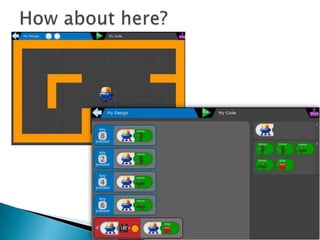
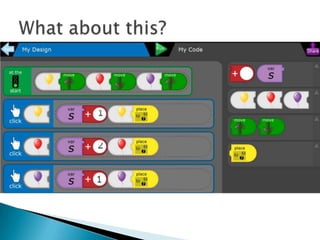
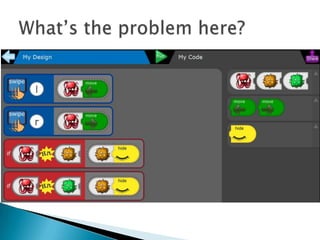
(It’s not that scary!)
It’s just scary language!


can analyse problems in computational
terms, and have repeated practical experience
of writing computer programs in order to
solve such problems


can evaluate and apply information
technology, including new or unfamiliar
technologies, analytically to solve problems


are responsible, competent, confident and
creative users of information and
communication technology.


can understand and apply the fundamental
principles and concepts of computer
science, including
abstraction, logic, algorithms and data
representation




Algorithm
Logic
Data representation
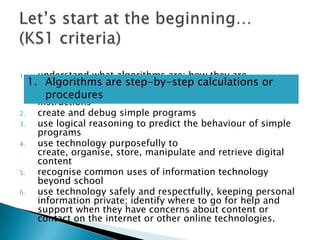
understand what algorithms are; how they are
1. implemented as programs on digital devices; and or
Algorithms are step-by-step calculations that
programs execute by following precise and unambiguous
procedures
instructions
2.
create and debug simple programs
3.
use logical reasoning to predict the behaviour of simple
programs
4.
use technology purposefully to
create, organise, store, manipulate and retrieve digital
content
5.
recognise common uses of information technology
beyond school
6.
use technology safely and respectfully, keeping personal
information private; identify where to go for help and
support when they have concerns about content or
contact on the internet or other online technologies.
1.
1.

2.
3.
4.

5.
6.

understand what algorithms are; how they are
implemented as programs on digital devices; and that
programs execute by following precise and unambiguous
instructions
create and debug simple programs
use logical reasoning to predict the behaviour of simple
programs
use technology purposefully to
create, organise, store, manipulate and retrieve digital
content
recognise common uses of information technology
beyond school
use technology safely and respectfully, keeping personal
information private; identify where to go for help and
support when they have concerns about content or
contact on the internet or other online technologies.







Now explore the lessons for your phase
You need to teach your children the basics
first – even in Year 6. How might you do this?
How and when are you going to do this? It
has to be done this term…
How will you evaluate the impact of what you
do?
(It’s not going away!)

Computing introduction staff meeting to share

  • 1.
    (It’s not thatscary!) It’s just scary language!
  • 2.
     can analyse problemsin computational terms, and have repeated practical experience of writing computer programs in order to solve such problems
  • 3.
     can evaluate andapply information technology, including new or unfamiliar technologies, analytically to solve problems
  • 4.
     are responsible, competent,confident and creative users of information and communication technology.
  • 5.
     can understand andapply the fundamental principles and concepts of computer science, including abstraction, logic, algorithms and data representation
  • 6.
  • 7.
    understand what algorithmsare; how they are 1. implemented as programs on digital devices; and or Algorithms are step-by-step calculations that programs execute by following precise and unambiguous procedures instructions 2. create and debug simple programs 3. use logical reasoning to predict the behaviour of simple programs 4. use technology purposefully to create, organise, store, manipulate and retrieve digital content 5. recognise common uses of information technology beyond school 6. use technology safely and respectfully, keeping personal information private; identify where to go for help and support when they have concerns about content or contact on the internet or other online technologies. 1.
  • 8.
    1. 2. 3. 4. 5. 6. understand what algorithmsare; how they are implemented as programs on digital devices; and that programs execute by following precise and unambiguous instructions create and debug simple programs use logical reasoning to predict the behaviour of simple programs use technology purposefully to create, organise, store, manipulate and retrieve digital content recognise common uses of information technology beyond school use technology safely and respectfully, keeping personal information private; identify where to go for help and support when they have concerns about content or contact on the internet or other online technologies.
  • 13.
        Now explore thelessons for your phase You need to teach your children the basics first – even in Year 6. How might you do this? How and when are you going to do this? It has to be done this term… How will you evaluate the impact of what you do?
  • 14.